 Скачать презентацию VERITAS Database Edition for Oracle Erik Möller Solutions
5c3478582ae0319d468c6184fecded8a.ppt
- Количество слайдов: 64



VERITAS Database Edition for Oracle Erik Möller Solutions Marketing Manager, EMEA erik. moller@veritas. com
Agenda VERITAS Overview Database Edition for Oracle Architecture Enhanced Performance High Availability Faster Recoverability Summary
What We Do VERITAS • Intelligent Storage Software for a Digital Economy • Ability to Execute • Power to Change
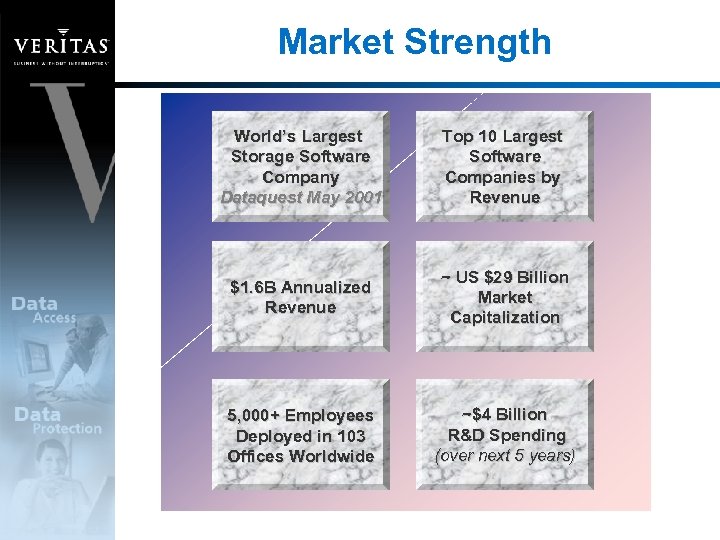
Market Strength World’s Largest Storage Software Company Dataquest May 2001 Top 10 Largest Software Companies by Revenue $1. 6 B Annualized Revenue ~ US $29 Billion Market Capitalization 5, 000+ Employees Deployed in 103 Offices Worldwide ~$4 Billion R&D Spending (over next 5 years)
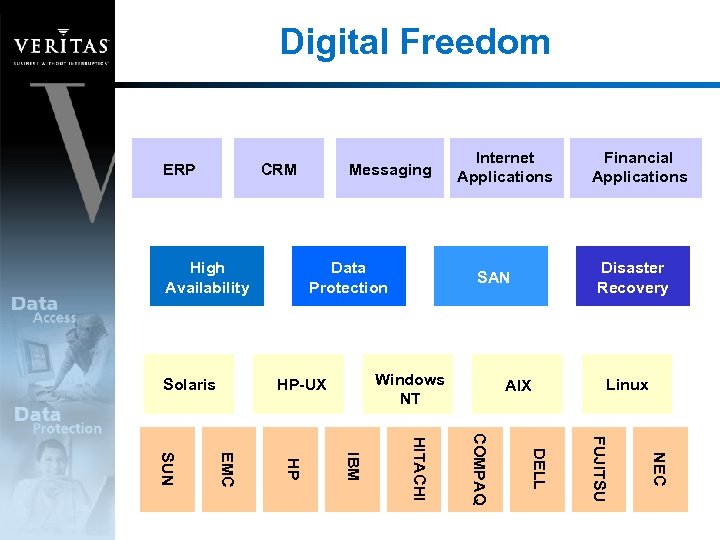
Digital Freedom ERP CRM High Availability Solaris Messaging Data Protection Internet Applications Disaster Recovery SAN Windows NT HP-UX Financial Applications AIX Linux NEC FUJITSU DELL COMPAQ HITACHI IBM HP EMC SUN
Database Edition for Oracle Features
Database Edition for Oracle VERITAS Database Edition for Oracle: Improves Oracle performance by 200% Virtually eliminates database backup window Speeds database recovery Improved Availability and Manageability through Storage Virtualization Certified solution by Oracle
Enhanced Performance
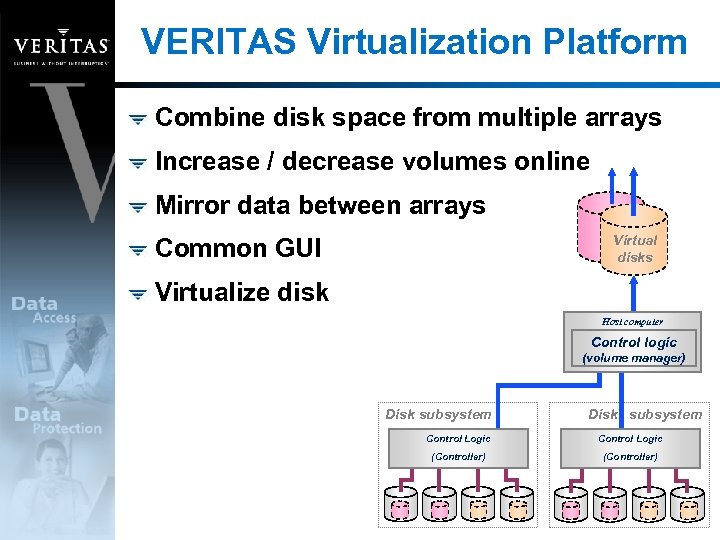
VERITAS Virtualization Platform Combine disk space from multiple arrays Increase / decrease volumes online Mirror data between arrays Virtual disks Common GUI Virtualize disk Host computer Control logic (volume manager) Disk subsystem Control Logic (Controller)
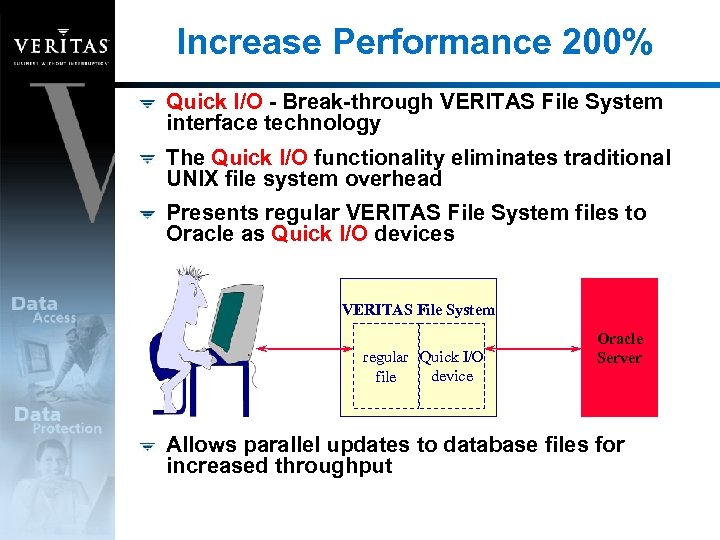
Increase Performance 200% Quick I/O - Break-through VERITAS File System interface technology The Quick I/O functionality eliminates traditional UNIX file system overhead Presents regular VERITAS File System files to Oracle as Quick I/O devices VERITAS File System regular Quick I/O device file Oracle Server Allows parallel updates to database files for increased throughput
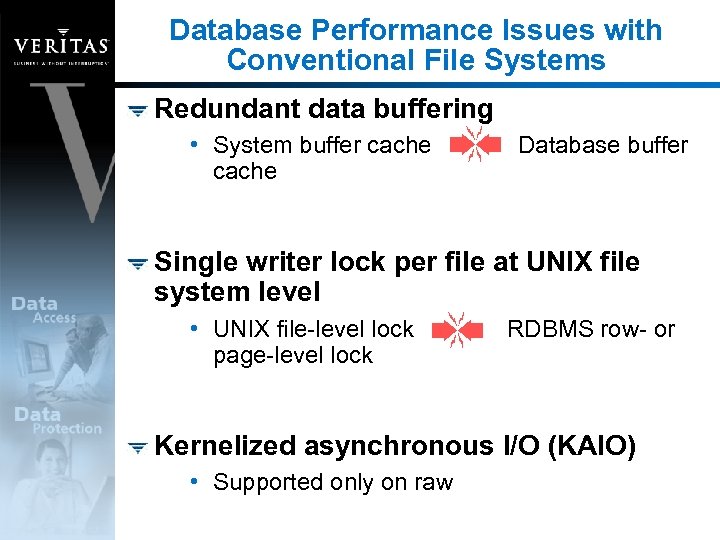
Database Performance Issues with Conventional File Systems Redundant data buffering • System buffer cache Database buffer Single writer lock per file at UNIX file system level • UNIX file-level lock page-level lock RDBMS row- or Kernelized asynchronous I/O (KAIO) • Supported only on raw
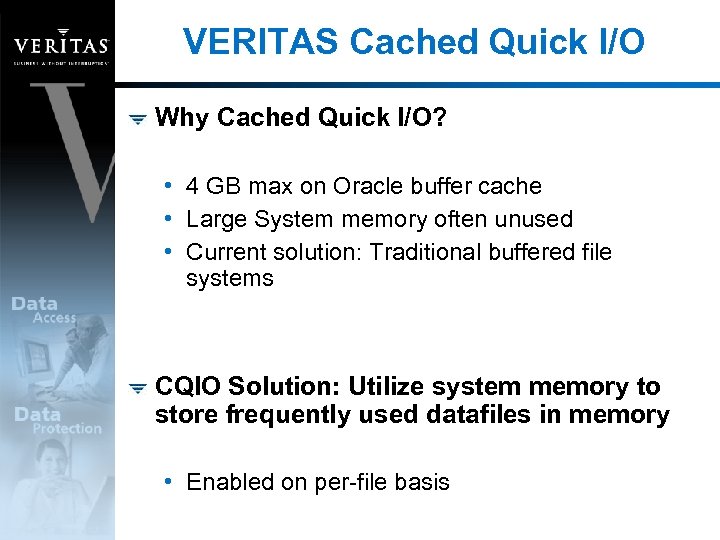
VERITAS Cached Quick I/O Why Cached Quick I/O? • 4 GB max on Oracle buffer cache • Large System memory often unused • Current solution: Traditional buffered file systems CQIO Solution: Utilize system memory to store frequently used datafiles in memory • Enabled on per-file basis
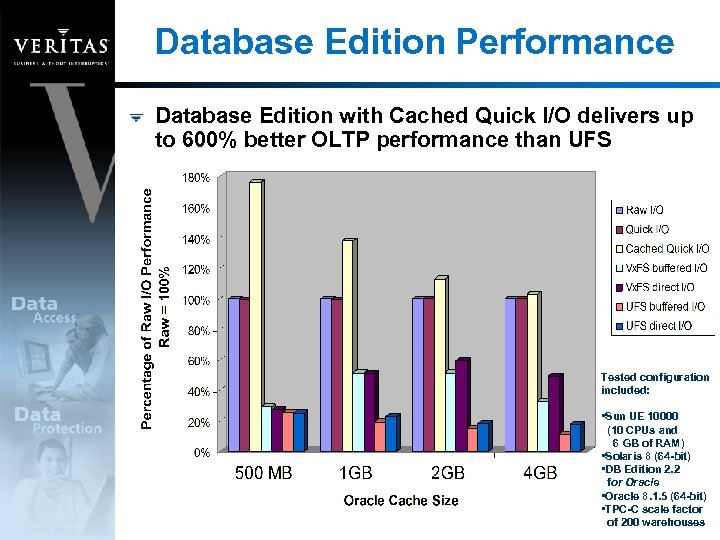
Database Edition Performance Database Edition with Cached Quick I/O delivers up to 600% better OLTP performance than UFS Tested configuration included: • Sun UE 10000 (10 CPUs and 6 GB of RAM) • Solaris 8 (64 -bit) • DB Edition 2. 2 for Oracle • Oracle 8. 1. 5 (64 -bit) • TPC-C scale factor of 200 warehouses
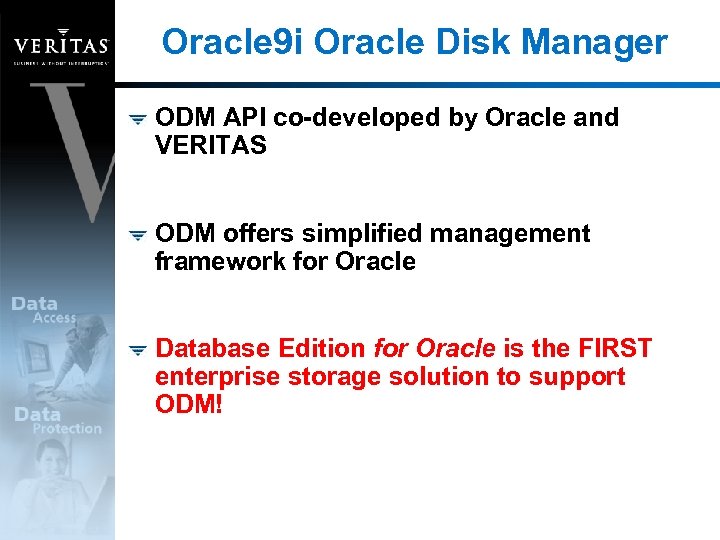
Oracle 9 i Oracle Disk Manager ODM API co-developed by Oracle and VERITAS ODM offers simplified management framework for Oracle Database Edition for Oracle is the FIRST enterprise storage solution to support ODM!
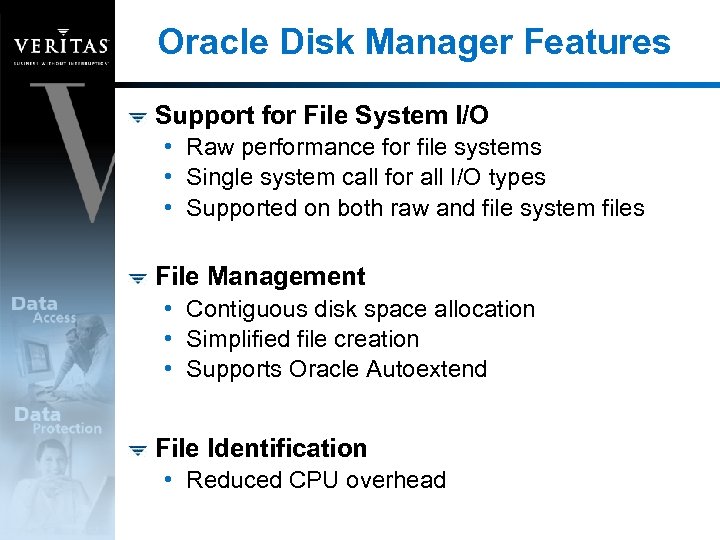
Oracle Disk Manager Features Support for File System I/O • Raw performance for file systems • Single system call for all I/O types • Supported on both raw and file system files File Management • Contiguous disk space allocation • Simplified file creation • Supports Oracle Autoextend File Identification • Reduced CPU overhead
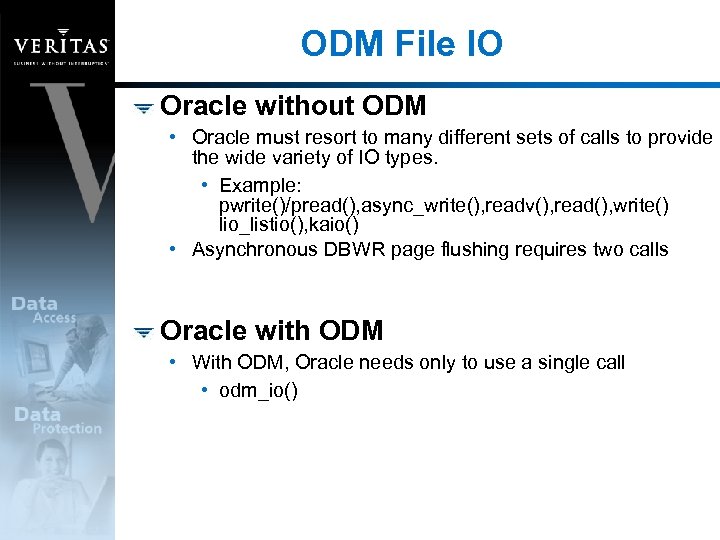
ODM File IO Oracle without ODM • Oracle must resort to many different sets of calls to provide the wide variety of IO types. • Example: pwrite()/pread(), async_write(), readv(), read(), write() lio_listio(), kaio() • Asynchronous DBWR page flushing requires two calls Oracle with ODM • With ODM, Oracle needs only to use a single call • odm_io()
File Resizing Features ODM supports Oracle’s Autoextend by adding contiguous disk blocks to a tablespace • Note: The contiguous extents added to a datafile will not be contiguous with the existing extents This is not adding a datafile, just adding extents • Oracle cannot Autoextend a raw partition unless it is a Vx. VM volume • On UFS, the added portion will not be contiguous
ODM versus QIO Functional Comparison ODM is fully automatic upon setup and Oracle 9 i will utilize ODM for all IO to file system files…. except UFS files. VERITAS is currently the only vendor with support for the ODM API Oracle 8 i has no ODM capability, thus QIO is the solution for Oracle 8 i QIO and ODM are not the same • QIO files are accessed with standard routines for IO • QIO files are not created contiguous by Oracle, but by the qiomkfile utility • ODM files appear to be just any regular file in the file system • QIO files possess a name extension to identify them to the Vx. FS internals
Large I/O Optimization VERITAS File System – Extent-based allocation Accelerates I/O by increasing the I/O transfer size in the file system Optimal for large files • Large Oracle tablespaces • Binary Large Objects (BLOBs) (e. g. , images, sounds)
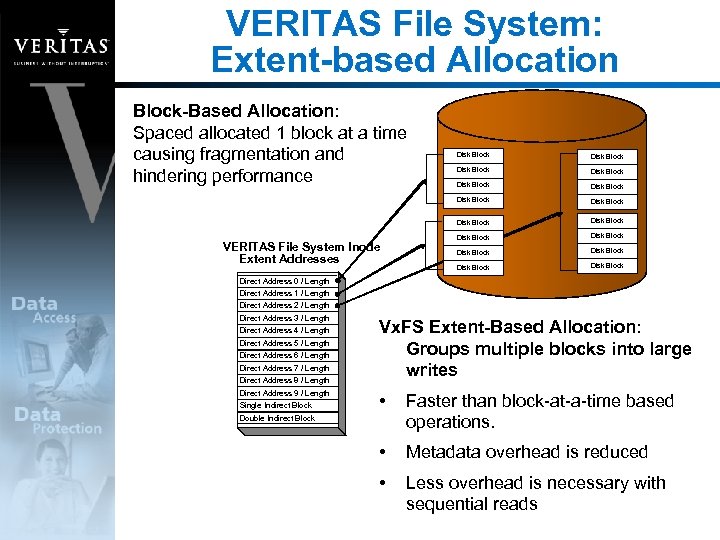
VERITAS File System: Extent-based Allocation Block-Based Allocation: Spaced allocated 1 block at a time causing fragmentation and hindering performance Disk Block Disk Block VERITAS File System Inode Extent Addresses Disk Block Disk Block Direct Address 0 / Length Direct Address 1 / Length Direct Address 2 / Length Direct Address 3 / Length Direct Address 4 / Length Direct Address 5 / Length Direct Address 6 / Length Direct Address 7 / Length Direct Address 8 / Length Direct Address 9 / Length Single Indirect Block Vx. FS Extent-Based Allocation: Groups multiple blocks into large writes • Faster than block-at-a-time based operations. • Metadata overhead is reduced • Less overhead is necessary with sequential reads Double Indirect Block
VERITAS Quick. Log Improves write performance by exporting intent log Transparent to end users Database Edition/HA provides automated Quick. Log failover
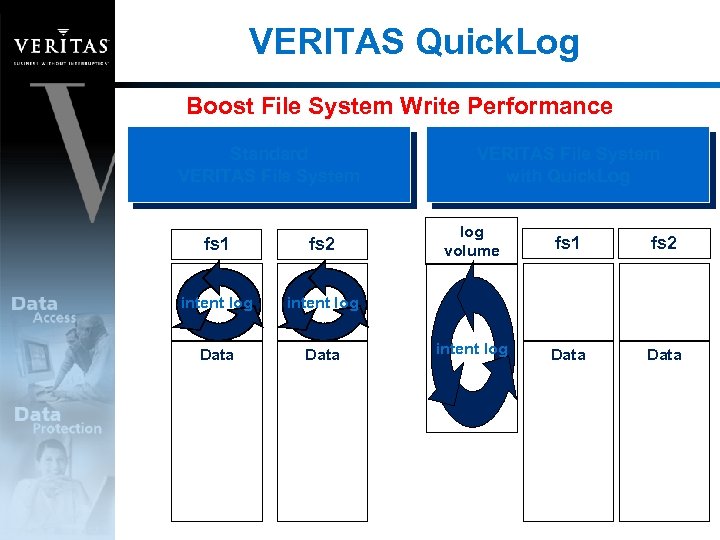
VERITAS Quick. Log Boost File System Write Performance Standard VERITAS File System fs 1 fs 2 intent log Data log volume fs 1 fs 2 intent log Data VERITAS File System with Quick. Log
High Availability
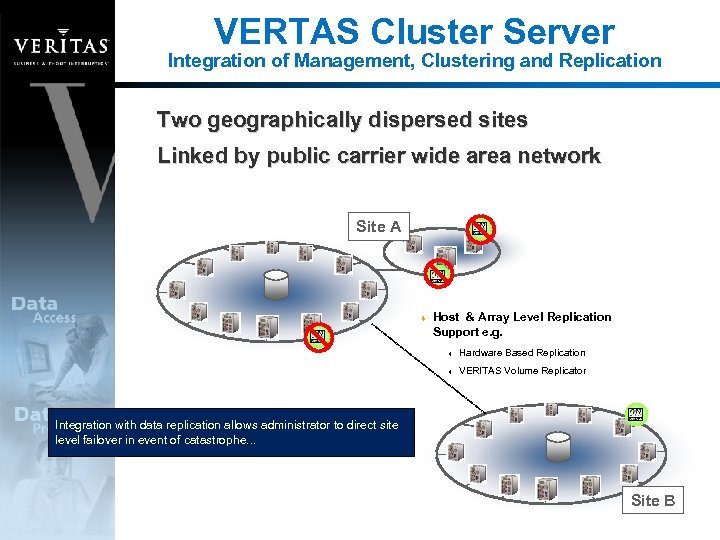
VERTAS Cluster Server Integration of Management, Clustering and Replication Two geographically dispersed sites Linked by public carrier wide area network Site A t Host & Array Level Replication Support e. g. t Hardware Based Replication t VERITAS Volume Replicator In the SAN withadata replication you to geographically disperse Integration of local failure, ORACLE fails over to to direct site Using eventinfrastructure allows administratorlocal level failover in event of area failover. . . servers for metropolitan catastrophe. . . machine. . . Site B
Faster Recoverability
Recoverability: Storage Checkpoint A point-in-time image of file system Maintains changed data blocks as database is being updated Mountable: Read-only or R/W • All file system functions can be performed
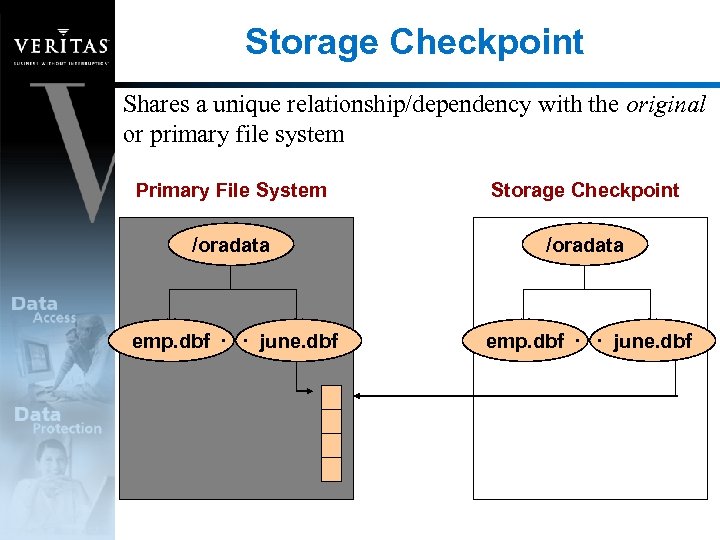
Storage Checkpoint Shares a unique relationship/dependency with the original or primary file system Primary File System Storage Checkpoint /oradata emp. dbf. . . june. dbf
Storage Checkpoint Applications Storage Rollback • On disk recovery Block-level incremental backups • Integration with VERITAS Net. Backup for Oracle • Net. Backup for Oracle Advanced BLI Agent Database Clones • Allows the database to be queried while loading
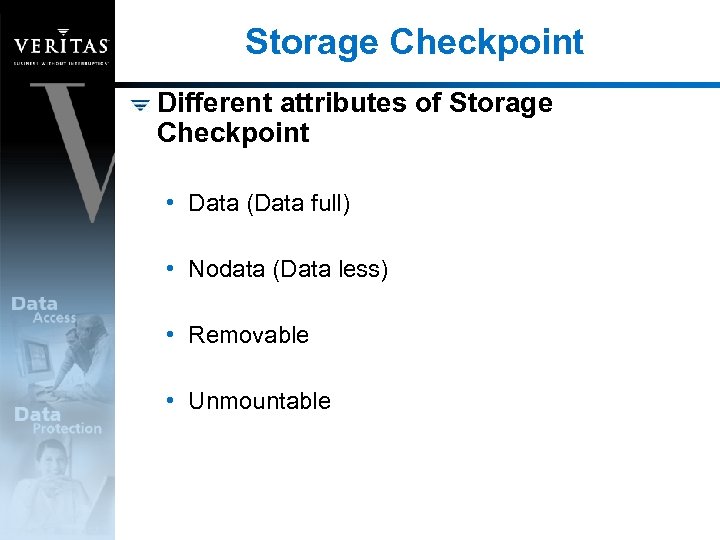
Storage Checkpoint Different attributes of Storage Checkpoint • Data (Data full) • Nodata (Data less) • Removable • Unmountable
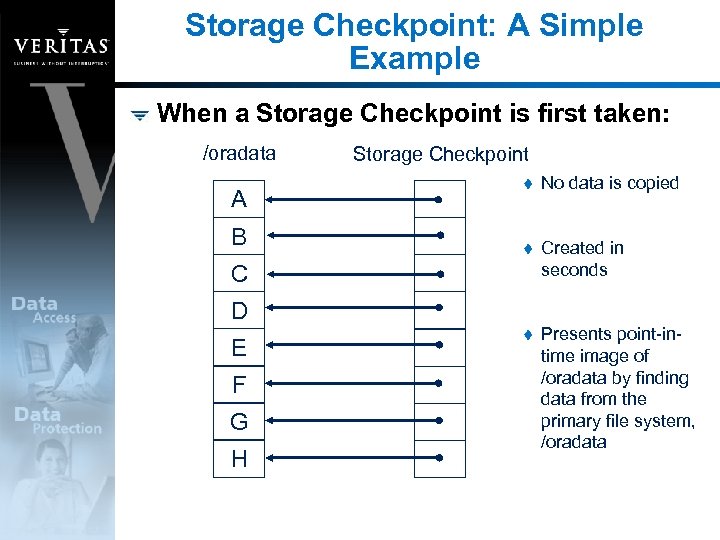
Storage Checkpoint: A Simple Example When a Storage Checkpoint is first taken: /oradata A B Storage Checkpoint t No data is copied t Created in seconds t Presents point-intime image of /oradata by finding data from the primary file system, /oradata C D E F G H
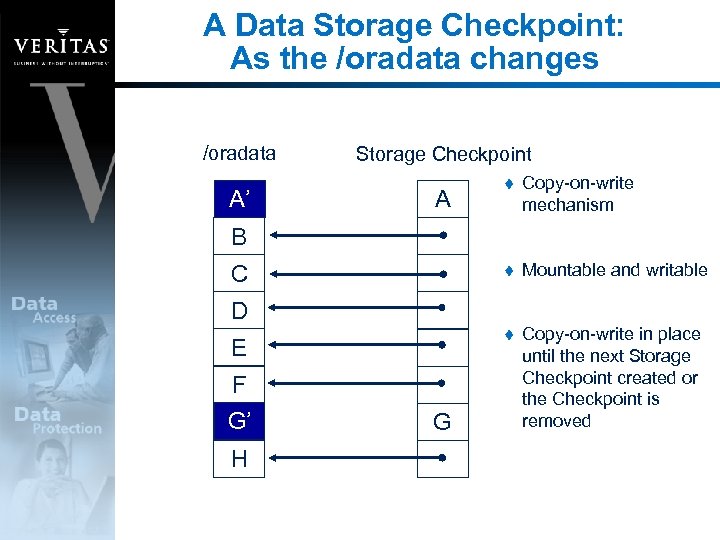
A Data Storage Checkpoint: As the /oradata changes /oradata A A’ Storage Checkpoint Copy-on-write mechanism t Mountable and writable t A t Copy-on-write in place until the next Storage Checkpoint created or the Checkpoint is removed B C D E F G’ G H G
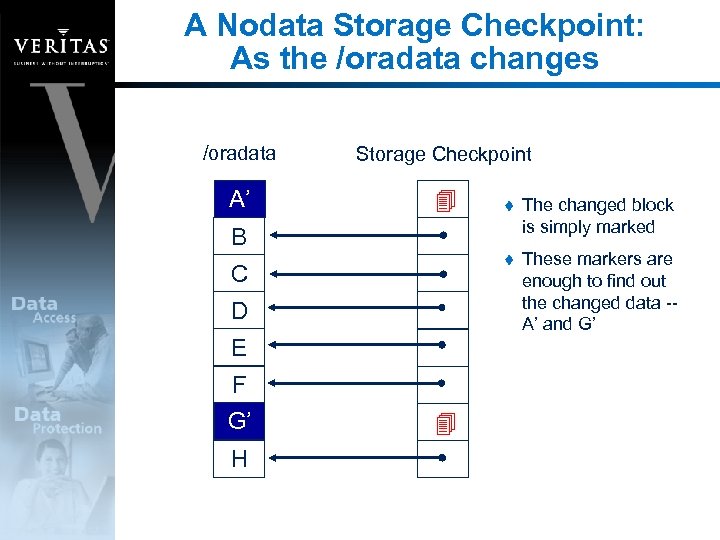
A Nodata Storage Checkpoint: As the /oradata changes /oradata Storage Checkpoint A A’ t The changed block is simply marked t These markers are enough to find out the changed data -A’ and G’ B C D E F G’ G H
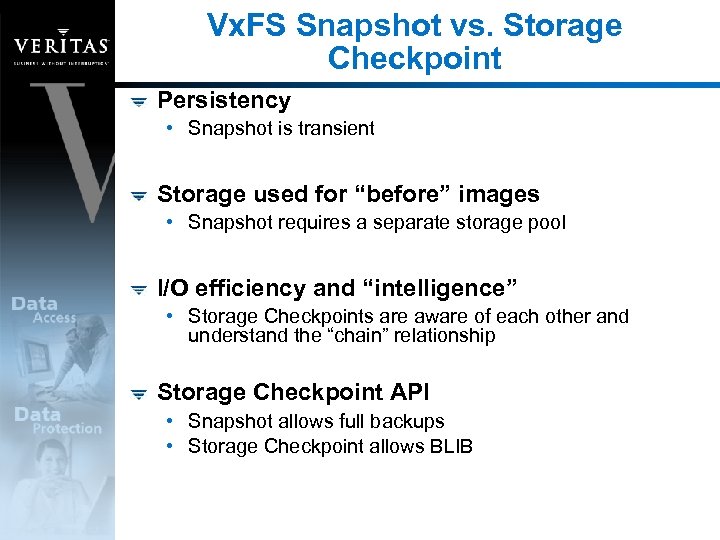
Vx. FS Snapshot vs. Storage Checkpoint Persistency • Snapshot is transient Storage used for “before” images • Snapshot requires a separate storage pool I/O efficiency and “intelligence” • Storage Checkpoints are aware of each other and understand the “chain” relationship Storage Checkpoint API • Snapshot allows full backups • Storage Checkpoint allows BLIB
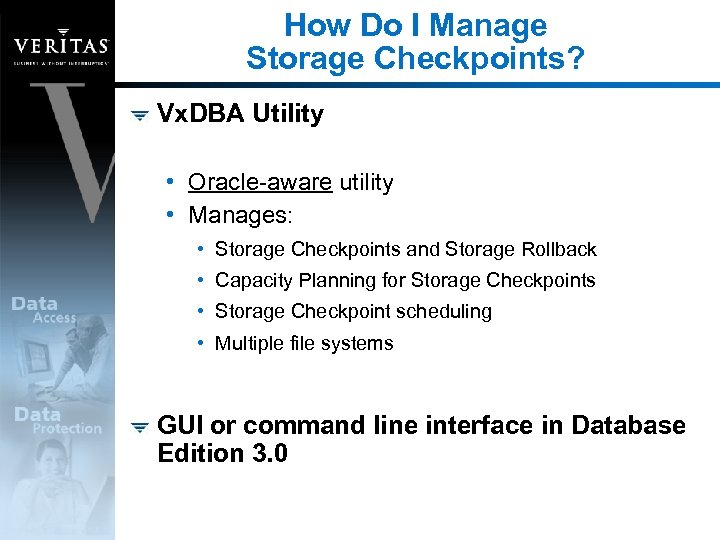
How Do I Manage Storage Checkpoints? Vx. DBA Utility • Oracle-aware utility • Manages: • Storage Checkpoints and Storage Rollback • Capacity Planning for Storage Checkpoints • Storage Checkpoint scheduling • Multiple file systems GUI or command line interface in Database Edition 3. 0
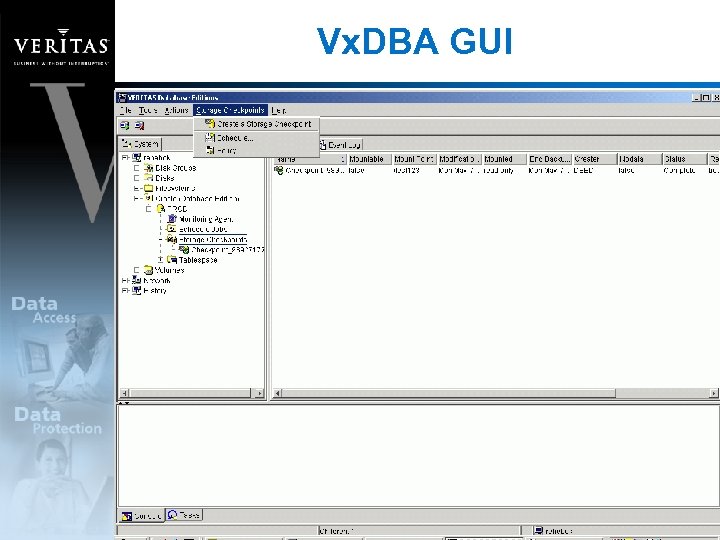
Vx. DBA GUI
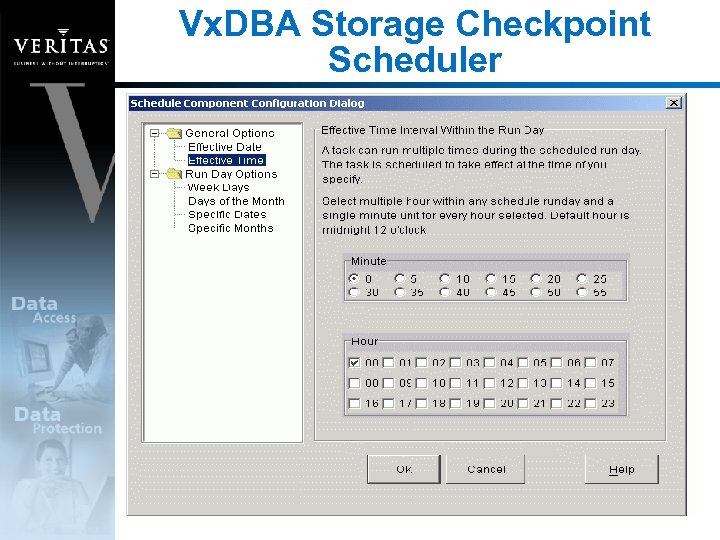
Vx. DBA Storage Checkpoint Scheduler
Vx. DBA File System Space Alarm Vx. DBA includes a light weight monitoring agent to: • Monitor file system space usage • Send alarm notifications and automatically grow file systems and volumes • Growth based on user-defined policies • Policies can be defined on a per file system basis
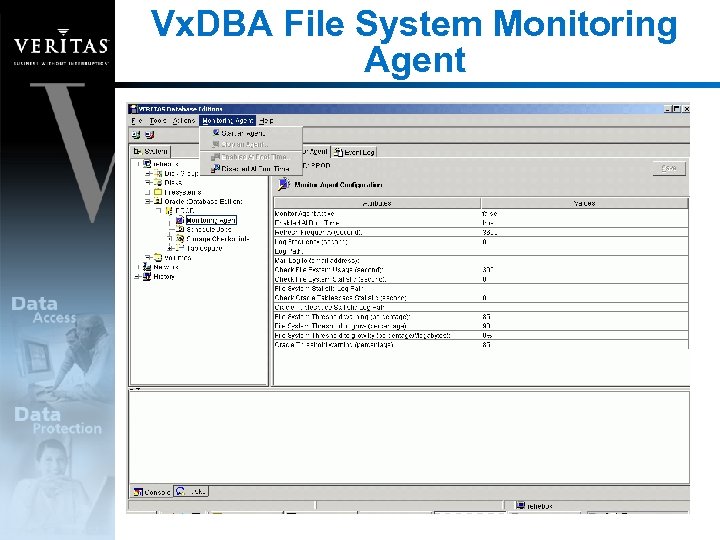
Vx. DBA File System Monitoring Agent
Storage Rollback Storage Checkpoints are simply on-disk backup images Storage Rollback is the “restore” from the on-disk image • Copies before-images of data blocks back to the primary file system (block-level restore) • “Restores” without going to tapes • Storage Rollback is not a database recovery operation • DBAs must follow database recovery steps
Storage Rollback Recommendations for Storage Checkpoint and Rollback • Frequent on-disk backups to supplement offline backups • Protection against logical errors • Marker for a batch job Granularity • Storage Rollback at the : • Database instance level • Tablespace level • Datafile level
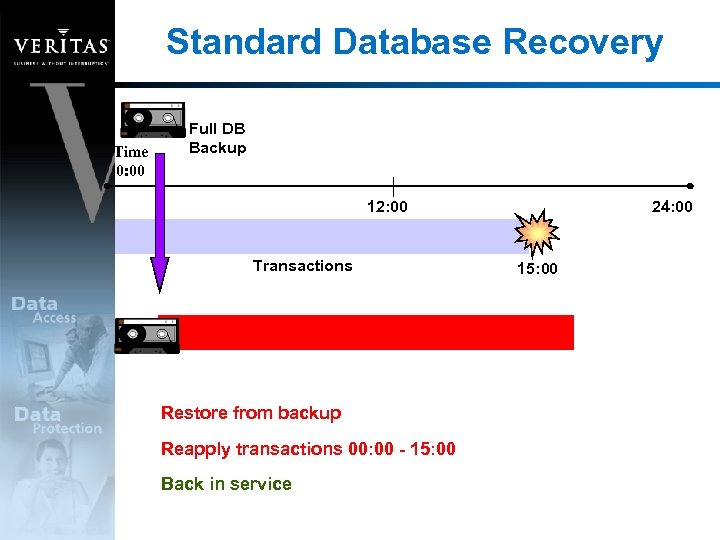
Standard Database Recovery Time 0: 00 Full DB Backup 12: 00 Transactions Restore from backup Reapply transactions 00: 00 - 15: 00 Back in service 24: 00 15: 00
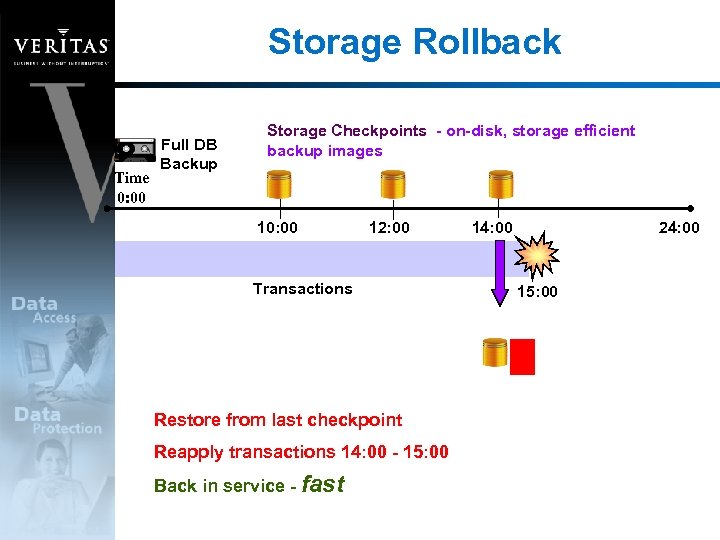
Storage Rollback Time 0: 00 Full DB Backup Storage Checkpoints - on-disk, storage efficient backup images 10: 00 12: 00 Transactions Restore from last checkpoint Reapply transactions 14: 00 - 15: 00 Back in service - fast 14: 00 24: 00 15: 00
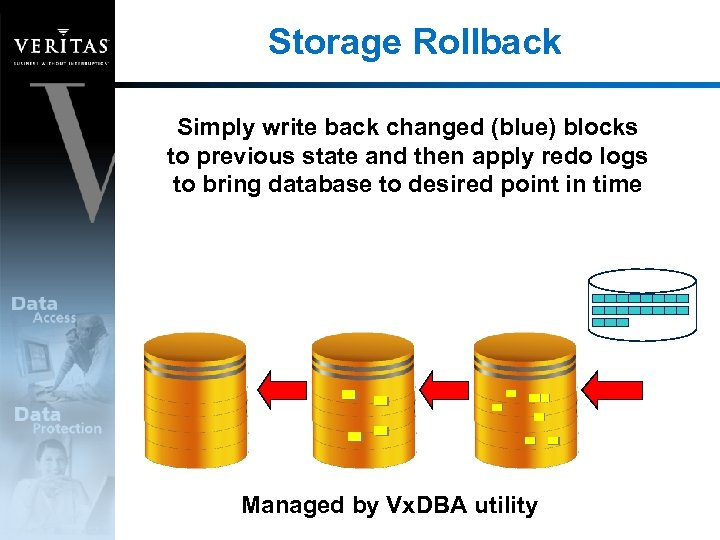
Storage Rollback Simply write back changed (blue) blocks to previous state and then apply redo logs to bring database to desired point in time Managed by Vx. DBA utility
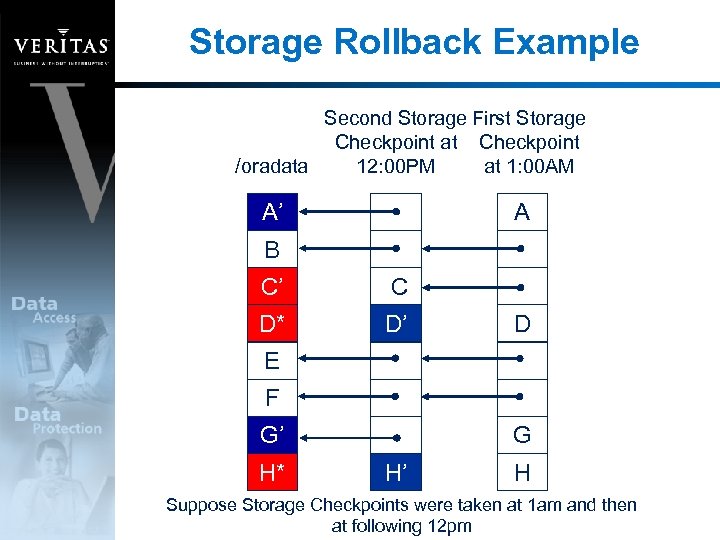
Storage Rollback Example Second Storage First Storage Checkpoint at Checkpoint /oradata 12: 00 PM at 1: 00 AM A’ A B C’ C D* D’ D E F G’ H* G H’ H Suppose Storage Checkpoints were taken at 1 am and then at following 12 pm
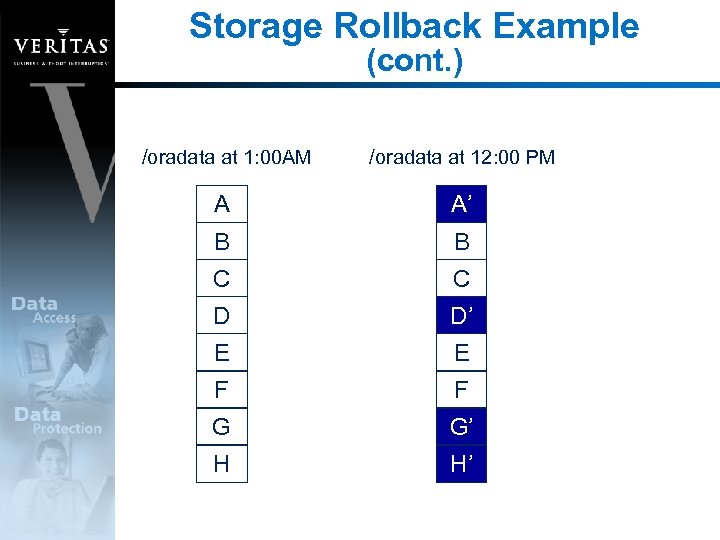
Storage Rollback Example (cont. ) /oradata at 1: 00 AM /oradata at 12: 00 PM A A’ B B C C D D’ E E F F G G’ H H’
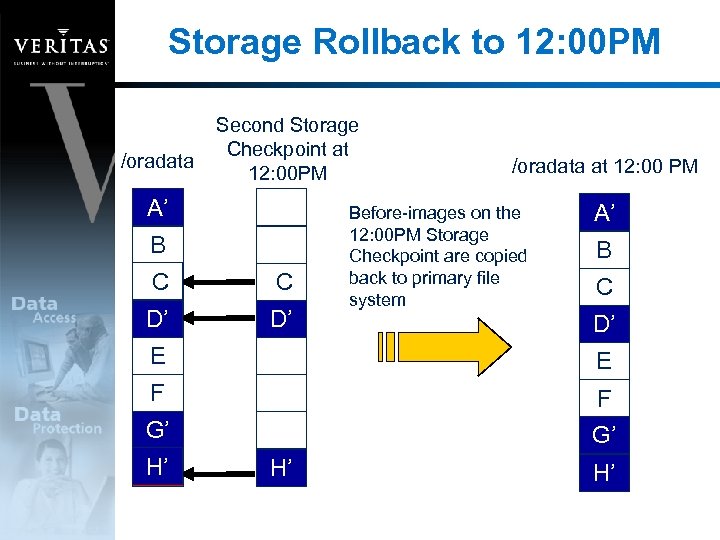
Storage Rollback to 12: 00 PM /oradata Second Storage Checkpoint at 12: 00 PM A’ B C C’ C D’ D* D’ /oradata at 12: 00 PM Before-images on the 12: 00 PM Storage Checkpoint are copied back to primary file system A’ B C D’ E E F F G’ G’ H’ H* H’ H’
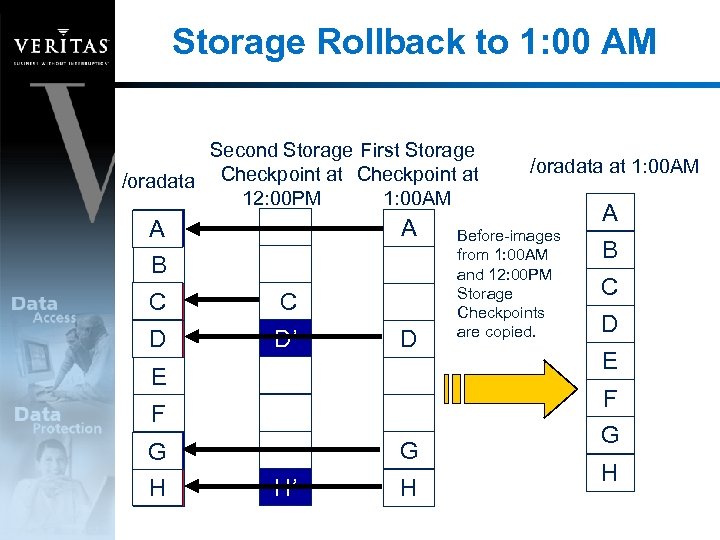
Storage Rollback to 1: 00 AM Second Storage First Storage /oradata Checkpoint at 12: 00 PM 1: 00 AM A’ A A B C C’ C D D* D’ D E Before-images from 1: 00 AM and 12: 00 PM Storage Checkpoints are copied. A B C D E F F G’ G H H* /oradata at 1: 00 AM G H’ H G H
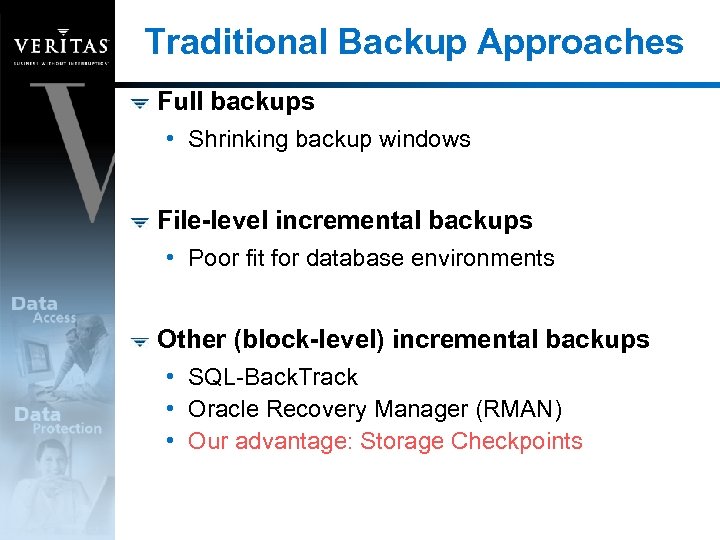
Traditional Backup Approaches Full backups • Shrinking backup windows File-level incremental backups • Poor fit for database environments Other (block-level) incremental backups • SQL-Back. Track • Oracle Recovery Manager (RMAN) • Our advantage: Storage Checkpoints
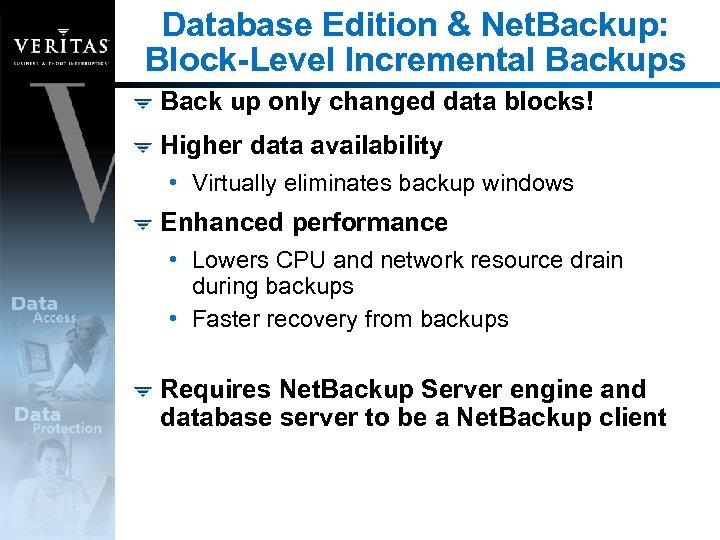
Database Edition & Net. Backup: Block-Level Incremental Backups Back up only changed data blocks! Higher data availability • Virtually eliminates backup windows Enhanced performance • Lowers CPU and network resource drain during backups • Faster recovery from backups Requires Net. Backup Server engine and database server to be a Net. Backup client
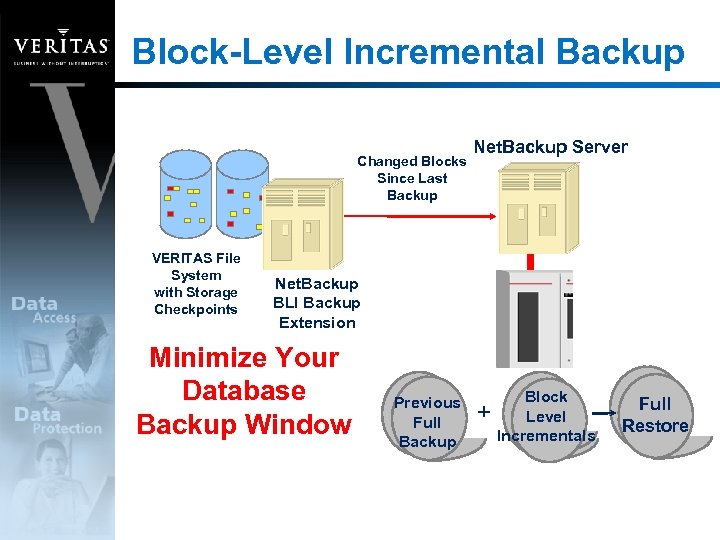
Block-Level Incremental Backup Changed Blocks Since Last Backup VERITAS File System with Storage Checkpoints Net. Backup Server Net. Backup BLI Backup Extension Minimize Your Database Backup Window Previous Full Backup + Block Level Incrementals Full Restore
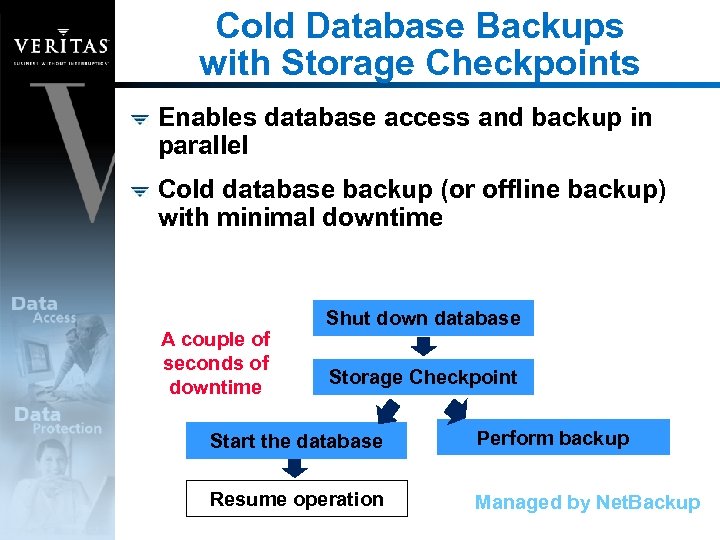
Cold Database Backups with Storage Checkpoints Enables database access and backup in parallel Cold database backup (or offline backup) with minimal downtime A couple of seconds of downtime Shut down database Storage Checkpoint Start the database Perform backup Resume operation Managed by Net. Backup
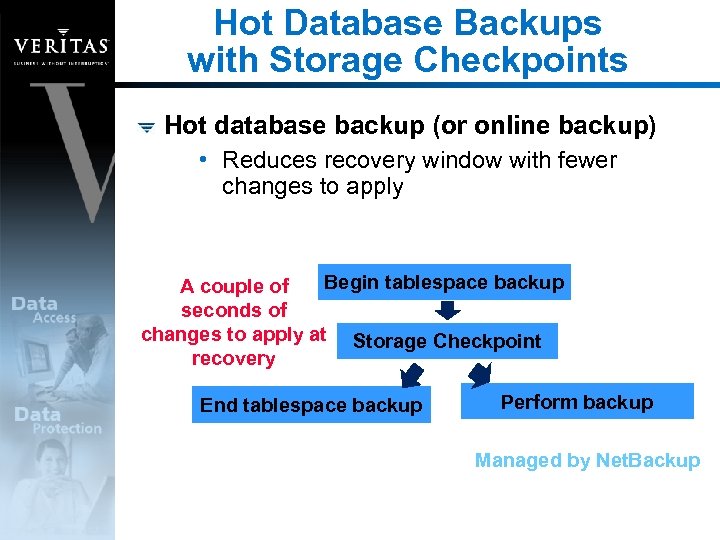
Hot Database Backups with Storage Checkpoints Hot database backup (or online backup) • Reduces recovery window with fewer changes to apply Begin tablespace backup A couple of seconds of changes to apply at Storage Checkpoint recovery End tablespace backup Perform backup Managed by Net. Backup
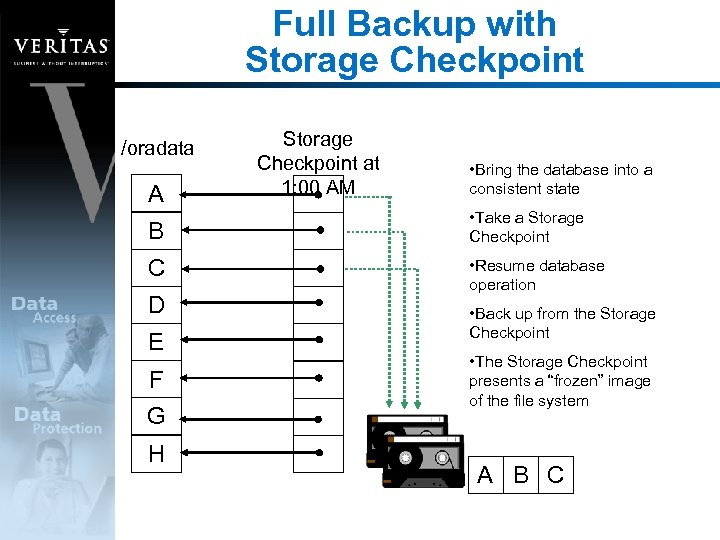
Full Backup with Storage Checkpoint /oradata A Storage Checkpoint at 1: 00 AM • Bring the database into a consistent state B • Take a Storage Checkpoint C • Resume database operation D E F G H • Back up from the Storage Checkpoint • The Storage Checkpoint presents a “frozen” image of the file system A B C
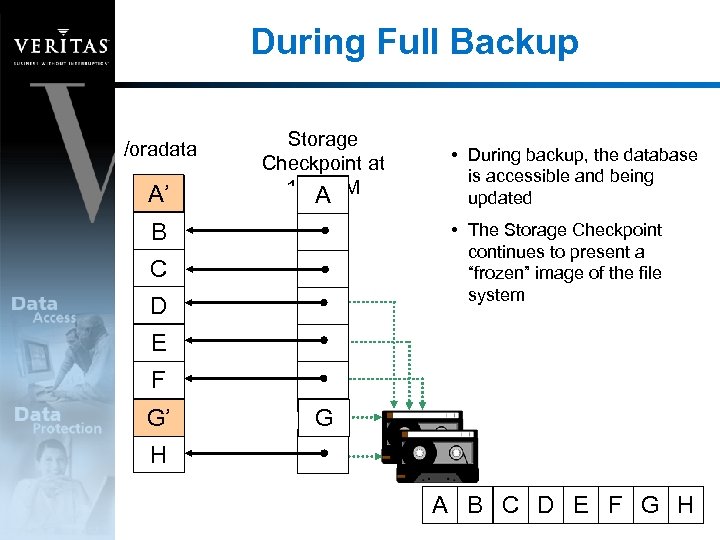
During Full Backup /oradata A’ A Storage Checkpoint at 1: 00 AM A B • During backup, the database is accessible and being updated • The Storage Checkpoint continues to present a “frozen” image of the file system C D E F G G’ G H A B C D E F G H
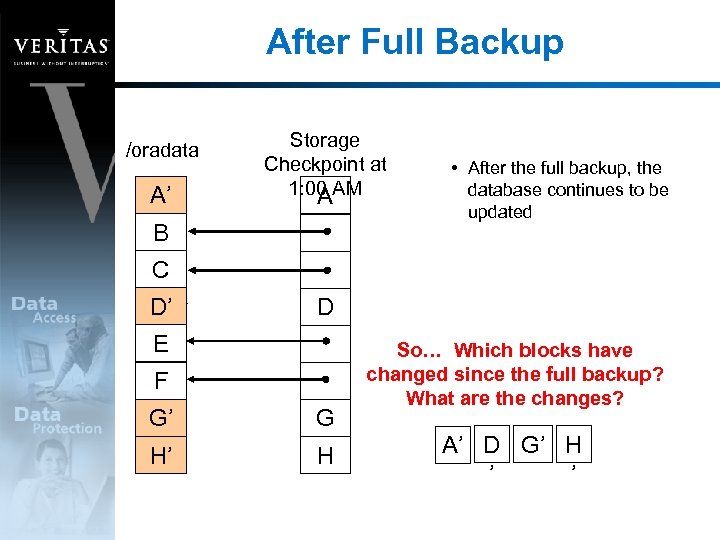
After Full Backup /oradata A’ A Storage Checkpoint at 1: 00 AM A B • After the full backup, the database continues to be updated C D’ D D E F G’ G G H’ H H So… Which blocks have changed since the full backup? What are the changes? A’ D G’ H ’ ’
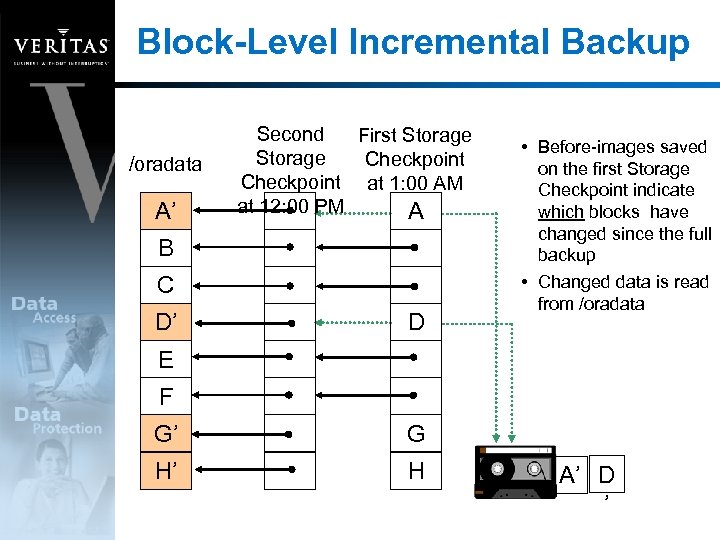
Block-Level Incremental Backup /oradata A’ Second First Storage Checkpoint at 1: 00 AM at 12: 00 PM A B C D’ D • Before-images saved on the first Storage Checkpoint indicate which blocks have changed since the full backup • Changed data is read from /oradata E F G’ G H’ H A’ D ’
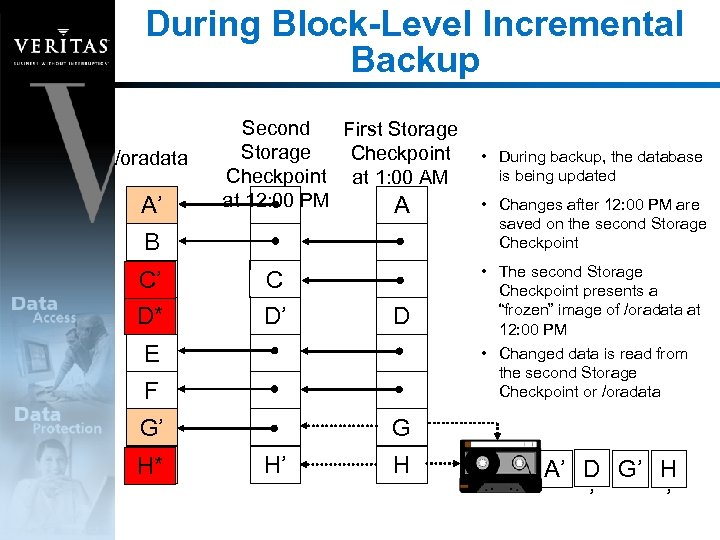
During Block-Level Incremental Backup /oradata A’ Second First Storage Checkpoint at 1: 00 AM at 12: 00 PM A B C C’ D* D’ C D’ D E F G’ H’ H* • During backup, the database is being updated • Changes after 12: 00 PM are saved on the second Storage Checkpoint • The second Storage Checkpoint presents a “frozen” image of /oradata at 12: 00 PM • Changed data is read from the second Storage Checkpoint or /oradata G H’ H A’ D G’ H ’ ’
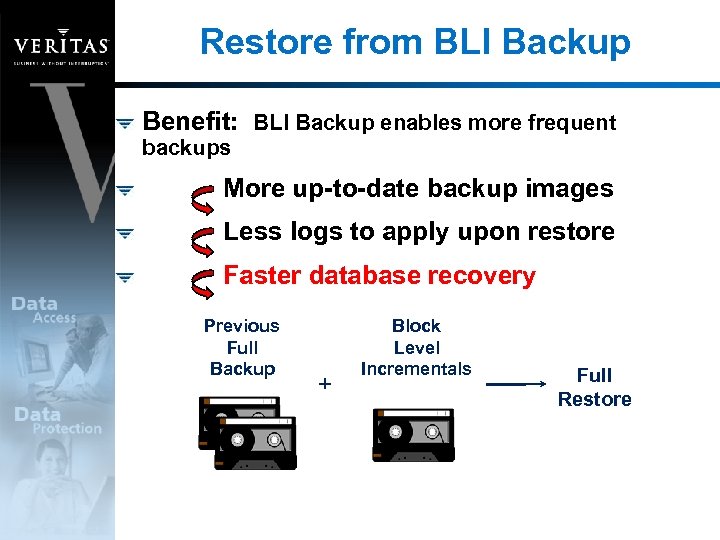
Restore from BLI Backup Benefit: BLI Backup enables more frequent backups More up-to-date backup images Less logs to apply upon restore Faster database recovery Previous Full Backup + Block Level Incrementals Full Restore
Creating a Clone Database Using mounted Storage Checkpoints, a clone database can be created Uses: • Oracle queries while database is being loaded • Recovery from “logical errors” – dropped tablespace or datafile • Reporting or data mining using a point-in-time image of production data
Example: Recover a Dropped Table Without Downtime Using Storage Checkpoints
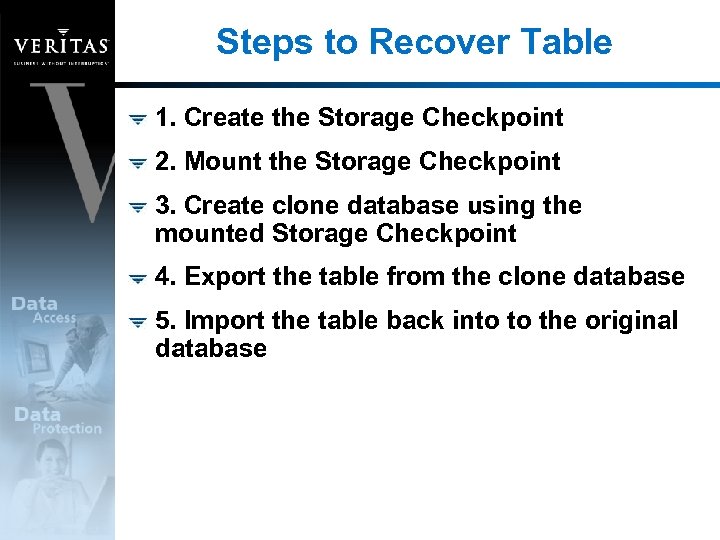
Steps to Recover Table 1. Create the Storage Checkpoint 2. Mount the Storage Checkpoint 3. Create clone database using the mounted Storage Checkpoint 4. Export the table from the clone database 5. Import the table back into to the original database
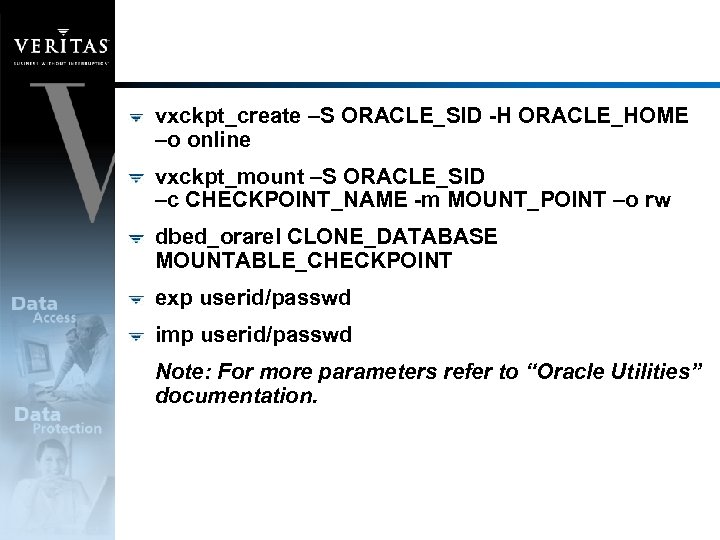
vxckpt_create –S ORACLE_SID -H ORACLE_HOME –o online vxckpt_mount –S ORACLE_SID –c CHECKPOINT_NAME -m MOUNT_POINT –o rw dbed_orarel CLONE_DATABASE MOUNTABLE_CHECKPOINT exp userid/passwd imp userid/passwd Note: For more parameters refer to “Oracle Utilities” documentation.
Database Edition for Oracle Summary
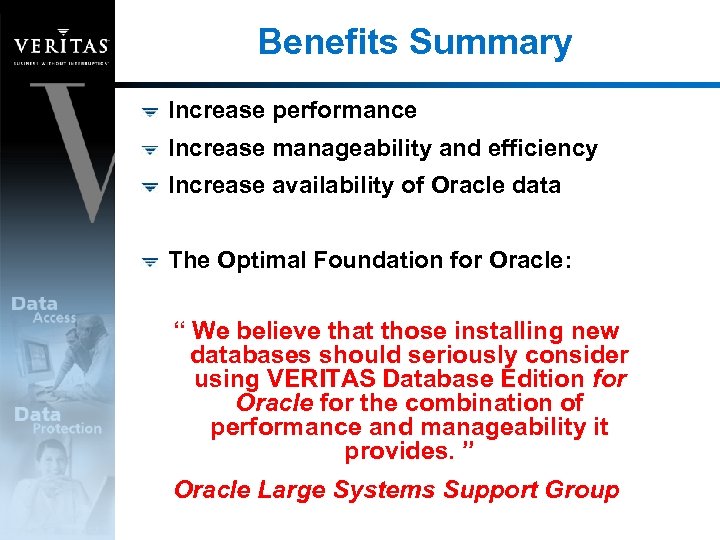
Benefits Summary Increase performance Increase manageability and efficiency Increase availability of Oracle data The Optimal Foundation for Oracle: “ We believe that those installing new databases should seriously consider using VERITAS Database Edition for Oracle for the combination of performance and manageability it provides. ” Oracle Large Systems Support Group
Скачать презентацию VERITAS Database Edition for Oracle Erik Möller Solutions
5c3478582ae0319d468c6184fecded8a.ppt