 Скачать презентацию Using LDAP Authentication in Apache 2 2 Brad
74f6123adc24f726782f5b39aabcc049.ppt
- Количество слайдов: 51



Using LDAP Authentication in Apache 2. 2 Brad Nicholes Sr. Software Engineer, Novell Inc. Member, Apache Software Foundation bnicholes@apache. org
Agenda • Introduction and Status • Mod_Authnz_LDAP (Authentication) Directives • LDAP URL & Search Filters • • Mod_Authnz_LDAP (Authorization) Directives • Authorization: not just a “valid-user” • • Using Mod_Authnz_LDAP with other Authn/Authz Modules • Mod_LDAP (aka. Util_LDAP) Directives • Enabling SSL/TLS Support • Connection and Credential Caching • LDAP Cache Monitor • 2 © 3/19/2018 Novell Inc, 2006
What is Mod_Authnz_LDAP • Authentication module that allows Apache to authenticate a user against an LDAP compliant directory • Allows for complex authentication and authorization policies rather than just user ID and password • Can be used to extract additional LDAP object attributes that can be referenced by downstream CGI modules or scripts • Built on top of Mod_LDAP and APR-Util LDAP APIs Handles all LDAP client/server communication • Maintains an LDAP connection pool • Allows and manages monitoring of the various credential caches • 3 © 3/19/2018 Novell Inc, 2006
Status – Mod_Authnz_LDAP Apache 2. 2 • Moved out of experimental status • Re-architected to fit into the new authentication module structure • New authorization directives • Supports SSL, Start. TLS and Client Certificates • Supports Open. LDAP, Novell LDAP, i. Plant(Netscape) LDAP, Microsoft LDAP SDK’s 4 © 3/19/2018 Novell Inc, 2006
New “Authnz” Architecture Terms / Authnz Elements: • Authentication Type – Type of protocol used during transport of the authentication credentials (Basic or Digest) • Authentication Method/Provider - Process by which a user is verified to be who they say they are • Authorization - Process by which authenticated users are granted or denied access based on specific criteria Previous to Apache 2. 2, every authentication module had to implement all three elements • Choosing an Auth. Type limited which authentication and authorization methods could be used • Potential for inconsistencies across authentication modules 5 © 3/19/2018 Novell Inc, 2006
“Authnz” Architecture Differences Apache 2. 0 -> 2. 2 • The functionality of each Apache 2. 0 authentication module has been split out into the three Authnz elements for Apache 2. 2 • Overlapping functionality among the modules was simply eliminated in favor of a base implementation • The module name indicates which element of the Authnz functionality it performs Mod_auth_xxx – Implements an Authentication Type • Mod_authn_xxx – Implements an Authentication Method or Provider • Mod_authz_xxx – Implements an Authorization Method • 6 © 3/19/2018 Novell Inc, 2006
What Are The Advantages? Flexibility: Ability to choose between Authentication Type vs. Authentication Method vs. Authorization Method • Ability to use multiple different authorization methods • Mixing and matching is not a problem • Consistency: Authorization methods are guaranteed to work the same no matter which authentication method is chosen • Ability to use the same authentication and authorization methods for all authentication types • Reuse: Implementing a new authentication provider module does not require the reimplementation or duplication of existing authorization methods • The inverse of the above statement is also true • Ability to create your own custom authentication providers and reuse them throughout your configuration • 7 © 3/19/2018 Novell Inc, 2006
Why a Single Mod_Authnz_LDAP Module? • Too many shared resources Connection pools • Various credential caches • Overlapping configuration directives • Internal data structures • • Would not recommend combining Authn & Authz functionality into a single auth module • Problems occur when Authn is used without the corresponding Authz (Vice-Versa) 8 © 3/19/2018 Novell Inc, 2006
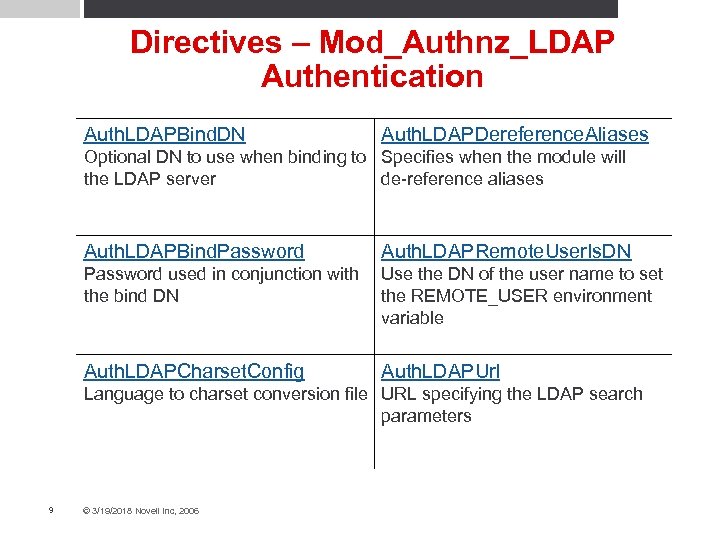
Directives – Mod_Authnz_LDAP Authentication Auth. LDAPBind. DN Auth. LDAPDereference. Aliases Optional DN to use when binding to Specifies when the module will the LDAP server de-reference aliases Auth. LDAPBind. Password Auth. LDAPRemote. User. Is. DN Password used in conjunction with the bind DN Use the DN of the user name to set the REMOTE_USER environment variable Auth. LDAPCharset. Config Auth. LDAPUrl Language to charset conversion file URL specifying the LDAP search parameters 9 © 3/19/2018 Novell Inc, 2006

Directives – Mod_Authnz_LDAP Authorization Auth. LDAPCompare. DNOn. Server Require ldap-user Use the LDAP server to compare the DNs Specifies which users have access to the resource Auth. LDAPGroup. Attribute Require ldap-group Specifies which LDAP attributes will be used to check for group membership Specifies the LDAP group whose members are allowed access to the resource Auth. LDAPGroup. Attribute. Is. DN Require ldap-dn Use the DN of the user name when checking for group membership Grants access based on a fully distinguished user name Authz. LDAPAuthoritative Require ldap-attribute Prevent other authz modules from authenticating the user Grants access based on the attributes of the authenticated user Require ldap-filter Grants access based on an LDAP search filter 10 © 3/19/2018 Novell Inc, 2006

Required Modules Load. Module auth_basic_modules/mod_auth_basic. so Load. Module authz_user_modules/mod_authz_user. so Load. Module authnz_ldap_modules/mod_authnz_ldap. so Load. Module ldap_modules/mod_ldap. so <Directory /www/docs> Auth. Type Basic Auth. Name Secure_Alias_Test Auth. Basic. Provider ldap Auth. LDAPURL ldap: //ldap-server/o=ctx Authz. LDAPAuthoritative OFF require valid-user </Directory> 11 © 3/19/2018 Novell Inc, 2006 Modules that provide each element of authentication and authorization must be loaded
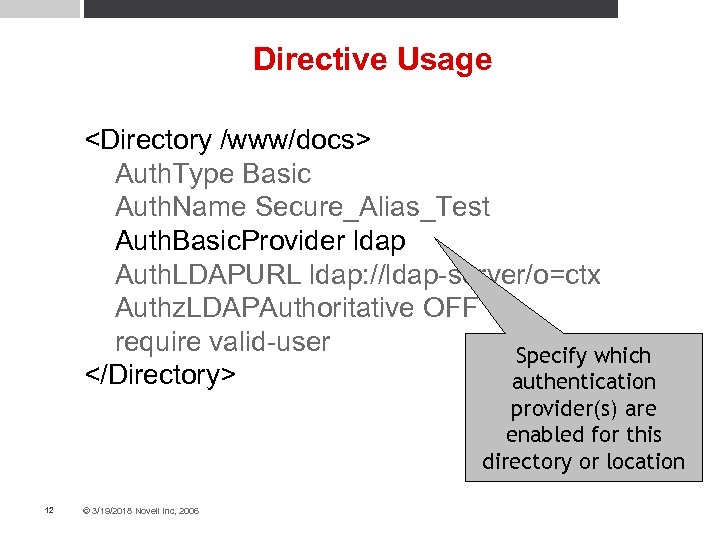
Directive Usage <Directory /www/docs> Auth. Type Basic Auth. Name Secure_Alias_Test Auth. Basic. Provider ldap Auth. LDAPURL ldap: //ldap-server/o=ctx Authz. LDAPAuthoritative OFF require valid-user Specify which </Directory> authentication provider(s) are enabled for this directory or location 12 © 3/19/2018 Novell Inc, 2006
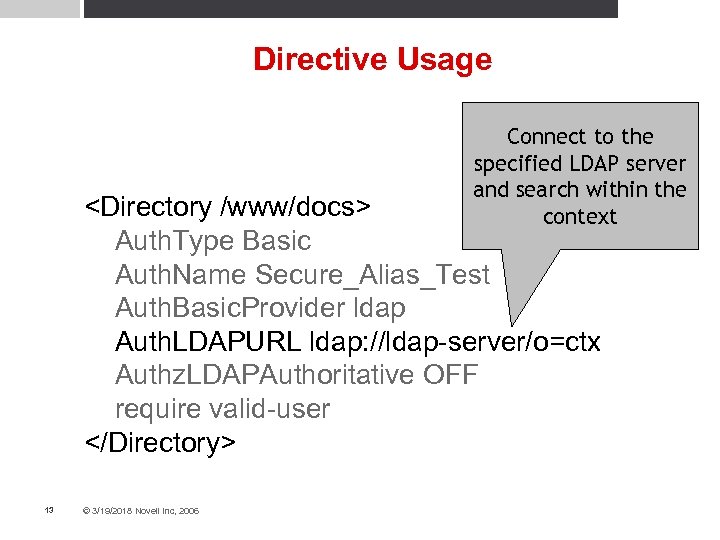
Directive Usage Connect to the specified LDAP server and search within the context <Directory /www/docs> Auth. Type Basic Auth. Name Secure_Alias_Test Auth. Basic. Provider ldap Auth. LDAPURL ldap: //ldap-server/o=ctx Authz. LDAPAuthoritative OFF require valid-user </Directory> 13 © 3/19/2018 Novell Inc, 2006
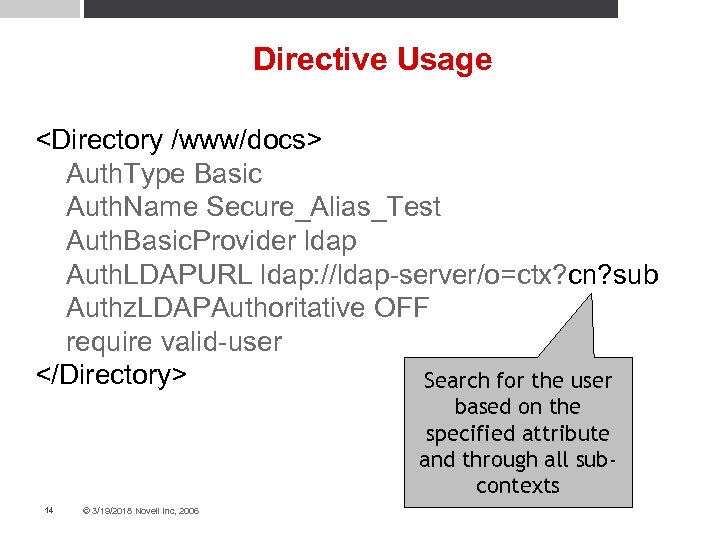
Directive Usage <Directory /www/docs> Auth. Type Basic Auth. Name Secure_Alias_Test Auth. Basic. Provider ldap Auth. LDAPURL ldap: //ldap-server/o=ctx? cn? sub Authz. LDAPAuthoritative OFF require valid-user </Directory> Search for the user based on the specified attribute and through all subcontexts 14 © 3/19/2018 Novell Inc, 2006
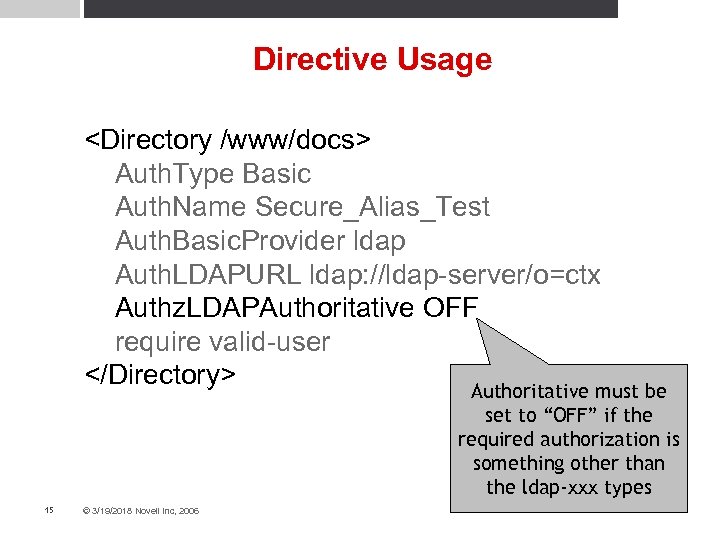
Directive Usage <Directory /www/docs> Auth. Type Basic Auth. Name Secure_Alias_Test Auth. Basic. Provider ldap Auth. LDAPURL ldap: //ldap-server/o=ctx Authz. LDAPAuthoritative OFF require valid-user </Directory> Authoritative must be set to “OFF” if the required authorization is something other than the ldap-xxx types 15 © 3/19/2018 Novell Inc, 2006
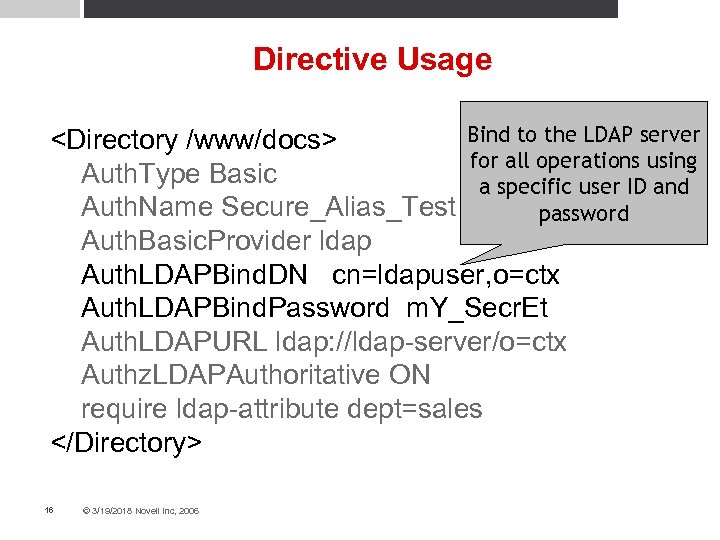
Directive Usage Bind to the LDAP server <Directory /www/docs> for all operations using Auth. Type Basic a specific user ID and Auth. Name Secure_Alias_Test password Auth. Basic. Provider ldap Auth. LDAPBind. DN cn=ldapuser, o=ctx Auth. LDAPBind. Password m. Y_Secr. Et Auth. LDAPURL ldap: //ldap-server/o=ctx Authz. LDAPAuthoritative ON require ldap-attribute dept=sales </Directory> 16 © 3/19/2018 Novell Inc, 2006
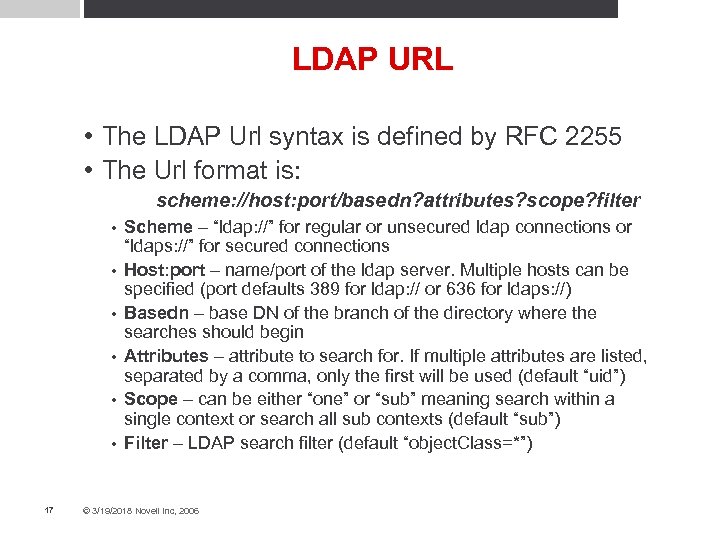
LDAP URL • The LDAP Url syntax is defined by RFC 2255 • The Url format is: scheme: //host: port/basedn? attributes? scope? filter • • • 17 Scheme – “ldap: //” for regular or unsecured ldap connections or “ldaps: //” for secured connections Host: port – name/port of the ldap server. Multiple hosts can be specified (port defaults 389 for ldap: // or 636 for ldaps: //) Basedn – base DN of the branch of the directory where the searches should begin Attributes – attribute to search for. If multiple attributes are listed, separated by a comma, only the first will be used (default “uid”) Scope – can be either “one” or “sub” meaning search within a single context or search all sub contexts (default “sub”) Filter – LDAP search filter (default “object. Class=*”) © 3/19/2018 Novell Inc, 2006
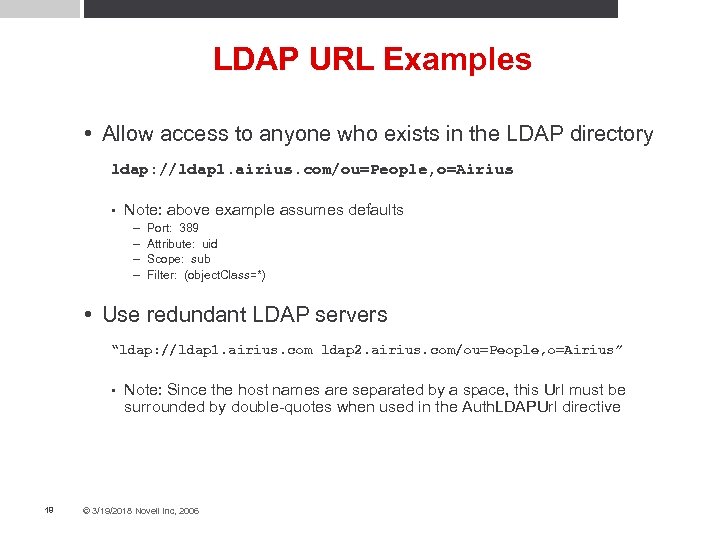
LDAP URL Examples • Allow access to anyone who exists in the LDAP directory ldap: //ldap 1. airius. com/ou=People, o=Airius • Note: above example assumes defaults – – Port: 389 Attribute: uid Scope: sub Filter: (object. Class=*) • Use redundant LDAP servers “ldap: //ldap 1. airius. com ldap 2. airius. com/ou=People, o=Airius” • 18 Note: Since the host names are separated by a space, this Url must be surrounded by double-quotes when used in the Auth. LDAPUrl directive © 3/19/2018 Novell Inc, 2006
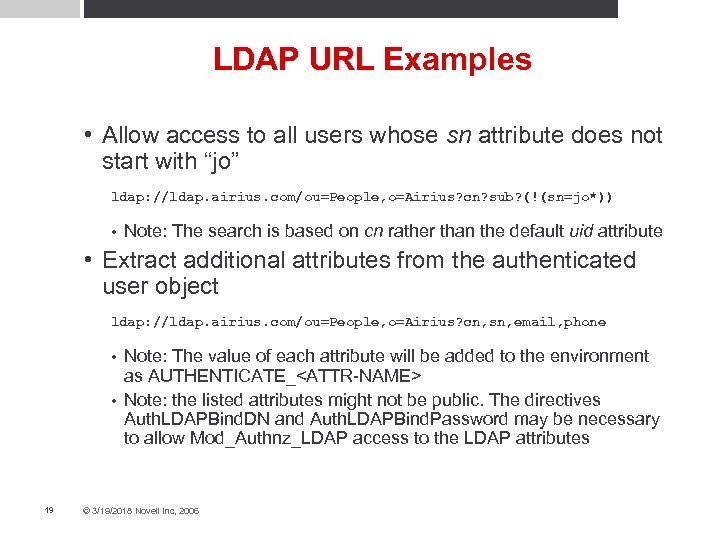
LDAP URL Examples • Allow access to all users whose sn attribute does not start with “jo” ldap: //ldap. airius. com/ou=People, o=Airius? cn? sub? (!(sn=jo*)) • Note: The search is based on cn rather than the default uid attribute • Extract additional attributes from the authenticated user object ldap: //ldap. airius. com/ou=People, o=Airius? cn, sn, email, phone Note: The value of each attribute will be added to the environment as AUTHENTICATE_<ATTR-NAME> • Note: the listed attributes might not be public. The directives Auth. LDAPBind. DN and Auth. LDAPBind. Password may be necessary to allow Mod_Authnz_LDAP access to the LDAP attributes • 19 © 3/19/2018 Novell Inc, 2006
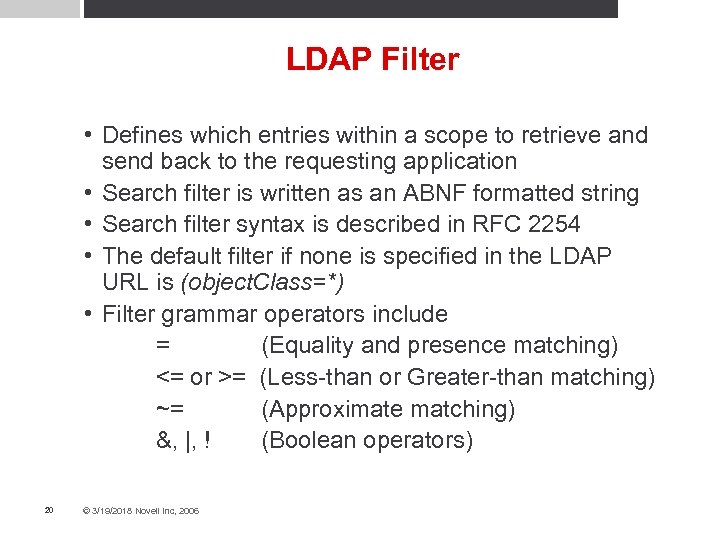
LDAP Filter • Defines which entries within a scope to retrieve and send back to the requesting application • Search filter is written as an ABNF formatted string • Search filter syntax is described in RFC 2254 • The default filter if none is specified in the LDAP URL is (object. Class=*) • Filter grammar operators include = (Equality and presence matching) <= or >= (Less-than or Greater-than matching) ~= (Approximate matching) &, |, ! (Boolean operators) 20 © 3/19/2018 Novell Inc, 2006
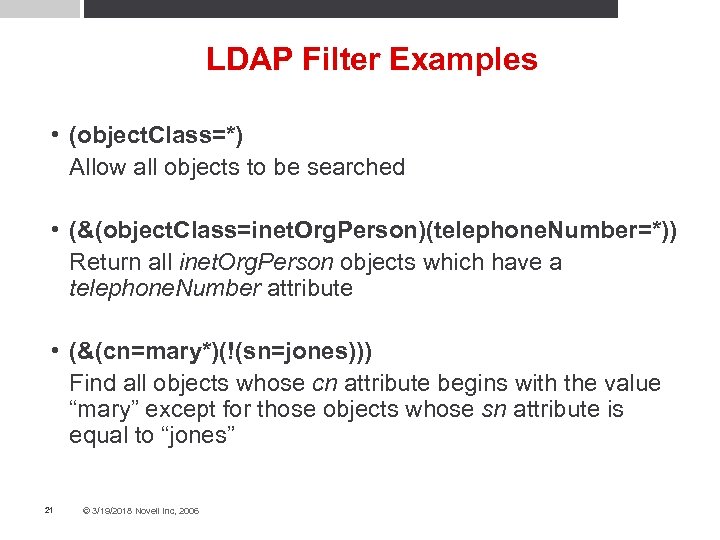
LDAP Filter Examples • (object. Class=*) Allow all objects to be searched • (&(object. Class=inet. Org. Person)(telephone. Number=*)) Return all inet. Org. Person objects which have a telephone. Number attribute • (&(cn=mary*)(!(sn=jones))) Find all objects whose cn attribute begins with the value “mary” except for those objects whose sn attribute is equal to “jones” 21 © 3/19/2018 Novell Inc, 2006
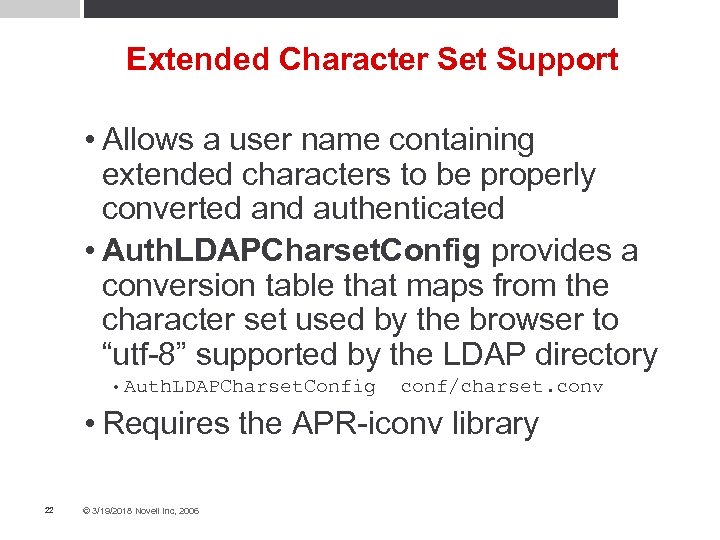
Extended Character Set Support • Allows a user name containing extended characters to be properly converted and authenticated • Auth. LDAPCharset. Config provides a conversion table that maps from the character set used by the browser to “utf-8” supported by the LDAP directory • Auth. LDAPCharset. Config conf/charset. conv • Requires the APR-iconv library 22 © 3/19/2018 Novell Inc, 2006
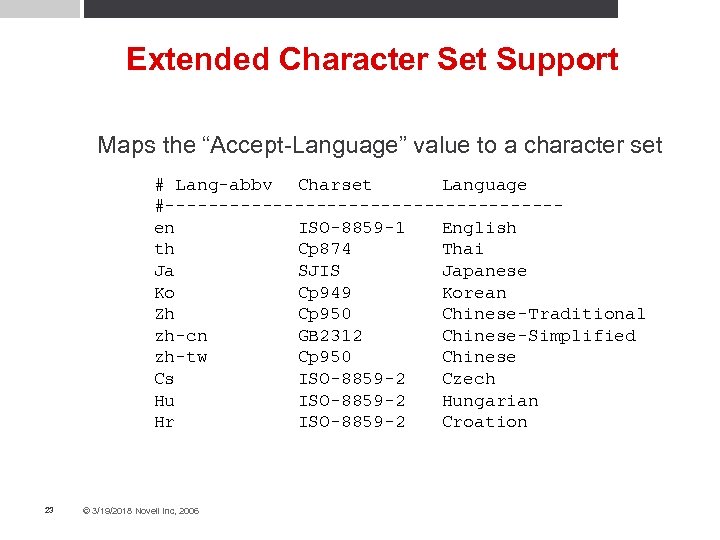
Extended Character Set Support Maps the “Accept-Language” value to a character set # Lang-abbv Charset Language #------------------en ISO-8859 -1 English th Cp 874 Thai Ja SJIS Japanese Ko Cp 949 Korean Zh Cp 950 Chinese-Traditional zh-cn GB 2312 Chinese-Simplified zh-tw Cp 950 Chinese Cs ISO-8859 -2 Czech Hu ISO-8859 -2 Hungarian Hr ISO-8859 -2 Croation 23 © 3/19/2018 Novell Inc, 2006
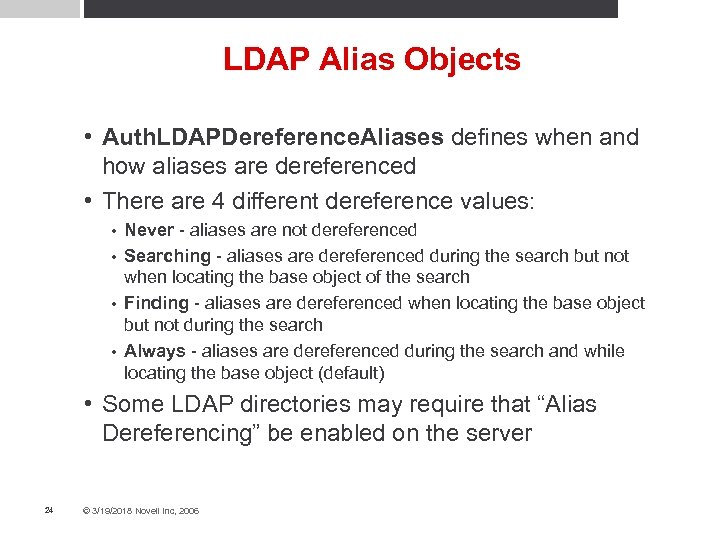
LDAP Alias Objects • Auth. LDAPDereference. Aliases defines when and how aliases are dereferenced • There are 4 different dereference values: Never - aliases are not dereferenced • Searching - aliases are dereferenced during the search but not when locating the base object of the search • Finding - aliases are dereferenced when locating the base object but not during the search • Always - aliases are dereferenced during the search and while locating the base object (default) • • Some LDAP directories may require that “Alias Dereferencing” be enabled on the server 24 © 3/19/2018 Novell Inc, 2006
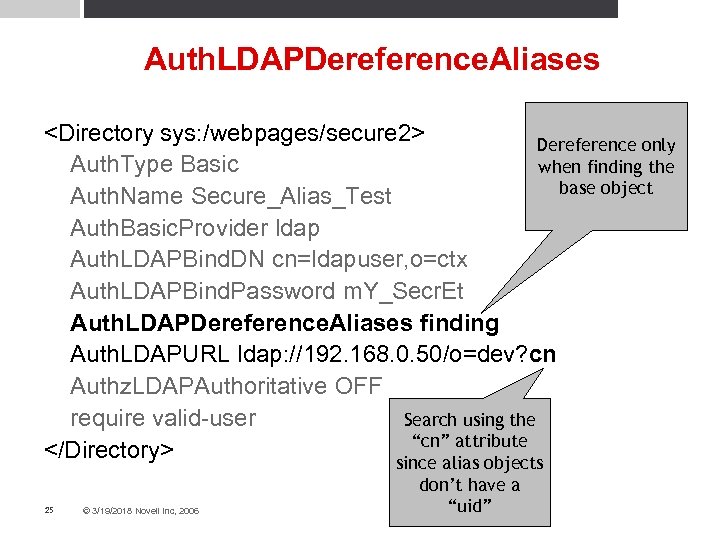
Auth. LDAPDereference. Aliases <Directory sys: /webpages/secure 2> Dereference only Auth. Type Basic when finding the base object Auth. Name Secure_Alias_Test Auth. Basic. Provider ldap Auth. LDAPBind. DN cn=ldapuser, o=ctx Auth. LDAPBind. Password m. Y_Secr. Et Auth. LDAPDereference. Aliases finding Auth. LDAPURL ldap: //192. 168. 0. 50/o=dev? cn Authz. LDAPAuthoritative OFF Search using the require valid-user “cn” attribute </Directory> since alias objects 25 © 3/19/2018 Novell Inc, 2006 don’t have a “uid”
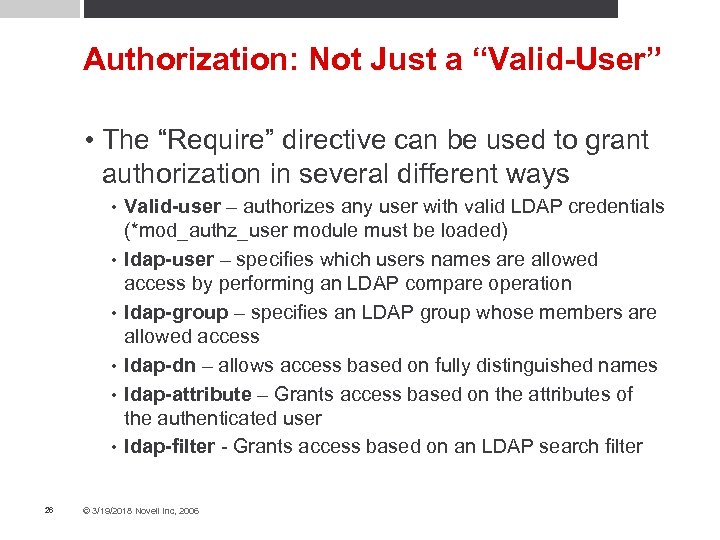
Authorization: Not Just a “Valid-User” • The “Require” directive can be used to grant authorization in several different ways • • • 26 Valid-user – authorizes any user with valid LDAP credentials (*mod_authz_user module must be loaded) ldap-user – specifies which users names are allowed access by performing an LDAP compare operation ldap-group – specifies an LDAP group whose members are allowed access ldap-dn – allows access based on fully distinguished names ldap-attribute – Grants access based on the attributes of the authenticated user ldap-filter - Grants access based on an LDAP search filter © 3/19/2018 Novell Inc, 2006
Authorization: Require ldap-user • Require ldap-user – Allows multiple users Specify multiple users by listing each user name separated by a space • If the user name contains a space then it must be enclosed by double-quotes and the directive can not list more than one • Multiple users can be specified through multiple “Require ldap-user” directives • 27 © 3/19/2018 Novell Inc, 2006
Authorization: Require ldap-group • Require ldap-group – use a fully distinguished name Do not surround the group name with quotes • Behavior of this directive can be modified with: • – Auth. LDAPGroup. Attribute – Specifies additional attributes used to check for group membership – Default attributes are “member” and “unique. Member” – Auth. LDAPGroup. Attribute. Is. DN – If set to “ON” then use the fully distinguished name of the user when checking membership – Default is “ON” 28 © 3/19/2018 Novell Inc, 2006
Authorization: Require ldap-dn • Require ldap-dn – use a fully distinguished user name Compares the distinguished name retrieved from the LDAP directory against the specified name • The behavior of this directive can be modified with • – Auth. LDAPCompare. DNOn. Server – If set to “ON” then mod_authnz_LDAP will search the directory for the specified DN and then compare it with the user DN retrieved during the authentication phase – Otherwise mod_authnz_LDAP does a simple string comparison 29 © 3/19/2018 Novell Inc, 2006
Authorization: Require ldap-attribute • Require ldap-attribute – grant access if the user object contains a matching attribute value Compares the attributes of the authenticated user with the listed attribute values • If the value of a matching attribute contained by the user object is equal to the specified value then access is granted • If multiple attributes are listed, access is granted if any one of the values matches a specified attribute value. (ie. This is an ‘OR’ operation) • If a specified attribute value contains a space, the value must be enclosed in double-quotes (“ “) • 30 © 3/19/2018 Novell Inc, 2006
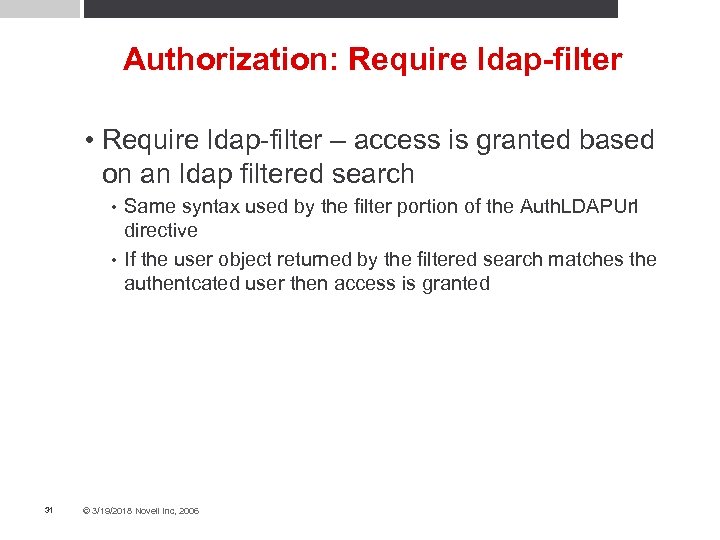
Authorization: Require ldap-filter • Require ldap-filter – access is granted based on an ldap filtered search Same syntax used by the filter portion of the Auth. LDAPUrl directive • If the user object returned by the filtered search matches the authentcated user then access is granted • 31 © 3/19/2018 Novell Inc, 2006
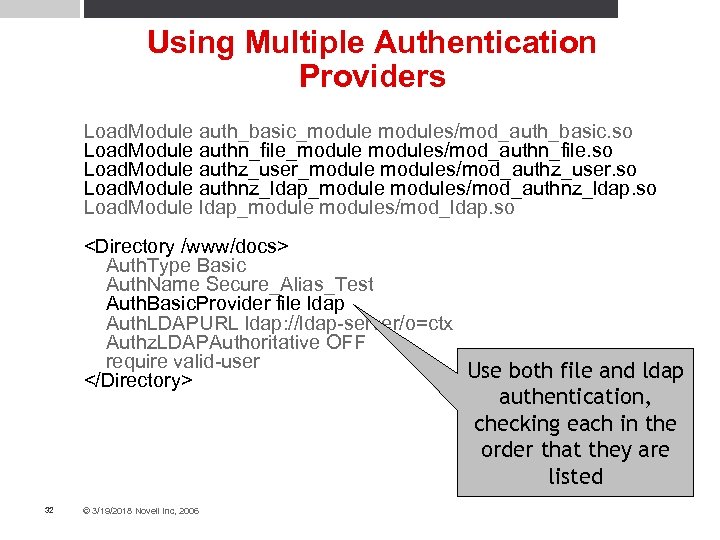
Using Multiple Authentication Providers Load. Module auth_basic_modules/mod_auth_basic. so Load. Module authn_file_modules/mod_authn_file. so Load. Module authz_user_modules/mod_authz_user. so Load. Module authnz_ldap_modules/mod_authnz_ldap. so Load. Module ldap_modules/mod_ldap. so <Directory /www/docs> Auth. Type Basic Auth. Name Secure_Alias_Test Auth. Basic. Provider file ldap Auth. LDAPURL ldap: //ldap-server/o=ctx Authz. LDAPAuthoritative OFF require valid-user Use both file and ldap </Directory> authentication, checking each in the order that they are listed 32 © 3/19/2018 Novell Inc, 2006
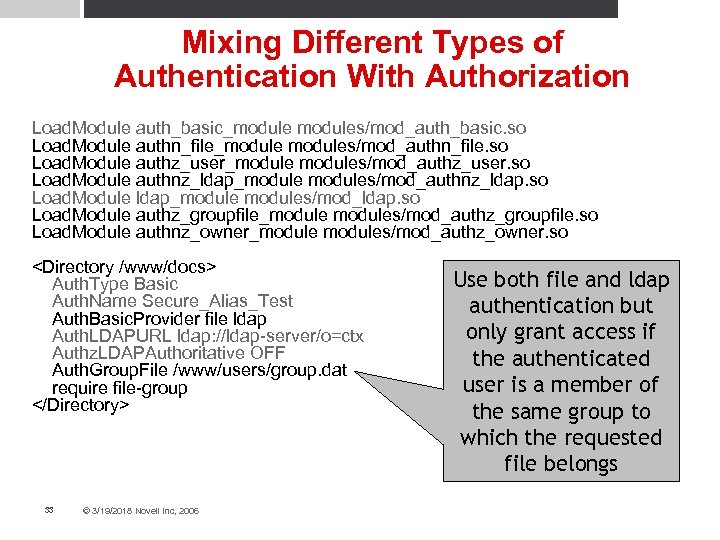
Mixing Different Types of Authentication With Authorization Load. Module auth_basic_modules/mod_auth_basic. so Load. Module authn_file_modules/mod_authn_file. so Load. Module authz_user_modules/mod_authz_user. so Load. Module authnz_ldap_modules/mod_authnz_ldap. so Load. Module ldap_modules/mod_ldap. so Load. Module authz_groupfile_modules/mod_authz_groupfile. so Load. Module authnz_owner_modules/mod_authz_owner. so <Directory /www/docs> Auth. Type Basic Auth. Name Secure_Alias_Test Auth. Basic. Provider file ldap Auth. LDAPURL ldap: //ldap-server/o=ctx Authz. LDAPAuthoritative OFF Auth. Group. File /www/users/group. dat require file-group </Directory> 33 © 3/19/2018 Novell Inc, 2006 Use both file and ldap authentication but only grant access if the authenticated user is a member of the same group to which the requested file belongs
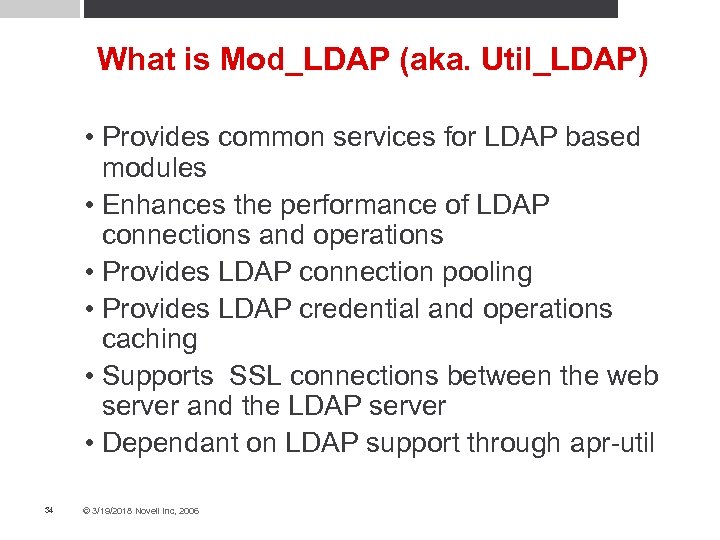
What is Mod_LDAP (aka. Util_LDAP) • Provides common services for LDAP based modules • Enhances the performance of LDAP connections and operations • Provides LDAP connection pooling • Provides LDAP credential and operations caching • Supports SSL connections between the web server and the LDAP server • Dependant on LDAP support through apr-util 34 © 3/19/2018 Novell Inc, 2006
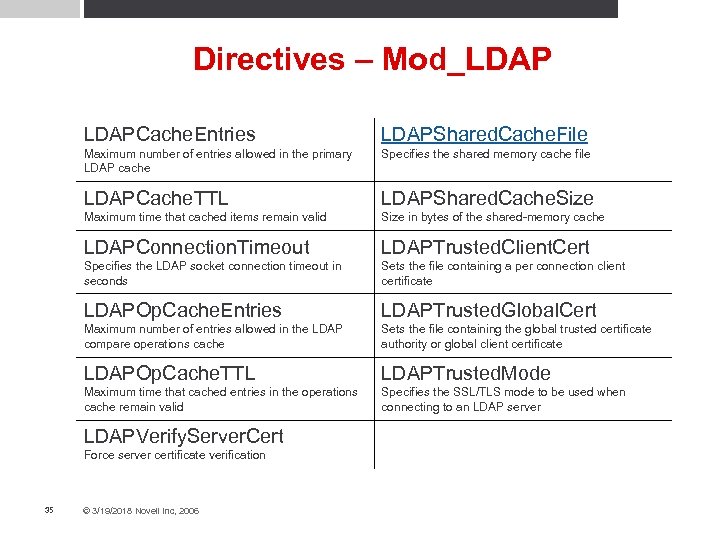
Directives – Mod_LDAPCache. Entries LDAPShared. Cache. File Maximum number of entries allowed in the primary LDAP cache Specifies the shared memory cache file LDAPCache. TTL LDAPShared. Cache. Size Maximum time that cached items remain valid Size in bytes of the shared-memory cache LDAPConnection. Timeout LDAPTrusted. Client. Cert Specifies the LDAP socket connection timeout in seconds Sets the file containing a per connection client certificate LDAPOp. Cache. Entries LDAPTrusted. Global. Cert Maximum number of entries allowed in the LDAP compare operations cache Sets the file containing the global trusted certificate authority or global client certificate LDAPOp. Cache. TTL LDAPTrusted. Mode Maximum time that cached entries in the operations cache remain valid Specifies the SSL/TLS mode to be used when connecting to an LDAP server LDAPVerify. Server. Cert Force server certificate verification 35 © 3/19/2018 Novell Inc, 2006
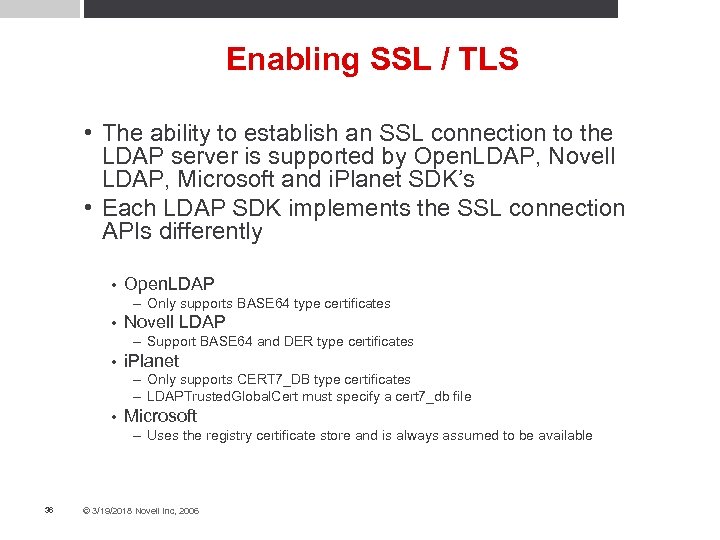
Enabling SSL / TLS • The ability to establish an SSL connection to the LDAP server is supported by Open. LDAP, Novell LDAP, Microsoft and i. Planet SDK’s • Each LDAP SDK implements the SSL connection APIs differently • Open. LDAP – Only supports BASE 64 type certificates • Novell LDAP – Support BASE 64 and DER type certificates • i. Planet – Only supports CERT 7_DB type certificates – LDAPTrusted. Global. Cert must specify a cert 7_db file • Microsoft – Uses the registry certificate store and is always assumed to be available 36 © 3/19/2018 Novell Inc, 2006
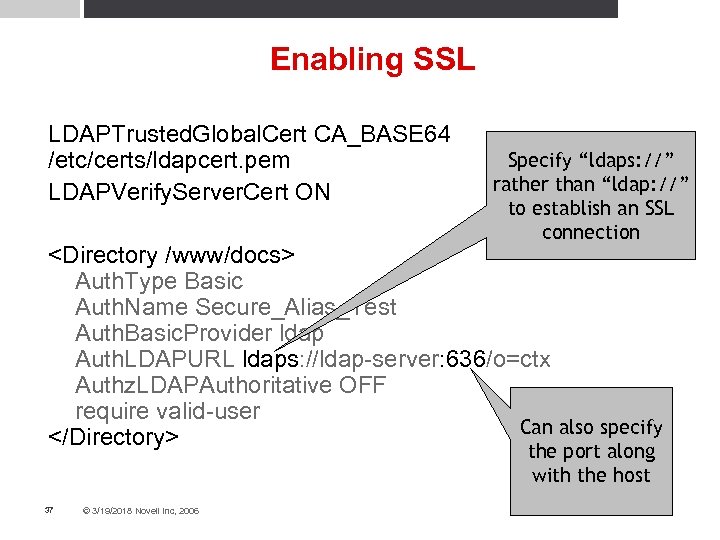
Enabling SSL LDAPTrusted. Global. Cert CA_BASE 64 /etc/certs/ldapcert. pem LDAPVerify. Server. Cert ON Specify “ldaps: //” rather than “ldap: //” to establish an SSL connection <Directory /www/docs> Auth. Type Basic Auth. Name Secure_Alias_Test Auth. Basic. Provider ldap Auth. LDAPURL ldaps: //ldap-server: 636/o=ctx Authz. LDAPAuthoritative OFF require valid-user Can also specify </Directory> the port along with the host 37 © 3/19/2018 Novell Inc, 2006
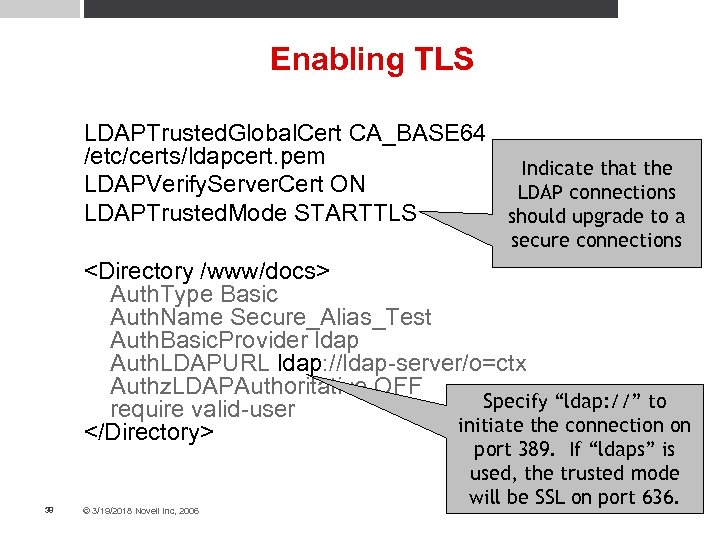
Enabling TLS LDAPTrusted. Global. Cert CA_BASE 64 /etc/certs/ldapcert. pem Indicate that the LDAPVerify. Server. Cert ON LDAP connections LDAPTrusted. Mode STARTTLS should upgrade to a secure connections <Directory /www/docs> Auth. Type Basic Auth. Name Secure_Alias_Test Auth. Basic. Provider ldap Auth. LDAPURL ldap: //ldap-server/o=ctx Authz. LDAPAuthoritative OFF Specify “ldap: //” to require valid-user initiate the connection on </Directory> 38 © 3/19/2018 Novell Inc, 2006 port 389. If “ldaps” is used, the trusted mode will be SSL on port 636.
LDAP Connection Pools • Connections to the LDAP server are pooled from request to request This prevents util_ldap from having to bind-rebind/perform operation/unbind on each request • Performance advantages are similar to HTTP keepalives • • When multiple requests are made simultaneously to the LDAP server, util_ldap will create and pool additional connections • If a pooled connection goes bad, util_ldap will clean it up automatically but does not remove the connection data from the pool • Connection pooling is always enabled 39 © 3/19/2018 Novell Inc, 2006
LDAP Credential and Operation Caching • One credential cache and two types of operation caches are maintained for each LDAP URL specified in the configuration • If the platform supports shared memory, these caches will be shared across application processes • The shared memory caches can be disabled by setting LDAPShared. Cache. Size 0 40 © 3/19/2018 Novell Inc, 2006
LDAP Credential Cache • Caches the user name, full DN, password and the amount of time the entry has been cached • If the user name and password match and the entry has not expired, the search/bind phase is by-passed • Failed binds are not cached • The behavior of the credential cache can be modified by: LDAPCache. Entries – number of entries allowed in the cache • LDAPCache. TTL – amount of time an entry is cached (default 600 seconds) • 41 © 3/19/2018 Novell Inc, 2006
LDAP Operation Caching • Util_ldap maintains a group membership cache and a DN comparison cache • The behavior of the two caches can be modified by: LDAPOp. Cache. Entries – number of entries allowed in the cache • LDAPOp. Cache. TTL – amount of time an entry is cached (default 600 seconds) • 42 © 3/19/2018 Novell Inc, 2006
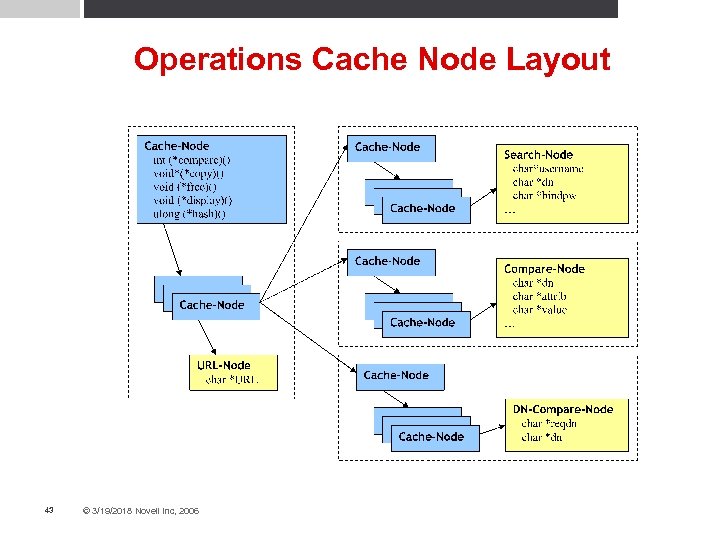
Operations Cache Node Layout 43 © 3/19/2018 Novell Inc, 2006
Mod_LDAP Cache Status Monitor • Implements a cache data display so that the different types of caches can be monitored • Monitored attributes: Number of entries within each cache • Number of successful hits vs accesses (fetches) • Number of inserts vs deletes • If and when a purge on the cache has been done • • Each individual cache displays its own specific information • Enabled by setting the “ldap-status” handler 44 © 3/19/2018 Novell Inc, 2006
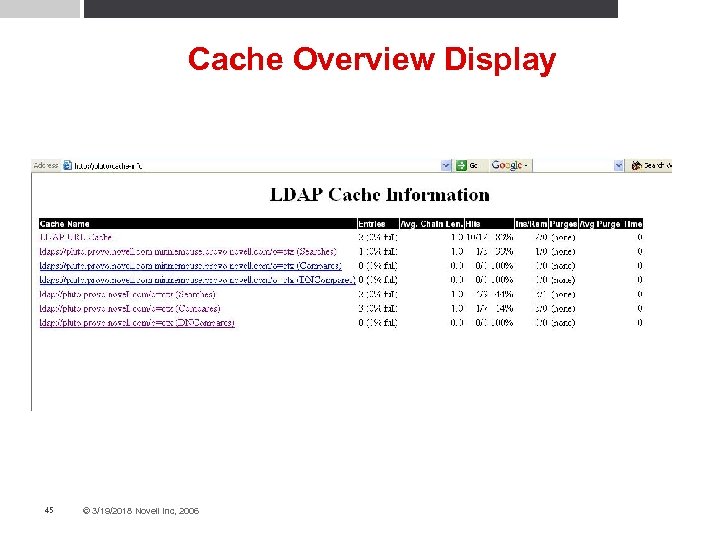
Cache Overview Display 45 © 3/19/2018 Novell Inc, 2006
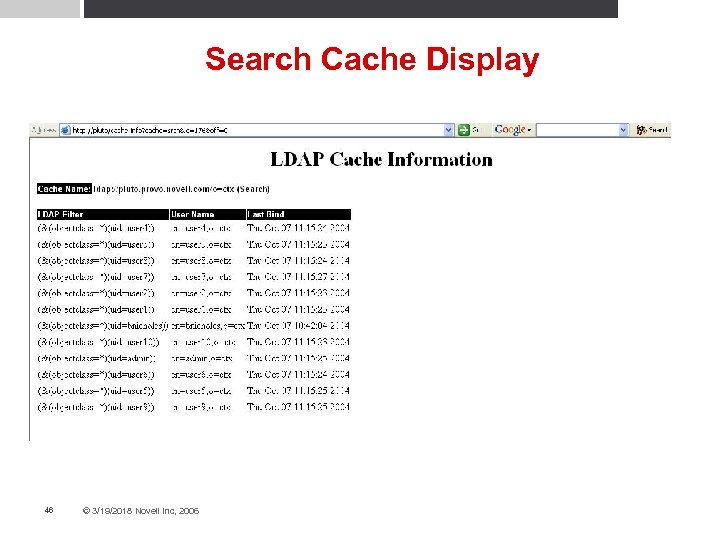
Search Cache Display 46 © 3/19/2018 Novell Inc, 2006
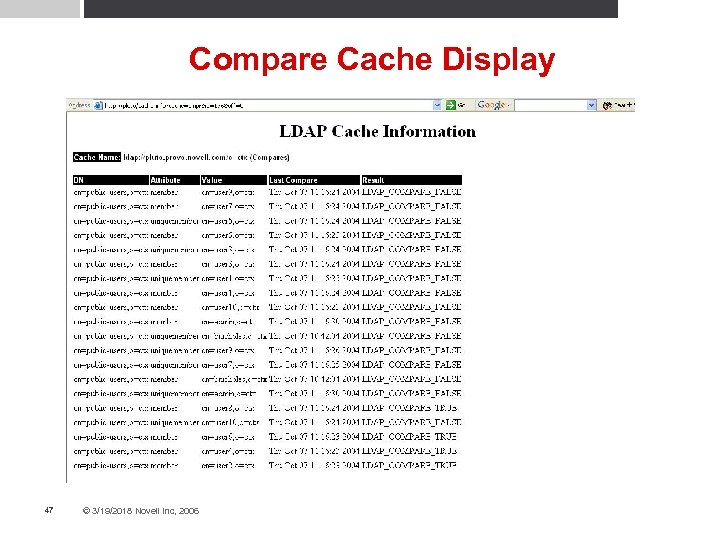
Compare Cache Display 47 © 3/19/2018 Novell Inc, 2006
Summary • Mod_Authnz_LDAP allows you to authenticate users against an LDAP directory • No longer an experimental module • Supports complex authentication policies through the use of LDAP filters • Conforms to the new authnz architecture in Apache 2. 2 • Mod_LDAP (Util_LDAP) provides common LDAP operation services, connection and credentials caching • Provides SSL/TLS encryption capability between the Apache server and the LDAP server • Provides cache monitoring through the “ldap-status” handler 48 © 3/19/2018 Novell Inc, 2006

Questions
General Disclaimer This document is not to be construed as a promise by any participating company to develop, deliver, or market a product. Novell, Inc. , makes no representations or warranties with respect to the contents of this document, and specifically disclaims any express or implied warranties of merchantability or fitness for any particular purpose. Further, Novell, Inc. , reserves the right to revise this document and to make changes to its content, at any time, without obligation to notify any person or entity of such revisions or changes. All Novell marks referenced in this presentation are trademarks or registered trademarks of Novell, Inc. in the United States and other countries. All third-party trademarks are the property of their respective owners.
Скачать презентацию Using LDAP Authentication in Apache 2 2 Brad
74f6123adc24f726782f5b39aabcc049.ppt