 Скачать презентацию Using IT Effectively in Business Peter Duschinsky Alan
c48fb7e8e1369557e4158ad695cdb607.ppt
- Количество слайдов: 125




Using IT Effectively in Business Peter Duschinsky Alan Rae The Imaginist Company ELB Workshop, Canary Wharf, 27 th November 2009 Slide 1
Morning Programme 09. 30 10. 40 11. 20 11. 30 13. 00 Welcome, introductions, objectives – What do we mean by “Using IT effectively in Business”? – What kind of business are you and where do you think IT can help you grow your business? Exercise Online marketing and E-mail strategies - 1 – What story are we trying to tell? – How does the online marketing world work? – Keywords, Blogs, Tweets - Exercise Tea/coffee Online marketing and E-mail strategies – 2 – Your online toolkit: Social Media, Carrier Media and Sink Media – Using email effectively – How people read online – Keywords and site optimisation Lunch ELB Workshop, Canary Wharf, 27 th November 2009 Slide 2
Afternoon Programme 13. 45 Finding and tendering for contracts online – – 14. 45 15. 15 What are your customers doing? Supplier portals PQQs and online tendering e-Marketplaces Working collaboratively Customer Relationship Management – Defining CRM – its not just software – The benefits of good customer relationship management – Specifying your CRM solution 15. 45 16. 00 16. 30 Tea/coffee Q&A, Action plans Close ELB Workshop, Canary Wharf, 27 th November 2009 Slide 3
What do we mean by “Using IT effectively in Business”? • Sales and marketing: – – CRM Internet Email Social media etc • Operations: – – – Finance Management Inventory and stock control Strategic planning Purchasing and supply chain management ELB Workshop, Canary Wharf, 27 th November 2009 Slide 4
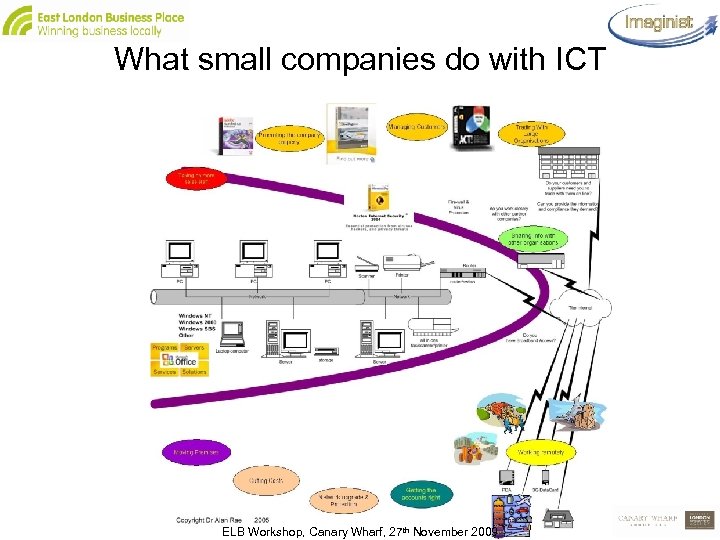
What small companies do with ICT ELB Workshop, Canary Wharf, 27 th November 2009 Slide 5
What kind of business are you? 1. What kind of business are you? – local/global – virtual/conventional 2. Where do you think IT can help you grow your business? 3. Where are you now? 4. What are you hoping to get out of today? ELB Workshop, Canary Wharf, 27 th November 2009 Slide 6
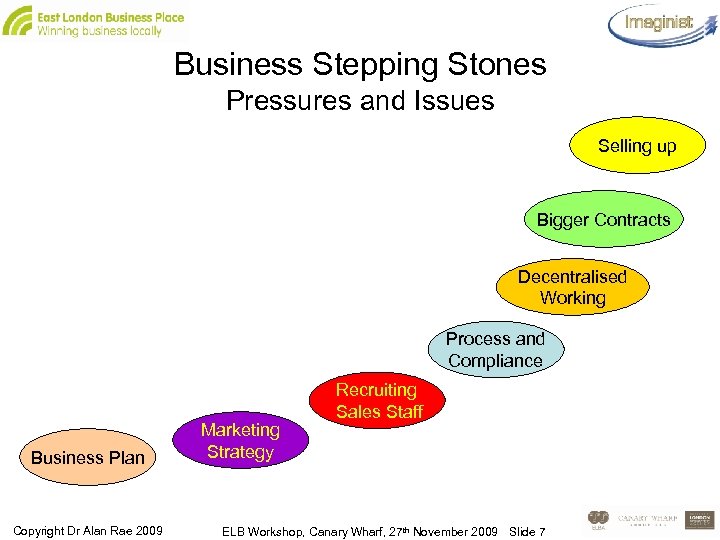
Business Stepping Stones Pressures and Issues Selling up Bigger Contracts Decentralised Working Process and Compliance Business Plan Copyright Dr Alan Rae 2009 Marketing Strategy Recruiting Sales Staff ELB Workshop, Canary Wharf, 27 th November 2009 Slide 7
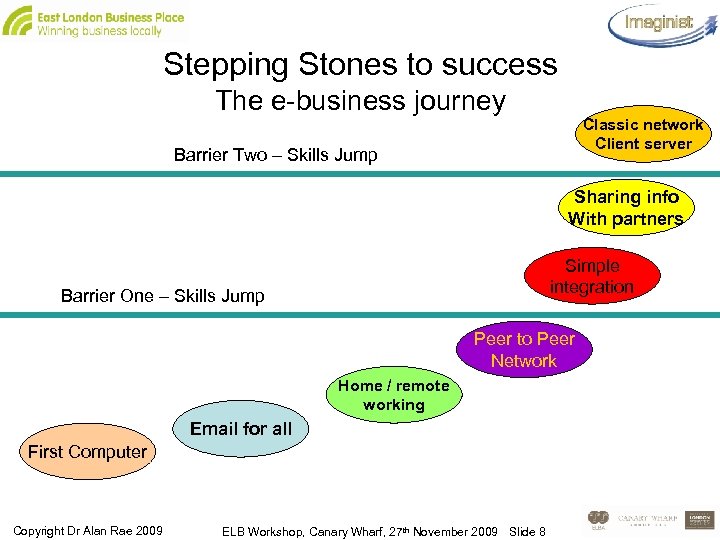
Stepping Stones to success The e-business journey Classic network Client server Barrier Two – Skills Jump Sharing info With partners Simple integration Barrier One – Skills Jump Peer to Peer Network Home / remote working Email for all First Computer Copyright Dr Alan Rae 2009 ELB Workshop, Canary Wharf, 27 th November 2009 Slide 8
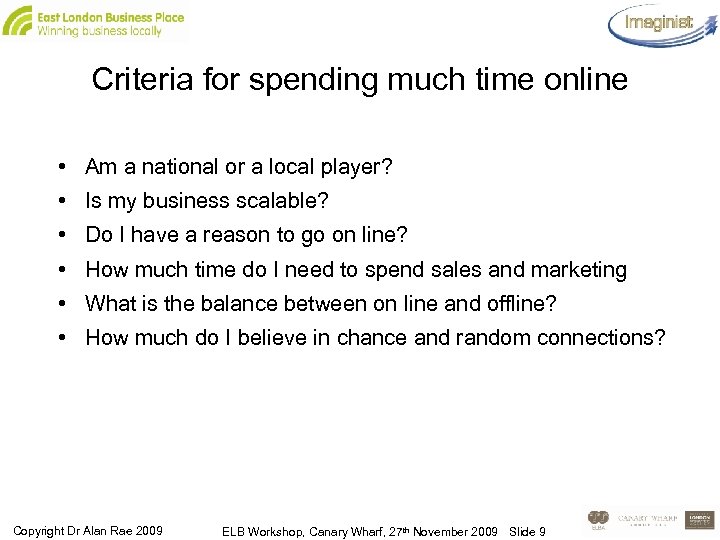
Criteria for spending much time online • Am a national or a local player? • Is my business scalable? • Do I have a reason to go on line? • How much time do I need to spend sales and marketing • What is the balance between on line and offline? • How much do I believe in chance and random connections? Copyright Dr Alan Rae 2009 ELB Workshop, Canary Wharf, 27 th November 2009 Slide 9
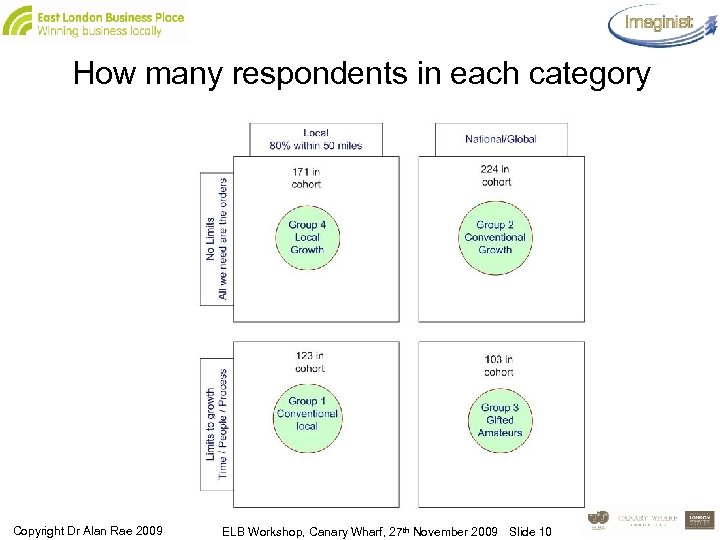
How many respondents in each category Copyright Dr Alan Rae 2009 ELB Workshop, Canary Wharf, 27 th November 2009 Slide 10
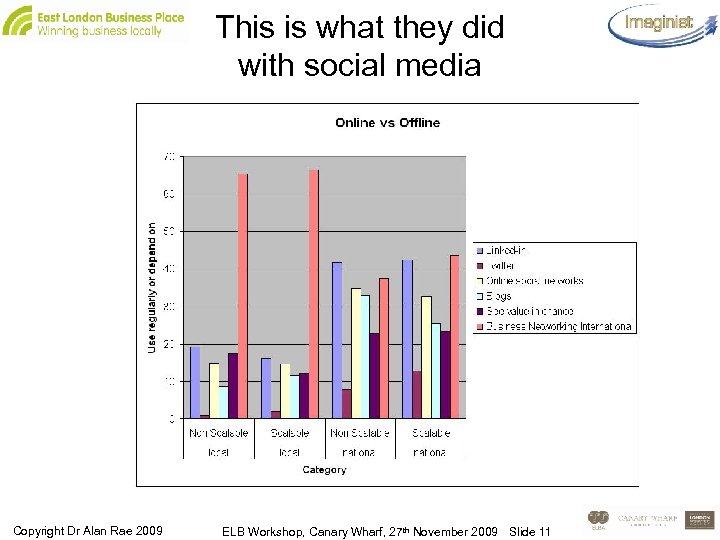
This is what they did with social media Copyright Dr Alan Rae 2009 ELB Workshop, Canary Wharf, 27 th November 2009 Slide 11
Are you operating in the Gorilla’s world or in the Monkey’s world? ELB Workshop, Canary Wharf, 27 th November 2009 Slide 12
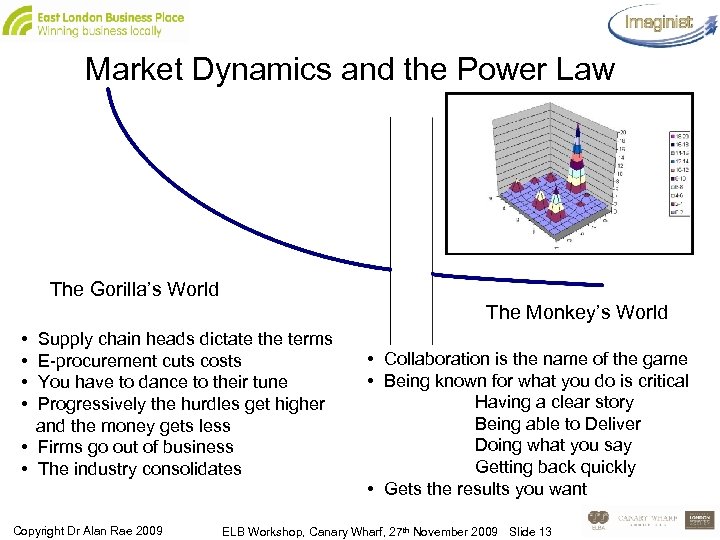
Market Dynamics and the Power Law The Gorilla’s World The Monkey’s World • Supply chain heads dictate the terms • E-procurement cuts costs • You have to dance to their tune • Progressively the hurdles get higher and the money gets less • Firms go out of business • The industry consolidates Copyright Dr Alan Rae 2009 • Collaboration is the name of the game • Being known for what you do is critical Having a clear story Being able to Deliver Doing what you say Getting back quickly • Gets the results you want ELB Workshop, Canary Wharf, 27 th November 2009 Slide 13
Web 2. 0 is what the monkeys invented • Social media are online networks – – – The same rules apply as in face to face networks Reciprocity Listen before you talk Be polite Be helpful Be clear about what you do and what you want Copyright Dr Alan Rae 2009 ELB Workshop, Canary Wharf, 27 th November 2009 Slide 14
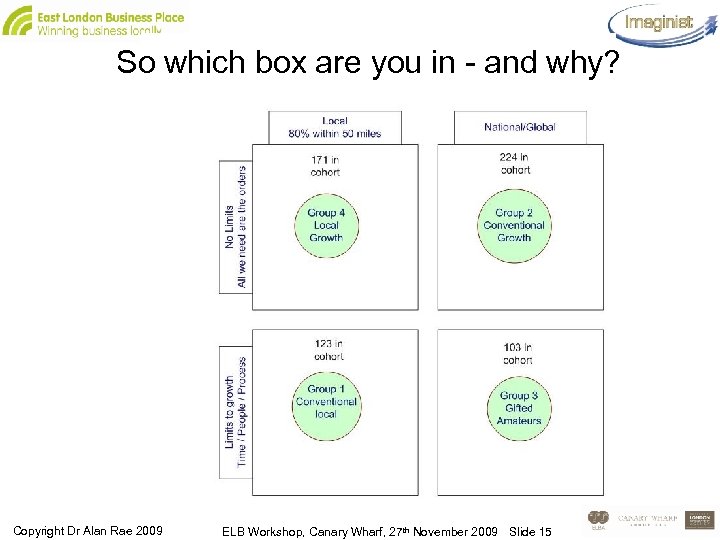
So which box are you in - and why? Copyright Dr Alan Rae 2009 ELB Workshop, Canary Wharf, 27 th November 2009 Slide 15
Online marketing and email strategies Part 1 ELB Workshop, Canary Wharf, 27 th November 2009 Slide 16
Small Company Marketing – the reality 1. 2. 3. 4. 5. It’s about generating leads You need a strong story that connects you to your customers You have only so much time available for sales and marketing – 12 hours on average But it can’t be dear and it can’t eat your time You need to use the internet to prospect for you – to generate warm leads. If you’re clever you can get a 40% boost Copyright Dr Alan Rae 2009 ELB Workshop, Canary Wharf, 27 th November 2009 Slide 17
What’s your story? • You need a narrative that connects you to the customer and motivates them to work with you. It needs to be: – – Compelling Relates you emotionally to the listener Phrased in their language Addresses their pain and spurs them into action • And is absolutely crystal clear and unambiguous about what you do and why. All our research shows that people give business or refer business to people that they’re clear about what they do Copyright Dr Alan Rae 2009 ELB Workshop, Canary Wharf, 27 th November 2009 Slide 18
Clarity is everything • People need to get what you do • Straight Away • Otherwise – Online they’ll move on – Networking they won’t refer you or act as an advocate Copyright Dr Alan Rae 2009 ELB Workshop, Canary Wharf, 27 th November 2009 Slide 19
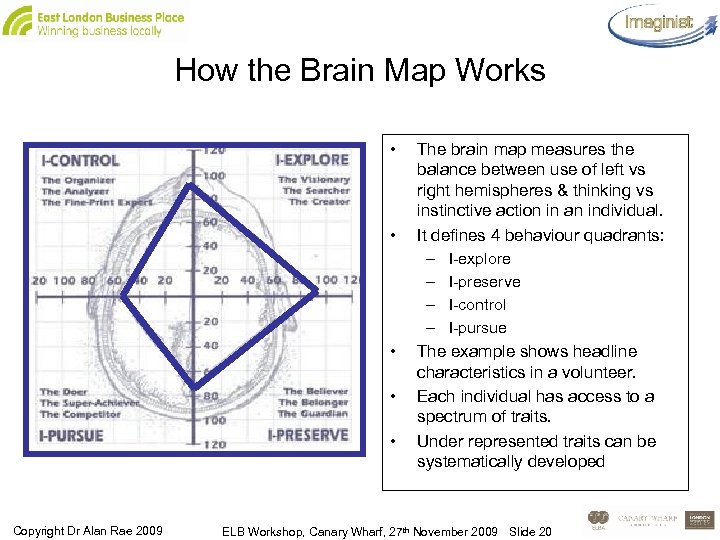
How the Brain Map Works • • • Copyright Dr Alan Rae 2009 The brain map measures the balance between use of left vs right hemispheres & thinking vs instinctive action in an individual. It defines 4 behaviour quadrants: – I-explore – I-preserve – I-control – I-pursue The example shows headline characteristics in a volunteer. Each individual has access to a spectrum of traits. Under represented traits can be systematically developed ELB Workshop, Canary Wharf, 27 th November 2009 Slide 20
Different personalities – how to convince them I-Control: The accountant - sum up thoroughly – give alternatives and offer what gives most control – be logical and clear - go for the safe option based on the evidence I-Pursue: The entrepreneur - stress time limits - focus on what to do next to get a result - tie what you want to their turf - someone will steal our lunch if we don’t move NOW I- Preserve: The team player - assume they’ll support because we all have the same values - we just need to sort out the details - tell them about the others who do it and stress it’s the right decision I explore: The visionary - it’s new - you’ve got to try it - we know you like to be first - it will open all kinds of new opportunities - make new connections - and get ahead • What persona do you think your most common type of customer has? • How would you talk to them? Copyright Dr Alan Rae 2009 ELB Workshop, Canary Wharf, 27 th November 2009 Slide 21
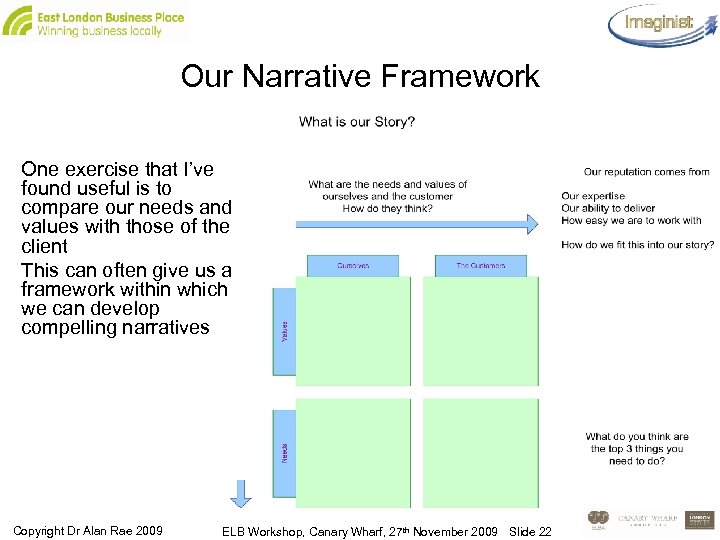
Our Narrative Framework One exercise that I’ve found useful is to compare our needs and values with those of the client This can often give us a framework within which we can develop compelling narratives Copyright Dr Alan Rae 2009 ELB Workshop, Canary Wharf, 27 th November 2009 Slide 22
So what is the Story? • Now we can work out what our story is • Let’s try to create a couple of paragraphs that connects what we do with the customer • We want to base it on the shared values and needs we already established. Copyright Dr Alan Rae 2009 ELB Workshop, Canary Wharf, 27 th November 2009 Slide 23
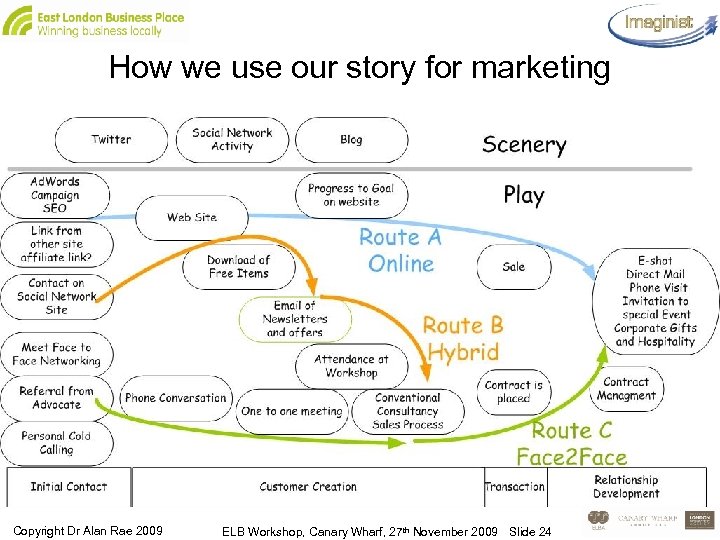
How we use our story for marketing Copyright Dr Alan Rae 2009 ELB Workshop, Canary Wharf, 27 th November 2009 Slide 24
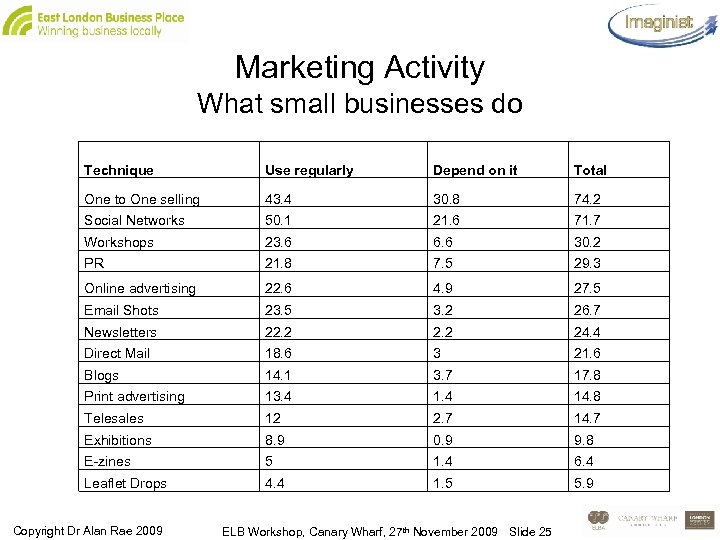
Marketing Activity What small businesses do Technique Use regularly Depend on it Total One to One selling 43. 4 30. 8 74. 2 Social Networks 50. 1 21. 6 71. 7 Workshops 23. 6 6. 6 30. 2 PR 21. 8 7. 5 29. 3 Online advertising 22. 6 4. 9 27. 5 Email Shots 23. 5 3. 2 26. 7 Newsletters 22. 2 24. 4 Direct Mail 18. 6 3 21. 6 Blogs 14. 1 3. 7 17. 8 Print advertising 13. 4 14. 8 Telesales 12 2. 7 14. 7 Exhibitions 8. 9 0. 9 9. 8 E-zines 5 1. 4 6. 4 Leaflet Drops 4. 4 1. 5 5. 9 Copyright Dr Alan Rae 2009 ELB Workshop, Canary Wharf, 27 th November 2009 Slide 25
How does the online marketing world work? • Online, the story is driven by words • Its about driving traffic to your site • People find it by – Going direct – because they already know you – From links on other sites – including social media, blogs that you create yourself and tools like twitter – Through searches – paid and organic. • These are driven by keywords – for searches, tags and anchor text on links. • e. g. London internet marketing workshop Copyright Dr Alan Rae 2009 ELB Workshop, Canary Wharf, 27 th November 2009 Slide 26
What’s the process? • • • Get your story clear Tell it online, in writing and face to face Deconstruct it into keywords Test it using Google ad-words Use what you find to optimise your site and tag your blogs Use rich media like you - tube Copyright Dr Alan Rae 2009 ELB Workshop, Canary Wharf, 27 th November 2009 Slide 27
How you do it • Turn your story into keywords • Test them using Google ad-words • When you’ve got them put them into – anchor text Small Business Marketing course sits over www. 1 manbrand. co. uk – Headlines, page title, keywords metatags – Tags for any online materials you create • Create additional places you can link from – Blogs, Social network sites, other people’s sites Copyright Dr Alan Rae 2009 ELB Workshop, Canary Wharf, 27 th November 2009 Slide 28
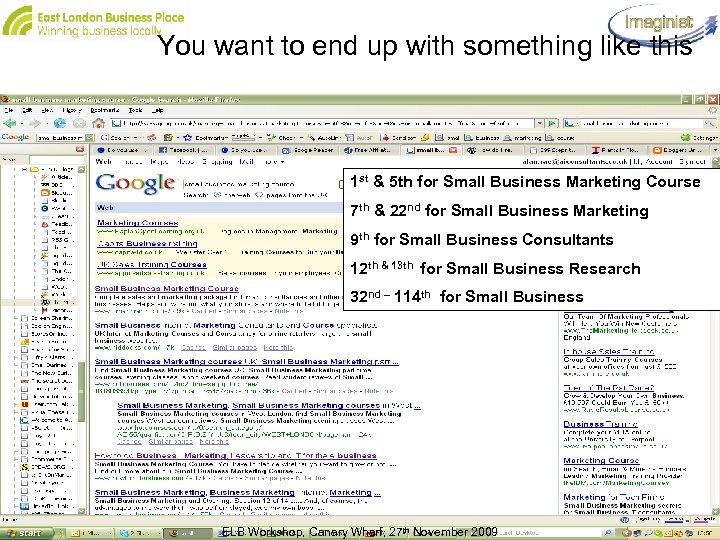
You want to end up with something like this 1 st & 5 th for Small Business Marketing Course 7 th & 22 nd for Small Business Marketing 9 th for Small Business Consultants 12 th & 13 th for Small Business Research 32 nd – 114 th for Small Business ELB Workshop, Canary Wharf, 27 th November 2009 Slide 29
Key. Words • Key. Words are what drives all this • You identify the things that customers search for: – When they’re researching – When they’re buying • You build them into: – – – Your copy Your advertising Your autosignatures Your inbound links Your meta tags – page title, description and keywords • Consistency means credibility Copyright Dr Alan Rae 2009 ELB Workshop, Canary Wharf, 27 th November 2009 Slide 30
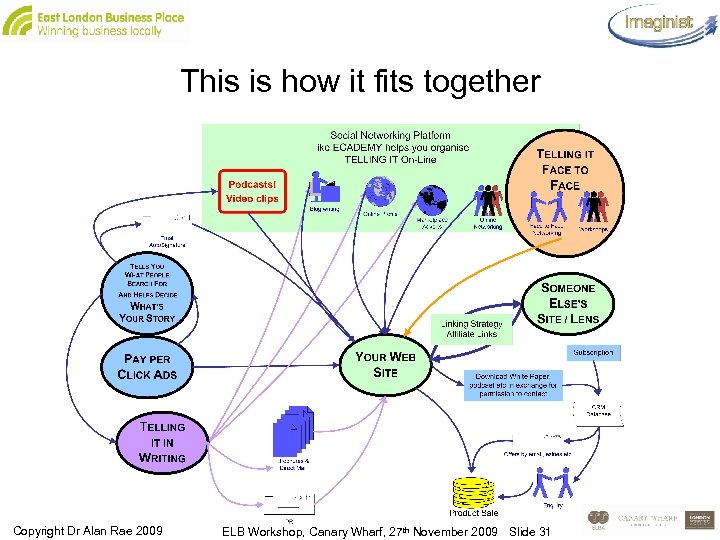
This is how it fits together Copyright Dr Alan Rae 2009 ELB Workshop, Canary Wharf, 27 th November 2009 Slide 31
Using pay per click for Market Research • It’s all about finding the Keywords your customers use • And then about deploying them so you don’t need to use Pay per Click • So you use it to buy some traffic and at the same time research what words people are actually using to search for your product. • Once you know this you can use the words where you need to put them Copyright Dr Alan Rae 2009 ELB Workshop, Canary Wharf, 27 th November 2009 Slide 32
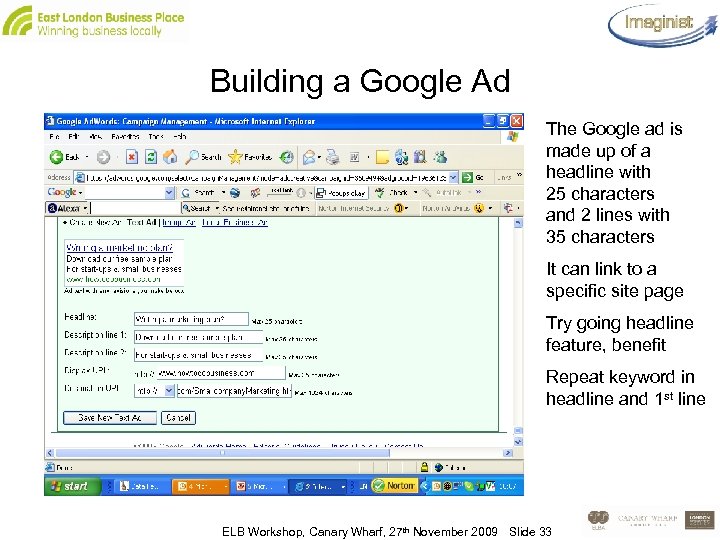
Building a Google Ad The Google ad is made up of a headline with 25 characters and 2 lines with 35 characters It can link to a specific site page Try going headline feature, benefit Repeat keyword in headline and 1 st line ELB Workshop, Canary Wharf, 27 th November 2009 Slide 33
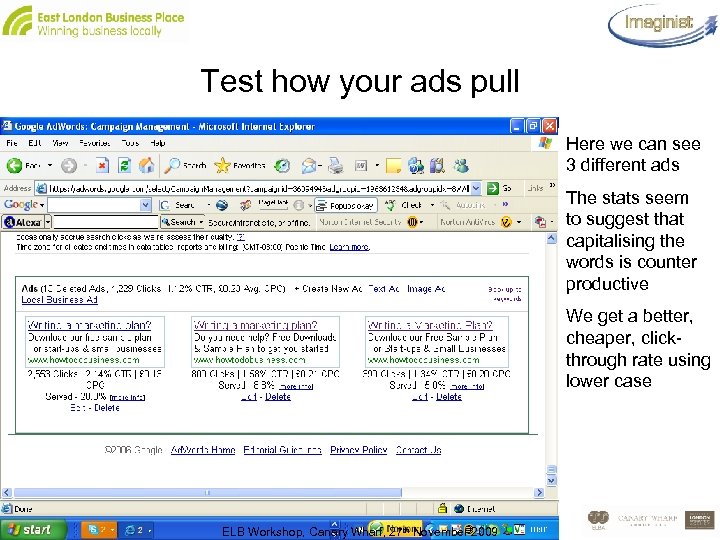
Test how your ads pull Here we can see 3 different ads The stats seem to suggest that capitalising the words is counter productive We get a better, cheaper, click- through rate using lower case ELB Workshop, Canary Wharf, 27 th November 2009 Slide 34
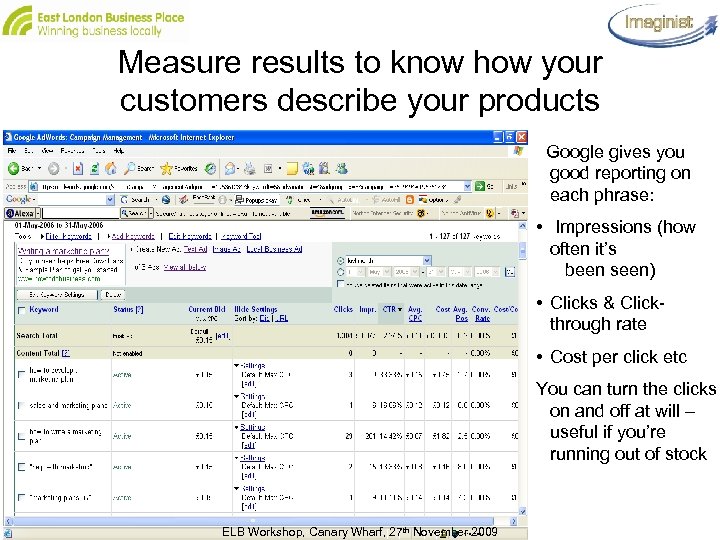
Measure results to know how your customers describe your products Google gives you good reporting on each phrase: • Impressions (how often it’s been seen) • Clicks & Clickthrough rate • Cost per click etc You can turn the clicks on and off at will – useful if you’re running out of stock ELB Workshop, Canary Wharf, 27 th November 2009 Slide 35
Use them as Meta-tags • Description Tag is key – It’s the description of your page within the search engine report. – If you don’t have it Google will cobble together some tosh from the page that you can’t control • Use most important keywords to make a strong 60 character title tag • Have the most relevant keywords for the page in the keywords tag • And make sure each page is different and relevant Copyright Dr Alan Rae 2009 ELB Workshop, Canary Wharf, 27 th November 2009 Slide 36
Now you’ve got them – what do you do with them? • Put them in the anchor text of inbound links from partners – you may have to negotiate individually but it’s worth it • Set up an affiliate link programme • Put them into your email auto signature • Build them into your auto signature when you’re blogging or posting where Google will see it • Use them for brand consistency with your off line messages • Use them to Tag your Blogs • Create your own environments Copyright Dr Alan Rae 2009 ELB Workshop, Canary Wharf, 27 th November 2009 Slide 37
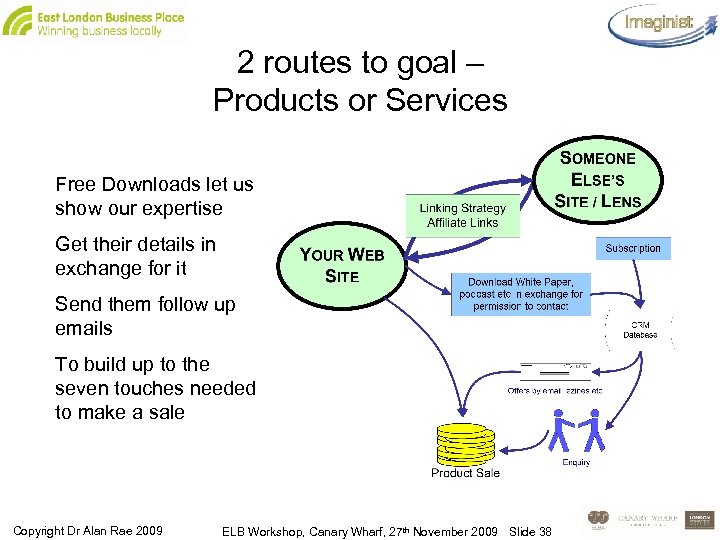
2 routes to goal – Products or Services Free Downloads let us show our expertise Get their details in exchange for it Send them follow up emails To build up to the seven touches needed to make a sale Copyright Dr Alan Rae 2009 ELB Workshop, Canary Wharf, 27 th November 2009 Slide 38
Exercise: Keywords, Blogs, Tweets • Brainstorm the keywords you might use • Now write a headline and introductory paragraph using keywords effectively • Now write a Google Ad – Headline 25 characters – 1 st Line 35 characters – 2 nd Line 35 characters • Now write a 140 character tweet Copyright Dr Alan Rae 2009 ELB Workshop, Canary Wharf, 27 th November 2009 Slide 39
Online marketing and email strategies Part 2 ELB Workshop, Canary Wharf, 27 th November 2009 Slide 40
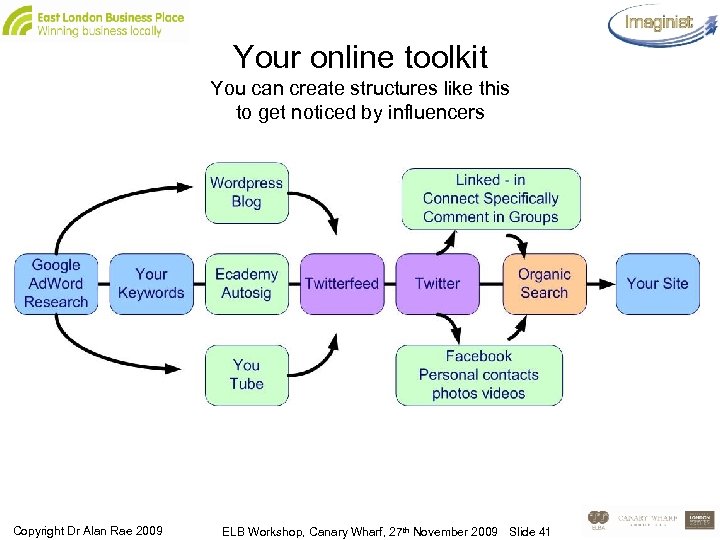
Your online toolkit You can create structures like this to get noticed by influencers Copyright Dr Alan Rae 2009 ELB Workshop, Canary Wharf, 27 th November 2009 Slide 41
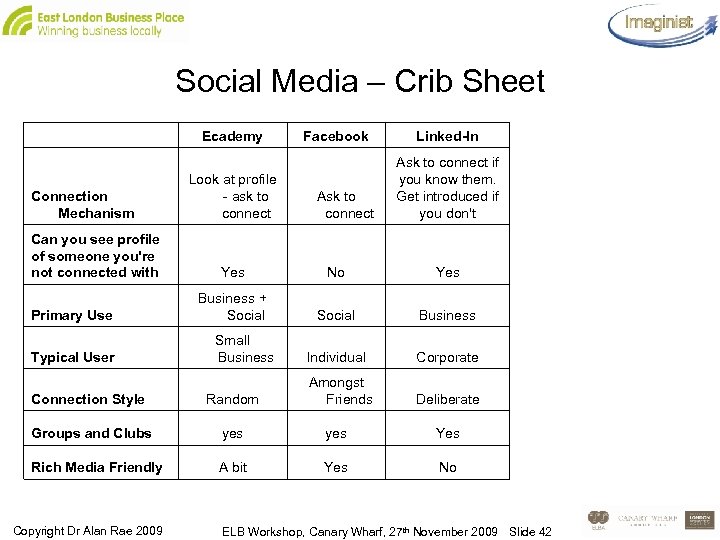
Social Media – Crib Sheet Connection Mechanism Can you see profile of someone you're not connected with Ecademy Look at profile - ask to connect Facebook Ask to connect Linked-In Ask to connect if you know them. Get introduced if you don't Yes No Yes Primary Use Business + Social Business Typical User Small Business Individual Corporate Amongst Friends Deliberate Connection Style Random Groups and Clubs yes Yes Rich Media Friendly A bit Yes No Copyright Dr Alan Rae 2009 ELB Workshop, Canary Wharf, 27 th November 2009 Slide 42
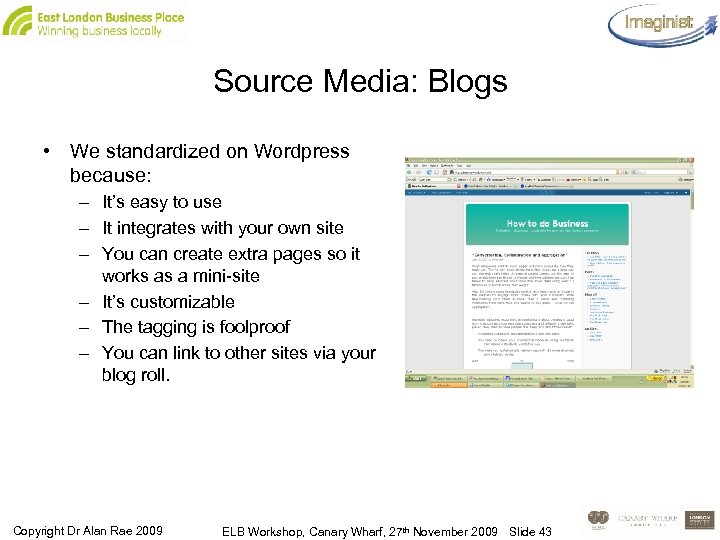
Source Media: Blogs • We standardized on Wordpress because: – It’s easy to use – It integrates with your own site – You can create extra pages so it works as a mini-site – It’s customizable – The tagging is foolproof – You can link to other sites via your blog roll. Copyright Dr Alan Rae 2009 ELB Workshop, Canary Wharf, 27 th November 2009 Slide 43
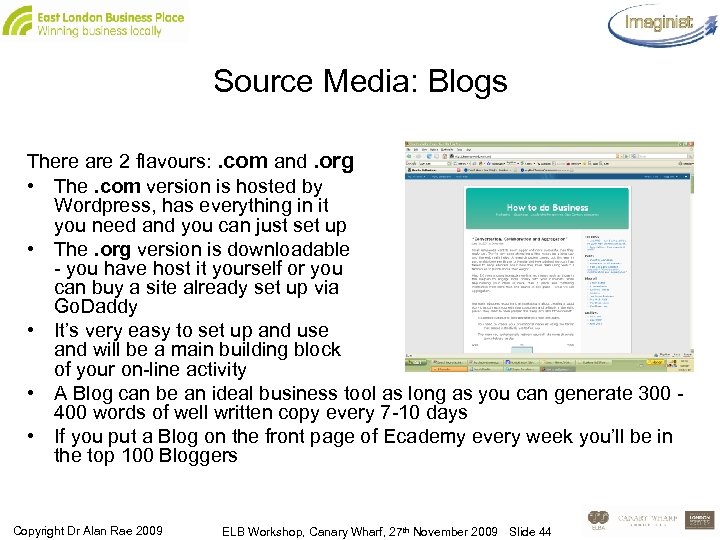
Source Media: Blogs There are 2 flavours: . com and. org • The. com version is hosted by Wordpress, has everything in it you need and you can just set up • The. org version is downloadable - you have host it yourself or you can buy a site already set up via Go. Daddy • It’s very easy to set up and use and will be a main building block of your on-line activity • A Blog can be an ideal business tool as long as you can generate 300 - 400 words of well written copy every 7 -10 days • If you put a Blog on the front page of Ecademy every week you’ll be in the top 100 Bloggers Copyright Dr Alan Rae 2009 ELB Workshop, Canary Wharf, 27 th November 2009 Slide 44
Source Media: Ecademy • Ecademy is a smaller networking site but it’s a good place to start –the subscription is £ 10 per month • You can network online and offline with 100, 000 other members worldwide. It also lets you: – – Create blogs Advertise in the Market Place Form special interest clubs Take part in discussions, seek advice from other members or give advice in response to the posts of others Copyright Dr Alan Rae 2009 ELB Workshop, Canary Wharf, 27 th November 2009 Slide 45
Source Media: Ecademy • If you devote time to learning to use it – it really is a school of online marketing • 2 unique features make Ecademy important: – It runs face to face meetings as well as online networking – Google looks at it every day and anything you post there, if you use keywords properly will deliver a search engine linking bonus • It definitely has a pivotal role in an online marketing strategy. You can contact all of your connections once a month. Copyright Dr Alan Rae 2009 ELB Workshop, Canary Wharf, 27 th November 2009 Slide 46
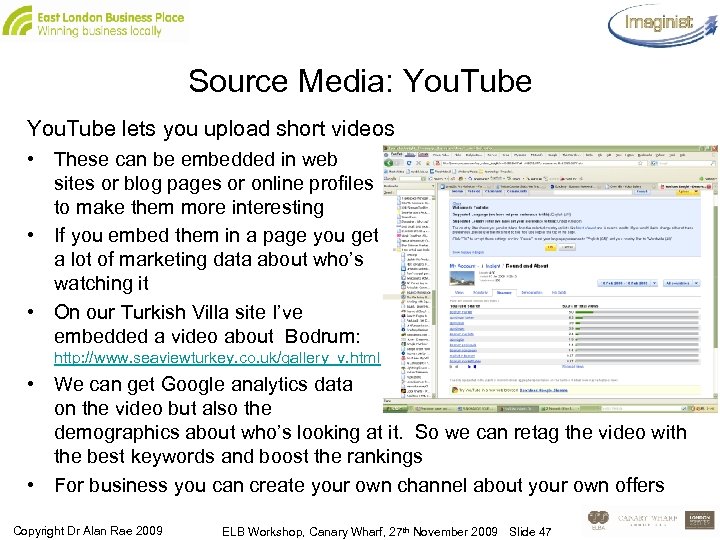
Source Media: You. Tube lets you upload short videos • These can be embedded in web sites or blog pages or online profiles to make them more interesting • If you embed them in a page you get a lot of marketing data about who’s watching it • On our Turkish Villa site I’ve embedded a video about Bodrum: http: //www. seaviewturkey. co. uk/gallery_v. html • We can get Google analytics data on the video but also the demographics about who’s looking at it. So we can retag the video with the best keywords and boost the rankings • For business you can create your own channel about your own offers Copyright Dr Alan Rae 2009 ELB Workshop, Canary Wharf, 27 th November 2009 Slide 47
Carrier Media: Twitter • You need to know about Twitter – Its pure permission marketing. People follow you if what you say is useful. If you bore them, they’ll abandon you – You’ve 140 characters to make your point. You can link to something you want to signpost: a Blog, an event, an offer – Be interesting and converse - don’t broadcast – Tweetdeck helps you sort the conversations out – Tweetlater can automate your “business” posts. Chat with colleagues, re-tweet items of interest and use it to inform and entertain. No more than 15% promotion – Twitterfeed helps you feed material to it – Route blogs and other posts via twitter to end user destinations in Facebook and linked-in Copyright Dr Alan Rae 2009 ELB Workshop, Canary Wharf, 27 th November 2009 Slide 48
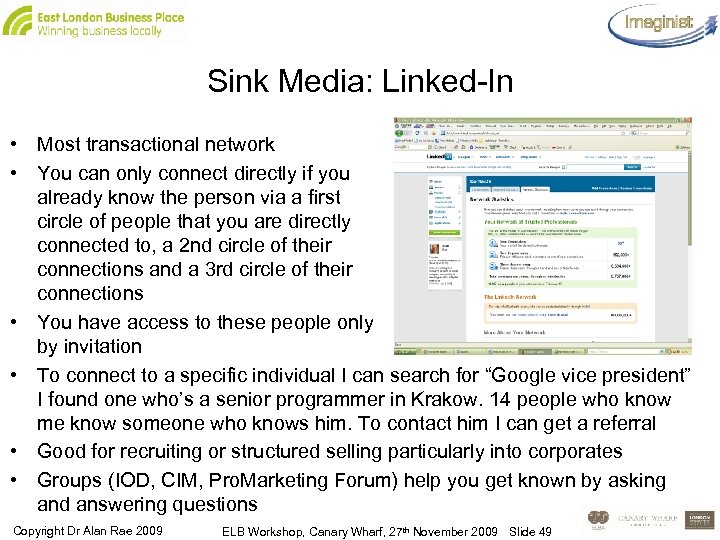
Sink Media: Linked-In • Most transactional network • You can only connect directly if you already know the person via a first circle of people that you are directly connected to, a 2 nd circle of their connections and a 3 rd circle of their connections • You have access to these people only by invitation • To connect to a specific individual I can search for “Google vice president” I found one who’s a senior programmer in Krakow. 14 people who know me know someone who knows him. To contact him I can get a referral • Good for recruiting or structured selling particularly into corporates • Groups (IOD, CIM, Pro. Marketing Forum) help you get known by asking and answering questions Copyright Dr Alan Rae 2009 ELB Workshop, Canary Wharf, 27 th November 2009 Slide 49
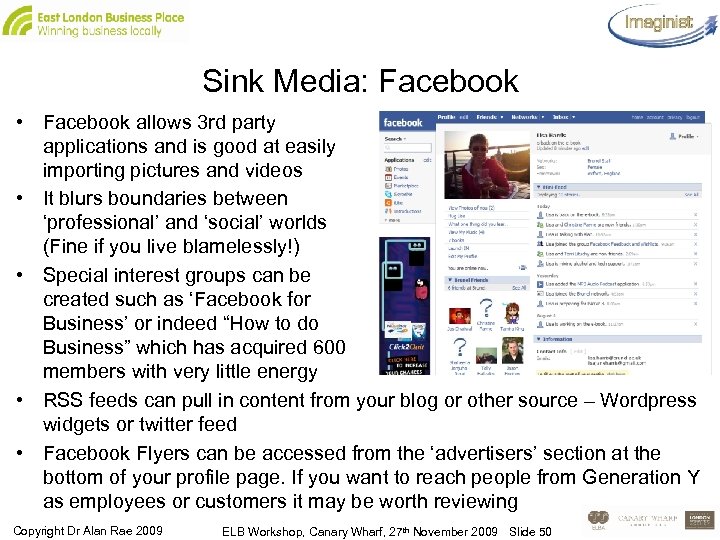
Sink Media: Facebook • Facebook allows 3 rd party applications and is good at easily importing pictures and videos • It blurs boundaries between ‘professional’ and ‘social’ worlds (Fine if you live blamelessly!) • Special interest groups can be created such as ‘Facebook for Business’ or indeed “How to do Business” which has acquired 600 members with very little energy • RSS feeds can pull in content from your blog or other source – Wordpress widgets or twitter feed • Facebook Flyers can be accessed from the ‘advertisers’ section at the bottom of your profile page. If you want to reach people from Generation Y as employees or customers it may be worth reviewing Copyright Dr Alan Rae 2009 ELB Workshop, Canary Wharf, 27 th November 2009 Slide 50
Using Email Effectively - Techniques of writing emails • Online copy address two audiences – a human one and an electronic one that acts as the “gatekeeper” to whether someone sees it • For Web pages the gatekeeper is Google. Will the page show up on the search engine when someone carries out a relevant search? • For Email it’s the Spam filters – will they let our email through • The problem is that the needs of the two readers conflict • “Free” and “Help” are two great words for motivating humans – but they are markers of Spam and may lead to your carefully crafted email being eaten alive before your potential customer ever sees it Copyright Dr Alan Rae 2009 ELB Workshop, Canary Wharf, 27 th November 2009 Slide 51
How people read on-line • We are on automatic pilot most of the time: – We make snapshot judgements – Our brains did not evolve to make rational decisions effectively – They evolved to get us out of trouble quickly • That’s why the brain operates in ‘short cuts’ - we only THINK about something in depth if we can and if it matters • So the aim of copywriting is to present something in such a way that the decision to say yes goes by default • In the web environment people don’t read – they scan • And they have become used to looking in specific places for information • Can you think of some examples of this in practice? Copyright Dr Alan Rae 2009 ELB Workshop, Canary Wharf, 27 th November 2009 Slide 52
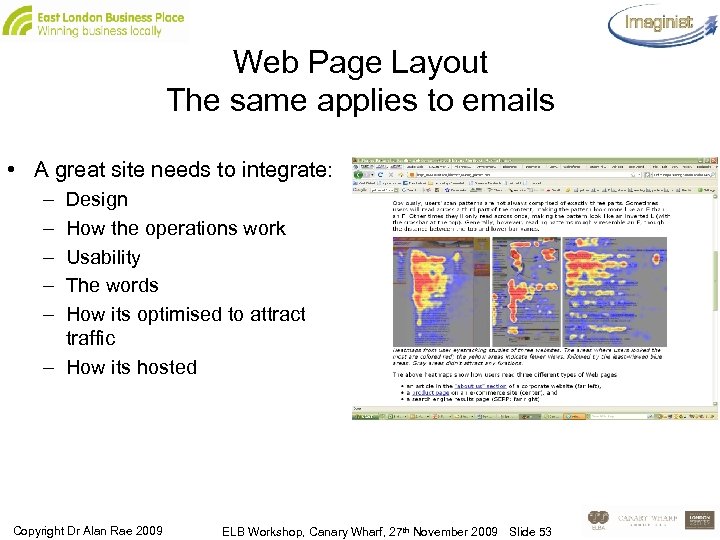
Web Page Layout The same applies to emails • A great site needs to integrate: – – – Design How the operations work Usability The words How its optimised to attract traffic – How its hosted Copyright Dr Alan Rae 2009 ELB Workshop, Canary Wharf, 27 th November 2009 Slide 53
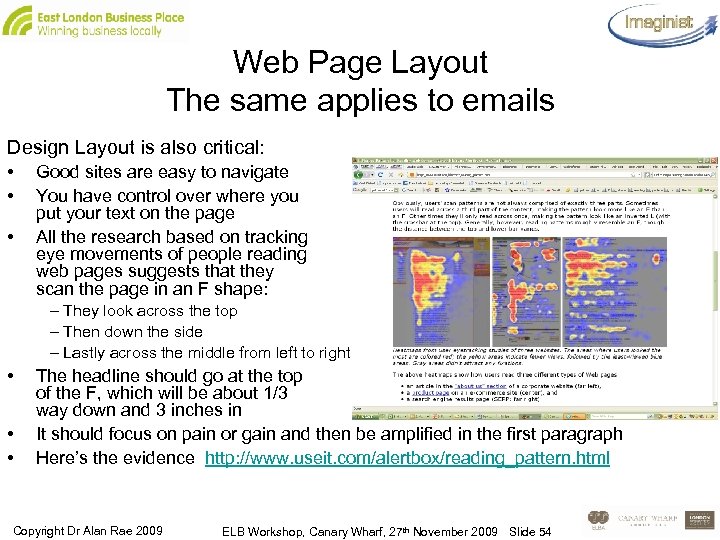
Web Page Layout The same applies to emails Design Layout is also critical: • • • Good sites are easy to navigate You have control over where you put your text on the page All the research based on tracking eye movements of people reading web pages suggests that they scan the page in an F shape: – They look across the top – Then down the side – Lastly across the middle from left to right • • • The headline should go at the top of the F, which will be about 1/3 way down and 3 inches in It should focus on pain or gain and then be amplified in the first paragraph Here’s the evidence http: //www. useit. com/alertbox/reading_pattern. html Copyright Dr Alan Rae 2009 ELB Workshop, Canary Wharf, 27 th November 2009 Slide 54
How people read online • Online people scan – they don’t read the text – so you should use: – – – Highlighted Key-words Meaningful (not clever) sub-headings Bulleted Lists One Idea per paragraph Halve the word count - English fortunately lends itself to this approach • We want information quickly and efficiently – if we can’t find it within 7 seconds we’ll go elsewhere. So be crystal clear and easily accessible • Have the answer first. Then the reason for the answer. Then the supporting points in paragraphs two to five – If text is more concise, you have 58% improvement in usability – With bulleted layout you get a 47% improvement – Using objective rather than sales orientated language gave a 27% improvement • Put all together = 124% improvement is achieved. Copyright Dr Alan Rae 2009 ELB Workshop, Canary Wharf, 27 th November 2009 Slide 55
Build credibility, with: • High Quality Graphics • Good Writing – – Present tense, Short paragraphs Short colourful vital words Motivational • Social Proof - – Outbound Hypertext Links that say what they are to our – Business partners – Other relevant sources of information – Links to background information instead of long scrolling pages • Above all don’t be clever and respect internet conventions Copyright Dr Alan Rae 2009 ELB Workshop, Canary Wharf, 27 th November 2009 Slide 56
Remember what Cialdini tells us: • Contrast – we notice things that stand out • Reciprocation – which is why free offers work – if I do something for you then you should do something for me. The same principles apply in networking • Surprise – like contrast – it gets noticed • Consistency – which is why branding is so important • Social Proof – which is why testimonials or links from influential sites are so important • Things to do with the customer feeling comfortable that they will have a good experience: – – Liking Symmetry - the golden mean Association with good things Authority – appearance, carriage, gaze, height. Online, we rely on graphics, font, colour and links to authoritative sites Copyright Dr Alan Rae 2009 ELB Workshop, Canary Wharf, 27 th November 2009 Slide 57
So start with a strong Headline • If your headline doesn’t sell your product you’ve wasted 90% of your money – David Ogilvie • A good headline will boost sales by 17% if used with similar same body copy • It must: – – Attract attention Communicate a strong benefit Answer the WIIFY factor Set the tone for the offer Copyright Dr Alan Rae 2009 ELB Workshop, Canary Wharf, 27 th November 2009 Slide 58
There’s a headline and a call to action • In between we need to build on the narrative implied in the headline to address the reader’s pain or desire for gain or knowledge • The costs of staying ignorant – of not being included in the know for instance • The first paragraph must make the client sit up and take notice • If you get it right and the layout is good, the decision will be made by the end of the first paragraph. If you are writing for the web, try to seed the first sentence with a couple of relevant keywords • You will need to end with a strong call to action – come to the seminar, buy this report etc. Copyright Dr Alan Rae 2009 ELB Workshop, Canary Wharf, 27 th November 2009 Slide 59
Thoughts on how to structure offers • In the “Paradox of Choice”, Barry Schwartz shows that too much choice is counterproductive – We like to make binary choices: stay or go, fight or flight, do or not do (there is no try) – If you make us think we won’t thank you for it. We’ll put off the decision – and if we do decide, the buyer’s remorse will be terrible • It turns out that if you make: – 1 good offer, 66% of the sample bought – 2 alternative good offers, 53% bought – 1 good and 1 unattractive offer, 73% bought • So provide an offer and a benchmark – This could be a highly priced all inclusive offer as well as the one you actually want them to buy • People want to have choices made easy for them - complexity makes them put off deciding. Conflict reduces decisiveness Copyright Dr Alan Rae 2009 ELB Workshop, Canary Wharf, 27 th November 2009 Slide 60
The call to action has to address the reader’s pain • Isn’t pain a bit negative? – Most business decisions are driven by fear, greed or fashion (the need to be seen to be a leader) – And the truth is that fear is the stronger motivator – People will pass on an uncertain large gain in favour of a certain small gain - conversely they’ll risk a complete disaster that’s not certain, to avoid a small reverse that will certainly happen – All the research points to the view that decisions taken by gut feeling lead to less buyer’s remorse than decisions taken with a great degree of analytic input • If you are dealing with people who need evidence, present it so that the case is unanswerable. And bear in mind how they’ll react if the don’t get what they think you offered them • How can you present the evidence to be most convincing? Copyright Dr Alan Rae 2009 ELB Workshop, Canary Wharf, 27 th November 2009 Slide 61
Different personalities – how to convince them (Recap) I-Control: The accountant - sum up thoroughly – give alternatives and offer what gives most control – be logical and clear - go for the safe option based on the evidence I-Pursue: The entrepreneur - stress time limits - focus on what to do next to get a result - tie what you want to their turf - someone will steal our lunch if we don’t move NOW I- Preserve: The team player - assume they’ll support because we all have the same values - we just need to sort out the details - tell them about the others who do it and stress it’s the right decision I explore: The visionary - it’s new - you’ve got to try it - we know you like to be first - it will open all kinds of new opportunities - make new connections - and get ahead • What persona do you think your most common type of customer has? • How would you talk to them? Copyright Dr Alan Rae 2009 ELB Workshop, Canary Wharf, 27 th November 2009 Slide 62
Emails - exercise • So – given that the same rules apply to emails as to web pages as far as offers and readability are concerned – how do you think the ones you have shape up? • Do you want to try and re write one in the light of what we’ve been saying? – Headline – First Paragraph – Call to Action Copyright Dr Alan Rae 2009 ELB Workshop, Canary Wharf, 27 th November 2009 Slide 63
Some psychology • People really dislike interruptions – even from people they’ve already given permission to. So the email should be very clear and to the point • Schwartz tells us that what gets remembered is: Start, Peak, End • ‘Vivid, Personal, Recent’ outweighs ‘Detailed, Boring, Earlier’ • So write an offer that makes them want to sign up there and then • If they have to come back for it you’ve probably lost them • The biggest challenge is getting the email to the in-box of the person you’re targeting and then getting them to open it • Even at best you won’t get better than a 30% open rate Copyright Dr Alan Rae 2009 ELB Workshop, Canary Wharf, 27 th November 2009 Slide 64
More psychology • Be factual and specific • ‘Tell what’s inside – don’t sell what’s inside’ • Three Words to Avoid: an unexpected discovery was the negative impact of three innocent words • Email marketers are familiar with words such as "free" which are generally to be avoided in emails since they tend to trigger spam filters • We identified 3 more innocuous words that won't trigger a spam filter, but will negatively affect your open rates • The 3 words are: – Help – Percent off – Reminder Copyright Dr Alan Rae 2009 ELB Workshop, Canary Wharf, 27 th November 2009 Slide 65
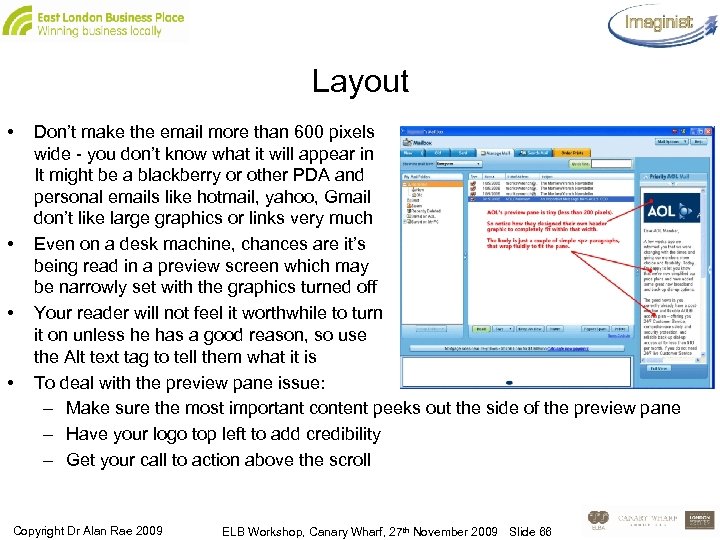
Layout • • Don’t make the email more than 600 pixels wide - you don’t know what it will appear in It might be a blackberry or other PDA and personal emails like hotmail, yahoo, Gmail don’t like large graphics or links very much Even on a desk machine, chances are it’s being read in a preview screen which may be narrowly set with the graphics turned off Your reader will not feel it worthwhile to turn it on unless he has a good reason, so use the Alt text tag to tell them what it is To deal with the preview pane issue: – Make sure the most important content peeks out the side of the preview pane – Have your logo top left to add credibility – Get your call to action above the scroll Copyright Dr Alan Rae 2009 ELB Workshop, Canary Wharf, 27 th November 2009 Slide 66
Other layout issues • Make sure that the images to text ratio is appropriate - spam filters react to all image emails • Test with a variety of different browsers • Make sure there’s always an unsubscribe and your full mailing address and company details – include a permission reminder field of when they opted in • Use standard and functional email content with links that allow the action to take place on your landing page • Write it from the point of view of what would your client find useful Copyright Dr Alan Rae 2009 ELB Workshop, Canary Wharf, 27 th November 2009 Slide 67
Other layout issues…cont. • So: who is it for? Describe the persona • Then write it so it fits into the framework we’ve already described and sounds attractive from their point of view. • Can you get the gist of it to fit into the small window in 2 paragraphs, as per the AOL example? • Use the box on the right. Copyright Dr Alan Rae 2009 ELB Workshop, Canary Wharf, 27 th November 2009 Slide 68
Repetition: email half life • Emails tend to start with high open rates, but all experience some reduction in time • The challenge to the newsletter writer is to keep the content fresh • Repeating the exact same subject line for each email accelerates the drop in open rates • While it is important to establish continuity and branding, ideally each new campaign should provide a clear indication in the subject line of what is inside that is of interest • What kind of attrition rate do you experience with your own emails – what do you do about it and what could we do better? • It’s often said we need to manage 7 touches before a sale takes place – how do we see that happening? Copyright Dr Alan Rae 2009 ELB Workshop, Canary Wharf, 27 th November 2009 Slide 69
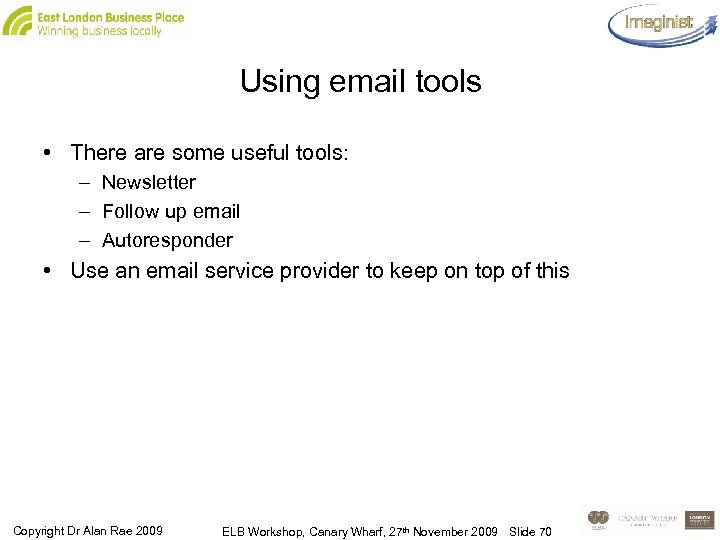
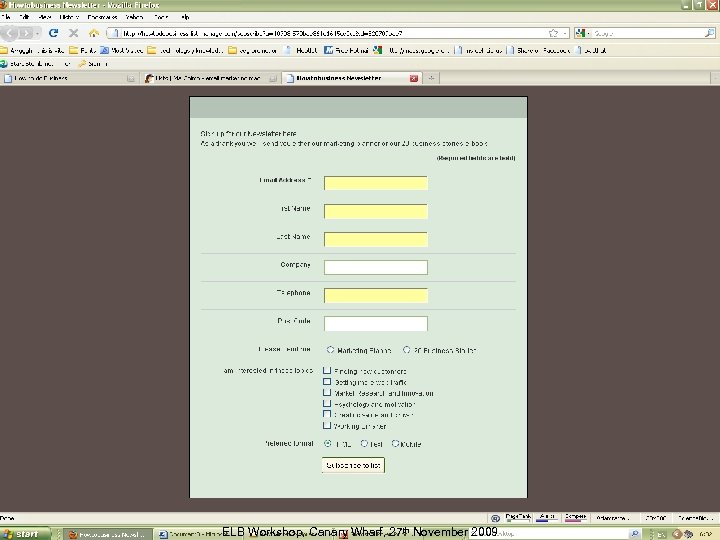
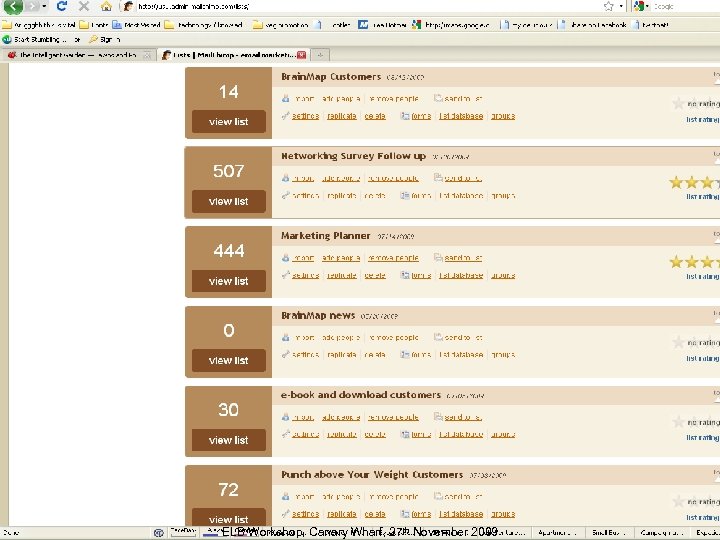
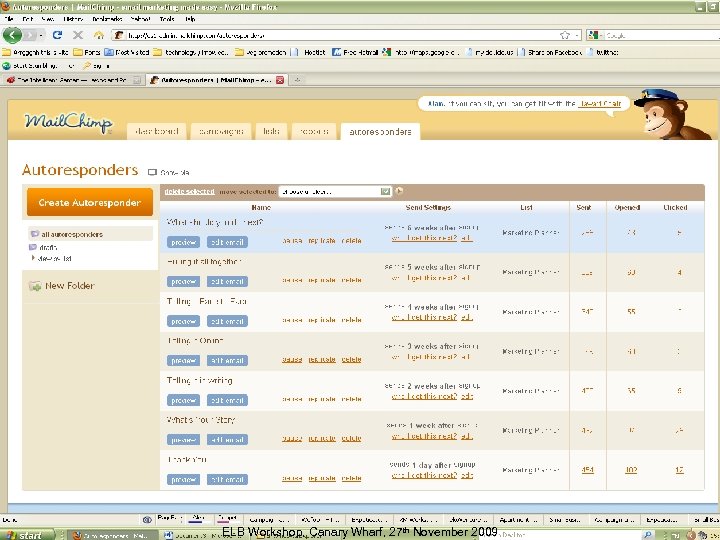
Using email tools • There are some useful tools: – Newsletter – Follow up email – Autoresponder • Use an email service provider to keep on top of this Copyright Dr Alan Rae 2009 ELB Workshop, Canary Wharf, 27 th November 2009 Slide 70
ELB Workshop, Canary Wharf, 27 th November 2009 Slide 71
ELB Workshop, Canary Wharf, 27 th November 2009 Slide 72
ELB Workshop, Canary Wharf, 27 th November 2009 Slide 73
Core Questions 1. 2. 3. 4. What is the psychological profile of your customer? How should you arrange and sequence the information? How do you arrive at the call to action – and make answering it instinctive? How do you use email and landing pages together got get the results you want? Copyright Dr Alan Rae 2009 ELB Workshop, Canary Wharf, 27 th November 2009 Slide 74
You’ve got 12 hours • Median marketing activity is 12 hours a week – 25% do more than 8 hours a week on line – In that time you can write one blog article and keep a presence on one and a half social networks – The front runner for business seems to be Linked-in then Ecademy which combines on line and offline – Conventional face to face activity with a bit of PR and adwords spend seems to be what people actually do Copyright Dr Alan Rae 2009 ELB Workshop, Canary Wharf, 27 th November 2009 Slide 75
What should you do? • Find a home group to network with • Be crystal clear about what you do – And about who you want to meet • Get back to people quickly • Adopt the givers gain mentality • Decide whether you need to have a strong online presence – If so use social media and web 2. 0 to build it Copyright Dr Alan Rae 2009 ELB Workshop, Canary Wharf, 27 th November 2009 Slide 76
Here’s a man who does it properly: Andrew Woolley • Andrew is a lawyer specialising in divorce • He has been an IT early adopter – we first met him in 2003 when we were doing some broadband promotions for the DTI • He has been on Ecademy for a long time – a real early adopter Copyright Dr Alan Rae 2009 ELB Workshop, Canary Wharf, 27 th November 2009 Slide 77
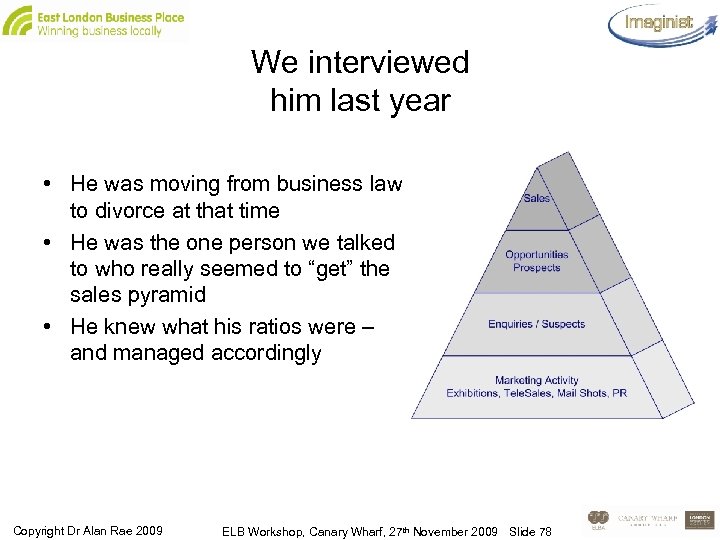
We interviewed him last year • He was moving from business law to divorce at that time • He was the one person we talked to who really seemed to “get” the sales pyramid • He knew what his ratios were – and managed accordingly Copyright Dr Alan Rae 2009 ELB Workshop, Canary Wharf, 27 th November 2009 Slide 78
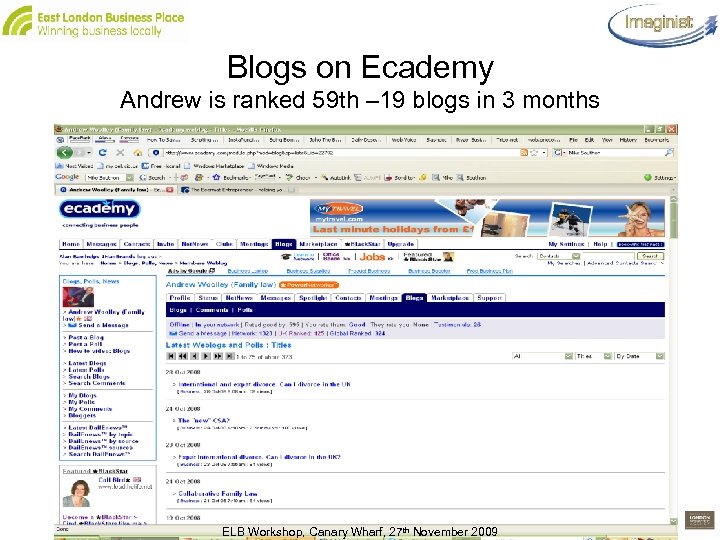
Blogs on Ecademy Andrew is ranked 59 th – 19 blogs in 3 months ELB Workshop, Canary Wharf, 27 th November 2009 Slide 79
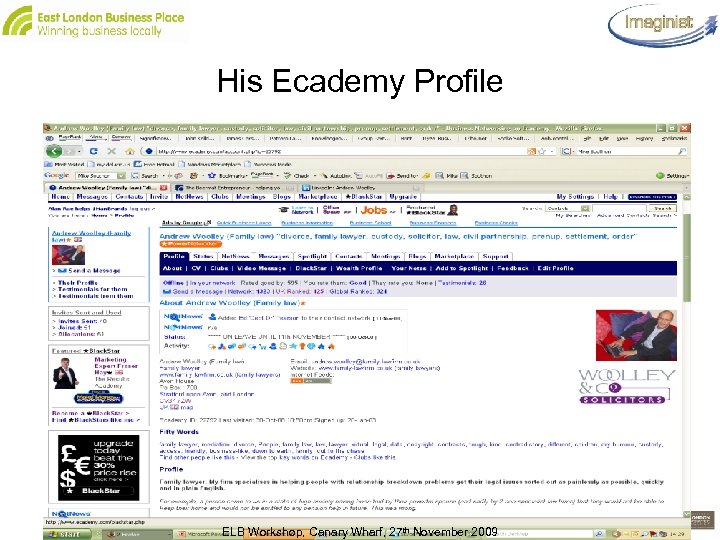
His Ecademy Profile ELB Workshop, Canary Wharf, 27 th November 2009 Slide 80
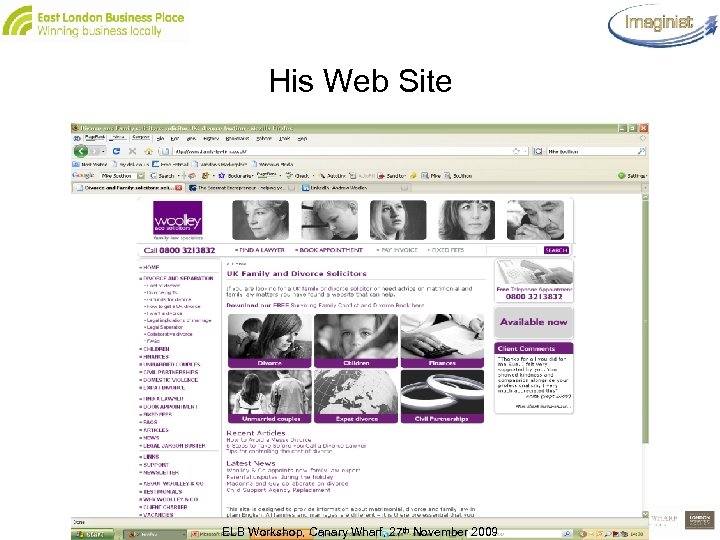
His Web Site ELB Workshop, Canary Wharf, 27 th November 2009 Slide 81
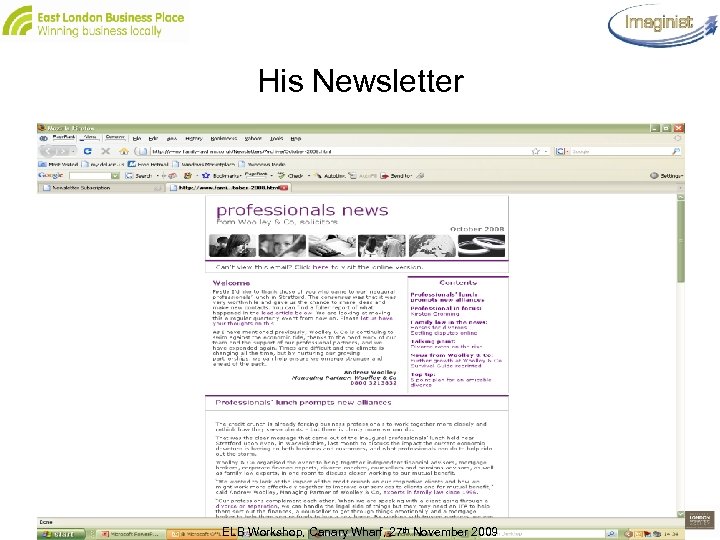
His Newsletter ELB Workshop, Canary Wharf, 27 th November 2009 Slide 82
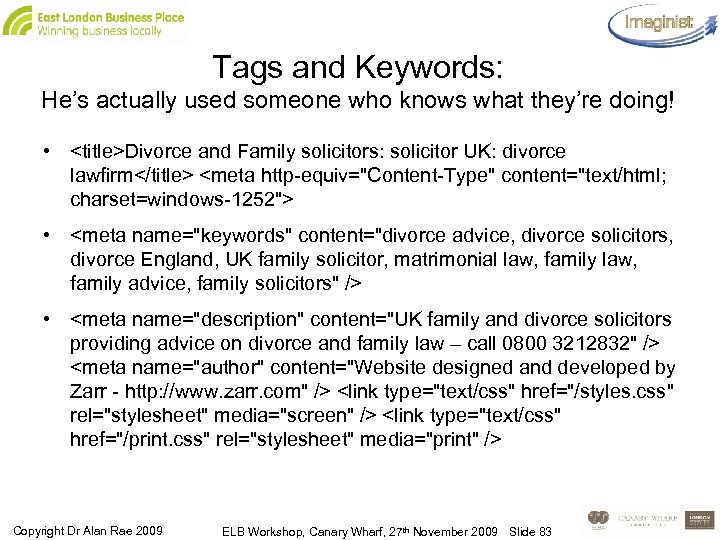
Tags and Keywords: He’s actually used someone who knows what they’re doing! • <title>Divorce and Family solicitors: solicitor UK: divorce lawfirm</title> <meta http-equiv="Content-Type" content="text/html; charset=windows-1252"> • <meta name="keywords" content="divorce advice, divorce solicitors, divorce England, UK family solicitor, matrimonial law, family law, family advice, family solicitors" /> • <meta name="description" content="UK family and divorce solicitors providing advice on divorce and family law – call 0800 3212832" /> <meta name="author" content="Website designed and developed by Zarr - http: //www. zarr. com" /> <link type="text/css" href="/styles. css" rel="stylesheet" media="screen" /> <link type="text/css" href="/print. css" rel="stylesheet" media="print" /> Copyright Dr Alan Rae 2009 ELB Workshop, Canary Wharf, 27 th November 2009 Slide 83
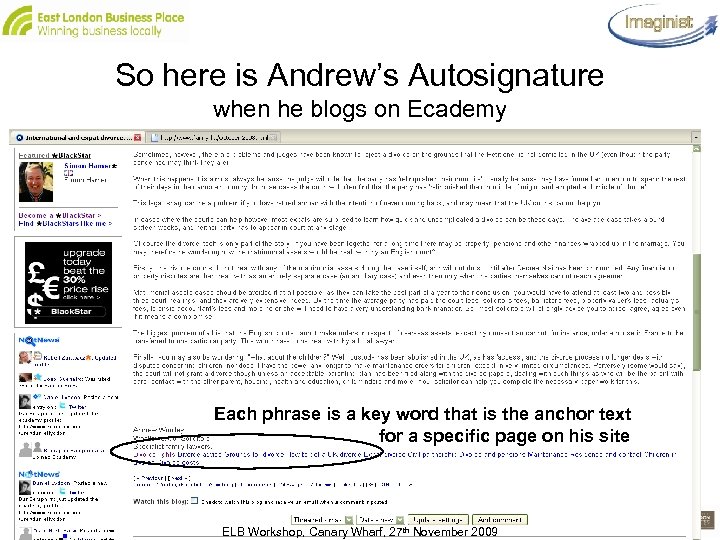
So here is Andrew’s Autosignature when he blogs on Ecademy Each phrase is a key word that is the anchor text for a specific page on his site ELB Workshop, Canary Wharf, 27 th November 2009 Slide 84
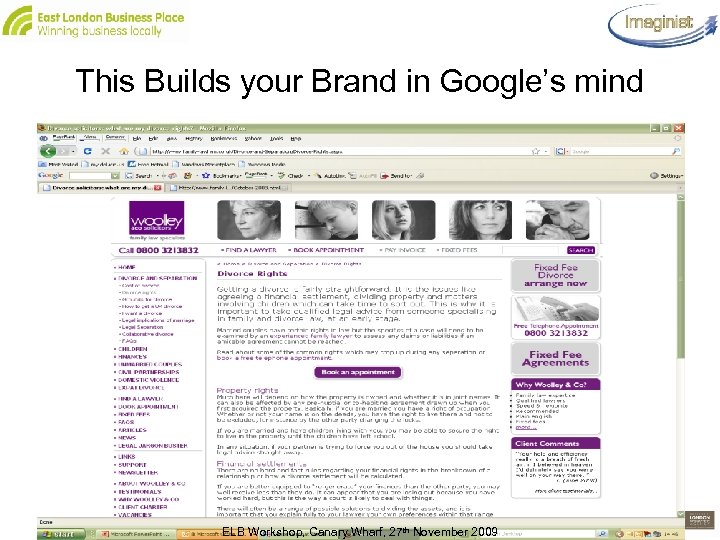
This Builds your Brand in Google’s mind ELB Workshop, Canary Wharf, 27 th November 2009 Slide 85
Lunch Time ELB Workshop, Canary Wharf, 27 th November 2009 Slide 86
Afternoon Programme 13. 45 Finding and tendering for contracts online – – 14. 45 15. 15 What are your customers doing? Supplier portals PQQs and online tendering e-Marketplaces Working collaboratively Customer Relationship Management – Defining CRM – its not just software – The benefits of good customer relationship management – Specifying your CRM solution 15. 45 16. 00 16. 30 Tea/coffee Q&A, Action plans Close ELB Workshop, Canary Wharf, 27 th November 2009 Slide 87
Finding and tendering for contracts online - What are your customers doing? • Corporate sector – e-Procurement, e-Auctions, rationalisation of supplier base – Partnerships and supply chain management – Wide variation between sectors and companies • Public Sector Organisations (PCOs) – – – Focus on cost saving Move to buying consortia and shared services Contracts and frameworks available to all public funded bodies e-Payment and e-Invoicing e-Marketplaces ELB Workshop, Canary Wharf, 27 th November 2009 Slide 88
Public sector procurement – what you need to know • Key to success is an understanding of: – The processes and practices used by public organisations when tendering – The legislative framework within which public authorities must act – The criteria against which your tender will be evaluated ELB Workshop, Canary Wharf, 27 th November 2009 Slide 89
Public sector market – the focus is on cost saving • Local councils are targetted to achieve 3% annual efficiencies - all savings must be cash releasing • The 2009 Budget requires this to go up to 4% in 2010 -11 • Government’s Value for Money Delivery Plans for local government, schools, police, fire authorities, set out where gains can be achieved • National Improvement and Efficiency Strategy - partnerships to help deliver the gains • Regional Improvement and Efficiency Partnerships (REIPS) each have their own regional strategies to ensure that they are responding to local needs ELB Workshop, Canary Wharf, 27 th November 2009 Slide 90
Public sector procurement – the regulatory framework • EU tender thresholds: – £ 139, 893 for goods and services – £ 3, 497, 313 for ‘Works’ (building or civil engineering activities) • Contracts meeting the thresholds have to be advertised in the Supplement to the Official Journal of the European Union (OJEU) • Below the EU tender threshold: – Advertisements must still comply with the basic principles of the EU Directives of ‘non-discrimination, equal treatment, transparency, mutual recognition and proportionality’ – All public sector organisations ‘have a duty to operate in an open and transparent way’ under Fair Trading rules – But each organisation decides its own competitive tendering thresholds! ELB Workshop, Canary Wharf, 27 th November 2009 Slide 91
Example of tendering thresholds for goods and services • Under £ 1, 000: The Council will normally obtain a quotation from a single supplier • £ 1, 000 to £ 5, 000: The Council will normally obtain a written quotation from at least one supplier • £ 5, 000 to £ 50, 000: The Council requires written quotations from at least 3 suppliers. Interested suppliers will be asked to complete a quotation form • £ 50, 000 (Council tender threshold) to £ 139, 893 (EU tender threshold): These contracts will be formally tendered and advertised on the Business Portal and in the local, national and trade press if appropriate. Interested suppliers will be asked to complete a below EU level pre-qualification questionnaire. Suppliers who pass the pre-qualification stage will be invited to tender or negotiate under Council procedures. ELB Workshop, Canary Wharf, 27 th November 2009 Slide 92
Example of tendering thresholds for goods and services • Above £ 139, 893 (goods and services), £ 3, 497, 313 (‘Works’) (EU tender thresholds): These contracts will be formally tendered and advertised on the Business Portal, in the Official Journal of the European Union and in the local, national and trade press if appropriate. Interested suppliers will be required to complete an EU level prequalification questionnaire. Suppliers who pass this pre-qualification stage will be invited to tender or negotiate under European procedures ELB Workshop, Canary Wharf, 27 th November 2009 Slide 93
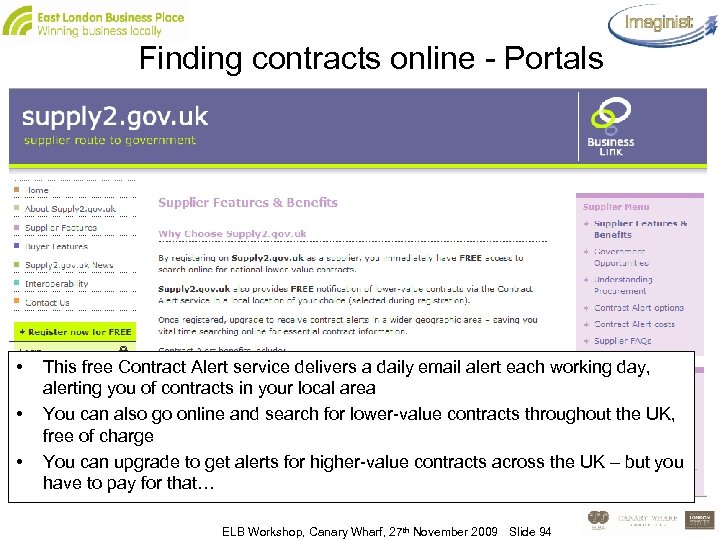
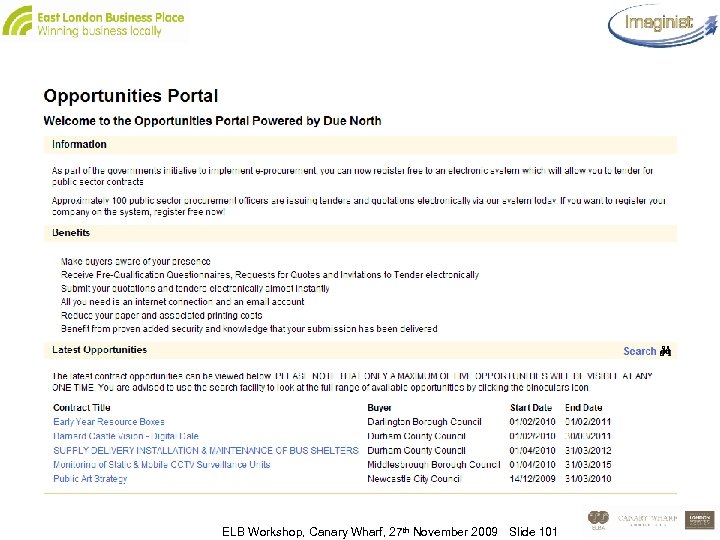
Finding contracts online - Portals • • • This free Contract Alert service delivers a daily email alert each working day, alerting you of contracts in your local area You can also go online and search for lower-value contracts throughout the UK, free of charge You can upgrade to get alerts for higher-value contracts across the UK – but you have to pay for that… ELB Workshop, Canary Wharf, 27 th November 2009 Slide 94
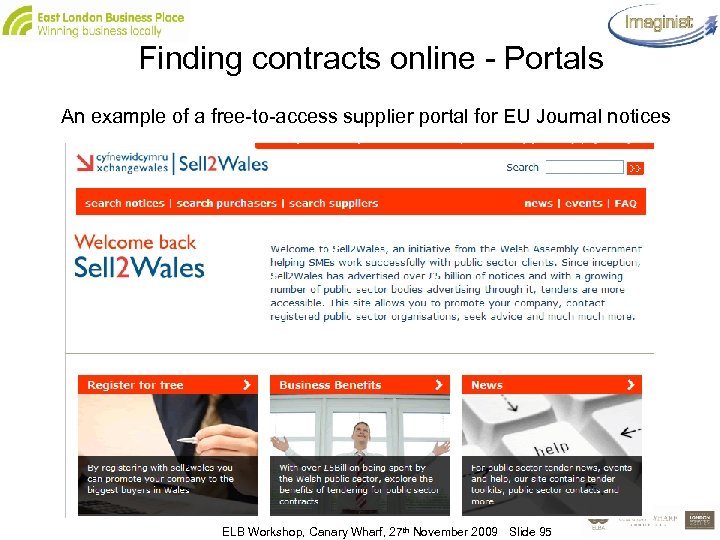
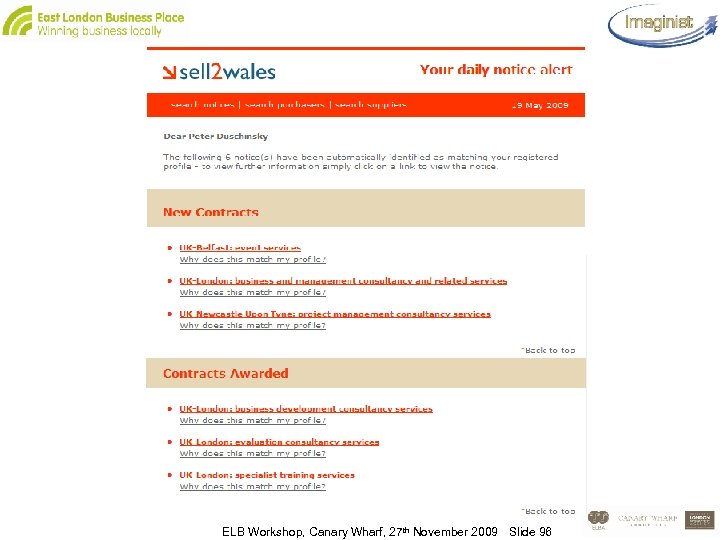
Finding contracts online - Portals An example of a free-to-access supplier portal for EU Journal notices ELB Workshop, Canary Wharf, 27 th November 2009 Slide 95
ELB Workshop, Canary Wharf, 27 th November 2009 Slide 96
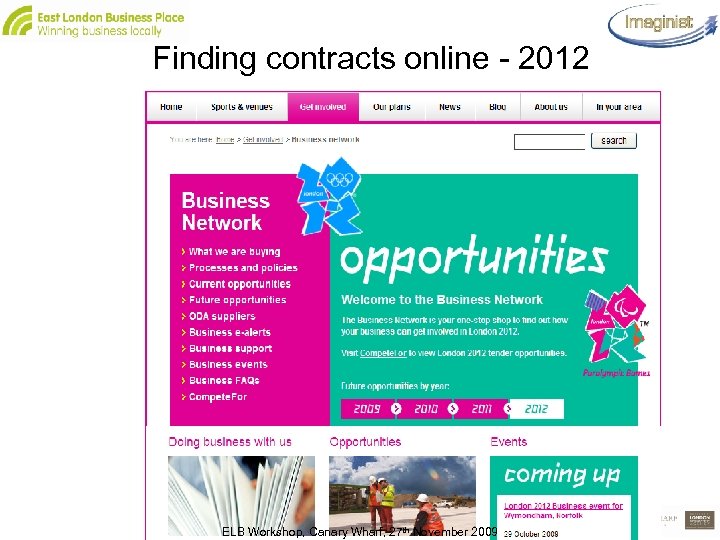
Finding contracts online - 2012 ELB Workshop, Canary Wharf, 27 th November 2009 Slide 97
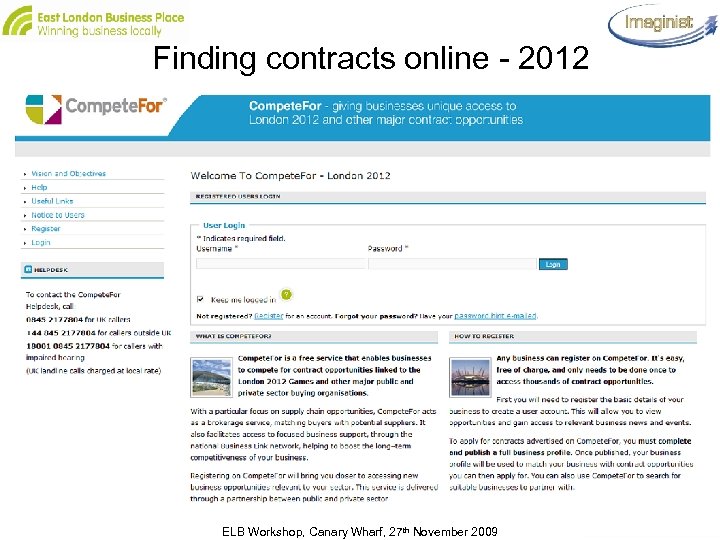
Finding contracts online - 2012 ELB Workshop, Canary Wharf, 27 th November 2009 Slide 98
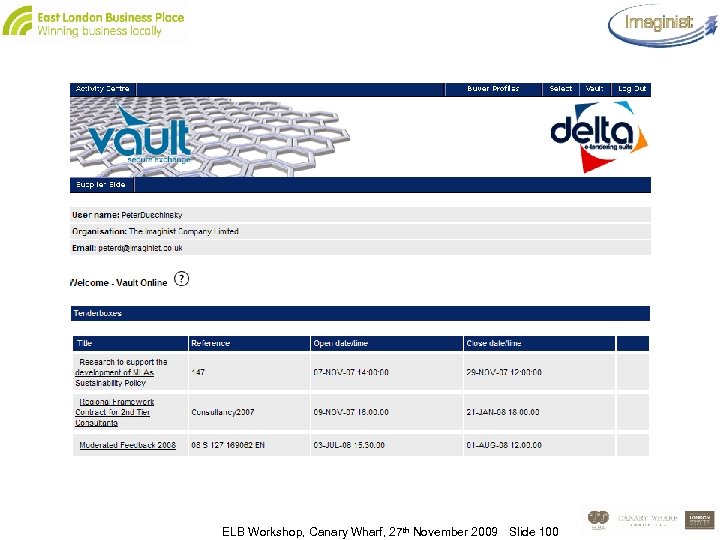
Online tendering • A tender notice may tell you that you have to register and log onto a supplier portal website in order to download the detailed specification and find out whether you are interested ELB Workshop, Canary Wharf, 27 th November 2009 Slide 99
ELB Workshop, Canary Wharf, 27 th November 2009 Slide 100
ELB Workshop, Canary Wharf, 27 th November 2009 Slide 101
Online tendering • The first step in bidding for a contract may be that you have to download, complete and submit a formal Expression of Interest (EOI) or Pre-Qualification Questionnaire (PQQ) – This asks basic questions about your company and is used to filter out any supplier that does not meet a minimum set of conditions, before the Invitation to Tender is issued ELB Workshop, Canary Wharf, 27 th November 2009 Slide 102
Typical PQQ Headings • • • Basic information about your organisation – registered address and date of incorporation, contact details, no of employees etc Economic and financial standing - turnover, profit, copy of 3 years’ accounts Capability and capacity – 2 -3 previous contracts and references, Quality Assurance, Health and Safety, Environmental Management policies etc Other information e. g pcards, e-payment Declaration – no convictions, not bankrupt, not guilty of grave business misconduct, paid your taxes, no terminated contracts, compliance with Race Relations Act, Sex Discrimination Act, Equal Pay Act, Disability Discrimination Act etc. ELB Workshop, Canary Wharf, 27 th November 2009 Slide 103
Online tendering • Assuming your PQQ has been accepted… – – – ITT Timetable Rules about contacting the buyer during the bid period Submission via the supplier portal website Award What if you don’t get the contract? • Approved supplier lists • E-payment, e-invoicing ELB Workshop, Canary Wharf, 27 th November 2009 Slide 104
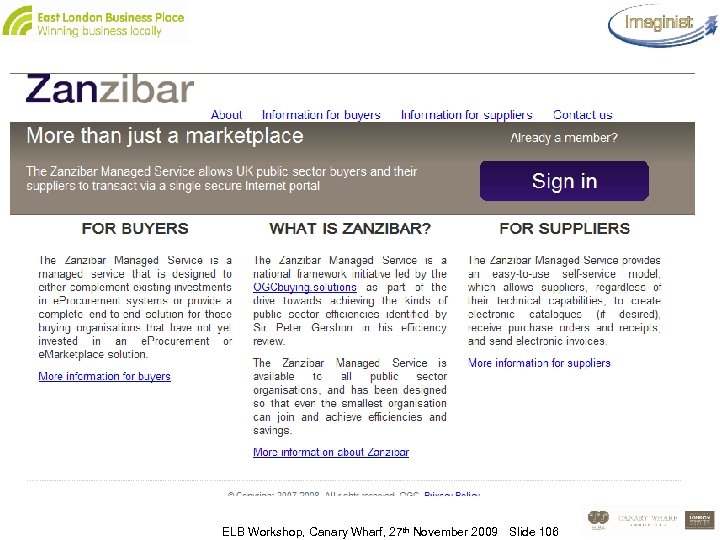
e-Marketplaces • If you are a contracted supplier of goods and commodity services you may be asked to load your catalogue onto a web marketplace such as: – Zanzibar – central government departments, MOD etc – IDe. A: marketplace – local authorities ELB Workshop, Canary Wharf, 27 th November 2009 Slide 105
ELB Workshop, Canary Wharf, 27 th November 2009 Slide 106
e-Marketplaces • This allows: – Suppliers to load their contracted catalogue and keep it up-todate – Buyers to access the catalogue and order items online • All ordering, invoicing and payment processes are electronic • The buying organisation is usually one of a group using the system – Often the contract will provide for the possibility of other PSOs being allowed to access the catalogue – Each will have their own buyer ID and may have negotiated different selections and prices ELB Workshop, Canary Wharf, 27 th November 2009 Slide 107
Working collaboratively ELB Workshop, Canary Wharf, 27 th November 2009 Slide 108
Working collaboratively: Consortia • Any informal grouping of suppliers can bid as a consortium for public sector contracts – The Public Procurement Directives state clearly that a consortia bidding for a public contract should be assessed based on the capabilities of all the participants in the consortium • And it works! – A consortium set up to help small charities bid for large Government contracts has won the first bid it has tendered for - a £ 21 million contract from the Department of Work and Pensions (DWP) to create 3, 000 jobs for young people by next March – Builders in the South West who joined forces to set up a consortium have won the opportunity to bid for public sector contracts worth more than £ 500 m over the next four years ELB Workshop, Canary Wharf, 27 th November 2009 Slide 109
Working collaboratively: Consortia • Decide who is the ‘lead’ for bid-writing purposes • Be clear in your bid how, if you win the contract, you will manage: – Client contact – Quality – Delivery to time and budget etc… • Use web-based tools to manage: – – Communication Calendars Project milestones and tasks Shared access to files and documents ELB Workshop, Canary Wharf, 27 th November 2009 Slide 110
• • • Benefit collab# Share cost of getting new customers And new business Delivering joint projects Project management tools and all on fo can stau in ame place Version control #audit trail #ease of access and control + skype + basecamp ELB Workshop, Canary Wharf, 27 th November 2009 Slide 111
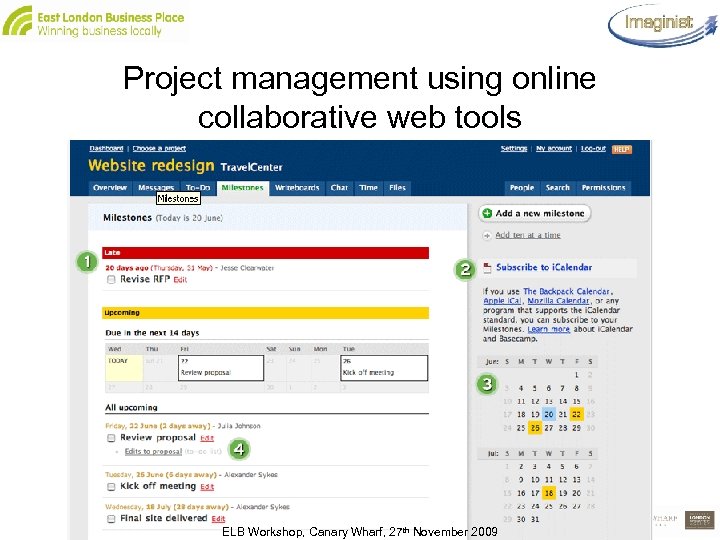
Project management using online collaborative web tools ELB Workshop, Canary Wharf, 27 th November 2009 Slide 112
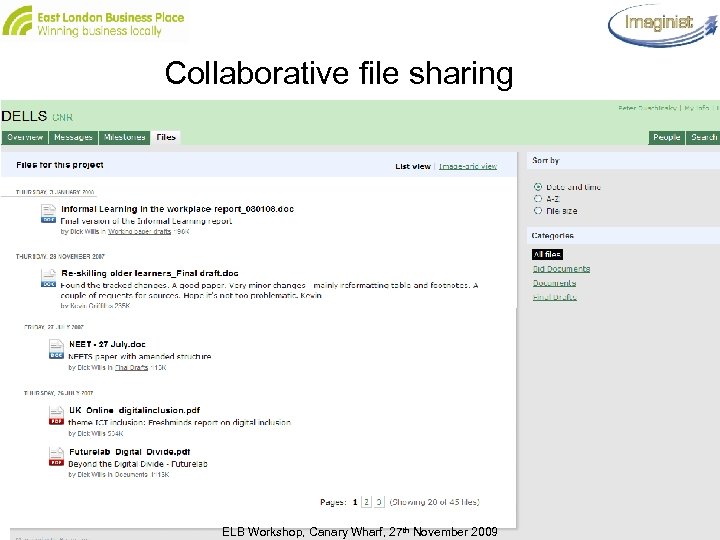
Collaborative file sharing ELB Workshop, Canary Wharf, 27 th November 2009 Slide 113
Customer Relationship Management (CRM) ELB Workshop, Canary Wharf, 27 th November 2009 Slide 114
Customer Relationship Management • CRM is not just a software system, it’s a way of doing business, involving: – identifying, understanding, anticipating and responding to your customers’ needs – building a relationship with each customer to improve customer satisfaction • You need to: – collect the right information about your customers and organise that information for proper analysis and action – keep that information up-to-date, make it accessible to employees, and provide the know how for employees to convert that data into products better matched to customers' needs • You can do that without CRM software, but you can’t buy a CRM product that will solve these needs on its own ELB Workshop, Canary Wharf, 27 th November 2009 Slide 115
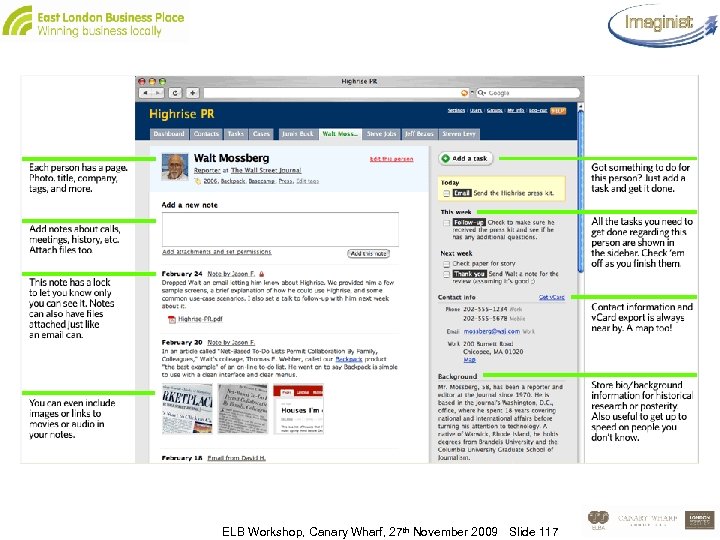
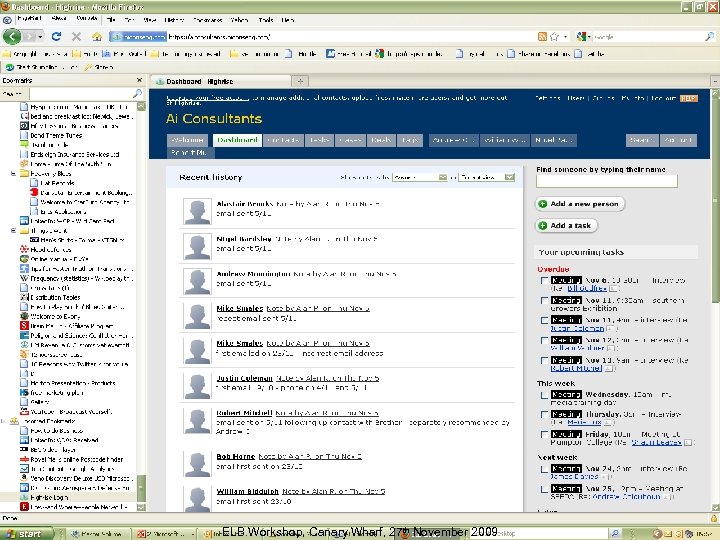
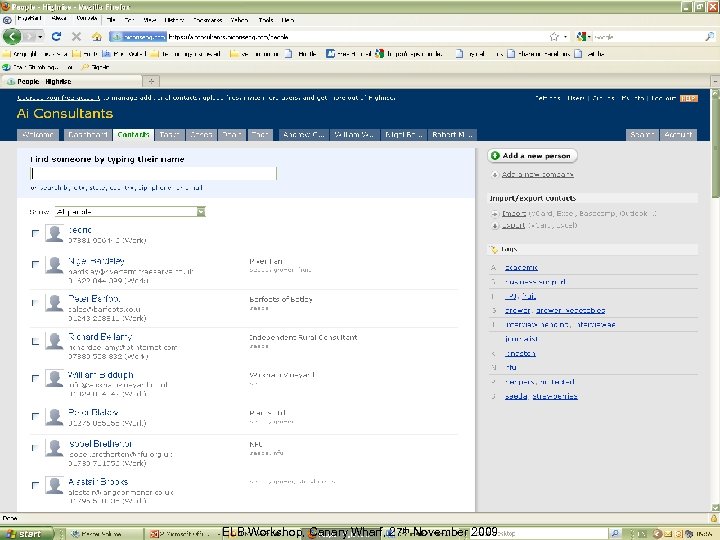
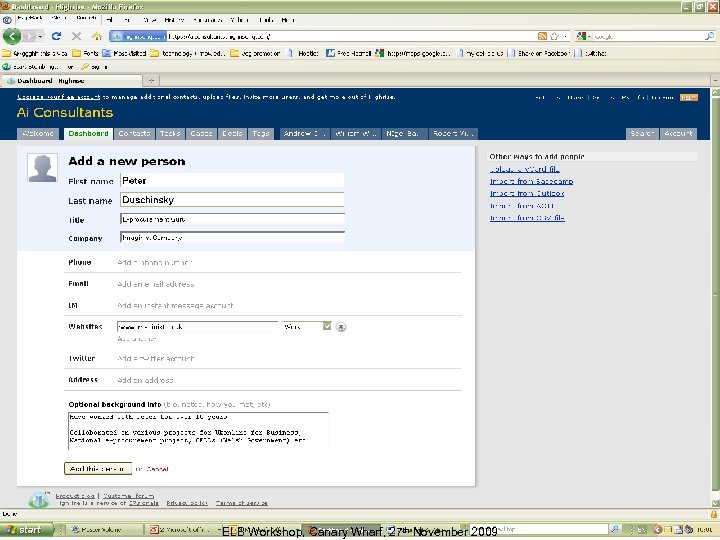
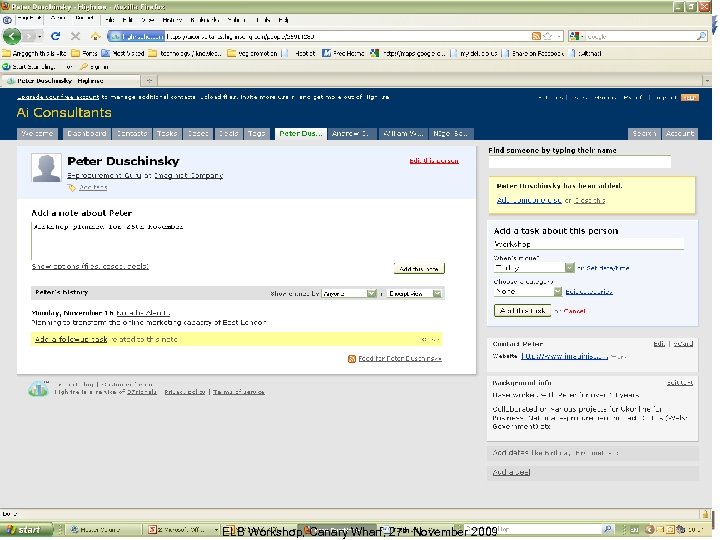
Customer Relationship Management • In the past CRM software has been expensive and needed skilled support, so currently only around 10% of SMEs have any kind of CRM system • Most make do with basic databases held on Excel or Outlook • Low cost ‘on-demand CRM’ systems are emerging, which are designed specifically to meet the business needs and IT structure of SMEs • The cost is coming down: – Salesforce CRM’s Contact Manager is now only £ 5/m per user – Sales. Push has a free 5 -user version (you pay to export data) – Highrise is free for two users and up to 250 contacts ELB Workshop, Canary Wharf, 27 th November 2009 Slide 116
ELB Workshop, Canary Wharf, 27 th November 2009 Slide 117
ELB Workshop, Canary Wharf, 27 th November 2009 Slide 118
ELB Workshop, Canary Wharf, 27 th November 2009 Slide 119
ELB Workshop, Canary Wharf, 27 th November 2009 Slide 120
ELB Workshop, Canary Wharf, 27 th November 2009 Slide 121
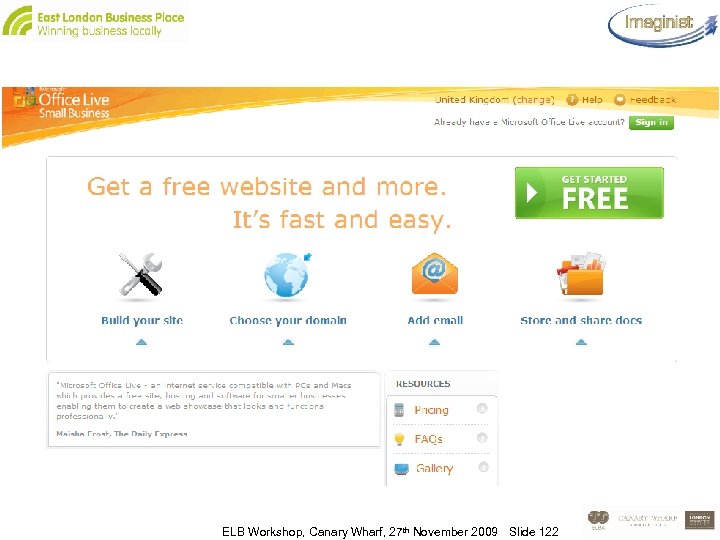
ELB Workshop, Canary Wharf, 27 th November 2009 Slide 122
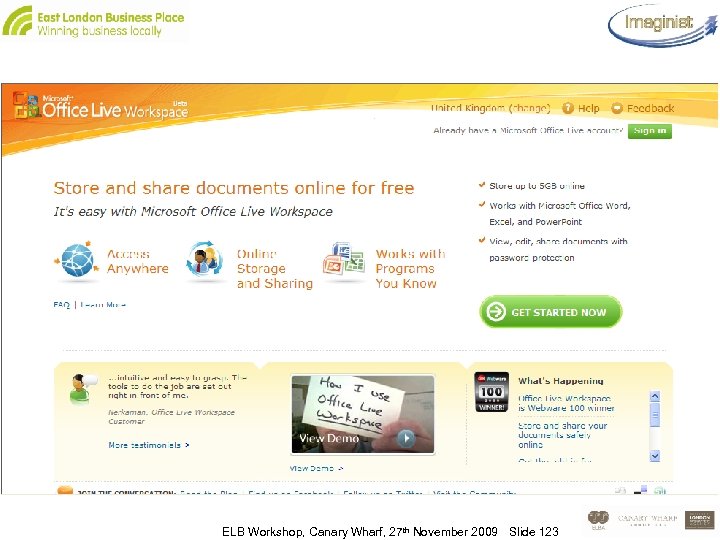
ELB Workshop, Canary Wharf, 27 th November 2009 Slide 123
• Questions • Action Plans ELB Workshop, Canary Wharf, 27 th November 2009 Slide 124
• If you need ongoing support and advice, we have arranged for you to have access to an online Forum, created for the Punch Above Your Weight Programme • How to access the Forum: • We will invite you to join by email. • Simply apply to join the community and we’ll allow you in. • We’ll action this the day after the course. ELB Workshop, Canary Wharf, 27 th November 2009 Slide 125
Скачать презентацию Using IT Effectively in Business Peter Duschinsky Alan
c48fb7e8e1369557e4158ad695cdb607.ppt