


 Скачать презентацию Using GIS with Auto CAD to Develop Plans
d3cf5dbcc818598eaa9ba6a84638510e.ppt
- Количество слайдов: 24
 Using GIS with Auto. CAD to Develop Plans for Water Main Replacement Projects Chesapeake Section American Water Works Association Annual Conference August 14, 2009 Bill Forsyth Brandywine CAD Design, Inc.
 Project Objectives n Develop a GIS automated process using ESRI Model. Builder n Compare time to: n Create features and text from scratch in Auto. CAD n Export features and text using GIS automated process n Estimate annual time savings from using GIS automated process August 14, 2009 Copyright Brandywine CAD Design, Inc 2009
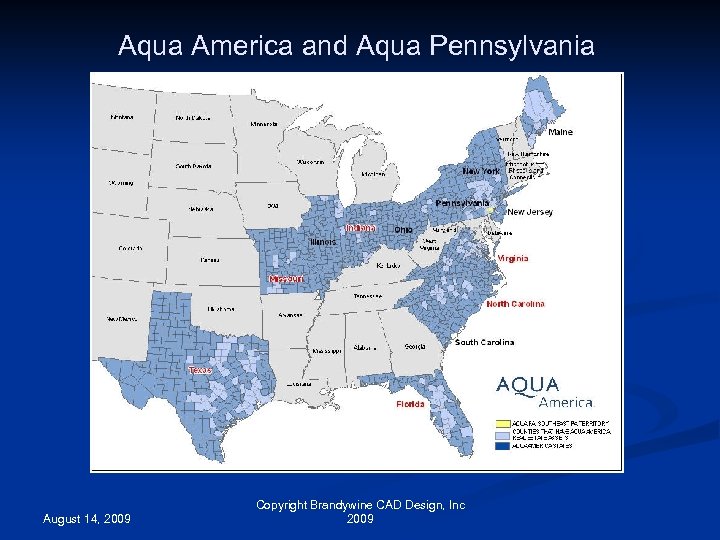 Aqua America and Aqua Pennsylvania August 14, 2009 Copyright Brandywine CAD Design, Inc 2009
 Aqua PA’s Asset Management Program n Asset Information Management System (AIMS) n ESRI’s Arc. GIS August 14, 2009 Copyright Brandywine CAD Design, Inc 2009
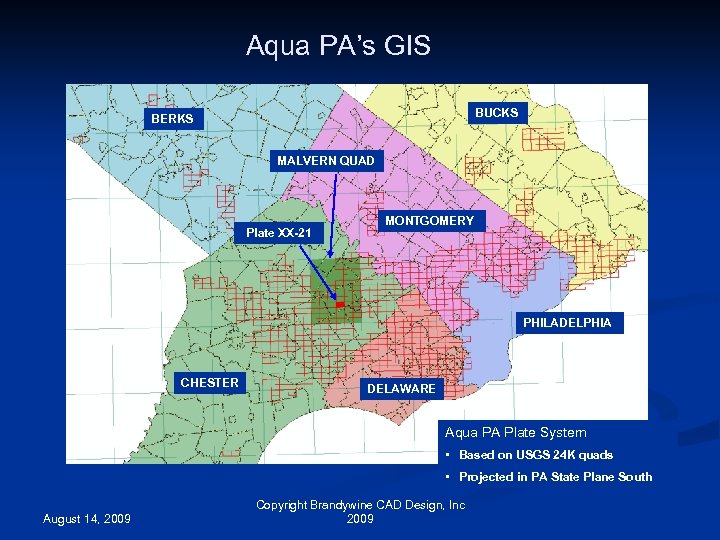 Aqua PA’s GIS BUCKS BERKS MALVERN QUAD Plate XX-21 MONTGOMERY PHILADELPHIA CHESTER DELAWARE Aqua PA Plate System • Based on USGS 24 K quads • Projected in PA State Plane South August 14, 2009 Copyright Brandywine CAD Design, Inc 2009
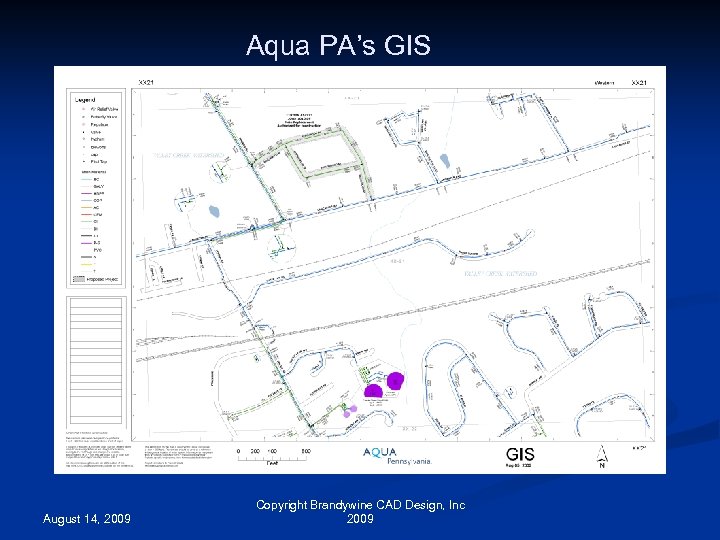 Aqua PA’s GIS August 14, 2009 Copyright Brandywine CAD Design, Inc 2009
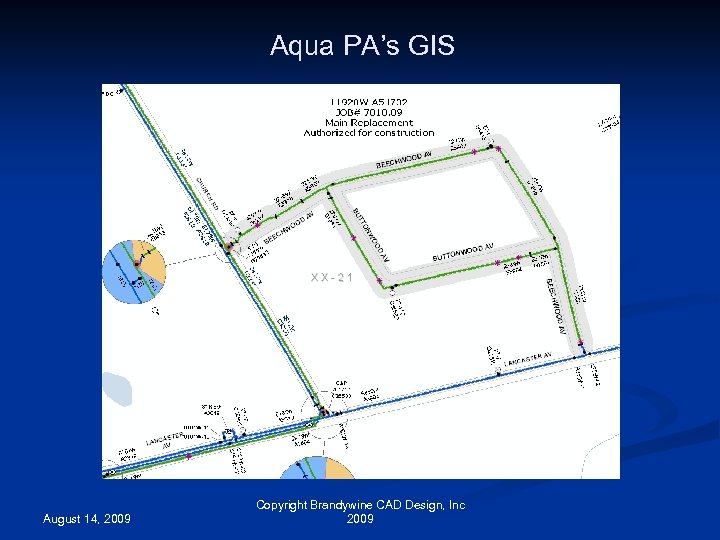 Aqua PA’s GIS August 14, 2009 Copyright Brandywine CAD Design, Inc 2009
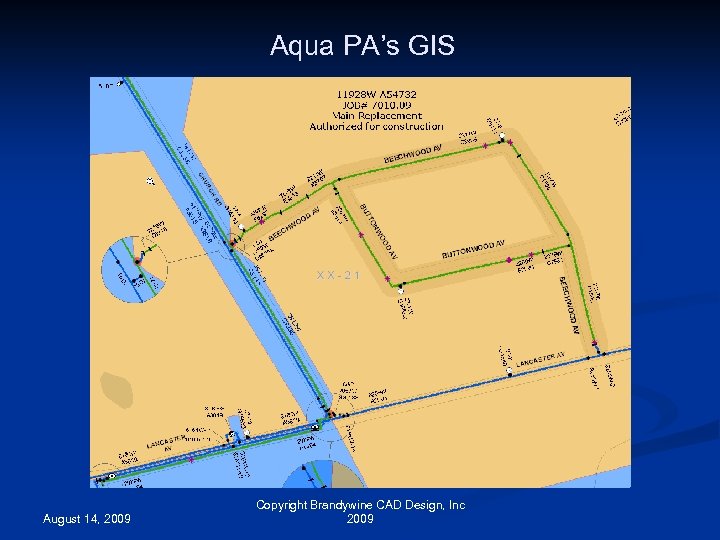 Aqua PA’s GIS August 14, 2009 Copyright Brandywine CAD Design, Inc 2009
 Aqua PA’s Water Main Replacement Program n Mains targeted for replacement include cement stovepipe mains and unlined cast iron mains installed between 1900 and 1950 n Approximately 120 water main replacement projects are completed each year August 14, 2009 Copyright Brandywine CAD Design, Inc 2009
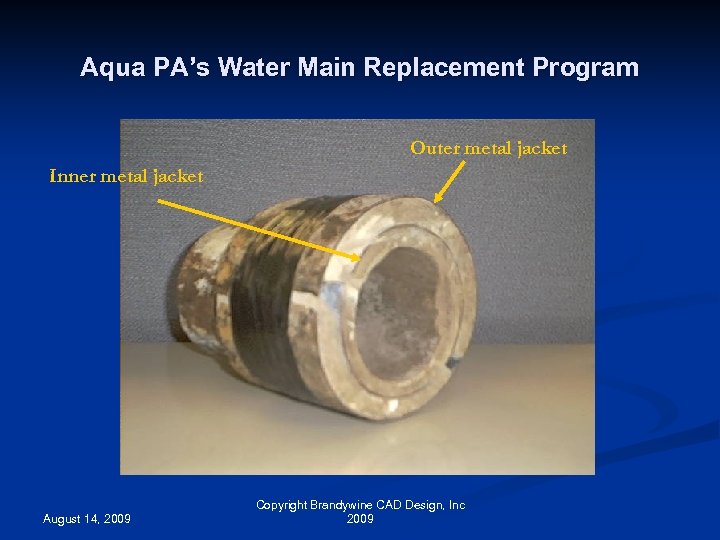 Aqua PA’s Water Main Replacement Program Outer metal jacket Inner metal jacket August 14, 2009 Copyright Brandywine CAD Design, Inc 2009
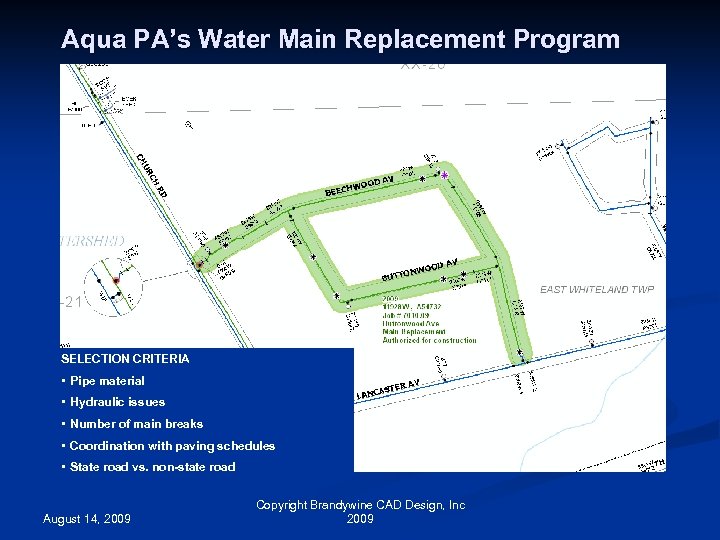 Aqua PA’s Water Main Replacement Program SELECTION CRITERIA • Pipe material • Hydraulic issues • Number of main breaks • Coordination with paving schedules • State road vs. non-state road August 14, 2009 Copyright Brandywine CAD Design, Inc 2009
 Developing Construction Plans using Auto. CAD n A drafter uses a variety of source material to develop a plan in Auto. CAD n n n n GIS published plate Orthophotos Extension plans Hydrant plans PA One Call plans Estimator walk-down notes Google Map street views August 14, 2009 Copyright Brandywine CAD Design, Inc 2009
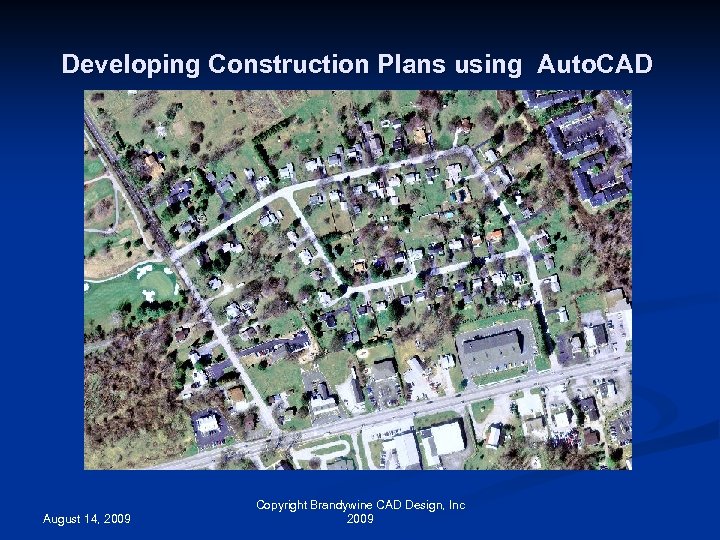 Developing Construction Plans using Auto. CAD August 14, 2009 Copyright Brandywine CAD Design, Inc 2009
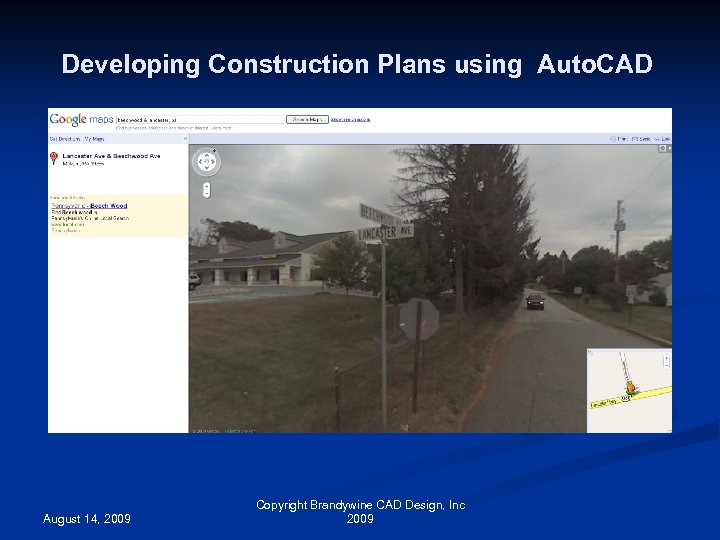 Developing Construction Plans using Auto. CAD August 14, 2009 Copyright Brandywine CAD Design, Inc 2009
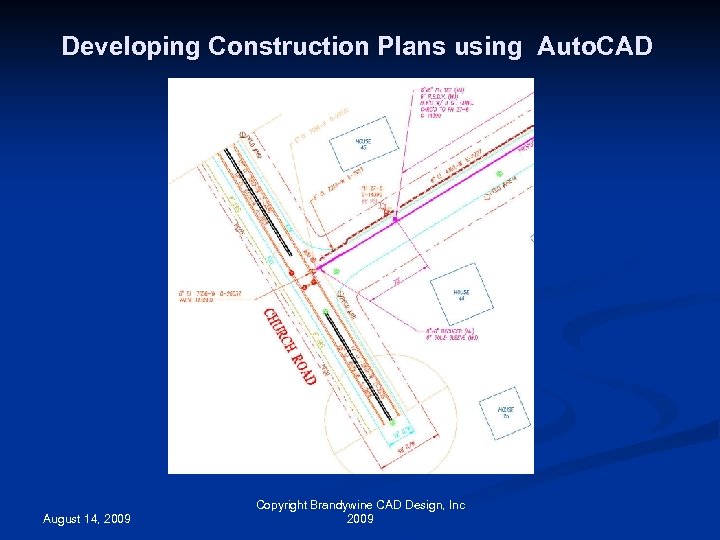 Developing Construction Plans using Auto. CAD August 14, 2009 Copyright Brandywine CAD Design, Inc 2009
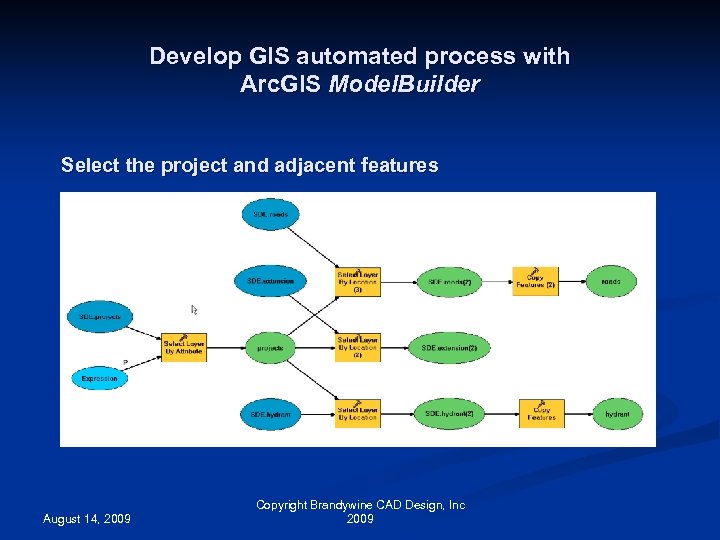 Develop GIS automated process with Arc. GIS Model. Builder Select the project and adjacent features August 14, 2009 Copyright Brandywine CAD Design, Inc 2009
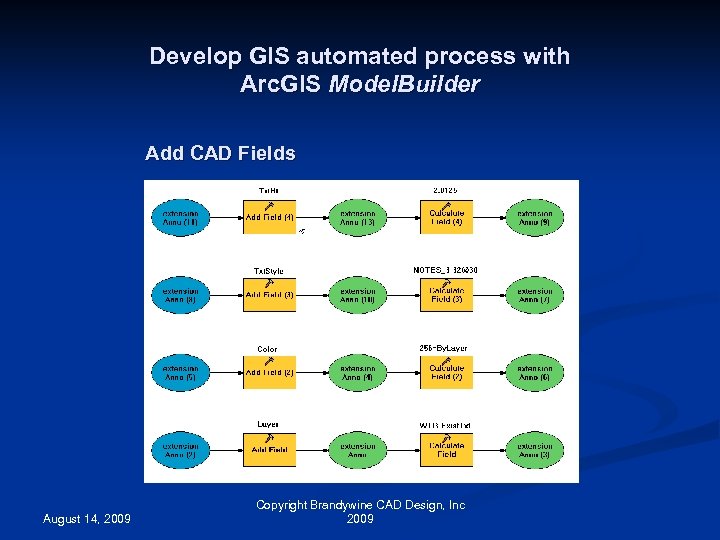 Develop GIS automated process with Arc. GIS Model. Builder Add CAD Fields August 14, 2009 Copyright Brandywine CAD Design, Inc 2009
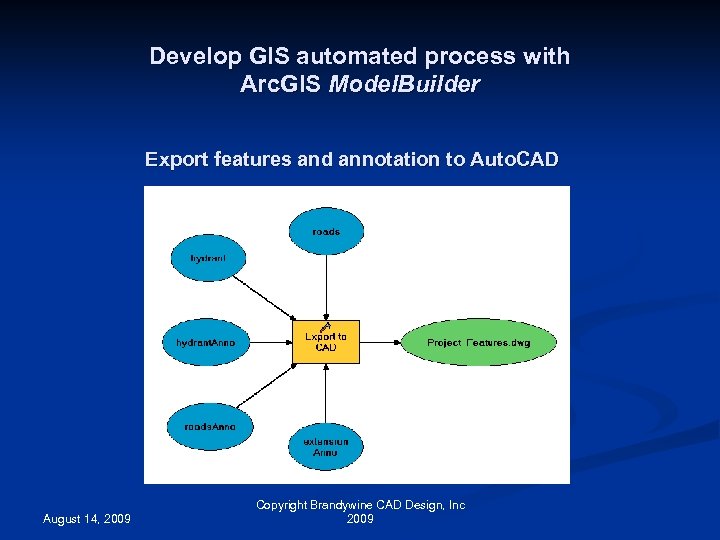 Develop GIS automated process with Arc. GIS Model. Builder Export features and annotation to Auto. CAD August 14, 2009 Copyright Brandywine CAD Design, Inc 2009
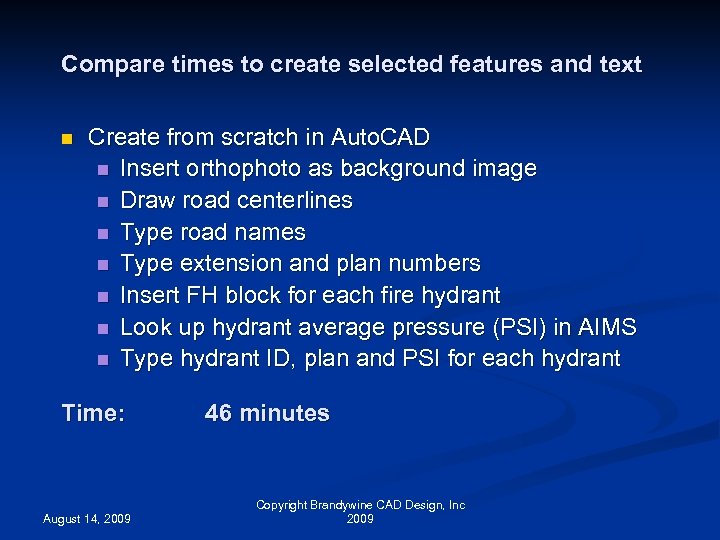 Compare times to create selected features and text n Create from scratch in Auto. CAD n Insert orthophoto as background image n Draw road centerlines n Type road names n Type extension and plan numbers n Insert FH block for each fire hydrant n Look up hydrant average pressure (PSI) in AIMS n Type hydrant ID, plan and PSI for each hydrant Time: August 14, 2009 46 minutes Copyright Brandywine CAD Design, Inc 2009
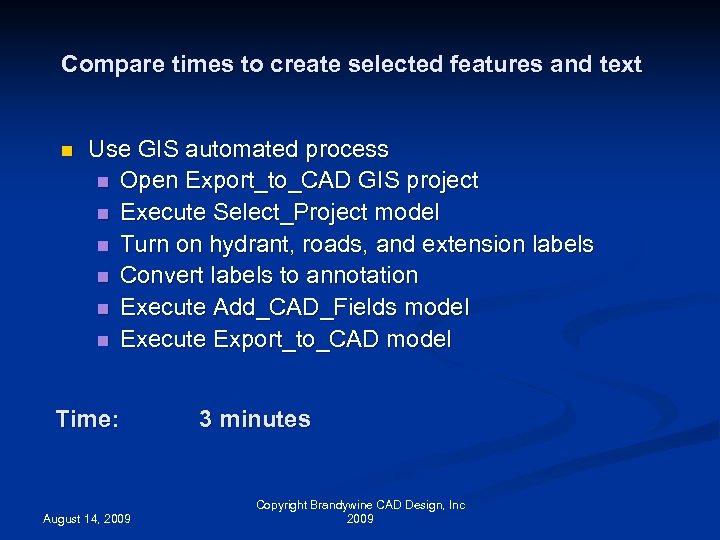 Compare times to create selected features and text n Use GIS automated process n Open Export_to_CAD GIS project n Execute Select_Project model n Turn on hydrant, roads, and extension labels n Convert labels to annotation n Execute Add_CAD_Fields model n Execute Export_to_CAD model Time: August 14, 2009 3 minutes Copyright Brandywine CAD Design, Inc 2009
 Conclusions n The estimated average time saved per project will be 50 minutes n The estimated annual time savings will be 100 man/hours August 14, 2009 Copyright Brandywine CAD Design, Inc 2009
 Other Benefits n CAD staff benefits from GIS without the need to learn GIS n Stimulates discussion for future GIS projects targeting data exchange between GIS and Auto. CAD August 14, 2009 Copyright Brandywine CAD Design, Inc 2009
 References Dawn of the Replacement Era, Reinvesting in Drinking Water Infrastructure A Study Sponsored by the AWWA Water Industry Technical Fund, May 2001 http: //win-water. org/reports/infrastructure. pdf How To: Create CAD files from Arc. GIS 9. x feature classes with the Arc. Info Export To CAD tool http: //support. esri. com/index. cfm? fa=knowledgebase. techarticles. article. Show&d=28210 How To: Create Auto. CAD block inserts with attributes from Arc. GIS point features http: //support. esri. com/index. cfm? fa=knowledgebase. techarticles. article. Show&d=28330 Arc. GIS Desktop 9. 3 Help – An overview of models http: //webhelp. esri. com/arcgisdesktop/9. 3/index. cfm? Topic. Name=An_overview_of_models Don Kuehne GIS CAD Interoperability blog http: //giscadblogspot. com August 14, 2009 Copyright Brandywine CAD Design, Inc 2009
 Questions? Contact info: Bill Forsyth Brandywine CAD Design (302) 478 -8334 bforsyth@bcad. com August 14, 2009 Copyright Brandywine CAD Design, Inc 2009