 Скачать презентацию Using a Cable Modem at Home Tim Adye
2e782d2e8006c31577a4ccc45eb2ffd5.ppt
- Количество слайдов: 14



Using a Cable Modem at Home Tim Adye Particle Physics Department Rutherford Appleton Laboratory PPD Christmas Lectures 17 th December 2001 Tim Adye 1
Home Internet Options • Traditional dialup modem • • Maximum baud rate 56 kbits/s (often less) Can be unreliable Dialup times ~30 s “Free” services available, but often heavily oversubscribed • ISDN • 64 kbits/s (can be doubled by using two lines) • Fast dialup: ~1 s • Available anywhere • ADSL • 500/250 kbits/s (download/upload) • Only available in some areas? • Various companies 17 th December 2001 Tim Adye 2
Home Internet Options • Cable modem • • • 512/256 kbits/s (cheaper 64 kbits/s option available) “Always on” Only available in some areas NTL and Telewest Cheapest “broadband” option, if available • I have a 512 kbits/s NTL Cable Modem (Oxford). • Everyone I know with broadband internet access has an NTL Cable Modem • The rest of this talk is on this option only 17 th December 2001 Tim Adye 3
Cable Modem Availability and Price • NTL claims to be available in Abingdon, Bicester, Oxford, Wallingford, Wantage, Newbury, Reading • Not everywhere in those areas • Check you area at www. ntl. com/broadband • uses your postcode • Could also check www. telewest. co. uk • NTL Cable Modem cost • • £ 35/month (includes cable modem box rental); or £ 30/month + £ 149 (to buy cable modem box) Includes phone line Can also be combined with cable TV • better deal if you have both • Installation is £ 25 17 th December 2001 Tim Adye 4
My experience of the NTL service • Arranging for an engineer to call (installation or service) is really slow and frustrating • Notoriously bad call centre • NTL engineers were excellent • Installed phone, cable TV, cable modem sockets just where I wanted them (at different ends of the house) • Took a couple of hours • Service has been pretty reliable • ~4 overnight outages since February • One longer problem • Took several days to arrange for an engineer to call • Fix was trivial (removing an attenuator on the coax cable) – now I know what to try 17 th December 2001 Tim Adye 5
Installation • Cable modem box • Size of a large paperback (single edition Lot. R? ) • Coax cable to socket in the wall • Socket does not need to be near TV/phone sockets • Requires ethernet (10 Base-T) or USB on your PC • Works with Windows, Linux, or Mac • I’ve only used Windows • Brief tests with Manny’s Linux PC were unsuccessful • USB only with Windows 98/ME/2000+ • Supports DHCP, so software setup is simple • just like a laptop at RAL • Using more than one PC is complicated • Even switching PCs isn’t trivial 17 th December 2001 Tim Adye 6
Documentation • NTL Documentation is really basic • Usually enough to get you started • It took me some time to discover more details • • Firewall configuration Transparent web cache Cable modem diagnostics Speed tests • … until I discovered these excellent pages • http: //homepage. ntlworld. com/robin. d. h. walker/ 17 th December 2001 Tim Adye 7
Speed • Bandwidth limited at • 512 kbits/s download • 128 kbits/s upload • Could be slower if demand is heavy • I usually see the full rate, but maybe Oxford is a luddite area 17 th December 2001 Tim Adye 8
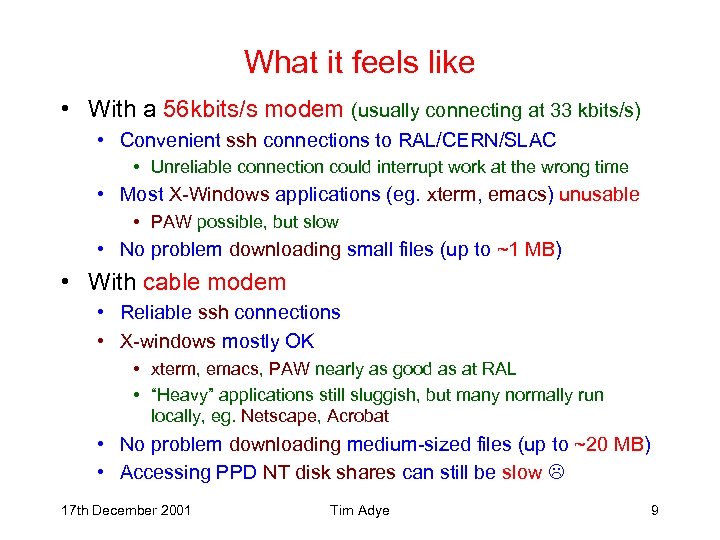
What it feels like • With a 56 kbits/s modem (usually connecting at 33 kbits/s) • Convenient ssh connections to RAL/CERN/SLAC • Unreliable connection could interrupt work at the wrong time • Most X-Windows applications (eg. xterm, emacs) unusable • PAW possible, but slow • No problem downloading small files (up to ~1 MB) • With cable modem • Reliable ssh connections • X-windows mostly OK • xterm, emacs, PAW nearly as good as at RAL • “Heavy” applications still sluggish, but many normally run locally, eg. Netscape, Acrobat • No problem downloading medium-sized files (up to ~20 MB) • Accessing PPD NT disk shares can still be slow 17 th December 2001 Tim Adye 9
Advantages of being “Always On” • No dial up time • No contention with phone • Can run servers • Allows access to your home machine from work • Useful to pick up files you forgot to bring to work • Can run ftp, web, login – I just use sshd • IP address changes every few days, so need to use DNS service, eg. DNS 2 Go • NTL forbid high bandwidth ftp/web servers 17 th December 2001 Tim Adye 10
Security implications of being “Always On” • Need to be more careful about security • Hackers scan for security holes • More chance they’ll find you if you are always connected, and have the same address • Unless you really know what you’re doing, make sure you disable • “File and printer sharing” (Windows) • All unused inetd services (Linux) • Consider setting up a firewall • After trying several firewalls for Windows (eg. Zone. Alarm), I use Tiny Personal Firewall (www. tinysoftware. com) • Virus checking is even more important 17 th December 2001 Tim Adye 11
Accessing RAL • RAL “internal” web pages and services are not directly available • Eg. PPD internal page, RAL Information for Staff, PPD Unix systems, NT disk shares • Sometimes there alternatives • RAL Notices can be accessed with a password • ssh to csf and then to PPD Unix • NT disks can be read via ftp • You can also set up a “virtual private network” connection to RAL (AKA “PPTP”) … 17 th December 2001 Tim Adye 12
Accessing RAL: VPN • After logging in with your Federal ID/password, you tunnel “inside the firewall” • See RAL PC Support pages (Network services : PPTP) • NB. PC Support pages only accessible within RAL! • Slower than a direct connection • Also useful when at CERN, SLAC, etc. 17 th December 2001 Tim Adye 13
Conclusions • Once installed, cable modem is fast and reliable • If you have £ 35/month to spare • Be careful of hackers • PPTP to RAL can be very useful 17 th December 2001 Tim Adye 14
Скачать презентацию Using a Cable Modem at Home Tim Adye
2e782d2e8006c31577a4ccc45eb2ffd5.ppt