


 Скачать презентацию User Certificate Application Guide Mason Hsiung
cfc62477c5517092afff4fabcf7a94a1.ppt
- Количество слайдов: 27
 User Certificate Application Guide Mason Hsiung
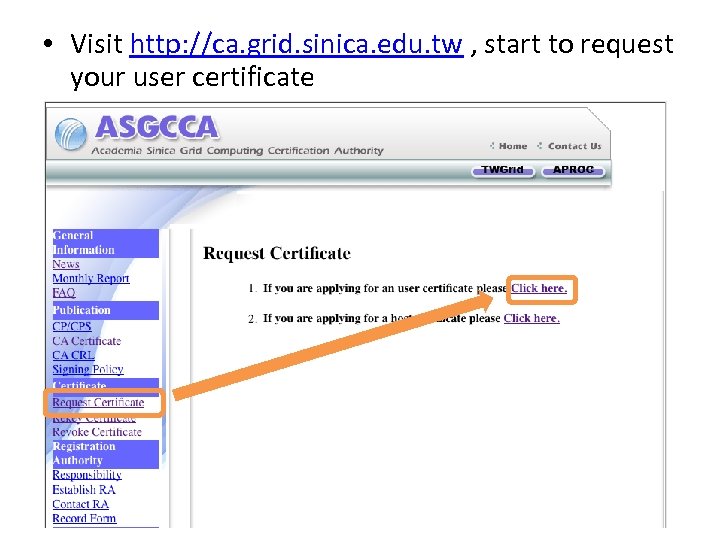 • Visit http: //ca. grid. sinica. edu. tw , start to request your user certificate
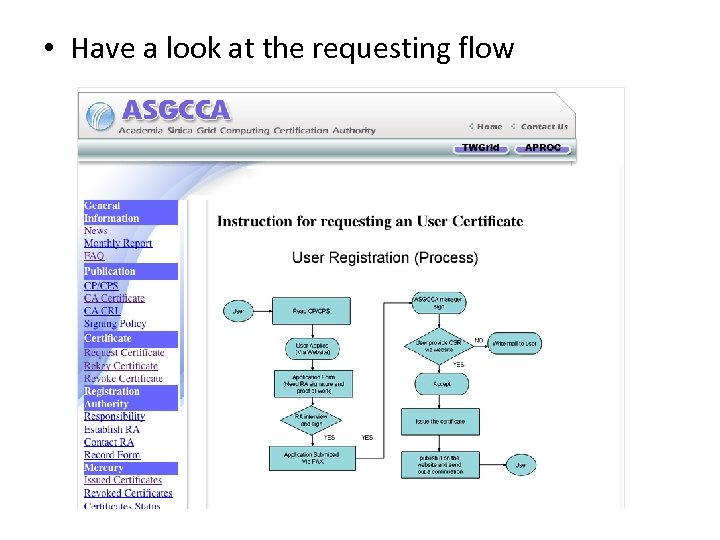 • Have a look at the requesting flow
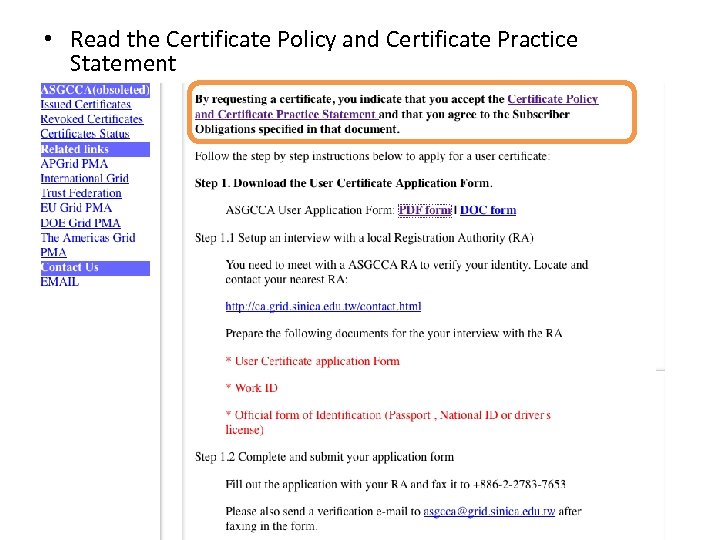 • Read the Certificate Policy and Certificate Practice Statement
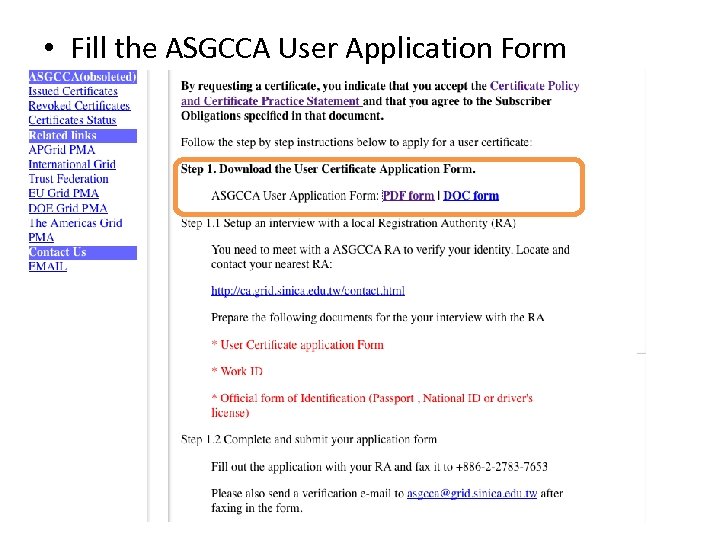 • Fill the ASGCCA User Application Form
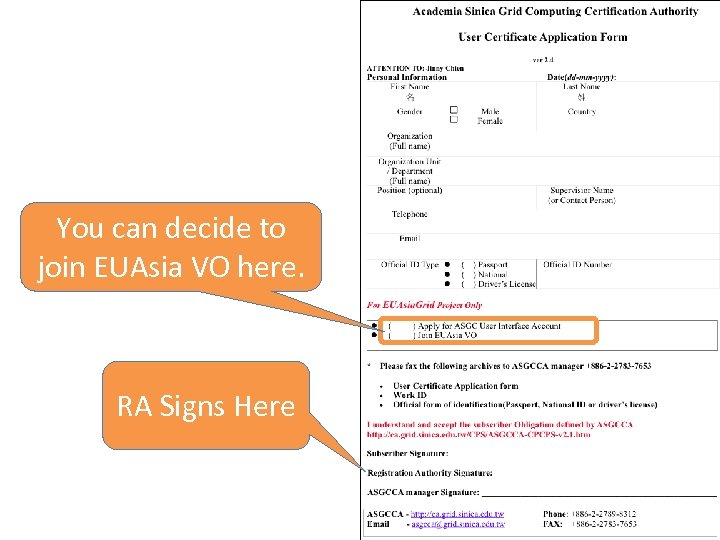 You can decide to join EUAsia VO here. RA Signs Here
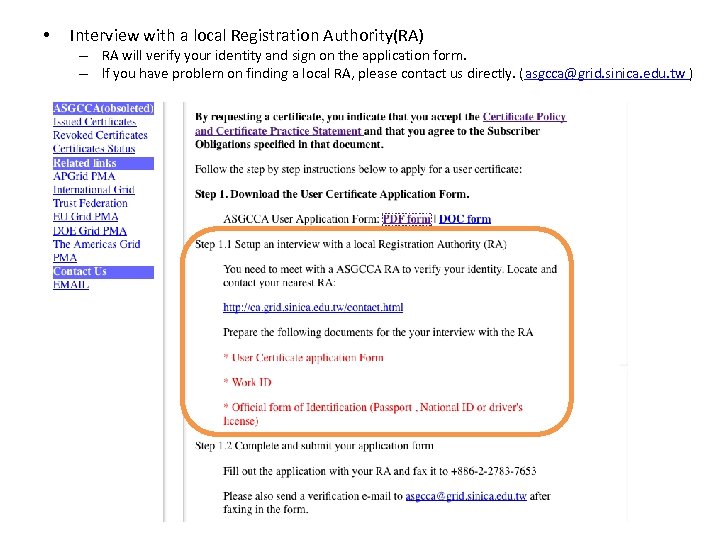 • Interview with a local Registration Authority(RA) – RA will verify your identity and sign on the application form. – If you have problem on finding a local RA, please contact us directly. (asgcca@grid. sinica. edu. tw )
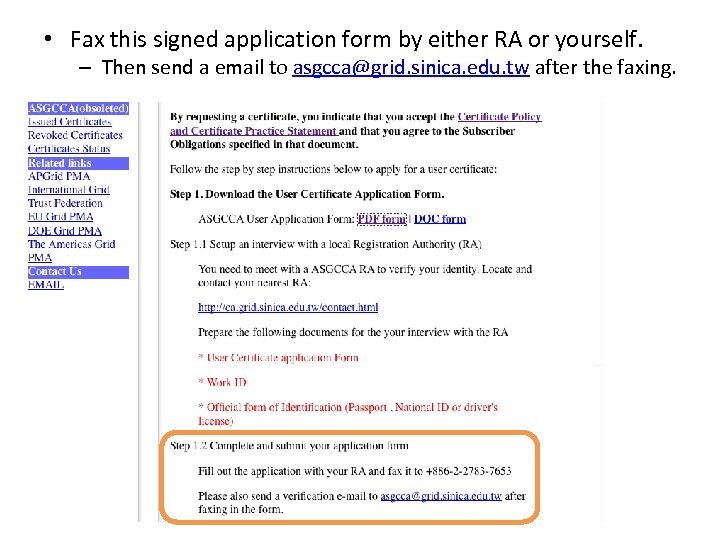 • Fax this signed application form by either RA or yourself. – Then send a email to asgcca@grid. sinica. edu. tw after the faxing.
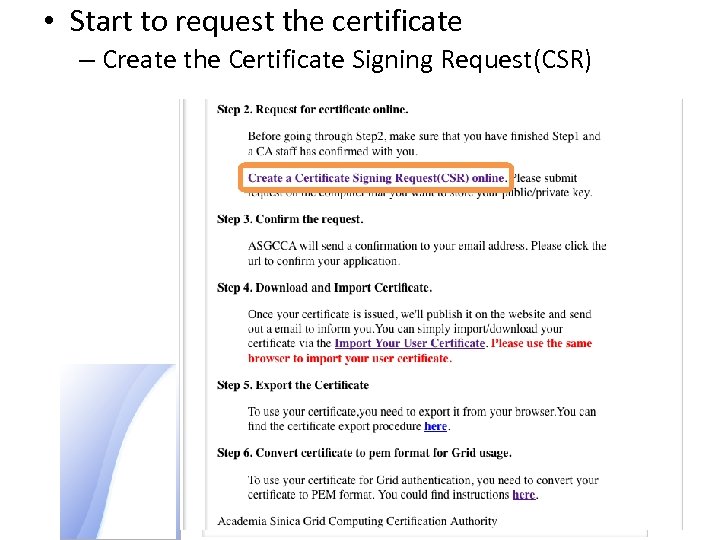 • Start to request the certificate – Create the Certificate Signing Request(CSR)
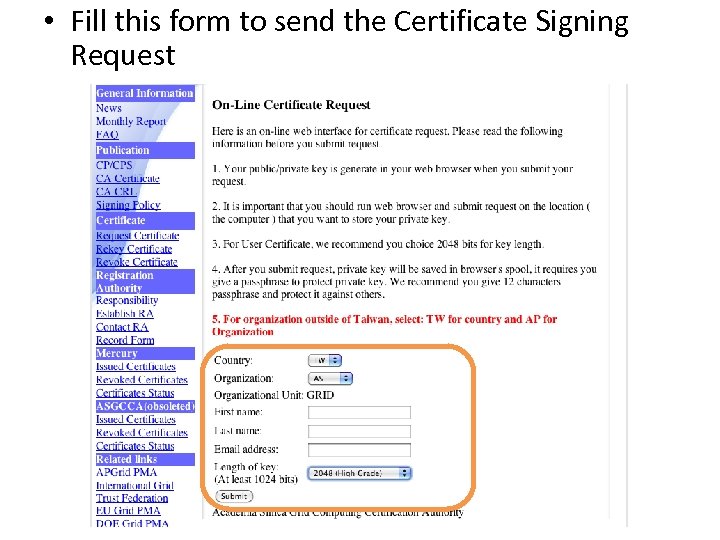 • Fill this form to send the Certificate Signing Request
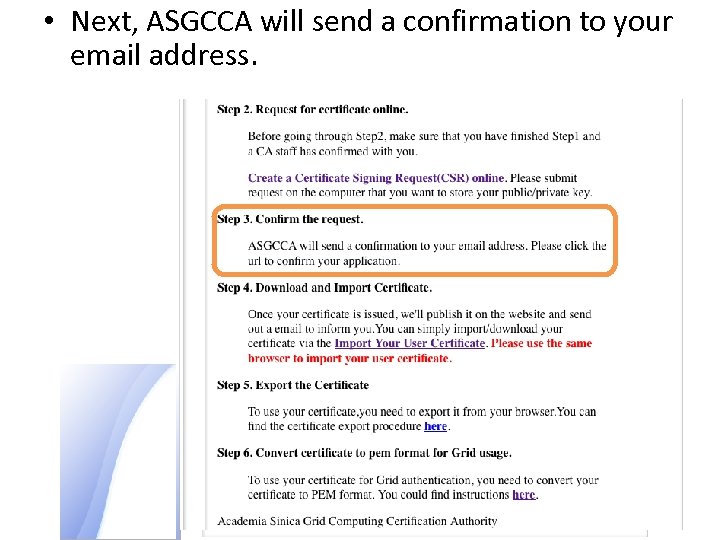 • Next, ASGCCA will send a confirmation to your email address.
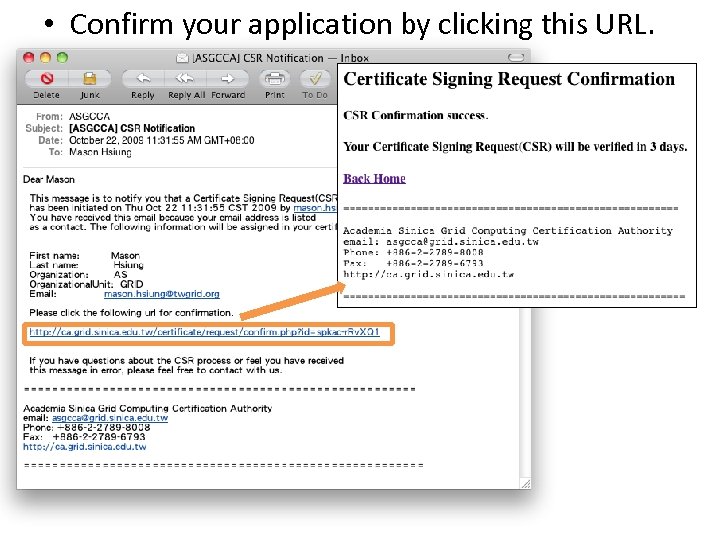 • Confirm your application by clicking this URL.
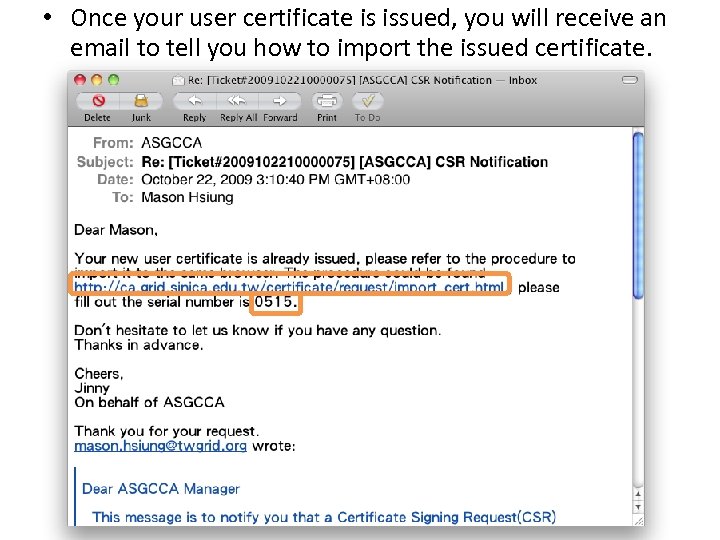 • Once your user certificate is issued, you will receive an email to tell you how to import the issued certificate.
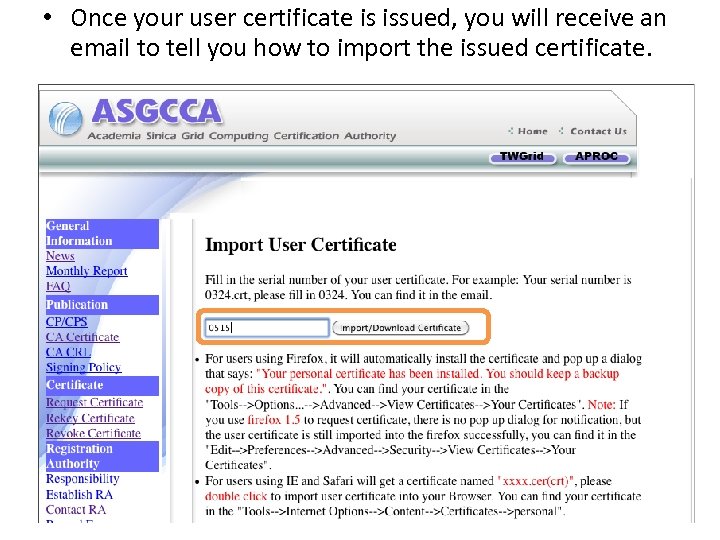 • Once your user certificate is issued, you will receive an email to tell you how to import the issued certificate.
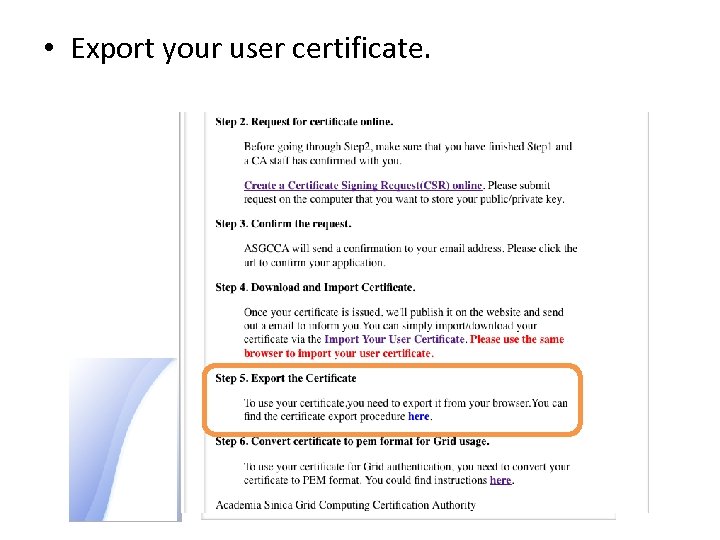 • Export your user certificate.
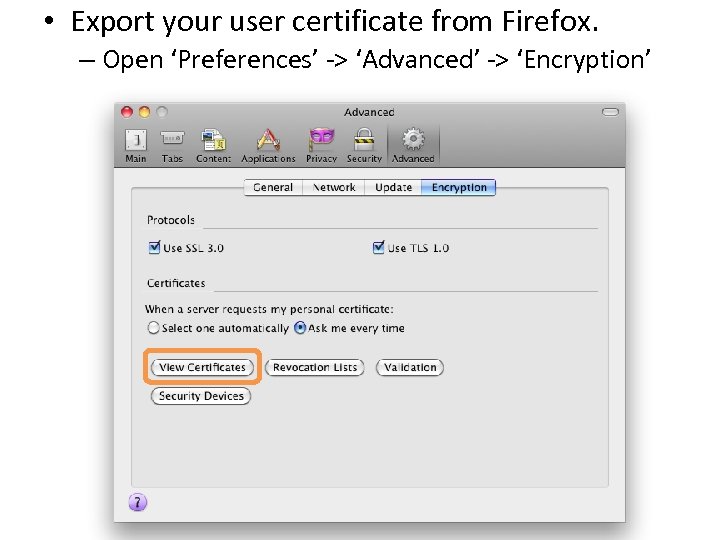 • Export your user certificate from Firefox. – Open ‘Preferences’ -> ‘Advanced’ -> ‘Encryption’
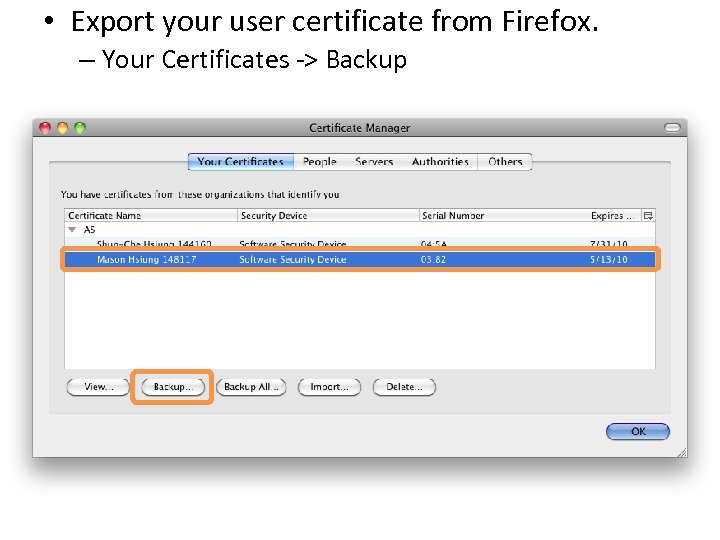 • Export your user certificate from Firefox. – Your Certificates -> Backup
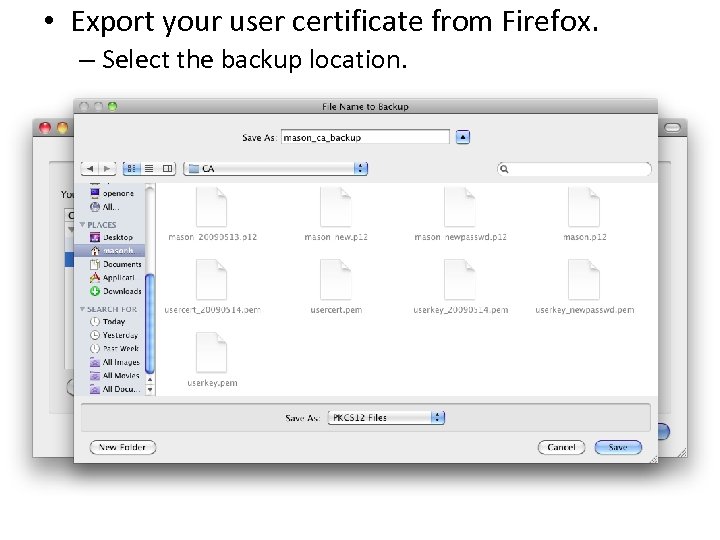 • Export your user certificate from Firefox. – Select the backup location.
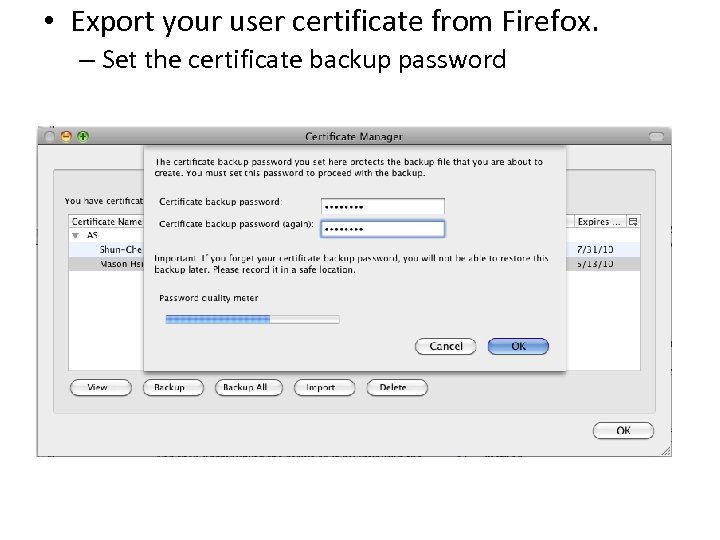 • Export your user certificate from Firefox. – Set the certificate backup password
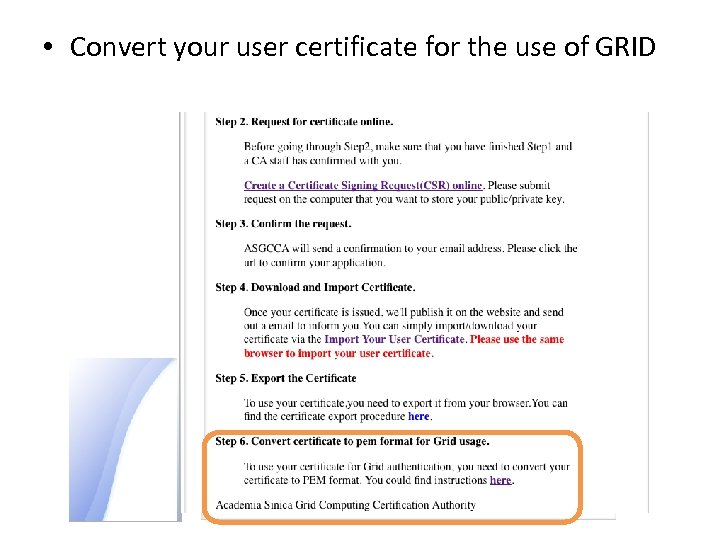 • Convert your user certificate for the use of GRID
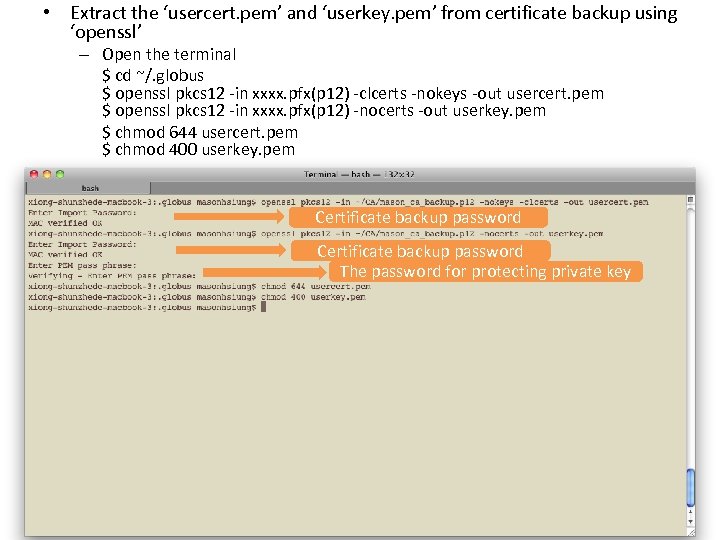 • Extract the ‘usercert. pem’ and ‘userkey. pem’ from certificate backup using ‘openssl’ – Open the terminal $ cd ~/. globus $ openssl pkcs 12 -in xxxx. pfx(p 12) -clcerts -nokeys -out usercert. pem $ openssl pkcs 12 -in xxxx. pfx(p 12) -nocerts -out userkey. pem $ chmod 644 usercert. pem $ chmod 400 userkey. pem Certificate backup password The password for protecting private key
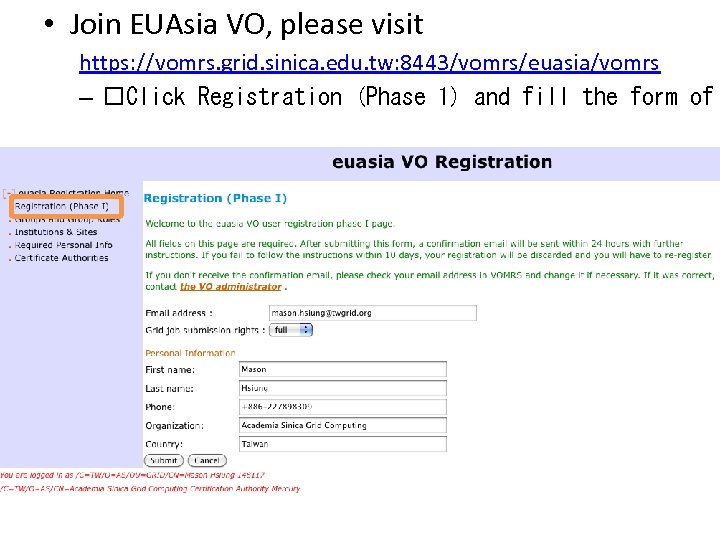 • Join EUAsia VO, please visit https: //vomrs. grid. sinica. edu. tw: 8443/vomrs/euasia/vomrs – Click Registration (Phase 1) and fill the form of
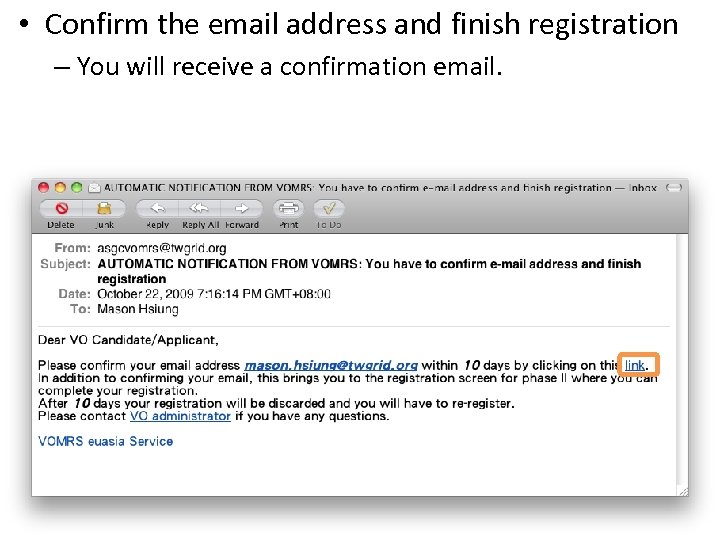 • Confirm the email address and finish registration – You will receive a confirmation email.
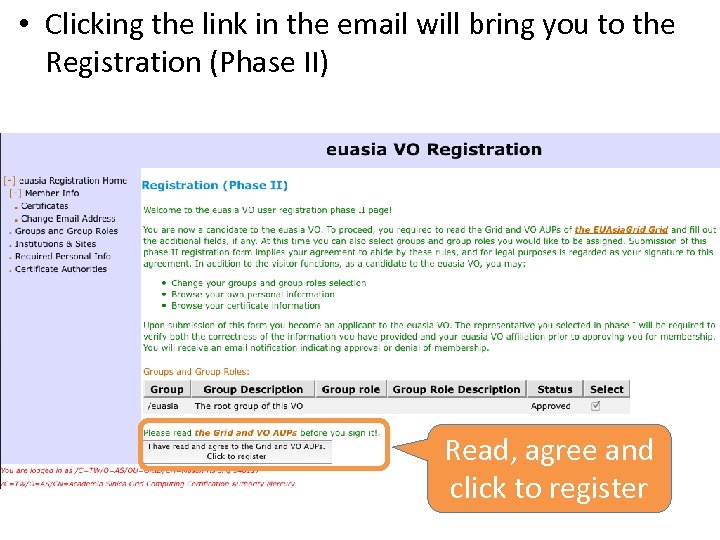 • Clicking the link in the email will bring you to the Registration (Phase II) Read, agree and click to register
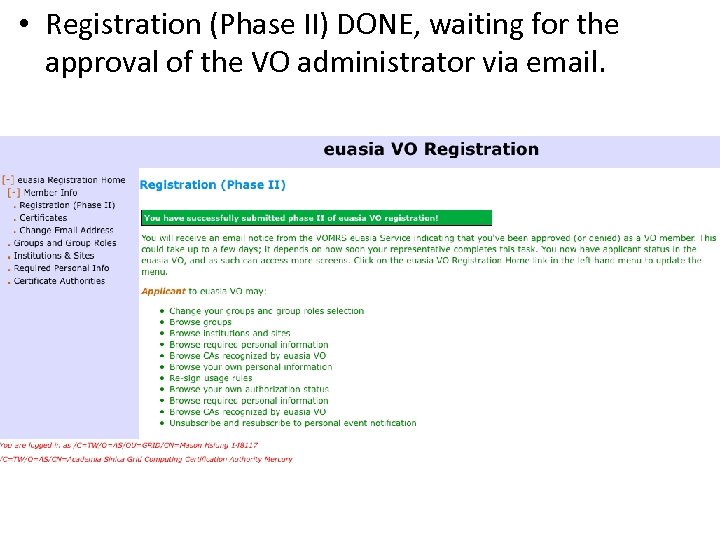 • Registration (Phase II) DONE, waiting for the approval of the VO administrator via email.
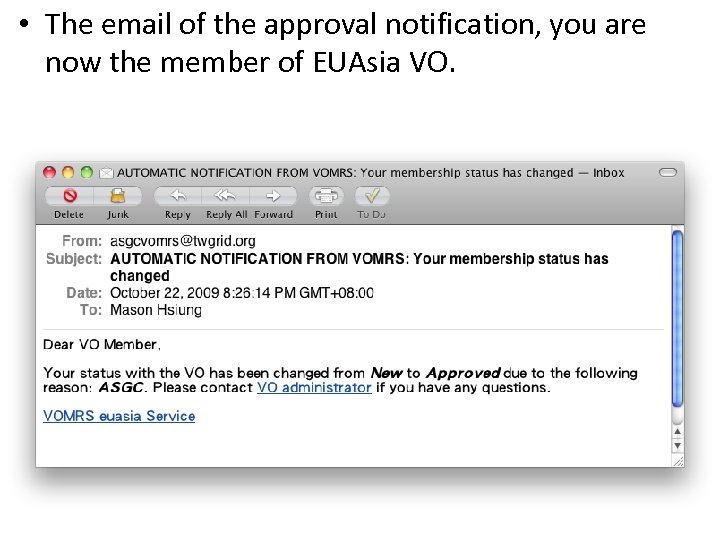 • The email of the approval notification, you are now the member of EUAsia VO.
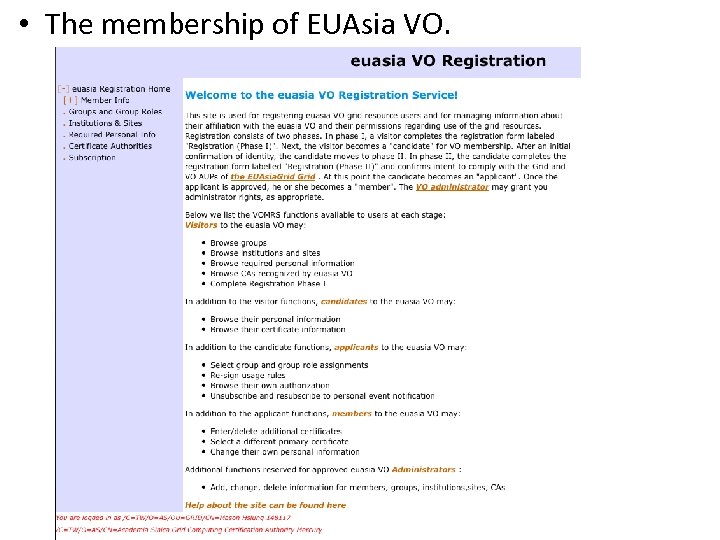 • The membership of EUAsia VO.