


 Скачать презентацию Use Cases for Agile and Traditional Development Writing
3b64665f6c9924adc21ea7e788e0b533.ppt
- Количество слайдов: 80
 Use Cases for Agile and Traditional Development “Writing Effective Use Cases” meets “Agile Software Development” Alistair Cockburn http: //Alistair. Cockburn. us ©Alistair Cockburn 2005 Slide 1
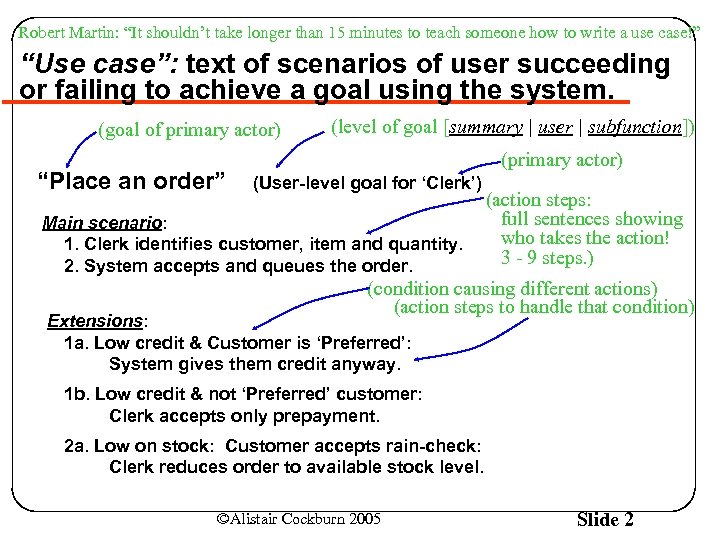 Robert Martin: “It shouldn’t take longer than 15 minutes to teach someone how to write a use case!” “Use case”: text of scenarios of user succeeding or failing to achieve a goal using the system. (goal of primary actor) “Place an order” (level of goal [summary | user | subfunction]) (primary actor) (User-level goal for ‘Clerk’) Main scenario: 1. Clerk identifies customer, item and quantity. 2. System accepts and queues the order. (action steps: full sentences showing who takes the action! 3 - 9 steps. ) (condition causing different actions) (action steps to handle that condition) Extensions: 1 a. Low credit & Customer is ‘Preferred’: System gives them credit anyway. 1 b. Low credit & not ‘Preferred’ customer: Clerk accepts only prepayment. 2 a. Low on stock: Customer accepts rain-check: Clerk reduces order to available stock level. ©Alistair Cockburn 2005 Slide 2
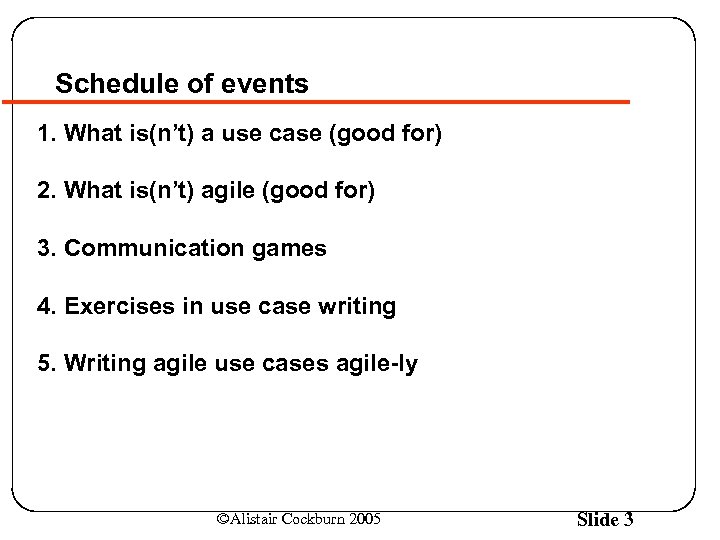 Schedule of events 1. What is(n’t) a use case (good for) 2. What is(n’t) agile (good for) 3. Communication games 4. Exercises in use case writing 5. Writing agile use cases agile-ly ©Alistair Cockburn 2005 Slide 3
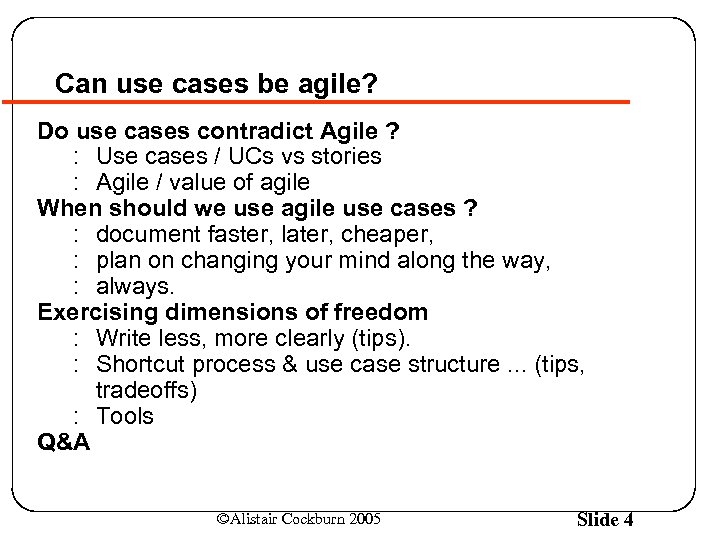 Can use cases be agile? Do use cases contradict Agile ? : Use cases / UCs vs stories : Agile / value of agile When should we use agile use cases ? : document faster, later, cheaper, : plan on changing your mind along the way, : always. Exercising dimensions of freedom : Write less, more clearly (tips). : Shortcut process & use case structure. . . (tips, tradeoffs) : Tools Q&A ©Alistair Cockburn 2005 Slide 4
 Coming from agile non-use-cases to agile UCs is easier than coming from non-agile UCs Overly complex use case writing is hard to change, tied to overly complex process (hard to change!) Already understanding Agile means : already have a lighter process : already have mindset to simplify the writing : . . . leads to “agile” use case writing. Need to understand : (A) Simple use cases : (B) Agility as energy savings ©Alistair Cockburn 2005 Slide 5
 Part 1: What is(n’t) a use case (good for) ©Alistair Cockburn 2005 Slide 6
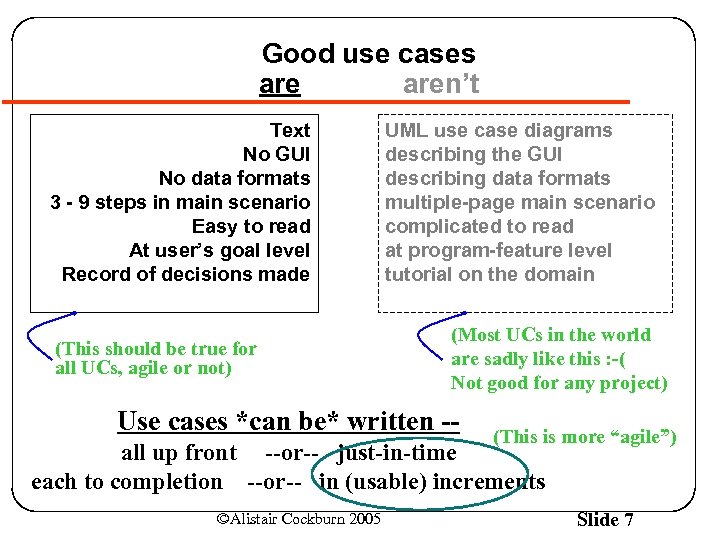 Good use cases aren’t Text No GUI No data formats 3 - 9 steps in main scenario Easy to read At user’s goal level Record of decisions made (This should be true for all UCs, agile or not) UML use case diagrams describing the GUI describing data formats multiple-page main scenario complicated to read at program-feature level tutorial on the domain (Most UCs in the world are sadly like this : -( Not good for any project) Use cases *can be* written -- (This is more “agile”) all up front --or-- just-in-time each to completion --or-- in (usable) increments ©Alistair Cockburn 2005 Slide 7
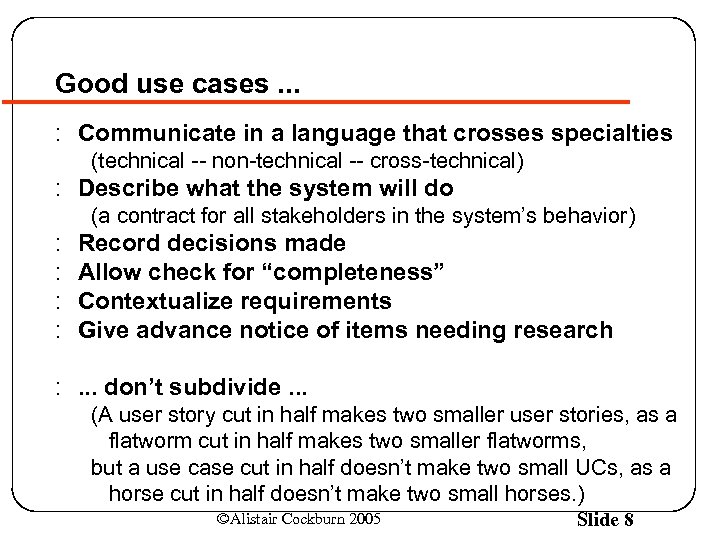 Good use cases. . . : Communicate in a language that crosses specialties (technical -- non-technical -- cross-technical) : Describe what the system will do (a contract for all stakeholders in the system’s behavior) : : Record decisions made Allow check for “completeness” Contextualize requirements Give advance notice of items needing research : . . . don’t subdivide. . . (A user story cut in half makes two smaller user stories, as a flatworm cut in half makes two smaller flatworms, but a use case cut in half doesn’t make two small UCs, as a horse cut in half doesn’t make two small horses. ) ©Alistair Cockburn 2005 Slide 8
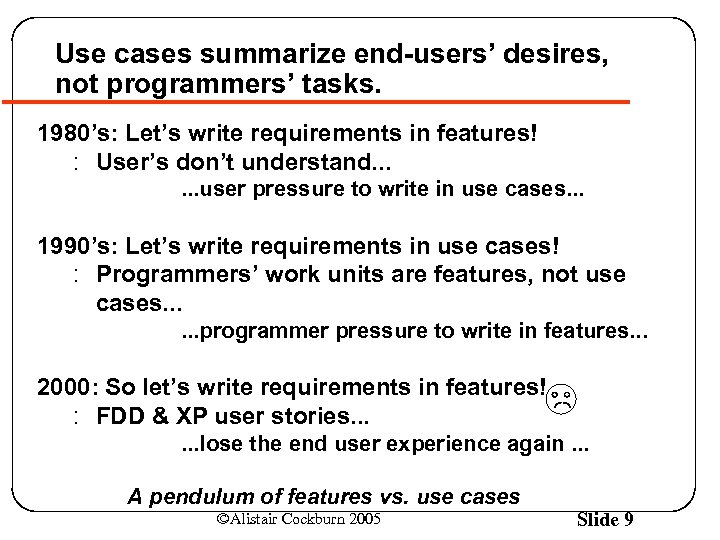 Use cases summarize end-users’ desires, not programmers’ tasks. 1980’s: Let’s write requirements in features! : User’s don’t understand. . . user pressure to write in use cases. . . 1990’s: Let’s write requirements in use cases! : Programmers’ work units are features, not use cases. . . programmer pressure to write in features. . . 2000: So let’s write requirements in features! : FDD & XP user stories. . . lose the end user experience again. . . A pendulum of features vs. use cases ©Alistair Cockburn 2005 Slide 9
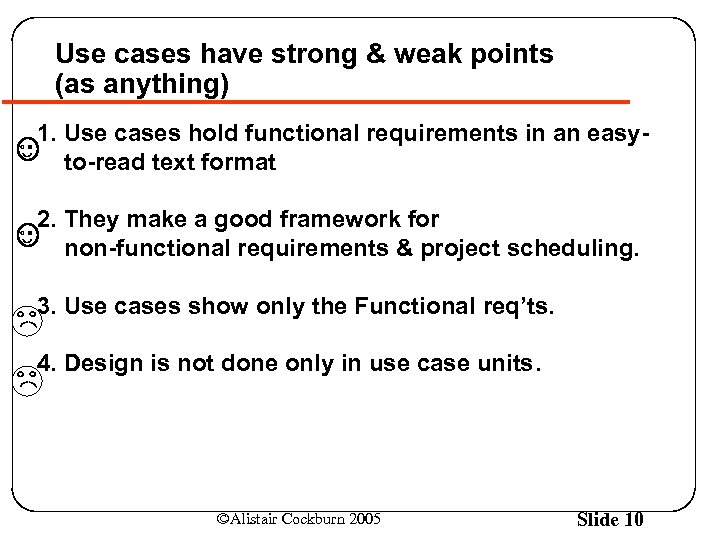 Use cases have strong & weak points (as anything) 1. Use cases hold functional requirements in an easyto-read text format 2. They make a good framework for non-functional requirements & project scheduling. 3. Use cases show only the Functional req’ts. 4. Design is not done only in use case units. ©Alistair Cockburn 2005 Slide 10
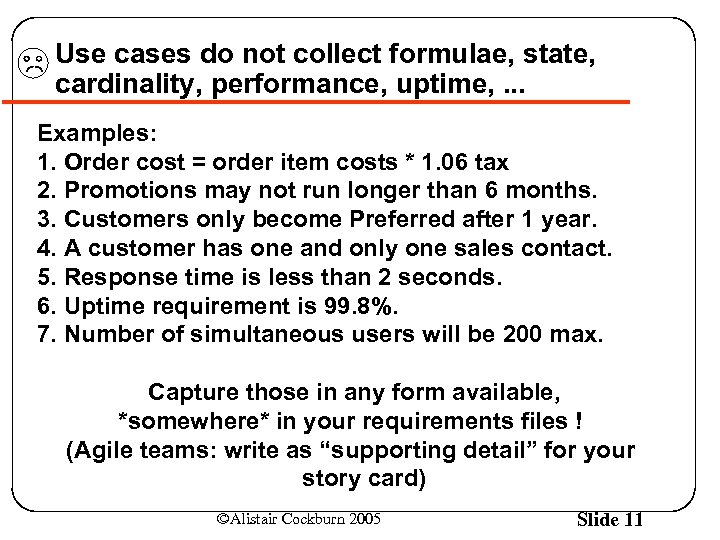 Use cases do not collect formulae, state, cardinality, performance, uptime, . . . Examples: 1. Order cost = order item costs * 1. 06 tax 2. Promotions may not run longer than 6 months. 3. Customers only become Preferred after 1 year. 4. A customer has one and only one sales contact. 5. Response time is less than 2 seconds. 6. Uptime requirement is 99. 8%. 7. Number of simultaneous users will be 200 max. Capture those in any form available, *somewhere* in your requirements files ! (Agile teams: write as “supporting detail” for your story card) ©Alistair Cockburn 2005 Slide 11
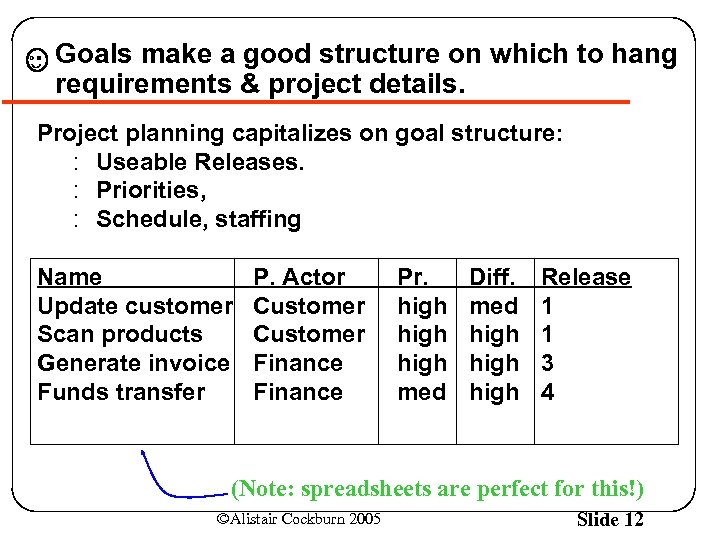 Goals make a good structure on which to hang requirements & project details. Project planning capitalizes on goal structure: : Useable Releases. : Priorities, : Schedule, staffing Name Update customer Scan products Generate invoice Funds transfer P. Actor Customer Finance Pr. high med Diff. med high Release 1 1 3 4 (Note: spreadsheets are perfect for this!) ©Alistair Cockburn 2005 Slide 12
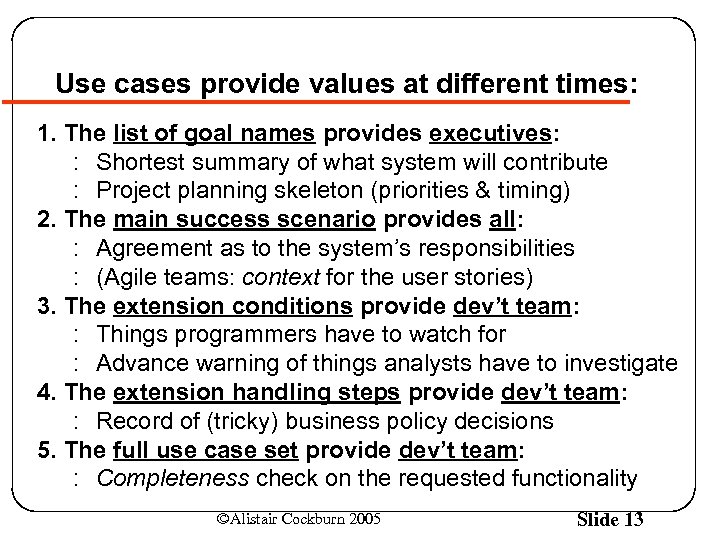 Use cases provide values at different times: 1. The list of goal names provides executives: : Shortest summary of what system will contribute : Project planning skeleton (priorities & timing) 2. The main success scenario provides all: : Agreement as to the system’s responsibilities : (Agile teams: context for the user stories) 3. The extension conditions provide dev’t team: : Things programmers have to watch for : Advance warning of things analysts have to investigate 4. The extension handling steps provide dev’t team: : Record of (tricky) business policy decisions 5. The full use case set provide dev’t team: : Completeness check on the requested functionality ©Alistair Cockburn 2005 Slide 13
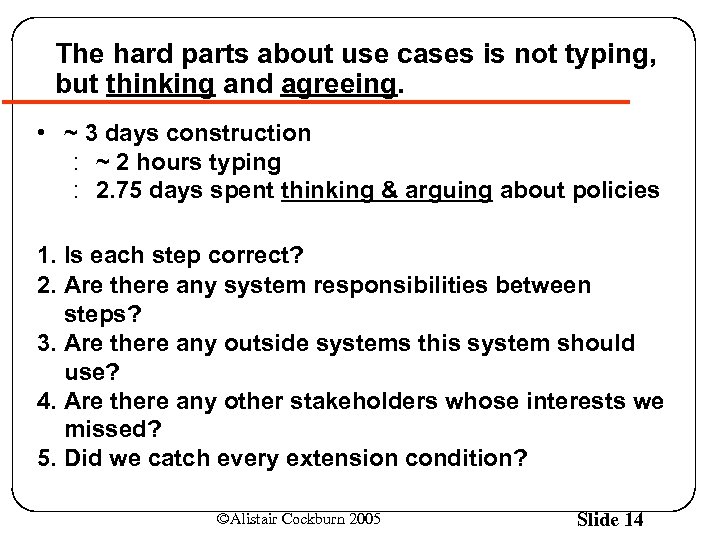 The hard parts about use cases is not typing, but thinking and agreeing. • ~ 3 days construction : ~ 2 hours typing : 2. 75 days spent thinking & arguing about policies 1. Is each step correct? 2. Are there any system responsibilities between steps? 3. Are there any outside systems this system should use? 4. Are there any other stakeholders whose interests we missed? 5. Did we catch every extension condition? ©Alistair Cockburn 2005 Slide 14
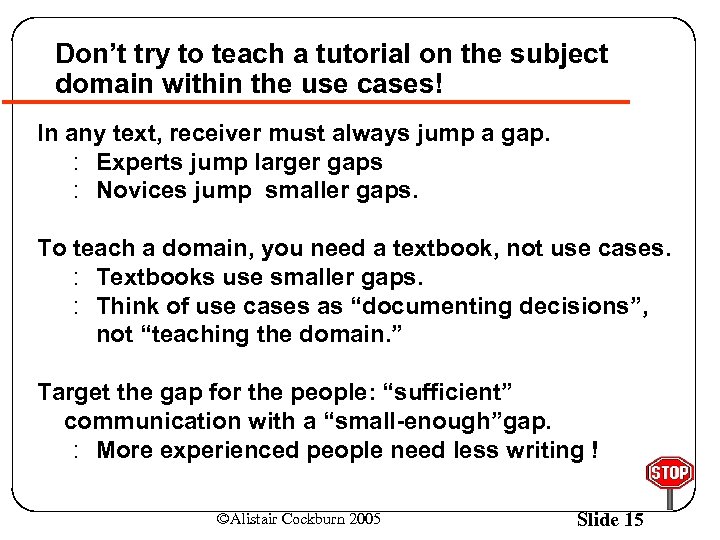 Don’t try to teach a tutorial on the subject domain within the use cases! In any text, receiver must always jump a gap. : Experts jump larger gaps : Novices jump smaller gaps. To teach a domain, you need a textbook, not use cases. : Textbooks use smaller gaps. : Think of use cases as “documenting decisions”, not “teaching the domain. ” Target the gap for the people: “sufficient” communication with a “small-enough”gap. : More experienced people need less writing ! ©Alistair Cockburn 2005 Slide 15
 Part 2: What agile development is(n’t) (good for) ©Alistair Cockburn 2005 Slide 16
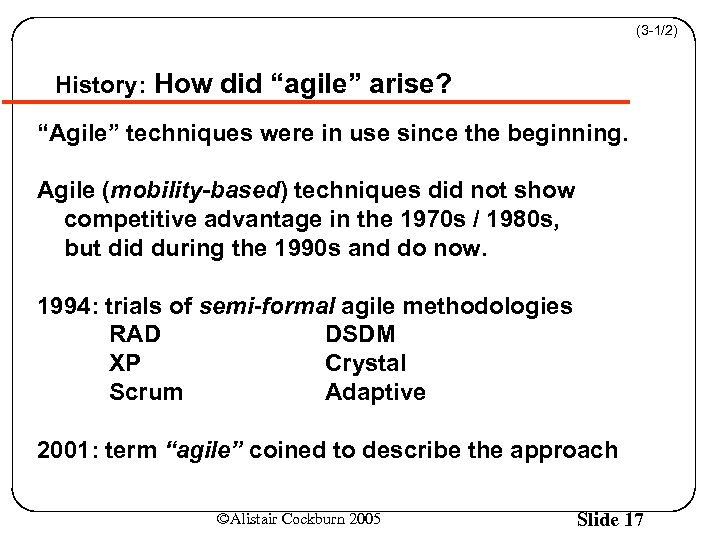 (3 -1/2) History: How did “agile” arise? “Agile” techniques were in use since the beginning. Agile (mobility-based) techniques did not show competitive advantage in the 1970 s / 1980 s, but did during the 1990 s and do now. 1994: trials of semi-formal agile methodologies RAD DSDM XP Crystal Scrum Adaptive 2001: term “agile” coined to describe the approach ©Alistair Cockburn 2005 Slide 17
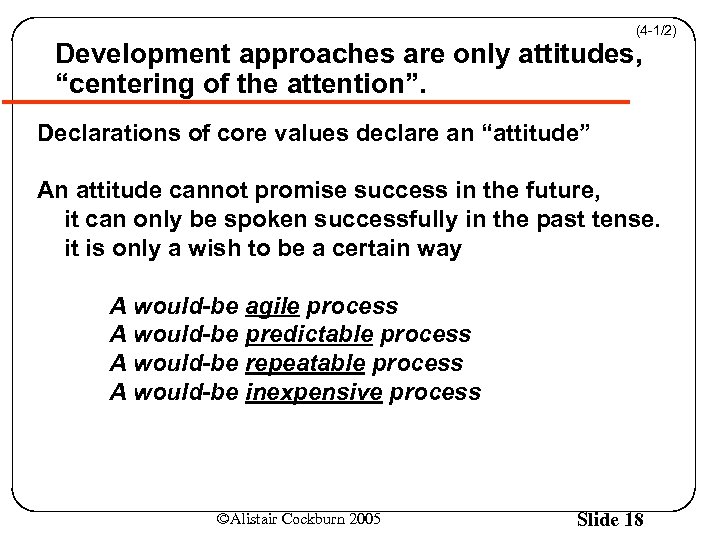 (4 -1/2) Development approaches are only attitudes, “centering of the attention”. Declarations of core values declare an “attitude” An attitude cannot promise success in the future, it can only be spoken successfully in the past tense. it is only a wish to be a certain way A would-be agile process A would-be predictable process A would-be repeatable process A would-be inexpensive process ©Alistair Cockburn 2005 Slide 18
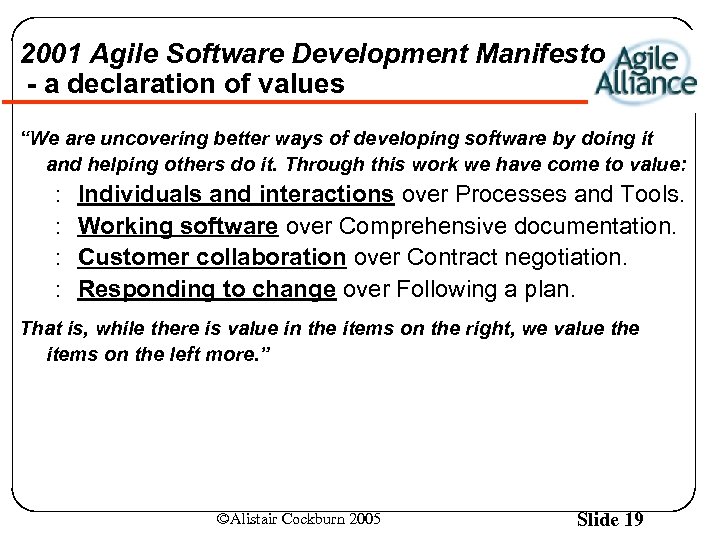 2001 Agile Software Development Manifesto - a declaration of values “We are uncovering better ways of developing software by doing it and helping others do it. Through this work we have come to value: : : Individuals and interactions over Processes and Tools. Working software over Comprehensive documentation. Customer collaboration over Contract negotiation. Responding to change over Following a plan. That is, while there is value in the items on the right, we value the items on the left more. ” ©Alistair Cockburn 2005 Slide 19
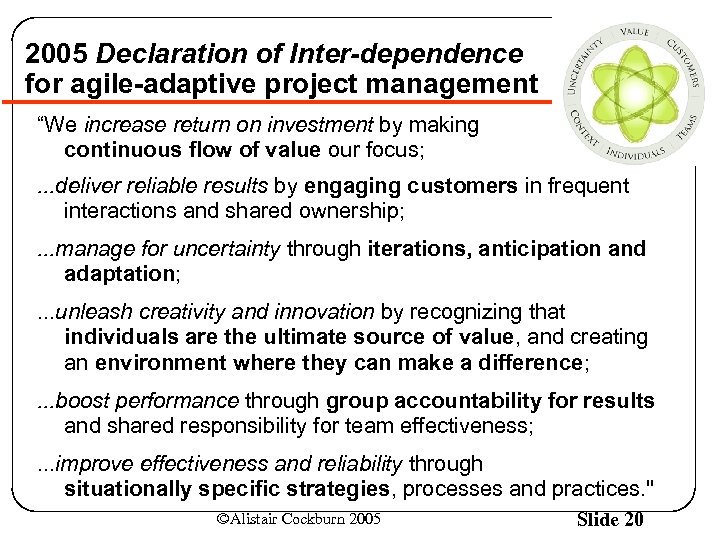 2005 Declaration of Inter-dependence for agile-adaptive project management “We increase return on investment by making continuous flow of value our focus; . . . deliver reliable results by engaging customers in frequent interactions and shared ownership; . . . manage for uncertainty through iterations, anticipation and adaptation; . . . unleash creativity and innovation by recognizing that individuals are the ultimate source of value, and creating an environment where they can make a difference; . . . boost performance through group accountability for results and shared responsibility for team effectiveness; . . . improve effectiveness and reliability through situationally specific strategies, processes and practices. " ©Alistair Cockburn 2005 Slide 20
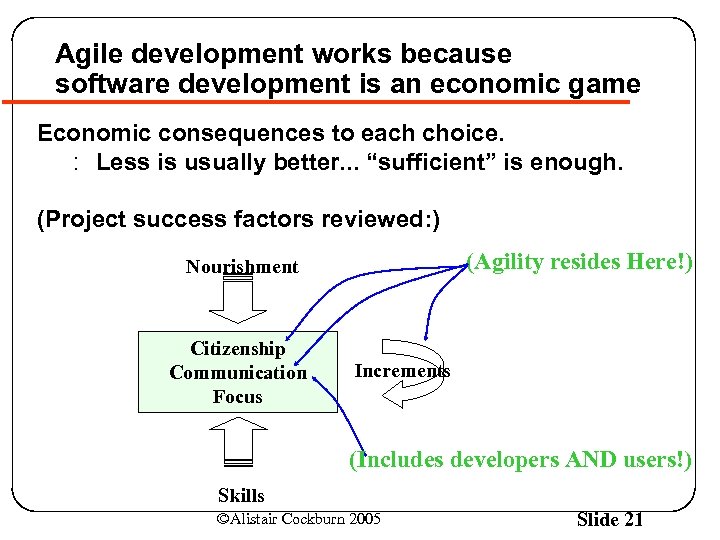 Agile development works because software development is an economic game Economic consequences to each choice. : Less is usually better. . . “sufficient” is enough. (Project success factors reviewed: ) (Agility resides Here!) Nourishment Citizenship Communication Focus Increments (Includes developers AND users!) Skills ©Alistair Cockburn 2005 Slide 21
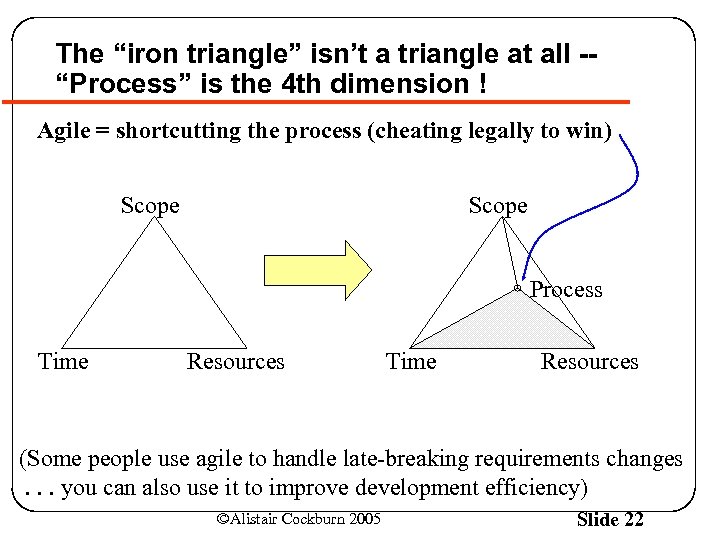 The “iron triangle” isn’t a triangle at all -“Process” is the 4 th dimension ! Agile = shortcutting the process (cheating legally to win) Scope Process Time Resources (Some people use agile to handle late-breaking requirements changes. . . you can also use it to improve development efficiency) ©Alistair Cockburn 2005 Slide 22
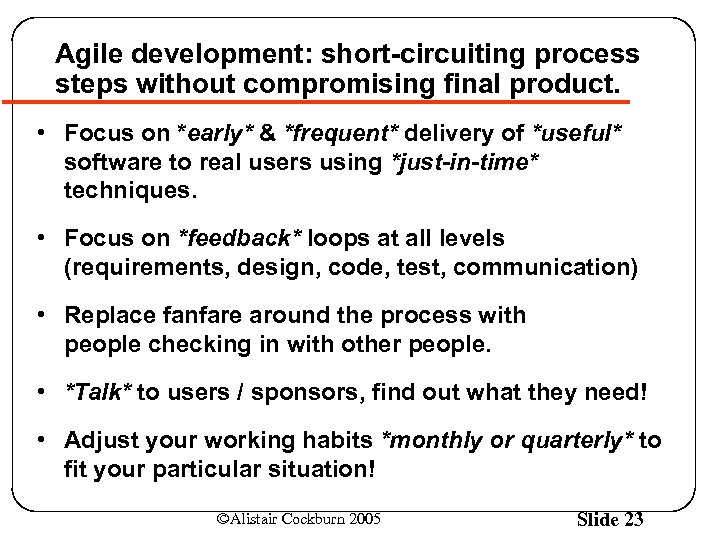 Agile development: short-circuiting process steps without compromising final product. • Focus on *early* & *frequent* delivery of *useful* software to real users using *just-in-time* techniques. • Focus on *feedback* loops at all levels (requirements, design, code, test, communication) • Replace fanfare around the process with people checking in with other people. • *Talk* to users / sponsors, find out what they need! • Adjust your working habits *monthly or quarterly* to fit your particular situation! ©Alistair Cockburn 2005 Slide 23
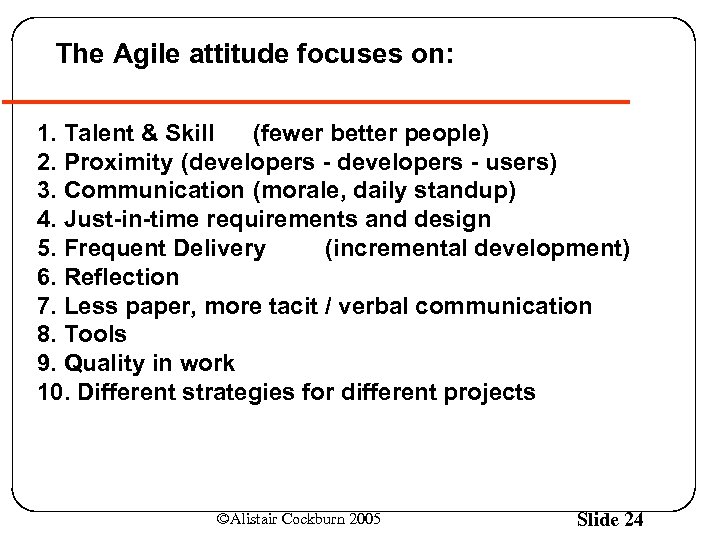 The Agile attitude focuses on: 1. Talent & Skill (fewer better people) 2. Proximity (developers - users) 3. Communication (morale, daily standup) 4. Just-in-time requirements and design 5. Frequent Delivery (incremental development) 6. Reflection 7. Less paper, more tacit / verbal communication 8. Tools 9. Quality in work 10. Different strategies for different projects ©Alistair Cockburn 2005 Slide 24
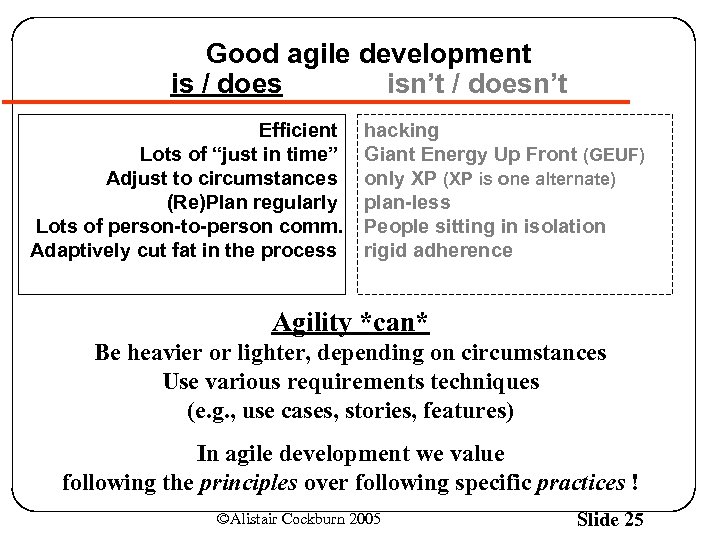 Good agile development is / does isn’t / doesn’t Efficient Lots of “just in time” Adjust to circumstances (Re)Plan regularly Lots of person-to-person comm. Adaptively cut fat in the process hacking Giant Energy Up Front (GEUF) only XP (XP is one alternate) plan-less People sitting in isolation rigid adherence Agility *can* Be heavier or lighter, depending on circumstances Use various requirements techniques (e. g. , use cases, stories, features) In agile development we value following the principles over following specific practices ! ©Alistair Cockburn 2005 Slide 25
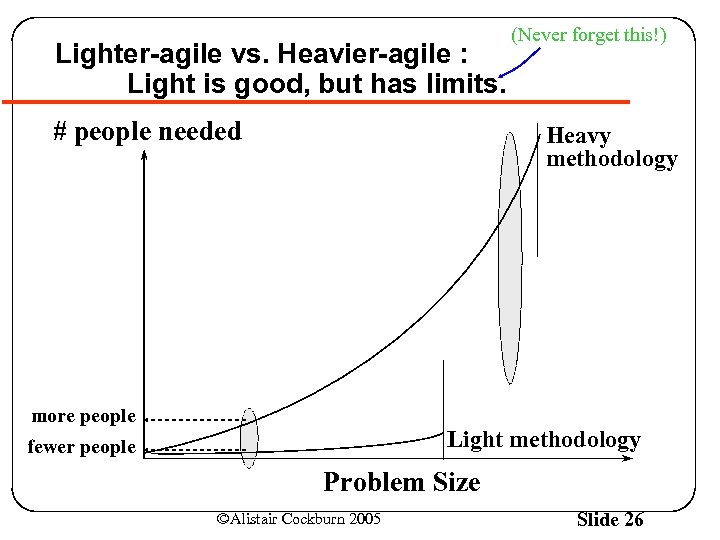 Lighter-agile vs. Heavier-agile : Light is good, but has limits. # people needed (Never forget this!) Heavy methodology more people Light methodology fewer people Problem Size ©Alistair Cockburn 2005 Slide 26
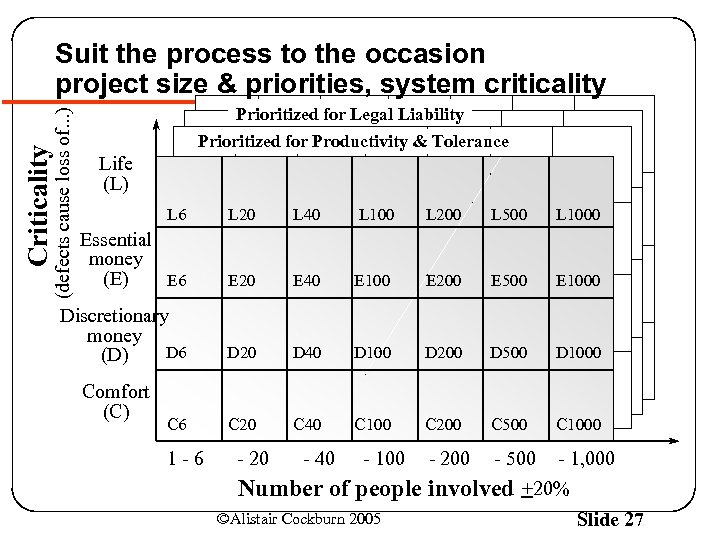 Criticality (defects cause loss of. . . ) Suit the process to the occasion project size & priorities, system criticality. . . Prioritized for Legal Liability Prioritized for Productivity & Tolerance Life (L) L 6 L 20 L 40 L 100 L 200 L 500 L 1000 Essential money (E) E 6 E 20 E 40 E 100 E 200 E 500 E 1000 Discretionary money D 6 (D) D 20 D 40 D 100 D 200 D 500 D 1000 C 20 C 40 C 100 C 200 C 500 C 1000 Comfort (C) C 6 1 -6 - 20 - 40 - 100 Number of people ©Alistair Cockburn 2005 - 200 - 500 - 1, 000 involved +20% Slide 27
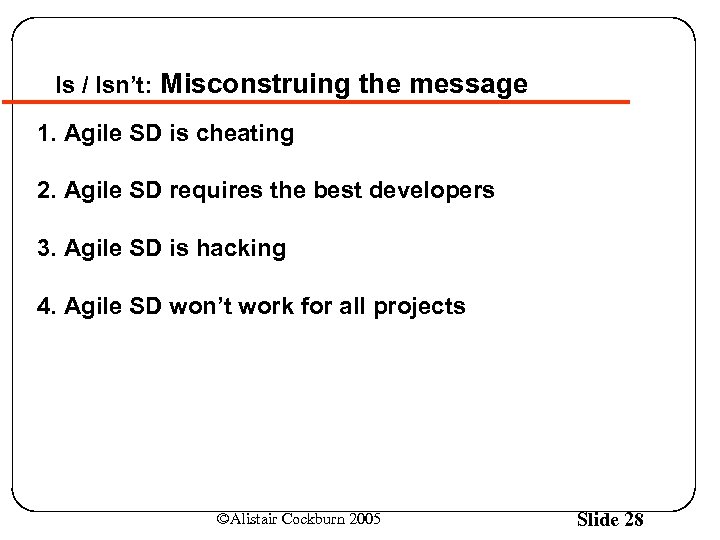 Is / Isn’t: Misconstruing the message 1. Agile SD is cheating 2. Agile SD requires the best developers 3. Agile SD is hacking 4. Agile SD won’t work for all projects ©Alistair Cockburn 2005 Slide 28
 1. Agile techniques are “cheating”. · · · Hire good people; Seat them close together to help each other out; Get them close to the customers and users; Arrange for rapid feedback on decisions; Let them find fast ways to document their work; Cut out the bureaucracy. This is: cheating stacking the deck a good idea the heart of agile software development ©Alistair Cockburn 2005 Slide 29
 2. Agile only works with the best developers. Every project needs at least one experienced and competent lead person. (Critical Success Factor) Each experienced and competent person on the team permits the presence of 4 -5 “average” or learning people. With that skill mix, agile techniques have been shown to work many times. ©Alistair Cockburn 2005 Slide 30
 3. Agile is hacking. (Hacker interpretations are inevitable. ) Hackers: “. . . spend all their time coding” Agilists: . . . test according to project priorities, recheck results with users often. Hackers: “. . . talk to each other when they are stuck” Agilists: . . . talk to each other and customers as a matter of practice. Hackers: “. . . avoid planning” Agilists: . . . plan regularly Hackers: “. . . management caves in out of fear” Agilists: . . . expect management to provide priorities, & participate jointly project adjustments. ©Alistair Cockburn 2005 Slide 31
 (5 -6/6) 4. Agile won’t work for all projects. Agile is an attitude prioritizing: Project evaluation based on delivered code Rapid feedback People as a value center Creativity in overcoming obstacles Not every team. . . values the Agile value set. . can set up the needed trust and communication Right. (Business isn’t fair). ©Alistair Cockburn 2005 Slide 32
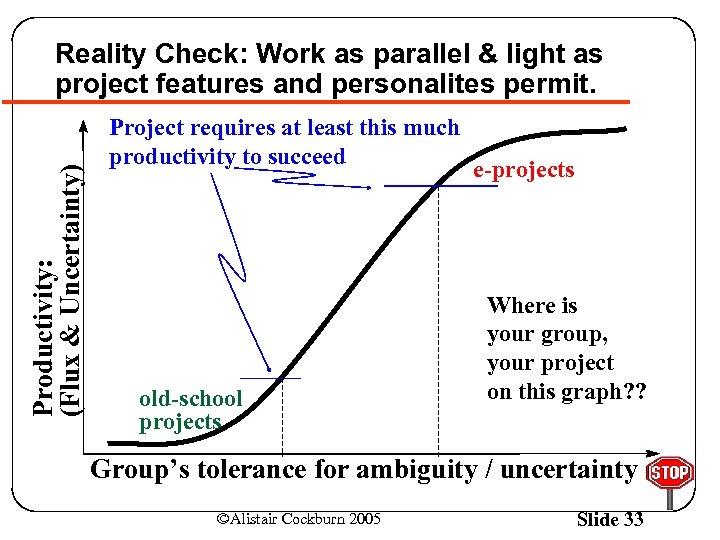 Productivity: (Flux & Uncertainty) Reality Check: Work as parallel & light as project features and personalites permit. Project requires at least this much productivity to succeed old-school projects e-projects Where is your group, your project on this graph? ? Group’s tolerance for ambiguity / uncertainty ©Alistair Cockburn 2005 Slide 33
 Part 3: Communication Games ©Alistair Cockburn 2005 Slide 34
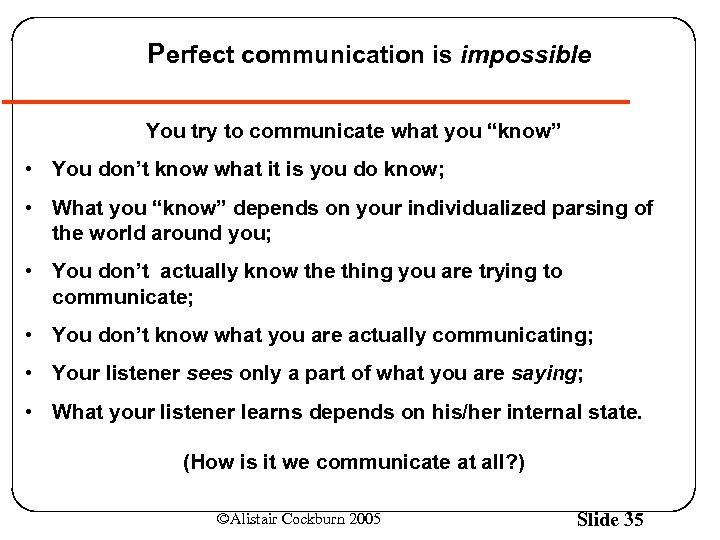 Perfect communication is impossible You try to communicate what you “know” • You don’t know what it is you do know; • What you “know” depends on your individualized parsing of the world around you; • You don’t actually know the thing you are trying to communicate; • You don’t know what you are actually communicating; • Your listener sees only a part of what you are saying; • What your listener learns depends on his/her internal state. (How is it we communicate at all? ) ©Alistair Cockburn 2005 Slide 35
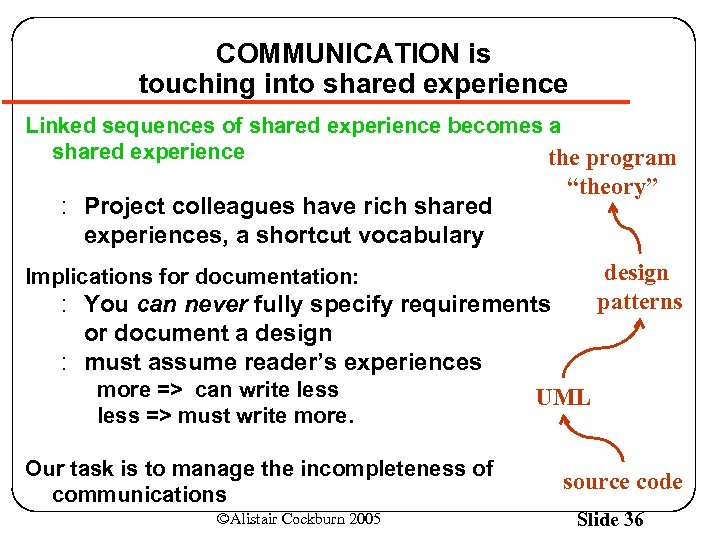 COMMUNICATION is touching into shared experience Linked sequences of shared experience becomes a shared experience the program : Project colleagues have rich shared experiences, a shortcut vocabulary “theory” Implications for documentation: : You can never fully specify requirements or document a design : must assume reader’s experiences more => can write less UML design patterns less => must write more. Our task is to manage the incompleteness of communications ©Alistair Cockburn 2005 source code Slide 36
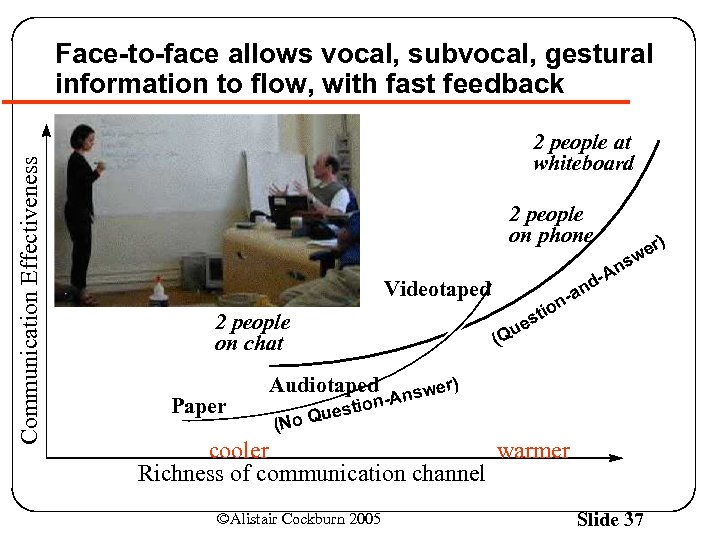 Communication Effectiveness Face-to-face allows vocal, subvocal, gestural information to flow, with fast feedback 2 people at whiteboard 2 people on phone 2 people on chat Paper ns Videotaped (Courtesy of Thoughtworks, inc. ) er) w -A nd -a n o sti e u (Q Audiotaped e -Answ n tio es o Qu (N r) cooler warmer Richness of communication channel ©Alistair Cockburn 2005 Slide 37
 Experience incommunicability and elementary agile techniques for yourselves Divide each into Specifiers and Artists. The Specifiers will ask the Artists to draw a drawing for them. ©Alistair Cockburn 2005 Slide 38
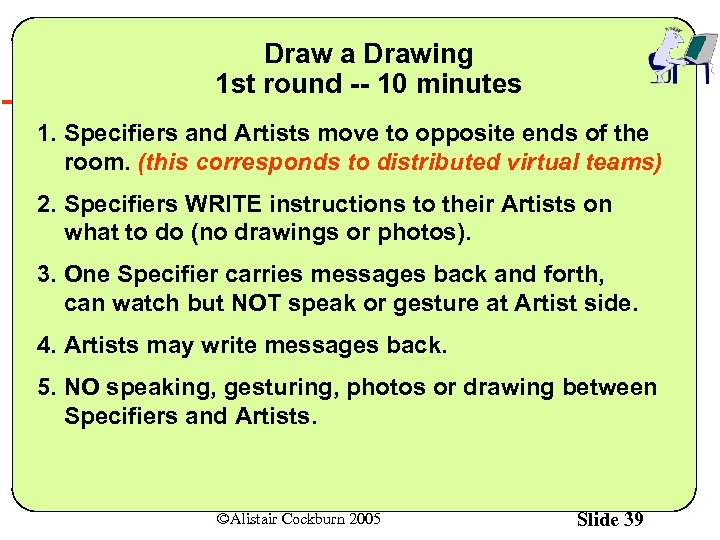 Draw a Drawing 1 st round -- 10 minutes 1. Specifiers and Artists move to opposite ends of the room. (this corresponds to distributed virtual teams) 2. Specifiers WRITE instructions to their Artists on what to do (no drawings or photos). 3. One Specifier carries messages back and forth, can watch but NOT speak or gesture at Artist side. 4. Artists may write messages back. 5. NO speaking, gesturing, photos or drawing between Specifiers and Artists. ©Alistair Cockburn 2005 Slide 39
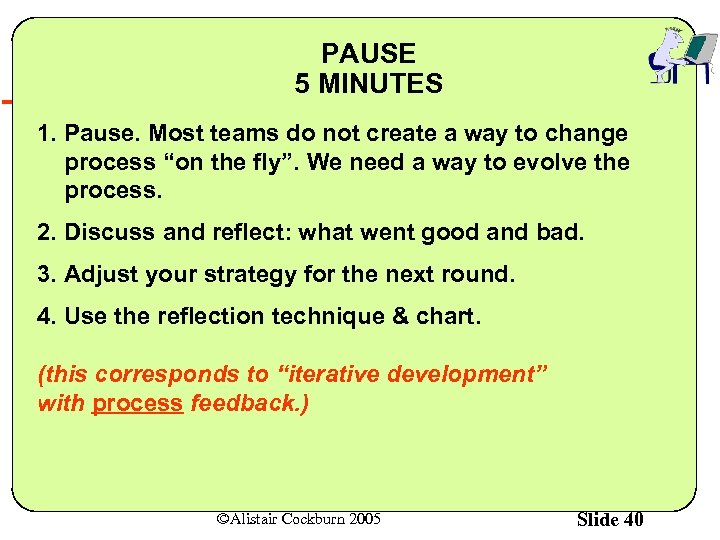 PAUSE 5 MINUTES 1. Pause. Most teams do not create a way to change process “on the fly”. We need a way to evolve the process. 2. Discuss and reflect: what went good and bad. 3. Adjust your strategy for the next round. 4. Use the reflection technique & chart. (this corresponds to “iterative development” with process feedback. ) ©Alistair Cockburn 2005 Slide 40
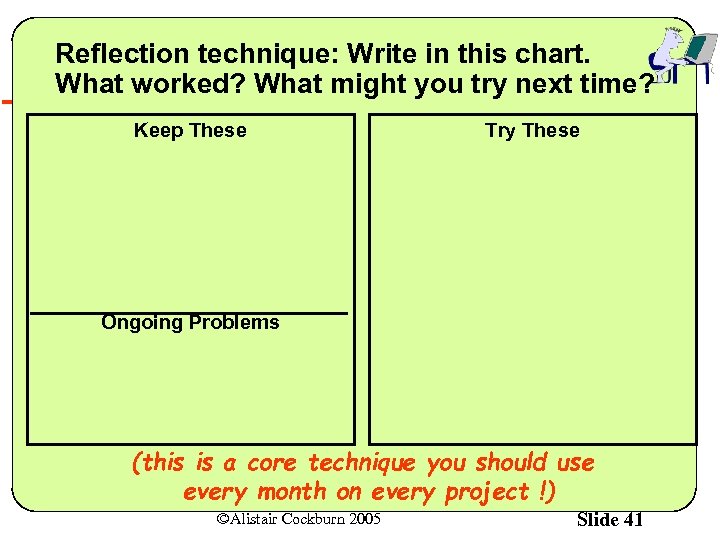 Reflection technique: Write in this chart. What worked? What might you try next time? Keep These Try These Ongoing Problems (this is a core technique you should use every month on every project !) ©Alistair Cockburn 2005 Slide 41
 Draw a Drawing 2 nd round -- 5 minutes 1. As before, but use incremental technique Specifiers describe only ONE shape. (Advanced teams: two people one shape each. ) 2. After Artists have drawn the shape, they cand send it (or copy) to the Specifiers to see. 3. Specifiers can decide whether to correct that shape, or go on with the next shape. (this corresponds to “incremental delivery” with product feedback. ) ©Alistair Cockburn 2005 Slide 42
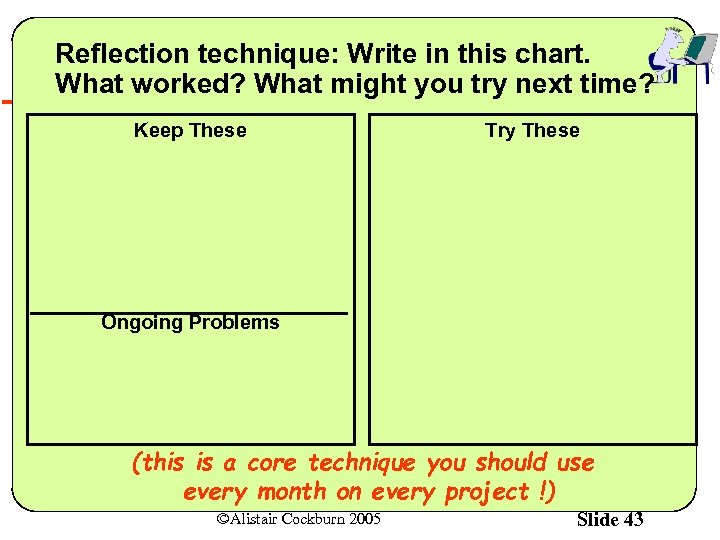 Reflection technique: Write in this chart. What worked? What might you try next time? Keep These Try These Ongoing Problems (this is a core technique you should use every month on every project !) ©Alistair Cockburn 2005 Slide 43
 PAUSE 5 MINUTES 1. Pause and reflect one more team. 2. Discuss and reflect: what went good and bad. 3. Look for creative ways to “cheat” legally. 4. Use the reflection technique & chart. 5. What would be actually the Best way to work? (if you could do anything) ©Alistair Cockburn 2005 Slide 44
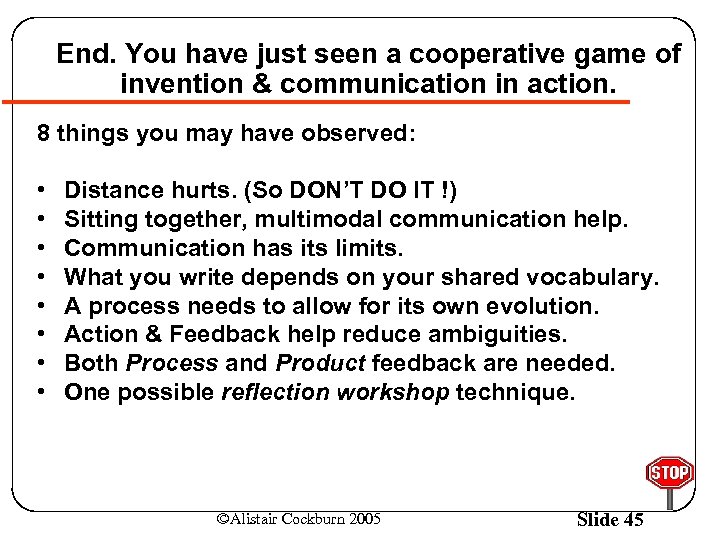 End. You have just seen a cooperative game of invention & communication in action. 8 things you may have observed: • • Distance hurts. (So DON’T DO IT !) Sitting together, multimodal communication help. Communication has its limits. What you write depends on your shared vocabulary. A process needs to allow for its own evolution. Action & Feedback help reduce ambiguities. Both Process and Product feedback are needed. One possible reflection workshop technique. ©Alistair Cockburn 2005 Slide 45
 Part 4: Exercises in use-case writing ©Alistair Cockburn 2005 Slide 46
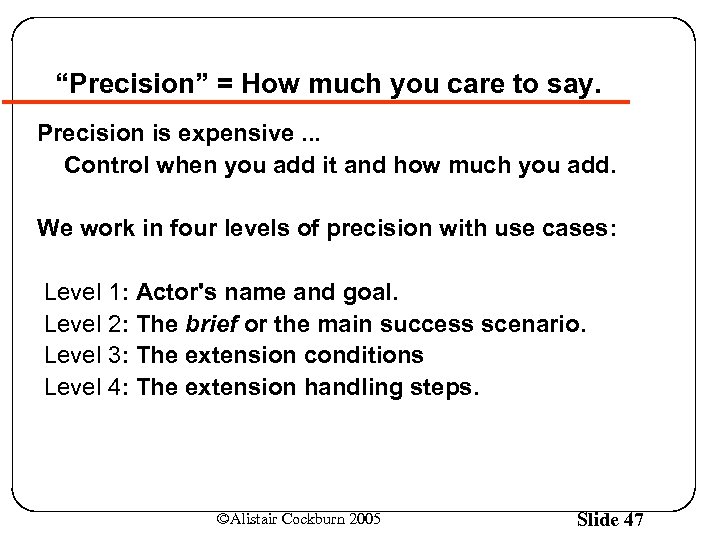 “Precision” = How much you care to say. Precision is expensive. . . Control when you add it and how much you add. We work in four levels of precision with use cases: Level 1: Actor's name and goal. Level 2: The brief or the main success scenario. Level 3: The extension conditions Level 4: The extension handling steps. ©Alistair Cockburn 2005 Slide 47
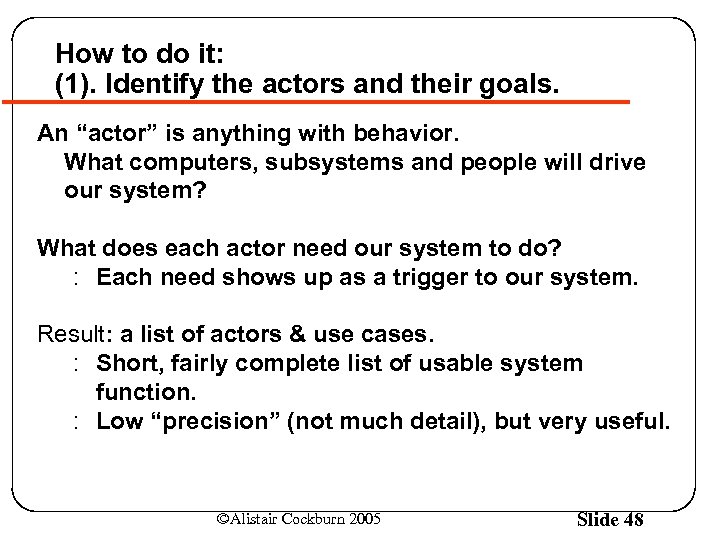 How to do it: (1). Identify the actors and their goals. An “actor” is anything with behavior. What computers, subsystems and people will drive our system? What does each actor need our system to do? : Each need shows up as a trigger to our system. Result: a list of actors & use cases. : Short, fairly complete list of usable system function. : Low “precision” (not much detail), but very useful. ©Alistair Cockburn 2005 Slide 48
 How to do it: For each use case. . . (2). Write the simple case: goal delivers. The main success scenario, the happy day case. : Easiest to read and understand. : Everything else is a complication on this. Capture each actor’s intent and responsibility, from trigger to goal delivery. : Say what information passes between them. : Number each line. Result: readable description of system’s function. ©Alistair Cockburn 2005 Slide 49
 How to do it: (3). Capture conditions needing other handling. Usually, each step can fail. Note the condition after the main success scenario. The value of extension scenarios is completeness, detecting unusual situations. “What if their credit is too low? ” “What if they run over the extended credit limit? ” “What if we cannot deliver the quantity? ” “What if data is corrupt in the database? ” (These are commonly overlooked situations) Result: list of alternate scenarios to work out (over time) ©Alistair Cockburn 2005 Slide 50
 How to do it: For each extension condition, (4). Follow the extension till it ends or rejoins. Recoverable extensions rejoin main course. Non-recoverable extensions fail directly. Each scenario goes from trigger to completion (success or failure) Result: Complete use case ©Alistair Cockburn 2005 Slide 51
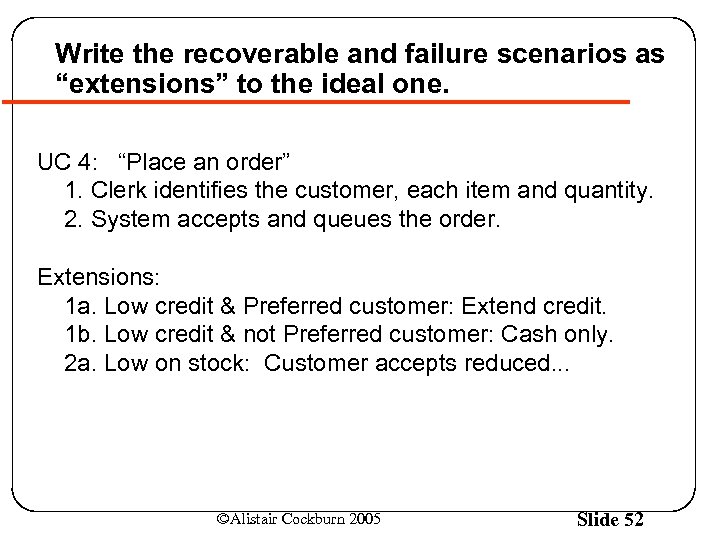 Write the recoverable and failure scenarios as “extensions” to the ideal one. UC 4: “Place an order” 1. Clerk identifies the customer, each item and quantity. 2. System accepts and queues the order. Extensions: 1 a. Low credit & Preferred customer: Extend credit. 1 b. Low credit & not Preferred customer: Cash only. 2 a. Low on stock: Customer accepts reduced. . . ©Alistair Cockburn 2005 Slide 52
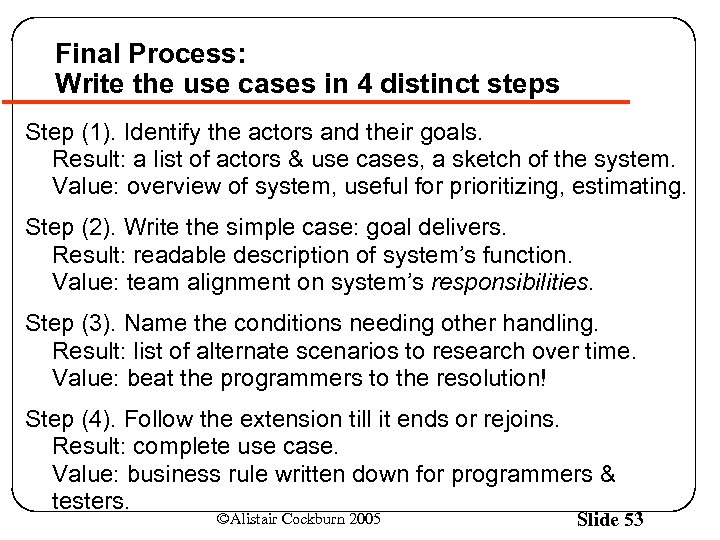 Final Process: Write the use cases in 4 distinct steps Step (1). Identify the actors and their goals. Result: a list of actors & use cases, a sketch of the system. Value: overview of system, useful for prioritizing, estimating. Step (2). Write the simple case: goal delivers. Result: readable description of system’s function. Value: team alignment on system’s responsibilities. Step (3). Name the conditions needing other handling. Result: list of alternate scenarios to research over time. Value: beat the programmers to the resolution! Step (4). Follow the extension till it ends or rejoins. Result: complete use case. Value: business rule written down for programmers & testers. ©Alistair Cockburn 2005 Slide 53
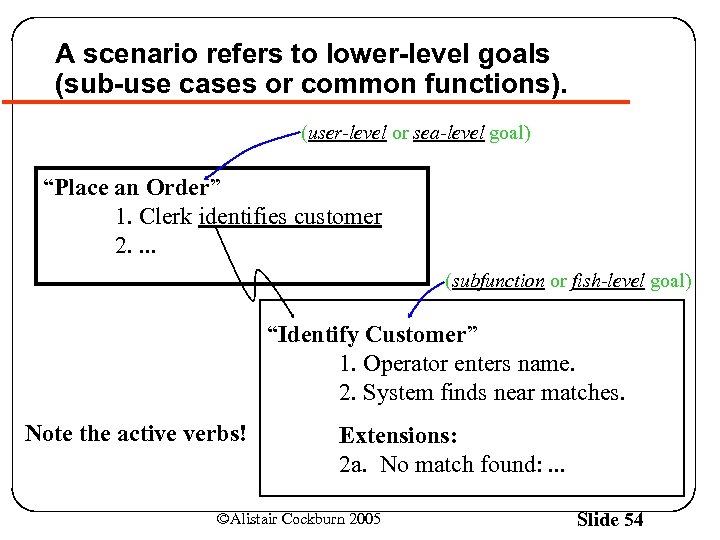 A scenario refers to lower-level goals (sub-use cases or common functions). (user-level or sea-level goal) “Place an Order” 1. Clerk identifies customer 2. . (subfunction or fish-level goal) “Identify Customer” 1. Operator enters name. 2. System finds near matches. Note the active verbs! Extensions: 2 a. No match found: . . . ©Alistair Cockburn 2005 Slide 54
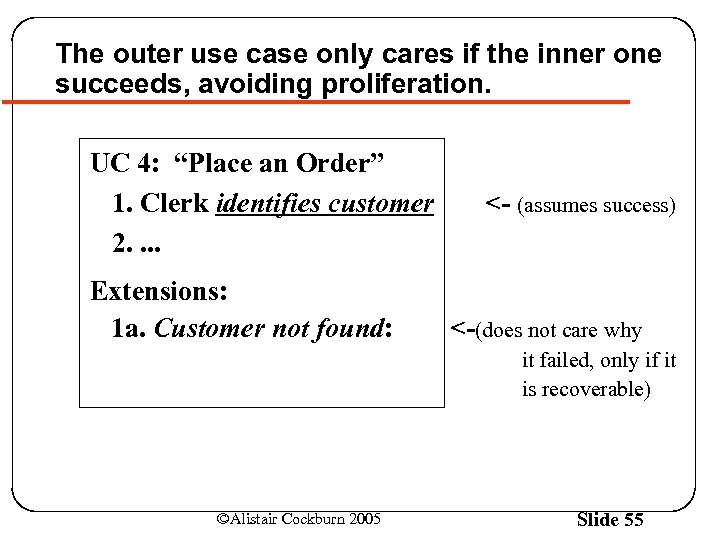 The outer use case only cares if the inner one succeeds, avoiding proliferation. UC 4: “Place an Order” 1. Clerk identifies customer 2. . Extensions: 1 a. Customer not found: <- (assumes success) <-(does not care why it failed, only if it is recoverable) ©Alistair Cockburn 2005 Slide 55
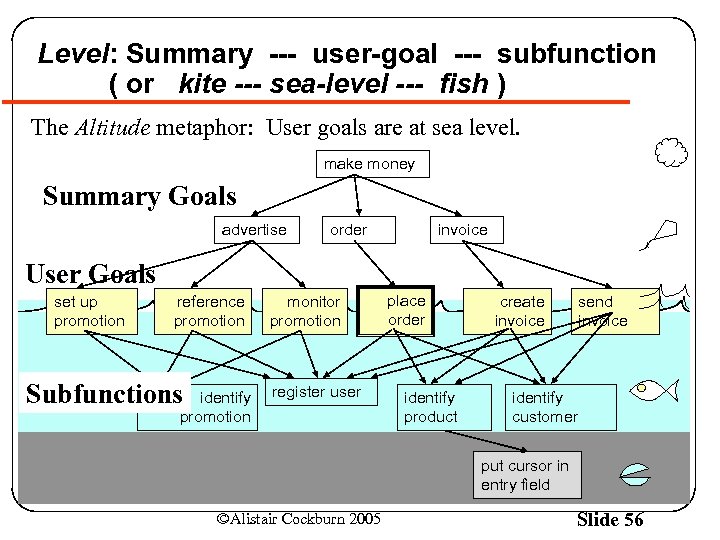 Level: Summary --- user-goal --- subfunction ( or kite --- sea-level --- fish ) The Altitude metaphor: User goals are at sea level. make money Summary Goals advertise order invoice User Goals set up promotion reference promotion Subfunctions identify promotion monitor promotion register user place order identify product create invoice send invoice identify customer put cursor in entry field ©Alistair Cockburn 2005 Slide 56
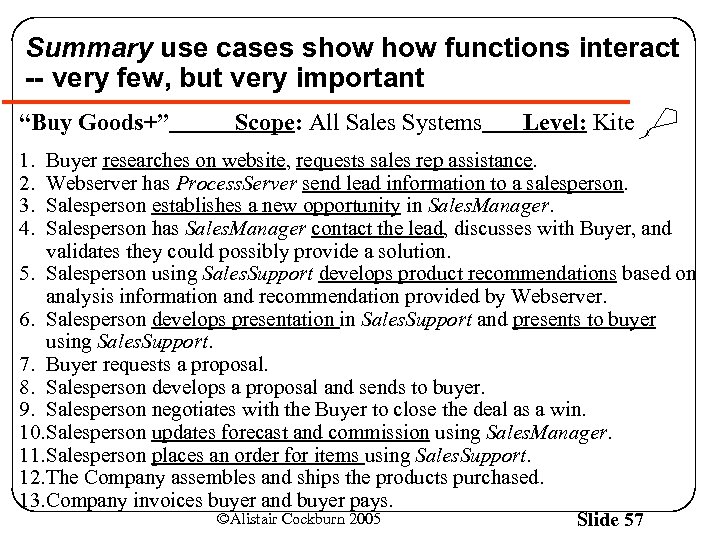 Summary use cases show functions interact -- very few, but very important “Buy Goods+” 1. 2. 3. 4. Scope: All Sales Systems Level: Kite Buyer researches on website, requests sales rep assistance. Webserver has Process. Server send lead information to a salesperson. Salesperson establishes a new opportunity in Sales. Manager. Salesperson has Sales. Manager contact the lead, discusses with Buyer, and validates they could possibly provide a solution. 5. Salesperson using Sales. Support develops product recommendations based on analysis information and recommendation provided by Webserver. 6. Salesperson develops presentation in Sales. Support and presents to buyer using Sales. Support. 7. Buyer requests a proposal. 8. Salesperson develops a proposal and sends to buyer. 9. Salesperson negotiates with the Buyer to close the deal as a win. 10. Salesperson updates forecast and commission using Sales. Manager. 11. Salesperson places an order for items using Sales. Support. 12. The Company assembles and ships the products purchased. 13. Company invoices buyer and buyer pays. ©Alistair Cockburn 2005 Slide 57
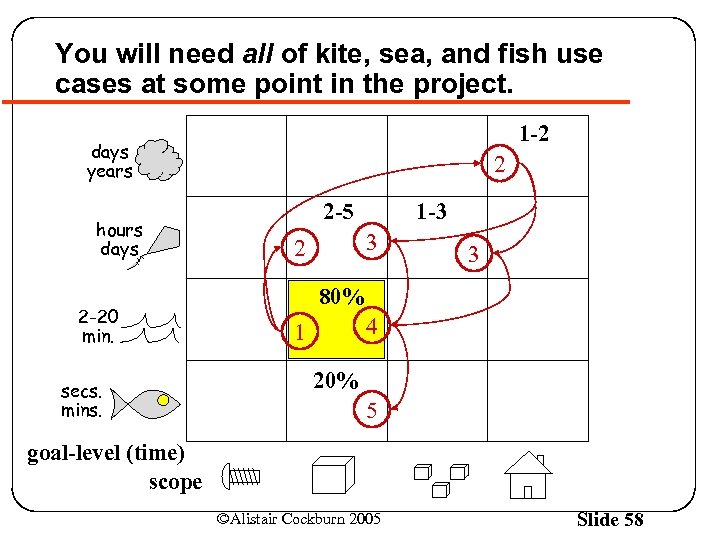 You will need all of kite, sea, and fish use cases at some point in the project. 1 -2 days years hours days 2 -20 min. secs. mins. 2 2 -5 1 -3 3 2 3 80% 4 1 20% 5 goal-level (time) scope ©Alistair Cockburn 2005 Slide 58
 Open Practice (Process Miniature): Create the use cases for a library-user counting device ©Alistair Cockburn 2005 Slide 59
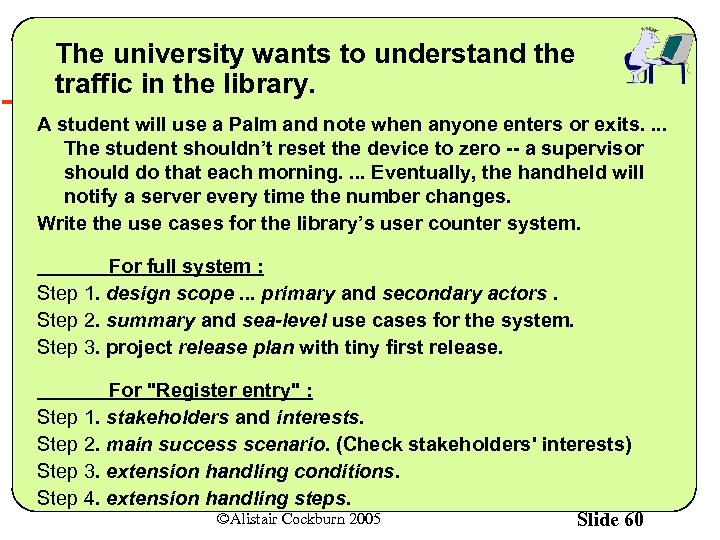 The university wants to understand the traffic in the library. A student will use a Palm and note when anyone enters or exits. . The student shouldn’t reset the device to zero -- a supervisor should do that each morning. . Eventually, the handheld will notify a server every time the number changes. Write the use cases for the library’s user counter system. For full system : Step 1. design scope. . . primary and secondary actors. Step 2. summary and sea-level use cases for the system. Step 3. project release plan with tiny first release. For "Register entry" : Step 1. stakeholders and interests. Step 2. main success scenario. (Check stakeholders' interests) Step 3. extension handling conditions. Step 4. extension handling steps. ©Alistair Cockburn 2005 Slide 60
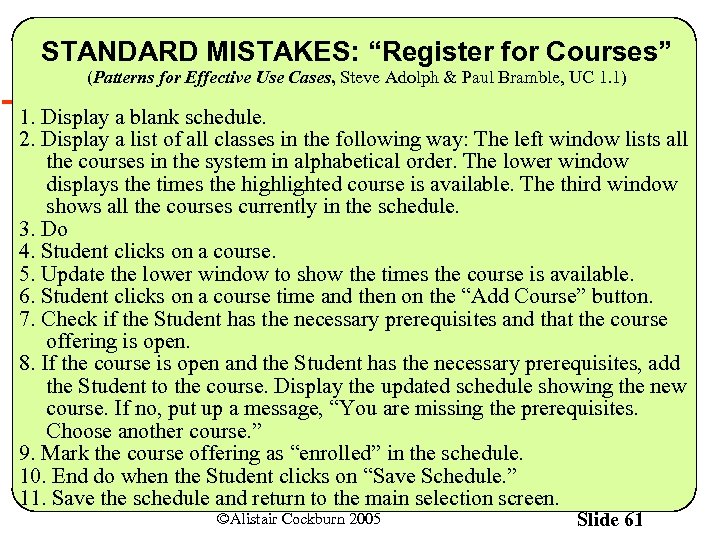 STANDARD MISTAKES: “Register for Courses” (Patterns for Effective Use Cases, Steve Adolph & Paul Bramble, UC 1. 1) 1. Display a blank schedule. 2. Display a list of all classes in the following way: The left window lists all the courses in the system in alphabetical order. The lower window displays the times the highlighted course is available. The third window shows all the courses currently in the schedule. 3. Do 4. Student clicks on a course. 5. Update the lower window to show the times the course is available. 6. Student clicks on a course time and then on the “Add Course” button. 7. Check if the Student has the necessary prerequisites and that the course offering is open. 8. If the course is open and the Student has the necessary prerequisites, add the Student to the course. Display the updated schedule showing the new course. If no, put up a message, “You are missing the prerequisites. Choose another course. ” 9. Mark the course offering as “enrolled” in the schedule. 10. End do when the Student clicks on “Save Schedule. ” 11. Save the schedule and return to the main selection screen. ©Alistair Cockburn 2005 Slide 61
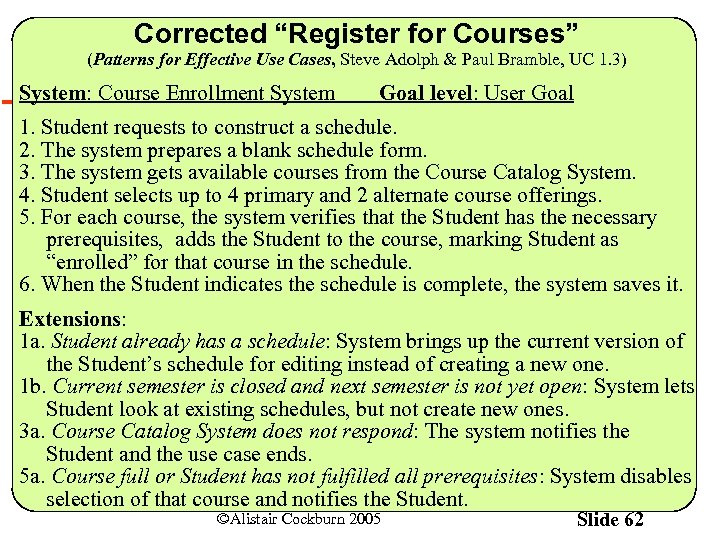 Corrected “Register for Courses” (Patterns for Effective Use Cases, Steve Adolph & Paul Bramble, UC 1. 3) System: Course Enrollment System Goal level: User Goal 1. Student requests to construct a schedule. 2. The system prepares a blank schedule form. 3. The system gets available courses from the Course Catalog System. 4. Student selects up to 4 primary and 2 alternate course offerings. 5. For each course, the system verifies that the Student has the necessary prerequisites, adds the Student to the course, marking Student as “enrolled” for that course in the schedule. 6. When the Student indicates the schedule is complete, the system saves it. Extensions: 1 a. Student already has a schedule: System brings up the current version of the Student’s schedule for editing instead of creating a new one. 1 b. Current semester is closed and next semester is not yet open: System lets Student look at existing schedules, but not create new ones. 3 a. Course Catalog System does not respond: The system notifies the Student and the use case ends. 5 a. Course full or Student has not fulfilled all prerequisites: System disables selection of that course and notifies the Student. ©Alistair Cockburn 2005 Slide 62
 Part 5: Using agile use cases Agile-ly ©Alistair Cockburn 2005 Slide 63
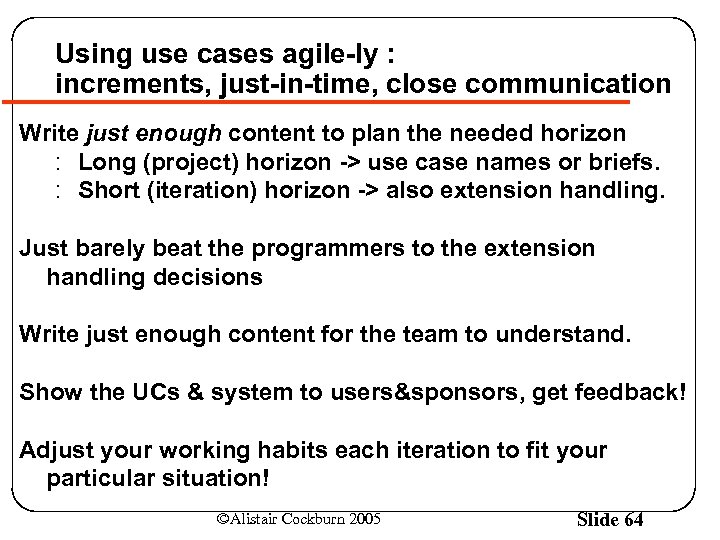 Using use cases agile-ly : increments, just-in-time, close communication Write just enough content to plan the needed horizon : Long (project) horizon -> use case names or briefs. : Short (iteration) horizon -> also extension handling. Just barely beat the programmers to the extension handling decisions Write just enough content for the team to understand. Show the UCs & system to users&sponsors, get feedback! Adjust your working habits each iteration to fit your particular situation! ©Alistair Cockburn 2005 Slide 64
 Always question how much to write at any given time • • How much do we need to write at this time? When do we need to write more? What is the fastest way to write/convey them? Who benefits from more information or more detail? ©Alistair Cockburn 2005 Slide 65
 Take advantage of available degrees of freedom in your process 1. Write less more clearly (always) 2. Write less (sometimes) 3. Shortcut the use case structure (sometimes) 4. Write later & shortcut the process (usually) ©Alistair Cockburn 2005 Slide 66
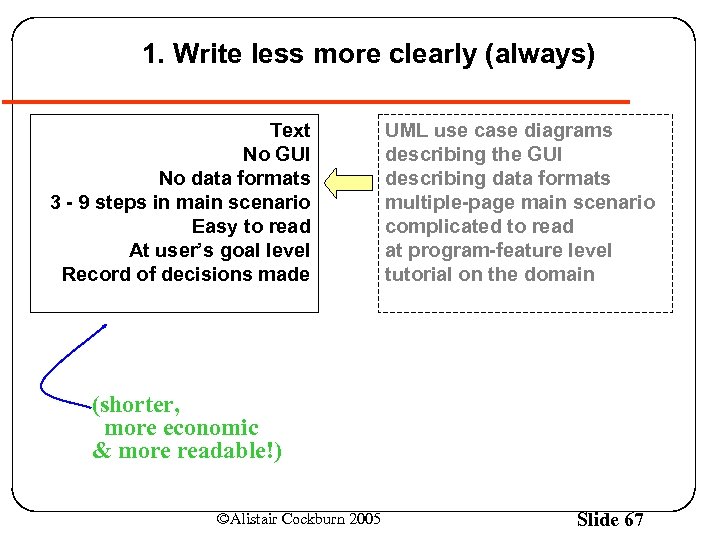 1. Write less more clearly (always) Text No GUI No data formats 3 - 9 steps in main scenario Easy to read At user’s goal level Record of decisions made UML use case diagrams describing the GUI describing data formats multiple-page main scenario complicated to read at program-feature level tutorial on the domain (shorter, more economic & more readable!) ©Alistair Cockburn 2005 Slide 67
 2. Write less (sometimes) the economics of communication • Fully dressed use cases (exhaustive, numbered) • Casual use cases (approximate, paragraph form) • Use case briefs (1 -2 sentences) The correct form to use depends on your project’s priorities and properties ! ©Alistair Cockburn 2005 Slide 68
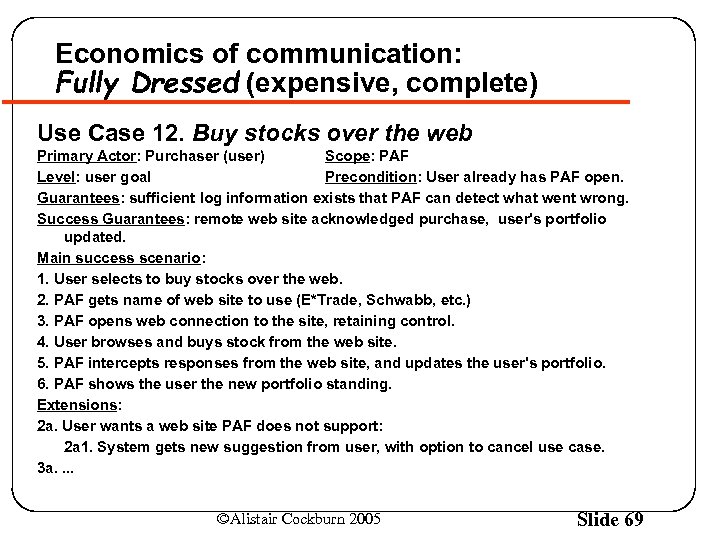 Economics of communication: Fully Dressed (expensive, complete) Use Case 12. Buy stocks over the web Primary Actor: Purchaser (user) Scope: PAF Level: user goal Precondition: User already has PAF open. Guarantees: sufficient log information exists that PAF can detect what went wrong. Success Guarantees: remote web site acknowledged purchase, user's portfolio updated. Main success scenario: 1. User selects to buy stocks over the web. 2. PAF gets name of web site to use (E*Trade, Schwabb, etc. ) 3. PAF opens web connection to the site, retaining control. 4. User browses and buys stock from the web site. 5. PAF intercepts responses from the web site, and updates the user's portfolio. 6. PAF shows the user the new portfolio standing. Extensions: 2 a. User wants a web site PAF does not support: 2 a 1. System gets new suggestion from user, with option to cancel use case. 3 a. . ©Alistair Cockburn 2005 Slide 69
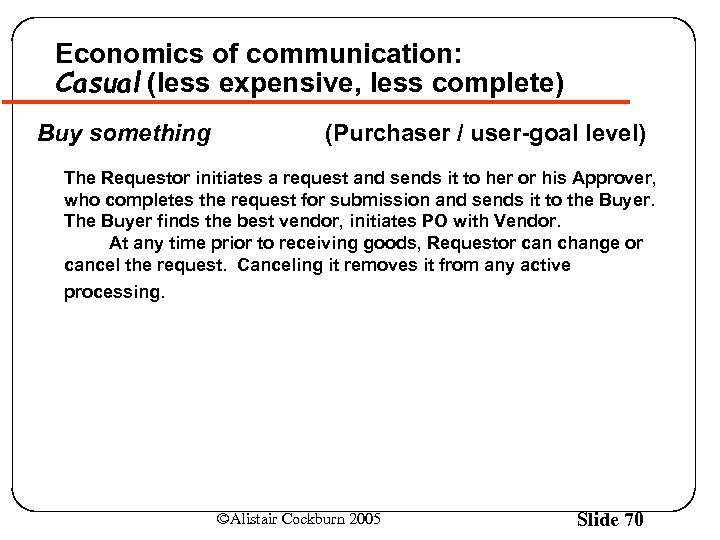 Economics of communication: Casual (less expensive, less complete) Buy something (Purchaser / user-goal level) The Requestor initiates a request and sends it to her or his Approver, who completes the request for submission and sends it to the Buyer. The Buyer finds the best vendor, initiates PO with Vendor. At any time prior to receiving goods, Requestor can change or cancel the request. Canceling it removes it from any active processing. ©Alistair Cockburn 2005 Slide 70
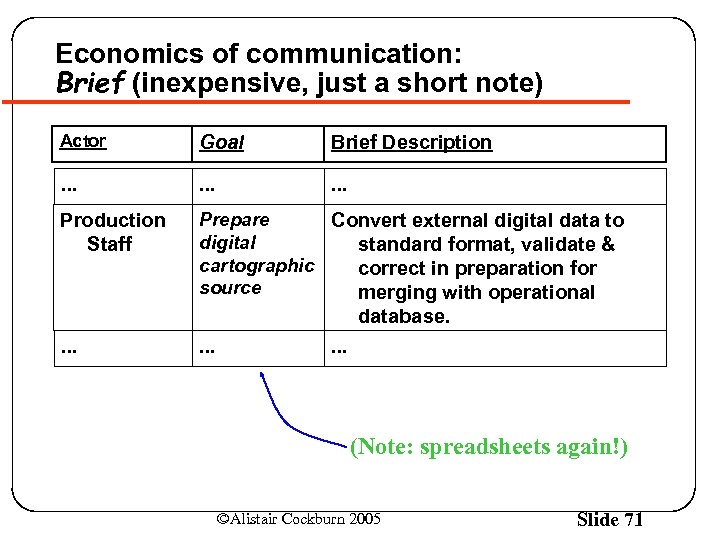 Economics of communication: Brief (inexpensive, just a short note) Actor Goal Brief Description . . Production Staff Prepare Convert external digital data to digital standard format, validate & cartographic correct in preparation for source merging with operational database. . (Note: spreadsheets again!) ©Alistair Cockburn 2005 Slide 71
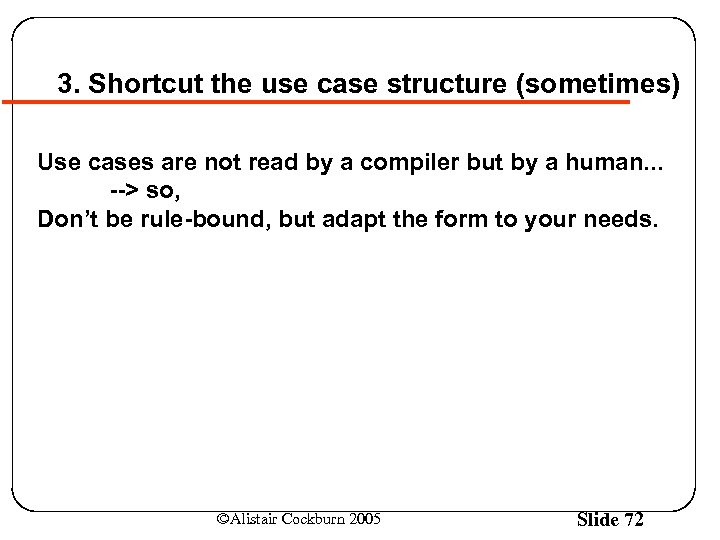 3. Shortcut the use case structure (sometimes) Use cases are not read by a compiler but by a human. . . --> so, Don’t be rule-bound, but adapt the form to your needs. ©Alistair Cockburn 2005 Slide 72
![Test department needs detailed requirements. Development can usually use agile ones. [generic process model]](https://present5.com/presentation/3b64665f6c9924adc21ea7e788e0b533/image-73.jpg "Test department needs detailed requirements. Development can usually use agile ones. [generic process model]") Test department needs detailed requirements. Development can usually use agile ones. [generic process model] (Shorter, cheaper, easier to read, more stable (agile) use cases) Usage expert (Development department) R Use cases Domain expert D UI descr. D R Data formats R D Program Tests (Test department) (Detailed, expensive, long, tedious, brittle use cases) ©Alistair Cockburn 2005 Slide 73
Test department needs detailed requirements. Development can usually use agile ones. [generic process model] (Shorter, cheaper, easier to read, more stable (agile) use cases) Usage expert (Development department) R Use cases Domain expert D UI descr. D R Data formats R D Program Tests (Test department) (Detailed, expensive, long, tedious, brittle use cases) ©Alistair Cockburn 2005 Slide 73
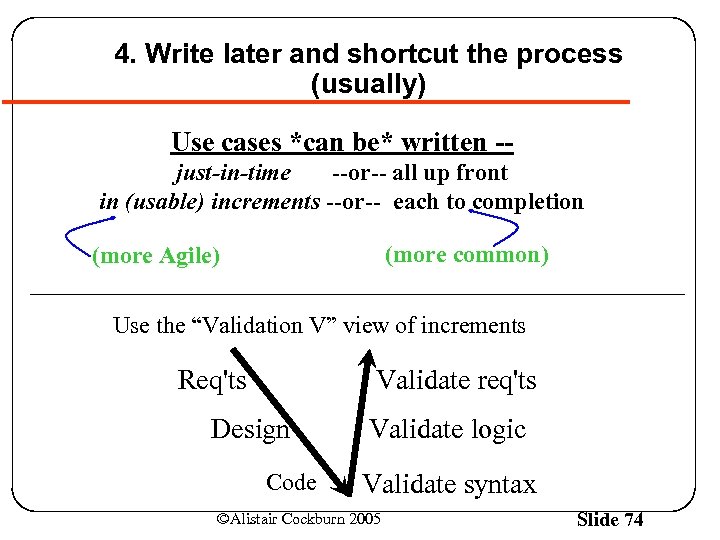 4. Write later and shortcut the process (usually) Use cases *can be* written -just-in-time --or-- all up front in (usable) increments --or-- each to completion (more common) (more Agile) Use the “Validation V” view of increments Req'ts Validate req'ts Design Code Validate logic Validate syntax ©Alistair Cockburn 2005 Slide 74
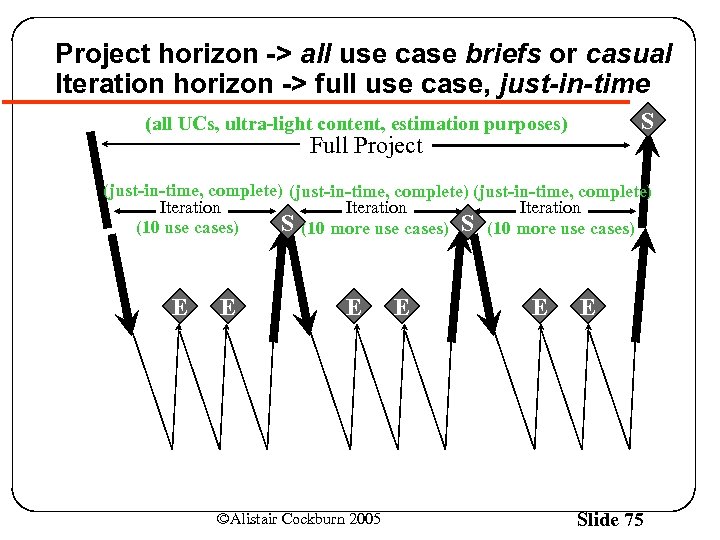 Project horizon -> all use case briefs or casual Iteration horizon -> full use case, just-in-time S (all UCs, ultra-light content, estimation purposes) Full Project (just-in-time, complete) Iteration S (10 more use cases) (10 use cases) E E E ©Alistair Cockburn 2005 E E E Slide 75
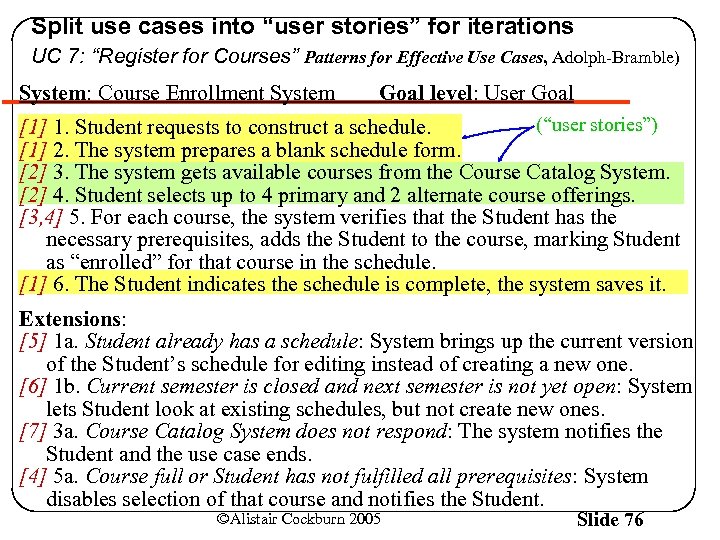 Split use cases into “user stories” for iterations UC 7: “Register for Courses” Patterns for Effective Use Cases, Adolph-Bramble) System: Course Enrollment System Goal level: User Goal (“user stories”) [1] 1. Student requests to construct a schedule. [1] 2. The system prepares a blank schedule form. [2] 3. The system gets available courses from the Course Catalog System. [2] 4. Student selects up to 4 primary and 2 alternate course offerings. [3, 4] 5. For each course, the system verifies that the Student has the necessary prerequisites, adds the Student to the course, marking Student as “enrolled” for that course in the schedule. [1] 6. The Student indicates the schedule is complete, the system saves it. Extensions: [5] 1 a. Student already has a schedule: System brings up the current version of the Student’s schedule for editing instead of creating a new one. [6] 1 b. Current semester is closed and next semester is not yet open: System lets Student look at existing schedules, but not create new ones. [7] 3 a. Course Catalog System does not respond: The system notifies the Student and the use case ends. [4] 5 a. Course full or Student has not fulfilled all prerequisites: System disables selection of that course and notifies the Student. ©Alistair Cockburn 2005 Slide 76
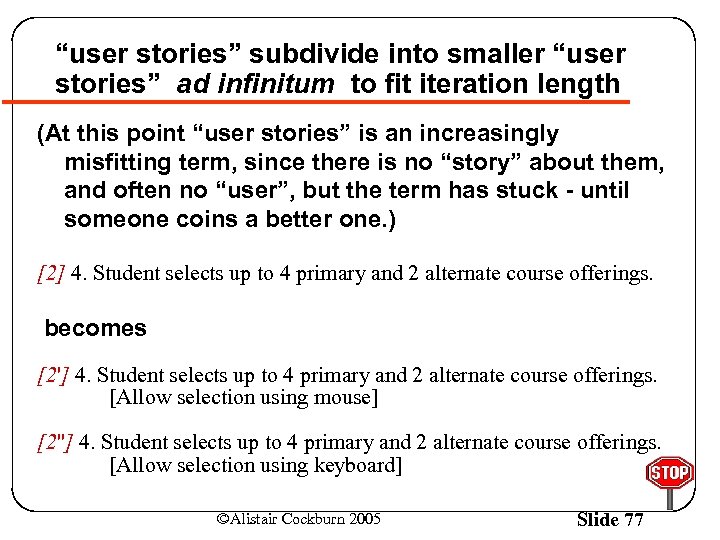 “user stories” subdivide into smaller “user stories” ad infinitum to fit iteration length (At this point “user stories” is an increasingly misfitting term, since there is no “story” about them, and often no “user”, but the term has stuck - until someone coins a better one. ) [2] 4. Student selects up to 4 primary and 2 alternate course offerings. becomes [2'] 4. Student selects up to 4 primary and 2 alternate course offerings. [Allow selection using mouse] [2''] 4. Student selects up to 4 primary and 2 alternate course offerings. [Allow selection using keyboard] ©Alistair Cockburn 2005 Slide 77
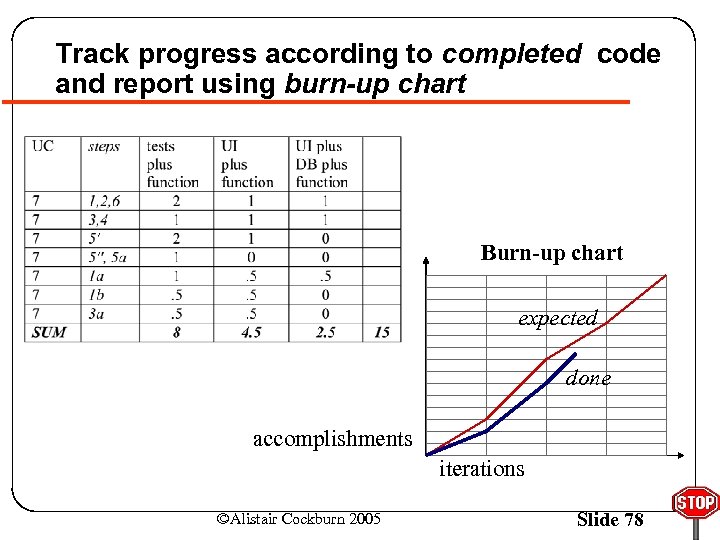 Track progress according to completed code and report using burn-up chart Burn-up chart expected done accomplishments iterations ©Alistair Cockburn 2005 Slide 78
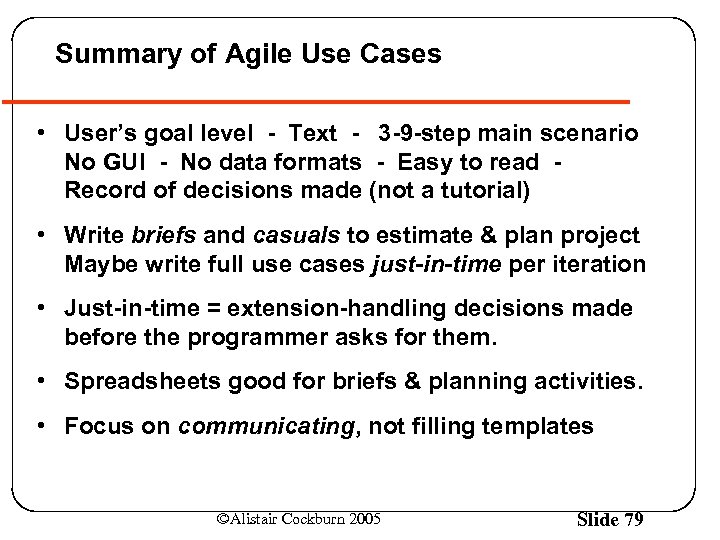 Summary of Agile Use Cases • User’s goal level - Text - 3 -9 -step main scenario No GUI - No data formats - Easy to read Record of decisions made (not a tutorial) • Write briefs and casuals to estimate & plan project Maybe write full use cases just-in-time per iteration • Just-in-time = extension-handling decisions made before the programmer asks for them. • Spreadsheets good for briefs & planning activities. • Focus on communicating, not filling templates ©Alistair Cockburn 2005 Slide 79
 Agile & Use Cases Alistair Cockburn Humans and Technology acockburn@aol. com http: //Alistair. Cockburn. us ©Alistair Cockburn 2005 Slide 80