


 Скачать презентацию Use Case Modeling — I Lecture 26
4b27fe0145e9e5c03095fca4a4f9e4bb.ppt
- Количество слайдов: 34
 Use Case Modeling - I Lecture # 26 1
 Introduction - 1 • No system exists in isolation. Every interesting system interacts with human or automated actors that use that system for some purpose, and those actors expect that system to behave in predictable ways 2
 Introduction - 2 • A use case specifies the behavior of a system or part of a system • It is a description of a set of sequences of actions, including variants, that a system performs to yield an observable result of value to an actor 3
 Introduction - 3 • They are used in requirements elicitation process • Use cases are applied to capture the intended behavior of the system under development, without having to specify how the behavior is implemented • They provide a way for developers, end users, and domain experts to come to a common understanding 4
 Introduction - 4 • Use cases serve to help validate the architecture and to verify the system as it evolves during development • Use cases are realized by collaborations whose elements work together to carry out each use case 5
 Introduction - 5 • Well-structured use cases denote essential system or subsystem behaviors only • They are neither overly general nor too specific 6
 How Things Are Used in Real World? • A house is built around the needs of occupants – How they will use their house? • A car is built around the needs of drivers and passengers – How will they use that car? • This is en example of use case-based analysis 7
 Use Cases - 1 • Use case is a description of a set of sequences of actions, including variants, that a system performs to yield an observable result of value to an actor • There a number of important parts to this definition 8
 Use Cases - 2 • A use case describes a set of sequences, in which each sequence represents the interaction of the things outside the system (its actors) with the system itself • A use case represents a functional requirement of the system as a whole 9
 Use Cases - 3 • An actor represents a coherent set of roles that users of use cases play when interacting with these use cases • Actors can be human or they can be automated systems 10
 Use Cases - 4 • One central use case of a bank is to process loans • In modeling a bank, processing a loan involves, among other things, the interaction between a customer and a loan officer 11
 Use Cases - 5 • A use case may have variants • In all interesting systems, you will find use cases that are specialized versions of other use cases, use cases that are included as part of other use cases, and use cases that extend the behavior of other core use cases 12
 Use Cases - 6 • You can factor the common, reusable behavior of a set of use cases by organizing them according to these three kinds of relationships 13
 Use Cases - 7 • A use carries out some tangible amount of work • From the perspective of a given actor, a use case does something that’s of value to an actor • In modeling a bank, a processing of loan results in the delivery of an approved loan 14
 Use Cases - 8 • Use cases can be applied to the whole system, part of a system (including subsystems), and even individual classes and interface • Use cases not only represent the desired behavior, but can also be used as the basis of test cases for these elements as they evolve during development 15
 Use Cases - 9 • Use cases applied to whole system are excellent sources of integration and system tests • Use cases applied to subsystems are excellent sources of regression tests • The UML provides a graphical representation of a use case (an eclipse) and an actor (a stick figure) 16
 Use Case Names - 1 • Every use case must have a name that distinguishes it from other use cases • A name is a textual string, consisting of any number of letters, numbers, and most punctuation marks • In practice, use case names are short active verb phrases naming some behavior found in the vocabulary of the system being modeled 17
 Use Case Names - 2 • A name alone is known as simple name • A path name is the use case name prefixed by the name of the package in which that use case lives • It must be unique within its enclosing package 18
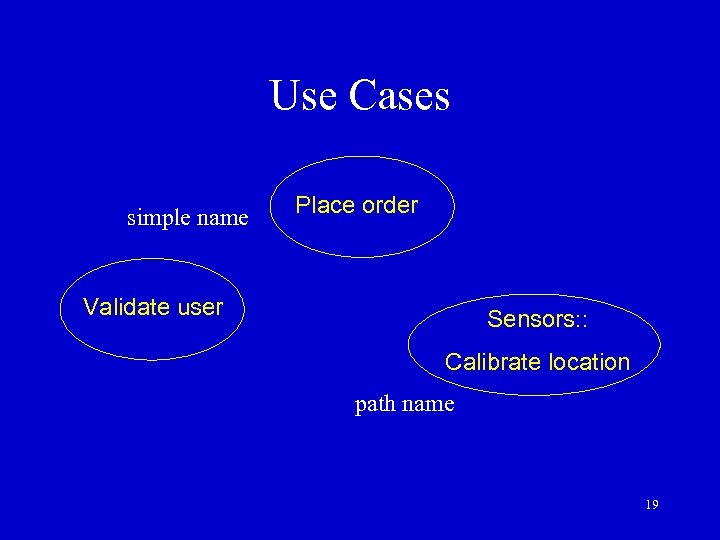 Use Cases simple name Place order Validate user Sensors: : Calibrate location path name 19
 Actors - 1 • An actor represents a coherent set of roles that users of use cases play when interacting with the use cases • Typically, an actor represents a role that a human, a hardware device, or even another system plays with a system 20
 Actors - 2 • Actors can be of general kind • They can also be specialized using generalization relationship 21
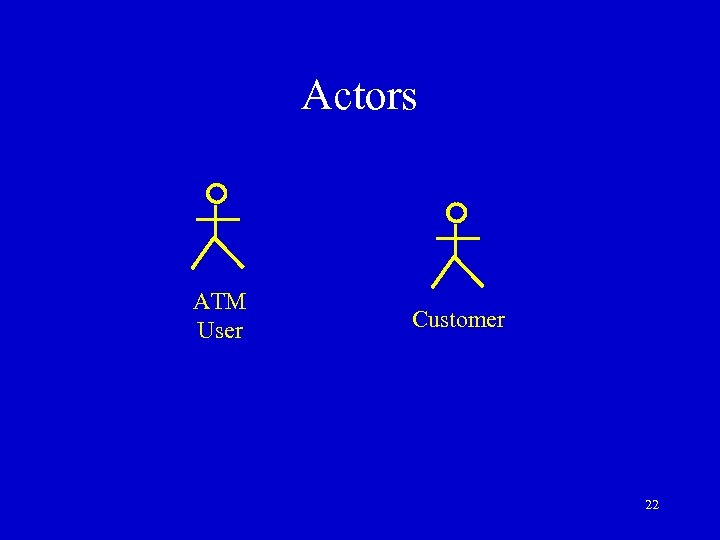 Actors ATM User Customer 22
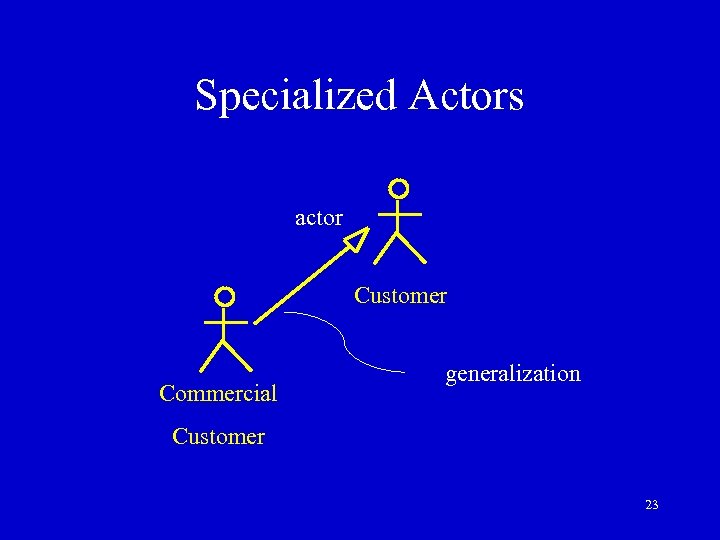 Specialized Actors actor Customer Commercial generalization Customer 23
 Use Case Diagrams - 1 • A use case diagram is the diagram that shows a set of use cases and actors and their relationships • It has a name and graphical contents that are a projection into a model 24
 Contents of Use Case Diagrams • Use cases • Actors • Dependency, generalization, and association relationships 25
 Use Case Diagrams - 2 • Actors may be connected to use cases only by association • An association between an actor and a use case indicates that the actor and the use case communicate with one another, each one possibly sending and receiving messages 26
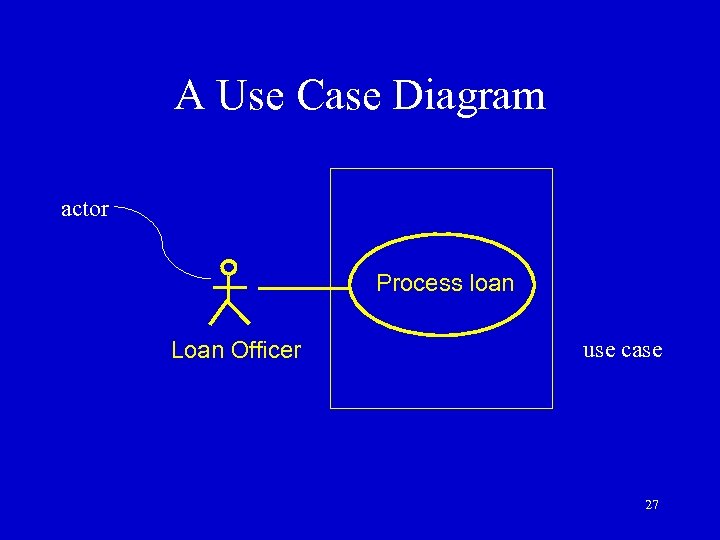 A Use Case Diagram actor Process loan Loan Officer use case 27
 Use Case Diagrams - 3 • Use case diagrams are used to model the use case view of the system being modeled • This involves modeling the context of a system, subsystem, or class, or modeling requirements of the behavior of these elements 28
 Identifying Use Cases - 1 • What functions will the actor want from the system? • Does the system store information? What actors will create, read, update, or delete that information? • Does the system need to notify an actor about changes in its internal state? 29
 Identifying Use Cases - 2 • Are there any external events that the system must know about? What actor informs the system about those events? • Startup, shutdown, diagnostics, installation, training, changing a business process 30
 Documenting Use Cases - 1 • Includes basic functionality, alternatives, error conditions, preconditions, post-conditions • Preconditions - the state the system must be in at the start of the use case • Post-conditions - the state the system must be in at the end of the use case 31
 Documenting Use Cases - 2 • Flow of events - a series of declarative statements listing the steps of a use case from the actor’s point of view • Alternatives - allows a different sequence of events than what was used for the basic path 32
 Summary • Introduced the concept of Use Case Modeling • Use case diagram contains Use Case, Actors and their Relationships • The Use Case is documented by stating the flow of events from the actor’s point of view 33
 References • ‘The Unified Modeling Language User Guide’ by G. Booch, J. Rambaugh, & I. Jacobson, Addison-Wesley, 1998 • ‘The Unified Modeling Language Reference Guide’ by J. Rambaugh, G. Booch, & I. Jacobson, Addison. Wesley, 1998 34