 Скачать презентацию Usable Security for Wi-Fi LANs Dr José Carlos
fdf07a13d851fc1b347d2801c0bf520c.ppt
- Количество слайдов: 36



Usable Security for Wi-Fi LANs Dr. José Carlos Brustoloni Dept. Computer Science University of Pittsburgh jcb@cs. pitt. edu Joint work with Haidong Xia May 16, 2006 Jose' Brustoloni
Motivation Weaknesses of original Wi-Fi security wellpublicized ♦ However, poor usability is arguably the more worrisome problem ♦ about 2 out of every 3 Wi-Fi networks are open - anybody can get in Ø about 1 out of every 3 Wi-Fi networks operate in out-of-the-box configuration with default passwords - anybody can change firmware Ø May 16, 2006 Jose' Brustoloni 2
How can security be made more usable? In general, there are three alternatives 1. Make security transparent / “just work” 2. Improve user interfaces for security functions 3. Better educate/train users We exploit and compare all three alternatives in this work May 16, 2006 Jose' Brustoloni 3
What do Wi-Fi hotspots do? Need to interoperate readily with whatever hardware/software users have ♦ No on-site tech support available ♦ Primary security concern is theft of service ♦ Increasing concern about man-in-the-middle (aka “evil twin” or rogue access point attack) ♦ May 16, 2006 Jose' Brustoloni 4
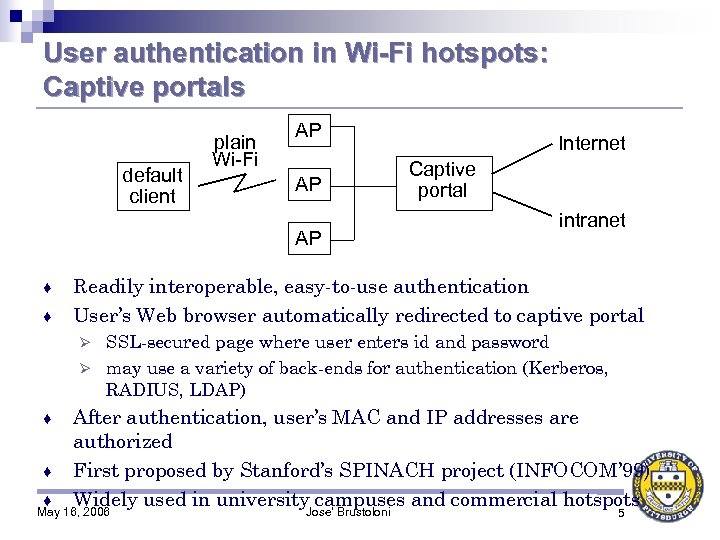
User authentication in Wi-Fi hotspots: Captive portals default client plain Wi-Fi AP AP AP ♦ ♦ Internet Captive portal intranet Readily interoperable, easy-to-use authentication User’s Web browser automatically redirected to captive portal SSL-secured page where user enters id and password Ø may use a variety of back-ends for authentication (Kerberos, RADIUS, LDAP) Ø After authentication, user’s MAC and IP addresses are authorized ♦ First proposed by Stanford’s SPINACH project (INFOCOM’ 99) ♦ Widely used in university campuses and commercial hotspots May 16, 2006 Jose' Brustoloni ♦ 5
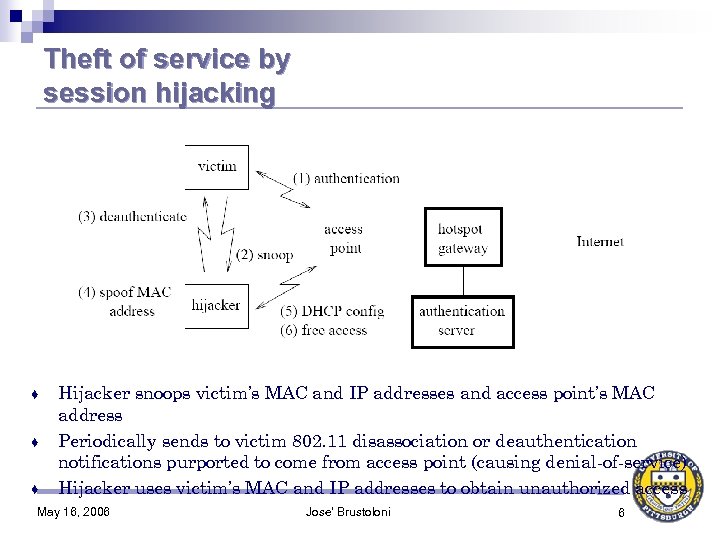
Theft of service by session hijacking ♦ ♦ ♦ Hijacker snoops victim’s MAC and IP addresses and access point’s MAC address Periodically sends to victim 802. 11 disassociation or deauthentication notifications purported to come from access point (causing denial-of-service) Hijacker uses victim’s MAC and IP addresses to obtain unauthorized access May 16, 2006 Jose' Brustoloni 6
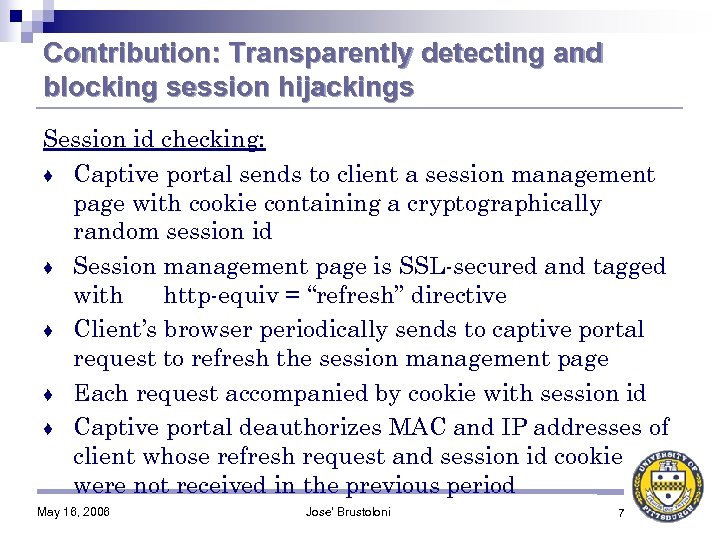
Contribution: Transparently detecting and blocking session hijackings Session id checking: ♦ Captive portal sends to client a session management page with cookie containing a cryptographically random session id ♦ Session management page is SSL-secured and tagged with http-equiv = “refresh” directive ♦ Client’s browser periodically sends to captive portal request to refresh the session management page ♦ Each request accompanied by cookie with session id ♦ Captive portal deauthorizes MAC and IP addresses of client whose refresh request and session id cookie were not received in the previous period May 16, 2006 Jose' Brustoloni 7
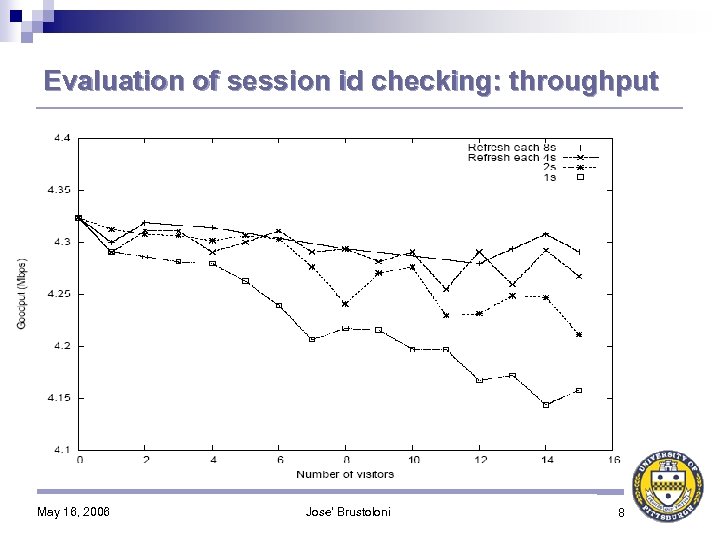
Evaluation of session id checking: throughput May 16, 2006 Jose' Brustoloni 8
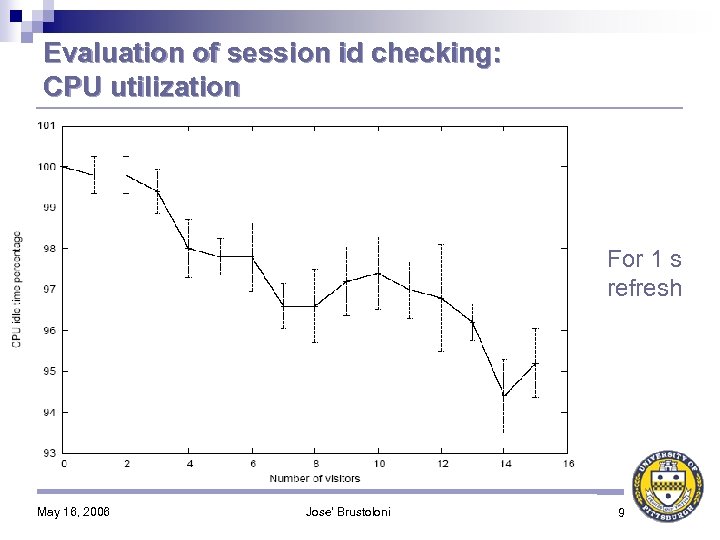
Evaluation of session id checking: CPU utilization For 1 s refresh May 16, 2006 Jose' Brustoloni 9
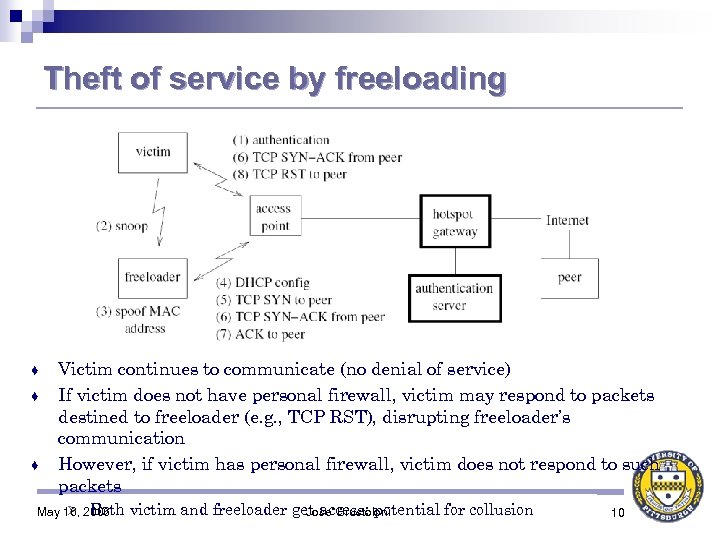
Theft of service by freeloading ♦ ♦ ♦ Victim continues to communicate (no denial of service) If victim does not have personal firewall, victim may respond to packets destined to freeloader (e. g. , TCP RST), disrupting freeloader’s communication However, if victim has personal firewall, victim does not respond to such packets Ø Both May 16, 2006 victim and freeloader get access: potential for collusion Jose' Brustoloni 10
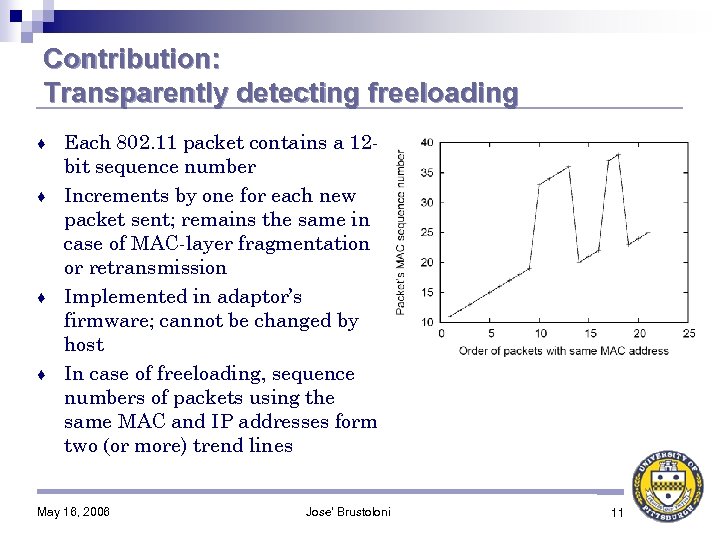
Contribution: Transparently detecting freeloading Each 802. 11 packet contains a 12 bit sequence number ♦ Increments by one for each new packet sent; remains the same in case of MAC-layer fragmentation or retransmission ♦ Implemented in adaptor’s firmware; cannot be changed by host ♦ In case of freeloading, sequence numbers of packets using the same MAC and IP addresses form two (or more) trend lines ♦ May 16, 2006 Jose' Brustoloni 11
Blocking freeloading MAC sequence number tracking: Access point tracks MAC sequence numbers of packets from each associated client ♦ In case MAC sequence number returns from a trend line to the previous trend line, access point notifies captive portal for deauthorizing client’s MAC and IP addresses ♦ May 16, 2006 Jose' Brustoloni 12
Evaluation of MAC sequence number tracking ♦ Passive technique: no network overhead Ø little CPU or memory requirements Ø ♦ In summary, theft of service problem can be solved in a manner that users find transparent / intuitive May 16, 2006 Jose' Brustoloni 13
Client-side security Users expected to use SSL, SSH, or IPsec to protect their communication ♦ Well-studied, trusted protocols ♦ In principle, should provide all security users would need ♦ But do users actually use these protocols securely? ♦ Ø Surprisingly, expectation not actually substantiated by research May 16, 2006 Jose' Brustoloni 14
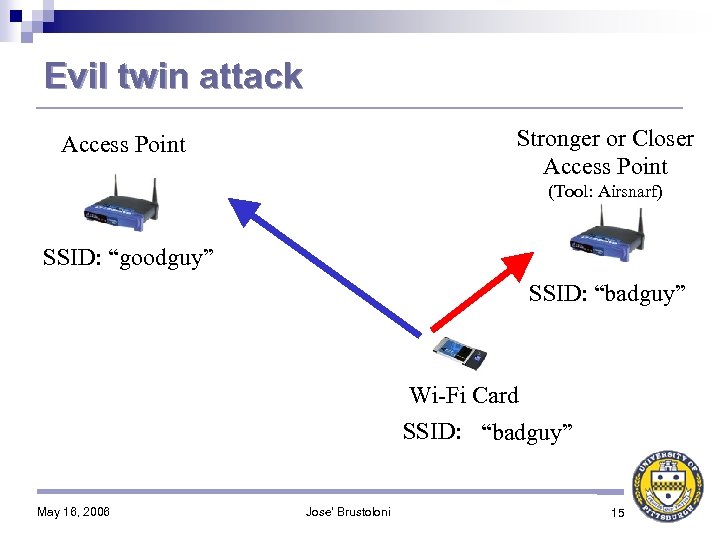
Evil twin attack Stronger or Closer Access Point (Tool: Airsnarf) SSID: “goodguy” SSID: “badguy” Wi-Fi Card SSID: “ANY” “goodguy” “badguy” May 16, 2006 Jose' Brustoloni 15
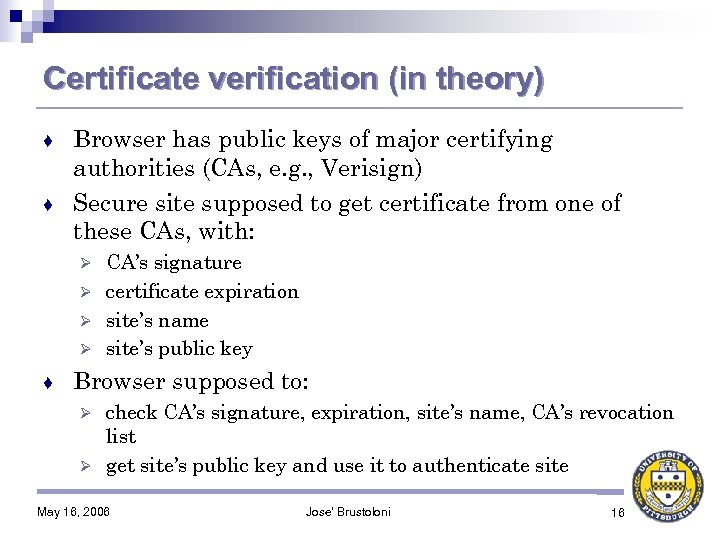
Certificate verification (in theory) Browser has public keys of major certifying authorities (CAs, e. g. , Verisign) ♦ Secure site supposed to get certificate from one of these CAs, with: ♦ CA’s signature Ø certificate expiration Ø site’s name Ø site’s public key Ø ♦ Browser supposed to: check CA’s signature, expiration, site’s name, CA’s revocation list Ø get site’s public key and use it to authenticate site Ø May 16, 2006 Jose' Brustoloni 16
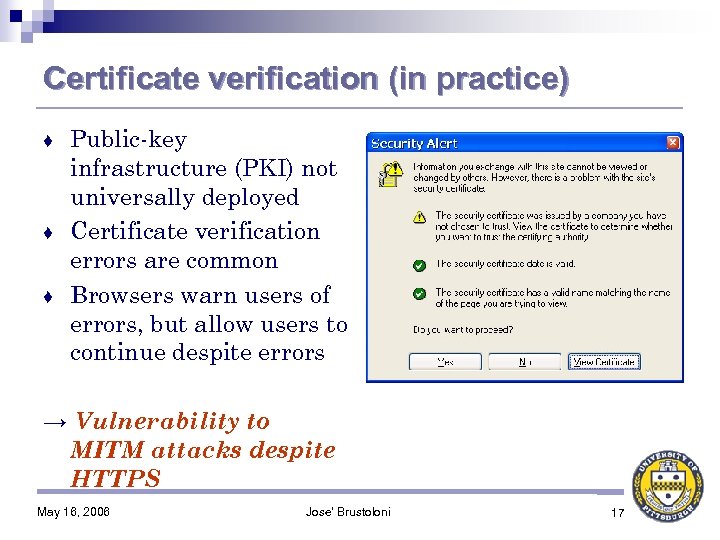
Certificate verification (in practice) Public-key infrastructure (PKI) not universally deployed ♦ Certificate verification errors are common ♦ Browsers warn users of errors, but allow users to continue despite errors ♦ → Vulnerability to MITM attacks despite HTTPS May 16, 2006 Jose' Brustoloni 17
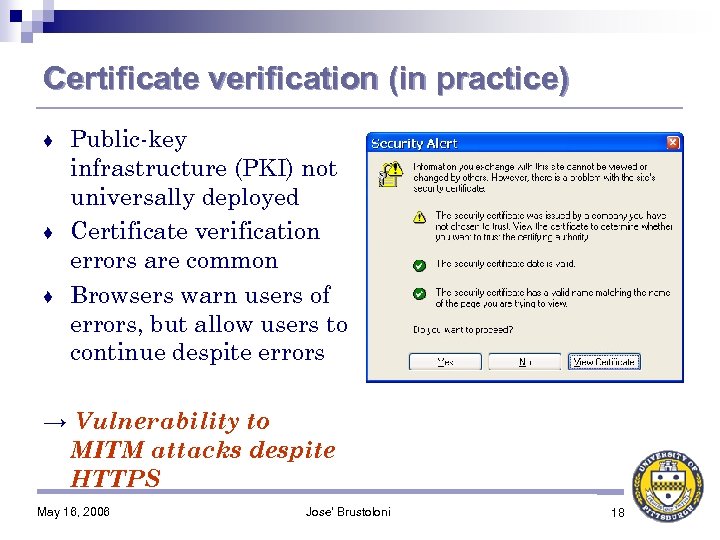
Certificate verification (in practice) Public-key infrastructure (PKI) not universally deployed ♦ Certificate verification errors are common ♦ Browsers warn users of errors, but allow users to continue despite errors ♦ → Vulnerability to MITM attacks despite HTTPS May 16, 2006 Jose' Brustoloni 18
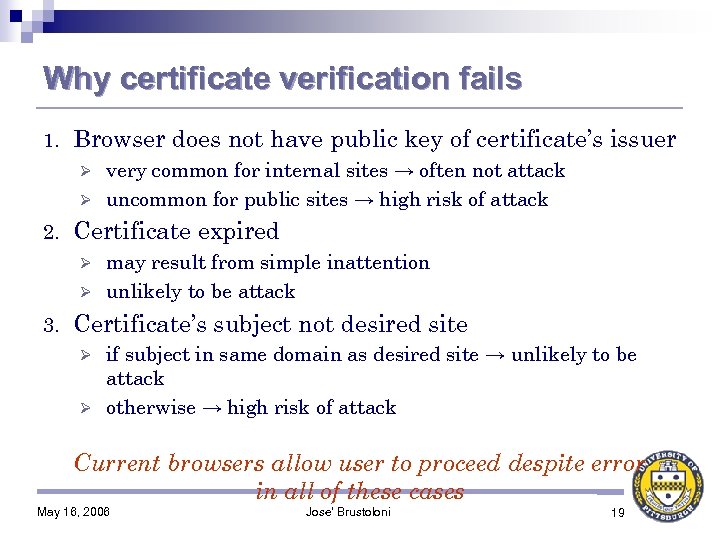
Why certificate verification fails 1. Browser does not have public key of certificate’s issuer very common for internal sites → often not attack Ø uncommon for public sites → high risk of attack Ø 2. Certificate expired may result from simple inattention Ø unlikely to be attack Ø 3. Certificate’s subject not desired site if subject in same domain as desired site → unlikely to be attack Ø otherwise → high risk of attack Ø Current browsers allow user to proceed despite error in all of these cases May 16, 2006 Jose' Brustoloni 19
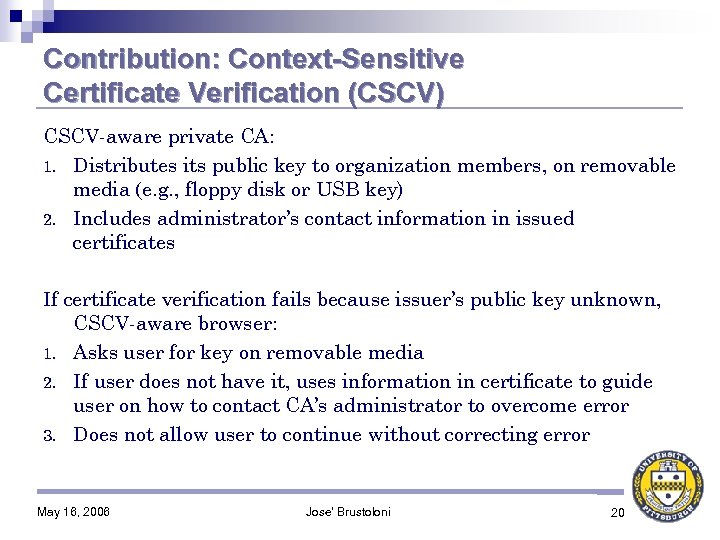
Contribution: Context-Sensitive Certificate Verification (CSCV) CSCV-aware private CA: 1. Distributes its public key to organization members, on removable media (e. g. , floppy disk or USB key) 2. Includes administrator’s contact information in issued certificates If certificate verification fails because issuer’s public key unknown, CSCV-aware browser: 1. Asks user for key on removable media 2. If user does not have it, uses information in certificate to guide user on how to contact CA’s administrator to overcome error 3. Does not allow user to continue without correcting error May 16, 2006 Jose' Brustoloni 20
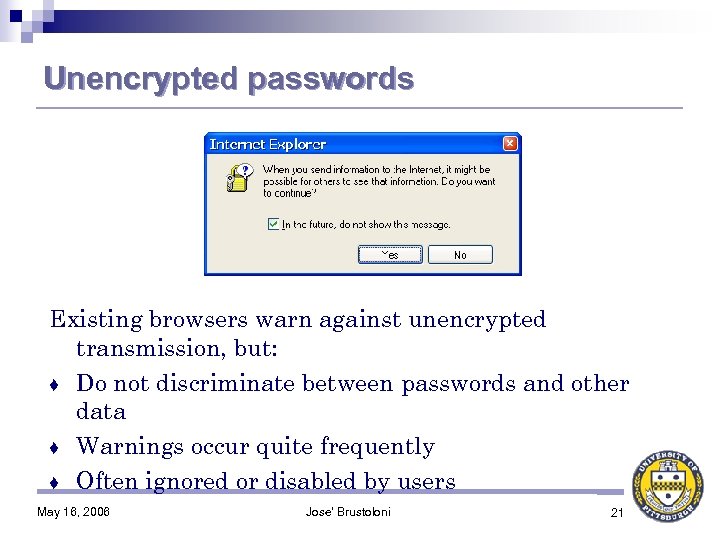
Unencrypted passwords Existing browsers warn against unencrypted transmission, but: ♦ Do not discriminate between passwords and other data ♦ Warnings occur quite frequently ♦ Often ignored or disabled by users May 16, 2006 Jose' Brustoloni 21
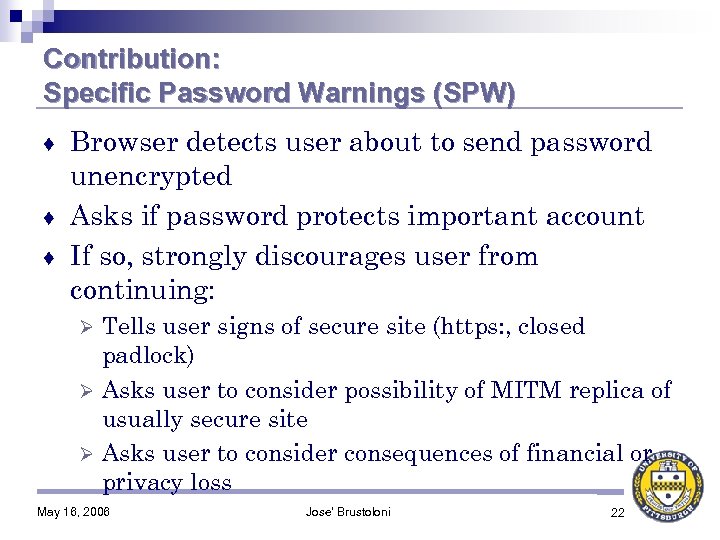
Contribution: Specific Password Warnings (SPW) Browser detects user about to send password unencrypted ♦ Asks if password protects important account ♦ If so, strongly discourages user from continuing: ♦ Tells user signs of secure site (https: , closed padlock) Ø Asks user to consider possibility of MITM replica of usually secure site Ø Asks user to consider consequences of financial or privacy loss Ø May 16, 2006 Jose' Brustoloni 22
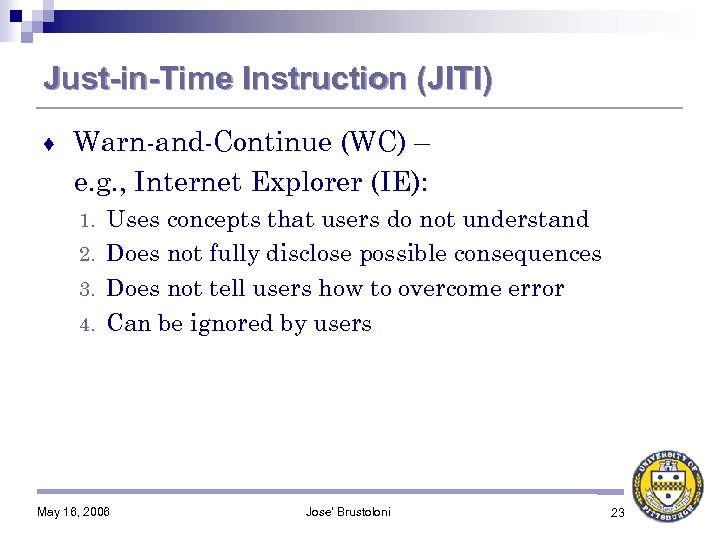
Just-in-Time Instruction (JITI) ♦ Warn-and-Continue (WC) – e. g. , Internet Explorer (IE): Uses concepts that users do not understand 2. Does not fully disclose possible consequences 3. Does not tell users how to overcome error 4. Can be ignored by users 1. May 16, 2006 Jose' Brustoloni 23
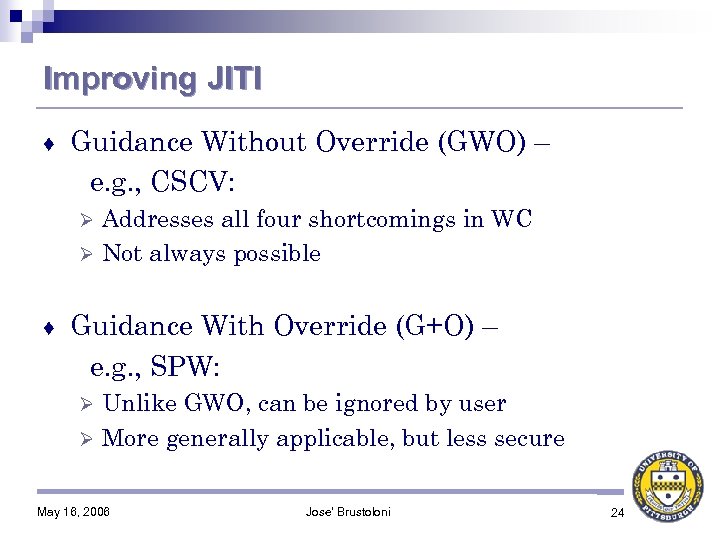
Improving JITI ♦ Guidance Without Override (GWO) – e. g. , CSCV: Addresses all four shortcomings in WC Ø Not always possible Ø ♦ Guidance With Override (G+O) – e. g. , SPW: Unlike GWO, can be ignored by user Ø More generally applicable, but less secure Ø May 16, 2006 Jose' Brustoloni 24
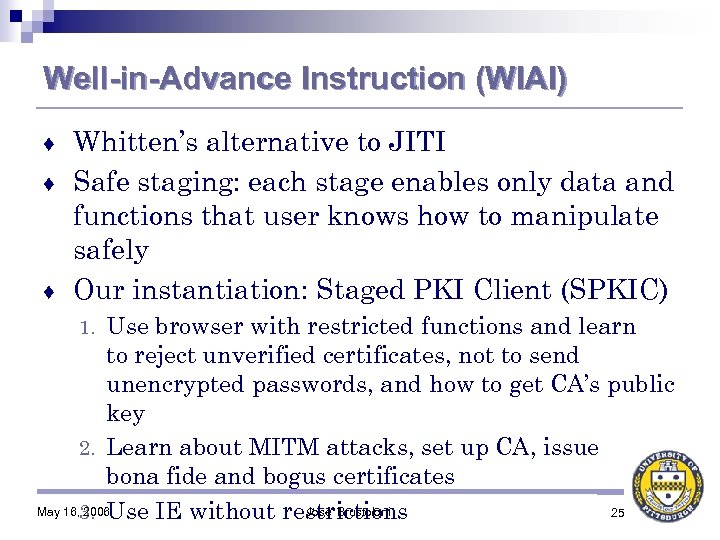
Well-in-Advance Instruction (WIAI) Whitten’s alternative to JITI ♦ Safe staging: each stage enables only data and functions that user knows how to manipulate safely ♦ Our instantiation: Staged PKI Client (SPKIC) ♦ Use browser with restricted functions and learn to reject unverified certificates, not to send unencrypted passwords, and how to get CA’s public key 2. Learn about MITM attacks, set up CA, issue bona fide and bogus certificates May 16, 3. Use IE without restrictions 2006 Jose' Brustoloni 25 1.
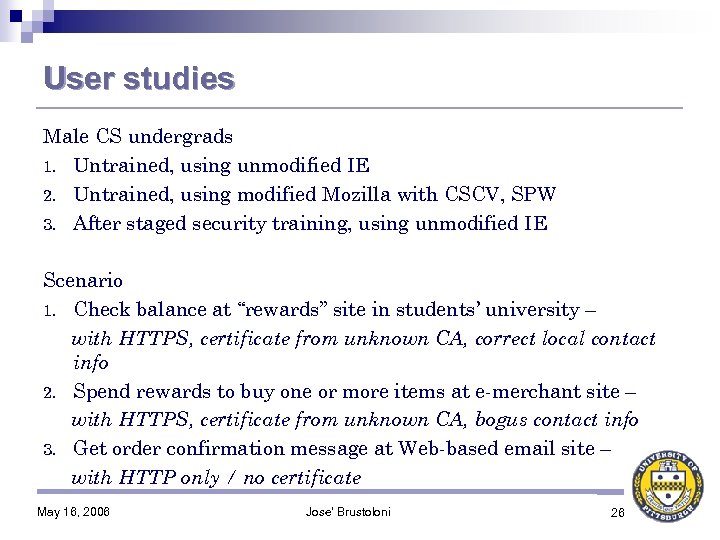
User studies Male CS undergrads 1. Untrained, using unmodified IE 2. Untrained, using modified Mozilla with CSCV, SPW 3. After staged security training, using unmodified IE Scenario 1. Check balance at “rewards” site in students’ university – with HTTPS, certificate from unknown CA, correct local contact info 2. Spend rewards to buy one or more items at e-merchant site – with HTTPS, certificate from unknown CA, bogus contact info 3. Get order confirmation message at Web-based email site – with HTTP only / no certificate May 16, 2006 Jose' Brustoloni 26
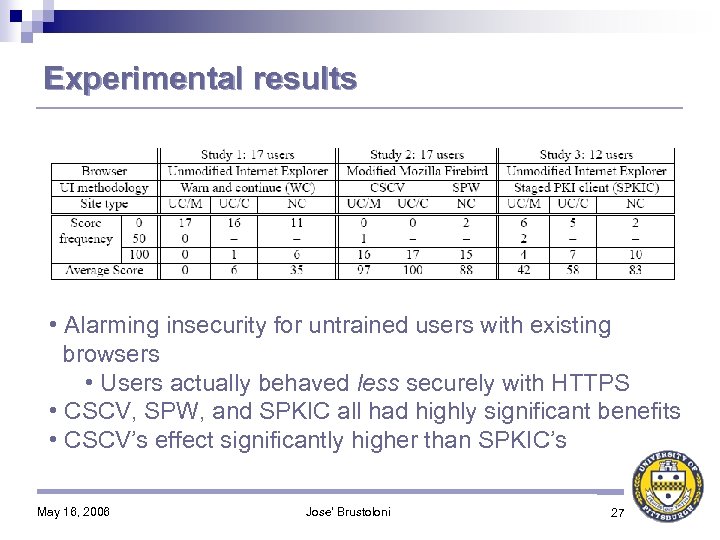
Experimental results • Alarming insecurity for untrained users with existing browsers • Users actually behaved less securely with HTTPS • CSCV, SPW, and SPKIC all had highly significant benefits • CSCV’s effect significantly higher than SPKIC’s May 16, 2006 Jose' Brustoloni 27
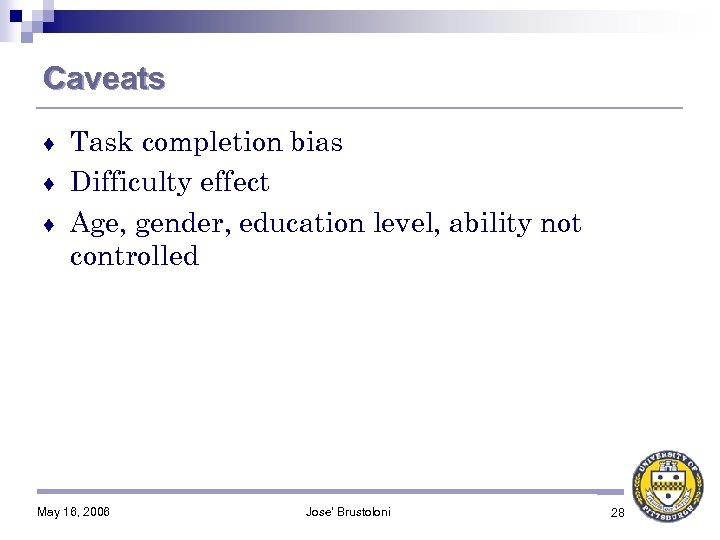
Caveats Task completion bias ♦ Difficulty effect ♦ Age, gender, education level, ability not controlled ♦ May 16, 2006 Jose' Brustoloni 28
Related work ♦ ♦ ♦ ♦ Usable security (Adams & Sasse, Anderson, Zurko & Simon, Sandhu, Xia & Brustoloni) Whitten & Tygar – PGP Out-of-band certificate fingerprint verification Identity-based cryptography Ackerman & Cranor – critics Ye & Smith – browser trusted paths Yan & al. – education on password selection May 16, 2006 Jose' Brustoloni 29
Conclusions Session id checking and MAC sequence number tracking secure network side transparently ♦ Client side more difficult to secure because most users do not understand certificates, ignore warnings ♦ Delegating security decisions to users defeats security ♦ CSCV: User interface discriminates context in which certificate verification fails & guides user in correction ♦ Ø ♦ Greater benefit than user education SPW: User interface warns possible consequences of sending passwords unencrypted Ø Benefit similar to that of user education May 16, 2006 Jose' Brustoloni 30
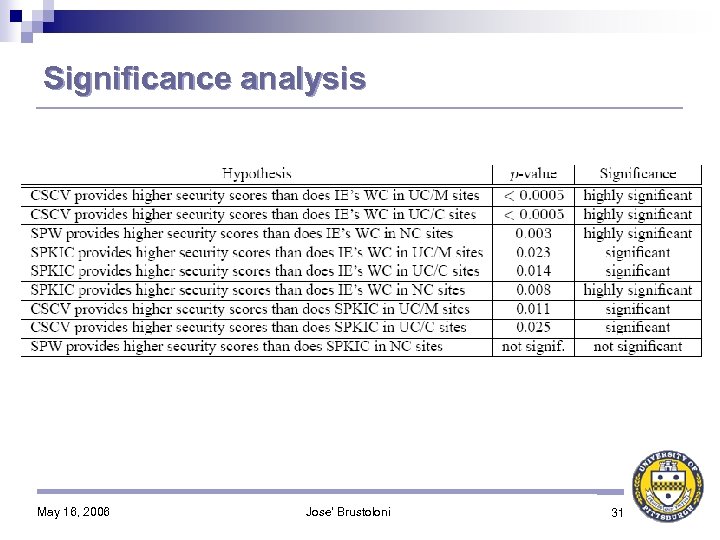
Significance analysis May 16, 2006 Jose' Brustoloni 31
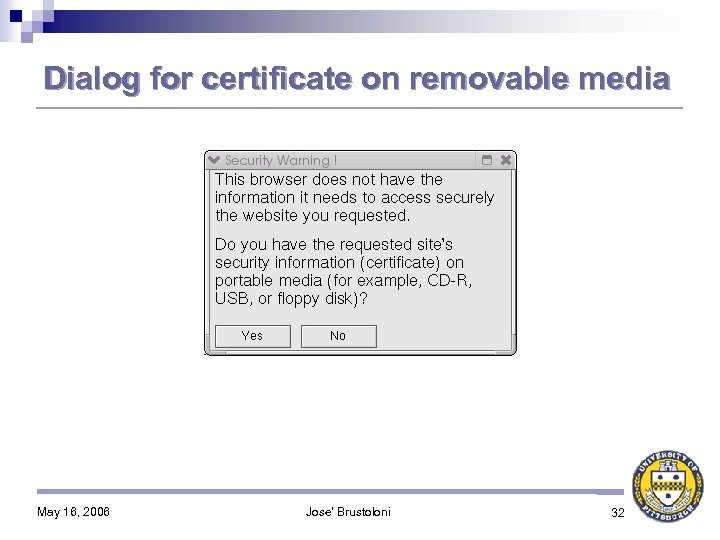
Dialog for certificate on removable media May 16, 2006 Jose' Brustoloni 32
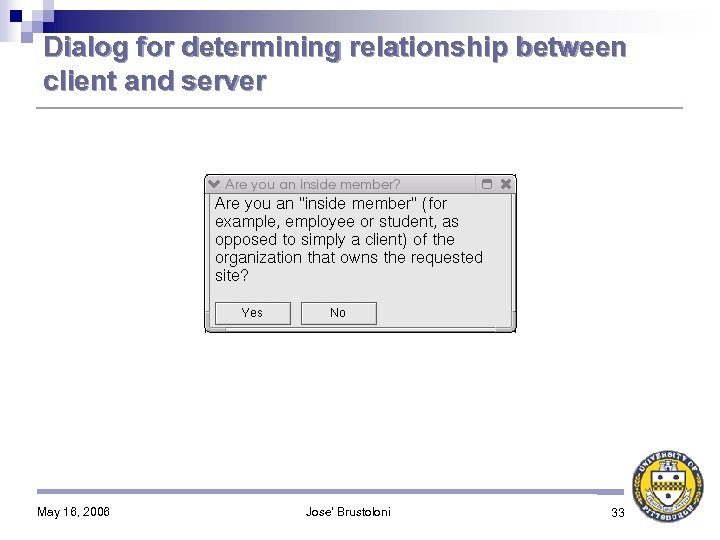
Dialog for determining relationship between client and server May 16, 2006 Jose' Brustoloni 33
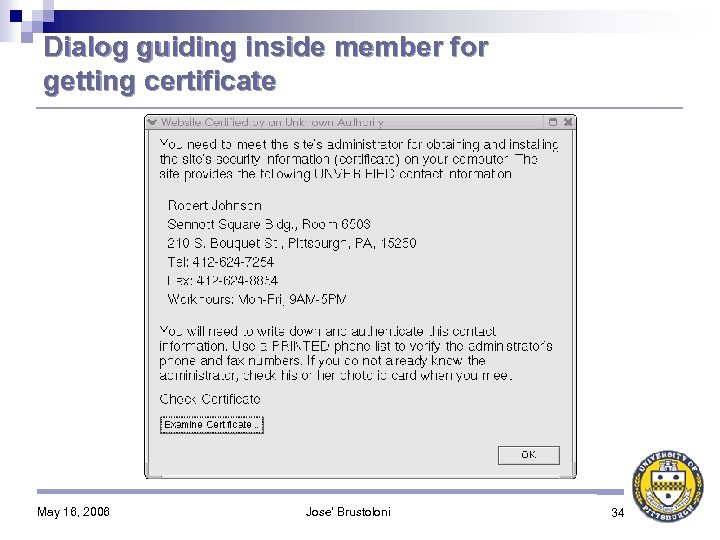
Dialog guiding inside member for getting certificate May 16, 2006 Jose' Brustoloni 34
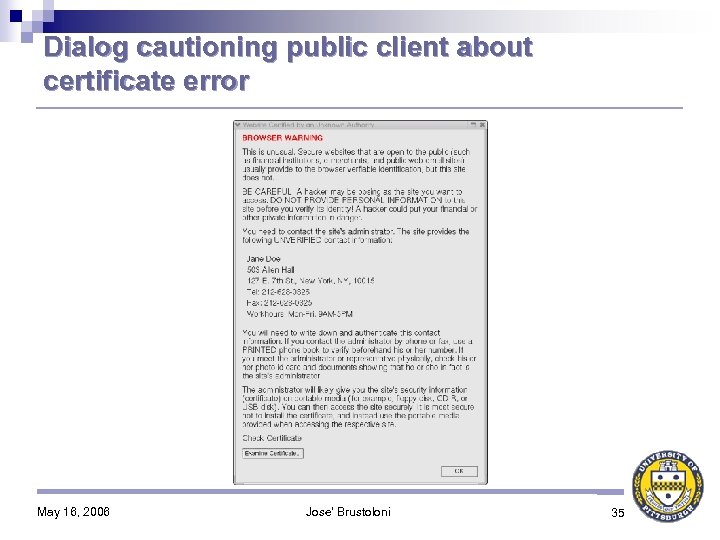
Dialog cautioning public client about certificate error May 16, 2006 Jose' Brustoloni 35
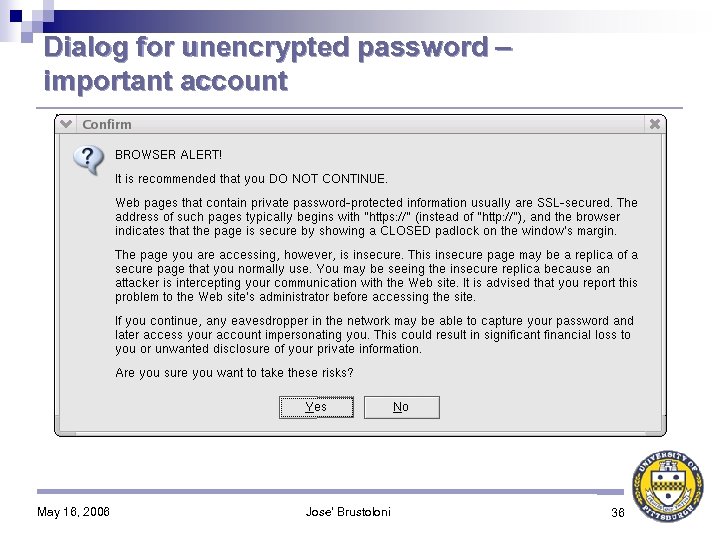
Dialog for unencrypted password – important account May 16, 2006 Jose' Brustoloni 36
Скачать презентацию Usable Security for Wi-Fi LANs Dr José Carlos
fdf07a13d851fc1b347d2801c0bf520c.ppt