 Скачать презентацию Unix Administration Guntis Barzdins Linux System Administration
9197211141319c332aae50852ffd3af8.ppt
- Количество слайдов: 59



Unix Administration Guntis Barzdins
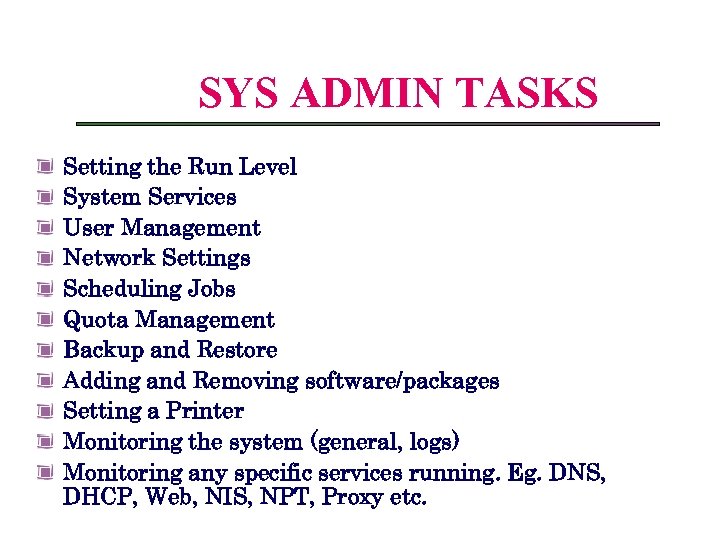
Linux System Administration SYS ADMIN TASKS Setting the Run Level System Services User Management Network Settings Scheduling Jobs Quota Management Backup and Restore Adding and Removing software/packages Setting a Printer Monitoring the system (general, logs) Monitoring any specific services running. Eg. DNS, DHCP, Web, NIS, NPT, Proxy etc.
Have you used UNIX before? • Which OS did Apple choose when it needed a stable OS layer for its Mac OSX? • Which OS made the biggest impact to the online lives as you know it today?
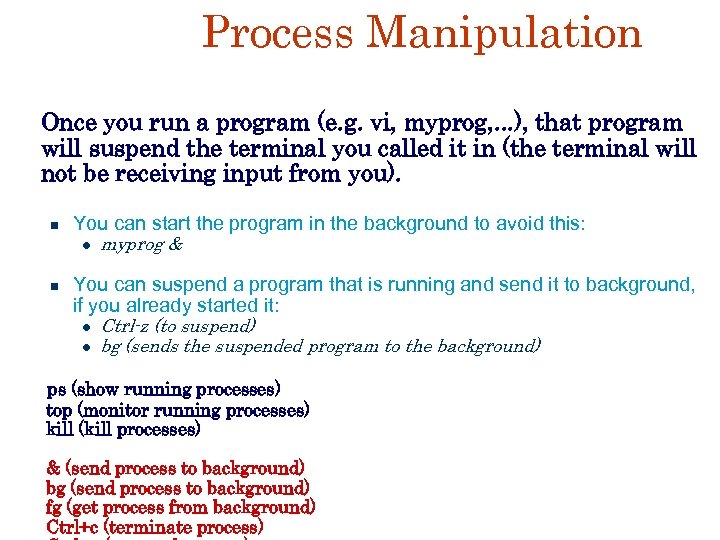
Process Manipulation Once you run a program (e. g. vi, myprog, . . . ), that program will suspend the terminal you called it in (the terminal will not be receiving input from you). You can start the program in the background to avoid this: myprog & You can suspend a program that is running and send it to background, if you already started it: Ctrl-z (to suspend) bg (sends the suspended program to the background) ps (show running processes) top (monitor running processes) kill (kill processes) & (send process to background) bg (send process to background) fg (get process from background) Ctrl+c (terminate process)
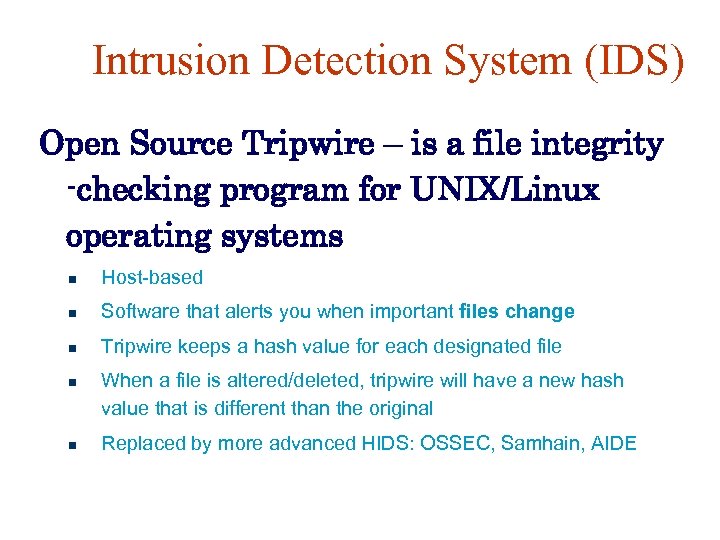
Intrusion Detection System (IDS) Open Source Tripwire – is a file integrity -checking program for UNIX/Linux operating systems Host-based Software that alerts you when important files change Tripwire keeps a hash value for each designated file When a file is altered/deleted, tripwire will have a new hash value that is different than the original Replaced by more advanced HIDS: OSSEC, Samhain, AIDE
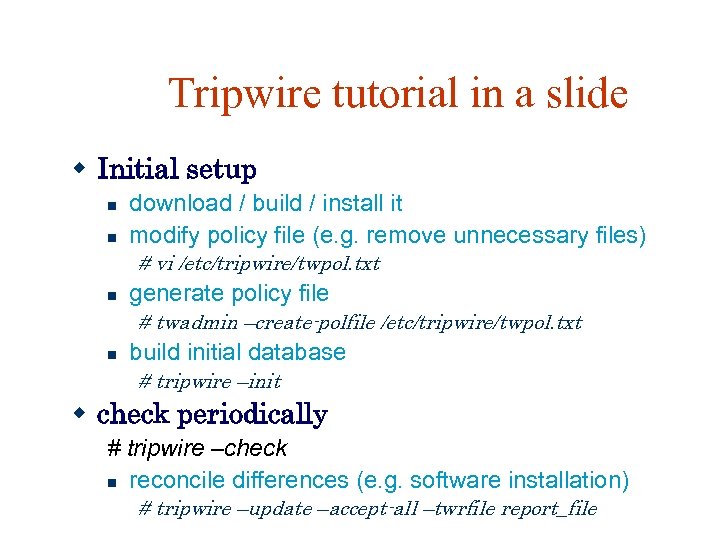
Tripwire tutorial in a slide Initial setup download / build / install it modify policy file (e. g. remove unnecessary files) # vi /etc/tripwire/twpol. txt generate policy file # twadmin –create-polfile /etc/tripwire/twpol. txt build initial database # tripwire –init check periodically # tripwire –check reconcile differences (e. g. software installation) # tripwire –update –accept-all –twrfile report_file
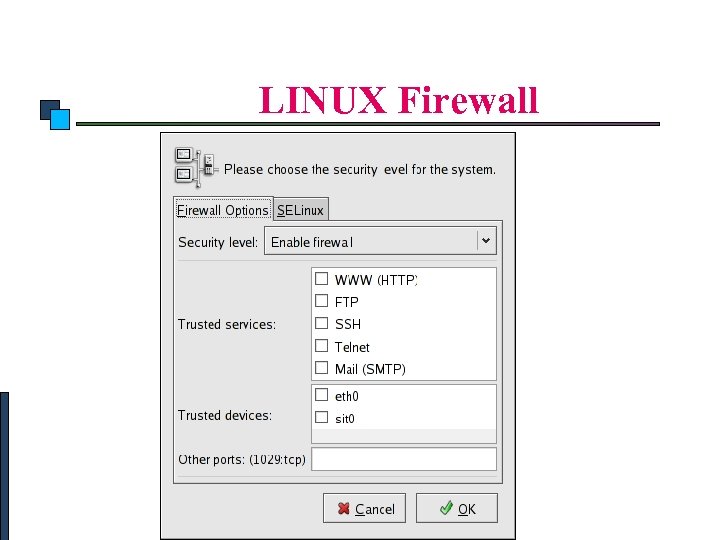
Linux Security LINUX Firewall
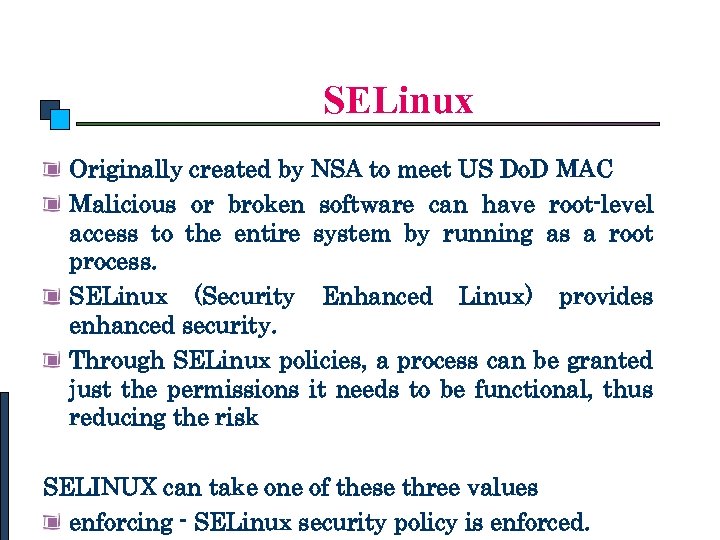
Linux Security SELinux Originally created by NSA to meet US Do. D MAC Malicious or broken software can have root-level access to the entire system by running as a root process. SELinux (Security Enhanced Linux) provides enhanced security. Through SELinux policies, a process can be granted just the permissions it needs to be functional, thus reducing the risk SELINUX can take one of these three values enforcing - SELinux security policy is enforced.
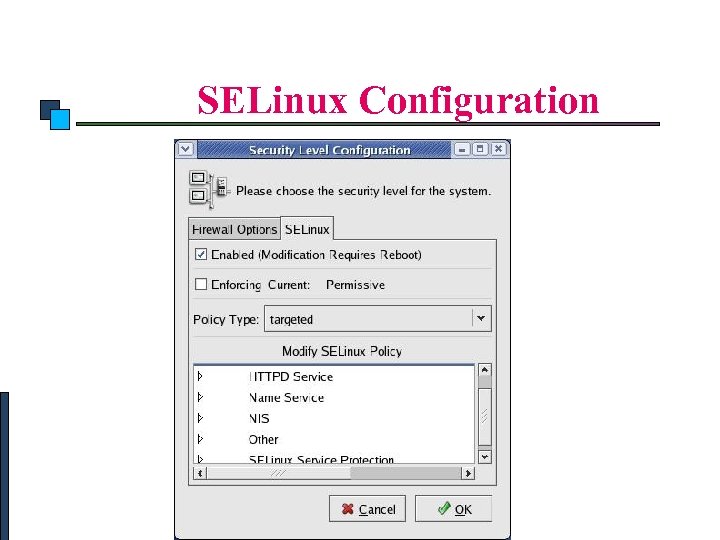
Linux Security SELinux Configuration
App. Armor Less complex and less secure Popular in user oriented distributions (Ubuntu, SUSE), enabled for some potentially vulnerable services by default Bundle software packages with App. Armor profiles Can create profile by launching application in learning mode, can make secure enough profile if application not already compromised Capabilities: FS open/read/write different
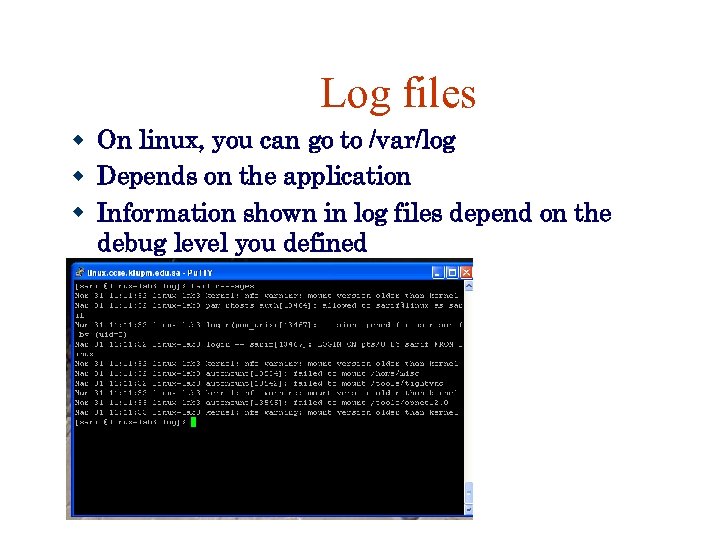
Log files On linux, you can go to /var/log Depends on the application Information shown in log files depend on the debug level you defined
Linux System Administration Configuring Disk Quotas To implement disk quotas, use the following steps: Enable quotas per file system by modifying /etc/fstab Remount the file system(s) Create the quota files and generate the disk usage table Assign quotas
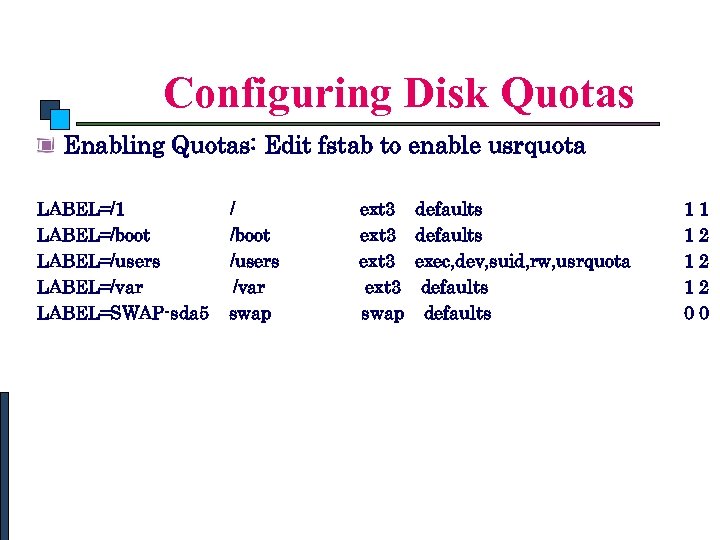
Linux System Administration Configuring Disk Quotas Enabling Quotas: Edit fstab to enable usrquota LABEL=/1 LABEL=/boot LABEL=/users LABEL=/var LABEL=SWAP-sda 5 / /boot /users /var swap ext 3 swap defaults exec, dev, suid, rw, usrquota defaults 11 12 12 12 00
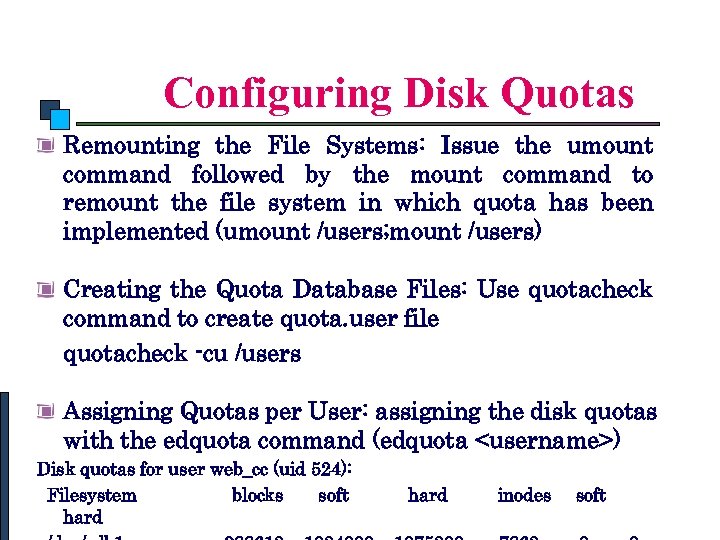
Linux System Administration Configuring Disk Quotas Remounting the File Systems: Issue the umount command followed by the mount command to remount the file system in which quota has been implemented (umount /users; mount /users) Creating the Quota Database Files: Use quotacheck command to create quota. user file quotacheck -cu /users Assigning Quotas per User: assigning the disk quotas with the edquota command (edquota <username>) Disk quotas for user web_cc (uid 524): Filesystem blocks soft hard inodes soft
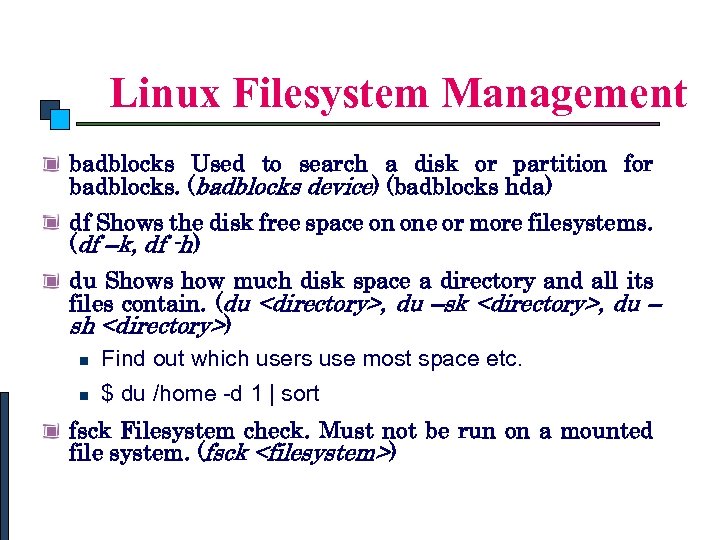
Linux Commands Linux Filesystem Management badblocks Used to search a disk or partition for badblocks. (badblocks device) (badblocks hda) df Shows the disk free space on one or more filesystems. (df –k, df -h) du Shows how much disk space a directory and all its files contain. (du <directory>, du –sk <directory>, du – sh <directory>) Find out which users use most space etc. $ du /home -d 1 | sort fsck Filesystem check. Must not be run on a mounted file system. (fsck <filesystem>)
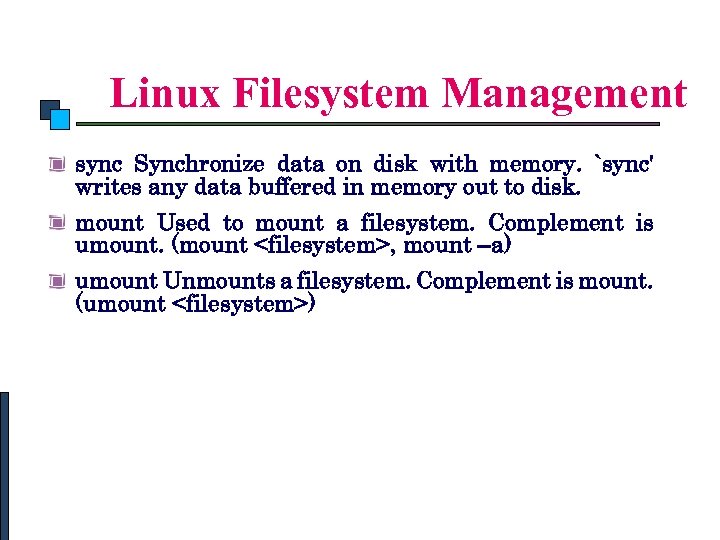
Linux Commands Linux Filesystem Management sync Synchronize data on disk with memory. `sync' writes any data buffered in memory out to disk. mount Used to mount a filesystem. Complement is umount. (mount <filesystem>, mount –a) umount Unmounts a filesystem. Complement is mount. (umount <filesystem>)
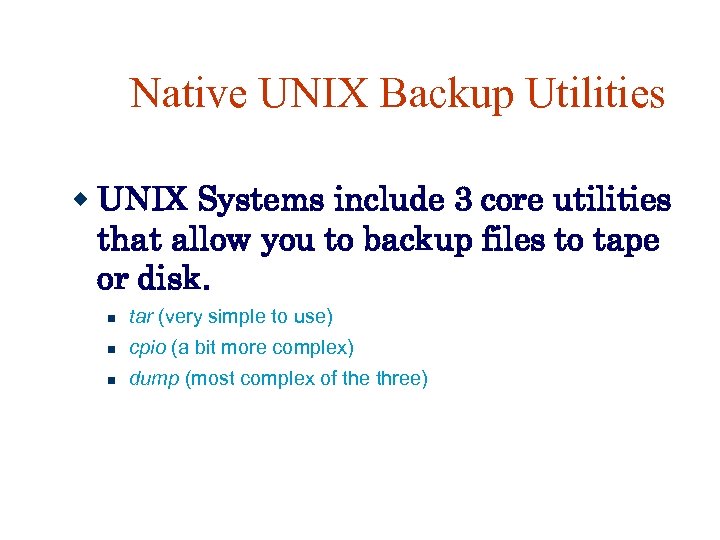
Native UNIX Backup Utilities UNIX Systems include 3 core utilities that allow you to backup files to tape or disk. tar (very simple to use) cpio (a bit more complex) dump (most complex of the three)
![Using the tar Utility for Backup tar usage: tar [x|c]vf [tape device name] [files](https://present5.com/presentation/9197211141319c332aae50852ffd3af8/image-18.jpg "Using the tar Utility for Backup tar usage: tar [x|c]vf [tape device name] [files")
Using the tar Utility for Backup tar usage: tar [x|c]vf [tape device name] [files or directory] Where: x = extract from a tape c = compress onto tape j = use bzip compression z = use gzip compression (just like when we tar and untar regular. tar files)
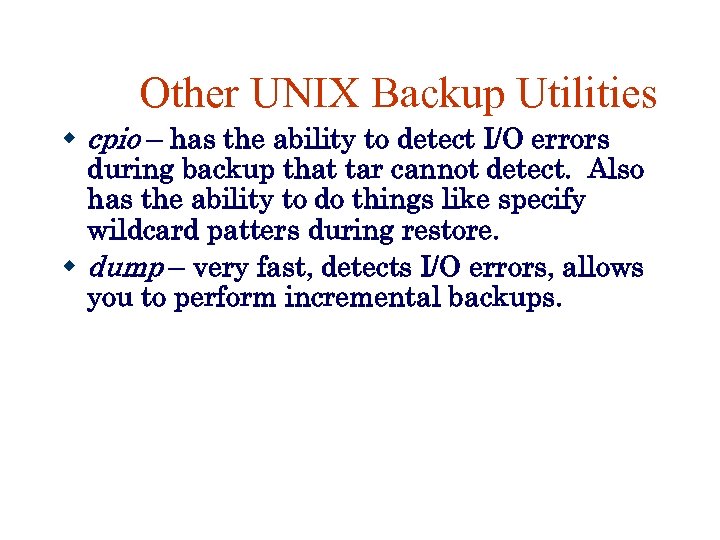
Other UNIX Backup Utilities cpio – has the ability to detect I/O errors during backup that tar cannot detect. Also has the ability to do things like specify wildcard patters during restore. dump – very fast, detects I/O errors, allows you to perform incremental backups.
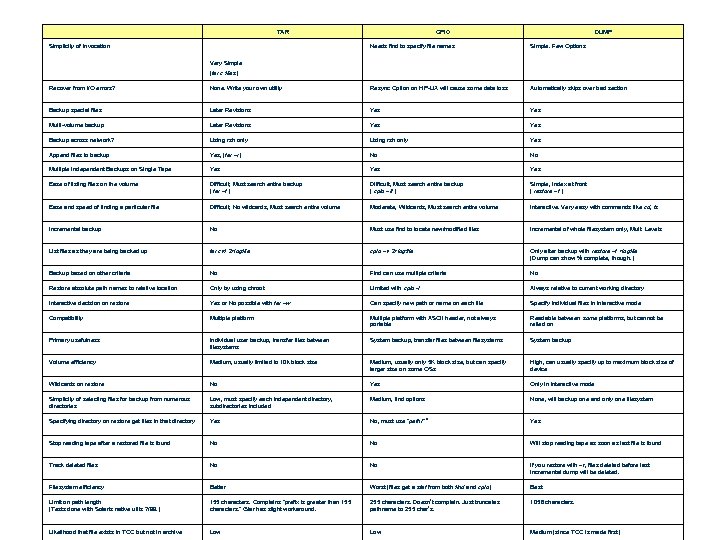
TAR Simplicity of Invocation CPIO DUMP Needs find to specify file names Simple. Few Options Very Simple (tar c files) Recover from I/O errors? None. Write your own utility Resync Option on HP-UX will cause some data loss Automatically skips over bad section Backup special files Later Revisions Yes Multi-volume backup Later Revisions Yes Backup across network? Using rsh only Yes Append files to backup Yes, (tar –r) No No Multiple Independent Backups on Single Tape Yes Yes Ease of listing files on the volume Difficult, Must search entire backup ( tar –t ) Difficult, Must search entire backup ( cpio –it ) Simple, Index at front ( restore –t ) Ease and speed of finding a particular file Difficult, No wildcards, Must search entire volume Moderate, Wildcards, Must search entire volume Interactive. Very easy with commands like cd, ls Incremental backup No Must use find to locate new/modified files Incremental of whole filesystem only, Mult. Levels List files as they are being backed up tar cvf 2>logfile cpio –v 2>logfile Only after backup with restore –t >logfile (Dump can show % complete, though. ) Backup based on other criteria No Find can use multiple criteria No Restore absolute path names to relative location Only by using chroot Limited with cpio -I Always relative to current working directory Interactive decision on restore Yes or No possible with tar –w Can specify new path or name on each file Specify individual files in interactive mode Compatibility Multiple platform with ASCII header, not always portable Readable between some platforms, but cannot be relied on Primary usefulness Individual user backup, transfer files between filesystems System backup Volume efficiency Medium, usually limited to 10 k block size Medium, usually only 5 K block size, but can specify larger size on some OSs High, can usually specify up to maximum block size of device Wildcards on restore No Yes Only in interactive mode Simplicity of selecting files for backup from numerous directories Low, must specify each independent directory, subdirectories included Medium, find options None, will backup one and only one filesystem Specifying directory on restore get files in that directory Yes No, must use "path/*" Yes Stop reading tape after a restored file is found No No Will stop reading tape as soon as last file is found Track deleted files No No If you restore with –r, files deleted before last incremental dump will be deleted. Filesystem efficiency Better Worst (files get a stat from both find and cpio) Best Limit on path length (Tests done with Solaris native utils 7/99. ) 155 characters. Complains "prefix is greater than 155 characters. " Gtar has slight workaround. 255 characters. Doesn’t complain. Just truncates pathname to 255 char’s. 1056 characters. Likelihood that file exists in TOC but not in archive Low Medium (since TOC is made first)
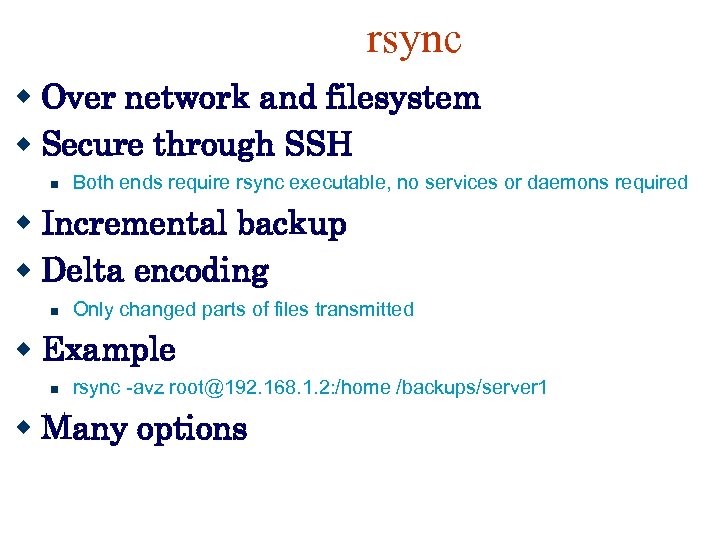
rsync Over network and filesystem Secure through SSH Both ends require rsync executable, no services or daemons required Incremental backup Delta encoding Only changed parts of files transmitted Example rsync -avz root@192. 168. 1. 2: /home /backups/server 1 Many options
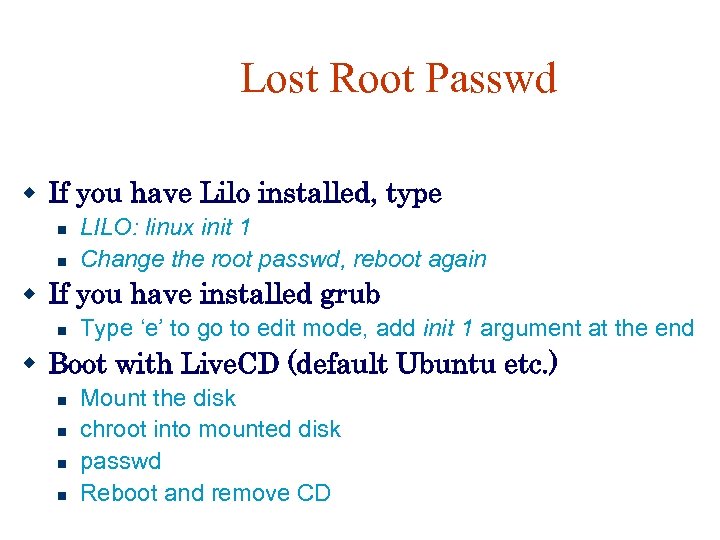
Lost Root Passwd If you have Lilo installed, type LILO: linux init 1 Change the root passwd, reboot again If you have installed grub Type ‘e’ to go to edit mode, add init 1 argument at the end Boot with Live. CD (default Ubuntu etc. ) Mount the disk chroot into mounted disk passwd Reboot and remove CD
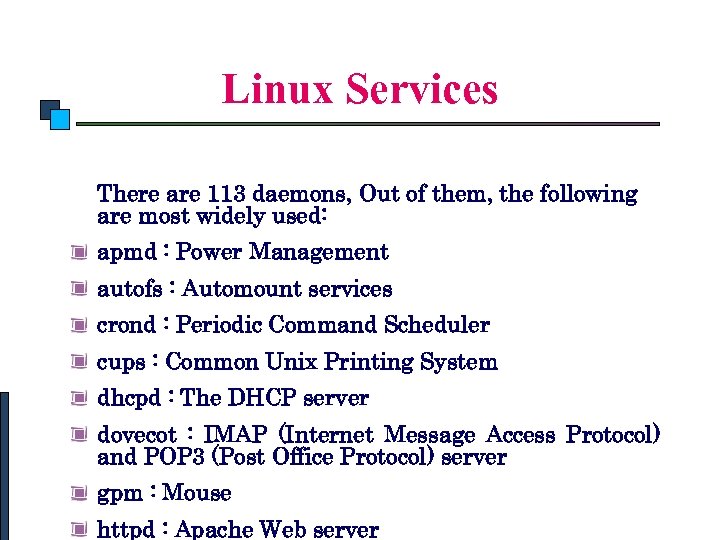
Linux System Administration Linux Services There are 113 daemons, Out of them, the following are most widely used: apmd : Power Management autofs : Automount services crond : Periodic Command Scheduler cups : Common Unix Printing System dhcpd : The DHCP server dovecot : IMAP (Internet Message Access Protocol) and POP 3 (Post Office Protocol) server gpm : Mouse httpd : Apache Web server
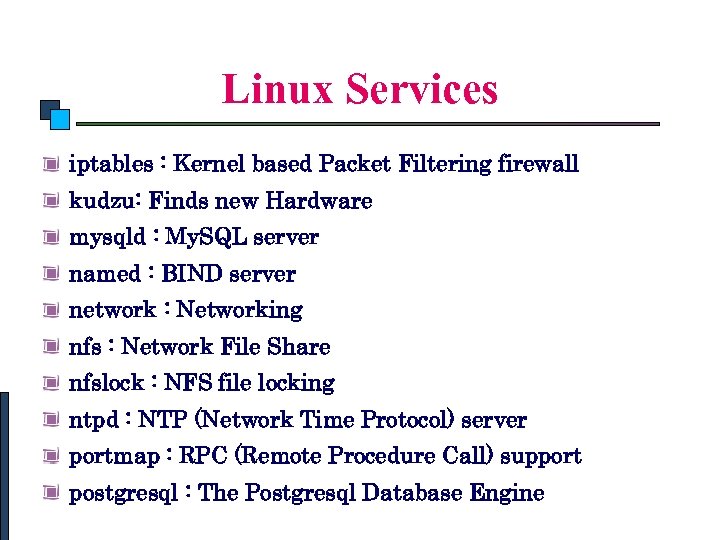
Linux System Administration Linux Services iptables : Kernel based Packet Filtering firewall kudzu: Finds new Hardware mysqld : My. SQL server named : BIND server network : Networking nfs : Network File Share nfslock : NFS file locking ntpd : NTP (Network Time Protocol) server portmap : RPC (Remote Procedure Call) support postgresql : The Postgresql Database Engine
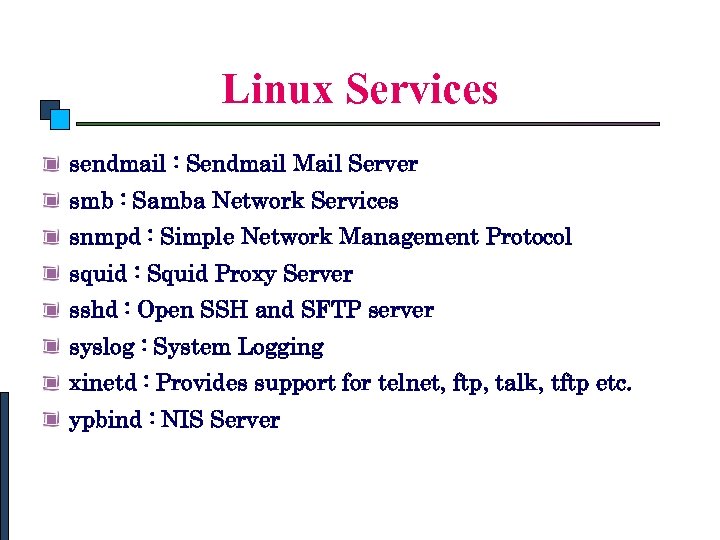
Linux System Administration Linux Services sendmail : Sendmail Mail Server smb : Samba Network Services snmpd : Simple Network Management Protocol squid : Squid Proxy Server sshd : Open SSH and SFTP server syslog : System Logging xinetd : Provides support for telnet, ftp, talk, tftp etc. ypbind : NIS Server
Automating Unix Administration You don’t want to spend the whole day making sure that all servers/workstations and its services are fine Use monitoring tools that can alert you for any problem in the network mon, nagios, cacti, angel Zabbix – Latvian product Create scripts to check the status of servers/services and use cron to run it periodically Mail the result to admin
![Example script #!/bin/sh machine="sunfire" down= i=0 while [ $i -le 15 ] do sun=$machine"$i"](https://present5.com/presentation/9197211141319c332aae50852ffd3af8/image-27.jpg "Example script #!/bin/sh machine=\"sunfire\" down= i=0 while [ $i -le 15 ] do sun=$machine\"$i\"")
Example script #!/bin/sh machine="sunfire" down= i=0 while [ $i -le 15 ] do sun=$machine"$i" /usr/sbin/ping $sun > /dev/null if [ $? -ne 0 ] then down="$down: $sun" fi i=`echo "$i+1" | bc -l` done if [ -n "$down" ] then echo $down | tr : '12' | /usr/ucb/mail -s "DOWN machines" admin@ccse. kfupm. edu. sa fi exit 0
NFS Architecture VFS layer hides differences between OS’s It doesn’t matter what OS the client or server implements, UNIX or Windows. As long as the file systems are compliant with the file system model offered by NFS. Operations on VFS are either passed to local FS or to NFS Client, which handles files at the remote server. All client-server communication is done through RPCs, with client and
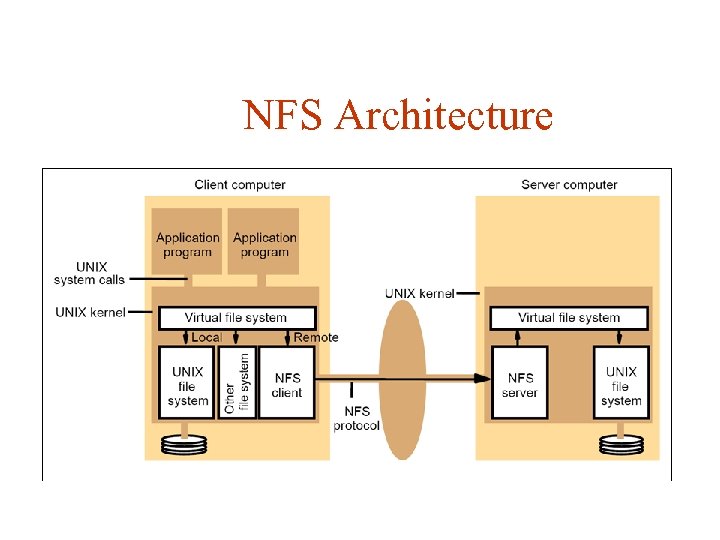
NFS Architecture
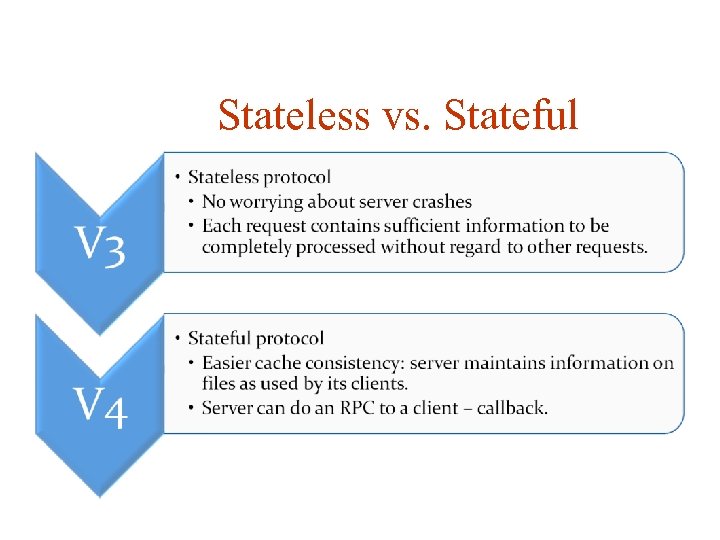
Stateless vs. Stateful
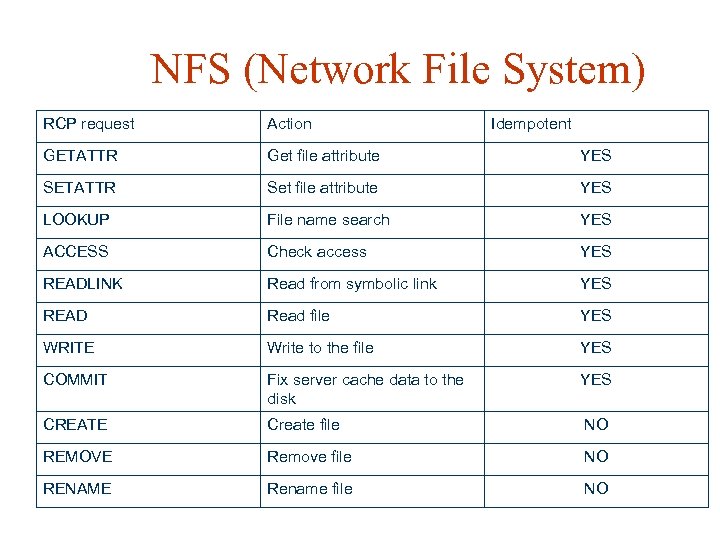
NFS (Network File System) RCP request Action Idempotent GETATTR Get file attribute YES SETATTR Set file attribute YES LOOKUP File name search YES ACCESS Check access YES READLINK Read from symbolic link YES READ Read file YES WRITE Write to the file YES COMMIT Fix server cache data to the disk YES CREATE Create file NO REMOVE Remove file NO RENAME Rename file NO
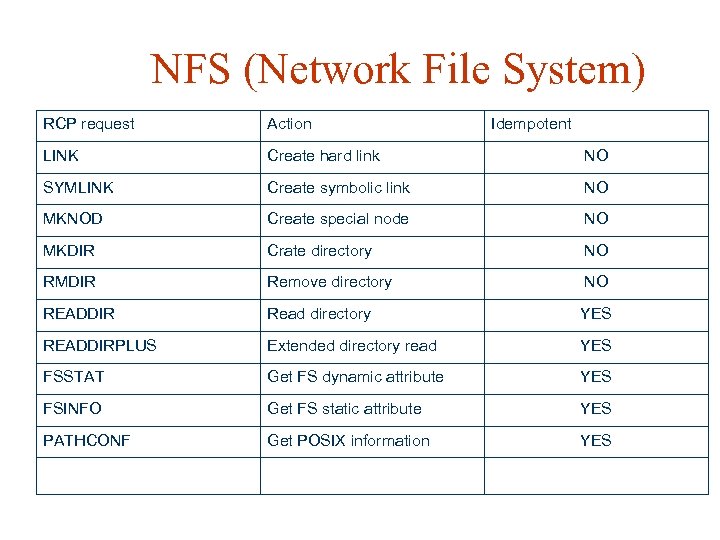
NFS (Network File System) RCP request Action Idempotent LINK Create hard link NO SYMLINK Create symbolic link NO MKNOD Create special node NO MKDIR Crate directory NO RMDIR Remove directory NO READDIR Read directory YES READDIRPLUS Extended directory read YES FSSTAT Get FS dynamic attribute YES FSINFO Get FS static attribute YES PATHCONF Get POSIX information YES
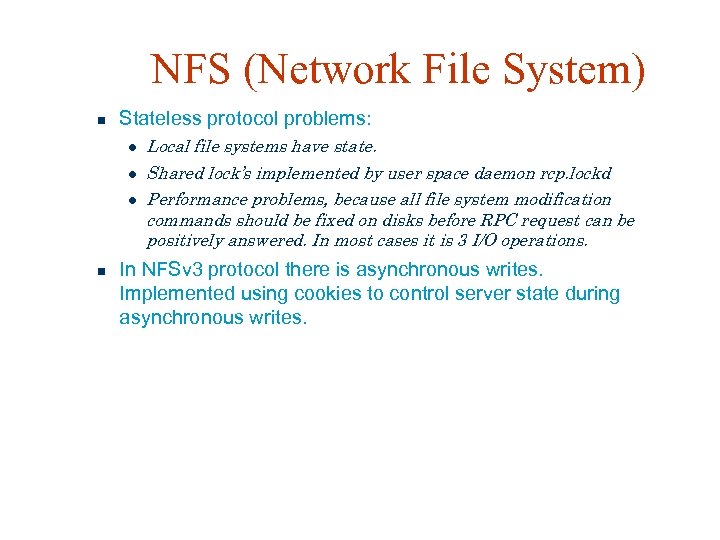
NFS (Network File System) Stateless protocol problems: Local file systems have state. Shared lock’s implemented by user space daemon rcp. lockd Performance problems, because all file system modification commands should be fixed on disks before RPC request can be positively answered. In most cases it is 3 I/O operations. In NFSv 3 protocol there is asynchronous writes. Implemented using cookies to control server state during asynchronous writes.
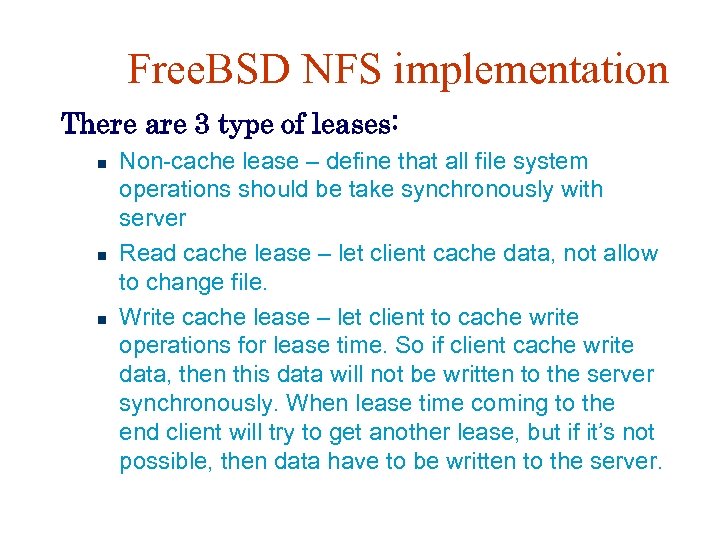
Free. BSD NFS implementation There are 3 type of leases: Non-cache lease – define that all file system operations should be take synchronously with server Read cache lease – let client cache data, not allow to change file. Write cache lease – let client to cache write operations for lease time. So if client cache write data, then this data will not be written to the server synchronously. When lease time coming to the end client will try to get another lease, but if it’s not possible, then data have to be written to the server.
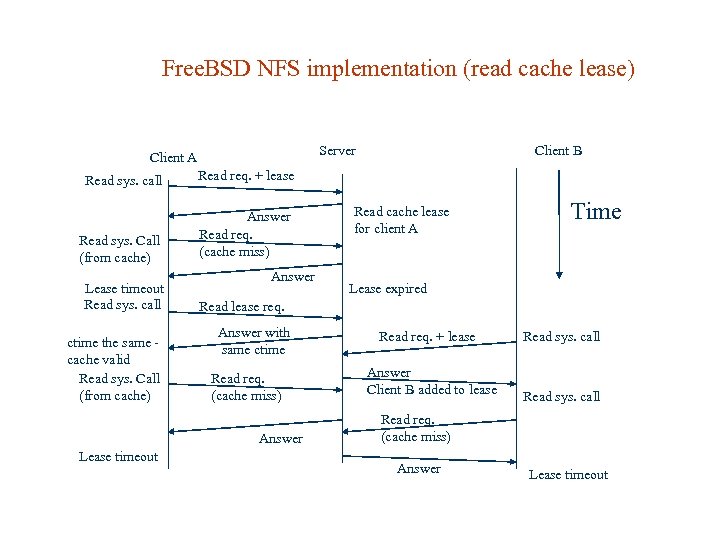
Free. BSD NFS implementation (read cache lease) Server Client A Read sys. call Read req. + lease Read sys. Call (from cache) Answer Read req. (cache miss) Client B Lease timeout Read sys. call ctime the same cache valid Read sys. Call (from cache) Answer Time Lease expired Read lease req. Answer with same ctime Read req. (cache miss) Answer Lease timeout Read cache lease for client A Read req. + lease Answer Client B added to lease Read sys. call Read req. (cache miss) Answer Lease timeout
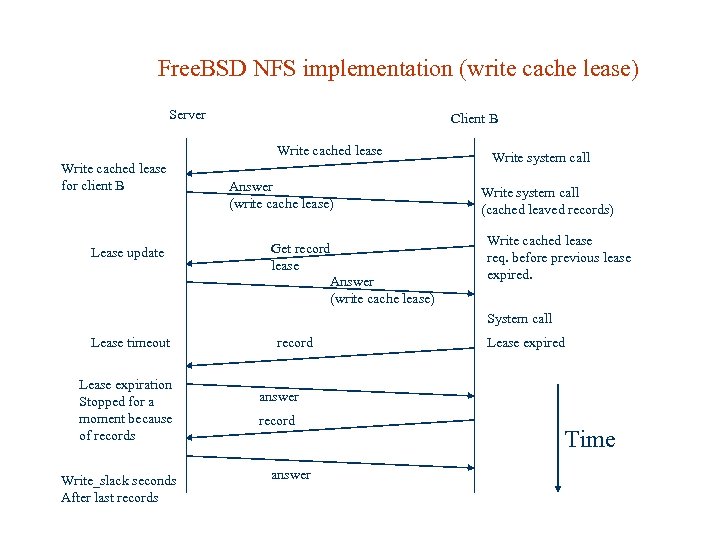
Free. BSD NFS implementation (write cache lease) Server Client B Write cached lease for client B Lease update Answer (write cache lease) Get record lease Answer (write cache lease) Write system call (cached leaved records) Write cached lease req. before previous lease expired. System call Lease timeout Lease expiration Stopped for a moment because of records Write_slack seconds After last records record Lease expired answer record answer Time
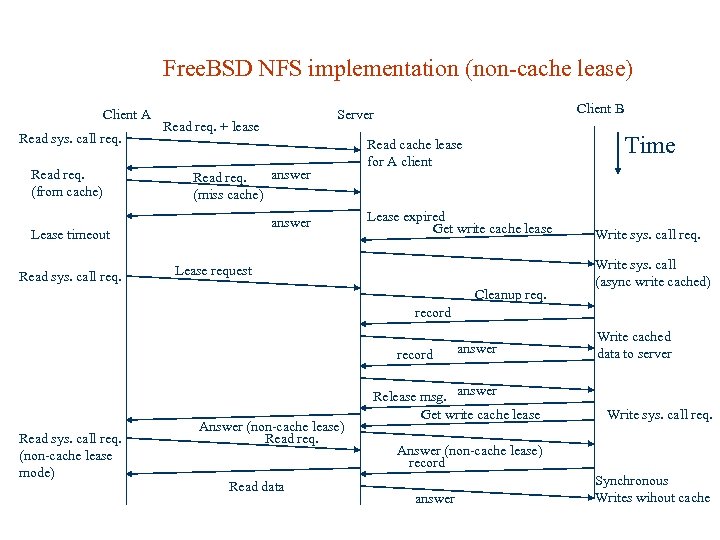
Free. BSD NFS implementation (non-cache lease) Client A Read sys. call req. Read req. (from cache) Read req. + lease answer Read req. (miss cache) answer Lease timeout Read sys. call req. Client B Server Time Read cache lease for A client Lease expired Get write cache lease Lease request Cleanup req. Write sys. call req. Write sys. call (async write cached) record Read sys. call req. (non-cache lease mode) Answer (non-cache lease) Read req. Read data answer Release msg. answer Get write cache lease Write cached data to server Write sys. call req. Answer (non-cache lease) record answer Synchronous Writes wihout cache
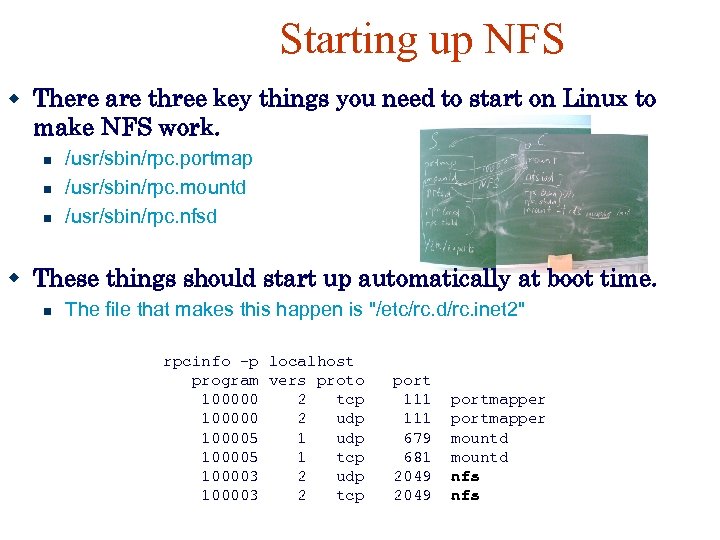
Starting up NFS There are three key things you need to start on Linux to make NFS work. /usr/sbin/rpc. portmap /usr/sbin/rpc. mountd /usr/sbin/rpc. nfsd These things should start up automatically at boot time. The file that makes this happen is "/etc/rc. d/rc. inet 2" rpcinfo -p localhost program vers proto port 100000 2 tcp 111 portmapper 100000 2 udp 111 portmapper 100005 1 udp 679 mountd 100005 1 tcp 681 mountd 100003 2 udp 2049 nfs 100003 2 tcp 2049 nfs
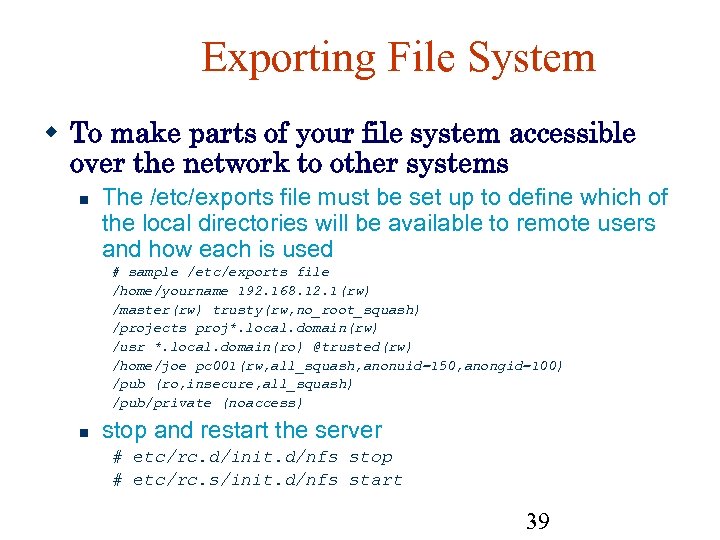
Exporting File System To make parts of your file system accessible over the network to other systems The /etc/exports file must be set up to define which of the local directories will be available to remote users and how each is used # sample /etc/exports file /home/yourname 192. 168. 12. 1(rw) /master(rw) trusty(rw, no_root_squash) /projects proj*. local. domain(rw) /usr *. local. domain(ro) @trusted(rw) /home/joe pc 001(rw, all_squash, anonuid=150, anongid=100) /pub (ro, insecure, all_squash) /pub/private (noaccess) stop and restart the server # etc/rc. d/init. d/nfs stop # etc/rc. s/init. d/nfs start 39
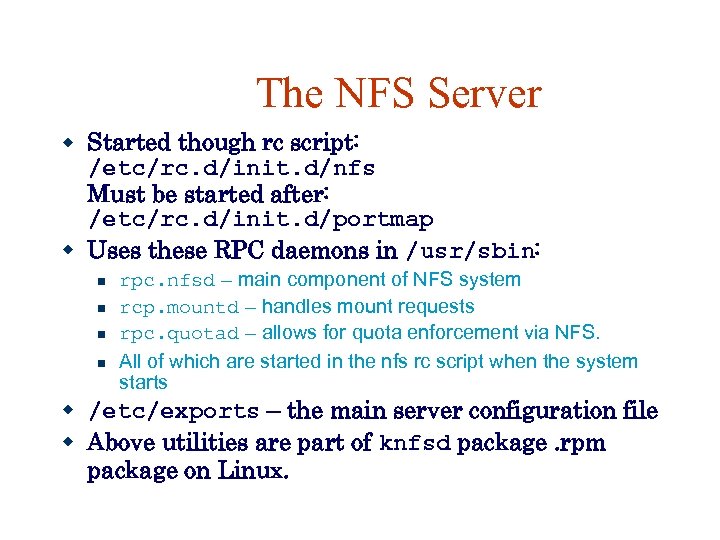
The NFS Server Started though rc script: /etc/rc. d/init. d/nfs Must be started after: /etc/rc. d/init. d/portmap Uses these RPC daemons in /usr/sbin: rpc. nfsd – main component of NFS system rcp. mountd – handles mount requests rpc. quotad – allows for quota enforcement via NFS. All of which are started in the nfs rc script when the system starts /etc/exports – the main server configuration file Above utilities are part of knfsd package. rpm package on Linux.
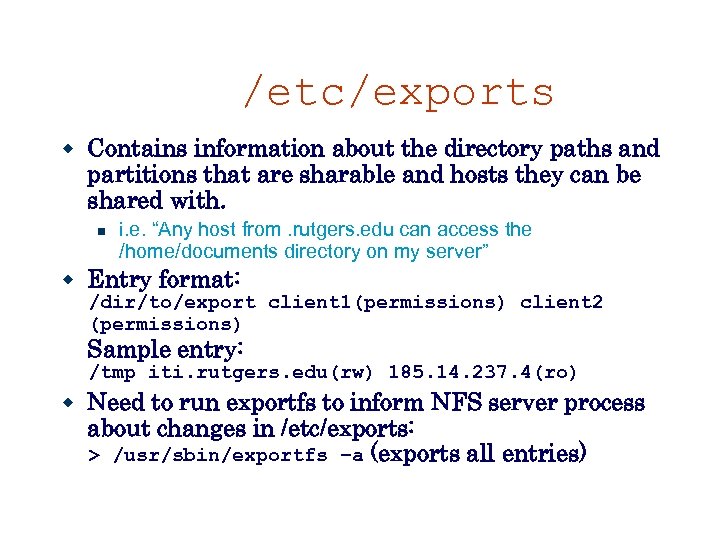
/etc/exports Contains information about the directory paths and partitions that are sharable and hosts they can be shared with. i. e. “Any host from. rutgers. edu can access the /home/documents directory on my server” Entry format: /dir/to/export client 1(permissions) client 2 (permissions) Sample entry: /tmp iti. rutgers. edu(rw) 185. 14. 237. 4(ro) Need to run exportfs to inform NFS server process about changes in /etc/exports: > /usr/sbin/exportfs –a (exports all entries)
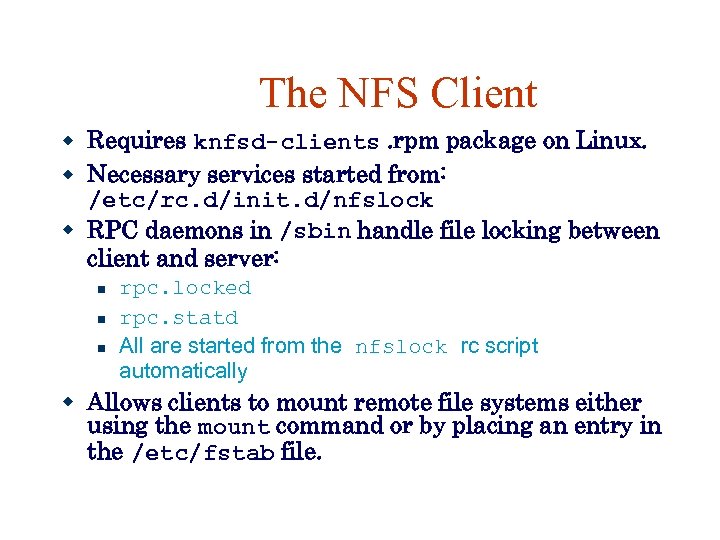
The NFS Client Requires knfsd-clients. rpm package on Linux. Necessary services started from: /etc/rc. d/init. d/nfslock RPC daemons in /sbin handle file locking between client and server: rpc. locked rpc. statd All are started from the nfslock rc script automatically Allows clients to mount remote file systems either using the mount command or by placing an entry in the /etc/fstab file.
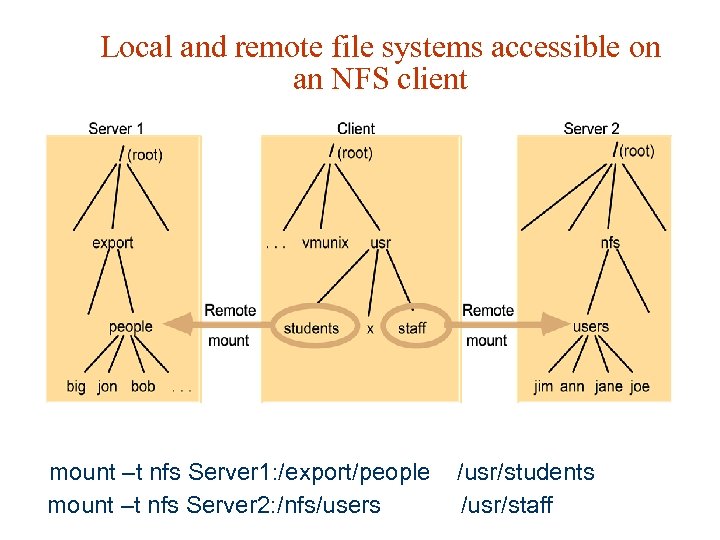
Local and remote file systems accessible on an NFS client mount –t nfs Server 1: /export/people /usr/students mount –t nfs Server 2: /nfs/users /usr/staff
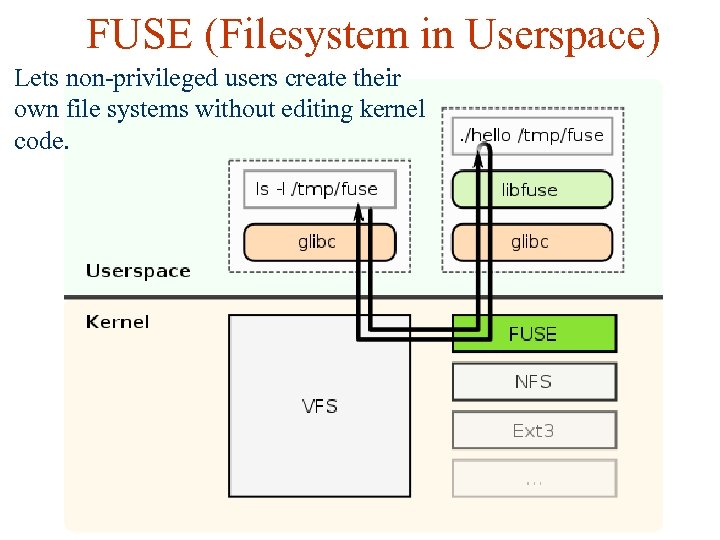
FUSE (Filesystem in Userspace) Lets non-privileged users create their own file systems without editing kernel code.
FUSE Allows to implement anything with file write and read operations and provide it as file system Encryption – Enc. FS, True. Crypt, etc. Network protocols – SSH, FTP, SFTP, etc. Cloud storage – Dropbox and every other kind RAM disk
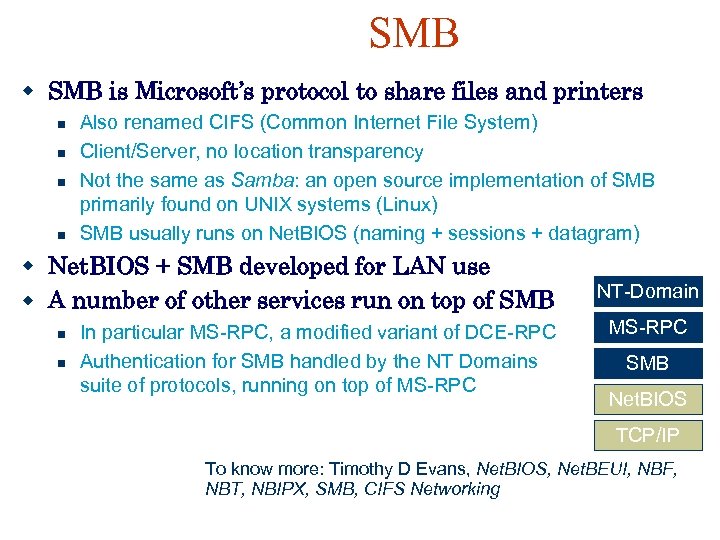
SMB is Microsoft’s protocol to share files and printers Also renamed CIFS (Common Internet File System) Client/Server, no location transparency Not the same as Samba: an open source implementation of SMB primarily found on UNIX systems (Linux) SMB usually runs on Net. BIOS (naming + sessions + datagram) Net. BIOS + SMB developed for LAN use A number of other services run on top of SMB In particular MS-RPC, a modified variant of DCE-RPC Authentication for SMB handled by the NT Domains suite of protocols, running on top of MS-RPC NT-Domain MS-RPC SMB Net. BIOS TCP/IP To know more: Timothy D Evans, Net. BIOS, Net. BEUI, NBF, NBT, NBIPX, SMB, CIFS Networking
Samba Services File sharing. Printer sharing. Client authentication.
SMB Protocol Request/response. Runs atop TCP/IP. E. g. , file and print operations. Open close, read, write, delete, etc. Queuing/dequeing files in printer spool.
Network Booting No need for harddisk(or harddisk with Linux) on every host High level work flow The system boots up, may be with floppy (could be with hard disk also) Sends dhcp request for IP number, gets one Mounts the root file system over NFS
Requirements for Network Booting Setup an LAN infrastructure Need to setup nfs server Need to setup dhcp server Build a kernel image for network booting
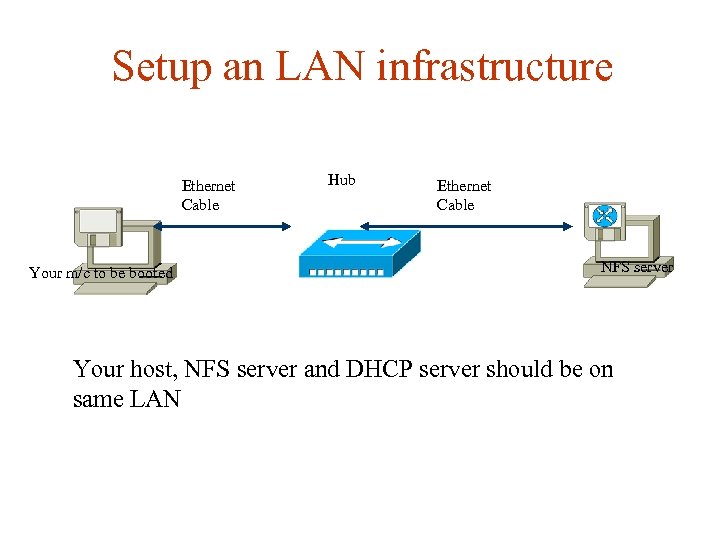
Setup an LAN infrastructure Ethernet Cable Your m/c to be booted Hub Ethernet Cable NFS server Your host, NFS server and DHCP server should be on same LAN
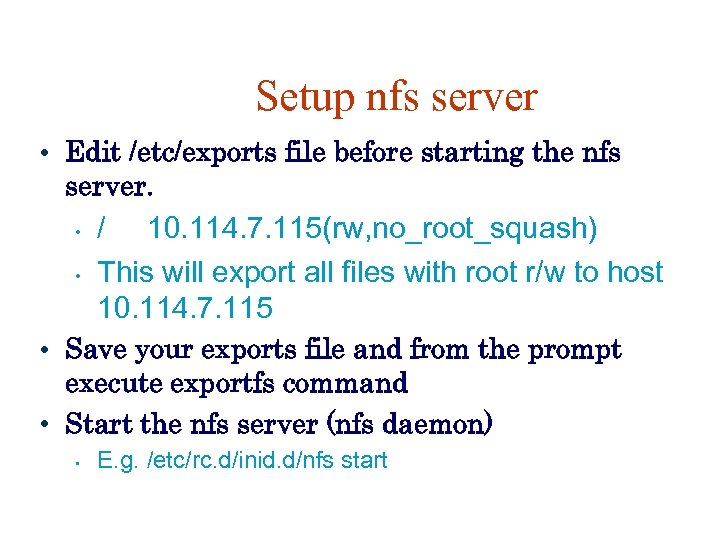
Setup nfs server • Edit /etc/exports file before starting the nfs server. • • / 10. 114. 7. 115(rw, no_root_squash) This will export all files with root r/w to host 10. 114. 7. 115 • Save your exports file and from the prompt execute exportfs command • Start the nfs server (nfs daemon) • E. g. /etc/rc. d/inid. d/nfs start
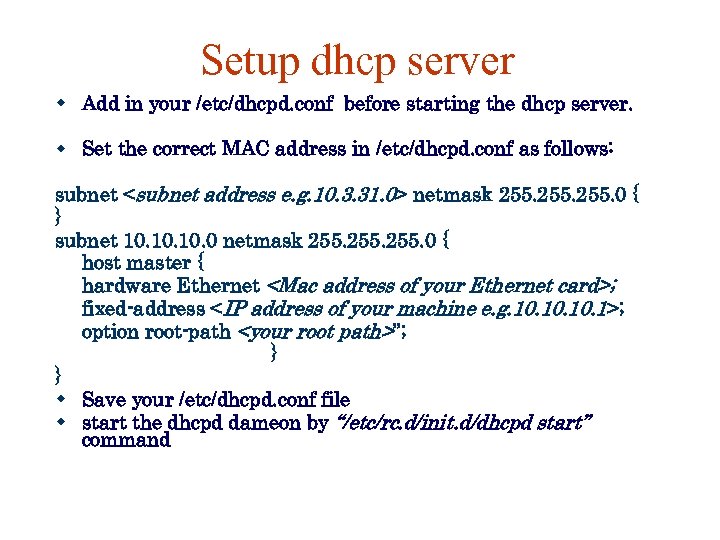
Setup dhcp server Add in your /etc/dhcpd. conf before starting the dhcp server. Set the correct MAC address in /etc/dhcpd. conf as follows: subnet <subnet address e. g. 10. 3. 31. 0> netmask 255. 0 { } subnet 10. 10. 0 netmask 255. 0 { host master { hardware Ethernet <Mac address of your Ethernet card>; fixed-address <IP address of your machine e. g. 10. 10. 1>; option root-path <your root path>”; } } Save your /etc/dhcpd. conf file start the dhcpd dameon by “/etc/rc. d/init. d/dhcpd start” command
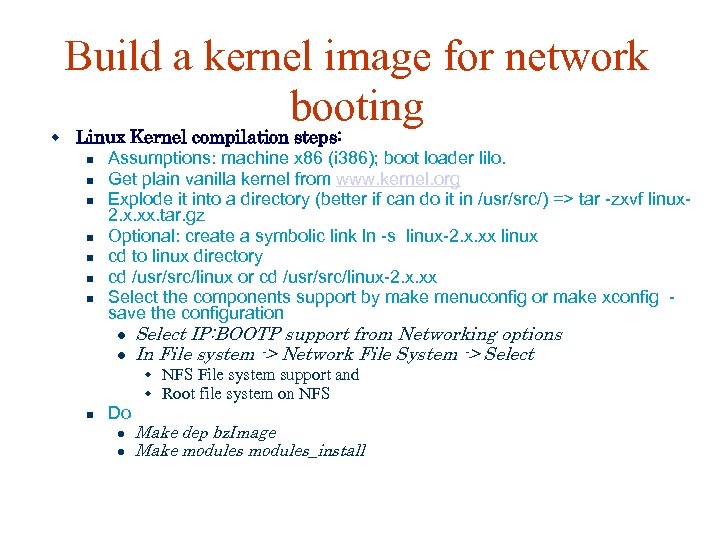
Build a kernel image for network booting Linux Kernel compilation steps: Assumptions: machine x 86 (i 386); boot loader lilo. Get plain vanilla kernel from www. kernel. org Explode it into a directory (better if can do it in /usr/src/) => tar -zxvf linux 2. x. xx. tar. gz Optional: create a symbolic link ln -s linux-2. x. xx linux cd to linux directory cd /usr/src/linux or cd /usr/src/linux-2. x. xx Select the components support by make menuconfig or make xconfig - save the configuration Select IP: BOOTP support from Networking options In File system -> Network File System -> Select NFS File system support and Root file system on NFS Do Make dep bz. Image Make modules_install
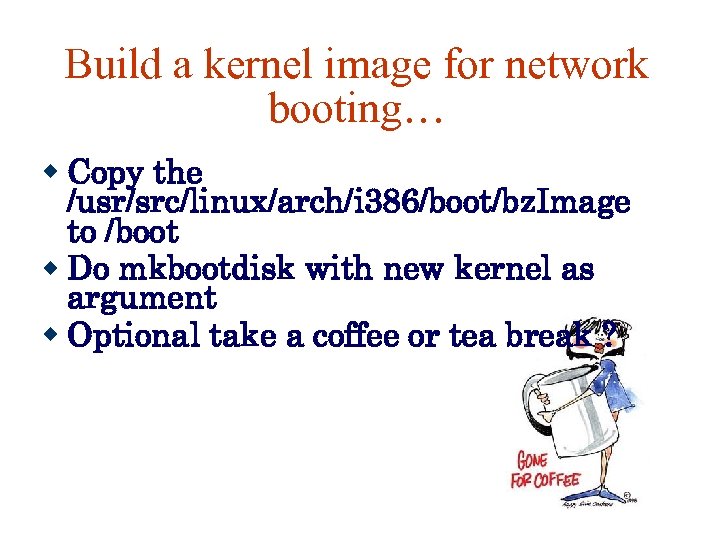
Build a kernel image for network booting… Copy the /usr/src/linux/arch/i 386/boot/bz. Image to /boot Do mkbootdisk with new kernel as argument Optional take a coffee or tea break ?

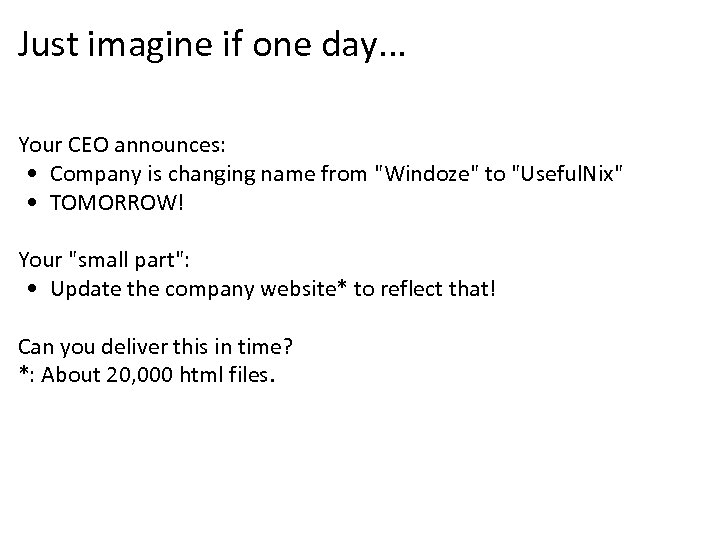
Just imagine if one day. . . Your CEO announces: • Company is changing name from "Windoze" to "Useful. Nix" • TOMORROW! Your "small part": • Update the company website* to reflect that! Can you deliver this in time? *: About 20, 000 html files.
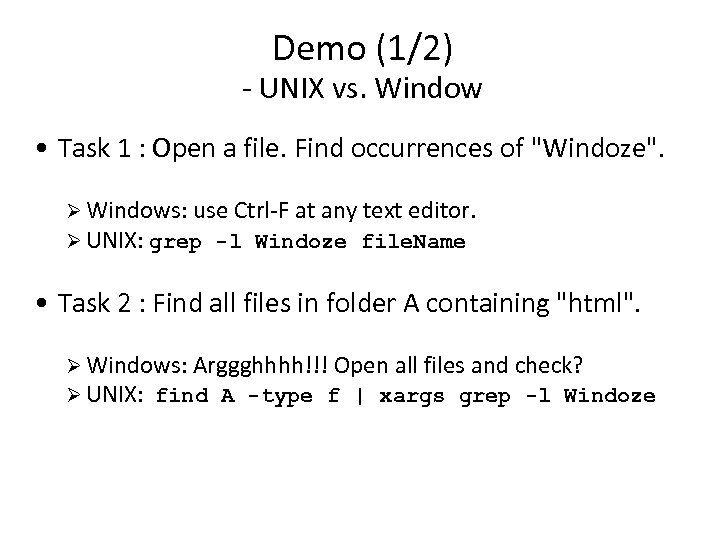
Demo (1/2) - UNIX vs. Window • Task 1 : Open a file. Find occurrences of "Windoze". Windows: use Ctrl-F at any text editor. UNIX: grep -l Windoze file. Name • Task 2 : Find all files in folder A containing "html". Windows: Arggghhhh!!! Open all files and check? UNIX: find A -type f | xargs grep -l Windoze
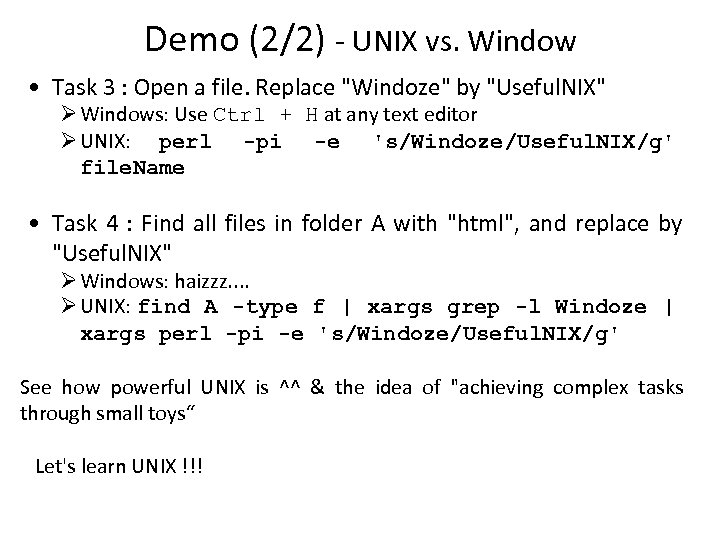
Demo (2/2) - UNIX vs. Window • Task 3 : Open a file. Replace "Windoze" by "Useful. NIX" Windows: Use Ctrl + H at any text editor UNIX: perl -pi -e 's/Windoze/Useful. NIX/g' file. Name • Task 4 : Find all files in folder A with "html", and replace by "Useful. NIX" Windows: haizzz. . UNIX: find A -type f | xargs grep -l Windoze | xargs perl -pi -e 's/Windoze/Useful. NIX/g' See how powerful UNIX is ^^ & the idea of "achieving complex tasks through small toys“ Let's learn UNIX !!!
Скачать презентацию Unix Administration Guntis Barzdins Linux System Administration
9197211141319c332aae50852ffd3af8.ppt