


 Скачать презентацию University of Malta Online admissions 2012 Who
aae1b578605877c40f17313cdce71a6b.ppt
- Количество слайдов: 28
 University of Malta Online admissions 2012
 Who can apply online & when… • Applicants who sat for the Matriculation Certificate examination in May 2012 • Narrowly failed applicants in 2010 and 2011 who re-sat for one examination in May 2012 The Online Application facility will be open from: Thursday, 19 July until Tuesday, 24 July at midnight
 Links 1. Detailed Information about courses: www. um. edu. mt/courses 2. Instructions page: www. um. edu. mt/registrar/students/applyonline 3. Online application form: www. um. edu. mt/apply
 What information do I need to apply online… • Logging into the System – Valid email address – Login details (supplied on results transcript) • Payment of Application Fee – Credit/Debit Card or – Transaction Reference Number provided by the bank
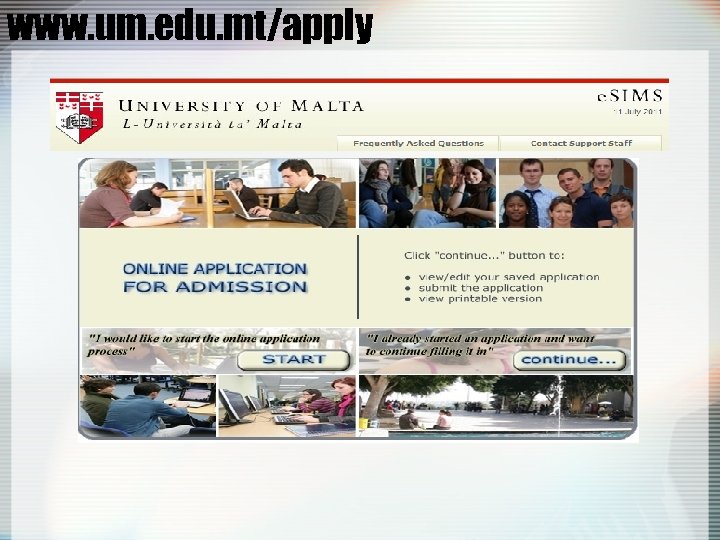 www. um. edu. mt/apply
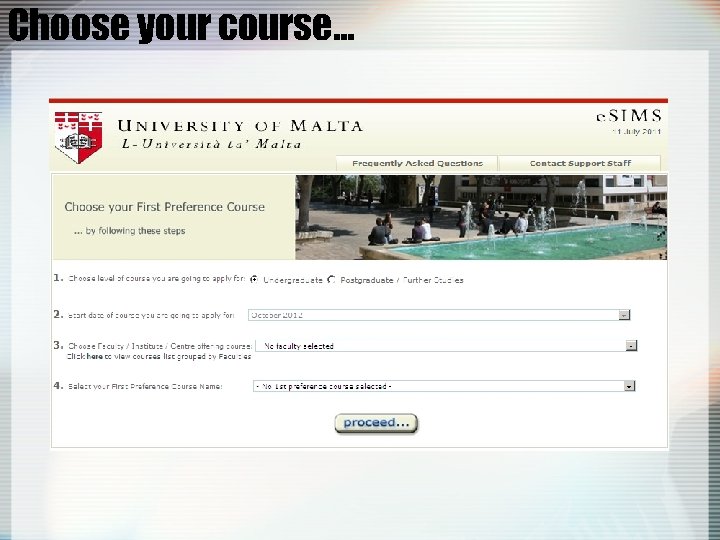 Choose your course…
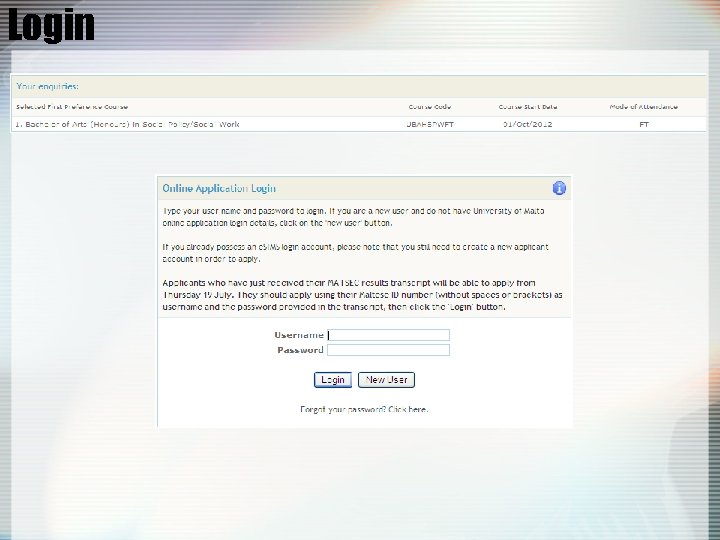 Login
Login
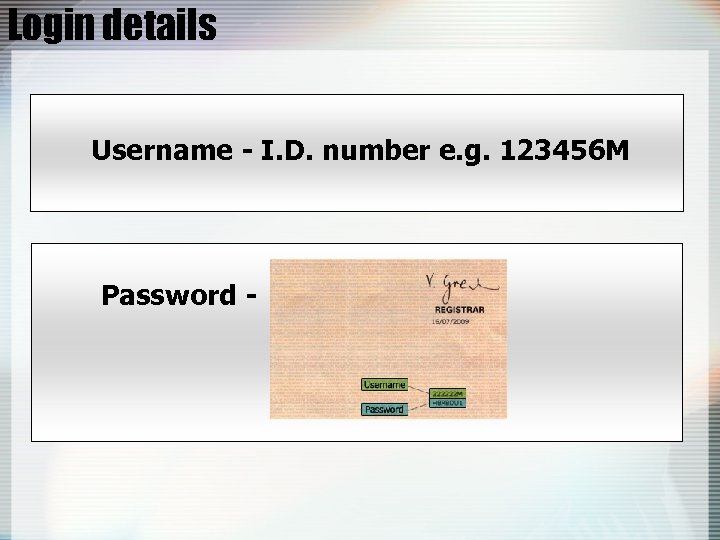 Login details Username - I. D. number e. g. 123456 M Password -
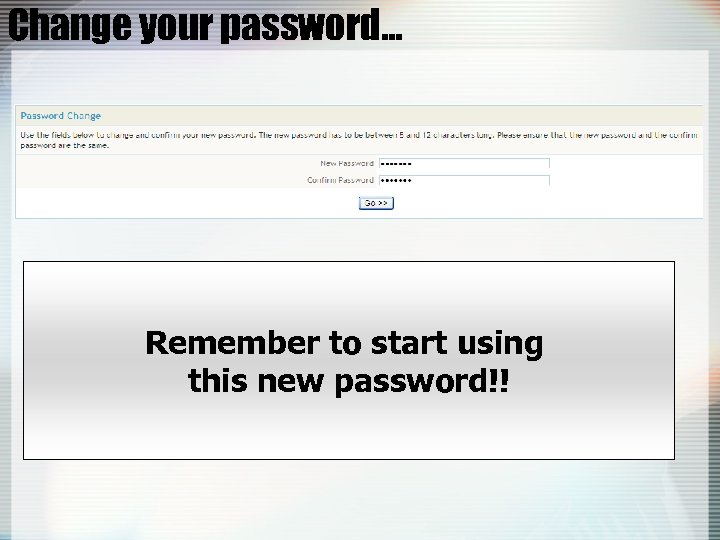 Change your password… Remember to start using this new password!!
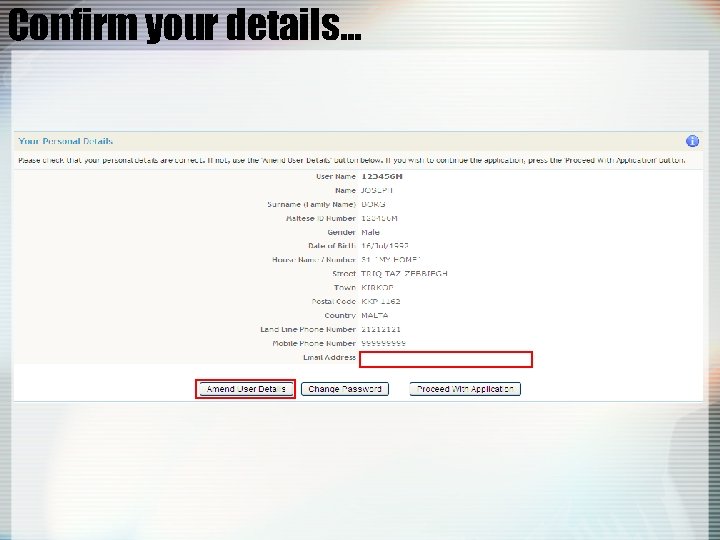 Confirm your details…
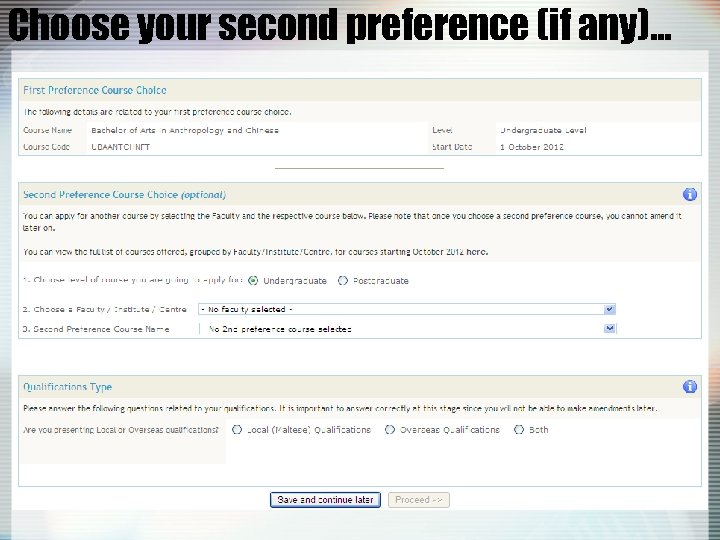 Choose your second preference (if any)…
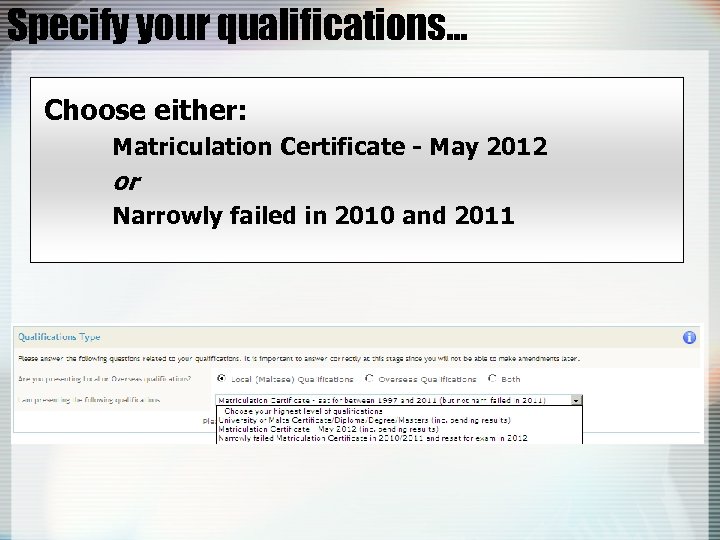 Specify your qualifications… Choose either: Matriculation Certificate - May 2012 or Narrowly failed in 2010 and 2011
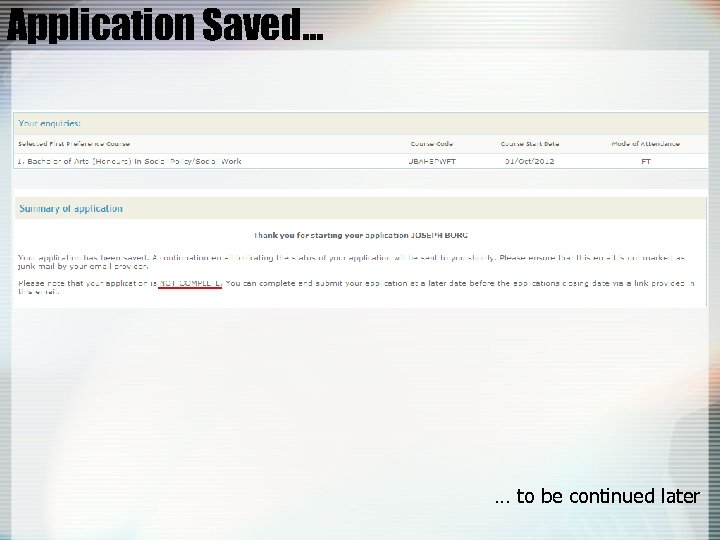 Application Saved… … to be continued later
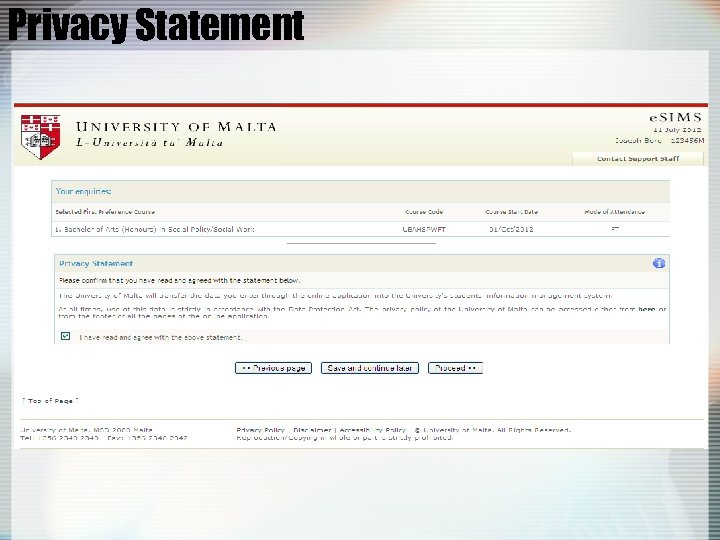 Privacy Statement
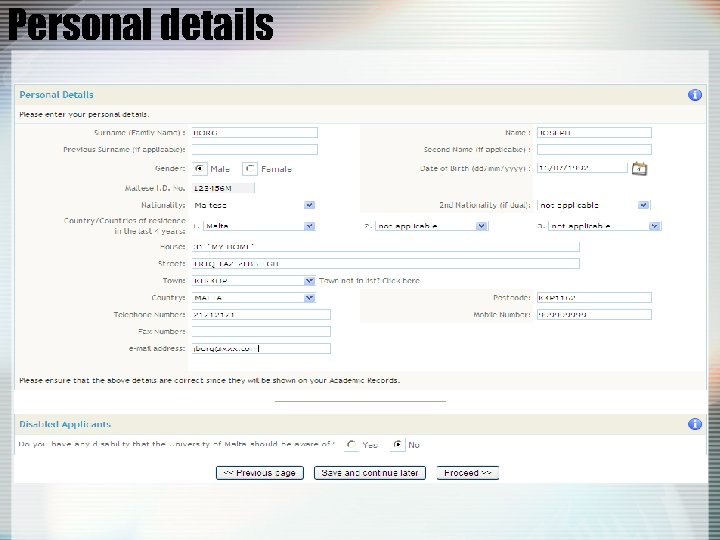 Personal details
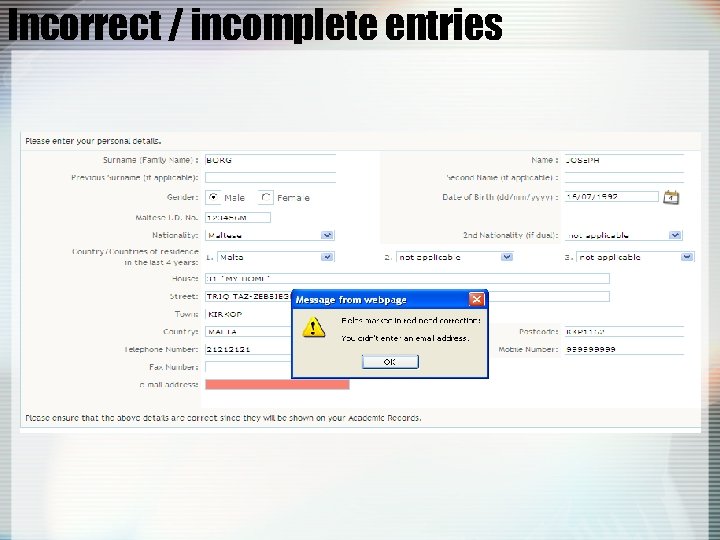 Incorrect / incomplete entries
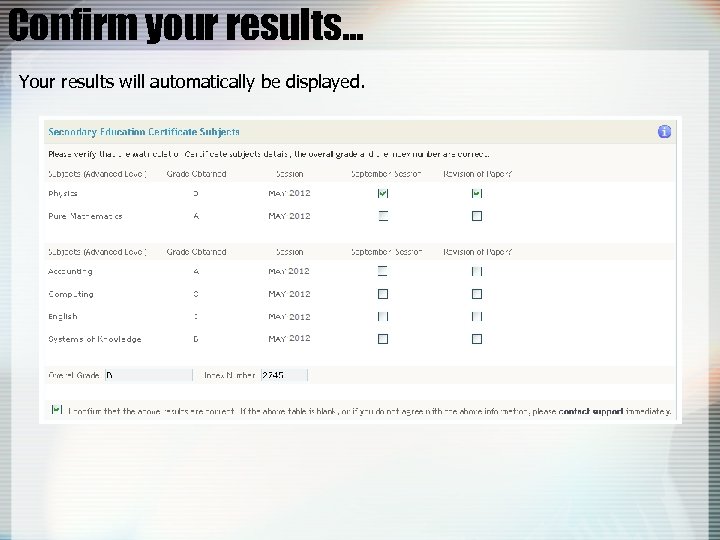 Confirm your results… Your results will automatically be displayed.
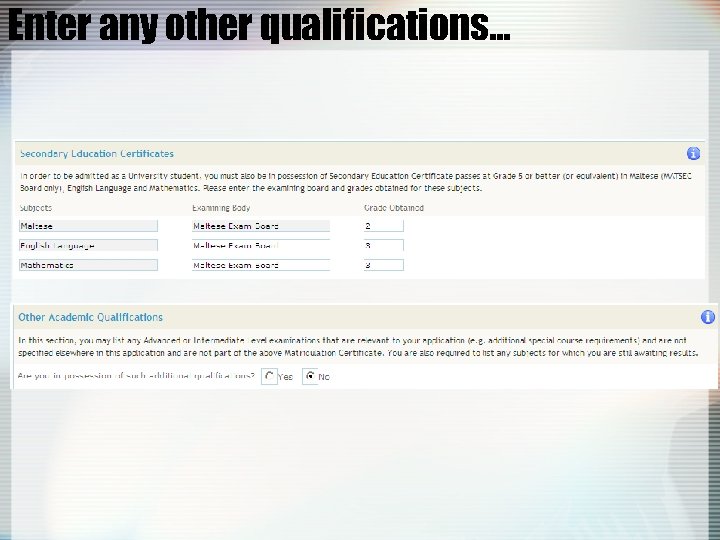 Enter any other qualifications…
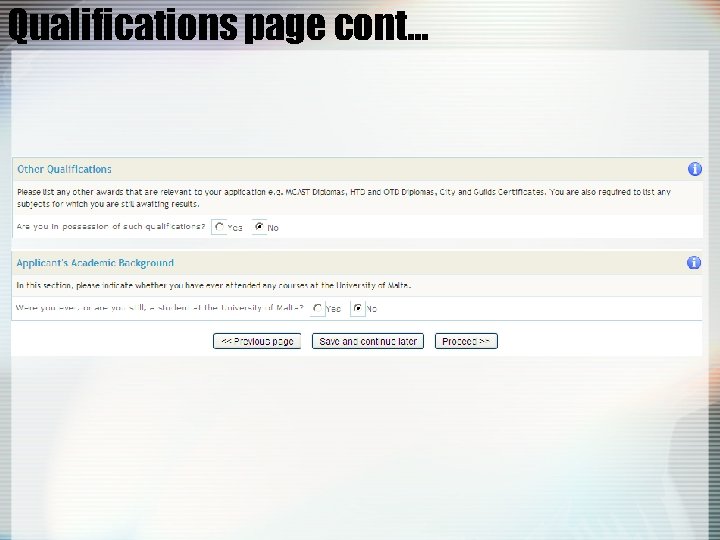 Qualifications page cont…
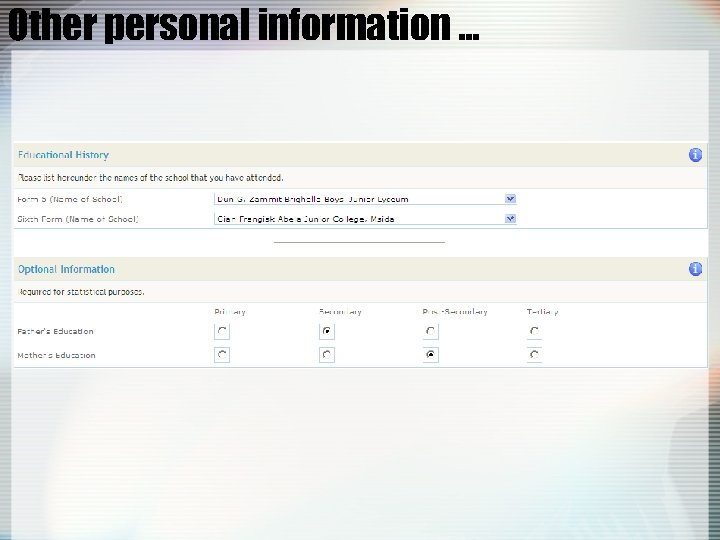 Other personal information …
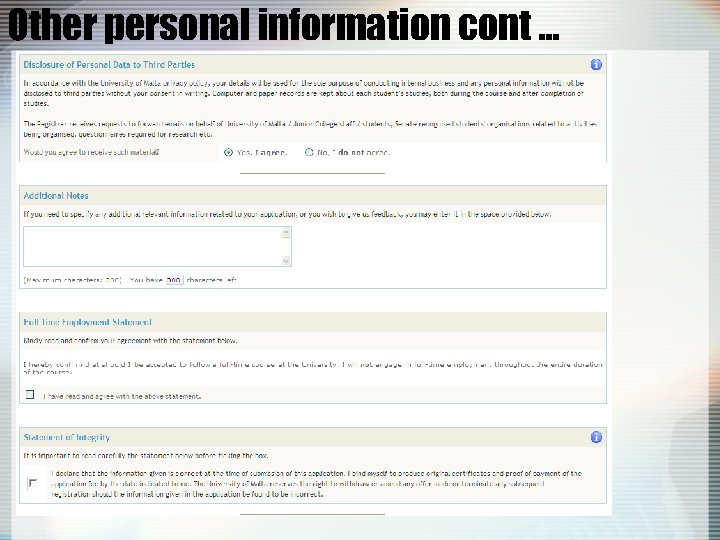 Other personal information cont …
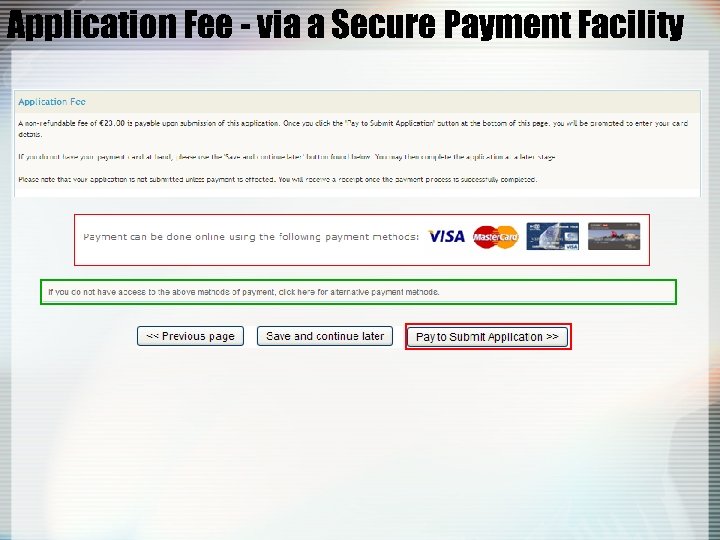 Application Fee - via a Secure Payment Facility
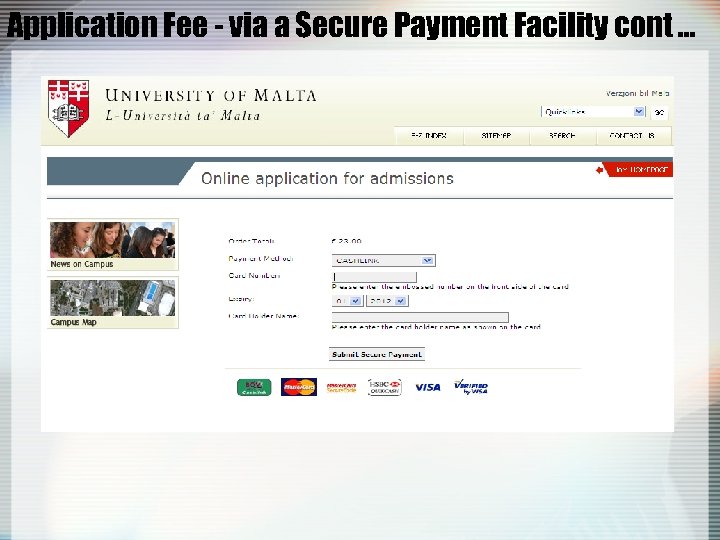 Application Fee - via a Secure Payment Facility cont …
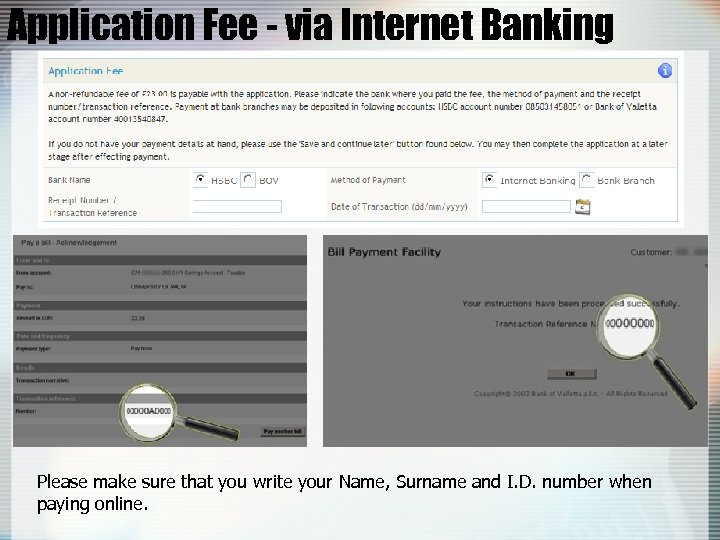 Application Fee - via Internet Banking Please make sure that you write your Name, Surname and I. D. number when paying online.
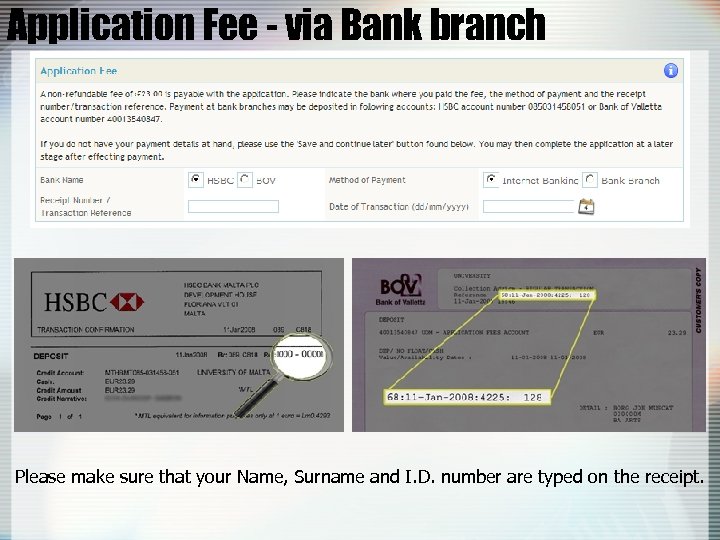 Application Fee - via Bank branch Please make sure that your Name, Surname and I. D. number are typed on the receipt.
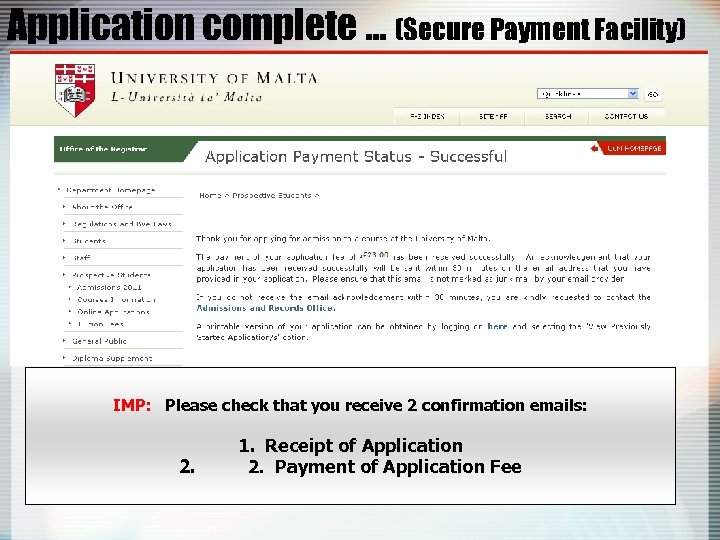 Application complete … (Secure Payment Facility) IMP: Please check that you receive 2 confirmation emails: 2. 1. Receipt of Application 2. Payment of Application Fee
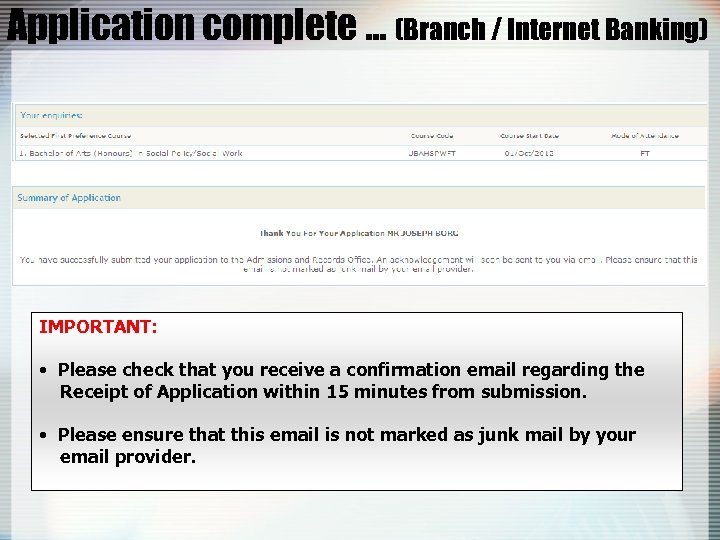 Application complete … (Branch / Internet Banking) IMPORTANT: • Please check that you receive a confirmation email regarding the Receipt of Application within 15 minutes from submission. • Please ensure that this email is not marked as junk mail by your email provider.
 Support – Email / Telephone For queries, please contact the Admissions and Records Office on: Direct Telephone Numbers: 23402811 or 23403233 Email: applyonline@um. edu. mt Contact hours: Friday 20 July; Monday 23 July– Tuesday 24 July: 8. 00 am - 1. 00 pm 2. 00 pm - 5. 00 pm Saturday 21: 8. 00 am - 12. 30 pm