 Скачать презентацию University of British Columbia CPSC 414 Computer Graphics
02f898158e0b91eeae3ea32d7702b191.ppt
- Количество слайдов: 59



University of British Columbia CPSC 414 Computer Graphics Viewing and Projections Wed 17 Oct 2003 • project 1 • recap: display lists • viewing • projections © Tamara Munzner 1
News • Project 1 out • Trouble ticket into IT services re newsgroup on news. interchange – read on nnrp. cs in the meantime Week 3, Wed 17 Oct 03 © Tamara Munzner 2
Project 1: Articulated Elephant • modelling – spheres and cubes – hierarchical transformations – think cartoon! • animation – more transformations – tail wag, head/neck nod, leg raise, trunk curl – gaps, self-intersections OK Week 3, Wed 17 Oct 03 © Tamara Munzner 3

Elephants http: //www. wapers. com/animalnplant/elephant. jpg http: //www. worldwildlife. org/expeditions/images/elephant. jpg http: //aletsch. esis. ch/julen/picts/elephant. jpg Week 3, Wed 17 Oct 03 © Tamara Munzner 4
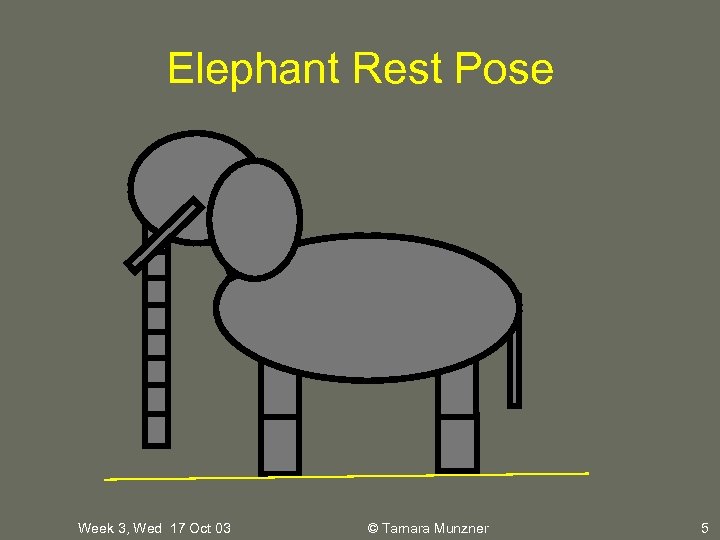
Elephant Rest Pose Week 3, Wed 17 Oct 03 © Tamara Munzner 5
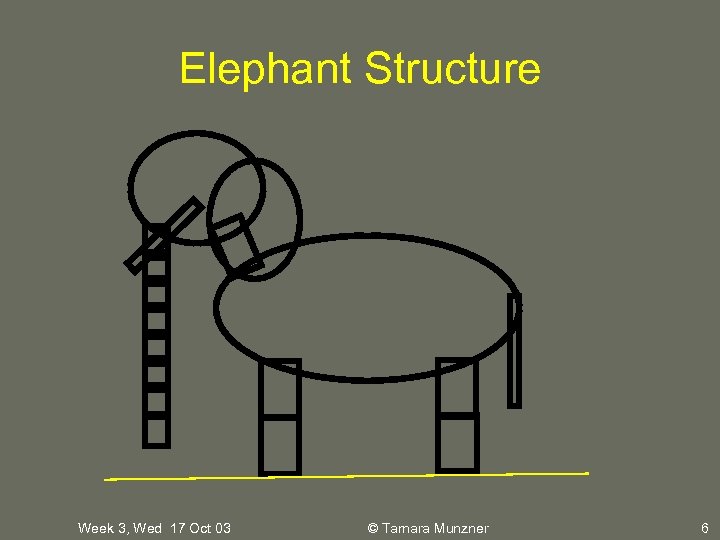
Elephant Structure Week 3, Wed 17 Oct 03 © Tamara Munzner 6
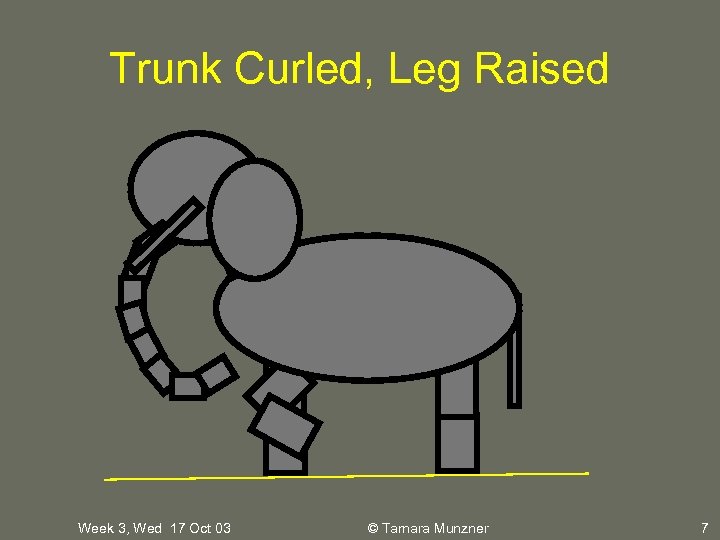
Trunk Curled, Leg Raised Week 3, Wed 17 Oct 03 © Tamara Munzner 7
Interaction • key bindings as toggles • on click, move from rest state to new position or vice versa • already in framework: 6 camera positions • toggle between jumpcut and smooth transition Week 3, Wed 17 Oct 03 © Tamara Munzner 8
Transition • first: jump cut from old to new position – all change happens in single frame • do last: add smooth transition – change happens gradually over 30 frames – key click triggers animation loop • explicitly redraw 30 times • linear interpolation: each time, param += (new-old)/30 – example: 5 -frame transition Week 3, Wed 17 Oct 03 © Tamara Munzner 9
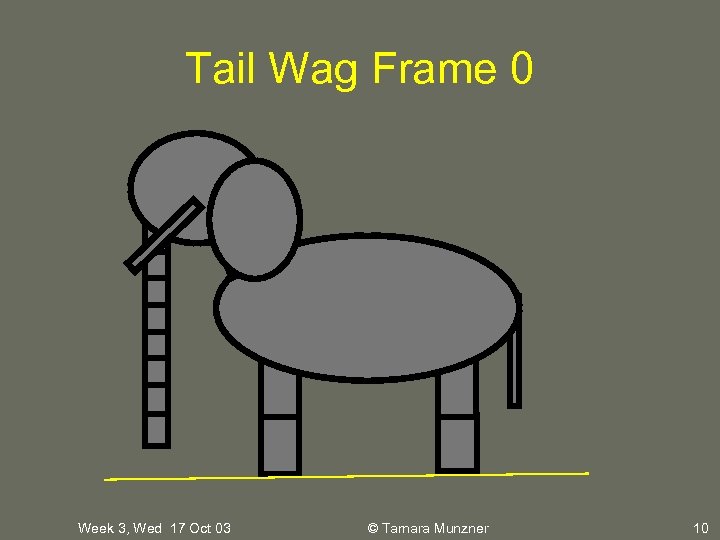
Tail Wag Frame 0 Week 3, Wed 17 Oct 03 © Tamara Munzner 10
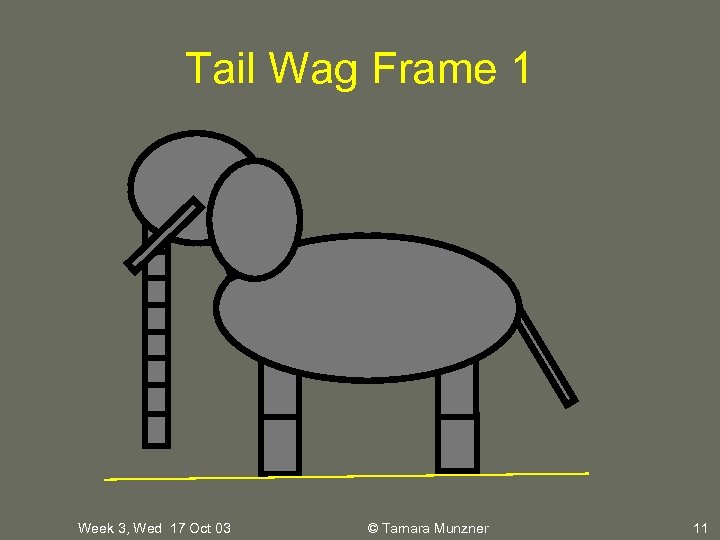
Tail Wag Frame 1 Week 3, Wed 17 Oct 03 © Tamara Munzner 11
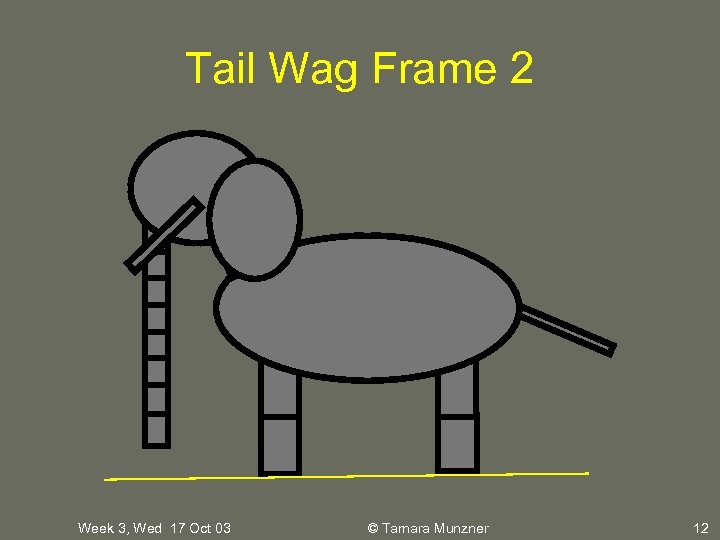
Tail Wag Frame 2 Week 3, Wed 17 Oct 03 © Tamara Munzner 12
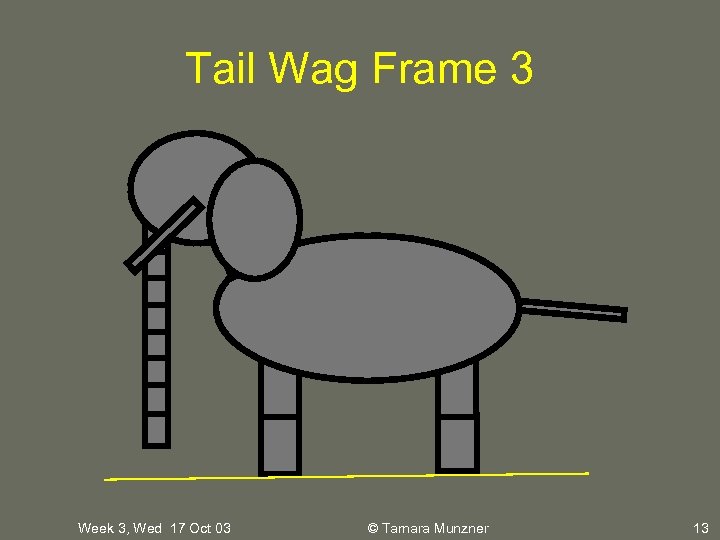
Tail Wag Frame 3 Week 3, Wed 17 Oct 03 © Tamara Munzner 13
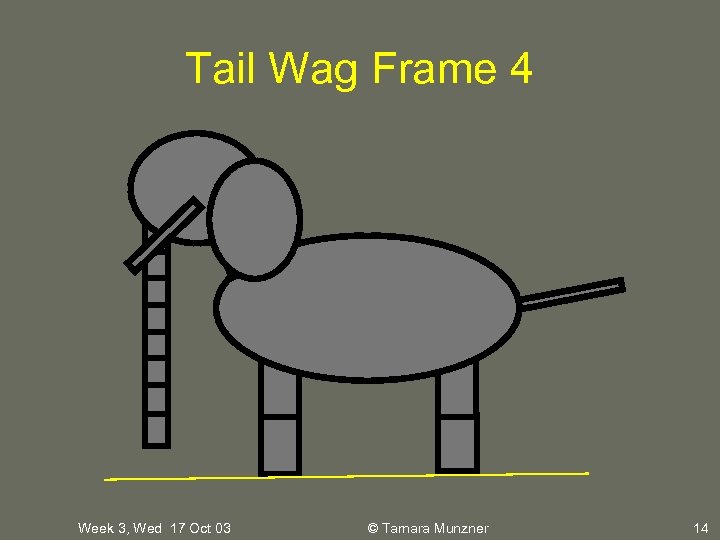
Tail Wag Frame 4 Week 3, Wed 17 Oct 03 © Tamara Munzner 14
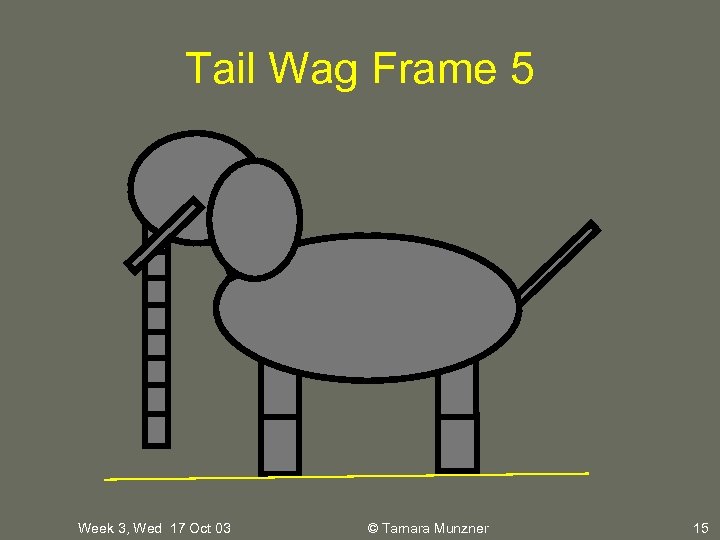
Tail Wag Frame 5 Week 3, Wed 17 Oct 03 © Tamara Munzner 15
Strategy • check from all camera angles • interleave modelling, animation – add body part, then animate it – discover if on wrong track sooner – depenencies: can’t get anim credit if no model • do smooth transitions last • don’t start extra credit until required all done • consider using different model, anim xforms Week 3, Wed 17 Oct 03 © Tamara Munzner 16
Writeup • README – what’s implemented – undone: for partial credit • state problems • describe how far you got • conjecture possible solutions – extra • what you did • how many points you argue it’s worth Week 3, Wed 17 Oct 03 © Tamara Munzner 17
Grading • Project 1: 10% of course grade • use handin program before Thu 2 Oct 5 pm • face-to-face grading – sign up for 10 -minute slot, arrive 10 min early – bring printouts: code, README • must match handin – demo from submission directory – late if handin or file timestamps after deadline • late policy: 3 grace days for term, then 20% per day Week 3, Wed 17 Oct 03 © Tamara Munzner 18
Plagarism Policy • no collaboration allowed – your work alone – general discussions of approach OK – do not look at (or copy) anybody else’s code • plagarism is detectable – both by TAs and automated programs Week 3, Wed 17 Oct 03 © Tamara Munzner 19

Hall of Fame • best work posted on course web site • previous years – http: //www. ugrad. cs. ubc. ca/~cs 414/Vjan 2003/best_projects – http: //www. ugrad. cs. ubc. ca/~cs 414/best_of_2002/HW 3_best. htm Week 3, Wed 17 Oct 03 © Tamara Munzner 20
Display List recap • reuse block of Open. GL code • more efficient than immediate mode – code reuse, driver optimization • good for static objects redrawn often – can’t change contents – not just for multiple instances • interactive graphics: objects redrawn every frame Week 3, Wed 17 Oct 03 © Tamara Munzner 21
Display List recap • example: 36 snowmen – small display list with 36 x reuse • 3 x faster – big display list with 1 x reuse • 2 x faster – nested display lists, 1 x * 36 x reuse: • 3 x faster, high-level block available Week 3, Wed 17 Oct 03 © Tamara Munzner 22
Double Buffering recap • two framebuffers, front and back – avoid flicker – while front is on display, draw into back – when drawing finished, swap the two Week 3, Wed 17 Oct 03 © Tamara Munzner 23
University of British Columbia CPSC 414 Computer Graphics Viewing and Projections © Tamara Munzner 24
Viewing and Projection • need to get from 3 D world to 2 D image • projection: geometric abstraction – what eyes or cameras do • two pieces – viewing transform: • where is the camera, what is it pointing at? – perspective transform: 3 D -> 2 D • flatten to image Week 3, Wed 17 Oct 03 © Tamara Munzner 25
From Geometry to Screen • geometry in world coordinate system: how to get to screen? – transform to camera coordinate system – transform to volume in viewing coordinates – clip – project to display coordinates – rasterize Week 3, Wed 17 Oct 03 © Tamara Munzner 26
Coordinate Systems • result of a transformation • names – convenience • elephant: neck, head, tail – standard conventions in graphics pipeline • • • object/modelling world camera/viewing screen/window raster/device Week 3, Wed 17 Oct 03 © Tamara Munzner 27
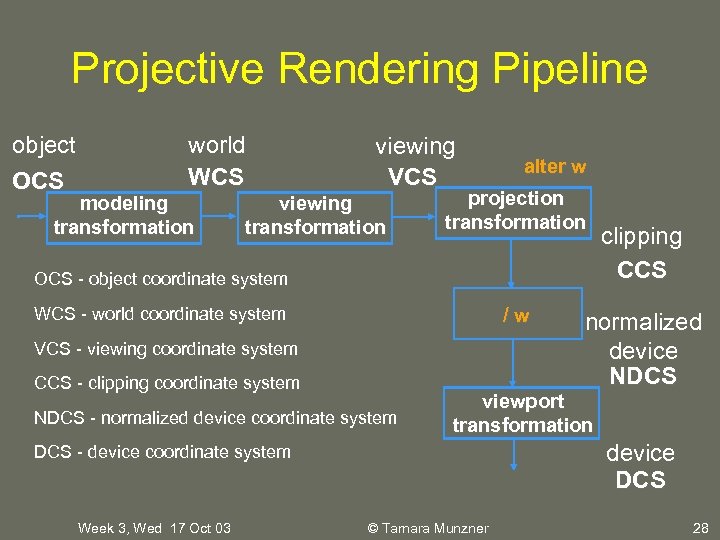
Projective Rendering Pipeline object OCS world WCS modeling transformation viewing VCS viewing transformation alter w projection transformation OCS - object coordinate system /w WCS - world coordinate system VCS - viewing coordinate system CCS - clipping coordinate system NDCS - normalized device coordinate system normalized device NDCS viewport transformation device DCS - device coordinate system Week 3, Wed 17 Oct 03 clipping CCS © Tamara Munzner 28
Basic Viewing • starting spot - Open. GL – camera at world origin • probably inside an object – y axis is up – looking down negative z axis • why? RHS with x horizontal, y vertical • translate backward so scene is visible – move distance d = focal length • what about flying around? Week 3, Wed 17 Oct 03 © Tamara Munzner 29
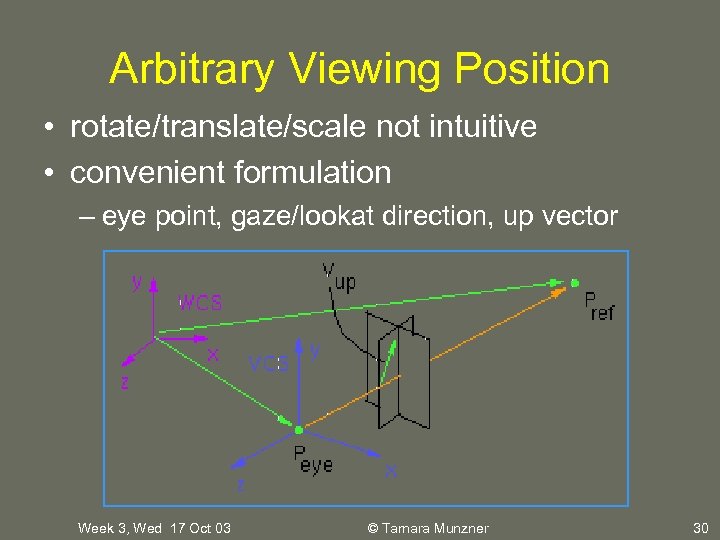
Arbitrary Viewing Position • rotate/translate/scale not intuitive • convenient formulation – eye point, gaze/lookat direction, up vector Week 3, Wed 17 Oct 03 © Tamara Munzner 30
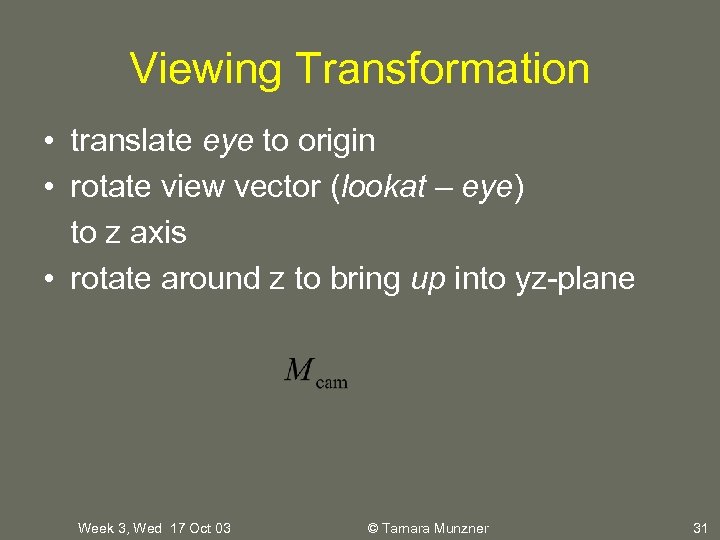
Viewing Transformation • translate eye to origin • rotate view vector (lookat – eye) to z axis • rotate around z to bring up into yz-plane Week 3, Wed 17 Oct 03 © Tamara Munzner 31
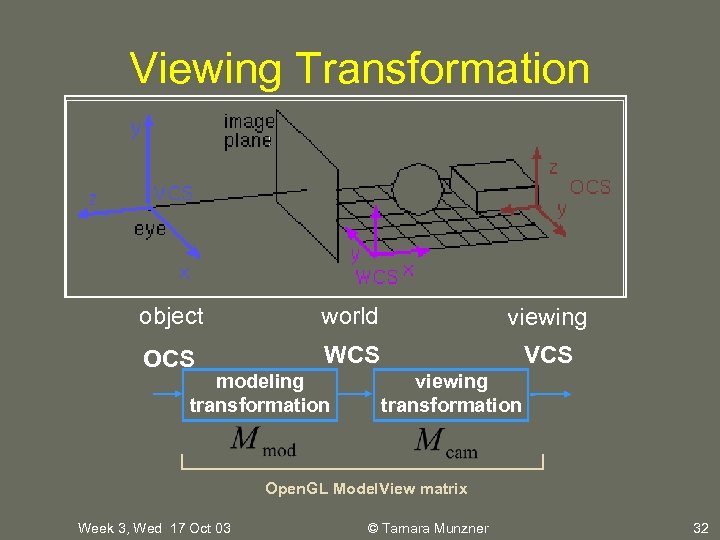
Viewing Transformation object world viewing OCS WCS VCS modeling transformation viewing transformation Open. GL Model. View matrix Week 3, Wed 17 Oct 03 © Tamara Munzner 32
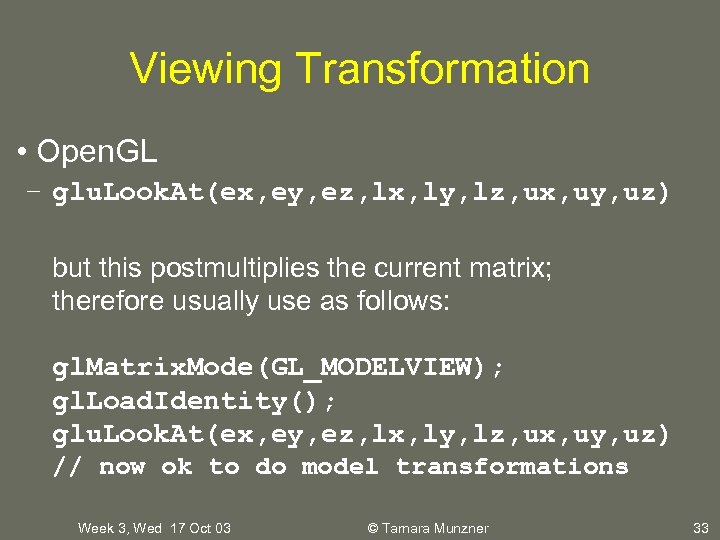
Viewing Transformation • Open. GL – glu. Look. At(ex, ey, ez, lx, ly, lz, ux, uy, uz) but this postmultiplies the current matrix; therefore usually use as follows: gl. Matrix. Mode(GL_MODELVIEW); gl. Load. Identity(); glu. Look. At(ex, ey, ez, lx, ly, lz, ux, uy, uz) // now ok to do model transformations Week 3, Wed 17 Oct 03 © Tamara Munzner 33
University of British Columbia CPSC 414 Computer Graphics Projections © Tamara Munzner 34
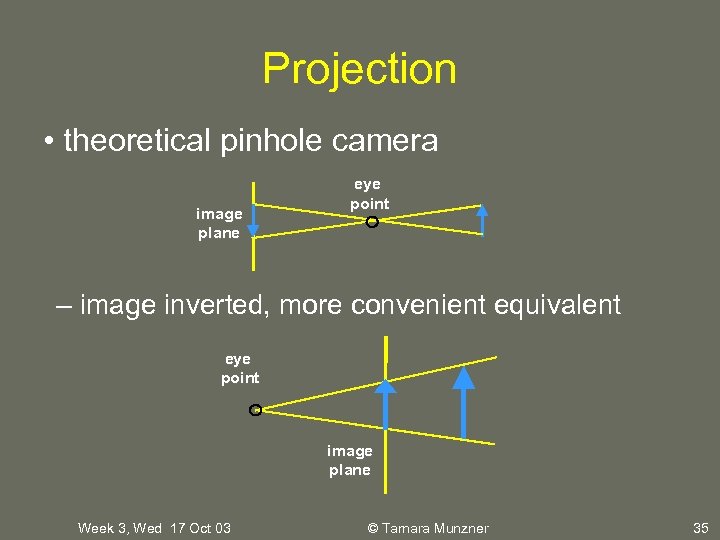
Projection • theoretical pinhole camera image plane eye point – image inverted, more convenient equivalent eye point image plane Week 3, Wed 17 Oct 03 © Tamara Munzner 35
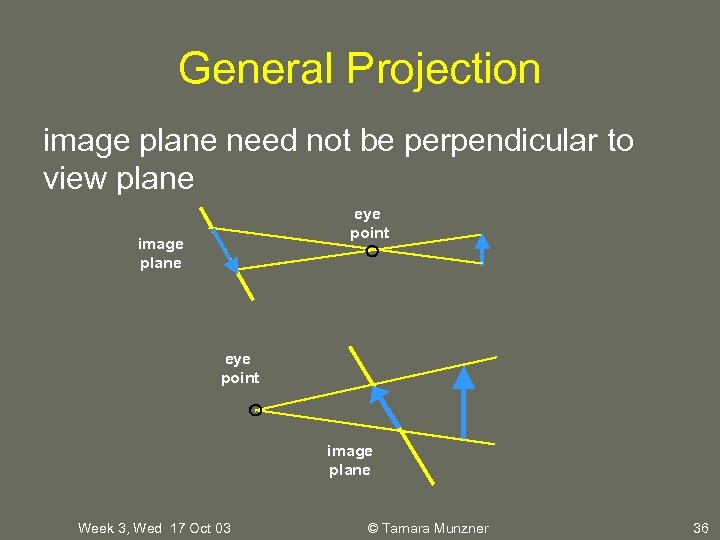
General Projection image plane need not be perpendicular to view plane eye point image plane Week 3, Wed 17 Oct 03 © Tamara Munzner 36
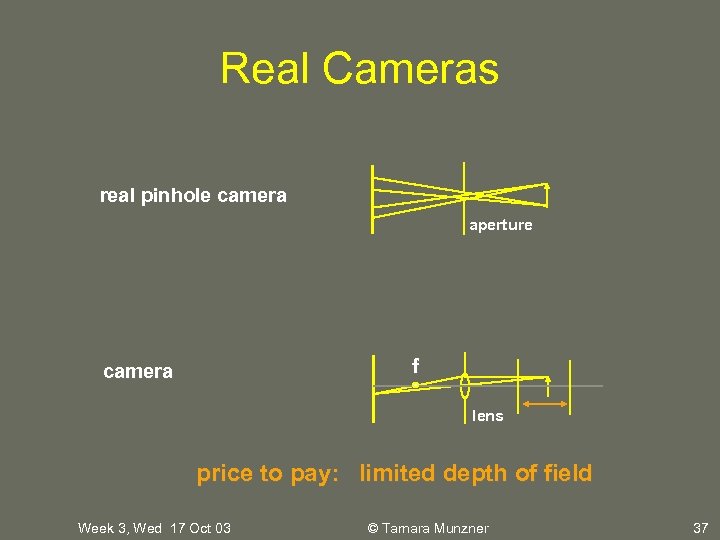
Real Cameras real pinhole camera aperture f camera lens price to pay: limited depth of field Week 3, Wed 17 Oct 03 © Tamara Munzner 37
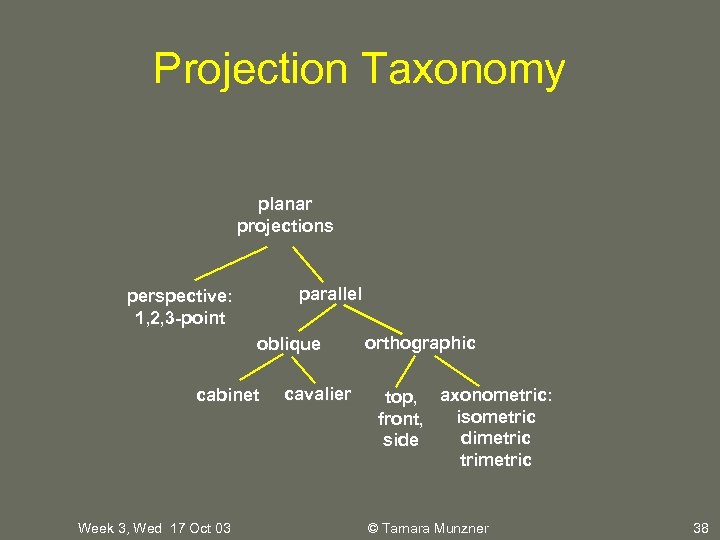
Projection Taxonomy planar projections parallel perspective: 1, 2, 3 -point oblique cabinet Week 3, Wed 17 Oct 03 cavalier orthographic top, axonometric: isometric front, dimetric side trimetric © Tamara Munzner 38
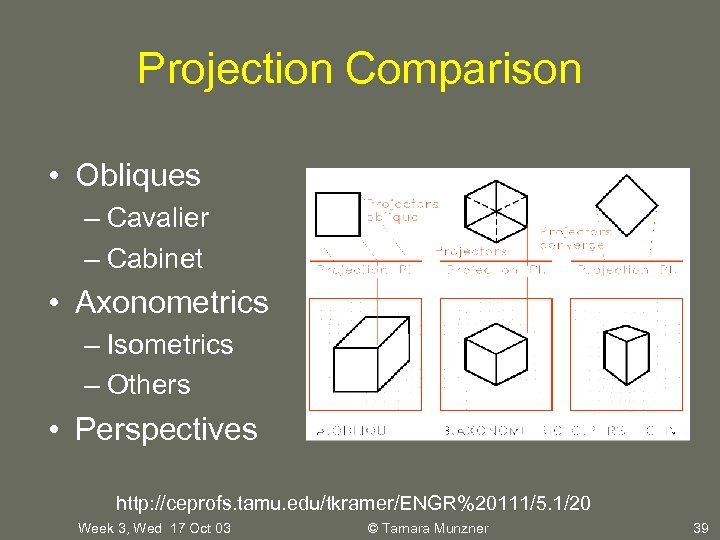
Projection Comparison • Obliques – Cavalier – Cabinet • Axonometrics – Isometrics – Others • Perspectives http: //ceprofs. tamu. edu/tkramer/ENGR%20111/5. 1/20 Week 3, Wed 17 Oct 03 © Tamara Munzner 39
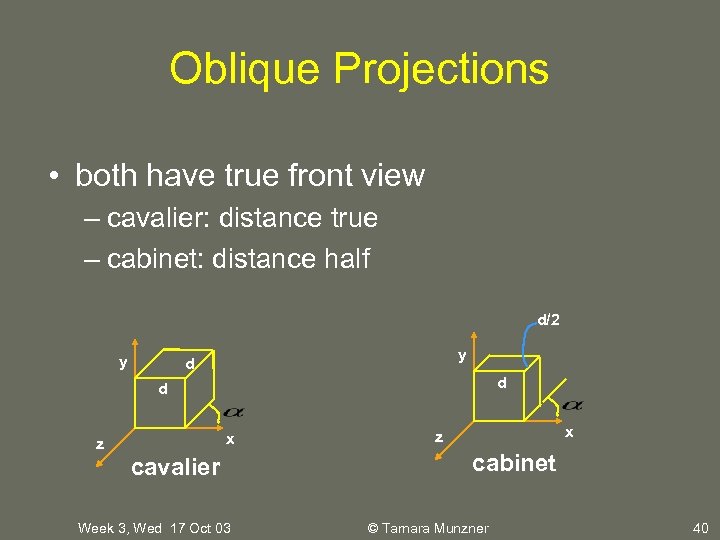
Oblique Projections • both have true front view – cavalier: distance true – cabinet: distance half d/2 y y d d d x z cavalier Week 3, Wed 17 Oct 03 x z cabinet © Tamara Munzner 40
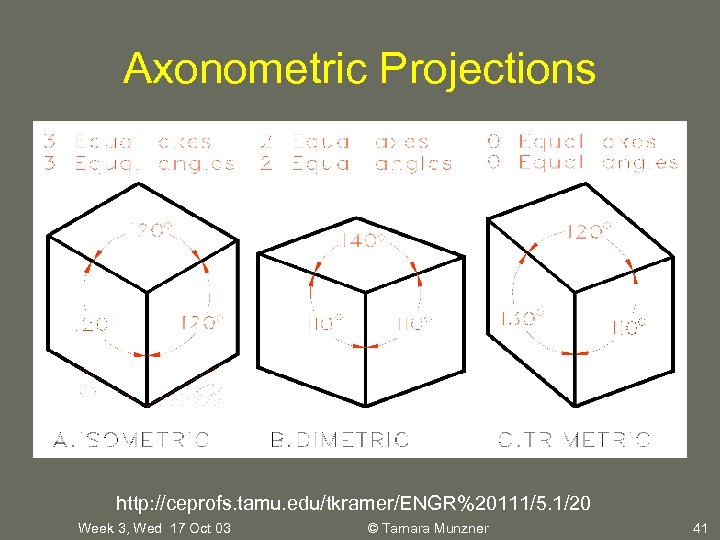
Axonometric Projections http: //ceprofs. tamu. edu/tkramer/ENGR%20111/5. 1/20 Week 3, Wed 17 Oct 03 © Tamara Munzner 41
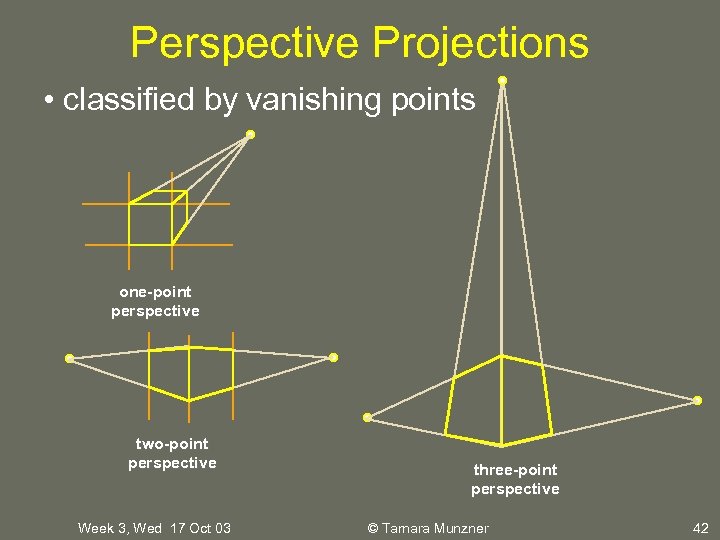
Perspective Projections • classified by vanishing points one-point perspective two-point perspective Week 3, Wed 17 Oct 03 three-point perspective © Tamara Munzner 42
Projective Transformations • planar geometric projections – planar: onto a plane – geometric: using straight lines – projections: 3 D -> 2 D • aka projective mappings • counterexamples? Week 3, Wed 17 Oct 03 © Tamara Munzner 43
Projective Transformations • properties – lines mapped to lines and triangles to triangles – parallel lines do NOT remain parallel • e. g. rails vanishing at infinity – affine combinations are NOT preserved • e. g. center of a line does not map to center of projected line (perspective foreshortening) Week 3, Wed 17 Oct 03 © Tamara Munzner 44
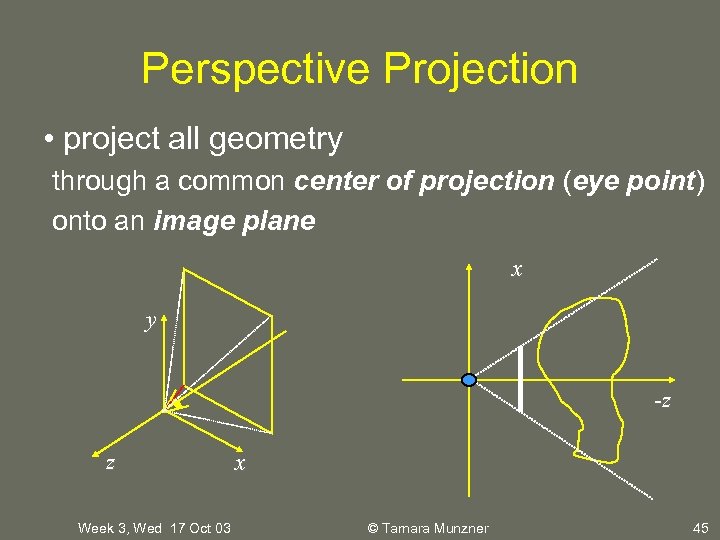
Perspective Projection • project all geometry through a common center of projection (eye point) onto an image plane x y -z z Week 3, Wed 17 Oct 03 x © Tamara Munzner 45
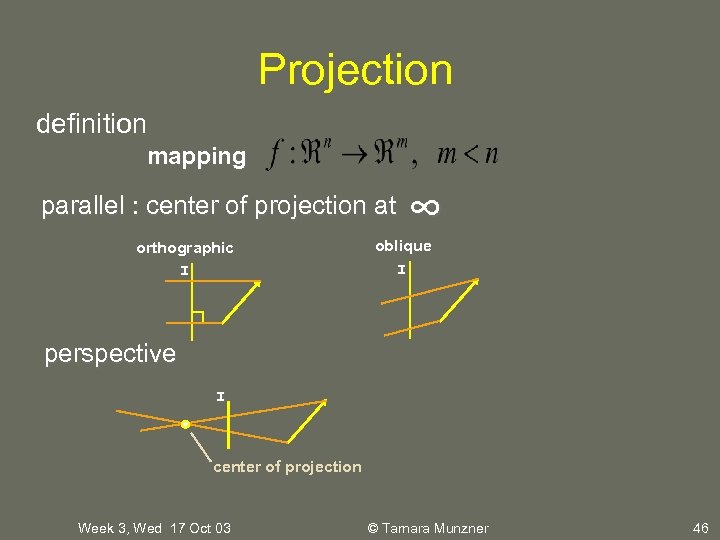
Projection definition mapping parallel : center of projection at orthographic I ∞ oblique I perspective I center of projection Week 3, Wed 17 Oct 03 © Tamara Munzner 46
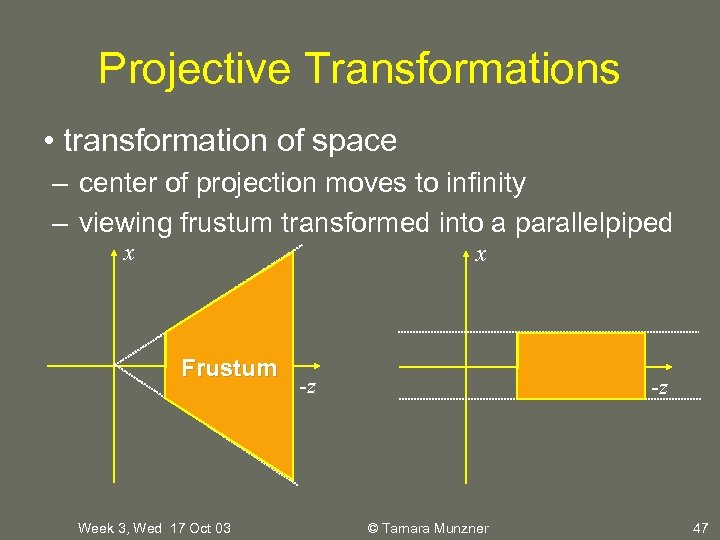
Projective Transformations • transformation of space – center of projection moves to infinity – viewing frustum transformed into a parallelpiped x x Frustum Week 3, Wed 17 Oct 03 -z -z © Tamara Munzner 47
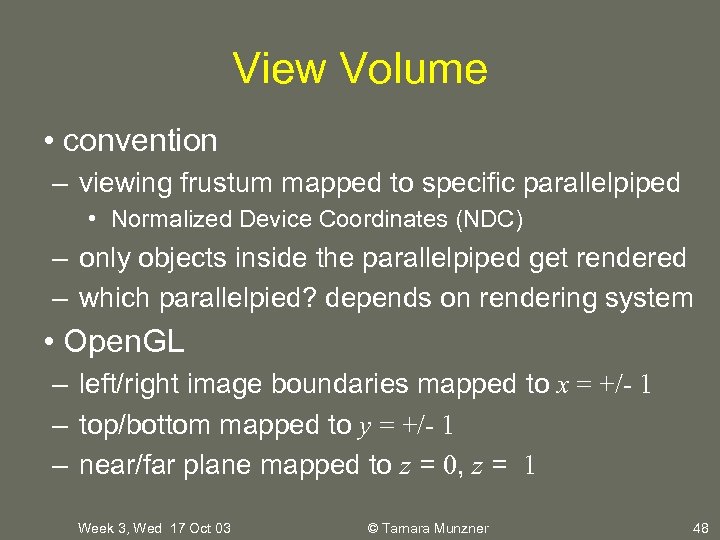
View Volume • convention – viewing frustum mapped to specific parallelpiped • Normalized Device Coordinates (NDC) – only objects inside the parallelpiped get rendered – which parallelpied? depends on rendering system • Open. GL – left/right image boundaries mapped to x = +/- 1 – top/bottom mapped to y = +/- 1 – near/far plane mapped to z = 0, z = 1 Week 3, Wed 17 Oct 03 © Tamara Munzner 48
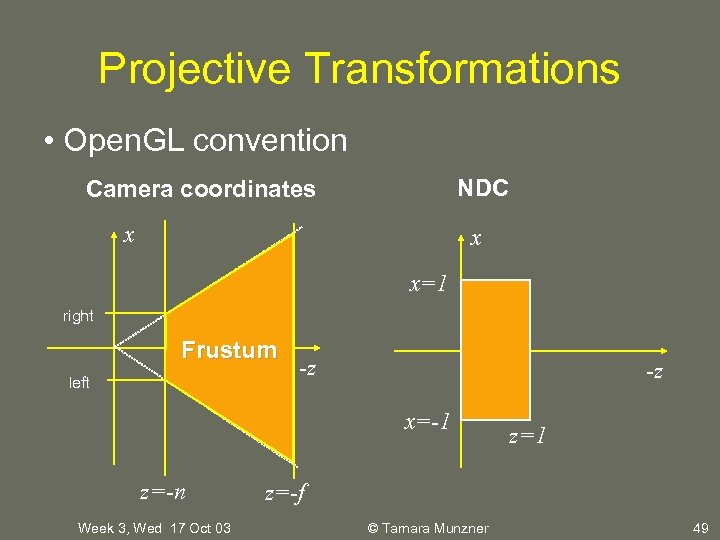
Projective Transformations • Open. GL convention NDC Camera coordinates x x x=1 right Frustum left -z -z x=-1 z=-n Week 3, Wed 17 Oct 03 z=1 z=-f © Tamara Munzner 49
Projective Transformations • why near and far plane? – near plane: • avoid singularity (division by zero, or very small numbers) – far plane: • store depth in fixed-point representation (integer), thus have to have fixed range of values (0… 1) • avoid/reduce numerical precision artifacts for distant objects Week 3, Wed 17 Oct 03 © Tamara Munzner 50
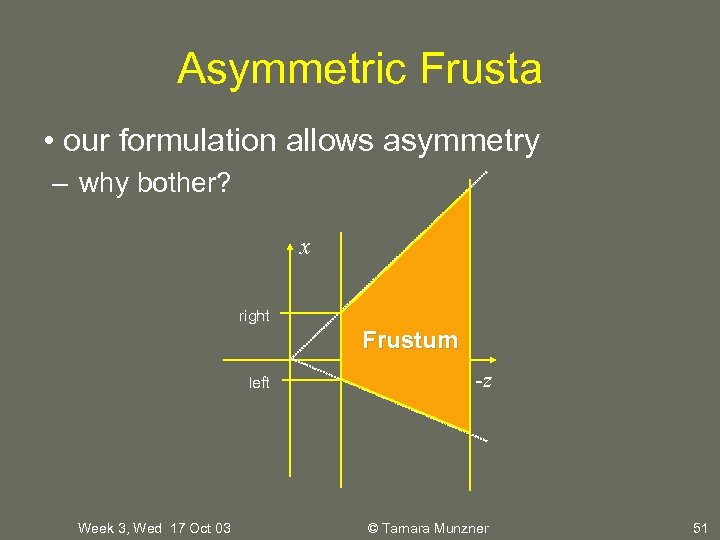
Asymmetric Frusta • our formulation allows asymmetry – why bother? x right Frustum left Week 3, Wed 17 Oct 03 -z © Tamara Munzner 51
Simpler Formulation • look through window center – symmetric frustum • left, right, bottom, top, near, far – overkill – nonintuitive • constraints left = -right, bottom = -top Week 3, Wed 17 Oct 03 © Tamara Munzner 52
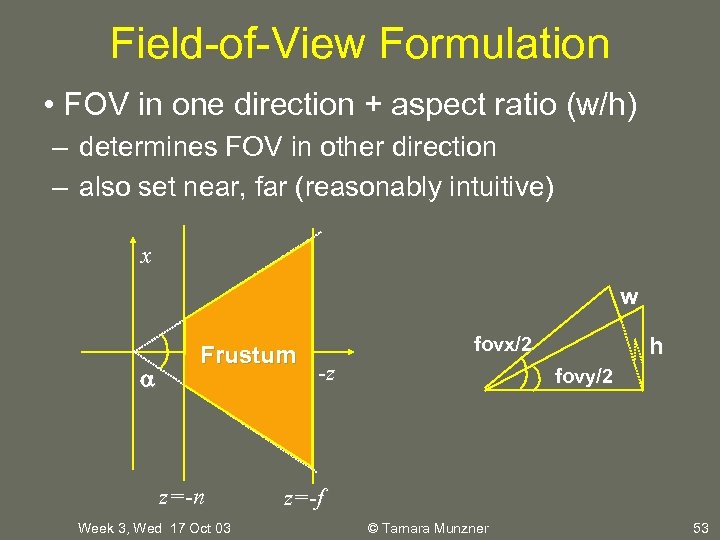
Field-of-View Formulation • FOV in one direction + aspect ratio (w/h) – determines FOV in other direction – also set near, far (reasonably intuitive) x w Frustum z=-n Week 3, Wed 17 Oct 03 h fovx/2 -z fovy/2 z=-f © Tamara Munzner 53
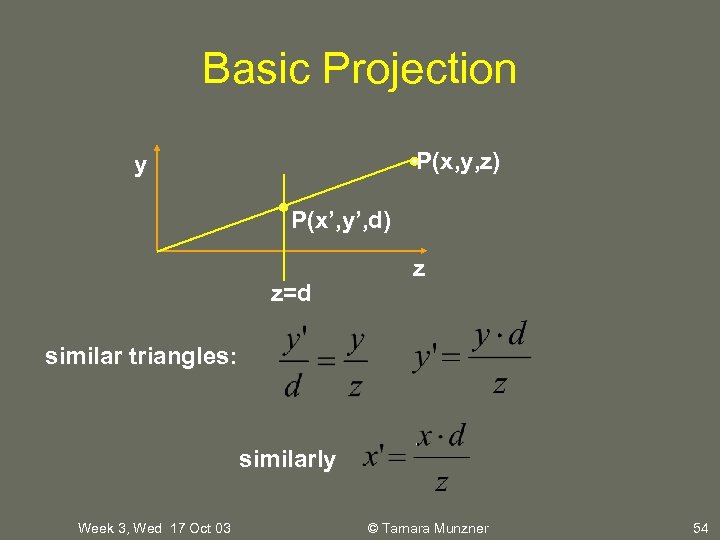
Basic Projection P(x, y, z) y P(x’, y’, d) z=d z similar triangles: similarly Week 3, Wed 17 Oct 03 © Tamara Munzner 54
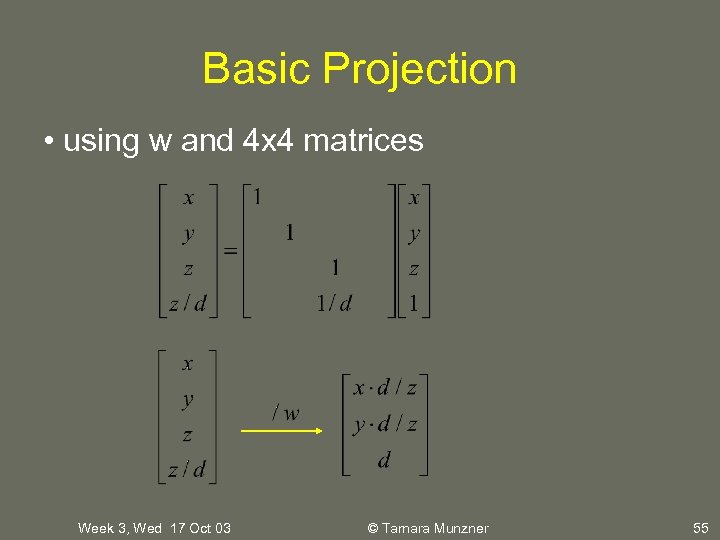
Basic Projection • using w and 4 x 4 matrices Week 3, Wed 17 Oct 03 © Tamara Munzner 55
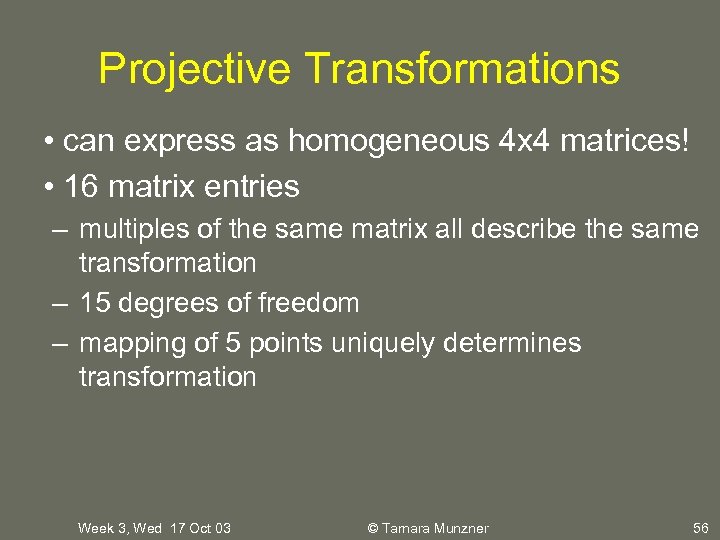
Projective Transformations • can express as homogeneous 4 x 4 matrices! • 16 matrix entries – multiples of the same matrix all describe the same transformation – 15 degrees of freedom – mapping of 5 points uniquely determines transformation Week 3, Wed 17 Oct 03 © Tamara Munzner 56
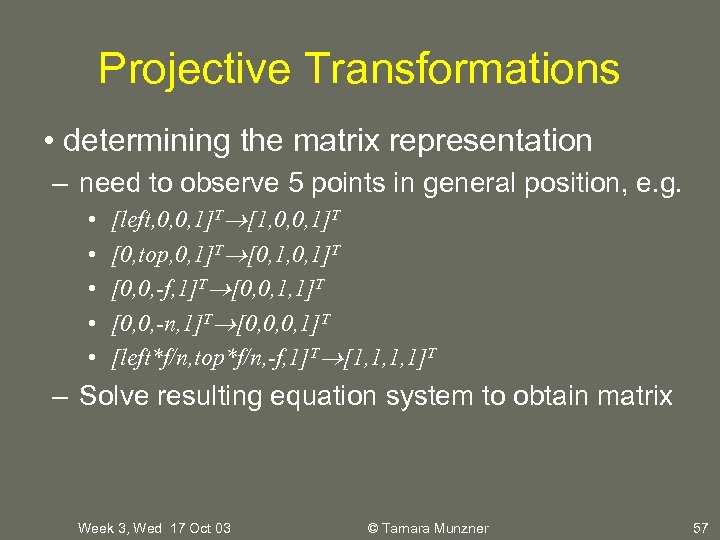
Projective Transformations • determining the matrix representation – need to observe 5 points in general position, e. g. • • • [left, 0, 0, 1]T [1, 0, 0, 1]T [0, top, 0, 1]T [0, 1, 0, 1]T [0, 0, -f, 1]T [0, 0, 1, 1]T [0, 0, -n, 1]T [0, 0, 0, 1]T [left*f/n, top*f/n, -f, 1]T [1, 1, 1, 1]T – Solve resulting equation system to obtain matrix Week 3, Wed 17 Oct 03 © Tamara Munzner 57
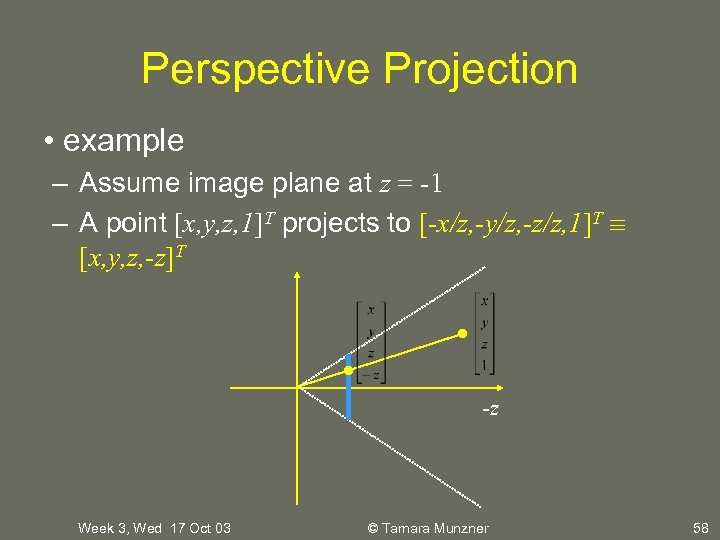
Perspective Projection • example – Assume image plane at z = -1 – A point [x, y, z, 1]T projects to [-x/z, -y/z, -z/z, 1]T [x, y, z, -z]T -z Week 3, Wed 17 Oct 03 © Tamara Munzner 58
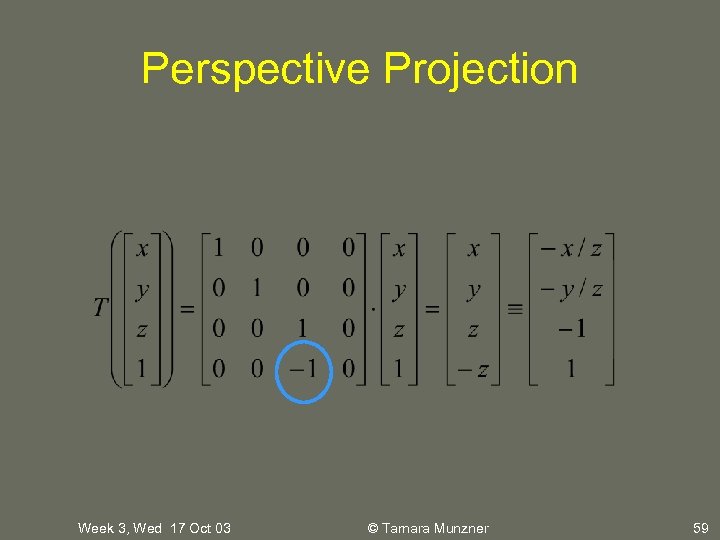
Perspective Projection Week 3, Wed 17 Oct 03 © Tamara Munzner 59
Скачать презентацию University of British Columbia CPSC 414 Computer Graphics
02f898158e0b91eeae3ea32d7702b191.ppt