 Скачать презентацию UNIT 4 MONITORING AND CONTROL Syllabus
eddfa0d4bbd8bd28a968aafd2cd5fa11.ppt
- Количество слайдов: 59



UNIT 4 MONITORING AND CONTROL
Syllabus • • • • Creating framework Collecting the data Visualizing progress Cost monitoring Earned value Prioritizing monitoring Getting project back to target Change control Managing contracts Introduction Types of contracts Stages in contract of placement Typical terms of a contract Contract management Acceptance
CREATING FRAMEWORK • Project Framework consists of – Understanding Project Control Cycle and – Establishing Project structure
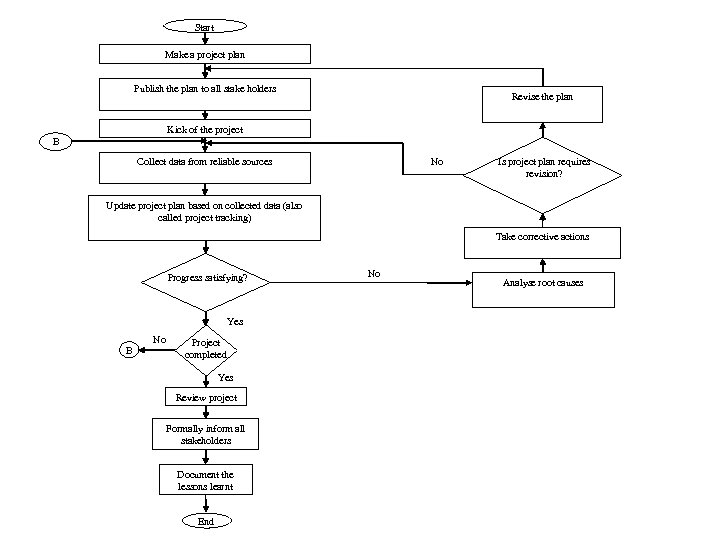
Start Make a project plan Publish the plan to all stake holders Revise the plan Kick of the project B Collect data from reliable sources No Is project plan requires revision? Update project plan based on collected data (also called project tracking) Take corrective actions Progress satisfying? Yes B No Project completed Yes Review project Formally inform all stakeholders Document the lessons learnt End No Analyse root causes
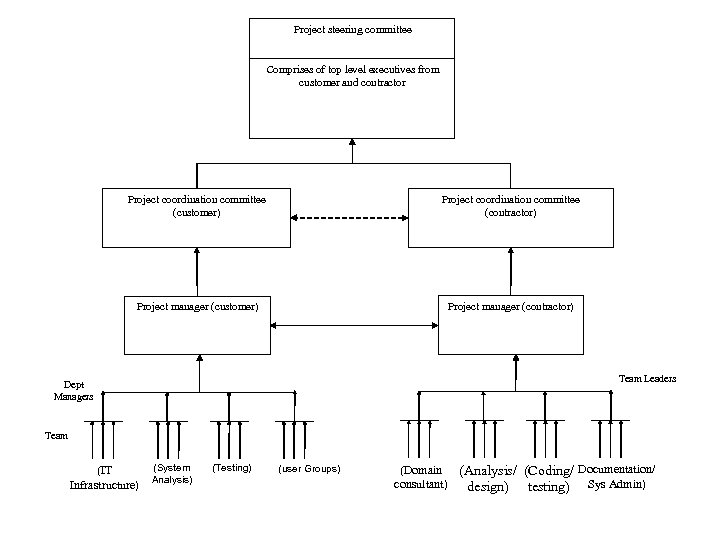
Project steering committee Comprises of top level executives from customer and contractor Project coordination committee (customer) Project coordination committee (contractor) Project manager (customer) Project manager (contractor) Team Leaders Dept Managers Team (IT Infrastructure) (System Analysis) (Testing) (user Groups) (Domain (Analysis/ (Coding/ Documentation/ consultant) design) testing) Sys Admin)
Project Tracking • Collect Data • Cross Check its validity – Some sources to collect / Cross check data ( next slide) • Update project plan – If it involves time and cost ( slipping out of control)
Collecting the Data ( PROGRESS REPORTS)
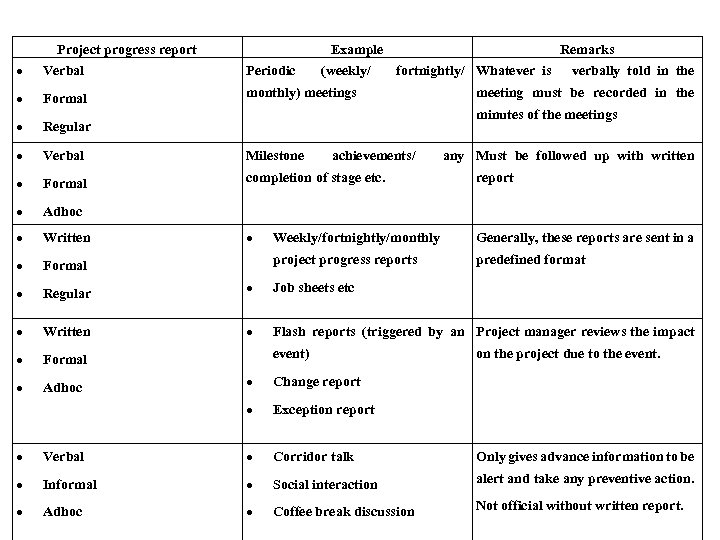
Project progress report Example Remarks Verbal Periodic Formal monthly) meetings Regular Verbal Milestone Formal completion of stage etc. report Adhoc Written Weekly/fortnightly/monthly Generally, these reports are sent in a Formal project progress reports predefined format Regular Job sheets etc Written Flash reports (triggered by an Project manager reviews the impact Formal Adhoc (weekly/ fortnightly/ Whatever is verbally told in the meeting must be recorded in the minutes of the meetings achievements/ event) on the project due to the event. Change report any Must be followed up with written Exception report Verbal Corridor talk Only gives advance information to be Informal Social interaction alert and take any preventive action. Adhoc Coffee break discussion Not official without written report.
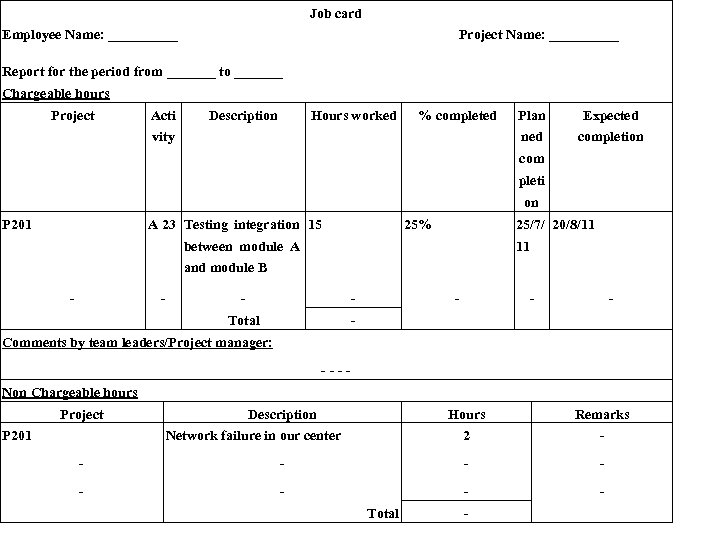
Job card Employee Name: _____ Project Name: _____ Report for the period from _______ to _______ Chargeable hours Project Acti Description Hours worked % completed Expected ned vity Plan completion com pleti on P 201 A 23 Testing integration 15 25% 25/7/ 20/8/11 between module A 11 and module B - - Total - - Comments by team leaders/Project manager: ---Non Chargeable hours Project P 201 Description Hours 2 Network failure in our center Remarks - - - - - Total -
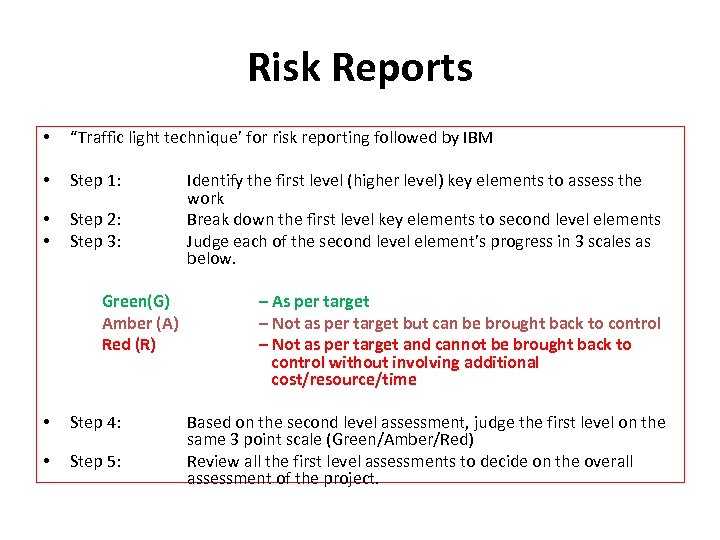
Risk Reports • “Traffic light technique’ for risk reporting followed by IBM • Step 1: • • Step 2: Step 3: Green(G) Amber (A) Red (R) • Step 4: • Step 5: Identify the first level (higher level) key elements to assess the work Break down the first level key elements to second level elements Judge each of the second level element’s progress in 3 scales as below. – As per target – Not as per target but can be brought back to control – Not as per target and cannot be brought back to control without involving additional cost/resource/time Based on the second level assessment, judge the first level on the same 3 point scale (Green/Amber/Red) Review all the first level assessments to decide on the overall assessment of the project.
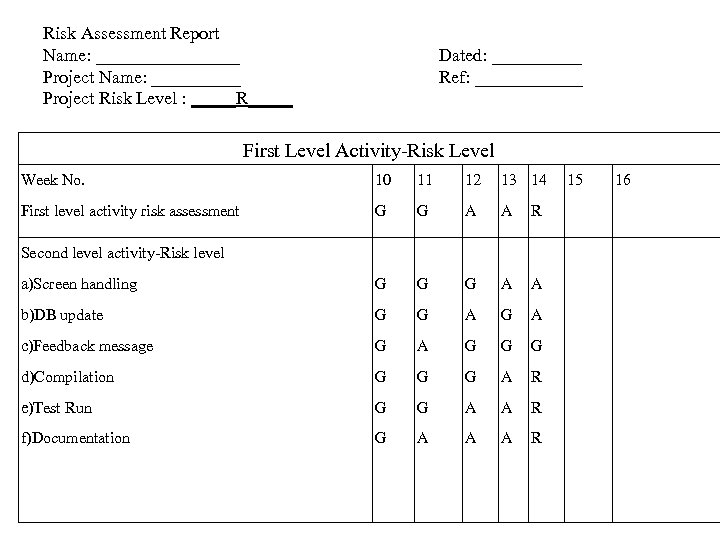
Risk Assessment Report Name: ________ Project Name: _____ Project Risk Level : _____R_____ Dated: _____ Ref: ______ First Level Activity-Risk Level Week No. 10 11 12 13 14 First level activity risk assessment G G A A R a)Screen handling G G G A A b)DB update G G A c)Feedback message G A G G G d)Compilation G G G A R e)Test Run G G A A R f)Documentation G A A A R Second level activity-Risk level 15 16
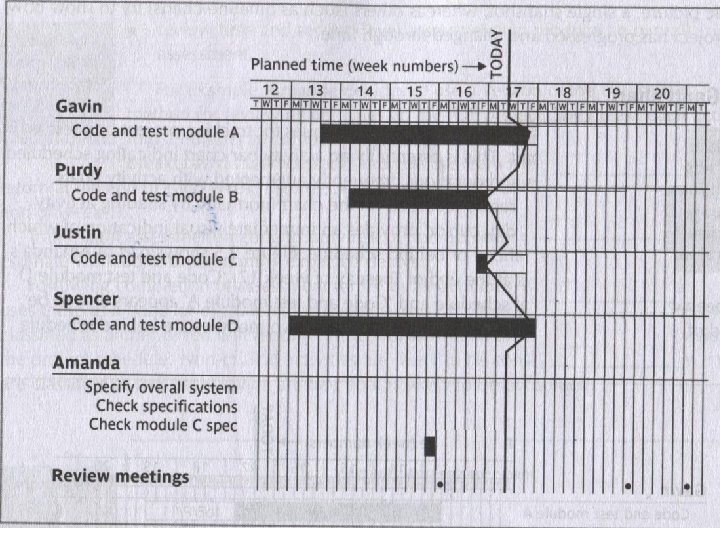
VISUALIZING PROGRESS • • Gantt Chart Slip chart Ball chart Timeline graph
Gantt Chart - example

The Slip chart - example
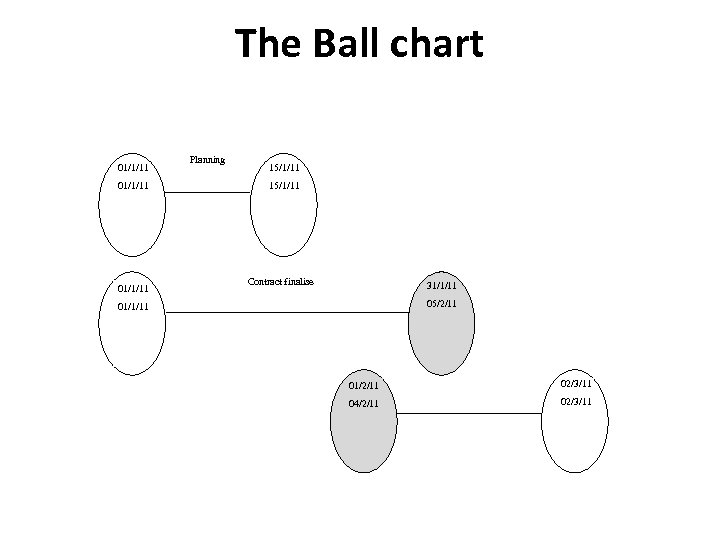
The Ball chart 01/1/11 Planning 15/1/11 Contract finalise 31/1/11 05/2/11 01/1/11 01/2/11 02/3/11 04/2/11 02/3/11
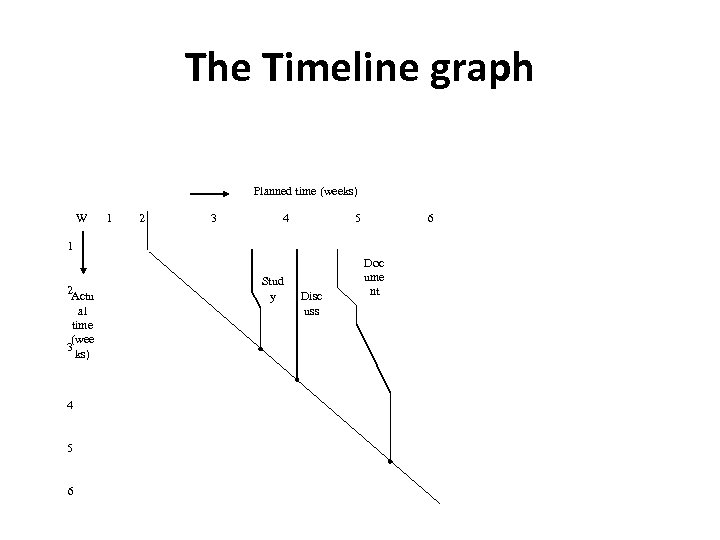
The Timeline graph Planned time (weeks) W 1 2 3 4 5 6 1 2 Actu al time (wee 3 ks) 4 5 6 Stud y Disc uss Doc ume nt
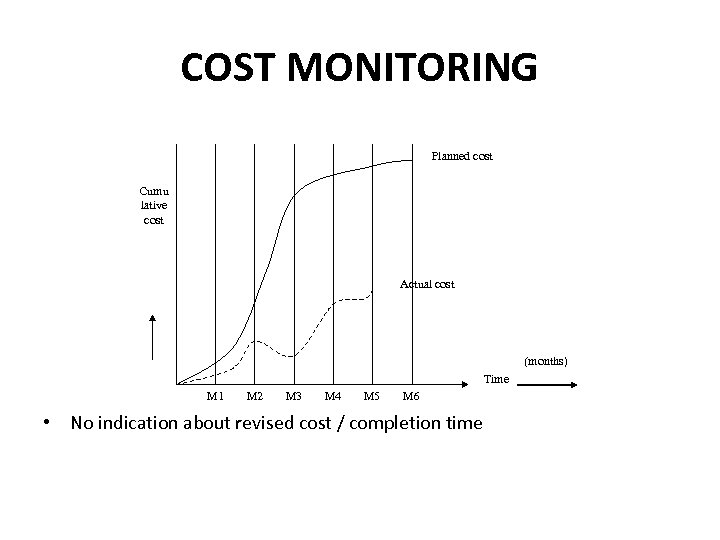
COST MONITORING Planned cost Cumu lative cost Actual cost (months) Time M 1 M 2 M 3 M 4 M 5 M 6 • No indication about revised cost / completion time
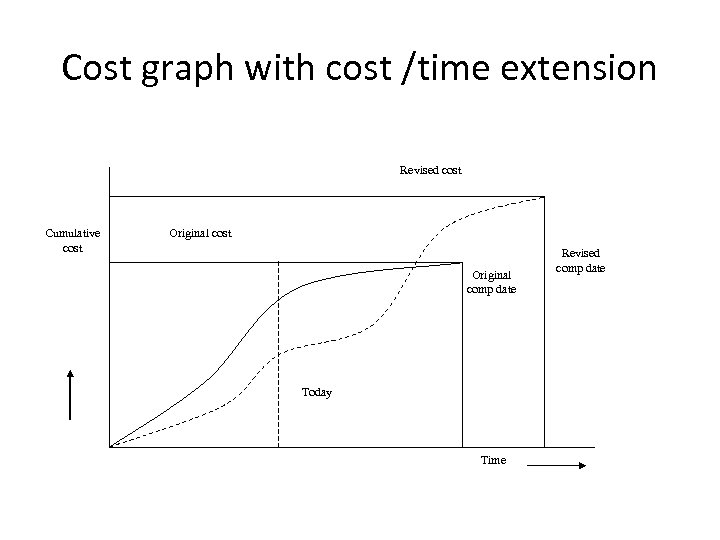
Cost graph with cost /time extension Revised cost Cumulative cost Original comp date Today Time Revised comp date
EARNED VALUE ANALYSIS • Industry standard method of measuring a project's progress at any given point in time • Forecasting its completion date and final cost • Analyzing variances in the schedule and budget as the project proceeds • As work is completed, it is considered "earned".
EVA Purpose • EVA answers two key questions: – At the end of the project, is it likely that the cost will be less than, equal to or greater than the original estimate? – Will the project likely to be completed on time?
Calculating Earned Value • Three key values for each activity in the WBS – The Planned Value (PV), • Budgeted cost of work – The Actual Cost (AC), • Cost of work performed – The Earned Value (EV), • Value of work actually completed
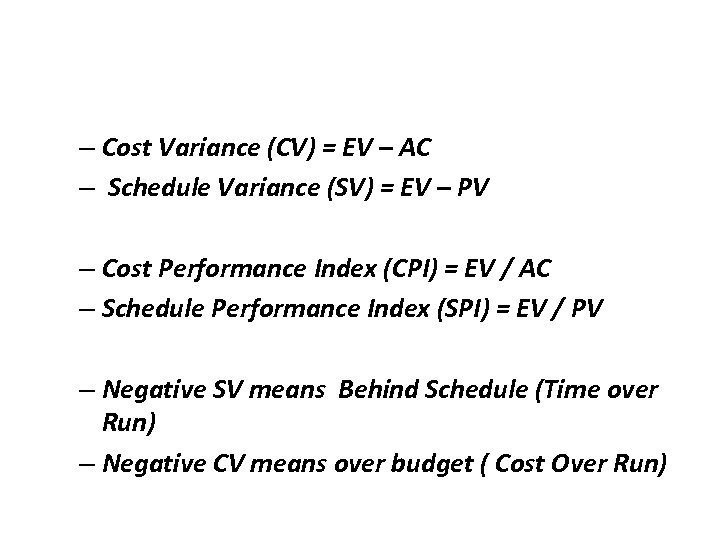
– Cost Variance (CV) = EV – AC – Schedule Variance (SV) = EV – PV – Cost Performance Index (CPI) = EV / AC – Schedule Performance Index (SPI) = EV / PV – Negative SV means Behind Schedule (Time over Run) – Negative CV means over budget ( Cost Over Run)
PRIORITIZING MONITORING • Some key aspects to monitor – – – Critical path activities Activities with no free float Activities with less than a specified float High risk activities Activities using critical resources
GETTING PROJECT BACK TO TARGET • Shorten the critical path – Increase the required resources – Make available resources, work overtime to meet the deadline. – Ensure more efficient resources (specialist outsourcing) • Reconsider precedence requirements – Consider possibility of parallel activities. – Consider training ‘outside business hours’
Change Control • Scientific techniques to control software changes is called Software Configuration Management - SCM.
Need for SW changes • Changes in business strategy • New customer needs due to market driving forces • Reorganization of the business • Budgeting or Scheduling Constraints • New regulations imposed by Government • Changes in technology • Porting the application to a new operating system
Need for SCM • Generally, most changes are justified • Changes could affect – User Interface – Architecture – Database Structure – Coding
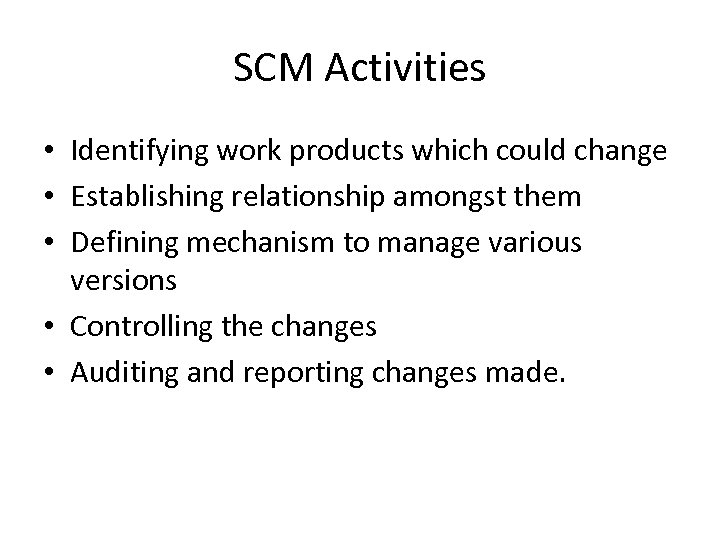
SCM Activities • Identifying work products which could change • Establishing relationship amongst them • Defining mechanism to manage various versions • Controlling the changes • Auditing and reporting changes made.
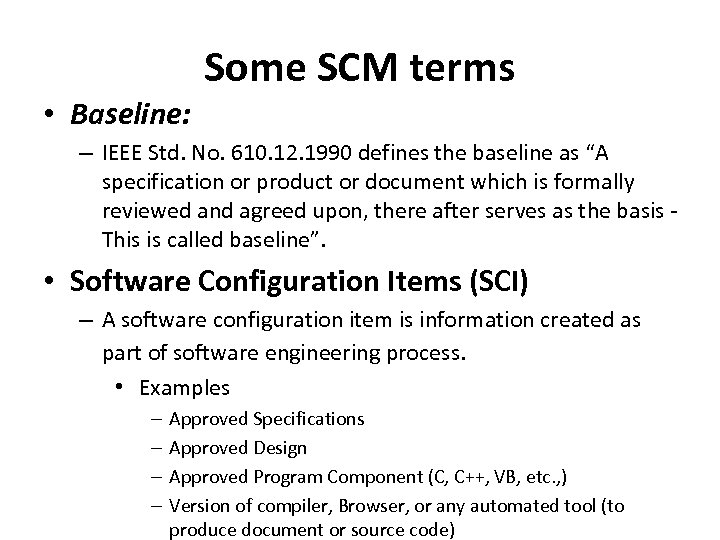
• Baseline: Some SCM terms – IEEE Std. No. 610. 12. 1990 defines the baseline as “A specification or product or document which is formally reviewed and agreed upon, there after serves as the basis This is called baseline”. • Software Configuration Items (SCI) – A software configuration item is information created as part of software engineering process. • Examples – – Approved Specifications Approved Design Approved Program Component (C, C++, VB, etc. , ) Version of compiler, Browser, or any automated tool (to produce document or source code)
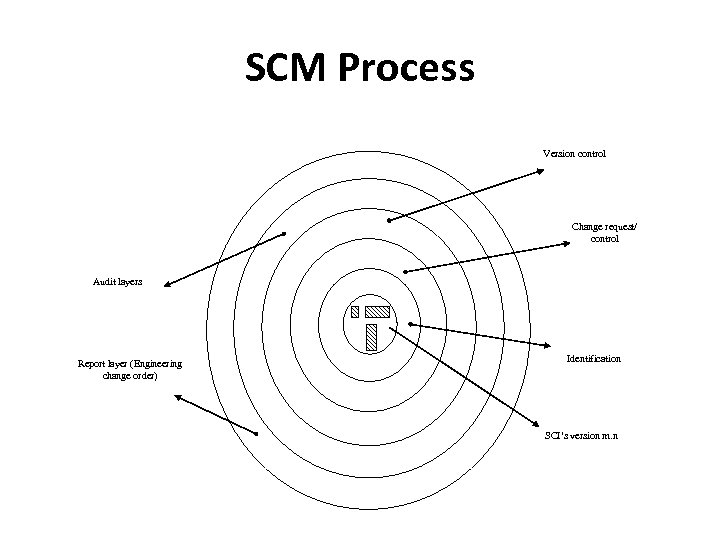
SCM Process Version control Change request/ control Audit layers Report layer (Engineering change order) Identification SCI’s version m. n
Change Control Diagram
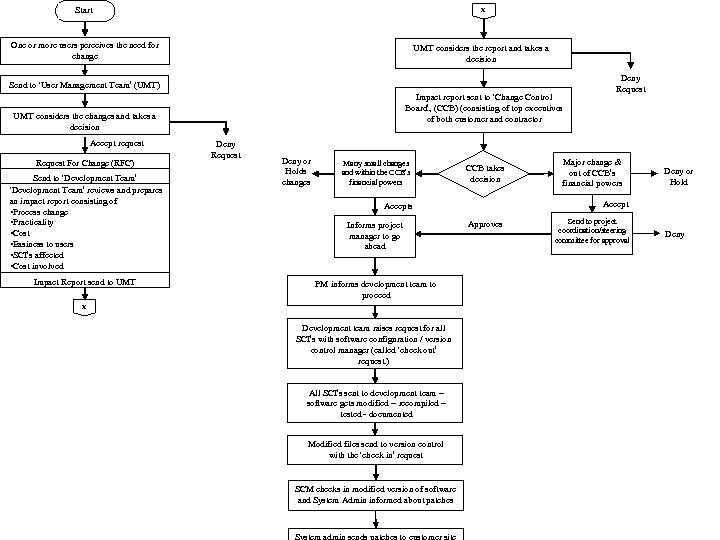
Start x One or more users perceives the need for change UMT considers the report and takes a decision Send to ‘User Management Team’ (UMT) Impact report sent to ‘Change Control Board’, (CCB) (consisting of top executives of both customer and contractor UMT considers the changes and takes a decision Accept request Request For Change (RFC) Send to ‘Development Team’ reviews and prepares an impact report consisting of • Process change • Practicality • Cost • Easiness to users • SCI’s affected • Cost involved Impact Report send to UMT Deny Request Deny or Holds changes Many small changes and within the CCB’s financial powers CCB takes decision PM informs development team to proceed x Development team raises request for all SCI’s with software configuration / version control manager (called ‘check out’ request. ) All SCI’s sent to development team – software gets modified – recompiled – tested - documented Modified files send to version control with the ‘check in’ request SCM checks in modified version of software and System Admin informed about patches Major change & out of CCB’s financial powers Deny or Hold Accepts Informs project manager to go ahead Deny Request Approves Send to project coordination/steering committee for approval Deny
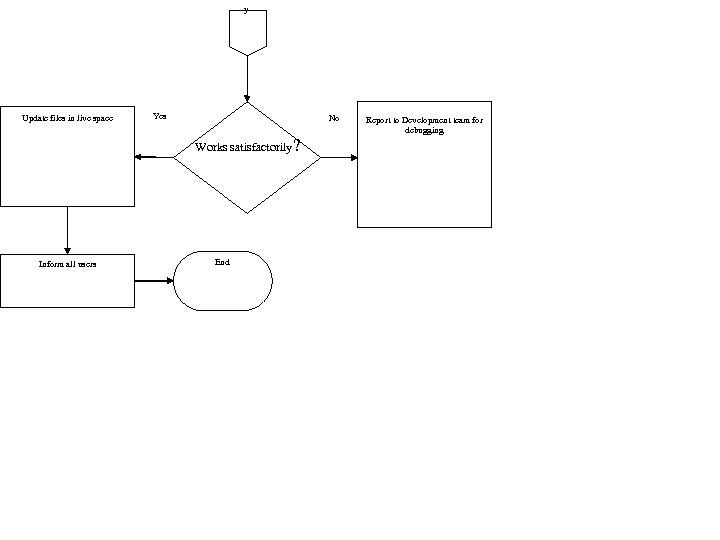
y Update files in live space Yes No Works satisfactorily ? Inform all users End Report to Development team for debugging
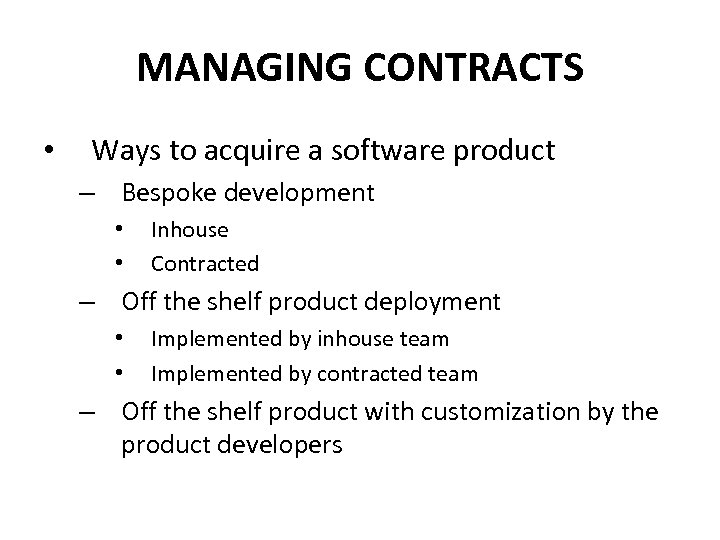
MANAGING CONTRACTS • Ways to acquire a software product – Bespoke development • • Inhouse Contracted – Off the shelf product deployment • • Implemented by inhouse team Implemented by contracted team – Off the shelf product with customization by the product developers
Acquitition process • ISO 12207 explains the procedure (acquitition process) when contracting a job outside. • ‘Acquitition process’ is a set of procedures that a customer for software (also called ‘acquirer’) should follow in order to obtain the software from an external source
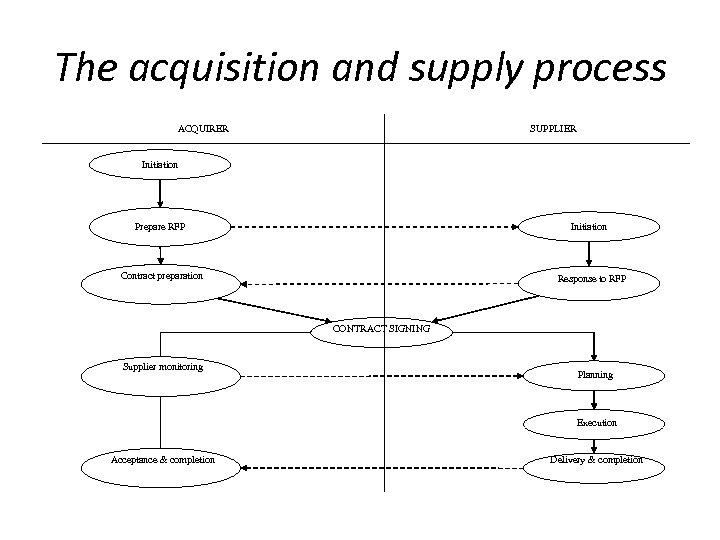
The acquisition and supply process ACQUIRER SUPPLIER Initiation Prepare RFP Initiation Contract preparation Response to RFP CONTRACT SIGNING Supplier monitoring Planning Execution Acceptance & completion Delivery & completion
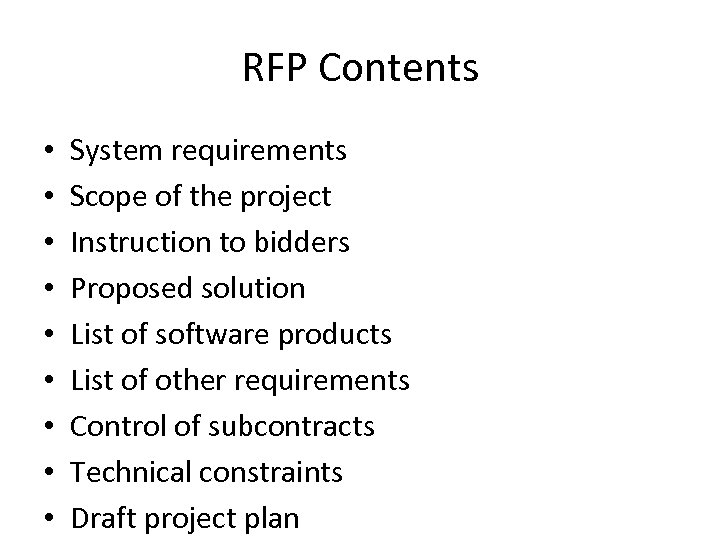
RFP Contents • • • System requirements Scope of the project Instruction to bidders Proposed solution List of software products List of other requirements Control of subcontracts Technical constraints Draft project plan
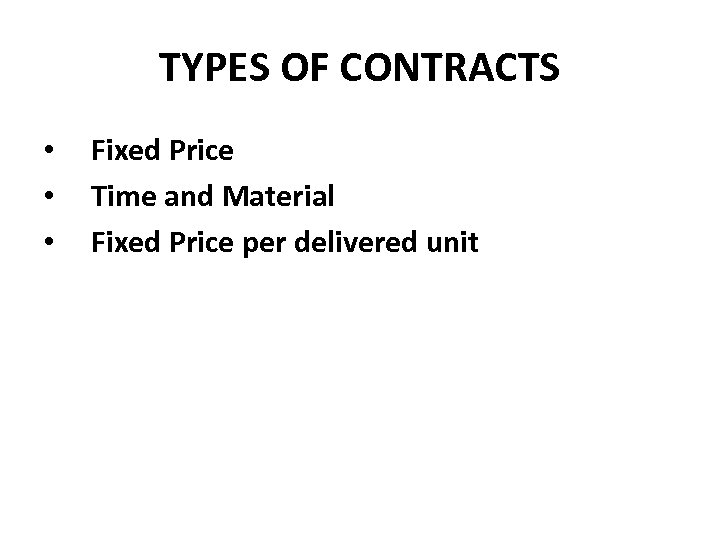
TYPES OF CONTRACTS • • • Fixed Price Time and Material Fixed Price per delivered unit
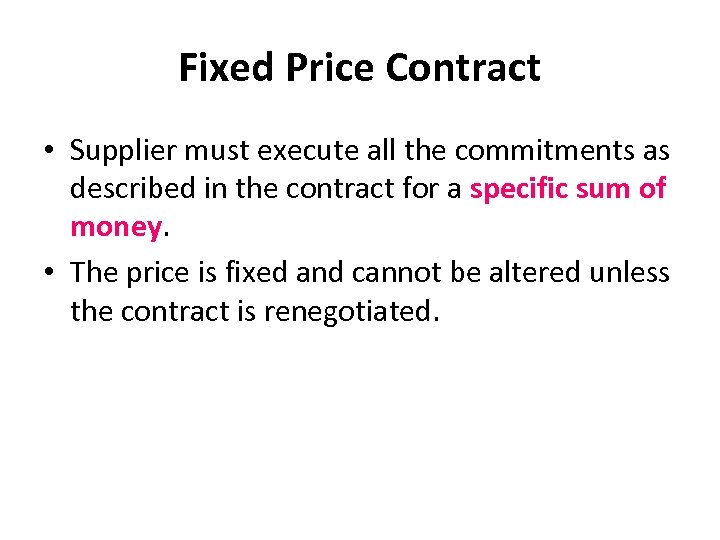
Fixed Price Contract • Supplier must execute all the commitments as described in the contract for a specific sum of money. • The price is fixed and cannot be altered unless the contract is renegotiated.
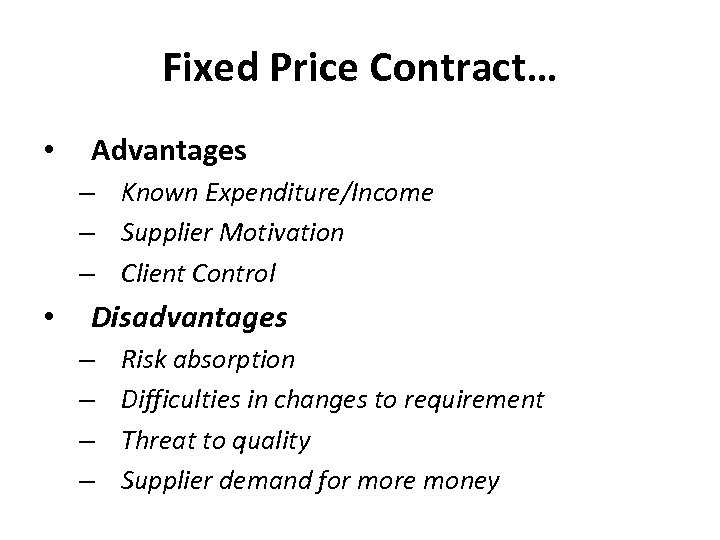
Fixed Price Contract… • Advantages – Known Expenditure/Income – Supplier Motivation – Client Control • Disadvantages – – Risk absorption Difficulties in changes to requirement Threat to quality Supplier demand for more money
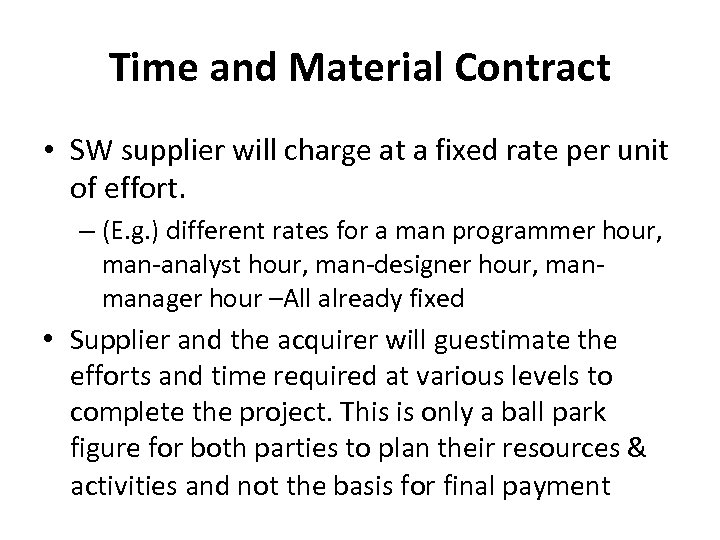
Time and Material Contract • SW supplier will charge at a fixed rate per unit of effort. – (E. g. ) different rates for a man programmer hour, man-analyst hour, man-designer hour, manmanager hour –All already fixed • Supplier and the acquirer will guestimate the efforts and time required at various levels to complete the project. This is only a ball park figure for both parties to plan their resources & activities and not the basis for final payment
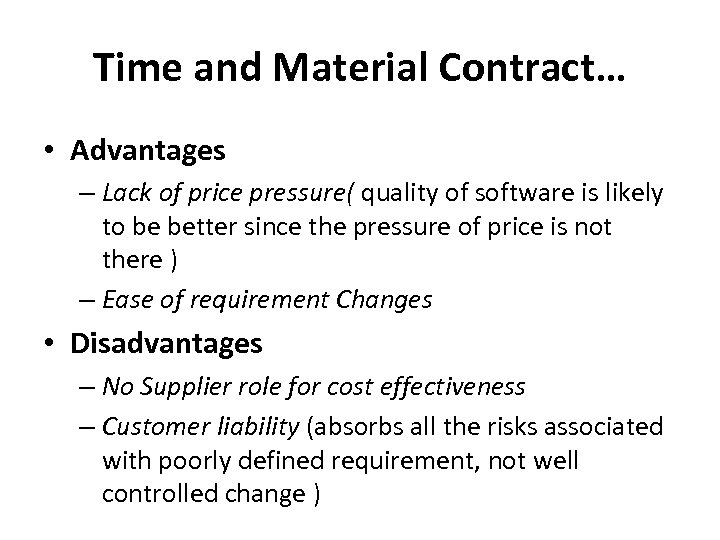
Time and Material Contract… • Advantages – Lack of price pressure( quality of software is likely to be better since the pressure of price is not there ) – Ease of requirement Changes • Disadvantages – No Supplier role for cost effectiveness – Customer liability (absorbs all the risks associated with poorly defined requirement, not well controlled change )
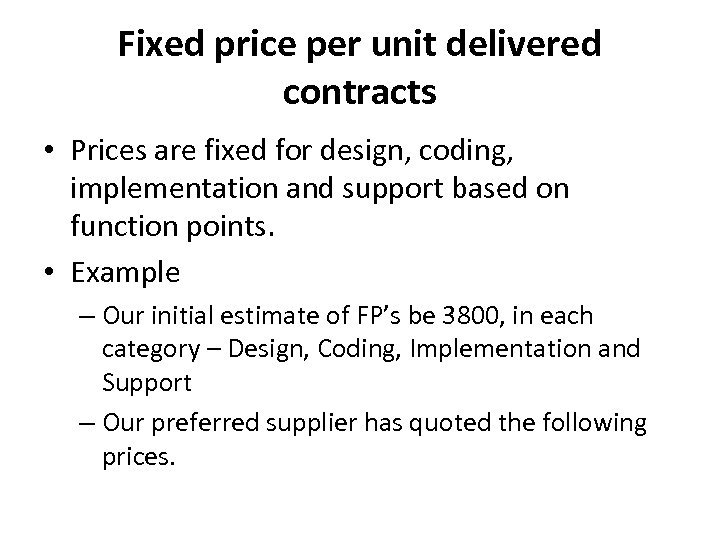
Fixed price per unit delivered contracts • Prices are fixed for design, coding, implementation and support based on function points. • Example – Our initial estimate of FP’s be 3800, in each category – Design, Coding, Implementation and Support – Our preferred supplier has quoted the following prices.
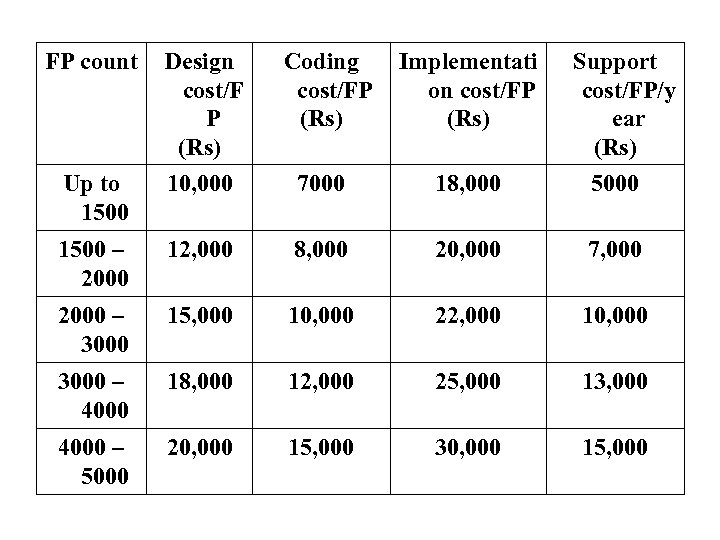
FP count Design cost/F P (Rs) 10, 000 Coding cost/FP (Rs) Implementati on cost/FP (Rs) 7000 18, 000 1500 – 2000 12, 000 8, 000 20, 000 7, 000 2000 – 3000 15, 000 10, 000 22, 000 10, 000 3000 – 4000 18, 000 12, 000 25, 000 13, 000 4000 – 5000 20, 000 15, 000 30, 000 15, 000 Up to 1500 Support cost/FP/y ear (Rs) 5000
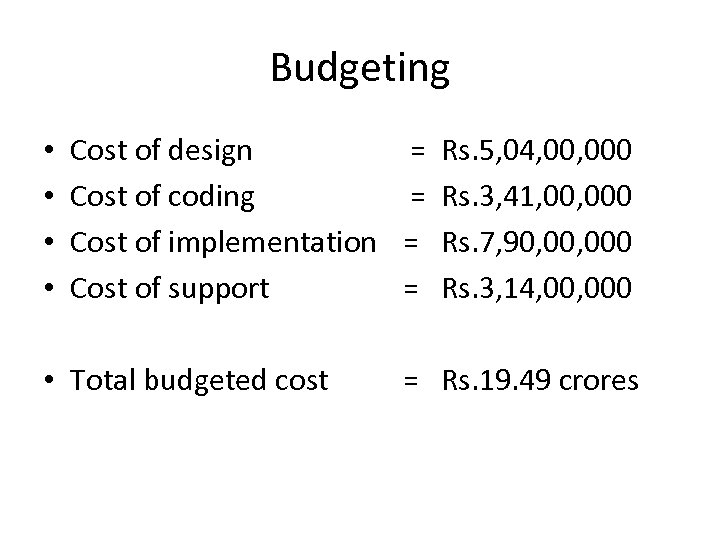
Budgeting • • Cost of design = Rs. 5, 04, 000 Cost of coding = Rs. 3, 41, 000 Cost of implementation = Rs. 7, 90, 000 Cost of support = Rs. 3, 14, 000 • Total budgeted cost = Rs. 19. 49 crores
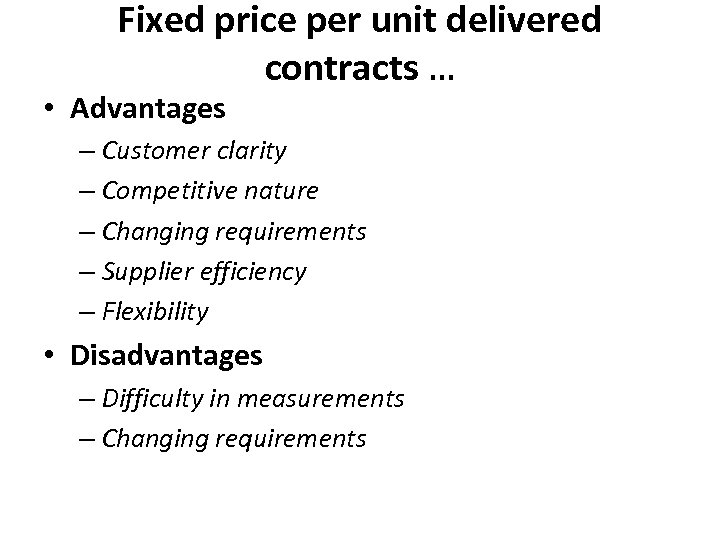
Fixed price per unit delivered contracts … • Advantages – Customer clarity – Competitive nature – Changing requirements – Supplier efficiency – Flexibility • Disadvantages – Difficulty in measurements – Changing requirements
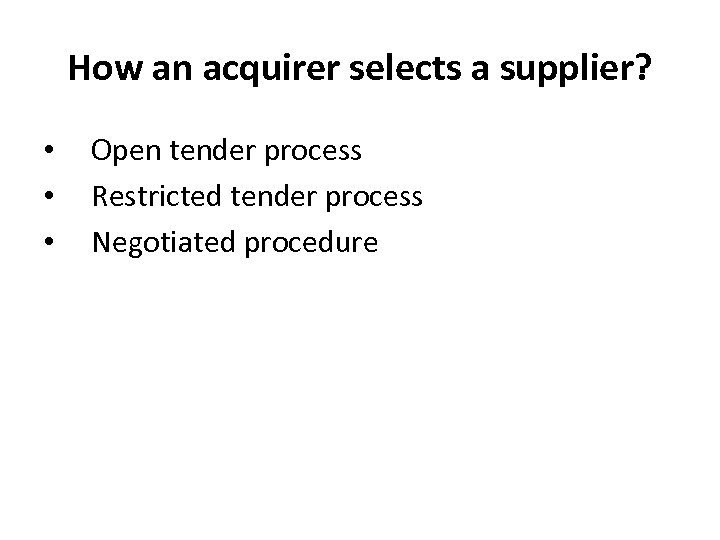
How an acquirer selects a supplier? • • • Open tender process Restricted tender process Negotiated procedure
STAGES IN CONTRACT PLACEMENT • • Feasibility study Requirement analysis Evaluation plan Invitation to tender Evaluation of proposals Decision on a supplier Contract signing
STAGES IN CONTRACT PLACEMENT… • Feasibility study ( Self convincing) – Cursory Requirements – Benefits to organisation – Technical / Financial Viability • Requirement analysis ( Clarity on what is needed) – – – – Functional requirements Non functional requirements Domain requirement Operational requirements Performance requirements Standards requirements and Quality requirements Mandatory Desirable Wish List
STAGES IN CONTRACT PLACEMENT… • Evaluation plan – Meeting all mandatory requirements – Cost of the software – Experience in executing such projects – Reference from customers – Supplier’s financial strength – CV of their key employees – Site visit plan
TYPICAL TYPES OF THE CONTRACT • • • Product contract from supplier (for use with license) – e. g MS Office from MS Product supply contract from reseller (for use with license) - e. g MS Office from INDISS Supply of various services • • • One-time Deployment services ( eg SAP, Tally) One-time Training services ( eg NIIT) Managed services ( eg Infosys manages NYSE) Outsourced services ( Sutherland HP, MS call centers) Maintenance services ( eg WIPRO with GM)
Terms of a custom contract • • Price ( Payment schedule + Retention money) Statement of work Deliverables Assumptions Responsibilities Estimated schedule Service Level Agreements ( SLA) Escrow clause
Other Clauses • Liquidated Damages – claim damages to a specified limit • Exclusion or Limitation of Liability – not liable for consequential damages • Whole agreement clause – Other than what is mentioned in contract is not included ( like mail/ oral commitments) • Arbitration • Jurisdiction ( Country / state laws) • Force majure • Warranty
CONTRACT MANAGEMENT • Responsibility – Supplier • Work execution – Acquirer • Managing and ensuring that the project is on right track • Approvals – @every milestone • Change Control – Use of SCM • Sync of both parties – Periodic meetings and signed minutes – Periodic reports and acknowledgements
Acceptance / Project closing • Acceptance testing • Use of Warranty period for fixing bugs • Invoking retention clause
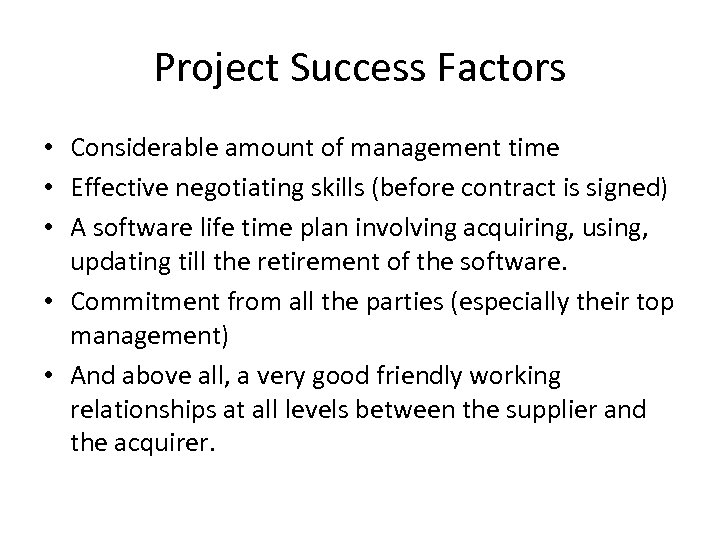
Project Success Factors • Considerable amount of management time • Effective negotiating skills (before contract is signed) • A software life time plan involving acquiring, using, updating till the retirement of the software. • Commitment from all the parties (especially their top management) • And above all, a very good friendly working relationships at all levels between the supplier and the acquirer.
End of unit 4
Скачать презентацию UNIT 4 MONITORING AND CONTROL Syllabus
eddfa0d4bbd8bd28a968aafd2cd5fa11.ppt