 Скачать презентацию UNESCO Documents and publications From pre-cataloguing to Internet
159492e8f1a4ae765cb378cf0feacb72.ppt
- Количество слайдов: 48



UNESCO Documents and publications From pre-cataloguing to Internet access: A pragmatic approach by Thierry Guednée Meeting for Managers of UNESCO Documentation Networks, 8 -10 June 2005 UNESCO Clearing-House Workshop, 8 -10 June 2005
Table of content Ø Content of UNESDOC Ø Transfer of documents via HERMES Ø UNESDOC – ‘Intelligent documents’ Ø Some figures UNESCO Clearing-House Workshop, 8 -10 June 2005 2
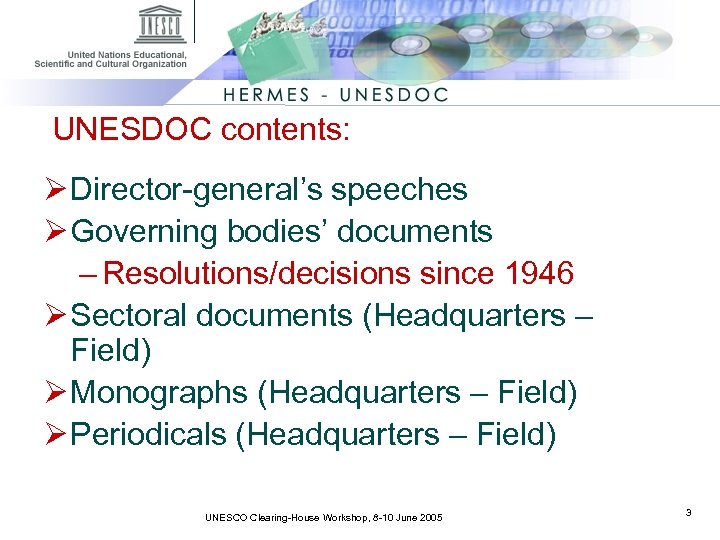
UNESDOC contents: Ø Director-general’s speeches Ø Governing bodies’ documents – Resolutions/decisions since 1946 Ø Sectoral documents (Headquarters – Field) Ø Monographs (Headquarters – Field) Ø Periodicals (Headquarters – Field) UNESCO Clearing-House Workshop, 8 -10 June 2005 3
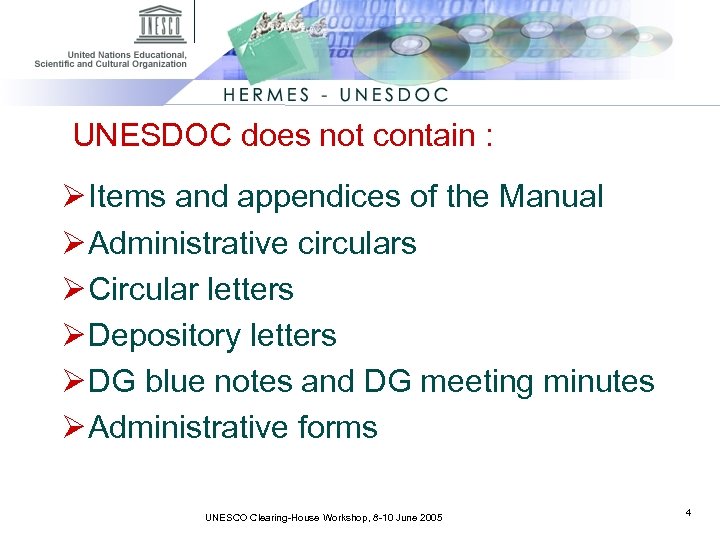
UNESDOC does not contain : Ø Items and appendices of the Manual Ø Administrative circulars Ø Circular letters Ø Depository letters Ø DG blue notes and DG meeting minutes Ø Administrative forms UNESCO Clearing-House Workshop, 8 -10 June 2005 4
Ø Documents are free of charge publications Ø Publications (books) are usually for sale Ø Periodicals are serials either distributed free of charge or for sale UNESCO Clearing-House Workshop, 8 -10 June 2005 5
Ø Which documents/publications can you send to UNESDOC via HERMES? q All documents/publications printed outside CLD workshops Ø Publications/documents printed by CLD follow another channel q via EDATS directly UNESCO Clearing-House Workshop, 8 -10 June 2005 6
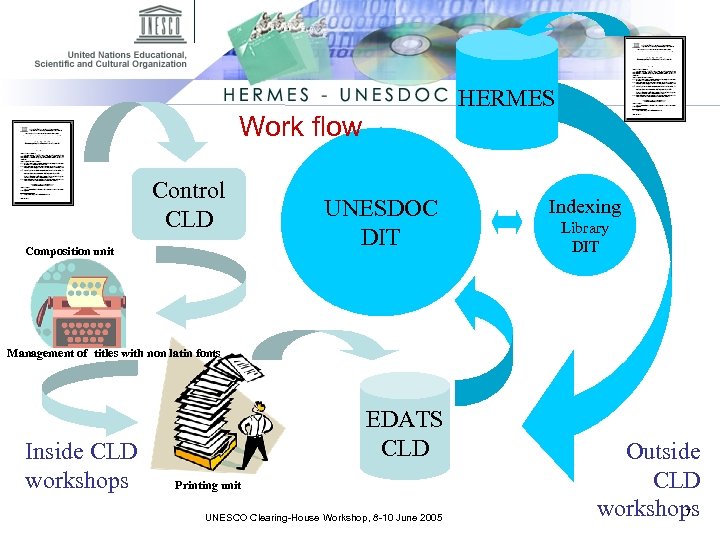
HERMES Work flow Control CLD Composition unit UNESDOC DIT Indexing Library DIT Management of titles with non latin fonts Inside CLD workshops EDATS CLD Printing unit UNESCO Clearing-House Workshop, 8 -10 June 2005 Outside CLD 7 workshops
Why PDF? Ø The same file can be sent to a printer or displayed on the web Ø The layout is maintained Ø It’s a finalized document with a beginning, an end, a title, a publication date, a reference … UNESCO Clearing-House Workshop, 8 -10 June 2005 8
Transfer – main rules : for security reasons and authentification, use only I. E. 6+ You have to: Ø Assign a document code if you send a document of a public nature Ø Assign an ISBN (International Standard Book Number) if you send a book • (contact UNESCO Publishing first to get an ISBN) Ø Assign an ISSN (International Standard Serial Number) if you send a periodical • The ISSN is managed by a world wide network of 76 National Centres coordinated by an International Centre based in Paris, backed by UNESCO and the French Government. UNESCO Clearing-House Workshop, 8 -10 June 2005 9
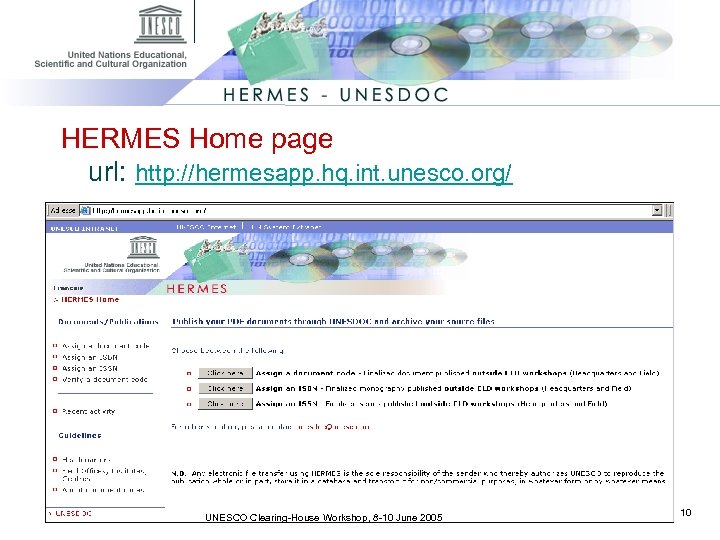
HERMES Home page url: http: //hermesapp. hq. int. unesco. org/ UNESCO Clearing-House Workshop, 8 -10 June 2005 10
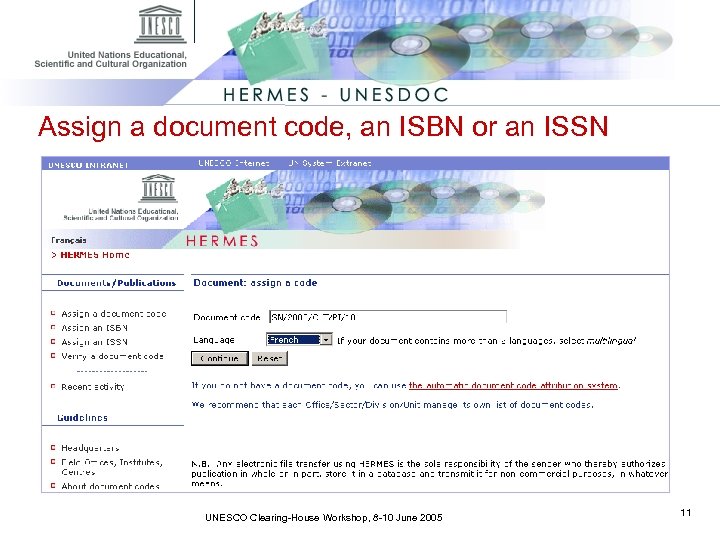
Assign a document code, an ISBN or an ISSN UNESCO Clearing-House Workshop, 8 -10 June 2005 11
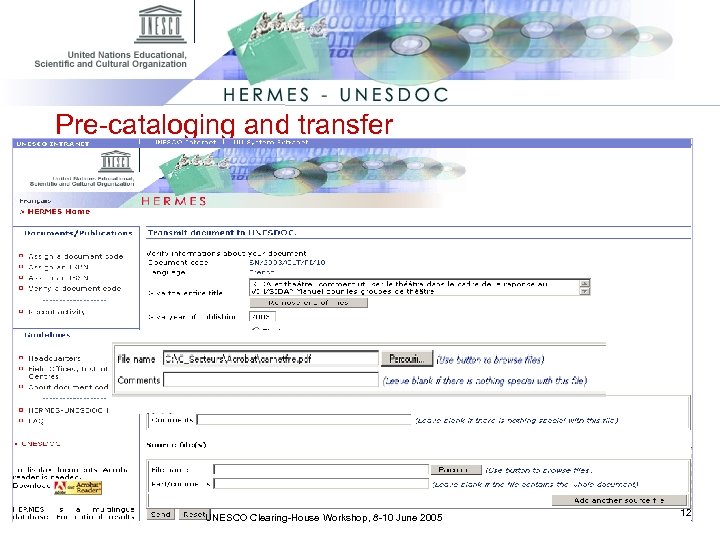
Pre-cataloging and transfer UNESCO Clearing-House Workshop, 8 -10 June 2005 12
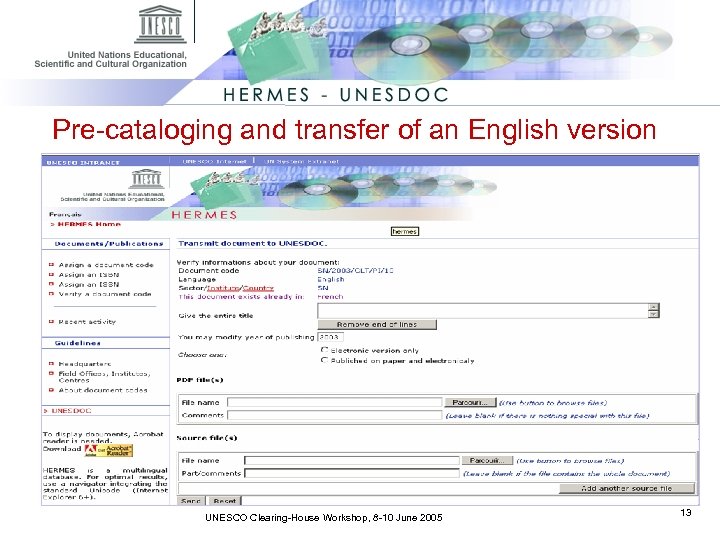
Pre-cataloging and transfer of an English version UNESCO Clearing-House Workshop, 8 -10 June 2005 13
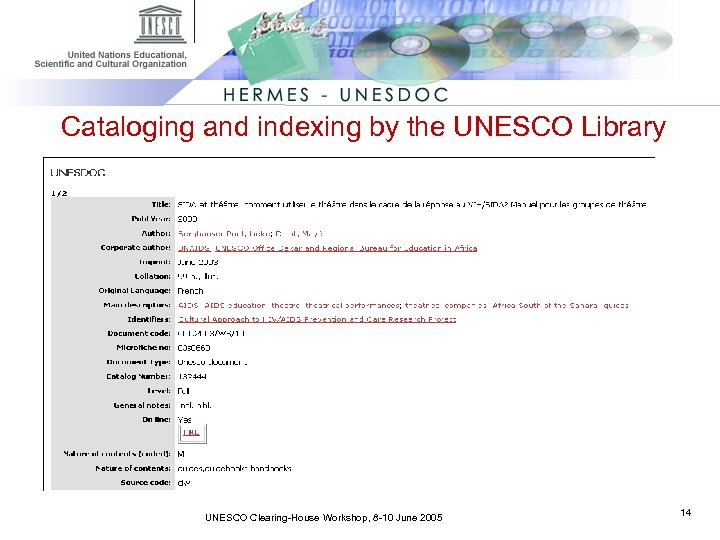
Cataloging and indexing by the UNESCO Library UNESCO Clearing-House Workshop, 8 -10 June 2005 14
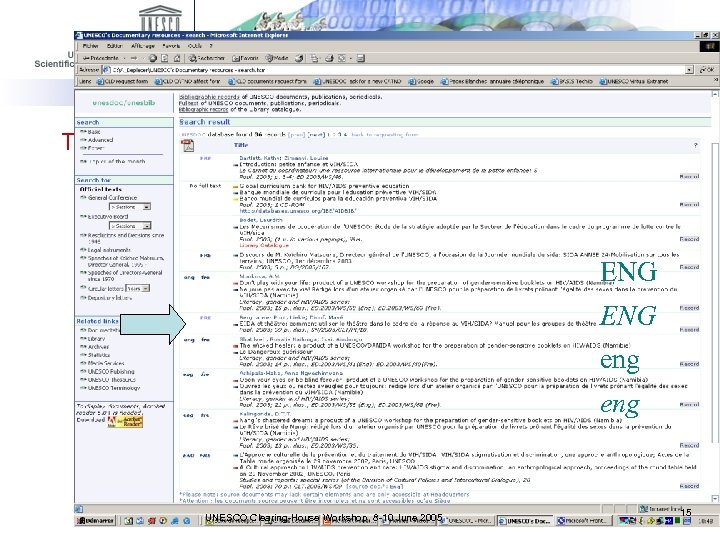
The document is now in the UNESDOC database ENG eng UNESCO Clearing-House Workshop, 8 -10 June 2005 15
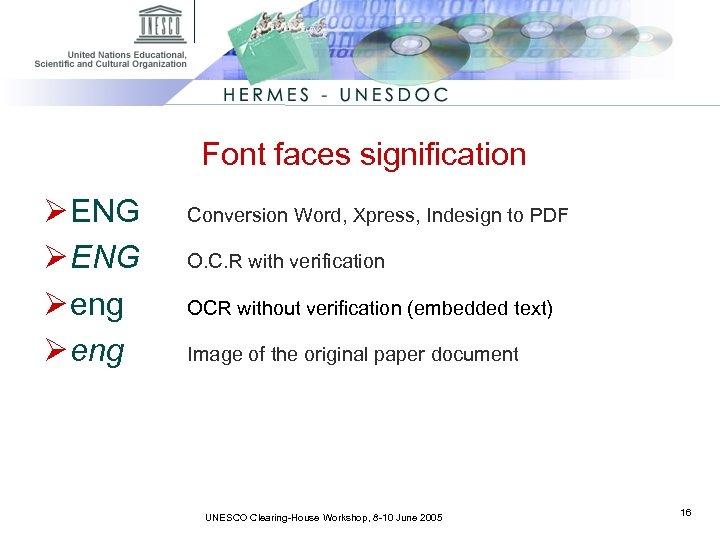
Font faces signification Ø ENG Ø eng Conversion Word, Xpress, Indesign to PDF O. C. R with verification OCR without verification (embedded text) Image of the original paper document UNESCO Clearing-House Workshop, 8 -10 June 2005 16
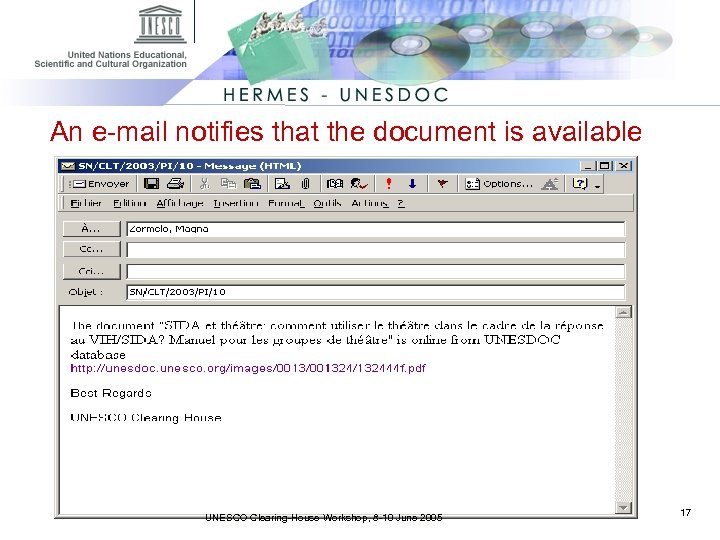
An e-mail notifies that the document is available UNESCO Clearing-House Workshop, 8 -10 June 2005 17
Hard copies Ø In addition to the electronic transmittal of documents, Sectors and Services are still required to send paper copies of all new documents/publications Ø This is necessary for indexing and preservation purposes UNESCO Clearing-House Workshop, 8 -10 June 2005 18
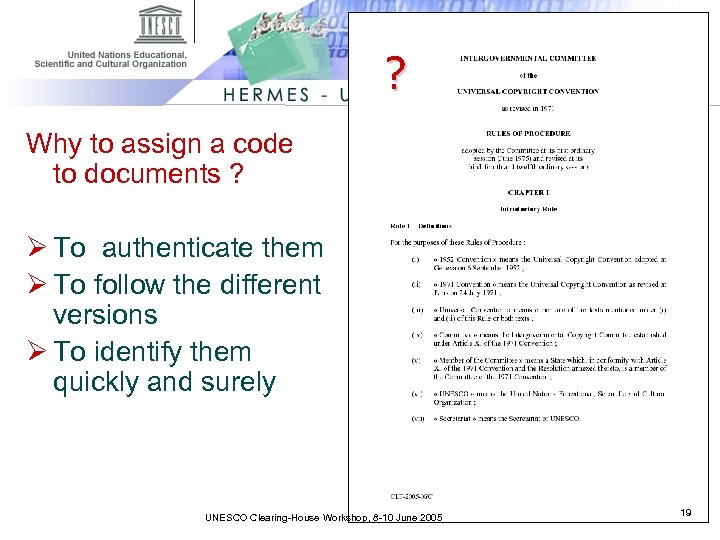
? Why to assign a code to documents ? Ø To authenticate them Ø To follow the different versions Ø To identify them quickly and surely UNESCO Clearing-House Workshop, 8 -10 June 2005 19
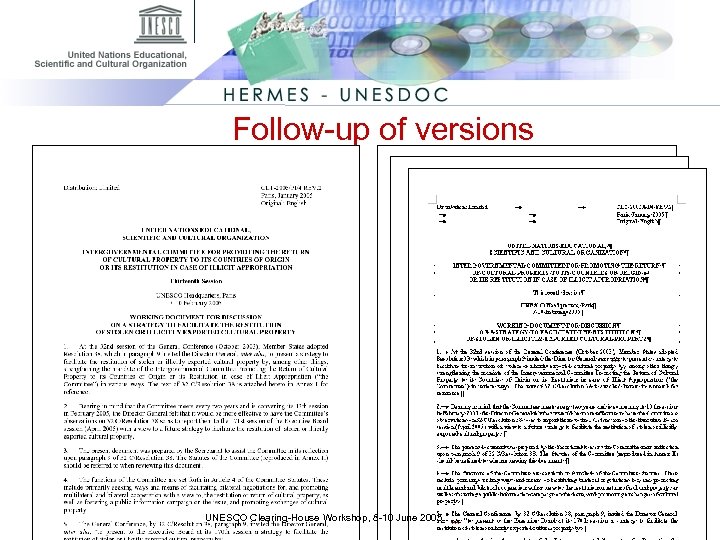
Follow-up of versions • CLT/2005/PI/4 REV. 2 UNESCO Clearing-House Workshop, 8 -10 June 2005
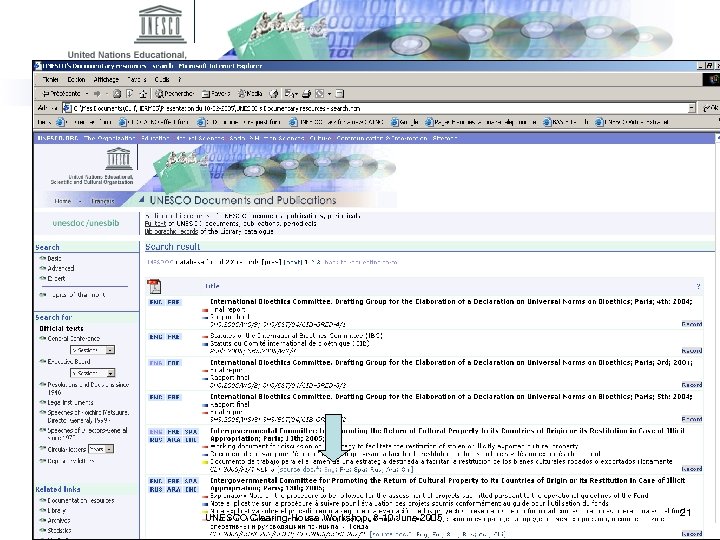
Follow-up of versions (2) UNESCO Clearing-House Workshop, 8 -10 June 2005 21
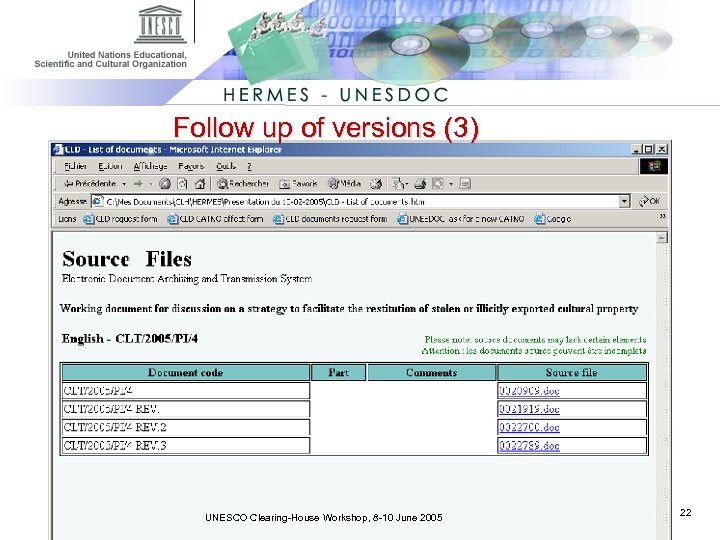
Follow up of versions (3) UNESCO Clearing-House Workshop, 8 -10 June 2005 22
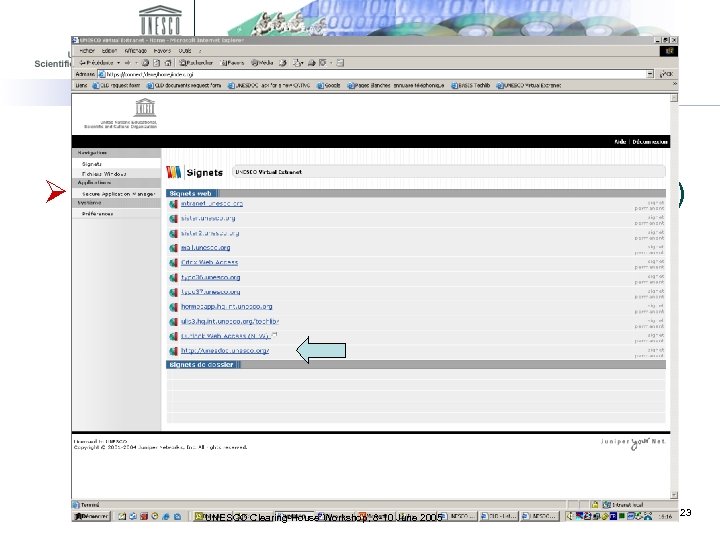
Ø In the Field, « Source files » (or native files) are accessible using: – SITA link directly to UNESDOC – VPN (BIE & UIS) http: //unesdoc. unesco. org/ – Or via URL: https: //connect UNESCO Clearing-House Workshop, 8 -10 June 2005 23
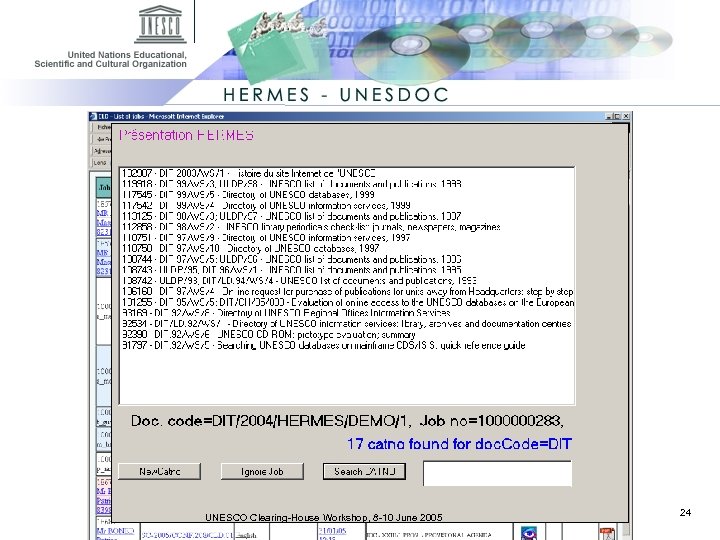
Quick identification of another language version or a previous version. ØEx. DIT/2004/HERMES/DEMO/1 UNESCO Clearing-House Workshop, 8 -10 June 2005 24
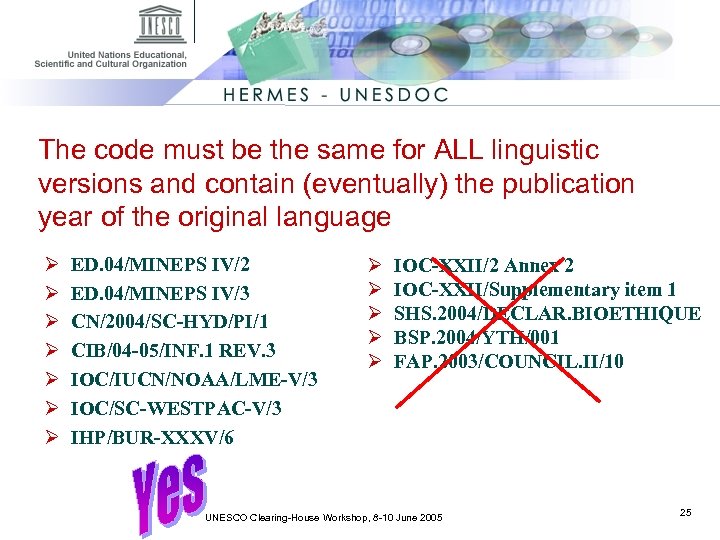
The code must be the same for ALL linguistic versions and contain (eventually) the publication year of the original language Ø Ø Ø Ø ED. 04/MINEPS IV/2 ED. 04/MINEPS IV/3 CN/2004/SC-HYD/PI/1 CIB/04 -05/INF. 1 REV. 3 IOC/IUCN/NOAA/LME-V/3 IOC/SC-WESTPAC-V/3 IHP/BUR-XXXV/6 Ø Ø Ø IOC-XXII/2 Annex 2 IOC-XXII/Supplementary item 1 SHS. 2004/DECLAR. BIOETHIQUE BSP. 2004/YTH/001 FAP. 2003/COUNCIL. II/10 UNESCO Clearing-House Workshop, 8 -10 June 2005 25
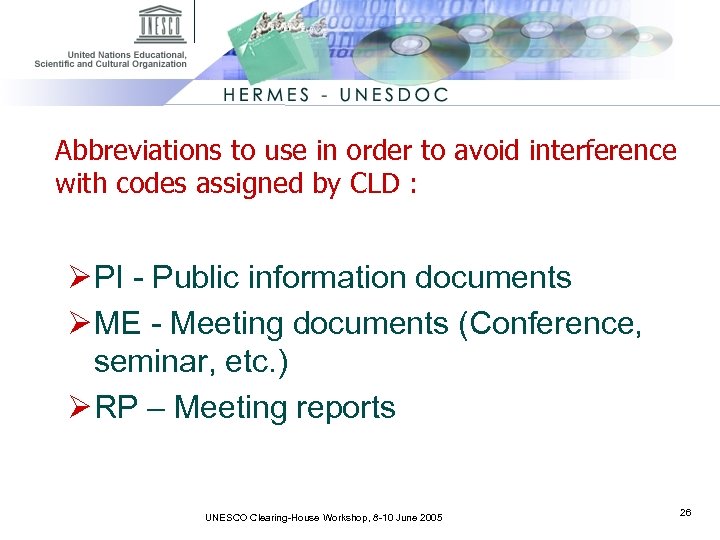
Abbreviations to use in order to avoid interference with codes assigned by CLD : Ø PI - Public information documents Ø ME - Meeting documents (Conference, seminar, etc. ) Ø RP – Meeting reports UNESCO Clearing-House Workshop, 8 -10 June 2005 26
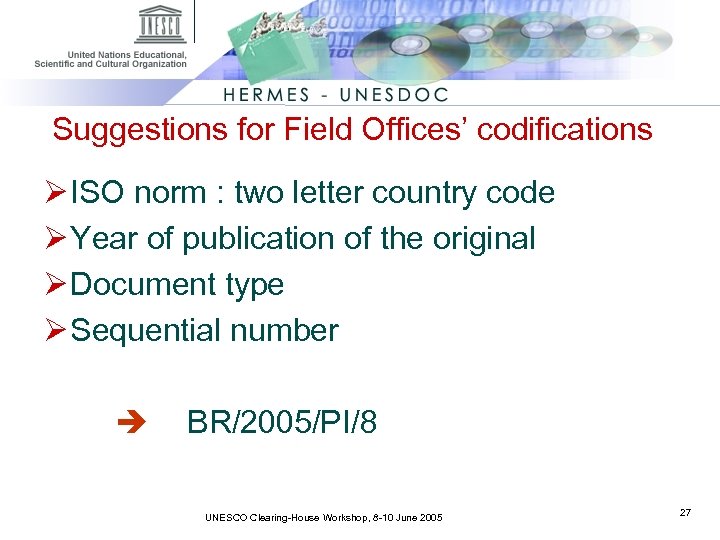
Suggestions for Field Offices’ codifications Ø ISO norm : two letter country code Ø Year of publication of the original Ø Document type Ø Sequential number BR/2005/PI/8 UNESCO Clearing-House Workshop, 8 -10 June 2005 27
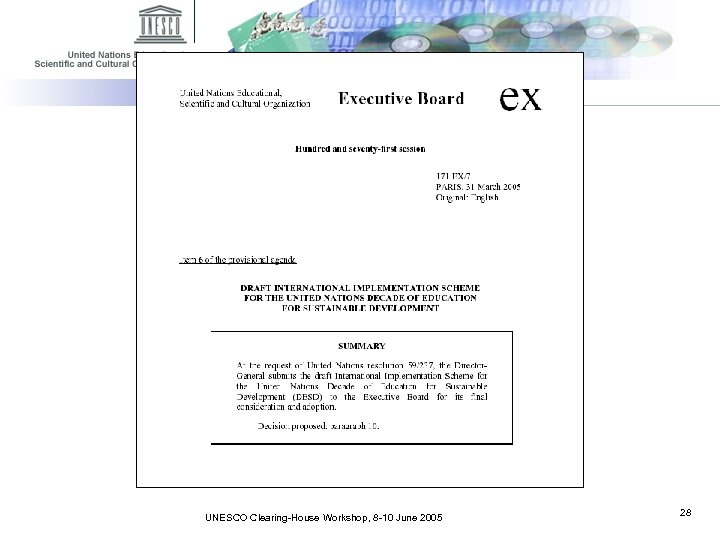
The ideal title page contains: • ED/2005/…/RP/8 • Language of the original • Title • Publication year UNESCO Clearing-House Workshop, 8 -10 June 2005 28
What you have to know before sending a PDF Ø The cover page must not be too big (max. 100 Ko) UNESCO Clearing-House Workshop, 8 -10 June 2005 29
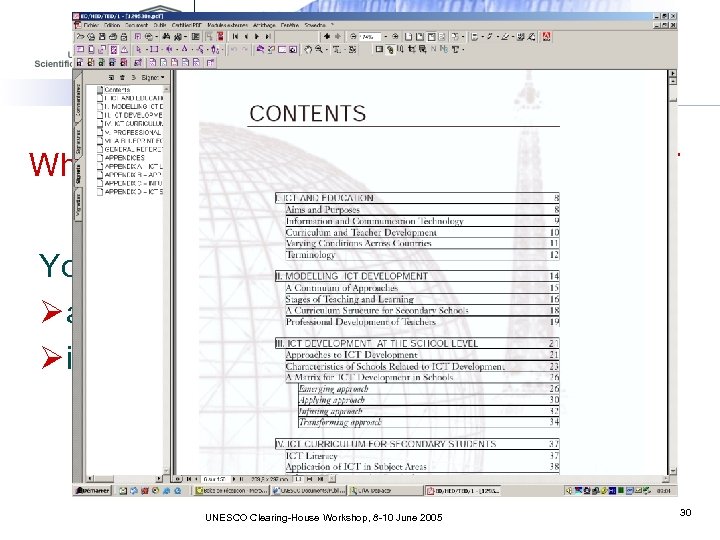
What you have to know before sending a PDF You have to : Ø add links (invisible) from Table of Contents Ø insert Bookmarks UNESCO Clearing-House Workshop, 8 -10 June 2005 30
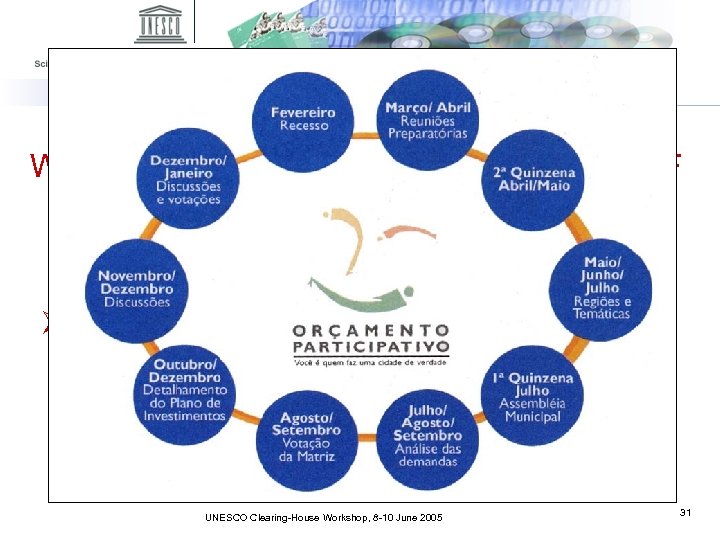
What you have to know before sending a PDF Ø Picture compression must be adapted UNESCO Clearing-House Workshop, 8 -10 June 2005 31
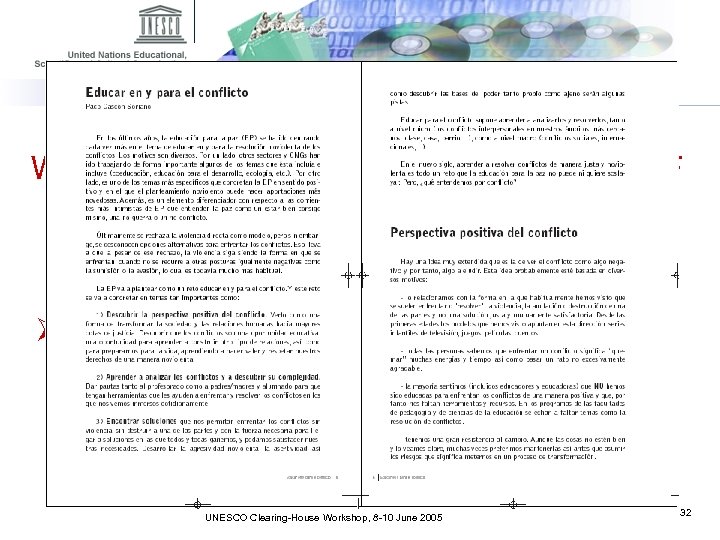
What you have to know before sending a PDF Ø Prefer single page instead of double page UNESCO Clearing-House Workshop, 8 -10 June 2005 32
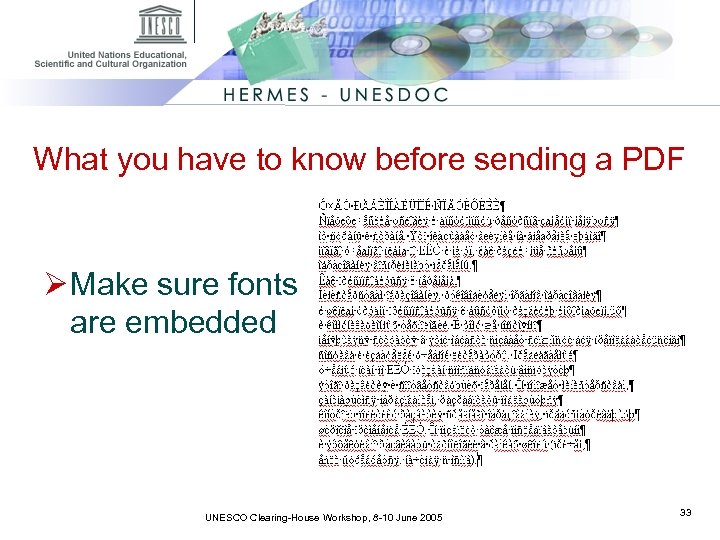
What you have to know before sending a PDF Ø Make sure fonts are embedded UNESCO Clearing-House Workshop, 8 -10 June 2005 33
What you have to know before sending a PDF Ø A periodical containing articles must be sent in one PDF file. Ø Do not send articles separately. UNESCO Clearing-House Workshop, 8 -10 June 2005 34
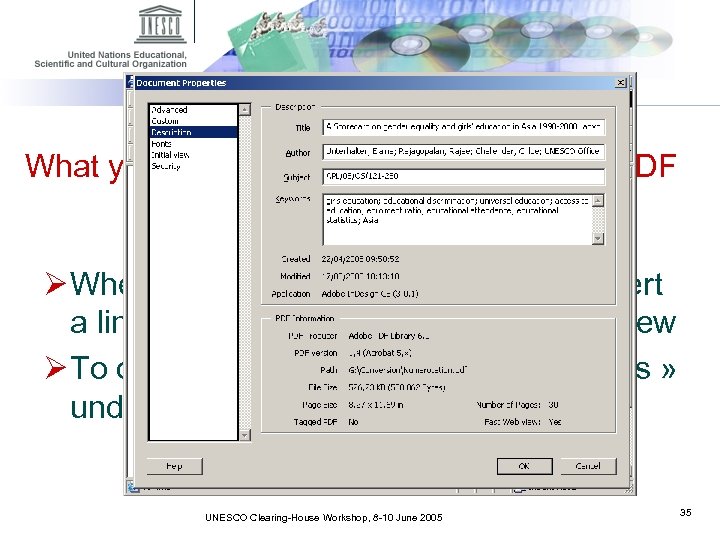
What you have to know before sending a PDF Ø When you send a PDF or when you insert a link in a record, verify the Fast Web View Ø To optimize PDF open file and « Save as » under the same name UNESCO Clearing-House Workshop, 8 -10 June 2005 35
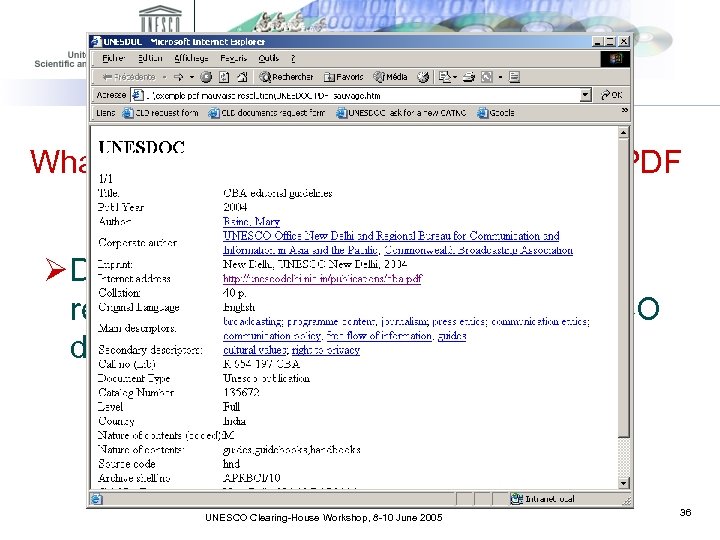
What you have to know before sending a PDF Ø Do not add an Internet address in the record when you want to load a UNESCO document/publication into UNESDOC UNESCO Clearing-House Workshop, 8 -10 June 2005 36
What you have to know before sending a PDF Ø HERMES accepts primarily PDF file up to 2 gigabytes UNESCO Clearing-House Workshop, 8 -10 June 2005 37
UNESDOC UNESCO Clearing-House Workshop, 8 -10 June 2005 38
UNESDOC Ø The full text search: 2 levels • Bibliographical records • Content of PDF files UNESCO Clearing-House Workshop, 8 -10 June 2005 39
UNESDOC – ’Intelligent documents’ Ø The role of « destinations » UNESCO Clearing-House Workshop, 8 -10 June 2005 40
UNESDOC - ’Intelligent documents’ « Destinations » are systematically introduced in: Ø Periodical issues (with analytic indexation) http: //unesdoc. unesco. org/images/001130/113044 e. pdf#113057 Ø Resolutions of the General Conference Ø Decisions of the Executive Board http: //unesdoc. unesco. org/images/001373/137349 f. pdf#3. 4. 1 Ø Programme and Budget approved (C/5) http: //unesdoc. unesco. org/images/001341/134100 e. pdf#0131 UNESCO Clearing-House Workshop, 8 -10 June 2005 41
UNESDOC - ‘Intelligent documents’ Ø How to open a PDF to a specific page? http: //unesdoc. unesco. org/images/001383/138384 f. pdf#page=6 UNESCO Clearing-House Workshop, 8 -10 June 2005 42
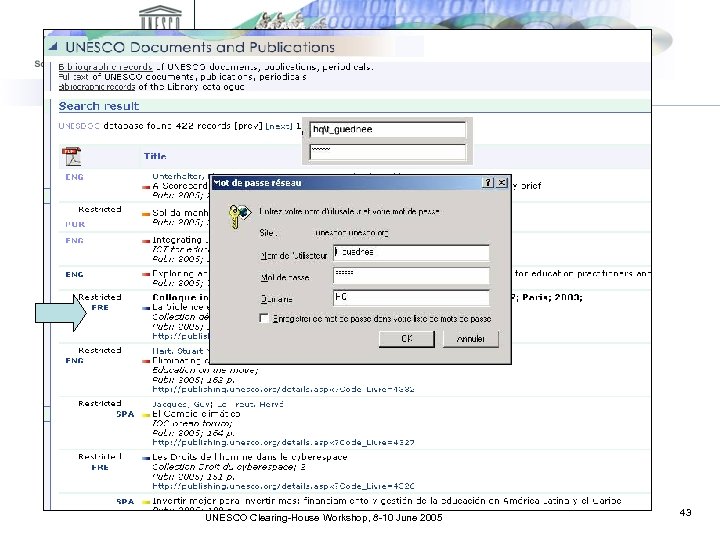
UNESDOC – Restricted Documents Ø How to open a restricted document or publication UNESCO Clearing-House Workshop, 8 -10 June 2005 43
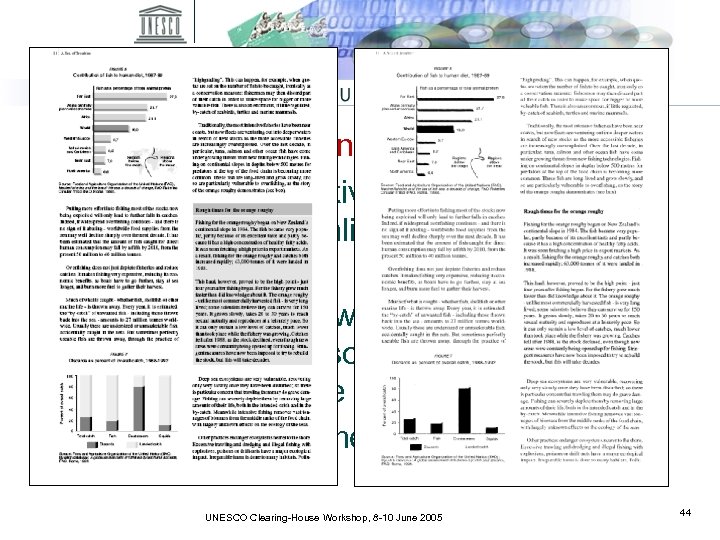
Transfer of documents: main problem Ø In order to be reactive we load in UNESDOC a digitalized document with OCR … Ø …and we find two weeks later the same document in PDF somewhere on the UNESCO Web Site Ø Result: waste of time for all ! UNESCO Clearing-House Workshop, 8 -10 June 2005 44
Some figures : Ø 48. 500 documents (April 2005) Ø 2 million pages Ø 10 000 documents/year Ø 450 000 pages/year Ø More than 2, 5 million documents consulted through UNESDOC/UNESBIB every year UNESCO Clearing-House Workshop, 8 -10 June 2005 45
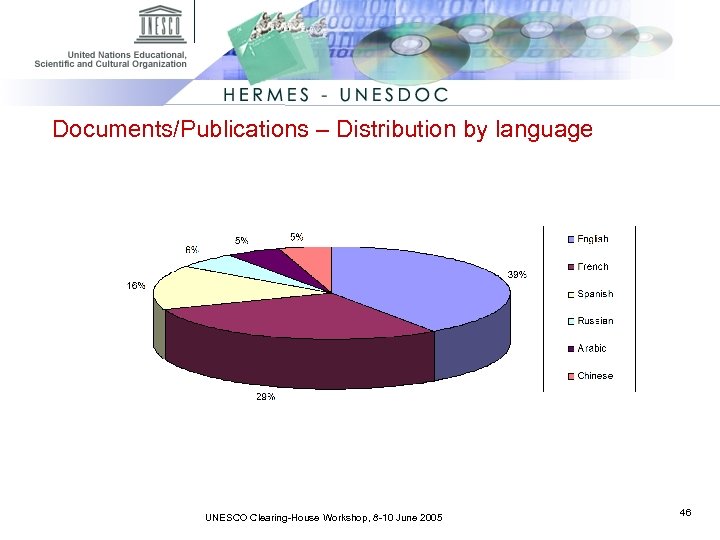
Documents/Publications – Distribution by language UNESCO Clearing-House Workshop, 8 -10 June 2005 46
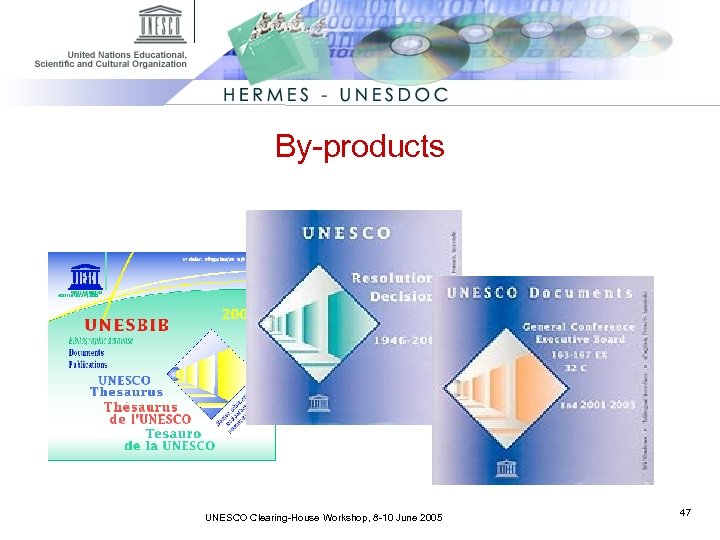
By-products UNESCO Clearing-House Workshop, 8 -10 June 2005 47
Who’s who in the Clearing House? § § § Thierry Guednée: HERMES-UNESDOC Administrator/Chief Clearing House Patrick Huby: CD-ROMs design and production (Thesaurus, full text documents) Eve-Marie Trastour: focal point for updated documentary resources & customized forms design Fatiha Ayour: microfiche digitization and online publishing standard documents Yann Le: digitization of paper documents HERMES and UNESDOC are applications developped and managed by ADM/DIT UNESCO Clearing-House Workshop, 8 -10 June 2005 48
Скачать презентацию UNESCO Documents and publications From pre-cataloguing to Internet
159492e8f1a4ae765cb378cf0feacb72.ppt