 Скачать презентацию Tutorial Robert W Lambert stepping in for the
e657af3eb64869f22b9b11f56779cb1f.ppt
- Количество слайдов: 35



Tutorial Robert W. Lambert, stepping in for the Ganga team Rob Lambert, CERN Software Week, Feb 2010 1
Introduction Ø Prerequisites: § You should have a grid certificate § You should know how to program in python Ø Learning Outcomes, in half an hour’s time: § You will be aware of the ease of running jobs in Ganga § You will remember and be able to use many of the terms used in Ganga, Dirac and the GRID § You will understand the nature of the GRID § You will be ready to start using Ganga by yourself § You will have a point of reference for your future work in Ganga Rob Lambert, CERN Software Week, Feb 2010 2
Outline 1. Getting to know the GRID 2. Getting to know Ganga 3. The Ganga Job 4. Datasets in Ganga 5. Summary Rob Lambert, CERN Software Week, Feb 2010 3
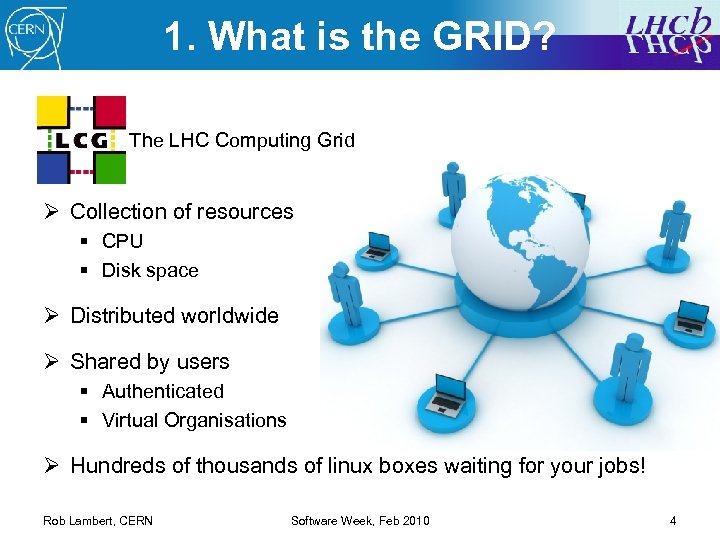
1. What is the GRID? The LHC Computing Grid Ø Collection of resources § CPU § Disk space Ø Distributed worldwide Ø Shared by users § Authenticated § Virtual Organisations Ø Hundreds of thousands of linux boxes waiting for your jobs! Rob Lambert, CERN Software Week, Feb 2010 4
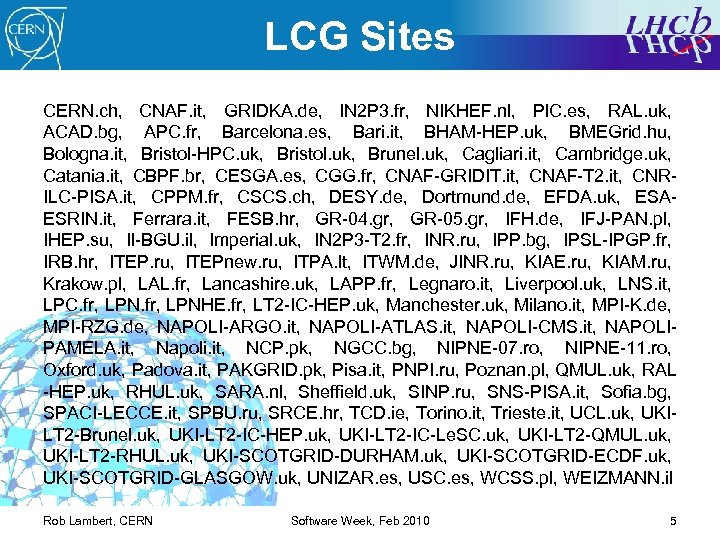
LCG Sites CERN. ch, CNAF. it, GRIDKA. de, IN 2 P 3. fr, NIKHEF. nl, PIC. es, RAL. uk, ACAD. bg, APC. fr, Barcelona. es, Bari. it, BHAM-HEP. uk, BMEGrid. hu, Bologna. it, Bristol-HPC. uk, Bristol. uk, Brunel. uk, Cagliari. it, Cambridge. uk, Catania. it, CBPF. br, CESGA. es, CGG. fr, CNAF-GRIDIT. it, CNAF-T 2. it, CNRILC-PISA. it, CPPM. fr, CSCS. ch, DESY. de, Dortmund. de, EFDA. uk, ESAESRIN. it, Ferrara. it, FESB. hr, GR-04. gr, GR-05. gr, IFH. de, IFJ-PAN. pl, IHEP. su, Il-BGU. il, Imperial. uk, IN 2 P 3 -T 2. fr, INR. ru, IPP. bg, IPSL-IPGP. fr, IRB. hr, ITEP. ru, ITEPnew. ru, ITPA. lt, ITWM. de, JINR. ru, KIAE. ru, KIAM. ru, Krakow. pl, LAL. fr, Lancashire. uk, LAPP. fr, Legnaro. it, Liverpool. uk, LNS. it, LPC. fr, LPNHE. fr, LT 2 -IC-HEP. uk, Manchester. uk, Milano. it, MPI-K. de, MPI-RZG. de, NAPOLI-ARGO. it, NAPOLI-ATLAS. it, NAPOLI-CMS. it, NAPOLIPAMELA. it, Napoli. it, NCP. pk, NGCC. bg, NIPNE-07. ro, NIPNE-11. ro, Oxford. uk, Padova. it, PAKGRID. pk, Pisa. it, PNPI. ru, Poznan. pl, QMUL. uk, RAL -HEP. uk, RHUL. uk, SARA. nl, Sheffield. uk, SINP. ru, SNS-PISA. it, Sofia. bg, SPACI-LECCE. it, SPBU. ru, SRCE. hr, TCD. ie, Torino. it, Trieste. it, UCL. uk, UKILT 2 -Brunel. uk, UKI-LT 2 -IC-HEP. uk, UKI-LT 2 -IC-Le. SC. uk, UKI-LT 2 -QMUL. uk, UKI-LT 2 -RHUL. uk, UKI-SCOTGRID-DURHAM. uk, UKI-SCOTGRID-ECDF. uk, UKI-SCOTGRID-GLASGOW. uk, UNIZAR. es, USC. es, WCSS. pl, WEIZMANN. il Rob Lambert, CERN Software Week, Feb 2010 5
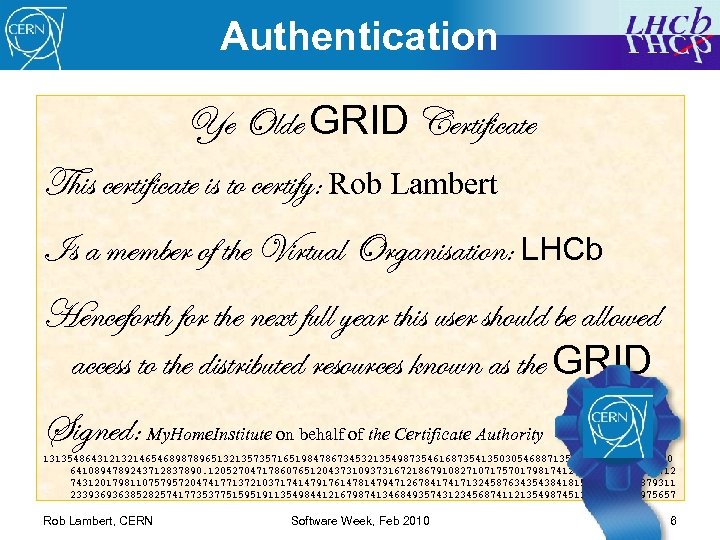
Authentication Ye Olde GRID Certificate This certificate is to certify: Rob Lambert Is a member of the Virtual Organisation: LHCb Henceforth for the next full year this user should be allowed access to the distributed resources known as the GRID Signed: My. Home. Institute on behalf of the Certificate Authority 131354864312132146546898789651321357357165198478673453213549873546168735413503054688713501015065498986030 6410894789243712837890. 120527047178607651204373109373167218679108271071757017981741207745015741204712 74312017981107579572047417713721037174147917614781479471267841741713245876343543841815361166549879311 23393693638528257417735377515951911354984412167987413468493574312345687411213549874513154678978975657 Rob Lambert, CERN Software Week, Feb 2010 6
Authentication (2) Ø A grid certificate is just one example of an SSL certificate Ø Your grid certificate is unique and must be kept secure Ø To share it with the world you need to make a temporary validated “visa stamp” from your certificate called… Rob Lambert, CERN Software Week, Feb 2010 7
Authentication (2) Ø A grid certificate is just one example of an SSL certificate Ø Your grid certificate is unique and must be kept secure Ø To share it with the world you need to make a temporary validated “visa stamp” from your certificate called… Ø Grid Proxy: § A temporary visa for you to interact with the grid § Can be used by recognized computer agents on your behalf Ø If your Grid Proxy expires: § Your jobs will continue to run § No new submission or getting output until you renew your proxy § Renewing your proxy has no side-effects Rob Lambert, CERN Software Week, Feb 2010 8
What is Dirac? Ø Distributed Infrastructure with Remote Agent Control Ø For an LHCb user there is not much practical difference between DIRAC and the GRID Ø DIRAC handles the environment, interaction with the remote storage, flagging sites as useable or bad, speeding up how fast your jobs run and how often they succeed Ø Workload Management System. Rob Lambert, CERN Software Week, Feb 2010 9
2. Why consider Ganga? Ø What users want: § § § Development on their laptop/desktop Testing on their laptop/desktop Full analysis utilizing all available resources (wherever they are) To get results with the minimum effort A single familiar interface for all resources Rob Lambert, CERN Software Week, Feb 2010 10
2. Why consider Ganga? Ø What users want: § § § Development on their laptop/desktop Testing on their laptop/desktop Full analysis utilizing all available resources (wherever they are) To get results with the minimum effort A single familiar interface for all resources Ø What users don’t want: § An in-depth knowledge of the machinery of the GRID § Having to learn a new tool for every different resource § Having to rebuild, retest, rethink, their jobs for every resource Ø Ganga is here to help! Rob Lambert, CERN Software Week, Feb 2010 11
What is Ganga? Ø Ganga is your friend! Ø Configure – Build – Submit – Monitor – Collect – Merge Ø Interface with all LHCb Applications, all resources, in one tool Ø Ganga started with LHCb and Atlas, but now has many users Rob Lambert, CERN Software Week, Feb 2010 12
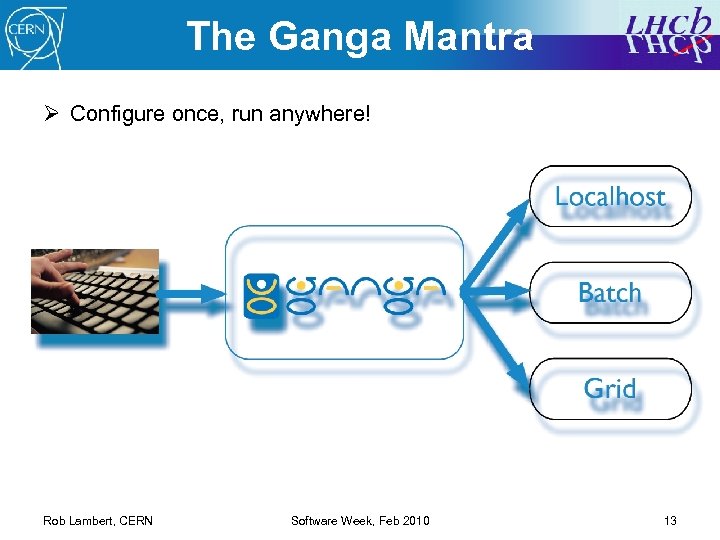
The Ganga Mantra Ø Configure once, run anywhere! Rob Lambert, CERN Software Week, Feb 2010 13
![Running Ganga Ø Ganga is part of the LHCb software infrastructure: [you@computer] Setup. Project](https://present5.com/presentation/e657af3eb64869f22b9b11f56779cb1f/image-14.jpg "Running Ganga Ø Ganga is part of the LHCb software infrastructure: [you@computer] Setup. Project")
Running Ganga Ø Ganga is part of the LHCb software infrastructure: [you@computer] Setup. Project Ganga #get the environment [you@computer] ganga #run Ganga, it’s that easy *** Welcome to Ganga *** Version: Ganga-5 -4 -5 Documentation and support: http: //cern. ch/ganga Type help() or help('index') for online help. This is free software (GPL), and you are welcome to redistribute it under certain conditions; type license() for details. Ganga. GPIDev. Lib. Job. Registry : INFO Found 22 jobs in "jobs", completed in 39 seconds Ganga. GPIDev. Lib. Job. Registry : INFO Found 3 jobs in "templates", completed in 0 seconds In [1]: #the interactive prompt, ctrl^d to exit [you@computer] gangascript. py #to run on a script [you@computer] ganga --gui #run in a GUI Rob Lambert, CERN Software Week, Feb 2010 14
![The Ganga Prompt Ø The ganga prompt uses the IPython shell In [1]: !ls](https://present5.com/presentation/e657af3eb64869f22b9b11f56779cb1f/image-15.jpg "The Ganga Prompt Ø The ganga prompt uses the IPython shell In [1]: !ls")
The Ganga Prompt Ø The ganga prompt uses the IPython shell In [1]: !ls In [2]: he <TAB> help hex #an ‘!’ excecutes a linux shell command #the python code auto-completes with a tab In [3]: help(1) #there is an interactive help for every object and function Help on int object: class int(object) … In [4]: int? # ‘? ’ On any object or function gives a help-summary Type: type Base Class: <type 'type'> String Form: <type 'int'> Namespace: Python builtin Docstring: int(x[, base]) -> integer In [5]: he <UP> #the python history is searchable/scrollable In [5]: help(1) In [6]: for I in range(0, 300, 3): #type python code directly on the command line Rob Lambert, CERN Software Week, Feb 2010 15
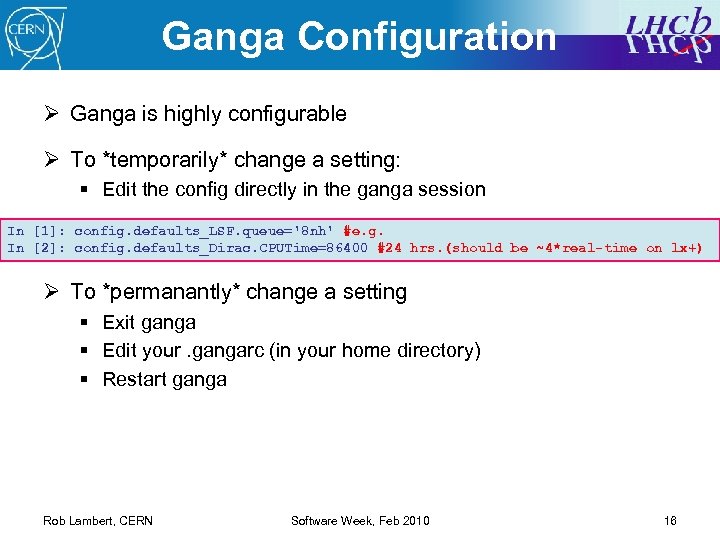
Ganga Configuration Ø Ganga is highly configurable Ø To *temporarily* change a setting: § Edit the config directly in the ganga session In [1]: config. defaults_LSF. queue='8 nh' #e. g. In [2]: config. defaults_Dirac. CPUTime=86400 #24 hrs. (should be ~4*real-time on lx+) Ø To *permanantly* change a setting § Exit ganga § Edit your. gangarc (in your home directory) § Restart ganga Rob Lambert, CERN Software Week, Feb 2010 16
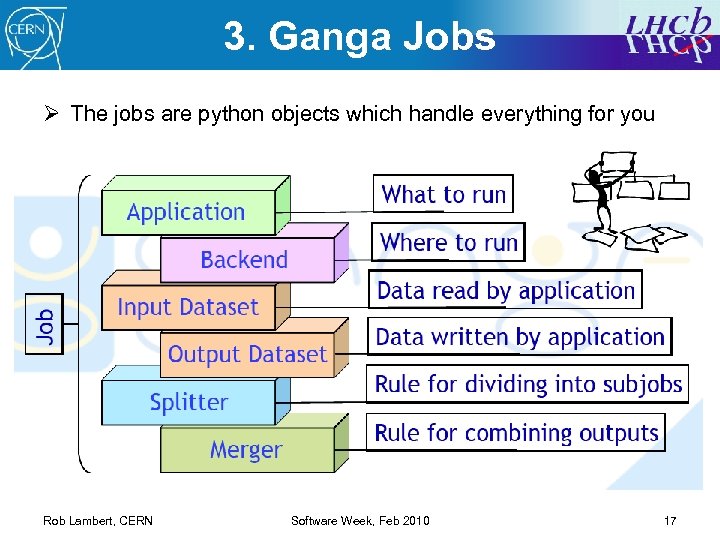
3. Ganga Jobs Ø The jobs are python objects which handle everything for you Rob Lambert, CERN Software Week, Feb 2010 17
![Job basics Ø To create/manipulate jobs In [1]: j=Job() #makes a new job In](https://present5.com/presentation/e657af3eb64869f22b9b11f56779cb1f/image-18.jpg "Job basics Ø To create/manipulate jobs In [1]: j=Job() #makes a new job In")
Job basics Ø To create/manipulate jobs In [1]: j=Job() #makes a new job In [2]: j. application =. . . In [3]: j. submit() Rob Lambert, CERN #set the application, backend, splitter … #once you’ve submitted you can’t change that job! Software Week, Feb 2010 18
![Job basics Ø To create/manipulate jobs In [1]: j=Job() #makes a new job In](https://present5.com/presentation/e657af3eb64869f22b9b11f56779cb1f/image-19.jpg "Job basics Ø To create/manipulate jobs In [1]: j=Job() #makes a new job In")
Job basics Ø To create/manipulate jobs In [1]: j=Job() #makes a new job In [2]: j. application =. . . In [3]: j. submit() #set the application, backend, splitter … #once you’ve submitted you can’t change that job! Ø Your jobs are held in a repository over ganga sessions In [4]: jobs Out[4]: Job slice: jobs (22 -------# fqid status # 149 running. . . #^^ Ganga Rob Lambert, CERN #prints out all the jobs) name subjobs application Brunel QW Chrenkov Brunel monitors the status of the jobs for you! Software Week, Feb 2010 backend Local 19
![Job basics Ø To create/manipulate jobs In [1]: j=Job() #makes a new job In](https://present5.com/presentation/e657af3eb64869f22b9b11f56779cb1f/image-20.jpg "Job basics Ø To create/manipulate jobs In [1]: j=Job() #makes a new job In")
Job basics Ø To create/manipulate jobs In [1]: j=Job() #makes a new job In [2]: j. application =. . . In [3]: j. submit() #set the application, backend, splitter … #once you’ve submitted you can’t change that job! Ø Your jobs are held in a repository over ganga sessions In [4]: jobs Out[4]: Job slice: jobs (22 -------# fqid status # 149 running. . . #^^ Ganga #prints out all the jobs) name subjobs application Brunel QW Chrenkov Brunel monitors the status of the jobs for you! backend Local Ø Once one job works, just copy it! In [1]: j=jobs(149). copy() In [2]: j. submit() Rob Lambert, CERN #copy this job, ready to go again Software Week, Feb 2010 20
![Applications/Backends Ø Jobs can run many different programs = Applications In [21]: plugins('applications') Out[21]:](https://present5.com/presentation/e657af3eb64869f22b9b11f56779cb1f/image-21.jpg "Applications/Backends Ø Jobs can run many different programs = Applications In [21]: plugins('applications') Out[21]:")
Applications/Backends Ø Jobs can run many different programs = Applications In [21]: plugins('applications') Out[21]: ['Gaudi. Python', 'Executable', 'Brunel', 'Moore', 'Da. Vinci', 'Panoptes', 'Gauss', 'Boole', 'Gaudi', 'Francesc', 'Bender', 'Vetra', 'Root'] In [22]: j. application=. . . Rob Lambert, CERN Software Week, Feb 2010 21
![Applications/Backends Ø Jobs can run many different programs = Applications In [21]: plugins('applications') Out[21]:](https://present5.com/presentation/e657af3eb64869f22b9b11f56779cb1f/image-22.jpg "Applications/Backends Ø Jobs can run many different programs = Applications In [21]: plugins('applications') Out[21]:")
Applications/Backends Ø Jobs can run many different programs = Applications In [21]: plugins('applications') Out[21]: ['Gaudi. Python', 'Executable', 'Brunel', 'Moore', 'Da. Vinci', 'Panoptes', 'Gauss', 'Boole', 'Gaudi', 'Francesc', 'Bender', 'Vetra', 'Root'] In [22]: j. application=. . . Ø Jobs can be submitted to different resources = Backends In [22]: plugins(‘backends') Out[22]: ['LSF', 'Remote', 'PBS', 'Condor', 'SGE', 'Batch', 'LCG', 'Dirac', 'Local', 'Interactive‘] In [23]: j. backend=. . . § § Interactive = run in this window, print output to the screen Local = run in temporary directory, save o/p to a file LSF, PBS, Condor, SGE, Batch = submit to a batch system Dirac = Submit to the GRID Rob Lambert, CERN Software Week, Feb 2010 22
![Splitters/Mergers Ø Break jobs into smaller subjobs = Splitters In [22]: plugins('splitters') Out[22]: ['Generic.](https://present5.com/presentation/e657af3eb64869f22b9b11f56779cb1f/image-23.jpg "Splitters/Mergers Ø Break jobs into smaller subjobs = Splitters In [22]: plugins('splitters') Out[22]: ['Generic.")
Splitters/Mergers Ø Break jobs into smaller subjobs = Splitters In [22]: plugins('splitters') Out[22]: ['Generic. Splitter', 'Gauss. Splitter', 'Options. File. Splitter', 'Split. By. Files', 'Arg. Splitter', 'Dirac. Splitter'] In [23]: j. splitter=. . . Rob Lambert, CERN Software Week, Feb 2010 23
![Splitters/Mergers Ø Break jobs into smaller subjobs = Splitters In [22]: plugins('splitters') Out[22]: ['Generic.](https://present5.com/presentation/e657af3eb64869f22b9b11f56779cb1f/image-24.jpg "Splitters/Mergers Ø Break jobs into smaller subjobs = Splitters In [22]: plugins('splitters') Out[22]: ['Generic.")
Splitters/Mergers Ø Break jobs into smaller subjobs = Splitters In [22]: plugins('splitters') Out[22]: ['Generic. Splitter', 'Gauss. Splitter', 'Options. File. Splitter', 'Split. By. Files', 'Arg. Splitter', 'Dirac. Splitter'] In [23]: j. splitter=. . . Ø Add the output from these jobs together again = Mergers In [23]: plugins('mergers') Out[23]: ['Smart. Merger', 'Custom. Merger', 'DSTMerger', 'Multiple. Merger', 'Text. Merger', 'Root. Merger'] In [24]: j. merger=. . . Rob Lambert, CERN Software Week, Feb 2010 24
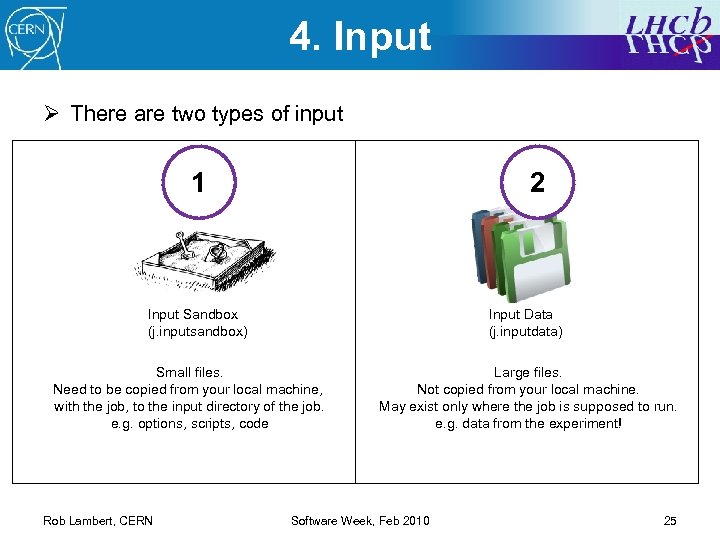
4. Input Ø There are two types of input 1 2 Input Sandbox (j. inputsandbox) Input Data (j. inputdata) Small files. Need to be copied from your local machine, with the job, to the input directory of the job. e. g. options, scripts, code Rob Lambert, CERN Large files. Not copied from your local machine. May exist only where the job is supposed to run. e. g. data from the experiment! Software Week, Feb 2010 25
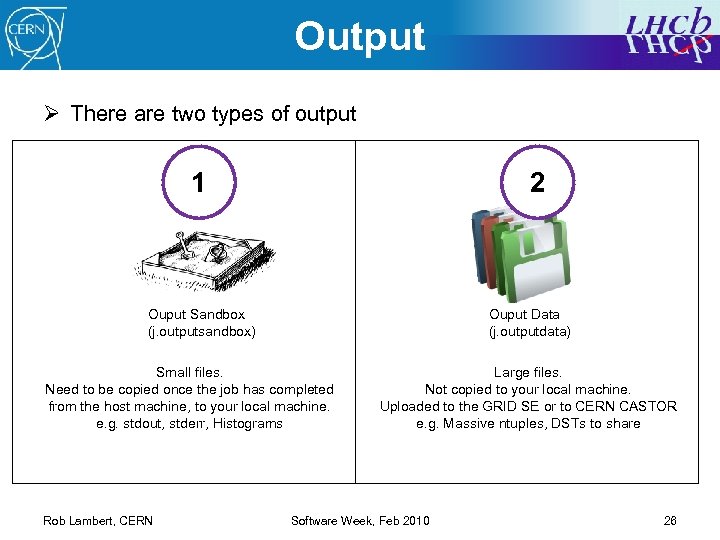
Output Ø There are two types of output 1 2 Ouput Sandbox (j. outputsandbox) Ouput Data (j. outputdata) Small files. Need to be copied once the job has completed from the host machine, to your local machine. e. g. stdout, stderr, Histograms Rob Lambert, CERN Large files. Not copied to your local machine. Uploaded to the GRID SE or to CERN CASTOR e. g. Massive ntuples, DSTs to share Software Week, Feb 2010 26
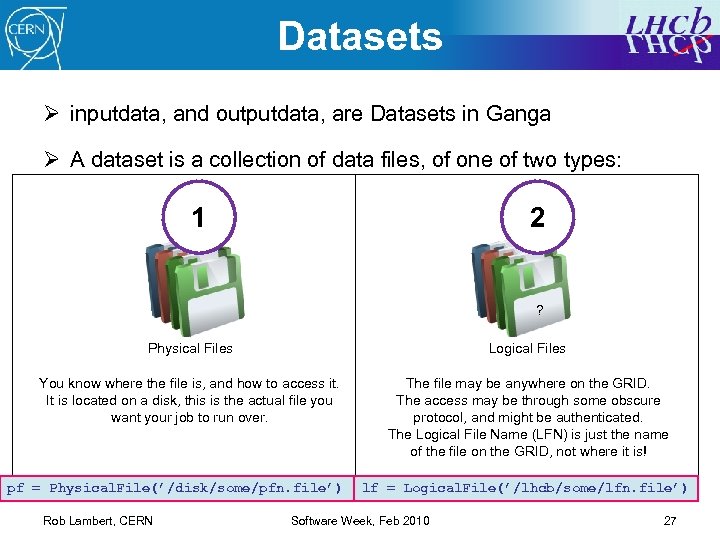
Datasets Ø inputdata, and outputdata, are Datasets in Ganga Ø A dataset is a collection of data files, of one of two types: 1 2 ? Physical Files Logical Files You know where the file is, and how to access it. It is located on a disk, this is the actual file you want your job to run over. The file may be anywhere on the GRID. The access may be through some obscure protocol, and might be authenticated. The Logical File Name (LFN) is just the name of the file on the GRID, not where it is! pf = Physical. File(’/disk/some/pfn. file’) Rob Lambert, CERN lf = Logical. File(’/lhcb/some/lfn. file’) Software Week, Feb 2010 27
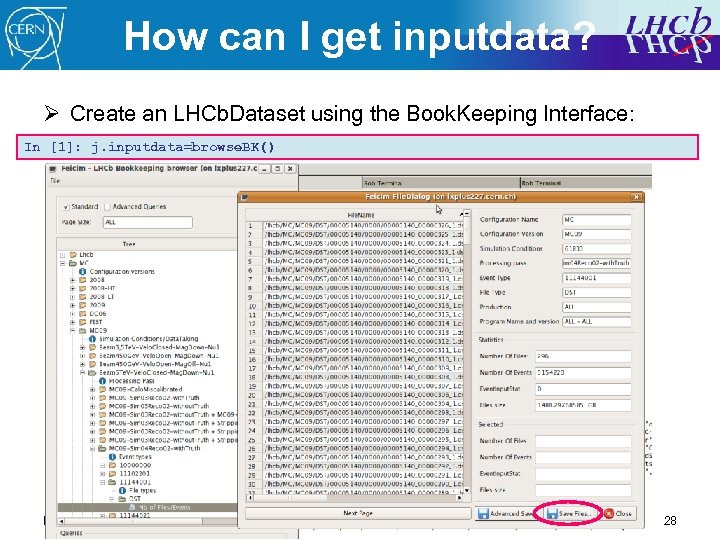
How can I get inputdata? Ø Create an LHCb. Dataset using the Book. Keeping Interface: In [1]: j. inputdata=browse. BK() Rob Lambert, CERN Software Week, Feb 2010 28
![What about my output? Ø Your outputsandbox will be copied back automatically In [22]:](https://present5.com/presentation/e657af3eb64869f22b9b11f56779cb1f/image-29.jpg "What about my output? Ø Your outputsandbox will be copied back automatically In [22]:")
What about my output? Ø Your outputsandbox will be copied back automatically In [22]: j. outputsandbox #the contents of this list+ stdout/err is the sandbox In [23]: j. outputdir #the outputsandbox files will appear here Rob Lambert, CERN Software Week, Feb 2010 29
![What about my output? Ø Your outputsandbox will be copied back automatically In [22]:](https://present5.com/presentation/e657af3eb64869f22b9b11f56779cb1f/image-30.jpg "What about my output? Ø Your outputsandbox will be copied back automatically In [22]:")
What about my output? Ø Your outputsandbox will be copied back automatically In [22]: j. outputsandbox #the contents of this list+ stdout/err is the sandbox In [23]: j. outputdir #the outputsandbox files will appear here Ø Your outputdata will be uploaded automatically somewhere In [22]: j. outputdata #the contents of this list+ DSTs etc. is the data In [23]: j. backend. get. Output. Data. LFNs() #the LFNs from a DIRAC job § (it will be sent to castor from a local/batch job at CERN) Rob Lambert, CERN Software Week, Feb 2010 30
![What about my output? Ø Your outputsandbox will be copied automatically In [22]: j.](https://present5.com/presentation/e657af3eb64869f22b9b11f56779cb1f/image-31.jpg "What about my output? Ø Your outputsandbox will be copied automatically In [22]: j.")
What about my output? Ø Your outputsandbox will be copied automatically In [22]: j. outputsandbox #the contents of this list+ stdout/err is the sandbox In [23]: j. outputdir #the outputsandbox files will appear here Ø Your outputdata will be uploaded automatically somewhere In [22]: j. outputdata #the contents of this list+ DSTs etc. is the data In [23]: j. backend. get. Output. Data. LFNs() #the LFNs from a DIRAC job § (it will be sent to castor from a local/batch job at CERN) Ø You can manipulate datasets… it’s easy with tab complete! In [24]: j. backend. get. Output. Data() #download the output data. . Be careful! In [25]: ds=j. backend. get. Output. Data. LFNs() In [25]: ds. replicate(‘CERN-USER’) #replicate the files to a different grid SE Rob Lambert, CERN Software Week, Feb 2010 31
Summary Ø Ganga is your friend! Ø Using Ganga you have a simple and powerful interface to: § Configure – Build – Submit – Monitor – Collect – Merge Ø Configure once, run anywhere! Rob Lambert, CERN Software Week, Feb 2010 32
Good luck! Ø Ganga hands-on tutorial Ø Da. Vinci Tutorial 0 Ø Python Tutorial: http: //docs. python. org/tut. html Ø IPython: http: //ipython. scipy. org/ Ø If you have any questions, ask! § Me, now…; ) § The distributed-analysis mailing list Rob Lambert, CERN Software Week, Feb 2010 33
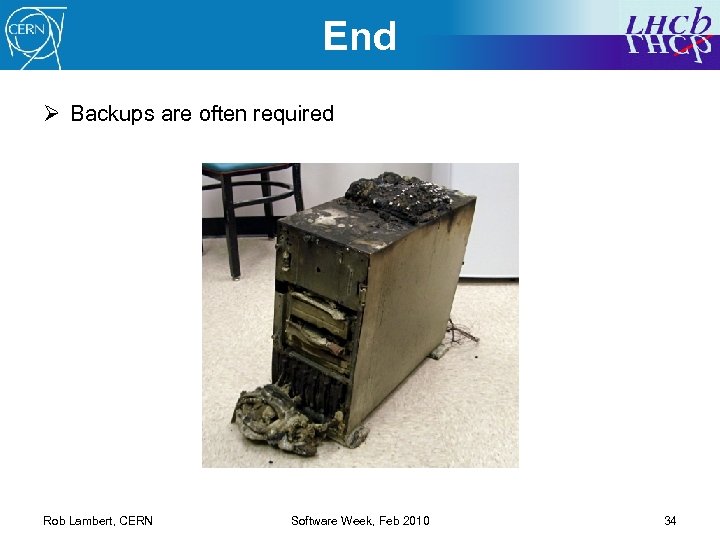
End Ø Backups are often required Rob Lambert, CERN Software Week, Feb 2010 34
![Heads-up Ø At the moment you can persist real jobs, and templates In [1]:](https://present5.com/presentation/e657af3eb64869f22b9b11f56779cb1f/image-35.jpg "Heads-up Ø At the moment you can persist real jobs, and templates In [1]:")
Heads-up Ø At the moment you can persist real jobs, and templates In [1]: jobs #your job repository, every Job() goes here In [2]: templates #job definitions, not real jobs every Job. Template() goes here Ø From the next version of ganga, you can persist anything In [3]: box In [4]: box. add(object, "name") #repository of any ganga objects… datasets? #add any object and give it a name… “MCData”? In [5]: box(id) #reference the object by id. Ø Really useful mnemonic for datasets! Rob Lambert, CERN Software Week, Feb 2010 35
Скачать презентацию Tutorial Robert W Lambert stepping in for the
e657af3eb64869f22b9b11f56779cb1f.ppt