


 Скачать презентацию Trns port Site Manager Materials Management and
bd4604227e9f22bc47d12ddfd3606d9b.ppt
- Количество слайдов: 16
 Trns • port Site. Manager Materials Management and LIMS Presentation Thursday, March 5 Diane Menz, PMP Info Tech, Inc. Project Manager
 Agenda • Introductions • Trns • port Site. Manager Materials Management and LIMS Information • Materials Management and LIMS Demonstration – Overview and Process Flows • LIMS Recap • Additional Questions - SM-LIMS@infotechfl. com
 Introductions Connecticut Louisiana Missouri Nebraska Oklahoma Texas Illinois Minnesota Montana New Mexico South Carolina Vermont Additional Attendees Info Tech, Inc. New York
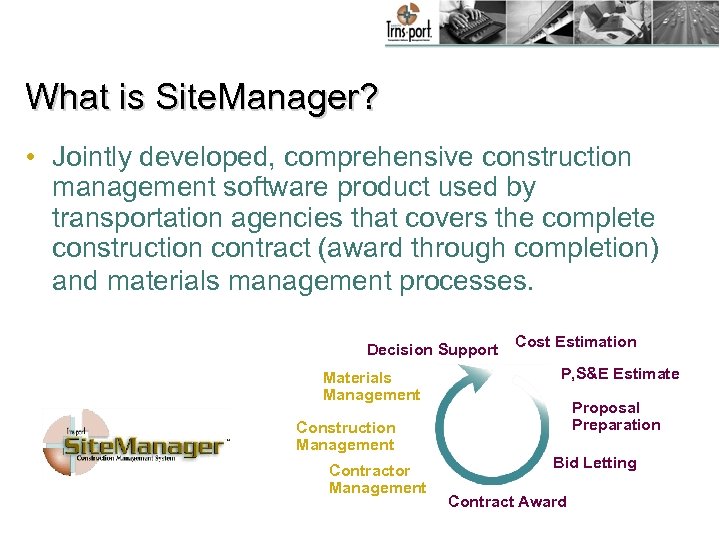 What is Site. Manager? • Jointly developed, comprehensive construction management software product used by transportation agencies that covers the complete construction contract (award through completion) and materials management processes. Decision Support Materials Management Cost Estimation P, S&E Estimate Proposal Preparation Construction Management Contractor Management Bid Letting Contract Award
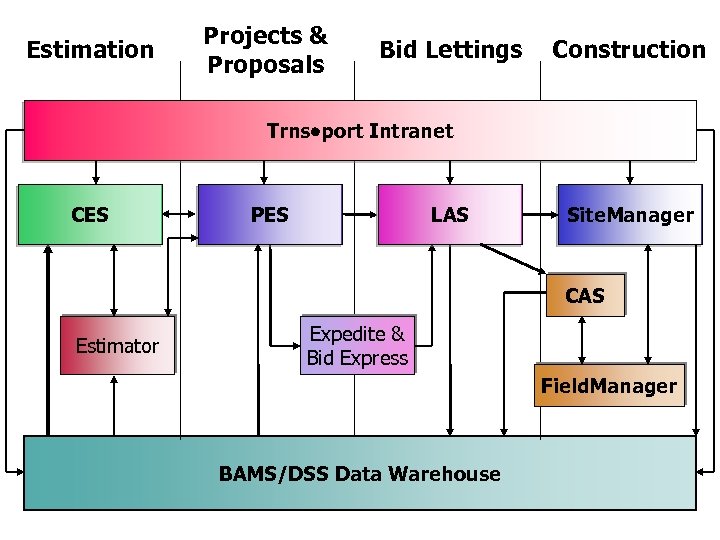 Estimation Projects & Proposals Bid Lettings Construction Trns port Intranet CES PES LAS Site. Manager CAS Estimator Expedite & Bid Express Field. Manager BAMS/DSS Data Warehouse
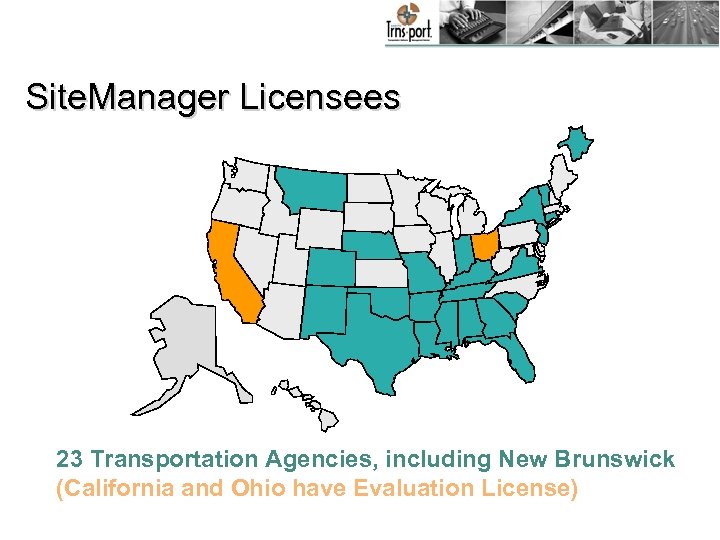 Site. Manager Licensees 23 Transportation Agencies, including New Brunswick (California and Ohio have Evaluation License)
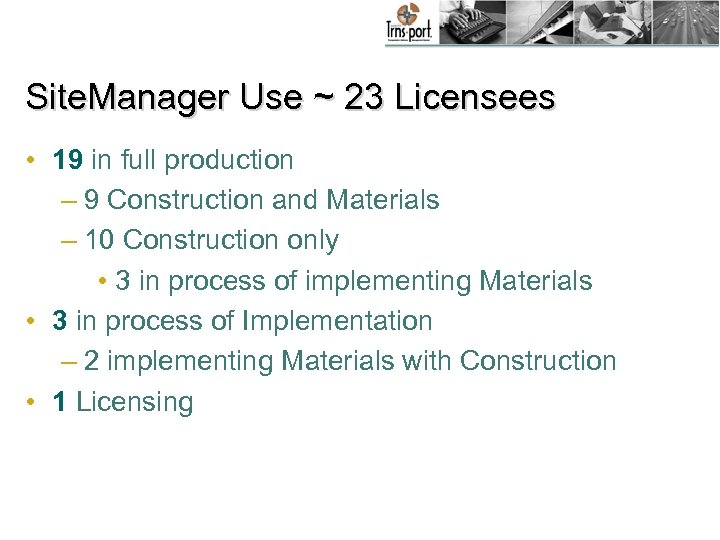 Site. Manager Use ~ 23 Licensees • 19 in full production – 9 Construction and Materials – 10 Construction only • 3 in process of implementing Materials • 3 in process of Implementation – 2 implementing Materials with Construction • 1 Licensing
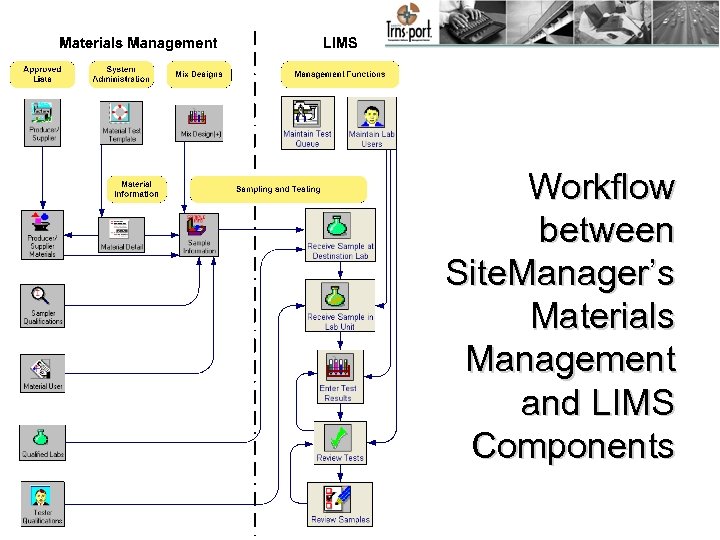 Workflow between Site. Manager’s Materials Management and LIMS Components
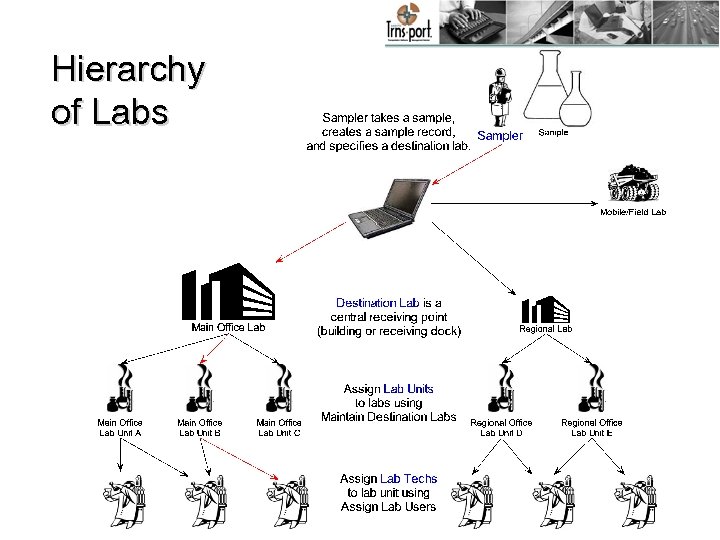 Hierarchy of Labs
 Site. Manager Demonstration
 Recap ~ LIMS Features • Receive at Destination Lab (Receiving Dock) – Indicate sample received at lab building – Step may be omitted for field tests or samples shipped directly to Lab Unit • Receive at Lab Unit (Lab Technician) – Indicate sample received in lab for testing – Step may be omitted for field tests performed when the sample is logged.
 LIMS Features • Maintain Test Queue (Lab Manager) – Assign qualified testers – Cancel tests or add more tests – Assign due dates – Indicate priority – Monitor sample/tests progress
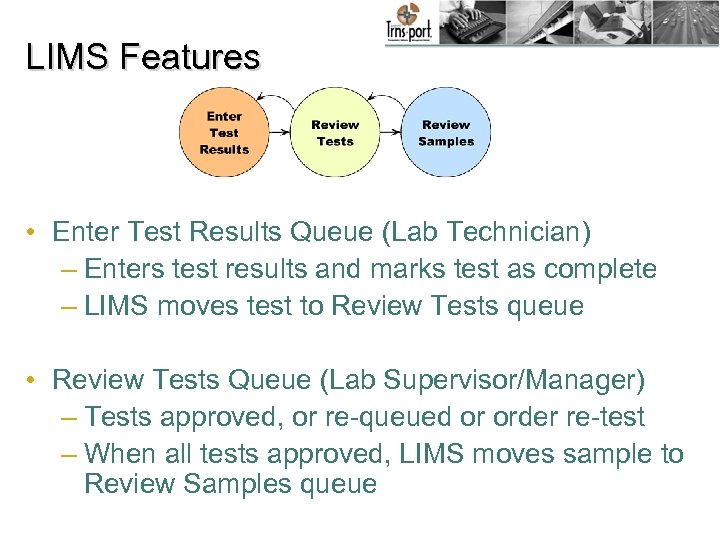 LIMS Features • Enter Test Results Queue (Lab Technician) – Enters test results and marks test as complete – LIMS moves test to Review Tests queue • Review Tests Queue (Lab Supervisor/Manager) – Tests approved, or re-queued or order re-test – When all tests approved, LIMS moves sample to Review Samples queue
 LIMS Features • Review Samples Queue (Product Owner) – Reviews all sample tests to either return a test to the Review Tests queue or order re-test or – Authorizes sample – Sample status updated from LIMS • View-only Sample data – Control access with group security – Display sample and test data/remarks
 LIMS Features • Customize window layout and data views (User) – Choose column and sort order – Easy-to-use filters tailor data displayed – View / compare test data in a grid • Audit and track – Track sample and test status in LIMS workflow – View prior test results – Audit changes made to user records
 Any Additional Questions?