


 Скачать презентацию Transmission Control Protocol TCP OSI vs
acb7e38051937fdfe110a6cbbd4b2145.ppt
- Количество слайдов: 70
 Transmission Control Protocol (TCP)
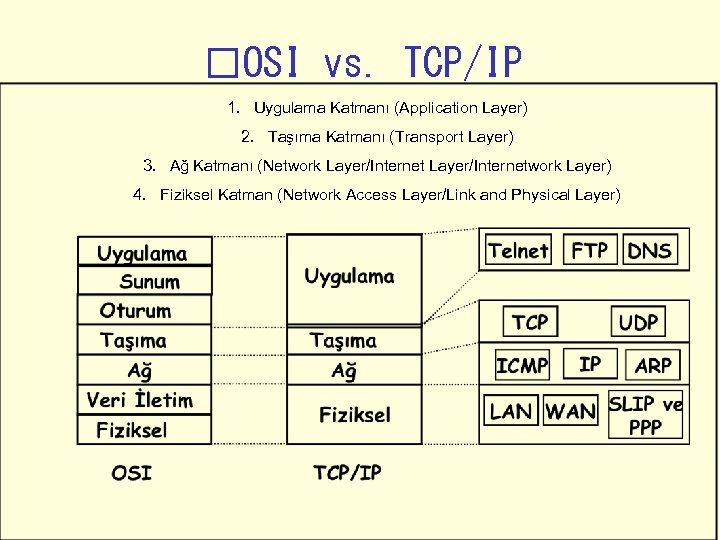 OSI vs. TCP/IP 1. Uygulama Katmanı (Application Layer) 2. Taşıma Katmanı (Transport Layer) 3. Ağ Katmanı (Network Layer/Internetwork Layer) 4. Fiziksel Katman (Network Access Layer/Link and Physical Layer)

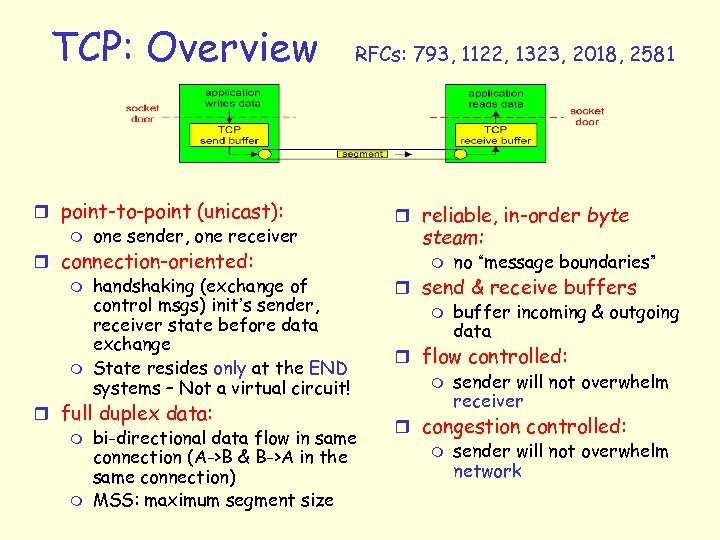 TCP: Overview RFCs: 793, 1122, 1323, 2018, 2581 r point-to-point (unicast): m one sender, one receiver r connection-oriented: m handshaking (exchange of control msgs) init’s sender, receiver state before data exchange m State resides only at the END systems – Not a virtual circuit! r full duplex data: m bi-directional data flow in same connection (A->B & B->A in the same connection) m MSS: maximum segment size r reliable, in-order byte steam: m no “message boundaries” r send & receive buffers m buffer incoming & outgoing data r flow controlled: m sender will not overwhelm receiver r congestion controlled: m sender will not overwhelm network
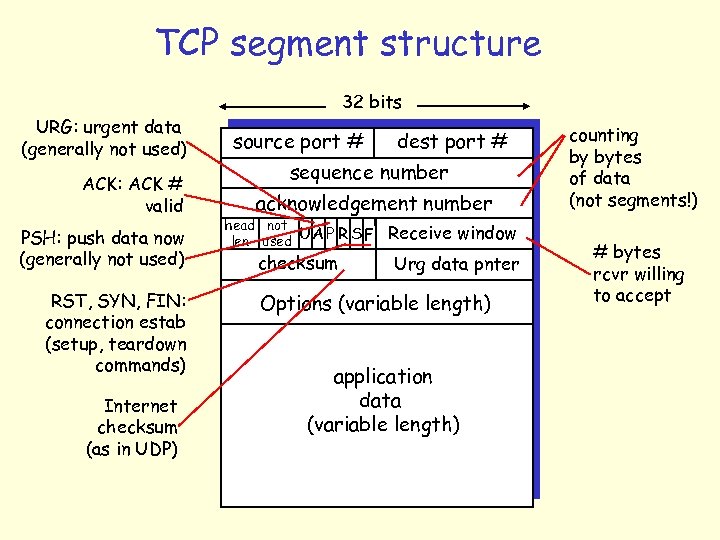 TCP segment structure 32 bits URG: urgent data (generally not used) ACK: ACK # valid PSH: push data now (generally not used) RST, SYN, FIN: connection estab (setup, teardown commands) Internet checksum (as in UDP) source port # dest port # sequence number acknowledgement number head not UA P R S F len used checksum Receive window Urg data pnter Options (variable length) application data (variable length) counting by bytes of data (not segments!) # bytes rcvr willing to accept
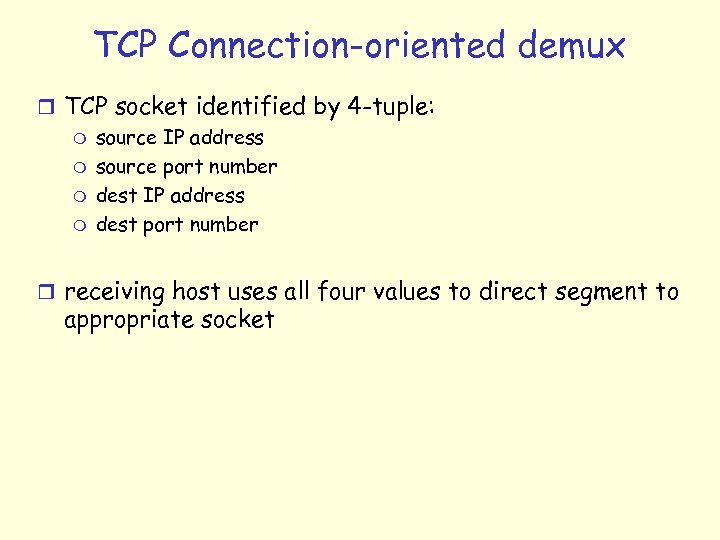 TCP Connection-oriented demux r TCP socket identified by 4 -tuple: m source IP address m source port number m dest IP address m dest port number r receiving host uses all four values to direct segment to appropriate socket
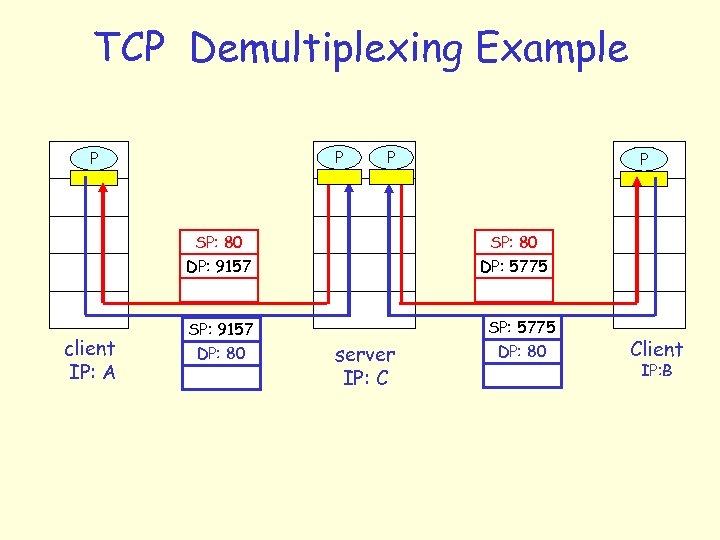 TCP Demultiplexing Example P P SP: 80 DP: 9157 client IP: A SP: 9157 DP: 80 P 1 P P SP: 80 DP: 5775 server IP: C SP: 5775 DP: 80 Client IP: B
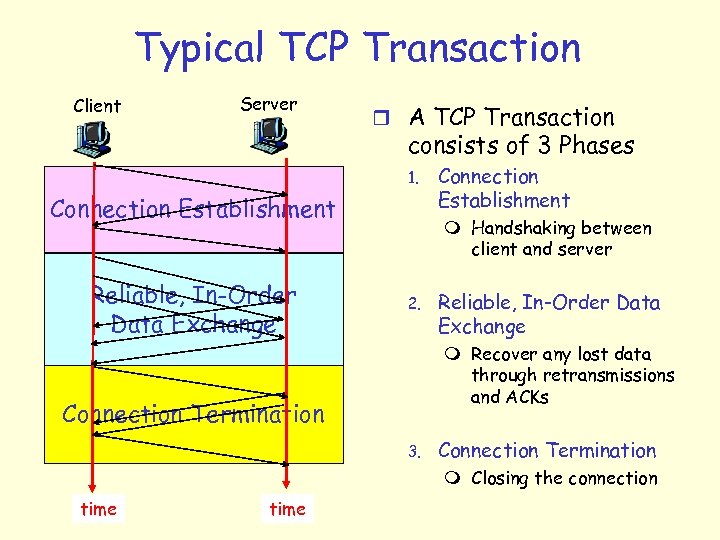 Typical TCP Transaction Client Server r A TCP Transaction consists of 3 Phases 1. Connection Establishment Reliable, In-Order Data Exchange Connection Establishment m Handshaking between client and server 2. Reliable, In-Order Data Exchange m Recover any lost data through retransmissions and ACKs Connection Termination 3. Connection Termination m Closing the connection time
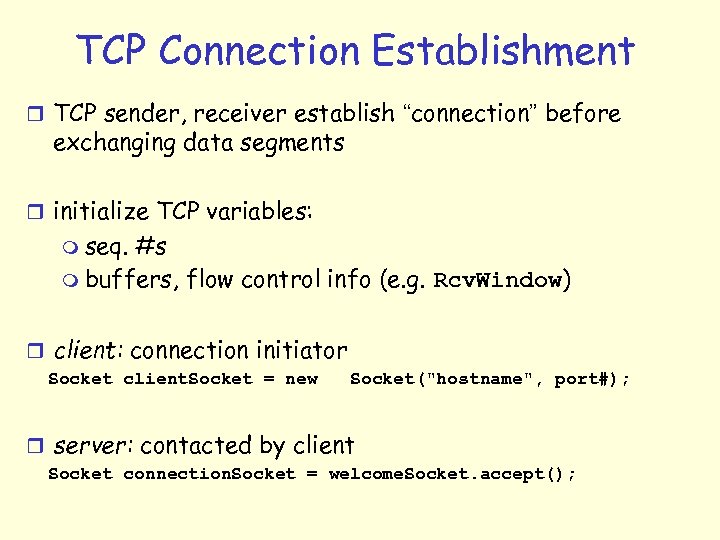 TCP Connection Establishment r TCP sender, receiver establish “connection” before exchanging data segments r initialize TCP variables: m seq. #s m buffers, flow control info (e. g. Rcv. Window) r client: connection initiator Socket client. Socket = new Socket("hostname", port#); r server: contacted by client Socket connection. Socket = welcome. Socket. accept();
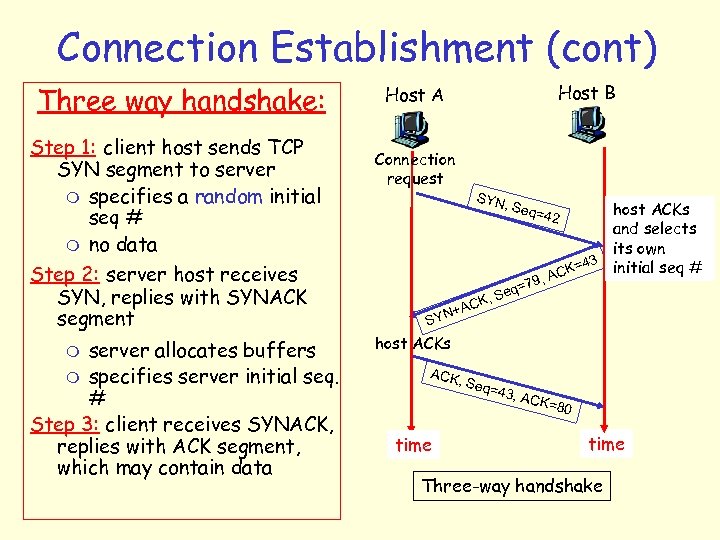 Connection Establishment (cont) Three way handshake: Step 1: client host sends TCP SYN segment to server m specifies a random initial seq # m no data Step 2: server host receives SYN, replies with SYNACK segment server allocates buffers m specifies server initial seq. # Step 3: client receives SYNACK, replies with ACK segment, which may contain data m Host B Host A Connection request SYN , Seq host ACKs and selects its own 3 initial seq # K=4 , AC 9 q=7 , Se CK N+A SY host ACKs ACK , Seq time =43, =42 ACK =80 time Three-way handshake
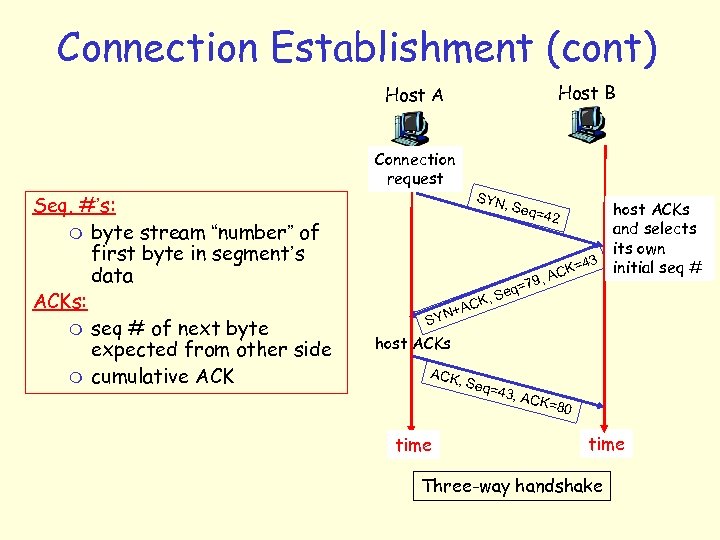 Connection Establishment (cont) Host B Host A Connection request Seq. #’s: m byte stream “number” of first byte in segment’s data ACKs: m seq # of next byte expected from other side m cumulative ACK SYN , Seq host ACKs and selects its own 3 initial seq # K=4 , AC 9 q=7 , Se CK N+A SY host ACKs ACK , Seq time =43, =42 ACK =80 time Three-way handshake
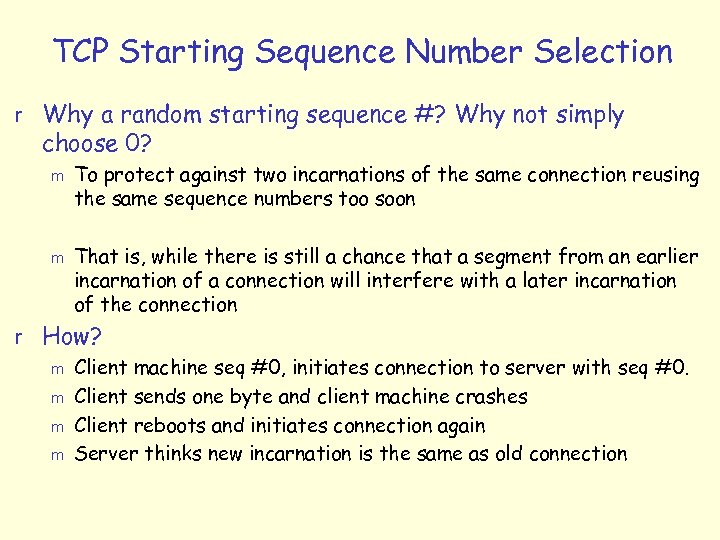 TCP Starting Sequence Number Selection r Why a random starting sequence #? Why not simply choose 0? m m To protect against two incarnations of the same connection reusing the same sequence numbers too soon That is, while there is still a chance that a segment from an earlier incarnation of a connection will interfere with a later incarnation of the connection r How? m Client machine seq #0, initiates connection to server with seq #0. m Client sends one byte and client machine crashes m Client reboots and initiates connection again m Server thinks new incarnation is the same as old connection
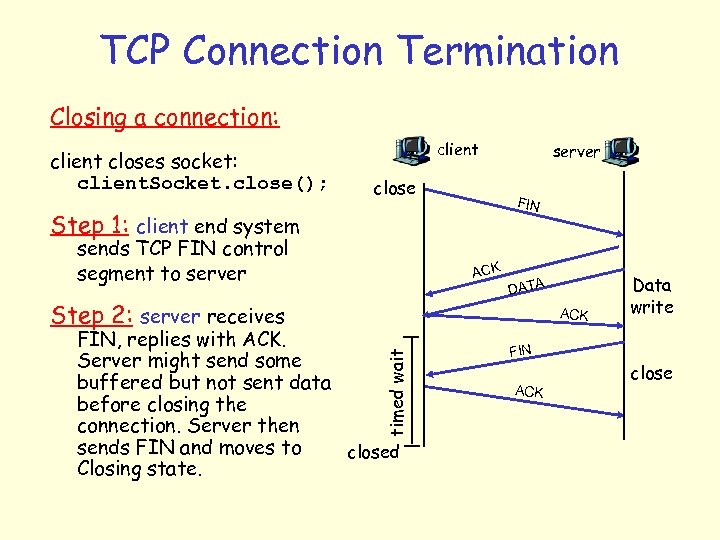 TCP Connection Termination Closing a connection: client closes socket: client. Socket. close(); client close FIN Step 1: client end system sends TCP FIN control segment to server ACK Step 2: server receives server DATA ACK timed wait FIN, replies with ACK. Server might send some buffered but not sent data before closing the connection. Server then sends FIN and moves to closed Closing state. Data write FIN ACK close
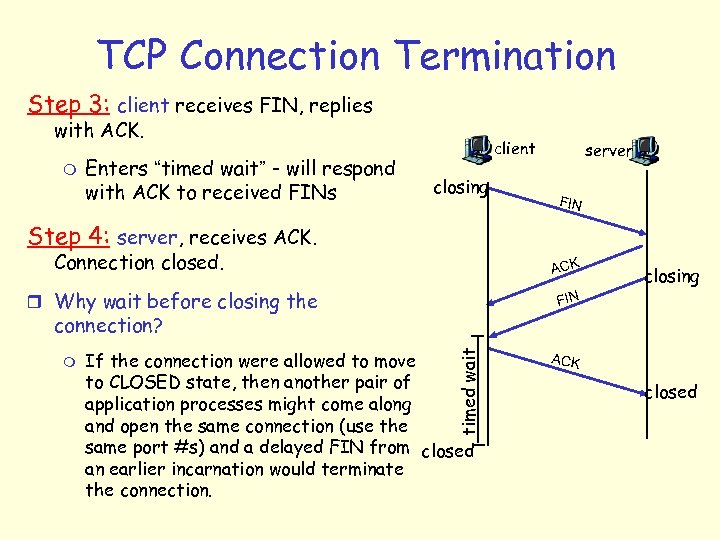 TCP Connection Termination Step 3: client receives FIN, replies with ACK. m Enters “timed wait” - will respond with ACK to received FINs client closing server FIN Step 4: server, receives ACK. Connection closed. ACK r Why wait before closing the closing FIN connection? If the connection were allowed to move to CLOSED state, then another pair of application processes might come along and open the same connection (use the same port #s) and a delayed FIN from closed an earlier incarnation would terminate the connection. timed wait m ACK closed
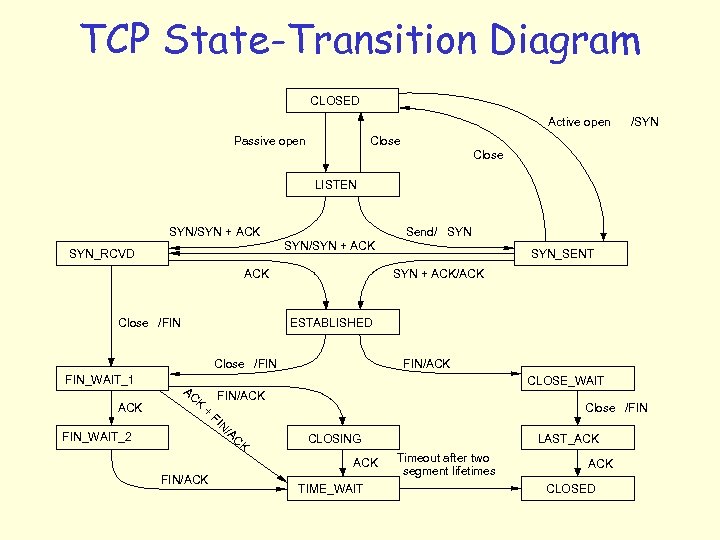 TCP State-Transition Diagram CLOSED Active open Passive open /SYN Close LISTEN SYN/SYN + ACK Send/ SYN/SYN + ACK SYN_RCVD ACK Close /FIN SYN + ACK/ACK ESTABLISHED Close /FIN FIN_WAIT_1 ACK SYN_SENT FIN/ACK CLOSE_WAIT AC K + FIN/ACK FI Close /FIN N FIN_WAIT_2 /A C K CLOSING ACK FIN/ACK TIME_WAIT LAST_ACK Timeout after two segment lifetimes ACK CLOSED
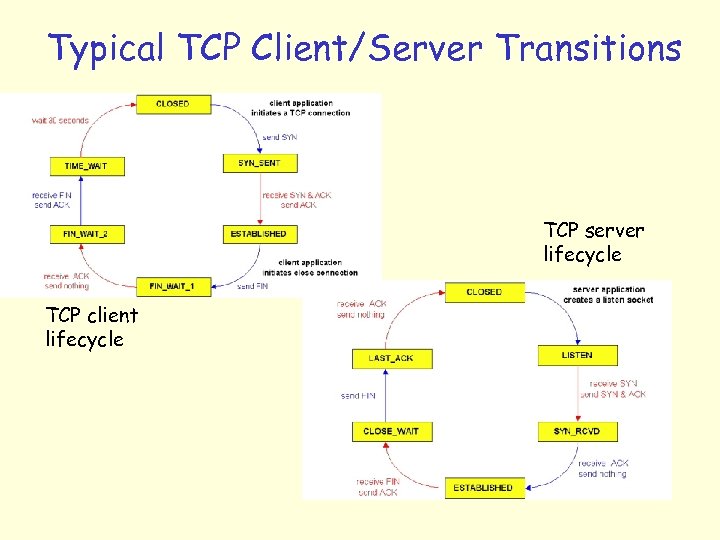 Typical TCP Client/Server Transitions TCP server lifecycle TCP client lifecycle
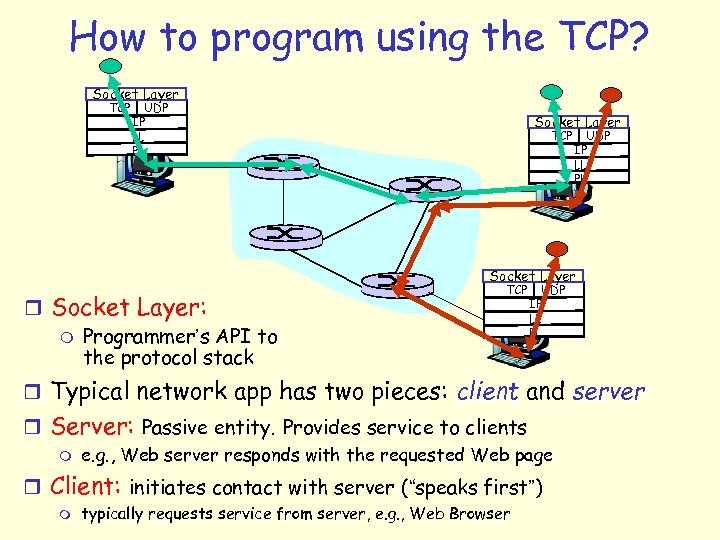 How to program using the TCP? Socket Layer TCP UDP IP LL PL Socket Layer r Socket Layer: m Programmer’s API to the protocol stack TCP UDP IP LL PL r Typical network app has two pieces: client and server r Server: Passive entity. Provides service to clients m e. g. , Web server responds with the requested Web page r Client: initiates contact with server (“speaks first”) m typically requests service from server, e. g. , Web Browser
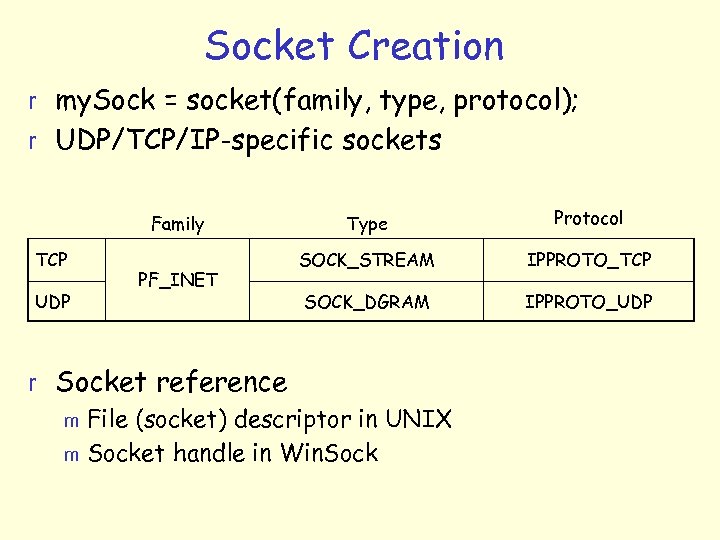 Socket Creation r my. Sock = socket(family, type, protocol); r UDP/TCP/IP-specific sockets Family TCP UDP PF_INET Type Protocol SOCK_STREAM IPPROTO_TCP SOCK_DGRAM IPPROTO_UDP r Socket reference m File (socket) descriptor in UNIX m Socket handle in Win. Sock
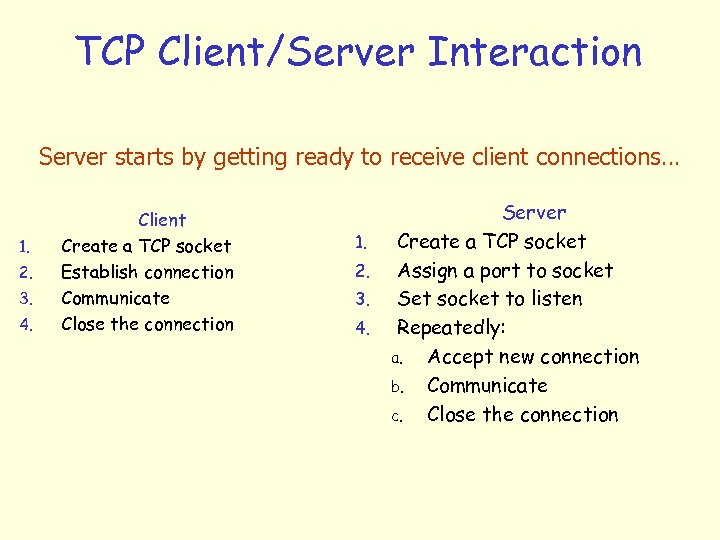 TCP Client/Server Interaction Server starts by getting ready to receive client connections… 1. 2. 3. 4. Client Create a TCP socket Establish connection Communicate Close the connection 1. 2. 3. 4. Server Create a TCP socket Assign a port to socket Set socket to listen Repeatedly: a. Accept new connection b. Communicate c. Close the connection
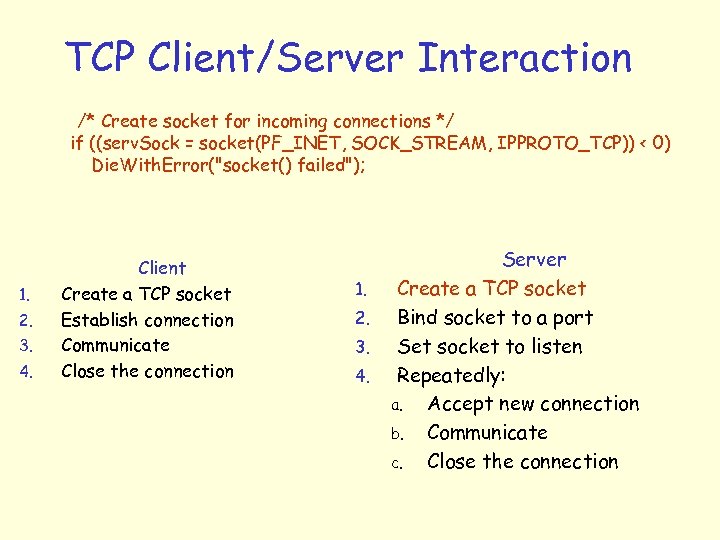 TCP Client/Server Interaction /* Create socket for incoming connections */ if ((serv. Sock = socket(PF_INET, SOCK_STREAM, IPPROTO_TCP)) < 0) Die. With. Error("socket() failed"); 1. 2. 3. 4. Client Create a TCP socket Establish connection Communicate Close the connection 1. 2. 3. 4. Server Create a TCP socket Bind socket to a port Set socket to listen Repeatedly: a. Accept new connection b. Communicate c. Close the connection
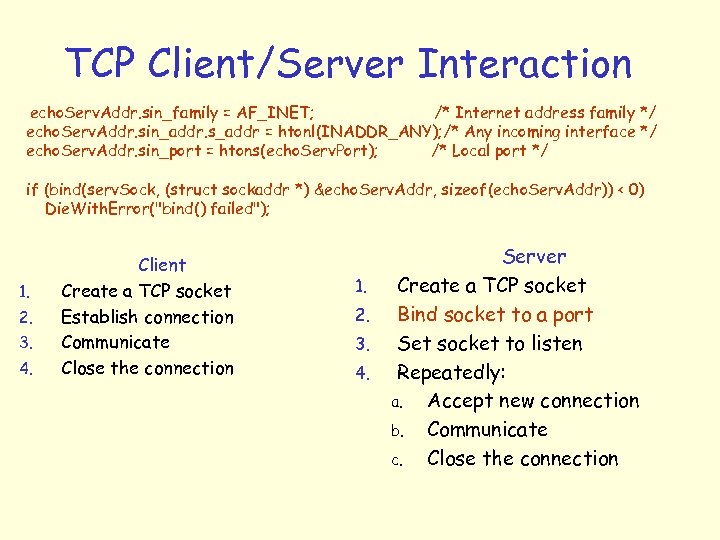 TCP Client/Server Interaction echo. Serv. Addr. sin_family = AF_INET; /* Internet address family */ echo. Serv. Addr. sin_addr. s_addr = htonl(INADDR_ANY); /* Any incoming interface */ echo. Serv. Addr. sin_port = htons(echo. Serv. Port); /* Local port */ if (bind(serv. Sock, (struct sockaddr *) &echo. Serv. Addr, sizeof(echo. Serv. Addr)) < 0) Die. With. Error("bind() failed"); 1. 2. 3. 4. Client Create a TCP socket Establish connection Communicate Close the connection 1. 2. 3. 4. Server Create a TCP socket Bind socket to a port Set socket to listen Repeatedly: a. Accept new connection b. Communicate c. Close the connection
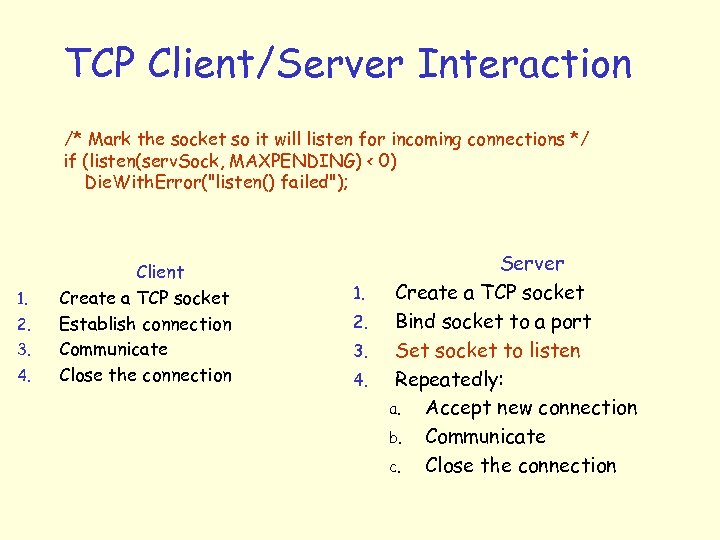 TCP Client/Server Interaction /* Mark the socket so it will listen for incoming connections */ if (listen(serv. Sock, MAXPENDING) < 0) Die. With. Error("listen() failed"); 1. 2. 3. 4. Client Create a TCP socket Establish connection Communicate Close the connection 1. 2. 3. 4. Server Create a TCP socket Bind socket to a port Set socket to listen Repeatedly: a. Accept new connection b. Communicate c. Close the connection
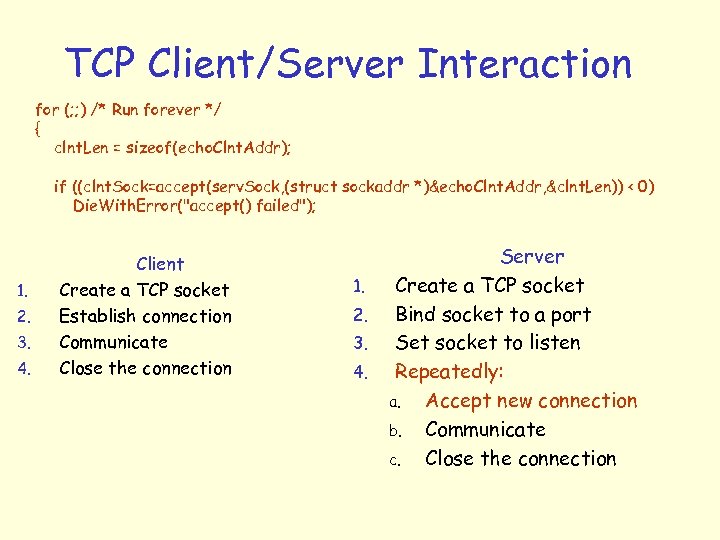 TCP Client/Server Interaction for (; ; ) /* Run forever */ { clnt. Len = sizeof(echo. Clnt. Addr); if ((clnt. Sock=accept(serv. Sock, (struct sockaddr *)&echo. Clnt. Addr, &clnt. Len)) < 0) Die. With. Error("accept() failed"); 1. 2. 3. 4. Client Create a TCP socket Establish connection Communicate Close the connection 1. 2. 3. 4. Server Create a TCP socket Bind socket to a port Set socket to listen Repeatedly: a. Accept new connection b. Communicate c. Close the connection
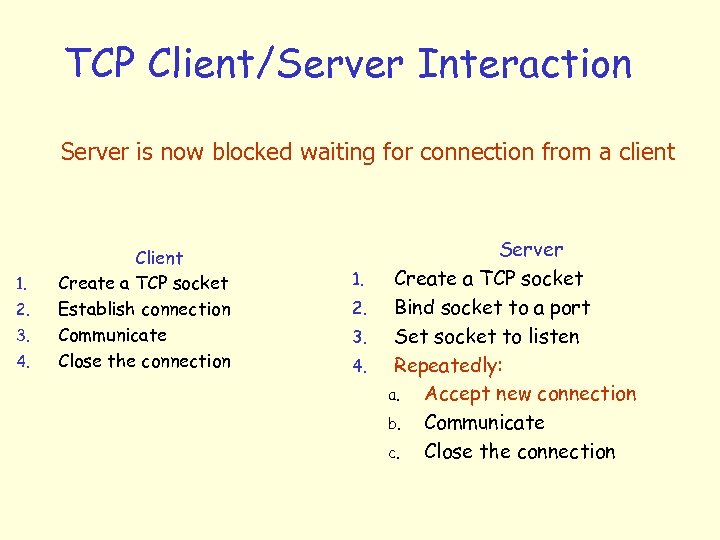 TCP Client/Server Interaction Server is now blocked waiting for connection from a client 1. 2. 3. 4. Client Create a TCP socket Establish connection Communicate Close the connection 1. 2. 3. 4. Server Create a TCP socket Bind socket to a port Set socket to listen Repeatedly: a. Accept new connection b. Communicate c. Close the connection
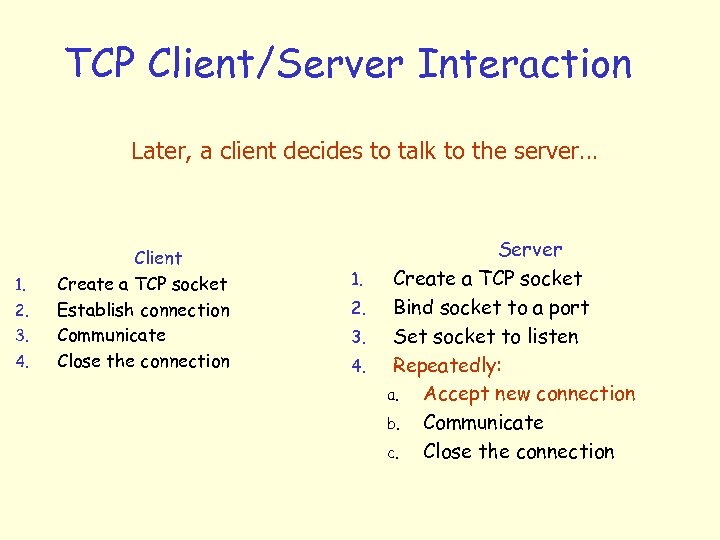 TCP Client/Server Interaction Later, a client decides to talk to the server… 1. 2. 3. 4. Client Create a TCP socket Establish connection Communicate Close the connection 1. 2. 3. 4. Server Create a TCP socket Bind socket to a port Set socket to listen Repeatedly: a. Accept new connection b. Communicate c. Close the connection
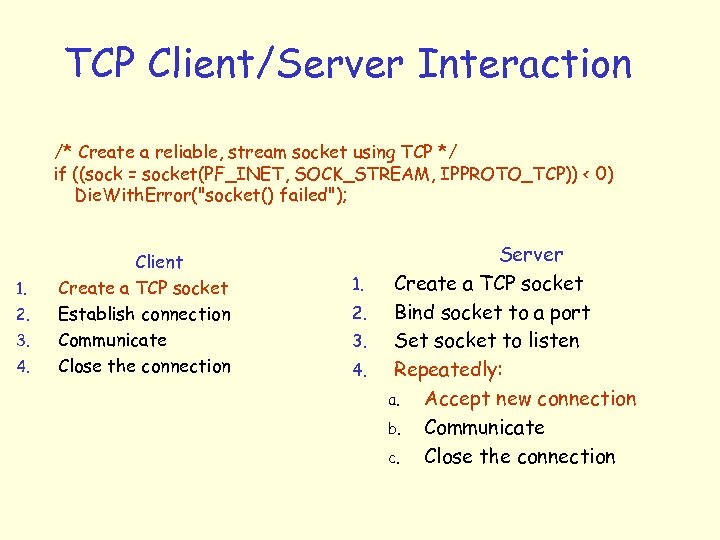 TCP Client/Server Interaction /* Create a reliable, stream socket using TCP */ if ((sock = socket(PF_INET, SOCK_STREAM, IPPROTO_TCP)) < 0) Die. With. Error("socket() failed"); 1. 2. 3. 4. Client Create a TCP socket Establish connection Communicate Close the connection 1. 2. 3. 4. Server Create a TCP socket Bind socket to a port Set socket to listen Repeatedly: a. Accept new connection b. Communicate c. Close the connection
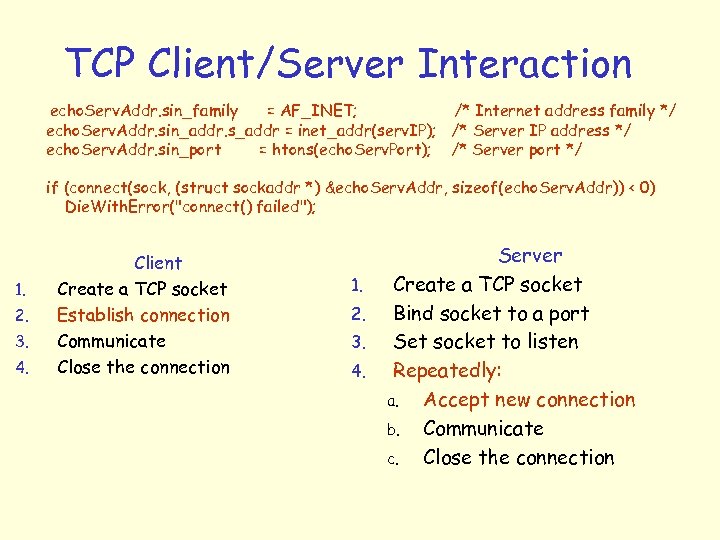 TCP Client/Server Interaction echo. Serv. Addr. sin_family = AF_INET; /* Internet address family */ echo. Serv. Addr. sin_addr. s_addr = inet_addr(serv. IP); /* Server IP address */ echo. Serv. Addr. sin_port = htons(echo. Serv. Port); /* Server port */ if (connect(sock, (struct sockaddr *) &echo. Serv. Addr, sizeof(echo. Serv. Addr)) < 0) Die. With. Error("connect() failed"); 1. 2. 3. 4. Client Create a TCP socket Establish connection Communicate Close the connection 1. 2. 3. 4. Server Create a TCP socket Bind socket to a port Set socket to listen Repeatedly: a. Accept new connection b. Communicate c. Close the connection
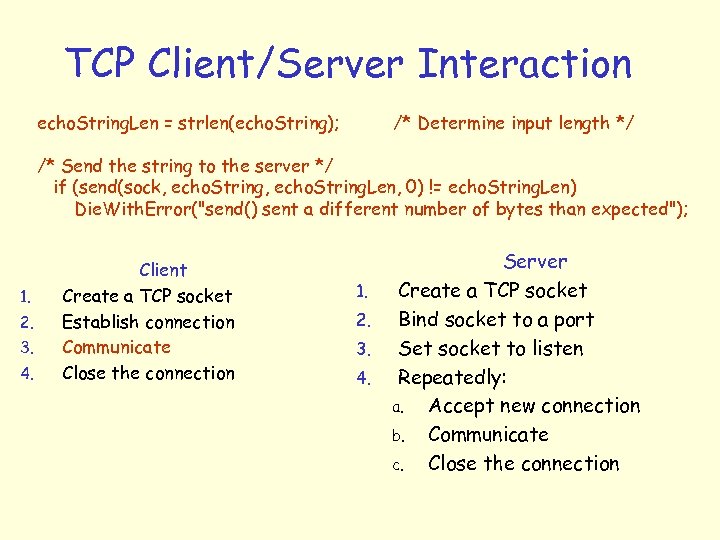 TCP Client/Server Interaction echo. String. Len = strlen(echo. String); /* Determine input length */ /* Send the string to the server */ if (send(sock, echo. String. Len, 0) != echo. String. Len) Die. With. Error("send() sent a different number of bytes than expected"); 1. 2. 3. 4. Client Create a TCP socket Establish connection Communicate Close the connection 1. 2. 3. 4. Server Create a TCP socket Bind socket to a port Set socket to listen Repeatedly: a. Accept new connection b. Communicate c. Close the connection
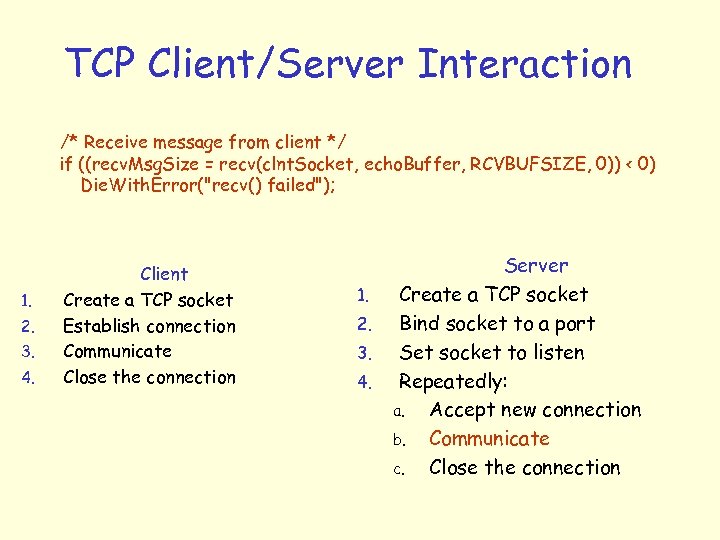 TCP Client/Server Interaction /* Receive message from client */ if ((recv. Msg. Size = recv(clnt. Socket, echo. Buffer, RCVBUFSIZE, 0)) < 0) Die. With. Error("recv() failed"); 1. 2. 3. 4. Client Create a TCP socket Establish connection Communicate Close the connection 1. 2. 3. 4. Server Create a TCP socket Bind socket to a port Set socket to listen Repeatedly: a. Accept new connection b. Communicate c. Close the connection
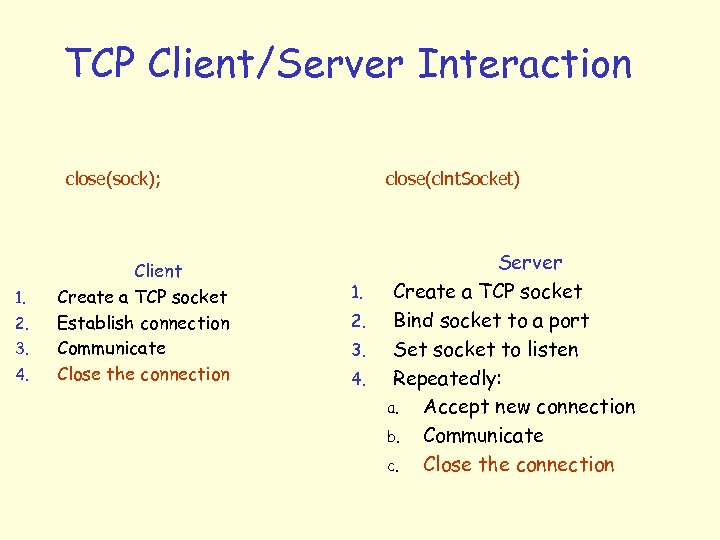 TCP Client/Server Interaction close(sock); 1. 2. 3. 4. Client Create a TCP socket Establish connection Communicate Close the connection close(clnt. Socket) 1. 2. 3. 4. Server Create a TCP socket Bind socket to a port Set socket to listen Repeatedly: a. Accept new connection b. Communicate c. Close the connection
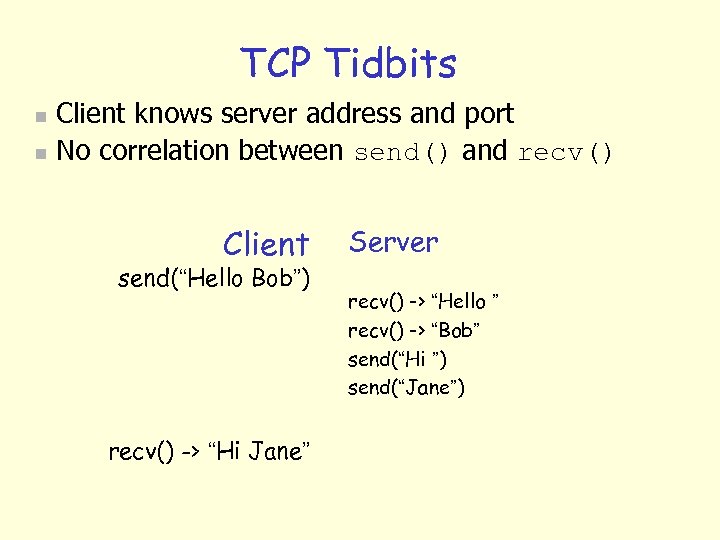 TCP Tidbits n n Client knows server address and port No correlation between send() and recv() Client send(“Hello Bob”) recv() -> “Hi Jane” Server recv() -> “Hello ” recv() -> “Bob” send(“Hi ”) send(“Jane”)
 Uygulama Katmanı Protokolleri r DNS (Domain Name System-Alan Adı Sistemi) m m Alan adı verilen isimler (www. gazi. edu. tr) ile IP adreslerini (194. 27. 16. 10) birbirine bağlayan sistemdir. Paylaştırılmış bir veritabanı olarak çalışır. r HTTP (Hyper. Text Transfer Protocol-Hiper Metin Gönderme Protokolü) m HTML sayfaları göndermek vb… r HTTPS (Secure HTTP-Güvenli HTTP) m HTTP'nin RSA (İki anahtarlı şifreleme veya asimetrik anahtarlı şifreleme) şifrelemesi ile güçlendirilmiş halidir. Örneğin bankaların internet siteleri. r FTP (File Transfer Protocol) r SFTP veya FTPS (Secure FTP), m FTP'nin RSA ile güçlendirilmiş halidir.
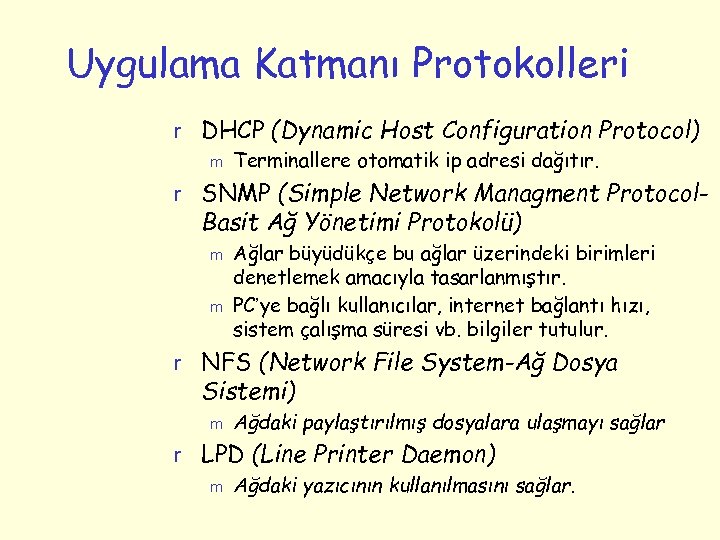 Uygulama Katmanı Protokolleri r DHCP (Dynamic Host Configuration Protocol) m Terminallere otomatik ip adresi dağıtır. r SNMP (Simple Network Managment Protocol- Basit Ağ Yönetimi Protokolü) m m Ağlar büyüdükçe bu ağlar üzerindeki birimleri denetlemek amacıyla tasarlanmıştır. PC’ye bağlı kullanıcılar, internet bağlantı hızı, sistem çalışma süresi vb. bilgiler tutulur. r NFS (Network File System-Ağ Dosya Sistemi) m Ağdaki paylaştırılmış dosyalara ulaşmayı sağlar r LPD (Line Printer Daemon) m Ağdaki yazıcının kullanılmasını sağlar.
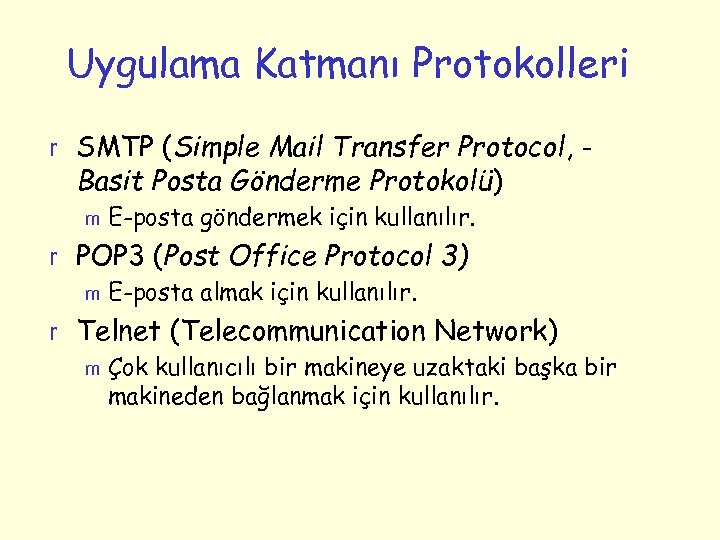 Uygulama Katmanı Protokolleri r SMTP (Simple Mail Transfer Protocol, - Basit Posta Gönderme Protokolü) m E-posta göndermek için kullanılır. r POP 3 (Post Office Protocol 3) m E-posta almak için kullanılır. r Telnet (Telecommunication Network) m Çok kullanıcılı bir makineye uzaktaki başka bir makineden bağlanmak için kullanılır.
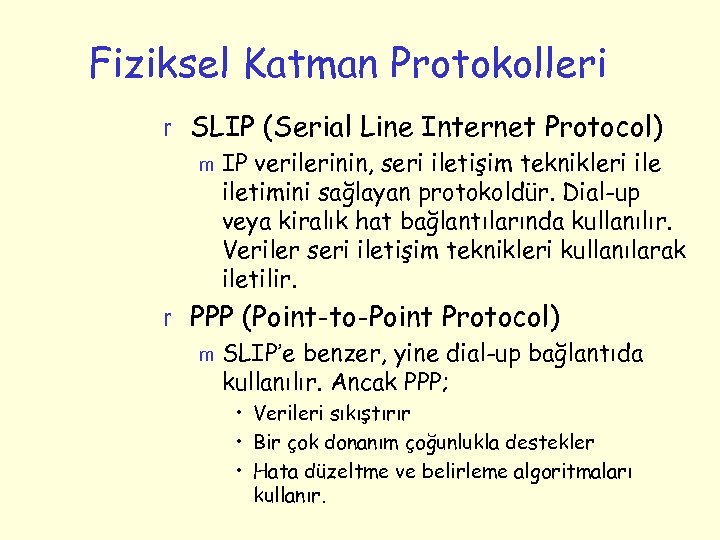 Fiziksel Katman Protokolleri r SLIP (Serial Line Internet Protocol) m IP verilerinin, seri iletişim teknikleri iletimini sağlayan protokoldür. Dial-up veya kiralık hat bağlantılarında kullanılır. Veriler seri iletişim teknikleri kullanılarak iletilir. r PPP (Point-to-Point Protocol) m SLIP’e benzer, yine dial-up bağlantıda kullanılır. Ancak PPP; • Verileri sıkıştırır • Bir çok donanım çoğunlukla destekler • Hata düzeltme ve belirleme algoritmaları kullanır.
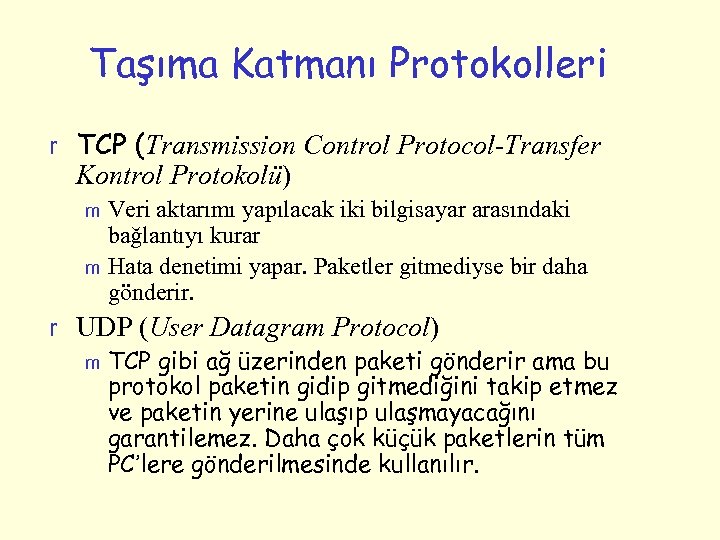 Taşıma Katmanı Protokolleri r TCP (Transmission Control Protocol-Transfer Kontrol Protokolü) Veri aktarımı yapılacak iki bilgisayar arasındaki bağlantıyı kurar m Hata denetimi yapar. Paketler gitmediyse bir daha gönderir. m r UDP (User Datagram Protocol) m TCP gibi ağ üzerinden paketi gönderir ama bu protokol paketin gidip gitmediğini takip etmez ve paketin yerine ulaşıp ulaşmayacağını garantilemez. Daha çok küçük paketlerin tüm PC’lere gönderilmesinde kullanılır.
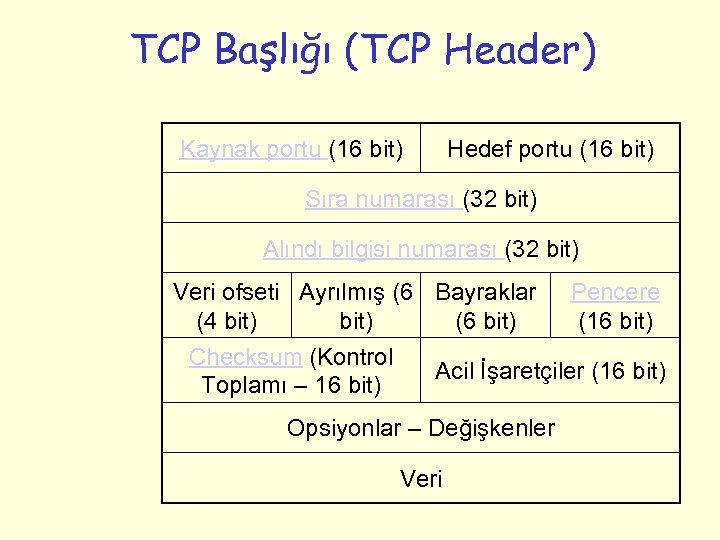 TCP Başlığı (TCP Header) Kaynak portu (16 bit) Hedef portu (16 bit) Sıra numarası (32 bit) Alındı bilgisi numarası (32 bit) Veri ofseti Ayrılmış (6 Bayraklar (4 bit) (6 bit) Checksum (Kontrol Toplamı – 16 bit) Pencere (16 bit) Acil İşaretçiler (16 bit) Opsiyonlar – Değişkenler Veri
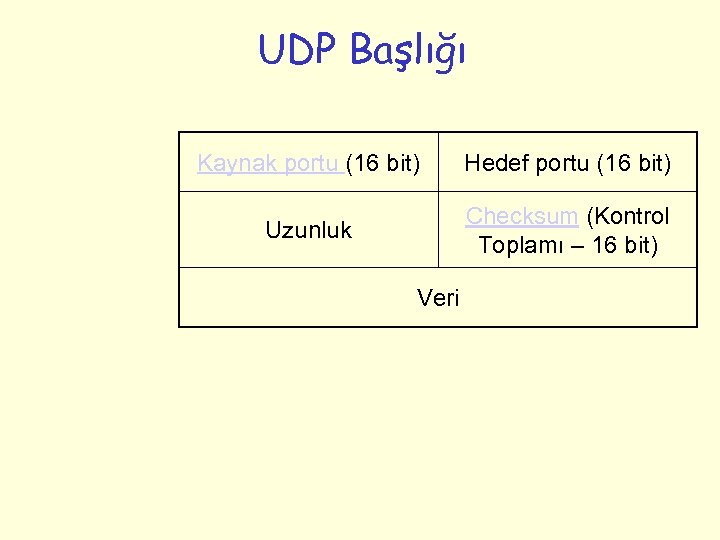 UDP Başlığı Kaynak portu (16 bit) Hedef portu (16 bit) Uzunluk Checksum (Kontrol Toplamı – 16 bit) Veri
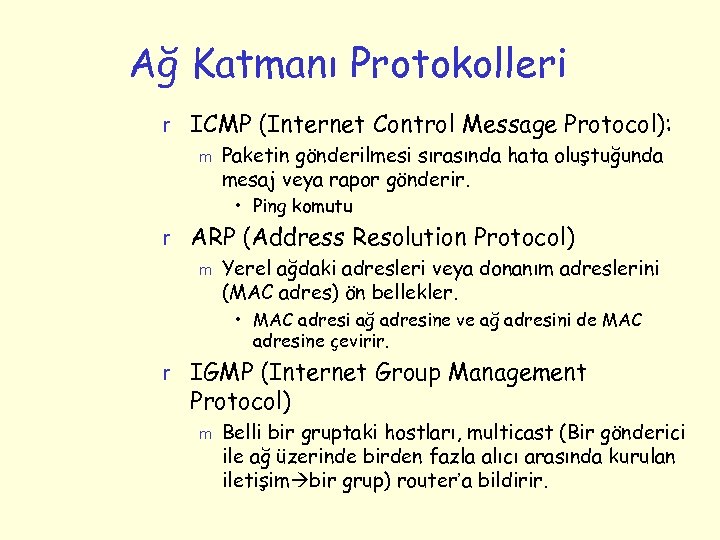 Ağ Katmanı Protokolleri r ICMP (Internet Control Message Protocol): m Paketin gönderilmesi sırasında hata oluştuğunda mesaj veya rapor gönderir. • Ping komutu r ARP (Address Resolution Protocol) m Yerel ağdaki adresleri veya donanım adreslerini (MAC adres) ön bellekler. • MAC adresi ağ adresine ve ağ adresini de MAC adresine çevirir. r IGMP (Internet Group Management Protocol) m Belli bir gruptaki hostları, multicast (Bir gönderici ile ağ üzerinde birden fazla alıcı arasında kurulan iletişim bir grup) router’a bildirir.
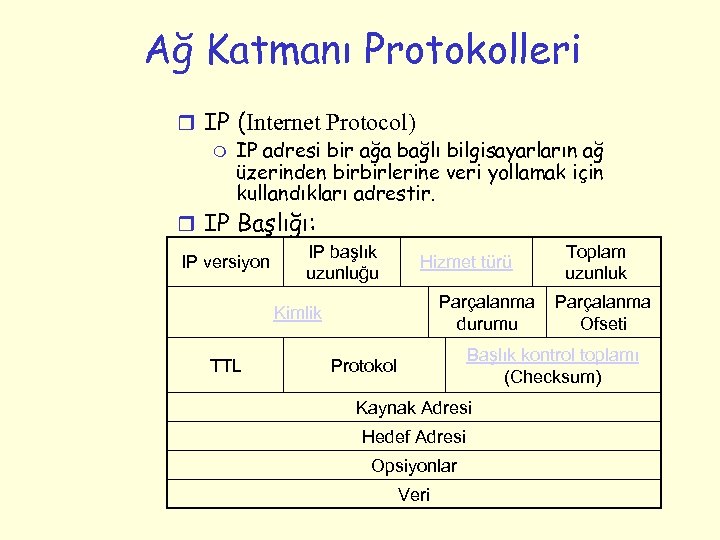 Ağ Katmanı Protokolleri r IP (Internet Protocol) m IP adresi bir ağa bağlı bilgisayarların ağ üzerinden birbirlerine veri yollamak için kullandıkları adrestir. r IP Başlığı: IP versiyon IP başlık uzunluğu Hizmet türü Parçalanma durumu Kimlik TTL Toplam uzunluk Parçalanma Ofseti Başlık kontrol toplamı (Checksum) Protokol Kaynak Adresi Hedef Adresi Opsiyonlar Veri
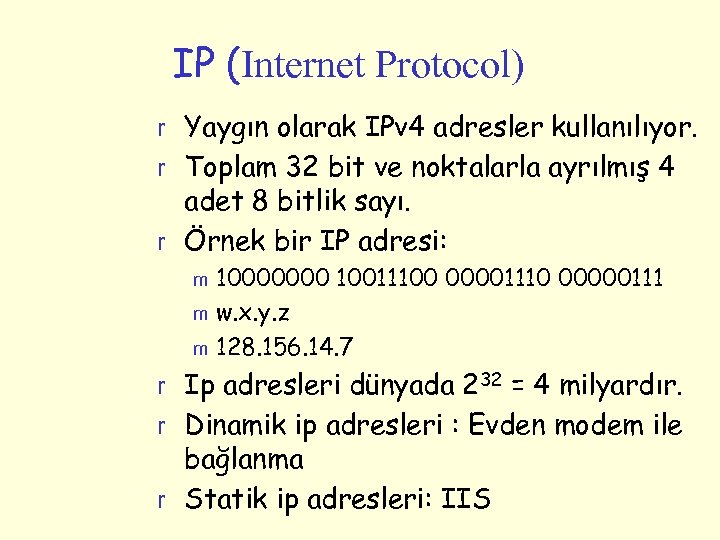 IP (Internet Protocol) r Yaygın olarak IPv 4 adresler kullanılıyor. r Toplam 32 bit ve noktalarla ayrılmış 4 adet 8 bitlik sayı. r Örnek bir IP adresi: 10000000 10011100 00001110 00000111 m w. x. y. z m 128. 156. 14. 7 m r Ip adresleri dünyada 232 = 4 milyardır. r Dinamik ip adresleri : Evden modem ile bağlanma r Statik ip adresleri: IIS
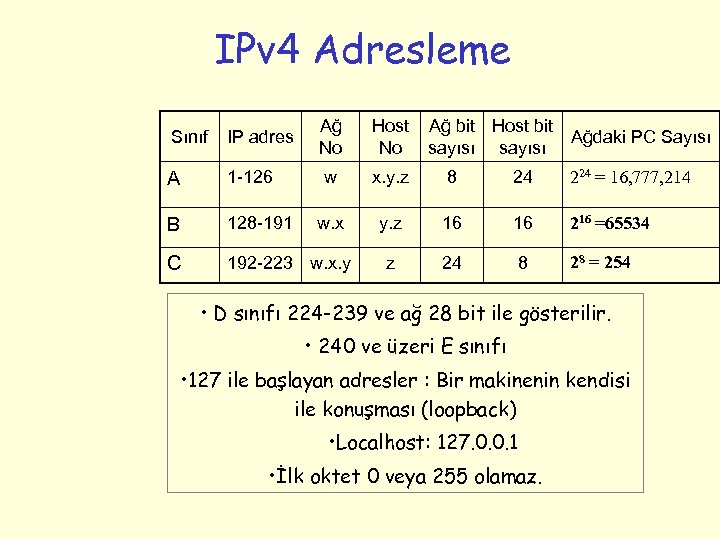 IPv 4 Adresleme Sınıf IP adres Ağ No Host No Ağ bit Host bit sayısı A 1 -126 w x. y. z 8 24 224 = 16, 777, 214 B 128 -191 w. x y. z 16 16 216 =65534 C 192 -223 w. x. y z 24 8 28 = 254 Ağdaki PC Sayısı • D sınıfı 224 -239 ve ağ 28 bit ile gösterilir. • 240 ve üzeri E sınıfı • 127 ile başlayan adresler : Bir makinenin kendisi ile konuşması (loopback) • Localhost: 127. 0. 0. 1 • İlk oktet 0 veya 255 olamaz.
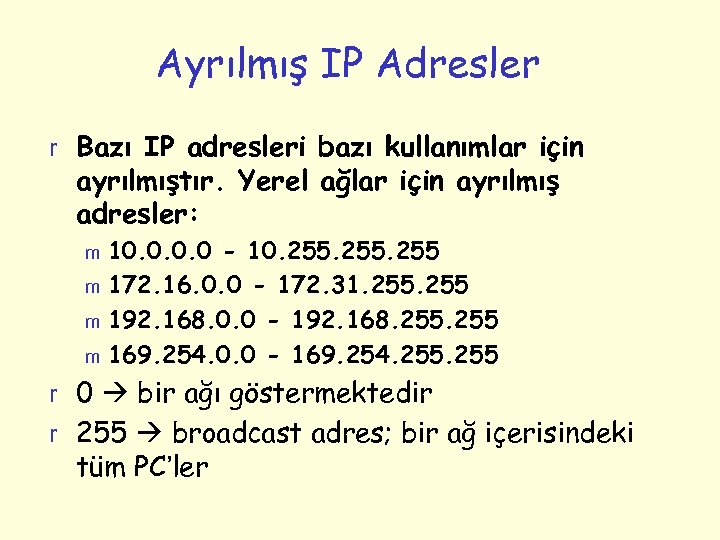 Ayrılmış IP Adresler r Bazı IP adresleri bazı kullanımlar için ayrılmıştır. Yerel ağlar için ayrılmış adresler: 10. 0 - 10. 255 m 172. 16. 0. 0 - 172. 31. 255 m 192. 168. 0. 0 - 192. 168. 255 m 169. 254. 0. 0 - 169. 254. 255 m r 0 bir ağı göstermektedir r 255 broadcast adres; bir ağ içerisindeki tüm PC’ler
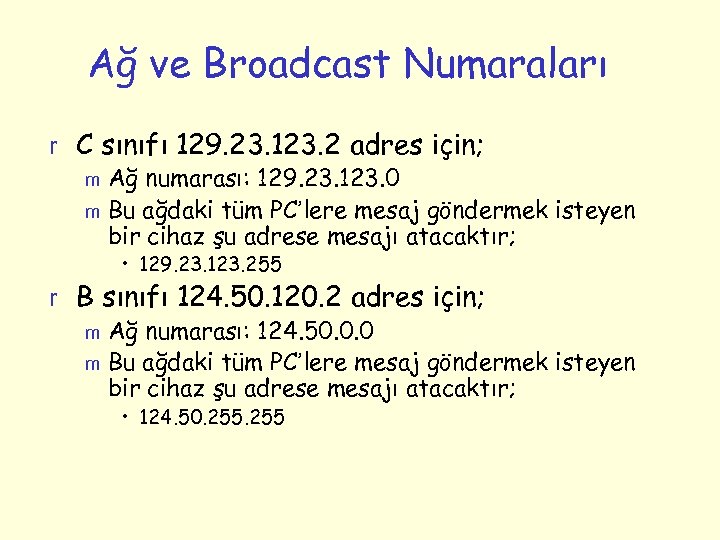 Ağ ve Broadcast Numaraları r C sınıfı 129. 23. 123. 2 adres için; m Ağ numarası: 129. 23. 123. 0 m Bu ağdaki tüm PC’lere mesaj göndermek isteyen bir cihaz şu adrese mesajı atacaktır; • 129. 23. 123. 255 r B sınıfı 124. 50. 120. 2 adres için; m Ağ numarası: 124. 50. 0. 0 m Bu ağdaki tüm PC’lere mesaj göndermek isteyen bir cihaz şu adrese mesajı atacaktır; • 124. 50. 255
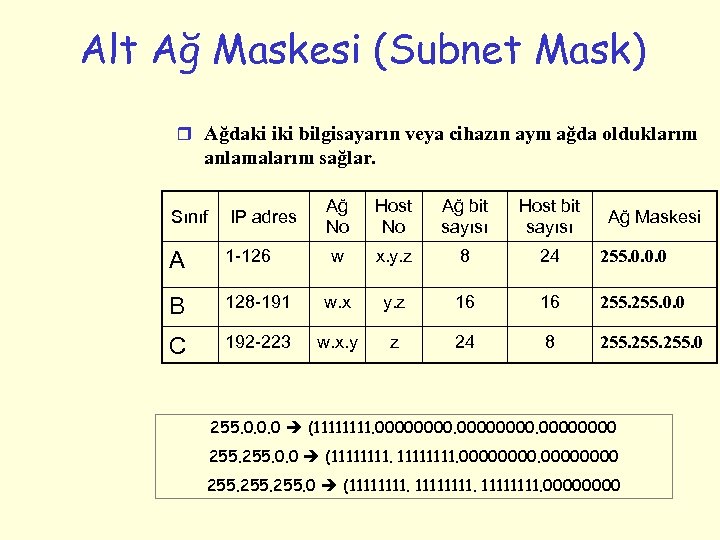 Alt Ağ Maskesi (Subnet Mask) r Ağdaki iki bilgisayarın veya cihazın aynı ağda olduklarını anlamalarını sağlar. Sınıf IP adres Ağ No Host No Ağ bit sayısı Host bit sayısı A 1 -126 w x. y. z 8 24 255. 0. 0. 0 B 128 -191 w. x y. z 16 16 255. 0. 0 C 192 -223 w. x. y z 24 8 255. 0 Ağ Maskesi 255. 0. 0. 0 (1111. 00000000 255. 0. 0 (11111111. 0000 255. 0 (11111111. 0000
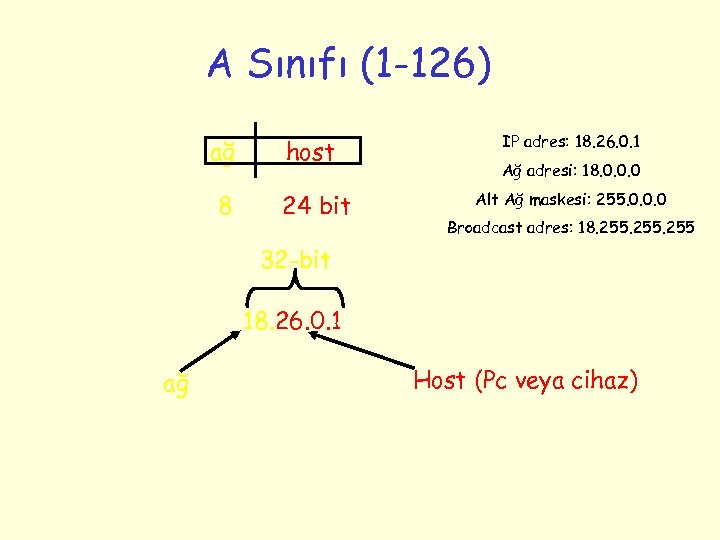 A Sınıfı (1 -126) ağ host 8 24 bit IP adres: 18. 26. 0. 1 Ağ adresi: 18. 0. 0. 0 Alt Ağ maskesi: 255. 0. 0. 0 Broadcast adres: 18. 255 32 -bit 18. 26. 0. 1 ağ Host (Pc veya cihaz)
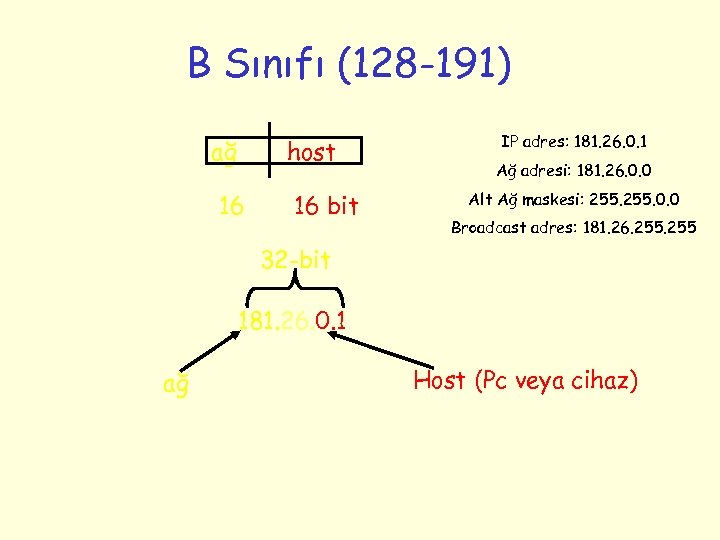 B Sınıfı (128 -191) ağ host 16 16 bit IP adres: 181. 26. 0. 1 Ağ adresi: 181. 26. 0. 0 Alt Ağ maskesi: 255. 0. 0 Broadcast adres: 181. 26. 255 32 -bit 181. 26. 0. 1 ağ Host (Pc veya cihaz)
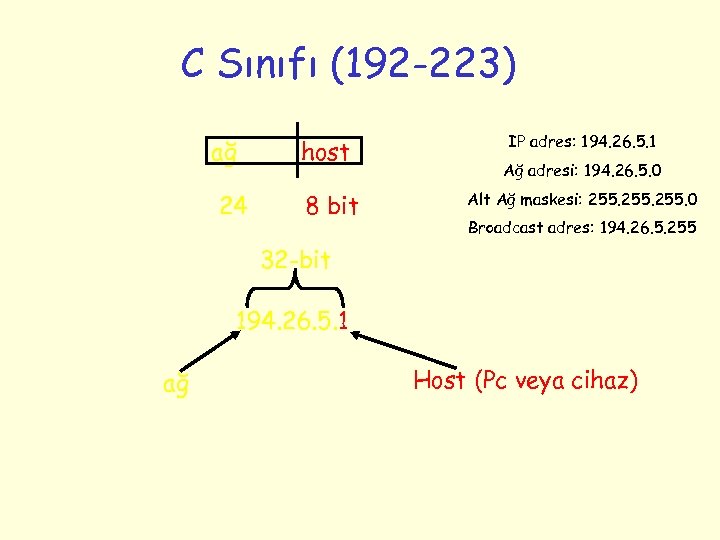 C Sınıfı (192 -223) ağ 24 host 8 bit IP adres: 194. 26. 5. 1 Ağ adresi: 194. 26. 5. 0 Alt Ağ maskesi: 255. 0 Broadcast adres: 194. 26. 5. 255 32 -bit 194. 26. 5. 1 ağ Host (Pc veya cihaz)
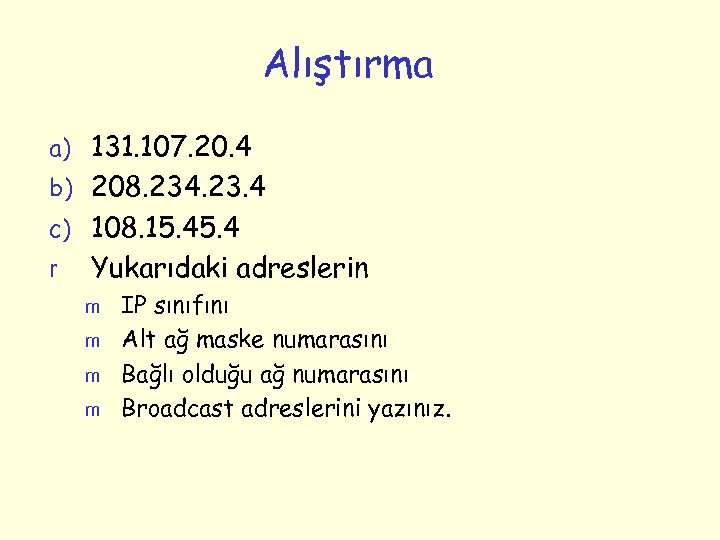 Alıştırma a) 131. 107. 20. 4 b) 208. 234. 23. 4 c) 108. 15. 4 r Yukarıdaki adreslerin m m IP sınıfını Alt ağ maske numarasını Bağlı olduğu ağ numarasını Broadcast adreslerini yazınız.
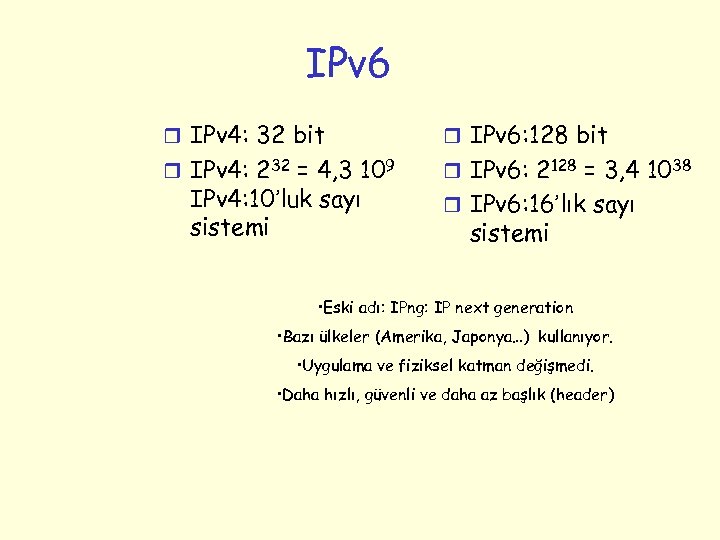 IPv 6 r IPv 4: 32 bit r IPv 6: 128 bit r IPv 4: 232 = 4, 3 109 r IPv 6: 2128 = 3, 4 1038 IPv 4: 10’luk sayı sistemi r IPv 6: 16’lık sayı sistemi • Eski adı: IPng: IP next generation • Bazı ülkeler (Amerika, Japonya…) kullanıyor. • Uygulama ve fiziksel katman değişmedi. • Daha hızlı, güvenli ve daha az başlık (header)
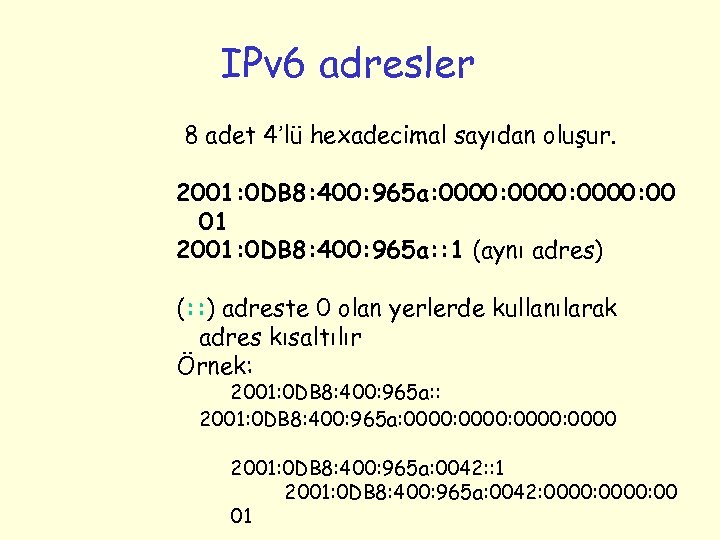 IPv 6 adresler 8 adet 4’lü hexadecimal sayıdan oluşur. 2001: 0 DB 8: 400: 965 a: 0000: 00 01 2001: 0 DB 8: 400: 965 a: : 1 (aynı adres) (: : ) adreste 0 olan yerlerde kullanılarak adres kısaltılır Örnek: 2001: 0 DB 8: 400: 965 a: 0000: 0000 2001: 0 DB 8: 400: 965 a: 0042: : 1 2001: 0 DB 8: 400: 965 a: 0042: 0000: 00 01
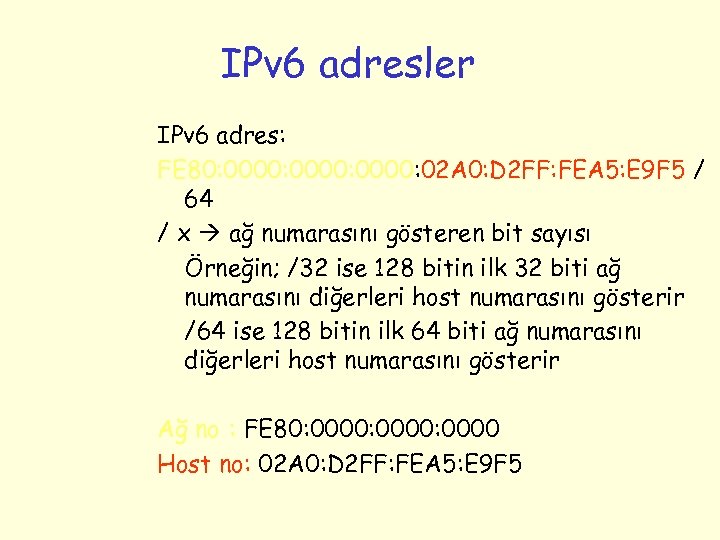 IPv 6 adresler IPv 6 adres: FE 80: 0000: 02 A 0: D 2 FF: FEA 5: E 9 F 5 / 64 / x ağ numarasını gösteren bit sayısı Örneğin; /32 ise 128 bitin ilk 32 biti ağ numarasını diğerleri host numarasını gösterir /64 ise 128 bitin ilk 64 biti ağ numarasını diğerleri host numarasını gösterir Ağ no : FE 80: 0000: 0000 Host no: 02 A 0: D 2 FF: FEA 5: E 9 F 5
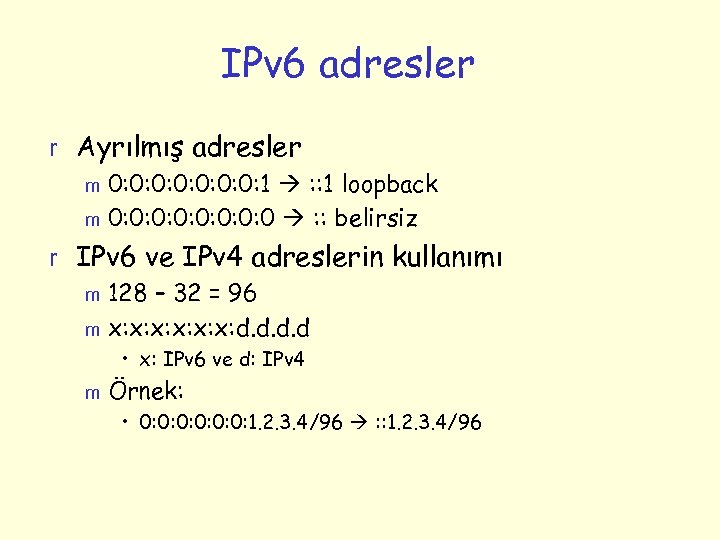 IPv 6 adresler r Ayrılmış adresler m 0: 0: 1 : : 1 loopback m 0: 0: 0 : : belirsiz r IPv 6 ve IPv 4 adreslerin kullanımı m 128 – 32 = 96 m x: x: x: d. d • x: IPv 6 ve d: IPv 4 m Örnek: • 0: 0: 0: 1. 2. 3. 4/96 : : 1. 2. 3. 4/96
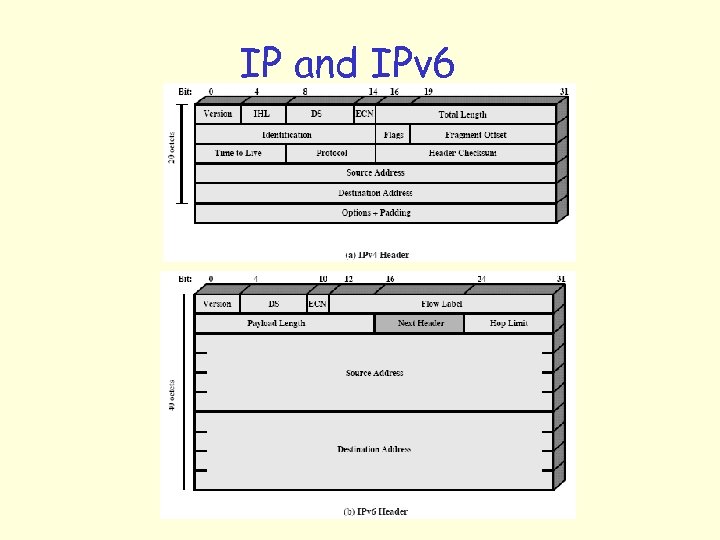 IP and IPv 6
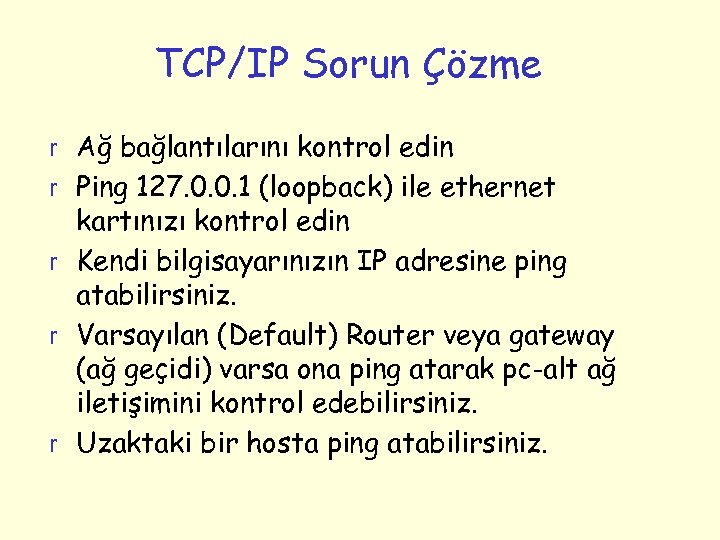 TCP/IP Sorun Çözme r Ağ bağlantılarını kontrol edin r Ping 127. 0. 0. 1 (loopback) ile ethernet kartınızı kontrol edin r Kendi bilgisayarınızın IP adresine ping atabilirsiniz. r Varsayılan (Default) Router veya gateway (ağ geçidi) varsa ona ping atarak pc-alt ağ iletişimini kontrol edebilirsiniz. r Uzaktaki bir hosta ping atabilirsiniz.
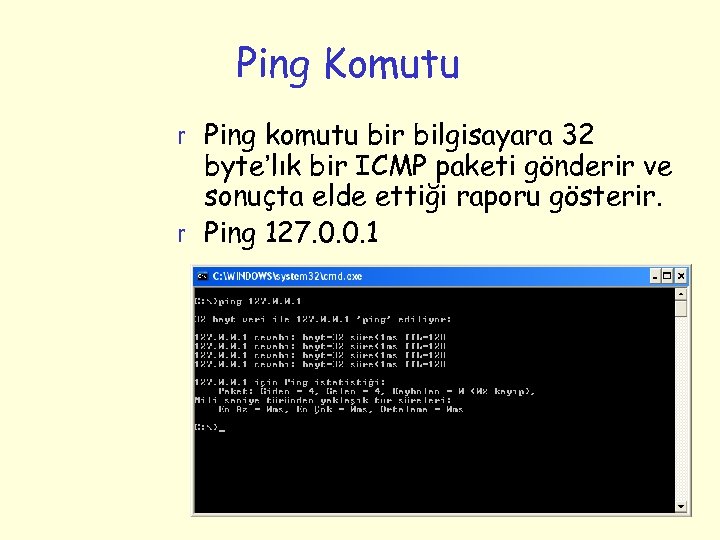 Ping Komutu r Ping komutu bir bilgisayara 32 byte’lık bir ICMP paketi gönderir ve sonuçta elde ettiği raporu gösterir. r Ping 127. 0. 0. 1
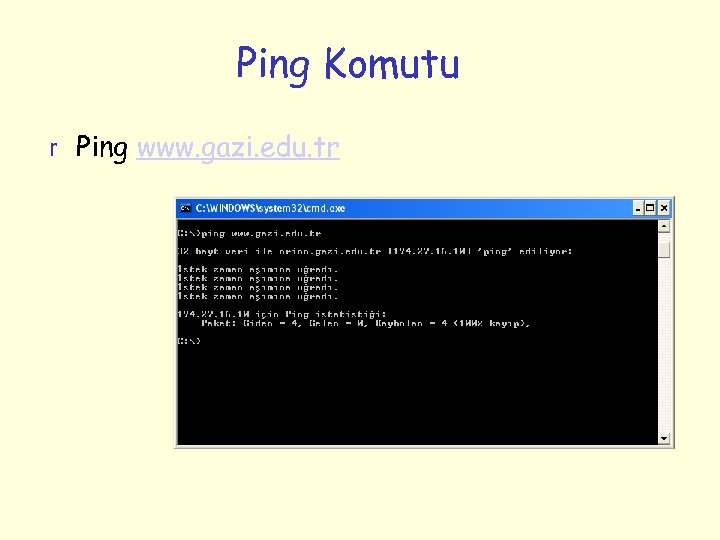 Ping Komutu r Ping www. gazi. edu. tr
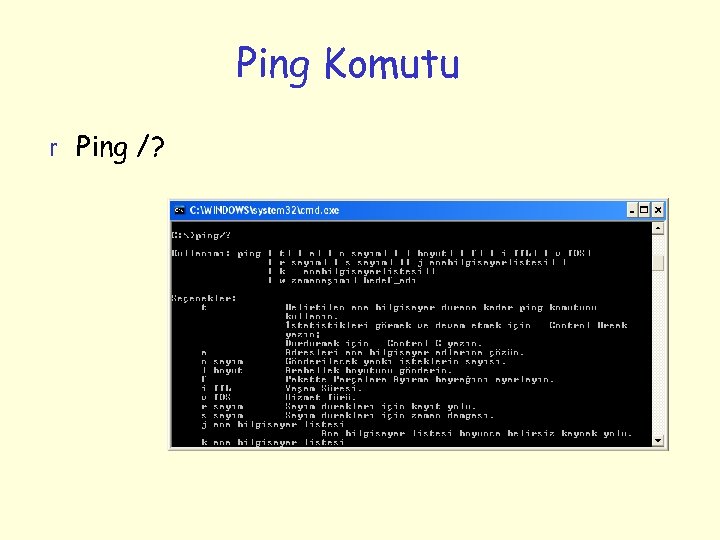 Ping Komutu r Ping /?
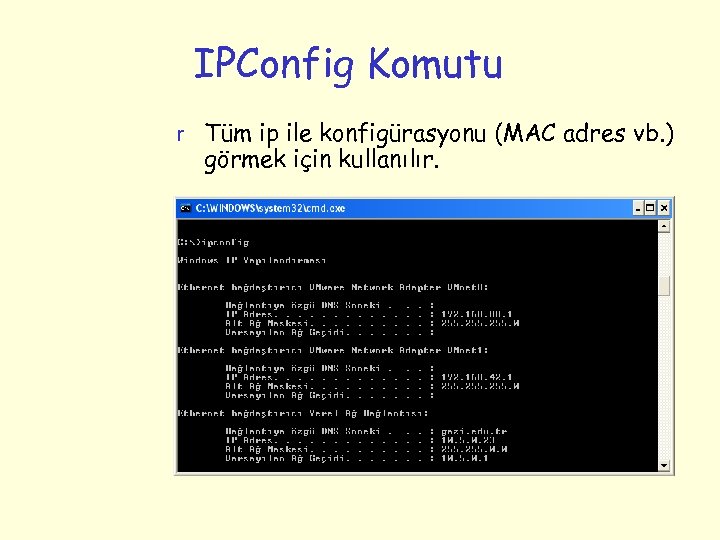 IPConfig Komutu r Tüm ip ile konfigürasyonu (MAC adres vb. ) görmek için kullanılır.
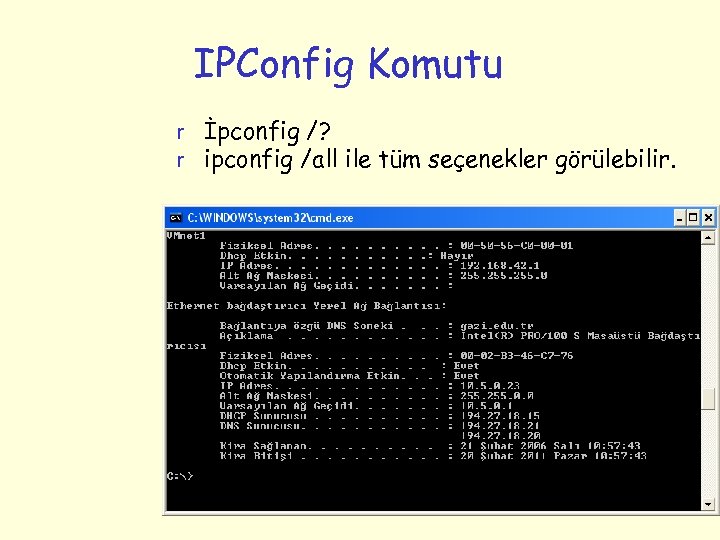 IPConfig Komutu r İpconfig /? r ipconfig /all ile tüm seçenekler görülebilir.
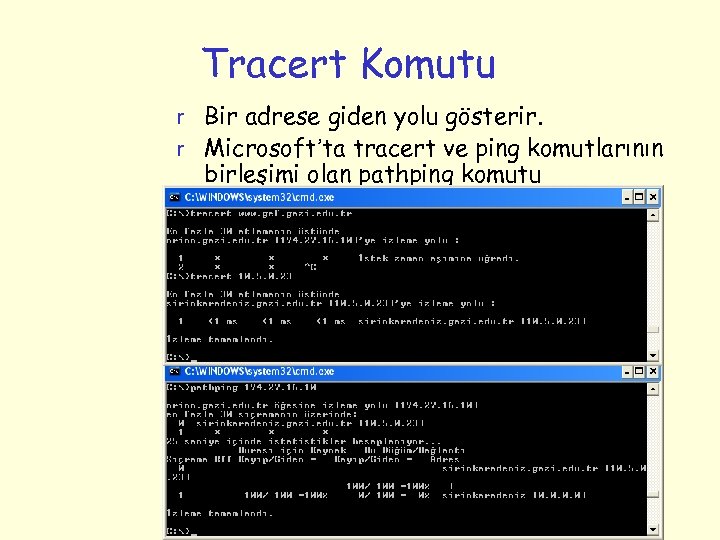 Tracert Komutu r Bir adrese giden yolu gösterir. r Microsoft’ta tracert ve ping komutlarının birleşimi olan pathping komutu kullanılabilir.
 ARP (Adres Çözümleme Protokolü) r IP adreslerini fiziksel adrese dönüştürmek için kullanılır. r Bir paketin bir bilgisayardan çıktığında nereye gideceğini IP numarası değil gideceği bilgisayarın fiziksel adresi (MAC) belirler. r Bu adreste paketin gideceği ip numarası kullanılarak elde edilir.
 ARP (Adres Çözümleme Protokolü) r Ardından paket yönlendirilir. r ARP adres çözümlemek istediği zaman tüm ağa bir ARP istek mesajı gönderir ve bu IP adresini gören yada bu IP adresine giden yol üzerinde bulunan makine bu isteğe cevap verir ve kendi fiziksel adresini gönderir. r ARP isteğinde bulunan makine bu adresi alarak verileri bu makineye gönderir.
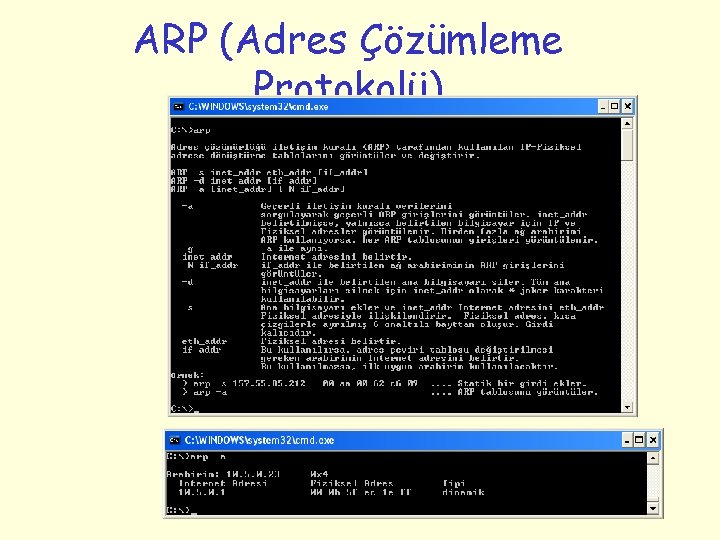 ARP (Adres Çözümleme Protokolü)
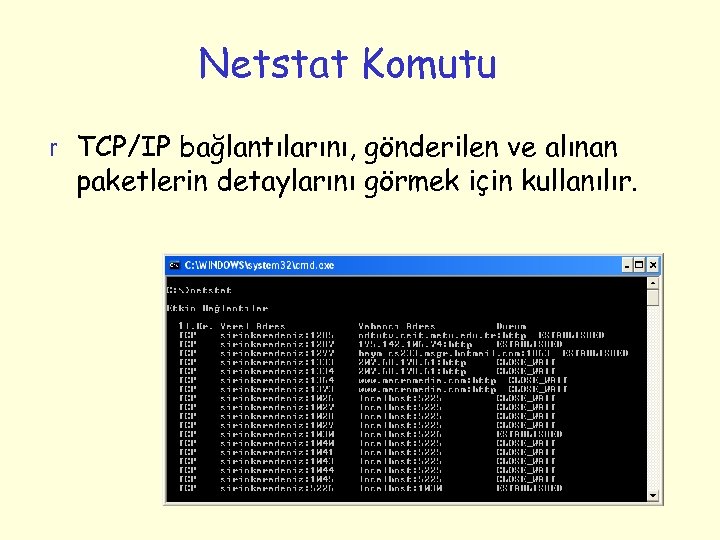 Netstat Komutu r TCP/IP bağlantılarını, gönderilen ve alınan paketlerin detaylarını görmek için kullanılır.
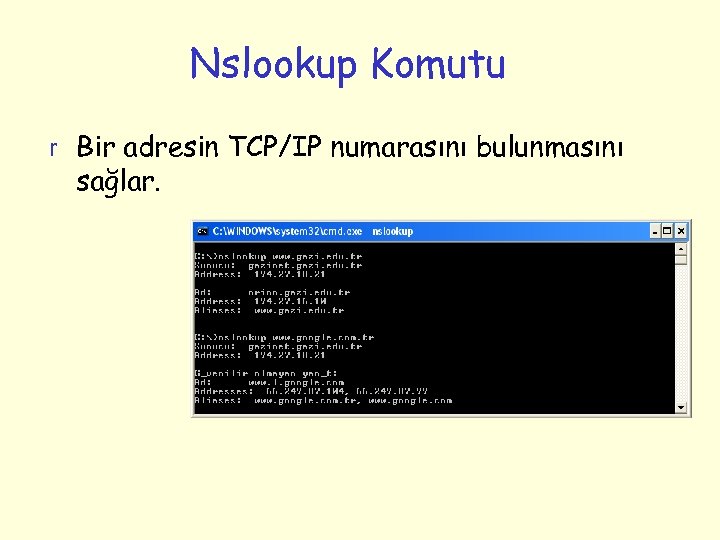 Nslookup Komutu r Bir adresin TCP/IP numarasını bulunmasını sağlar.
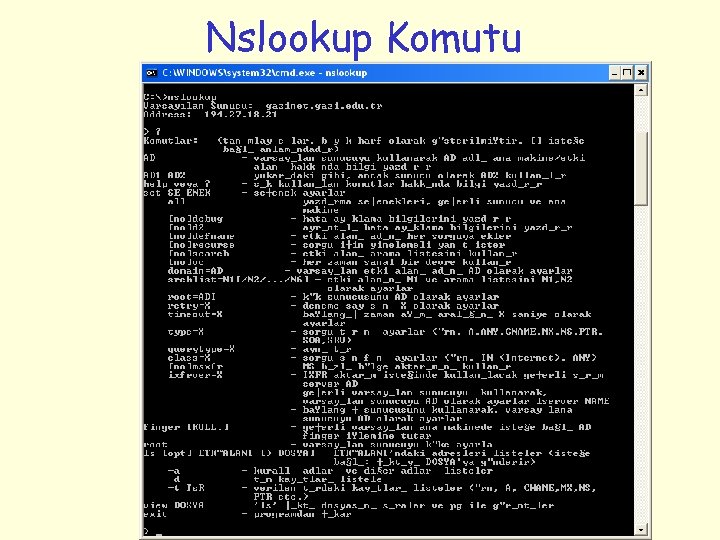 Nslookup Komutu
 Nbstat Komutu r TCP/IP üzerinden NETBIOS bağlantılarının detaylarını görmeyi sağlar. r NETBIOS (Network Basic Input/Output System) : Farklı bilgisayarlardaki uygulamaların bir yerel alan ağı iletişim kurabilmelerini sağlayan program.
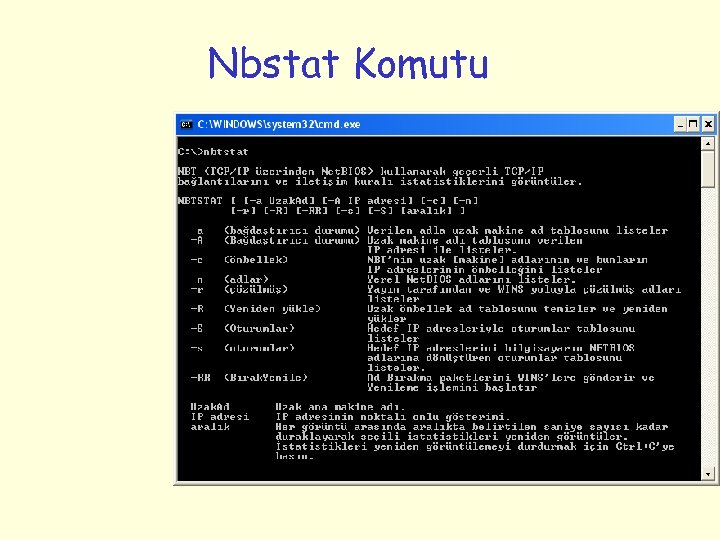 Nbstat Komutu