 Скачать презентацию Transitioning to Version 8 Building Data Entry Issues
b4351aafca12406e9b515b96c5c0a8e3.ppt
- Количество слайдов: 45



Transitioning to Version 8 Building Data Entry Issues in NEAT/MHEA and Oak Ridge National Laboratory Weatherization Assistant Training Workshop OAK RIDGE NATIONAL LABORATORY U. S. DEPARTMENT OF ENERGY 1
The Weatherization Assistant · Umbrella program for NEAT and MHEA - Version 7. 4. 3 (released August 12, 2003) - Version 8. 6. 0. 4 (released November 9, 2009) · Purpose - Identify for experienced users technical and implementation changes made to NEAT and MHEA in Version 8 - As time permits, highlight common data entry mistakes in using NEAT and MHEA pertinent to Versions 7 and 8 BUILDINGS TECHNOLOGY CENTER OAK RIDGE NATIONAL LABORAORY 2
Transition Elements 3
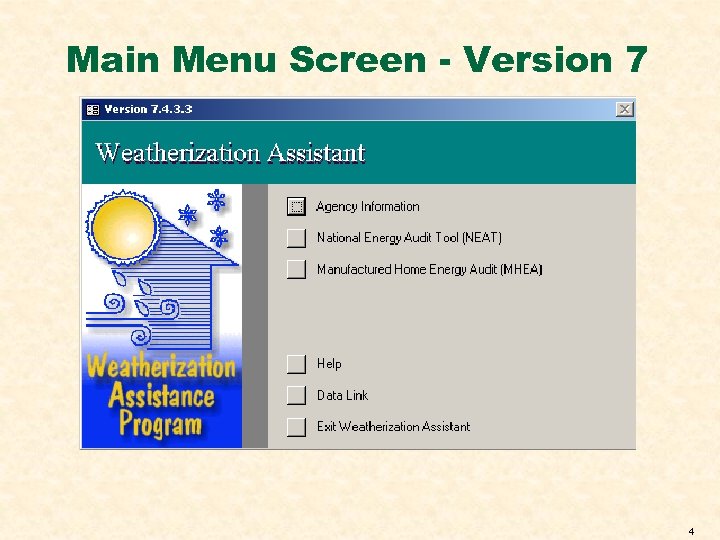
Main Menu Screen - Version 7 4
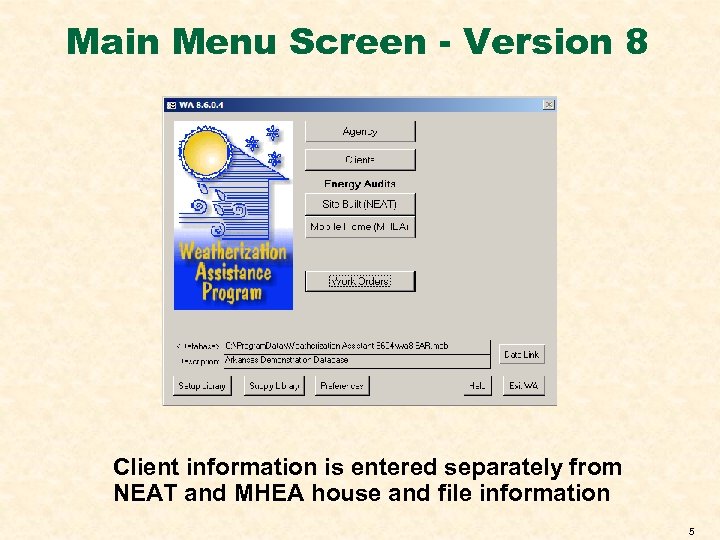
Main Menu Screen - Version 8 Client information is entered separately from NEAT and MHEA house and file information 5
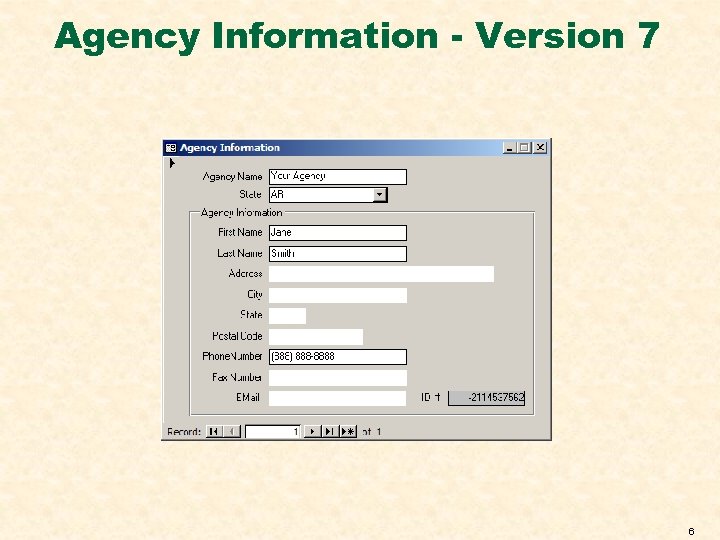
Agency Information - Version 7 6
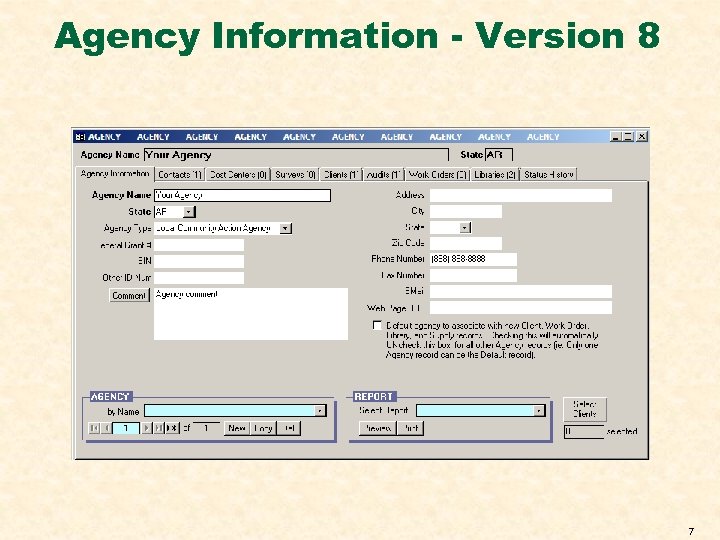
Agency Information - Version 8 7
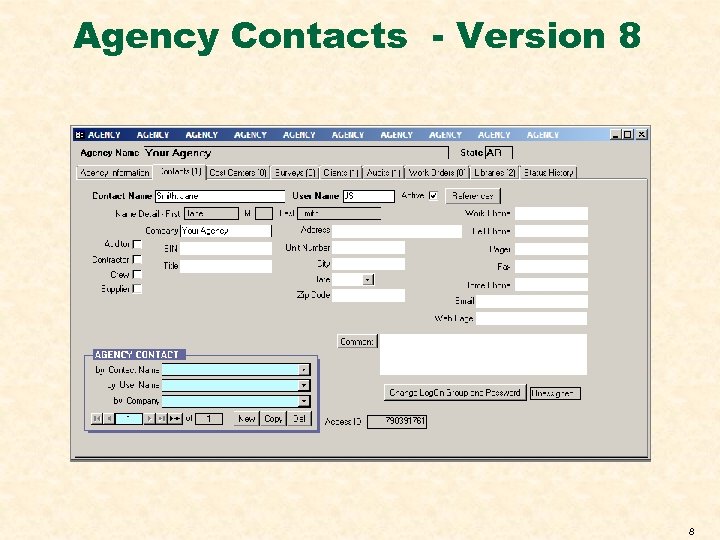
Agency Contacts - Version 8 8
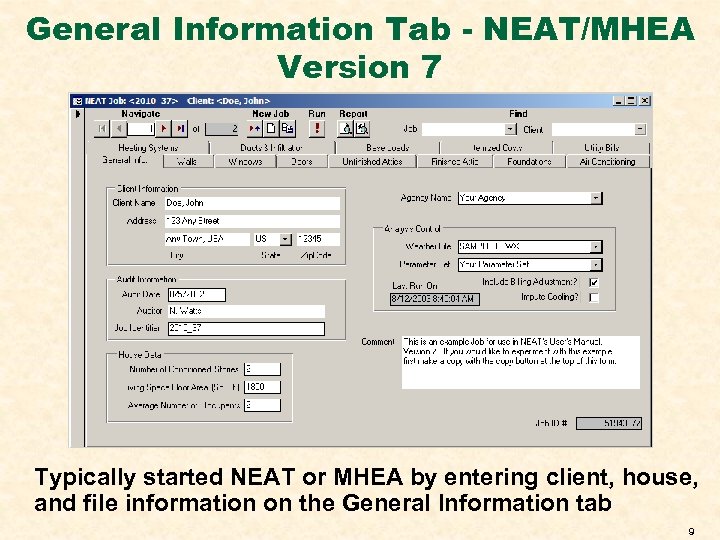
General Information Tab - NEAT/MHEA Version 7 Typically started NEAT or MHEA by entering client, house, and file information on the General Information tab 9
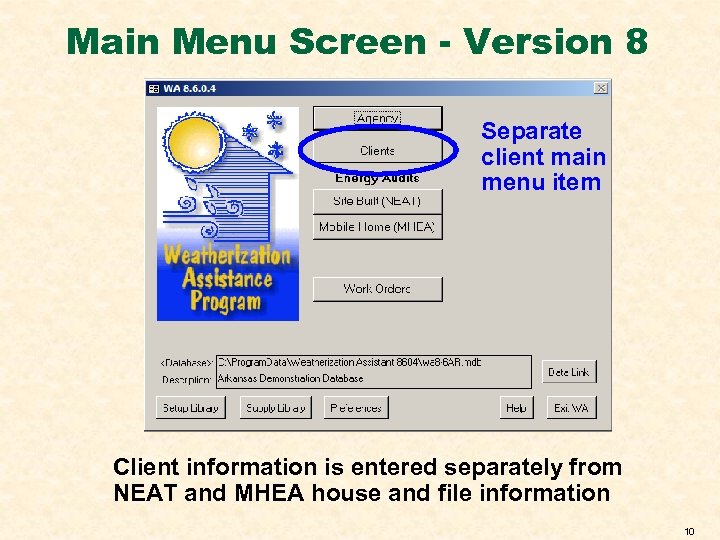
Main Menu Screen - Version 8 Separate client main menu item Client information is entered separately from NEAT and MHEA house and file information 10
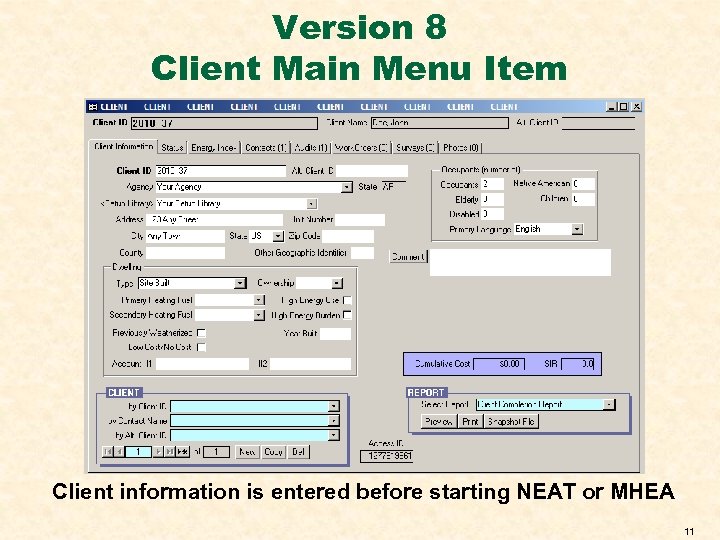
Version 8 Client Main Menu Item Client information is entered before starting NEAT or MHEA 11
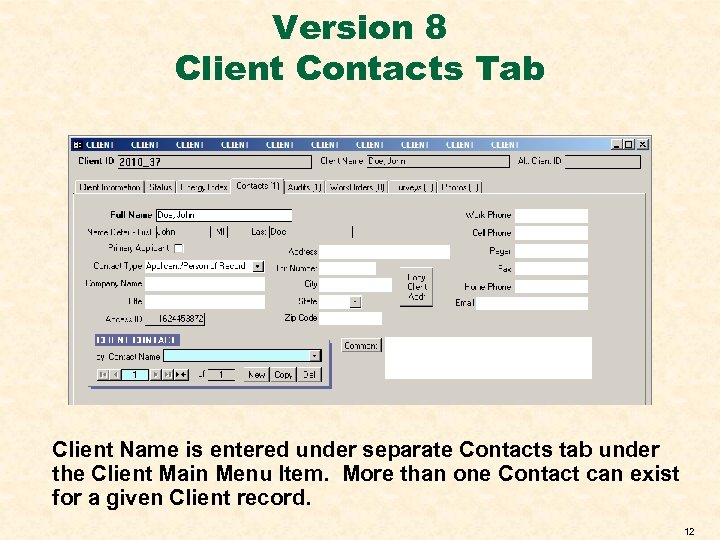
Version 8 Client Contacts Tab Client Name is entered under separate Contacts tab under the Client Main Menu Item. More than one Contact can exist for a given Client record. 12
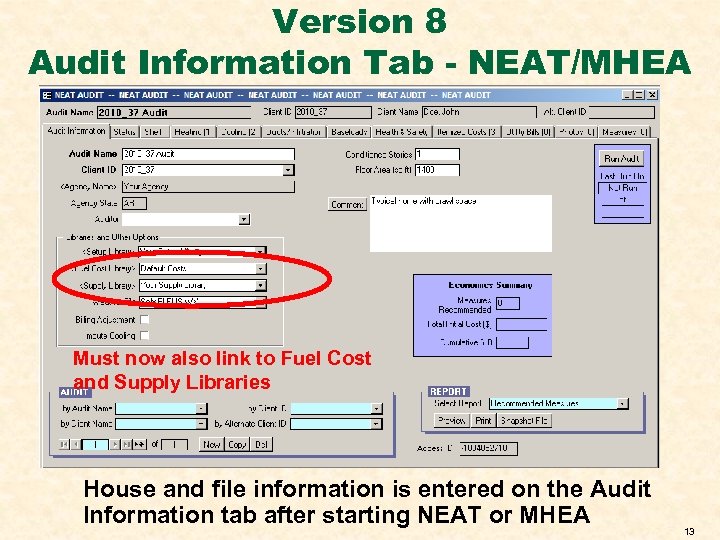
Version 8 Audit Information Tab - NEAT/MHEA Must now also link to Fuel Cost and Supply Libraries House and file information is entered on the Audit Information tab after starting NEAT or MHEA 13
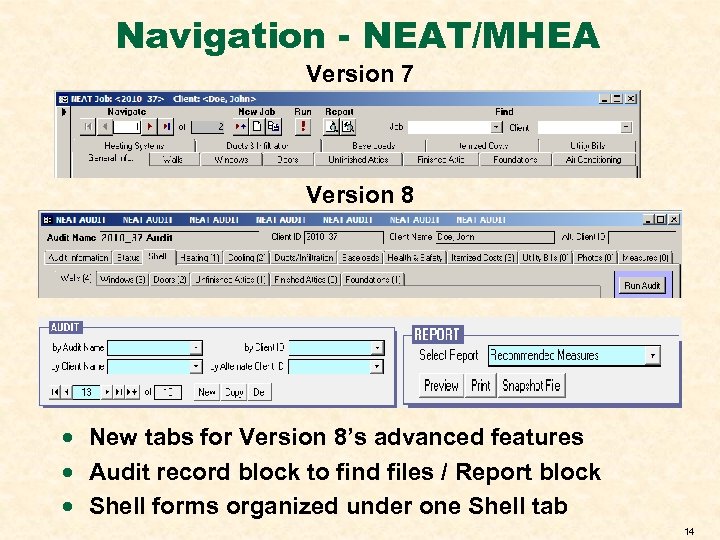
Navigation - NEAT/MHEA Version 7 Version 8 · New tabs for Version 8’s advanced features · Audit record block to find files / Report block · Shell forms organized under one Shell tab 14
NEAT CHANGES 15
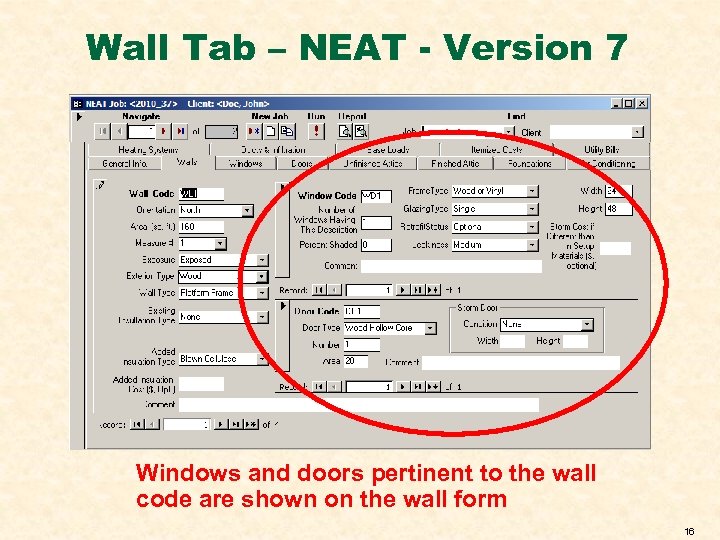
Wall Tab – NEAT - Version 7 Windows and doors pertinent to the wall code are shown on the wall form 16
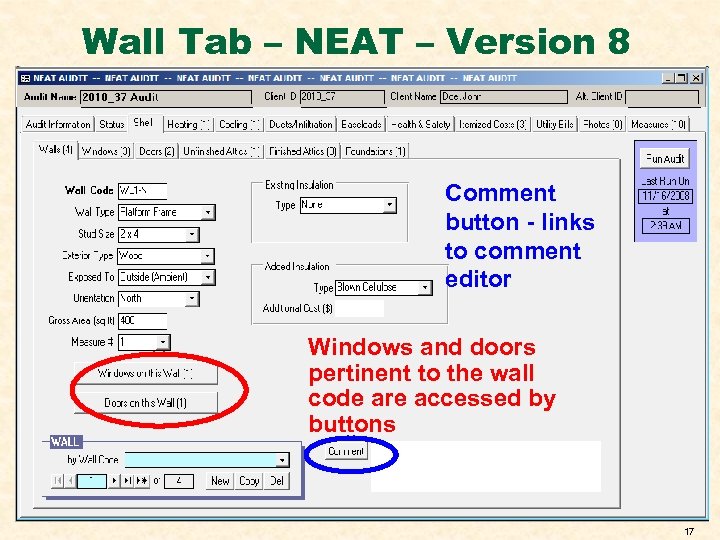
Wall Tab – NEAT – Version 8 Comment button - links to comment editor Windows and doors pertinent to the wall code are accessed by buttons 17
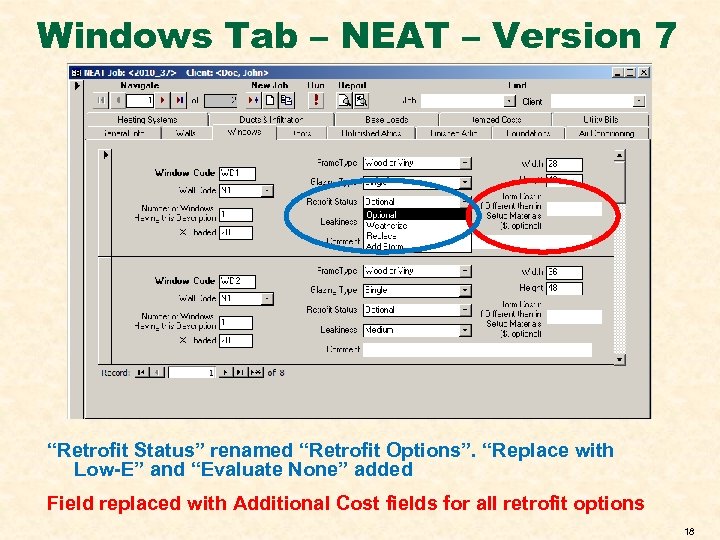
Windows Tab – NEAT – Version 7 “Retrofit Status” renamed “Retrofit Options”. “Replace with Low-E” and “Evaluate None” added Field replaced with Additional Cost fields for all retrofit options 18
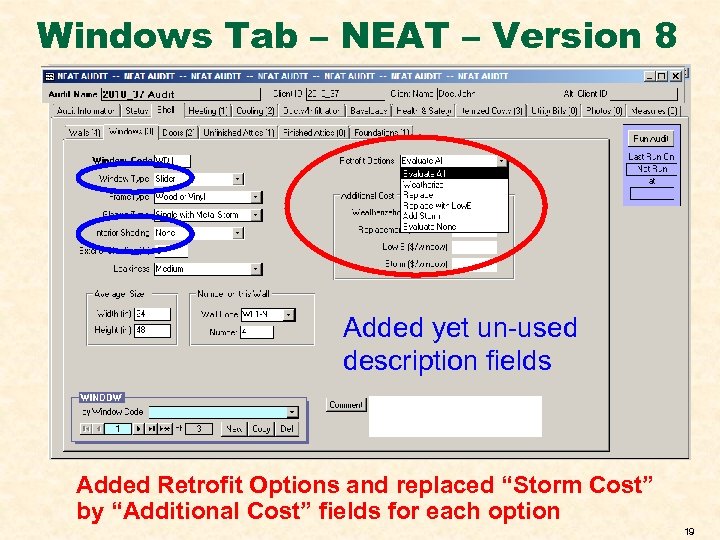
Windows Tab – NEAT – Version 8 Added yet un-used description fields Added Retrofit Options and replaced “Storm Cost” by “Additional Cost” fields for each option 19
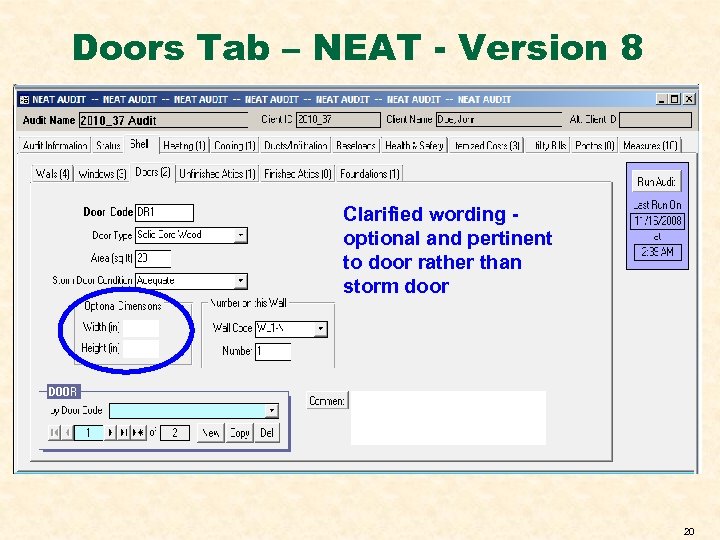
Doors Tab – NEAT - Version 8 Clarified wording optional and pertinent to door rather than storm door 20
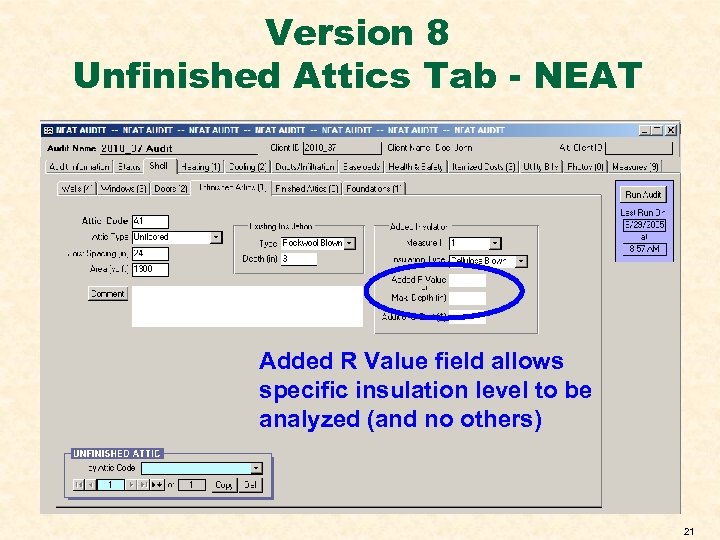
Version 8 Unfinished Attics Tab - NEAT Added R Value field allows specific insulation level to be analyzed (and no others) 21
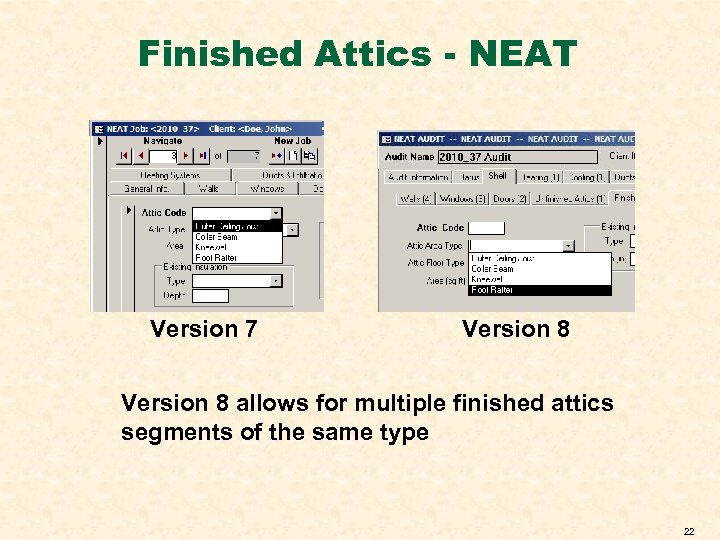
Finished Attics - NEAT Version 7 Version 8 allows for multiple finished attics segments of the same type 22
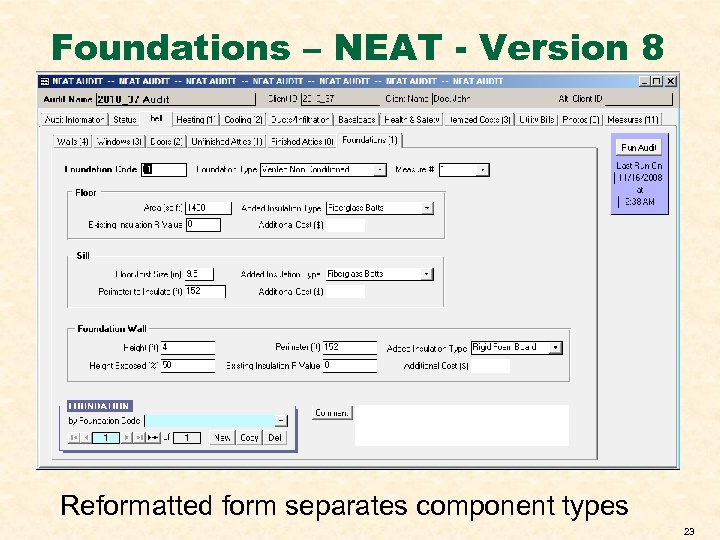
Foundations – NEAT - Version 8 Reformatted form separates component types 23
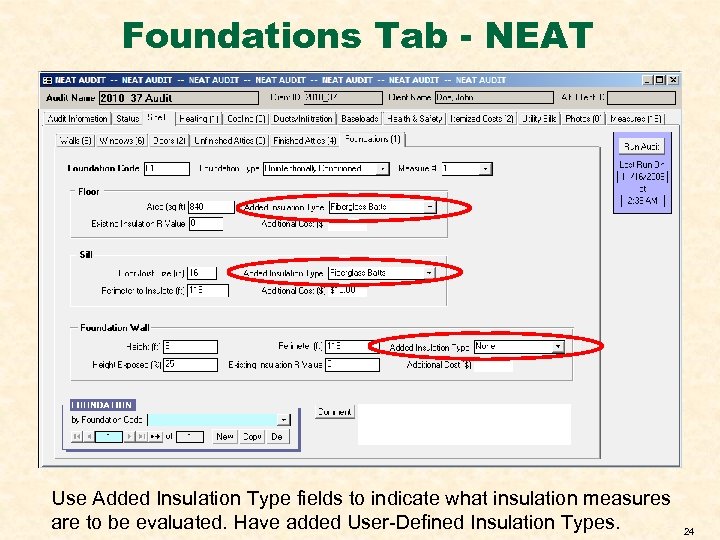
Foundations Tab - NEAT Use Added Insulation Type fields to indicate what insulation measures are to be evaluated. Have added User-Defined Insulation Types. 24
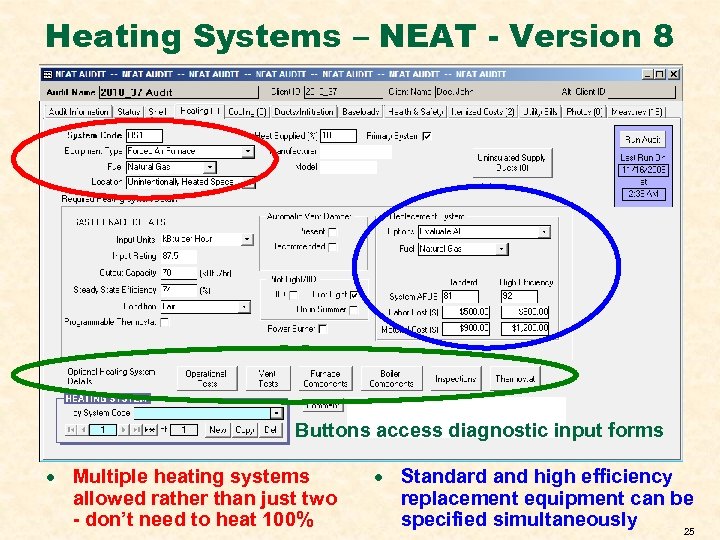
Heating Systems – NEAT - Version 8 Buttons access diagnostic input forms · Multiple heating systems allowed rather than just two - don’t need to heat 100% · Standard and high efficiency replacement equipment can be specified simultaneously 25
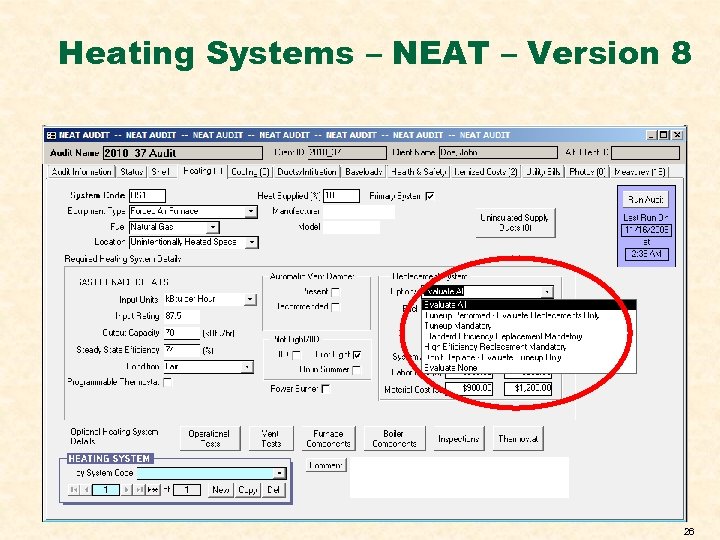
Heating Systems – NEAT – Version 8 26
![Heating System Tab - NEAT · “Optional [Evaluate All]” Allows NEAT to determine most](https://present5.com/presentation/b4351aafca12406e9b515b96c5c0a8e3/image-27.jpg "Heating System Tab - NEAT · “Optional [Evaluate All]” Allows NEAT to determine most")
Heating System Tab - NEAT · “Optional [Evaluate All]” Allows NEAT to determine most cost-effective option, if any · “Tuneup Performed” - Tells NEAT to determine the most cost-effective of the remaining options, if any - Efficiency entered for existing system is the value after the tuneup · “Tuneup Mandatory”, “Standard-” and “High-” “Efficiency Replacement Mandatory”, Forces NEAT to recommend measure without considering other options even if not cost effective · “Don’t Replace”-Tells NEAT to not consider the two replacement options · “Evaluate None” – Evaluates no heating system options 27
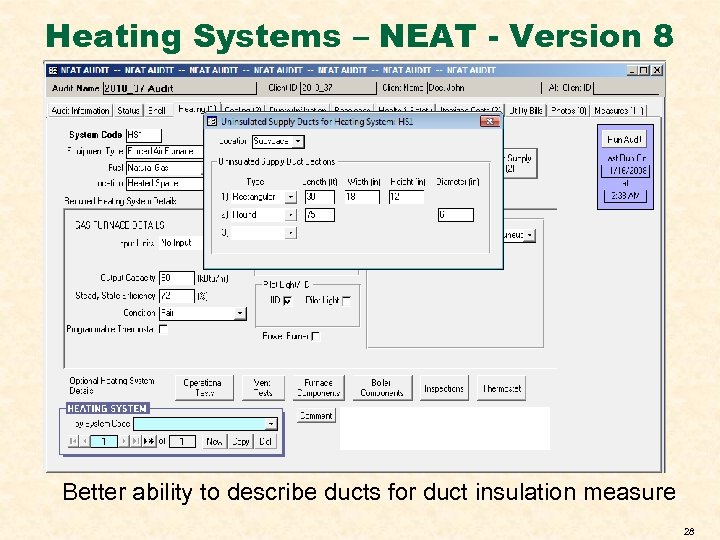
Heating Systems – NEAT - Version 8 Better ability to describe ducts for duct insulation measure 28
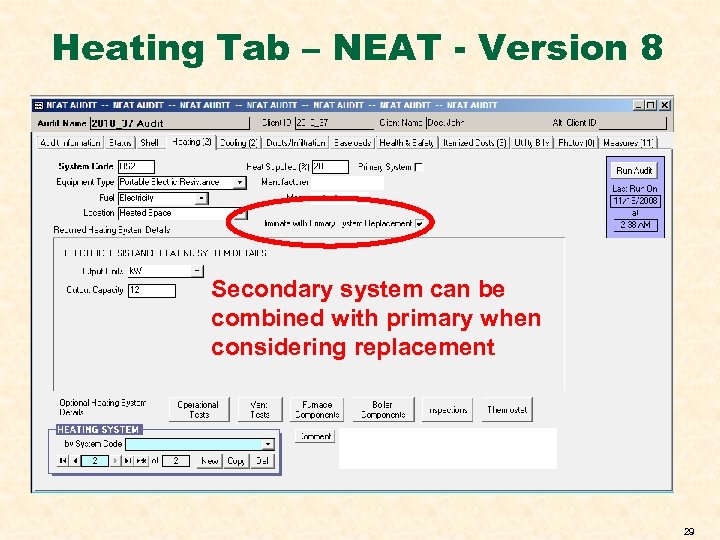
Heating Tab – NEAT - Version 8 Secondary system can be combined with primary when considering replacement 29
CHANGES IN BOTH NEAT AND MHEA 30
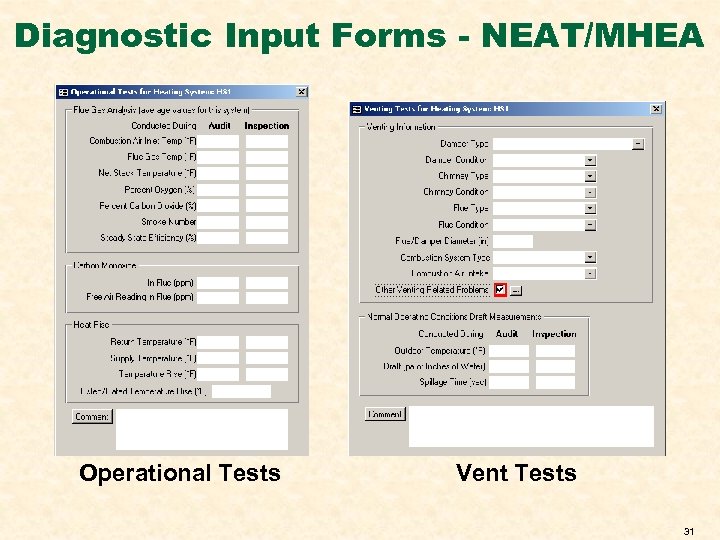
Diagnostic Input Forms - NEAT/MHEA Operational Tests Vent Tests 31
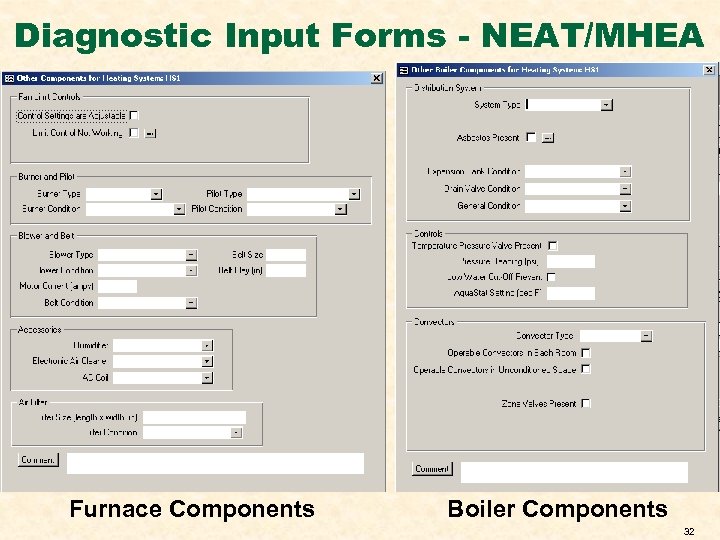
Diagnostic Input Forms - NEAT/MHEA Furnace Components Boiler Components 32
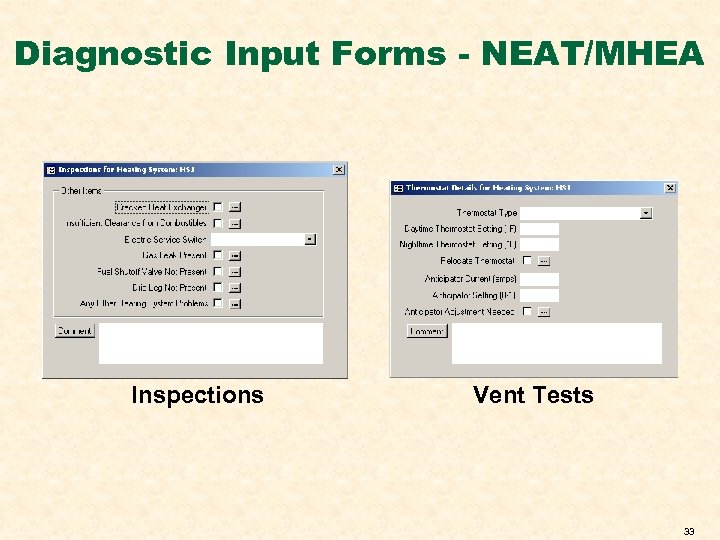
Diagnostic Input Forms - NEAT/MHEA Inspections Vent Tests 33
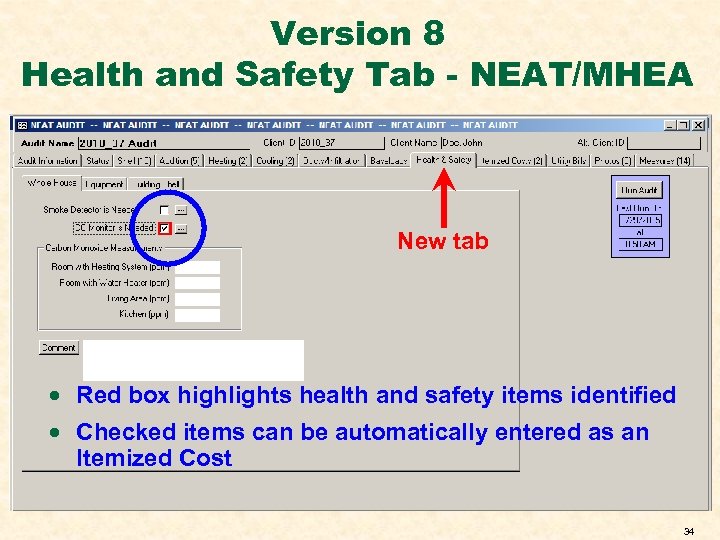
Version 8 Health and Safety Tab - NEAT/MHEA New tab · Red box highlights health and safety items identified · Checked items can be automatically entered as an Itemized Cost 34
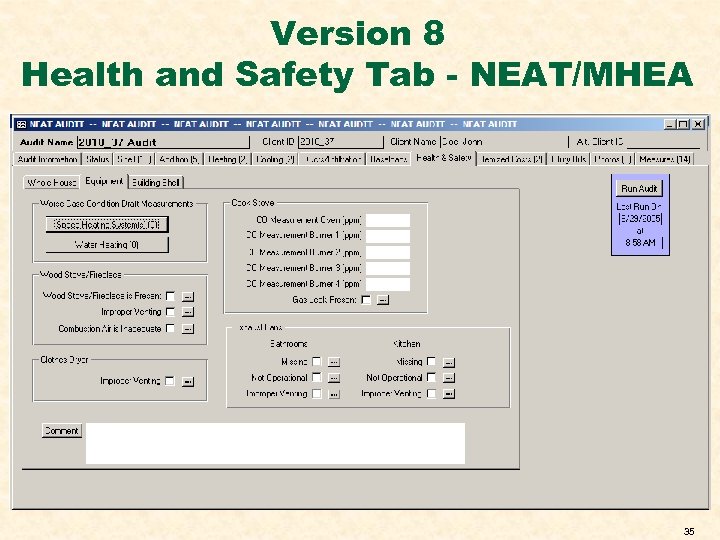
Version 8 Health and Safety Tab - NEAT/MHEA 35
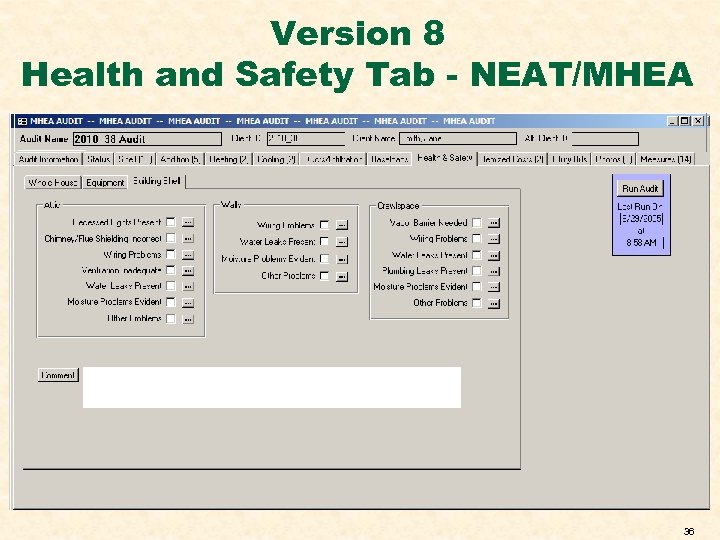
Version 8 Health and Safety Tab - NEAT/MHEA 36
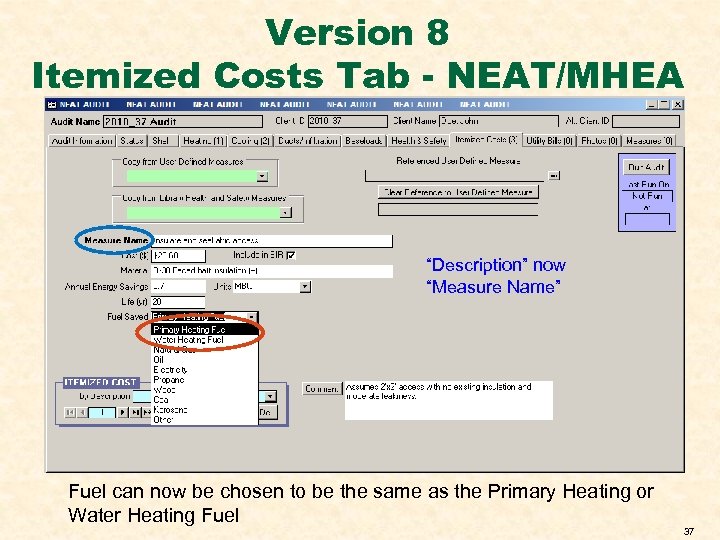
Version 8 Itemized Costs Tab - NEAT/MHEA “Description” now “Measure Name” Fuel can now be chosen to be the same as the Primary Heating or Water Heating Fuel 37
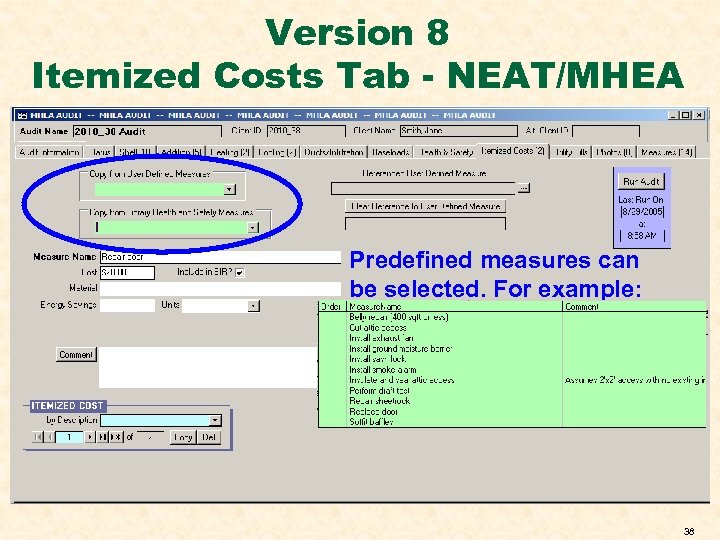
Version 8 Itemized Costs Tab - NEAT/MHEA Predefined measures can be selected. For example: 38
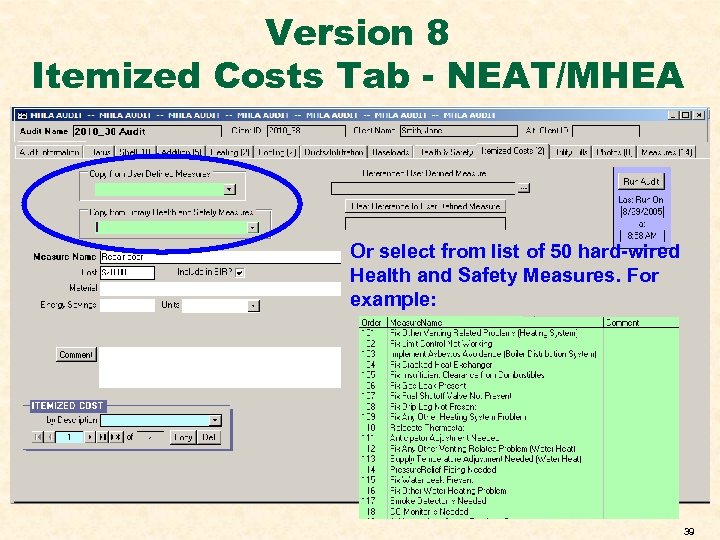
Version 8 Itemized Costs Tab - NEAT/MHEA Or select from list of 50 hard-wired Health and Safety Measures. For example: 39
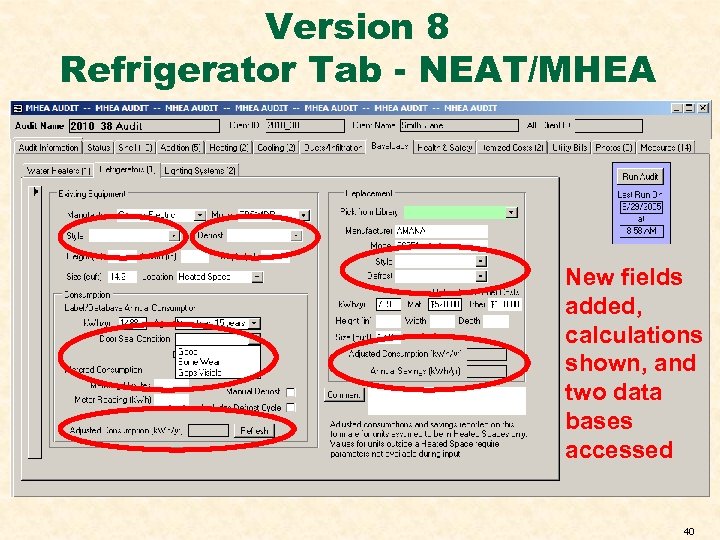
Version 8 Refrigerator Tab - NEAT/MHEA New fields added, calculations shown, and two data bases accessed 40
MHEA CHANGES 41
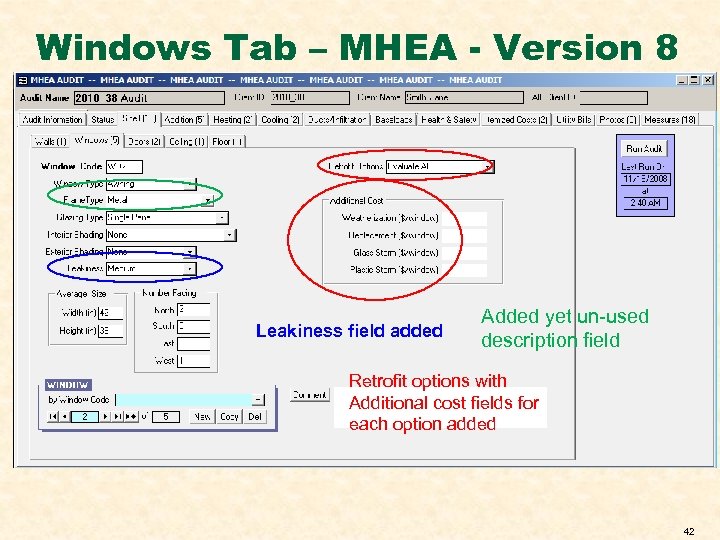
Windows Tab – MHEA - Version 8 Leakiness field added Added yet un-used description field Retrofit options with Additional cost fields for each option added 42
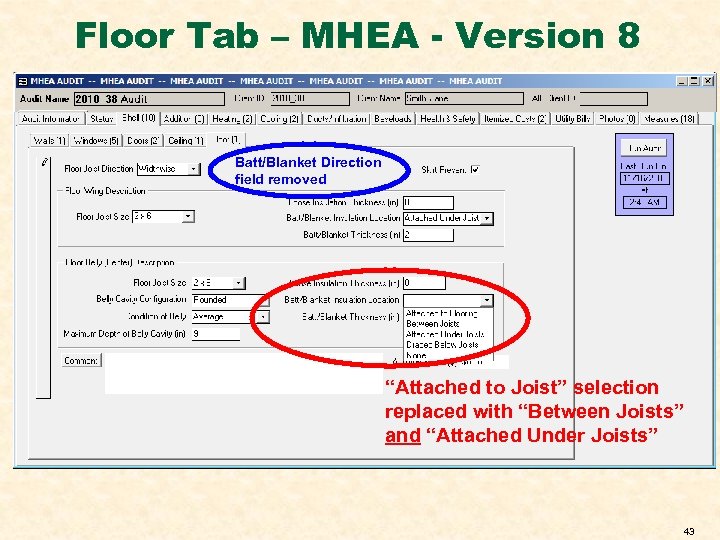
Floor Tab – MHEA - Version 8 Batt/Blanket Direction field removed “Attached to Joist” selection replaced with “Between Joists” and “Attached Under Joists” 43
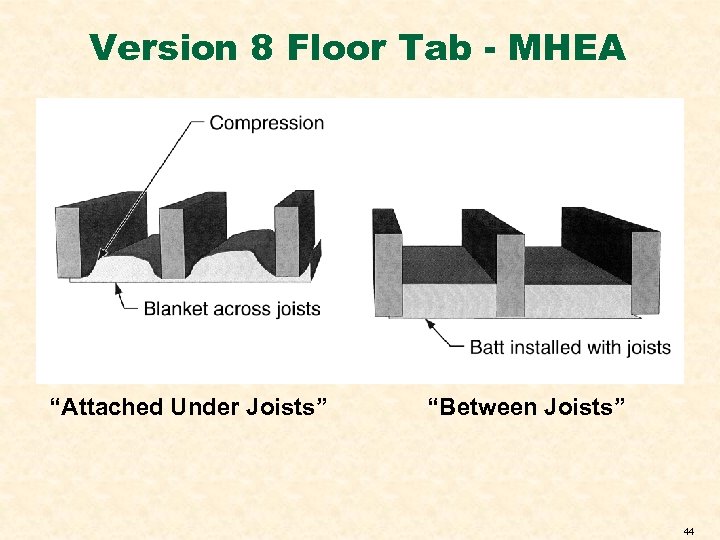
Version 8 Floor Tab - MHEA “Attached Under Joists” “Between Joists” 44
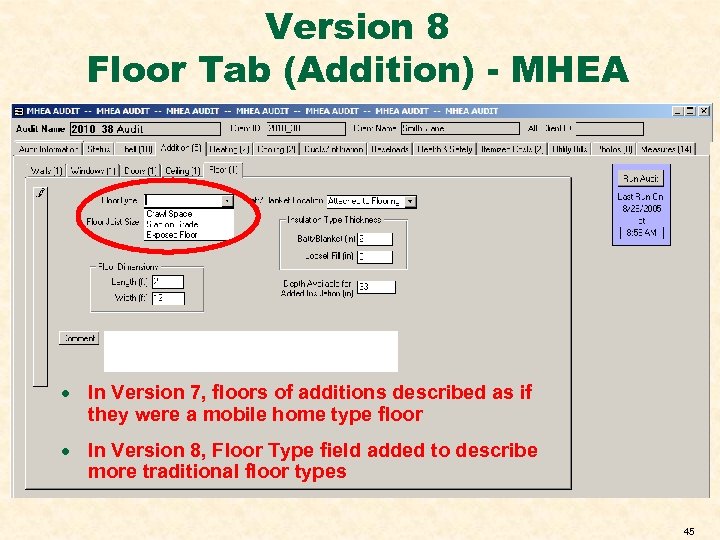
Version 8 Floor Tab (Addition) - MHEA · In Version 7, floors of additions described as if they were a mobile home type floor · In Version 8, Floor Type field added to describe more traditional floor types 45
Скачать презентацию Transitioning to Version 8 Building Data Entry Issues
b4351aafca12406e9b515b96c5c0a8e3.ppt