


 Скачать презентацию Tools for Teaching Wireless Mark Ciampa Tools
59d7e47e8500320832e46fcb5dc34815.ppt
- Количество слайдов: 38
 Tools for Teaching Wireless Mark Ciampa
 Tools for Teaching Wireless v. Display Signal Strength v. Network Discovery / Signal Strength / Connection Manager v. Wireless Calculators v. Virtual Wireless Routers v. Spectrum Analyzers v. Wireless Packet Sniffing v. WLAN Simulators
 Tools for Teaching Wireless Display Signal Strength
 Display Signal Strength v. Network Meter v 6 o http: //www. addgadget. com/ o SSID, signal quality, IP address, External IP address, IP lookup with Google maps, speed test, upload speed, download speed, total usage, whether connection is secure or not
 Tools for Teaching Wireless Network Discovery / Signal Strength / Connection Manager
 Network Discovery/Site Survey/Connection Manager v. Vistumbler http: //www. vistumbler. net/index. html Discover APs GPS Support Export access point GPS locations to a Google Earth or GPX(GPS e. Xchange format) o Live Google Earth Tracking - Auto KML automatically shows access points in Google earth. o Speaks signal strength using sound files o o
 Network Discovery/Site Survey/Connection Manager vin. SSIDer o http: //www. metageek. net/products/inssider/ o Track received signal in d. Bm over time o Filter access points o Highlight access points for areas with high Wi-Fi concentration o Export Wi-Fi and GPS data to a KML file to view in Google Earth
 Network Discovery/Site Survey/Connection Manager v. Wi. Fi Hopper (15 day, no longer supported) o http: //wifihopper. com/ o Network details, filters, RSSI graphing, built-in GPS support o Can connect to unsecured or secured WLANs (must have proper credentials) o Can create editable network profiles and dedicated Connection Manager execution mode
 Network Discovery/Site Survey/Connection Manager v. Wireless Mon ($29/$49) o http: //www. passmark. com/index. html o Current connection information: SSID; Connected access point MAC address; Signal strength; Tx Power; Authentication type; RTS Threshold; Fragmentation Threshold; Channel in use; Frequency being used; Number of Antennas; Beacon Period; ATIM Window; Dwell Time; Hop Pattern; Hop Set
 Network Discovery/Site Survey/Connection Manager v. Wireless Mon o Statistics information: Frames sent and received, error counts, transmission retry counters and related low level data (30 parameters). o IP information: Adapter MAC address; Adapter device driver name; the IP Address; Subnet Mask; if DHCP is enabled; the Gateway Address and the DHCP server IP address.
 Network Discovery/Site Survey/Connection Manager v. Wireless Mon o IP counter information: Network throughput is monitored and displayed. This includes the maximum bandwidth available from the network adapter hardware, the current send and receive data rates in bytes per second and packets per second, plus error counters.
 Network Discovery/Site Survey/Connection Manager v. Wireless Mon o IP counter information: maximum bandwidth available from the network adapter hardware, current send and receive data rates in bytes per second and packets per second, error counters.
 Network Discovery/Site Survey/Connection Manager v. Xirris Wi. Fi Inspector o http: //www. xirrus. com/library/wifitools. php o Search for Wi-Fi networks o Troubleshoot Wi-Fi connectivity issues o Site survey o Manage device’s Wi-Fi connection o Locate Wi-Fi devices
 Network Discovery/Site Survey/Connection Manager v. Xirris Wi. Fi Inspector o Detect rogue APs o Verify AP settings o Aim Wi-Fi antenna
 Network Discovery/Site Survey/Connection Manager v. Xirris Wi. Fi Inspector o Dynamic radar view displaying local Wi-Fi network names and relative distance o Detailed information table of all local Wi-Fi networks o Display of laptop’s Wi-Fi connection details and network addresses
 Network Discovery/Site Survey/Connection Manager v. Xirris Wi. Fi Inspector o Connection, Quality, and Speed tests for troubleshooting wireless network connection o Real-time graph of signal strength of one or more Wi-Fi networks with 8 minute history o Locate mode for tracking Wi-Fi network signal strength, including audible beep o Export Wi-Fi networks to. csv file
 Network Discovery/Site Survey/Connection Manager v. Xirris Wi. Fi Inspector o Directly Connect/Disconnect to Wi-Fi networks o Option to Enable/Disable Wi-Fi adapter o Integrated glossary of Wi-Fi terms
 Tools for Teaching Wireless Calculators
 Wireless Calculators v. Radio theory and link planning for Wireless LAN (WLAN) o http: //www. swisswireless. org/wlan_calc_en. ht ml v. EIRP Calculator o http: //www. distributedwireless. com/calculators/EIRP. html
 Wireless Calculators v Veriwave WLAN Capacity Calculator o http: //www. xirrus. com/library/wifitools. php o Determines expected performance of 802. 11 and 802. 11 n network o Provide parameters such as number of users, channel bandwidth, and rates
 Tools for Teaching Wireless Virtual Wireless Routers
 Virtual Wireless Routers v Microsoft Windows 7/2008 Virtual Wireless Routers o A function added to Microsoft Windows 7 is wireless Hosted Network o Virtualization of the physical wireless NIC into multiple virtual wireless NICs (Virtual Wi. Fi) and a software-based wireless access point (Soft. AP) that uses a designated virtual wireless NIC o It allows a single network connection of a laptop computer to be shared by other computers and devices as if connected to an AP o Users can wirelessly share any Internet connection (Wifi, LAN, Cable Modem, Dial-up, Cellular, etc. ) with any Wifi device (Laptop, Smart Phone, i. Pod Touch, i. Phone, Android Phone, Zune, Netbook, wireless printer, etc. )
 Virtual Wireless Routers v Virtual Router o http: //virtualrouter. codeplex. com/ o Open source with no ads written entirely in C# o The Wireless Network created & shared with Virtual Router uses WPA 2 Encryption; cannot turn off it off since feature of the Wireless Hosted Network API's built into Windows 7 and 2008 R 2 o Set virtual wireless SSID and password (minimum 8 characters)
 Virtual Wireless Routers v Connectify o o o http: //www. connectify. me/index. html# Not run on Microsoft Windows 7 Starter Extend the range of home or office network Turn mobile broadband card into a hotspot Share hotel and expensive airport hotspots Offline sharing folders, printers, drives
 Tools for Teaching Wireless Spectrum Analyzer
 Spectrum Analyzer v Airview 2 ($39) http: //www. ubnt. com/airview Windows XP, Vista, Apple OS X, Linux Interface USB 1. 1 or 2. 0 Frequency Range (Model Dependent)2. 399 -2. 485 GHz (Airview 2/EXT) or 895 -935 MHz (Airview 9/EXT) o Sweep Time 260 ms o o
 Spectrum Analyzer v Airview 2 o Waterfall Chart o Time-based graph shows the aggregate energy collected since the start of Air. View session over time for each frequency o The power of the energy in d. Bm is shown across the frequency span and one row is inserted in this graph every few seconds. o Color of energy designates its amplitude (Blues is low energy levels, increasingly brighter colors Green, Yellow, Orange, and finally Red designate increasingly higher energy levels at the specific frequency
 Spectrum Analyzer v Airview 2 o Channel Usage Chart o Used determining the best channel to setup a Wi. Fi network for optimal performance; use to optimize installation by avoiding highly used channels o Each 2. 4 GHz channel represented by a bar displaying a percentage representing the relative "crowdedness" of that specific channel o This percentage is calculated by analyzing both the popularity and the strength of RF energy in that channel since the start of a Air. View session
 Spectrum Analyzer v Airview 2 o o Waveform Chart Aggregate energy collected since the start of Air. View Session The power of the energy in d. Bm is shown across the frequency span Displays the steady-state RF energy signature of a given environment
 Tools for Teaching Wireless Packet Sniffing
 Wireless Packet Sniffing v Capturing data, control and management frames from a wireless network using a Windows-based network protocol analyzer software application can be difficult v Wireless NICs can operate in one of six different modes: o o o Master –Card acts as an AP Managed - Station acts as a normal client Repeater Mesh Ad-hoc Monitor mode (also called Radio Frequency Monitor or RFMON)
 Wireless Packet Sniffing v When in monitor mode a card can capture frames without first being associated with an AP v Before Vista the Microsoft Windows Network Driver Interface Specification (NDIS) not support monitor mode so only data frames displayed v Later versions of Windows (Vista and 7) limited support for monitor mode was added but card specific v Using virtual machine on Windows cannot capture all frames v Linux does support monitor mode so that most cards and their drivers can easily display all three types of frames
 Wireless Packet Sniffing v Using Linux does not require that the operating system and protocol analyzer softer be installed on a hard drive v A "live" bootable CD or USB flash containing Linux and selected applications can turn any computer into a Linuxbased protocol analyzer without using the hard drive v Unetbootin o http: //unetbootin. sourceforge. net/ o Create live bootable USB flash drive o Need 8 GB USB flash drive
 Wireless Packet Sniffing v Backtrack 4 R 2 (BT 4 R 2) o http: //www. backtrack-linux. org/backtrack-4 -r 2 download/ o Includes Linux and Wireshark
 Wireless Packet Sniffing v Unetbootin to Build Bootable USB Flash Drive with BT 4 R 2 o Click the radio button Diskimage o Click the browse button (labeled “…”) and locate the downloaded Backtrack. ISO file o Under Type: be sure that it says USB Drive and not Hard Drive (Hard Drive will erase the entire contents of the hard drive) o Under Drive: be sure that it displays the letter drive assigned to the USB flash drive you inserted above o Click OK (depending on the computer it could take 3 -5 minutes to complete the process)
 Wireless Packet Sniffing v Launch Linux/BT 4 R 2/Wireshark o Boot from USB o root@bt: ~# iwconfig [ENTER] (note the interface that is associated with IEEE 802. 11) o root@bt: ~# iwconfig [interface & channel number] (iwconfig wlan 0 channel 11) o root@bt: ~# iwconfig mode monitor o root@bt: ~# airmon-ng start interface (airmon-ng start wlan 0) o root@bt: ~# startx
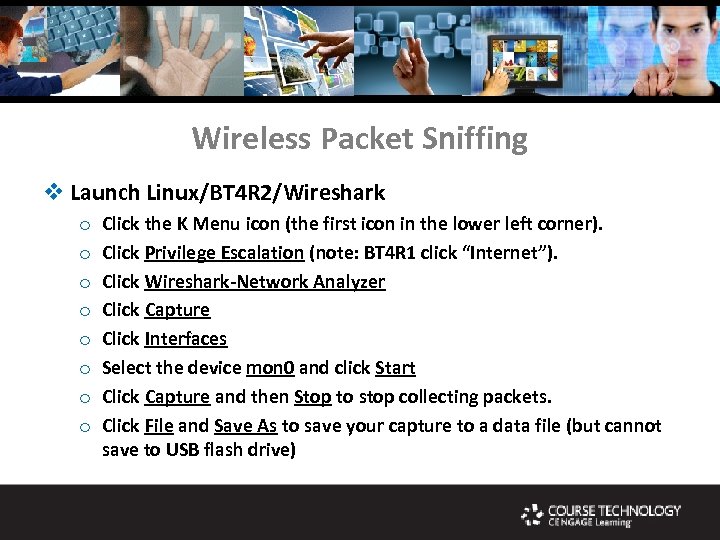 Wireless Packet Sniffing v Launch Linux/BT 4 R 2/Wireshark o o o o Click the K Menu icon (the first icon in the lower left corner). Click Privilege Escalation (note: BT 4 R 1 click “Internet”). Click Wireshark-Network Analyzer Click Capture Click Interfaces Select the device mon 0 and click Start Click Capture and then Stop to stop collecting packets. Click File and Save As to save your capture to a data file (but cannot save to USB flash drive)
 Tools for Teaching Wireless mark. ciampa@wku. edu