


 Скачать презентацию Together UML Modeling with Together Architect 2006 Cemo
0c3aafa3d6257a1da4f91123714f2e0e.ppt
- Количество слайдов: 56
 Together® UML Modeling with Together Architect 2006 Cemo Timucin, Borland Finland Oy
 Agenda This training will help you to understand: § What the Together® products are § Why should you model? § How the Together® products work § A brief introduction to UML § Additional Topics, time permitting § Together general features § Together project types, inside Eclipse § Together advanced features § Product Demo
 What is Together®?
 What is Together®? For individuals, Together® provides model-centric productivity tools for analysts, architects, and developers. For development teams, Together® enables visibility across roles, control over quality, and the ability to change quickly (agility). For enterprises, Together® is the foundation for model-centric enterprise architectures such as SOA and MDA.
 What is Together®? UML™ Modeling with Live. Source™ § Visualization with accuracy Documentation Generation § Automated and always up-to-date Design Pattern Support § Promote reuse and improve quality QA Audits & Metrics § Improve quality and maintainability
 Why should you model?
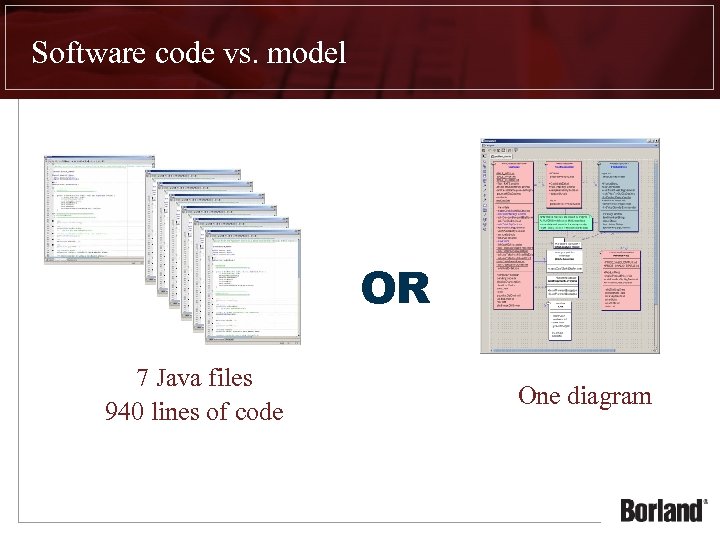 Software code vs. model OR 7 Java files 940 lines of code One diagram
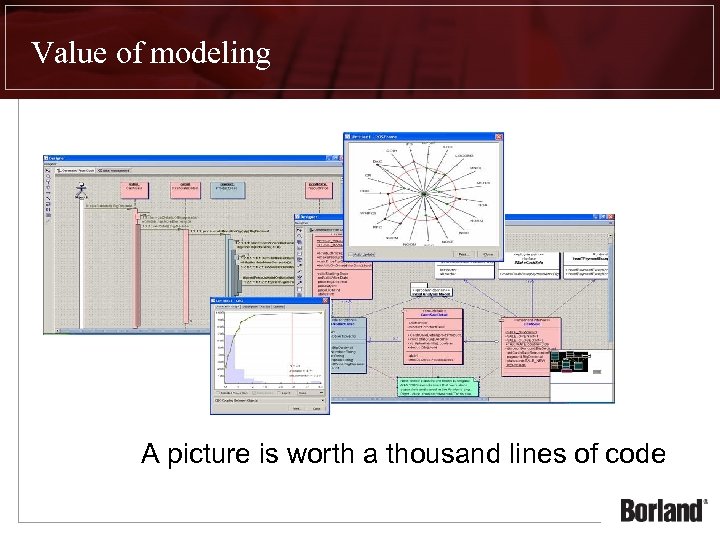 Value of modeling A picture is worth a thousand lines of code
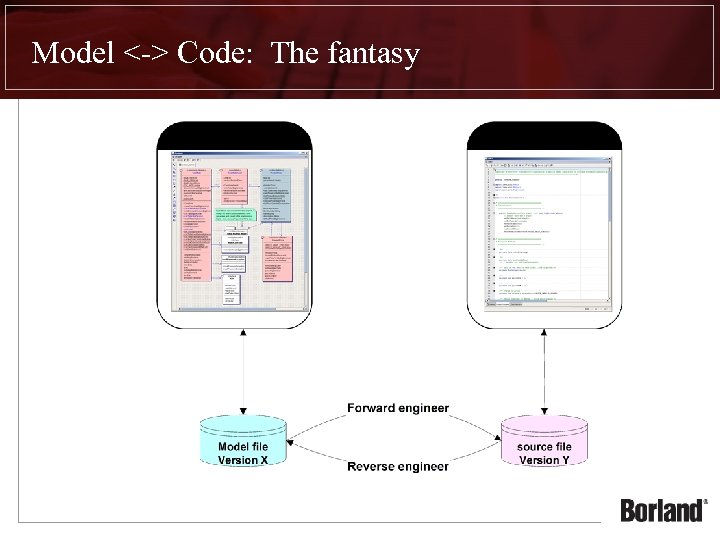 Model <-> Code: The fantasy
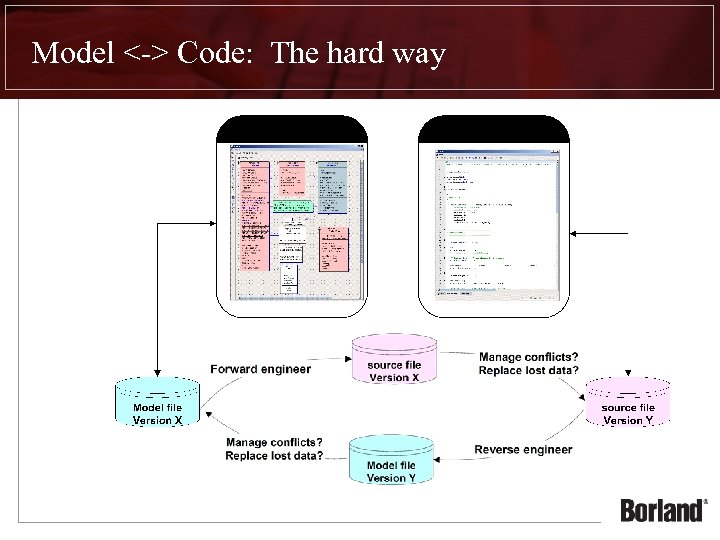 Model <-> Code: The hard way
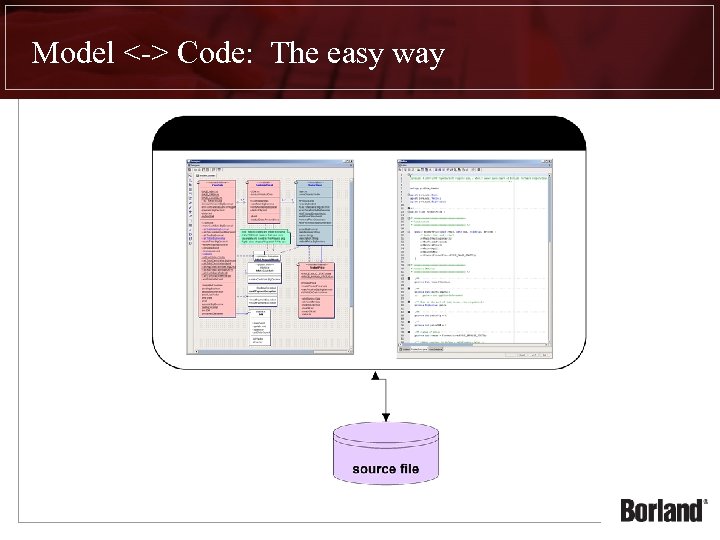 Model <-> Code: The easy way
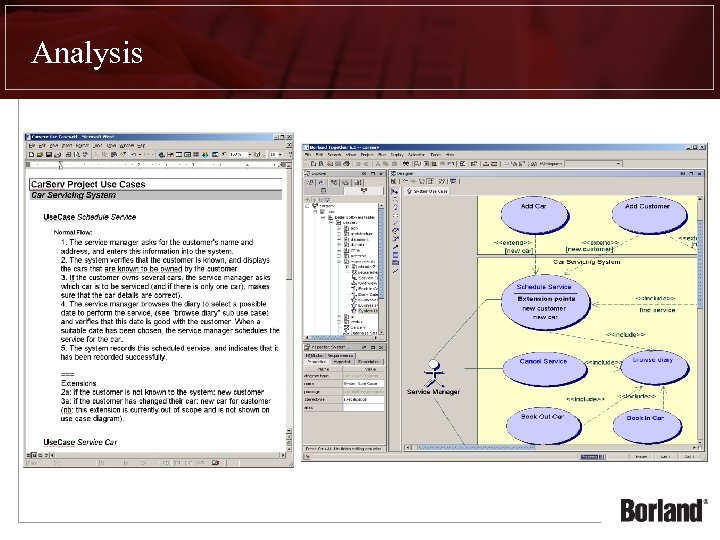
 Why does an Analyst model? Document agreement on what the Business wants to accomplish § Remove ambiguity § Enable the “Big Picture” view of the Business In combination with plain text § § Large volume of requirements difficult to consume as a whole Modeling provides constructs to help organize ideas Visualization helps clarify complex ideas Standards bring focus to key abstractions In contrast to ad-hoc diagrams § Standards facilitate precise communication § Common language for all members of the team
 Analysis
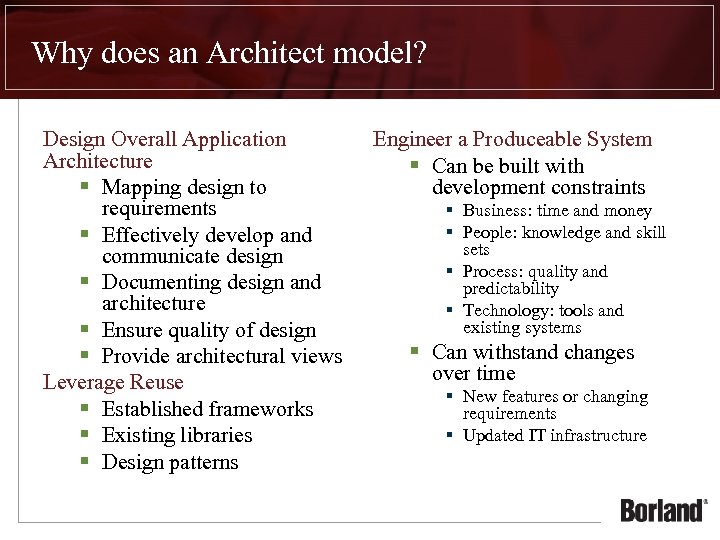 Why does an Architect model? Design Overall Application Architecture § Mapping design to requirements § Effectively develop and communicate design § Documenting design and architecture § Ensure quality of design § Provide architectural views Leverage Reuse § Established frameworks § Existing libraries § Design patterns Engineer a Produceable System § Can be built with development constraints § Business: time and money § People: knowledge and skill sets § Process: quality and predictability § Technology: tools and existing systems § Can withstand changes over time § New features or changing requirements § Updated IT infrastructure
 Design
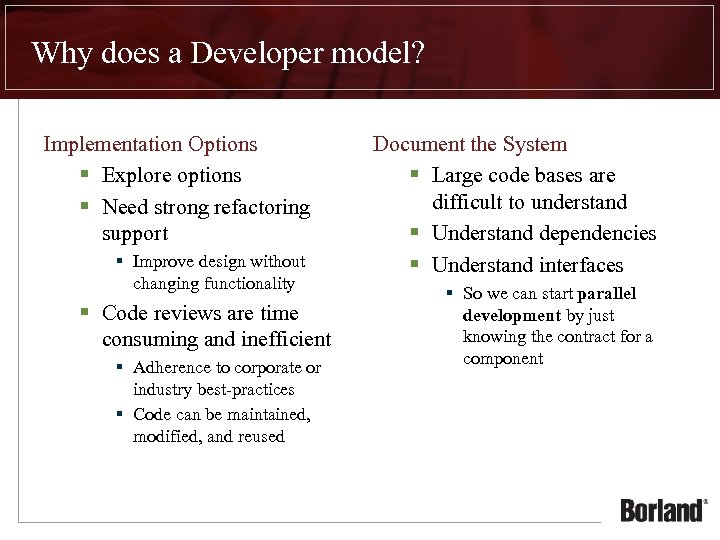 Why does a Developer model? Implementation Options § Explore options § Need strong refactoring support § Improve design without changing functionality § Code reviews are time consuming and inefficient § Adherence to corporate or industry best-practices § Code can be maintained, modified, and reused Document the System § Large code bases are difficult to understand § Understand dependencies § Understand interfaces § So we can start parallel development by just knowing the contract for a component
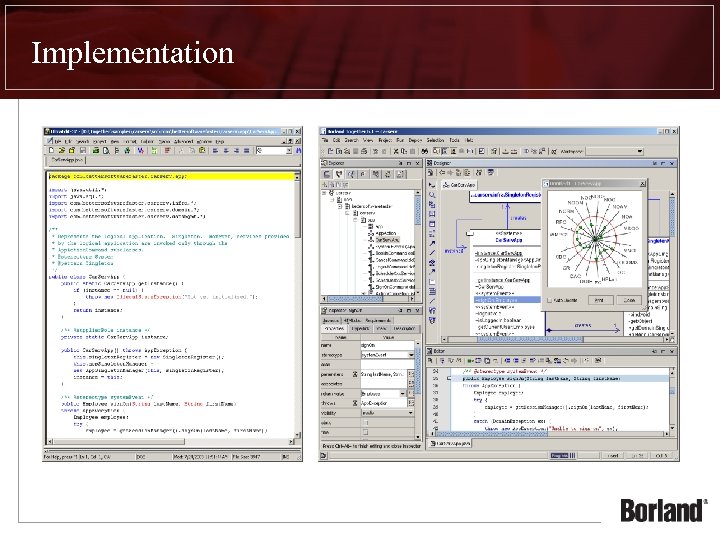 Implementation
 How do the Together® products work?
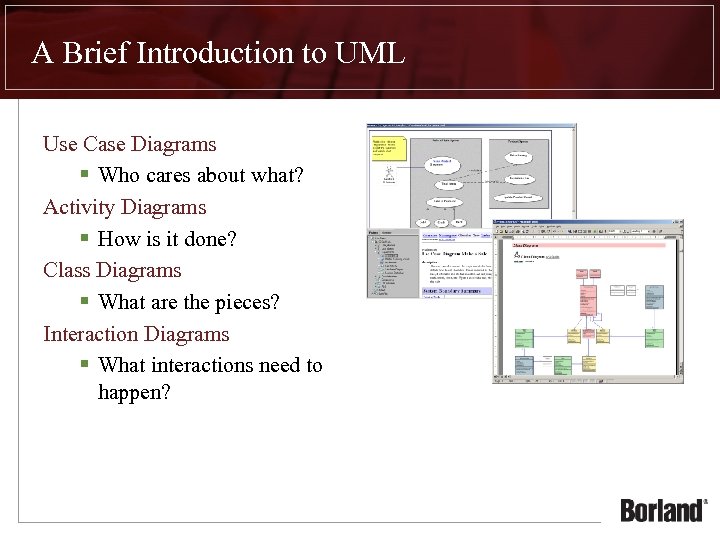 A Brief Introduction to UML Use Case Diagrams § Who cares about what? Activity Diagrams § How is it done? Class Diagrams § What are the pieces? Interaction Diagrams § What interactions need to happen?
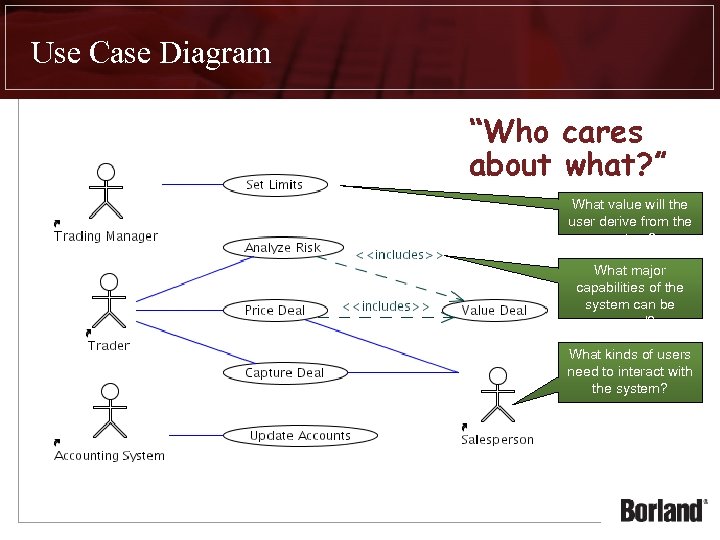 Use Case Diagram “Who cares about what? ” What value will the user derive from the system? What major capabilities of the system can be reused? What kinds of users need to interact with the system?
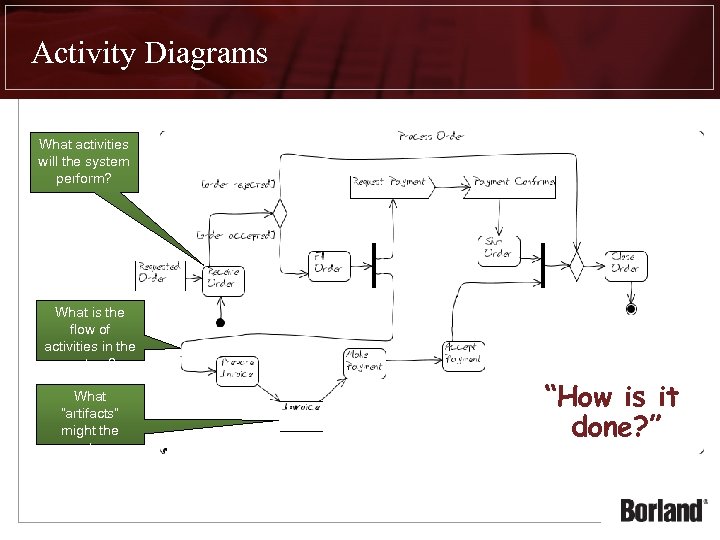 Activity Diagrams What activities will the system perform? What is the flow of activities in the system? What “artifacts” might the system generate? “How is it done? ”
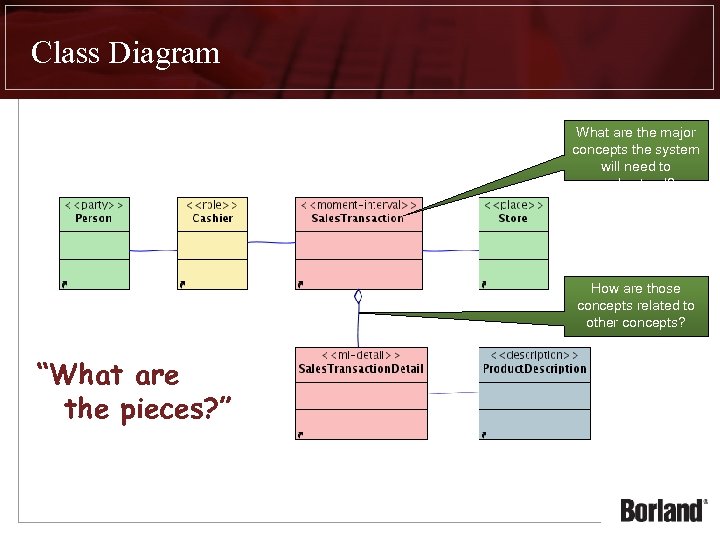 Class Diagram What are the major concepts the system will need to understand? How are those concepts related to other concepts? “What are the pieces? ”
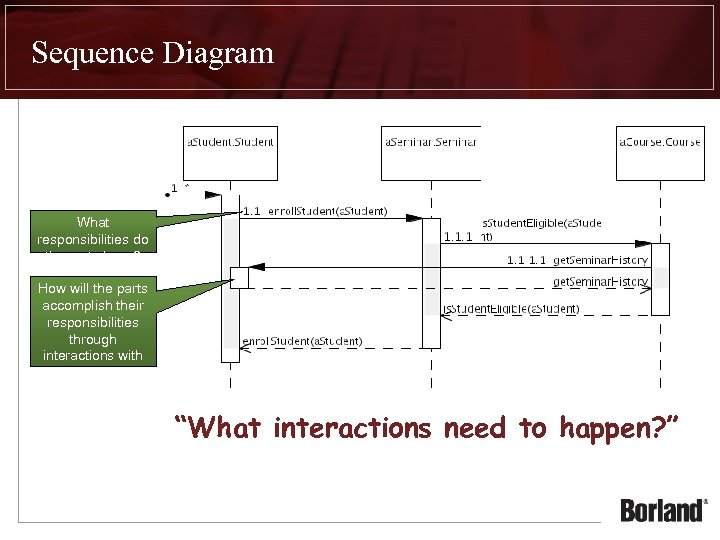 Sequence Diagram What responsibilities do the parts have? How will the parts accomplish their responsibilities through interactions with other parts? “What interactions need to happen? ”
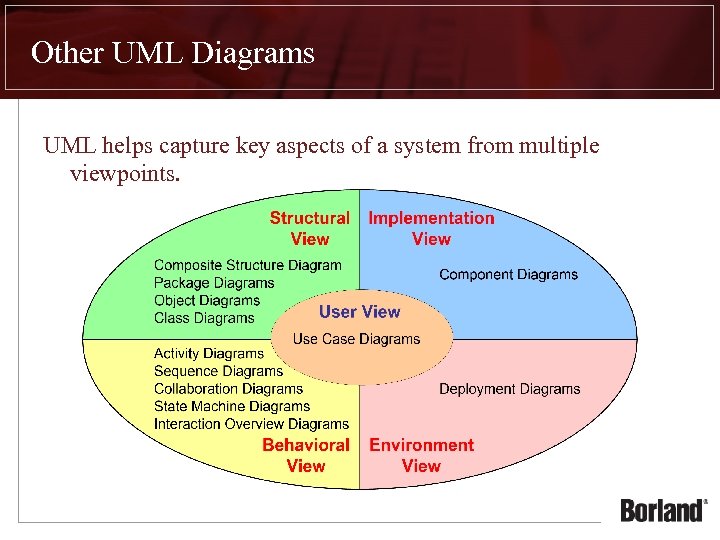 Other UML Diagrams UML helps capture key aspects of a system from multiple viewpoints.
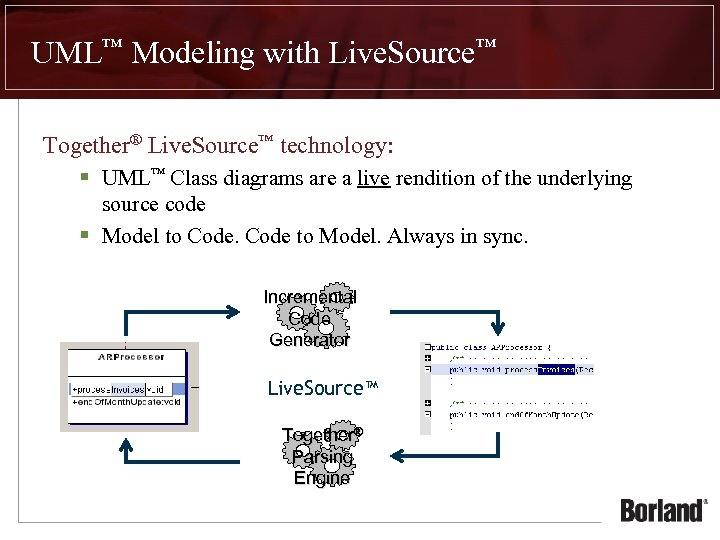 UML™ Modeling with Live. Source™ Together® Live. Source™ technology: § UML™ Class diagrams are a live rendition of the underlying source code § Model to Code to Model. Always in sync. Incremental Code Generator Live. Source™ Together® Parsing Engine
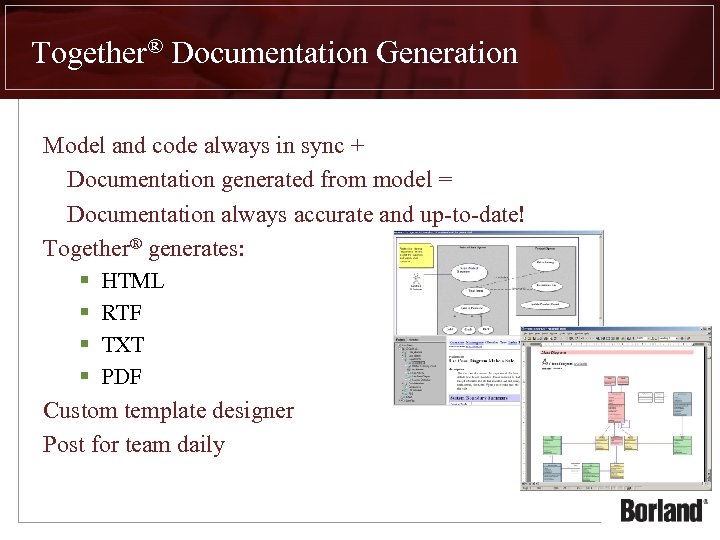 Together® Documentation Generation Model and code always in sync + Documentation generated from model = Documentation always accurate and up-to-date! Together® generates: § § HTML RTF TXT PDF Custom template designer Post for team daily
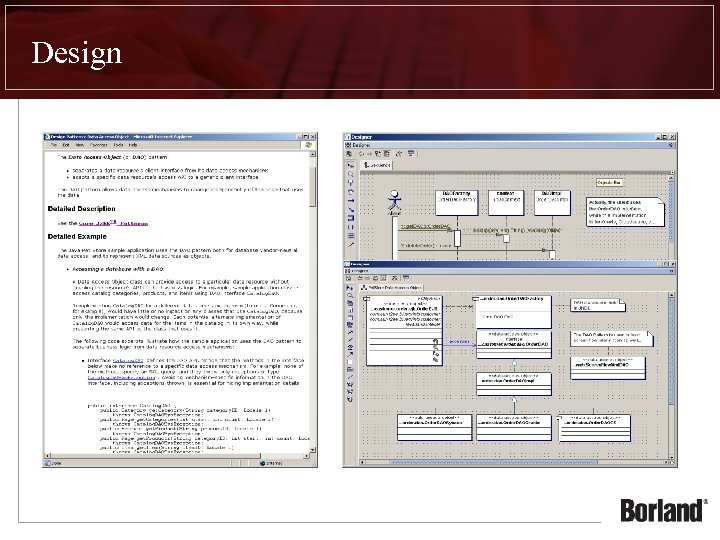
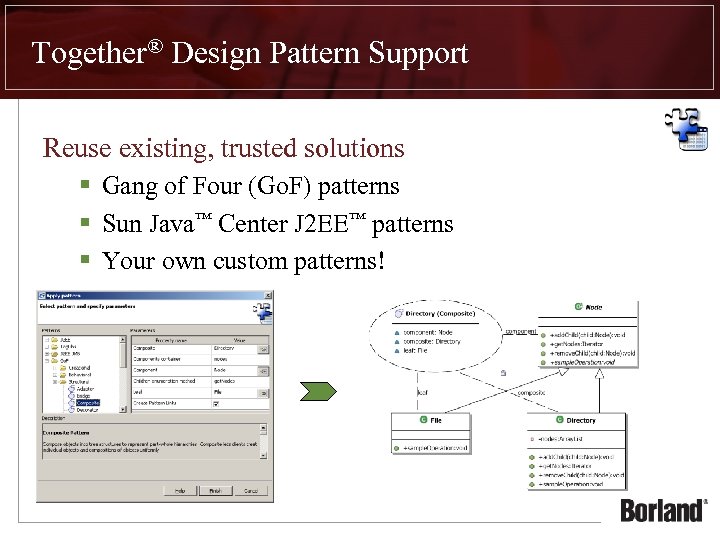 Together® Design Pattern Support Reuse existing, trusted solutions § Gang of Four (Go. F) patterns § Sun Java™ Center J 2 EE™ patterns § Your own custom patterns!
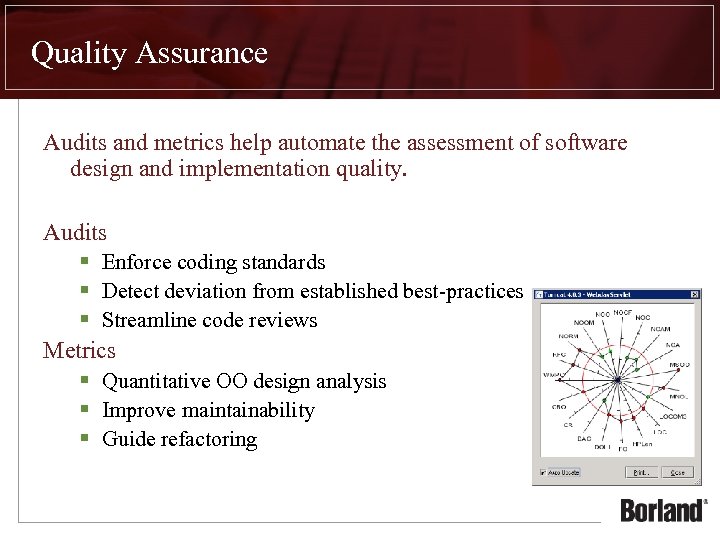 Quality Assurance Audits and metrics help automate the assessment of software design and implementation quality. Audits § Enforce coding standards § Detect deviation from established best-practices § Streamline code reviews Metrics § Quantitative OO design analysis § Improve maintainability § Guide refactoring
 Additional Topics
 What’s New in Together 2006 Deep integration with Eclipse 3. 1 (perspectives, activatable capabilities, leveraging Eclipse project natures, etc) Model-Centricity (model is a tangible, usable artifact, not just a collection of diagrams) Diagramming usability improvements (layouts, rulers and guides, alignment, match width/height Model Driven Architecture support (UML 2. 0, OCL 2. 0, QVT, XMI 2. 0) Business Process modeling support (BPMN, generate BPEL) Data Modeling support (ER diagramming, transformations) UML 2. 0 modeling Model Audits and Metrics (defined in OCL) UML Profiles and profile definition projects support New patterns and pattern definition projects support MDL and MDX import; XMI 2. 0 model interchange New requirements integration with Caliber. RM and Requisite. Pro Generation of template-based documentation Live. Source™ (simultaneous round-trip engineering) with Java 5
 General Modeling Features Usability Improvements Laser Sighting • visual indication of element alignment – edges or centers Multiple Layout Algorithms • Hierarchical, Tree, Orthogonal, Spring Embedder, Together • Permits layout of contained elements Automated Element Resizing and Aligning • Align (Left | Center | Right | Top | Middle | Bottom) • Match Width or Height • Order Links Ctrl-Click “model” lets you rapidly create multiple elements Model Bookmarks
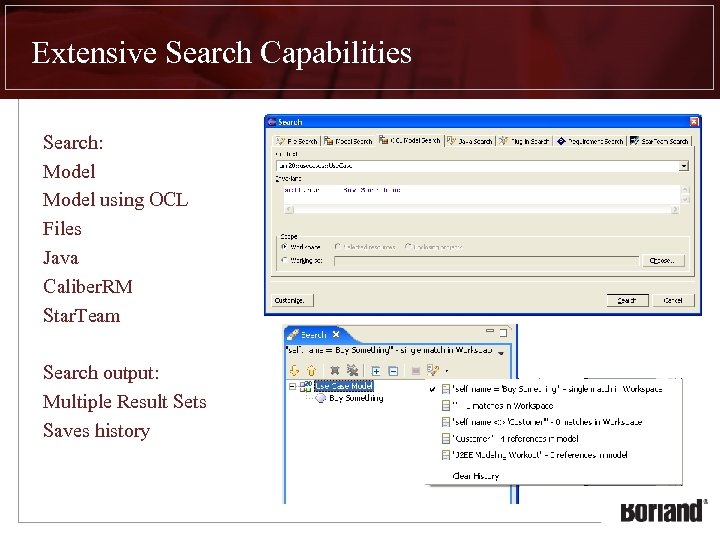 Extensive Search Capabilities Search: Model using OCL Files Java Caliber. RM Star. Team Search output: Multiple Result Sets Saves history
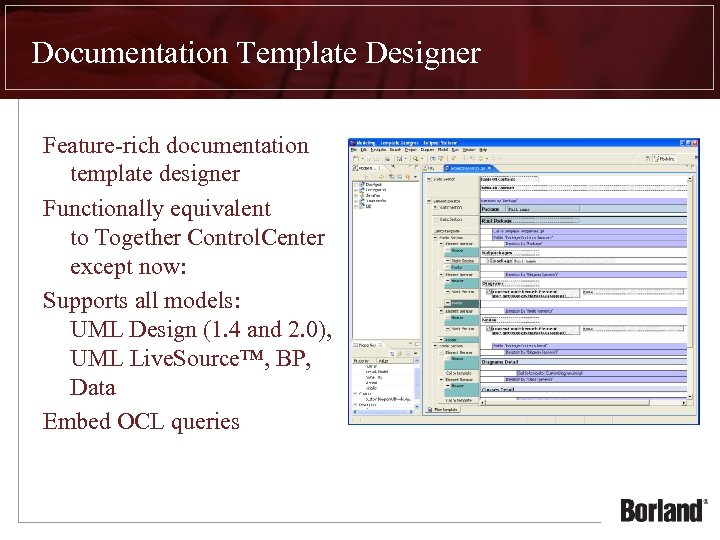 Documentation Template Designer Feature-rich documentation template designer Functionally equivalent to Together Control. Center except now: Supports all models: UML Design (1. 4 and 2. 0), UML Live. Source™, BP, Data Embed OCL queries
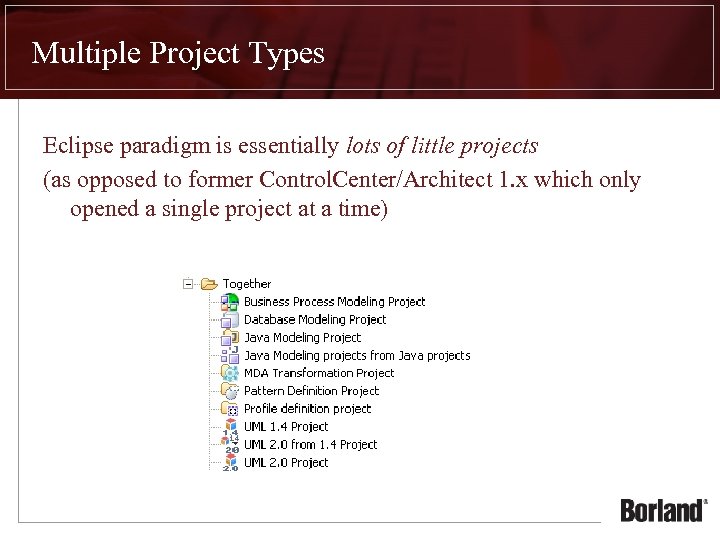 Multiple Project Types Eclipse paradigm is essentially lots of little projects (as opposed to former Control. Center/Architect 1. x which only opened a single project at a time)
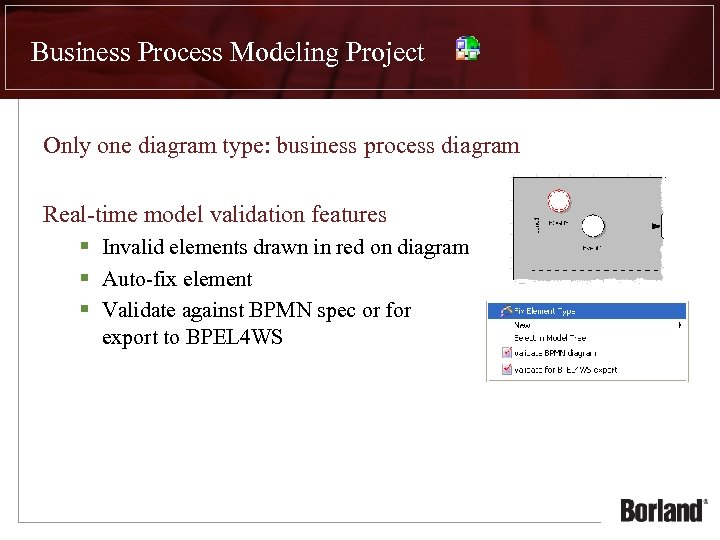 Business Process Modeling Project Only one diagram type: business process diagram Real-time model validation features § Invalid elements drawn in red on diagram § Auto-fix element § Validate against BPMN spec or for export to BPEL 4 WS
 Data Modeling Project Only one diagram type: Entity Relationship (ER) but available in both logical and physical and can be notated using IE or IDEF 1 X Automated transformations between logical and physical Generate SQL or DDL Target servers: Generic SQL, IBM DB 2 8, Inter. Base 7, JData. Store 7, MS Access, MS SQL Server 2000, my. SQL 4, Oracle 9, Sybase AS Anywhere 8, Sybase AS Enterprise 12
 Java Modeling Project UML 1. 4 project with Live. Source™ class diagrams Use Case, Activity, State, Sequence, Collaboration, Component, Deployment, Class diagrams Generate Sequence diagrams Design Patterns Pattern Recognition Code Audits and Metrics Add Linked
 Java Modeling projects from Java projects Simply add Java Modeling project nature to an existing Java project (does not create a new project)
 MDA Transformation Project Eclipse plug-in project with QVT Builder Three transformation types: QVT Transformation QVT Library Model to Text Transformation § optionally using JET (Java Emitter Templates) Can be developed interactively – fully-featured code editing, debugger, compiling Run from workspace, deploy as compiled transformation or automate via Ant script
 Pattern Definition Project Java modeling project with a UML Profile to support pattern definition, development and deployment Three ways to create these: Can be created from scratch – File New… Project… Created from selected elements in a model § select elements, Export to Pattern Definition Project Generated from a deployed pattern in the Pattery Registry view § Choose Edit Definition from pattern’s context menu
 Profile Definition Project Java modeling project with a UML Profile to visually model UML Profile definitions Create custom stereotypes, tagged values, palette entries (custom icons on the diagram palette) and viewmapping (such as custom colors and icons) Can also include shortcuts to metaclasses as well as model profile constraints in OCL After applying a profile to a model, one can validate the model against the profile’s constraints
 UML 1. 4 Project Design project containing UML 1. 4 diagrams: use case, activity, class, sequence, collaboration, state, component and deployment Provides model audits and metrics, exposes metamodel, can be used in model-to-model and model-to-text transformations Important note: UML 1. 4 metamodel is provided as is, and no improvement are planned for future releases.
 UML 2. 0 from 1. 4 Project Automate conversion of UML 1. 4 design projects to UML 2. 0 Sleeper feature? This wizard does an excellent job mapping from UML 1. 4 constructs to UML 2. 0. Many other competitor products struggle with this.
 UML 2. 0 Project Design project containing UML 2. 0 diagrams: activity, class, component, communication, composite structure, deployment, sequence and statemachine Provides model audits and metrics, exposes metamodel, can be used in model-to-model and model-to-text transformations
 Together Project Summary Multiple projects exist in a common workspace § shared between roles § roles see a “logical view” of workspace (e. g. , only applicable project types) § accessible and referenceable § cross-project shortcuts are only possible for Classes and Interfaces. This will be fixed in a Q 4 05 service pack § generated documentation can include all projects in the workspace
 Together Advanced Features
 Model Audits and Metrics New in Together 2006! Expressed in OCL; easy to write, customize and deploy across teams Reap enormous benefits by improving quality as early as possible Model Audits provide design inspections for model elements § Pulled from David Frankel, Scott Ambler, Robert Martin and others § Best practices for design elements Model Metrics provide measurements of models § Version 1. 0, rather simple for now. Expect this feature to grow! Model Audits and Metrics combine to provide an accurate assessment of how “complete” your model is. This has historically been a very difficult thing to determine.
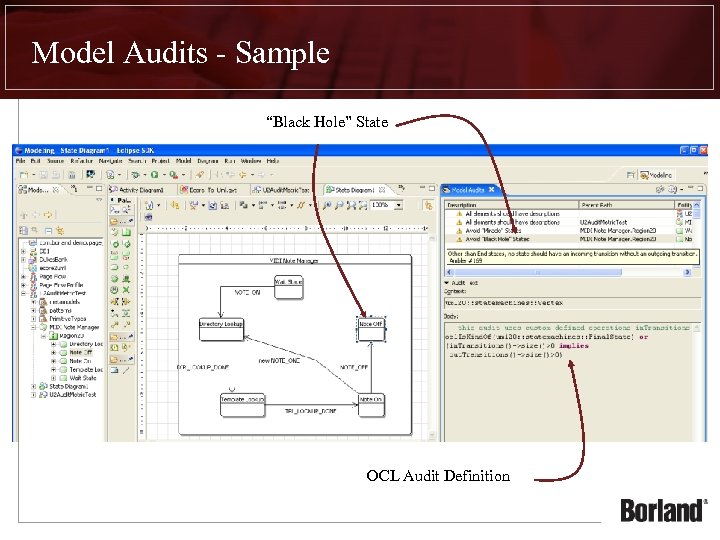 Model Audits - Sample “Black Hole” State OCL Audit Definition
 Code Audits and Metrics Mature API to inspect and measure Java modeling projects Automate low-level parsing for potential errors, coding standards, design flaws and adherence to Java best practices Accurately measure object-oriented attributes such as coupling, cohesion, encapsulation and inheritance Improve quality of projects – developers can include audits in their workflow, project leads can measure the whole project Assess the quality of code contributed by remote teams, inherited components or as an aid to maintenance efforts Automate reporting using command-line – include in daily builds
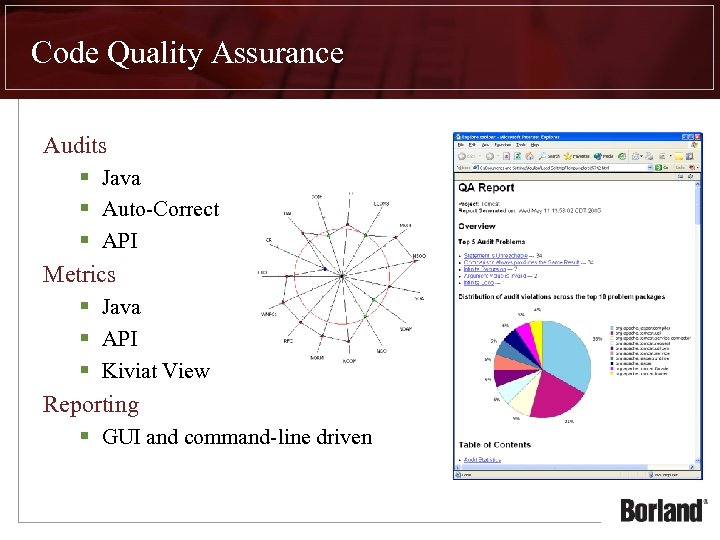 Code Quality Assurance Audits § Java § Auto-Correct § API Metrics § Java § API § Kiviat View Reporting § GUI and command-line driven
 Design Patterns
 What is the Value of Design Patterns? Design Patterns provide common, sometimes even industry standard, design solutions to everyday problems Improve communication through abstraction § Describing a solution in aggregate is less complex than describing all the details about how it works § e. g. , “I’m using a Visitor to assess the inventory…” vs. “we have a provided a common interface for all objects in the inventory so we can later use a common access method to parse the contents within the inventory…”
 What is the Value of Design Patterns in Together? Together bundles the most-common design patterns § Gang of Four (Go. F) § J 2 EE Design Patterns Together lets you model and deploy your own patterns § Wrap your internal best practices and design solutions as repeatable, reusable patterns Together can discover pattern usage in existing source code § Leverage the benefits of visualizing pattern usage to better understand reverse engineered code
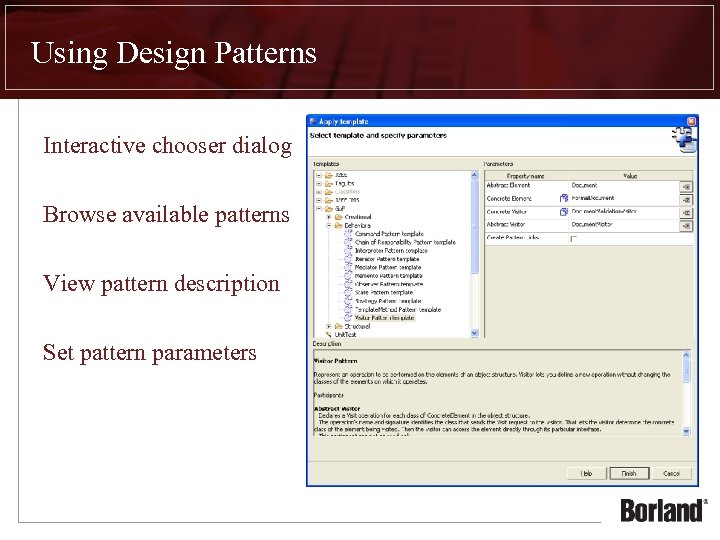 Using Design Patterns Interactive chooser dialog Browse available patterns View pattern description Set pattern parameters
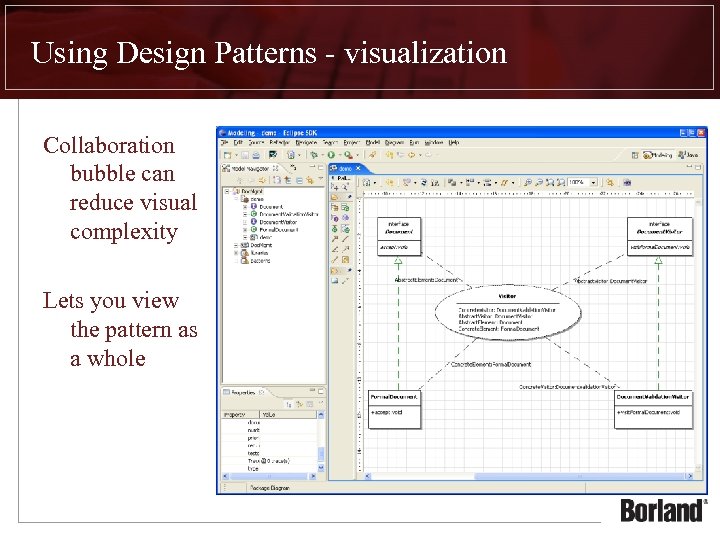 Using Design Patterns - visualization Collaboration bubble can reduce visual complexity Lets you view the pattern as a whole
 Product Demo