


 Скачать презентацию Today What is an operating system u Principles
d549c18ec0aec89eda8f2f721ac754e8.ppt
- Количество слайдов: 86
 Today What is an operating system? u Principles of OS design u Ø Process Management Ø Memory Management Ø Disk Management Ø File System Ø Protection
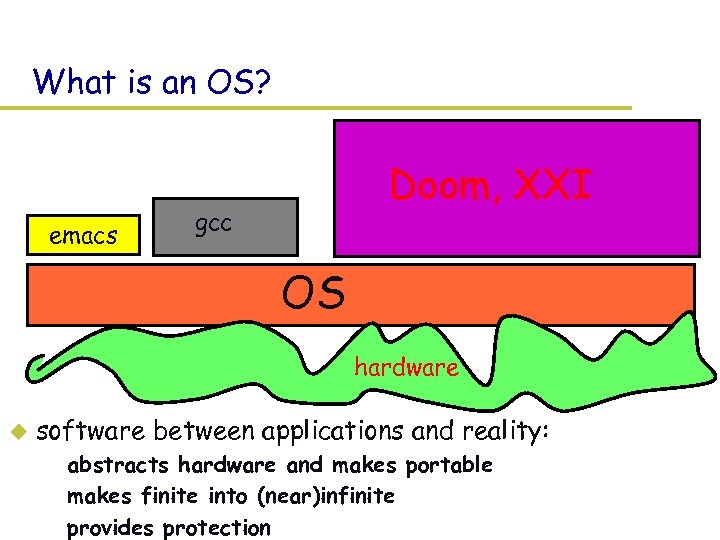 What is an OS? emacs Doom, XXI gcc OS hardware u software between applications and reality: – abstracts hardware and makes portable – makes finite into (near)infinite – provides protection
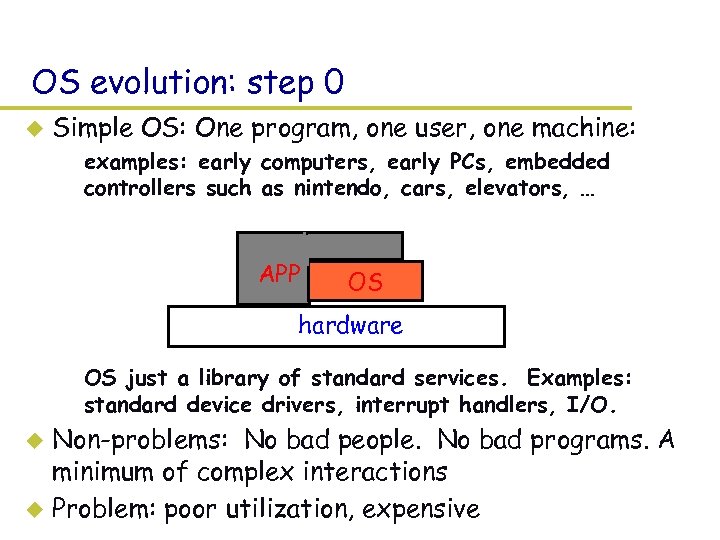 OS evolution: step 0 u Simple OS: One program, one user, one machine: – examples: early computers, early PCs, embedded controllers such as nintendo, cars, elevators, … APP OS hardware – OS just a library of standard services. Examples: standard device drivers, interrupt handlers, I/O. Non-problems: No bad people. No bad programs. A minimum of complex interactions u Problem: poor utilization, expensive u
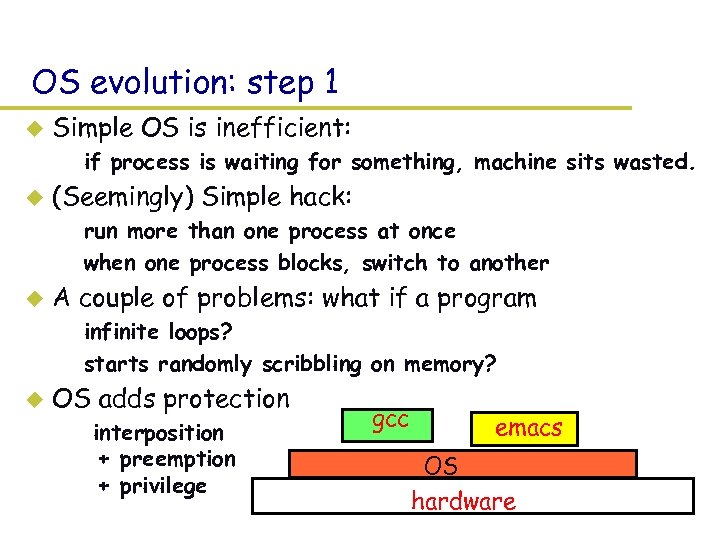 OS evolution: step 1 u Simple OS is inefficient: – if process is waiting for something, machine sits wasted. u (Seemingly) Simple hack: – run more than one process at once – when one process blocks, switch to another u A couple of problems: what if a program – infinite loops? – starts randomly scribbling on memory? u OS adds protection – interposition + preemption + privilege gcc emacs OS hardware
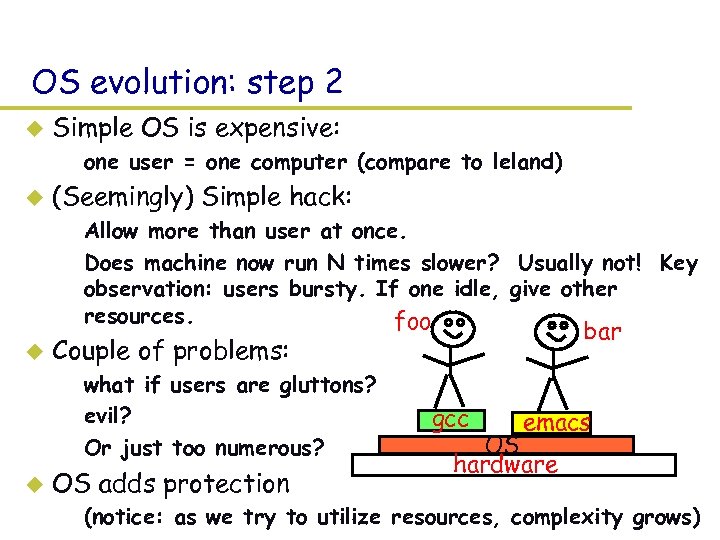 OS evolution: step 2 u Simple OS is expensive: – one user = one computer (compare to leland) u (Seemingly) Simple hack: – Allow more than user at once. – Does machine now run N times slower? Usually not! Key observation: users bursty. If one idle, give other resources. foo u Couple of problems: – what if users are gluttons? – evil? – Or just too numerous? u bar OS adds protection gcc emacs OS hardware – (notice: as we try to utilize resources, complexity grows)
 Protection u Goal: isolate bad programs and people (security) – main things: preemption + interposition + privileged ops u Pre-emption: – give application something, can always take it away u Interposition: – OS between application and “stuff” – track all pieces that application allowed to use (usually in a table) – on every access, look in table to check that access legal u Privileged/unprivileged mode – Applications unprivileged (peasant) – OS privileged (god) – protection operations can only be done in privileged mode
 Wildly successful protection examples u Protecting CPU: pre-emption – clock interrupt: hardware periodically “suspends” app, invokes OS – OS decides whether to take CPU away – Other times? Process blocks, I/O completes, system call u Protecting memory: Address translation – Every load and store checked for legality – Typically use this machinery to translate to new value (why? ? ) – (protecting disk memory similar)
 Address translation u Idea: – restrict what a program can do by restricting what it can touch! u Definitions: – – u Address space: all addresses a program can touch Virtual address: addresses in process’ address space Physical address: address of real memory Translation: map virtual to physical addresses “Virtual memory” – Translation done using per-process tables (page table) – done on every load and store, so uses hardware for speed – protection? If you don’t want process to touch a piece of physical memory, don’t put translation in table.
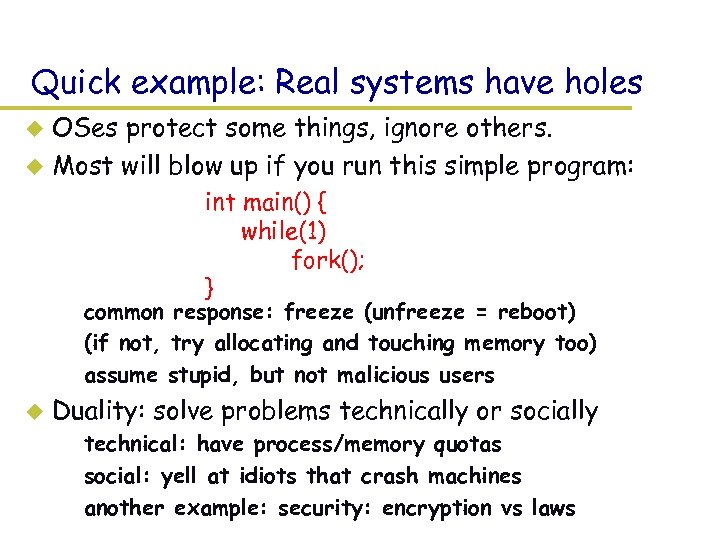 Quick example: Real systems have holes OSes protect some things, ignore others. u Most will blow up if you run this simple program: u int main() { while(1) fork(); } – common response: freeze (unfreeze = reboot) – (if not, try allocating and touching memory too) – assume stupid, but not malicious users u Duality: solve problems technically or socially – technical: have process/memory quotas – social: yell at idiots that crash machines – another example: security: encryption vs laws
 OS theme 1: fixed pie, infinite demand u How to make pie go farther? – Key: resource usage is bursty! So give to others when idle – E. g. , Waiting for web page? Give CPU to another process – 1000 s of years old: Rather than one classroom, instructor, restaurant, etc. person, share. Same issues. u BUT, more utilization = more complexity. – How to manage? (E. g. , 1 road per car vs freeway) – Abstraction (different lanes), synchronization (traffic lights), increase capacity (build more roads) u BUT, more utilization = more contention. What to do when illusion breaks? – Refuse service (busy signal), give up (VM swapping), backoff and retry (ethernet), break (freeway)
 Fixed pie, infinite demand (pt 2) u How to divide pie? – User? Yeah, right. – Usually treat all apps same, then monitor and reapportion u What’s the best piece to take away? – Oses = last pure bastion of fascism – Use system feedback rather than blind fairness u How to handle pigs? – Quotas (leland), ejection (swapping), buy more stuff (microsoft products), break (ethernet, most real systems), laws (freeway) – A real problem: hard to distinguish responsible busy programs from selfish, stupid pigs.
 OS theme 2: performance u Trick 1: exploit bursty applications – take stuff from idle guy and give to busy. Both happy. u Trick 2: exploit skew – 80% of time taken by 20% of code – 10% of memory absorbs 90% of references – basis behind cache: place 10% in fast memory, 90% in slow, seems like one big fast memory u Trick 3: past predicts the future – what’s the best cache entry to replace? If past = future, then the one that is least-recently-used – works everywhere: past weather, stock market, … ~ behavior today.
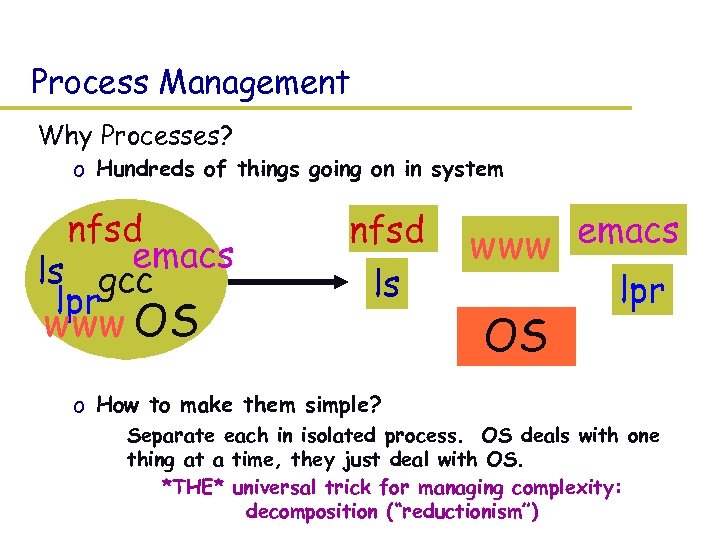 Process Management Why Processes? o Hundreds of things going on in system nfsd emacs ls gcc lpr www OS nfsd ls emacs www lpr OS o How to make them simple? » Separate each in isolated process. OS deals with one thing at a time, they just deal with OS. – *THE* universal trick for managing complexity: decomposition (“reductionism”)
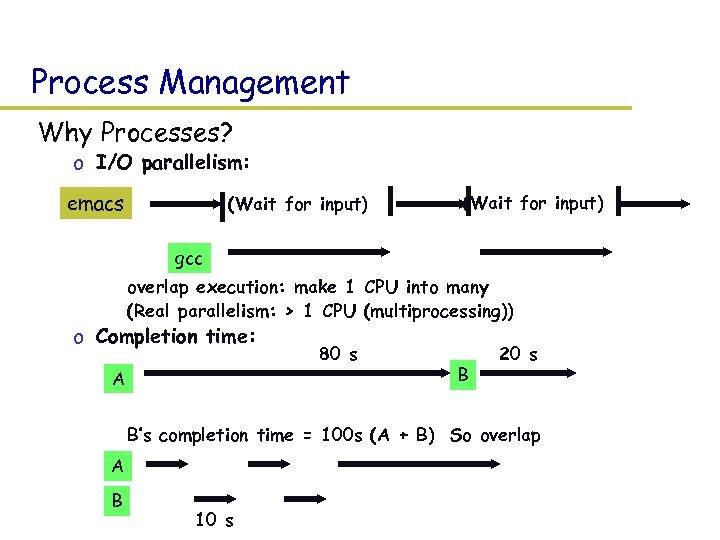 Process Management Why Processes? o I/O parallelism: emacs (Wait for input) gcc o overlap execution: make 1 CPU into many o (Real parallelism: > 1 CPU (multiprocessing)) o Completion time: A 80 s B 20 s o B’s completion time = 100 s (A + B) So overlap A B 10 s
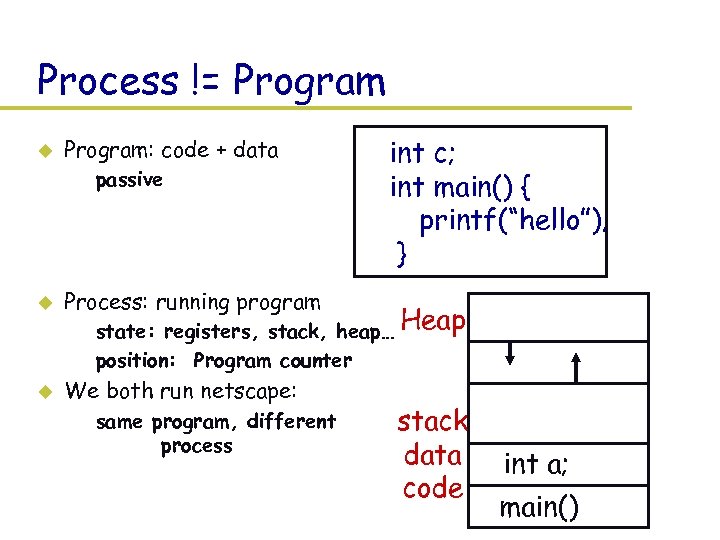 Process != Program u Program: code + data – passive u Process: running program u We both run netscape: int c; int main() { printf(“hello”); } – state: registers, stack, heap… Heap – position: Program counter – same program, different process stack data code int a; main()
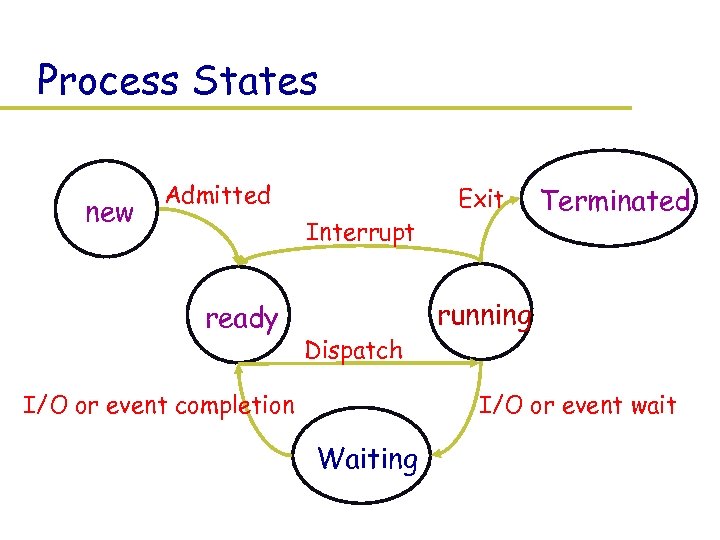 Process States new Admitted Interrupt ready Dispatch I/O or event completion Exit Terminated running I/O or event wait Waiting
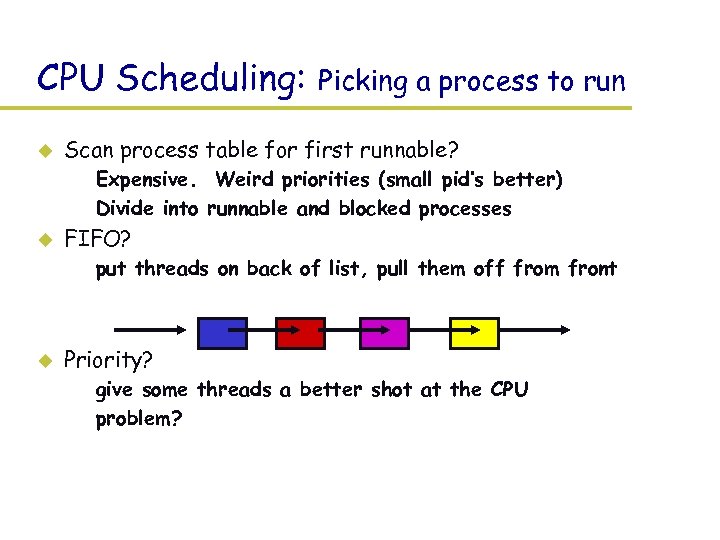 CPU Scheduling: u Picking a process to run Scan process table for first runnable? – Expensive. Weird priorities (small pid’s better) – Divide into runnable and blocked processes u FIFO? – put threads on back of list, pull them off from front u Priority? – give some threads a better shot at the CPU – problem?
 Scheduling policies u Scheduling issues – – u fairness: don’t starve process prioritize: more important first deadlines: must do by time ‘x’ (car brakes) optimization: some schedules >> faster than others No universal policy: – many variables, can’t maximize them all – conflicting goals » more important jobs vs starving others » I want my job to run first, you want yours.
 Scheduling Algorithms u u u FCFS (first come first served) SJF (shortest job first) Priority scheduling RR (round-robin) MFQ (multi-level feedback queue) And many others: EDF (earliest deadline first), MLF (minimum laxity first), etc.
 Process vs threads Thread = pointer to instruction + state Process = thread + address space u Different address space: – switch page table, etc. – Problems: How to share data? How to communicate? u Different process have different privileges: – switch OS’s idea of who’s running u Protection: – have to save state in safe place (OS) – need support to forcibly revoke processor – prevent imposters
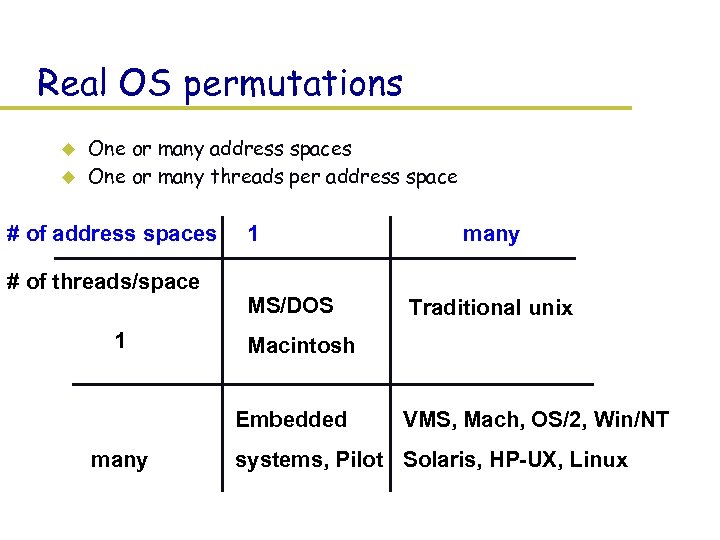 Real OS permutations u u One or many address spaces One or many threads per address space # of address spaces # of threads/space 1 1 MS/DOS Traditional unix Macintosh Embedded many VMS, Mach, OS/2, Win/NT systems, Pilot Solaris, HP-UX, Linux
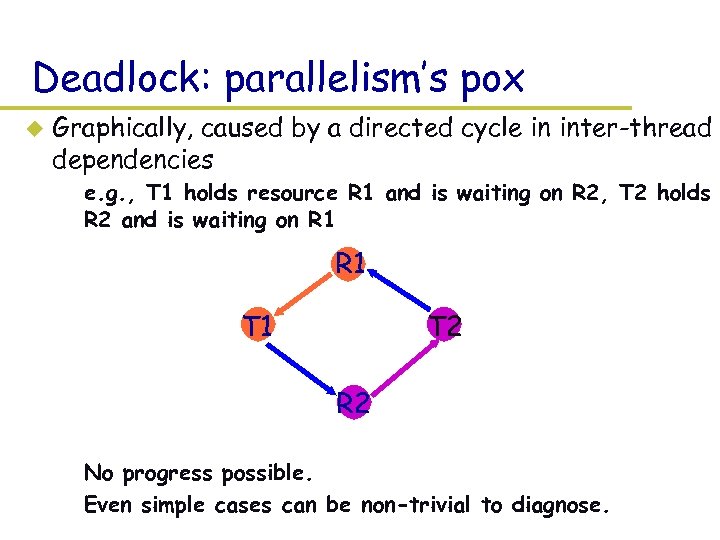 Deadlock: parallelism’s pox u Graphically, caused by a directed cycle in inter-thread dependencies – e. g. , T 1 holds resource R 1 and is waiting on R 2, T 2 holds R 2 and is waiting on R 1 T 1 T 2 R 2 – No progress possible. – Even simple cases can be non-trivial to diagnose.
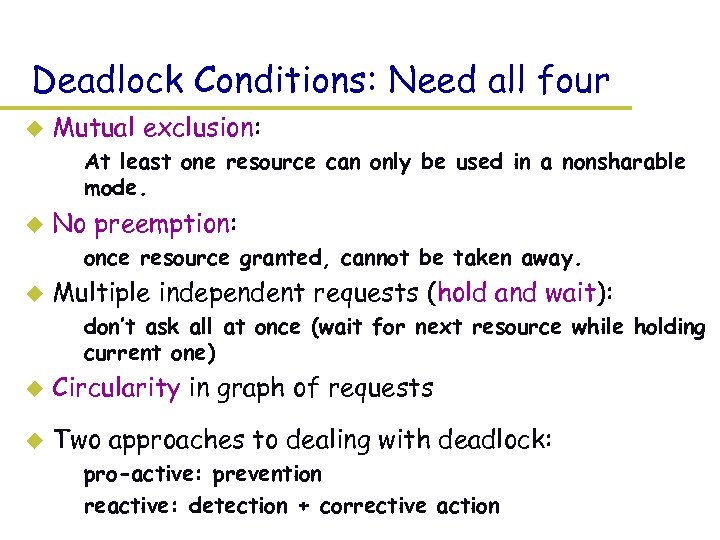 Deadlock Conditions: Need all four u Mutual exclusion: – At least one resource can only be used in a nonsharable mode. u No preemption: – once resource granted, cannot be taken away. u Multiple independent requests (hold and wait): – don’t ask all at once (wait for next resource while holding current one) u Circularity in graph of requests u Two approaches to dealing with deadlock: – pro-active: prevention – reactive: detection + corrective action
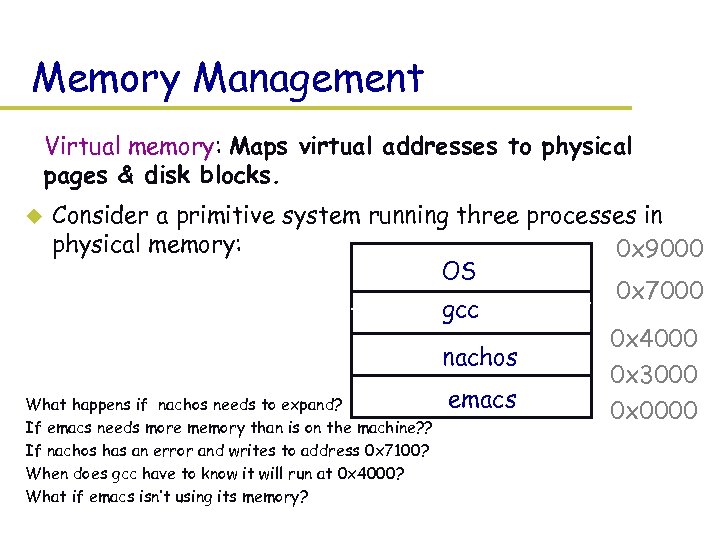 Memory Management Virtual memory: Maps virtual addresses to physical pages & disk blocks. Consider a primitive system running three processes in physical memory: 0 x 9000 OS 0 x 7000 gcc 0 x 4000 nachos 0 x 3000 emacs What happens if nachos needs to expand? 0 x 0000 u If emacs needs more memory than is on the machine? ? If nachos has an error and writes to address 0 x 7100? When does gcc have to know it will run at 0 x 4000? What if emacs isn’t using its memory?
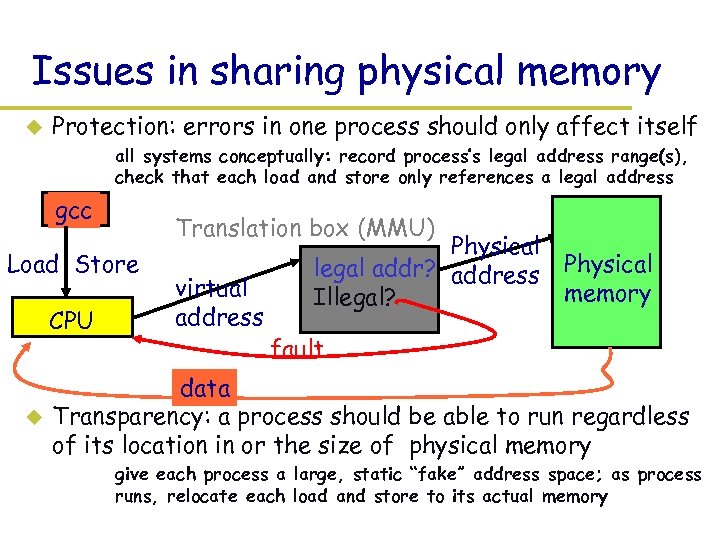 Issues in sharing physical memory u Protection: errors in one process should only affect itself » all systems conceptually: record process’s legal address range(s), check that each load and store only references a legal address gcc Translation box (MMU) Load Store CPU u virtual address Physical legal addr? address Illegal? Physical memory fault data Transparency: a process should be able to run regardless of its location in or the size of physical memory » give each process a large, static “fake” address space; as process runs, relocate each load and store to its actual memory
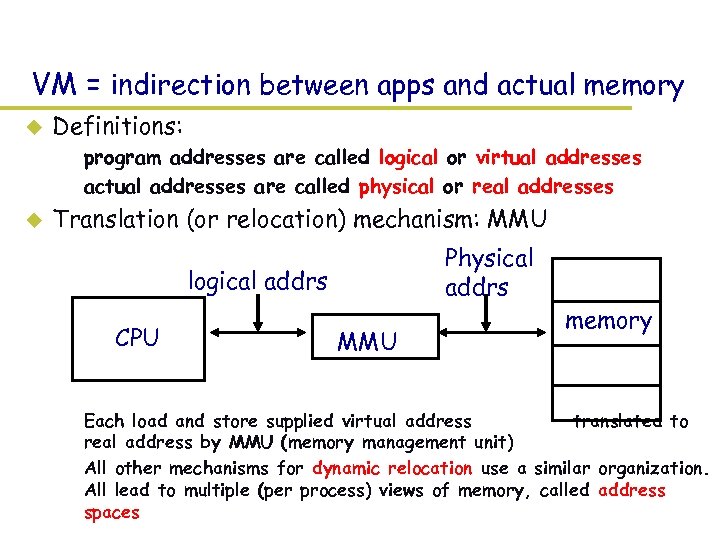 VM = indirection between apps and actual memory u Definitions: – program addresses are called logical or virtual addresses – actual addresses are called physical or real addresses u Translation (or relocation) mechanism: MMU Physical addrs logical addrs CPU MMU memory – Each load and store supplied virtual address translated to real address by MMU (memory management unit) – All other mechanisms for dynamic relocation use a similar organization. All lead to multiple (per process) views of memory, called address spaces
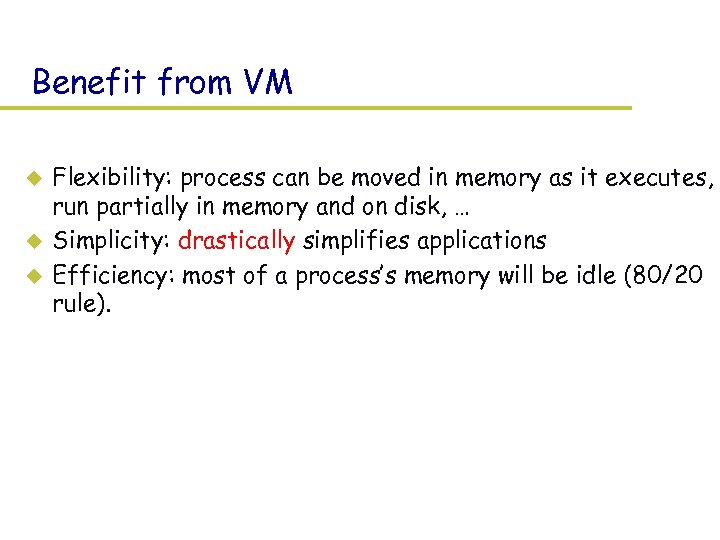 Benefit from VM u u u Flexibility: process can be moved in memory as it executes, run partially in memory and on disk, … Simplicity: drastically simplifies applications Efficiency: most of a process’s memory will be idle (80/20 rule).
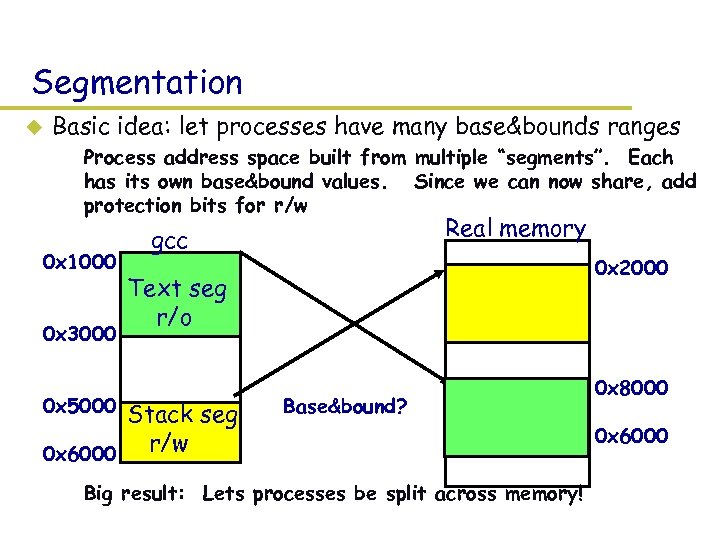 Segmentation u Basic idea: let processes have many base&bounds ranges – Process address space built from multiple “segments”. Each has its own base&bound values. Since we can now share, add protection bits for r/w 0 x 1000 0 x 3000 0 x 5000 Real memory gcc 0 x 2000 Text seg r/o Stack seg – r/w 0 x 6000 Base&bound? – Big result: Lets processes be split across memory! 0 x 8000 0 x 6000
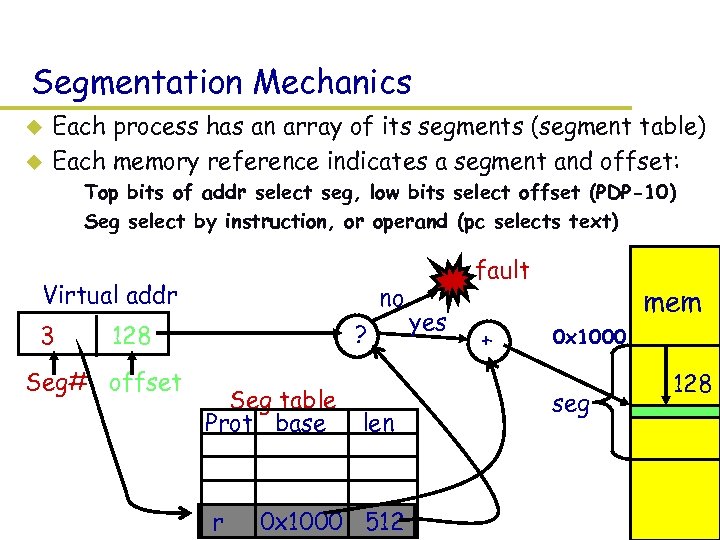 Segmentation Mechanics u u Each process has an array of its segments (segment table) Each memory reference indicates a segment and offset: – Top bits of addr select seg, low bits select offset (PDP-10) – Seg select by instruction, or operand (pc selects text) Virtual addr 3 no ? 128 Seg# offset Seg table Prot base r len 0 x 1000 512 fault yes + mem 0 x 1000 seg 128
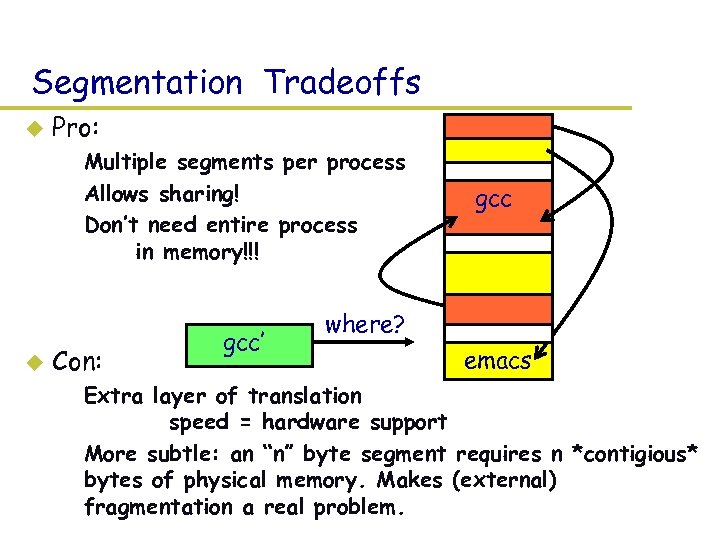 Segmentation Tradeoffs u Pro: – Multiple segments per process – Allows sharing! – Don’t need entire process in memory!!! u Con: gcc’ gcc where? emacs – Extra layer of translation speed = hardware support – More subtle: an “n” byte segment requires n *contigious* bytes of physical memory. Makes (external) fragmentation a real problem.
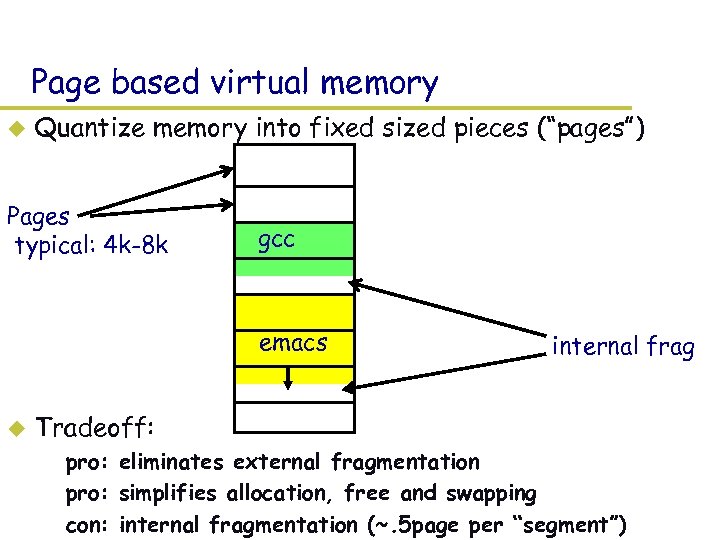 Page based virtual memory u Quantize memory into fixed sized pieces (“pages”) Pages typical: 4 k-8 k gcc emacs u internal frag Tradeoff: – pro: eliminates external fragmentation – pro: simplifies allocation, free and swapping – con: internal fragmentation (~. 5 page per “segment”)
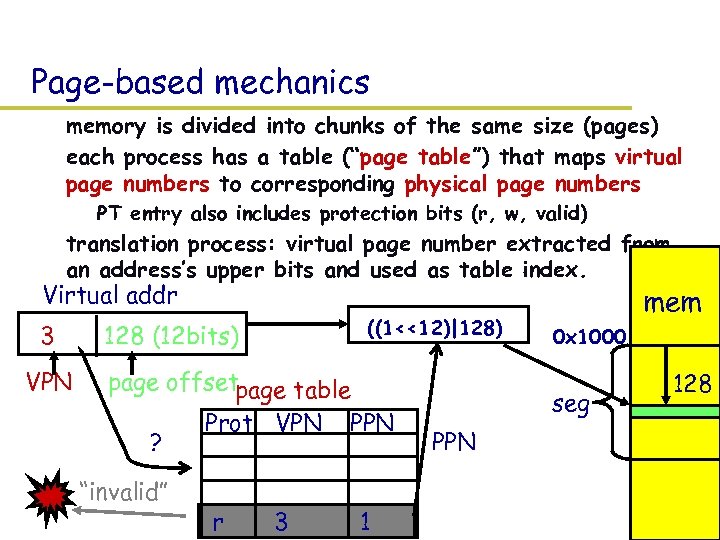 Page-based mechanics – memory is divided into chunks of the same size (pages) – each process has a table (“page table”) that maps virtual page numbers to corresponding physical page numbers » PT entry also includes protection bits (r, w, valid) – translation process: virtual page number extracted from an address’s upper bits and used as table index. Virtual addr 3 VPN ((1<<12)|128) 128 (12 bits) page offsetpage table ? “invalid” Prot VPN r 3 PPN 1 mem 0 x 1000 seg PPN 128
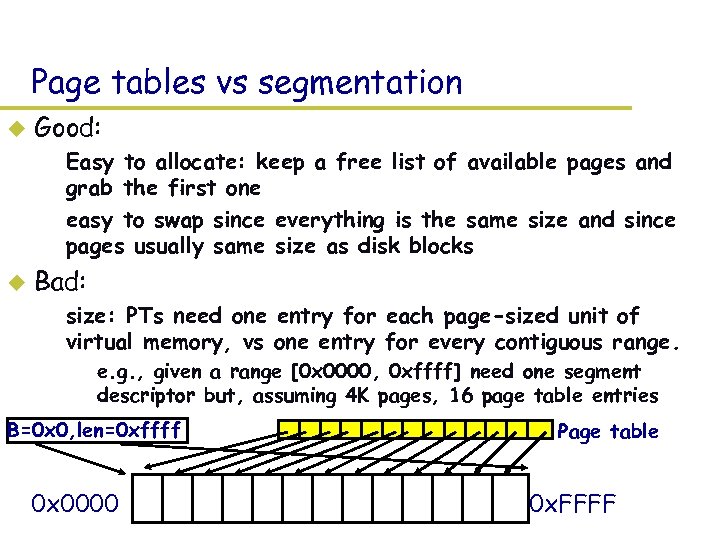 Page tables vs segmentation u Good: – Easy to allocate: keep a free list of available pages and grab the first one – easy to swap since everything is the same size and since pages usually same size as disk blocks u Bad: – size: PTs need one entry for each page-sized unit of virtual memory, vs one entry for every contiguous range. » e. g. , given a range [0 x 0000, 0 xffff] need one segment descriptor but, assuming 4 K pages, 16 page table entries B=0 x 0, len=0 xffff 0 x 0000 Page table 0 x. FFFF
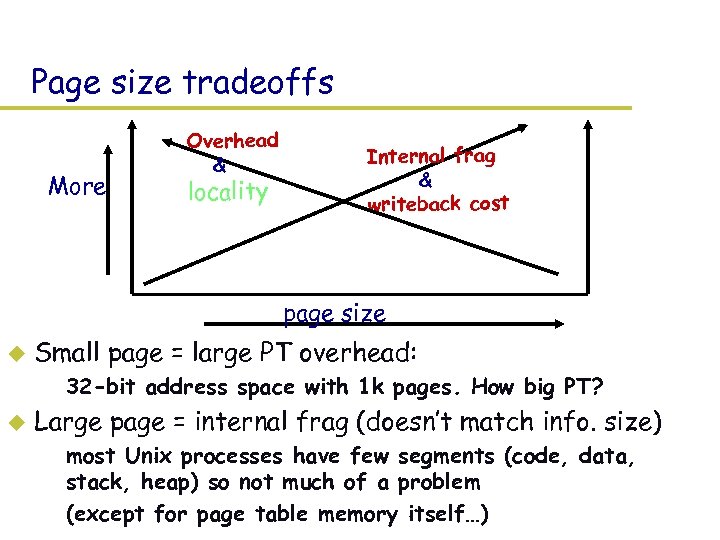 Page size tradeoffs More Overhead & locality Internal frag & writeback cost page size u Small page = large PT overhead: – 32 -bit address space with 1 k pages. How big PT? u Large page = internal frag (doesn’t match info. size) – most Unix processes have few segments (code, data, stack, heap) so not much of a problem – (except for page table memory itself…)
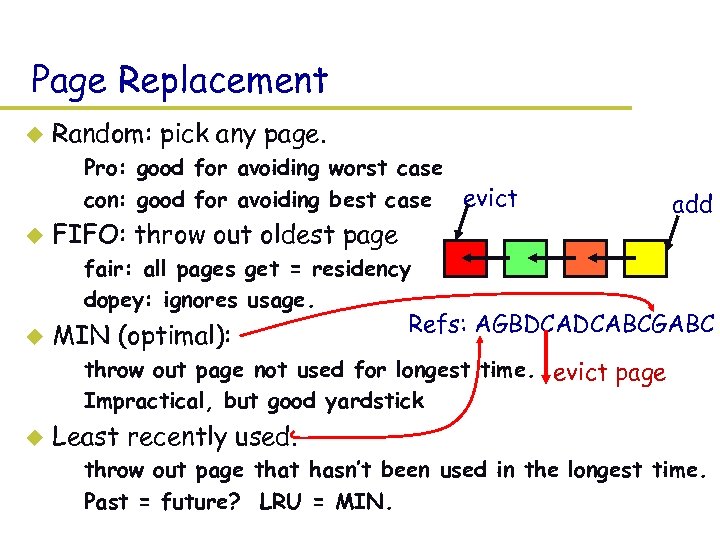 Page Replacement u Random: pick any page. – Pro: good for avoiding worst case – con: good for avoiding best case evict u FIFO: throw out oldest page add – fair: all pages get = residency – dopey: ignores usage. u MIN (optimal): Refs: AGBDCADCABCGABC – throw out page not used for longest time. evict page – Impractical, but good yardstick u Least recently used. – throw out page that hasn’t been used in the longest time. – Past = future? LRU = MIN.
 Disk Management
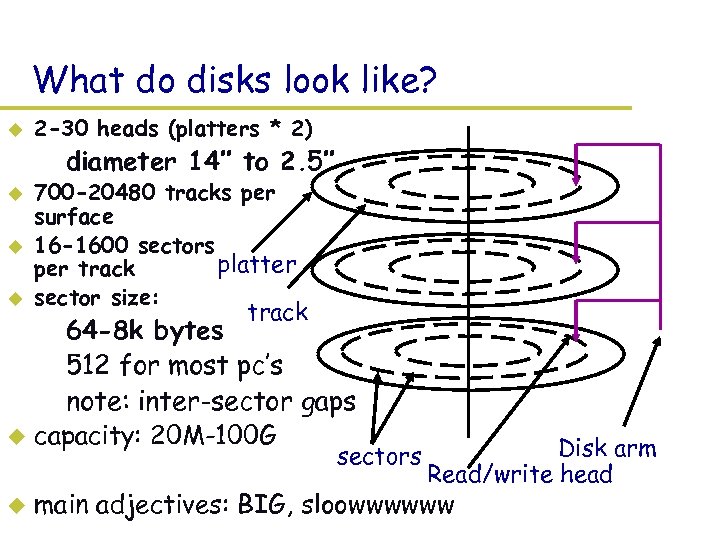 What do disks look like? u 2 -30 heads (platters * 2) – diameter 14’’ to 2. 5’’ u u u 700 -20480 tracks per surface 16 -1600 sectors platter per track sector size: track – 64 -8 k bytes – 512 for most pc’s – note: inter-sector gaps u capacity: 20 M-100 G sectors u Disk arm Read/write head main adjectives: BIG, sloowwwwww
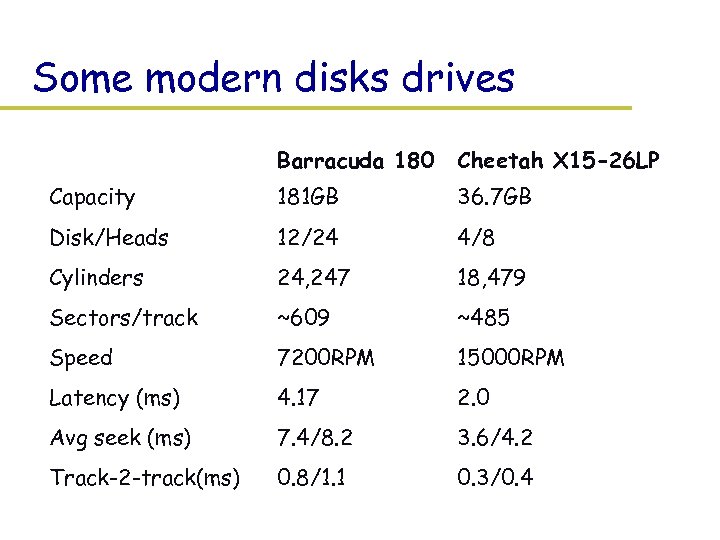 Some modern disks drives Barracuda 180 Cheetah X 15 -26 LP Capacity 181 GB 36. 7 GB Disk/Heads 12/24 4/8 Cylinders 24, 247 18, 479 Sectors/track ~609 ~485 Speed 7200 RPM 15000 RPM Latency (ms) 4. 17 2. 0 Avg seek (ms) 7. 4/8. 2 3. 6/4. 2 Track-2 -track(ms) 0. 8/1. 1 0. 3/0. 4
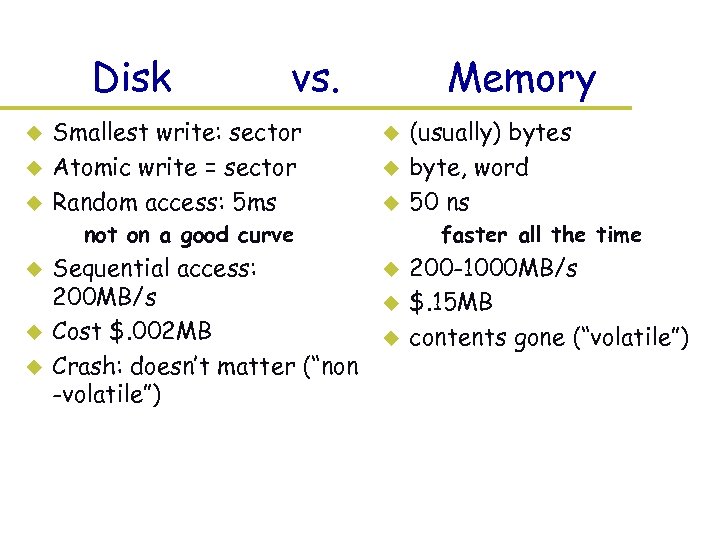 Disk u u u vs. Smallest write: sector Atomic write = sector Random access: 5 ms Memory u u u – not on a good curve u u u Sequential access: 200 MB/s Cost $. 002 MB Crash: doesn’t matter (“non -volatile”) (usually) bytes byte, word 50 ns – faster all the time u u u 200 -1000 MB/s $. 15 MB contents gone (“volatile”)
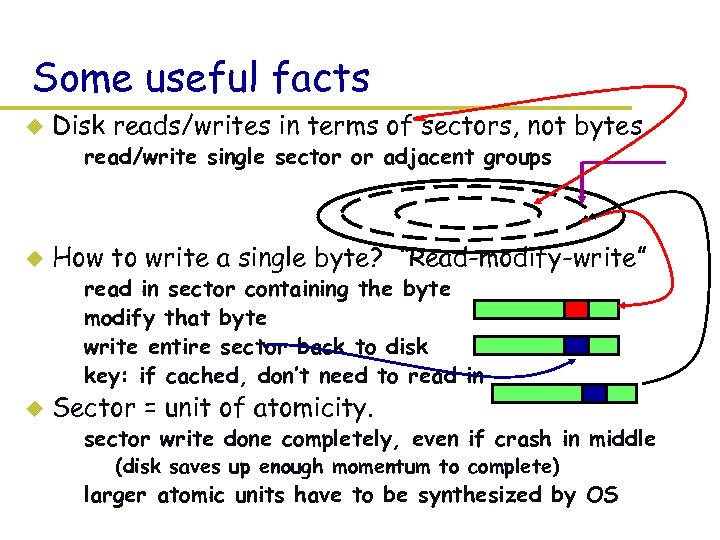 Some useful facts u Disk reads/writes in terms of sectors, not bytes – read/write single sector or adjacent groups u How to write a single byte? “Read-modify-write” – – u read in sector containing the byte modify that byte write entire sector back to disk key: if cached, don’t need to read in Sector = unit of atomicity. – sector write done completely, even if crash in middle » (disk saves up enough momentum to complete) – larger atomic units have to be synthesized by OS
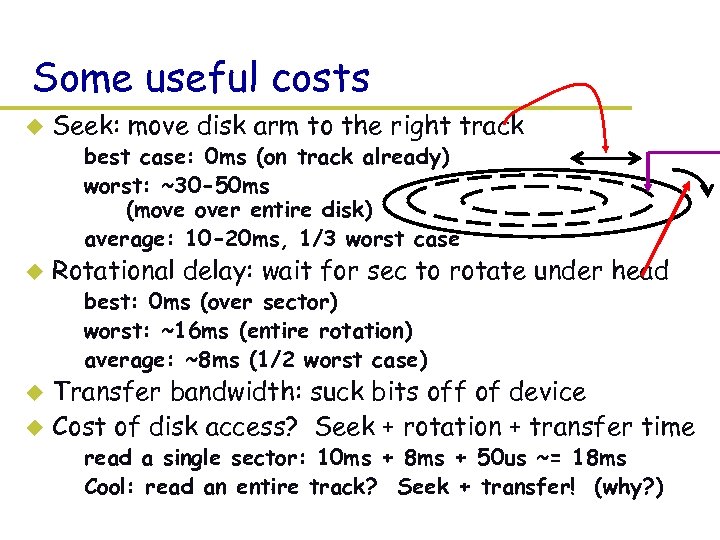 Some useful costs u Seek: move disk arm to the right track – best case: 0 ms (on track already) – worst: ~30 -50 ms (move over entire disk) – average: 10 -20 ms, 1/3 worst case u Rotational delay: wait for sec to rotate under head – best: 0 ms (over sector) – worst: ~16 ms (entire rotation) – average: ~8 ms (1/2 worst case) Transfer bandwidth: suck bits off of device u Cost of disk access? Seek + rotation + transfer time u – read a single sector: 10 ms + 8 ms + 50 us ~= 18 ms – Cool: read an entire track? Seek + transfer! (why? )
 Some useful trends u Disk bandwidth and cost/bit improving exponentially – similar to CPU speed, memory size, etc. u Seek time and rotational delay improving *very* slowly – why? require moving physical object (disk arm) u Some implications: – disk accesses a huge system bottleneck & getting worse – bandwidth increase lets system (pre-)fetch large chunks for about the same cost as small chunk. » Result? trade bandwidth for latency if you can get lots of related stuff. » How to get related stuff? Cluster together on disk – Memory size increasing faster than typical workload size » More and more of workload fits in file cache » disk traffic changes: mostly writes and new data
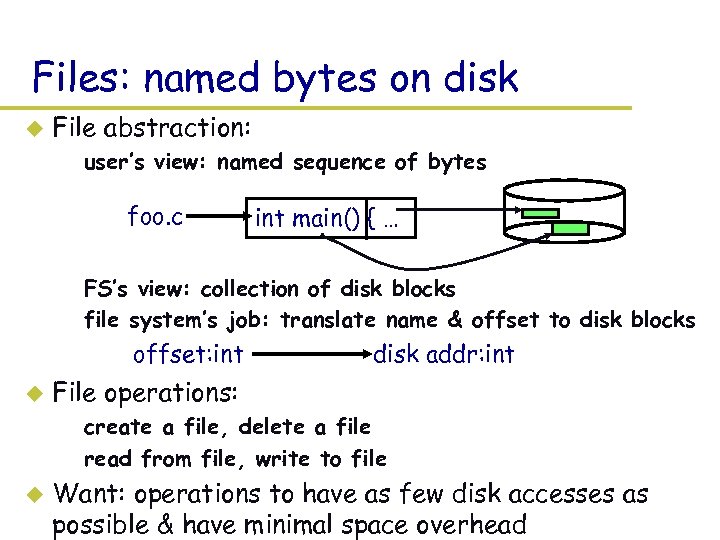 Files: named bytes on disk u File abstraction: – user’s view: named sequence of bytes foo. c int main() { … – FS’s view: collection of disk blocks – file system’s job: translate name & offset to disk blocks offset: int u disk addr: int File operations: – create a file, delete a file – read from file, write to file u Want: operations to have as few disk accesses as possible & have minimal space overhead
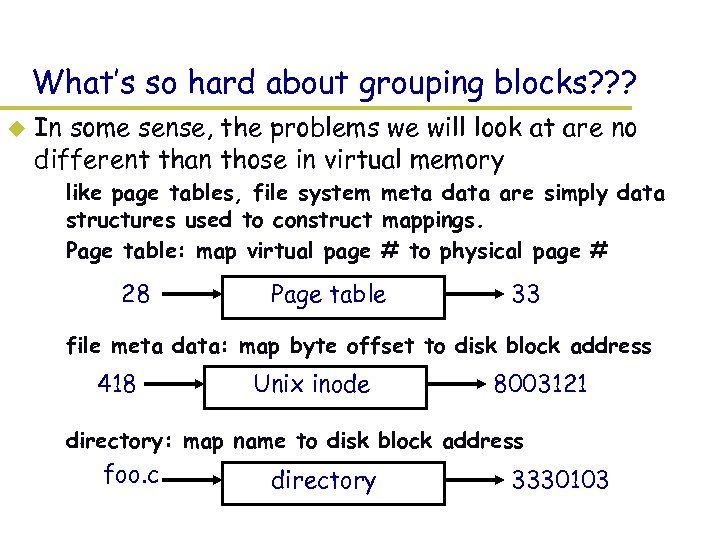 What’s so hard about grouping blocks? ? ? u In some sense, the problems we will look at are no different than those in virtual memory – like page tables, file system meta data are simply data structures used to construct mappings. – Page table: map virtual page # to physical page # 28 Page table 33 – file meta data: map byte offset to disk block address 418 Unix inode 8003121 – directory: map name to disk block address foo. c directory 3330103
 FS vs VM u In some ways problem similar: – want location transparency, oblivious to size, & protection u In some ways the problem is easier: – CPU time to do FS mappings not a big deal (= no TLB) – Page tables deal with sparse address spaces and random access, files are dense (0. . filesize-1) & ~sequential u In some way’s problem is harder: – Each layer of translation = potential disk access – Space a huge premium! (But disk is huge? !? !) Reason? Cache space never enough, the amount of data you can Get into one fetch never enough. – Range very extreme: Many <10 k, some more than GB. – Implications?
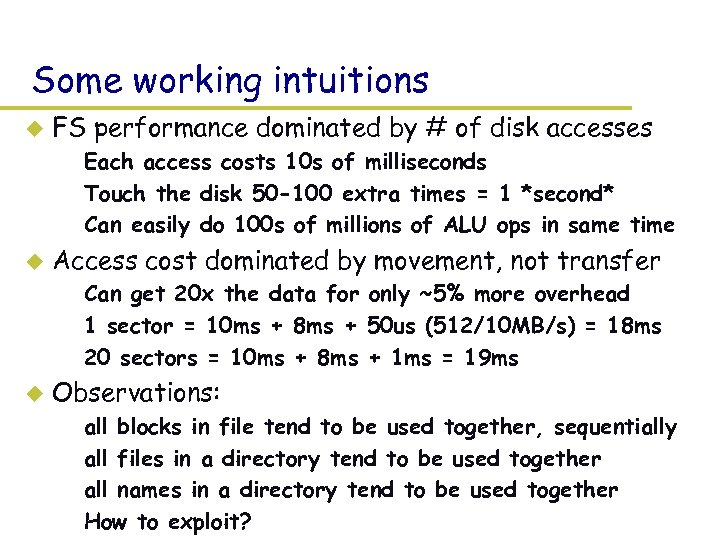 Some working intuitions u FS performance dominated by # of disk accesses – Each access costs 10 s of milliseconds – Touch the disk 50 -100 extra times = 1 *second* – Can easily do 100 s of millions of ALU ops in same time u Access cost dominated by movement, not transfer – Can get 20 x the data for only ~5% more overhead – 1 sector = 10 ms + 8 ms + 50 us (512/10 MB/s) = 18 ms – 20 sectors = 10 ms + 8 ms + 1 ms = 19 ms u Observations: – – all blocks in file tend to be used together, sequentially all files in a directory tend to be used together all names in a directory tend to be used together How to exploit?
 Common addressing patterns u Sequential: – file data processed in sequential order – by far the most common mode – example: editor writes out new file, compiler reads in file, etc. u Random access: – address any block in file directly without passing through predecessors – examples: data set for demand paging, databases u Keyed access: – search for block with particular values – examples: associative data base, index – usually not provided by OS
 Problem: how to track file’s data? u Disk management: – Need to keep track of where file contents are on disk – Must be able to use this to map byte offset to disk block – The data structure used to track a file’s sectors is called a file descriptor – file descriptors often stored on disk along with file u Things to keep in mind while designing file structure: – Most files are small – Much of the disk is allocated to large files – Many of the I/O operations are made to large files – Want good sequential and good random access (what do these require? )
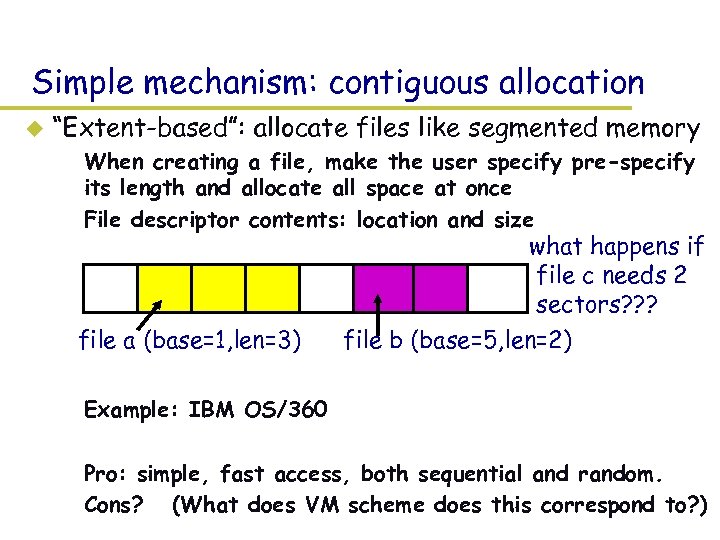 Simple mechanism: contiguous allocation u “Extent-based”: allocate files like segmented memory – When creating a file, make the user specify pre-specify its length and allocate all space at once – File descriptor contents: location and size what happens if file c needs 2 sectors? ? ? file a (base=1, len=3) file b (base=5, len=2) – Example: IBM OS/360 – Pro: simple, fast access, both sequential and random. – Cons? (What does VM scheme does this correspond to? )
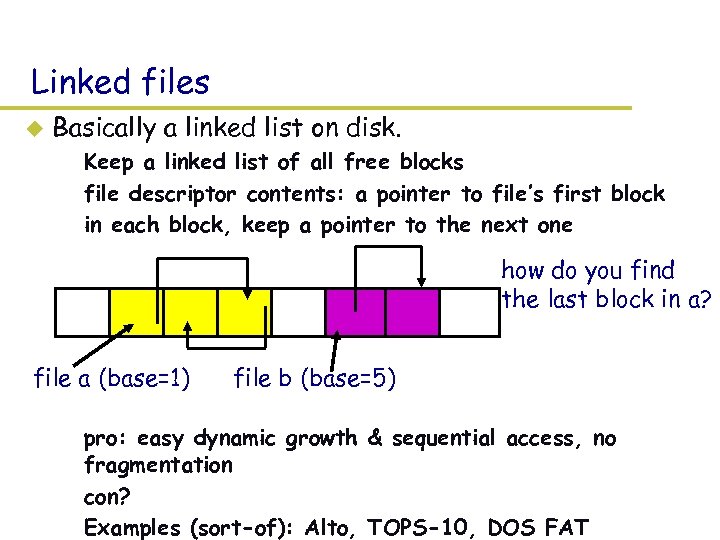 Linked files u Basically a linked list on disk. – Keep a linked list of all free blocks – file descriptor contents: a pointer to file’s first block – in each block, keep a pointer to the next one how do you find the last block in a? file a (base=1) file b (base=5) – pro: easy dynamic growth & sequential access, no fragmentation – con? – Examples (sort-of): Alto, TOPS-10, DOS FAT
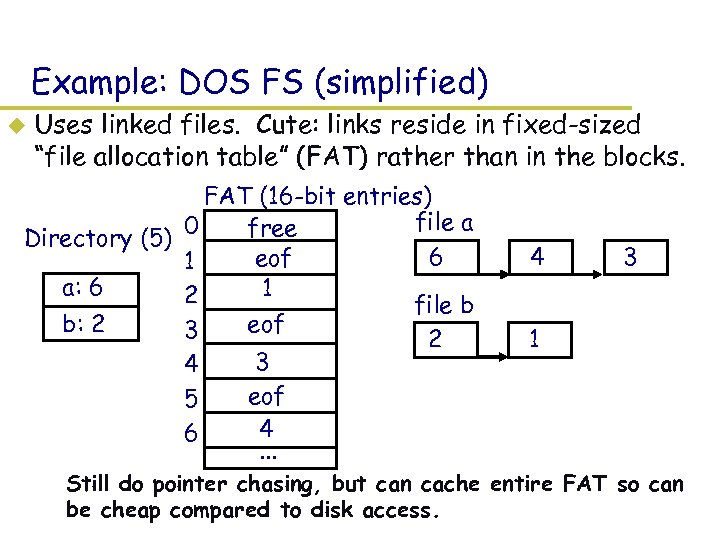 Example: DOS FS (simplified) u Uses linked files. Cute: links reside in fixed-sized “file allocation table” (FAT) rather than in the blocks. FAT (16 -bit entries) file a 0 free Directory (5) 6 eof 1 a: 6 1 2 file b b: 2 eof 3 2 3 4 eof 5 4 6. . . 4 3 1 – Still do pointer chasing, but can cache entire FAT so can be cheap compared to disk access.
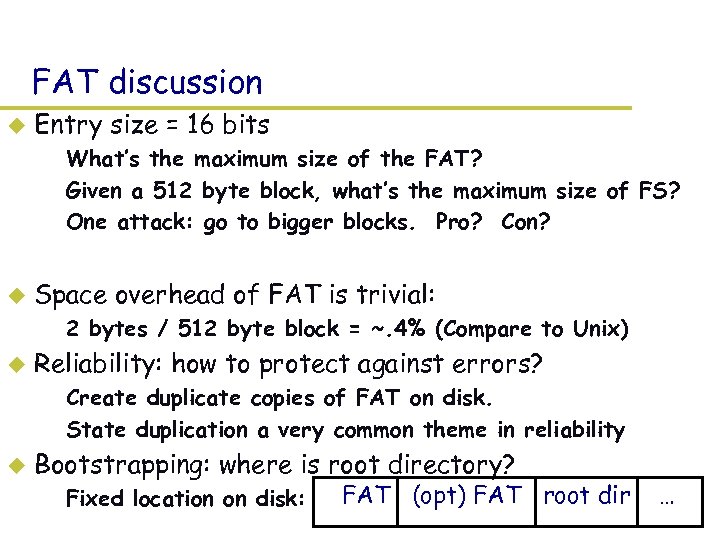 FAT discussion u Entry size = 16 bits – What’s the maximum size of the FAT? – Given a 512 byte block, what’s the maximum size of FS? – One attack: go to bigger blocks. Pro? Con? u Space overhead of FAT is trivial: – 2 bytes / 512 byte block = ~. 4% (Compare to Unix) u Reliability: how to protect against errors? – Create duplicate copies of FAT on disk. – State duplication a very common theme in reliability u Bootstrapping: where is root directory? – Fixed location on disk: FAT (opt) FAT root dir …
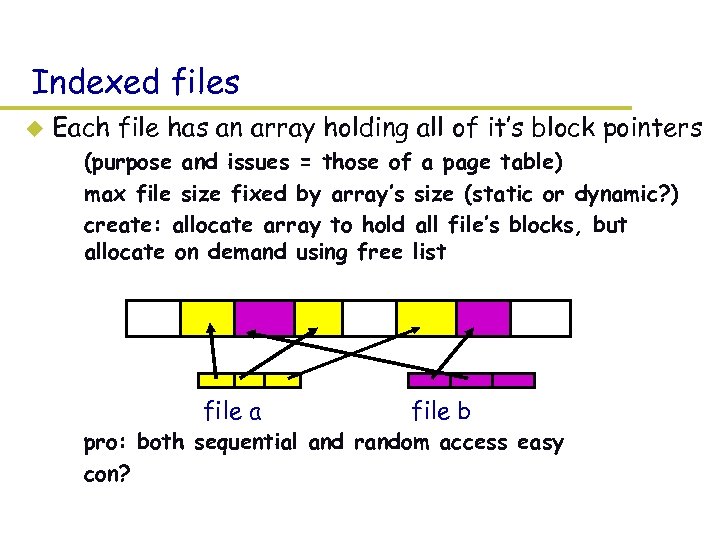 Indexed files u Each file has an array holding all of it’s block pointers – (purpose and issues = those of a page table) – max file size fixed by array’s size (static or dynamic? ) – create: allocate array to hold all file’s blocks, but allocate on demand using free list file a file b – pro: both sequential and random access easy – con?
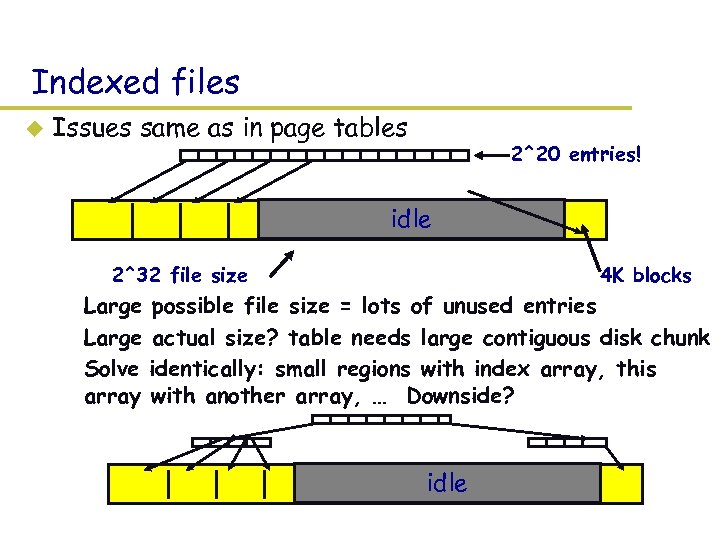 Indexed files u Issues same as in page tables 2^20 entries! idle 2^32 file size 4 K blocks – Large possible file size = lots of unused entries – Large actual size? table needs large contiguous disk chunk – Solve identically: small regions with index array, this array with another array, … Downside? idle
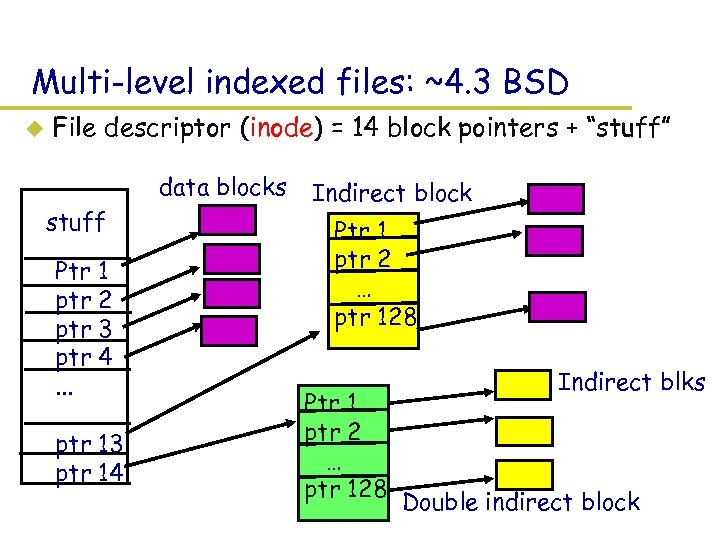 Multi-level indexed files: ~4. 3 BSD u File descriptor (inode) = 14 block pointers + “stuff” data blocks stuff Ptr 1 ptr 2 ptr 3 ptr 4. . . ptr 13 ptr 14 Indirect block Ptr 1 ptr 2 … ptr 128 Indirect blks Double indirect block
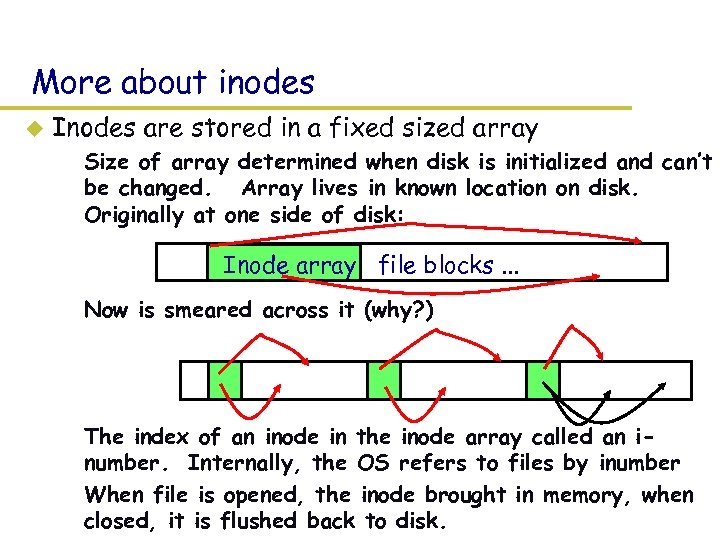 More about inodes u Inodes are stored in a fixed sized array – Size of array determined when disk is initialized and can’t be changed. Array lives in known location on disk. Originally at one side of disk: Inode array file blocks. . . – Now is smeared across it (why? ) – The index of an inode in the inode array called an inumber. Internally, the OS refers to files by inumber – When file is opened, the inode brought in memory, when closed, it is flushed back to disk.
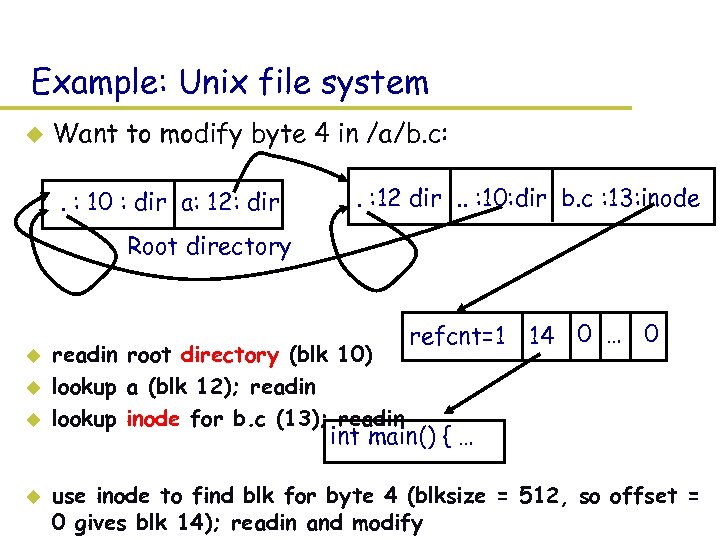 Example: Unix file system u Want to modify byte 4 in /a/b. c: . : 10 : dir a: 12: dir . : 12 dir. . : 10: dir b. c : 13: inode Root directory u u readin root directory (blk 10) lookup a (blk 12); readin lookup inode for b. c (13); readin refcnt=1 14 0 … 0 int main() { … use inode to find blk for byte 4 (blksize = 512, so offset = 0 gives blk 14); readin and modify
 Fighting failure u In general, coping with failure consists of first defining a failure model composed of – Acceptable failures. E. g. , the earth is destroyed by weirdos from Mars. The loss of a file viewed as unavoidable. – Unacceptable failures. E. g. power outage: lost file not ok u Second, devise a recovery procedure for each unacceptable failure: – takes system from a precisely understood but incorrect state to a new precisely understood and correct state. u Dealing with failure is *hard* – Containing effects of failure is complicated. – How to anticipate everything you haven’t anticipated?
 The rest today: concrete cases u What happens during crash happens during – creating, moving, deleting, growing a file? u Woven throughout: how to deal with errors – the simplest approach: synchronous writes + fsck
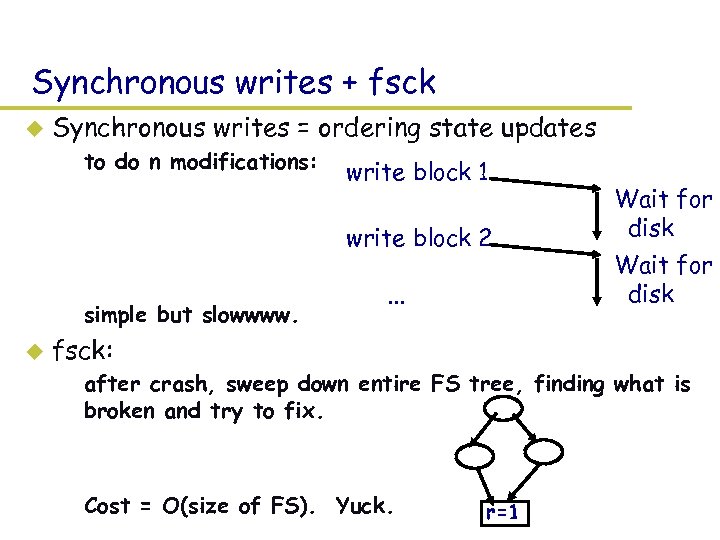 Synchronous writes + fsck u Synchronous writes = ordering state updates – to do n modifications: write block 1 write block 2 – simple but slowwww. u . . . Wait for disk fsck: – after crash, sweep down entire FS tree, finding what is broken and try to fix. – Cost = O(size of FS). Yuck. r=1
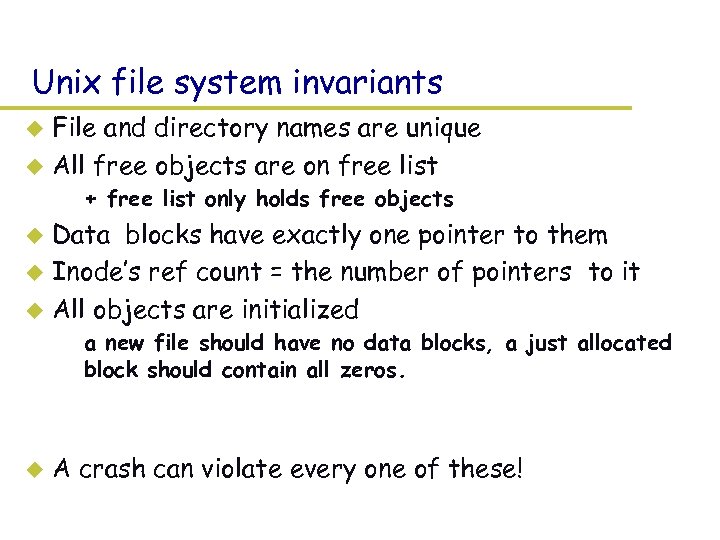 Unix file system invariants File and directory names are unique u All free objects are on free list u – + free list only holds free objects Data blocks have exactly one pointer to them u Inode’s ref count = the number of pointers to it u All objects are initialized u – a new file should have no data blocks, a just allocated block should contain all zeros. u A crash can violate every one of these!
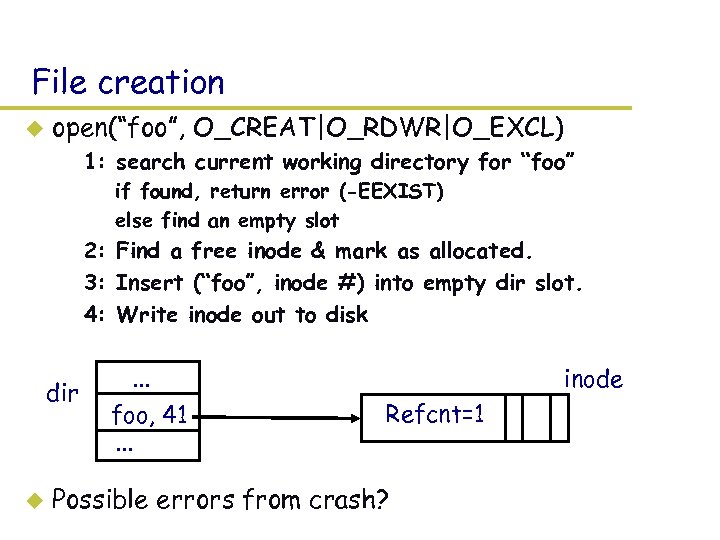 File creation u open(“foo”, O_CREAT|O_RDWR|O_EXCL) – 1: search current working directory for “foo” » if found, return error (-EEXIST) » else find an empty slot – 2: Find a free inode & mark as allocated. – 3: Insert (“foo”, inode #) into empty dir slot. – 4: Write inode out to disk dir u . . . foo, 41. . . inode Refcnt=1 Possible errors from crash?
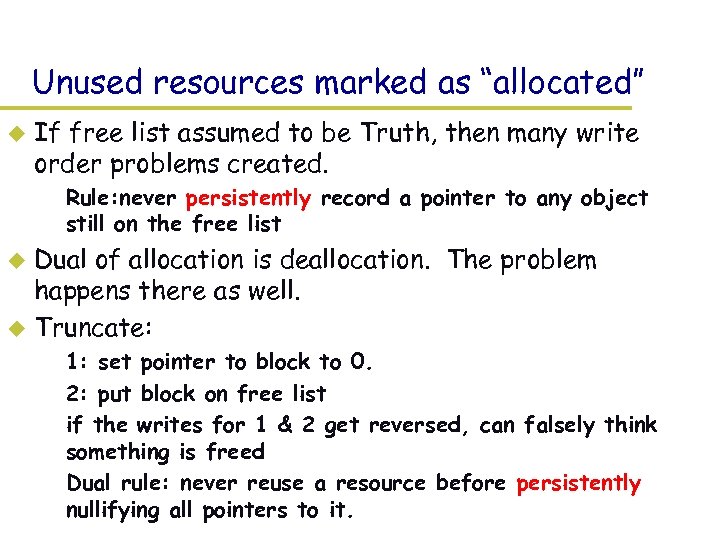 Unused resources marked as “allocated” u If free list assumed to be Truth, then many write order problems created. – Rule: never persistently record a pointer to any object still on the free list Dual of allocation is deallocation. The problem happens there as well. u Truncate: u – 1: set pointer to block to 0. – 2: put block on free list – if the writes for 1 & 2 get reversed, can falsely think something is freed – Dual rule: never reuse a resource before persistently nullifying all pointers to it.
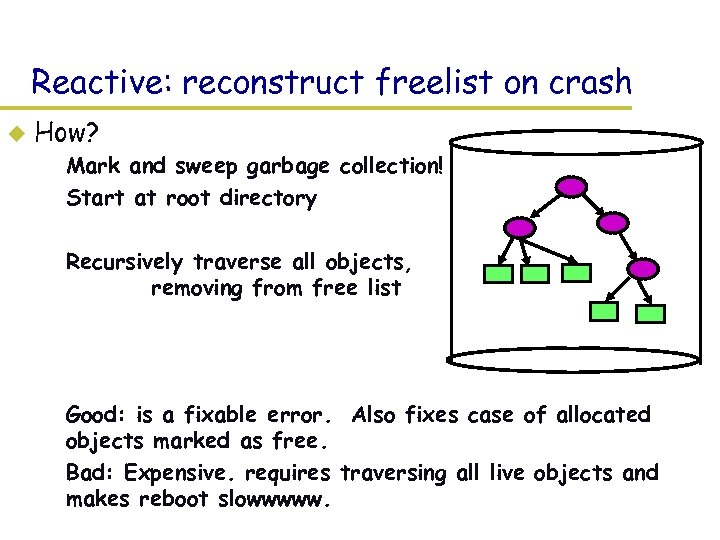 Reactive: reconstruct freelist on crash u How? – Mark and sweep garbage collection! – Start at root directory – Recursively traverse all objects, removing from free list – Good: is a fixable error. Also fixes case of allocated objects marked as free. – Bad: Expensive. requires traversing all live objects and makes reboot slowwwww.
 Pointers to uninitialized data Crash happens between the time pointer to object recorded and object initialized u Uninitialized data? u – Security hole: Can see what was in there before – Most file systems allow this, since expensive to prevent u Much worse: Uninitialized meta data – Filled with garbage. On a 4 GB disk, what will 32 -bit garbage block pointers look like? – Result: get control of disk blocks not supposed to have – *Major* security hole. – inode used to be a real inode? can see old file contents – inode points to blocks? Can view/modify other files
 Cannot fix, must prevent u Our rule: – never (persistently) point to a resource before it has been initialized u Implication: file create 2 or 3 synchronous writes! – Write 1: Write out freemap to disk. Wait. – Write 2: Write out 0 s to initialize inode. Wait. – Write 3: write out directory block containing pointer to inode. (maybe) Wait. (Why? )
 Deleting a file u Unlink(“foo”) – 1: traverse current working directory looking for “foo” » if not there, or wrong permissions, return error – 2: clear directory entry – 3: decrement inode’s reference count – 4: if count is zero, free inode and all blocks it points to u what happens if crash between 2&3, 3&4, after 4?
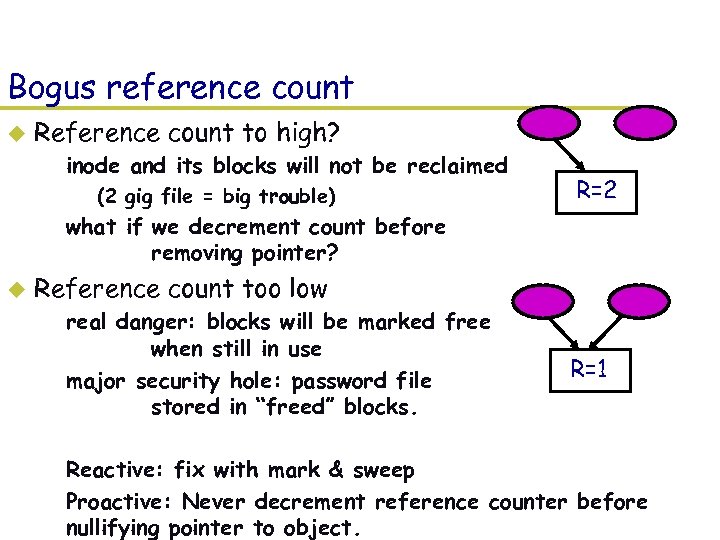 Bogus reference count u Reference count to high? – inode and its blocks will not be reclaimed » (2 gig file = big trouble) R=2 – what if we decrement count before removing pointer? u Reference count too low – real danger: blocks will be marked free when still in use – major security hole: password file stored in “freed” blocks. R=1 – Reactive: fix with mark & sweep – Proactive: Never decrement reference counter before nullifying pointer to object.
 Proactive vs reactive u Proactive: – pays cost at each mutation, but crash recovery less expensive. – E. g. , every time a block allocated or freed, have to synchronously write free list out. u Reactive: assumes crashes rare: – Fix reference counts and reconstruct free list during recovery – Eliminates 1 -2 disk writes per operation
 Growing a file u write(fd, &c, 1) – translate current file position (byte offset) into location in inode (or indirect block, double indirect, …) – if meta data already points to a block, modify the block and write back – otherwise: (1) allocate a free block, (2) write out free list, (3) write out block, (4) write out pointer to block What’s bad things a crash can do? u What about if we add block caching? u – “write back” cache? Orders can be flipped! – What’s a bad thing to reverse?
 Moving a file u mv foo bar (assume foo -> inode # 41) – lookup “foo” in current working directory » if does not exist or wrong permissions, return error – lookup “bar” in current working directory » if wrong permissions, return error – – 1: nuke (“foo”, inode 41) 2: insert (“bar”, inode 41) crash between 1 & 2? what about if 2 and 1 get reordered?
 Conservatively moving a file u Rule: – never reset old pointer to object before a new pointer has been set u mv foo bar (assume foo -> inode # 41) – lookup foo in current working directory » if does not exist or wrong permissions, return error – lookup bar in current working directory » if wrong permissions return error – – u 0: 1: 2: 3: increment inode 41’s reference count. Wait. insert (“bar”, inode 41). Wait. nuke (“foo”, inode 41). Wait. decrement inode 41’s reference count costly: 3 synchronous writes! How to exploit fsck?
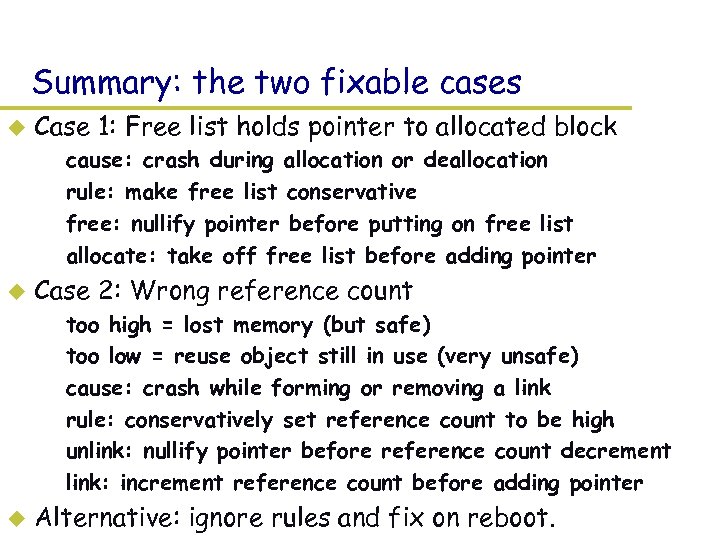 Summary: the two fixable cases u Case 1: Free list holds pointer to allocated block – – u Case 2: Wrong reference count – – – u cause: crash during allocation or deallocation rule: make free list conservative free: nullify pointer before putting on free list allocate: take off free list before adding pointer too high = lost memory (but safe) too low = reuse object still in use (very unsafe) cause: crash while forming or removing a link rule: conservatively set reference count to be high unlink: nullify pointer before reference count decrement link: increment reference count before adding pointer Alternative: ignore rules and fix on reboot.
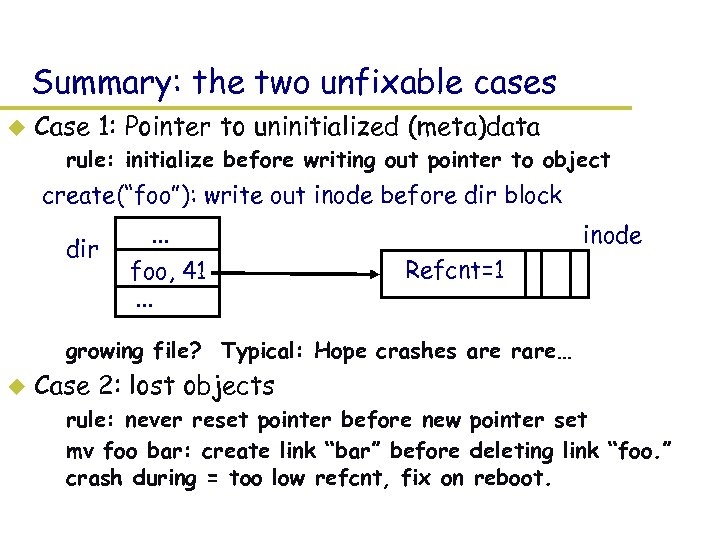 Summary: the two unfixable cases u Case 1: Pointer to uninitialized (meta)data – rule: initialize before writing out pointer to object create(“foo”): write out inode before dir block dir . . . foo, 41. . . inode Refcnt=1 – growing file? Typical: Hope crashes are rare… u Case 2: lost objects – rule: never reset pointer before new pointer set – mv foo bar: create link “bar” before deleting link “foo. ” crash during = too low refcnt, fix on reboot.
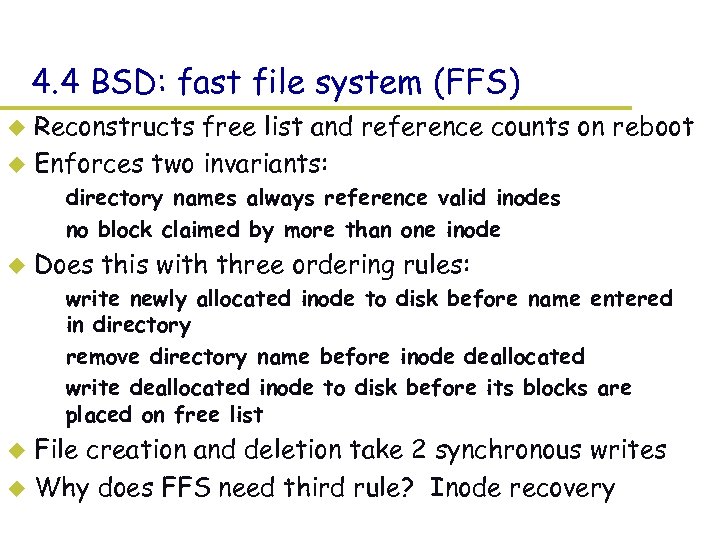 4. 4 BSD: fast file system (FFS) Reconstructs free list and reference counts on reboot u Enforces two invariants: u – directory names always reference valid inodes – no block claimed by more than one inode u Does this with three ordering rules: – write newly allocated inode to disk before name entered in directory – remove directory name before inode deallocated – write deallocated inode to disk before its blocks are placed on free list File creation and deletion take 2 synchronous writes u Why does FFS need third rule? Inode recovery u
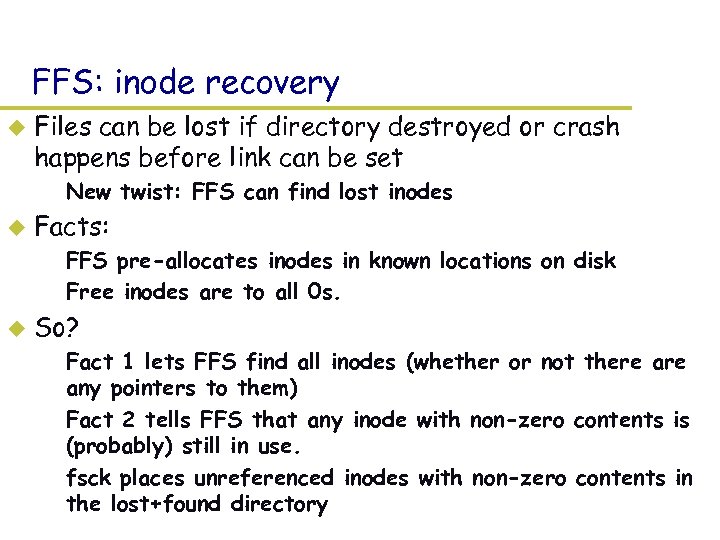 FFS: inode recovery u Files can be lost if directory destroyed or crash happens before link can be set – New twist: FFS can find lost inodes u Facts: – FFS pre-allocates inodes in known locations on disk – Free inodes are to all 0 s. u So? – Fact 1 lets FFS find all inodes (whether or not there any pointers to them) – Fact 2 tells FFS that any inode with non-zero contents is (probably) still in use. – fsck places unreferenced inodes with non-zero contents in the lost+found directory
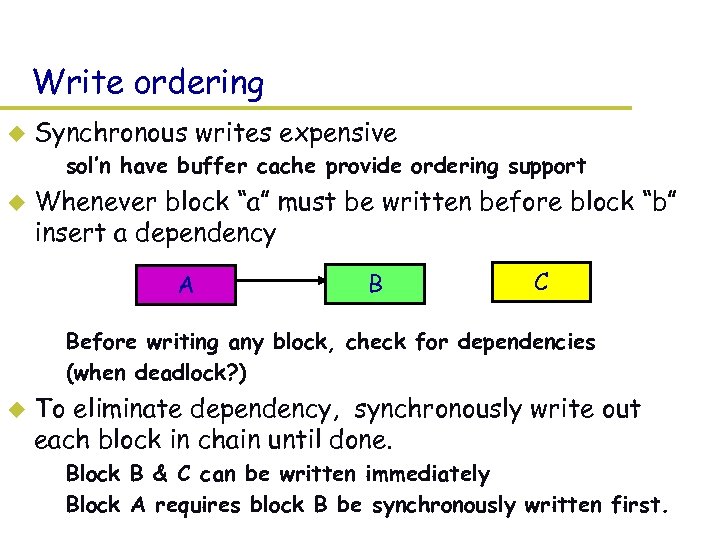 Write ordering u Synchronous writes expensive – sol’n have buffer cache provide ordering support u Whenever block “a” must be written before block “b” insert a dependency A B C – Before writing any block, check for dependencies – (when deadlock? ) u To eliminate dependency, synchronously write out each block in chain until done. – Block B & C can be written immediately – Block A requires block B be synchronously written first.
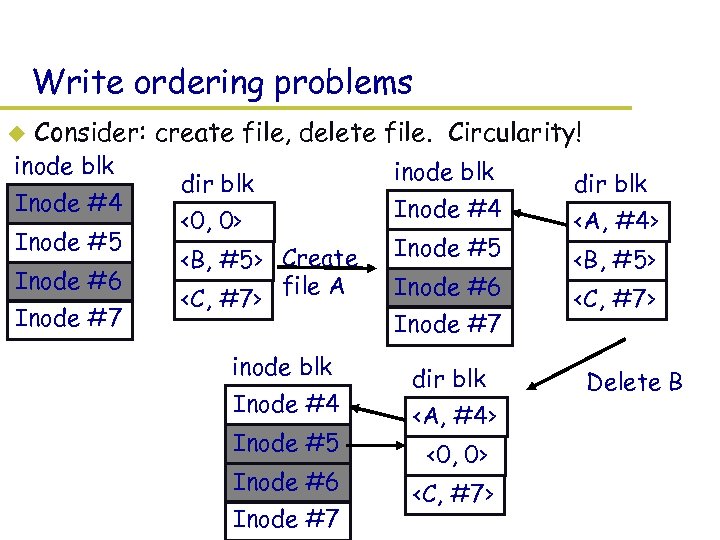 Write ordering problems u Consider: create file, delete file. Circularity! inode blk Inode #4 Inode #5 Inode #6 Inode #7 dir blk <0, 0>
 Previous slides, Now u Last slides – Crash Recovery techniques Ø Write data twice in two different places » Used state duplication and idempotent actions to create arbitrary sized atomic disk updates. Ø Careful updates » Order writes to aid in recovery. u Now – logging – Write twice but two different forms
 Logging u What/need to know what was happening at the time of the crash. – Observation: Only need to fix up things that are in the middle of changing. Normally a small fraction of total disk. Idea: lets keep track of what operations are in progress and use this for recovery. It’s keep a “log” of all operations, upon a crash we can scan through the log and find problem areas that need fixing. u One small problem: Log needs to be in non-volatile memory! u
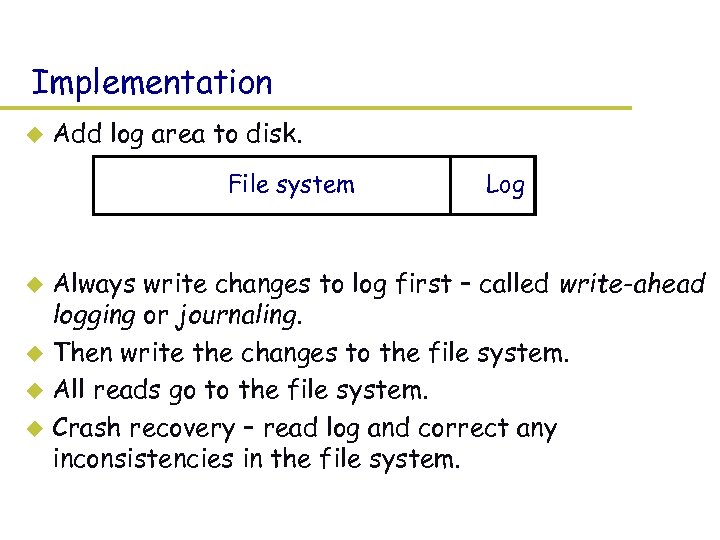 Implementation u Add log area to disk. File system Log Always write changes to log first – called write-ahead logging or journaling. u Then write the changes to the file system. u All reads go to the file system. u Crash recovery – read log and correct any inconsistencies in the file system. u
 Issue - Performance u Two disk writes (on different parts of the disk) for every change? – Observation: Once written to the log, the change doesn’t need to be immediately written to the file system part of disk. Why? – It’s safe to use a write-back file cache. – Normal operation: » Changes made in memory and logged to disk. » Merge multiple changes to same block. Much less than two writes per change. u Synchronous writes are on every file system change? – Observation: Log writes are sequential on disk so even synchronous writes can be fast. – Best performance if log on separate disk.
 Issue - Log management u How big is the log? Same size as the file system? – Can we reclaim space? Observation: Log only need for crash recover. u Checkpoint operation – make in-memory copy of file system (file cache) consistent with disk. u – After a checkpoint, can truncate log and start again. Log only needs to be big enough to hold change being kept in memory. u Most logging file systems only log metadata (file descriptors and directories) and not file data to keep log size down. u
 Log format What exactly do we log? u Possible choices: u – Physical block image Example: directory block and inode block. » + easy to implement, -takes much space » Which block image? u Before operation: Easy to go backward during recovery u After operation: Easy to go forward during recovery. u Both: Can go either way. – Logical operation – Example: Add name “foo” to directory #41 – + more compact, -more work at recovery time
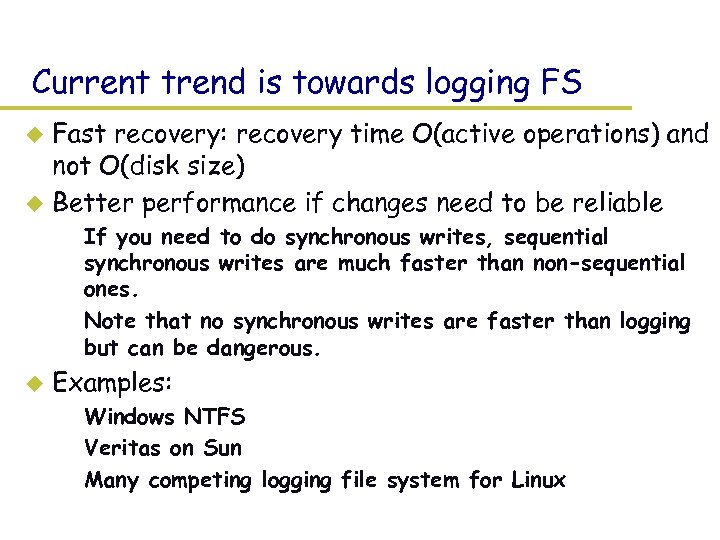 Current trend is towards logging FS Fast recovery: recovery time O(active operations) and not O(disk size) u Better performance if changes need to be reliable u – If you need to do synchronous writes, sequential synchronous writes are much faster than non-sequential ones. – Note that no synchronous writes are faster than logging but can be dangerous. u Examples: – Windows NTFS – Veritas on Sun – Many competing logging file system for Linux
 Any Questions? See you next time.