


 Скачать презентацию To do Make equipment list for Principles
71a16d8378c9f700ac0c7247138079f8.ppt
- Количество слайдов: 178
 To do • Make equipment list for Principles of Loudspeakers lab • Make setup diagram for Hearing lab
 Lab Setup A Guide Prepared for Physics in the Arts (Physics 109) TAs
 Lab Setup Guide • A guide for TAs of the Physics in the Arts • Experienced TAs: – Modify details as needed • Grouping all drawing objects in each slide avoids unintended movement of objects • Some slides have multi-line notes – Note contents are visible in Outline View, Normal View or Notes Page (accessed through View menu -> Notes Page) • None of the slides should be directly shown to students – Modify slides in a manner appropriate for showing to students • Slides not copyright-safe yet – The guide must be used only by the TAs of the semester & must not be shared on a server with public access. Last updated: May 1, 2007
 Before the Semester Begins. . . • Experienced TAs are responsible for checking consumable items and requesting orders – Principles of Loudspeakers • – Musical Instruments • • – ILFORD Ortho Plus (Orthochromatic Film) ILFORD MULTI GRADE IV RC DE LUXE (Photographic Paper) KODAK Professional D-76 Developer (Chemicals for Developing) KODAK Dektol Developer (Chemicals for Developing) KODAK Rapid Fixer (Chemicals for Developing) HG 89 HEICO PERMAWASH (Chemicals for Developing) Additive Color Mixing • • – Reeds for Clarinet, Oboe and Saxophone, Strings for Guitar, Viola and Violin Maintain proper humidity level for stringed instruments Photography (Photography_Lab_Supplies. xls helps you determine the amount needed) • • • – Beads or plastic pellets used on 12" loudspeaker cone Replacement projector bulbs (300 W and 500 W) Assorted color papers Subtractive Color: Filters & Paint • Assorted color papers – • Daler-Rowney System 3 Acrylic Paints – • Must Have: Yellows (high & low saturation), Red & Pink, Orange & Brown Process Yellow 675, Process Cyan 120, Fluorescent Pink (instead of Process Magenta 412) CHROMA A 2® Acrylic Paints – Titanium White, Carbon Black
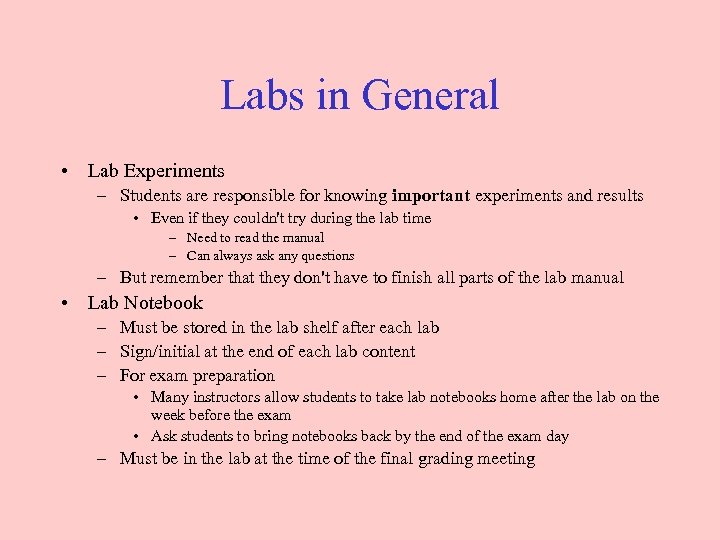 Labs in General • Lab Experiments – Students are responsible for knowing important experiments and results • Even if they couldn't try during the lab time – Need to read the manual – Can always ask any questions – But remember that they don't have to finish all parts of the lab manual • Lab Notebook – Must be stored in the lab shelf after each lab – Sign/initial at the end of each lab content – For exam preparation • Many instructors allow students to take lab notebooks home after the lab on the week before the exam • Ask students to bring notebooks back by the end of the exam day – Must be in the lab at the time of the final grading meeting
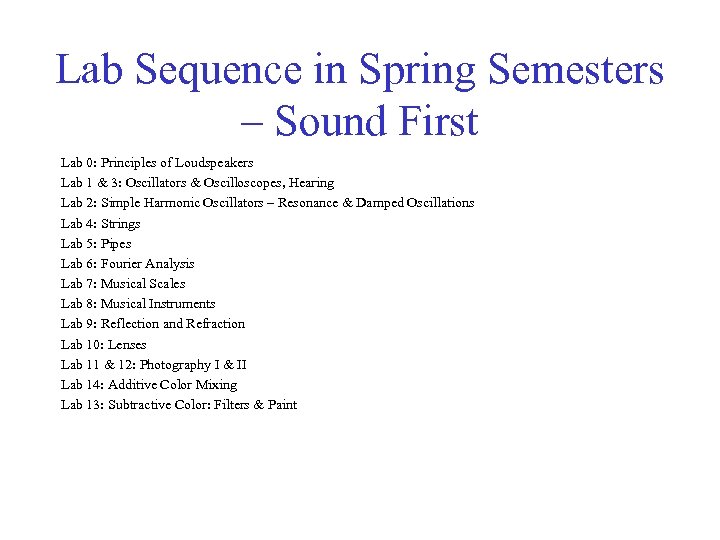 Lab Sequence in Spring Semesters – Sound First Lab 0: Principles of Loudspeakers Lab 1 & 3: Oscillators & Oscilloscopes, Hearing Lab 2: Simple Harmonic Oscillators – Resonance & Damped Oscillations Lab 4: Strings Lab 5: Pipes Lab 6: Fourier Analysis Lab 7: Musical Scales Lab 8: Musical Instruments Lab 9: Reflection and Refraction Lab 10: Lenses Lab 11 & 12: Photography I & II Lab 14: Additive Color Mixing Lab 13: Subtractive Color: Filters & Paint
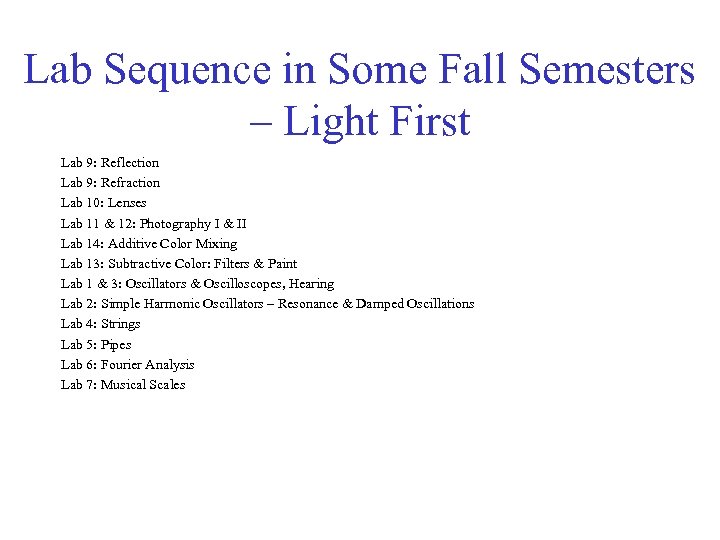 Lab Sequence in Some Fall Semesters – Light First Lab 9: Reflection Lab 9: Refraction Lab 10: Lenses Lab 11 & 12: Photography I & II Lab 14: Additive Color Mixing Lab 13: Subtractive Color: Filters & Paint Lab 1 & 3: Oscillators & Oscilloscopes, Hearing Lab 2: Simple Harmonic Oscillators – Resonance & Damped Oscillations Lab 4: Strings Lab 5: Pipes Lab 6: Fourier Analysis Lab 7: Musical Scales
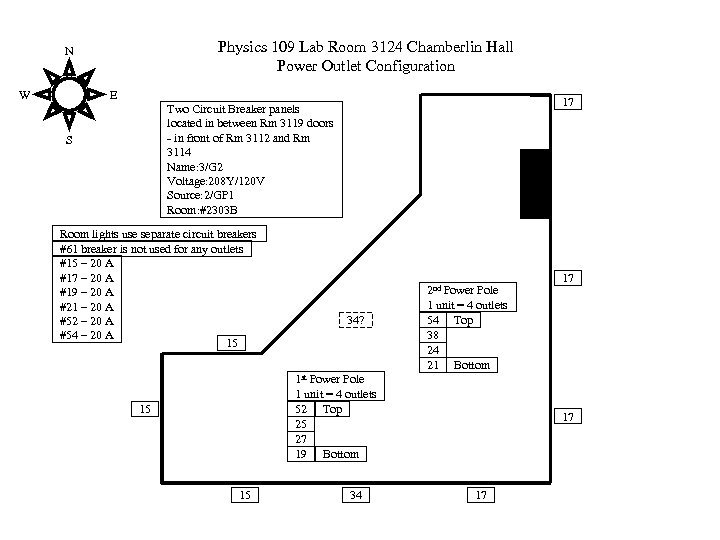 Physics 109 Lab Room 3124 Chamberlin Hall Power Outlet Configuration N W E 17 Two Circuit Breaker panels located in between Rm 3119 doors - in front of Rm 3112 and Rm 3114 Name: 3/G 2 Voltage: 208 Y/120 V Source: 2/GP 1 Room: #2303 B S Room lights use separate circuit breakers #61 breaker is not used for any outlets #15 – 20 A #17 – 20 A #19 – 20 A #21 – 20 A #52 – 20 A #54 – 20 A 15 34? 2 nd Power Pole 1 unit = 4 outlets 54 Top 38 24 21 Bottom 1 st Power Pole 1 unit = 4 outlets 52 Top 25 27 19 Bottom 15 15 34 17 17 17
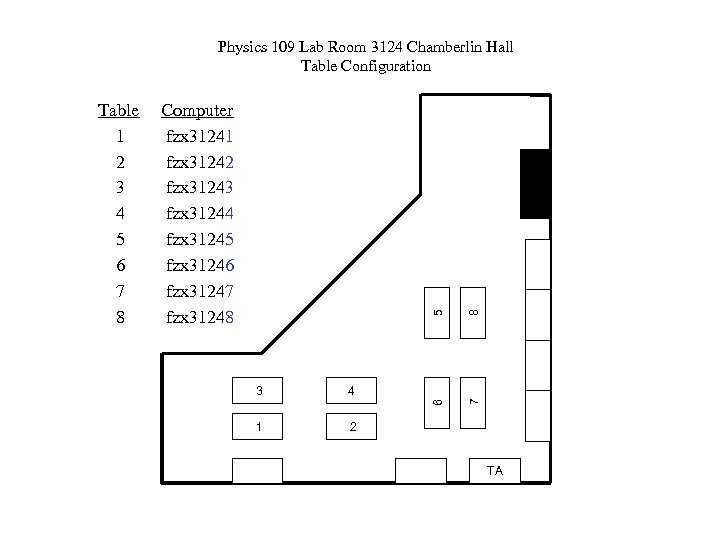 5 3 4 1 8 Computer fzx 31241 fzx 31242 fzx 31243 fzx 31244 fzx 31245 fzx 31246 fzx 31247 fzx 31248 6 Table 1 2 3 4 5 6 7 8 7 Physics 109 Lab Room 3124 Chamberlin Hall Table Configuration 2 TA
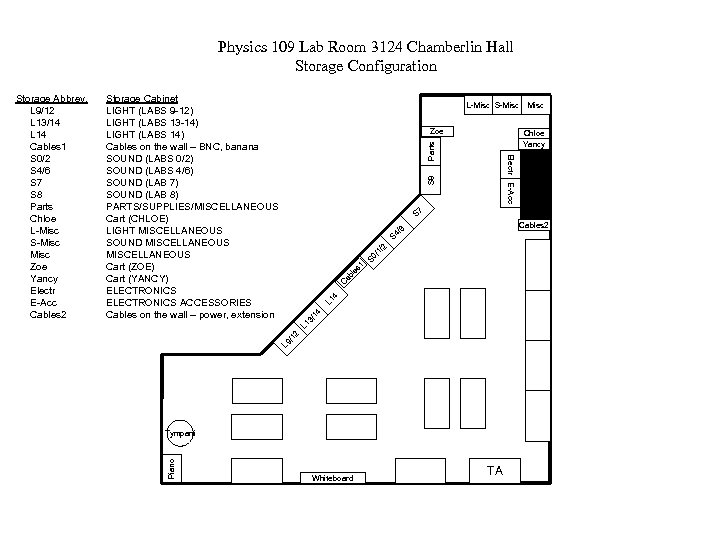 Physics 109 Lab Room 3124 Chamberlin Hall Storage Configuration Storage Cabinet LIGHT (LABS 9 -12) LIGHT (LABS 13 -14) LIGHT (LABS 14) Cables on the wall – BNC, banana SOUND (LABS 0/2) SOUND (LABS 4/6) SOUND (LAB 7) SOUND (LAB 8) PARTS/SUPPLIES/MISCELLANEOUS Cart (CHLOE) LIGHT MISCELLANEOUS SOUND MISCELLANEOUS Cart (ZOE) Cart (YANCY) ELECTRONICS ACCESSORIES Cables on the wall – power, extension L-Misc S-Misc Zoe Parts Chloe Yancy S 8 S 7 L 9 /1 2 L 1 3/ 14 L 1 4 C ab le s 1 S 0 /1 /2 S 4 /6 Cables 2 Tympani Piano Misc Electr E-Acc Storage Abbrev. L 9/12 L 13/14 L 14 Cables 1 S 0/2 S 4/6 S 7 S 8 Parts Chloe L-Misc S-Misc Zoe Yancy Electr E-Acc Cables 2 Whiteboard TA
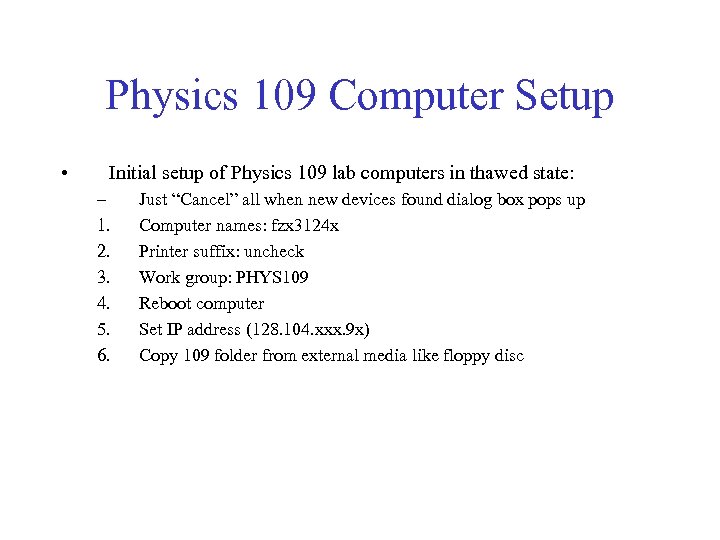 Physics 109 Computer Setup • Initial setup of Physics 109 lab computers in thawed state: – 1. 2. 3. 4. 5. 6. Just “Cancel” all when new devices found dialog box pops up Computer names: fzx 3124 x Printer suffix: uncheck Work group: PHYS 109 Reboot computer Set IP address (128. 104. xxx. 9 x) Copy 109 folder from external media like floppy disc
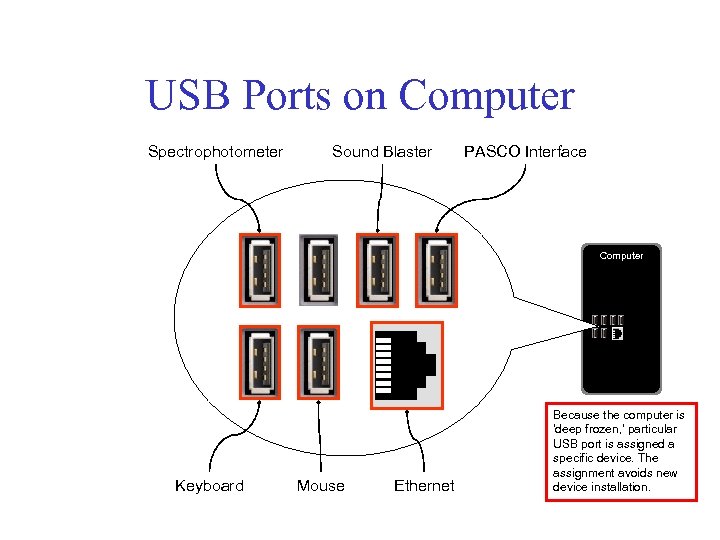 USB Ports on Computer Spectrophotometer Sound Blaster PASCO Interface Computer Keyboard Mouse Ethernet Because the computer is 'deep frozen, ' particular USB port is assigned a specific device. The assignment avoids new device installation.
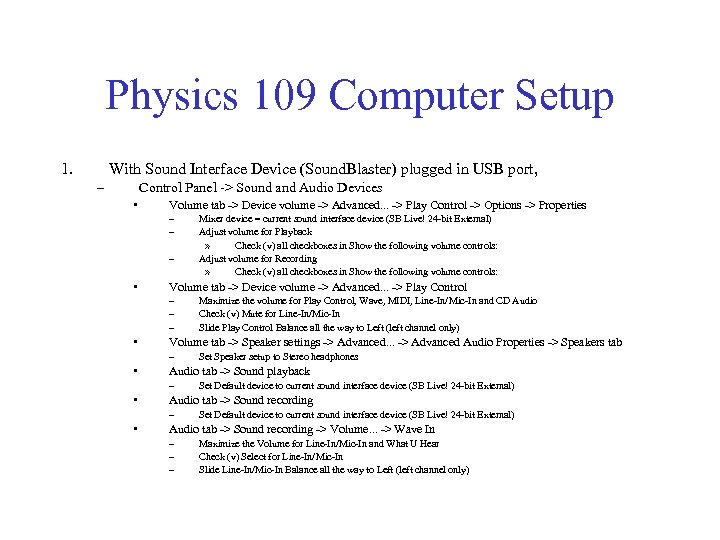 Physics 109 Computer Setup 1. With Sound Interface Device (Sound. Blaster) plugged in USB port, – Control Panel -> Sound and Audio Devices • Volume tab -> Device volume -> Advanced. . . -> Play Control -> Options -> Properties – – – • Volume tab -> Device volume -> Advanced. . . -> Play Control – – – • Set Default device to current sound interface device (SB Live! 24 -bit External) Audio tab -> Sound recording – • Set Speaker setup to Stereo headphones Audio tab -> Sound playback – • Maximize the volume for Play Control, Wave, MIDI, Line-In/Mic-In and CD Audio Check (v) Mute for Line-In/Mic-In Slide Play Control Balance all the way to Left (left channel only) Volume tab -> Speaker settings -> Advanced. . . -> Advanced Audio Properties -> Speakers tab – • Mixer device = current sound interface device (SB Live! 24 -bit External) Adjust volume for Playback » Check (v) all checkboxes in Show the following volume controls: Adjust volume for Recording » Check (v) all checkboxes in Show the following volume controls: Set Default device to current sound interface device (SB Live! 24 -bit External) Audio tab -> Sound recording -> Volume. . . -> Wave In – – – Maximize the Volume for Line-In/Mic-In and What U Hear Check (v) Select for Line-In/Mic-In Slide Line-In/Mic-In Balance all the way to Left (left channel only)
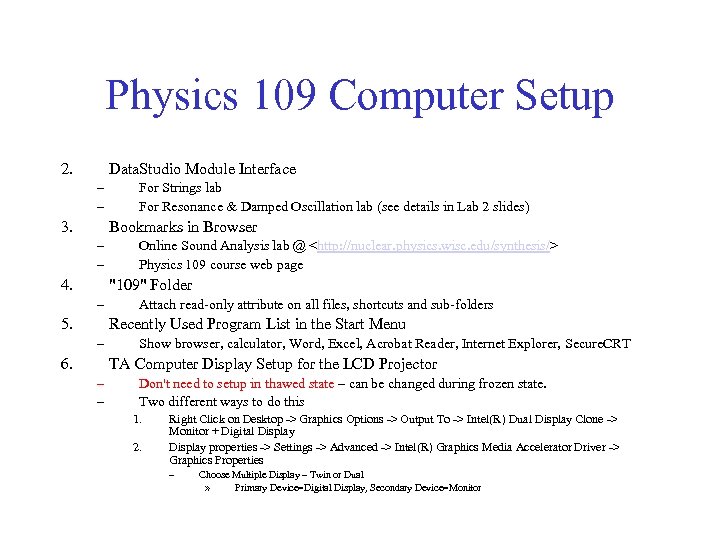 Physics 109 Computer Setup 2. Data. Studio Module Interface – – 3. For Strings lab For Resonance & Damped Oscillation lab (see details in Lab 2 slides) Bookmarks in Browser – – 4. Online Sound Analysis lab @
 Principles of Loudspeakers Lab 0
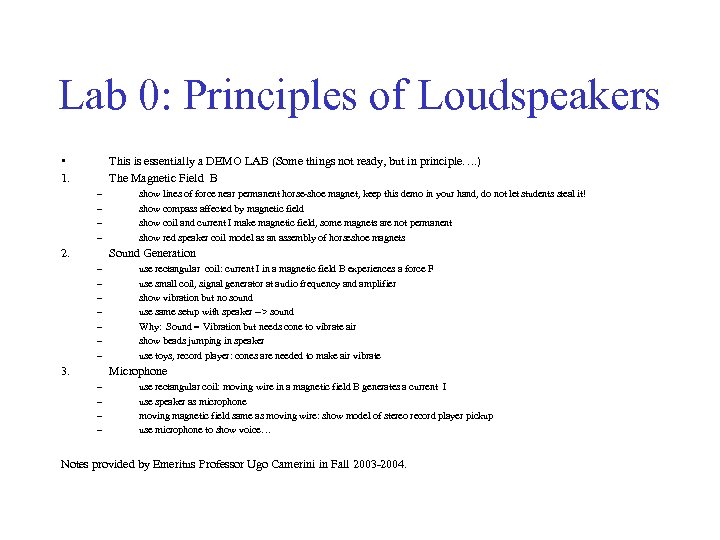 Lab 0: Principles of Loudspeakers • 1. This is essentially a DEMO LAB (Some things not ready, but in principle…. ) The Magnetic Field B – – 2. show lines of force near permanent horse-shoe magnet, keep this demo in your hand, do not let students steal it! show compass affected by magnetic field show coil and current I make magnetic field, some magnets are not permanent show red speaker coil model as an assembly of horseshoe magnets Sound Generation – – – – 3. use rectangular coil: current I in a magnetic field B experiences a force F use small coil, signal generator at audio frequency and amplifier show vibration but no sound use same setup with speaker --> sound Why: Sound = Vibration but needs cone to vibrate air show beads jumping in speaker use toys, record player: cones are needed to make air vibrate Microphone – – use rectangular coil: moving wire in a magnetic field B generates a current I use speaker as microphone moving magnetic field same as moving wire: show model of stereo record player pickup use microphone to show voice… Notes provided by Emeritus Professor Ugo Camerini in Fall 2003 -2004.
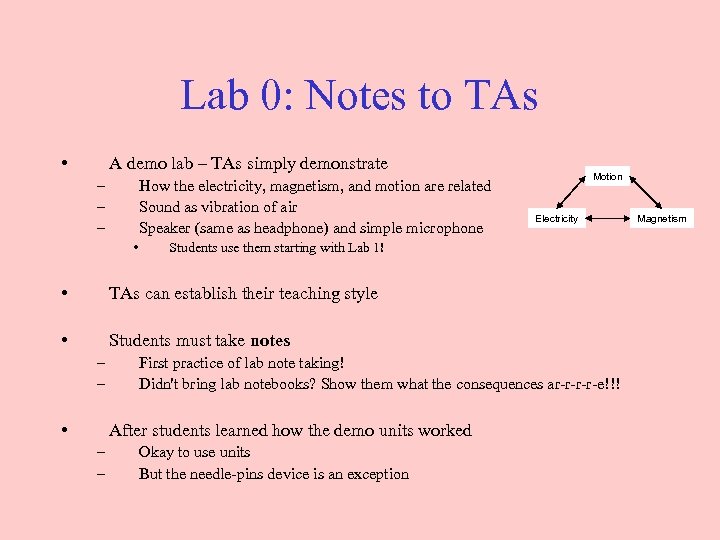 Lab 0: Notes to TAs • A demo lab – TAs simply demonstrate – – – How the electricity, magnetism, and motion are related Sound as vibration of air Speaker (same as headphone) and simple microphone • Motion Electricity Students use them starting with Lab 1! • TAs can establish their teaching style • Students must take notes – – • First practice of lab note taking! Didn't bring lab notebooks? Show them what the consequences ar-r-e!!! After students learned how the demo units worked – – Okay to use units But the needle-pins device is an exception Magnetism
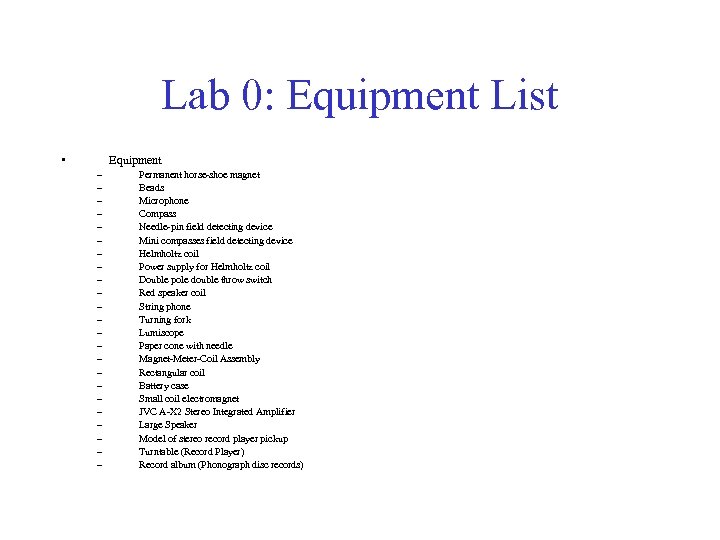 Lab 0: Equipment List • Equipment – – – – – – Permanent horse-shoe magnet Beads Microphone Compass Needle-pin field detecting device Mini compasses field detecting device Helmholtz coil Power supply for Helmholtz coil Double pole double throw switch Red speaker coil String phone Turning fork Lumiscope Paper cone with needle Magnet-Meter-Coil Assembly Rectangular coil Battery case Small coil electromagnet JVC A-X 2 Stereo Integrated Amplifier Large Speaker Model of stereo record player pickup Turntable (Record Player) Record album (Phonograph disc records)
 Oscillators & Oscilloscopes Lab 1 Often combined with Lab 3 Hearing – budget lab time
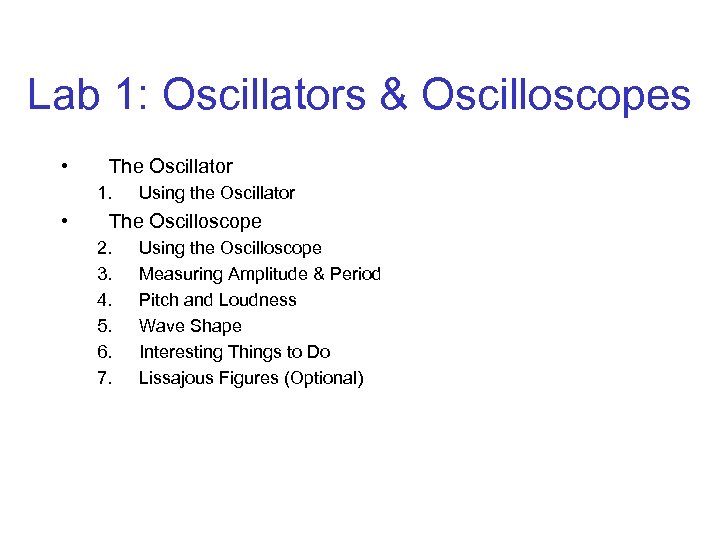 Lab 1: Oscillators & Oscilloscopes • The Oscillator 1. • Using the Oscillator The Oscilloscope 2. 3. 4. 5. 6. 7. Using the Oscilloscope Measuring Amplitude & Period Pitch and Loudness Wave Shape Interesting Things to Do Lissajous Figures (Optional)
 Lab 1: Precautions • Hearing Damage – • Warn students of the potential hearing damage by the large output amplitude from function generator. Data and Observation – Tell students to record numbers and observations directly as they appear on devices No need for second guesses or interpretations! – • Test Individually – • Test of frequency range of hearing should be done individually For semesters in which both Lab 1 and Lab 3 are covered in one lab session – – Ask professors to assign priorities to experiments Write the order of experiments on the board • • Simply tell students that experiments had better be done in the order Never tell them some experiments are not important
 Lab 1: Notes to Students • Hearing Damage – • Could occur by a large output amplitude from function generator. Data and Observation – • Record numbers and observations directly as they appear on devices Test Individually – Test of frequency range of hearing should be done individually
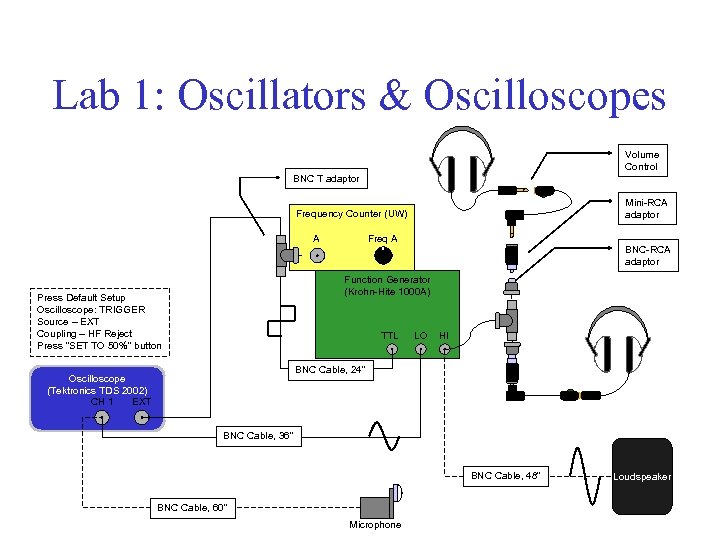 Lab 1: Oscillators & Oscilloscopes Volume Control BNC T adaptor Mini-RCA adaptor Frequency Counter (UW) Freq A A BNC-RCA adaptor Function Generator (Krohn-Hite 1000 A) Press Default Setup Oscilloscope: TRIGGER Source – EXT Coupling – HF Reject Press "SET TO 50%" button TTL LO HI BNC Cable, 24" Oscilloscope (Tektronics TDS 2002) CH 1 EXT BNC Cable, 36" BNC Cable, 48" BNC Cable, 60" Microphone Loudspeaker
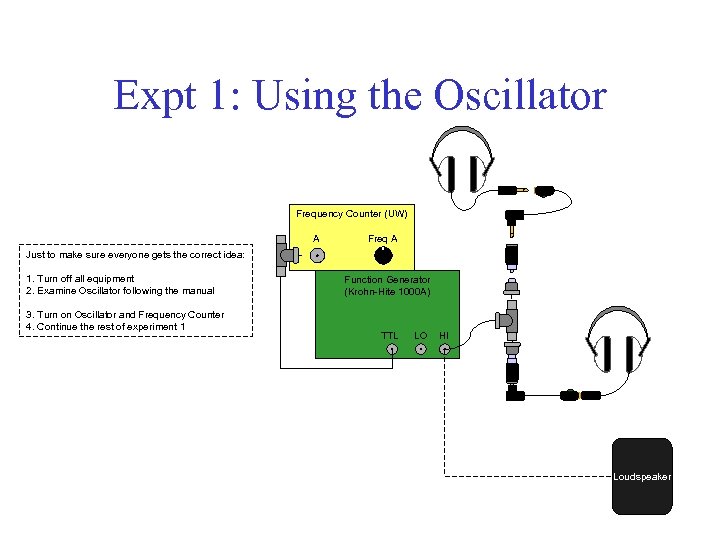 Expt 1: Using the Oscillator Frequency Counter (UW) A Freq A Just to make sure everyone gets the correct idea: 1. Turn off all equipment 2. Examine Oscillator following the manual 3. Turn on Oscillator and Frequency Counter 4. Continue the rest of experiment 1 Function Generator (Krohn-Hite 1000 A) TTL LO HI Loudspeaker
 Hearing Lab 3 Suggest to musicians and musicmajors to try out experiments
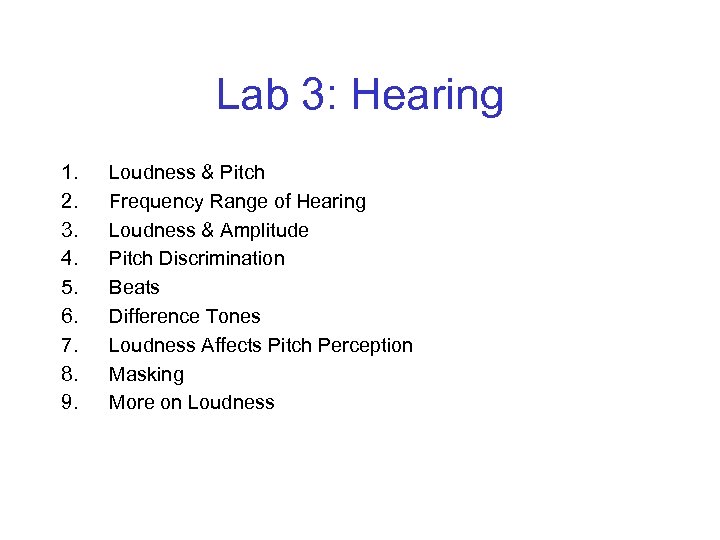 Lab 3: Hearing 1. 2. 3. 4. 5. 6. 7. 8. 9. Loudness & Pitch Frequency Range of Hearing Loudness & Amplitude Pitch Discrimination Beats Difference Tones Loudness Affects Pitch Perception Masking More on Loudness
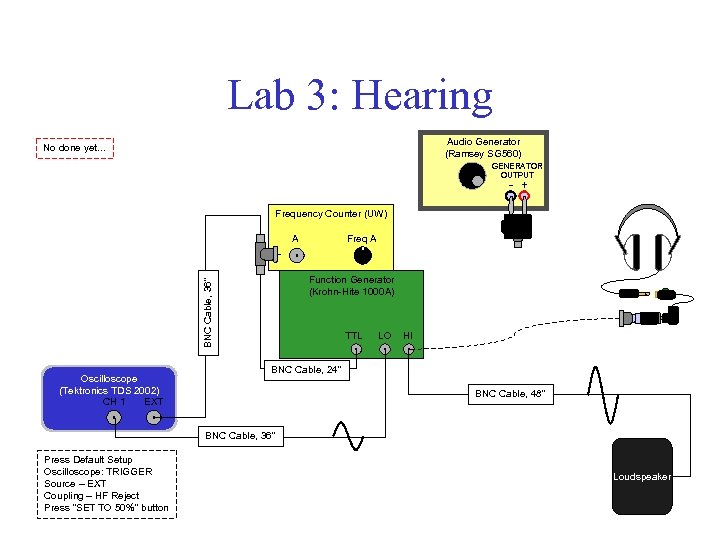 Lab 3: Hearing Audio Generator (Ramsey SG 560) No done yet. . . GENERATOR OUTPUT - + Frequency Counter (UW) Freq A A BNC Cable, 36" Function Generator (Krohn-Hite 1000 A) Oscilloscope (Tektronics TDS 2002) CH 1 EXT TTL LO HI BNC Cable, 24" BNC Cable, 48" BNC Cable, 36" Press Default Setup Oscilloscope: TRIGGER Source – EXT Coupling – HF Reject Press "SET TO 50%" button Loudspeaker
 Simple Harmonic Oscillators Lab 2
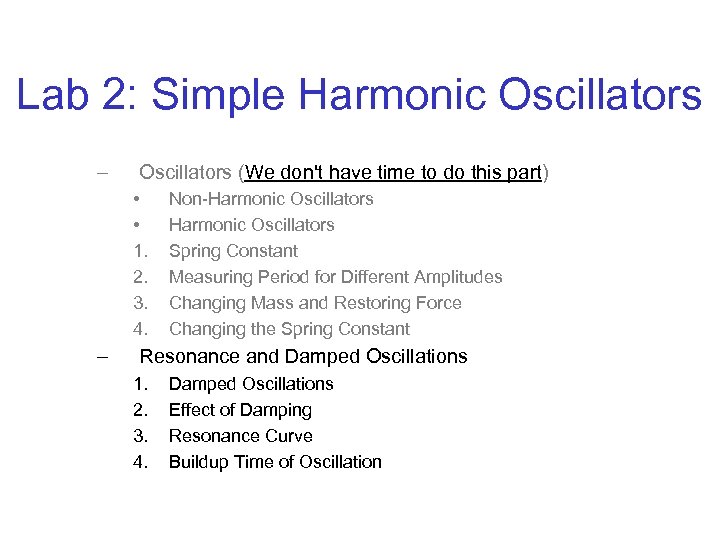 Lab 2: Simple Harmonic Oscillators – Oscillators (We don't have time to do this part) • • 1. 2. 3. 4. – Non-Harmonic Oscillators Spring Constant Measuring Period for Different Amplitudes Changing Mass and Restoring Force Changing the Spring Constant Resonance and Damped Oscillations 1. 2. 3. 4. Damped Oscillations Effect of Damping Resonance Curve Buildup Time of Oscillation
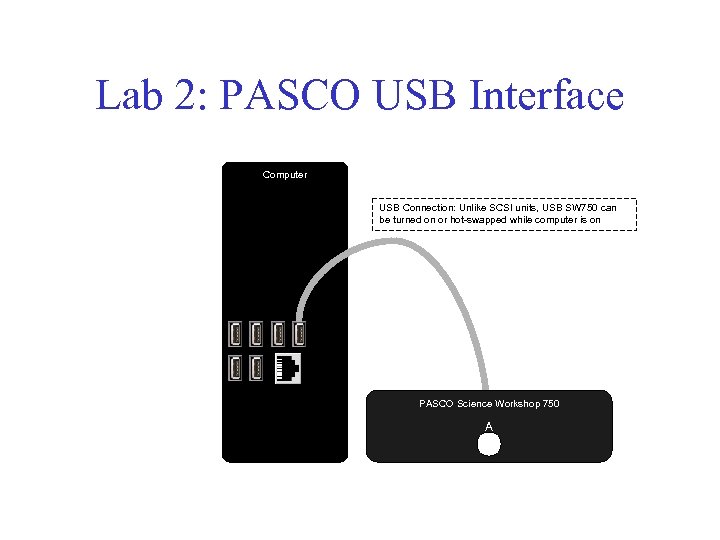 Lab 2: PASCO USB Interface Computer USB Connection: Unlike SCSI units, USB SW 750 can be turned on or hot-swapped while computer is on PASCO Science Workshop 750 A
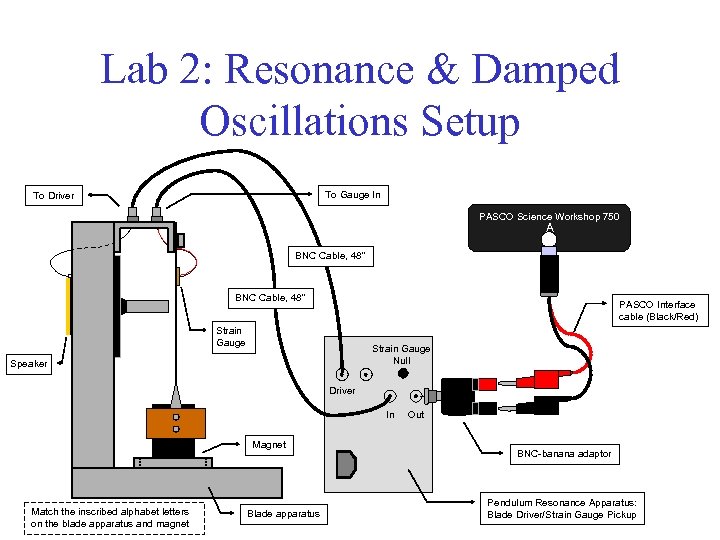 Lab 2: Resonance & Damped Oscillations Setup To Gauge In To Driver PASCO Science Workshop 750 A BNC Cable, 48" PASCO Interface cable (Black/Red) Strain Gauge Null Speaker Driver In Magnet Match the inscribed alphabet letters on the blade apparatus and magnet Blade apparatus Out BNC-banana adaptor Pendulum Resonance Apparatus: Blade Driver/Strain Gauge Pickup
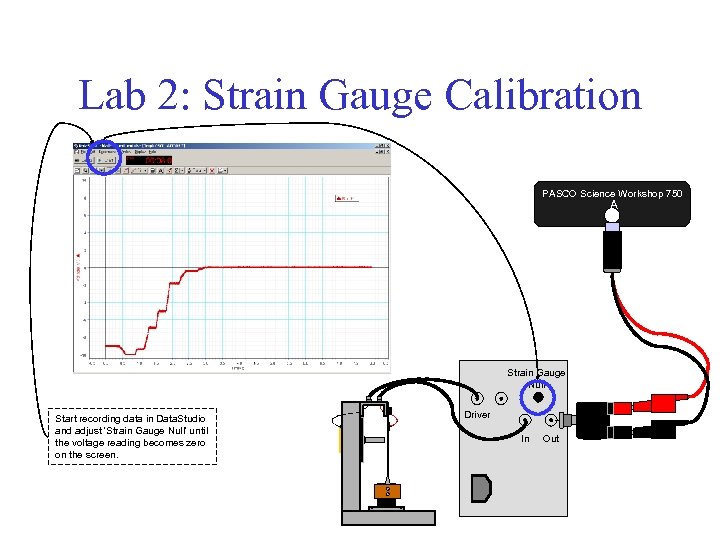 Lab 2: Strain Gauge Calibration PASCO Science Workshop 750 A Strain Gauge Null Start recording data in Data. Studio and adjust 'Strain Gauge Null' until the voltage reading becomes zero on the screen. Driver In Out
 Lab 2: Notes to TAs • – – • The natural frequency f. N and resonance frequency f. R are Near 10. 6 Hz for all Stainless Steel blades Usually slightly different in students' data while the lecture teaches that they are exactly the same Plucking method for damped oscillation measurements – Push the copper paddle toward the vertical frame • – The paddle will never hit the frame upon release Produce 5~6 V by the initial displacement • With too large a displacement, – – • The speaker system couples to the damping effect A plastic deformation (yielding) of the blade could occur The strain gauge reading usually drifts with time 1. 2. • Due to electronics or relaxation Due to yielding of the blade Data. Studio sometimes reports an error – • See slides titled "Data. Studio Errors" On tables 4, 6, 7 and 8, data may have a large noise. If this happens, try the following: – – Without changing frequency and amplitude, turn off driver and driver unit. Unplug power cable from the driver unit and power strip. Reconnect power cable, turn on driver unit and restart the driver Sometimes it works. . .
 Lab 2: Notes to Students • Changing the frequency by 0. 05 Hz – • Makes a large change in oscillation A near f. R! Change frequency knob in one direction during resonance experiments – • Increasing f direction is the easiest. Plucking method for damped oscillation measurements – • Push the copper paddle about 2/3 of the way toward the vertical frame from the equilibrium position Data. Studio sometimes reports an error – • Just press "Click To Connect" icon and restart measurement On some tables, data may have a large noise – Ask your TA to fix the problem!
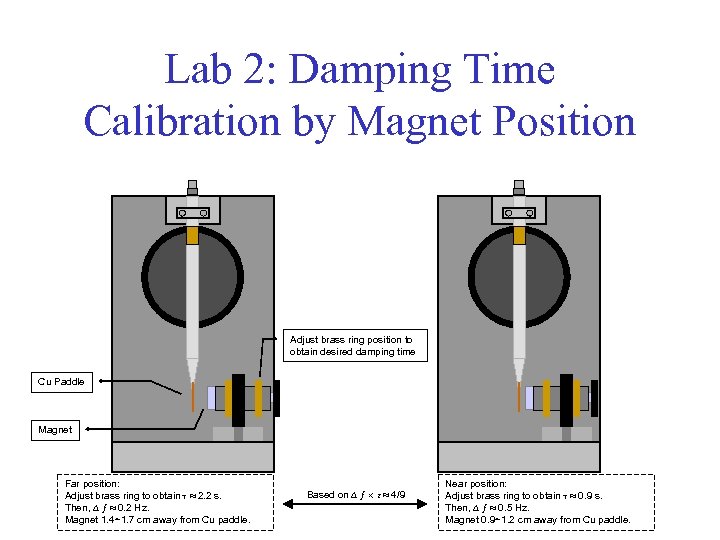 Lab 2: Damping Time Calibration by Magnet Position Adjust brass ring position to obtain desired damping time Cu Paddle Magnet Far position: Adjust brass ring to obtain 2. 2 s. Then, ƒ 0. 2 Hz. Magnet 1. 4~1. 7 cm away from Cu paddle. Based on ƒ 4/9 Near position: Adjust brass ring to obtain 0. 9 s. Then, ƒ 0. 5 Hz. Magnet 0. 9~1. 2 cm away from Cu paddle.
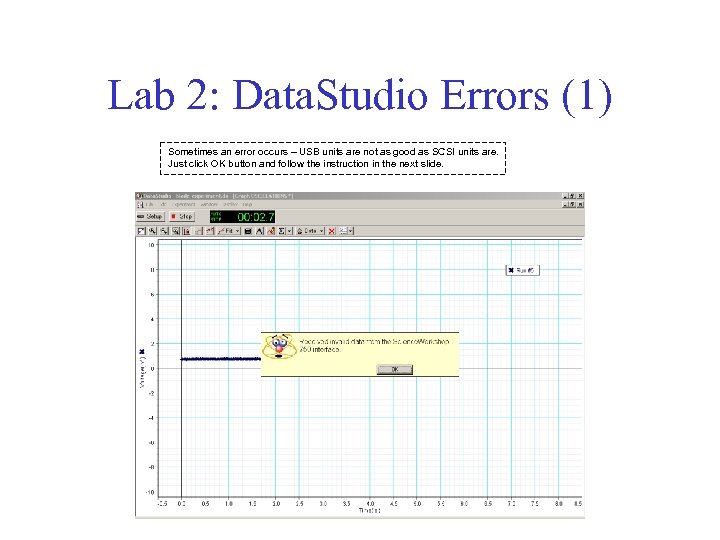 Lab 2: Data. Studio Errors (1) Sometimes an error occurs – USB units are not as good as SCSI units are. Just click OK button and follow the instruction in the next slide.
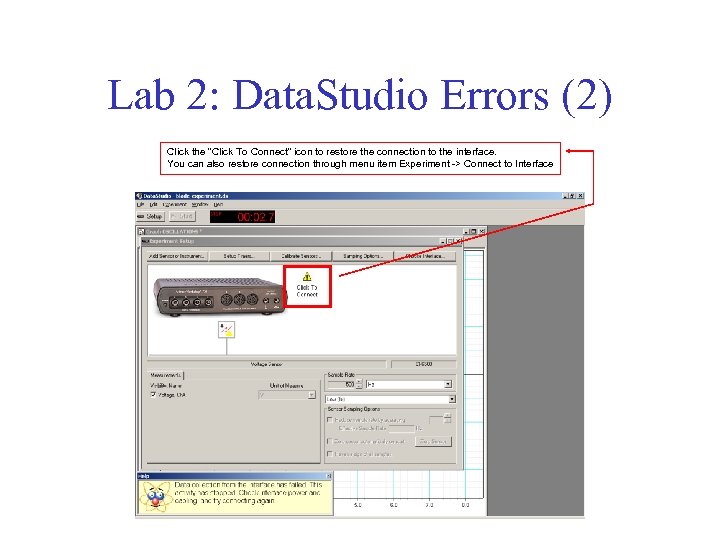 Lab 2: Data. Studio Errors (2) Click the "Click To Connect" icon to restore the connection to the interface. You can also restore connection through menu item Experiment -> Connect to Interface
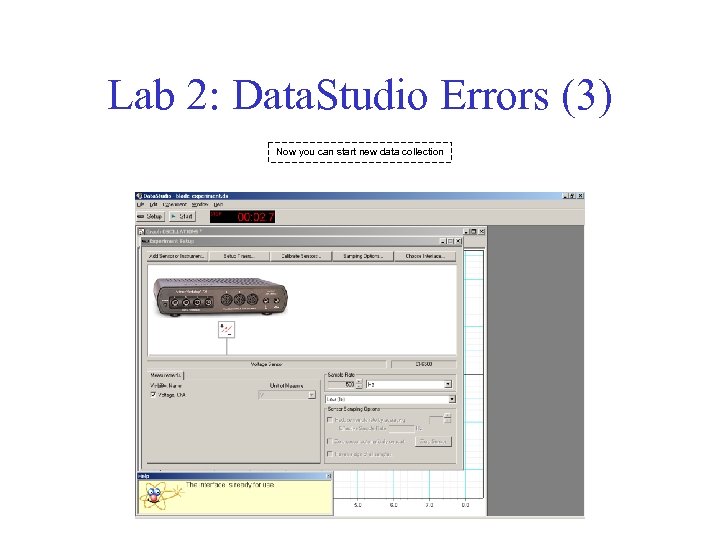 Lab 2: Data. Studio Errors (3) Now you can start new data collection
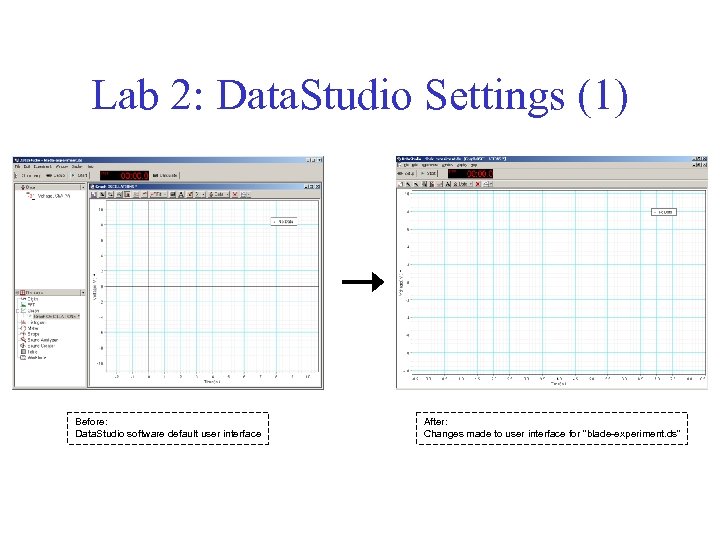 Lab 2: Data. Studio Settings (1) Before: Data. Studio software default user interface After: Changes made to user interface for "blade-experiment. ds"
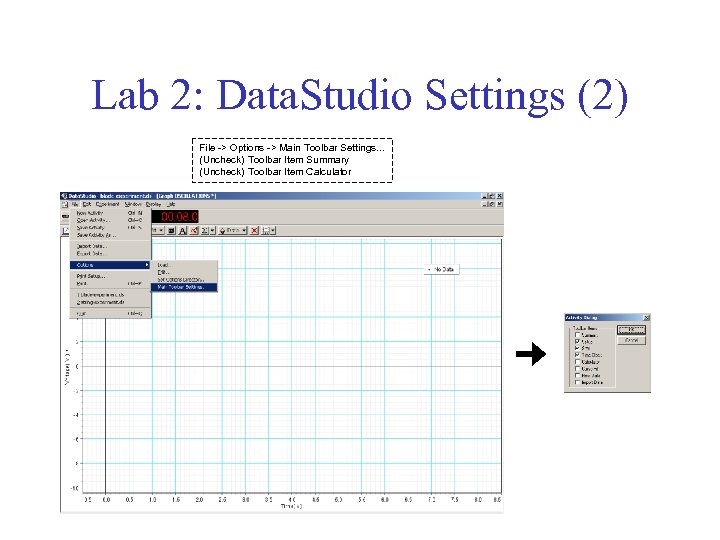 Lab 2: Data. Studio Settings (2) File -> Options -> Main Toolbar Settings. . . (Uncheck) Toolbar Item Summary (Uncheck) Toolbar Item Calculator
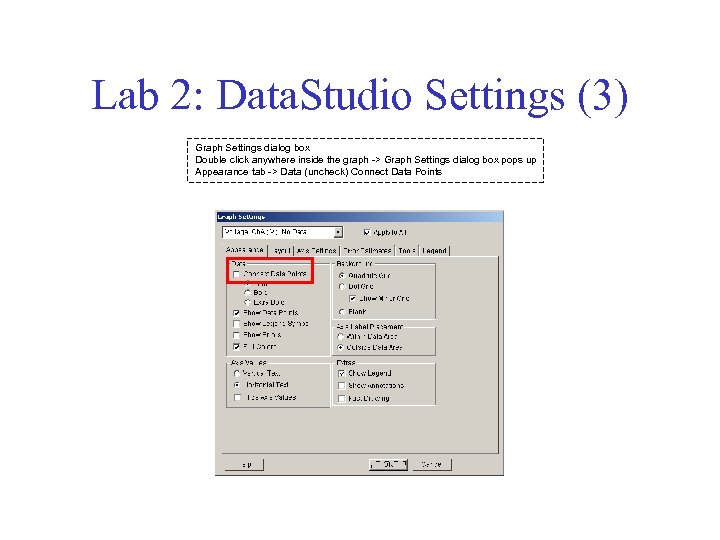 Lab 2: Data. Studio Settings (3) Graph Settings dialog box Double click anywhere inside the graph -> Graph Settings dialog box pops up Appearance tab -> Data (uncheck) Connect Data Points
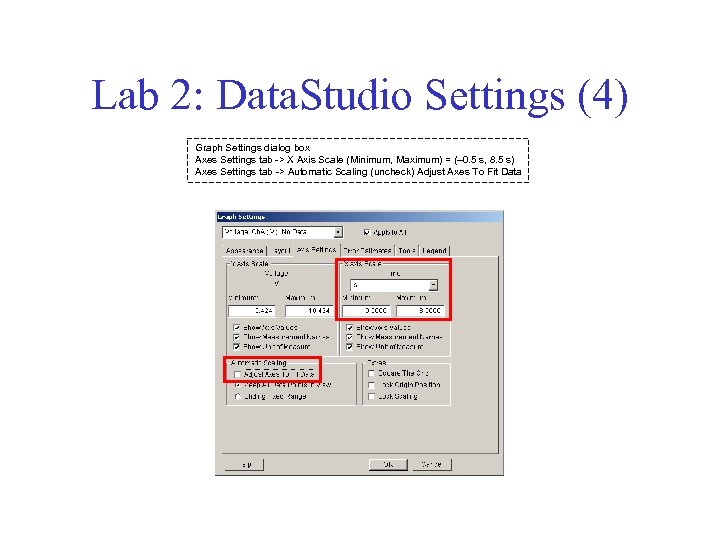 Lab 2: Data. Studio Settings (4) Graph Settings dialog box Axes Settings tab -> X Axis Scale (Minimum, Maximum) = (– 0. 5 s, 8. 5 s) Axes Settings tab -> Automatic Scaling (uncheck) Adjust Axes To Fit Data
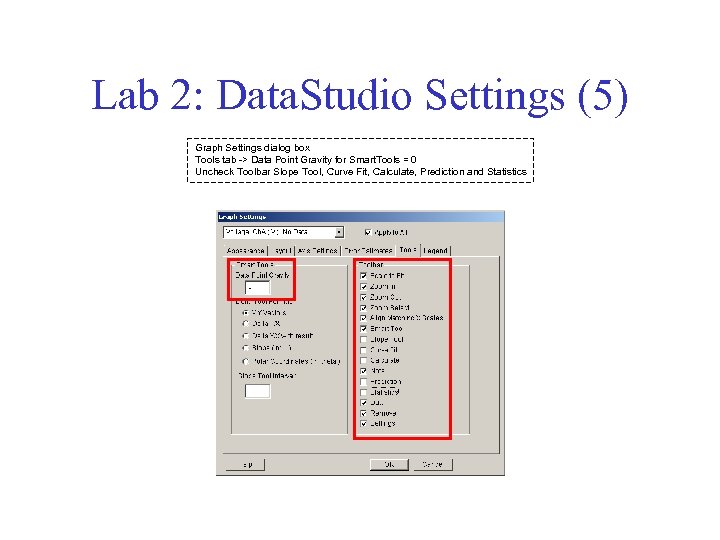 Lab 2: Data. Studio Settings (5) Graph Settings dialog box Tools tab -> Data Point Gravity for Smart. Tools = 0 Uncheck Toolbar Slope Tool, Curve Fit, Calculate, Prediction and Statistics
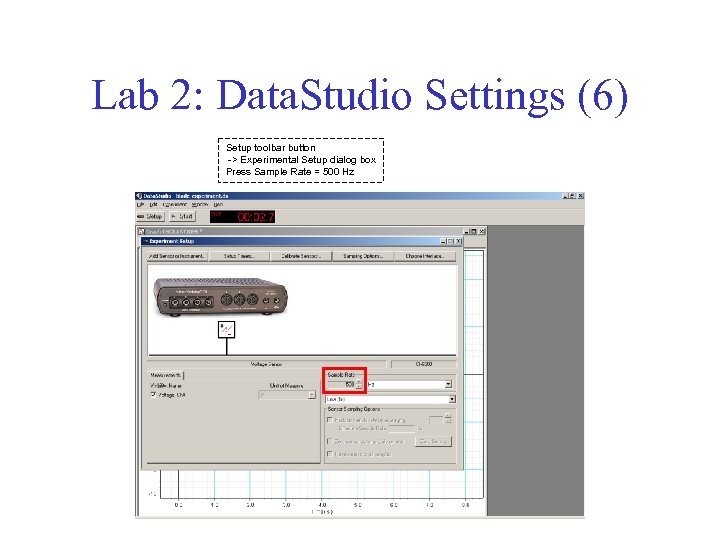 Lab 2: Data. Studio Settings (6) Setup toolbar button -> Experimental Setup dialog box Press Sample Rate = 500 Hz
 Strings Lab 4
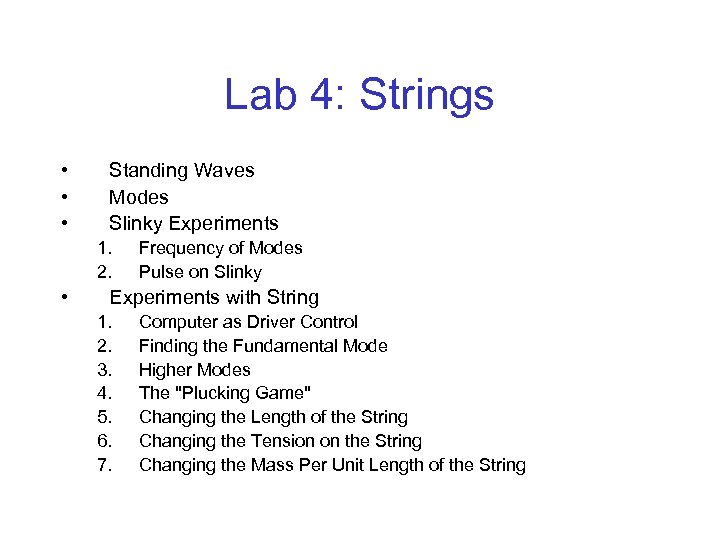 Lab 4: Strings • • • Standing Waves Modes Slinky Experiments 1. 2. • Frequency of Modes Pulse on Slinky Experiments with String 1. 2. 3. 4. 5. 6. 7. Computer as Driver Control Finding the Fundamental Mode Higher Modes The "Plucking Game" Changing the Length of the String Changing the Tension on the String Changing the Mass Per Unit Length of the String
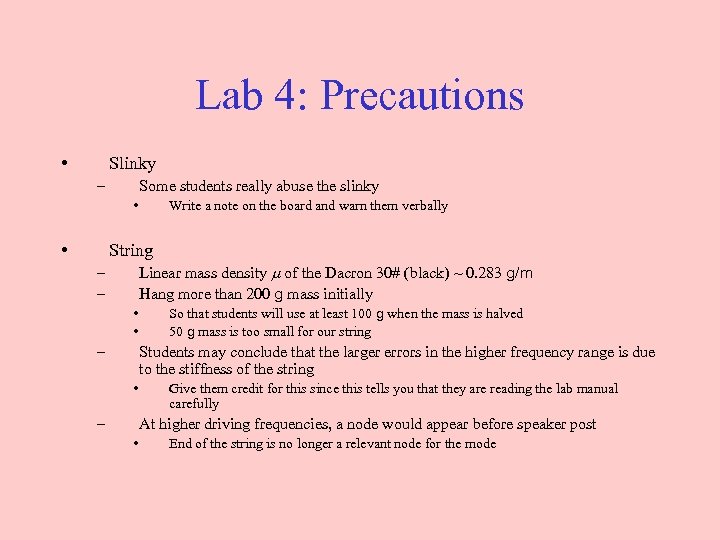 Lab 4: Precautions • Slinky – Some students really abuse the slinky • • Write a note on the board and warn them verbally String Linear mass density of the Dacron 30# (black) ~ 0. 283 g/m Hang more than 200 g mass initially – – • • – So that students will use at least 100 g when the mass is halved 50 g mass is too small for our string Students may conclude that the larger errors in the higher frequency range is due to the stiffness of the string • – Give them credit for this since this tells you that they are reading the lab manual carefully At higher driving frequencies, a node would appear before speaker post • End of the string is no longer a relevant node for the mode
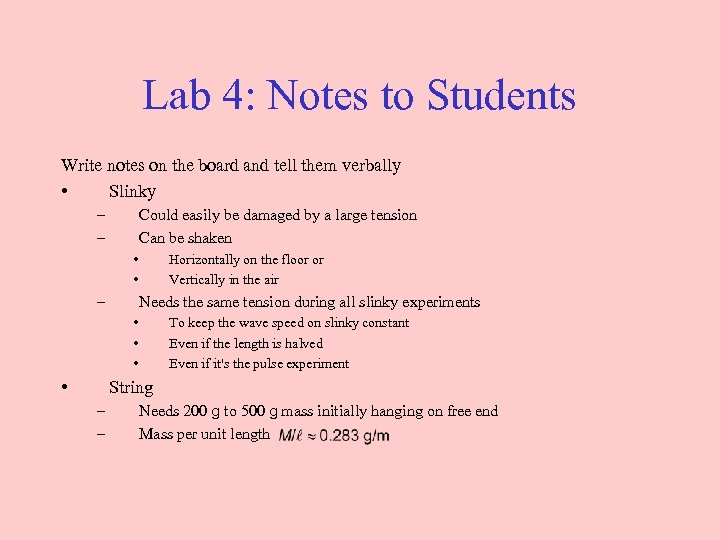 Lab 4: Notes to Students Write notes on the board and tell them verbally • Slinky – – Could easily be damaged by a large tension Can be shaken • • – Horizontally on the floor or Vertically in the air Needs the same tension during all slinky experiments • • To keep the wave speed on slinky constant Even if the length is halved Even if it's the pulse experiment String – – Needs 200 g to 500 g mass initially hanging on free end Mass per unit length
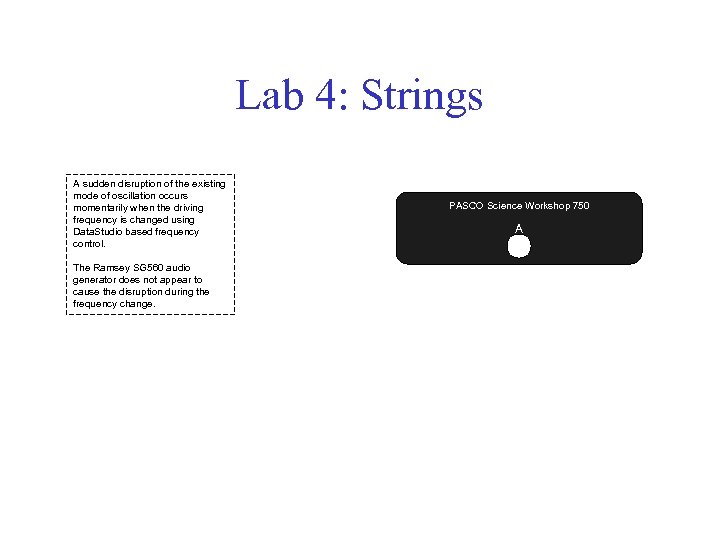 Lab 4: Strings A sudden disruption of the existing mode of oscillation occurs momentarily when the driving frequency is changed using Data. Studio based frequency control. The Ramsey SG 560 audio generator does not appear to cause the disruption during the frequency change. PASCO Science Workshop 750 A
 Pipes Lab 5
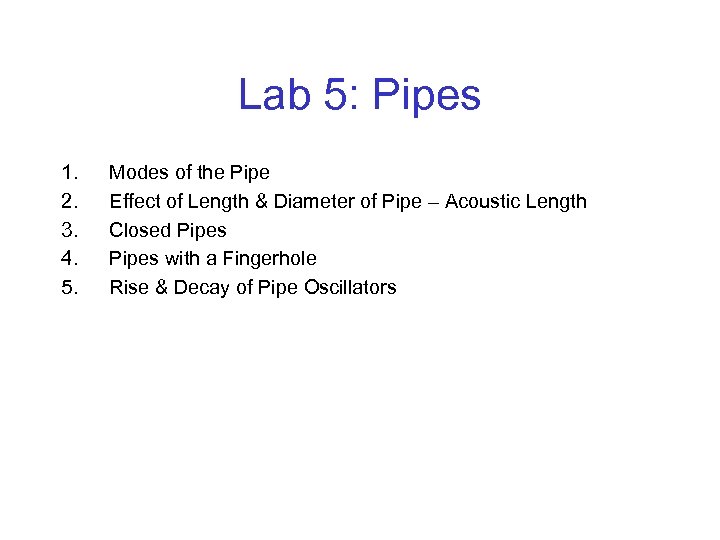 Lab 5: Pipes 1. 2. 3. 4. 5. Modes of the Pipe Effect of Length & Diameter of Pipe – Acoustic Length Closed Pipes with a Fingerhole Rise & Decay of Pipe Oscillators
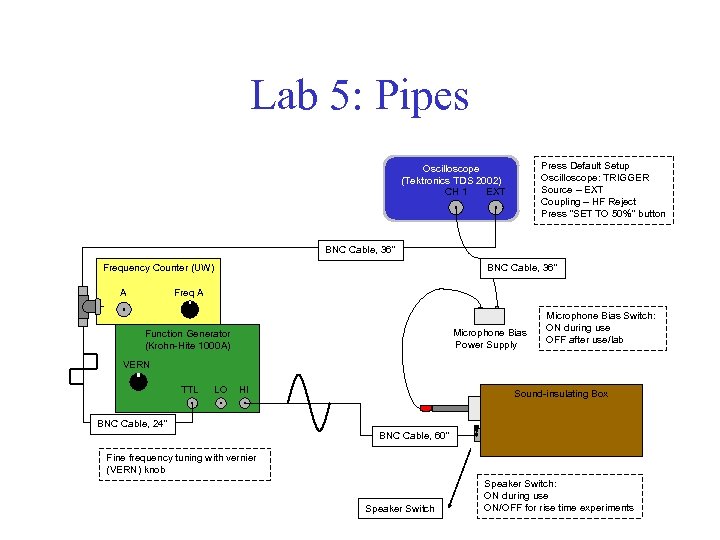 Lab 5: Pipes Press Default Setup Oscilloscope: TRIGGER Source – EXT Coupling – HF Reject Press "SET TO 50%" button Oscilloscope (Tektronics TDS 2002) CH 1 EXT BNC Cable, 36" Frequency Counter (UW) BNC Cable, 36" Freq A A Microphone Bias Power Supply Function Generator (Krohn-Hite 1000 A) Microphone Bias Switch: ON during use OFF after use/lab VERN TTL LO HI Sound-insulating Box BNC Cable, 24" BNC Cable, 60" Fine frequency tuning with vernier (VERN) knob Speaker Switch: ON during use ON/OFF for rise time experiments
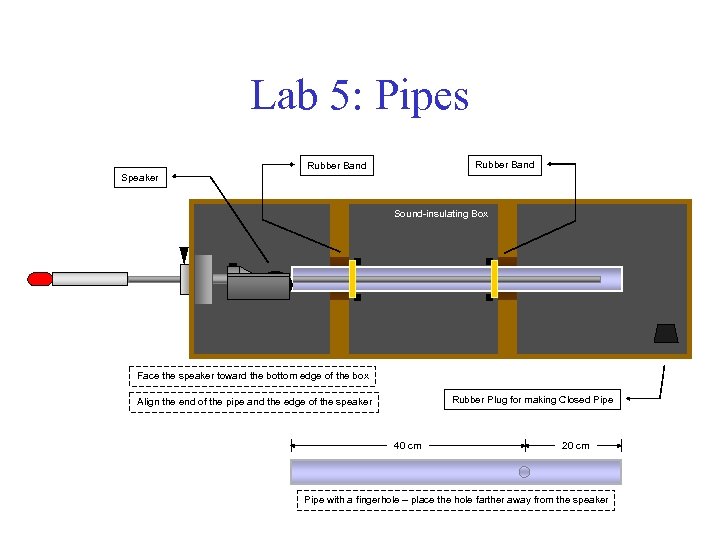 Lab 5: Pipes Rubber Band Speaker Sound-insulating Box Face the speaker toward the bottom edge of the box Rubber Plug for making Closed Pipe Align the end of the pipe and the edge of the speaker 40 cm 20 cm Pipe with a fingerhole – place the hole farther away from the speaker
 Fourier Analysis Lab 6
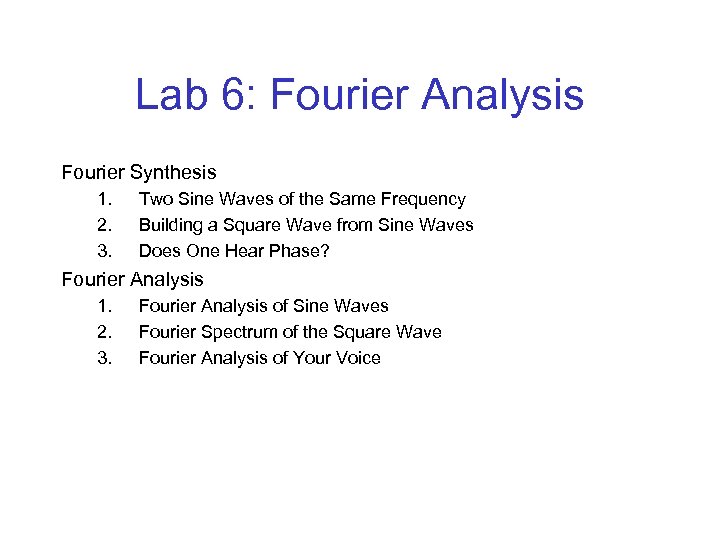 Lab 6: Fourier Analysis Fourier Synthesis 1. 2. 3. Two Sine Waves of the Same Frequency Building a Square Wave from Sine Waves Does One Hear Phase? Fourier Analysis 1. 2. 3. Fourier Analysis of Sine Waves Fourier Spectrum of the Square Wave Fourier Analysis of Your Voice
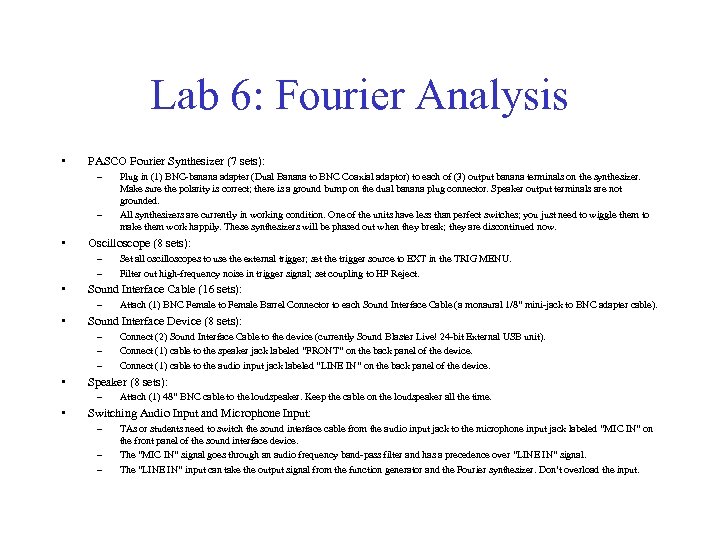 Lab 6: Fourier Analysis • PASCO Fourier Synthesizer (7 sets): – – • Oscilloscope (8 sets): – – • Connect (2) Sound Interface Cable to the device (currently Sound Blaster Live! 24 -bit External USB unit). Connect (1) cable to the speaker jack labeled “FRONT” on the back panel of the device. Connect (1) cable to the audio input jack labeled “LINE IN” on the back panel of the device. Speaker (8 sets): – • Attach (1) BNC Female to Female Barrel Connector to each Sound Interface Cable (a monaural 1/8” mini-jack to BNC adapter cable). Sound Interface Device (8 sets): – – – • Set all oscilloscopes to use the external trigger; set the trigger source to EXT in the TRIG MENU. Filter out high-frequency noise in trigger signal; set coupling to HF Reject. Sound Interface Cable (16 sets): – • Plug in (1) BNC-banana adapter (Dual Banana to BNC Coaxial adaptor) to each of (3) output banana terminals on the synthesizer. Make sure the polarity is correct; there is a ground bump on the dual banana plug connector. Speaker output terminals are not grounded. All synthesizers are currently in working condition. One of the units have less than perfect switches; you just need to wiggle them to make them work happily. These synthesizers will be phased out when they break; they are discontinued now. Attach (1) 48” BNC cable to the loudspeaker. Keep the cable on the loudspeaker all the time. Switching Audio Input and Microphone Input: – – – TAs or students need to switch the sound interface cable from the audio input jack to the microphone input jack labeled “MIC IN” on the front panel of the sound interface device. The “MIC IN” signal goes through an audio frequency band-pass filter and has a precedence over “LINE IN” signal. The “LINE IN” input can take the output signal from the function generator and the Fourier synthesizer. Don’t overload the input.
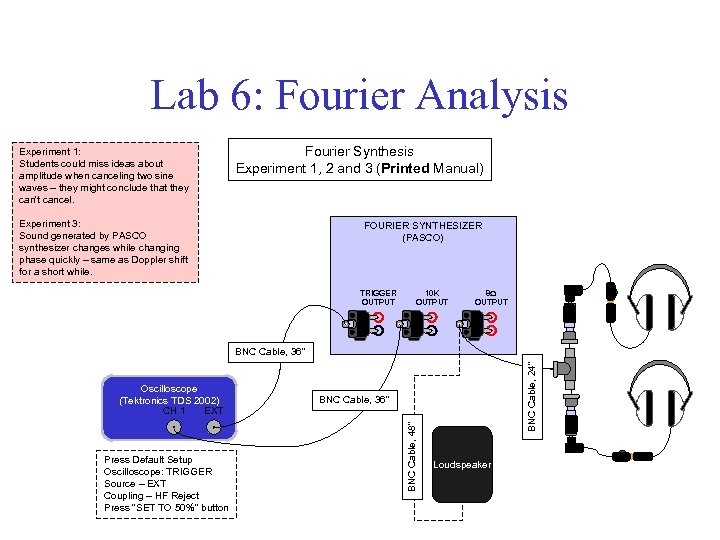 Lab 6: Fourier Analysis Experiment 1: Students could miss ideas about amplitude when canceling two sine waves – they might conclude that they can't cancel. Fourier Synthesis Experiment 1, 2 and 3 (Printed Manual) Experiment 3: Sound generated by PASCO synthesizer changes while changing phase quickly – same as Doppler shift for a short while. FOURIER SYNTHESIZER (PASCO) TRIGGER OUTPUT 10 K OUTPUT 8 OUTPUT Press Default Setup Oscilloscope: TRIGGER Source – EXT Coupling – HF Reject Press "SET TO 50%" button BNC Cable, 36" BNC Cable, 48" Oscilloscope (Tektronics TDS 2002) CH 1 EXT BNC Cable, 24" BNC Cable, 36" Loudspeaker
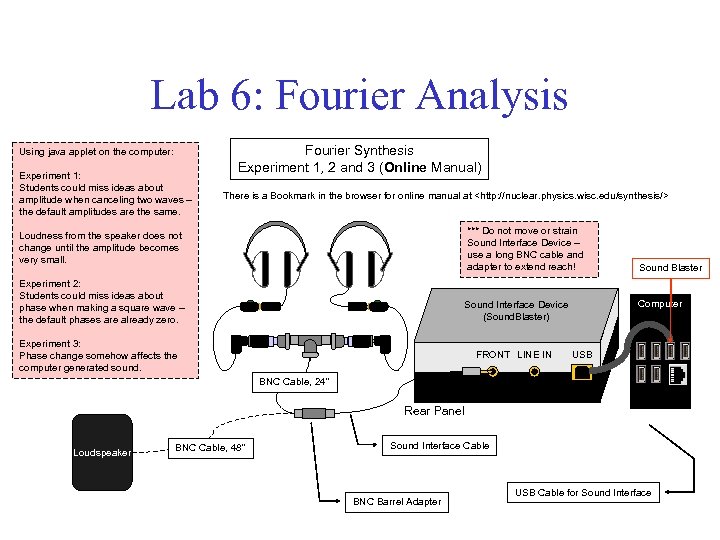 Lab 6: Fourier Analysis Using java applet on the computer: Experiment 1: Students could miss ideas about amplitude when canceling two waves – the default amplitudes are the same. Fourier Synthesis Experiment 1, 2 and 3 (Online Manual) There is a Bookmark in the browser for online manual at
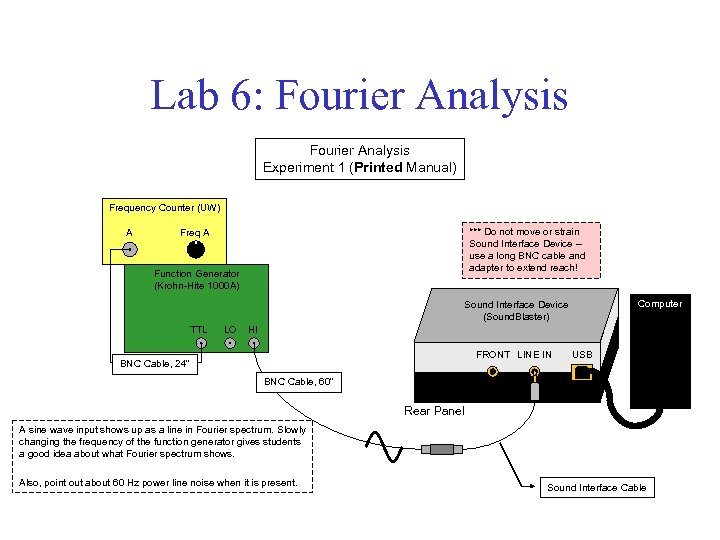 Lab 6: Fourier Analysis Experiment 1 (Printed Manual) Frequency Counter (UW) A *** Do not move or strain Sound Interface Device – use a long BNC cable and adapter to extend reach! Freq A Function Generator (Krohn-Hite 1000 A) Computer Sound Interface Device (Sound. Blaster) TTL LO HI FRONT LINE IN BNC Cable, 24" USB BNC Cable, 60" Rear Panel A sine wave input shows up as a line in Fourier spectrum. Slowly changing the frequency of the function generator gives students a good idea about what Fourier spectrum shows. Also, point out about 60 Hz power line noise when it is present. Sound Interface Cable
 Lab 6: Fourier Analysis Experiment 2 (Online Manual) Use Fourier Analysis applet online. Do not use the printed manual for this part. Fourier Analysis applet shows the real Fourier coefficients for square wave.
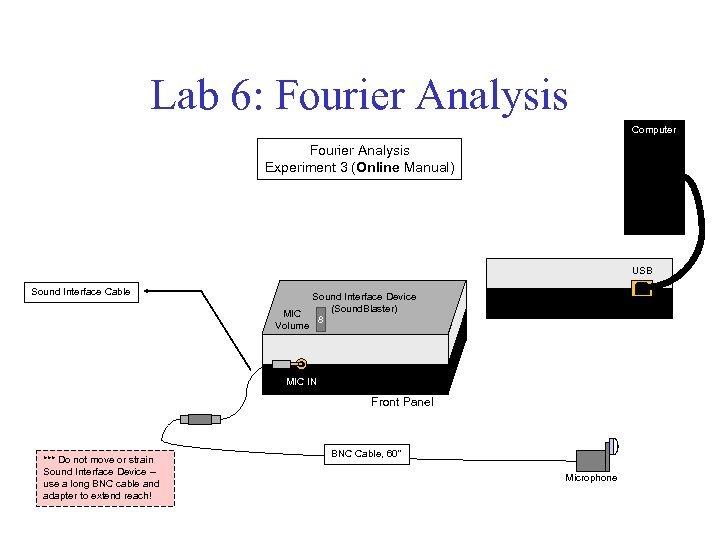 Lab 6: Fourier Analysis Computer Fourier Analysis Experiment 3 (Online Manual) USB Sound Interface Cable Sound Interface Device (Sound. Blaster) MIC 8 Volume Rear Panel MIC IN Front Panel *** Do not move or strain Sound Interface Device – use a long BNC cable and adapter to extend reach! BNC Cable, 60" Microphone
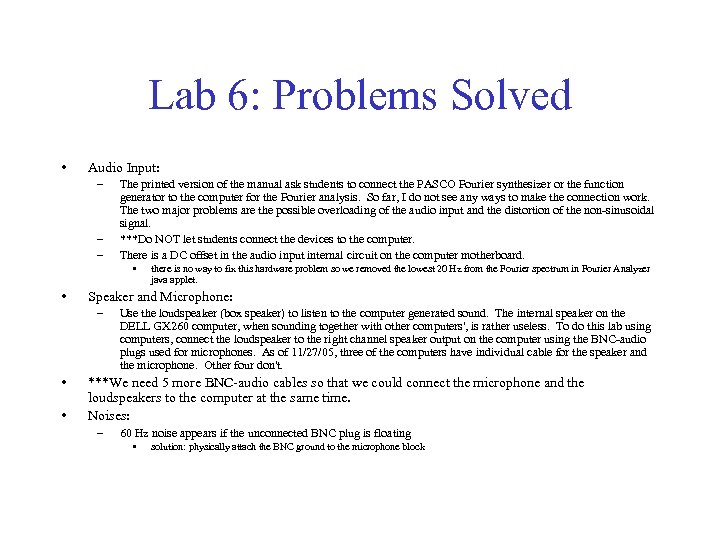 Lab 6: Problems Solved • Audio Input: – – – The printed version of the manual ask students to connect the PASCO Fourier synthesizer or the function generator to the computer for the Fourier analysis. So far, I do not see any ways to make the connection work. The two major problems are the possible overloading of the audio input and the distortion of the non-sinusoidal signal. ***Do NOT let students connect the devices to the computer. There is a DC offset in the audio input internal circuit on the computer motherboard. • • Speaker and Microphone: – • • there is no way to fix this hardware problem so we removed the lowest 20 Hz from the Fourier spectrum in Fourier Analyzer java applet. Use the loudspeaker (box speaker) to listen to the computer generated sound. The internal speaker on the DELL GX 260 computer, when sounding together with other computers', is rather useless. To do this lab using computers, connect the loudspeaker to the right channel speaker output on the computer using the BNC-audio plugs used for microphones. As of 11/27/05, three of the computers have individual cable for the speaker and the microphone. Other four don't. ***We need 5 more BNC-audio cables so that we could connect the microphone and the loudspeakers to the computer at the same time. Noises: – 60 Hz noise appears if the unconnected BNC plug is floating • solution: physically attach the BNC ground to the microphone block
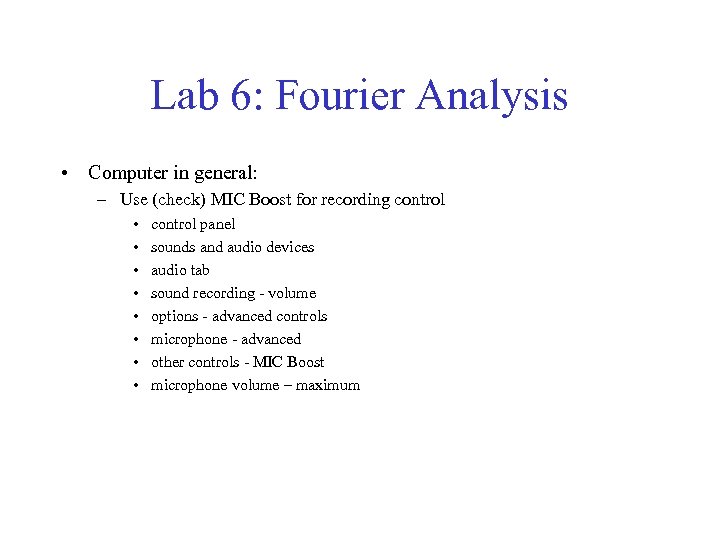 Lab 6: Fourier Analysis • Computer in general: – Use (check) MIC Boost for recording control • • control panel sounds and audio devices audio tab sound recording - volume options - advanced controls microphone - advanced other controls - MIC Boost microphone volume – maximum
 Musical Scales Lab 7
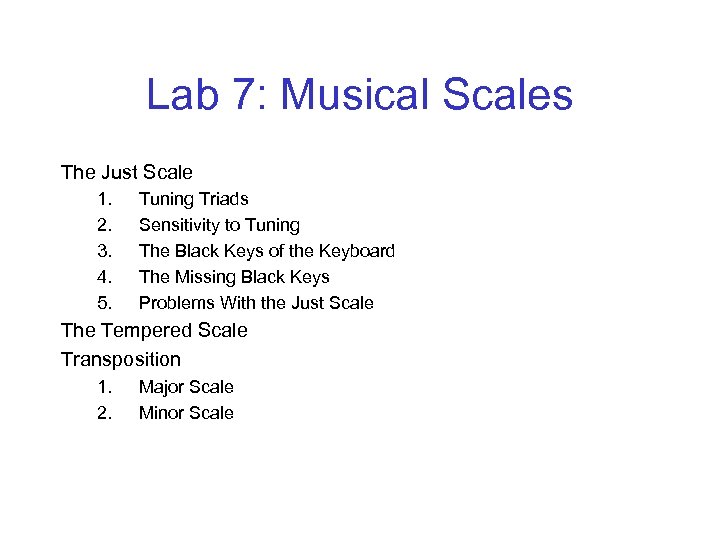 Lab 7: Musical Scales The Just Scale 1. 2. 3. 4. 5. Tuning Triads Sensitivity to Tuning The Black Keys of the Keyboard The Missing Black Keys Problems With the Just Scale The Tempered Scale Transposition 1. 2. Major Scale Minor Scale
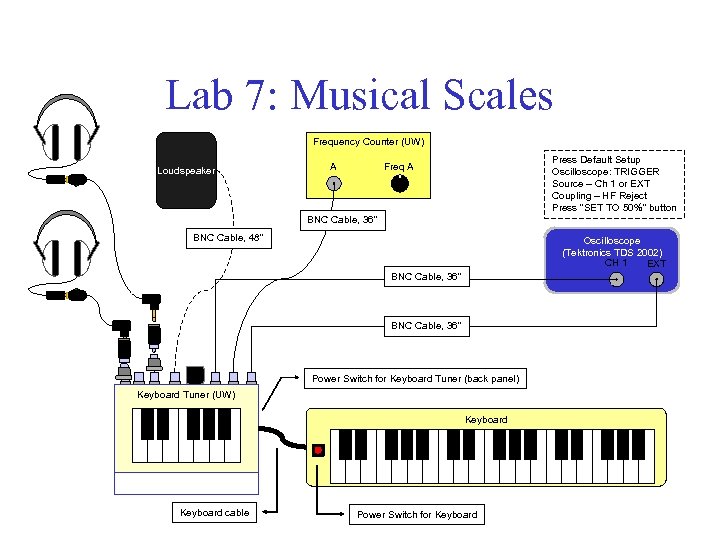 Lab 7: Musical Scales Frequency Counter (UW) Loudspeaker Press Default Setup Oscilloscope: TRIGGER Source – Ch 1 or EXT Coupling – HF Reject Press "SET TO 50%" button Freq A A BNC Cable, 36" BNC Cable, 48" Oscilloscope (Tektronics TDS 2002) CH 1 EXT BNC Cable, 36" Power Switch for Keyboard Tuner (back panel) Keyboard Tuner (UW) Keyboard cable Power Switch for Keyboard
 Musical Instruments Lab 8
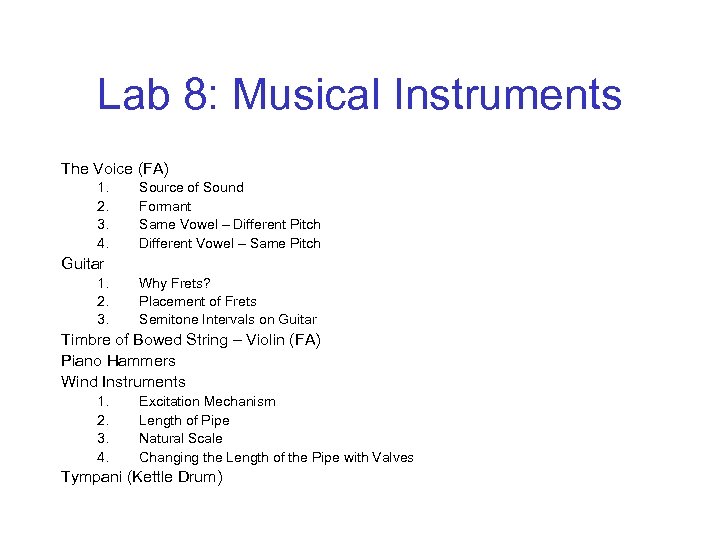 Lab 8: Musical Instruments The Voice (FA) 1. 2. 3. 4. Source of Sound Formant Same Vowel – Different Pitch Different Vowel – Same Pitch Guitar 1. 2. 3. Why Frets? Placement of Frets Semitone Intervals on Guitar Timbre of Bowed String – Violin (FA) Piano Hammers Wind Instruments 1. 2. 3. 4. Excitation Mechanism Length of Pipe Natural Scale Changing the Length of the Pipe with Valves Tympani (Kettle Drum)
 Lab 8: Precautions • Tuning and adjustment of instruments – – • The reeds for Clarinet, Oboe, and Saxophone must be wet before they are used – • Ask all students to clean any reeds after their use Don't use ethanol on varnished surfaces We only have a limited number of reeds – – • Bring in a gallon bottle of distilled water and two beakers for this purpose The pink-colored germicide, obtained from a music store, or the ethanol can be used for disinfection purposes – – • Must be done by those who play that particular instrument A Double Base player actually damaged the hair on the bow for Viola Two or three reeds are enough for one semester Don't let students take these reeds with them Use the masking tape to close the f-holes on Viola or Violin – – Masking tapes should stick better and leaves less glue on the surface And *hide* the scotch tapes (scotch tapes are bad!!!) • So that students will not use them “accidentally”
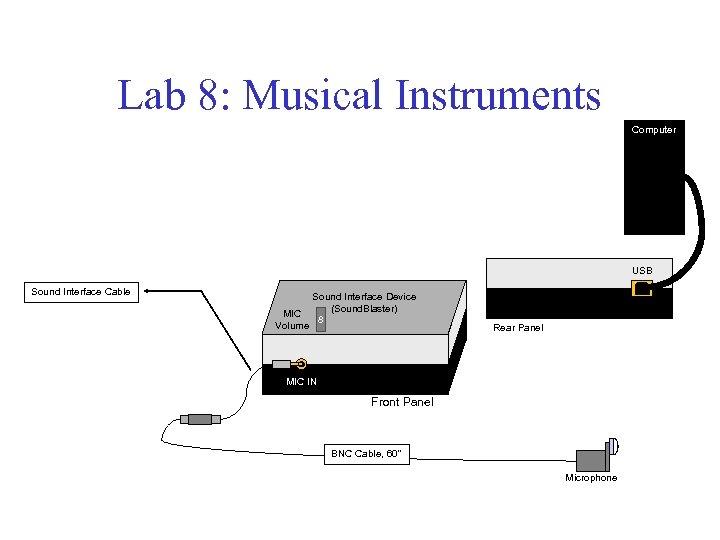 Lab 8: Musical Instruments Computer USB Sound Interface Cable Sound Interface Device (Sound. Blaster) MIC 8 Volume Rear Panel MIC IN Front Panel BNC Cable, 60" Microphone
 Reflection and Refraction Lab 9
 Lab 9: Reflection and Refraction – – Law of Reflection Law of Refraction (Snell’s Law) 1. 2. 3. 4. 5. 6. 7. 8. 9. 10. 11. Index of Refraction The Critical Angle Total Internal Reflection Dispersion Light Passing through a Window Pane or Prism How Large does a Mirror Need to be? Location of Mirror Image Rainbows Corner Reflectors Fiber Optics Polarization by Reflection
 Lab 9: Reflection and Refraction – – Law of Reflection Law of Refraction (Snell’s Law) 1. 2. 3. 4. 5. 6. 7. 8. 9. 10. 11. Index of Refraction The Critical Angle Total Internal Reflection Dispersion Light Passing through a Window Pane or Prism How Large does a Mirror Need to be? Location of Mirror Image Rainbows Corner Reflectors Fiber Optics Polarization by Reflection
 Lab 9: Reflection and Refraction – – Law of Reflection Law of Refraction (Snell’s Law) 1. 2. 3. 4. 5. 6. 7. 8. 9. 10. 11. Index of Refraction The Critical Angle Total Internal Reflection Dispersion Light Passing through a Window Pane or Prism How Large does a Mirror Need to be? Location of Mirror Image Rainbows Corner Reflectors Fiber Optics Polarization by Reflection
 Lab 9: Precautions • For semesters in which both Reflection and Refraction labs are covered in one lab session – Ask professors to assign priorities to experiments – Write the order of experiments on the board • Simply tell students that experiments had better be done in the order • Never tell them some experiments are not important
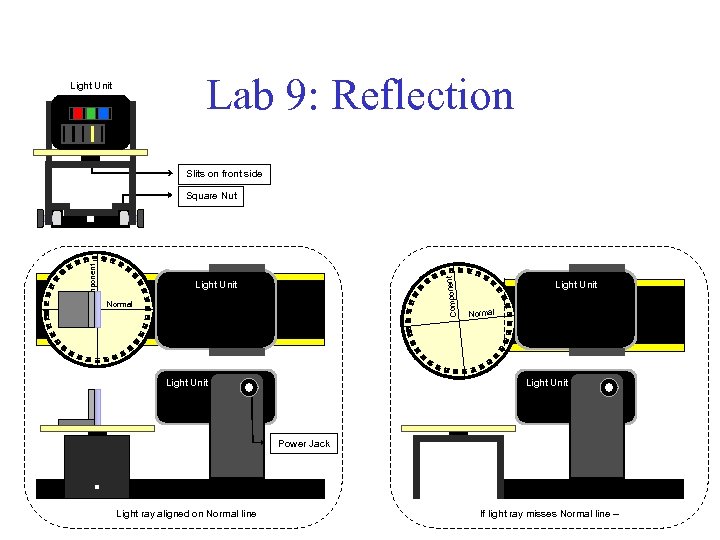 Lab 9: Reflection Light Unit Slits on front side Component Square Nut Light Unit Normal Light Unit Power Jack Light ray aligned on Normal line If light ray misses Normal line –
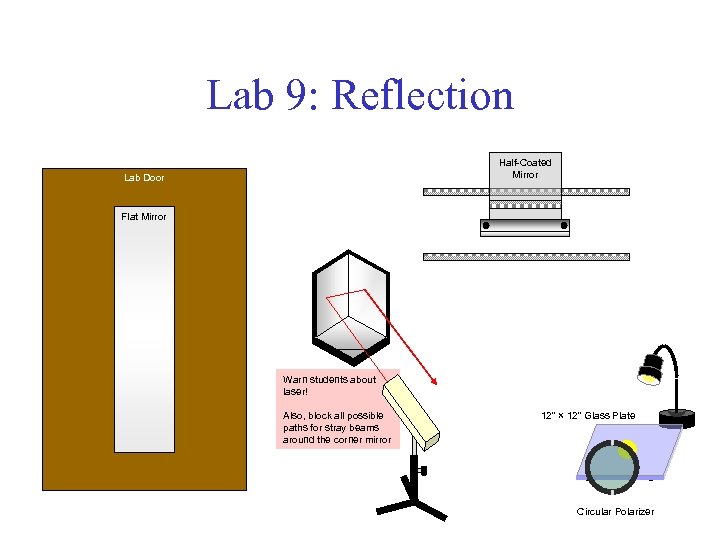 Lab 9: Reflection Half-Coated Mirror Lab Door Flat Mirror Warn students about laser! Also, block all possible paths for stray beams around the corner mirror 12" × 12" Glass Plate Circular Polarizer
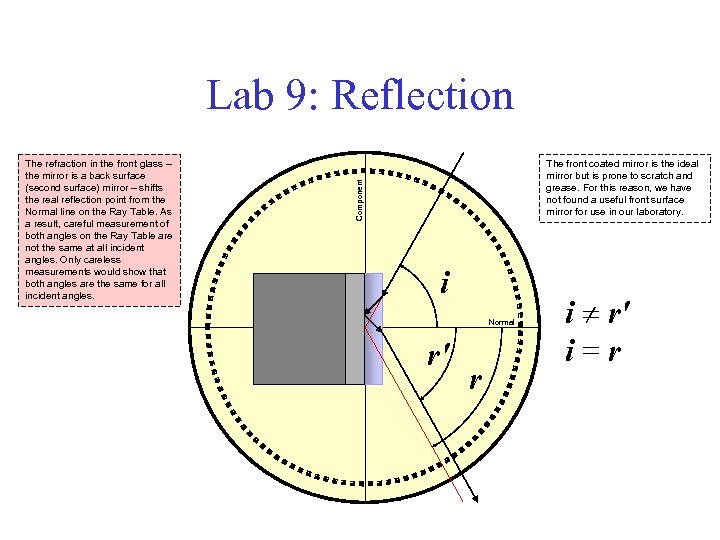 Lab 9: Reflection The front coated mirror is the ideal mirror but is prone to scratch and grease. For this reason, we have not found a useful front surface mirror for use in our laboratory. Component The refraction in the front glass – the mirror is a back surface (second surface) mirror – shifts the real reflection point from the Normal line on the Ray Table. As a result, careful measurement of both angles on the Ray Table are not the same at all incident angles. Only careless measurements would show that both angles are the same for all incident angles. i Normal r' r i r' i = r
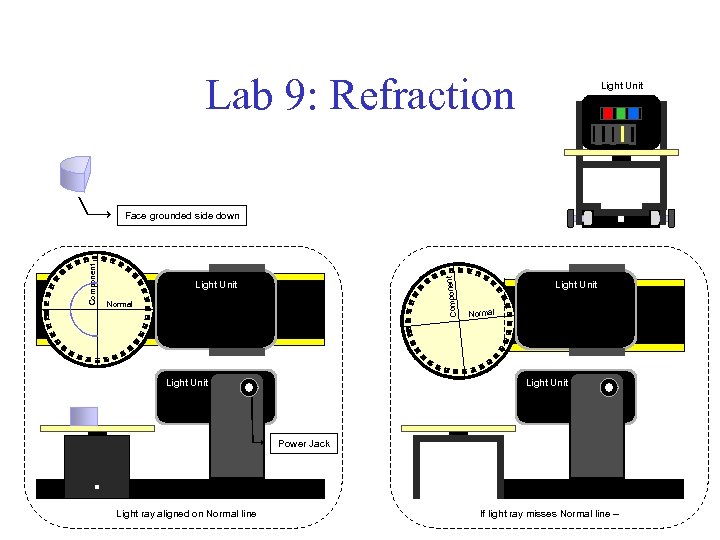 Lab 9: Refraction Light Unit Component Face grounded side down Light Unit Normal Light Unit Power Jack Light ray aligned on Normal line If light ray misses Normal line –
 Lab 9: Refraction http: //www. rosco. com/images/filters/roscolux. jpg
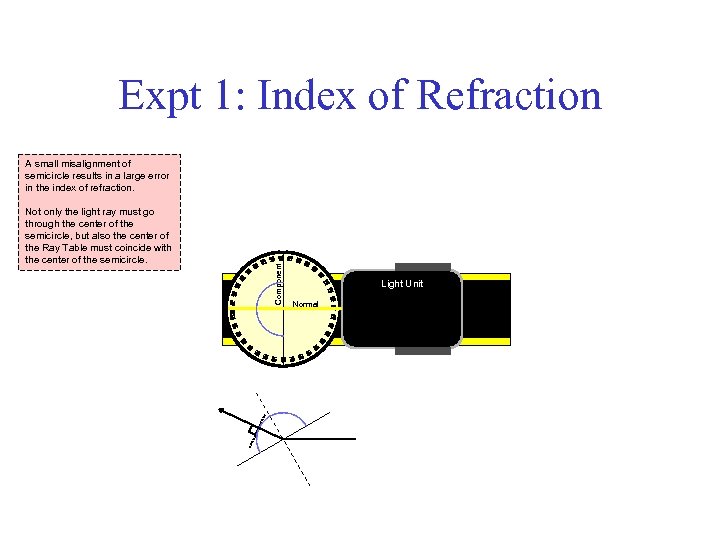 Expt 1: Index of Refraction Not only the light ray must go through the center of the semicircle, but also the center of the Ray Table must coincide with the center of the semicircle. Component A small misalignment of semicircle results in a large error in the index of refraction. Light Unit Normal
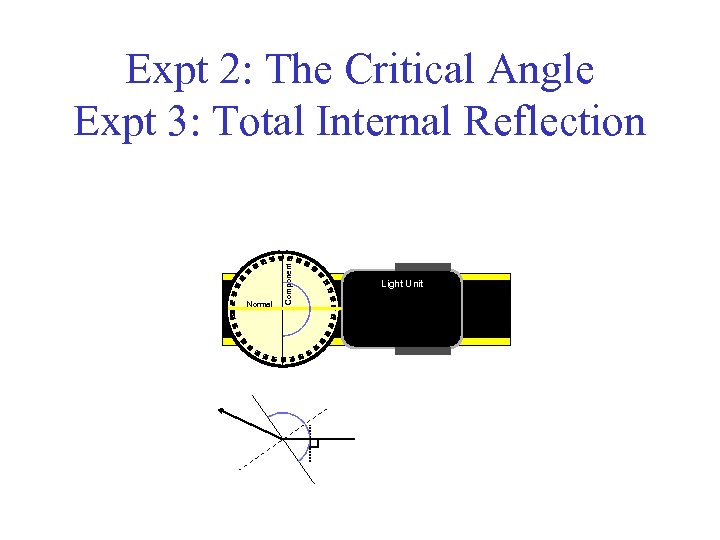 Normal Component Expt 2: The Critical Angle Expt 3: Total Internal Reflection Light Unit
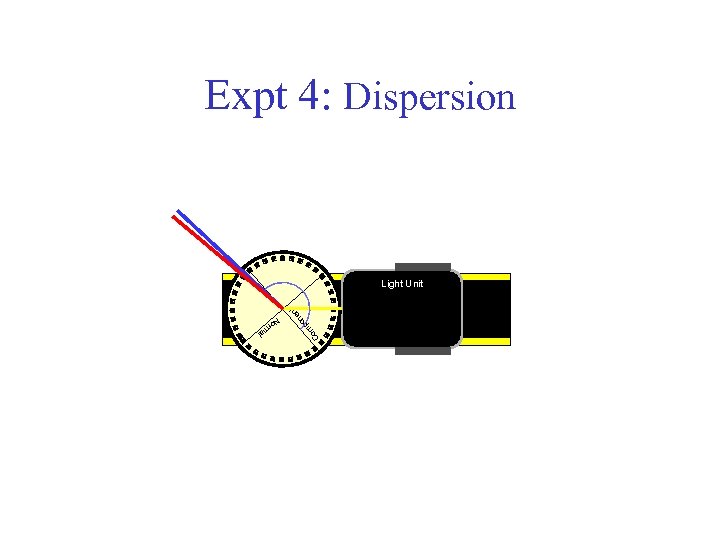 Expt 4: Dispersion Co m n po en t Light Unit No rm al
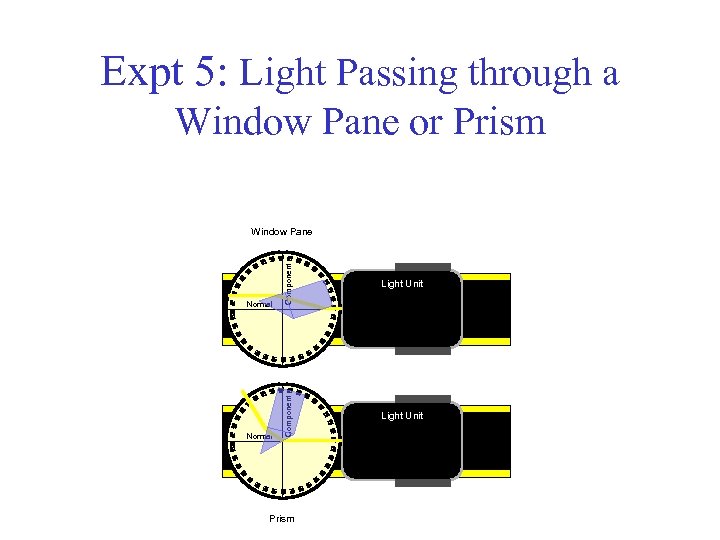 Expt 5: Light Passing through a Window Pane or Prism Normal Component Light Unit Normal Component Window Pane Prism
 Lenses Lab 10
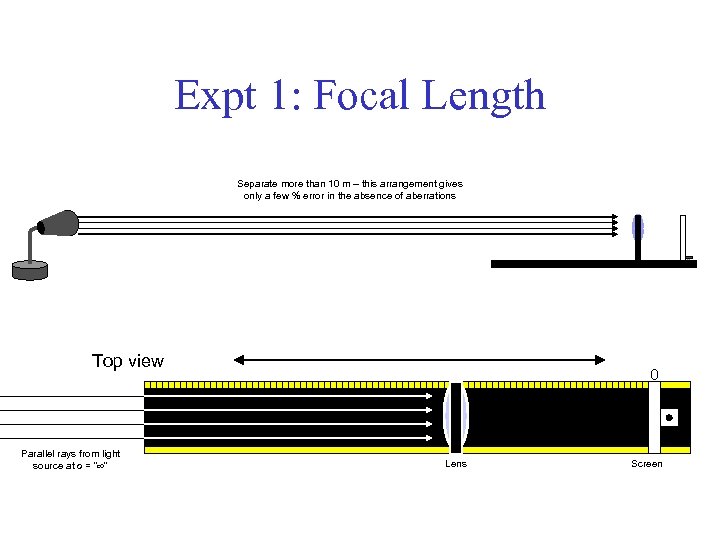
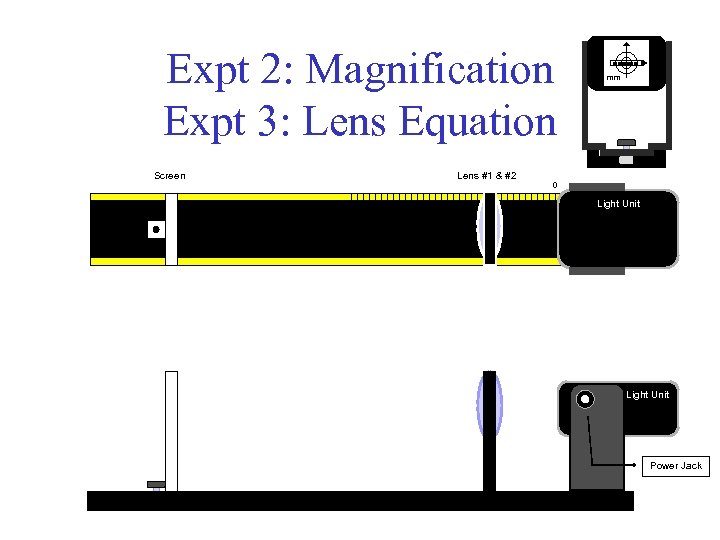
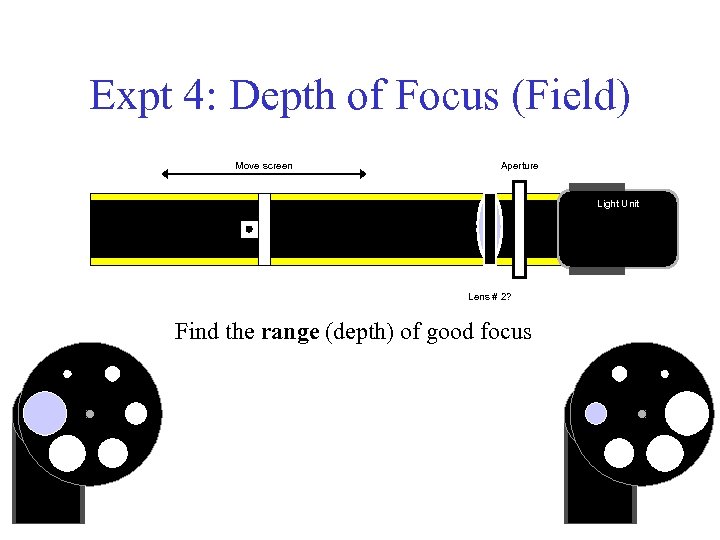
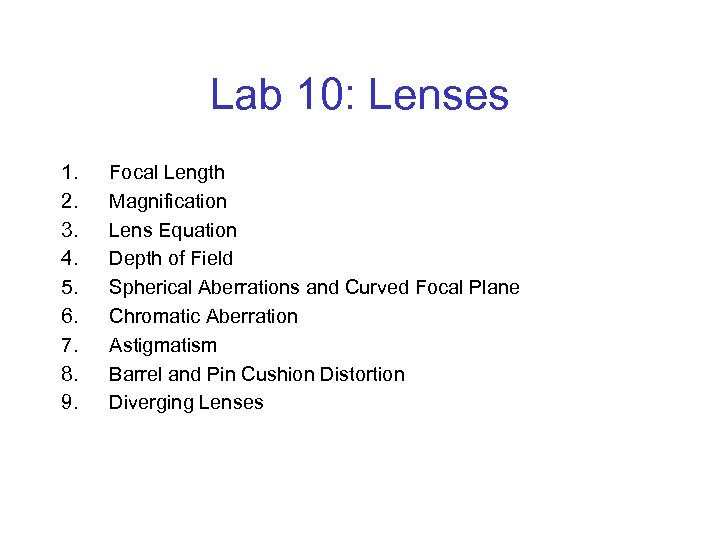 Lab 10: Lenses 1. 2. 3. 4. 5. 6. 7. 8. 9. Focal Length Magnification Lens Equation Depth of Field Spherical Aberrations and Curved Focal Plane Chromatic Aberration Astigmatism Barrel and Pin Cushion Distortion Diverging Lenses
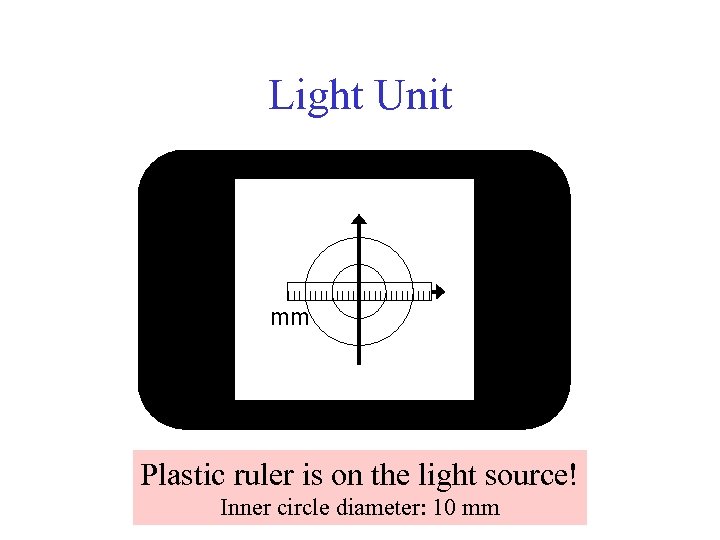
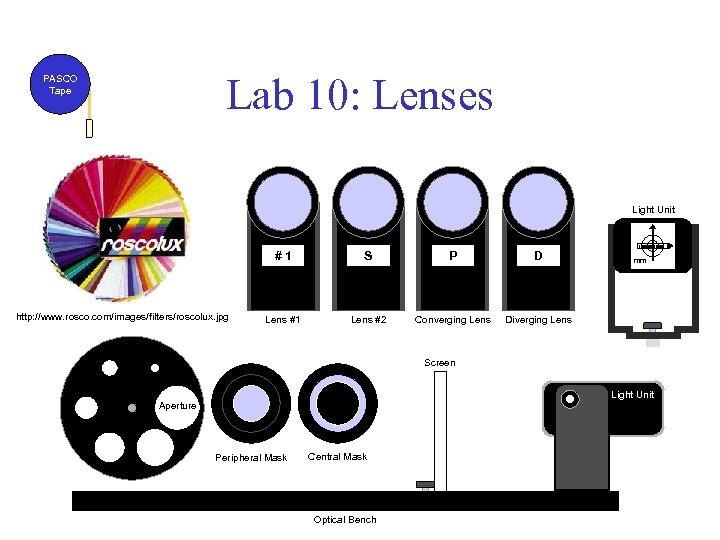 Lab 10: Lenses PASCO Tape Light Unit #1 http: //www. rosco. com/images/filters/roscolux. jpg S P D Lens #1 Lens #2 Converging Lens Diverging Lens mm Screen Light Unit Aperture Peripheral Mask Central Mask Optical Bench
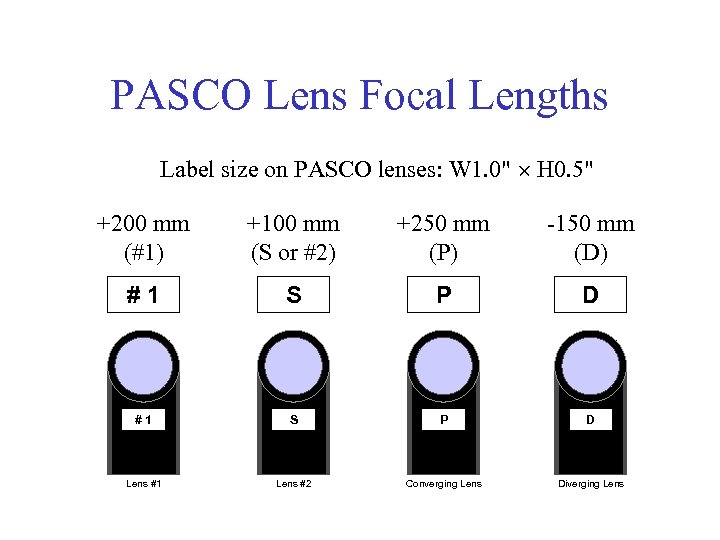 PASCO Lens Focal Lengths Label size on PASCO lenses: W 1. 0" H 0. 5" +200 mm (#1) +100 mm (S or #2) +250 mm (P) -150 mm (D) #1 S P D Lens #1 Lens #2 Converging Lens Diverging Lens
 Light Unit mm Plastic ruler is on the light source! Inner circle diameter: 10 mm
 Expt 1: Focal Length Separate more than 10 m – this arrangement gives only a few % error in the absence of aberrations Top view Parallel rays from light source at o = “ " 0 Lens Screen
 Expt 2: Magnification Expt 3: Lens Equation Screen Lens #1 & #2 mm 0 Light Unit Power Jack
 Expt 4: Depth of Focus (Field) Move screen Aperture Light Unit Lens # 2? Find the range (depth) of good focus
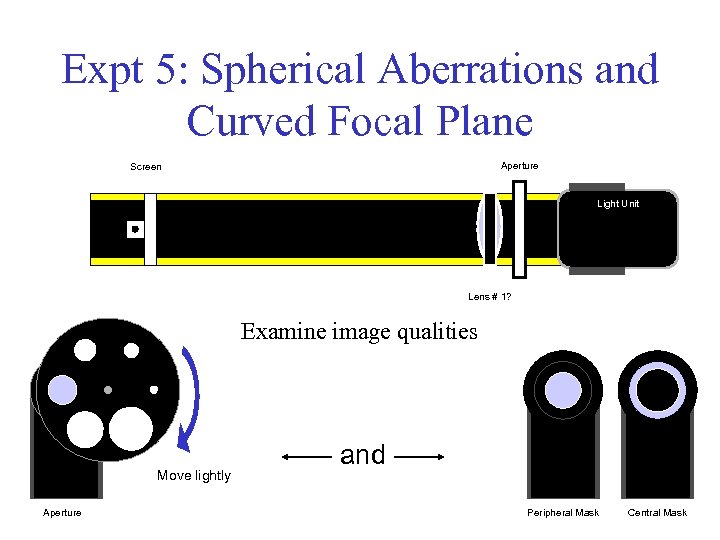 Expt 5: Spherical Aberrations and Curved Focal Plane Aperture Screen Light Unit Lens # 1? Examine image qualities Move lightly Aperture and Peripheral Mask Central Mask
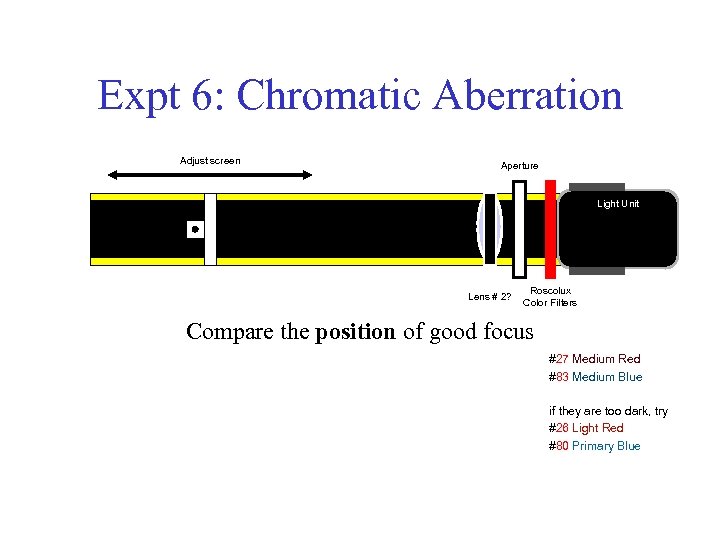 Expt 6: Chromatic Aberration Adjust screen Aperture Light Unit Lens # 2? Roscolux Color Filters Compare the position of good focus #27 Medium Red #83 Medium Blue if they are too dark, try #26 Light Red #80 Primary Blue
 Photography Lab 11 & 12 to be Done in a Single Session
 Lab 11: Photography (I) • Taking a Picture – Proper Exposure 1. 2. 3. 4. 5. 6. Film Sensitivity – ISO F-Number (F-Stop) Shutter and Exposure Time Light Meters Choice of Exposure Time vs. F-Number Take a Picture and Develop the Film
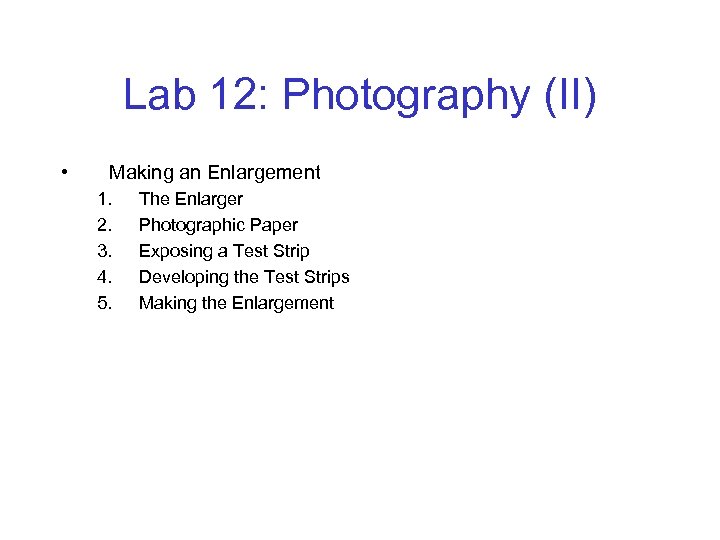 Lab 12: Photography (II) • Making an Enlargement 1. 2. 3. 4. 5. The Enlarger Photographic Paper Exposing a Test Strip Developing the Test Strips Making the Enlargement
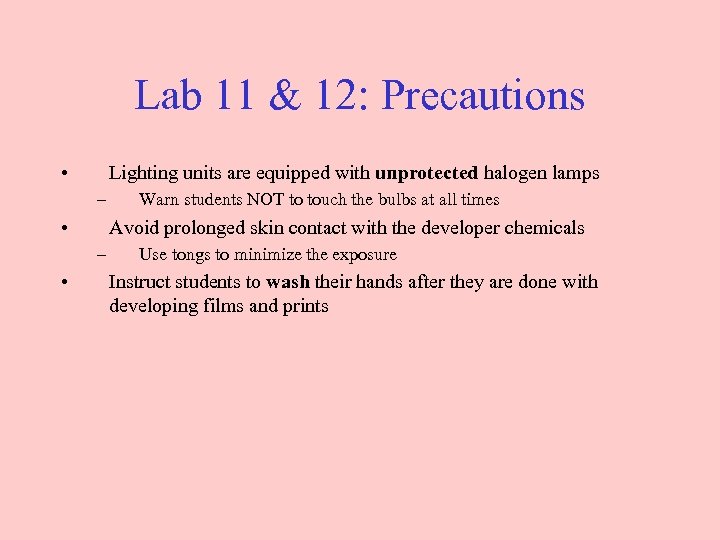 Lab 11 & 12: Precautions • Lighting units are equipped with unprotected halogen lamps – • Avoid prolonged skin contact with the developer chemicals – • Warn students NOT to touch the bulbs at all times Use tongs to minimize the exposure Instruct students to wash their hands after they are done with developing films and prints
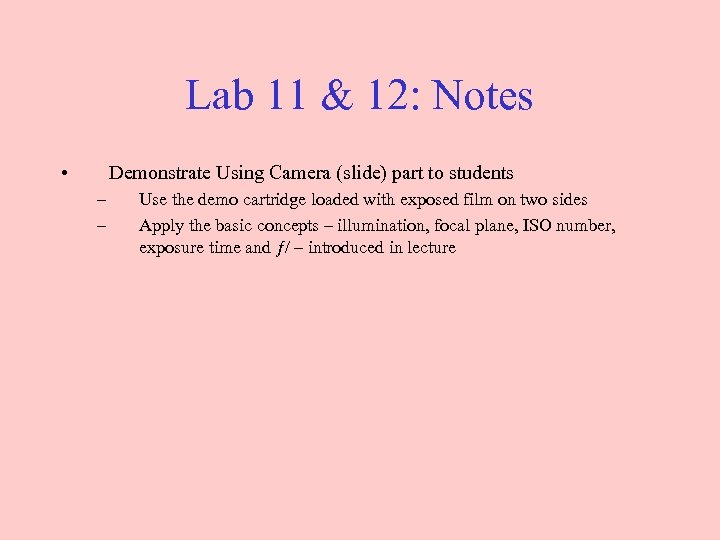 Lab 11 & 12: Notes • Demonstrate Using Camera (slide) part to students – – Use the demo cartridge loaded with exposed film on two sides Apply the basic concepts – illumination, focal plane, ISO number, exposure time and ƒ/ – introduced in lecture
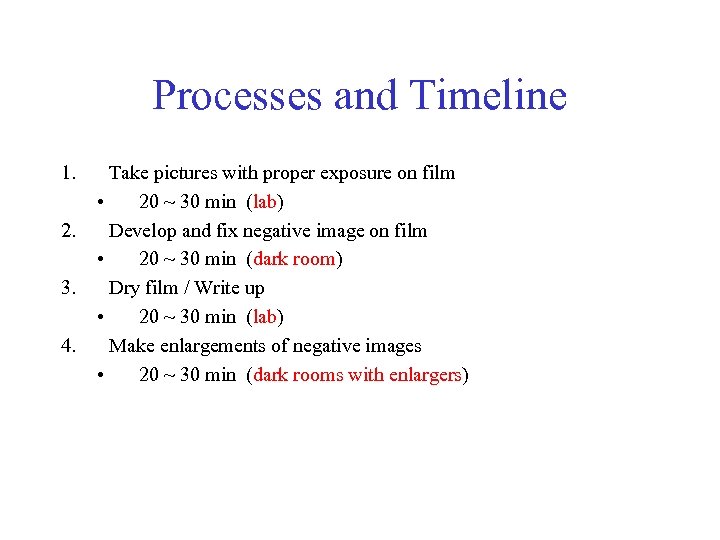 Processes and Timeline 1. 2. 3. 4. Take pictures with proper exposure on film • 20 ~ 30 min (lab) Develop and fix negative image on film • 20 ~ 30 min (dark room) Dry film / Write up • 20 ~ 30 min (lab) Make enlargements of negative images • 20 ~ 30 min (dark rooms with enlargers)
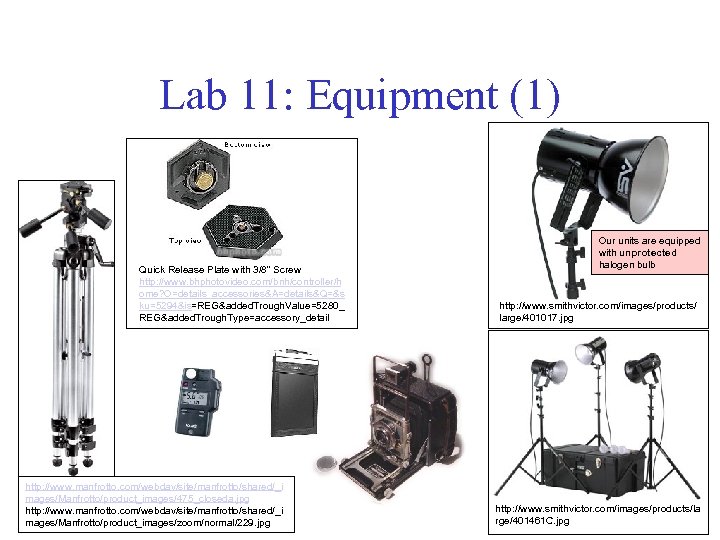 Lab 11: Equipment (1) Quick Release Plate with 3/8" Screw http: //www. bhphotovideo. com/bnh/controller/h ome? O=details_accessories&A=details&Q=&s ku=5294&is=REG&added. Trough. Value=5280_ REG&added. Trough. Type=accessory_detail http: //www. manfrotto. com/webdav/site/manfrotto/shared/_i mages/Manfrotto/product_images/475_closeda. jpg http: //www. manfrotto. com/webdav/site/manfrotto/shared/_i mages/Manfrotto/product_images/zoom/normal/229. jpg Our units are equipped with unprotected halogen bulb http: //www. smithvictor. com/images/products/ large/401017. jpg http: //www. smithvictor. com/images/products/la rge/401461 C. jpg
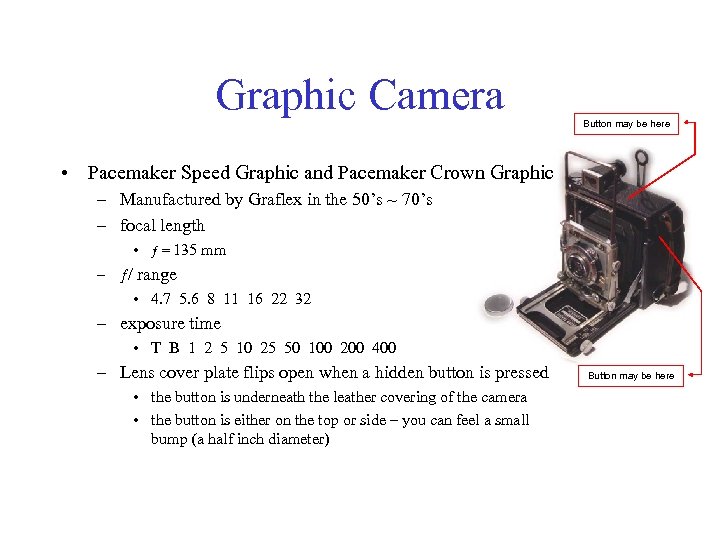 Graphic Camera Button may be here • Pacemaker Speed Graphic and Pacemaker Crown Graphic – Manufactured by Graflex in the 50’s ~ 70’s – focal length • ƒ = 135 mm – ƒ/ range • 4. 7 5. 6 8 11 16 22 32 – exposure time • T B 1 2 5 10 25 50 100 200 400 – Lens cover plate flips open when a hidden button is pressed • the button is underneath the leather covering of the camera • the button is either on the top or side – you can feel a small bump (a half inch diameter) Button may be here
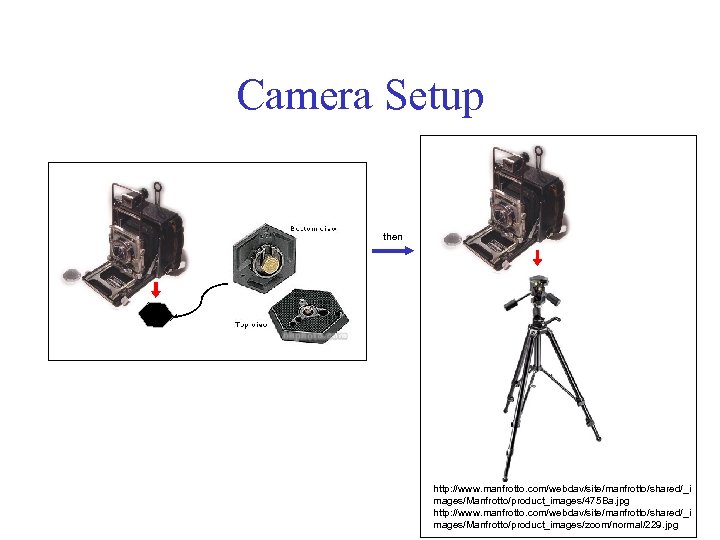 Camera Setup then http: //www. manfrotto. com/webdav/site/manfrotto/shared/_i mages/Manfrotto/product_images/475 Ba. jpg http: //www. manfrotto. com/webdav/site/manfrotto/shared/_i mages/Manfrotto/product_images/zoom/normal/229. jpg
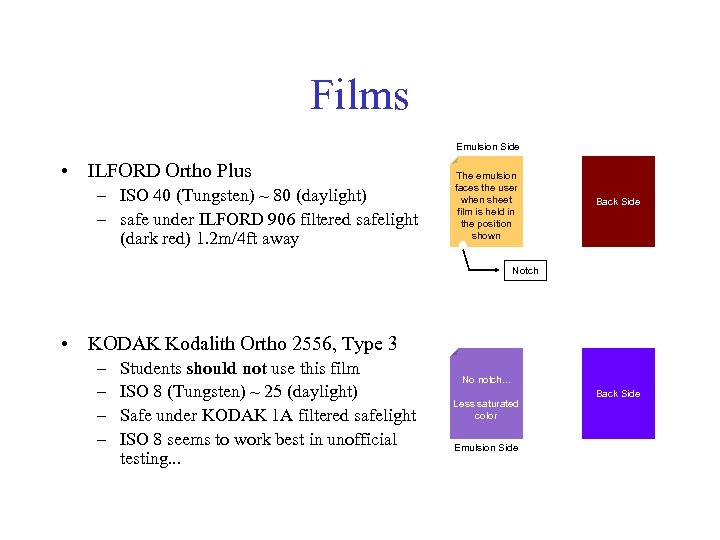 Films Emulsion Side • ILFORD Ortho Plus – ISO 40 (Tungsten) ~ 80 (daylight) – safe under ILFORD 906 filtered safelight (dark red) 1. 2 m/4 ft away The emulsion faces the user when sheet film is held in the position shown Back Side Notch • KODAK Kodalith Ortho 2556, Type 3 – – Students should not use this film ISO 8 (Tungsten) ~ 25 (daylight) Safe under KODAK 1 A filtered safelight ISO 8 seems to work best in unofficial testing. . . No notch. . . Less saturated color Emulsion Side Back Side
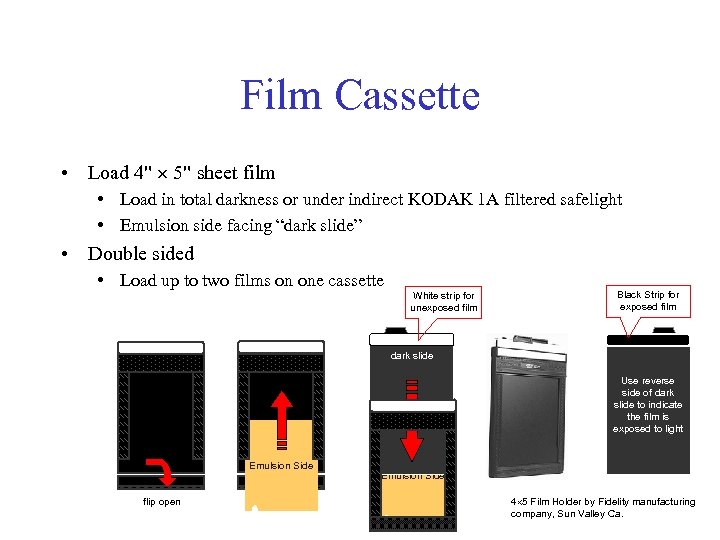 Film Cassette • Load 4" 5" sheet film • Load in total darkness or under indirect KODAK 1 A filtered safelight • Emulsion side facing “dark slide” • Double sided • Load up to two films on one cassette White strip for unexposed film Black Strip for exposed film dark slide Use reverse side of dark slide to indicate the film is exposed to light Emulsion Side flip open Emulsion Side 4 5 Film Holder by Fidelity manufacturing company, Sun Valley Ca.
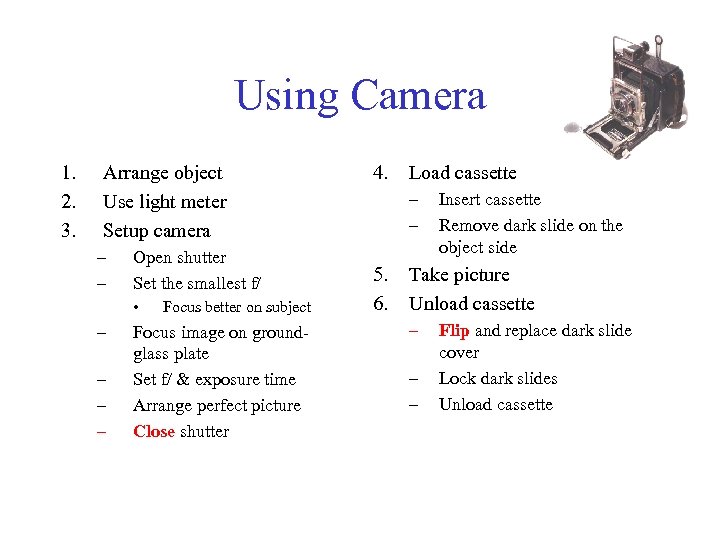 Using Camera 1. 2. 3. Arrange object Use light meter Setup camera – – Open shutter Set the smallest f/ • – – Focus better on subject Focus image on groundglass plate Set f/ & exposure time Arrange perfect picture Close shutter 4. Load cassette – – 5. 6. Insert cassette Remove dark slide on the object side Take picture Unload cassette – – – Flip and replace dark slide cover Lock dark slides Unload cassette
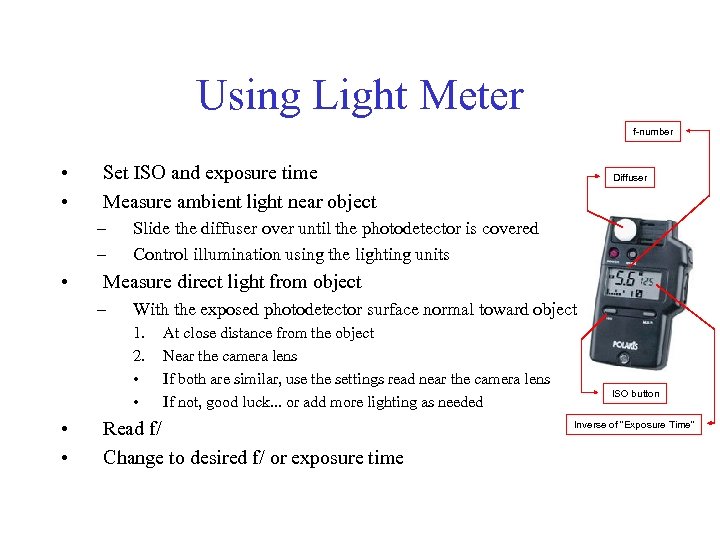 Using Light Meter f-number • • Set ISO and exposure time Measure ambient light near object – – • Slide the diffuser over until the photodetector is covered Control illumination using the lighting units Measure direct light from object – With the exposed photodetector surface normal toward object 1. 2. • • Diffuser At close distance from the object Near the camera lens If both are similar, use the settings read near the camera lens If not, good luck. . . or add more lighting as needed Read f/ Change to desired f/ or exposure time ISO button Inverse of "Exposure Time"
 Developer Solution Setup
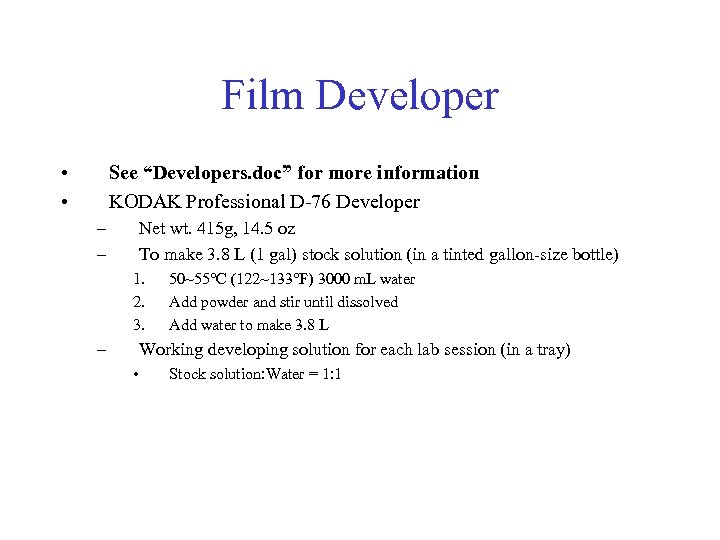 Film Developer • • See “Developers. doc” for more information KODAK Professional D-76 Developer – – Net wt. 415 g, 14. 5 oz To make 3. 8 L (1 gal) stock solution (in a tinted gallon-size bottle) 1. 2. 3. – 50~55 C (122~133 F) 3000 m. L water Add powder and stir until dissolved Add water to make 3. 8 L Working developing solution for each lab session (in a tray) • Stock solution: Water = 1: 1
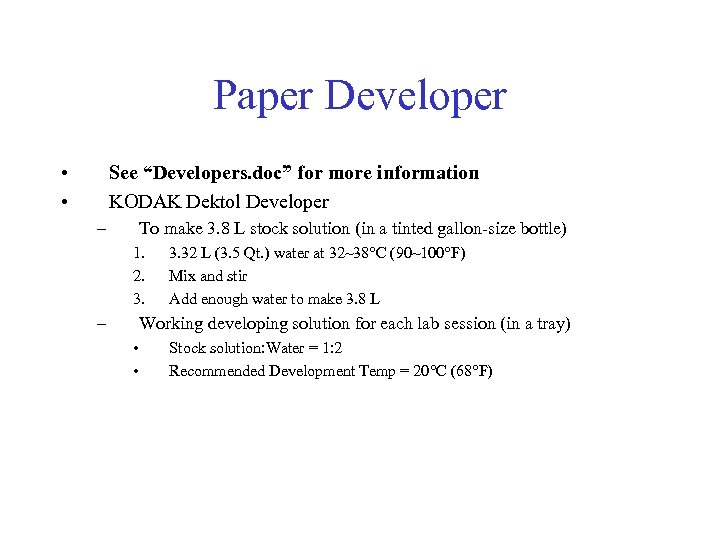 Paper Developer • • See “Developers. doc” for more information KODAK Dektol Developer – To make 3. 8 L stock solution (in a tinted gallon-size bottle) 1. 2. 3. – 3. 32 L (3. 5 Qt. ) water at 32~38 C (90~100 F) Mix and stir Add enough water to make 3. 8 L Working developing solution for each lab session (in a tray) • • Stock solution: Water = 1: 2 Recommended Development Temp = 20 C (68 F)
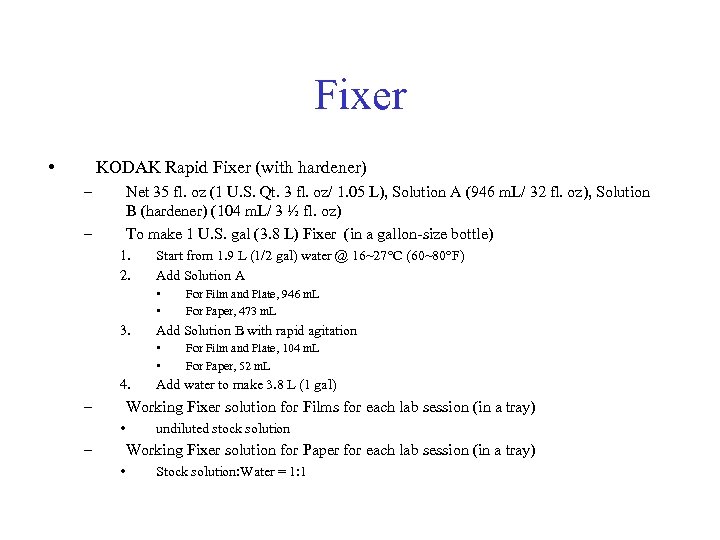 Fixer • KODAK Rapid Fixer (with hardener) – Net 35 fl. oz (1 U. S. Qt. 3 fl. oz/ 1. 05 L), Solution A (946 m. L/ 32 fl. oz), Solution B (hardener) (104 m. L/ 3 ½ fl. oz) To make 1 U. S. gal (3. 8 L) Fixer (in a gallon-size bottle) – 1. 2. Start from 1. 9 L (1/2 gal) water @ 16~27 C (60~80 F) Add Solution A • • 3. Add Solution B with rapid agitation • • 4. – For Film and Plate, 946 m. L For Paper, 473 m. L For Film and Plate, 104 m. L For Paper, 52 m. L Add water to make 3. 8 L (1 gal) Working Fixer solution for Films for each lab session (in a tray) • – undiluted stock solution Working Fixer solution for Paper for each lab session (in a tray) • Stock solution: Water = 1: 1
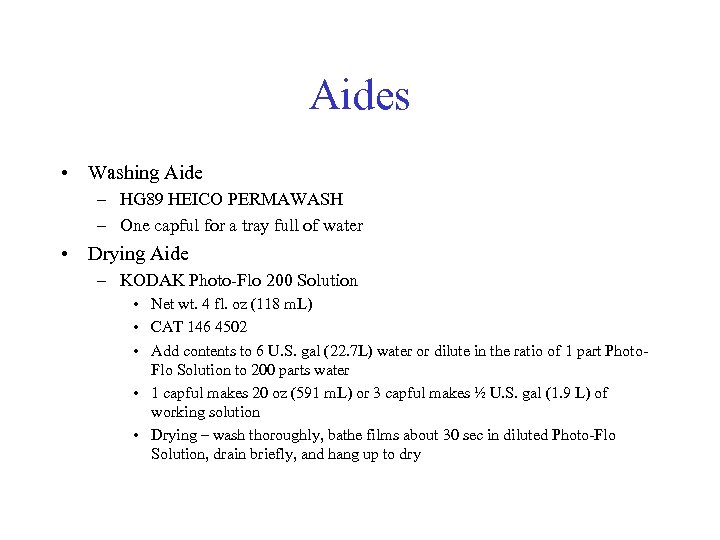 Aides • Washing Aide – HG 89 HEICO PERMAWASH – One capful for a tray full of water • Drying Aide – KODAK Photo-Flo 200 Solution • Net wt. 4 fl. oz (118 m. L) • CAT 146 4502 • Add contents to 6 U. S. gal (22. 7 L) water or dilute in the ratio of 1 part Photo. Flo Solution to 200 parts water • 1 capful makes 20 oz (591 m. L) or 3 capful makes ½ U. S. gal (1. 9 L) of working solution • Drying – wash thoroughly, bathe films about 30 sec in diluted Photo-Flo Solution, drain briefly, and hang up to dry
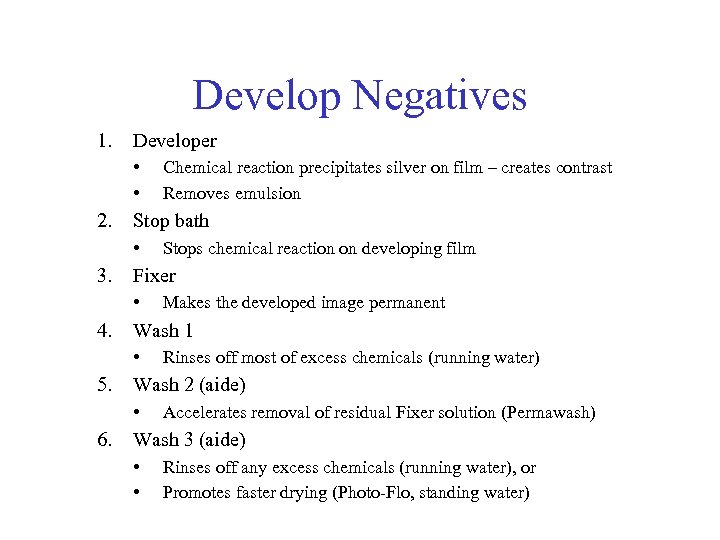 Develop Negatives 1. Developer • • 2. Stop bath • 3. Rinses off most of excess chemicals (running water) Wash 2 (aide) • 6. Makes the developed image permanent Wash 1 • 5. Stops chemical reaction on developing film Fixer • 4. Chemical reaction precipitates silver on film – creates contrast Removes emulsion Accelerates removal of residual Fixer solution (Permawash) Wash 3 (aide) • • Rinses off any excess chemicals (running water), or Promotes faster drying (Photo-Flo, standing water)
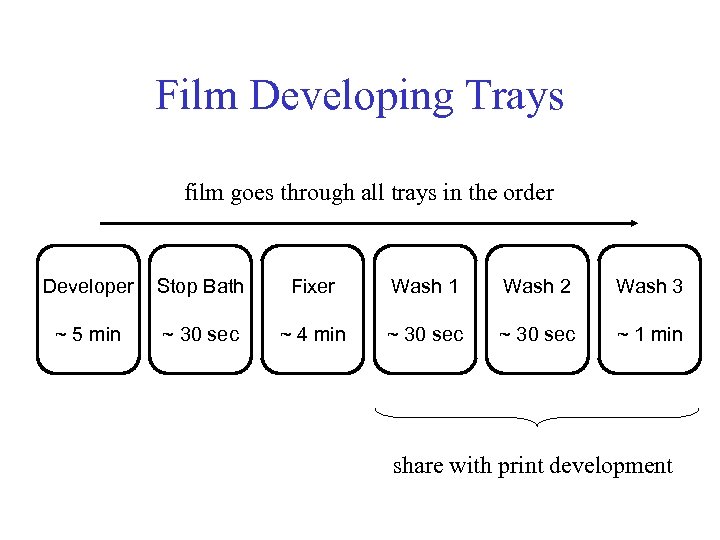 Film Developing Trays film goes through all trays in the order Developer Stop Bath Fixer Wash 1 Wash 2 Wash 3 ~ 5 min ~ 30 sec ~ 4 min ~ 30 sec ~ 1 min share with print development
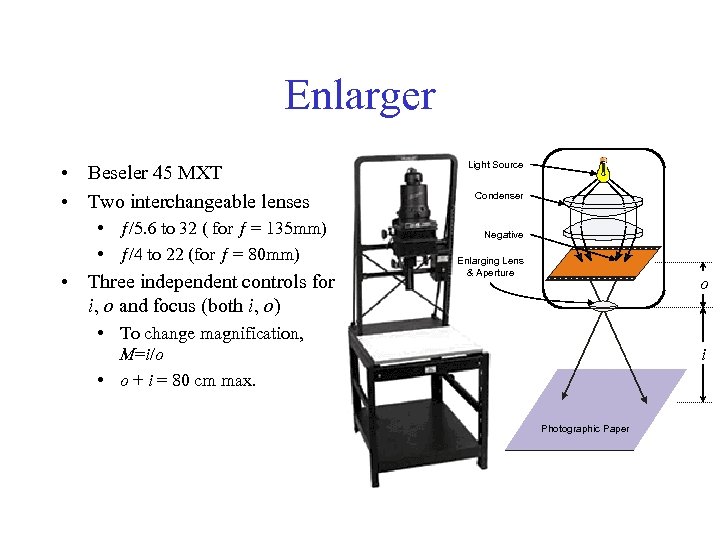 Enlarger • Beseler 45 MXT • Two interchangeable lenses • ƒ/5. 6 to 32 ( for ƒ = 135 mm) • ƒ/4 to 22 (for ƒ = 80 mm) • Three independent controls for i, o and focus (both i, o) Light Source Condenser Negative Enlarging Lens & Aperture o • To change magnification, M=i/o • o + i = 80 cm max. i Photographic Paper
 Photographic Paper • ILFORD MULTI GRADE IV RC DE LUXE – – Slightly better contrast than Polymax 100 sheets, 8" × 10", CAT 1947962, MG 4 RCIM Safe under KODAK 1 A filtered safelight Cut in right size • Kodak Polymax II RC (Not available anymore) – High contrast (F 5) but not much gray scale – Safe under KODAK 1 A filtered safelight – Cut in right size
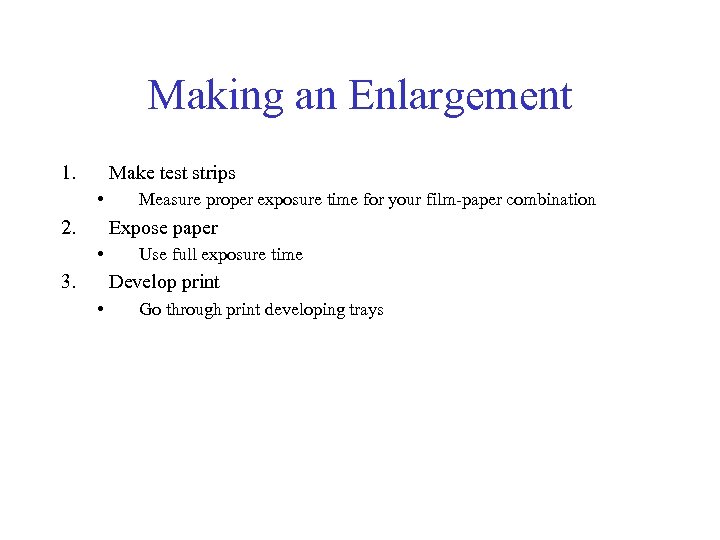 Making an Enlargement 1. Make test strips • 2. Measure proper exposure time for your film-paper combination Expose paper • 3. Use full exposure time Develop print • Go through print developing trays
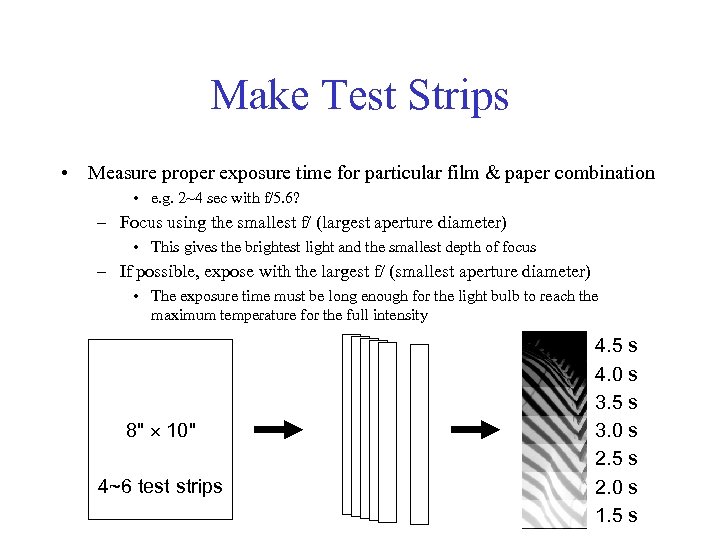 Make Test Strips • Measure proper exposure time for particular film & paper combination • e. g. 2~4 sec with f/5. 6? – Focus using the smallest f/ (largest aperture diameter) • This gives the brightest light and the smallest depth of focus – If possible, expose with the largest f/ (smallest aperture diameter) • The exposure time must be long enough for the light bulb to reach the maximum temperature for the full intensity 8" 10" 4~6 test strips 4. 5 s 4. 0 s 3. 5 s 3. 0 s 2. 5 s 2. 0 s 1. 5 s
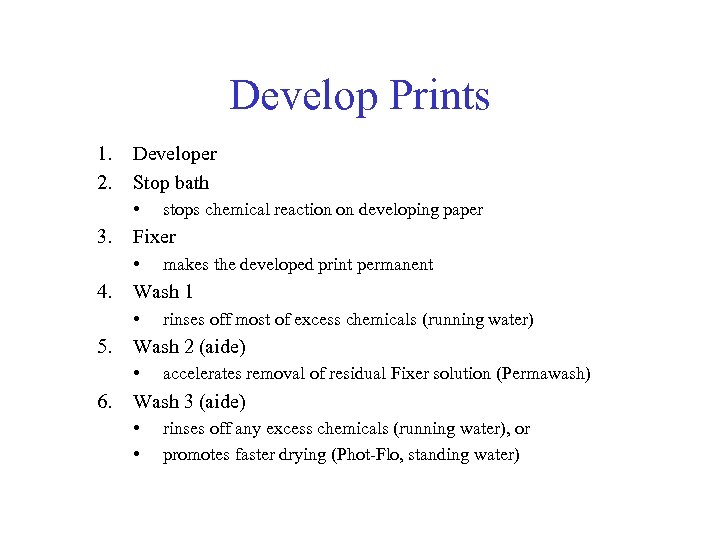 Develop Prints 1. 2. Developer Stop bath • 3. Fixer • 4. rinses off most of excess chemicals (running water) Wash 2 (aide) • 6. makes the developed print permanent Wash 1 • 5. stops chemical reaction on developing paper accelerates removal of residual Fixer solution (Permawash) Wash 3 (aide) • • rinses off any excess chemicals (running water), or promotes faster drying (Phot-Flo, standing water)
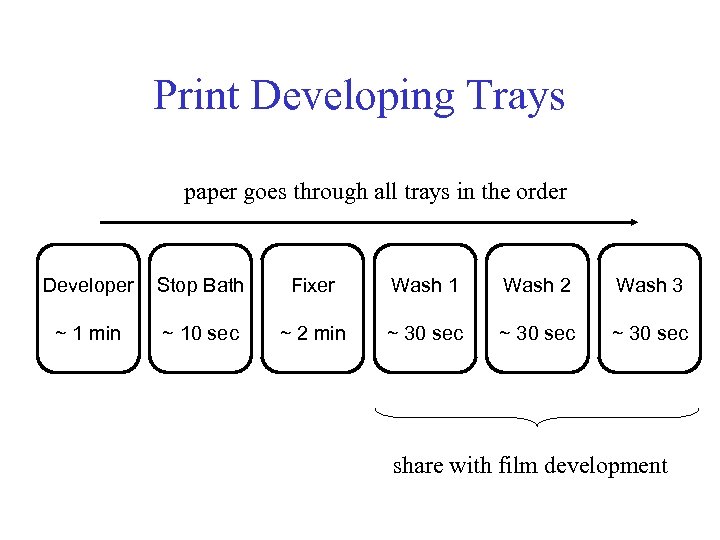 Print Developing Trays paper goes through all trays in the order Developer Stop Bath Fixer Wash 1 Wash 2 Wash 3 ~ 1 min ~ 10 sec ~ 2 min ~ 30 sec share with film development
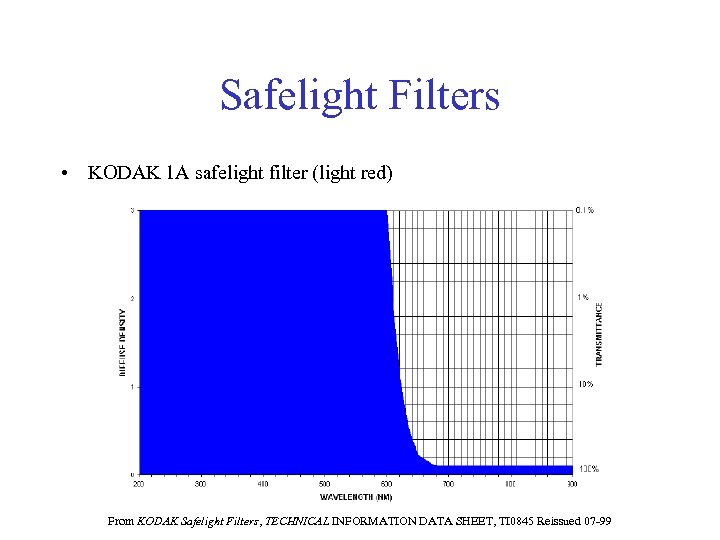 Safelight Filters • KODAK 1 A safelight filter (light red) From KODAK Safelight Filters, TECHNICAL INFORMATION DATA SHEET, TI 0845 Reissued 07 -99
 Additive Color Mixing Lab 14
 Lab 14: Additive Color Mixing 1. 2. 3. 4. 5. 6. 7. 8. 9. 10. 11. 12. Hue, Brightness ( intensity), Saturation (% white) Calibration of Light Meters White Chromaticity Diagram or Color Triangle Locating R, G, B on the Color Triangle Adding Two Primaries: Blue and Green Red Added to Green; Red Added to Blue Complementary Hues Color Matching Pigments Spectral Colors – The Need for "Negative Intensities" Are There Other Additive Primaries?
 Lab 14: Precautions • TAs must always control the projector fan – – – • TAs turn on the fan! And check if all units are working TAs turn off the fan only after the projectors cooled down (2~3 minutes) In the past, heat from the light bulb damaged many filters inside color projectors!!! Announce that students: – – • should not control the fan at all should dim projectors when not in use Statistically, 5%~10% of white male are color blind – – • ~95% of them are red/green color blind (HHMI) Be prepared to take extra care for these students Bring the following items to the electronics shop (3336 CH) when a projector bulb burns out: 1. 2. Projector unit Appropriate projector light bulb in a box in PARTS/SUPPLIES/MISCELLANEOUS cabinet • • Color projectors – 300 W bulb White projectors – 500 W bulb
 Lab 14: Notes to Students • • Let TAs turn on/off the fan Dim projectors when not in use
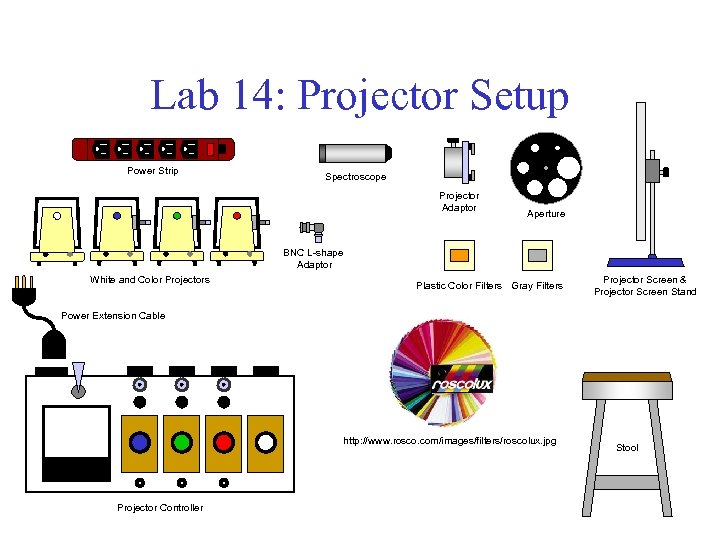 Lab 14: Projector Setup Power Strip Spectroscope Projector Adaptor Aperture BNC L-shape Adaptor White and Color Projectors Plastic Color Filters Gray Filters Projector Screen & Projector Screen Stand Power Extension Cable http: //www. rosco. com/images/filters/roscolux. jpg Projector Controller Stool
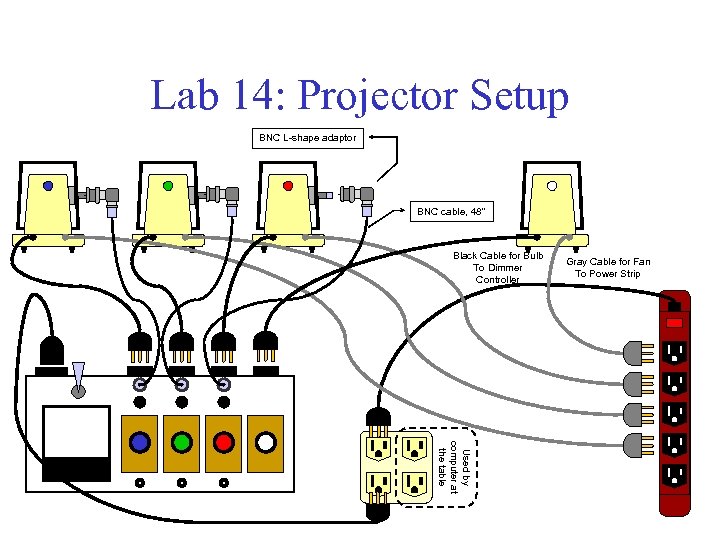 Lab 14: Projector Setup BNC L-shape adaptor BNC cable, 48" Black Cable for Bulb To Dimmer Controller Gray Cable for Fan To Power Strip Used by computer at the table
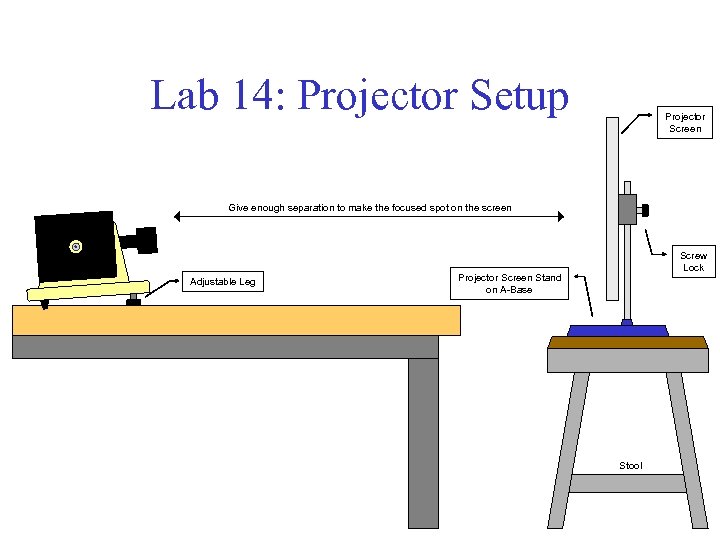 Lab 14: Projector Setup Projector Screen Give enough separation to make the focused spot on the screen Adjustable Leg Screw Lock Projector Screen Stand on A-Base Stool
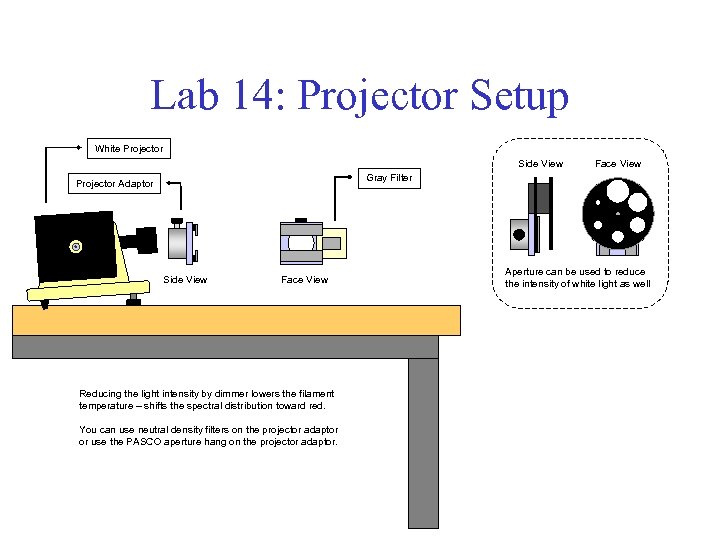 Lab 14: Projector Setup White Projector Side View Face View Gray Filter Projector Adaptor Side View Face View Reducing the light intensity by dimmer lowers the filament temperature – shifts the spectral distribution toward red. You can use neutral density filters on the projector adaptor or use the PASCO aperture hang on the projector adaptor. Aperture can be used to reduce the intensity of white light as well
 Subtractive Color: Filters & Paint Lab 13
 Lab 13: Subtractive Color: Filters & Paint 1. 2. 3. 4. Experiments with Filters: Color Samples & Paints (“Pigments”) Mixing Paint Spectra of Light Sources
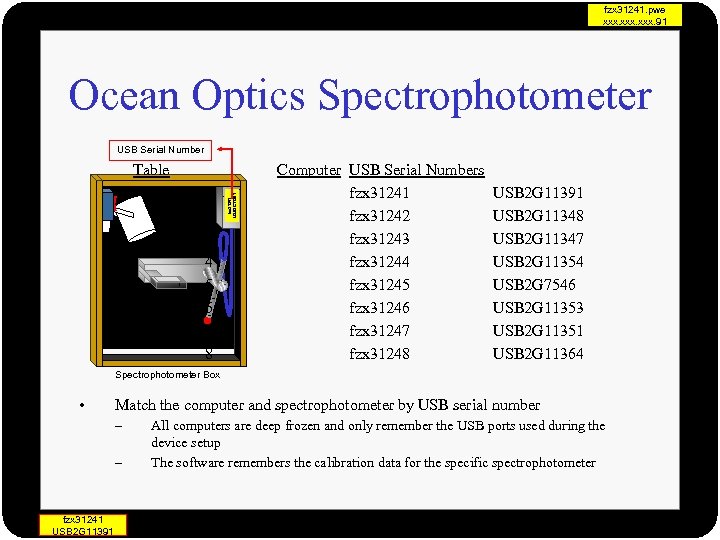 fzx 31241. pwe xxx. 91 Ocean Optics Spectrophotometer USB Serial Number 1 2 3 4 5 6 7 8 fzx 31241 USB 2 G 11391 Table Computer USB Serial Numbers fzx 31241 fzx 31242 fzx 31243 fzx 31244 fzx 31245 fzx 31246 fzx 31247 fzx 31248 USB 2 G 11391 USB 2 G 11348 USB 2 G 11347 USB 2 G 11354 USB 2 G 7546 USB 2 G 11353 USB 2 G 11351 USB 2 G 11364 Spectrophotometer Box • Match the computer and spectrophotometer by USB serial number – – fzx 31241 USB 2 G 11391 All computers are deep frozen and only remember the USB ports used during the device setup The software remembers the calibration data for the specific spectrophotometer
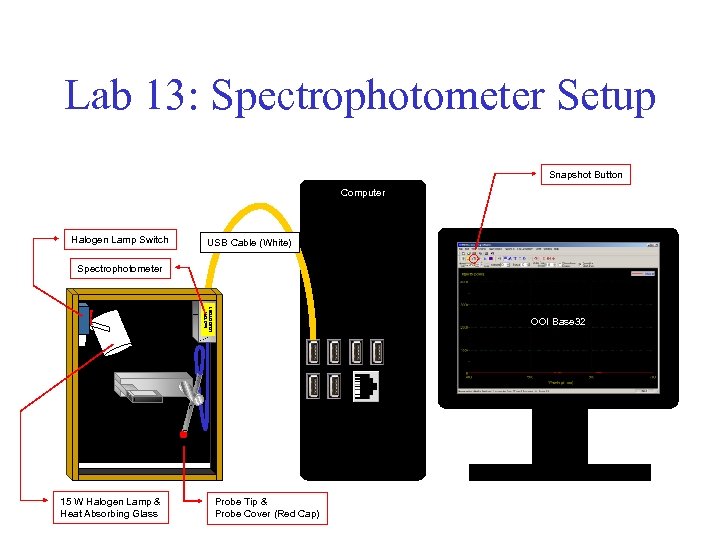 Lab 13: Spectrophotometer Setup Snapshot Button Computer Halogen Lamp Switch USB Cable (White) fzx 31241 USB 2 G 11391 Spectrophotometer 15 W Halogen Lamp & Heat Absorbing Glass OOI Base 32 Probe Tip & Probe Cover (Red Cap)
 Lab 13: Precautions • Probe Cover (Red Cap) – First TA of the day removes it from the probe tip – Last TA of the day replaces it • Specular Reflection – Misalign the probe slightly to avoid it • Polished Surface on Probe Tip – Avoid contact by finger – Avoid contact with paint • Clean using a lens paper and ethanol when accident happens. . . • Heat from Halogen Bulb Have Damaged Gray Filters – So we installed the heat absorbing glass before Fall 2006 semester and it may be working – But use the snapshot feature in software to freeze the screen – Then remove the filter from the holder
 Lab 13: Notes to Students • Polished Surface on Probe Tip – Avoid contact by finger – Avoid contact with paint • Use the snapshot feature in software – Freeze the screen – Then remove the filter from the holder
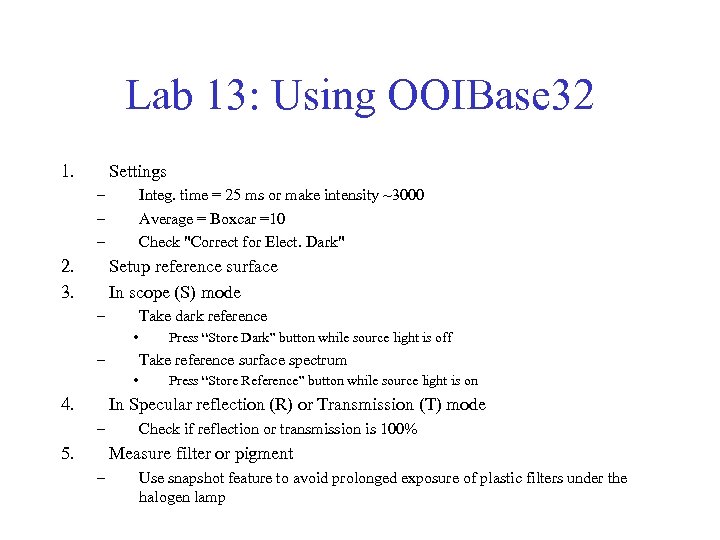 Lab 13: Using OOIBase 32 1. Settings – – – 2. 3. Integ. time = 25 ms or make intensity ~3000 Average = Boxcar =10 Check "Correct for Elect. Dark" Setup reference surface In scope (S) mode – Take dark reference • – Take reference surface spectrum • 4. Press “Store Dark” button while source light is off Press “Store Reference” button while source light is on In Specular reflection (R) or Transmission (T) mode – 5. Check if reflection or transmission is 100% Measure filter or pigment – Use snapshot feature to avoid prolonged exposure of plastic filters under the halogen lamp
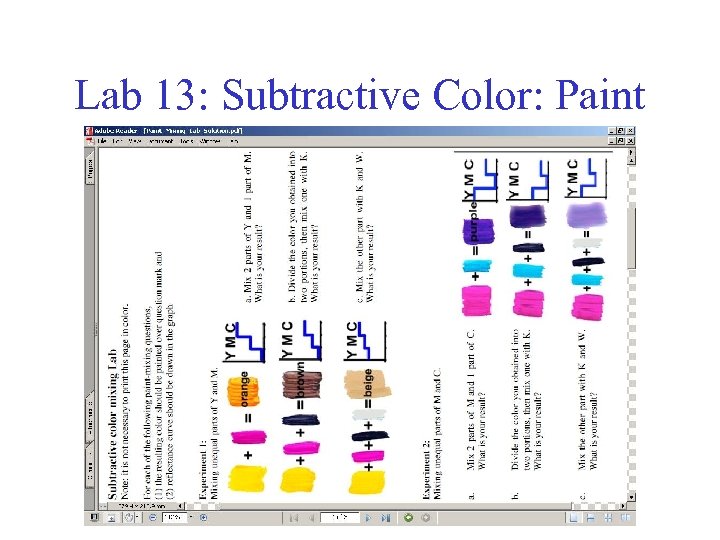
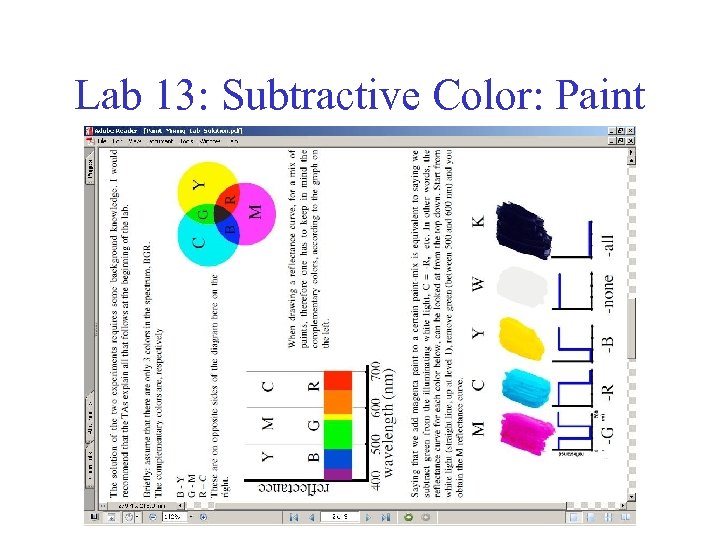
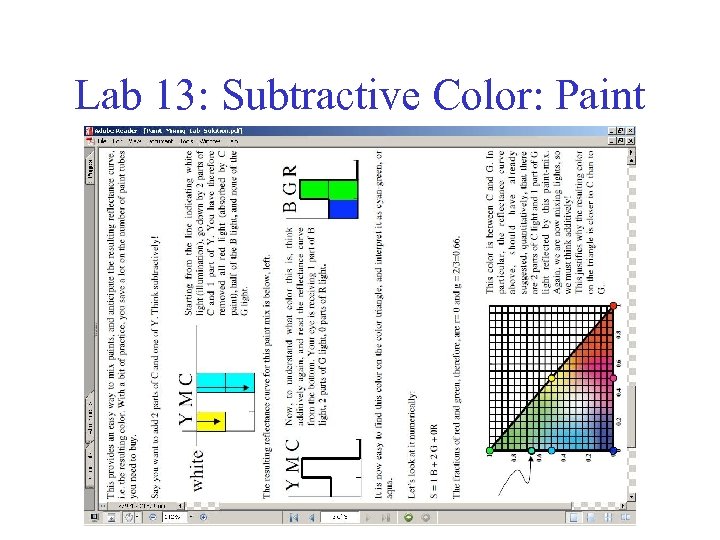
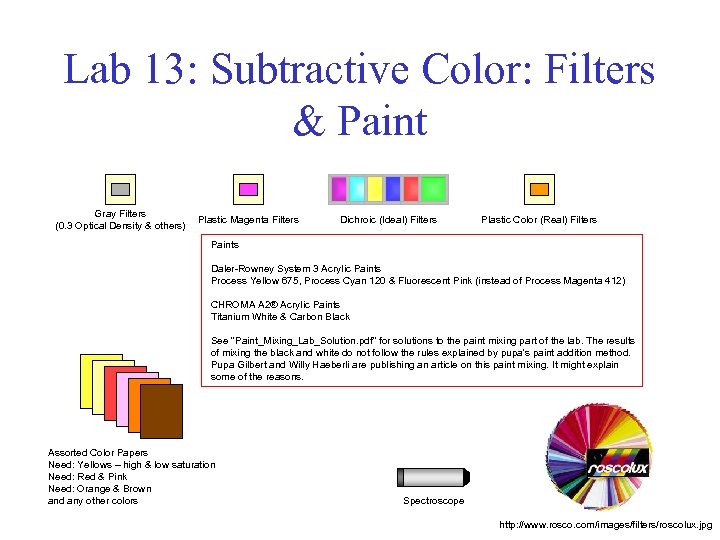 Lab 13: Subtractive Color: Filters & Paint Gray Filters (0. 3 Optical Density & others) Plastic Magenta Filters Dichroic (Ideal) Filters Plastic Color (Real) Filters Paints Daler-Rowney System 3 Acrylic Paints Process Yellow 675, Process Cyan 120 & Fluorescent Pink (instead of Process Magenta 412) CHROMA A 2® Acrylic Paints Titanium White & Carbon Black See "Paint_Mixing_Lab_Solution. pdf" for solutions to the paint mixing part of the lab. The results of mixing the black and white do not follow the rules explained by pupa's paint addition method. Pupa Gilbert and Willy Haeberli are publishing an article on this paint mixing. It might explain some of the reasons. Assorted Color Papers Need: Yellows – high & low saturation Need: Red & Pink Need: Orange & Brown and any other colors Spectroscope http: //www. rosco. com/images/filters/roscolux. jpg
 Lab 13: Subtractive Color: Paint
 Lab 13: Subtractive Color: Paint
 Lab 13: Subtractive Color: Paint
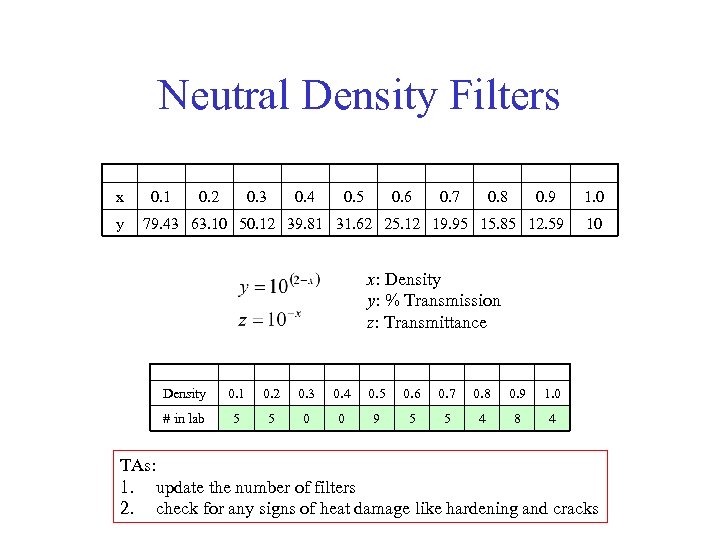 Neutral Density Filters x y 0. 1 0. 2 0. 3 0. 4 0. 5 0. 6 0. 7 0. 8 0. 9 79. 43 63. 10 50. 12 39. 81 31. 62 25. 12 19. 95 15. 85 12. 59 1. 0 10 x: Density y: % Transmission z: Transmittance Density 0. 1 0. 2 0. 3 0. 4 0. 5 0. 6 0. 7 0. 8 0. 9 1. 0 # in lab 5 5 0 0 9 5 5 4 8 4 TAs: 1. update the number of filters 2. check for any signs of heat damage like hardening and cracks
 Safelight Filters For Photography Lab For Dark Rooms
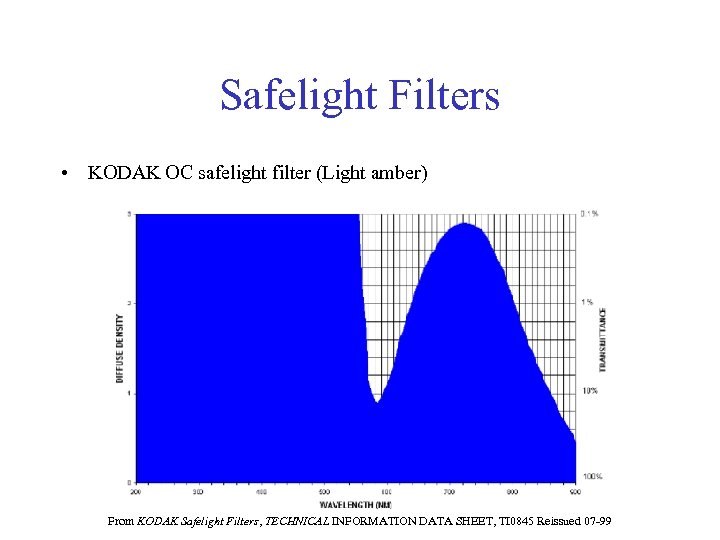 Safelight Filters • KODAK OC safelight filter (Light amber) From KODAK Safelight Filters, TECHNICAL INFORMATION DATA SHEET, TI 0845 Reissued 07 -99
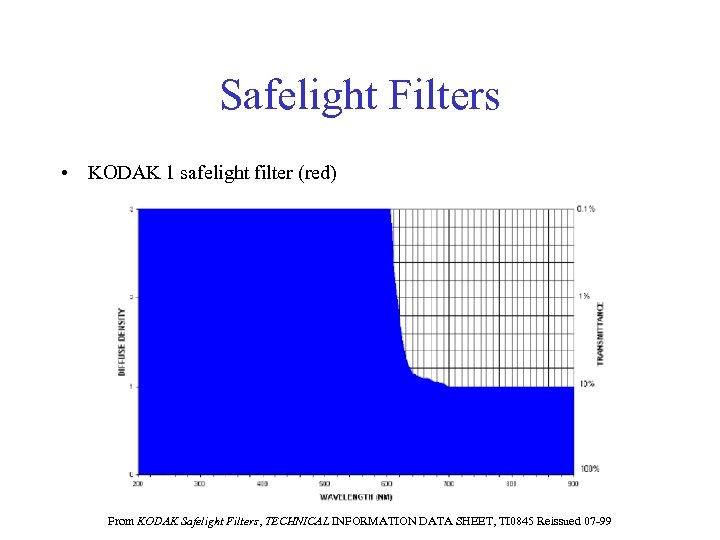 Safelight Filters • KODAK 1 safelight filter (red) From KODAK Safelight Filters, TECHNICAL INFORMATION DATA SHEET, TI 0845 Reissued 07 -99
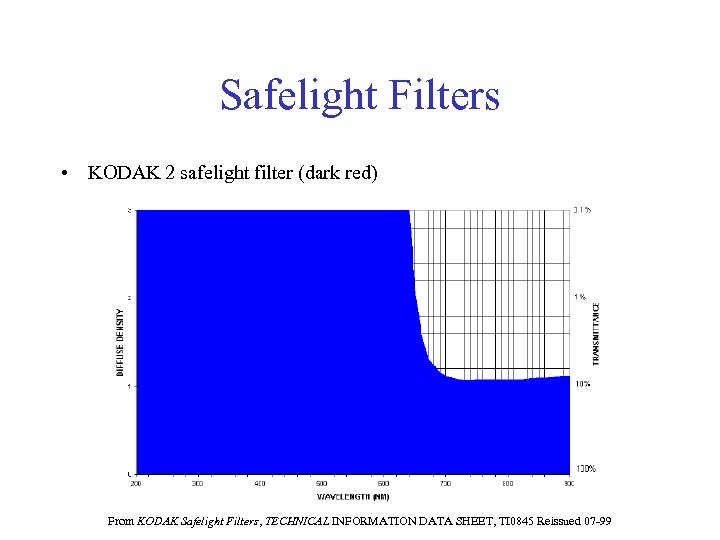 Safelight Filters • KODAK 2 safelight filter (dark red) From KODAK Safelight Filters, TECHNICAL INFORMATION DATA SHEET, TI 0845 Reissued 07 -99
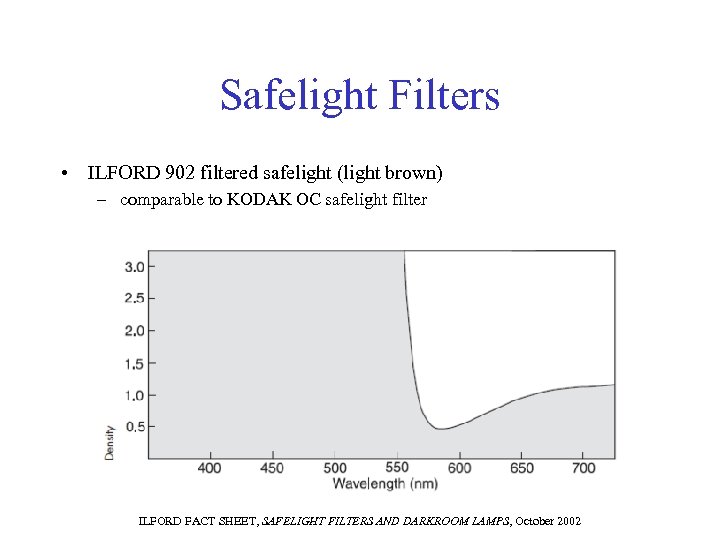 Safelight Filters • ILFORD 902 filtered safelight (light brown) – comparable to KODAK OC safelight filter ILFORD FACT SHEET, SAFELIGHT FILTERS AND DARKROOM LAMPS, October 2002
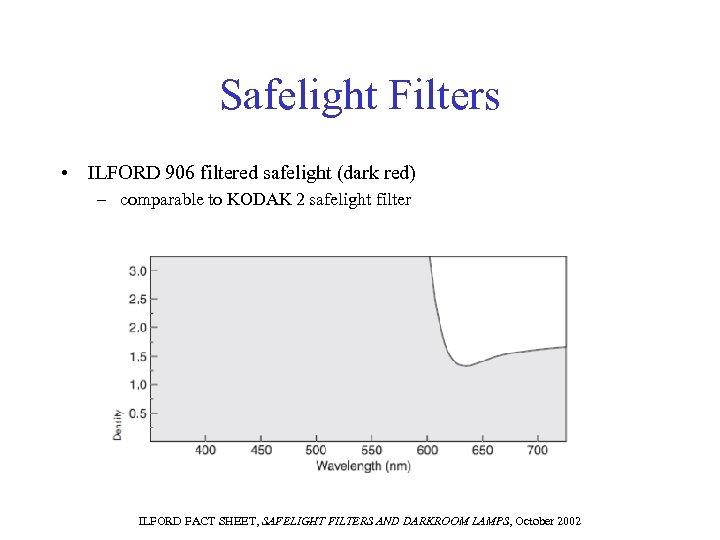 Safelight Filters • ILFORD 906 filtered safelight (dark red) – comparable to KODAK 2 safelight filter ILFORD FACT SHEET, SAFELIGHT FILTERS AND DARKROOM LAMPS, October 2002
 Spectra of Light Sources For Subtractive Color Lab For Spectra of Light Sources
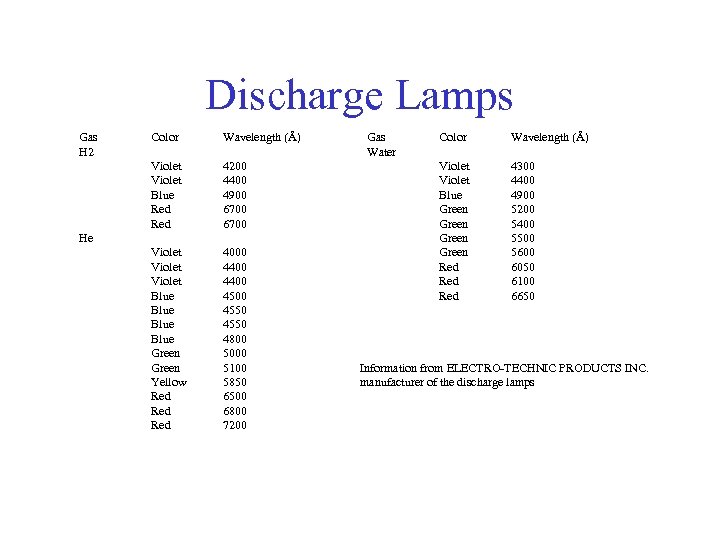 Discharge Lamps Gas H 2 Color Wavelength (Å) Violet Blue Red 4200 4400 4900 6700 Violet Blue Green Yellow Red Red 4000 4400 4550 4800 5000 5100 5850 6500 6800 7200 He Gas Water Color Wavelength (Å) Violet Blue Green Red Red 4300 4400 4900 5200 5400 5500 5600 6050 6100 6650 Information from ELECTRO-TECHNIC PRODUCTS INC. manufacturer of the discharge lamps
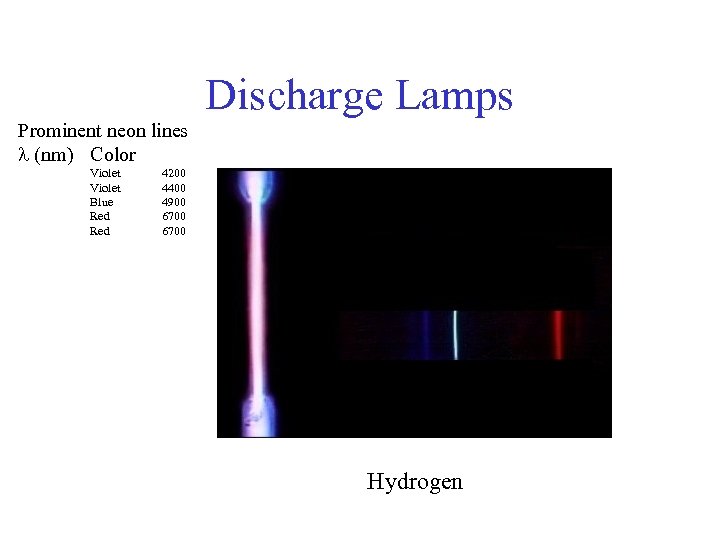 Discharge Lamps Prominent neon lines (nm) Color Violet Blue Red 4200 4400 4900 6700 Hydrogen
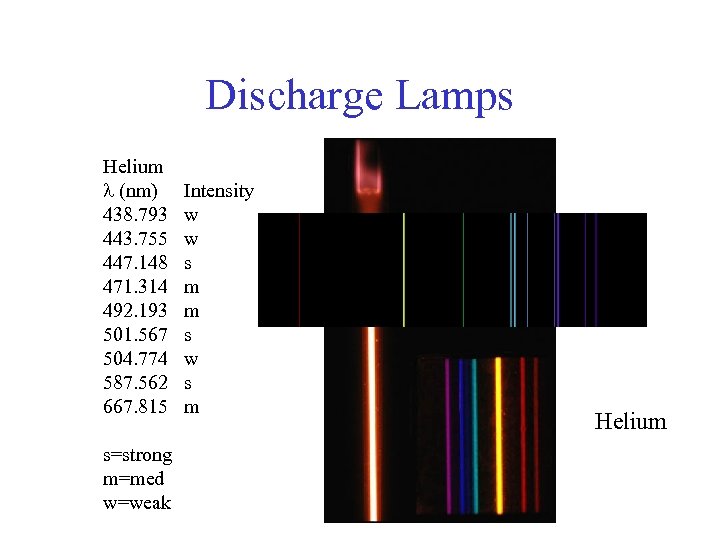 Discharge Lamps Helium (nm) 438. 793 443. 755 447. 148 471. 314 492. 193 501. 567 504. 774 587. 562 667. 815 s=strong m=med w=weak Intensity w w s m m s w s m Helium
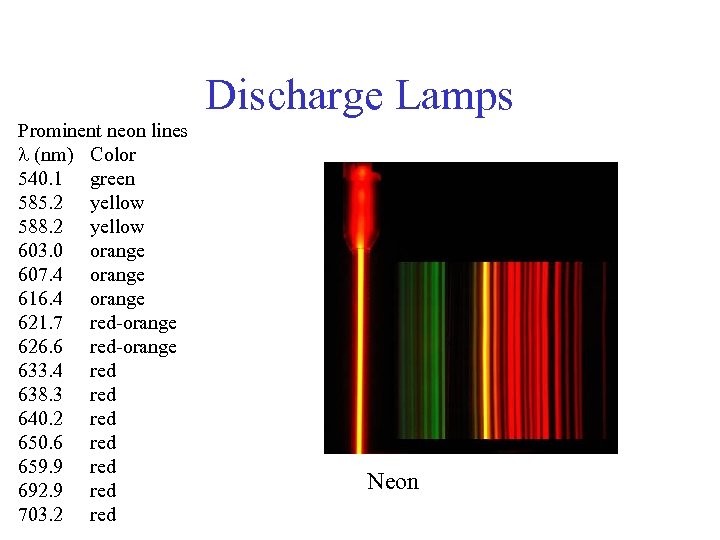 Discharge Lamps Prominent neon lines (nm) Color 540. 1 green 585. 2 yellow 588. 2 yellow 603. 0 orange 607. 4 orange 616. 4 orange 621. 7 red-orange 626. 6 red-orange 633. 4 red 638. 3 red 640. 2 red 650. 6 red 659. 9 red 692. 9 red 703. 2 red Neon
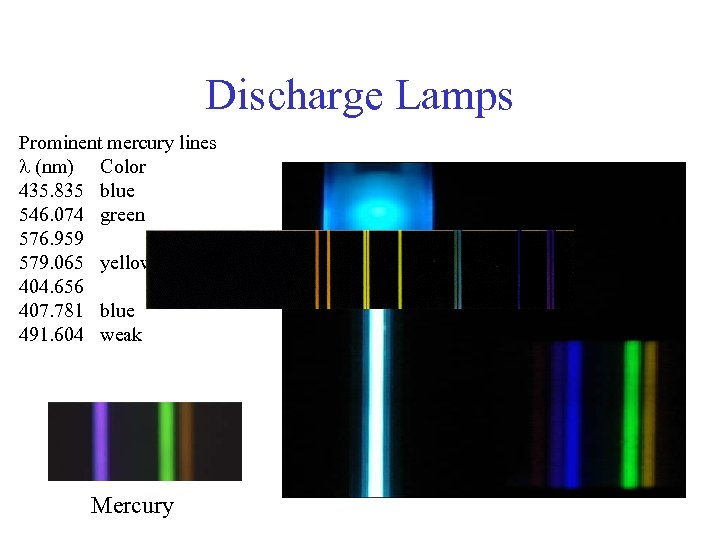 Discharge Lamps Prominent mercury lines (nm) Color 435. 835 blue 546. 074 green 576. 959 579. 065 yellow-orange 404. 656 407. 781 blue 491. 604 weak Mercury
 Filter Selections For Lenses and Additive Color Mixing Labs
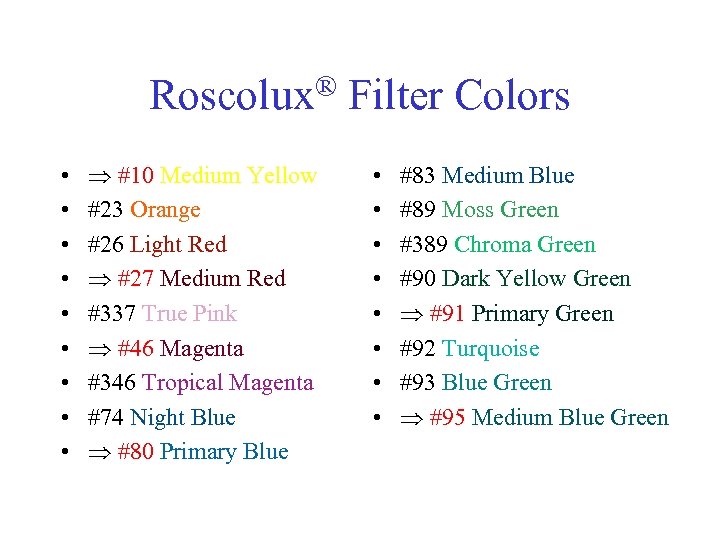 ® Filter Colors Roscolux • • • #10 Medium Yellow #23 Orange #26 Light Red #27 Medium Red #337 True Pink #46 Magenta #346 Tropical Magenta #74 Night Blue #80 Primary Blue • • #83 Medium Blue #89 Moss Green #389 Chroma Green #90 Dark Yellow Green #91 Primary Green #92 Turquoise #93 Blue Green #95 Medium Blue Green
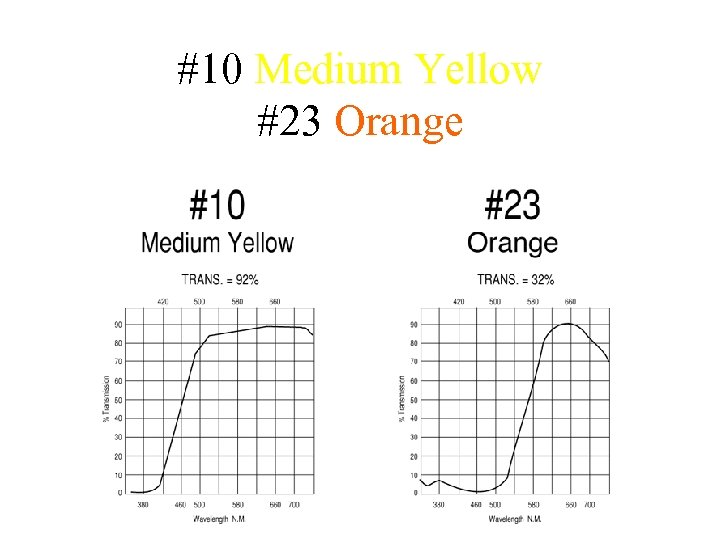 #10 Medium Yellow #23 Orange
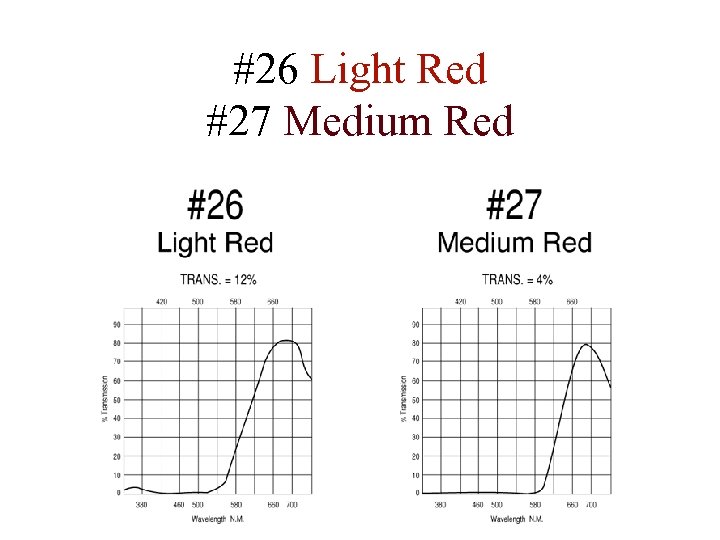 #26 Light Red #27 Medium Red
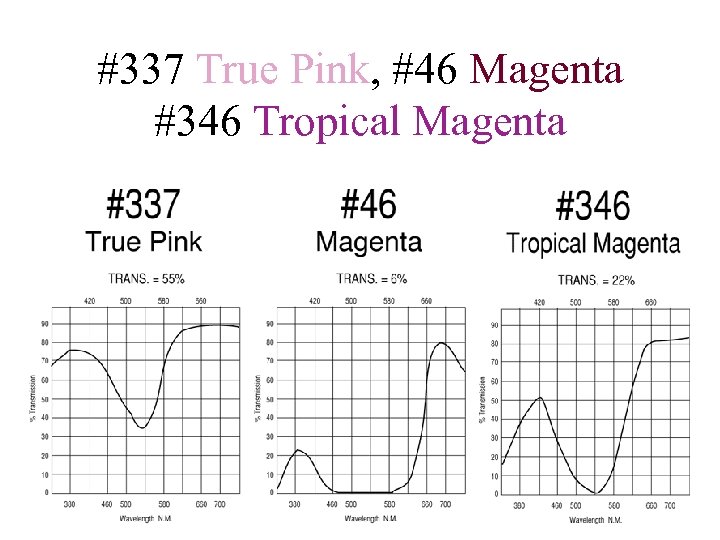 #337 True Pink, #46 Magenta #346 Tropical Magenta
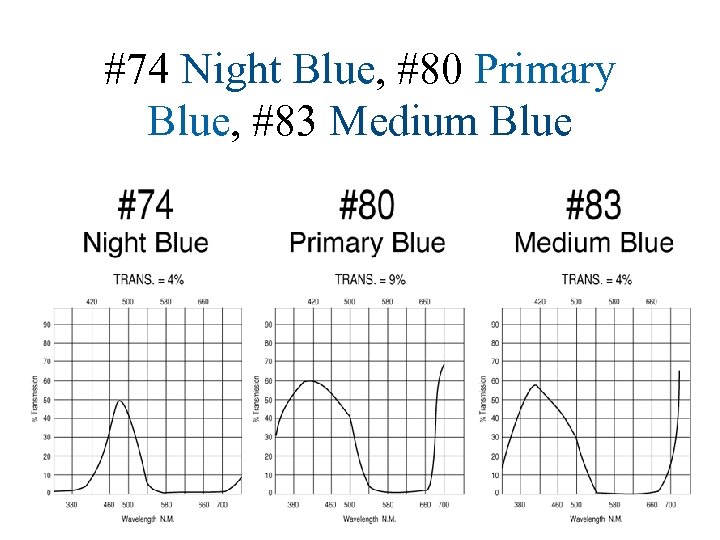 #74 Night Blue, #80 Primary Blue, #83 Medium Blue
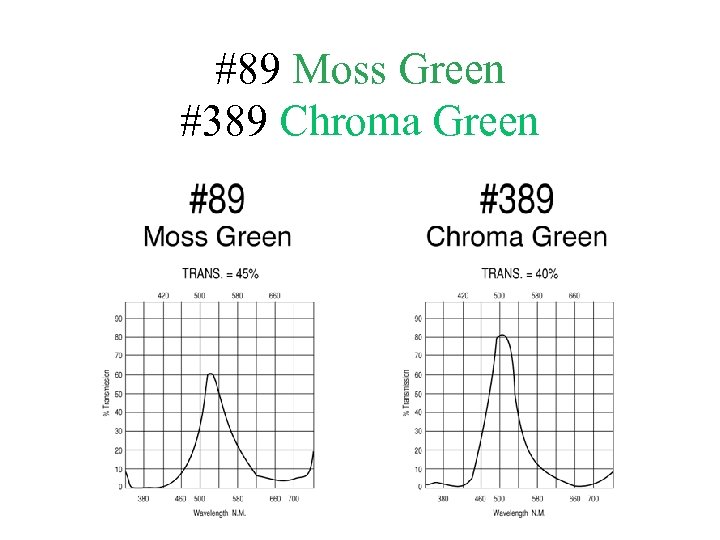 #89 Moss Green #389 Chroma Green
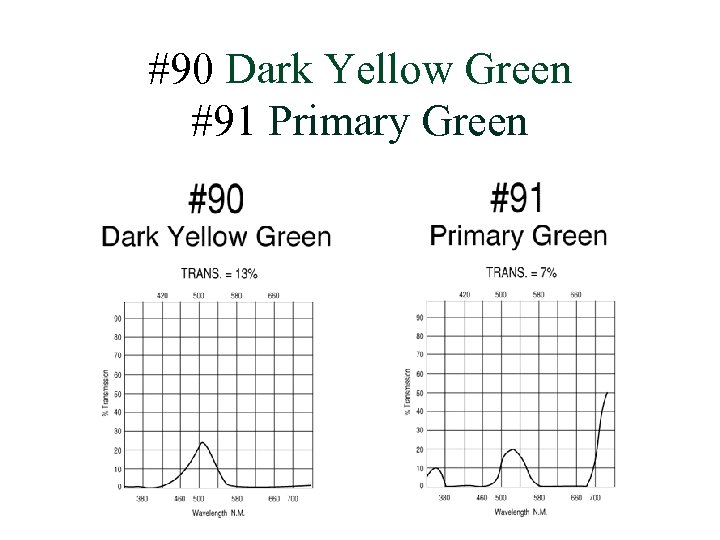 #90 Dark Yellow Green #91 Primary Green
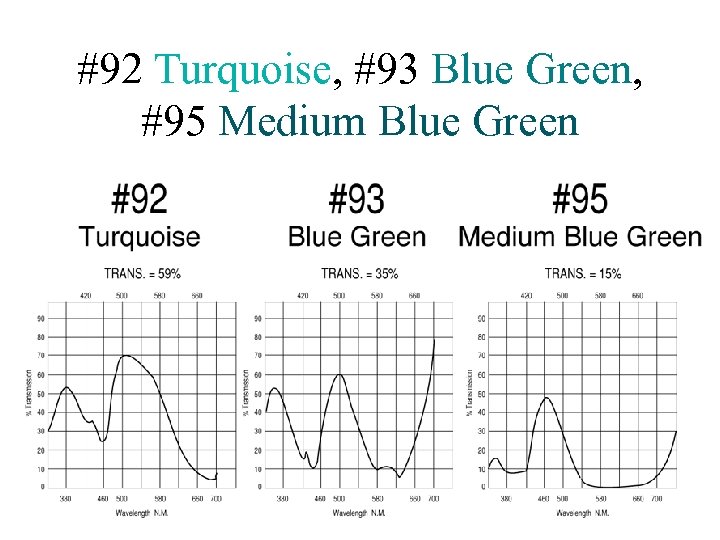 #92 Turquoise, #93 Blue Green, #95 Medium Blue Green
 Equipment and Supplies For various supplies and musical instruments
 Strings • PASCO Elastic Wave Cord (do not use this elastic cord) – – mass: 12. 773 g length: 305. 0 cm : 0. 04188 g/cm when driven, the cord stretches and the linear mass density decreases
 Ward-Brodt Music • 2200 West Beltline Highway, P. O. Box 259810, Madison, WI 53725 -9810 – 608 -661 -8600 or 800 -369 -6255 –
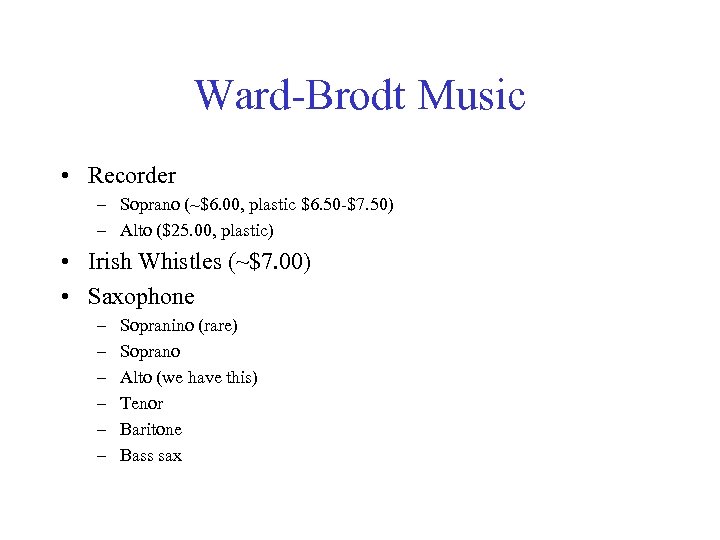 Ward-Brodt Music • Recorder – Soprano (~$6. 00, plastic $6. 50 -$7. 50) – Alto ($25. 00, plastic) • Irish Whistles (~$7. 00) • Saxophone – – – Sopranino (rare) Soprano Alto (we have this) Tenor Baritone Bass sax
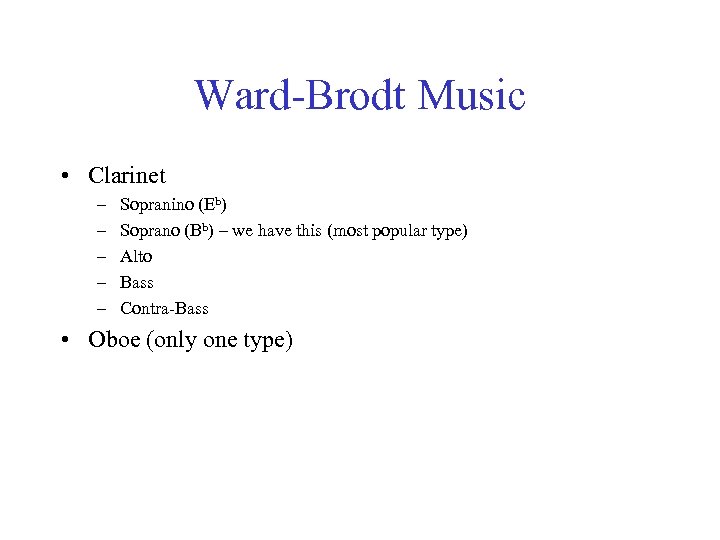 Ward-Brodt Music • Clarinet – – – Sopranino (Eb) Soprano (Bb) – we have this (most popular type) Alto Bass Contra-Bass • Oboe (only one type)
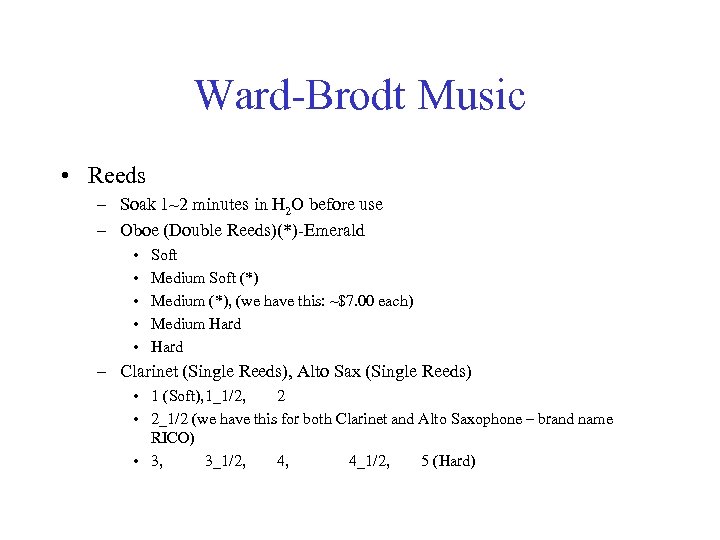 Ward-Brodt Music • Reeds – Soak 1~2 minutes in H 2 O before use – Oboe (Double Reeds)(*)-Emerald • • • Soft Medium Soft (*) Medium (*), (we have this: ~$7. 00 each) Medium Hard – Clarinet (Single Reeds), Alto Sax (Single Reeds) • 1 (Soft), 1_1/2, 2 • 2_1/2 (we have this for both Clarinet and Alto Saxophone – brand name RICO) • 3, 3_1/2, 4, 4_1/2, 5 (Hard)
 Spruce Tree Music & Repair • 851 E. Johnson St. , Madison, WI 53703 – (608)255 -2254 –
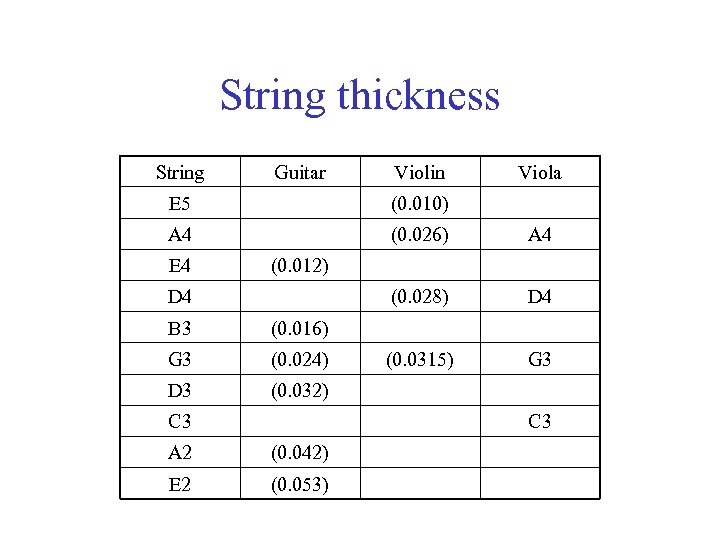 String thickness String Guitar Violin Viola E 5 (0. 010) A 4 (0. 026) A 4 (0. 028) D 4 (0. 0315) G 3 E 4 (0. 012) D 4 B 3 (0. 016) G 3 (0. 024) D 3 (0. 032) C 3 A 2 (0. 042) E 2 (0. 053)
 Spectroscope • PATON HAWKSLEY EDUCATION LTD – http: //www. patonhawksley. co. uk/index. html
 Red Filter for Slide Projector • Melles Griot – 03 FCG 503 Sharp Cutoff (Long-Pass) Filter Material : RG 630 Unit Price: $34. 00 – (http: //shop. mellesgriot. com/products/optics/detail. asp? pf_id=03% 20 FCG%20503&plga=079632&mscssid=)
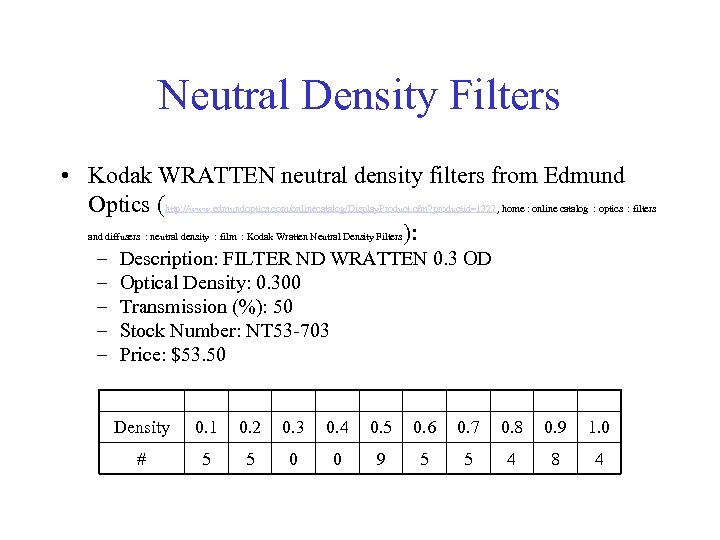 Neutral Density Filters • Kodak WRATTEN neutral density filters from Edmund Optics (http: //www. edmundoptics. com/onlinecatalog/Display. Product. cfm? productid=1327, home : online catalog : optics : filters and diffusers : neutral density : film : Kodak Wratten Neutral Density Filters ): – – – Description: FILTER ND WRATTEN 0. 3 OD Optical Density: 0. 300 Transmission (%): 50 Stock Number: NT 53 -703 Price: $53. 50 Density 0. 1 0. 2 0. 3 0. 4 0. 5 0. 6 0. 7 0. 8 0. 9 1. 0 # 5 5 0 0 9 5 5 4 8 4
 Artist and Craftsman Supply • 449 State St, Space D, Madison, WI 53703 – Phone: 866 -848 -2977, (608)251 -2977, Fax: (608)251 -2944 – Store hours: M-F 10 a - 8 p, Sat-Sun 10 a - 6 p – Lily (Contact person) • Daler-Rowney System 3 Acrylic Paints – – Process Magenta 412, $2. 49 (do not use this) Fluorescent Pink Process Yellow 675, $2. 49 Process Cyan 120, $2. 49 • CHROMA A 2® Acrylic Paints – Titanium White, $3. 22 – Carbon Black, $3. 22
 Extras
 2 2 Grids for ND Wratten Filters
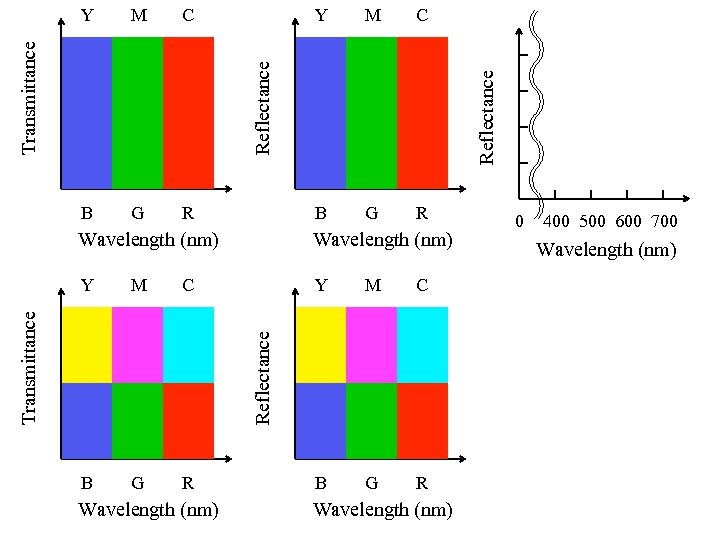 M C B G R Y M C B G R Reflectance Transmittance Y Wavelength (nm) Y M C B G R Reflectance Transmittance Wavelength (nm) 0 400 500 600 700 Wavelength (nm)
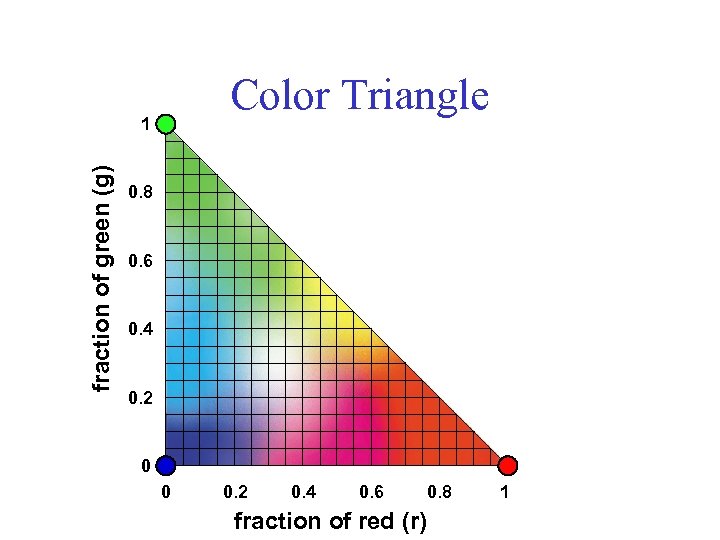 Color Triangle fraction of green (g) 1 0. 8 0. 6 0. 4 0. 2 0 0 0. 2 0. 4 0. 6 0. 8 fraction of red (r) 1