


 Скачать презентацию Title Final Design Review FDR Edits are
6aa3230f634ccdd15ad30c87ec7217c2.ppt
- Количество слайдов: 21
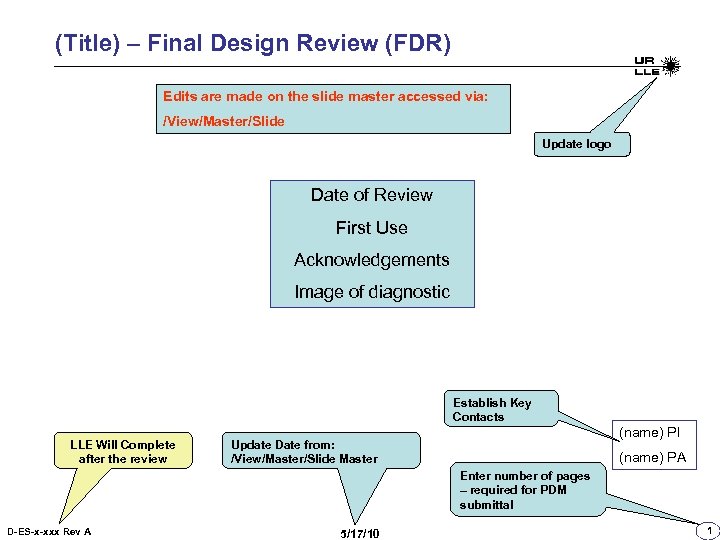 (Title) – Final Design Review (FDR) Edits are made on the slide master accessed via: /View/Master/Slide Update logo Date of Review First Use Acknowledgements Image of diagnostic Establish Key Contacts LLE Will Complete after the review (name) PI Update Date from: /View/Master/Slide Master (name) PA Enter number of pages – required for PDM submittal D-ES-x-xxx Rev A 5/17/10 1
 Overview - Motivation -Summarize Scope -Summarize Motivation Campaign Details: EP or Omega Or Joint Shot? ; Campaign Type? Side Lighter/ Back Lighter? What TIM’s or Fixed? High Xrays, High Yield? High EMP? , Tritium? D-ES-x-xxx Rev A 5/17/10 2
 Requirements List Requirements Mechanical - Positioning Performance Accuracy D-ES-x-xxx Rev A Show/Validate that the requirements have been met 5/17/10 3
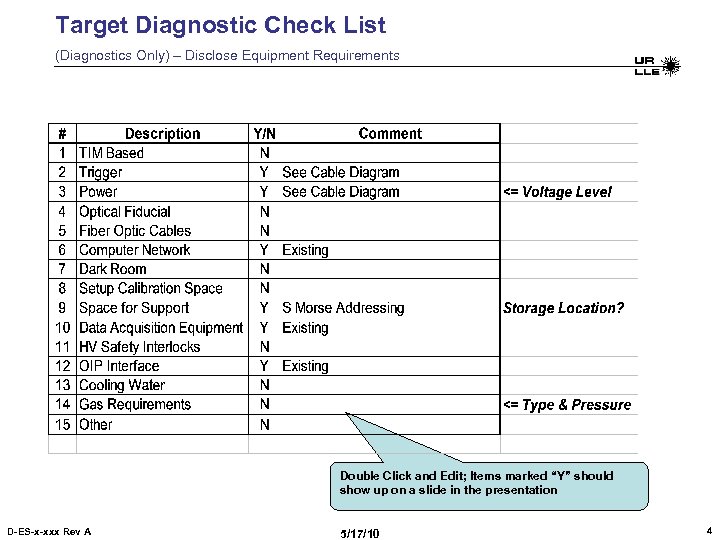 Target Diagnostic Check List (Diagnostics Only) – Disclose Equipment Requirements Double Click and Edit; Items marked “Y” should show up on a slide in the presentation D-ES-x-xxx Rev A 5/17/10 4
 Design Concepts 1) Present Design – LLE will ask questions on the following topics (be prepared): • Weight • Rigging – CG – Handles that straddle CG • Vacuum/optical Compatible materials • FEA • Safety Note must be in LLE ME hands prior to FDR 2) “Target Diagnostic Check List” Cover Items checked “Y” 3) Issues Options Trade offs D-ES-x-xxx Rev A 5/17/10 5
 Beam Envelope – Clearances – Space Envelope Step File must be sent to LLE 1 week prior to the review for beam clearance and space envelope checks D-ES-x-xxx Rev A 5/17/10 6
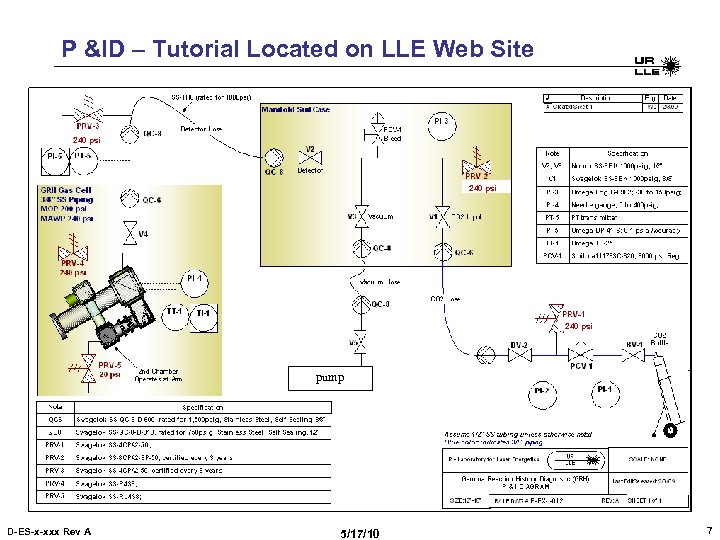 P &ID – Tutorial Located on LLE Web Site 240 psi pump D-ES-x-xxx Rev A 5/17/10 7
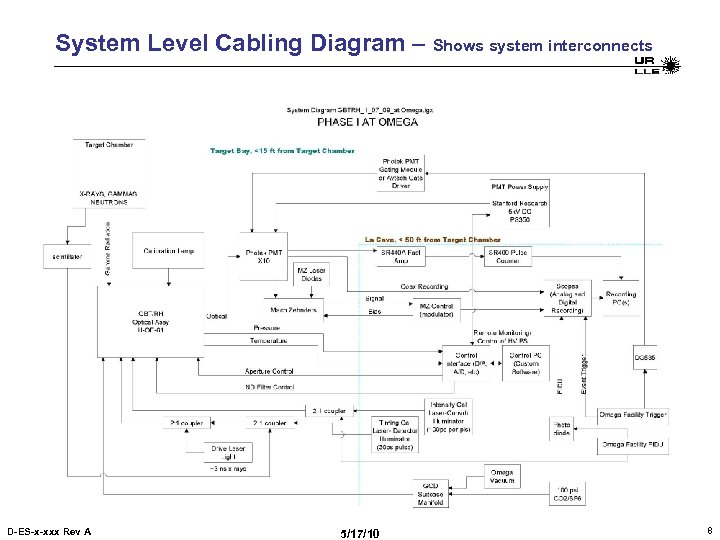 System Level Cabling Diagram – Shows system interconnects D-ES-x-xxx Rev A 5/17/10 8
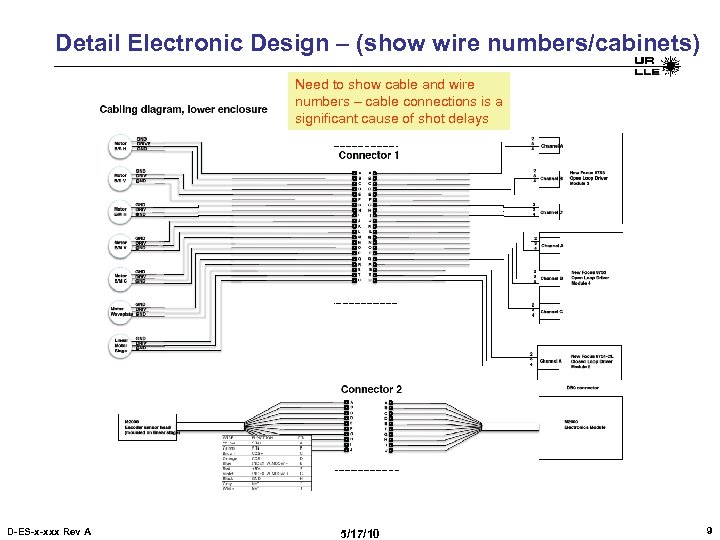 Detail Electronic Design – (show wire numbers/cabinets) Need to show cable and wire numbers – cable connections is a significant cause of shot delays D-ES-x-xxx Rev A 5/17/10 9
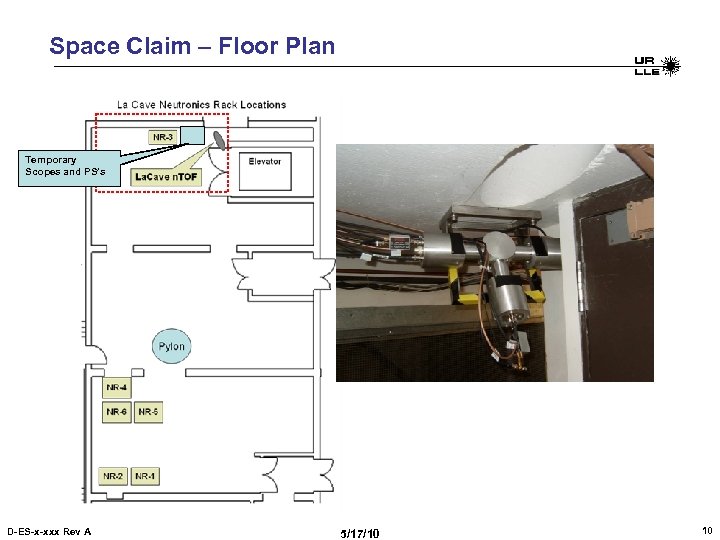 Space Claim – Floor Plan Temporary Scopes and PS’s D-ES-x-xxx Rev A 5/17/10 10
 Operations Installation steps Setup/Alignment Overview Typical Shot – Steps to Service diagnostic SRF Definition Status of Procedure –install, Alignment and shot operations draft procedure must be submitted to LLE prior to FDR D-ES-x-xxx Rev A 5/17/10 11
 CDR Action Items Copy CDR Action Items Table Here; Review after the design presentation; this helps LLE to understand the items are addressed D-ES-x-xxx Rev A 5/17/10 12
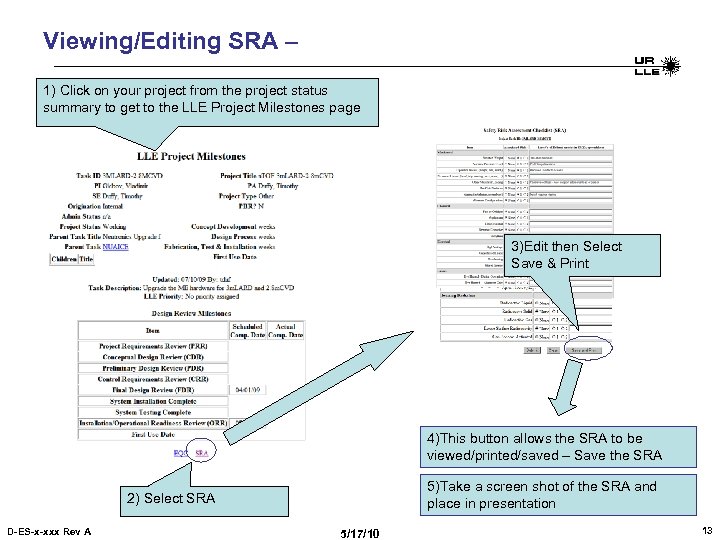 Viewing/Editing SRA – 1) Click on your project from the project status summary to get to the LLE Project Milestones page 3)Edit then Select Save & Print 4)This button allows the SRA to be viewed/printed/saved – Save the SRA 5)Take a screen shot of the SRA and place in presentation 2) Select SRA D-ES-x-xxx Rev A 5/17/10 13
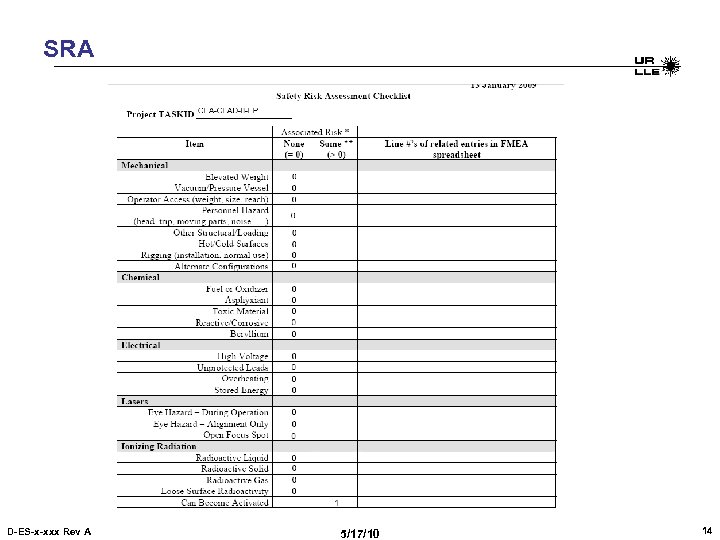 SRA D-ES-x-xxx Rev A 5/17/10 14
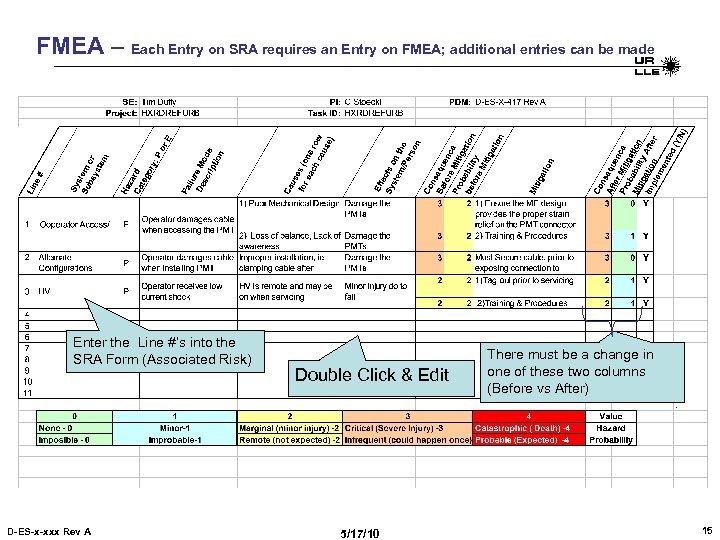 FMEA – Each Entry on SRA requires an Entry on FMEA; additional entries can be made Enter the Line #’s into the SRA Form (Associated Risk) D-ES-x-xxx Rev A Double Click & Edit 5/17/10 There must be a change in one of these two columns (Before vs After) 15
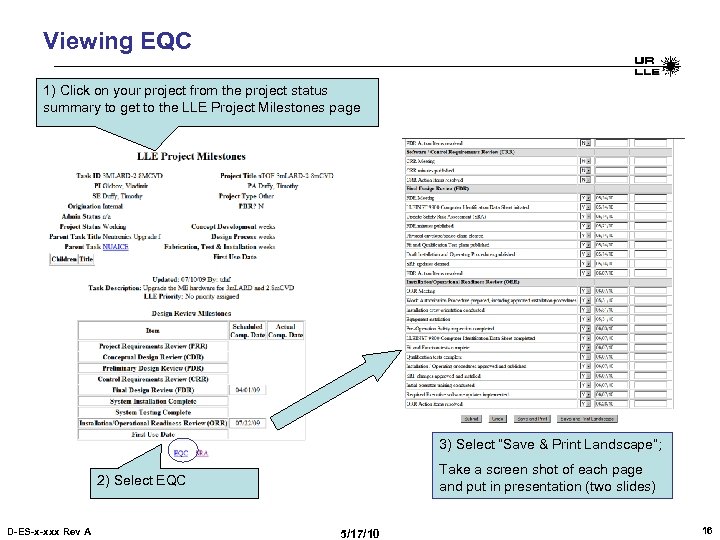 Viewing EQC 1) Click on your project from the project status summary to get to the LLE Project Milestones page 3) Select “Save & Print Landscape”; Take a screen shot of each page and put in presentation (two slides) 2) Select EQC D-ES-x-xxx Rev A 5/17/10 16
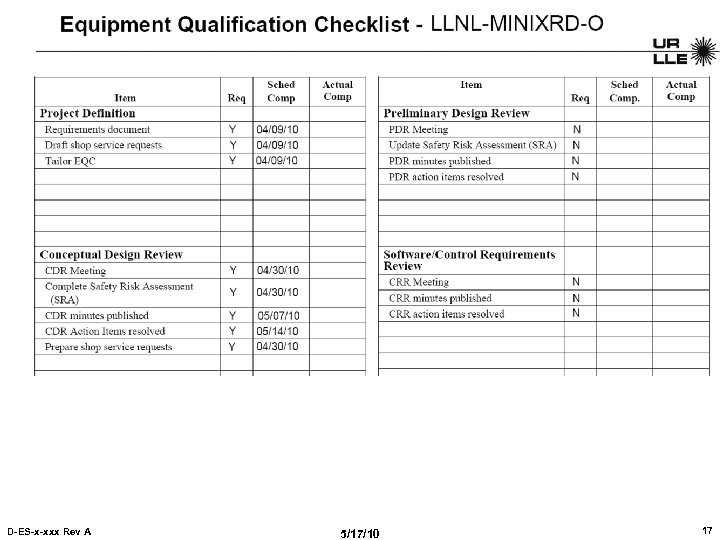 EQC D-ES-x-xxx Rev A 5/17/10 17
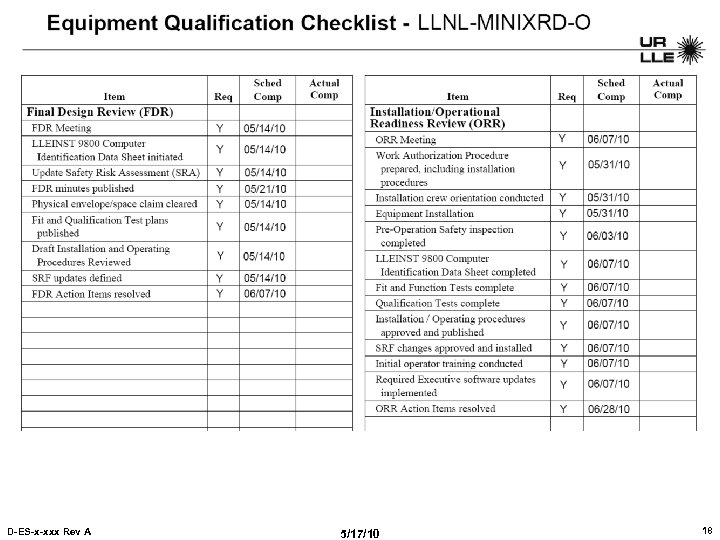 EQC D-ES-x-xxx Rev A 5/17/10 18
 Issues - Risks D-ES-x-xxx Rev A 5/17/10 19
 Resources – Who does What - Assignments Spares - Maintenance D-ES-x-xxx Rev A 5/17/10 20
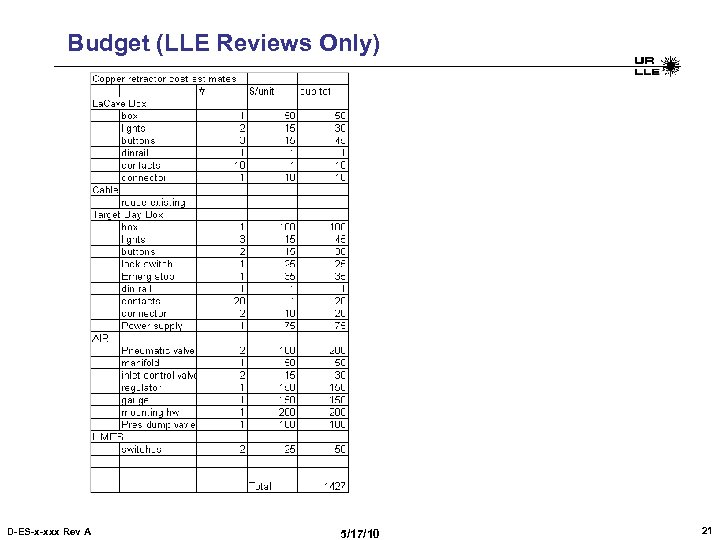 Budget (LLE Reviews Only) D-ES-x-xxx Rev A 5/17/10 21