 Скачать презентацию Tips on use of Bluetooth Radios with ADCP s
66a9980df3eae6623ba9961a3b62cadb.ppt
- Количество слайдов: 36



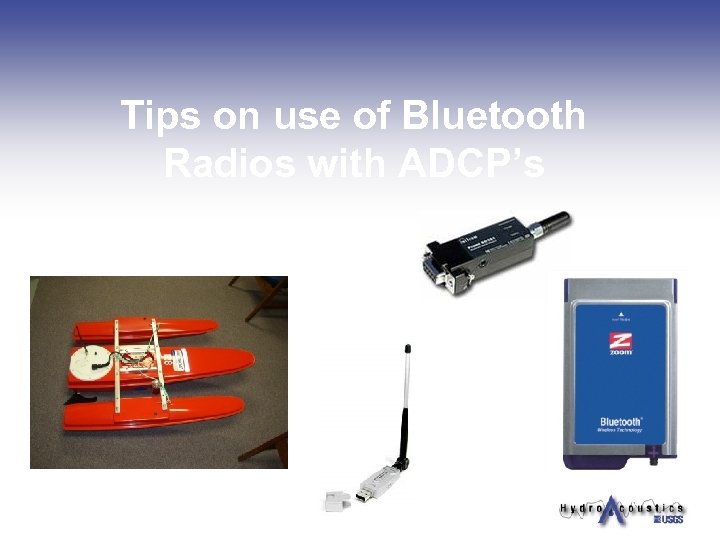
Tips on use of Bluetooth Radios with ADCP’s
Please note: The use of brand names does not constitute endorsement by the USGS or USGS personnel. Information provided in this presentation is for informational purposes only.
Overview n Available wireless radio options for data transfer systems. n n n 900 MHz systems Wi. Fi systems Integrated systems Bluetooth configuration examples Common issues
Radio Modems n n n Allow scientists to make ADCP measurements and collect general environmental data remotely. Increases the versatility of ADCP’s; measurements can now be made off of bridges, cableways, and other methods. Increased safety margin, by keeping scientists “off the water”.
One Person ADCP Measurements n n n Traditionally have been conducted by two people. Two person measurements work well for flood conditions and complicated measurement sites due to safety considerations. Two person measurements may be costly and time consuming. Mechanical meter measurements are typically conducted by one person. Many USGS offices are using various techniques for making one person ADCP measurements. Dollies, Hand Held Golf carts, and tablet PC’s among some of the techniques used.
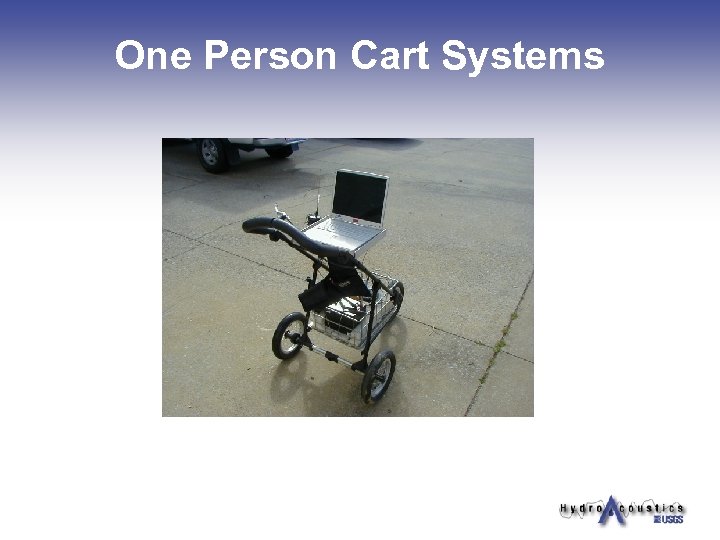
One Person Cart Systems
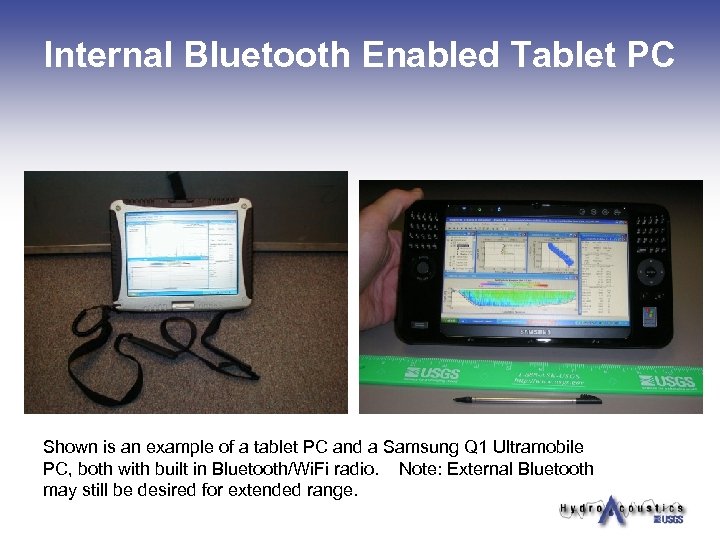
Internal Bluetooth Enabled Tablet PC Shown is an example of a tablet PC and a Samsung Q 1 Ultramobile PC, both with built in Bluetooth/Wi. Fi radio. Note: External Bluetooth may still be desired for extended range.
900 MHz/2. 4 GHz Spread Spectrum n n n n n Reliable, easy to use, proven technology Extended range of 5 miles up to 60 miles Needs serial port on laptop FHSS (frequency hopping spread spectrum) High speed 115. 2 Kbps throughput Throughput limitations when multiplexing RS-232/485 protocol Use 10 -15 volt power supply Cables and batteries increase the amount of equipment at the laptop end May be expensive (~$3, 500 - $6, 000+ depending on setup)
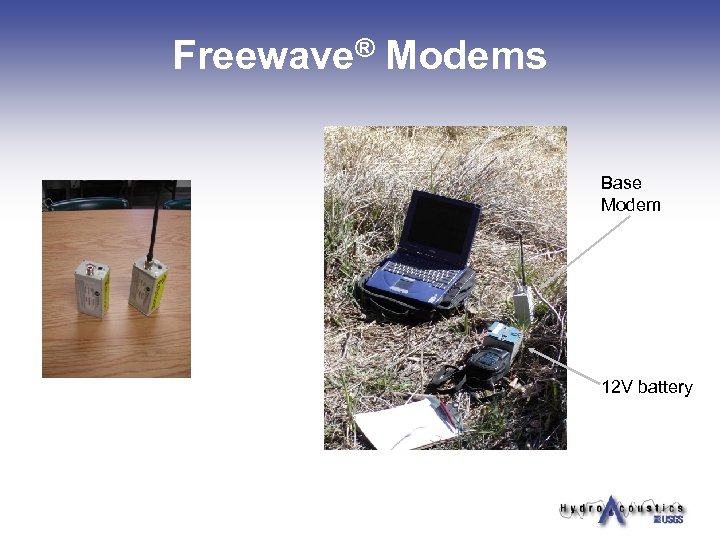
Freewave® Modems Base Modem 12 V battery
Wi. Fi n n n Used in many commercially available products (PC’s, phones, PDA’s) High speed 115. 2 Kbps throughput FHSS (frequency hopping spread spectrum) RS-232/485 protocol Up to 200 foot range Capable of high throughput with multiple devices Possible data phasing issues Limited testing with environmental data collection systems Slightly more complicated setup Can order Oyster PE Riverboat without the Oyster PE and the wiring will work for a WIFI setup without hull modification Slightly higher cost than Bluetooth (~$700)
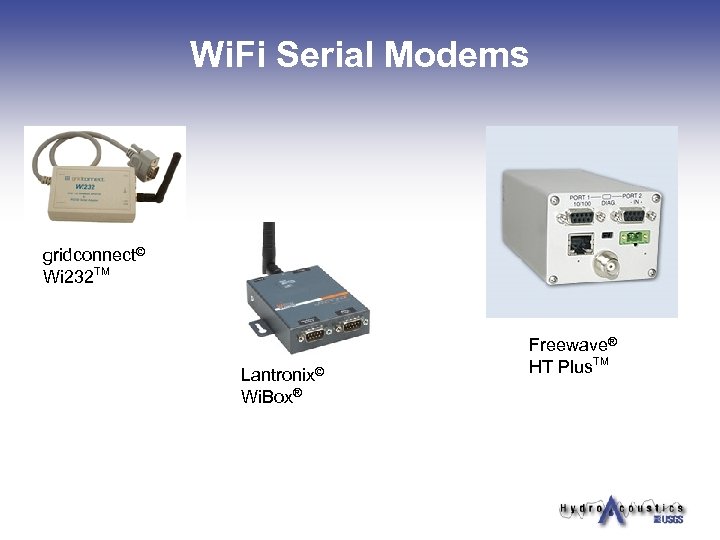
Wi. Fi Serial Modems gridconnect© Wi 232 TM Lantronix© Wi. Box® Freewave® HT Plus. TM
More information on Wi. Fi n Iowa City Field Office n n n Wibox configuration Wiring diagram for Impulse cable Photographs Setup Instructions Contacts n n Jason Mc. Vay 319 -358 -3636 jcmcvay@usgs. gov Scott Strader 319 -358 -3620 srstrade@usgs. gov
Other Wireless options n n n Remote PC to land based laptop or PDA. Examples include the Ocean Science Oyster PC and other small computers. Sontek River. Surveyor
Bluetooth n n n Used in many commercially available products (PC’s, phones, PDA’s, etc. ) May be used with DB 9 (serial connector), USB, or internal Bluetooth device 2. 4 GHz Spread Spectrum radio FHSS (frequency hopping spread spectrum) Low cost, low power consumption Class 1 - 1000 meters, Class 2 - 10 meters RS-232/485 protocol High speed 230. 4 Kbps throughput Uses 5 -12 volt power supply Less hardware complexity (No long wires and large batteries to carry around) About $260 pair
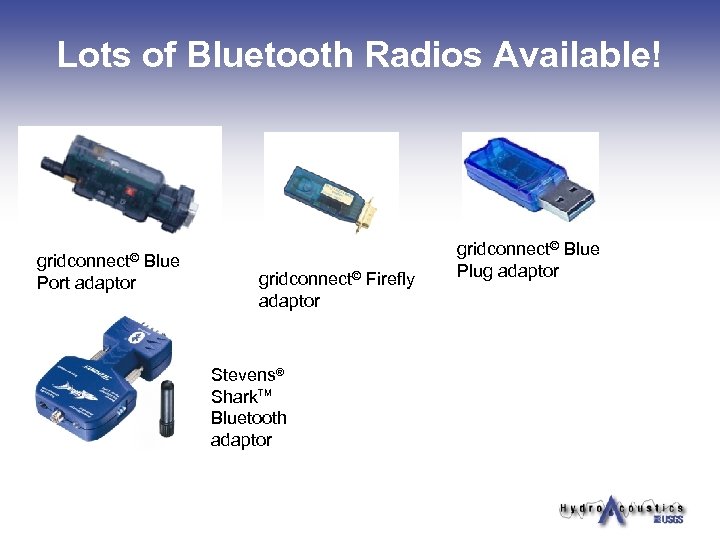
Lots of Bluetooth Radios Available! gridconnect© Port adaptor Blue gridconnect© Firefly adaptor Stevens® Shark. TM Bluetooth adaptor gridconnect© Blue Plug adaptor
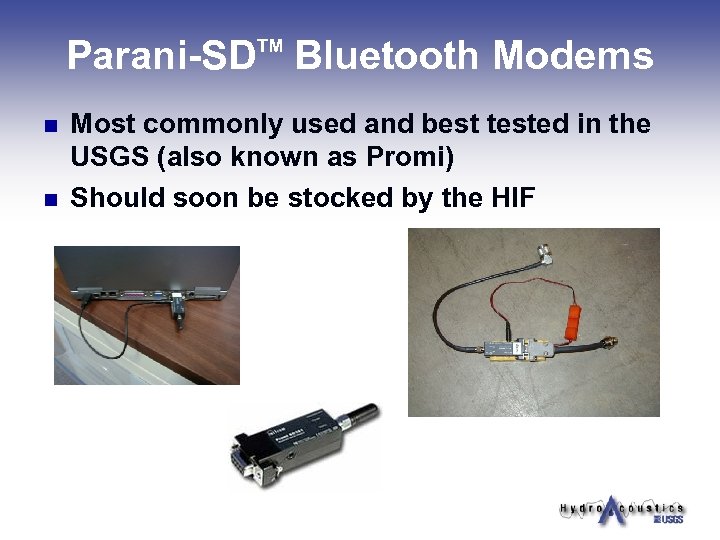
Parani-SD Bluetooth Modems TM n n Most commonly used and best tested in the USGS (also known as Promi) Should soon be stocked by the HIF
Integrated Radio Systems n n n Stream. Pro uses Bluetooth to connect to PDA Stream. Pro measurements now possible with Winriver II Sontek Offers integrated Spread Spectrum or Bluetooth radio with their ADP’s.
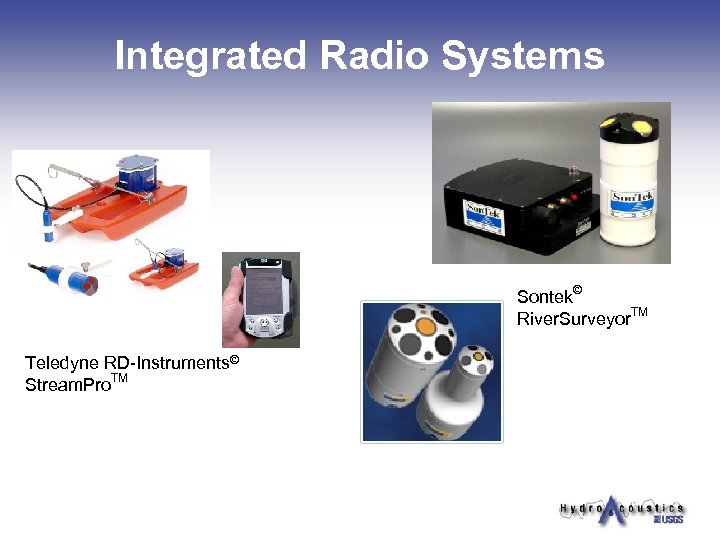
Integrated Radio Systems Sontek© River. Surveyor. TM Teledyne RD-Instruments© Stream. Pro. TM
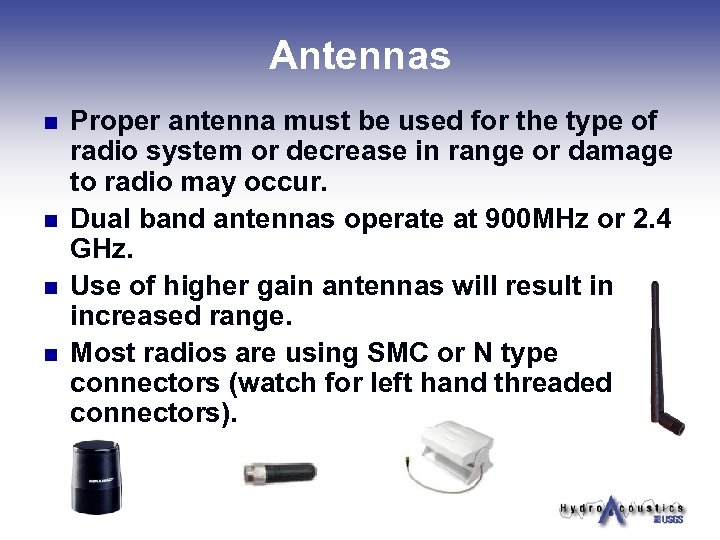
Antennas n n Proper antenna must be used for the type of radio system or decrease in range or damage to radio may occur. Dual band antennas operate at 900 MHz or 2. 4 GHz. Use of higher gain antennas will result in increased range. Most radios are using SMC or N type connectors (watch for left hand threaded connectors).
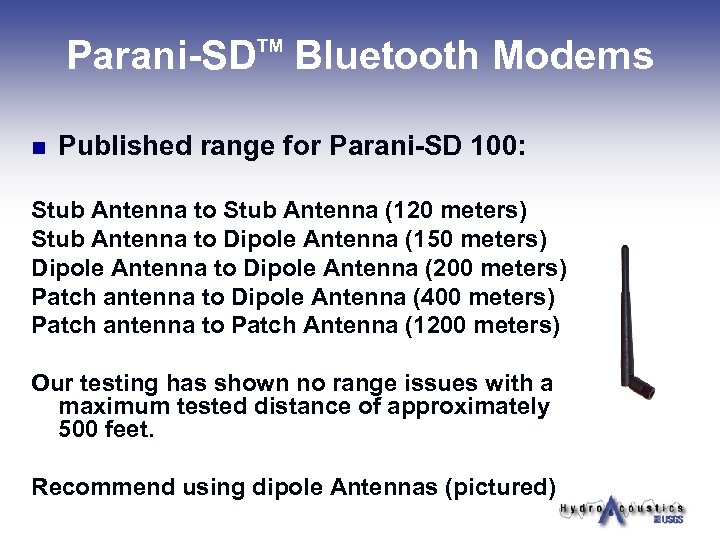
Parani-SD Bluetooth Modems TM n Published range for Parani-SD 100: Stub Antenna to Stub Antenna (120 meters) Stub Antenna to Dipole Antenna (150 meters) Dipole Antenna to Dipole Antenna (200 meters) Patch antenna to Dipole Antenna (400 meters) Patch antenna to Patch Antenna (1200 meters) Our testing has shown no range issues with a maximum tested distance of approximately 500 feet. Recommend using dipole Antennas (pictured)
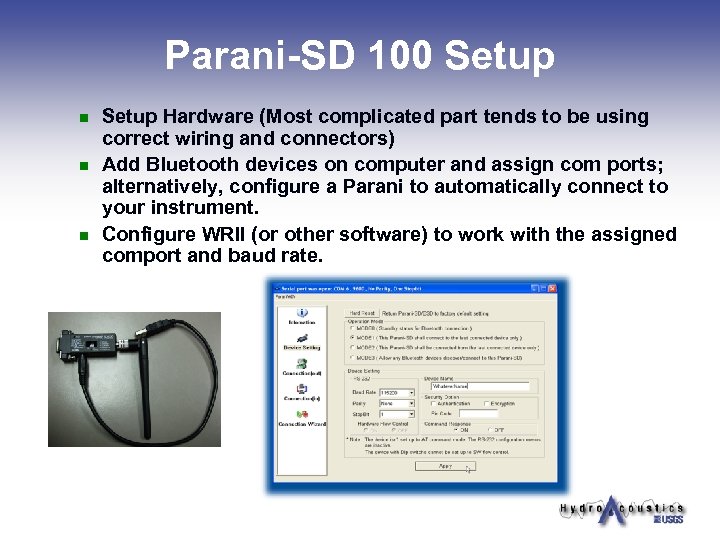
Parani-SD 100 Setup n n n Setup Hardware (Most complicated part tends to be using correct wiring and connectors) Add Bluetooth devices on computer and assign com ports; alternatively, configure a Parani to automatically connect to your instrument. Configure WRII (or other software) to work with the assigned comport and baud rate.
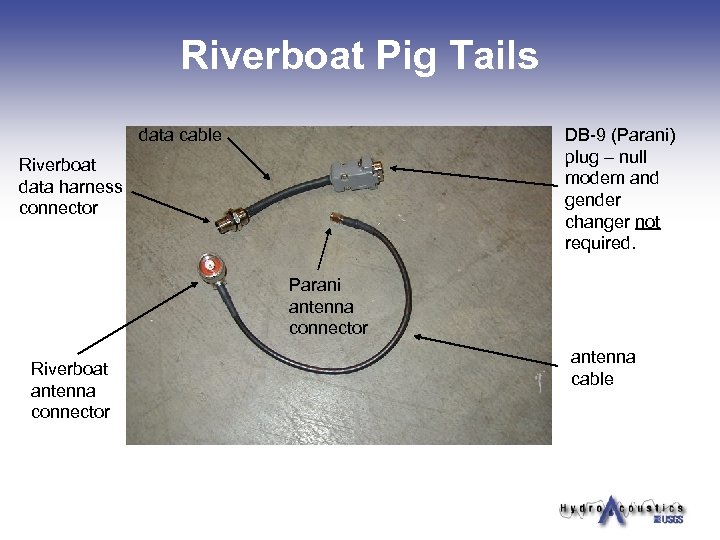
Riverboat Pig Tails data cable DB-9 (Parani) plug – null modem and gender changer not required. Riverboat data harness connector Parani antenna connector Riverboat antenna connector antenna cable
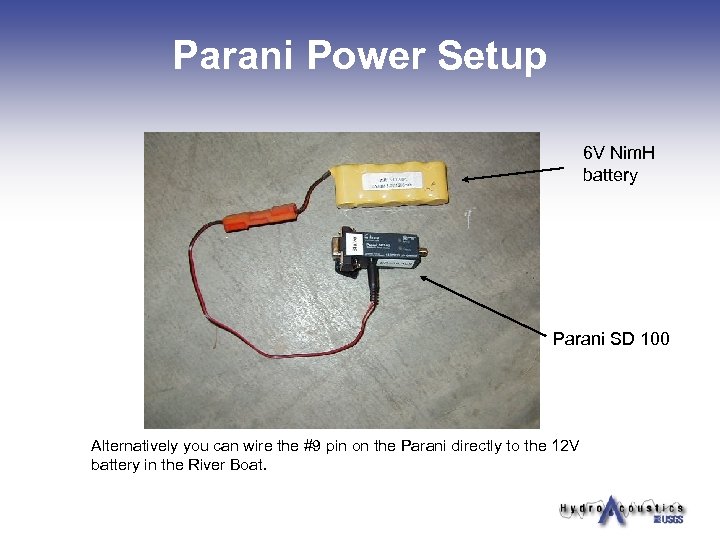
Parani Power Setup 6 V Nim. H battery Parani SD 100 Alternatively you can wire the #9 pin on the Parani directly to the 12 V battery in the River Boat.
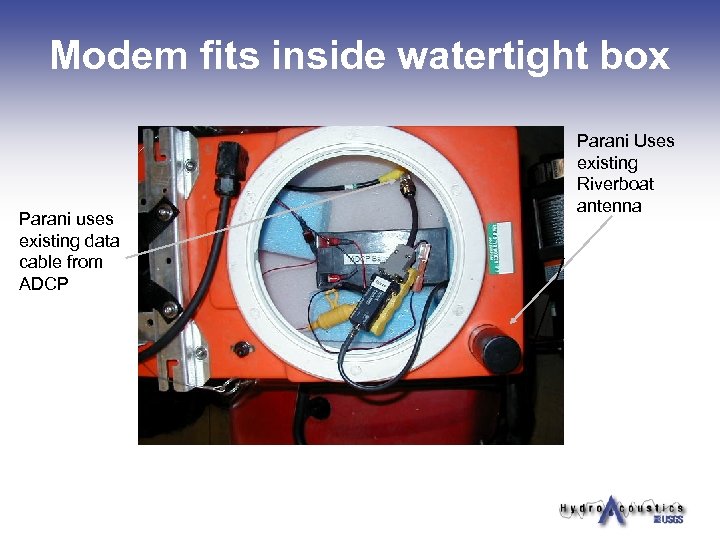
Modem fits inside watertight box Parani uses existing data cable from ADCP Parani Uses existing Riverboat antenna
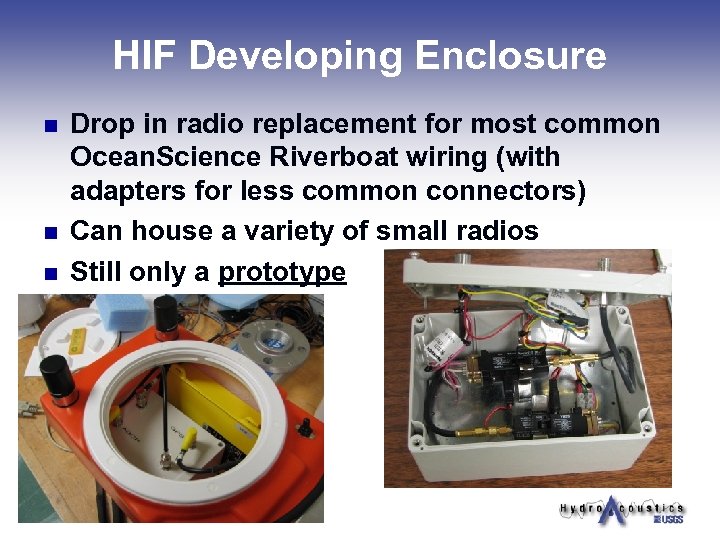
HIF Developing Enclosure n n n Drop in radio replacement for most common Ocean. Science Riverboat wiring (with adapters for less common connectors) Can house a variety of small radios Still only a prototype
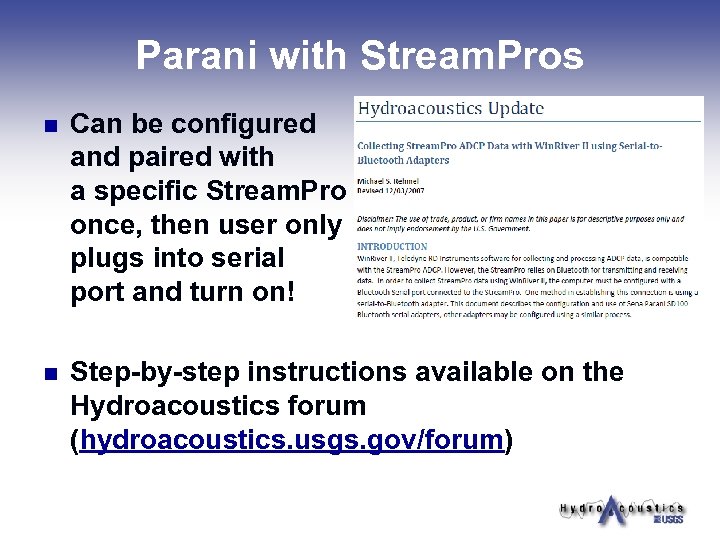
Parani with Stream. Pros n Can be configured and paired with a specific Stream. Pro once, then user only plugs into serial port and turn on! n Step-by-step instructions available on the Hydroacoustics forum (hydroacoustics. usgs. gov/forum)
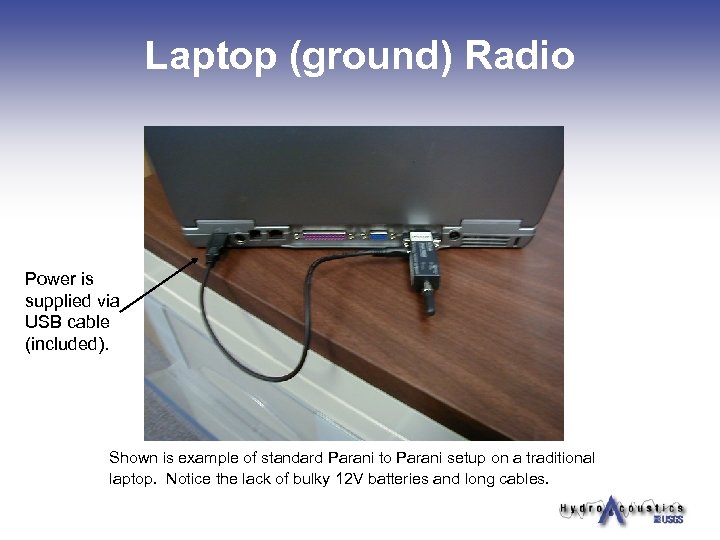
Laptop (ground) Radio Power is supplied via USB cable (included). Shown is example of standard Parani to Parani setup on a traditional laptop. Notice the lack of bulky 12 V batteries and long cables.
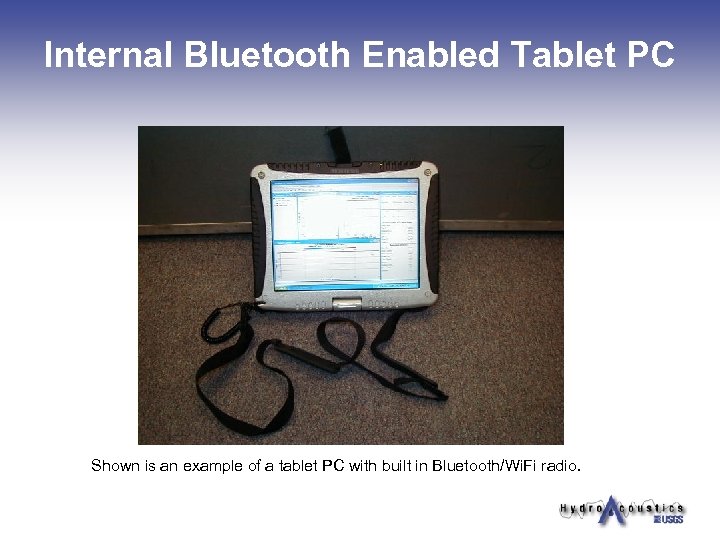
Internal Bluetooth Enabled Tablet PC Shown is an example of a tablet PC with built in Bluetooth/Wi. Fi radio.
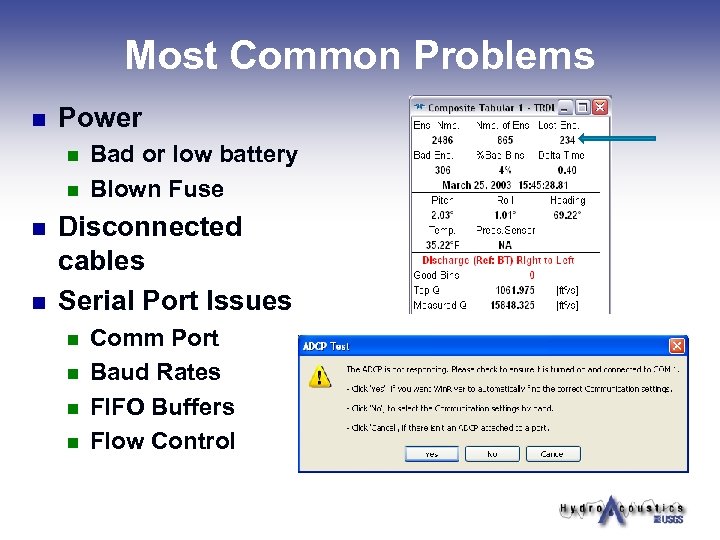
Most Common Problems n Power n n Bad or low battery Blown Fuse Disconnected cables Serial Port Issues n n Comm Port Baud Rates FIFO Buffers Flow Control
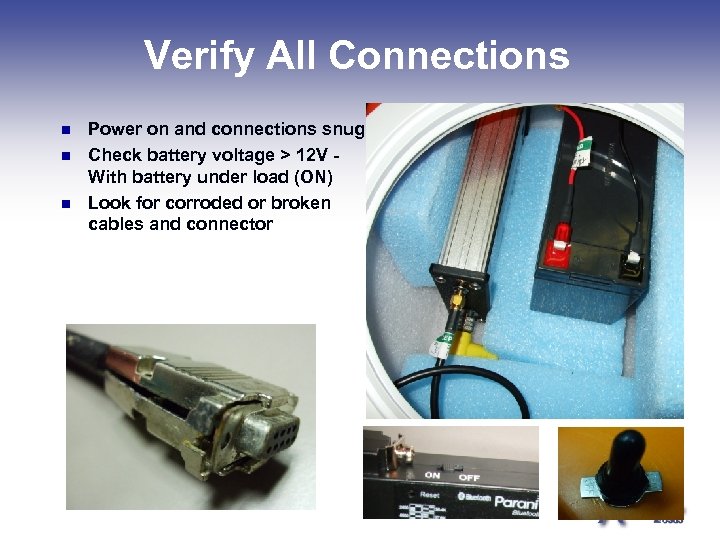
Verify All Connections n n n Power on and connections snug Check battery voltage > 12 V With battery under load (ON) Look for corroded or broken cables and connector
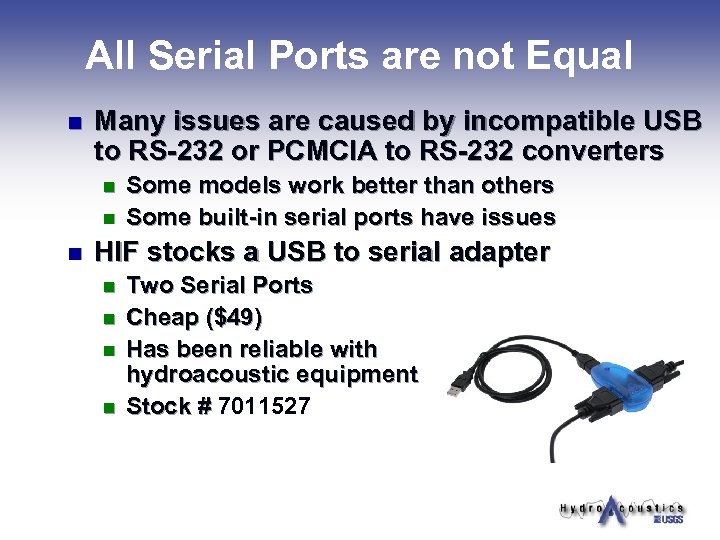
All Serial Ports are not Equal n Many issues are caused by incompatible USB to RS-232 or PCMCIA to RS-232 converters n n n Some models work better than others Some built-in serial ports have issues HIF stocks a USB to serial adapter n n Two Serial Ports Cheap ($49) Has been reliable with hydroacoustic equipment Stock # 7011527
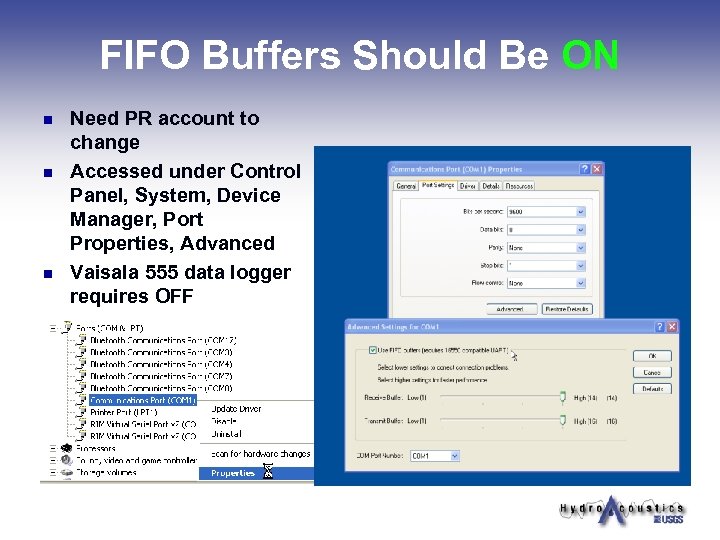
FIFO Buffers Should Be ON n n n Need PR account to change Accessed under Control Panel, System, Device Manager, Port Properties, Advanced Vaisala 555 data logger requires OFF
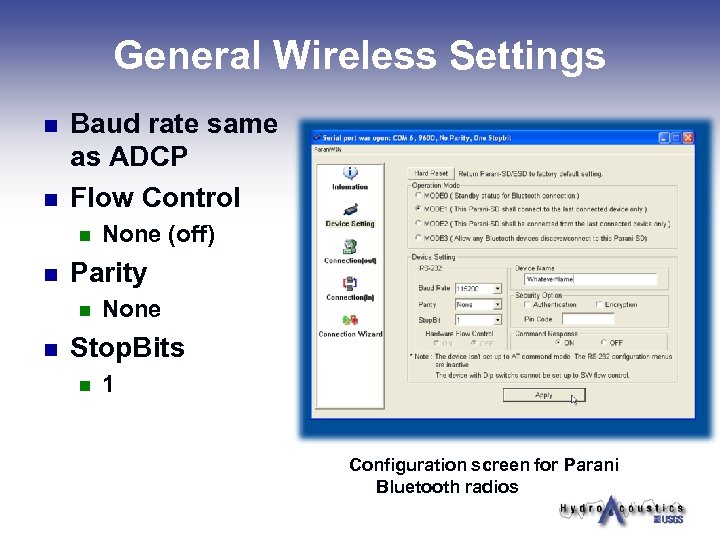
General Wireless Settings n n Baud rate same as ADCP Flow Control n n Parity n n None (off) None Stop. Bits n 1 Configuration screen for Parani Bluetooth radios
Other Information n n Built in Bluetooth/Wi. Fi radios may have limited range Spread Spectrum Radios (Freewave’s) offer greater range Bluetooth radios can be setup to send multiple instrument data (ADCP/GPS/Depth sounder) by using a Bluetooth enabled laptop or a Bluetooth PCMIA card. Bluetooth radios can be used to transfer data between many types of hydrologic instrumentation; it’s basically a wireless serial cable. (note: gender changer and null modem may be required on the instrument side and use of gender changer included with Parani radios has caused issues)
Other Information (cont’d) n n n When using multiple radios simultaneously there is a potential for computer conflict assigning comports. When using multiple radios simultaneously there may be some data phasing issues. Data phasing issues should not be present when using a remote computer, i. e. Oyster PE.
Questions?
Скачать презентацию Tips on use of Bluetooth Radios with ADCP s
66a9980df3eae6623ba9961a3b62cadb.ppt