


 Скачать презентацию Tips and Tricks for Teaching with Prof Vance
ba22ee0d5d505c026a29a78ceca2f62c.ppt
- Количество слайдов: 22
 Tips and Tricks for Teaching with Prof. Vance Wilson Arizona State University
 Tips and Tricks Guarantee Presentation is guaranteed to contain l Things that seem to work l These are from my experience incorporating UML into undergraduate courses over the last two years l. Systems Analysis and Design l. Software Engineering/Advanced Programming l. Web Development l Things I’d be scared to try again l Fortunately, not too many of these l Things to think about l Lots of areas where I don’t know the answer TR (in some I’m still looking for the right questions) I CK IP
 What’s so Great about UML? l UML has Great Size l Lots of models and background documentation l UML has Great Scope l Designed to be jack-of-all-trades l UML has capacity to cause Great pain l Can be hard for instructors, daunting for students l UML is applied in a Great number of ways l Conflicting interpretations and uses of models l Many different processes l UML offers Great opportunities l Software industry = $300, 000, 000+ per year
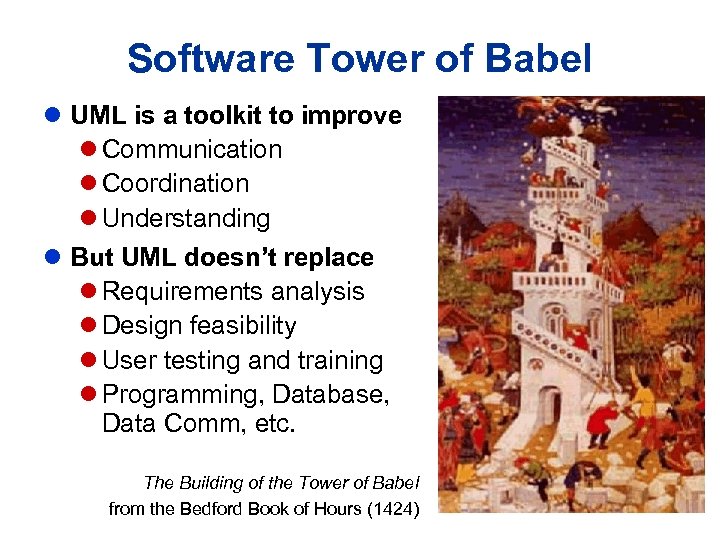 Software Tower of Babel l UML is a toolkit to improve l Communication l Coordination l Understanding l But UML doesn’t replace l Requirements analysis l Design feasibility l User testing and training l Programming, Database, Data Comm, etc. The Building of the Tower of Babel from the Bedford Book of Hours (1424)
 Rule #1 If you don’t HAVE to do it, and you don’t WANT to do it, then DON’T do it! l In which courses should you teach UML? l Should UML replace other modeling methods? l What software tools should you teach? l Which UML diagrams should you teach? l What process should you use? IP
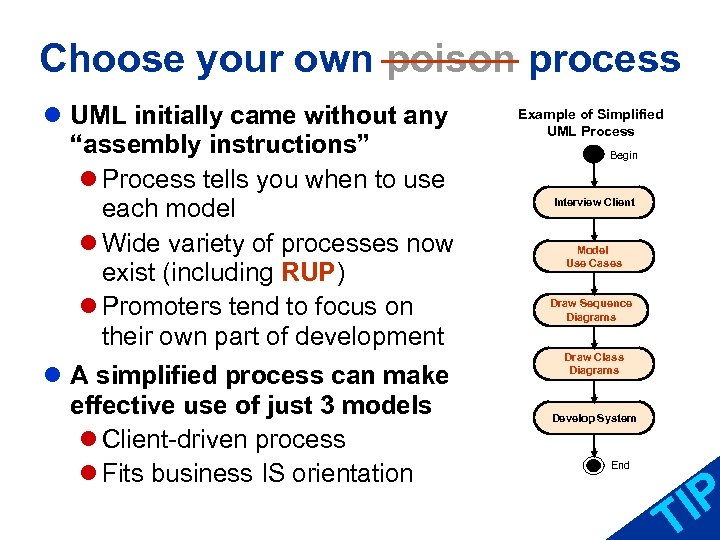 Choose your own poison process l UML initially came without any “assembly instructions” l Process tells you when to use each model l Wide variety of processes now exist (including RUP) l Promoters tend to focus on their own part of development l A simplified process can make effective use of just 3 models l Client-driven process l Fits business IS orientation Example of Simplified UML Process Begin Interview Client Model Use Cases Draw Sequence Diagrams Draw Class Diagrams Develop System End IP T
 Using the Simplified UML Process for Systems Analysis and Design
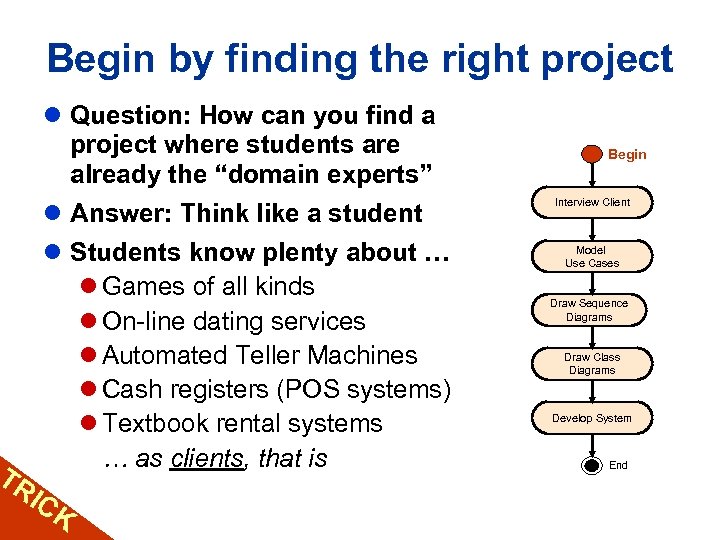 Begin by finding the right project l Question: How can you find a project where students are already the “domain experts” l Answer: Think like a student l Students know plenty about … l Games of all kinds l On-line dating services l Automated Teller Machines l Cash registers (POS systems) l Textbook rental systems … as clients, that is TR IC K Begin Interview Client Model Use Cases Draw Sequence Diagrams Draw Class Diagrams Develop System End
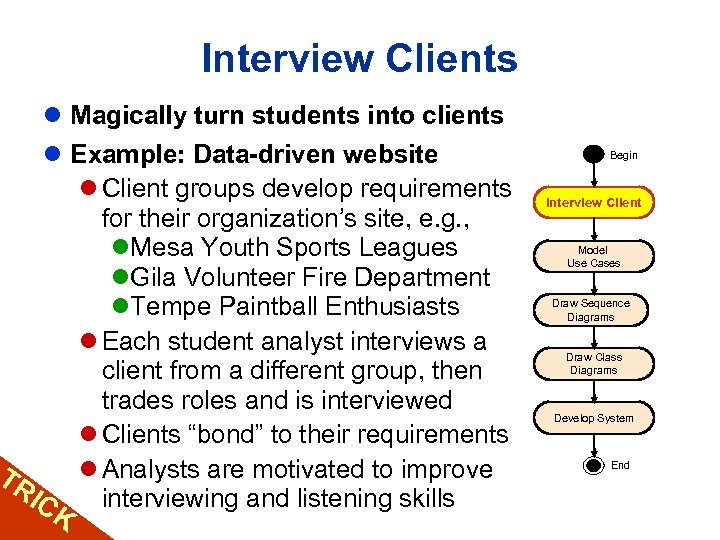 Interview Clients l Magically turn students into clients l Example: Data-driven website l Client groups develop requirements for their organization’s site, e. g. , l. Mesa Youth Sports Leagues l. Gila Volunteer Fire Department l. Tempe Paintball Enthusiasts l Each student analyst interviews a client from a different group, then trades roles and is interviewed l Clients “bond” to their requirements l Analysts are motivated to improve TR IC interviewing and listening skills K Begin Interview Client Model Use Cases Draw Sequence Diagrams Draw Class Diagrams Develop System End
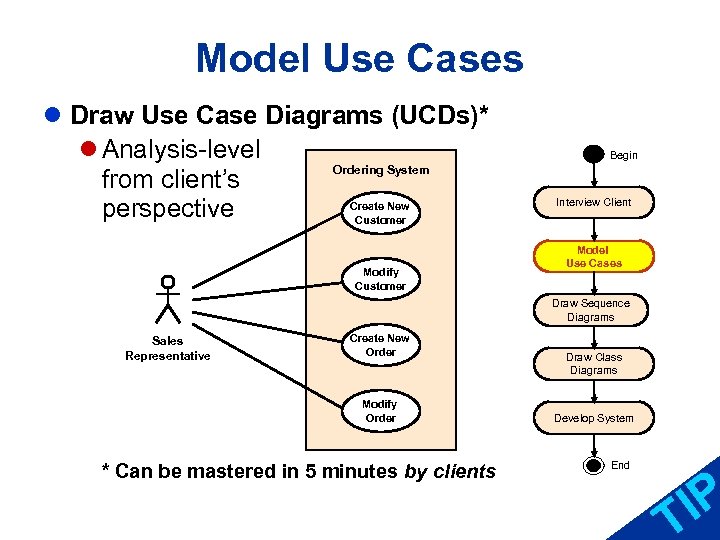 Model Use Cases l Draw Use Case Diagrams (UCDs)* l Analysis-level Ordering System from client’s Create New perspective Customer Modify Customer Begin Interview Client Model Use Cases Draw Sequence Diagrams Sales Representative Create New Order Modify Order * Can be mastered in 5 minutes by clients Draw Class Diagrams Develop System End IP T
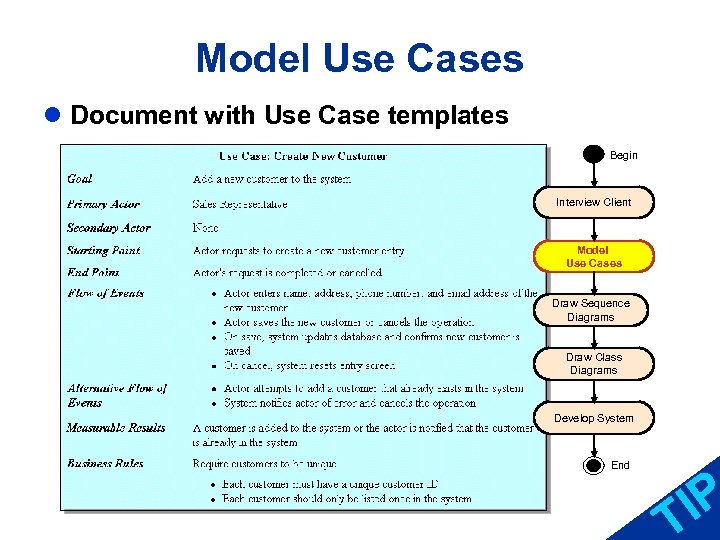 Model Use Cases l Document with Use Case templates Begin Interview Client Model Use Cases Draw Sequence Diagrams Draw Class Diagrams Develop System End IP T
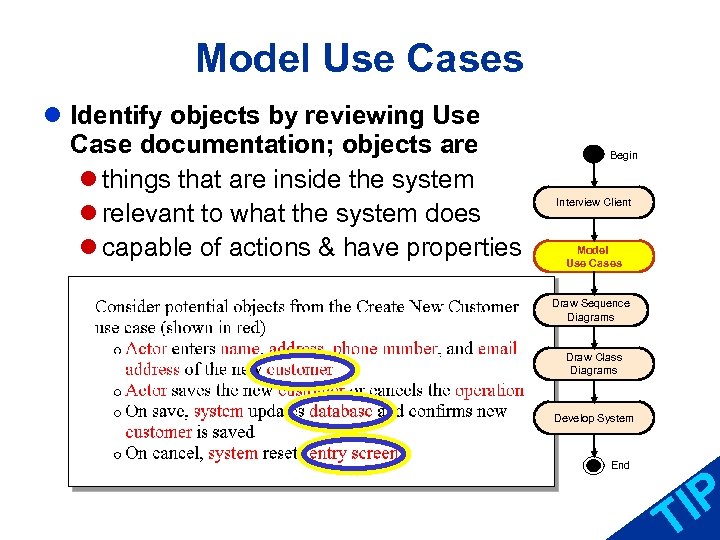 Model Use Cases l Identify objects by reviewing Use Case documentation; objects are l things that are inside the system l relevant to what the system does l capable of actions & have properties Begin Interview Client Model Use Cases Draw Sequence Diagrams Draw Class Diagrams Develop System End IP T
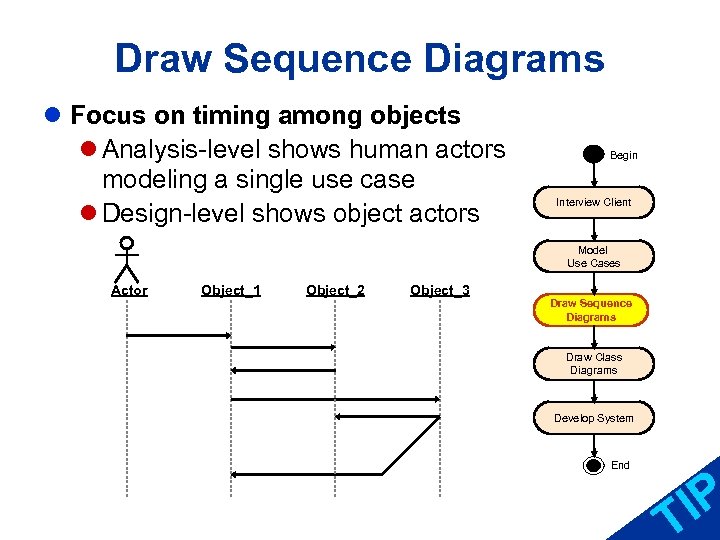 Draw Sequence Diagrams l Focus on timing among objects l Analysis-level shows human actors modeling a single use case l Design-level shows object actors Begin Interview Client Model Use Cases Actor Object_1 Object_2 Object_3 Draw Sequence Diagrams Draw Class Diagrams Develop System End IP T
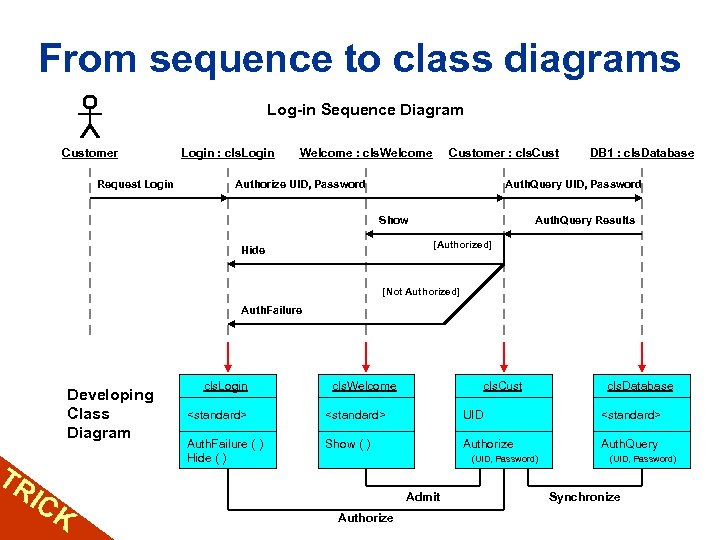 From sequence to class diagrams TR IC Log-in Sequence Diagram Customer Request Login : cls. Login Welcome : cls. Welcome Customer : cls. Cust Authorize UID, Password DB 1 : cls. Database Auth. Query UID, Password Show Auth. Query Results [Authorized] Hide [Not Authorized] Auth. Failure Developing Class Diagram K cls. Login cls. Welcome cls. Cust cls. Database
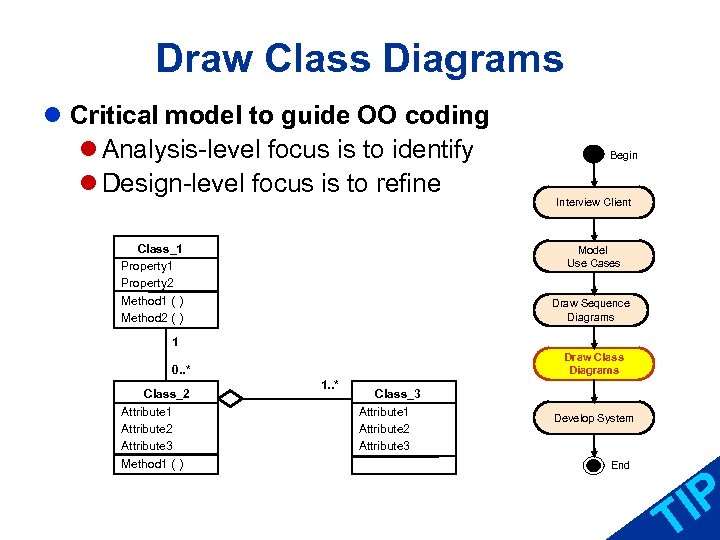 Draw Class Diagrams l Critical model to guide OO coding l Analysis-level focus is to identify l Design-level focus is to refine Class_1 Property 2 Method 1 ( ) Method 2 ( ) Begin Interview Client Model Use Cases Draw Sequence Diagrams 1 Draw Class Diagrams 0. . * Class_2 Attribute 1 Attribute 2 Attribute 3 Method 1 ( ) 1. . * Class_3 Attribute 1 Attribute 2 Attribute 3 Develop System End IP T
 Using the Simplified UML Process for Programming Courses
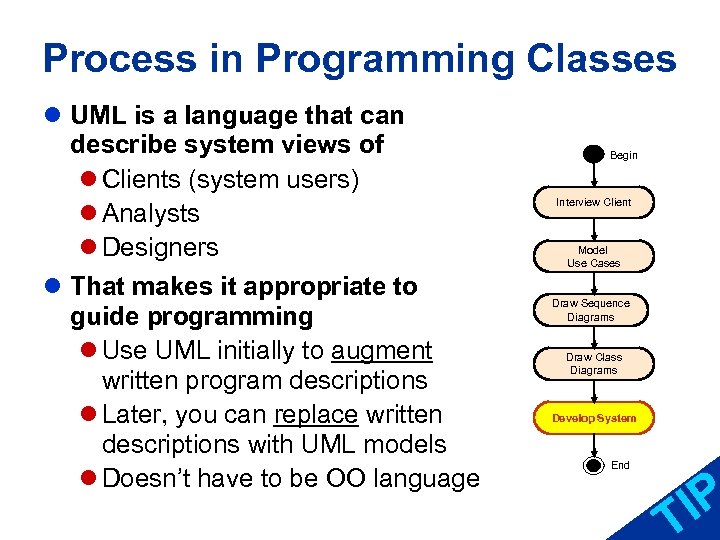 Process in Programming Classes l UML is a language that can describe system views of l Clients (system users) l Analysts l Designers l That makes it appropriate to guide programming l Use UML initially to augment written program descriptions l Later, you can replace written descriptions with UML models l Doesn’t have to be OO language Begin Interview Client Model Use Cases Draw Sequence Diagrams Draw Class Diagrams Develop System End IP T
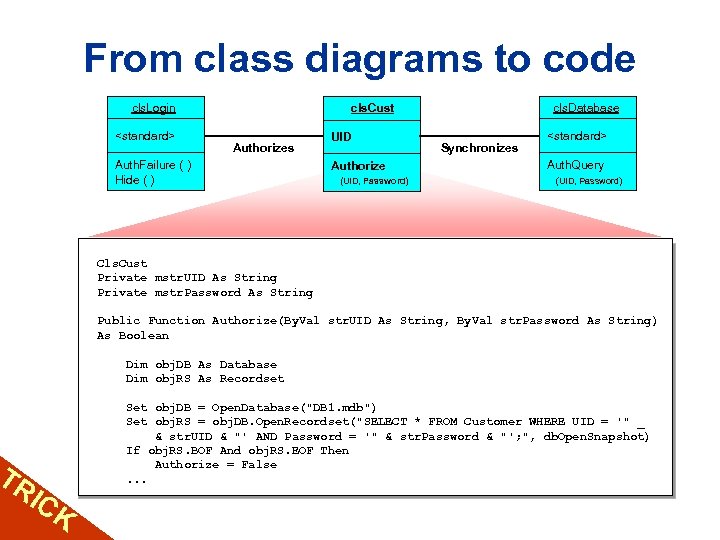 TR IC From class diagrams to code cls. Login
 Leftover Tips and Tricks
 The wonders of pair-mates l What’s “Pair Programming” all about? l Pairs in industry l improve communication and morale l substantially reduce bugs l increase overall productivity l Pairs in the classroom l increase motivation l improve self-reliance (to pair vs. teacher) l speed learning l Issues l When to start, odd numbers, and social loafing IP T
 Students review cycles l Typical review cycle of in-class exercise l Day 1: Client groups develop requirements and individual clients meet with analysts l Day 2 and 3: Clients and analysts meet individually to review analysts’ work (Milestones 1 and 2) l Day 4: Analysts give completed documentation to clients who review and rank all analysts’ work on criteria arrived at by the client group l Outcomes l Strong student motivation due to peer pressure l Critical attention to client requirements TR l Client priorities remarkably constant across groups I CK
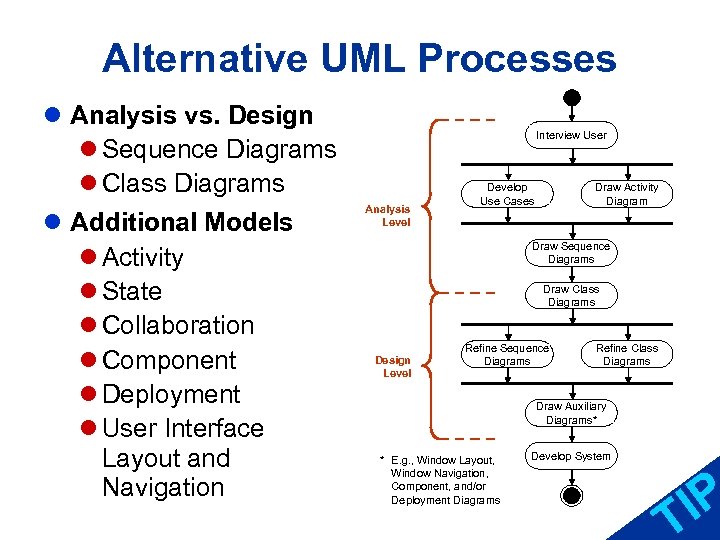 Alternative UML Processes l Analysis vs. Design l Sequence Diagrams l Class Diagrams l Additional Models l Activity l State l Collaboration l Component l Deployment l User Interface Layout and Navigation Interview User Analysis Level Develop Use Cases Draw Activity Diagram Draw Sequence Diagrams Draw Class Diagrams Design Level Refine Sequence Diagrams Refine Class Diagrams Draw Auxiliary Diagrams* * E. g. , Window Layout, Window Navigation, Component, and/or Deployment Diagrams Develop System IP T