 Скачать презентацию Time Labor Toolbox The Tools You
16a88dae151bcc3221272223f6a3b796.ppt
- Количество слайдов: 32



Time & Labor Toolbox : The Tools You Need For A Successful Implementation to People. Soft HCM 9. 1 Ajit Sawant May 12 th, 2011
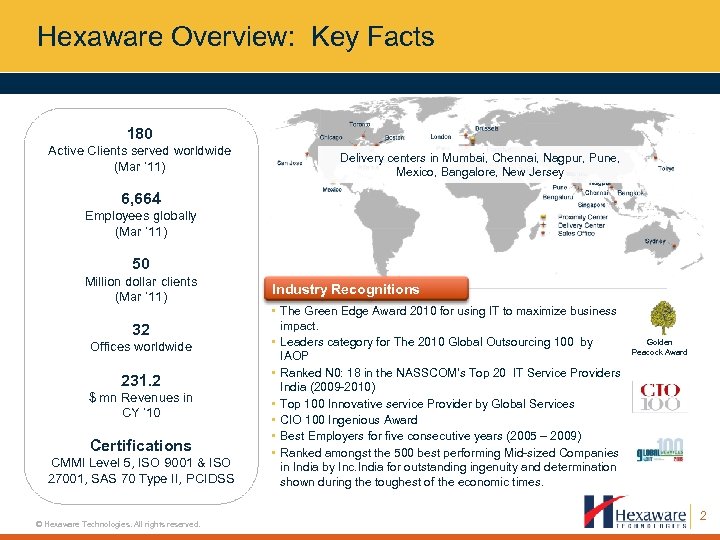
Hexaware Overview: Key Facts 180 Active Clients served worldwide (Mar ’ 11) Delivery centers in Mumbai, Chennai, Nagpur, Pune, Mexico, Bangalore, New Jersey 6, 664 Employees globally (Mar ’ 11) 50 Million dollar clients (Mar ’ 11) 32 Offices worldwide 231. 2 $ mn Revenues in CY ’ 10 Certifications CMMI Level 5, ISO 9001 & ISO 27001, SAS 70 Type II, PCIDSS © Hexaware Technologies. All rights reserved. Industry Recognitions • The Green Edge Award 2010 for using IT to maximize business impact. • Leaders category for The 2010 Global Outsourcing 100 by IAOP • Ranked N 0: 18 in the NASSCOM’s Top 20 IT Service Providers India (2009 -2010) • Top 100 Innovative service Provider by Global Services • CIO 100 Ingenious Award • Best Employers for five consecutive years (2005 – 2009) • Ranked amongst the 500 best performing Mid-sized Companies in India by Inc. India for outstanding ingenuity and determination shown during the toughest of the economic times. Golden Peacock Award 2
Session Agenda • Introduction and Background • What is Time and Labor? • Past Impressions and How They Are Addressed • Key Process of time and Labor • Business Benefit of 9. 1 • Implementation Considerations • Q&A © Hexaware Technologies. All rights reserved. 3

Introduction © Hexaware Technologies. All rights reserved. 4
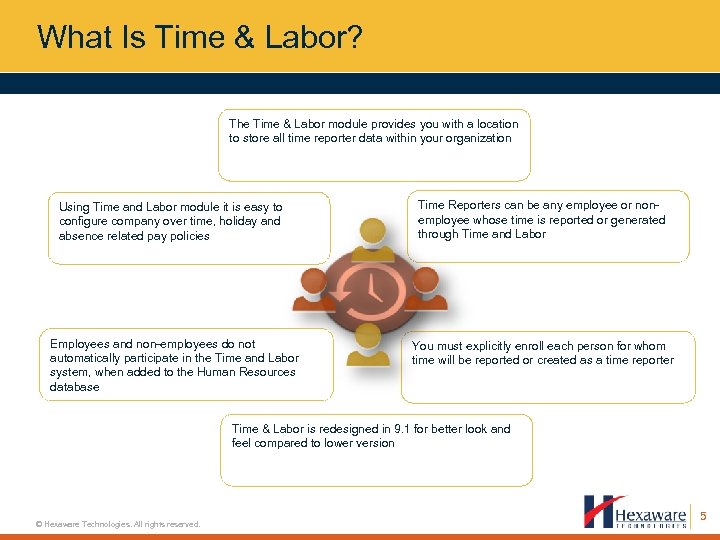
What Is Time & Labor? The Time & Labor module provides you with a location to store all time reporter data within your organization Using Time and Labor module it is easy to configure company over time, holiday and absence related pay policies Employees and non-employees do not automatically participate in the Time and Labor system, when added to the Human Resources database Time Reporters can be any employee or nonemployee whose time is reported or generated through Time and Labor You must explicitly enroll each person for whom time will be reported or created as a time reporter Time & Labor is redesigned in 9. 1 for better look and feel compared to lower version © Hexaware Technologies. All rights reserved. 5
What You Can Do with Time & labor? • Track hours worked for Elapsed Employees • Clock time worked for punch Employees • Track time to pay for Hourly Employees • Track exception-time only for Salaried Employees • Integrate with HR, Payroll, Absence Management • Track time allocations for GL and Project allocations • Integrate with separate Clock hardware devices • Inbuilt reports on Payable Status, Time Card, Schedule Hours etc © Hexaware Technologies. All rights reserved. 6
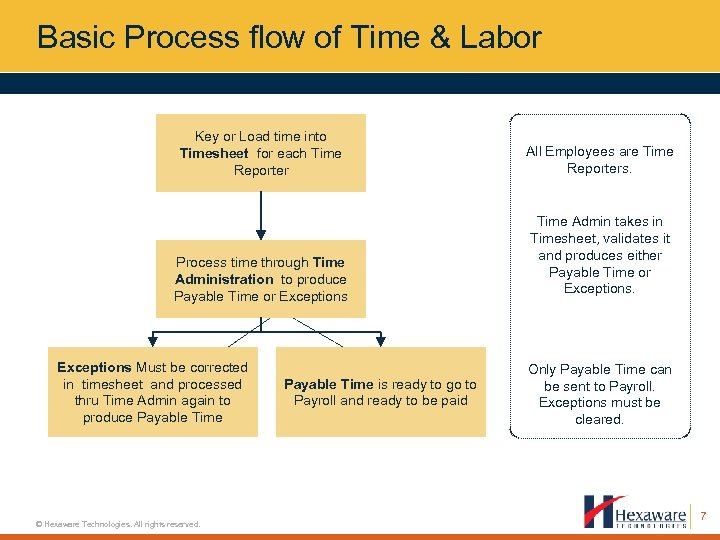
Basic Process flow of Time & Labor Key or Load time into Timesheet for each Time Reporter Process time through Time Administration to produce Payable Time or Exceptions Must be corrected in timesheet and processed thru Time Admin again to produce Payable Time © Hexaware Technologies. All rights reserved. Payable Time is ready to go to Payroll and ready to be paid All Employees are Time Reporters. Time Admin takes in Timesheet, validates it and produces either Payable Time or Exceptions. Only Payable Time can be sent to Payroll. Exceptions must be cleared. 7
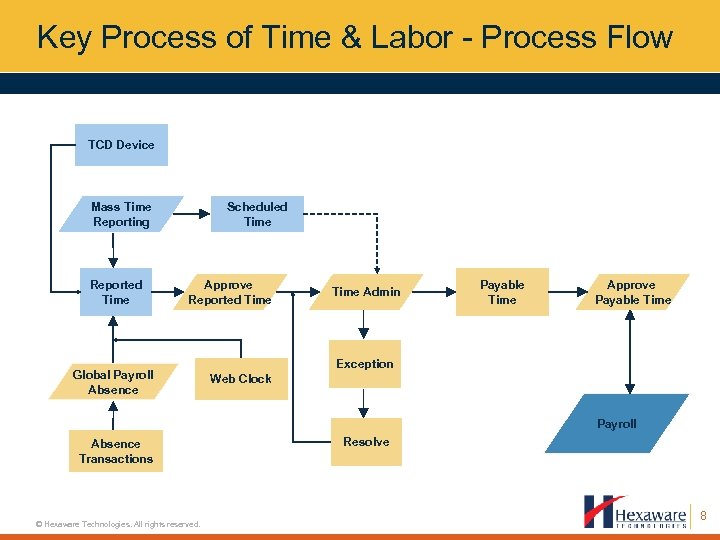
Key Process of Time & Labor - Process Flow TCD Device Scheduled Time Mass Time Reporting Reported Time Approve Reported Time Global Payroll Absence Time Admin Payable Time Approve Payable Time Exception Web Clock Payroll Absence Transactions © Hexaware Technologies. All rights reserved. Resolve 8

Past Impressions and How They Addressed © Hexaware Technologies. All rights reserved. 9
Past Impressions of People. Soft Time & Labor Common pain points faced by customer • Time Entry Pages are too rigid and do not display necessary information • Unavailability of Rule migration tool • Approvals are not flexible enough • Rules Processing is too slow and too complicated © Hexaware Technologies. All rights reserved. 10
Impressions – Addressed • Time Entry Pages are too rigid and do not display necessary information – – • Approvals are not flexible enough – • Technical updates made to Time Administration Additional rule templates created Unavailability of Rule migration tool – © Hexaware Technologies. All rights reserved. Approvals also allowed at Reported & payable Time level, before Time Administration Rules Processing is too slow and too complicated – – • Time Reporting Templates allow configuration to view or hide selected fields Timesheet page displays leave balances and categorized time entry (Time Worked, Time Off, etc. ) Rule migration tool delivered 11
How Does Time & Labor Look Like? © Hexaware Technologies. All rights reserved. 12
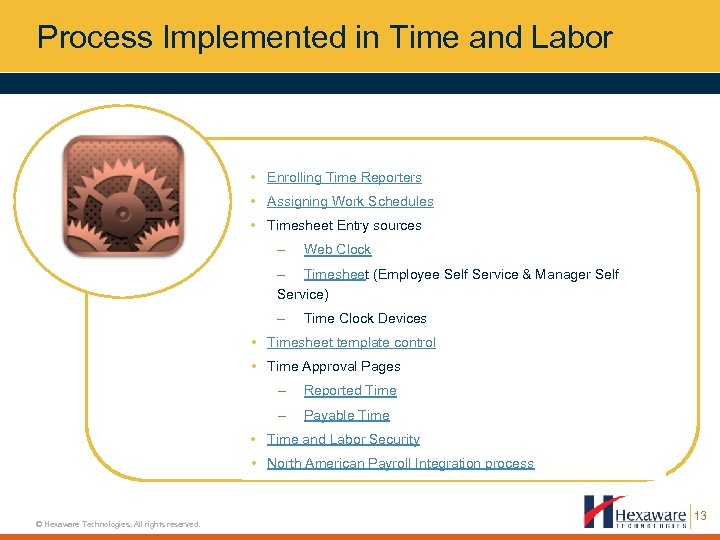
Process Implemented in Time and Labor • Enrolling Time Reporters • Assigning Work Schedules • Timesheet Entry sources – Web Clock – Timesheet (Employee Self Service & Manager Self Service) – Time Clock Devices • Timesheet template control • Time Approval Pages – Reported Time – Payable Time • Time and Labor Security • North American Payroll Integration process © Hexaware Technologies. All rights reserved. 13
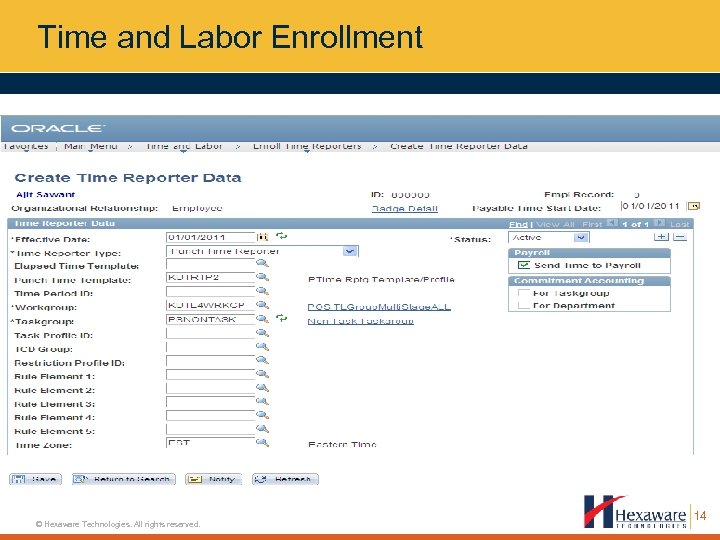
Time and Labor Enrollment © Hexaware Technologies. All rights reserved. 14
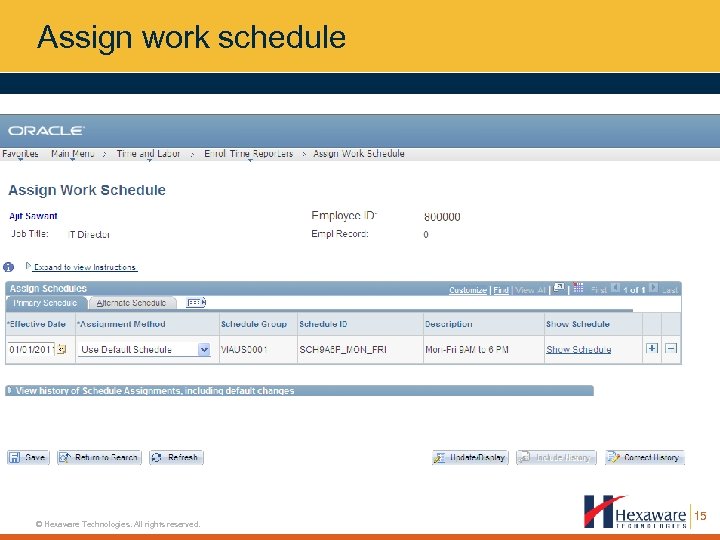
Assign work schedule © Hexaware Technologies. All rights reserved. 15
Assign work schedule • When an employee is enrolled as a Time Reporter through the Enroll Time Reporter link on the Job Data – Employment page, the system creates an automated schedule enrollment flagged as “Use Default Workgroup Schedule. ” • Any employee enrolled as a time reporter through the Time & Labor module must have a schedule assigned manually. Employee-level schedule enrollments are required for exception time reporters © Hexaware Technologies. All rights reserved. 16
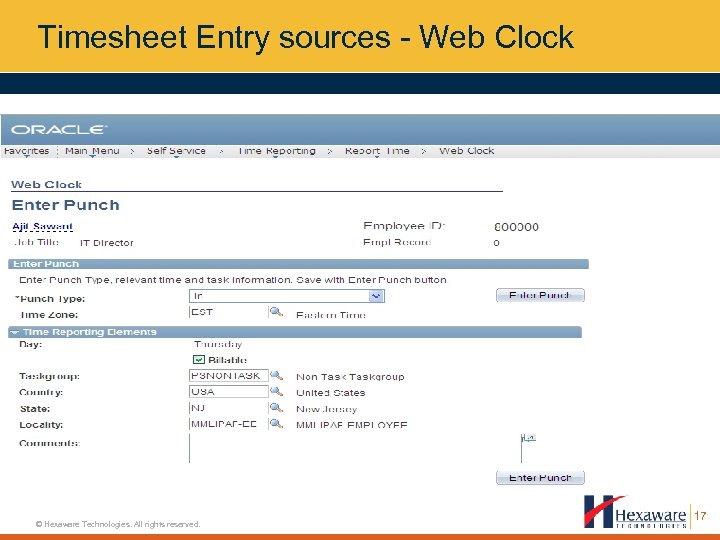
Timesheet Entry sources - Web Clock © Hexaware Technologies. All rights reserved. 17
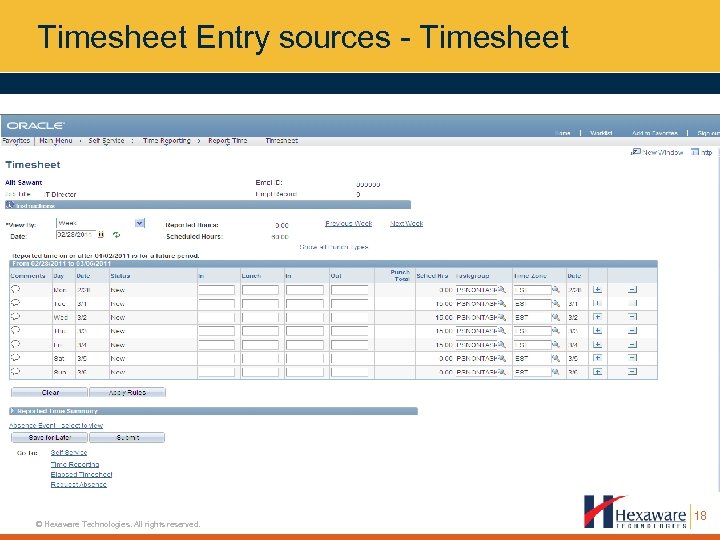
Timesheet Entry sources - Timesheet © Hexaware Technologies. All rights reserved. 18
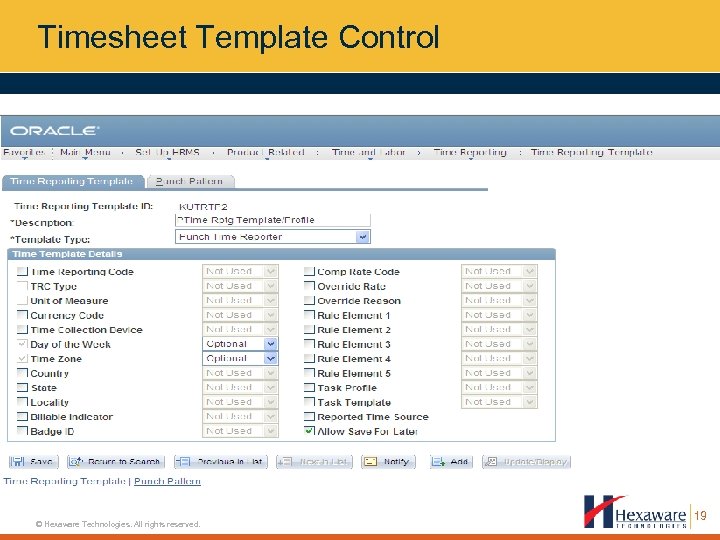
Timesheet Template Control © Hexaware Technologies. All rights reserved. 19
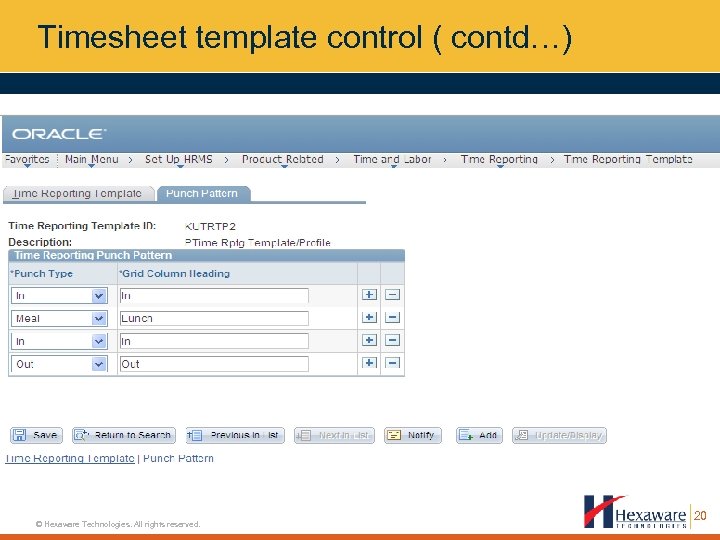
Timesheet template control ( contd…) © Hexaware Technologies. All rights reserved. 20
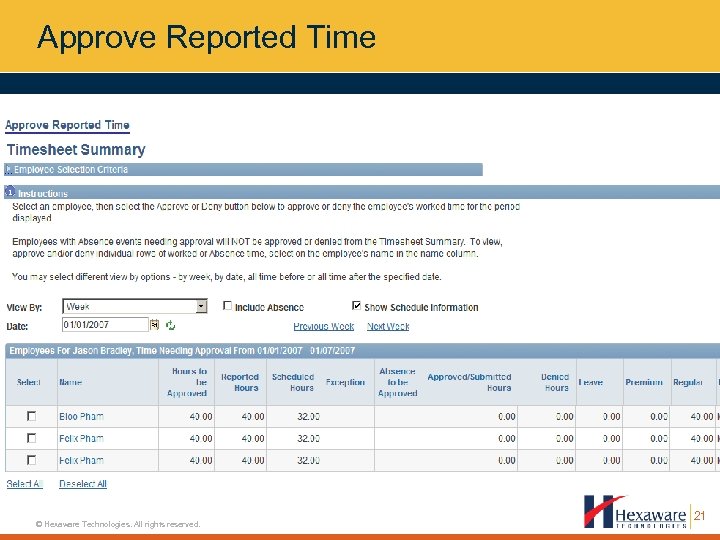
Approve Reported Time © Hexaware Technologies. All rights reserved. 21
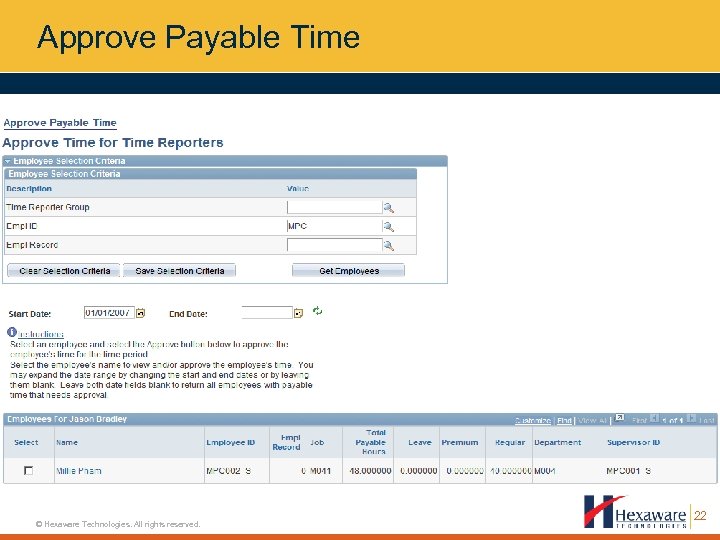
Approve Payable Time © Hexaware Technologies. All rights reserved. 22
Time and Labor Security Static Group • Comprises users who meet the selection criteria defined on the Selection Criteria page. • Membership does not change unless you add or remove members or change the selection criteria Dynamic Group • • Dynamic groups are resolved at run time for batch processes, but the group detail tables are not permanently updated. • Refreshing dynamic groups within the group or using the Refresh Dynamic Group batch process will update the group detail tables. • Time Administration and other batch processes call and refresh the group population as of start date that you specify on the run control page. • © Hexaware Technologies. All rights reserved. The process uses the date that the program runs to determine which time reporters satisfy the group selection criteria. If you do not enter a start date, they system uses current data for processing, but does not refresh the group details for other processes 23
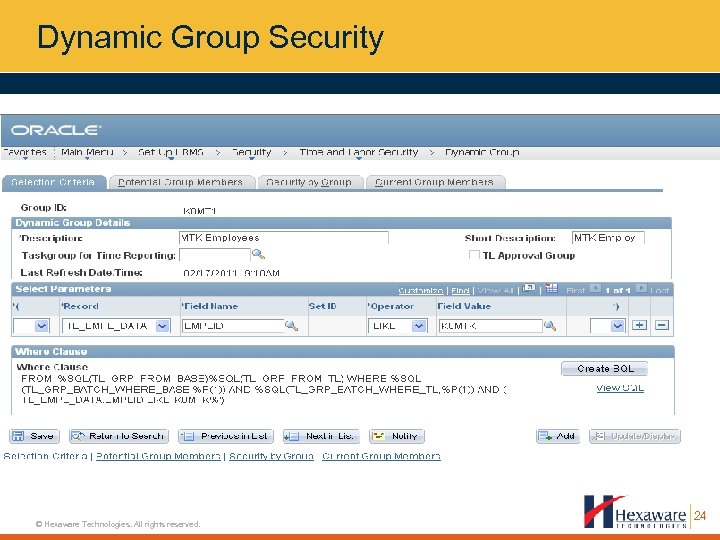
Dynamic Group Security © Hexaware Technologies. All rights reserved. 24
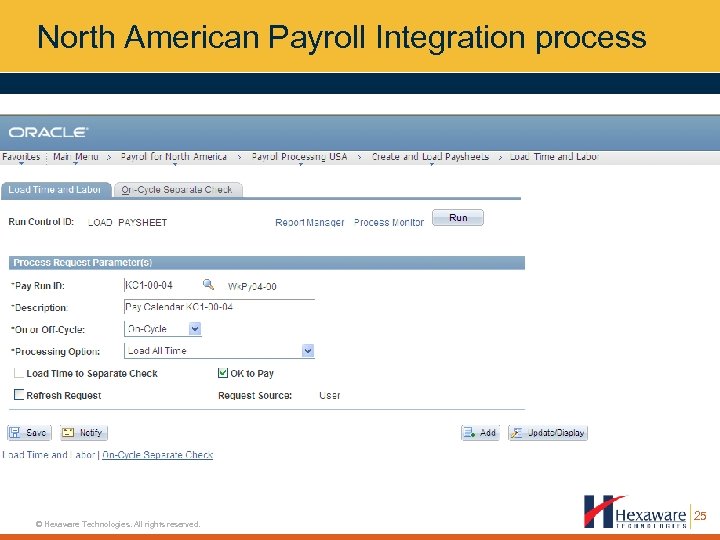
North American Payroll Integration process © Hexaware Technologies. All rights reserved. 25
Enhanced Load Performance • • Filters can be used for both On and Off-Cycle By – Earnings Code – Empl. ID, Empl Rcd – Company, Paygroup – Range of Dates • © Hexaware Technologies. All rights reserved. Run control page have “Processing Option” like Load – All Time – Prior Period Time – Filtered Time Enhanced Error Reporting – Two online pages to view unprocessed reported and payable time 26
What Are The Business Benefits Of Time & Labor? © Hexaware Technologies. All rights reserved. 27
Business Benefit of 9. 1 • • Adoption of People. Soft’s Robust Approval Framework for Approvals and Delegations • Provide Time Reporting Codes to Enhance Mass Time Reporting • Import/Export Rules via an Online Tool. Using this feature will eliminate the need to have rules reentered. • Greater Synchronization and Integration Between HCM and Financials with Full Project Chatfield Integrations • Enhancements to enrolling time reporters • Enhanced Load Performance • Mass Time reporting in Time and Labor 9. 1 filters common time reporting codes availability based on select groups of employees. This prevents invalid Time Reporting Code exception generation for reported time via Mass Time. • © Hexaware Technologies. All rights reserved. Integration with Oracle Workforce Scheduling Integration with Clairvia enables you to send employee reported punch time, leave balances, and payable time to Clairvia, and then receive employee work schedule and scheduled leave information back from Clairvia. 28

What Are The Implementation Considerations? © Hexaware Technologies. All rights reserved. 29
Time & Labor Implementation Considerations • • If you are expecting customizations in T&L Approval workflow, Time Reporting and Time Approval processes then prefer to go for an upgrade first. • If you have deferred mapping of Time Period to North American Pay Period, then customizations are required in 8. 9 or lower version. This feature is delivered in higher version. • In 9. 1, No significant functional or technical changes delivered from 8. 9 to 9. 1 • If you are on an 8. 9 or earlier version, prefer Implementing T&L along with 9. 1 upgrade. • © Hexaware Technologies. All rights reserved. If you are on 8. 9 with other modules and planning to implement T&L with minimal customizations. An upgrade to 9. 1 would not cause significant loss of efforts. No signifiant changes in reports 30

Q&A Session © Hexaware Technologies. All rights reserved. 31
Thank You Email: ajits@hexaware. com © 2009 Hexaware Technologies Limited. All rights reserved. For internal circulation only. Neither this publication nor any part of it may be reproduced, stored in a retrieval system or transmitted in any form or in any means, electronic, mechanical, photocopying, recording or otherwise, without prior permission of Hexaware Technologies Limited. Published by Corporate Marketing & Communications © Hexaware Technologies. All rights reserved. 32 www. hexaware. com
Скачать презентацию Time Labor Toolbox The Tools You
16a88dae151bcc3221272223f6a3b796.ppt