


 Скачать презентацию thorsys australia Pty ltd solutions www
15beb52081c05914bac6f30e7055551a.ppt
- Количество слайдов: 58
 thorsys australia Pty ltd ……. . solutions www. thorsys. com. au 1
 • Thorsys Australia offers a paddock to plate traceability system using barcode technology to provide trace-back and trace-forward 2 functions if a recall is required. All Rights Reserved - Thorsys Australia Pty Ltd Paddock to Plate
 Overview Thorsys Australia specialises in the development and implementation of information technology solutions for the Meat and Food Industry • Thorsys Australia understands the unique requirements specific to the Meat Industry. Thorsys have produced a suite of computer solutions, both hardware and software, for - Feedlot - Slaughter Floor - Chiller Assessment - NLIS - Carton Weighing - Loadout - Distribution - Livestock - Carcass Handling - Boning Room - MSA - Cut Traceability - Export - Warehousing 3 All Rights Reserved - Thorsys Australia Pty Ltd •
 Features & Benefits • Touch Terminals using infra red touch sensors, specifically designed for harsh production environments • Application software fully customised to each installation • Client/Server Environments • ODBC and ADO compliance - Ability to work with ANY compliant platform such as MS SQL Server, Progress, Sybase Adaptive Server, Oracle, Ingress, and others 4 All Rights Reserved - Thorsys Australia Pty Ltd • Object Oriented Methodologies
 Features & Benefits • Radio frequency networking for real time evaluation and updating of product information using RF portable devices • Compliant with GS 1 / UN ECE barcoding standards. Our software is fully compliant with GS 1 requirements. • Boning Room Traceability systems, including Individual Cut Identification, designed for single table or chain boning 5 All Rights Reserved - Thorsys Australia Pty Ltd • Interface to the Australian National Livestock Identification System (NLIS)
 Features & Benefits • Graphical Label Design with drag-and-drop functionality • Menu, database and user level security 6 All Rights Reserved - Thorsys Australia Pty Ltd • Full redundancy with multiple layers of backup servers
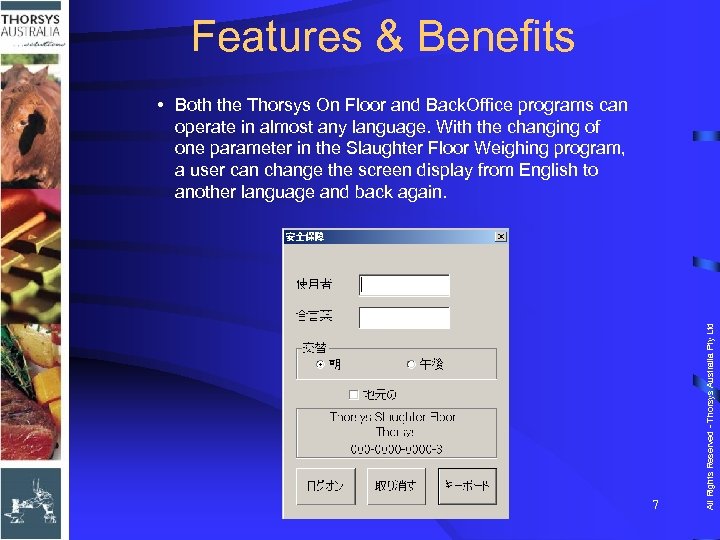 Features & Benefits 7 All Rights Reserved - Thorsys Australia Pty Ltd • Both the Thorsys On Floor and Back. Office programs can operate in almost any language. With the changing of one parameter in the Slaughter Floor Weighing program, a user can change the screen display from English to another language and back again.
 Service and Support 8 All Rights Reserved - Thorsys Australia Pty Ltd • Return to Base Support for all Equipment • Recommend “Hot Spare” for non standard PC Equipment • Offices in New South Wales, Queensland South Australia • 24 Hour / 7 day Standby Services • 1800 Support Hotline.
 Products • Application Software – Thorsys Production and Inventory Control System – Thorsys Warehousing and Distribution System – Thorsys X 600 Touch Terminals – Thorsys Label Applicator 9 All Rights Reserved - Thorsys Australia Pty Ltd • Specialised Hardware
 Services Software Design and Development Software and Hardware Support Consultancy Thorsys Verification and Certification Testing • Training • Project Management • Networking. 10 All Rights Reserved - Thorsys Australia Pty Ltd • •
 • The Thorsys Production and Inventory Control System provides the functionality required to monitor, analyse and keep track of the various stages of production for Meat Processing establishments • The system comprises two main components: – On Floor - Production modules and equipment for operation on the production floor – Backoffice - designed as the support to the production equipment and software 11 All Rights Reserved - Thorsys Australia Pty Ltd Thorsys Production and Inventory Control System
 Thorsys Production and Inventory Control System • The On Floor system is designed to minimise operator intervention on the production floor • The Backoffice system is designed to maximise usability of all the systems functions – Operators can control operation of On Floor stations, data captured at each collection point, view, report and transfer information from and to adjacent systems using industry standard tools and software 12 All Rights Reserved - Thorsys Australia Pty Ltd – Operators perform their normal duties simply registering information as they would in a manual process, using touch screen technology and software designed to minimise operator interaction
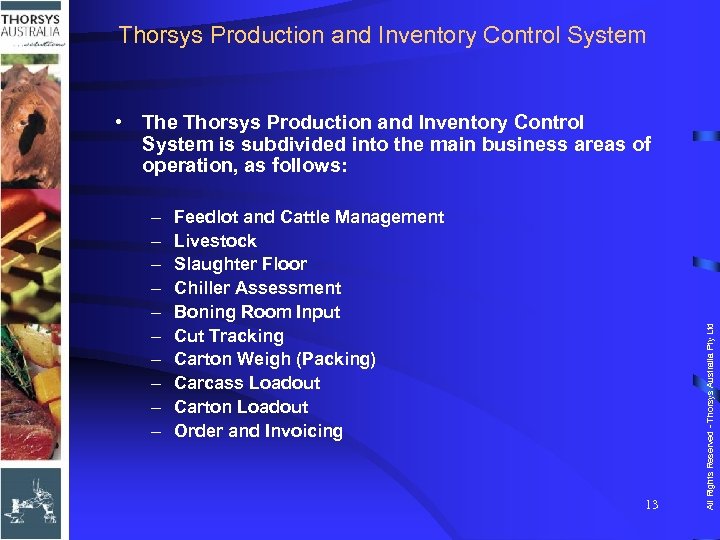 Thorsys Production and Inventory Control System – – – – – Feedlot and Cattle Management Livestock Slaughter Floor Chiller Assessment Boning Room Input Cut Tracking Carton Weigh (Packing) Carcass Loadout Carton Loadout Order and Invoicing 13 All Rights Reserved - Thorsys Australia Pty Ltd • The Thorsys Production and Inventory Control System is subdivided into the main business areas of operation, as follows:
 Thorsys Production and Inventory Control System – – – Stock and Inventory Livestock Costing Production Costing Label Design Distribution Export 14 All Rights Reserved - Thorsys Australia Pty Ltd • Complementing the main business areas additional modules are provided, such as:
 Thorsys Production and Inventory Control System • Industry Interfaces: – UCC / GS 1 Barcoding Standards • Full compliance via the standard system • Thorsys Production and Inventory Control System interface • Interfacing with other suppliers (ALEIS®, ALLFLEX®, Blush Consulting®, etc. ) – Meat Standards Australia (MSA) Grading • The model used to calculate the MSA grade has been incorporated into the Thorsys Production and Inventory Control System. 15 All Rights Reserved - Thorsys Australia Pty Ltd – Australian National Livestock Identification System (NLIS)
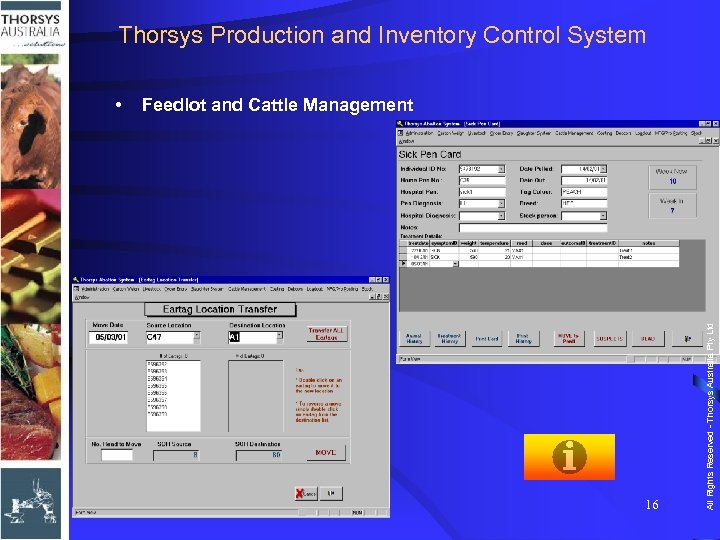 Thorsys Production and Inventory Control System Feedlot and Cattle Management 16 All Rights Reserved - Thorsys Australia Pty Ltd •
 Thorsys Production and Inventory Control System Feedlot and Cattle Management 17 All Rights Reserved - Thorsys Australia Pty Ltd •
 Thorsys Production and Inventory Control System 18 All Rights Reserved - Thorsys Australia Pty Ltd • Livestock - Purchasing and Arrivals
 Thorsys Production and Inventory Control System 19 All Rights Reserved - Thorsys Australia Pty Ltd • Livestock - Purchase Order Inquiries
 Thorsys Production and Inventory Control System 20 All Rights Reserved - Thorsys Australia Pty Ltd • Livestock - Purchase Grid Maintenance
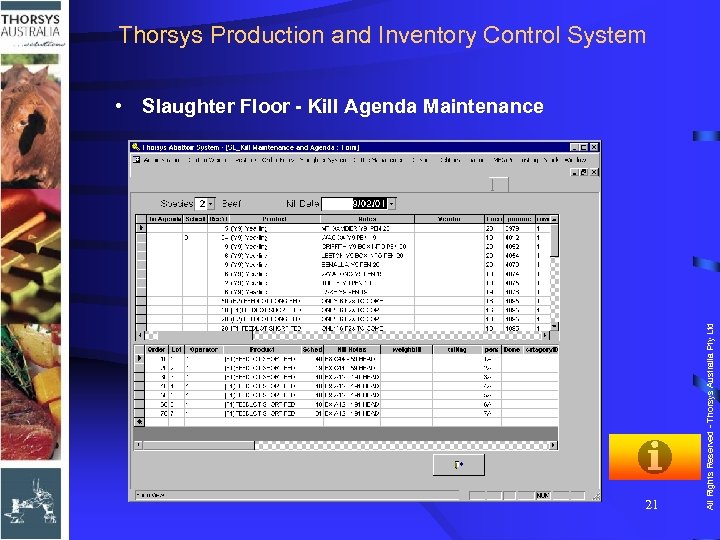 Thorsys Production and Inventory Control System 21 All Rights Reserved - Thorsys Australia Pty Ltd • Slaughter Floor - Kill Agenda Maintenance
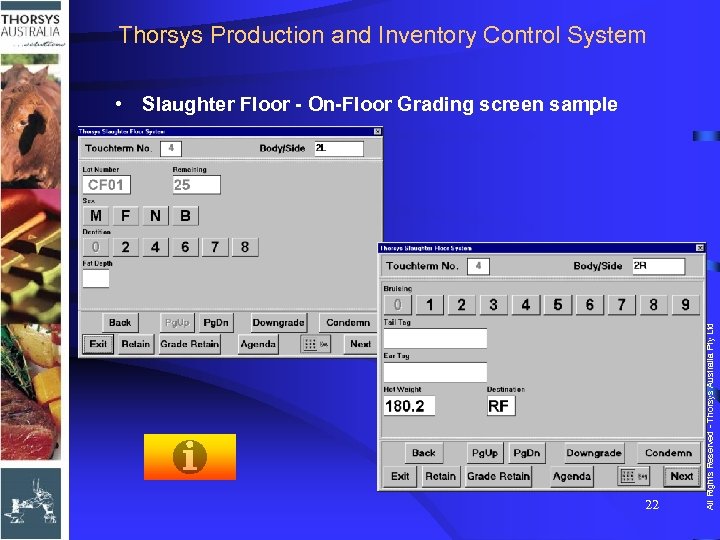 Thorsys Production and Inventory Control System 22 All Rights Reserved - Thorsys Australia Pty Ltd • Slaughter Floor - On-Floor Grading screen sample
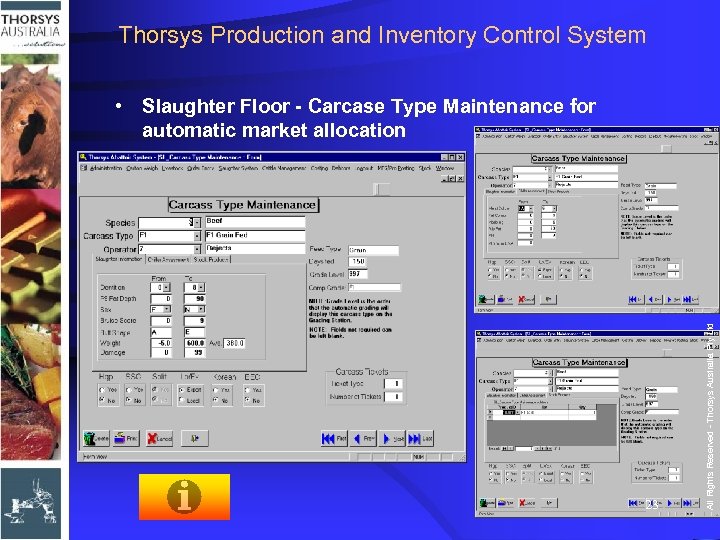 Thorsys Production and Inventory Control System 23 All Rights Reserved - Thorsys Australia Pty Ltd • Slaughter Floor - Carcase Type Maintenance for automatic market allocation
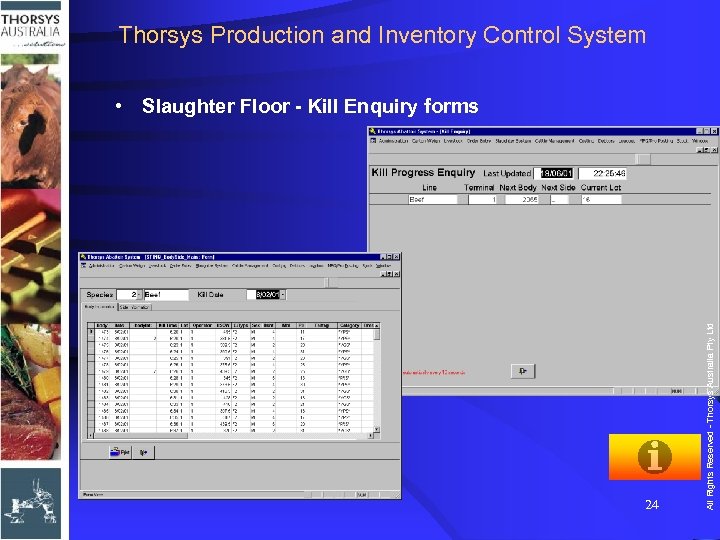 Thorsys Production and Inventory Control System 24 All Rights Reserved - Thorsys Australia Pty Ltd • Slaughter Floor - Kill Enquiry forms
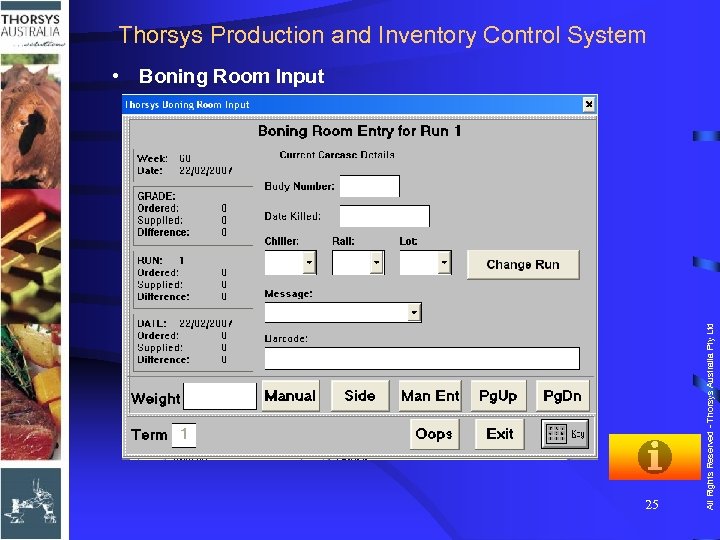 Thorsys Production and Inventory Control System • Boning Room Input 25 All Rights Reserved - Thorsys Australia Pty Ltd Boning Rom Overview
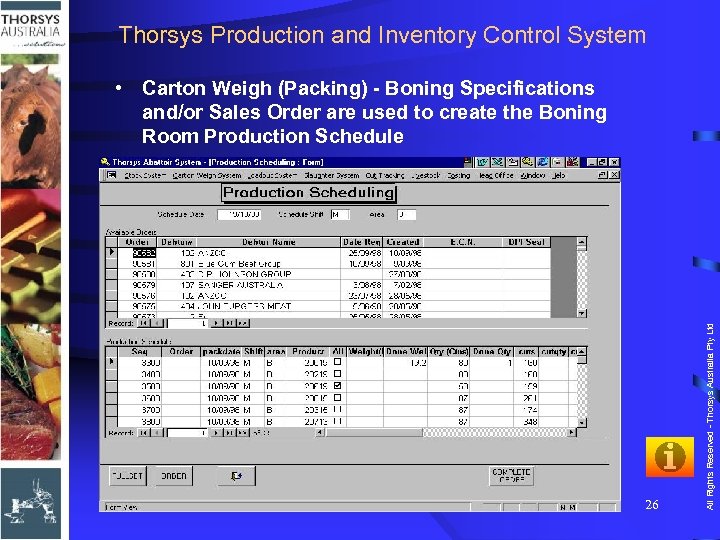 Thorsys Production and Inventory Control System 26 All Rights Reserved - Thorsys Australia Pty Ltd • Carton Weigh (Packing) - Boning Specifications and/or Sales Order are used to create the Boning Room Production Schedule
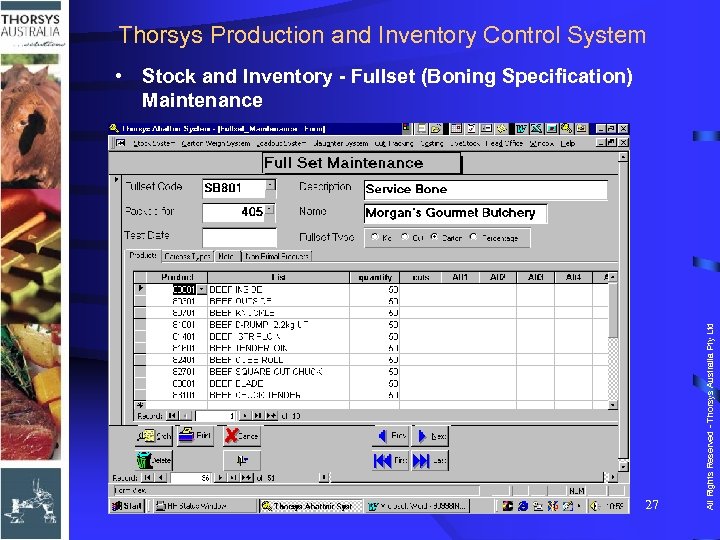 Thorsys Production and Inventory Control System 27 All Rights Reserved - Thorsys Australia Pty Ltd • Stock and Inventory - Fullset (Boning Specification) Maintenance
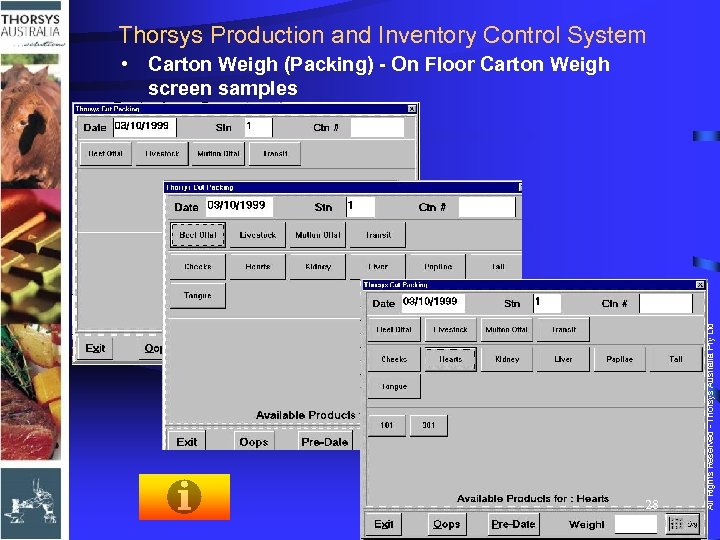 Thorsys Production and Inventory Control System 28 All Rights Reserved - Thorsys Australia Pty Ltd • Carton Weigh (Packing) - On Floor Carton Weigh screen samples
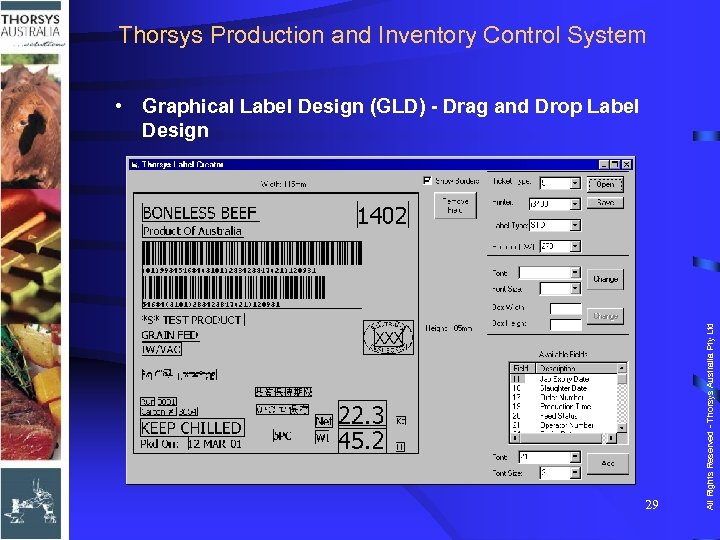 Thorsys Production and Inventory Control System 29 All Rights Reserved - Thorsys Australia Pty Ltd • Graphical Label Design (GLD) - Drag and Drop Label Design
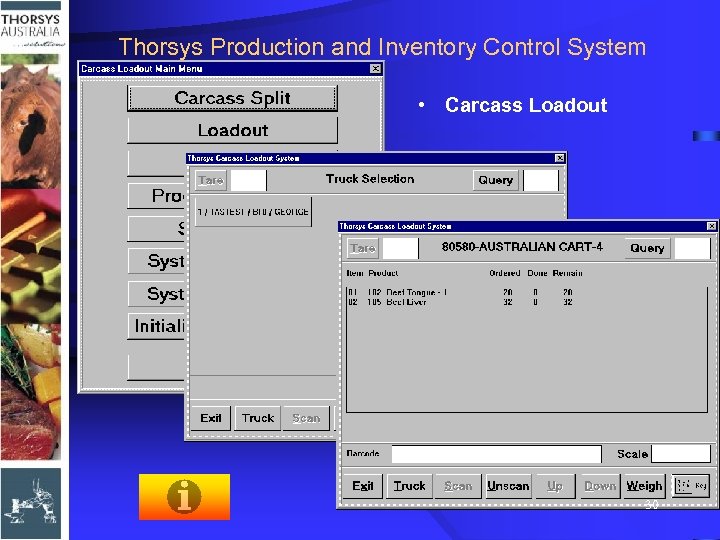 Thorsys Production and Inventory Control System 30 All Rights Reserved - Thorsys Australia Pty Ltd • Carcass Loadout
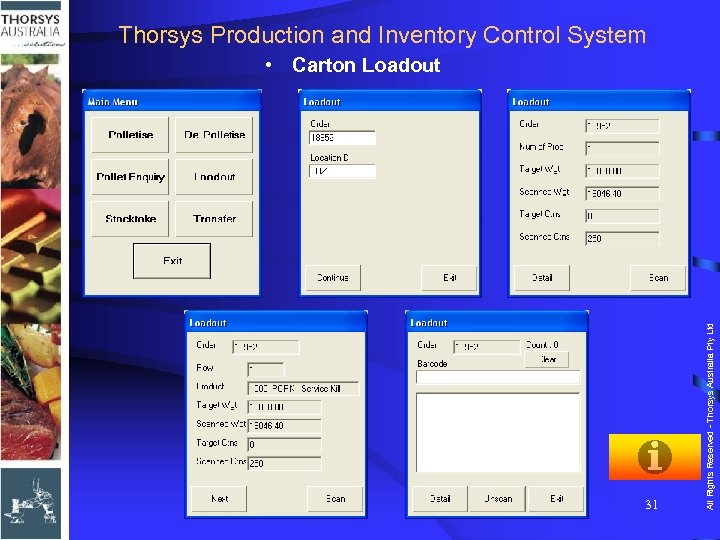 Thorsys Production and Inventory Control System 31 All Rights Reserved - Thorsys Australia Pty Ltd • Carton Loadout
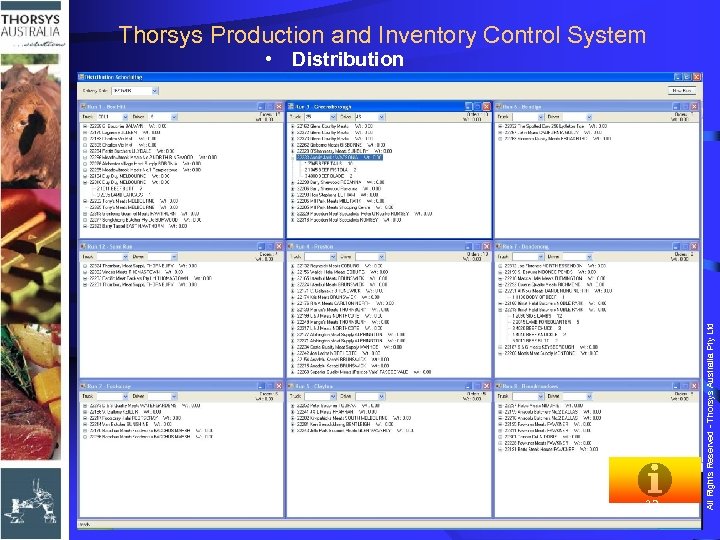 Thorsys Production and Inventory Control System 32 All Rights Reserved - Thorsys Australia Pty Ltd • Distribution
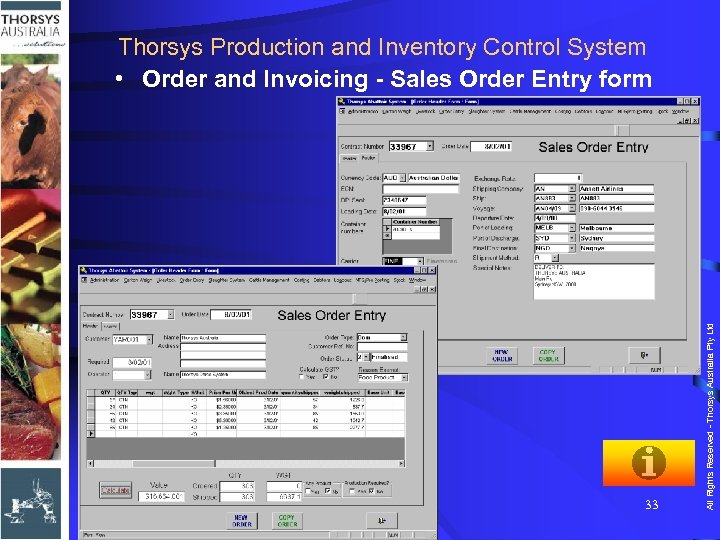 33 All Rights Reserved - Thorsys Australia Pty Ltd Thorsys Production and Inventory Control System • Order and Invoicing - Sales Order Entry form
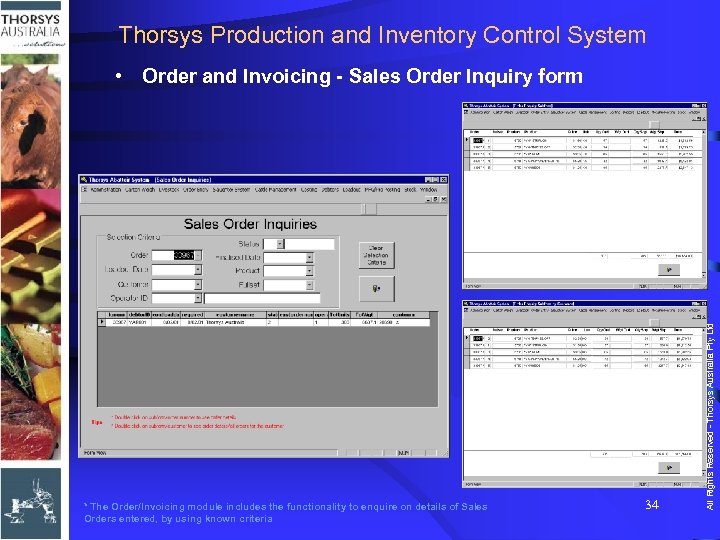 Thorsys Production and Inventory Control System * The Order/Invoicing module includes the functionality to enquire on details of Sales Orders entered, by using known criteria 34 All Rights Reserved - Thorsys Australia Pty Ltd • Order and Invoicing - Sales Order Inquiry form
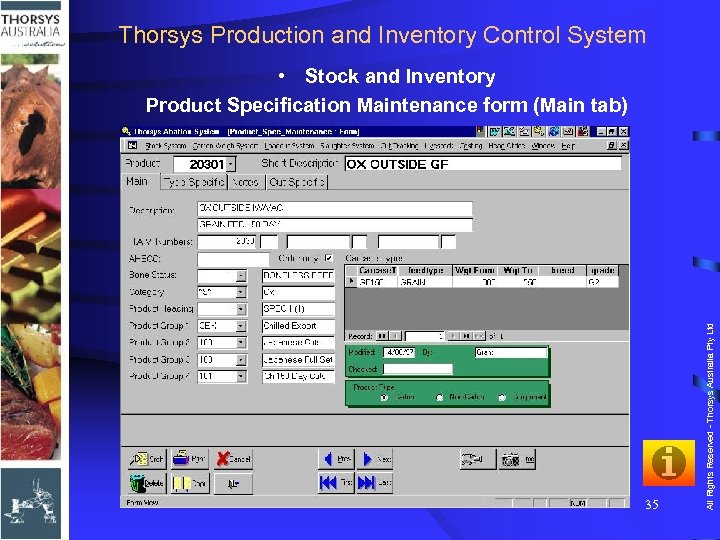 Thorsys Production and Inventory Control System 35 All Rights Reserved - Thorsys Australia Pty Ltd • Stock and Inventory Product Specification Maintenance form (Main tab)
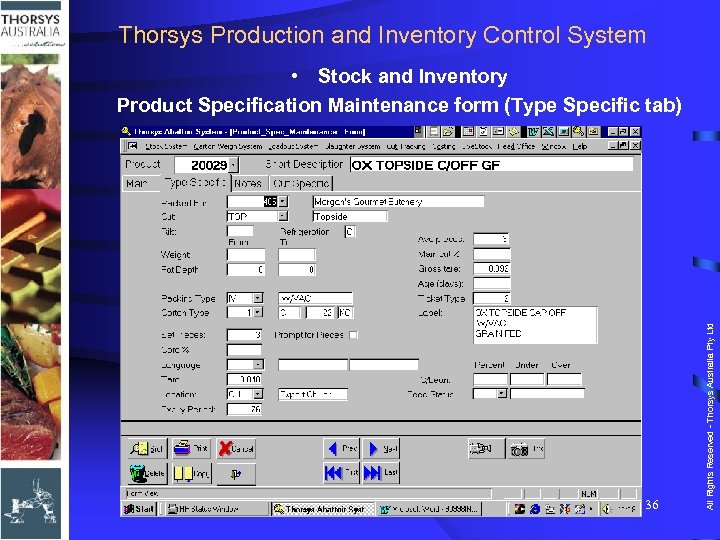 Thorsys Production and Inventory Control System 36 All Rights Reserved - Thorsys Australia Pty Ltd • Stock and Inventory Product Specification Maintenance form (Type Specific tab)
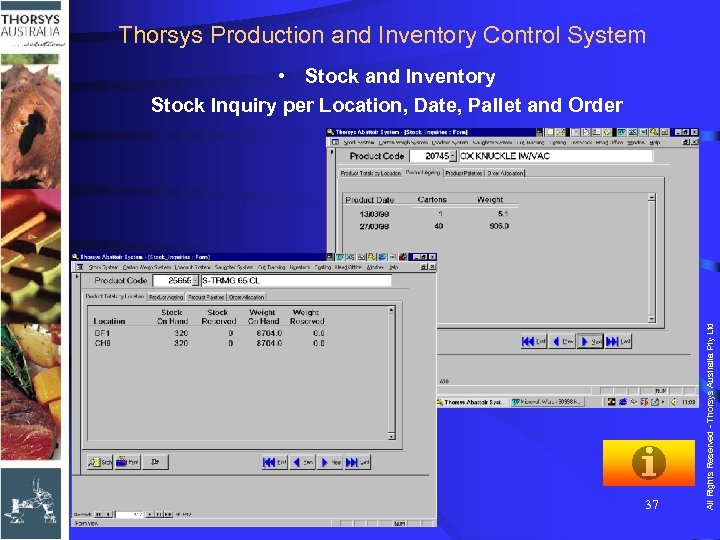 Thorsys Production and Inventory Control System 37 All Rights Reserved - Thorsys Australia Pty Ltd • Stock and Inventory Stock Inquiry per Location, Date, Pallet and Order
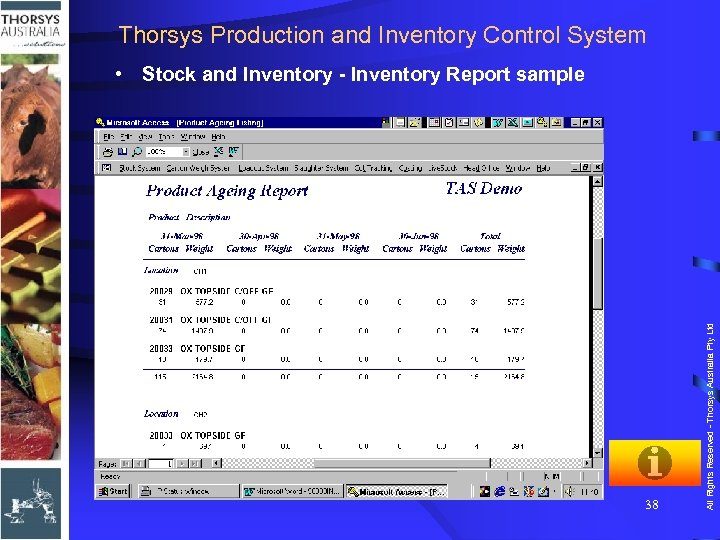 Thorsys Production and Inventory Control System 38 All Rights Reserved - Thorsys Australia Pty Ltd • Stock and Inventory - Inventory Report sample
 Contacts • In Australia – Telephone - Facsimile + 61 7 3371 2788 + 61 7 3371 6852 sales@thorsys. com. au info@thorsys. com. au – Postal Suite 1, Lvl 8, 39 Sherwood Rd Toowong, QLD 4066 Australia All Rights Reserved - Thorsys Australia Pty Ltd – Email • Or visit us at www. thorsys. com. au 39
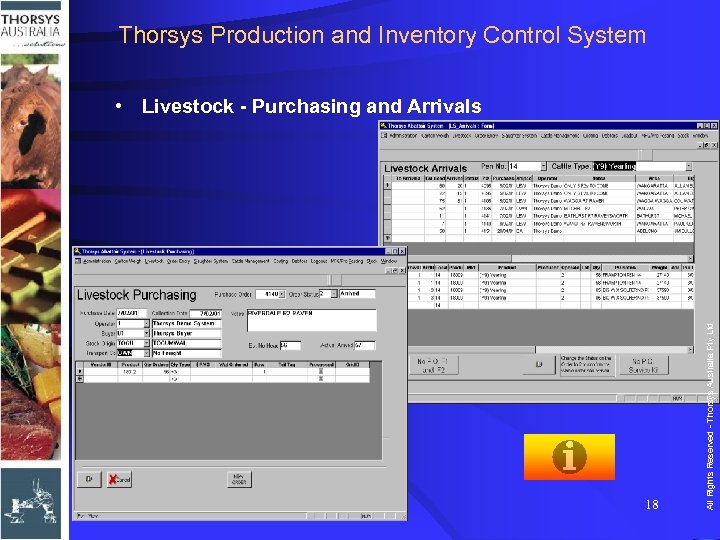
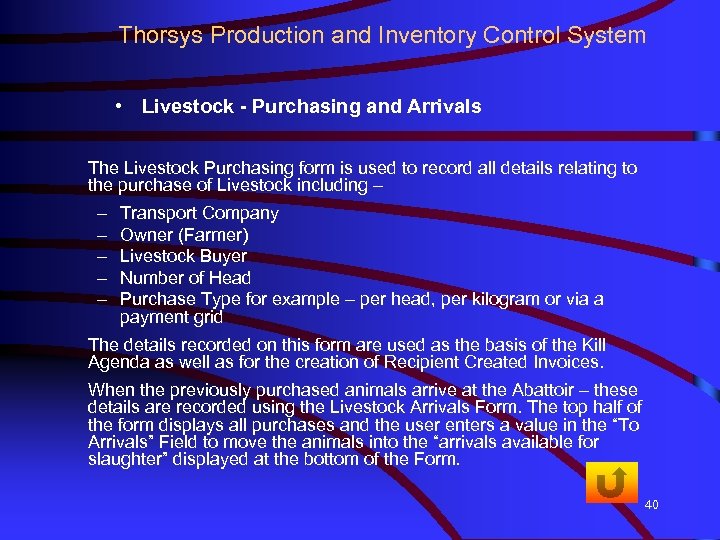 Thorsys Production and Inventory Control System • Livestock - Purchasing and Arrivals The Livestock Purchasing form is used to record all details relating to the purchase of Livestock including – – – Transport Company Owner (Farmer) Livestock Buyer Number of Head Purchase Type for example – per head, per kilogram or via a payment grid The details recorded on this form are used as the basis of the Kill Agenda as well as for the creation of Recipient Created Invoices. When the previously purchased animals arrive at the Abattoir – these details are recorded using the Livestock Arrivals Form. The top half of the form displays all purchases and the user enters a value in the “To Arrivals” Field to move the animals into the “arrivals available for slaughter” displayed at the bottom of the Form. 40
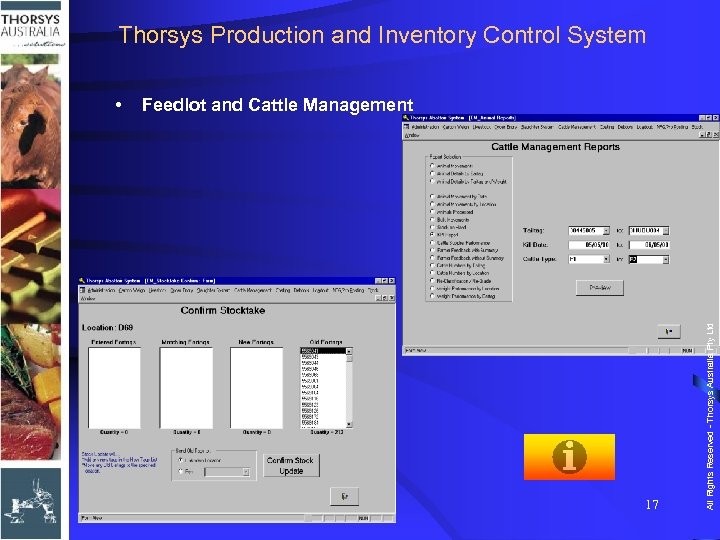
 Thorsys Production and Inventory Control System • Feedlot and Cattle Management The Feedlot Cattle Management Module facilitates control and recording of information associated with individual animals while in the feedlot. Functions are provided to facilitate receipt of animals, hospital and treatment history and animals movements. 41
 Thorsys Production and Inventory Control System • Feedlot and Cattle Management • Historical information of movement, treatment and weight gain shall be recorded and associated with an animal (eartag) in the database. • Animal movements to feedlot or sick pens, progression between sick pens and reassignment of animals to feedlot pens or rendering will all be recorded and made available for reporting. • Animal treatments will also be traced as well as health events such as vaccinations, medications, dosages and deaths. • Integration of this module with the Livestock and Slaughter Floor modules facilitates semi automated production and accuracy of purchase costs and payment details to producers and suppliers. 42
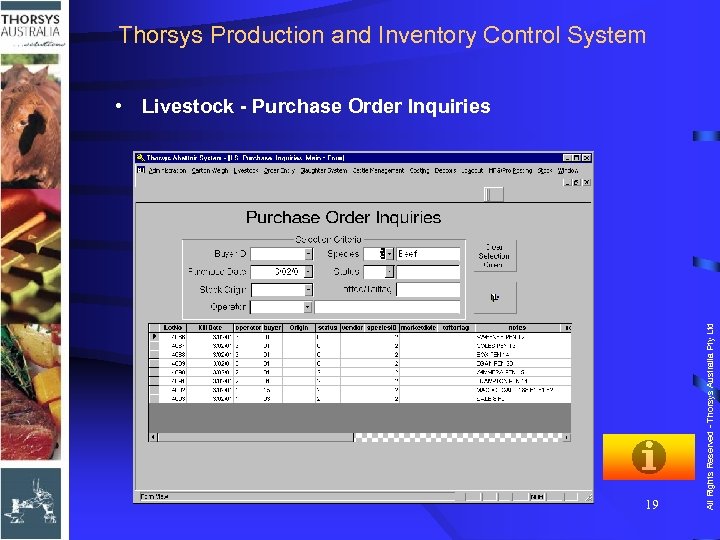
 Thorsys Production and Inventory Control System • Livestock - Purchase Order Inquiries The Livestock module contains several reports which provide the user with details of Arrivals, Purchases, Transport Costs, Delivery versus Purchase Comparison etc. The form shown before allows users to enquire on Livestock Purchase Orders using any known criteria. 43
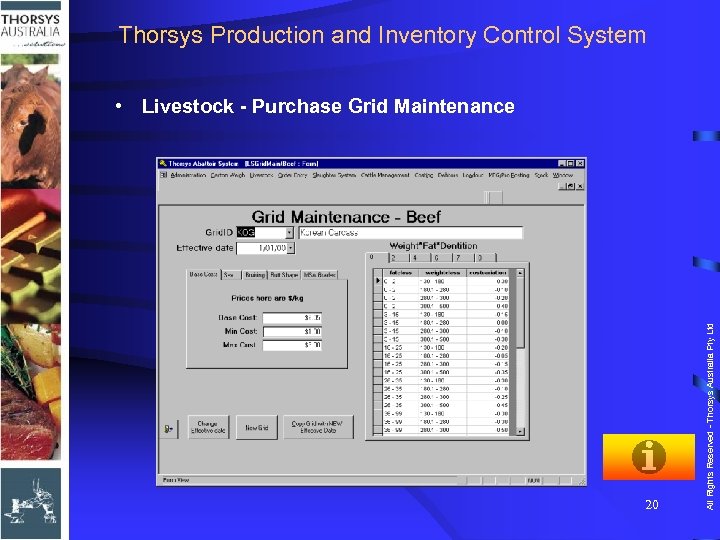
 Thorsys Production and Inventory Control System • Livestock - Purchase Grid Maintenance • The Livestock module contains Payment Grid functionality as standard. • This system allows the abattoir to reward or penalise the vendor depending on the condition of the animals they provide. • Some of the criteria used includes, Weight, Fat , Dentition, Sex, Bruising and Butt Shape. Once this data has been collected using the Slaughter Floor module, the software automatically calculates the purchase price of each animal using the grid data. 44
 Thorsys Production and Inventory Control System • Slaughter Floor - Kill Agenda Maintenance • The Kill Agenda Maintenance form is used to create the Daily Kill Schedule. • The top of the form displays “arrivals available for slaughter”. • To move these animals to the Kill Schedule at the bottom of the form, the user enters the number of head required in the “To Agenda” field. • The Kill Schedule created using this form will then be displayed on all on-floor data capture Thorsys Touch. Terminals on the Slaughter Floor. • Any changes made to the schedule using this form are reflected real-time on the on-floor Terminals. 45
 Thorsys Production and Inventory Control System • Slaughter Floor - On-Floor Grading screen sample • Thorsys Touch. Terminals can be installed at various locations on the Slaughter Floor depending on the information to be captured – For example there may be a Terminal at the beginning of the Head Chain to record dentition, or at the Knocking Box to record Live Weight, sex and eartag. – Alternatively these functions can be combined, thus reducing the amount of “on-floor” equipment required. • On arrival of the animals at the Grading Station all details captured at previous Terminals are available and can be modified if required. At this stage, a Slaughter Label with a GS 1 barcode is produced to identify the body through the rest of the production process. 46
 Thorsys Production and Inventory Control System • Slaughter Floor - Carcase Type Maintenance for automatic market allocation • Carcasses can be automatically graded to different destinations based on parameters entered by the user. • The system will grade each body based on the total body weight or the individual side weights. • The destination (or Carcass Type) also determines the number of carcass tickets printed. • Carcasses destined for boning may have only one ticket per carcass whereas bodies destined for trade may have a ticket on each side or quarter. This information is user definable. 47
 Thorsys Production and Inventory Control System • Slaughter Floor - Kill Enquiry Forms Several enquiry forms are included in the Slaughter Floor module to allow back-office users • To view and maintain data captured at the Slaughter Floor Terminals as well as • To monitor production from their desk. 48
 Thorsys Production and Inventory Control System • Boning Room Input • The following stage in the production process is Boning Room Input. A Thorsys X 600 Touch. Terminal, a barcode scanner and a scale are used at this point to scan the Slaughter ticket produced on the Slaughter Floor. • The system will record the cold weight (for shrinkage calculation) and advise the operator of the grade of the side as determined on the Slaughter Floor. A run Number is recorded against each body as they enter the Boning Room to assist with Traceability. 49
 Thorsys Production and Inventory Control System • Carton Weigh (Packing) - Boning Specifications and/or Sales Order are used to create the Boning Room Production Schedule • A Production Schedule is created each day to advise the Carton Weigh Touch Terminal operators what needs to be produced. The product codes on the Production Schedule determine what codes are available for selection on the Carton Weigh Touch. Terminals. There are two methods used to add products to the Production Schedule – 1. Boning Specifications – A Boning Specification is created when a group of products can be used for a particular production run. For example, you may be processing a run of bodies for a particular customer so you could create a Boning Specification that has all that customer products on it to group them together for the Carton Weigh Touch Terminal operator. The next slide contains a screen shot of the Boning Specification Form. 2. Sales Orders – Alternatively (or as well as) you may produce to order in the Boning Room. Once the order has been added to the Production Schedule, the Carton Weigh Touch. Terminal operator will be able to select this order and produce cartons to it, knowing how much they have produced and how much more is required. • All information entered on the Production Schedule is available real-time to the Carton Weigh Touch Terminal operators. 50
 Thorsys Production and Inventory Control System • Carton Weigh (Packing) - On Floor Carton Weigh screen samples • The user will first select the following data in this sequence – The Run Number being processed, – The Boning Specification or Order Number required, and – The Product Code. • When complete, a label is produced identifying the product contained in the carton. This information is immediately updated online to the central database making the information available for enquiries. • The carton record will always contain run Number information to assist with TRACEABILITY. 51
 Thorsys Production and Inventory Control System • Carcass Loadout screen samples • Functions are provided to enable Loadout of both carton and carcass product. • A Thorsys X 600 Touch. Terminal with a Scanner, a scale and printer attached will be installed adjacent to the Loadout Bay. • The user will – Select the Sales Order to be shipped (using a Sales Order created earlier by the Shipping department), then – The product from that order, – Move the carcass (or part carcass) onto the scale, then – Scan the Slaughter Ticket • Once the scale finds a stable weight, this record will be immediately updated into the database making the information immediately available for enquiries and reporting. • If required, a new Carcass Ticket can be produced at this station which can include the cold weight and foreign language text if required. 52
 Thorsys Production and Inventory Control System • Carton Loadout screen samples • Like Carcass Loadout, Orders to be shipped have had an order previously raised within the order system. • When required to be loaded, the order is released by the shipping department. Released orders can then be scanned using the Radio Frequency scanners recommended for this function. • For scanning, the loadout operator – First selects the function required from the RF scanner menu. – Upon selecting order scanning, the operator enters the order number to be loaded, and the stock location from which they are taking stock. – The operator then commences scanning of products for that order. During scanning, error checking is automatically done by the software to PREVENT doubling up of units, scanning of products not allocated to an order, over packing of products and product out of date range. – As each carton is scanned, it is updated to the database in approximately 0. 7 of a second. • Either individual cartons or palletised product (by scanning the pallet label) can be scanned in an order. • When the order is complete an order report can be produced. 53
 Thorsys Production and Inventory Control System • Distribution screen samples • The Thorsys Distribution Module allows the user to create the delivery companies and trucks used, and the routes which they take to deliver products. • Orders can then be assigned to a delivery run in the order they will be delivered, to allow the loading of these orders in reverse order. • This module has a unique drag and drop interface that allows orders to be easily moved between trucks. 54
 Thorsys Production and Inventory Control System • Order and Invoicing - Sales Order Entry form screen samples • The Sales Orders entered on this form can be assigned to the Production Schedule in the Boning Room, then loaded once production is completed. • Sales Orders can also be entered for production already in stock. • This form is also used to enter Sales Orders for Carcass Product. • The price details can be manually entered for each product or chosen from a Price List which is standard functionality of the Thorsys Order/Invoicing module. • Sales Invoices and Export Documentation can also be generated from the data entered on this Form. 55
 Thorsys Production and Inventory Control System • Stock and Inventory Product Specification Maintenance form (Main tab) • The Product Specification form is pivotal to the operation of the system. All types of products (Livestock, Carcass, Carton, Offal, Component and By-products) and their details are created and maintained by using this form. The type of information entered includes – – – Owner Product Code Product Description Cutting Lines , Trimming Specifications Packaging Components and Weights (for Component Usage and Tare calculation) – Ticket Type – Label Description – Foreign Language • A report is available with all the specification details for each product. 56
 Thorsys Production and Inventory Control System • Stock and Inventory Stock Inquiry per Location, Date, Pallet and Order • As all production is updated to the database in real-time, accurate stock on hand figures are always available. • The Stock Inquiry form allows users to view the Stock on Hand of a chosen product at a Total, Date, Pallet or individual Carton level. • This form also displays any product that has been produced to a specific order and therefore is not available for general sale. 57
 Thorsys Production and Inventory Control System • Stock and Inventory Report sample • The Back Office application provides easy access to maintenance, inquiry and reporting functions using the friendly Microsoft Access interface. • This software is available in open or compiled format, thus facilitating use by client personnel appropriately trained and capable of creating additional screens or reports. • The sample report provided is just one example of the standard Back Office suite of programs which provides access to over – 90 maintenance and inquiry screens, and – 80 ready to use reports 58