Скачать презентацию Thin Client — New Technology Deflection Point Presented
2a8a18a46d0116917ba58b12df954d09.ppt
- Количество слайдов: 29
 Thin Client - New Technology Deflection Point Presented to: LITWG of Washington State Everett Public Library January 10, 2002 Presented by: Dr. Chong Lee Veicon Technology, Inc Beaverton, OR Copyright 1997 -2001 © Veicon Technology, Inc. All rights reserved.
 What is a Smart Terminal™? • A computing model where applications are running on a server, while a desktop device is a simple display unit with keyboard and pointing device • Also referred to as “server-based computing” or “client/server model” • Similar to old day’s time-sharing except the desktop device is a full graphics unit
 Client Types • Thin client (i. e. terminals with no local hard disk) • Thick (fat) client (i. e. PCs or converted PCs)
 Client Examples • X Window terminals for UNIX • MS Windows terminals for Microsoft NT or 2000
 Smart Terminal Hardware Vendors • • • Wyse Technology IBM NCD Boundless others
 Server HW Platform Vendors • • Compaq Dell HP IBM Intel Sun Microsystems others
 Platform Software Vendors • For Windows terminals – Microsoft, Citrix • For Linux thin client – Linux software vendors, i. e. Red. Hat
 A Brief History • Mid 90 s: X Windows terminals for UNIX did not take off, as UNIX growth has slowed down • 1996: Introduction of MS Windows-based terminals • Late 90 s: Microsoft partnership with Citrix fueled the growth of the Windows terminal market
 Smart Terminal Advantages • Centralized computer resource management, resulting in lower support and ongoing maintenance cost • High system and network security • High system availability (uptime) • Longer product life cycle • Energy saving • Space saving
 Smart Terminal Disadvantages • Dependency on the server (single point failure) • High level technical expertise required
 Solutions for Disadvantages • Back up servers and redundancy – i. e. “fail over” • Commercial solution – i. e. Veicon, eliminating the need for in-house development and maintenance
 Why did thin client technology not take off in libraries? • PC-based solution is quick and easy to grow • Uncertainty and lack of experience with the new technology • Lack of budgetary information • Unavailable, qualified IT person • Lack of certain solutions with the early thin client features, i. e. floppy disk option
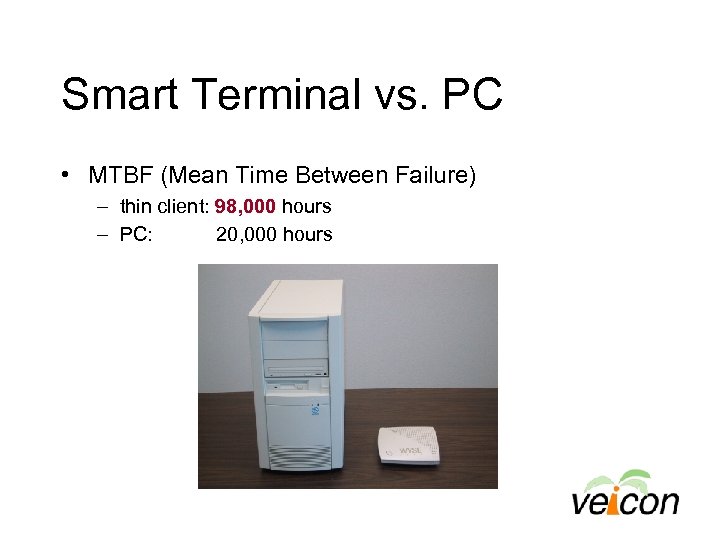 Smart Terminal vs. PC • MTBF (Mean Time Between Failure) – thin client: 98, 000 hours – PC: 20, 000 hours
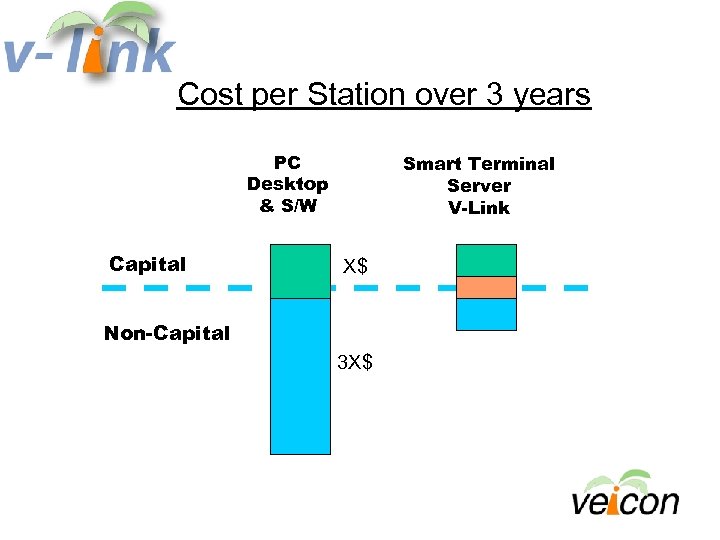
 System Price Comparison: Smart Terminal (ST) vs. PC • Capital vs. non-capital cost – Ratio: 1: 2 • Capital cost: ST with Server vs. PC – Ratio: 1: 1 • Non-capital cost: ST vs. PC – Ratio: 1: 3 • Overall TCO (Total Cost of Ownership): ST vs. PC – 60% - 70% savings with TC solution
 Capital Cost vs. Non-Capital Cost • Capital cost: Equipment • Non-capital cost: installation, moves and changes, staff training, security, applications, systems/network management, technical support, and on-going maintenance
 Smart Terminal Solution:
 About • First commercially available thin client “integrated” solution for libraries – Proven for 3 years since 1999 • Patented with 29 claims (US Patent: 5, 958, 007; other patents pending)
 Key Features • Patron Internet access • Full range of e-mail clients including AOL, Compu. Serve, Outlook Express, Eudora, Pegasus, and Telnet – POP 3 & IMAP 4 • Choice of web browsers, IE and Netscape • MS Office Tools
 Key Features (continued) • Multi-level Security – Privacy, System and Network • • • Virus protection filter Website filter VTM (Veicon Time Manager) Printer support: Local and Network Magnetic Stripe Reader (MSR) option
 Expansion of • • Solution Dual function: OPAC/Internet stations New release on its way: V 3. 0 Modal browser Web filtering and virus protection server (for all desktops - PCs and thin clients) • Advance Time Manager • Cost recovery print management
 Financial Options • Fee based “service” model – A library buys terminals with ongoing service and support, including server access • Server consignment (no charge) for 20+ terminals • Bundled solution purchase option • American Express Leasing Partnership for special municipal lease agreement
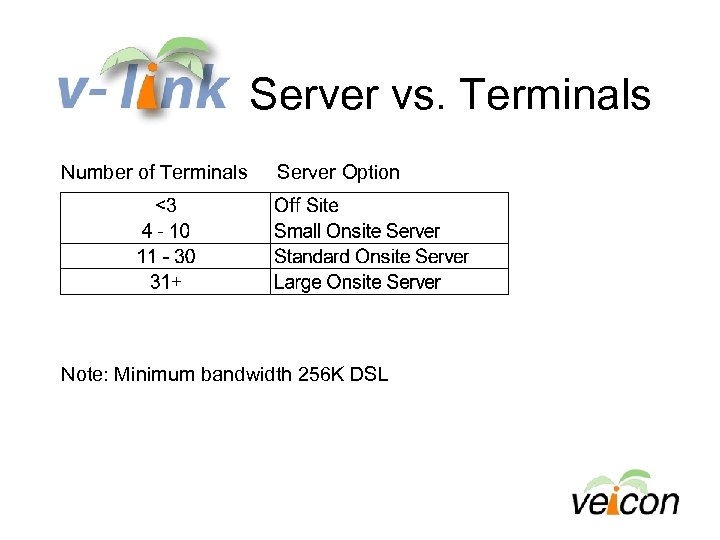 Server vs. Terminals Number of Terminals Server Option Note: Minimum bandwidth 256 K DSL
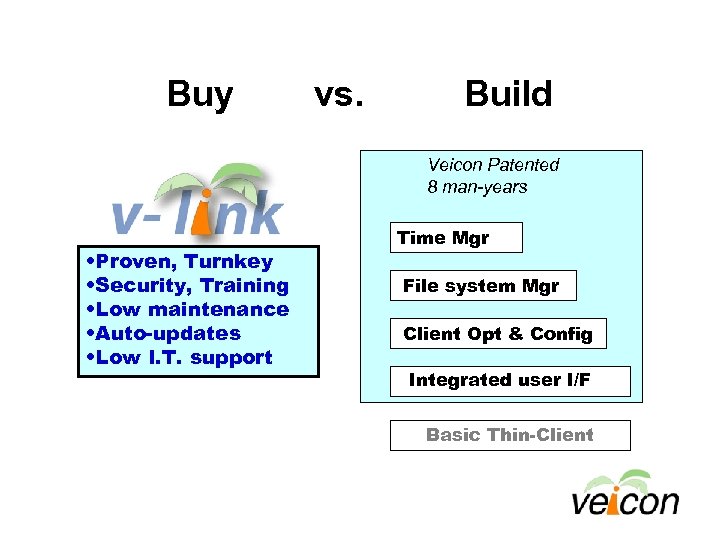
 Benefits of • • • In-house R&D for thin client no longer needed Proven solution over 3+ years Financial information available for budget process Overall cost saving, 60% - 70% TCO Available NOW
 Technology Deflection Points (over 50 years of computing history) • Existing technology trend slows down, while a new technology trend accelerates – Mainframe to Mini – Mini to PC – PC to “thin client computing” driven by broadband Internet (wired or wireless) and high speed servers
 Summary
 Cost per Station over 3 years PC Desktop & S/W Capital Smart Terminal Server V-Link X$ Non-Capital 3 X$
 Buy vs. Build Veicon Patented 8 man-years • Proven, Turnkey • Security, Training • Low maintenance • Auto-updates • Low I. T. support Time Mgr File system Mgr Client Opt & Config Integrated user I/F Basic Thin-Client
 On Location