 Скачать презентацию The Web and Content Distribution Networks Nick Feamster
1b2465906c9fe30685de8623e739e543.ppt
- Количество слайдов: 53



The Web and Content Distribution Networks Nick Feamster CS 6250 Fall 2011 (some notes from David Andersen and Christian Kauffman)
Outline • HTTP review • Persistent HTTP review • HTTP caching • Content distribution networks 2
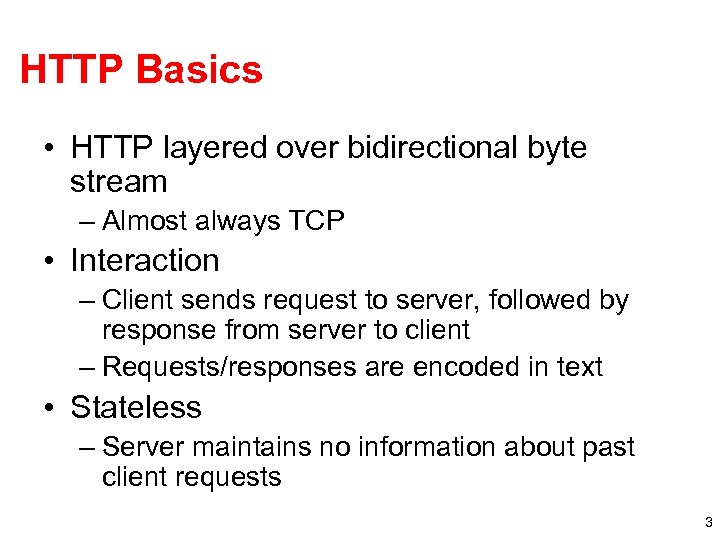
HTTP Basics • HTTP layered over bidirectional byte stream – Almost always TCP • Interaction – Client sends request to server, followed by response from server to client – Requests/responses are encoded in text • Stateless – Server maintains no information about past client requests 3
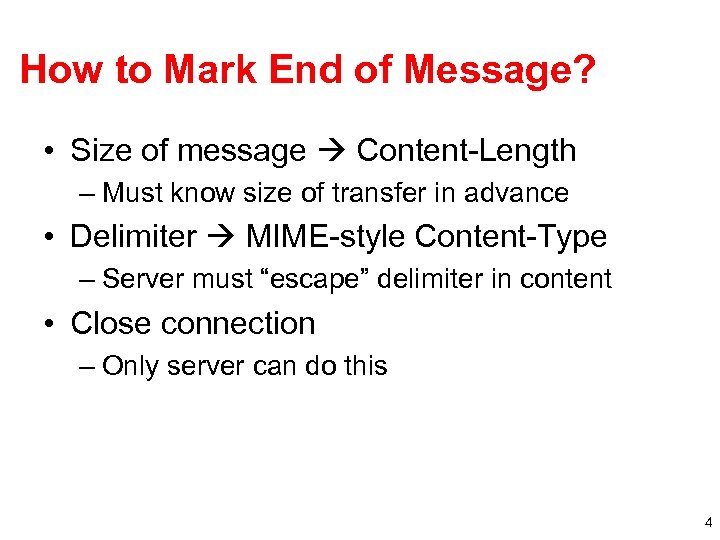
How to Mark End of Message? • Size of message Content-Length – Must know size of transfer in advance • Delimiter MIME-style Content-Type – Server must “escape” delimiter in content • Close connection – Only server can do this 4
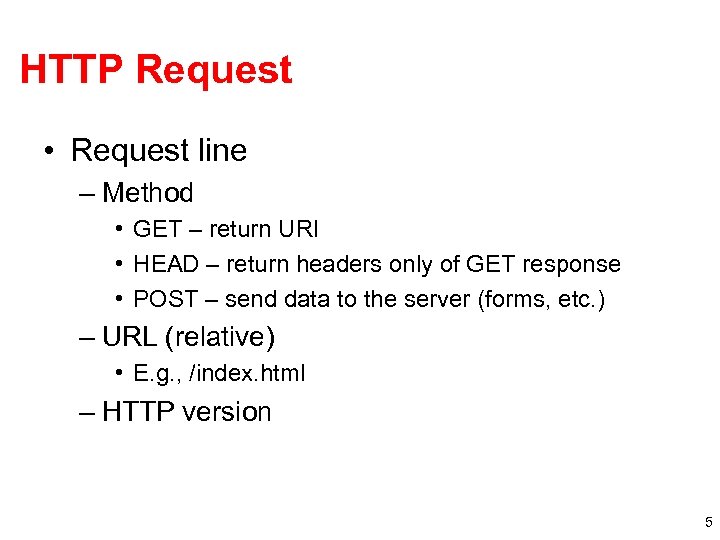
HTTP Request • Request line – Method • GET – return URI • HEAD – return headers only of GET response • POST – send data to the server (forms, etc. ) – URL (relative) • E. g. , /index. html – HTTP version 5
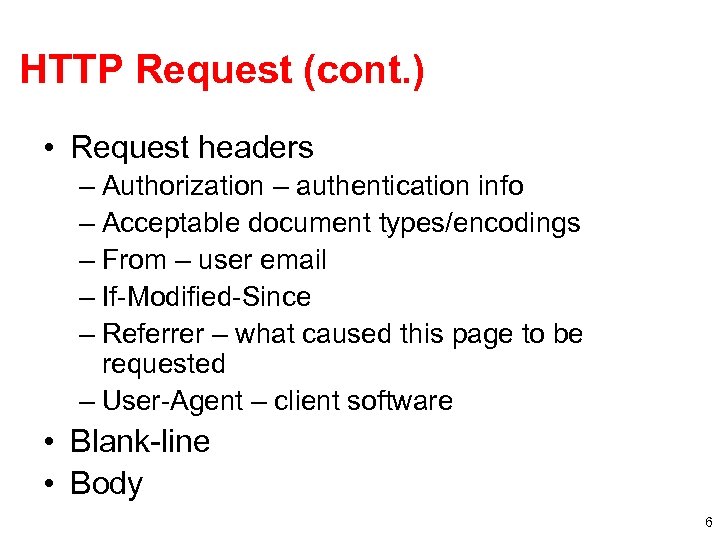
HTTP Request (cont. ) • Request headers – Authorization – authentication info – Acceptable document types/encodings – From – user email – If-Modified-Since – Referrer – what caused this page to be requested – User-Agent – client software • Blank-line • Body 6
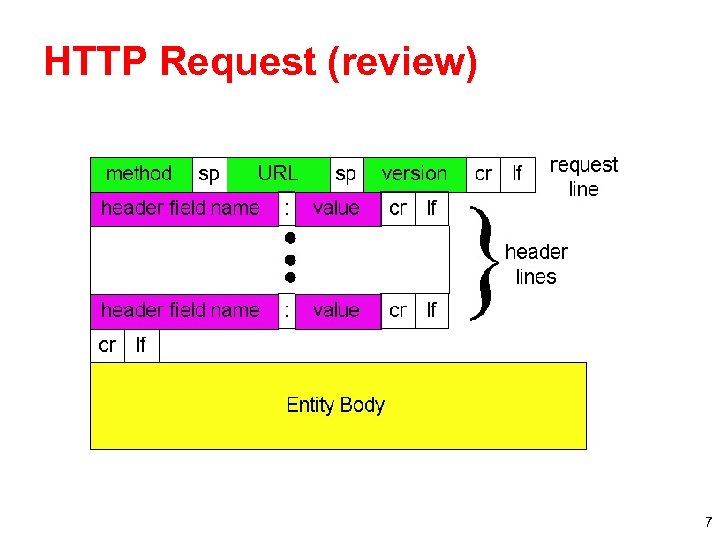
HTTP Request (review) 7
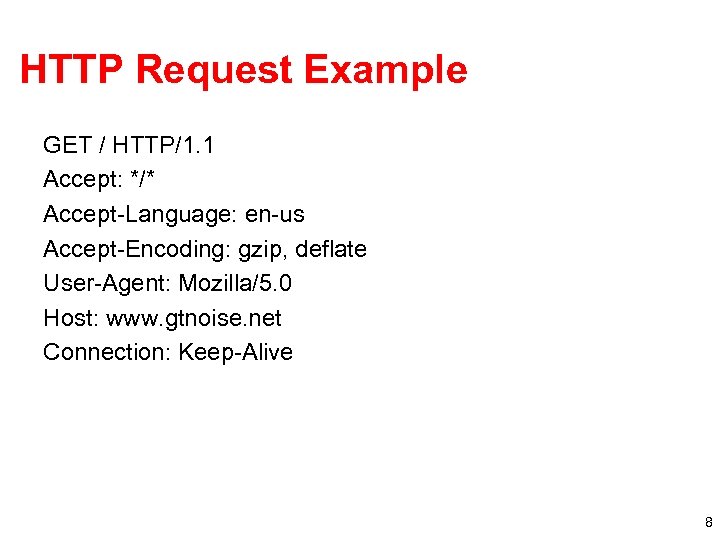
HTTP Request Example GET / HTTP/1. 1 Accept: */* Accept-Language: en-us Accept-Encoding: gzip, deflate User-Agent: Mozilla/5. 0 Host: www. gtnoise. net Connection: Keep-Alive 8
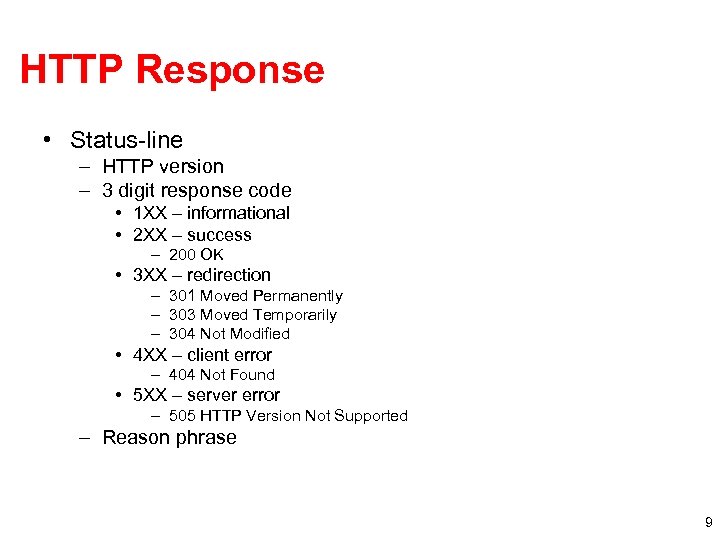
HTTP Response • Status-line – HTTP version – 3 digit response code • 1 XX – informational • 2 XX – success – 200 OK • 3 XX – redirection – 301 Moved Permanently – 303 Moved Temporarily – 304 Not Modified • 4 XX – client error – 404 Not Found • 5 XX – server error – 505 HTTP Version Not Supported – Reason phrase 9
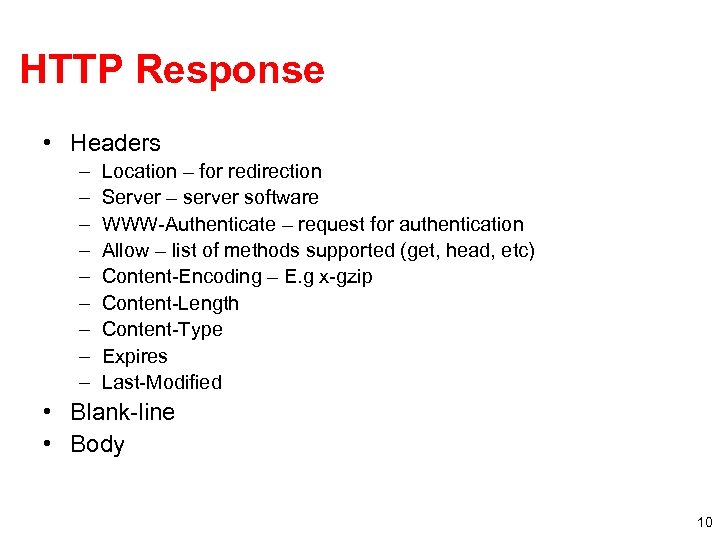
HTTP Response • Headers – – – – – Location – for redirection Server – server software WWW-Authenticate – request for authentication Allow – list of methods supported (get, head, etc) Content-Encoding – E. g x-gzip Content-Length Content-Type Expires Last-Modified • Blank-line • Body 10
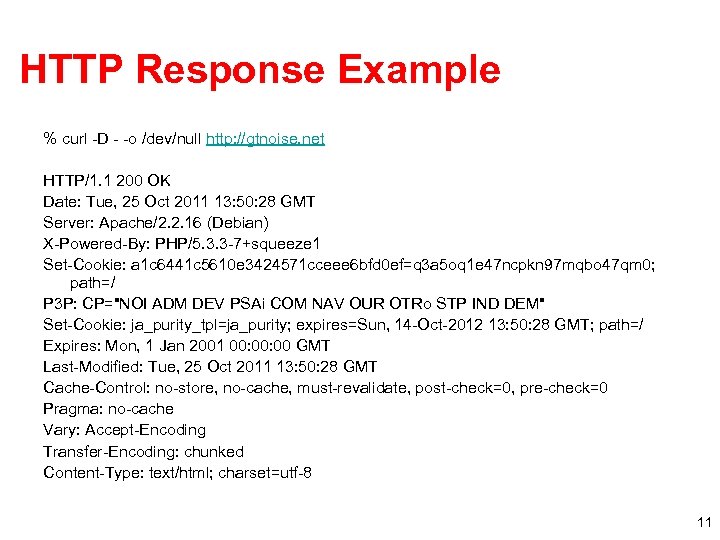
HTTP Response Example % curl -D - -o /dev/null http: //gtnoise. net HTTP/1. 1 200 OK Date: Tue, 25 Oct 2011 13: 50: 28 GMT Server: Apache/2. 2. 16 (Debian) X-Powered-By: PHP/5. 3. 3 -7+squeeze 1 Set-Cookie: a 1 c 6441 c 5610 e 3424571 cceee 6 bfd 0 ef=q 3 a 5 oq 1 e 47 ncpkn 97 mqbo 47 qm 0; path=/ P 3 P: CP="NOI ADM DEV PSAi COM NAV OUR OTRo STP IND DEM" Set-Cookie: ja_purity_tpl=ja_purity; expires=Sun, 14 -Oct-2012 13: 50: 28 GMT; path=/ Expires: Mon, 1 Jan 2001 00: 00 GMT Last-Modified: Tue, 25 Oct 2011 13: 50: 28 GMT Cache-Control: no-store, no-cache, must-revalidate, post-check=0, pre-check=0 Pragma: no-cache Vary: Accept-Encoding Transfer-Encoding: chunked Content-Type: text/html; charset=utf-8 11
Outline • HTTP intro and details • Persistent HTTP • HTTP caching • Content distribution networks 12
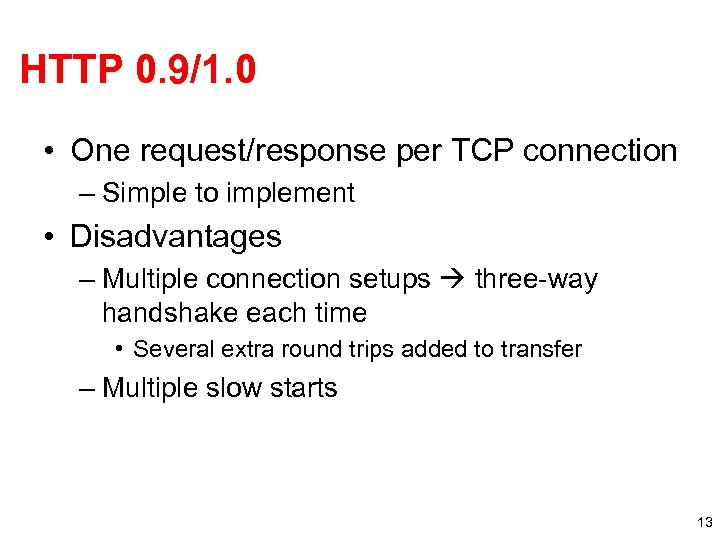
HTTP 0. 9/1. 0 • One request/response per TCP connection – Simple to implement • Disadvantages – Multiple connection setups three-way handshake each time • Several extra round trips added to transfer – Multiple slow starts 13
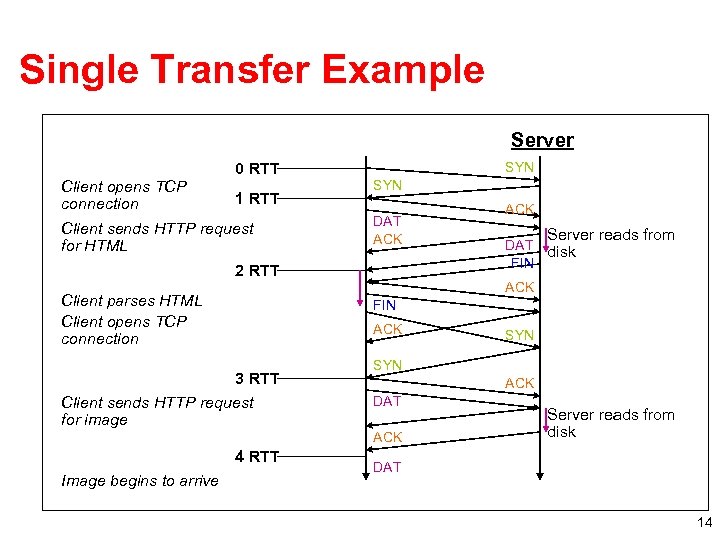
Single Transfer Example Client 0 RTT Client opens TCP connection 1 RTT Client sends HTTP request for HTML SYN DAT ACK 2 RTT ACK Server reads from DAT disk FIN ACK Client parses HTML Client opens TCP connection FIN ACK 3 RTT Client sends HTTP request for image 4 RTT SYN ACK DAT ACK Image begins to arrive Server reads from disk DAT Lecture 19: 2006 -11 -02 14
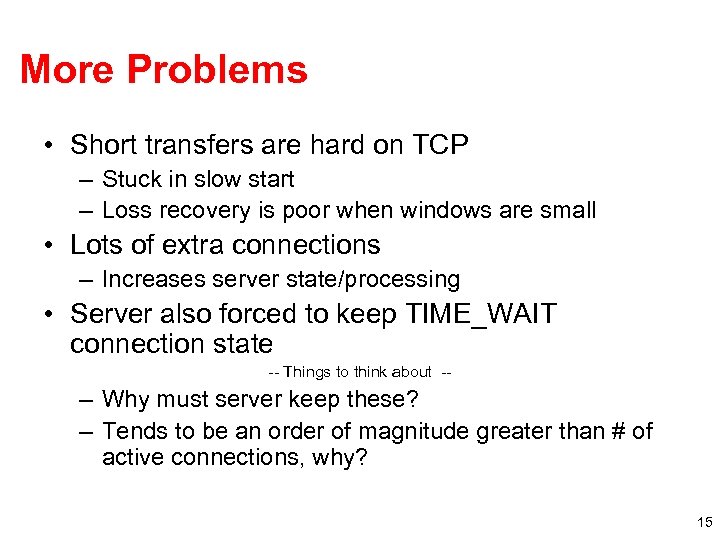
More Problems • Short transfers are hard on TCP – Stuck in slow start – Loss recovery is poor when windows are small • Lots of extra connections – Increases server state/processing • Server also forced to keep TIME_WAIT connection state -- Things to think about -- – Why must server keep these? – Tends to be an order of magnitude greater than # of active connections, why? 15
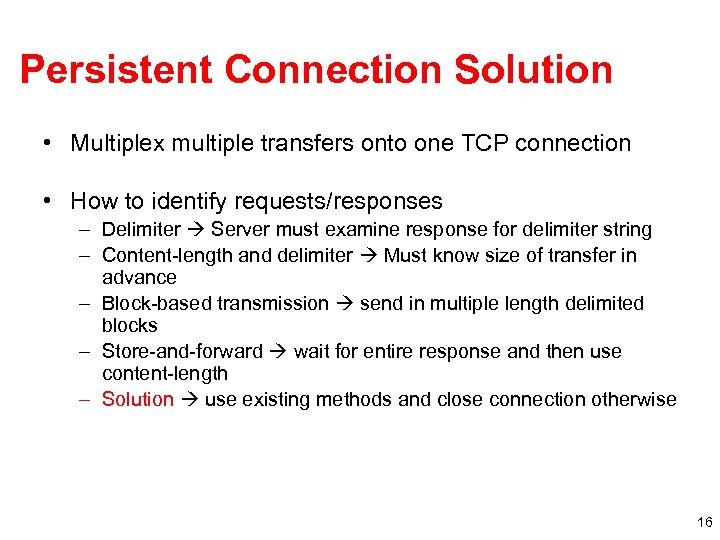
Persistent Connection Solution • Multiplex multiple transfers onto one TCP connection • How to identify requests/responses – Delimiter Server must examine response for delimiter string – Content-length and delimiter Must know size of transfer in advance – Block-based transmission send in multiple length delimited blocks – Store-and-forward wait for entire response and then use content-length – Solution use existing methods and close connection otherwise 16
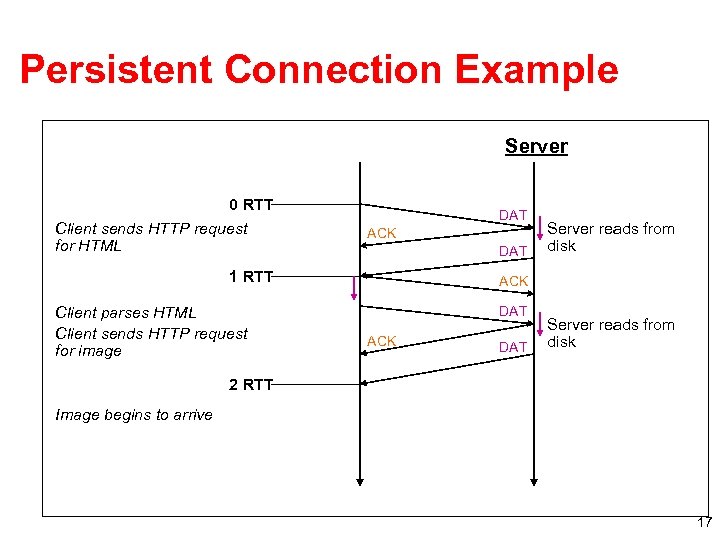
Persistent Connection Example Client 0 RTT Client sends HTTP request for HTML DAT ACK DAT 1 RTT Client parses HTML Client sends HTTP request for image Server reads from disk ACK DAT Server reads from disk 2 RTT Image begins to arrive Lecture 19: 2006 -11 -02 17
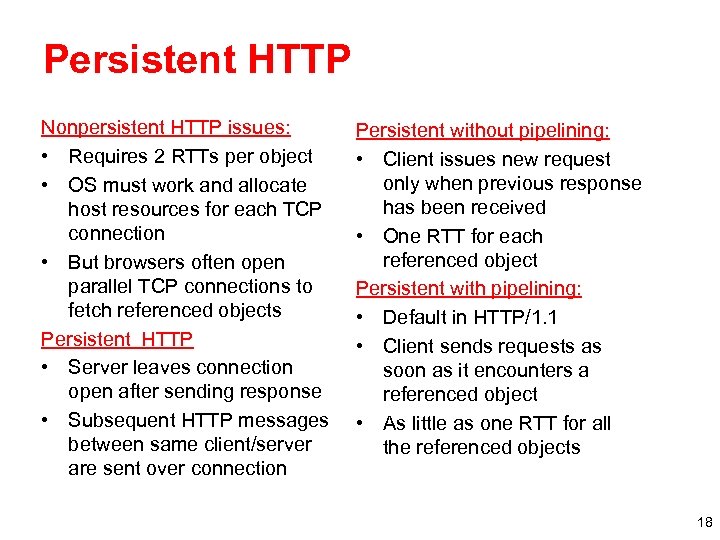
Persistent HTTP Nonpersistent HTTP issues: • Requires 2 RTTs per object • OS must work and allocate host resources for each TCP connection • But browsers often open parallel TCP connections to fetch referenced objects Persistent HTTP • Server leaves connection open after sending response • Subsequent HTTP messages between same client/server are sent over connection Persistent without pipelining: • Client issues new request only when previous response has been received • One RTT for each referenced object Persistent with pipelining: • Default in HTTP/1. 1 • Client sends requests as soon as it encounters a referenced object • As little as one RTT for all the referenced objects 18
Outline • HTTP intro and details • Persistent HTTP • HTTP caching • Content distribution networks 19
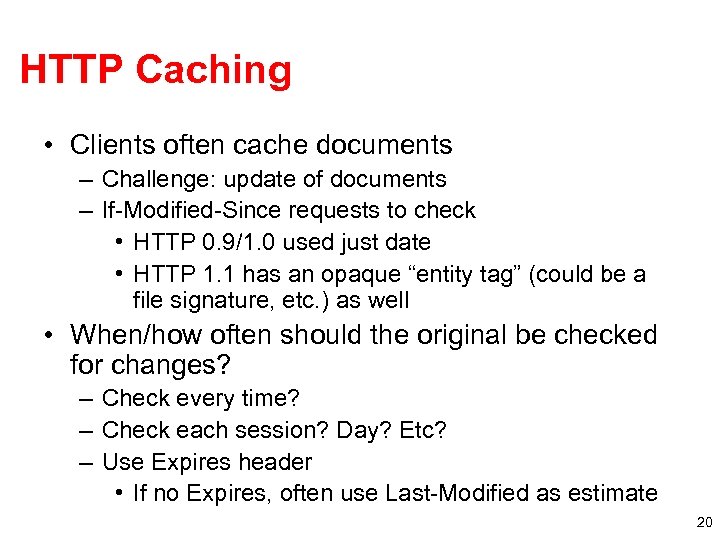
HTTP Caching • Clients often cache documents – Challenge: update of documents – If-Modified-Since requests to check • HTTP 0. 9/1. 0 used just date • HTTP 1. 1 has an opaque “entity tag” (could be a file signature, etc. ) as well • When/how often should the original be checked for changes? – Check every time? – Check each session? Day? Etc? – Use Expires header • If no Expires, often use Last-Modified as estimate 20
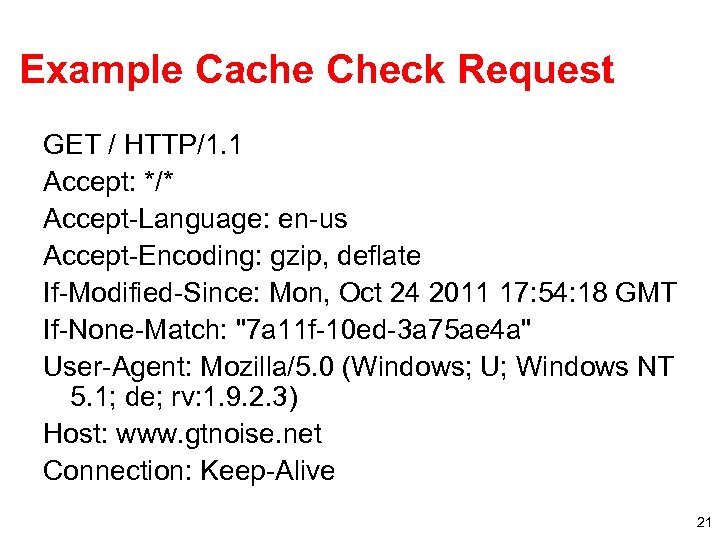
Example Cache Check Request GET / HTTP/1. 1 Accept: */* Accept-Language: en-us Accept-Encoding: gzip, deflate If-Modified-Since: Mon, Oct 24 2011 17: 54: 18 GMT If-None-Match: "7 a 11 f-10 ed-3 a 75 ae 4 a" User-Agent: Mozilla/5. 0 (Windows; U; Windows NT 5. 1; de; rv: 1. 9. 2. 3) Host: www. gtnoise. net Connection: Keep-Alive 21
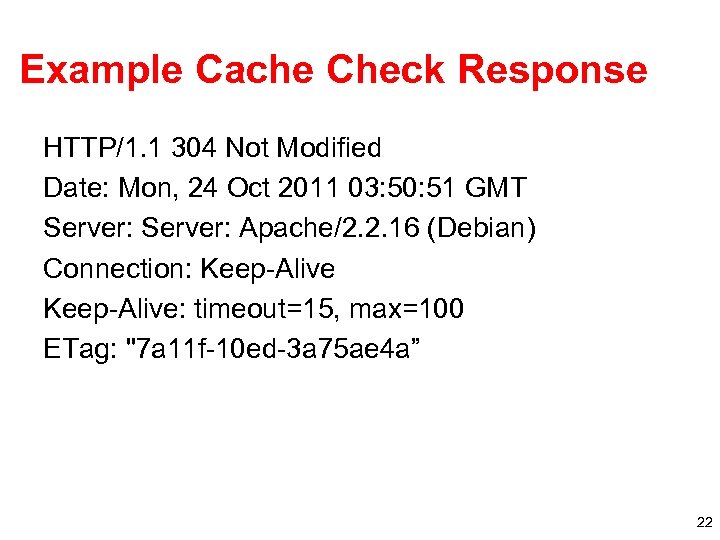
Example Cache Check Response HTTP/1. 1 304 Not Modified Date: Mon, 24 Oct 2011 03: 50: 51 GMT Server: Apache/2. 2. 16 (Debian) Connection: Keep-Alive: timeout=15, max=100 ETag: "7 a 11 f-10 ed-3 a 75 ae 4 a” 22
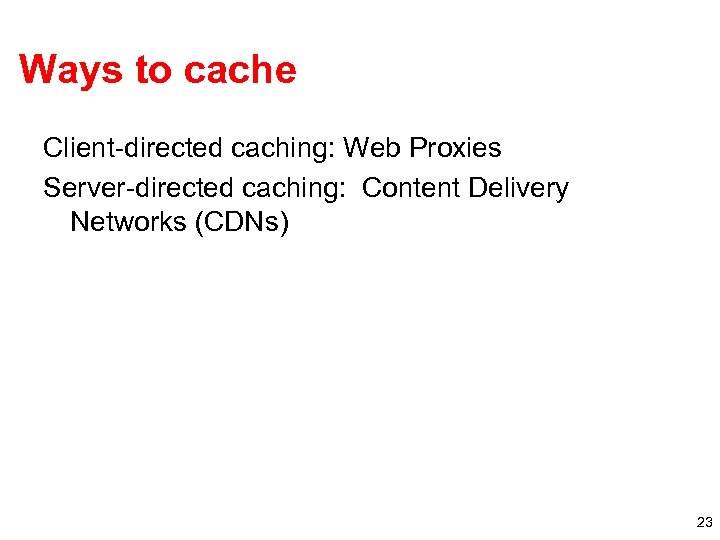
Ways to cache Client-directed caching: Web Proxies Server-directed caching: Content Delivery Networks (CDNs) 23
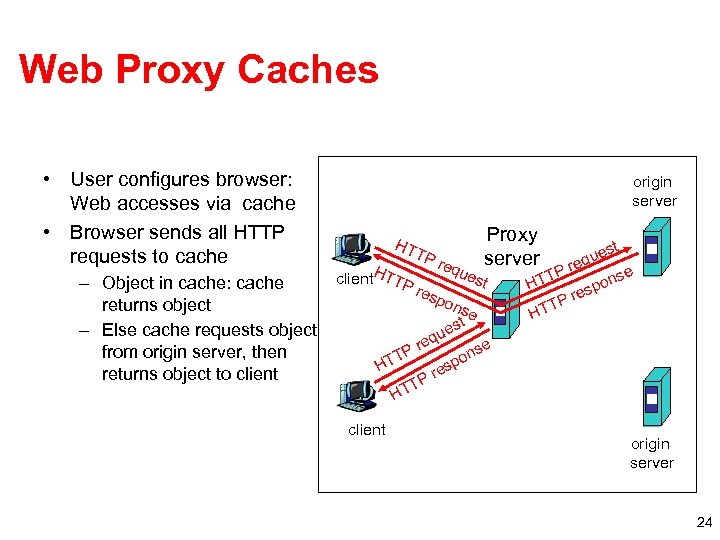
Web Proxy Caches • User configures browser: Web accesses via cache • Browser sends all HTTP requests to cache – Object in cache: cache returns object – Else cache requests object from origin server, then returns object to client origin server HT client. HTTP TP req ues res pon u req P T HT Proxy server t se est st que re e TP ons HT esp Pr T HT e ns po res P T HT client origin server 24
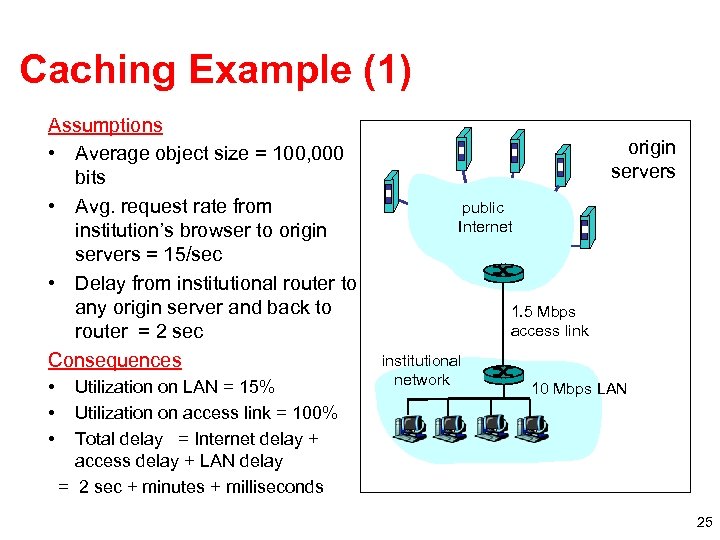
Caching Example (1) Assumptions • Average object size = 100, 000 bits • Avg. request rate from institution’s browser to origin servers = 15/sec • Delay from institutional router to any origin server and back to router = 2 sec Consequences • • • Utilization on LAN = 15% Utilization on access link = 100% Total delay = Internet delay + access delay + LAN delay = 2 sec + minutes + milliseconds origin servers public Internet 1. 5 Mbps access link institutional network 10 Mbps LAN 25
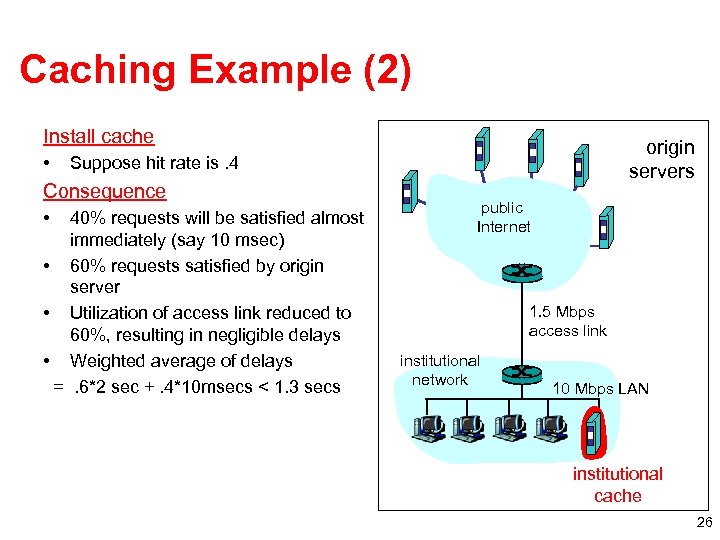
Caching Example (2) Install cache • Suppose hit rate is. 4 Consequence • origin servers 40% requests will be satisfied almost immediately (say 10 msec) • 60% requests satisfied by origin server • Utilization of access link reduced to 60%, resulting in negligible delays • Weighted average of delays =. 6*2 sec +. 4*10 msecs < 1. 3 secs public Internet 1. 5 Mbps access link institutional network 10 Mbps LAN institutional cache 26
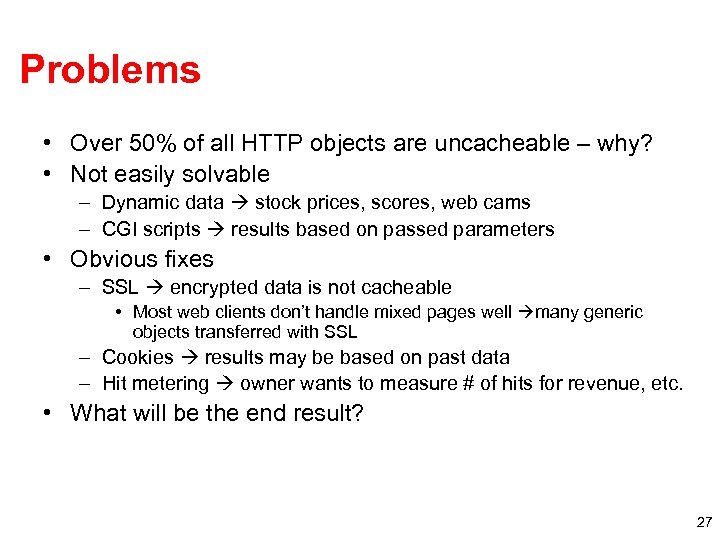
Problems • Over 50% of all HTTP objects are uncacheable – why? • Not easily solvable – Dynamic data stock prices, scores, web cams – CGI scripts results based on passed parameters • Obvious fixes – SSL encrypted data is not cacheable • Most web clients don’t handle mixed pages well many generic objects transferred with SSL – Cookies results may be based on past data – Hit metering owner wants to measure # of hits for revenue, etc. • What will be the end result? 27
Outline • HTTP intro and details • Persistent HTTP • HTTP caching • Content distribution networks 28
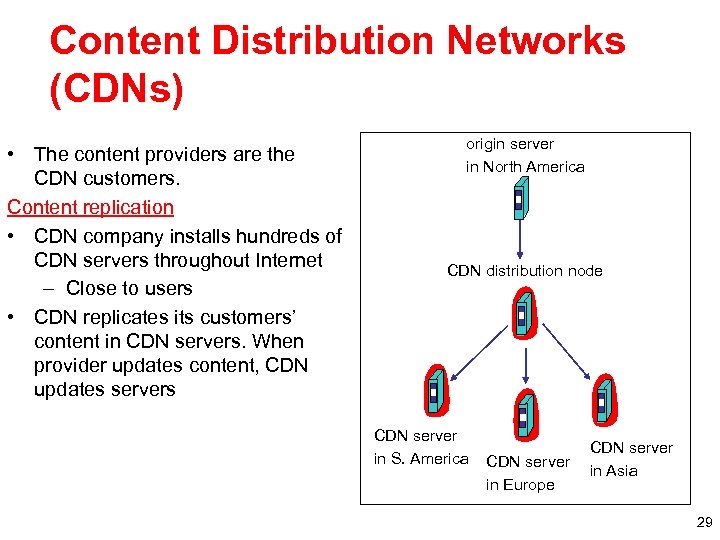
Content Distribution Networks (CDNs) • The content providers are the CDN customers. Content replication • CDN company installs hundreds of CDN servers throughout Internet – Close to users • CDN replicates its customers’ content in CDN servers. When provider updates content, CDN updates servers origin server in North America CDN distribution node CDN server in S. America CDN server in Europe CDN server in Asia 29
Content Distribution Networks & Server Selection • Replicate content on many servers • Challenges – – – How to replicate content Where to replicate content How to find replicated content How to choose among know replicas How to direct clients towards replica 30
Server Selection • Which server? – Lowest load to balance load on servers – Best performance to improve client performance • Based on Geography? RTT? Throughput? Load? – Any alive node to provide fault tolerance • How to direct clients to a particular server? – As part of routing anycast, cluster load balancing • Not covered – As part of application HTTP redirect – As part of naming DNS 31
Application-Based Content Routing • HTTP supports simple way to indicate that Web page has moved (30 X responses) • Server receives GET request from client – Decides which server is best suited for particular client and object – Returns HTTP redirect to that server • Can make informed application specific decision • May introduce additional overhead multiple connection setup, name lookups, etc. • OK solution in general, but… – HTTP Redirect has some flaws – especially with current browsers – Incurs many delays, which operators may really care about 32
Naming-Based Content Routing • Client does DNS name lookup for service • Name server chooses appropriate server address – A-record returned is “best” one for the client • What information can name server base decision on? – Server load/location must be collected – Information in the name lookup request • Name service client typically the local name server for client 33
Other Findings • Each CDN performed best for at least one (NIMI) client – Why? Because of proximity? • The best origin sites were better than the worst CDNs • CDNs with more servers don’t necessarily perform better – Note that they don’t know load on servers… • HTTP 1. 1 improvements (parallel download, pipelined download) help a lot – Even more so for origin (non-CDN) cases – Note not all origin sites implement pipelining
What is a Content Distribution Network? • A CDN is an overlay network, designed to deliver content from the optimal location – In many cases, optimal does not mean geographically closest • CDNs are made of distinct, geographically disparate groups of servers, with each group able to serve all content on the CDN – Servers may be separated by type – E. g. One group may serve Windows Streaming Media, another group may serve HTTP – Servers are not typically shared between media types
What is a Content Distribution Network • Some CDNs are network-owned (Level 3, Limelight, AT&T), some are not (Akamai, Mirror Image, Cache. Fly, Panther Express) • Network-owned CDNs have all / most of their servers in their own ASN • Non-network CDNs can place servers directly in other ASNs – This means things like Net. Flow will not be useful for determining traffic to/from non-network CDNs
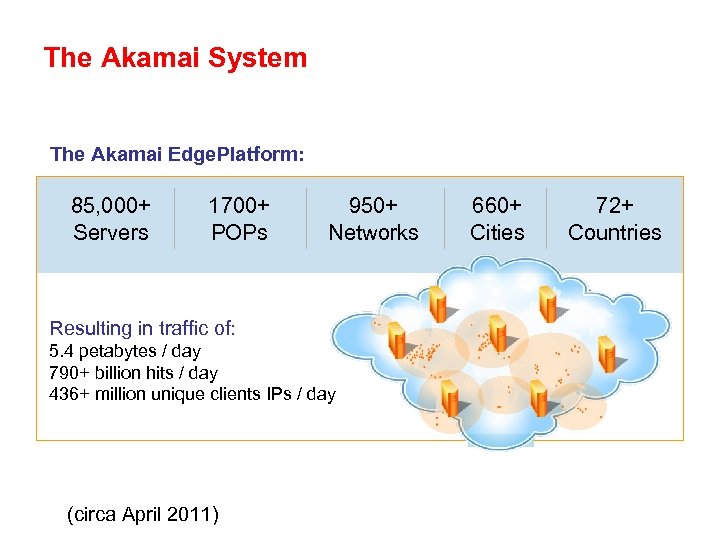
The Akamai System The Akamai Edge. Platform: 85, 000+ Servers 1700+ POPs 950+ Networks Resulting in traffic of: 5. 4 petabytes / day 790+ billion hits / day 436+ million unique clients IPs / day (circa April 2011) 660+ Cities 72+ Countries
How CDNs Work • When content is requested from a CDN, the user is directed to the optimal server – This is usually done through the DNS, especially for nonnetwork CDNs – It can be done though anycasting for network owned CDNs • Users who query DNS-based CDNs be returned different A records for the same hostname • This is called “mapping” • The better the mapping, the better the CDN
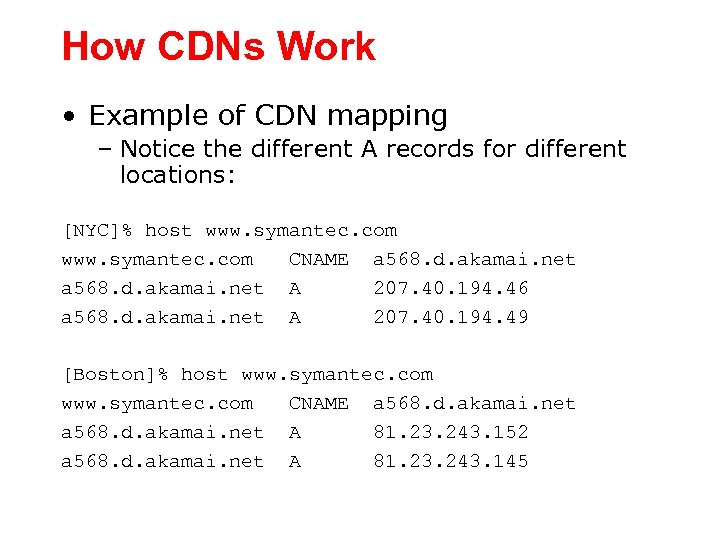
How CDNs Work • Example of CDN mapping – Notice the different A records for different locations: [NYC]% host www. symantec. com CNAME a 568. d. akamai. net A 207. 40. 194. 46 a 568. d. akamai. net A 207. 40. 194. 49 [Boston]% host www. symantec. com CNAME a 568. d. akamai. net A 81. 23. 243. 152 a 568. d. akamai. net A 81. 23. 243. 145
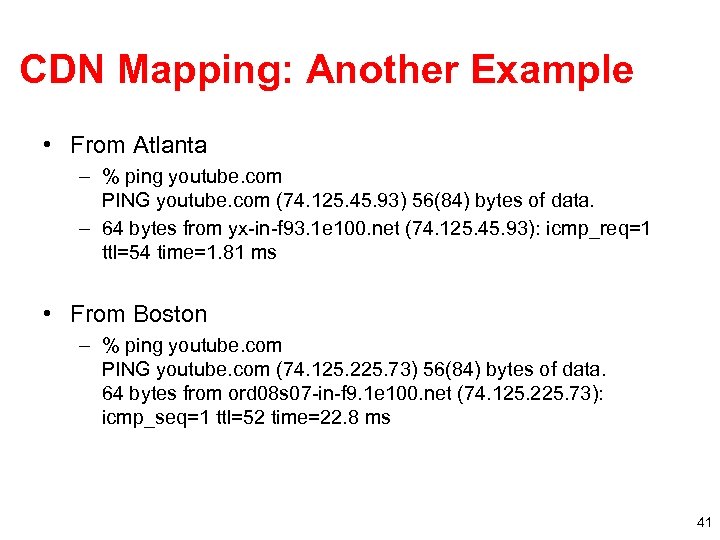
CDN Mapping: Another Example • From Atlanta – % ping youtube. com PING youtube. com (74. 125. 45. 93) 56(84) bytes of data. – 64 bytes from yx-in-f 93. 1 e 100. net (74. 125. 45. 93): icmp_req=1 ttl=54 time=1. 81 ms • From Boston – % ping youtube. com PING youtube. com (74. 125. 225. 73) 56(84) bytes of data. 64 bytes from ord 08 s 07 -in-f 9. 1 e 100. net (74. 125. 225. 73): icmp_seq=1 ttl=52 time=22. 8 ms 41
How CDNs Work • CDNs use multiple criteria to choose the optimal server – These include standard network metrics: • Latency • Throughput • Packet loss – These also include things like CPU load on the server, HD space, network utilization, etc. • Geography still counts – That whole speed-of-light thing – Should be able to solve that with the next version of ethernet…
Why CDNs Peer with ISPs • The first and foremost reason to peer is improved performance – Since a CDN tries to serve content as “close” to the end user as possible, peering directly with networks (over non-congested links) obviously helps • Peering gives better throughput – Removing intermediate AS hops seems to give higher peak traffic for same demand profile – Might be due to lower latency opening TCP windows faster – Might be due to lower packet loss
Why CDNs Peer with ISPs • Redundancy – Having more possible vectors to deliver content increases reliability • Burstability – During large events, having direct connectivity to multiple networks allows for higher burstability than a single connection to a transit provider • Burstability is important to CDNs – One of the reasons customers use CDNs is for burstability
Why CDNs Peer with ISPs • Peering reduces costs – Reduces transit bill (duh) • Network Intelligence – Receiving BGP directly from multiple ASes helps CDNs map the Internet • Backup for on-net servers – If there are servers on-net, the IX can act as a backup during downtime and overflow – Allows serving different content types
Why ISPs peer with CDNs • Performance – CDNs and ISPs are in the same business, just on different sides - we both want to serve end users as quickly and reliably as possible – You know more about your network than any CDN ever will, so working with the CDN directly can help them deliver the content more quickly and reliably • Cost Reduction – Transit savings – Possible backbone savings
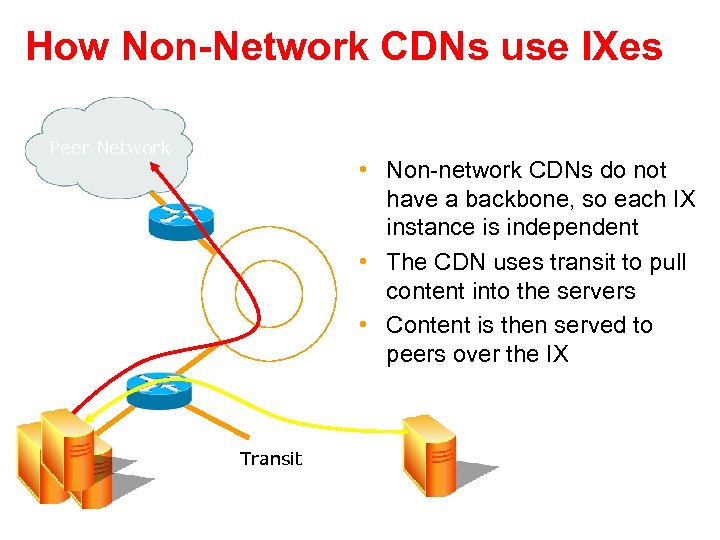
How Non-Network CDNs use IXes Peer Network IX Content CDN Servers • Non-network CDNs do not have a backbone, so each IX instance is independent • The CDN uses transit to pull content into the servers • Content is then served to peers over the IX Transit Origin Server
How CDNs use IXes • Non-network CDNs usually do not announce large blocks of address space because no one location has a large number of servers – It is not uncommon to see a single /24 from a CDN at an IX • This does not mean you will not see a lot of traffic – How many web servers does it take to fill a gigabit these days?
How well do CDNs work? Hosting Center Backbone ISP CS Hosting OS Center Backbone ISP CS IX Site ISP CS ISP S S ISP CS S C S S Sites C
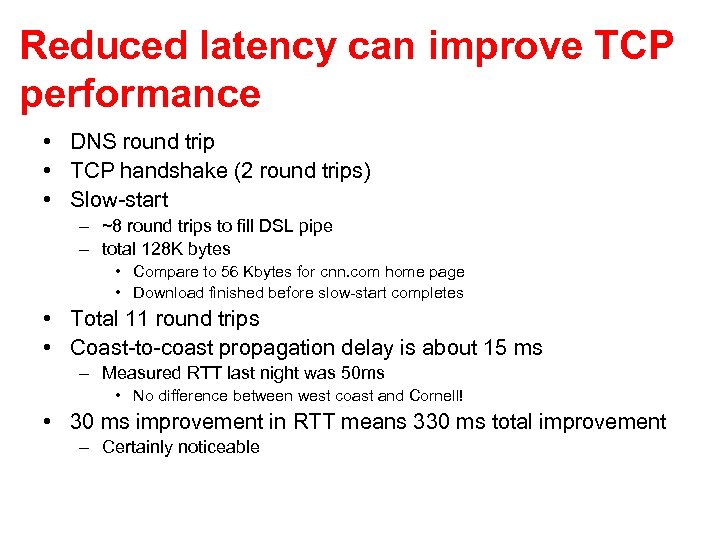
Reduced latency can improve TCP performance • DNS round trip • TCP handshake (2 round trips) • Slow-start – ~8 round trips to fill DSL pipe – total 128 K bytes • Compare to 56 Kbytes for cnn. com home page • Download finished before slow-start completes • Total 11 round trips • Coast-to-coast propagation delay is about 15 ms – Measured RTT last night was 50 ms • No difference between west coast and Cornell! • 30 ms improvement in RTT means 330 ms total improvement – Certainly noticeable
Lets look at a study • Zhang, Krishnamurthy and Wills – AT&T Labs • Traces taken in Sept. 2000 and Jan. 2001 • Compared CDNs with each other • Compared CDNs against non-CDN
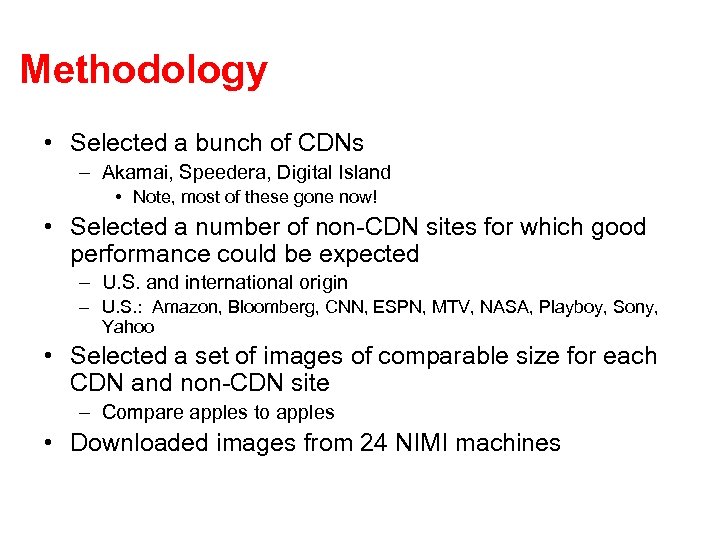
Methodology • Selected a bunch of CDNs – Akamai, Speedera, Digital Island • Note, most of these gone now! • Selected a number of non-CDN sites for which good performance could be expected – U. S. and international origin – U. S. : Amazon, Bloomberg, CNN, ESPN, MTV, NASA, Playboy, Sony, Yahoo • Selected a set of images of comparable size for each CDN and non-CDN site – Compare apples to apples • Downloaded images from 24 NIMI machines
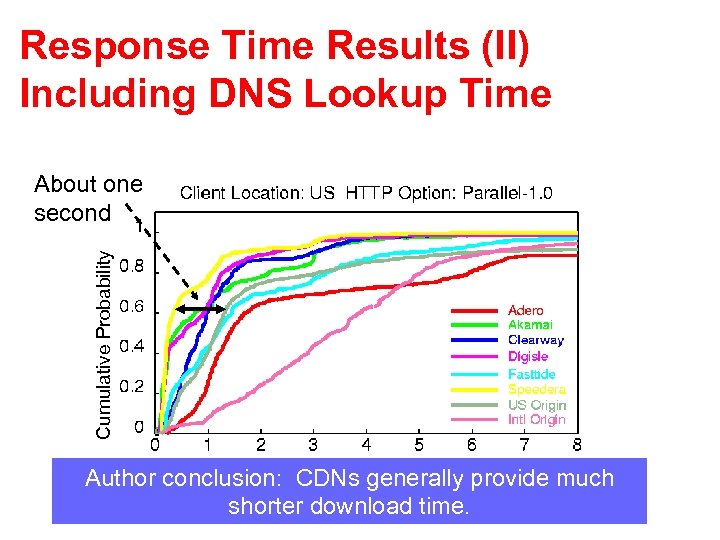
Response Time Results (II) Including DNS Lookup Time Cumulative Probability About one second Author conclusion: CDNs generally provide much shorter download time.
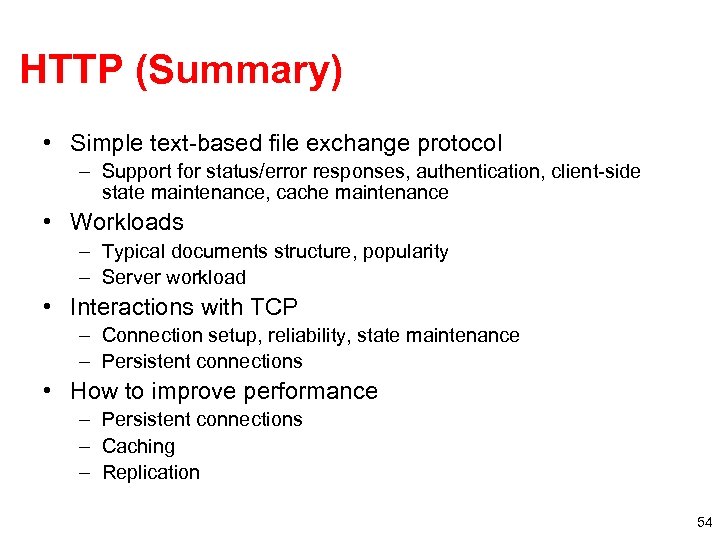
HTTP (Summary) • Simple text-based file exchange protocol – Support for status/error responses, authentication, client-side state maintenance, cache maintenance • Workloads – Typical documents structure, popularity – Server workload • Interactions with TCP – Connection setup, reliability, state maintenance – Persistent connections • How to improve performance – Persistent connections – Caching – Replication 54
Скачать презентацию The Web and Content Distribution Networks Nick Feamster
1b2465906c9fe30685de8623e739e543.ppt