


 Скачать презентацию The Real Deal on Form I-9 and It s
7a858e1961959b0a5849da174cc7c955.ppt
- Количество слайдов: 77
 The Real Deal on Form I-9 and It’s Companion: E-Verify www. uscis. gov/I-9 Central www. dhs. gov/E-Verify Dave Basham
 Agenda § Form I-9 § Background § Completing Form I-9 § Storage and Retention § E-Verify § The Big Picture § Enrollment and Use § Additional Information RVSHRM Form I-9 & E-Verify presentation - Aug 27, 2015 3/19/2018 2
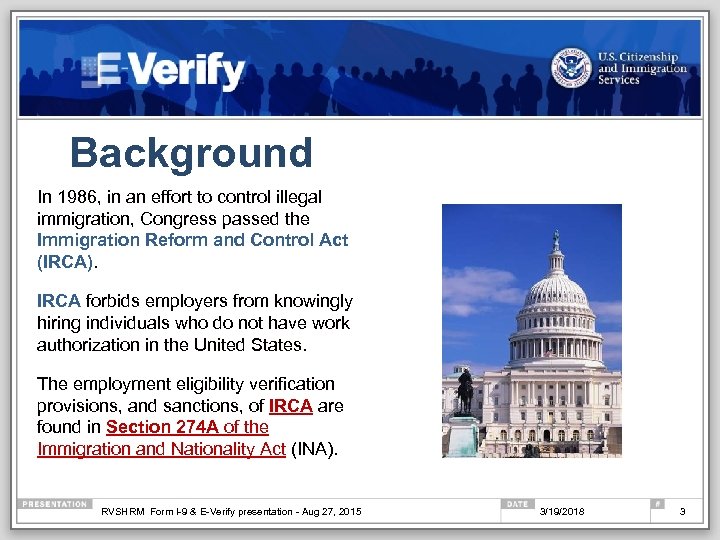 Background In 1986, in an effort to control illegal immigration, Congress passed the Immigration Reform and Control Act (IRCA). IRCA forbids employers from knowingly hiring individuals who do not have work authorization in the United States. The employment eligibility verification provisions, and sanctions, of IRCA are found in Section 274 A of the Immigration and Nationality Act (INA). RVSHRM Form I-9 & E-Verify presentation - Aug 27, 2015 3/19/2018 3
 Working in the U. S. Individuals who may legally work in the United States are: § Citizens of the United States § Noncitizen nationals of the United States § Lawful Permanent Residents § Aliens authorized to work RVSHRM Form I-9 & E-Verify presentation - Aug 27, 2015 3/19/2018 4
 Employment Verification To comply with the employment eligibility verification provisions of the INA an employer must: § Verify the identity and employment authorization documents of employees hired after November 6, 1986 § Complete and retain a Form I-9 for each employee hired after November 6, 1986 § Refrain from discriminating against individuals on the basis of actual or perceived national origin, citizenship or immigration status RVSHRM Form I-9 & E-Verify presentation - Aug 27, 2015 3/19/2018 5
 Preventing Discrimination The anti-discrimination provisions of the INA prohibit four types of unlawful conduct: § Citizenship or immigration status discrimination* § National origin discrimination* § Document abuse during Form I-9 process § Retaliation * Actual or perceived RVSHRM Form I-9 & E-Verify presentation - Aug 27, 2015 3/19/2018 6
 Office of Special Counsel (OSC) The anti-discrimination provisions of the INA are enforced by: Department of Justice Civil Rights Division Office of Special Counsel for Immigration Related Unfair Employment Practices § Employees may contact the Office of Special Counsel (OSC) to obtain additional information regarding employment discrimination and employee rights and responsibilities* 1 -800 -255 -7688 (TDD: 1 -800 -616 -5525) § Employers may also contact OSC* 1 -800 -255 -8155 (TDD: 1 -800 -362 -2735) *callers may remain anonymous See OSC’s “Employer Dos and Don’ts. ” RVSHRM Form I-9 & E-Verify presentation - Aug 27, 2015 3/19/2018 7
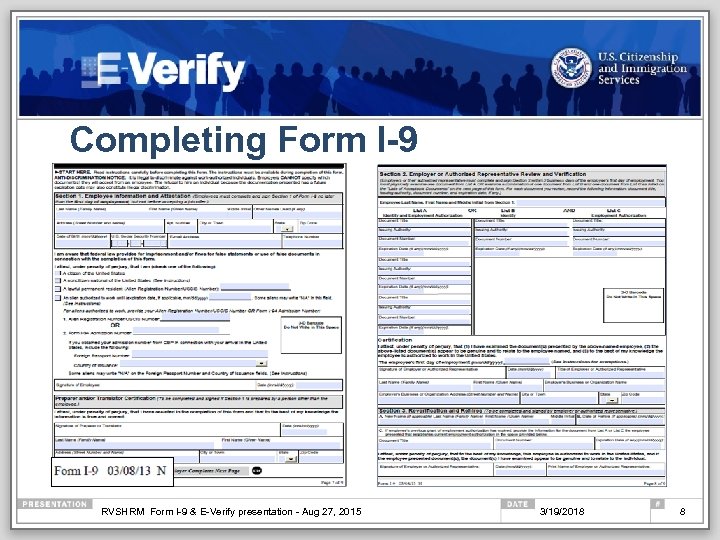 Completing Form I-9 RVSHRM Form I-9 & E-Verify presentation - Aug 27, 2015 3/19/2018 8
 Form I-9 Requirements All U. S. employers must have a Form I-9 on file for all current employees. Exception: Employers are not required to have Forms I-9 for employees hired on or before November 6, 1986. You may delegate the authority to complete Form I-9 to a responsible agent, however, you will retain liability for any errors. RVSHRM Form I-9 & E-Verify presentation - Aug 27, 2015 3/19/2018 9
 Form I-9 Exceptions You are NOT required to complete Form I-9 for: § Casual domestic service employees working in a private household when work is sporadic, irregular or intermittent. § Independent contractors for whom you do not set work hours, or provide tools to do the job. § Employees working outside the United States. * * 50 States, District of Columbia, Guam, Puerto Rico, U. S. Virgin Islands, and the Commonwealth of the Northern Mariana Islands RVSHRM Form I-9 & E-Verify presentation - Aug 27, 2015 3/19/2018 10
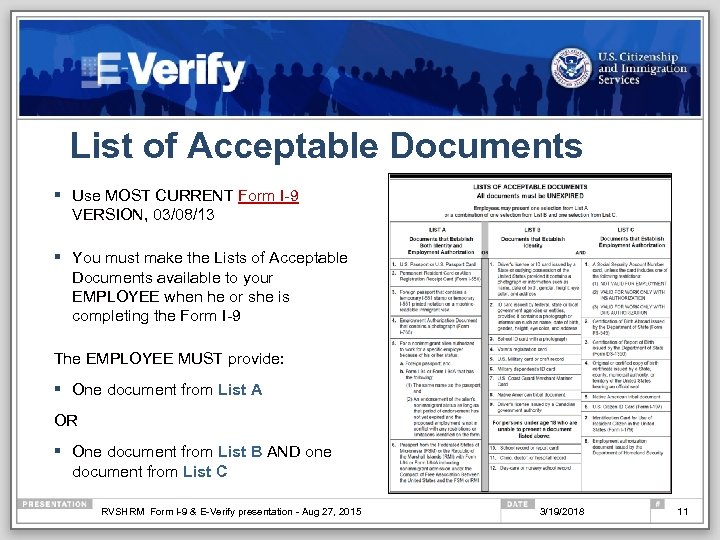 List of Acceptable Documents § Use MOST CURRENT Form I-9 VERSION, 03/08/13 § You must make the Lists of Acceptable Documents available to your EMPLOYEE when he or she is completing the Form I-9 The EMPLOYEE MUST provide: § One document from List A OR § One document from List B AND one document from List C RVSHRM Form I-9 & E-Verify presentation - Aug 27, 2015 3/19/2018 11
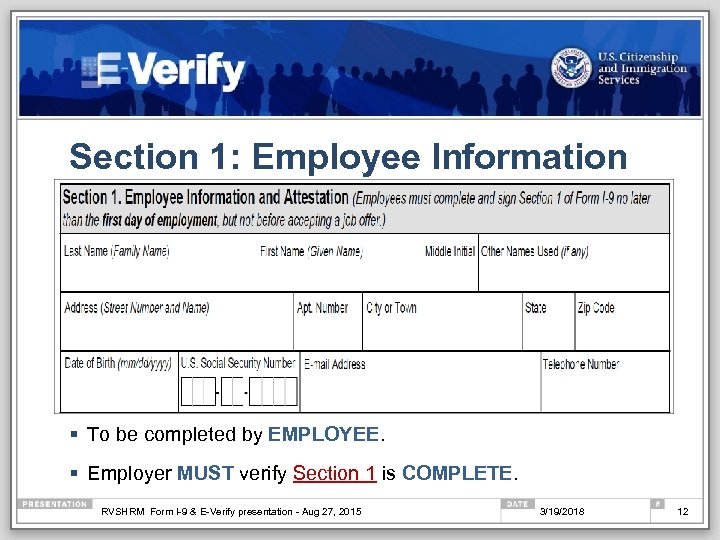 Section 1: Employee Information § To be completed by EMPLOYEE. § Employer MUST verify Section 1 is COMPLETE. RVSHRM Form I-9 & E-Verify presentation - Aug 27, 2015 3/19/2018 12
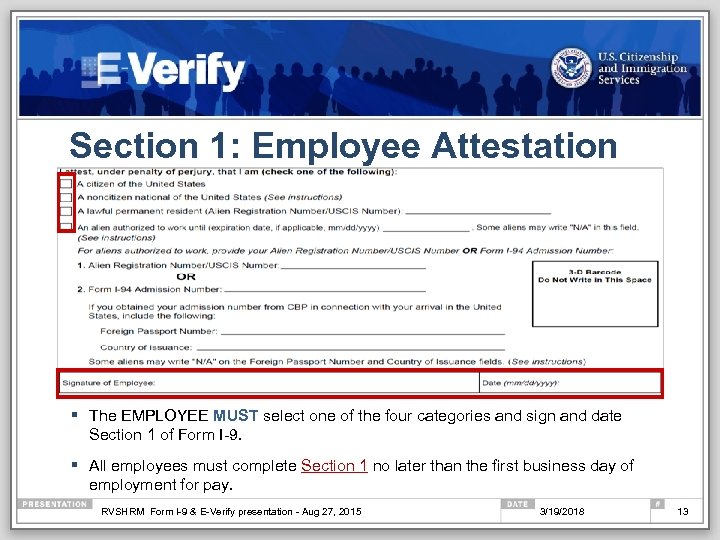 Section 1: Employee Attestation § The EMPLOYEE MUST select one of the four categories and sign and date Section 1 of Form I-9. § All employees must complete Section 1 no later than the first business day of employment for pay. RVSHRM Form I-9 & E-Verify presentation - Aug 27, 2015 3/19/2018 13
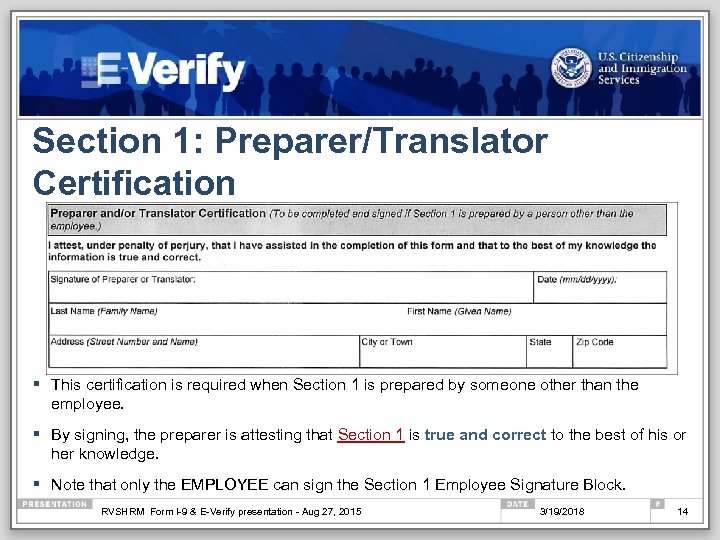 Section 1: Preparer/Translator Certification § This certification is required when Section 1 is prepared by someone other than the employee. § By signing, the preparer is attesting that Section 1 is true and correct to the best of his or her knowledge. § Note that only the EMPLOYEE can sign the Section 1 Employee Signature Block. RVSHRM Form I-9 & E-Verify presentation - Aug 27, 2015 3/19/2018 14
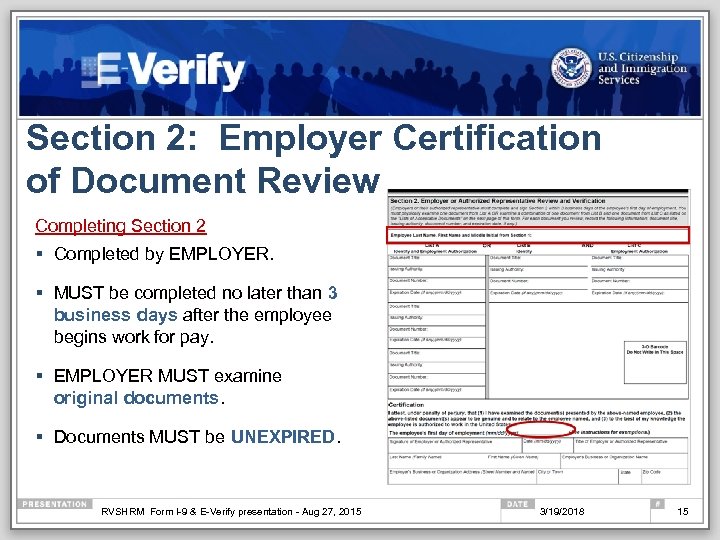 Section 2: Employer Certification of Document Review Completing Section 2 § Completed by EMPLOYER. § MUST be completed no later than 3 business days after the employee begins work for pay. § EMPLOYER MUST examine original documents. § Documents MUST be UNEXPIRED. RVSHRM Form I-9 & E-Verify presentation - Aug 27, 2015 3/19/2018 15
 Section 2: Examining Documents Genuineness and Photocopies § You are not required to be a document expert § You MUST accept a document presented by an employee if it reasonably appears to be: § Genuine; AND, § Relates to the individual presenting it § The document MUST be original* – photocopies are NOT acceptable *Exception: Certified copy of a birth certificate RVSHRM Form I-9 & E-Verify presentation - Aug 27, 2015 3/19/2018 16
 Section 2: Receipt Rule § Receipts may be used as temporary proof of employment eligibility when a List A, B or C document has been lost, stolen or damaged. § The receipt must be issued by the originating agency. § The employee must present a replacement document within 90 days of the hire date. EXCEPTIONS: § The arrival portion of Form I-94/I-94 A with a temporary I-551 stamp and a photograph of the individual. § The departure portion of the Form I-94/I-94 A with a refugee admission stamp § A receipt indicating that an individual has applied for an initial employment authorization document (Form I-766) or for a renewal of an expiring employment authorization document (Form I-766) is NOT acceptable for Form I-9. § Receipts are never acceptable if employment will last less than 3 business days. RVSHRM Form I-9 & E-Verify presentation - Aug 27, 2015 3/19/2018 17
 Section 2: Copying Documents You may choose to make copies of employee documentation presented to you for Section 2. § If you choose to photocopy documents, you must do so for ALL employees, regardless of actual or perceived national origin, immigration or citizenship status, or you may be in violation of anti-discrimination laws. RVSHRM Form I-9 & E-Verify presentation - Aug 27, 2015 3/19/2018 18
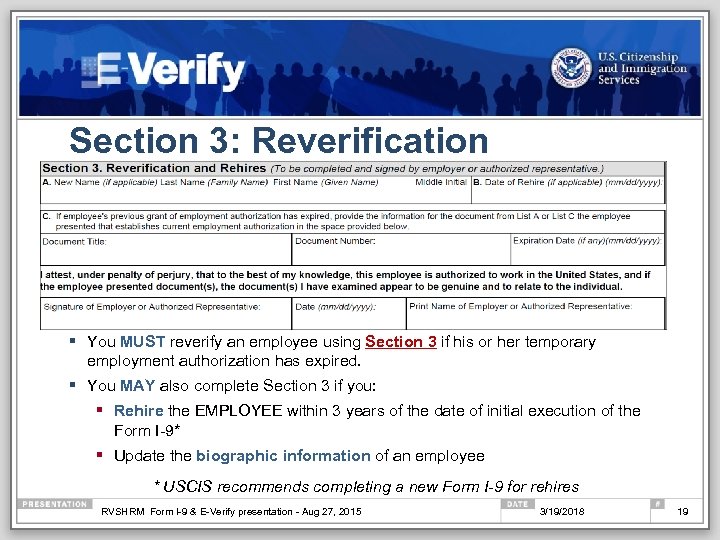 Section 3: Reverification § You MUST reverify an employee using Section 3 if his or her temporary employment authorization has expired. § You MAY also complete Section 3 if you: § Rehire the EMPLOYEE within 3 years of the date of initial execution of the Form I-9* § Update the biographic information of an employee * USCIS recommends completing a new Form I-9 for rehires RVSHRM Form I-9 & E-Verify presentation - Aug 27, 2015 3/19/2018 19
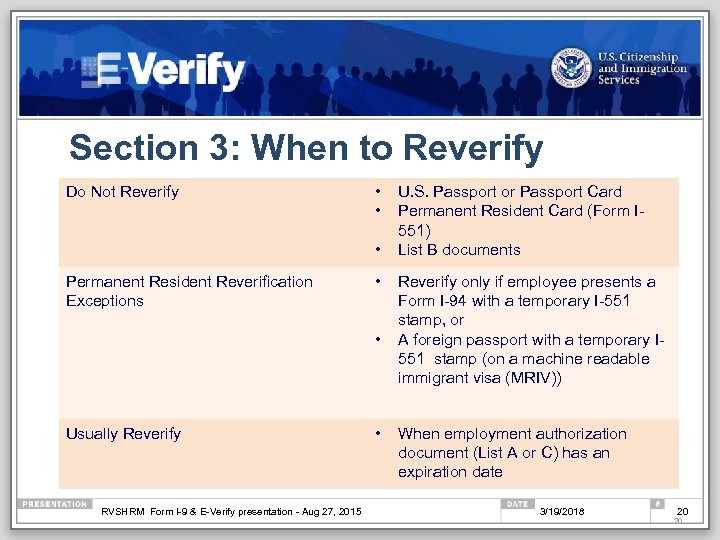 Section 3: When to Reverify Do Not Reverify • • • Permanent Resident Reverification Exceptions • • Usually Reverify RVSHRM Form I-9 & E-Verify presentation - Aug 27, 2015 • U. S. Passport or Passport Card Permanent Resident Card (Form I 551) List B documents Reverify only if employee presents a Form I-94 with a temporary I-551 stamp, or A foreign passport with a temporary I 551 stamp (on a machine readable immigrant visa (MRIV)) When employment authorization document (List A or C) has an expiration date 3/19/2018 20 20
 Correcting Form I-9 Correcting Mistakes If you discover a mistake on Form I-9, correct the existing form OR prepare a new Form I-9: § If you choose to correct the existing Form I-9, line out the incorrect portions, enter the correct information, and initial and date the correction. § If you do a new Form I-9, retain the old form. You should also attach a short memo to both the new and old Forms I-9 stating the reason for your action. Missing Forms If you discover you are missing the Form I-9 for an employee: § Immediately provide the employee with a Form I-9. § Allow employee 3 business days to provide acceptable documents. § DO NOT backdate the Form I-9. RVSHRM Form I-9 & E-Verify presentation - Aug 27, 2015 3/19/2018 21
 Storage and Retention RVSHRM Form I-9 & E-Verify presentation - Aug 27, 2015 3/19/2018 22
 Storage § Form I-9 MUST be on file for all current employees. § Store Forms I-9 securely in a way that meets your business needs – on site, off-site, storage facility or electronically. § Store Forms I-9 and document copies together. § Ensure that only authorized personnel have access to stored Forms I-9. § Make Forms I-9 available within 3 days of an official request for inspection. RVSHRM Form I-9 & E-Verify presentation - Aug 27, 2015 3/19/2018 23
 Retention Forms I-9 must be retained for: 3 years after the date you hire an employee or 1 year after the date employment terminates, whichever is later. Example: John Smith was hired on November 1, 1993, and on July 5, 1994, employment was terminated. November 1, 1993 + 3 years = November 1, 1996 July 5, 1994 + 1 year = July 5, 1995 The retention date is November 1, 1996 RVSHRM Form I-9 & E-Verify presentation - Aug 27, 2015 3/19/2018 24
 Resources RVSHRM Form I-9 & E-Verify presentation - Aug 27, 2015 3/19/2018 25
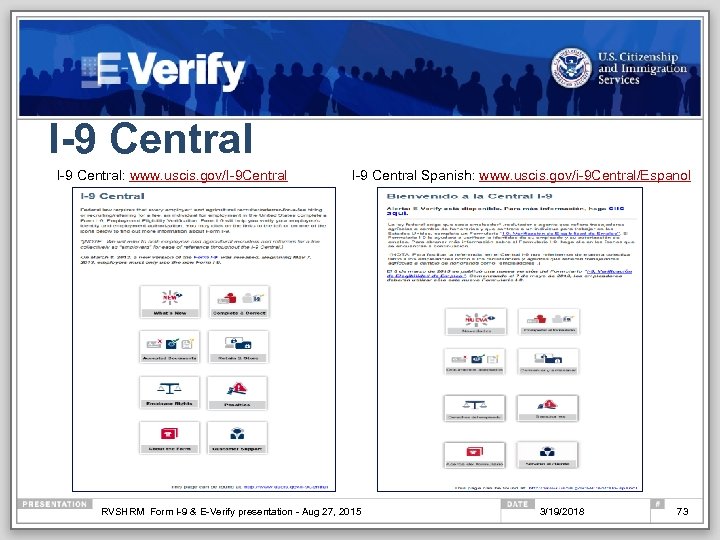
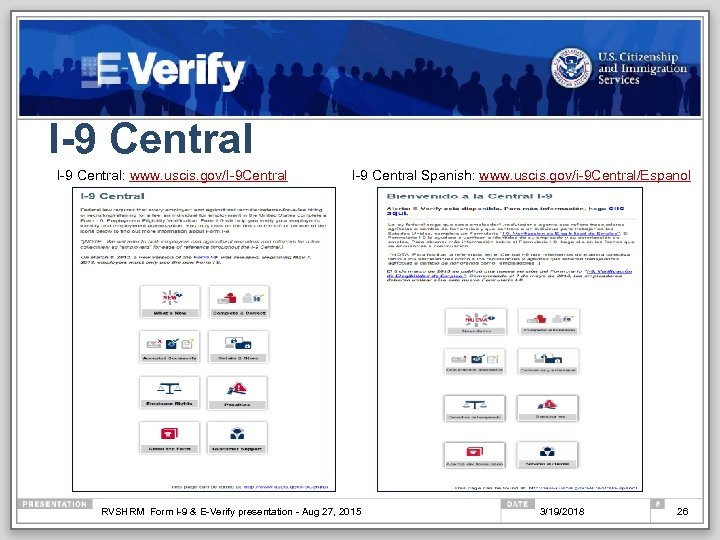 I-9 Central: www. uscis. gov/I-9 Central I-9 Central Spanish: www. uscis. gov/i-9 Central/Espanol RVSHRM Form I-9 & E-Verify presentation - Aug 27, 2015 3/19/2018 26
 Form I-9 Resources Form I-9, Employment Eligibility Verification § www. uscis. gov or www. uscis. gov/I-9 Central M-274, Handbook for Employers, Guidance for Completing Form I-9 (Employment Eligibility Verification Form) § M-274 in Spanish Know your Rights Mergers & Acquisitions Examples of documents: § Acceptable Documents § Additional Documentation Requirements § Guide to Selected US Travel & Identity Documents Form I-9 Widget RVSHRM Form I-9 & E-Verify presentation - Aug 27, 2015 3/19/2018 27
 Form I-9 Multimedia Resources § Section 1 Vignette § Section 2 Vignette § Section 3 Vignette § I-9 Webinar on Demand RVSHRM Form I-9 & E-Verify presentation - Aug 27, 2015 3/19/2018 28
 E-Verify Overview www. dhs. gov/E-Verify
 Agenda § Section I: E-Verify - The Big Picture § Section II: E-Verify Enrollment and Use § Section III: Additional Information RVSHRM Form I-9 & E-Verify presentation - Aug 27, 2015 3/19/2018 30
 Section I: E-Verify - The Big Picture § What is E-Verify? § Why use E-Verify? § Who uses E-Verify? § E-Verify and Form I-9 RVSHRM Form I-9 & E-Verify presentation - Aug 27, 2015 3/19/2018 31
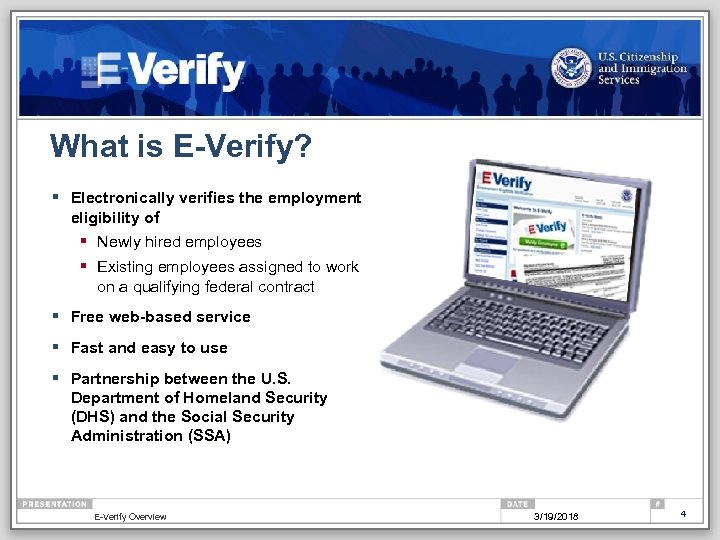 What is E-Verify? § Electronically verifies the employment eligibility of § Newly hired employees § Existing employees assigned to work on a qualifying federal contract § Free web-based service § Fast and easy to use § Partnership between the U. S. Department of Homeland Security (DHS) and the Social Security Administration (SSA) E-Verify Overview 3/19/2018 4
 What is E-Verify? (con’t) E-Verify is not… § …a system that provides immigration status § …used for prescreening § …a safe harbor from worksite enforcement RVSHRM Form I-9 & E-Verify presentation - Aug 27, 2015 3/19/2018 33
 Why use E-Verify? § Ensures a legal workforce § Protects jobs for authorized workers § Deters document and identity fraud § Works seamlessly with Form I-9 RVSHRM Form I-9 & E-Verify presentation - Aug 27, 2015 3/19/2018 34
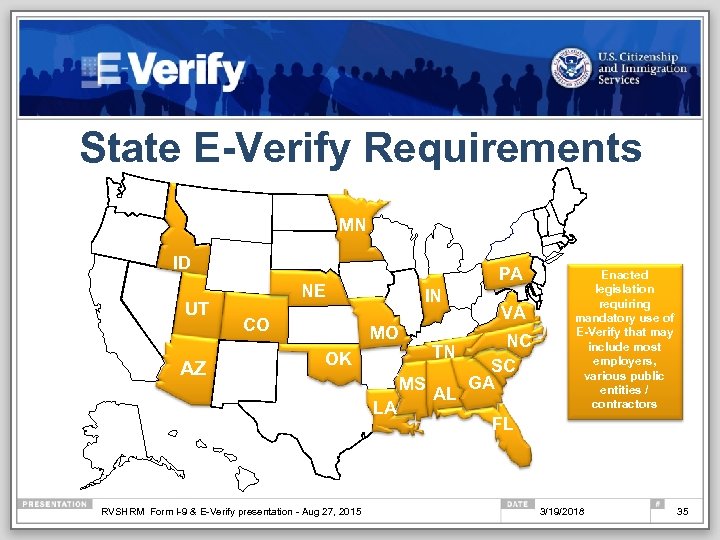 State E-Verify Requirements MN OR ID CA UT MI WY NE CO IL IN H K TN MO OK AZ TX RVSHRM Form I-9 & E-Verify presentation - Aug 27, 2015 AR LA MS AL PA VA NC SC GA CT Enacted legislation requiring mandatory use of E-Verify that may include most employers, various public entities / contractors FL 3/19/2018 35
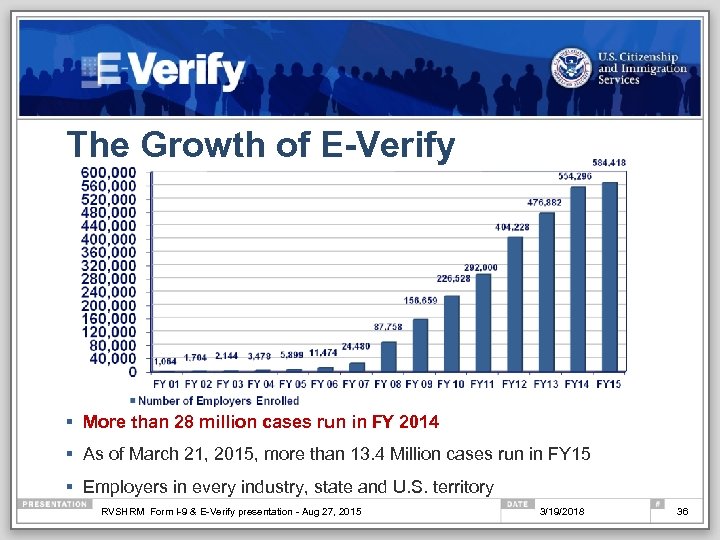 The Growth of E-Verify § More than 28 million cases run in FY 2014 § As of March 21, 2015, more than 13. 4 Million cases run in FY 15 § Employers in every industry, state and U. S. territory RVSHRM Form I-9 & E-Verify presentation - Aug 27, 2015 3/19/2018 36
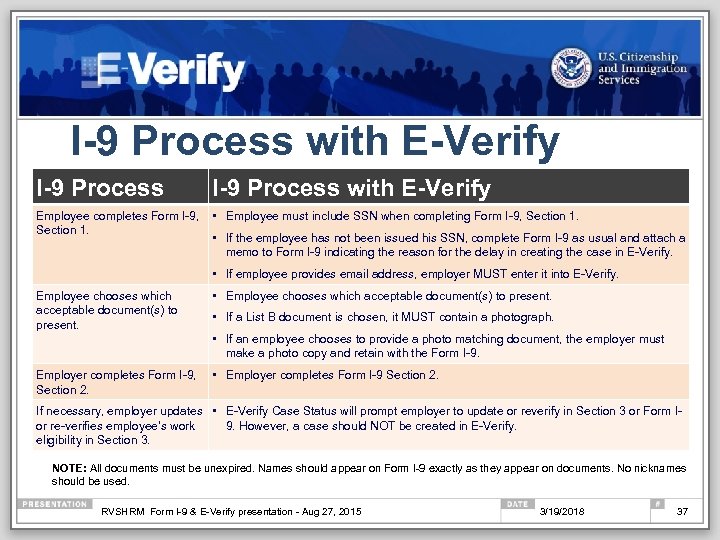 I-9 Process with E-Verify Employee completes Form I-9, • Employee must include SSN when completing Form I-9, Section 1. • If the employee has not been issued his SSN, complete Form I-9 as usual and attach a memo to Form I-9 indicating the reason for the delay in creating the case in E-Verify. • If employee provides email address, employer MUST enter it into E-Verify. Employee chooses which acceptable document(s) to present. • If a List B document is chosen, it MUST contain a photograph. • If an employee chooses to provide a photo matching document, the employer must make a photo copy and retain with the Form I-9. Employer completes Form I-9, • Employer completes Form I-9 Section 2. If necessary, employer updates • E-Verify Case Status will prompt employer to update or reverify in Section 3 or Form Ior re-verifies employee’s work 9. However, a case should NOT be created in E-Verify. eligibility in Section 3. NOTE: All documents must be unexpired. Names should appear on Form I-9 exactly as they appear on documents. No nicknames should be used. RVSHRM Form I-9 & E-Verify presentation - Aug 27, 2015 3/19/2018 37
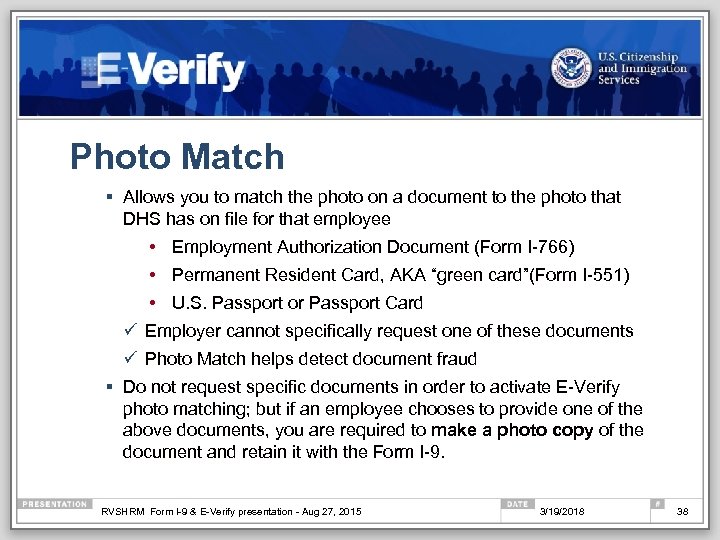 Photo Match § Allows you to match the photo on a document to the photo that DHS has on file for that employee • Employment Authorization Document (Form I-766) • Permanent Resident Card, AKA “green card”(Form I-551) • U. S. Passport or Passport Card ü Employer cannot specifically request one of these documents ü Photo Match helps detect document fraud § Do not request specific documents in order to activate E-Verify photo matching; but if an employee chooses to provide one of the above documents, you are required to make a photo copy of the document and retain it with the Form I-9. RVSHRM Form I-9 & E-Verify presentation - Aug 27, 2015 3/19/2018 38
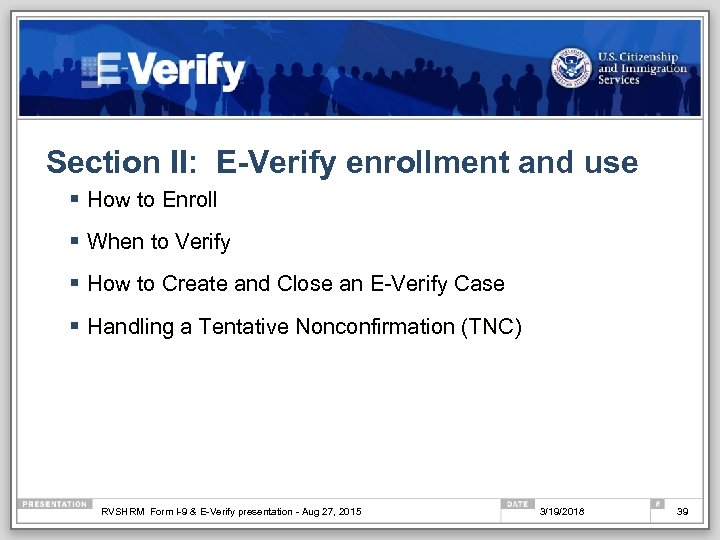 Section II: E-Verify enrollment and use § How to Enroll § When to Verify § How to Create and Close an E-Verify Case § Handling a Tentative Nonconfirmation (TNC) RVSHRM Form I-9 & E-Verify presentation - Aug 27, 2015 3/19/2018 39
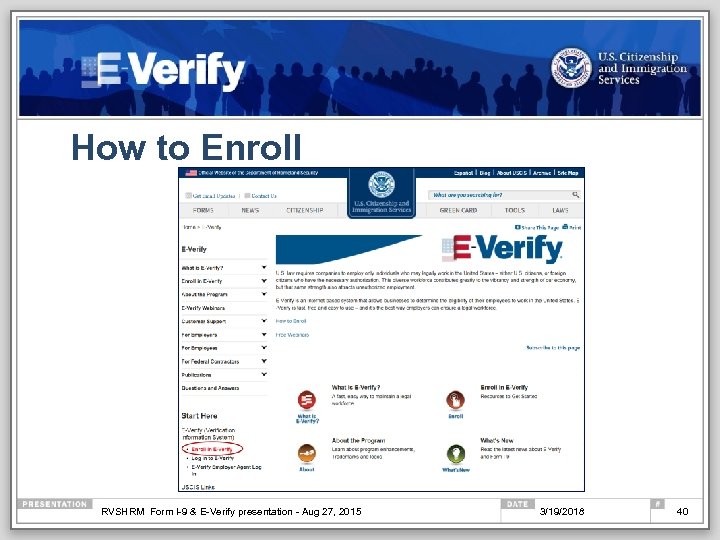 How to Enroll RVSHRM Form I-9 & E-Verify presentation - Aug 27, 2015 3/19/2018 40
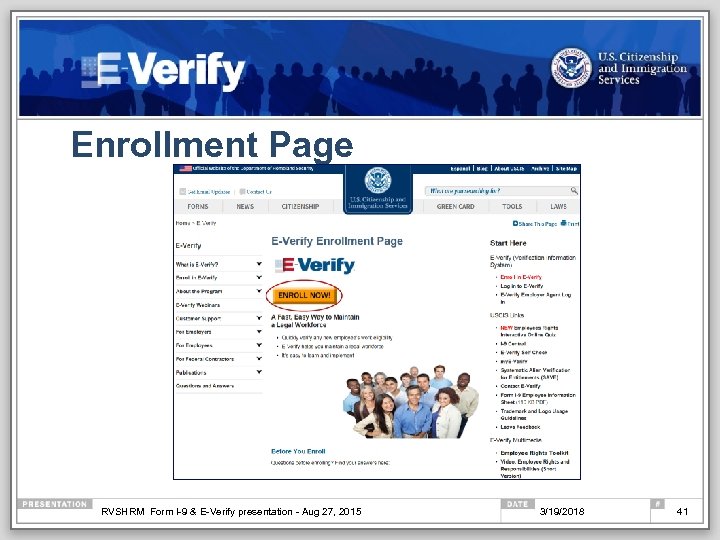 Enrollment Page RVSHRM Form I-9 & E-Verify presentation - Aug 27, 2015 3/19/2018 41
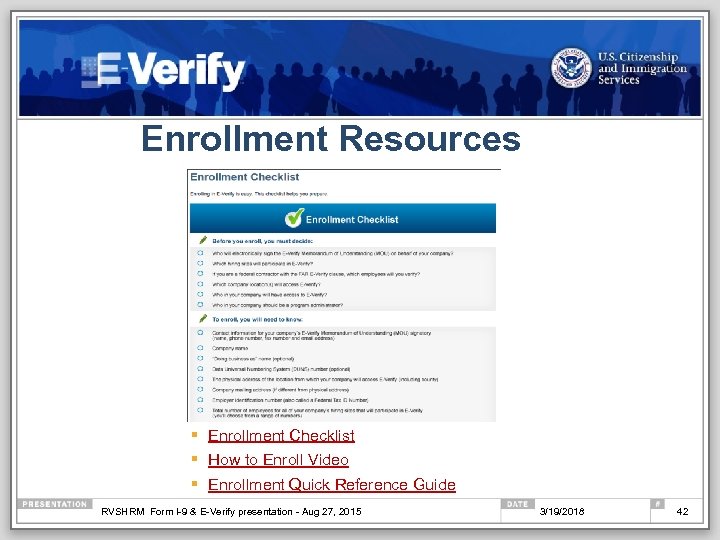 Enrollment Resources § Enrollment Checklist § How to Enroll Video § Enrollment Quick Reference Guide RVSHRM Form I-9 & E-Verify presentation - Aug 27, 2015 3/19/2018 42
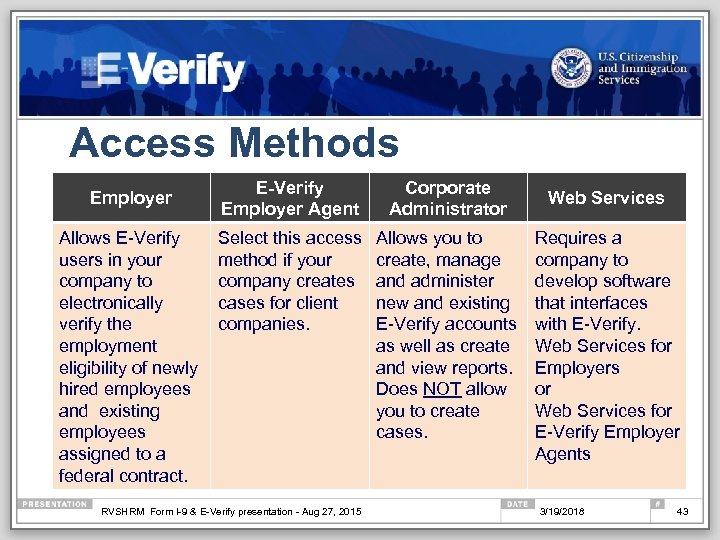 Access Methods Employer Allows E-Verify users in your company to electronically verify the employment eligibility of newly hired employees and existing employees assigned to a federal contract. E-Verify Employer Agent Corporate Administrator Select this access method if your company creates cases for client companies. Allows you to create, manage and administer new and existing E-Verify accounts as well as create and view reports. Does NOT allow you to create cases. RVSHRM Form I-9 & E-Verify presentation - Aug 27, 2015 Web Services Requires a company to develop software that interfaces with E-Verify. Web Services for Employers or Web Services for E-Verify Employer Agents 3/19/2018 43
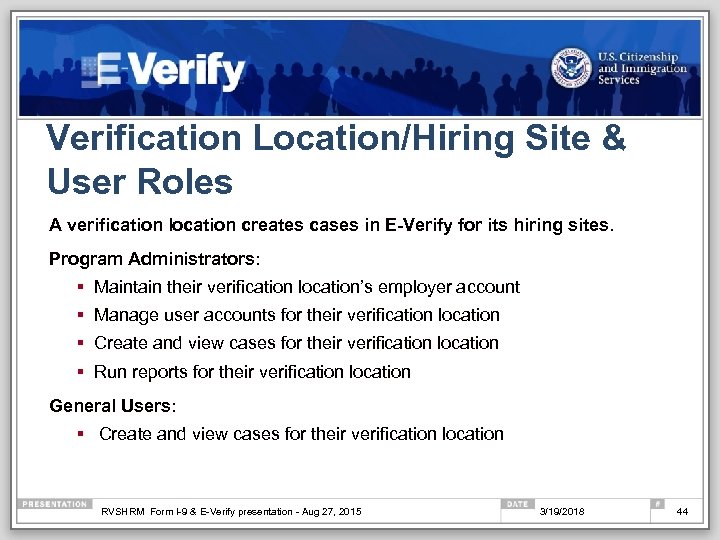 Verification Location/Hiring Site & User Roles A verification location creates cases in E-Verify for its hiring sites. Program Administrators: § Maintain their verification location’s employer account § Manage user accounts for their verification location § Create and view cases for their verification location § Run reports for their verification location General Users: § Create and view cases for their verification location RVSHRM Form I-9 & E-Verify presentation - Aug 27, 2015 3/19/2018 44
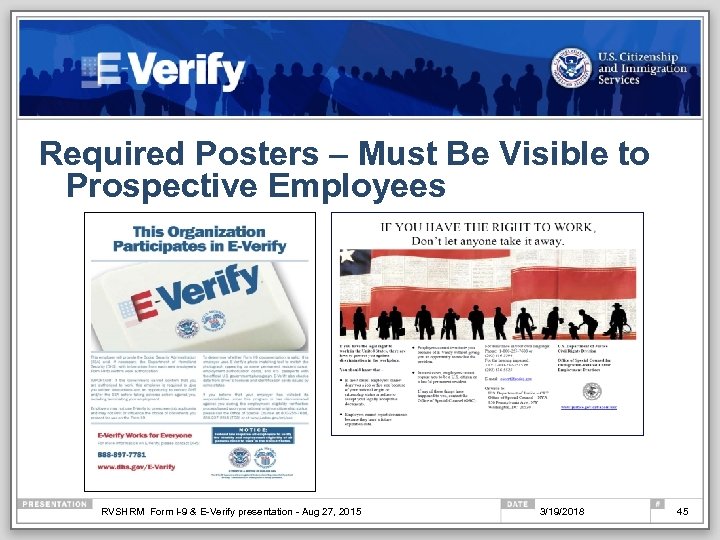 Required Posters – Must Be Visible to Prospective Employees RVSHRM Form I-9 & E-Verify presentation - Aug 27, 2015 3/19/2018 45
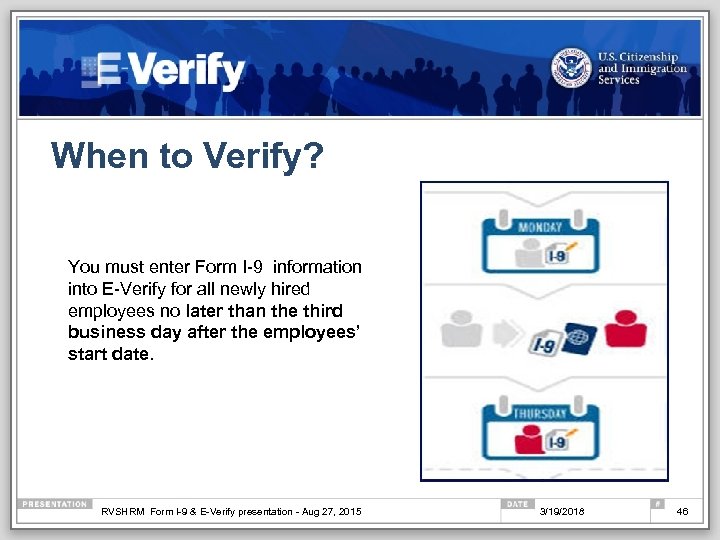 When to Verify? You must enter Form I-9 information into E-Verify for all newly hired employees no later than the third business day after the employees’ start date. RVSHRM Form I-9 & E-Verify presentation - Aug 27, 2015 3/19/2018 46
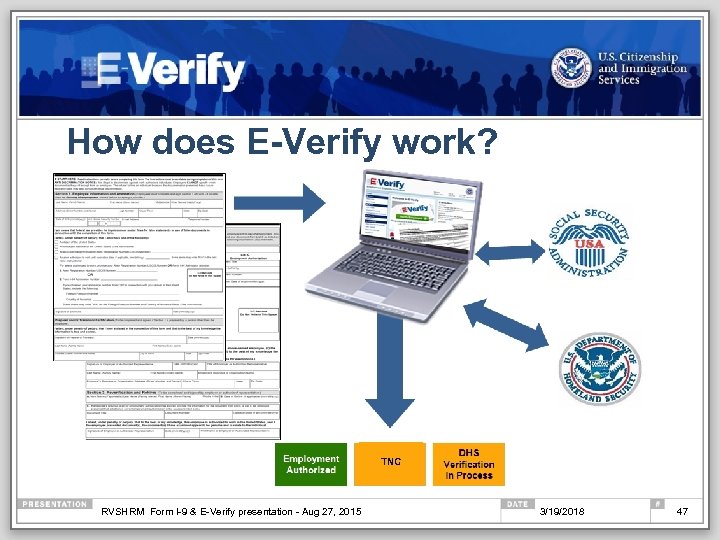 How does E-Verify work? TNC RVSHRM Form I-9 & E-Verify presentation - Aug 27, 2015 3/19/2018 47
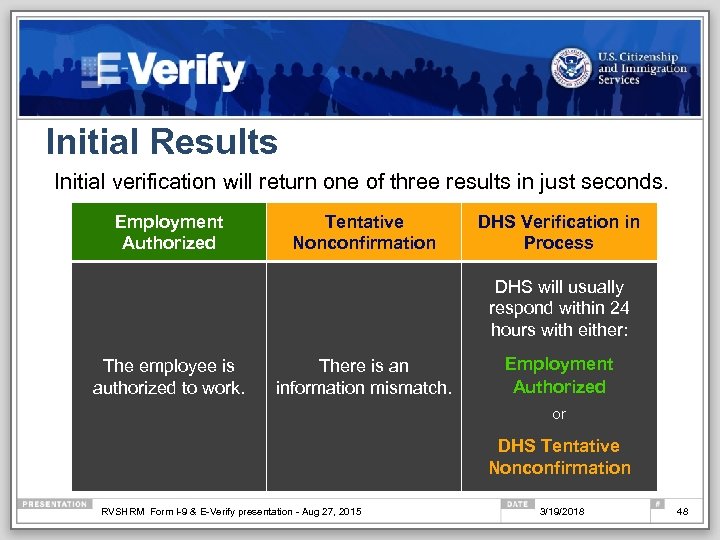 Initial Results Initial verification will return one of three results in just seconds. Employment Authorized Tentative Nonconfirmation DHS Verification in Process DHS will usually respond within 24 hours with either: The employee is authorized to work. There is an information mismatch. Employment Authorized or DHS Tentative Nonconfirmation RVSHRM Form I-9 & E-Verify presentation - Aug 27, 2015 3/19/2018 48
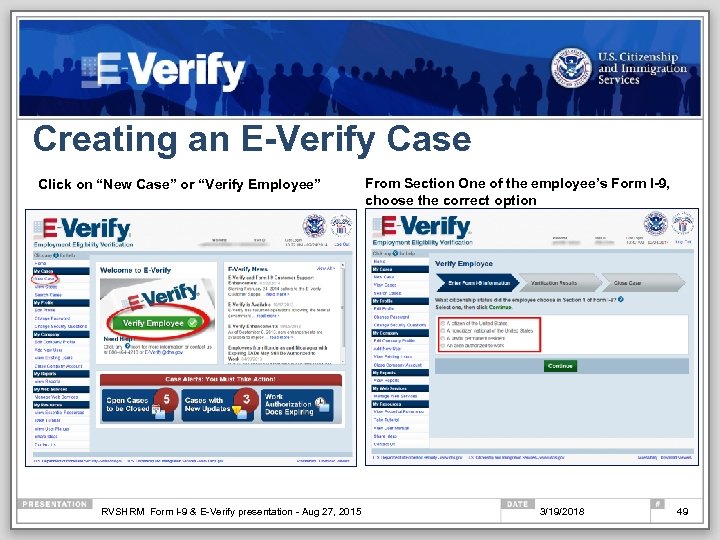 Creating an E-Verify Case Click on “New Case” or “Verify Employee” RVSHRM Form I-9 & E-Verify presentation - Aug 27, 2015 From Section One of the employee’s Form I-9, choose the correct option 3/19/2018 49
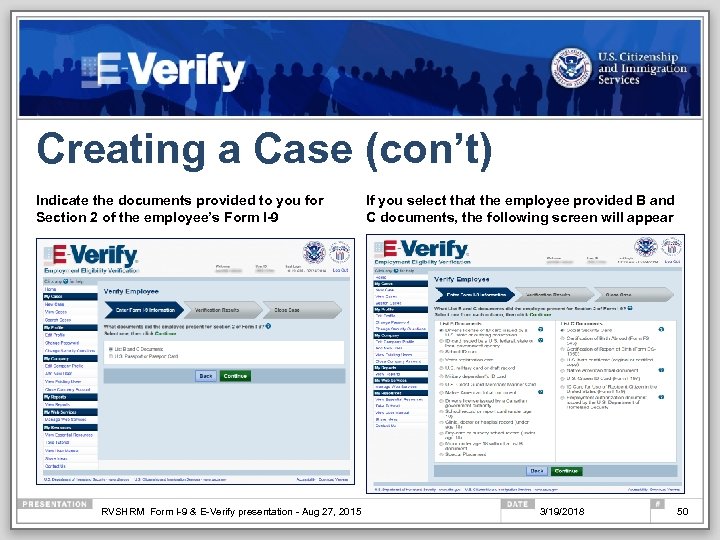 Creating a Case (con’t) Indicate the documents provided to you for Section 2 of the employee’s Form I-9 RVSHRM Form I-9 & E-Verify presentation - Aug 27, 2015 If you select that the employee provided B and C documents, the following screen will appear 3/19/2018 50
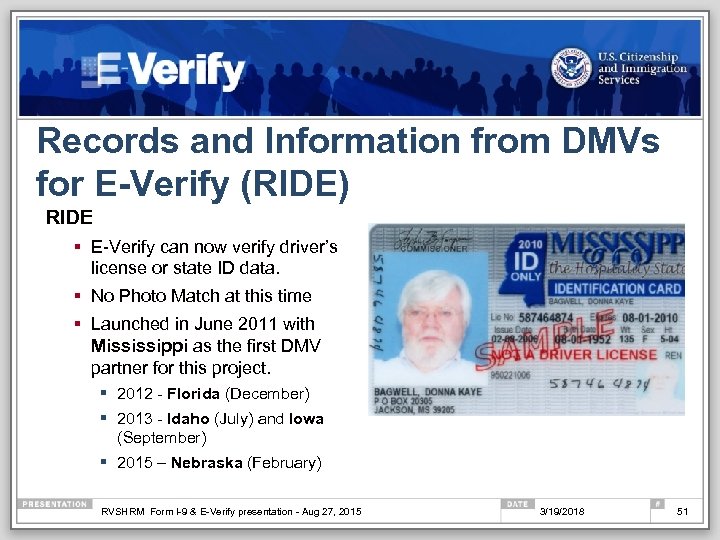 Records and Information from DMVs for E-Verify (RIDE) RIDE § E-Verify can now verify driver’s license or state ID data. § No Photo Match at this time § Launched in June 2011 with Mississippi as the first DMV partner for this project. § 2012 - Florida (December) § 2013 - Idaho (July) and Iowa (September) § 2015 – Nebraska (February) RVSHRM Form I-9 & E-Verify presentation - Aug 27, 2015 3/19/2018 51
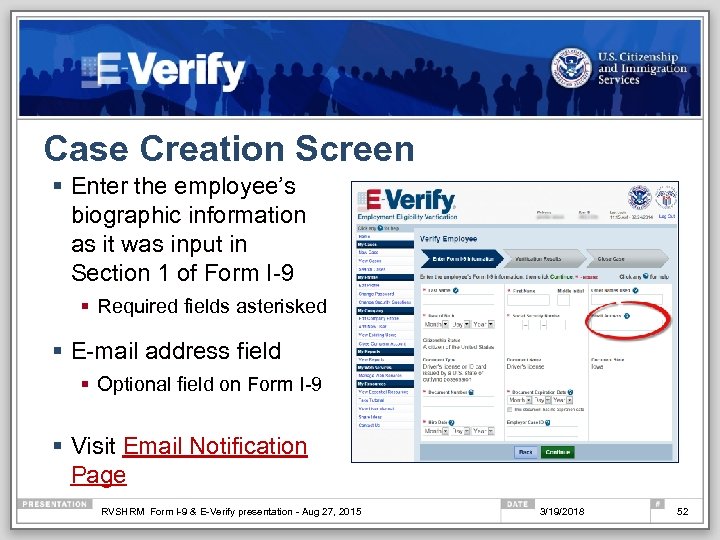 Case Creation Screen § Enter the employee’s biographic information as it was input in Section 1 of Form I-9 § Required fields asterisked § E-mail address field § Optional field on Form I-9 § Visit Email Notification Page RVSHRM Form I-9 & E-Verify presentation - Aug 27, 2015 3/19/2018 52
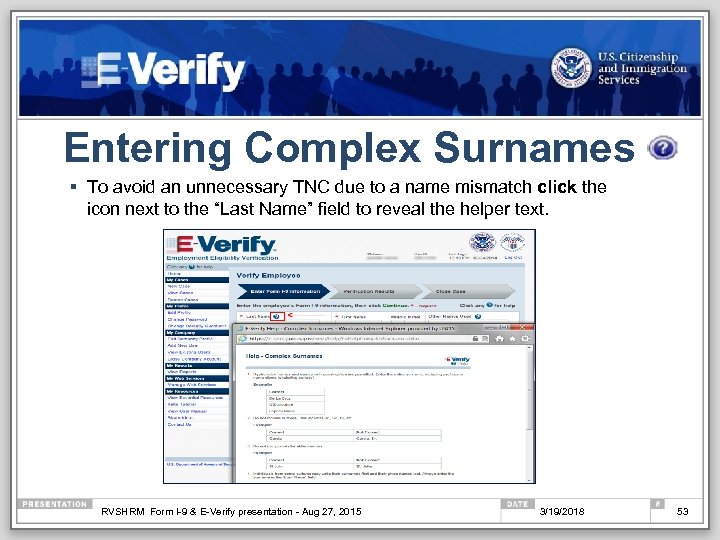 Entering Complex Surnames § To avoid an unnecessary TNC due to a name mismatch click the icon next to the “Last Name” field to reveal the helper text. RVSHRM Form I-9 & E-Verify presentation - Aug 27, 2015 3/19/2018 53
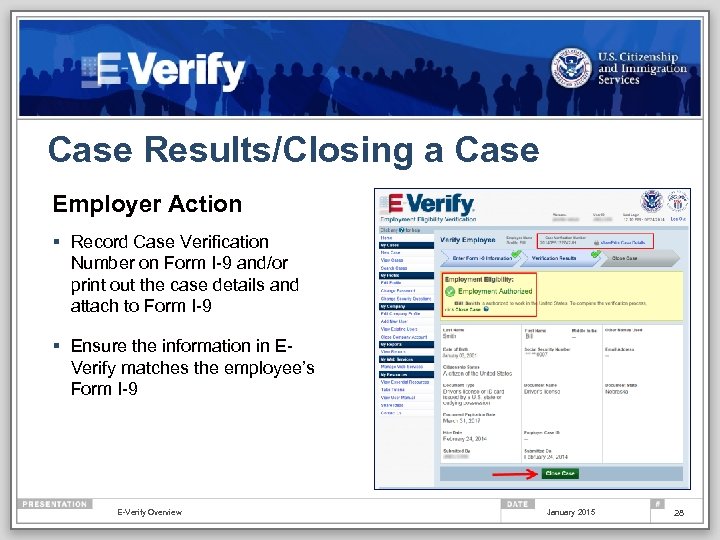 Case Results/Closing a Case Employer Action § Record Case Verification Number on Form I-9 and/or print out the case details and attach to Form I-9 § Ensure the information in EVerify matches the employee’s Form I-9 E-Verify Overview January 2015 28
 What is a Tentative Nonconfirmation (TNC)? A TNC means that information from an employee’s Form I-9 did not match government databases. Note: It may not mean an employee is unauthorized to work or is present in the United States unlawfully. There are legitimate reasons why an employee may receive this result. Common reasons for TNCs: § Social Security number (SSN) does not match § Identification document could not be verified § Citizenship or immigration status changed § Name change was not reported § Name entered on I-9 is different than recorded in government databases § Information was not entered correctly in E-Verify RVSHRM Form I-9 & E-Verify presentation - Aug 27, 2015 3/19/2018 55
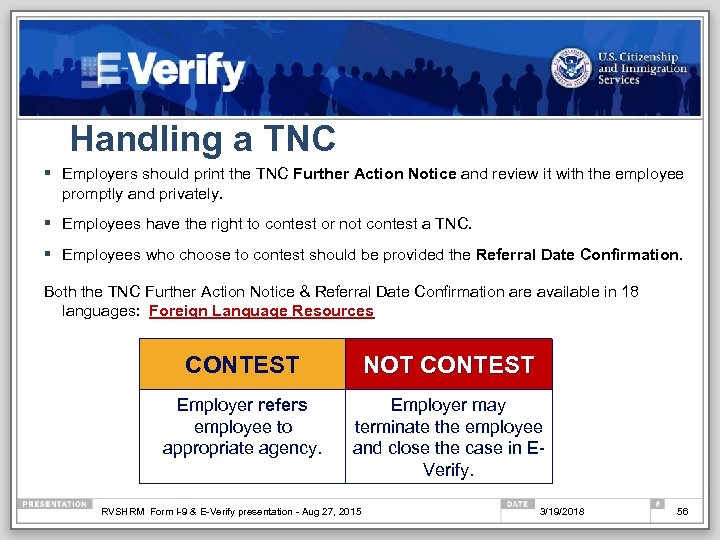 Handling a TNC § Employers should print the TNC Further Action Notice and review it with the employee promptly and privately. § Employees have the right to contest or not contest a TNC. § Employees who choose to contest should be provided the Referral Date Confirmation. Both the TNC Further Action Notice & Referral Date Confirmation are available in 18 languages: Foreign Language Resources CONTEST NOT CONTEST Employer refers employee to appropriate agency. Employer may terminate the employee and close the case in EVerify. RVSHRM Form I-9 & E-Verify presentation - Aug 27, 2015 3/19/2018 56
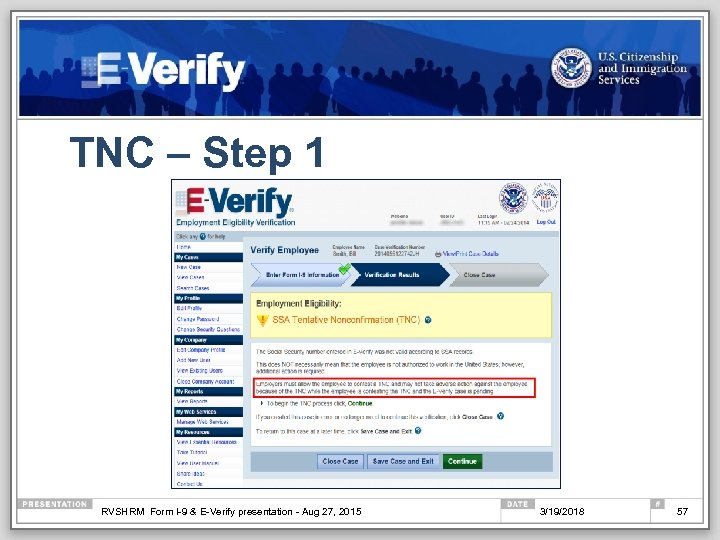 TNC – Step 1 RVSHRM Form I-9 & E-Verify presentation - Aug 27, 2015 3/19/2018 57
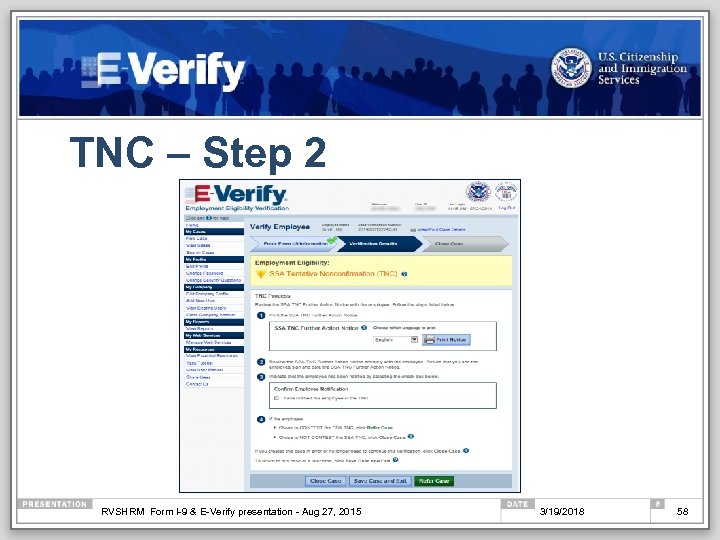 TNC – Step 2 RVSHRM Form I-9 & E-Verify presentation - Aug 27, 2015 3/19/2018 58
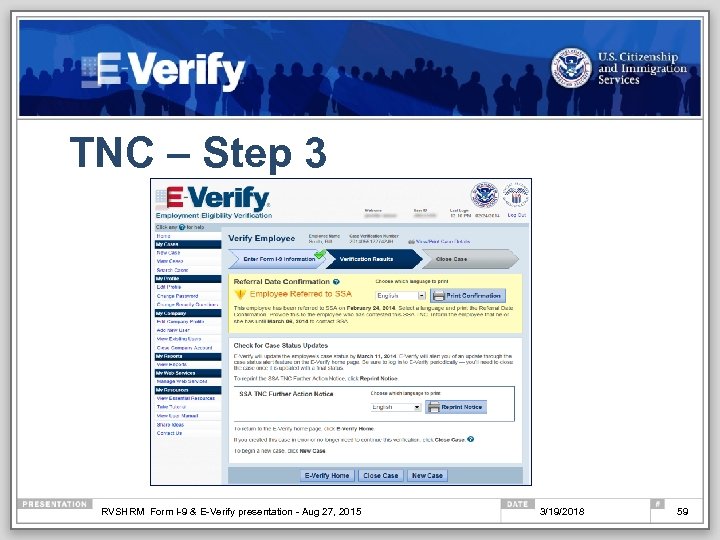 TNC – Step 3 RVSHRM Form I-9 & E-Verify presentation - Aug 27, 2015 3/19/2018 59
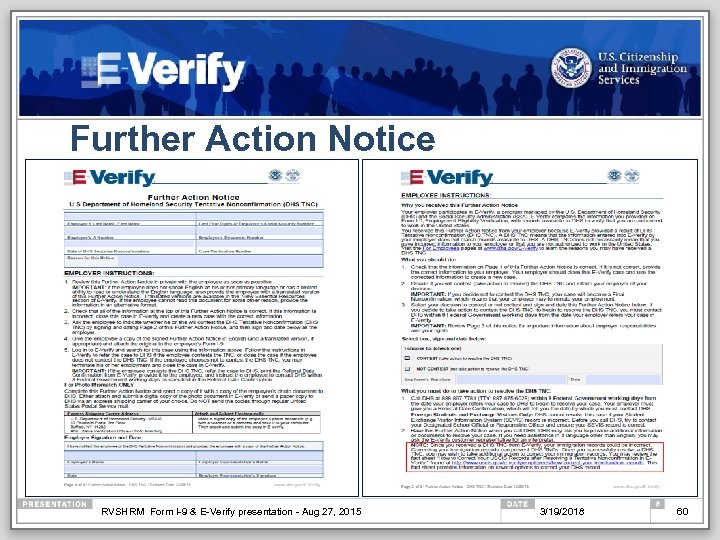 Further Action Notice RVSHRM Form I-9 & E-Verify presentation - Aug 27, 2015 3/19/2018 60
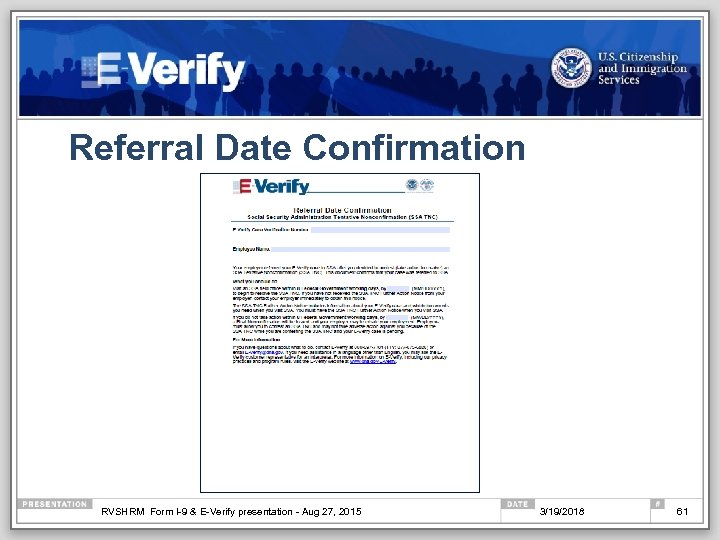 Referral Date Confirmation RVSHRM Form I-9 & E-Verify presentation - Aug 27, 2015 3/19/2018 61
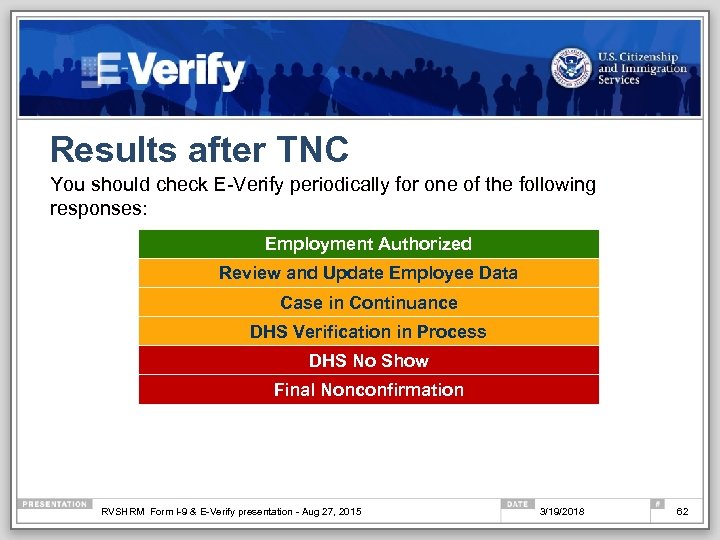 Results after TNC You should check E-Verify periodically for one of the following responses: Employment Authorized Review and Update Employee Data Case in Continuance DHS Verification in Process DHS No Show Final Nonconfirmation RVSHRM Form I-9 & E-Verify presentation - Aug 27, 2015 3/19/2018 62
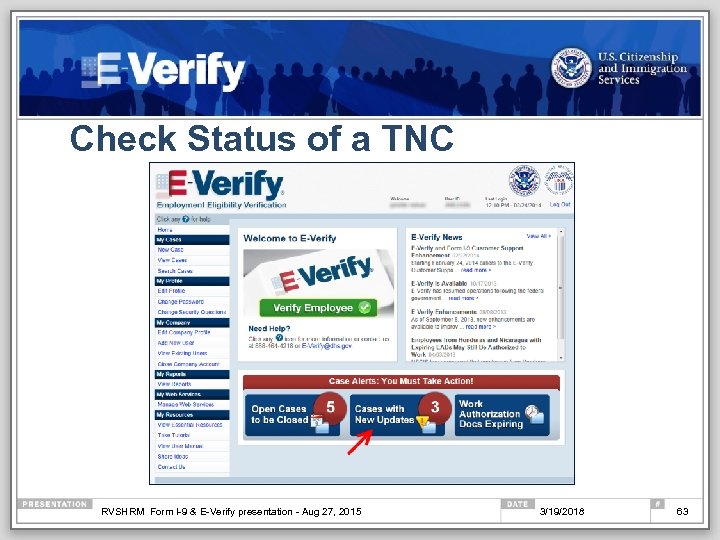 Check Status of a TNC RVSHRM Form I-9 & E-Verify presentation - Aug 27, 2015 3/19/2018 63
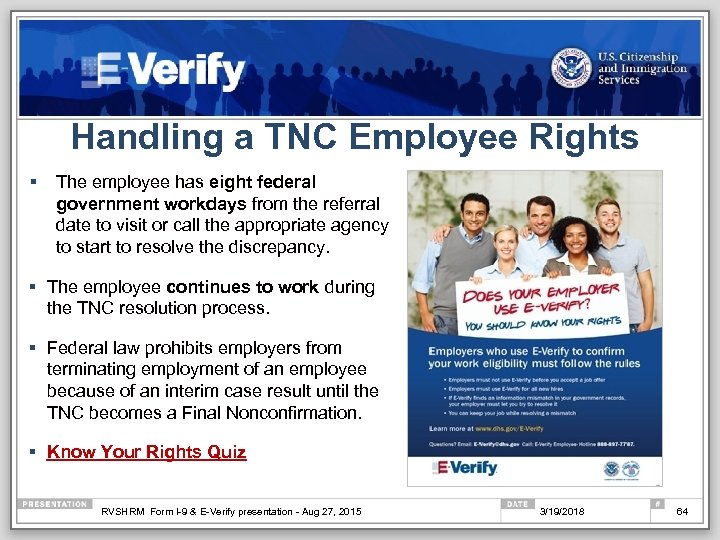 Handling a TNC Employee Rights § The employee has eight federal government workdays from the referral date to visit or call the appropriate agency to start to resolve the discrepancy. § The employee continues to work during the TNC resolution process. § Federal law prohibits employers from terminating employment of an employee because of an interim case result until the TNC becomes a Final Nonconfirmation. § Know Your Rights Quiz RVSHRM Form I-9 & E-Verify presentation - Aug 27, 2015 3/19/2018 64
 Section III: Additional Information § Employer Responsibilities § Features § Enhancements § Engagement § Resources RVSHRM Form I-9 & E-Verify presentation - Aug 27, 2015 3/19/2018 65
 Employer Responsibilities Employers must not: § Use E-Verify to pre-screen employment applicants § Use E-Verify selectively; E-Verify must be used for all new hires § Influence or coerce an employee’s decision whether to contest a TNC § Terminate or take adverse action against an employee who is contesting a TNC § Ask for additional documentation after obtaining a TNC for an employee RVSHRM Form I-9 & E-Verify presentation - Aug 27, 2015 ü Follow all the rules and guidelines outlined in the E-Verify Memorandum of Understanding 3/19/2018 66
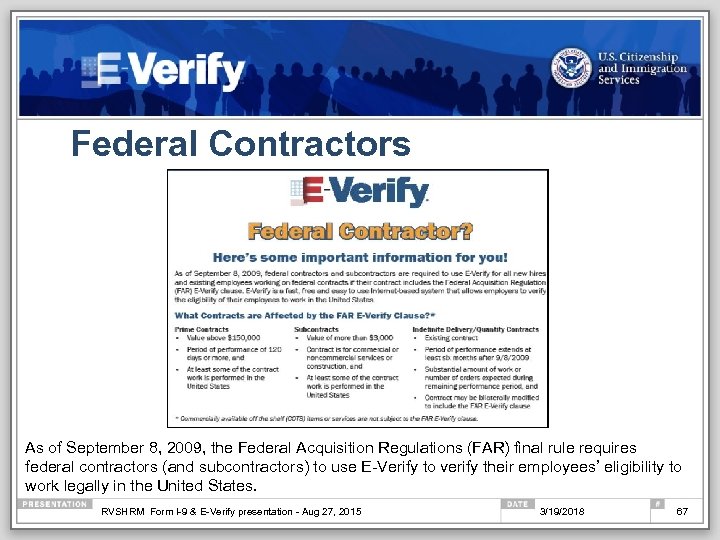 Federal Contractors As of September 8, 2009, the Federal Acquisition Regulations (FAR) final rule requires federal contractors (and subcontractors) to use E-Verify to verify their employees’ eligibility to work legally in the United States. RVSHRM Form I-9 & E-Verify presentation - Aug 27, 2015 3/19/2018 67
 What is my. E-Verify is a new, web-based free service for employees to participate in the E-Verify process. § Confirm your work eligibility § Create a my. E-Verify account § Protect your identity § Learn about your rights RVSHRM Form I-9 & E-Verify presentation - Aug 27, 2015 3/19/2018 68
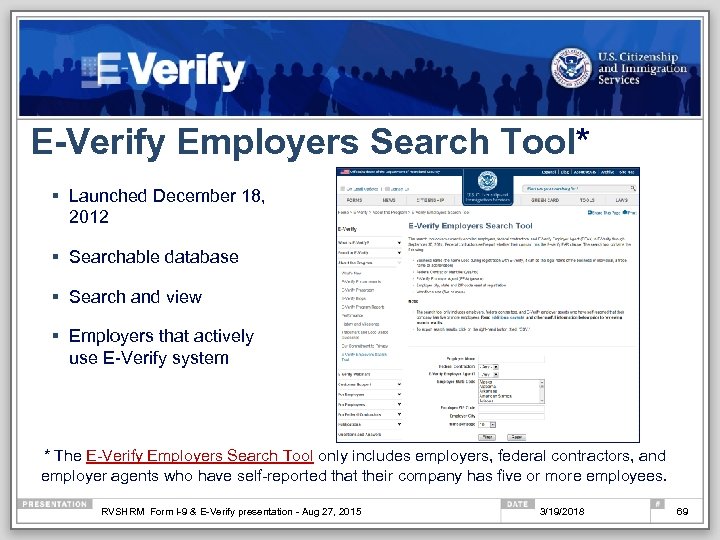 E-Verify Employers Search Tool* § Launched December 18, 2012 § Searchable database § Search and view § Employers that actively use E-Verify system * The E-Verify Employers Search Tool only includes employers, federal contractors, and employer agents who have self-reported that their company has five or more employees. RVSHRM Form I-9 & E-Verify presentation - Aug 27, 2015 3/19/2018 69
 Recent Enhancements § Updated E-Verify MOUs § Revised DHS TNC Further Action Notice § How to Correct Your Immigration Records after Resolving a Tentative Nonconfirmation in E-Verify Fact Sheet § E-Verify Fraud Deterrence § Samples of the courtesy E-Verify emails employees may receive: § TNC notification § TNC case referred (SSA Case Referral Email or DHS Case Referral Email) § TNC reminder (SSA Email Reminder or DHS Email Reminder) § Advise to update SSA records § Monitoring and Compliance Webpage § Employee Rights Toolkit § Duplicate Case Alerts § E-Verify Records Disposal RVSHRM Form I-9 & E-Verify presentation - Aug 27, 2015 3/19/2018 70
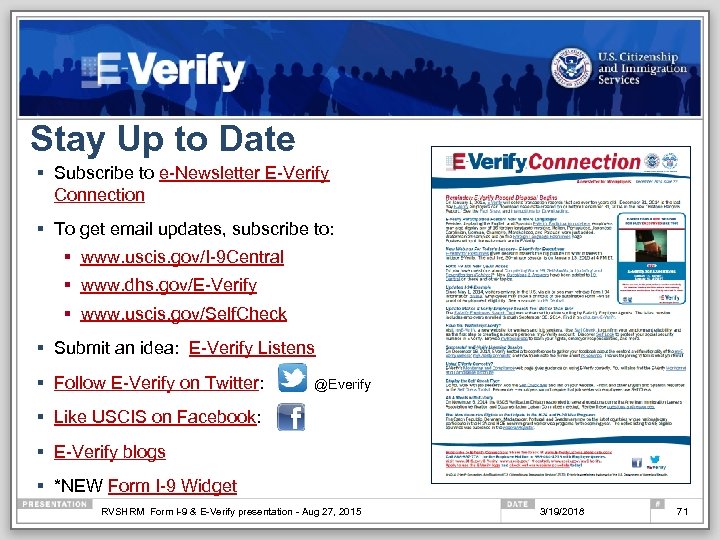 Stay Up to Date § Subscribe to e-Newsletter E-Verify Connection § To get email updates, subscribe to: § www. uscis. gov/I-9 Central § www. dhs. gov/E-Verify § www. uscis. gov/Self. Check § Submit an idea: E-Verify Listens § Follow E-Verify on Twitter: @Everify § Like USCIS on Facebook: § E-Verify blogs § *NEW Form I-9 Widget RVSHRM Form I-9 & E-Verify presentation - Aug 27, 2015 3/19/2018 71
 E-Verify Outreach § Free Customized Webinars § Content for your newsletters § Authorization to use the E-Verify® Logo and Name and I EVerify Seal § Add E-Verify to your job announcements § Example: “Our company uses E-Verify to confirm the employment eligibility of all newly hired employees. To learn more about E-Verify, including your rights and responsibilities, please visit www. dhs. gov/E-Verify. ” RVSHRM Form I-9 & E-Verify presentation - Aug 27, 2015 3/19/2018 72
 I-9 Central: www. uscis. gov/I-9 Central I-9 Central Spanish: www. uscis. gov/i-9 Central/Espanol RVSHRM Form I-9 & E-Verify presentation - Aug 27, 2015 3/19/2018 73
 Office of Special Counsel (OSC) The anti-discrimination provisions of the INA are enforced by: Department of Justice Civil Rights Division Office of Special Counsel for Immigration Related Unfair Employment Practices § Employees may contact the Office of Special Counsel (OSC) to obtain additional information regarding employment discrimination and employee rights and responsibilities* 1 -800 -255 -7688 (TDD: 1 -800 -616 -5525) § Employers may also contact OSC* 1 -800 -255 -8155 (TDD: 1 -800 -362 -2735) *callers may remain anonymous See OSC’s “Employer Dos and Don’ts. ” RVSHRM Form I-9 & E-Verify presentation - Aug 27, 2015 3/19/2018 74
 Customer Service E-Verify received the highest rating for customer service of all federal agencies. (2013 American Customer Satisfaction Survey) § Employer Hotline: (888) 464 -4218 § Employee Hotline: (888) 897 -7781 § Form I-9 E-Mail: I-9 Central@dhs. gov § E-Verify E-Mail: E-Verify@dhs. gov § Form I-9 Website: www. uscis. gov/I-9 Central § E-Verify Website: www. dhs. gov/E-Verify RVSHRM Form I-9 & E-Verify presentation - Aug 27, 2015 3/19/2018 75
 Disclaimer Immigration law can be complex and it is not possible to describe every aspect of the process. This presentation provides basic information to help you become generally familiar with rules and procedures. For more information on the law and regulations please see our Web site: www. dhs. gov/E-Verify. RVSHRM Form I-9 & E-Verify presentation - Aug 27, 2015 3/19/2018 76
 Feedback COMMENTS ON OUR WEBINAR? Send to: Francine. L. Hill@uscis. dhs. gov *Include date, time and topic of the webinar THANK YOU! www. dhs. gov/E-Verify RVSHRM Form I-9 & E-Verify presentation - Aug 27, 2015 3/19/2018 77