


 Скачать презентацию The Orton-Gillingham Approach Empowerment for Teachers Clinicians Children
c84db8965deafbc08d7565cc3012363f.ppt
- Количество слайдов: 69
 The Orton-Gillingham Approach: Empowerment! for Teachers, Clinicians, Children & Parents Empowerment with the Assistance of Technology Mary M. Silgals, MLIS May 2, 2009
 My Disclaimer • I do not endorse any of these products over another similar product. Any product I might discuss or demonstrate today, either I purchased, came from shareware, or was a free download. No product was given to me by any manufacturer to promote. • If I speak enthusiastically about a product, it’s because I have seen it work well with my students or in my curriculum!
 AT Tools for specific learning problem areas There are AT tools to help students who struggle with: • Listening • Math • Organization and Memory • Reading • Writing
 What kind of tools are available? • • • • • Abbreviation expanders Alternative keyboards Audio books and publications Electronic math worksheets Free-form database software Graphic organizers and outlining Information/data managers Optical character recognition Personal FM Listening Systems Portable word processors Proofreading programs Speech recognition programs Speech synthesizers/Screen Readers Talking Calculators Talking spell-checkers and electronic dictionaries Variable speed tape recorders Word prediction programs New Stuff almost everyday!
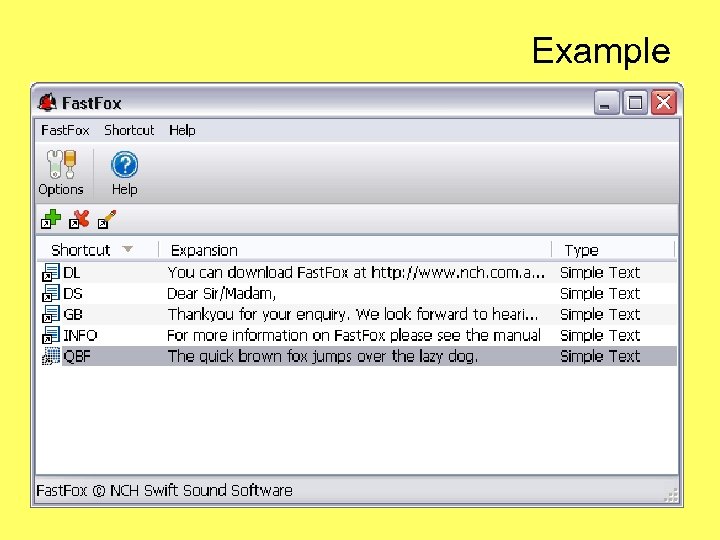
 Abbreviation Expanders (Difficulty in writing) • Used with word processing, these software programs allow a user to create, store, and re-use abbreviations for frequently-used words or phrases. This can save the user keystrokes and ensure proper spelling of words and phrases he has coded as abbreviations.
 Example
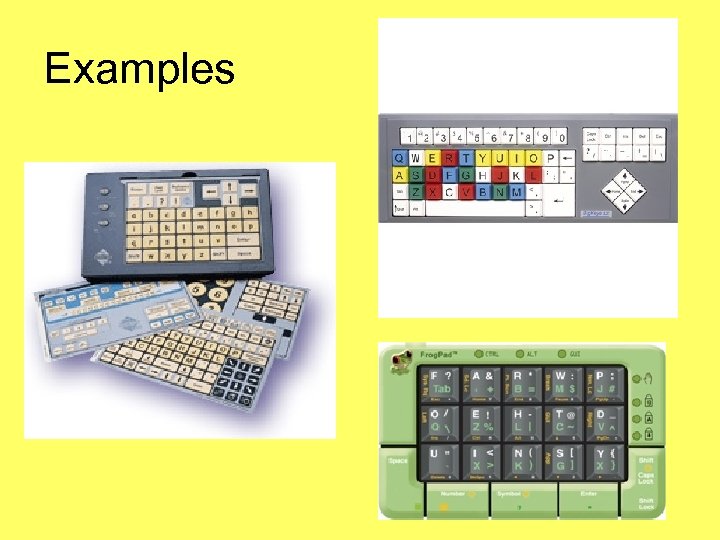
 Alternative Keyboards (Difficulty in Writing) • These programmable keyboards have special overlays that customize the appearance and function of a standard keyboard. Students who have LD or have trouble typing may benefit from customization that reduces input choices, groups keys by color/location, and adds graphics to aid comprehension.
 Examples
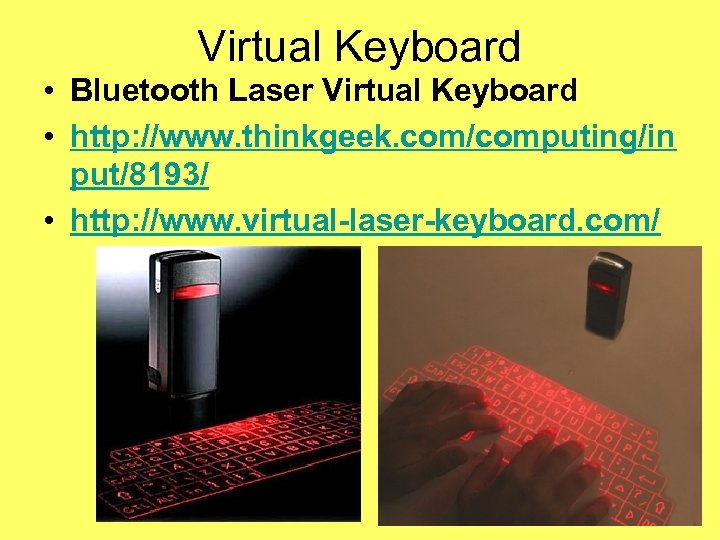 Virtual Keyboard • Bluetooth Laser Virtual Keyboard • http: //www. thinkgeek. com/computing/in put/8193/ • http: //www. virtual-laser-keyboard. com/
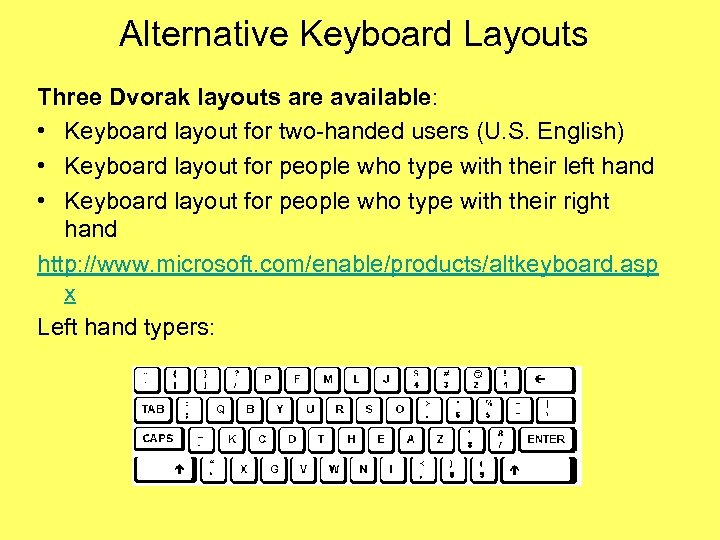 Alternative Keyboard Layouts Three Dvorak layouts are available: • Keyboard layout for two-handed users (U. S. English) • Keyboard layout for people who type with their left hand • Keyboard layout for people who type with their right hand http: //www. microsoft. com/enable/products/altkeyboard. asp x Left hand typers:
 Audio books and publications (Difficulty in Reading) • Recorded books allow users to listen to text and are available in a variety of formats, such as audiocassettes, CDs, and MP 3 downloads. Special playback units allow users to and search and bookmark pages and chapters. Subscription services offer extensive electronic library collections.
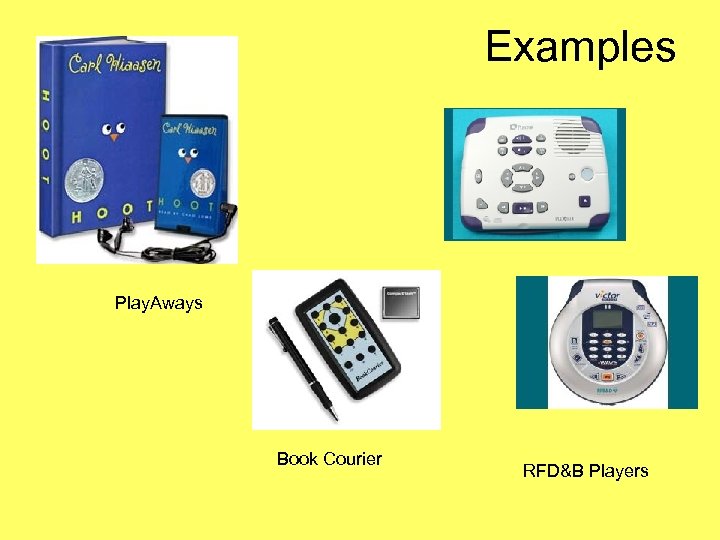 Examples Play. Aways Book Courier RFD&B Players
 Book (Text) Display Readers • A new class of device—a convenient, portable reading device with the ability to wirelessly download books, blogs, magazines, and newspapers. • Amazon Kindle - Kindle http: //www. amazon. com/gp/product/B 000 FI 73 MA/? tag=gg 8462720&gclid=CPLbhr. Xh 3 ZACFQ 6 CPAodd. Bzu. Vw • Foxit http: //www. foxitsoftware. com/ebook/ • Sony Reader - http: //www. sonystyle. com/webapp/wcs/stores/servlet/Pro duct. Display? catalog. Id=10551&store. Id=10151&lang. Id=1&product. Id=8198552921665245739
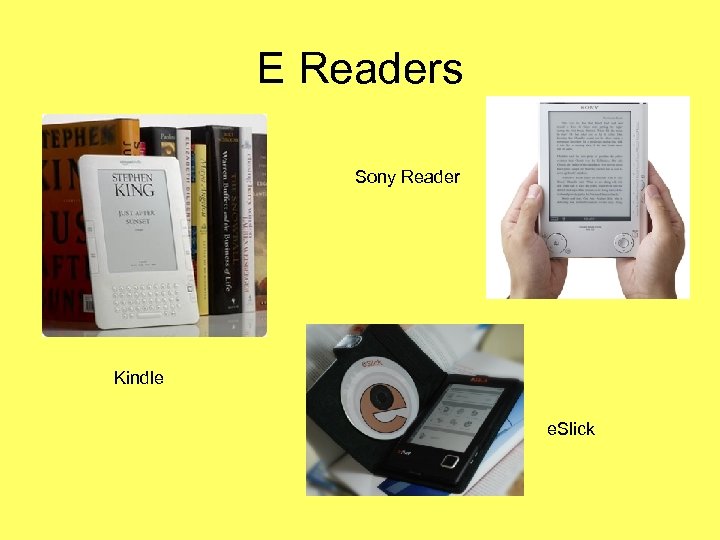 E Readers Sony Reader Kindle e. Slick
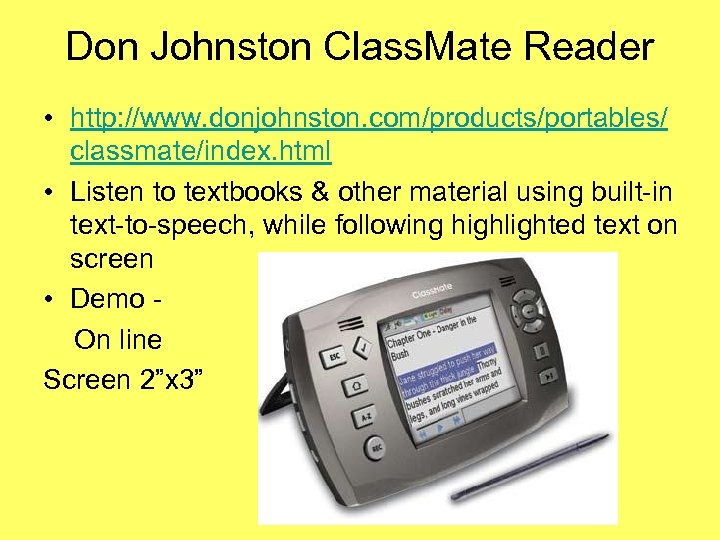 Don Johnston Class. Mate Reader • http: //www. donjohnston. com/products/portables/ classmate/index. html • Listen to textbooks & other material using built-in text-to-speech, while following highlighted text on screen • Demo On line Screen 2”x 3”
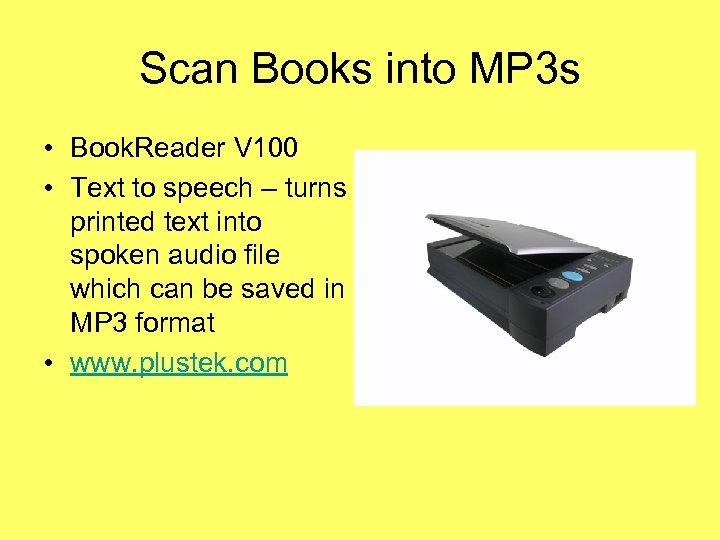 Scan Books into MP 3 s • Book. Reader V 100 • Text to speech – turns printed text into spoken audio file which can be saved in MP 3 format • www. plustek. com
 Electronic Math Sheets (Difficulty in math) • Electronic math worksheets are software programs that can help a user organize, align, and work through math problems on a computer screen. Numbers that appear onscreen can also be read aloud via a speech synthesizer. This may be helpful to people who have trouble aligning math problems with pencil and paper.
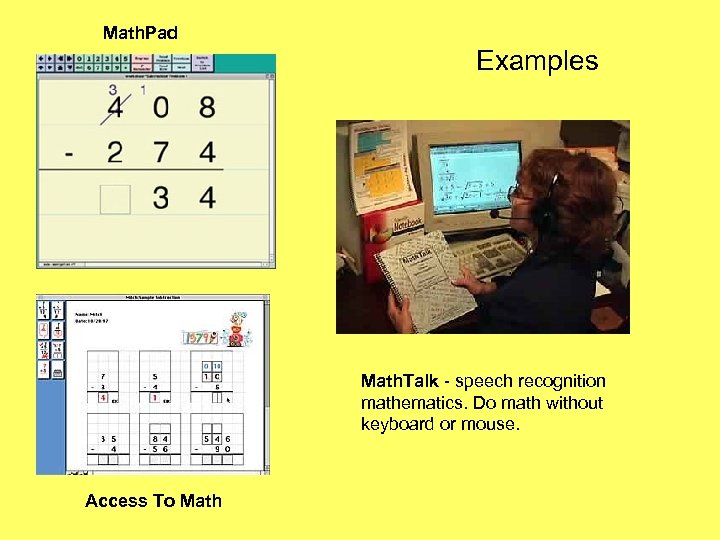 Math. Pad Examples Math. Talk - speech recognition mathematics. Do math without keyboard or mouse. Access To Math
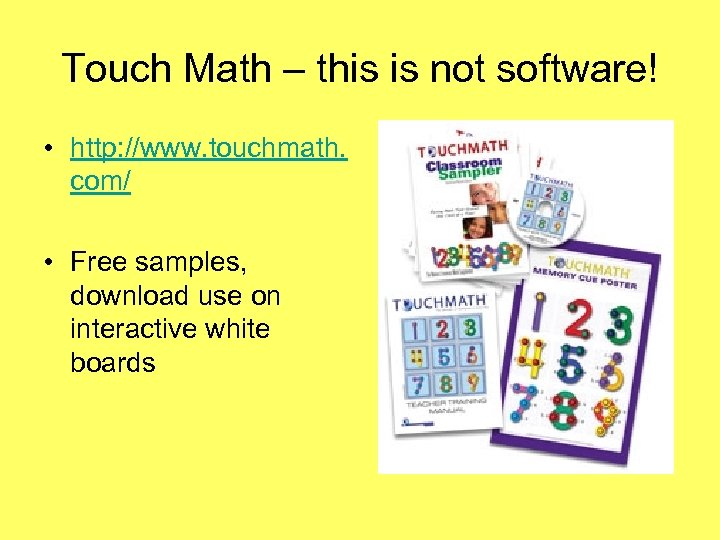 Touch Math – this is not software! • http: //www. touchmath. com/ • Free samples, download use on interactive white boards
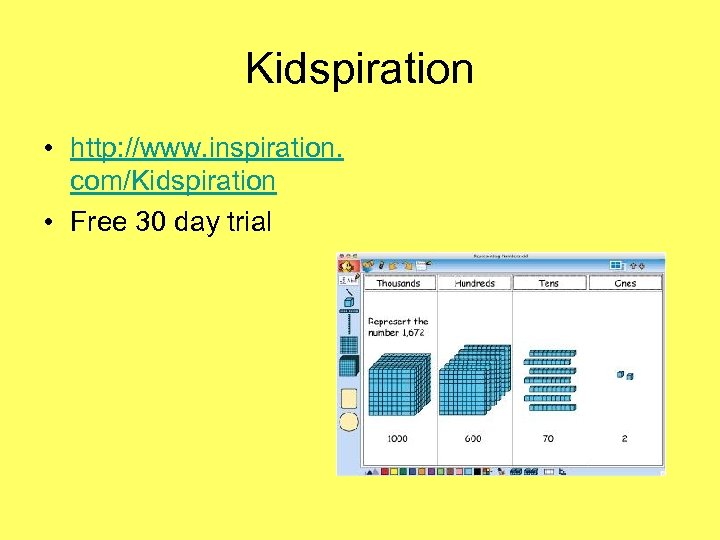 Kidspiration • http: //www. inspiration. com/Kidspiration • Free 30 day trial
 Free-form Database Software (Difficulty in organization and memory) • Used in conjunction with word processing or other software, this tool allows the user to create and store electronic notes by “jotting down” relevant information of any length and on any subject. He can later retrieve the information by typing any fragment of the original note.
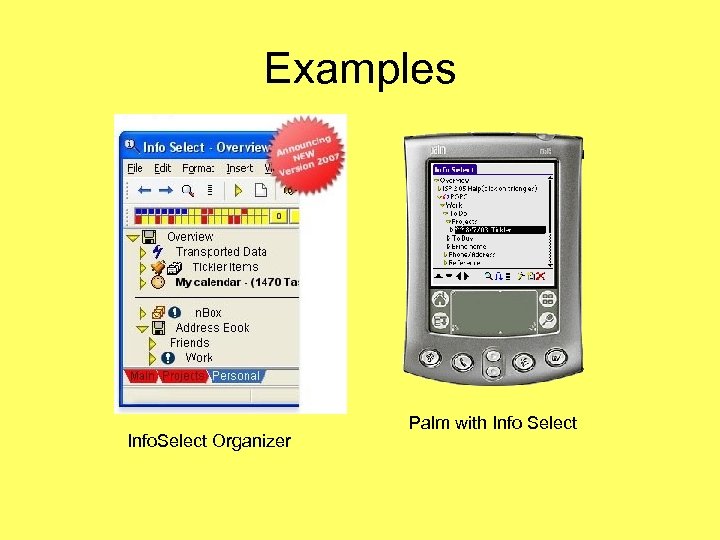 Examples Info. Select Organizer Palm with Info Select
 Graphic Organizers (Difficulty in writing) • Graphic organizers and outlining programs help users who have trouble organizing and outlining information as they begin a writing project. This type of program lets a user “dump” information in an unstructured manner and later helps him organize the information into appropriate categories and order.
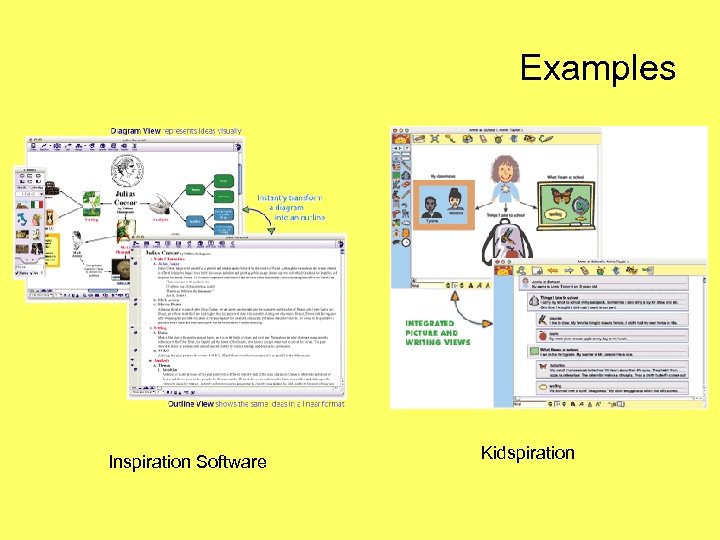 Examples Inspiration Software Kidspiration
 Information data managers (Difficulty with organization and memory) • This type of tool helps a person plan, organize, store, and retrieve his calendar, task list, contact data, and other information in electronic form. Personal data managers may be portable, handheld devices, computer software, or a combination of those tools working together by “sharing” data.
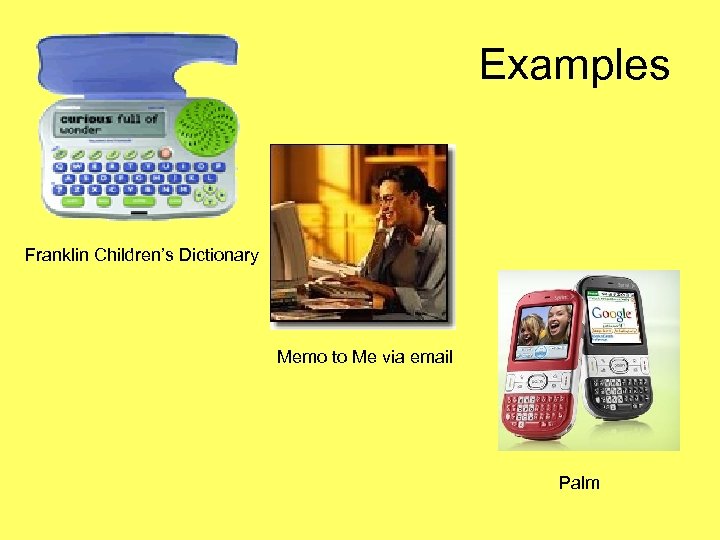 Examples Franklin Children’s Dictionary Memo to Me via email Palm
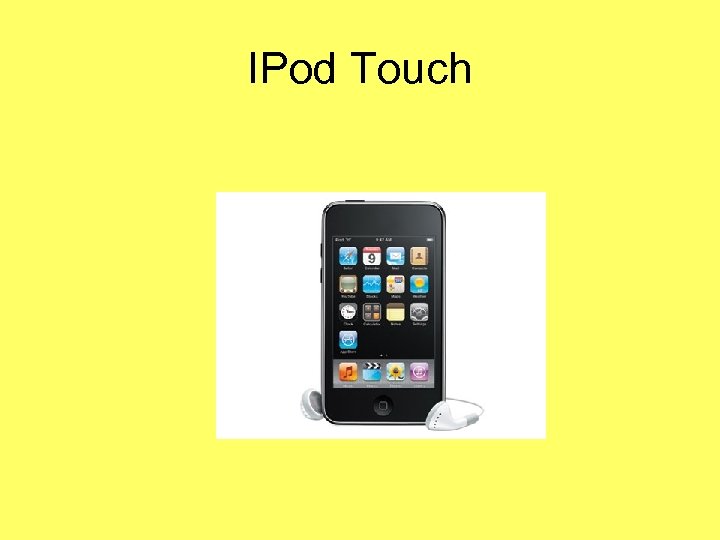 IPod Touch
 Optical character recognition (Difficulty with reading) • This technology allows a user to scan printed material into a computer or handheld unit. The scanned text is then read aloud via a speech synthesis/screen reading system. Optical Character Recognition (OCR) is available as standalone units, computer software, and as portable, pocket-sized devices.
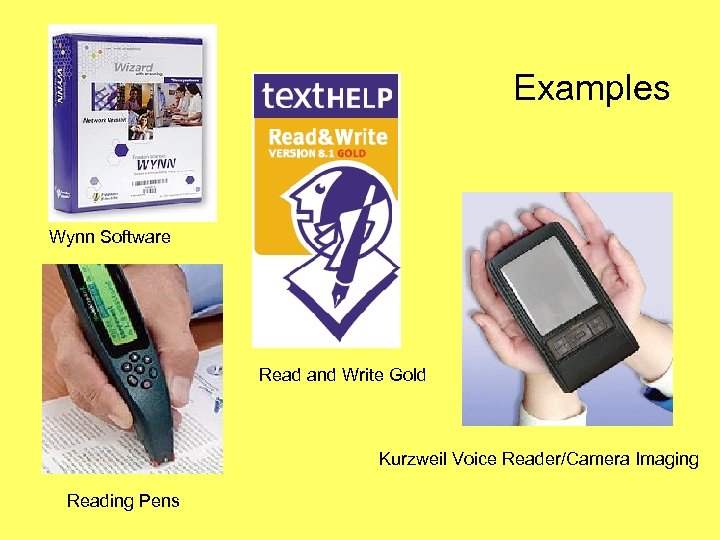 Examples Wynn Software Read and Write Gold Kurzweil Voice Reader/Camera Imaging Reading Pens
 Personal FM listening system (Difficulty with listening) • A personal FM listening system transmits a speaker’s voice directly to the user’s ear. This may help the listener focus on what the speaker is saying. The unit consists of a wireless transmitter (with microphone) worn by the speaker and a receiver (with earphone) worn by the listener.
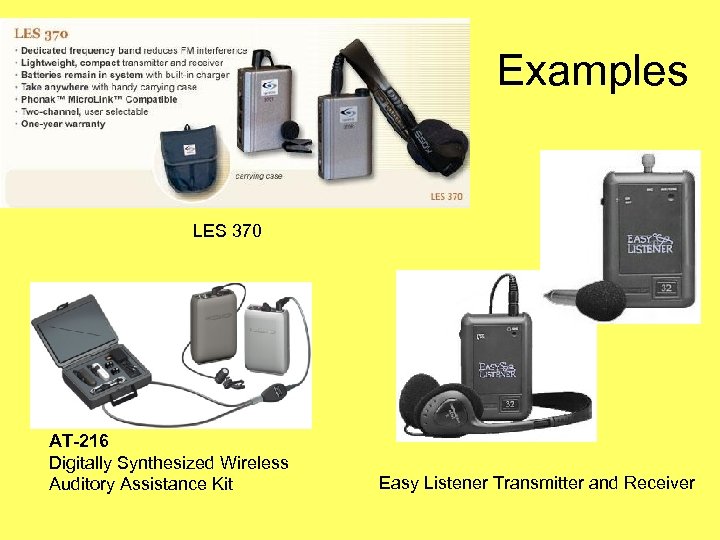 Examples LES 370 AT-216 Digitally Synthesized Wireless Auditory Assistance Kit Easy Listener Transmitter and Receiver
 Portable Word Processor (Difficulty in writing) • A portable word processor is lightweight device that is easy to transport (e. g. , from classroom to home). It can be helpful to kids who may have trouble writing by hand prefer to use a keyboard. Word processing allows the user to edit and correct his written work more efficiently than doing so by hand.
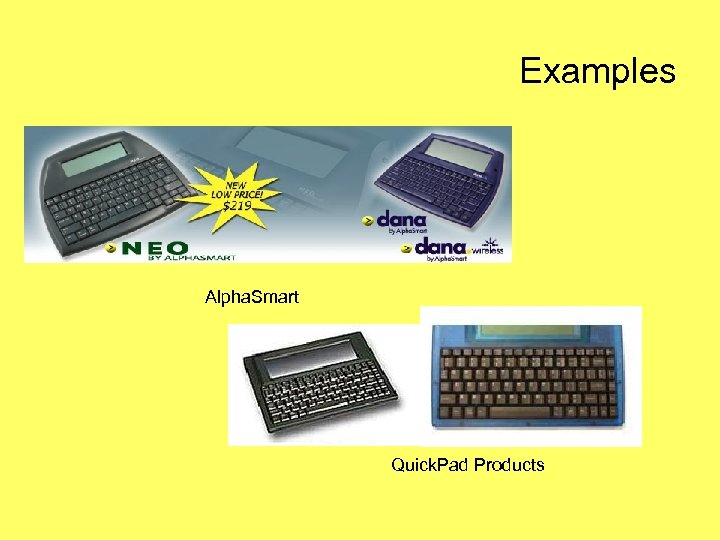 Examples Alpha. Smart Quick. Pad Products
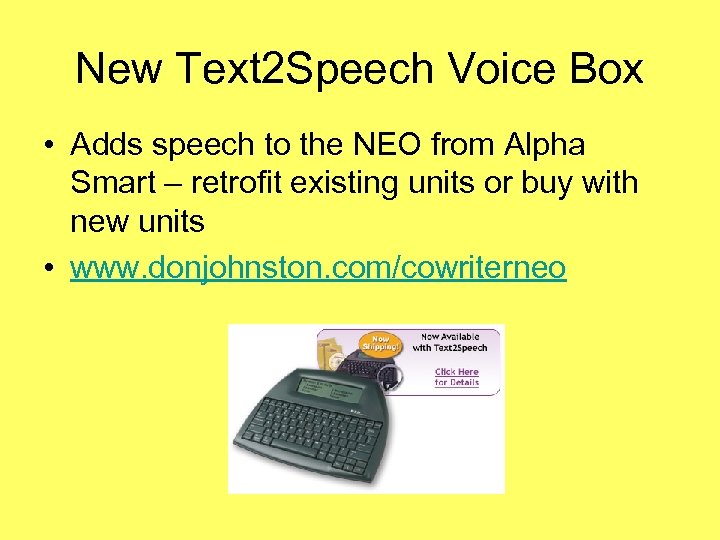 New Text 2 Speech Voice Box • Adds speech to the NEO from Alpha Smart – retrofit existing units or buy with new units • www. donjohnston. com/cowriterneo
 Proofreading Programs • Students who struggle with writing (e. g. , spelling, grammar, punctuation, word usage, and sentence structure) may benefit from software programs (included in many word processing systems) that scan word processing documents and alert the user to possible errors.
 Speech Recognition Program Software (Difficulty in writing) • A speech recognition program works in conjunction with a word processor. The user “dictates” into a microphone, and his spoken words appear on the computer screen as text. This can help a user whose oral language ability is better than his writing skills.
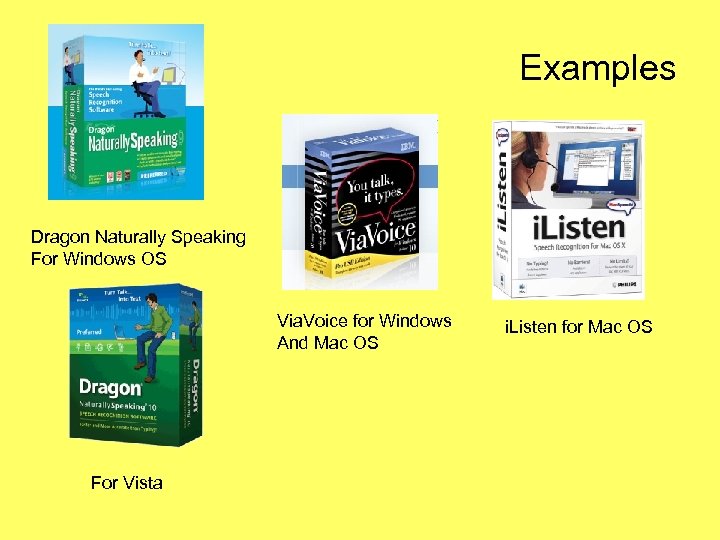 Examples Dragon Naturally Speaking For Windows OS Via. Voice for Windows And Mac OS For Vista i. Listen for Mac OS
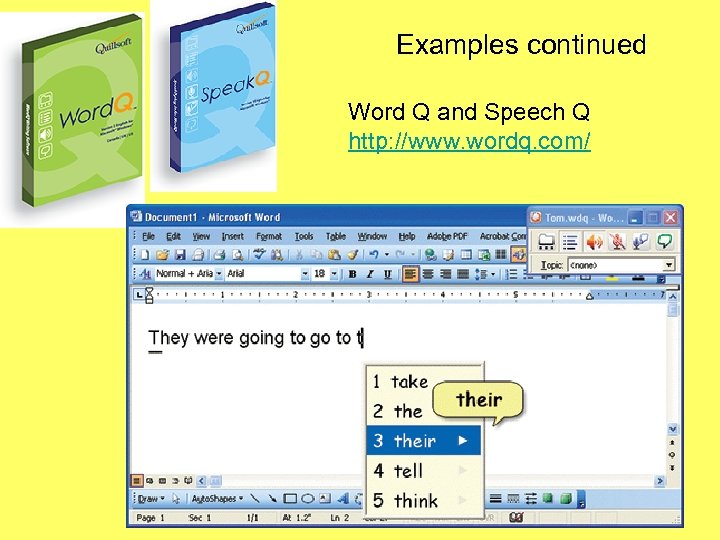 Examples continued Word Q and Speech Q http: //www. wordq. com/
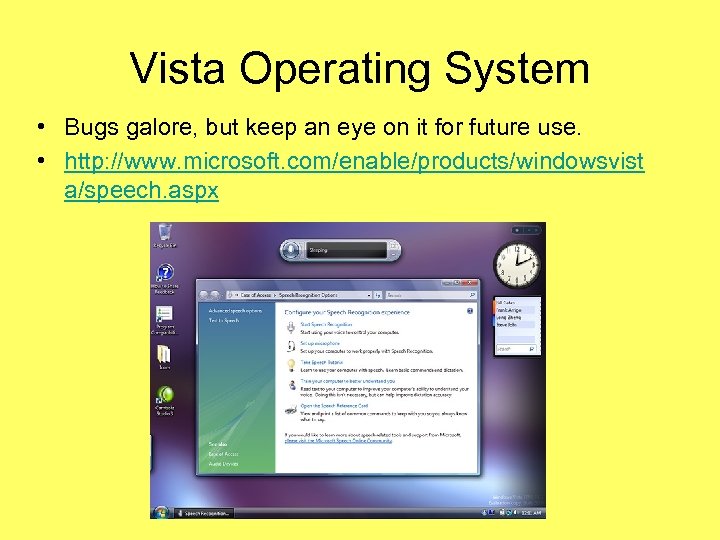 Vista Operating System • Bugs galore, but keep an eye on it for future use. • http: //www. microsoft. com/enable/products/windowsvist a/speech. aspx
 Speech Synthesizers/Screen Readers (Difficulty in Reading and Writing) • These systems can display and read aloud text on a computer screen, including text that has been typed by the user, scanned in from printed pages (e. g. , books, letters), or text appearing on the Internet.
 Examples aspire. Reader Aspire. Reader http: //www. cast. org/products/ereader/index. html Features: • Read aloud via human-recorded or computer-generated speech • Reading speed control to ensure understanding • Advanced navigation and search • Keyboard-controlled shortcut keys • Electronic bookmarks and note taking • "Where am I now? " feature • Playable via CD, DVD, WWW, etc.
 Version 8. 1 include: Screenshot Reader Scanning Enhancements Study Skills Integration Summary Feature Take Settings Home Fact Folder Preview Panel Fact Mapper Enhancements Text to Speech with Highlighting including websites and PDF files Talking Dictionary Spelling/Homophone Checkers Word Prediction Research Tools with Graphic • Organizer - Fact Finder, Fact Folder, Fact Mapper Daisy Reader Application • Study Skills Customizable Toolbars and Multiple Options For Toolbar Positioning MP 3 Creation Translator Scanning Teacher's Toolkit Examples Read and Write Gold http: //www. texthelp. com/page. asp? pg_i d=10059 Read and Write Gold Mobile http: //www. texthelp. com/page. asp? pg_i d=10178
 Free –Internet Text Reader • Read Please – Free version and Trial version, check specific OS requirements before downloading • http: //www. readplease. com/english/downlo ads/ • Speakonia – http: //download. cnet. com/windows/voicerecognition-software/
 Talking Calculators (Difficulty in math) • A talking calculator has a built-in speech synthesizer that reads aloud each number, symbol, or operation key a user presses; it also vocalizes the answer to the problem. This auditory feedback may help him check the accuracy of the keys he presses and verify the answer before he transfers it to paper.
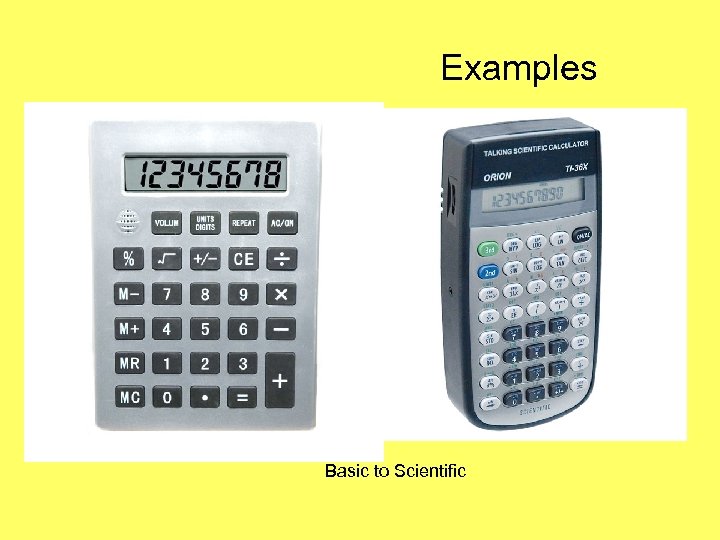 Examples Basic to Scientific
 Talking Spell Checkers • Talking spell checkers and electronic dictionaries can help a poor speller select or identify appropriate words and correct spelling errors during the process of writing and proofreading. Talking devices “read aloud” and display the selected words onscreen, so the user can see and hear the words.
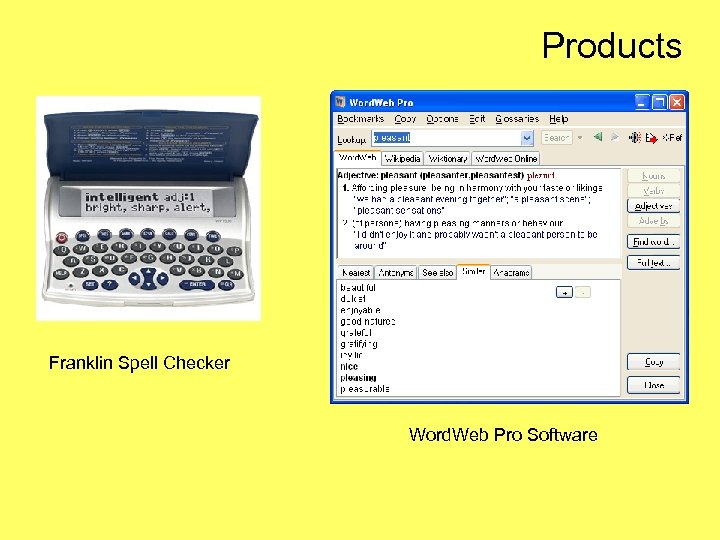 Products Franklin Spell Checker Word. Web Pro Software
 Variable Speed Tape Recorders (Reading and Listening) • Tape recorders/players allow a user to listen to pre-recorded text or to capture spoken information (e. g. , a classroom lecture) and play it back later. Variable speed control (VSC) tape recorders speed up or slow down the playback rate without distorting the “speaker’s” voice.
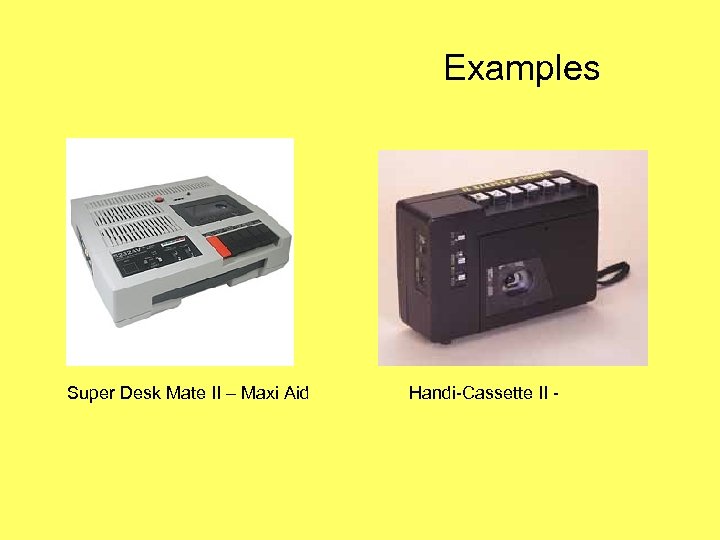 Examples Super Desk Mate II – Maxi Aid Handi-Cassette II -
 Word Prediction Programs (Reading and writing) • Word prediction software can help a user during word processing by “predicting” a word the user intends to type. Predictions are based on spelling, syntax, and frequent/recent use. This prompts kids who struggle with writing to use proper spelling, grammar, and word choices, with fewer keystrokes.
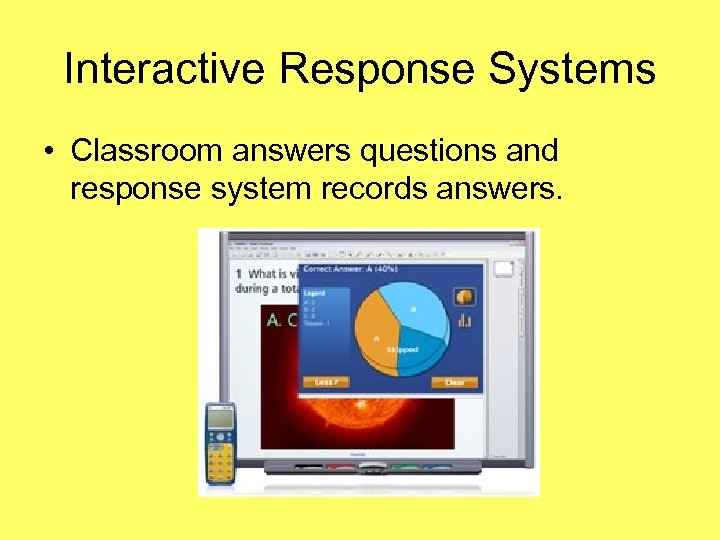 Interactive Response Systems • Classroom answers questions and response system records answers.
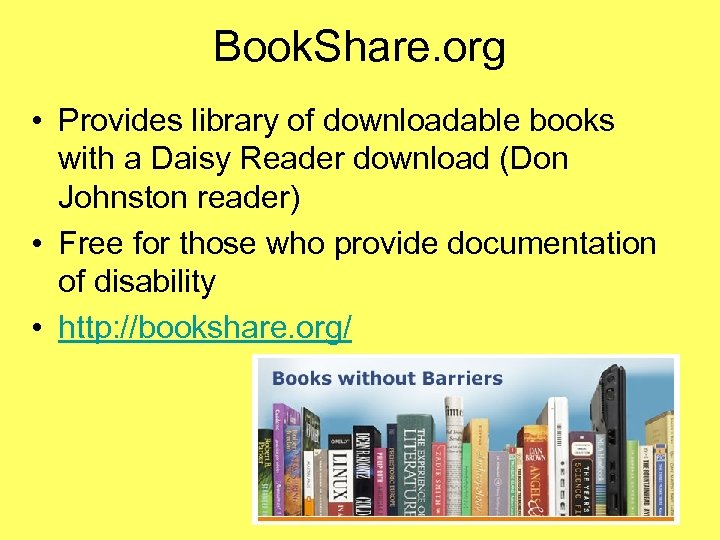 Book. Share. org • Provides library of downloadable books with a Daisy Reader download (Don Johnston reader) • Free for those who provide documentation of disability • http: //bookshare. org/
 Software • • • Don Johnston - www. donjohnston. com Write Out Loud Draft Builder Simon S. I. O. (phonological awareness) Word. Maker
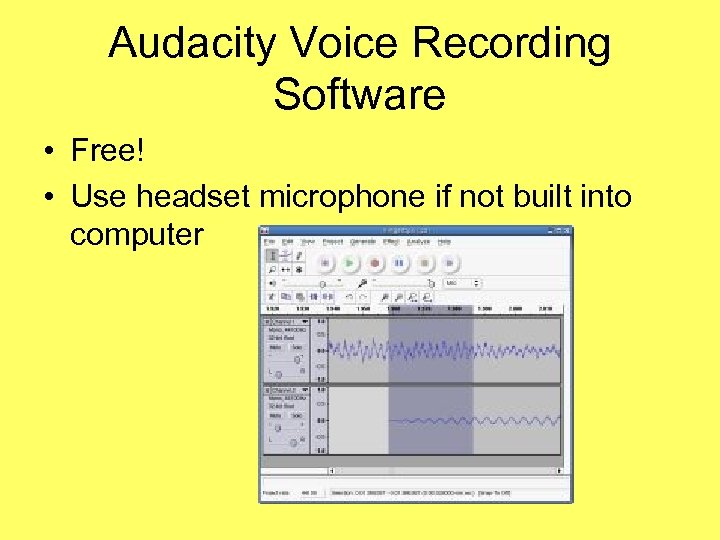 Audacity Voice Recording Software • Free! • Use headset microphone if not built into computer
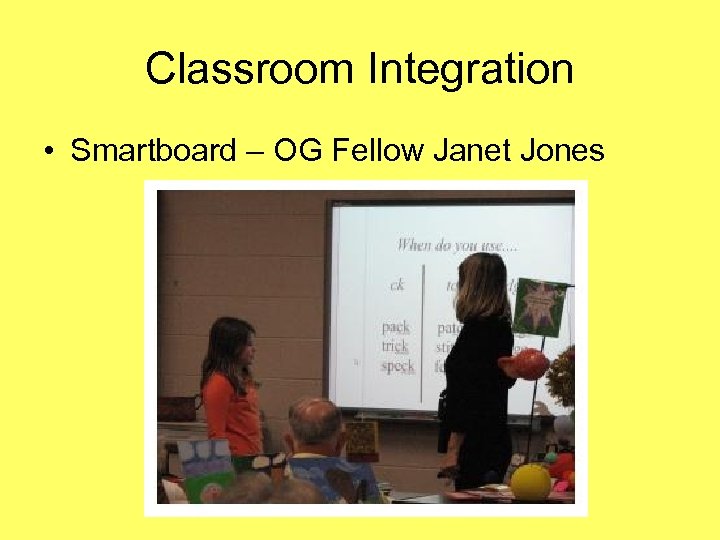 Classroom Integration • Smartboard – OG Fellow Janet Jones
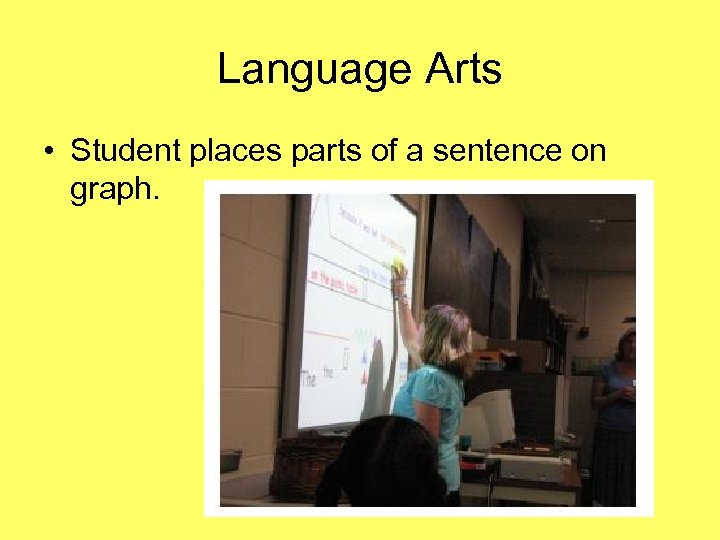 Language Arts • Student places parts of a sentence on graph.
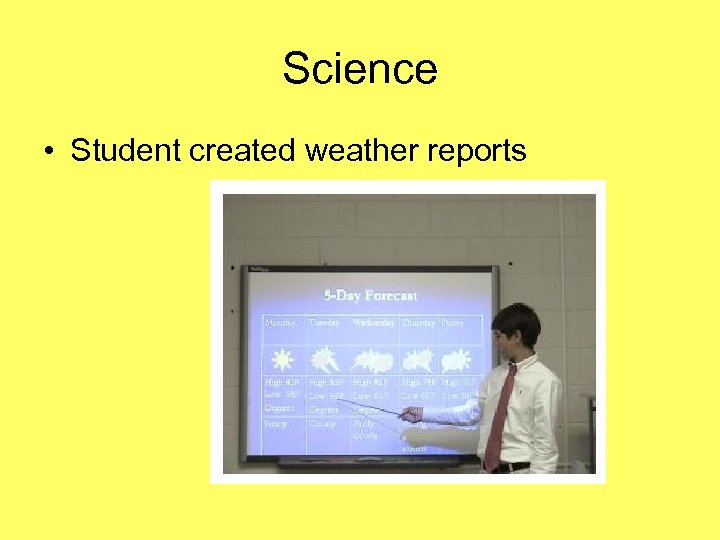 Science • Student created weather reports
 Interactive Websites – To use with Smart. Board For all subject areas • List of my favorites: • http: //marysilgals. tripod. com/smartboardw ebsites 2. xls • Quia - http: //www. quia. com/web
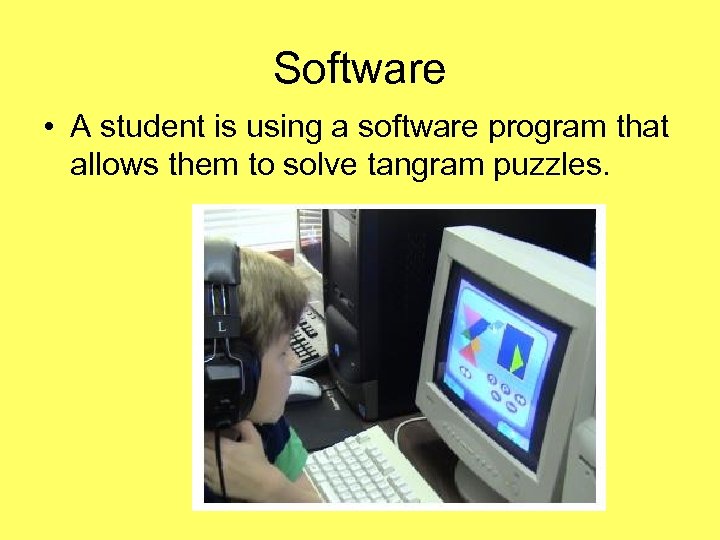 Software • A student is using a software program that allows them to solve tangram puzzles.
 Webquests • Web Quests are designed online to help students gather information about a particular topic by visiting different sites that show information in many different formats, which is especially helpful to a student with learning disabilities. This previously designed, inquiryoriented activity helps keep the student on task by directing his or her Internet search, focusing on using information rather than looking for it. A well-designed Web Quest supports analysis, synthesis and evaluation.
 Examples • http: //marysilgals. com/southcarolina. html • http: //marysilgals. tripod. com/abouttheindustrial revolutionanditsinventors/ • http: //marysilgals. com/inventors. html • http: //marysilgals. com/evaluatingwebsites. html • http: //marysilgals. tripod. com/hurricane. html
 Presentations by you and your students • Power. Point • Photo. Story – Free download - http: //www. microsoft. com/windowsxp/usin g/digitalphotography/Photo. Story/default. m spx • Movie. Maker 3 – Windows download
 Miscellaneous • Web accessibility for dyslexics http: //www. ebility. com/articles/dyslexia. php • ALA Adaptive Technology for the Internet (Book) http: //www. amazon. com/Adaptive-Technology-Internet. Electronic-Accessible/dp/0838907520 • Graphic organizers for readers http: //www. richmond. k 12. va. us/readamillion/graphicorga nizers. htm • Free Graphic organizer software http: //faculty. trinityvalleyschool. org/corderg/go/free. html • Optical Character Recognition Systems http: //www. afb. org/Section. asp? Section. ID=4&Topic. ID=3 1&Document. ID=1283
 Additional Web Resources • http: //www. familyvillage. wisc. edu/educatio n/at. html Articles and websites
 Reading Programs • Aerobics - http: //www. earobics. com/ • Lexia - http: //www. lexialearning. com/ • River. Deep – Destination Reading http: //web. riverdeep. net/portal/page? _pag eid=818, 1381924&_dad=portal&_schema =PORTAL • Study Dog - http: //www. studydog. com/ • Mind Play - http: //www. mindplay. com/
 Other “technology” • Language Tune-Up – “Orton Based” http: //www. rmlearning. com/Reading. Software. htm • Phonics Tutor - http: //www. phonicstutor. com/ • Phonics Programs - http: //www. phonicsontheweb. com/programs. php
 Resources for presentation • Schwab Learning – Definitions for assistive technology devices http: //www. schwablearning. org/articles. aspx ? r=286 • South Carolina Assistive Technology Program – Definitions and examples
 http: //marysilgals. tripod. com/mystuff http: //marysilgals. tripod. com/og/