 Скачать презентацию THE NBT Systems First Steps Overview 23 11
THE NBT Systems_Interface_22_11_2012.pptx
- Количество слайдов: 11



THE NBT Systems First Steps Overview 23. 11. 2012 NBT Systems Easy for your project Tough for your bugs
Main goals for basic prototype • An opportunity to download the CR base from remote storage and work in offline mode: • To edit CRs; • To push the new CRs in local copy of the base; • Afterwards to send it to remote storage. • To create the “System Analyst” interface for the base • An usability of CRs monitoring; • An opportunity to classify the CRs (baseline, issue); • An opportunity to represent it in the. pdf file for further distribution. • To design roles distribution for the system NBT Systems Easy for your project Tough for your bugs
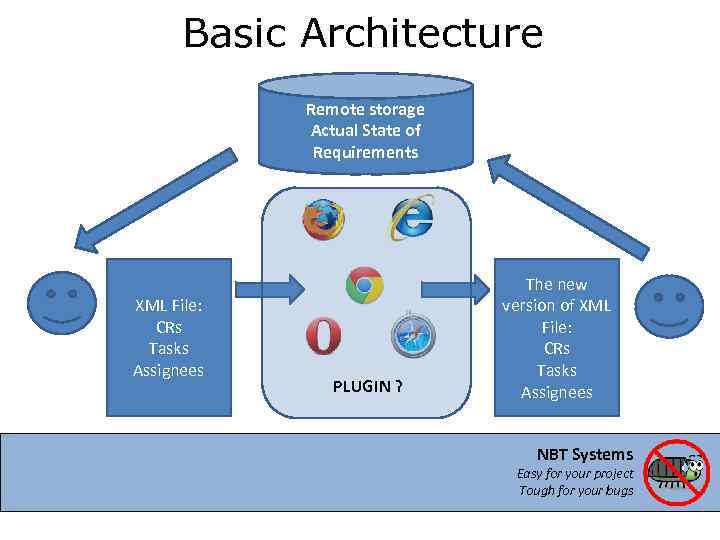
Basic Architecture Remote storage Actual State of Requirements XML File: CRs Tasks Assignees PLUGIN ? The new version of XML File: CRs Tasks Assignees NBT Systems Easy for your project Tough for your bugs
Requirements traceability • Requirements Traceability is concerned with documenting the relationships between requirements and other development artifacts. Its purpose is to facilitate: • The overall quality of the product(s) under development; • The understanding of product under development and its artifacts; • The ability to manage changes. • Requirements traceability refers to the ability to describe and follow the life of a requirement, in both forwards and backwards direction (i. e. from its origins, through its development and specification, to its subsequent deployment and use, and through all periods of on-going refinement and iteration in any of these phases. ); • It is absent in most CR systems. NBT Systems Easy for your project Tough for your bugs
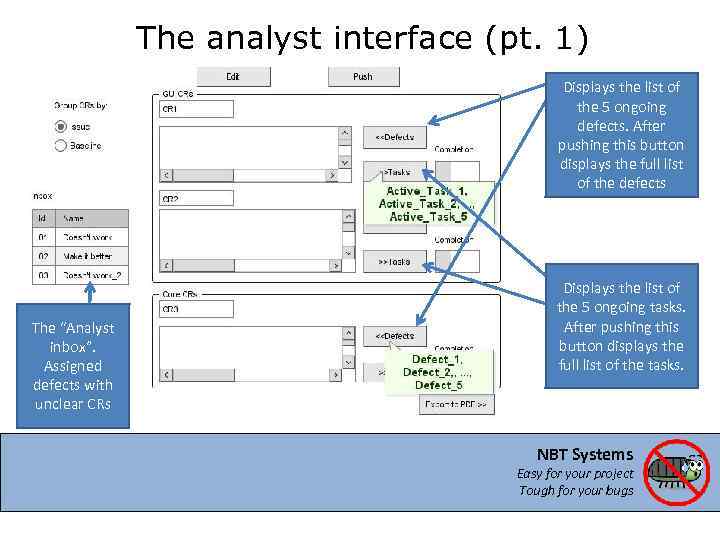
The analyst interface (pt. 1) Displays the list of the 5 ongoing defects. After pushing this button displays the full list of the defects The “Analyst inbox”. Assigned defects with unclear CRs Displays the list of the 5 ongoing tasks. After pushing this button displays the full list of the tasks. NBT Systems Easy for your project Tough for your bugs
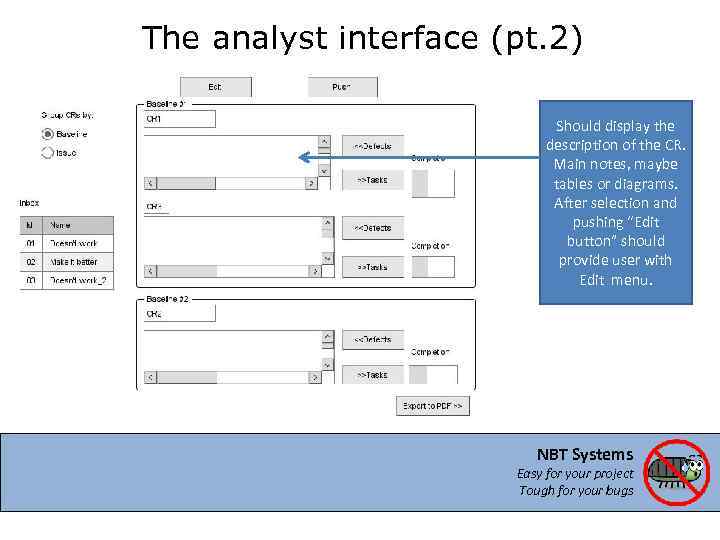
The analyst interface (pt. 2) Should display the description of the CR. Main notes, maybe tables or diagrams. After selection and pushing “Edit button” should provide user with Edit menu. NBT Systems Easy for your project Tough for your bugs
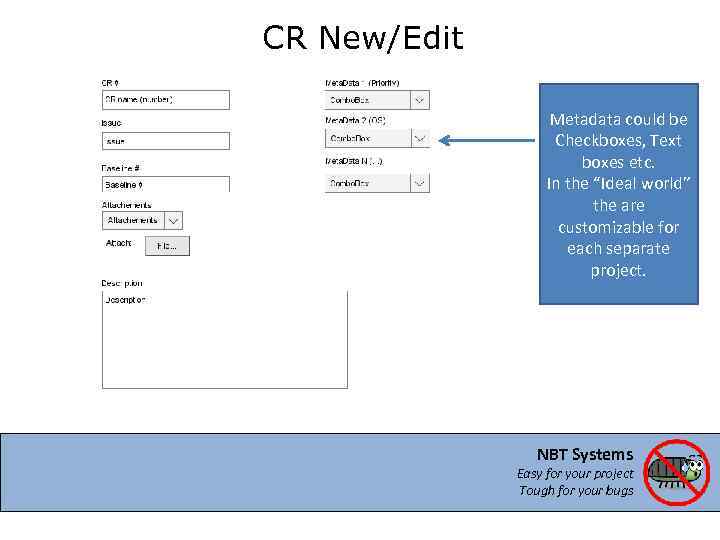
CR New/Edit Metadata could be Checkboxes, Text boxes etc. In the “Ideal world” the are customizable for each separate project. NBT Systems Easy for your project Tough for your bugs
Terms and definitions • Baseline is defined as a set of CRs (CR for GUI, CR for Core, CR for source etc); • Each new defect should be verified by system analyst and defined as a part of an ongoing CR or added to next CR; • System Analyst should also have an opportunity to merge and spit CRs; • So, System Analyst should have the opportunity to define the defect as a part of any CR, but “user”, “customer” must have not. NBT Systems Easy for your project Tough for your bugs
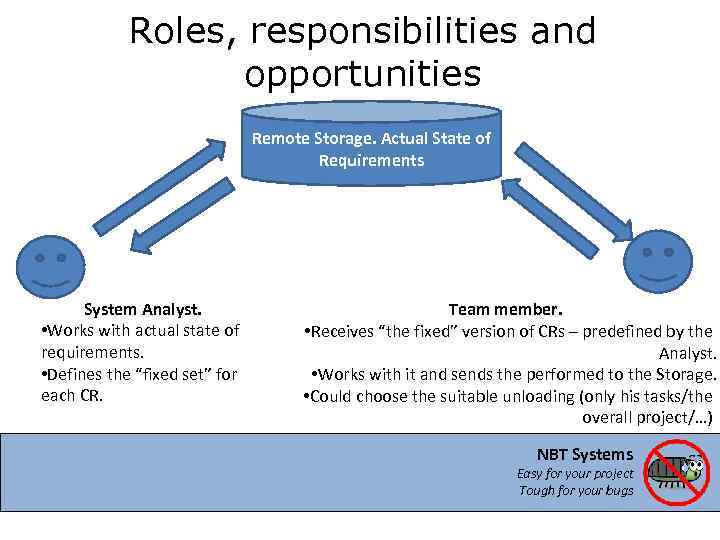
Roles, responsibilities and opportunities Remote Storage. Actual State of Requirements System Analyst. • Works with actual state of requirements. • Defines the “fixed set” for each CR. Team member. • Receives “the fixed” version of CRs – predefined by the Analyst. • Works with it and sends the performed to the Storage. • Could choose the suitable unloading (only his tasks/the overall project/…) NBT Systems Easy for your project Tough for your bugs
Tasks • Data. Base – Choose, install, create tables, make it convenient; • Interface – Choose, make the templates, connect it with the Data. Base; • Choose the strategy of “fixed tasks” definition; • Choose the ways and realize CR’s merge and split; NBT Systems Easy for your project Tough for your bugs
THE NBT Systems Easy for your project Tough for your bugs
Скачать презентацию THE NBT Systems First Steps Overview 23 11
THE NBT Systems_Interface_22_11_2012.pptx