


 Скачать презентацию The Myths and Realities of Wi-Fi in Schools
132cf0f6dae237507488644404e3e3ab.ppt
- Количество слайдов: 37
 The Myths and Realities of Wi-Fi in Schools and Libraries March 16, 2016 Andrew von Nagy, Mobility Architect
 Our Agenda Today… Introduction Meet ENA The Value of Proper Wi-Fi Myths vs. Realities of Today’s Wi-Fi ENA Service and Solutions Benefits Questions www. ena. com 2
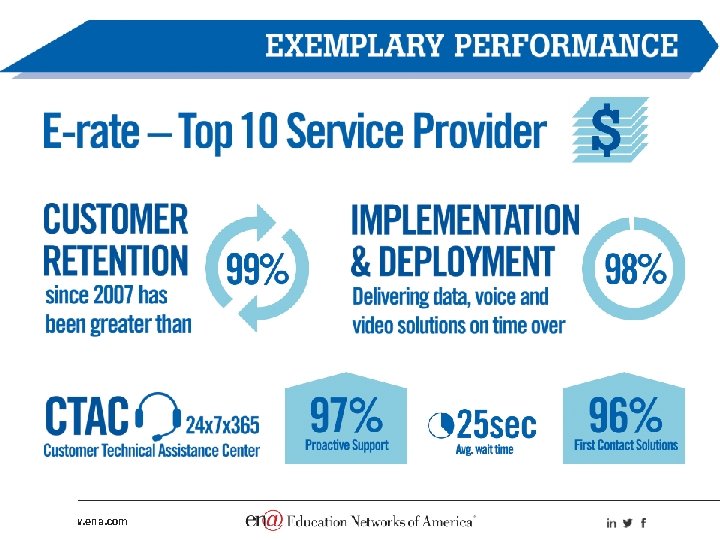
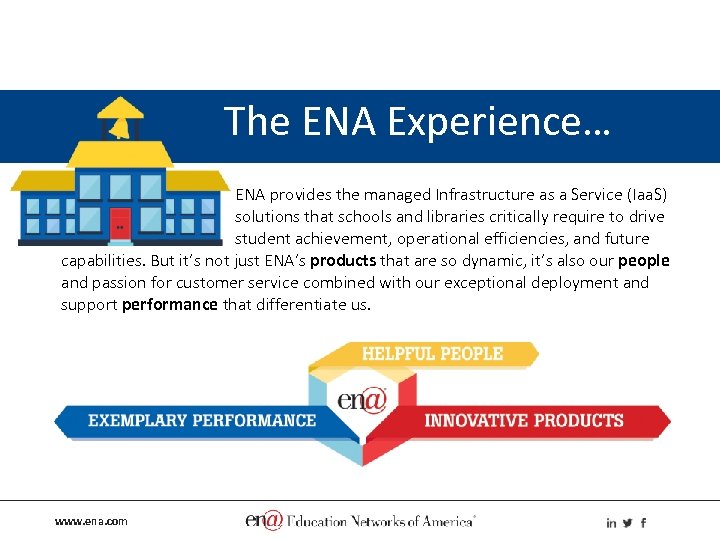 The ENA Experience… ENA provides the managed Infrastructure as a Service (Iaa. S) solutions that schools and libraries critically require to drive student achievement, operational efficiencies, and future capabilities. But it’s not just ENA’s products that are so dynamic, it’s also our people and passion for customer service combined with our exceptional deployment and support performance that differentiate us. www. ena. com
 www. ena. com
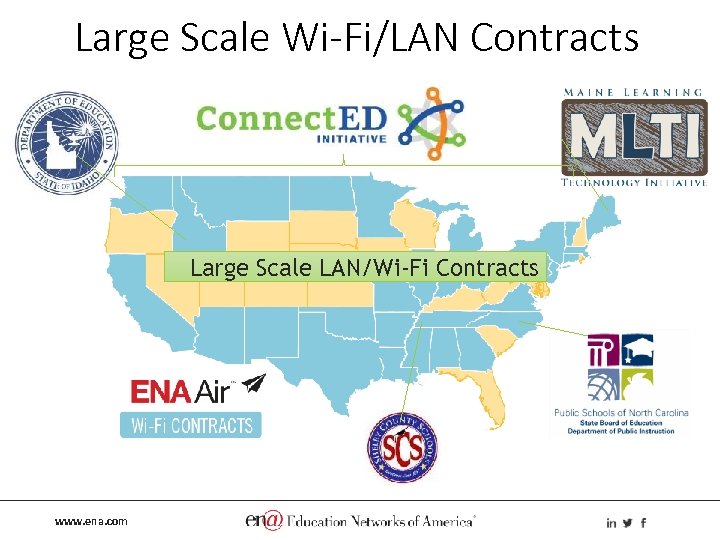 Large Scale Wi-Fi/LAN Contracts Large Scale LAN/Wi-Fi Contracts www. ena. com
 www. ena. com
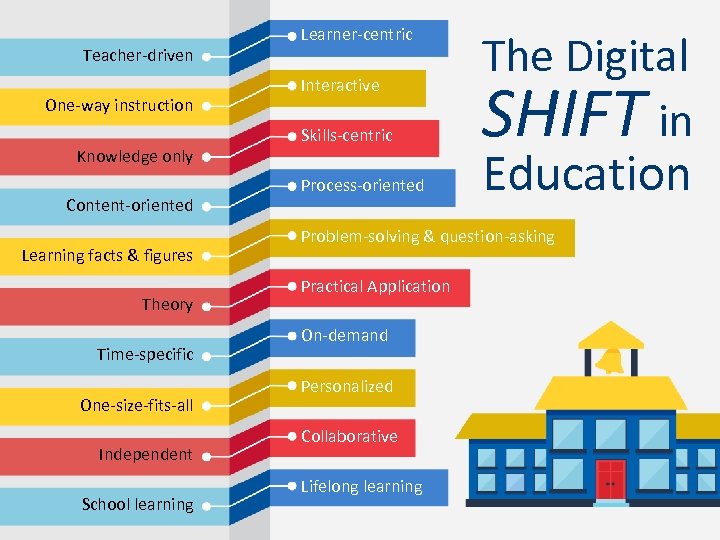 Teacher-driven One-way instruction Knowledge only Content-oriented Learning facts & figures Theory Time-specific One-size-fits-all Independent School learning www. ena. com Learner-centric Interactive Skills-centric Process-oriented The Digital SHIFT in Education Problem-solving & question-asking Practical Application On-demand Personalized Collaborative Lifelong learning
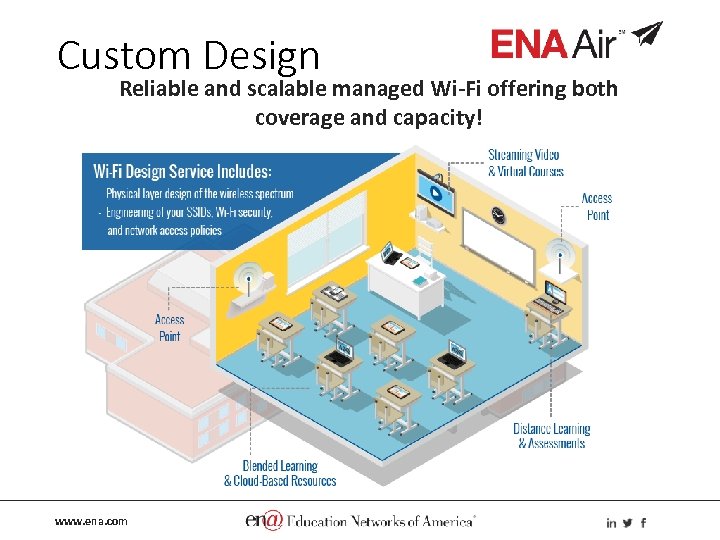 Custom Design Reliable and scalable managed Wi-Fi offering both coverage and capacity! www. ena. com
 Panelist Andrew von Nagy, Mobility Architect www. ena. com
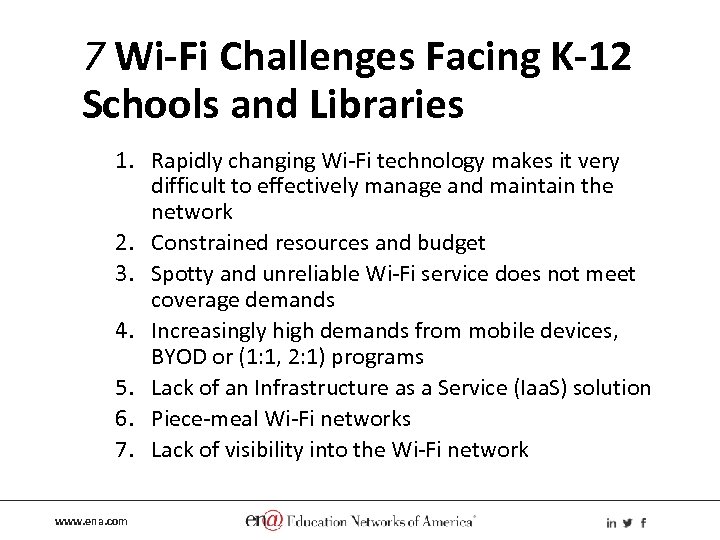 7 Wi-Fi Challenges Facing K-12 Schools and Libraries 1. Rapidly changing Wi-Fi technology makes it very difficult to effectively manage and maintain the network 2. Constrained resources and budget 3. Spotty and unreliable Wi-Fi service does not meet coverage demands 4. Increasingly high demands from mobile devices, BYOD or (1: 1, 2: 1) programs 5. Lack of an Infrastructure as a Service (Iaa. S) solution 6. Piece-meal Wi-Fi networks 7. Lack of visibility into the Wi-Fi network www. ena. com
 Poll Question 1 What is the most significant Wi-Fi challenge your school or library experiences? • Difficult to keep up with new technologies • Capacity and/or coverage issues • Lack of resources and/or budget to maintain or grow network • Increased demand from BYOD, 1: 1, and mobile devices • All of the above • Other www. ena. com
 The Value of Proper Wi-Fi Design Myths vs. Realities 1. 2. 3. 4. 5. 802. 11 ac Wave 2 APs are “Gigabit Wi-Fi” Peak Throughput Determines Performance Wider Channels Increase Capacity Just Add APs for Capacity Wi-Fi Design is Easy www. ena. com
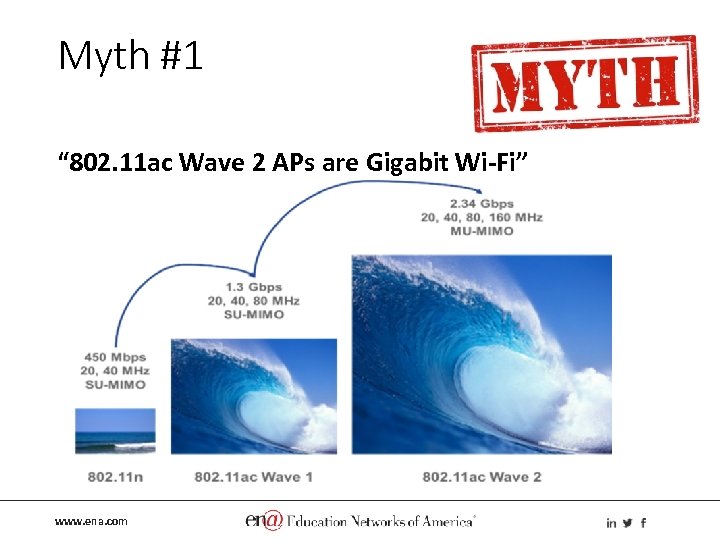 Myth #1 “ 802. 11 ac Wave 2 APs are Gigabit Wi-Fi” www. ena. com
 Reality #1 Wi-Fi cannot push Gigabit throughput “Gigabit Wi-Fi” Realities: 1. Marketing focuses on data rates 2. Existing APs can’t push Gigabit 3. RF is still the bottleneck (contention) 4. High-density environments have worse RF performance (overhead, mobile clients) 5. Wave 2 APs improve airtime efficiency, not peak throughput 6. Do you have a use-case for a single client pushing Gigabit throughput? Takeaway: Focus on density handling instead of peak speeds www. ena. com
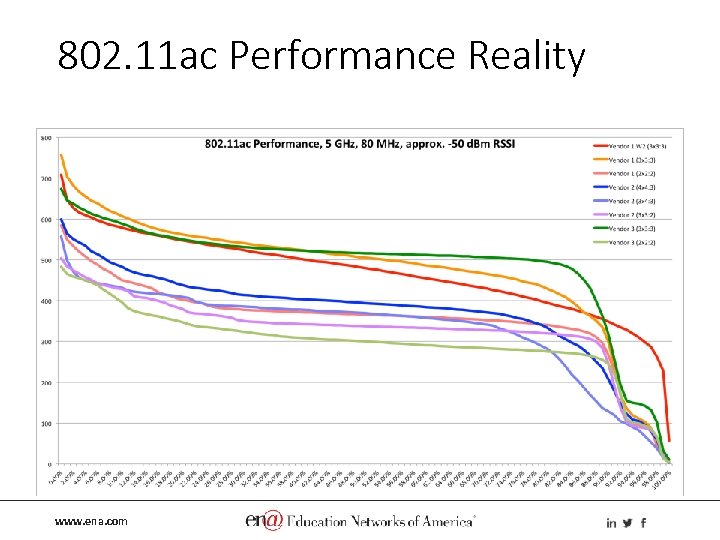 802. 11 ac Performance Reality www. ena. com
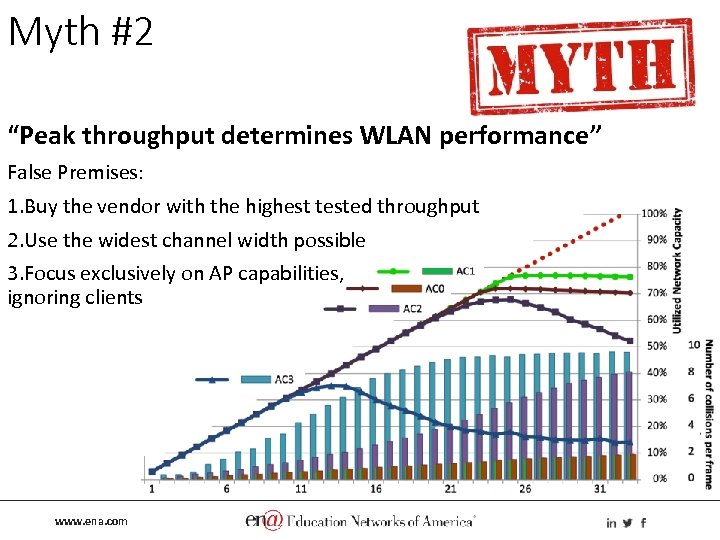 Myth #2 “Peak throughput determines WLAN performance” False Premises: 1. Buy the vendor with the highest tested throughput 2. Use the widest channel width possible 3. Focus exclusively on AP capabilities, ignoring clients www. ena. com
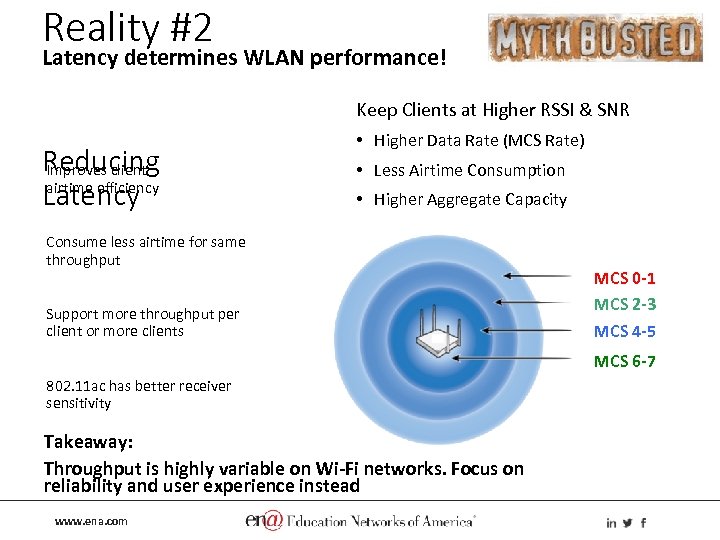 Reality #2 Latency determines WLAN performance! Keep Clients at Higher RSSI & SNR Reducing Improves client airtime efficiency Latency • Higher Data Rate (MCS Rate) • Less Airtime Consumption • Higher Aggregate Capacity Consume less airtime for same throughput Support more throughput per client or more clients MCS 0 -1 MCS 2 -3 MCS 4 -5 MCS 6 -7 802. 11 ac has better receiver sensitivity Takeaway: Throughput is highly variable on Wi-Fi networks. Focus on reliability and user experience instead www. ena. com
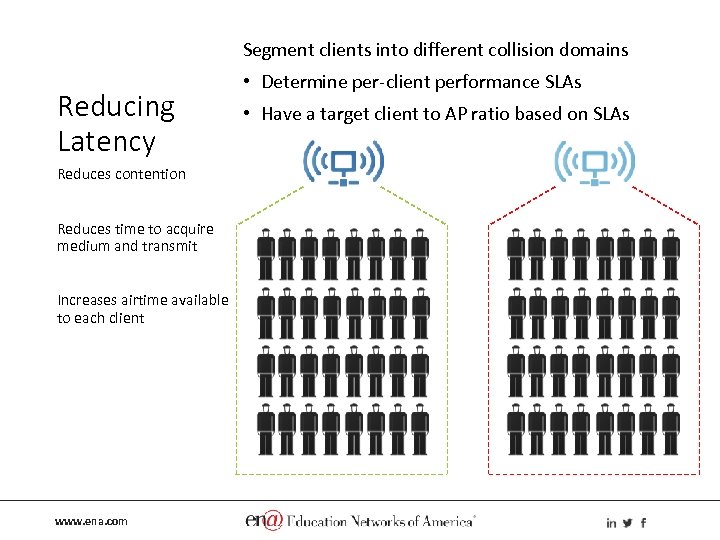 Segment clients into different collision domains Reducing Latency Reduces contention Reduces time to acquire medium and transmit Increases airtime available to each client www. ena. com • Determine per-client performance SLAs • Have a target client to AP ratio based on SLAs
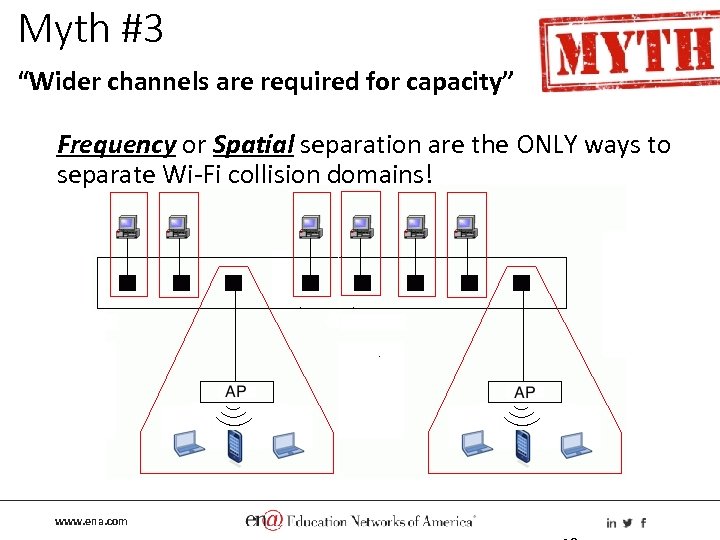 Myth #3 “Wider channels are required for capacity” Frequency or Spatial separation are the ONLY ways to separate Wi-Fi collision domains! www. ena. com
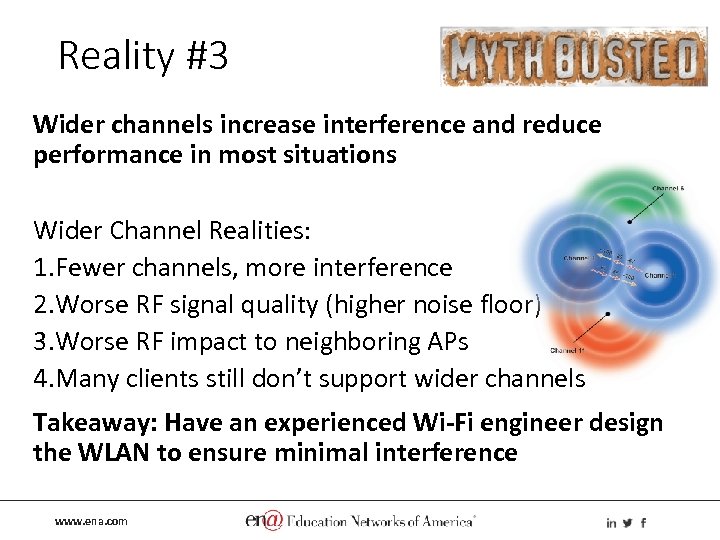 Reality #3 Wider channels increase interference and reduce performance in most situations Wider Channel Realities: 1. Fewer channels, more interference 2. Worse RF signal quality (higher noise floor) 3. Worse RF impact to neighboring APs 4. Many clients still don’t support wider channels Takeaway: Have an experienced Wi-Fi engineer design the WLAN to ensure minimal interference www. ena. com
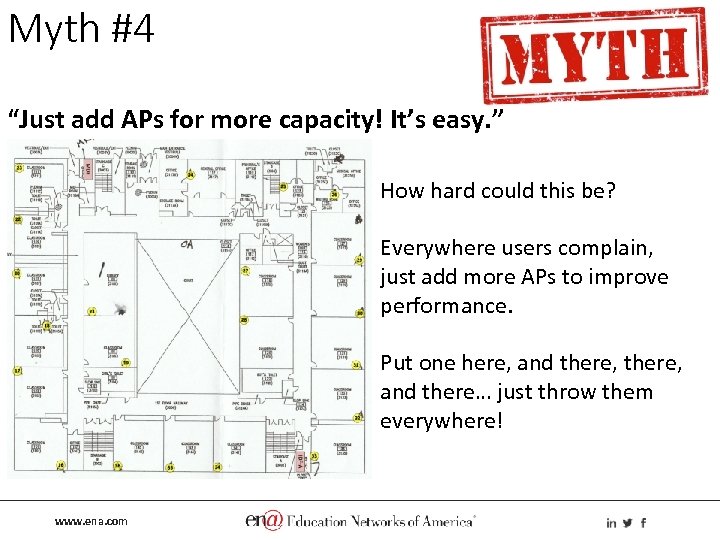 Myth #4 “Just add APs for more capacity! It’s easy. ” How hard could this be? Everywhere users complain, just add more APs to improve performance. Put one here, and there, and there… just throw them everywhere! www. ena. com
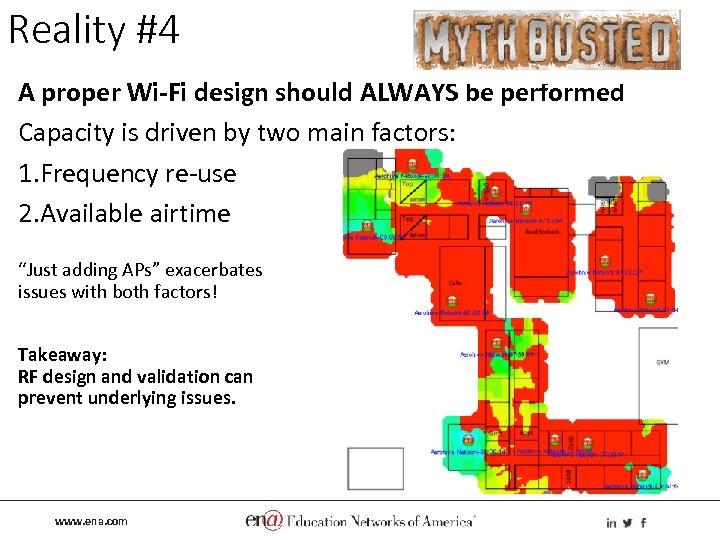 Reality #4 A proper Wi-Fi design should ALWAYS be performed Capacity is driven by two main factors: 1. Frequency re-use 2. Available airtime “Just adding APs” exacerbates issues with both factors! Takeaway: RF design and validation can prevent underlying issues. www. ena. com
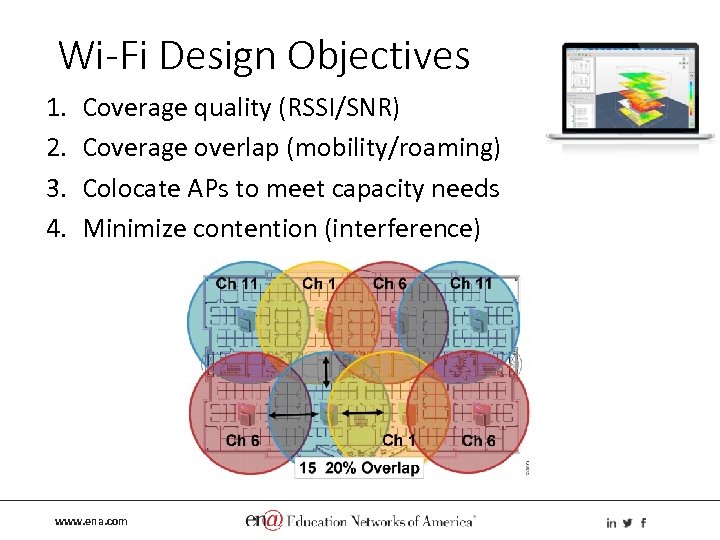 Wi-Fi Design Objectives 1. 2. 3. 4. Coverage quality (RSSI/SNR) Coverage overlap (mobility/roaming) Colocate APs to meet capacity needs Minimize contention (interference) www. ena. com
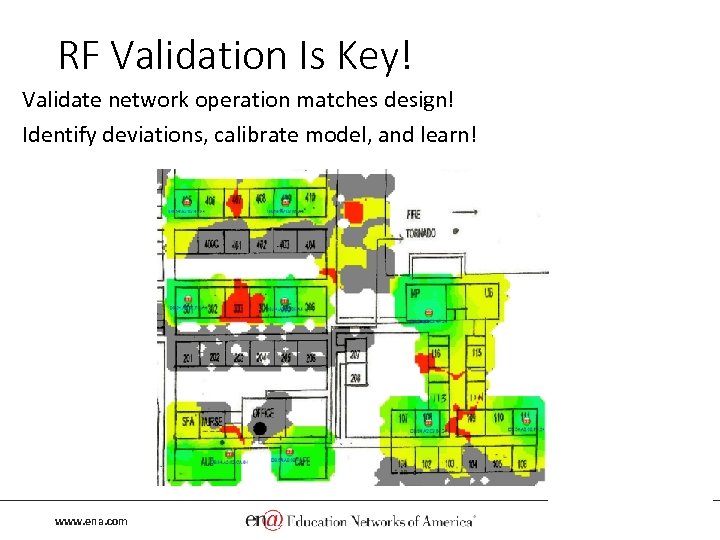 RF Validation Is Key! Validate network operation matches design! Identify deviations, calibrate model, and learn! www. ena. com
 Myth #5 “Anyone can design Wi-Fi because…” 1. The predictive modeling auto-places APs and optimizes channel plans 2. The product automatically adjusts for optimal performance “self-healing” 3. It’s just like my home Wi-Fi, which is easy Evaluate the vendor/integrator AS MUCH – if not more than – the Wi-Fi product manufacturer! www. ena. com
 Reality #5 An experienced Wi-Fi engineer should design WLANs! Evaluate vendors and integrators on the rigor of their WLAN design, installation, and validation process. 1. Take time to listen and understand criteria for success (technical and business, specifically in your industry) 2. Experienced and skilled staff 3. Up-front assessment and site visit 4. Thorough design using professional tools 5. Identify over-reliance on product marketing (e. g. product features handle it so we don’t design) 6. Post-install validation and tuning 7. Documentation and training Takeaway: Find and keep a trusted partner! www. ena. com
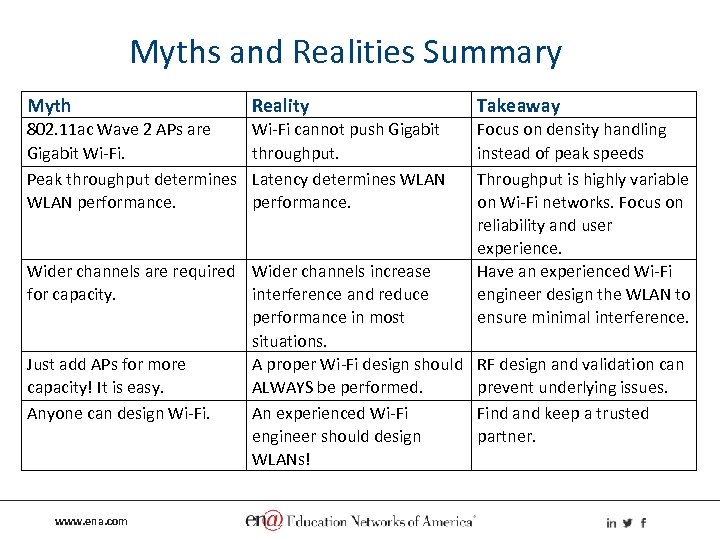 Myths and Realities Summary Myth Reality Takeaway 802. 11 ac Wave 2 APs are Gigabit Wi-Fi. Peak throughput determines WLAN performance. Wi-Fi cannot push Gigabit throughput. Latency determines WLAN performance. Focus on density handling instead of peak speeds Throughput is highly variable on Wi-Fi networks. Focus on reliability and user experience. Have an experienced Wi-Fi engineer design the WLAN to ensure minimal interference. Wider channels are required Wider channels increase for capacity. interference and reduce performance in most situations. Just add APs for more A proper Wi-Fi design should capacity! It is easy. ALWAYS be performed. Anyone can design Wi-Fi. An experienced Wi-Fi engineer should design WLANs! www. ena. com RF design and validation can prevent underlying issues. Find and keep a trusted partner.
 K-12 Education and Library Focus “Fortune favors the prepared mind. ” – Louis Pasteur ENA is focused on understanding the goals and success criteria that enable great outcomes: • Engaging key stakeholders and fostering discussion • Digital classroom instruction requirements • Applications that rely on the WLAN, and what success means for those applications Success is measured by perception! Teachers and patrons must have confidence in the solution to rely on it. www. ena. com
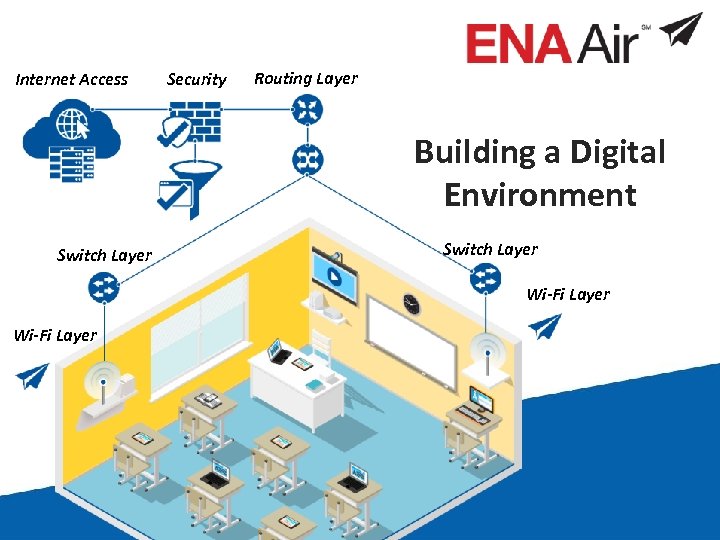 Internet Access Security Routing Layer Building a Digital Environment Switch Layer Wi-Fi Layer www. ena. com
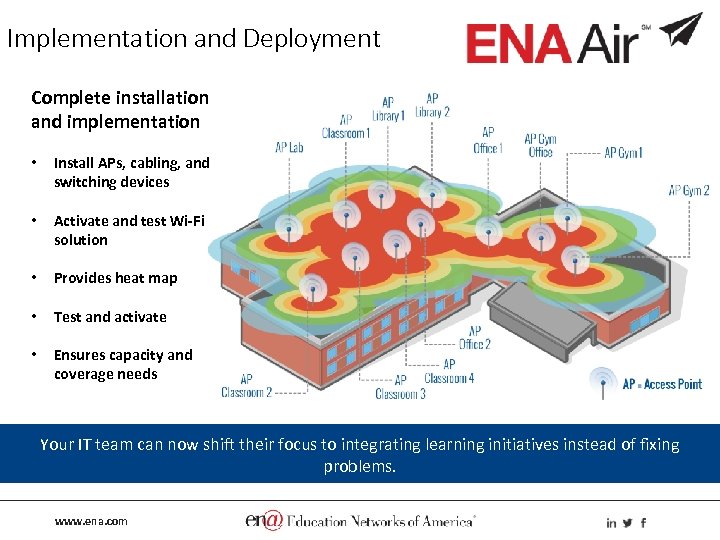 Implementation and Deployment Complete installation and implementation • Install APs, cabling, and switching devices • Activate and test Wi-Fi solution • Provides heat map • Test and activate • Ensures capacity and coverage needs Your IT team can now shift their focus to integrating learning initiatives instead of fixing problems. www. ena. com
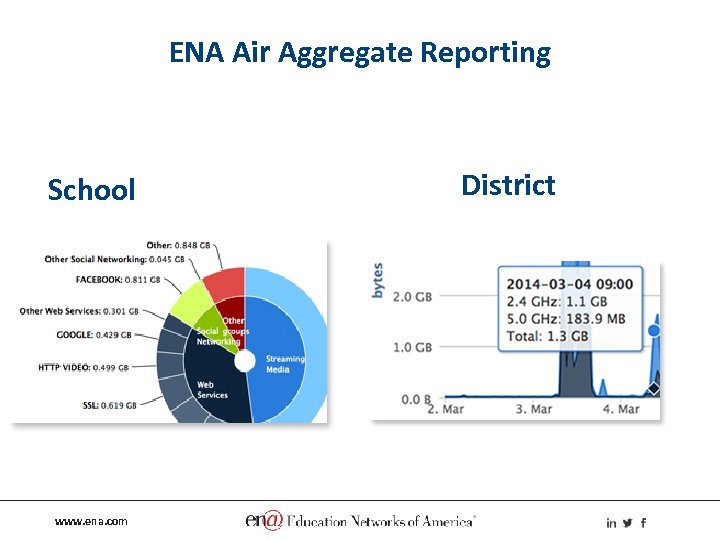 ENA Air Aggregate Reporting School www. ena. com District
 It takes more than good equipment to create a robust and reliable Wi-Fi network! • • • 24 x 7 x 365 proactive monitoring Software management Wi-Fi Engineering expertise Project management Maintenance Ongoing dedicated support ENA Air provides a managed Wi-Fi service that will meet or exceed your users’ needs. www. ena. com
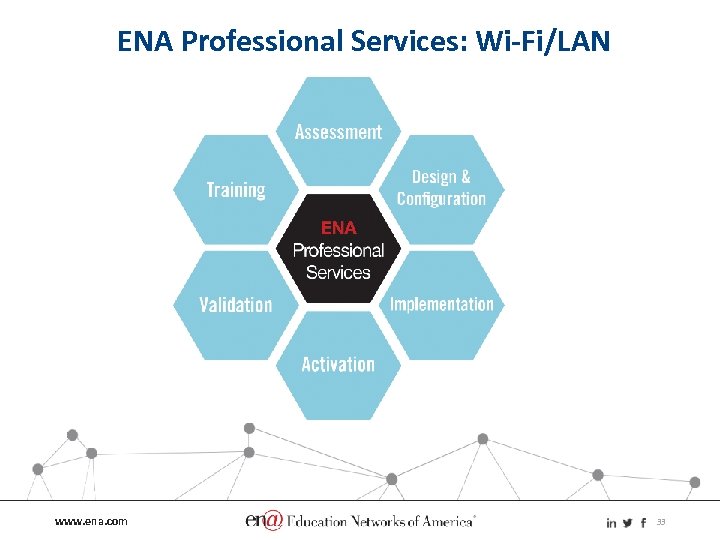 ENA Professional Services: Wi-Fi/LAN www. ena. com 33
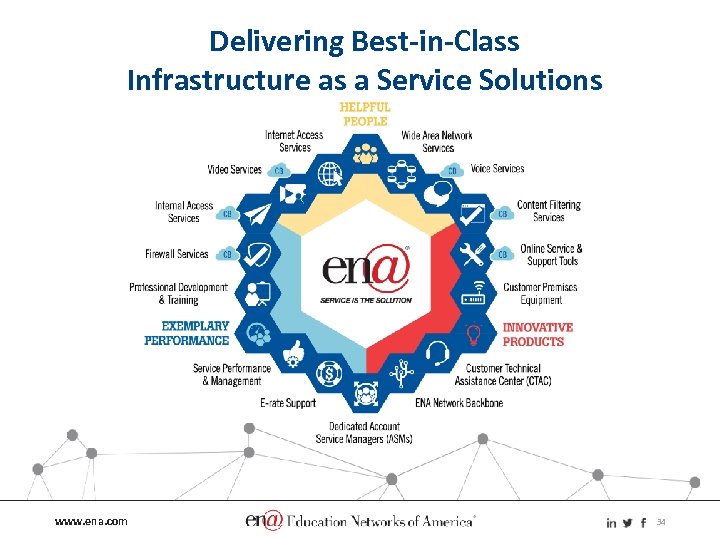 Delivering Best-in-Class Infrastructure as a Service Solutions www. ena. com 34
 www. ena. com
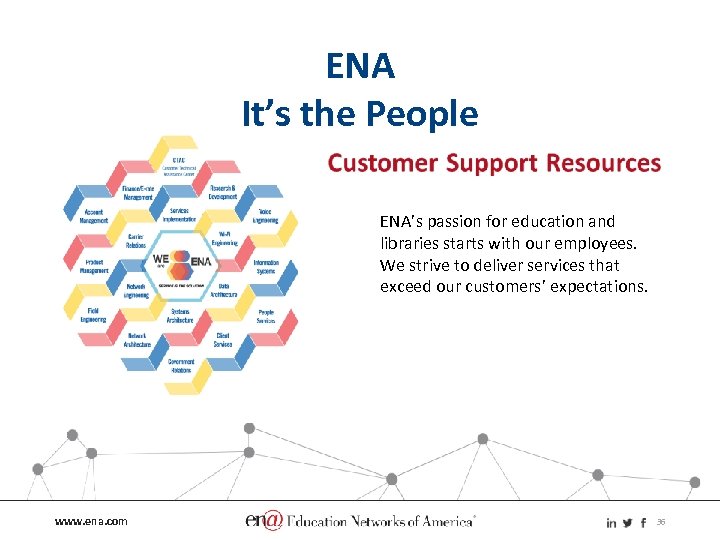 ENA It’s the People ENA’s passion for education and libraries starts with our employees. We strive to deliver services that exceed our customers’ expectations. www. ena. com 36
 Q&A Andrew von Nagy avonnagy@ena. com www. ena. com 37