


 Скачать презентацию The Maximum Automation with the Minimum Engineering Full
eaf24aef0e15830757952b72b68a1848.ppt
- Количество слайдов: 24
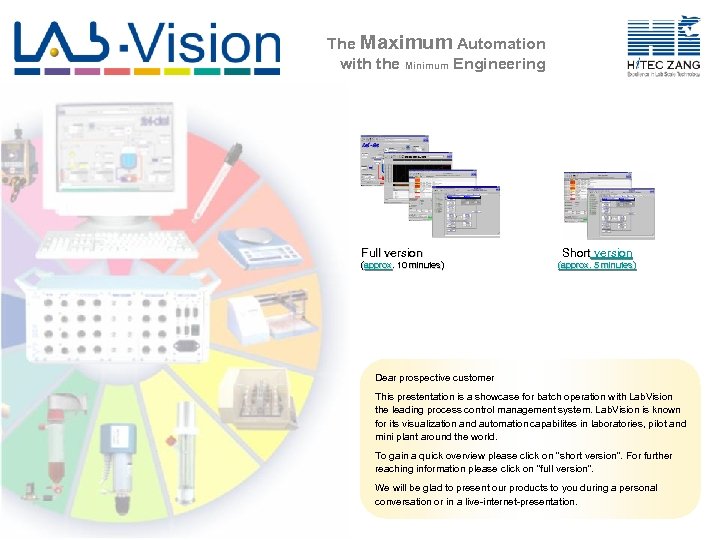 The Maximum Automation with the Minimum Engineering Full version (approx. 10 minutes) approx. Short version (approx. 5 minutes) Dear prospective customer This prestentation is a showcase for batch operation with Lab. Vision the leading process control management system. Lab. Vision is known for its visualization and automation capabilites in laboratories, pilot and mini plant around the world. To gain a quick overview please click on "short version". For further reaching information please click on "full version". We will be glad to present our products to you during a personal conversation or in a live-internet-presentation.
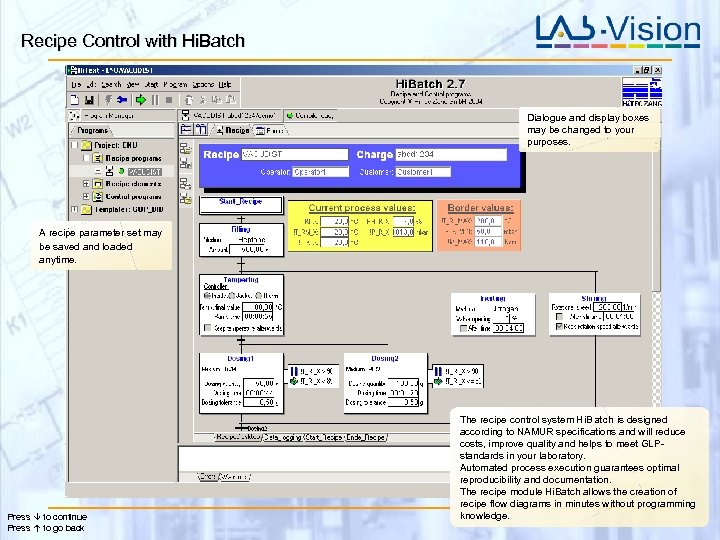 Recipe Control with Hi. Batch Dialogue and display boxes may be changed to your purposes. A recipe parameter set may be saved and loaded anytime. Press to continue Press to go back The recipe control system Hi. Batch is designed according to NAMUR specifications and will reduce costs, improve quality and helps to meet GLPstandards in your laboratory. Automated process execution guarantees optimal reproducibility and documentation. The recipe module Hi. Batch allows the creation of recipe flow diagrams in minutes without programming knowledge.
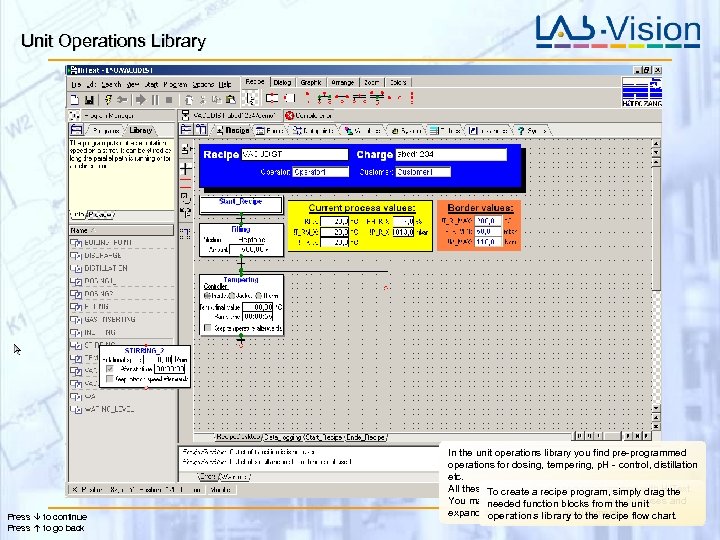 Unit Operations Library Press to continue Press to go back In the unit operations library you find pre-programmed operations for dosing, tempering, p. H - control, distillation etc. All these To create have been programmed with Hi. Text. functions a recipe program, simply drag the You mayneeded these functions from the unit modify function blocks to your purposes and expand the library to the recipe flow chart. operations your requirements.
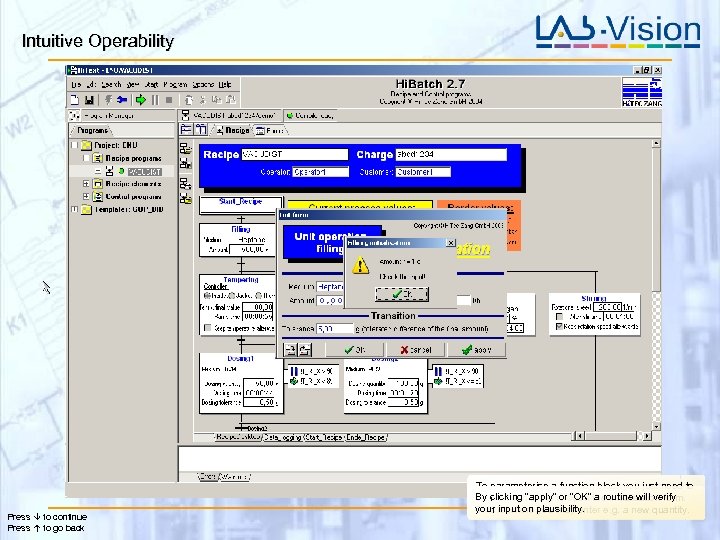 Intuitive Operability 0, 00 Press to continue Press to go back To parameterise a function block you just need to By clicking “apply”to open the initialisation form. click on it in order or “OK” a routine will verify your is where plausibility. This input on you may enter e. g. a new quantity.
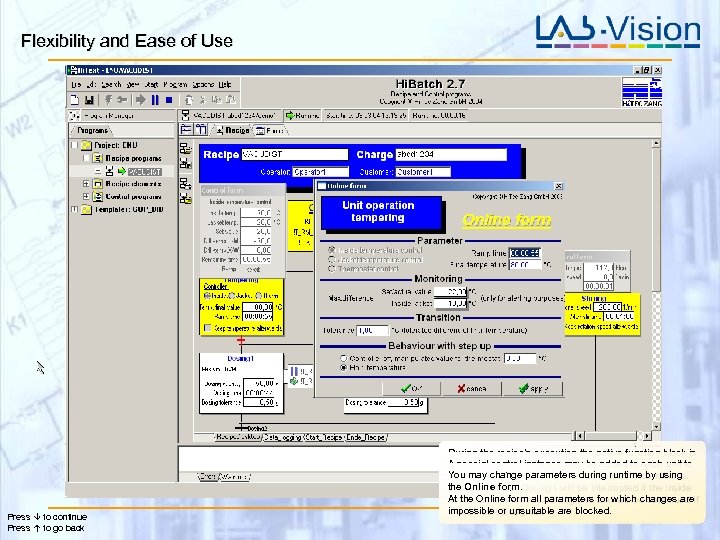 Flexibility and Ease of Use Press to continue Press to go back During the recipe’s execution the active function block is A special control a control form be added to each unit to dyed yellow and instance may with relevant values is You may continueparameters during runtimeconditions. stop and change its operation at definable by using shown. the Online form. the stepwill be interrupted bethe inside In this example, Dosing 1 and its result will if saved in The execution of At the Onlineexceeds anddegrees fordocumented in aareif temperature form all parameters and will be continued the monitoring report 90 optionally which changes impossible 85 degrees. are blocked. it declines or unsuitable form. free composeable protocol
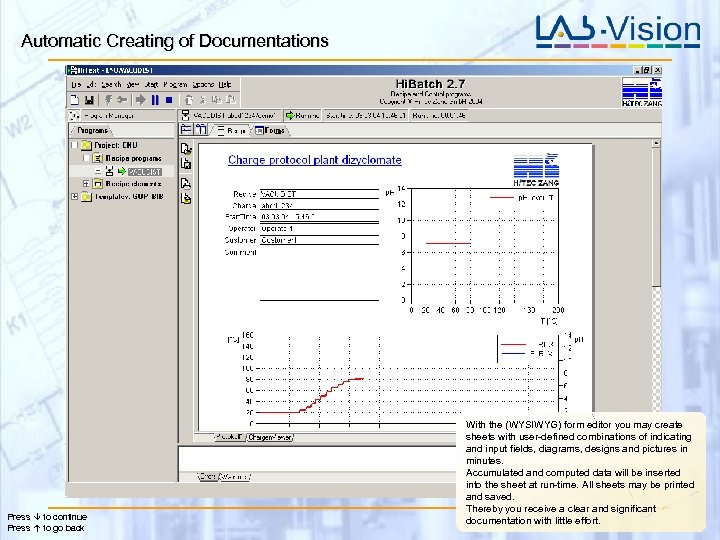 Automatic Creating of Documentations Press to continue Press to go back With the (WYSIWYG) form editor you may create sheets with user-defined combinations of indicating and input fields, diagrams, designs and pictures in minutes. Accumulated and computed data will be inserted into the sheet at run-time. All sheets may be printed and saved. Thereby you receive a clear and significant documentation with little effort.
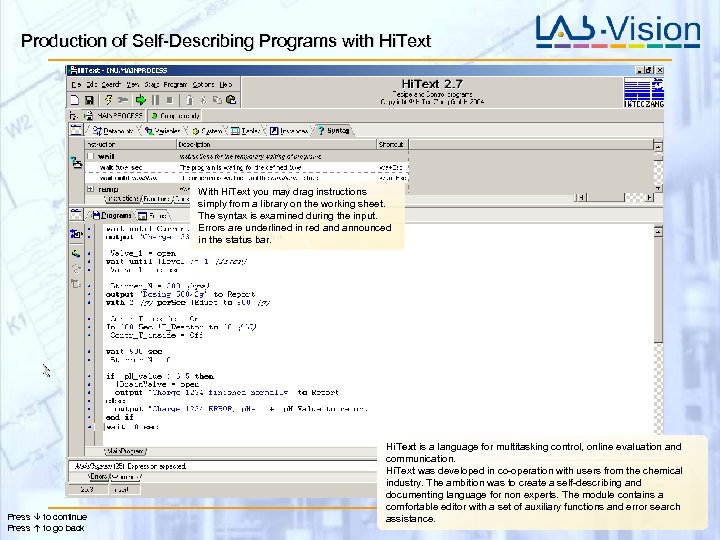 Production of Self-Describing Programs with Hi. Text With Hi. Text you may drag instructions simply from a library on the working sheet. The syntax is examined during the input. Errors are underlined in red announced in the status bar. Press to continue Press to go back Hi. Text is a language for multitasking control, online evaluation and communication. Hi. Text was developed in co-operation with users from the chemical industry. The ambition was to create a self-describing and documenting language for non experts. The module contains a comfortable editor with a set of auxiliary functions and error search assistance.
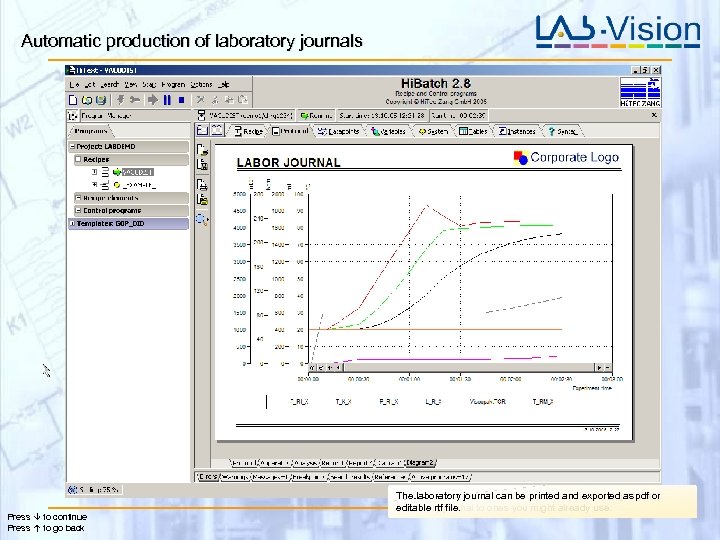 Automatic production of laboratory journals Press to continue Press to go back The selection journal can be stored you may adjust event. With the Labvision modul Laborjournal periodically as that Yourlaboratory of values willpresented in a clearly and freely All your worksheets will bebe printed and exportedandpdf or editable rtf file. laboratory journal ones you diagrams. controlled and cantoand xy/xt –might with comments. configurable tables be supplemented already use.
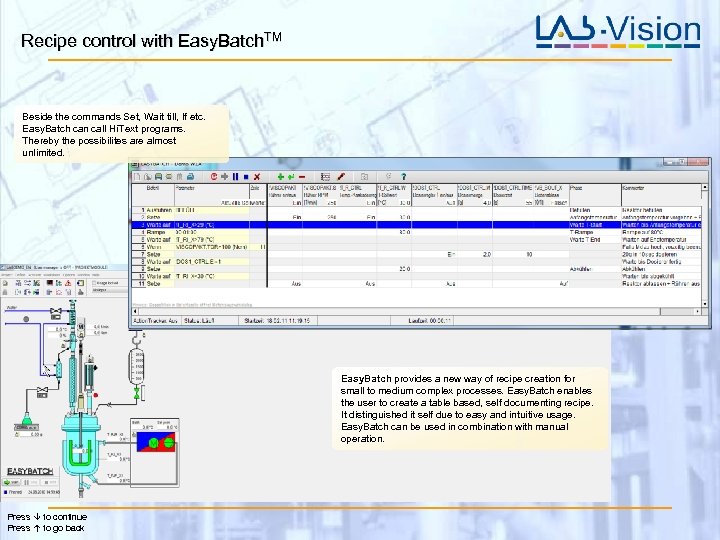 Recipe control with Easy. Batch. TM Beside the commands Set, Wait till, If etc. Easy. Batch can call Hi. Text programs. Thereby the possibilites are almost unlimited. Easy. Batch provides a new way of recipe creation for small to medium complex processes. Easy. Batch enables the user to create a table based, self documenting recipe. It distinguished it self due to easy and intuitive usage. Easy. Batch can be used in combination with manual operation. Press to continue Press to go back
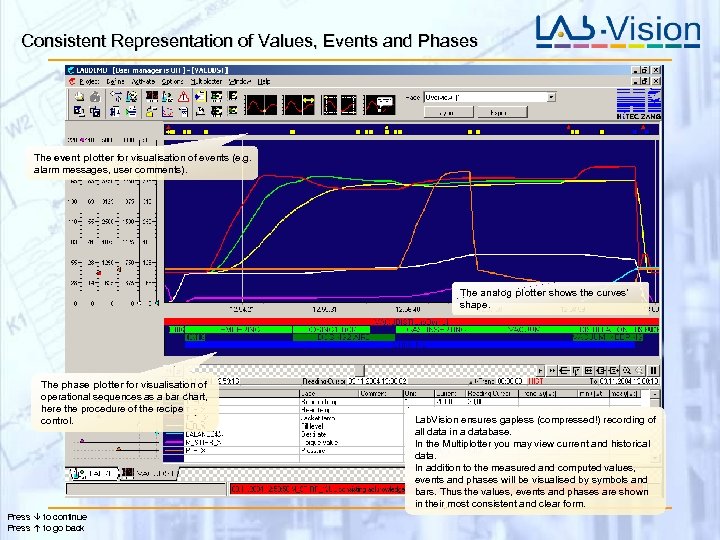 Consistent Representation of Values, Events and Phases The event plotter for visualisation of events (e. g. alarm messages, user comments). The analog plotter shows the curves’ shape. The phase plotter for visualisation of operational sequences as a bar chart, here the procedure of the recipe control. Press to continue Press to go back Lab. Vision ensures gapless (compressed!) recording of all data in a database. In the Multiplotter you may view current and historical data. In addition to the measured and computed values, events and phases will be visualised by symbols and bars. Thus the values, events and phases are shown in their most consistent and clear form.
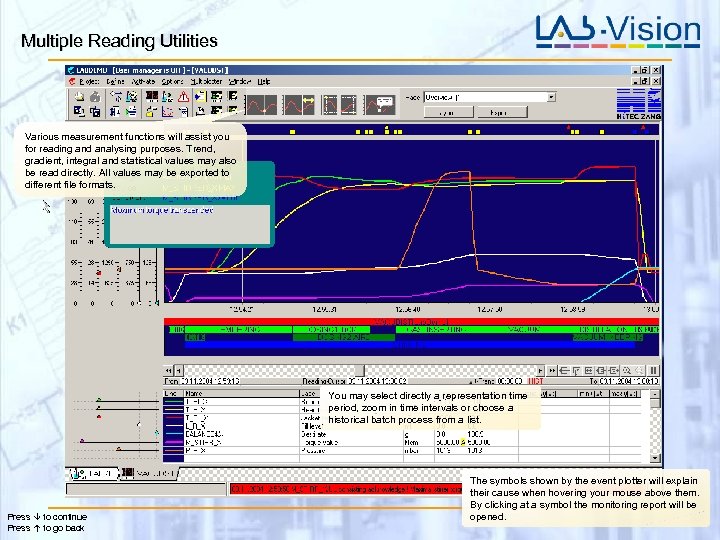 Multiple Reading Utilities Various measurement functions will assist you for reading and analysing purposes. Trend, gradient, integral and statistical values may also be read directly. All values may be exported to different file formats. You may select directly a representation time period, zoom in time intervals or choose a historical batch process from a list. Press to continue Press to go back The symbols shown by the event plotter will explain their cause when hovering your mouse above them. By clicking at a symbol the monitoring report will be opened.
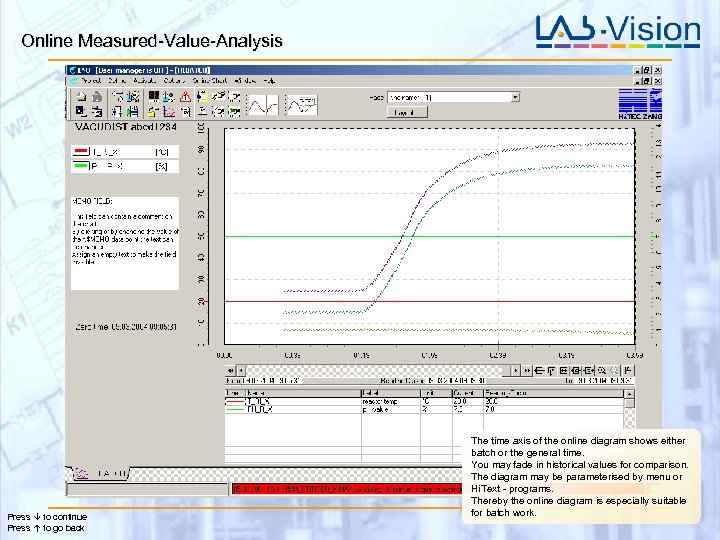 Online Measured-Value-Analysis Press to continue Press to go back The time axis of the online diagram shows either batch or the general time. You may fade in historical values for comparison. The diagram may be parameterised by menu or Hi. Text - programs. Thereby the online diagram is especially suitable for batch work.
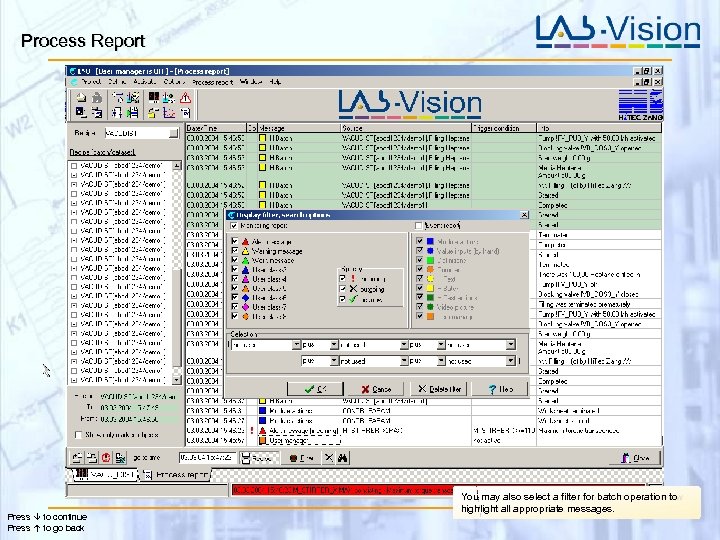 Process Report Press to continue Press to go back You may filters will help you to retain the overview Selection also select a filter for batch operation to highlight all appropriate even with many entries. messages.
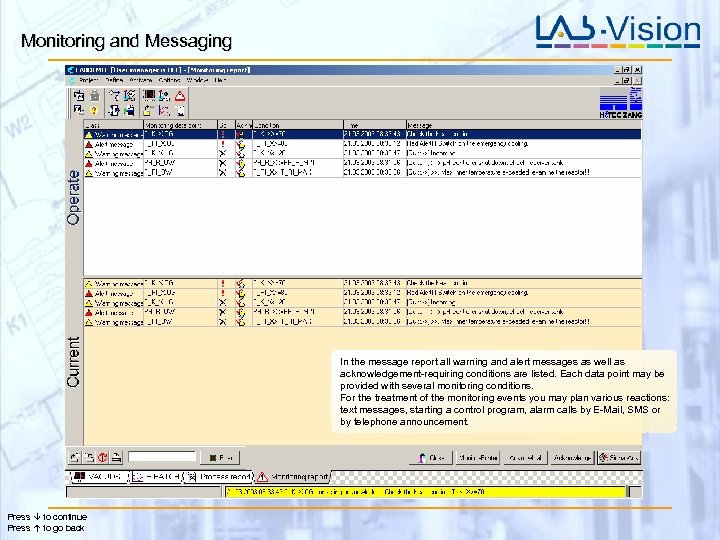 Monitoring and Messaging In the message report all warning and alert messages as well as acknowledgement-requiring conditions are listed. Each data point may be provided with several monitoring conditions. For the treatment of the monitoring events you may plan various reactions: text messages, starting a control program, alarm calls by E-Mail, SMS or by telephone announcement. Press to continue Press to go back
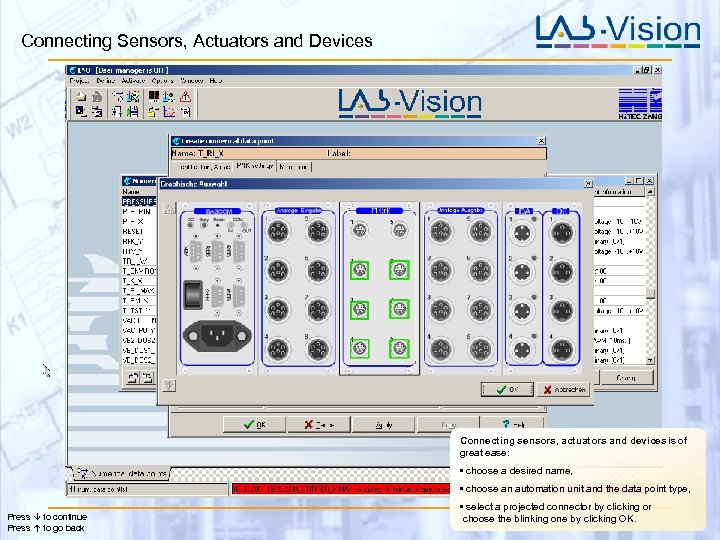 Connecting Sensors, Actuators and Devices T_RI_X Connecting sensors, actuators and devices is of great ease: • choose a desired name, • choose an automation unit and the data point type, Press to continue Press to go back • select a projected connector by clicking or choose the blinking one by clicking OK.
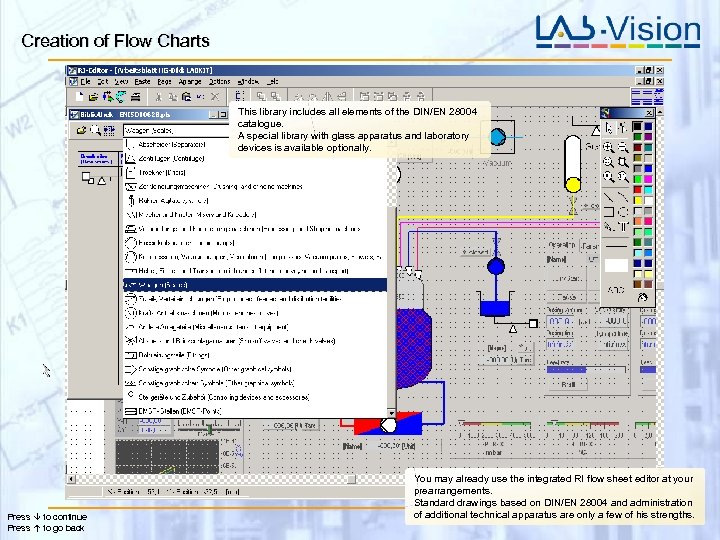 Creation of Flow Charts This library includes all elements of the DIN/EN 28004 catalogue. A special library with glass apparatus and laboratory devices is available optionally. Press to continue Press to go back You may already use the integrated RI flow sheet editor at your prearrangements. Standard drawings based on DIN/EN 28004 and administration of additional technical apparatus are only a few of his strengths.
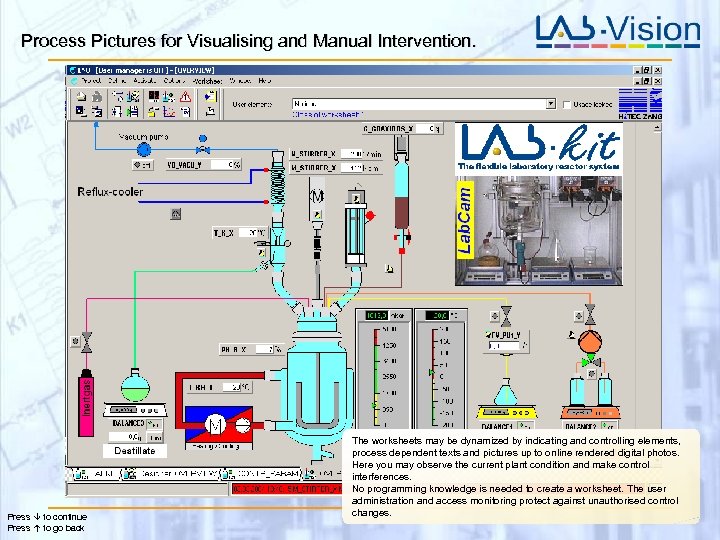 Process Pictures for Visualising and Manual Intervention. Press to continue Press to go back The worksheets may be dynamized by indicating and controlling elements, process dependent texts and pictures up to online rendered digital photos. Here you may observe the current plant condition and make control interferences. No programming knowledge is needed to create a worksheet. The user administration and access monitoring protect against unauthorised control changes.
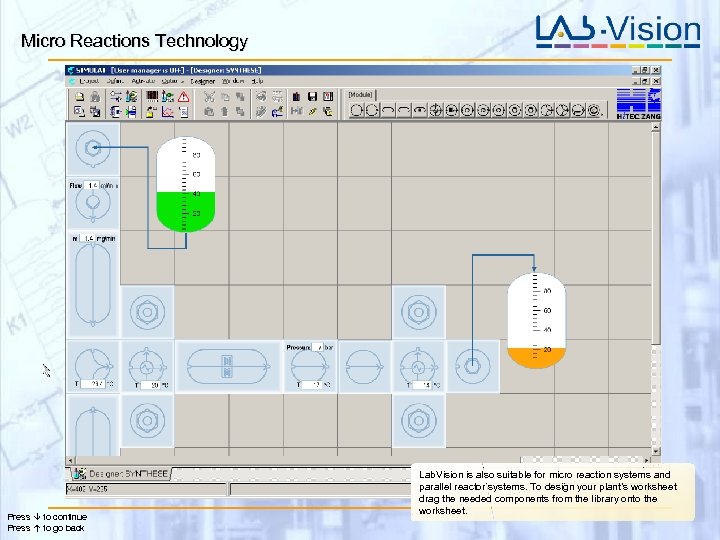 Micro Reactions Technology Press to continue Press to go back Lab. Vision is also suitable for micro reaction systems and parallel reactor systems. To design your plant’s worksheet drag the needed components from the library onto the worksheet.
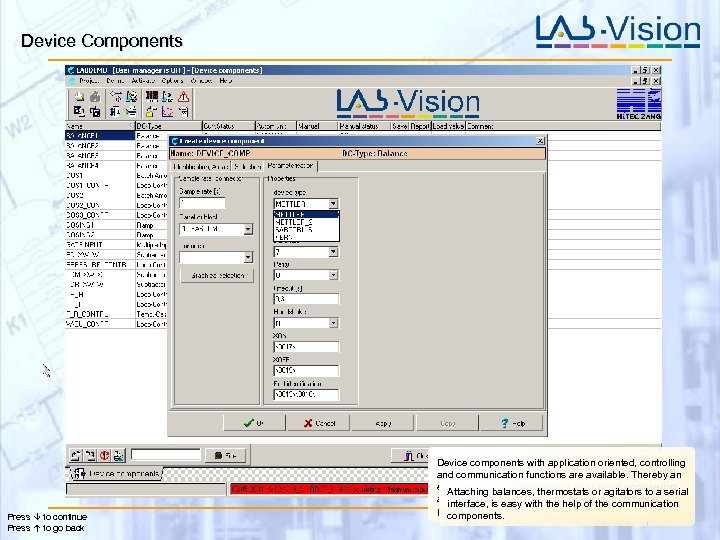 Device Components Press to continue Press to go back Realisation of these functionalities with conventional Device components with application oriented, controlling systems requires extensive controlling knowledge and communication functions are available. Thereby an muchrealisation of automation and central engineering the controller easy time to establish thermostats orparameters. With Attaching balances, thedosing-, temperature -, p. H or vacuum control is serial Lab. Manager it is simple, since theagitators to a asinterface, is easy with the help of theapplication communication orientated device components parameterise themselves. possible. components.
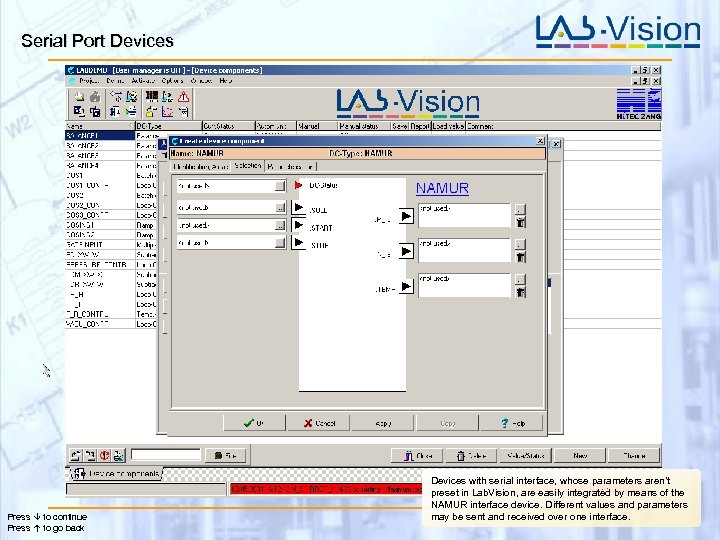 Serial Port Devices Press to continue Press to go back Devices with serial interface, whose parameters aren’t preset in Lab. Vision, are easily integrated by means of the NAMUR interface device. Different values and parameters may be sent and received over one interface.
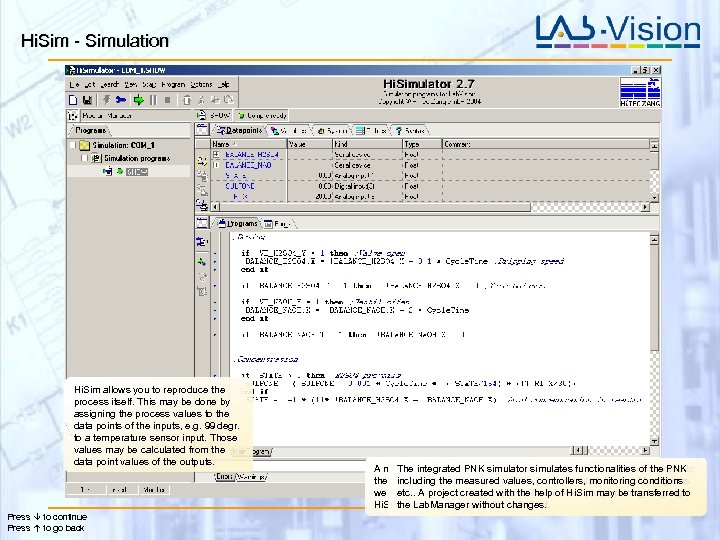 Hi. Sim - Simulation Hi. Sim allows you to reproduce the process itself. This may be done by assigning the process values to the data points of the inputs, e. g. 99 degr. to a temperature sensor input. Those values may be calculated from the data point values of the outputs. Press to continue Press to go back A new project may be developed and tested without a PNK connected to The integrated PNK simulator simulates functionalities of the PNK the computer thereby makingvalues, controllers, monitoring conditions including the measured it possible to simulate the Lab. Manager as well as the whole process or plant. The needed programming language etc. . A project created with the help of Hi. Sim may be transferred to Hi. Sim is in major partswithout changes. the Lab. Manager similar to Hi. Text.
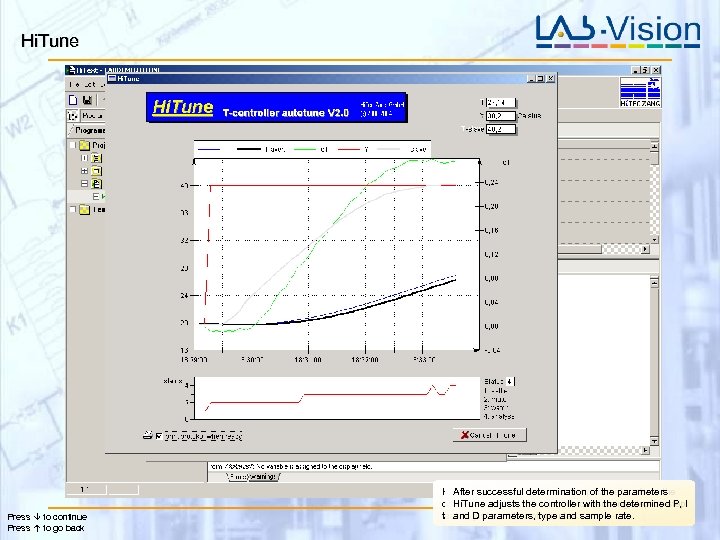 Hi. Tune Press to continue Press to go back Hi. Tune successful the controller parameters from the After calculates determination of the parameters controlled system. the controllerconsuming step-by-step. I Hi. Tune adjusts So this time with the determined P, task is D parameters, type and sample rate. and just a matter of minutes.
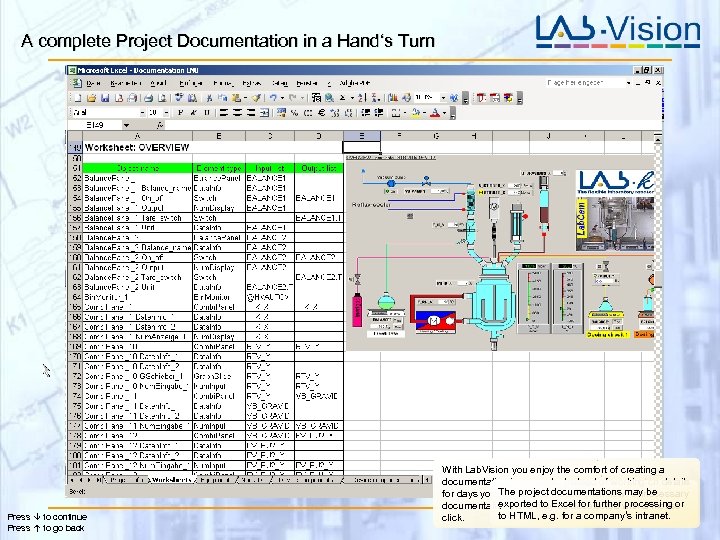 A complete Project Documentation in a Hand‘s Turn Press to continue Press to go back With Lab. Vision you enjoy the comfort of creating a documentation in seconds. Instead of working on details for days you The need a mouse-click now. Unnecessary just project documentations may be exportedmay be deselected with a mouse documentation parts to Excel for further processing or to HTML, e. g. for a company‘s intranet. click.
 The Maximum Automation, with the Minimum Engineering Thank you for your interest! We would be pleased, if this presentation could convince you. This presentation showed batch operating. Lab. Vision is evenly qualified for continuous processes! With the Lab. Vision Demo version on this CD, you may explore the program on your own. We would be glad to demonstrate Lab. Vision to you in person. You may have special questions afterwards. For further information on this as to any other of our products we will be at your service under +49 (0) 2407 91010 -10 or info@hitec-zang. de. Best regards, Hi. Tec Zang Gmb. H www. hitec-zang. com