Скачать презентацию The Institute of Cost Accountants of India ERODE
ffe17037fea08502f1c2e0f9754a1670.ppt
- Количество слайдов: 51
 The Institute of Cost Accountants of India ERODE CHAPTER Migration to GST 1 st July 2017 --6. 00 p. m to 9. 00 p. m. By CMA D. PRABAKARAN M. Com. , ACMA Practicing Cost Accountant
 GST Introduction • The Goods and Service Tax (GST) is proposed to be introduced soon and as a part of this, existing dealers under TNVAT Act have to be migrated to the GST portal. This migration exercise will commence • shortly. All the dealers in Tamil. Nadu under TNVAT have to follow the below process flow to register in GST successfully.
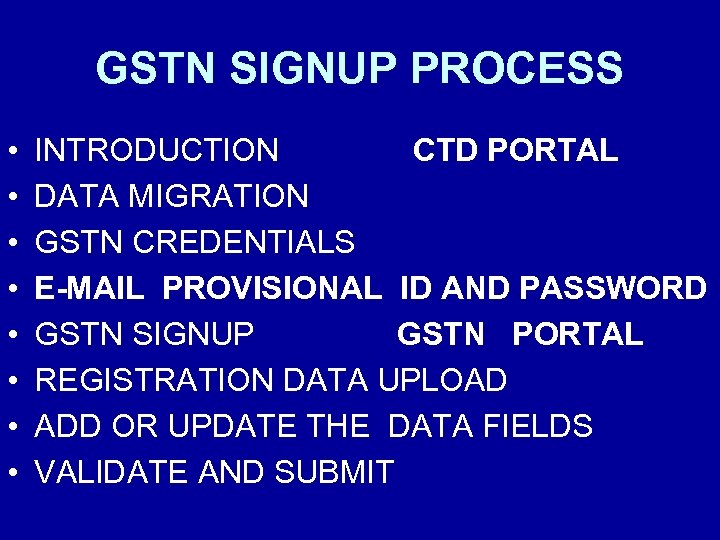
 GST Sign up process • INTRODUCTION CTD PORTAL (ctd. tn. gov. in) • DATA MIGRATION • GSTN CREDENTIALS • GSTN SIGNUP GSTN PORTAL • REGISTRATION DATA UPLOAD • ADD OR UPDATE THE DATA FIELDS • VALIDATE AND SUBMIT (gst. gov. in)
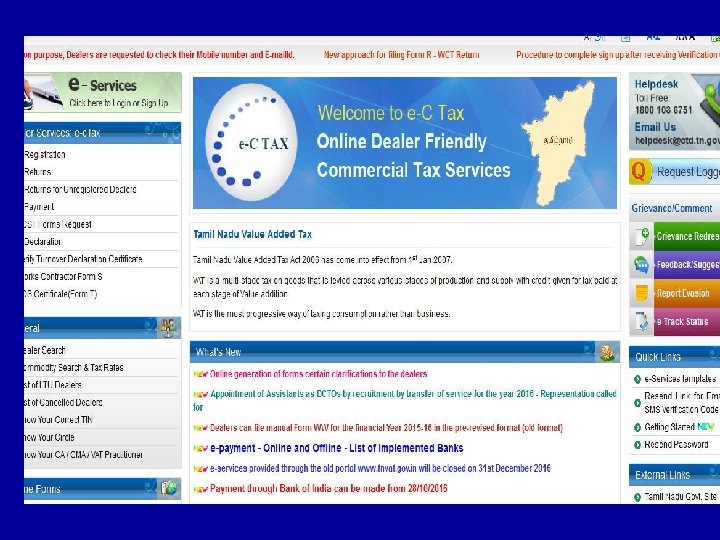
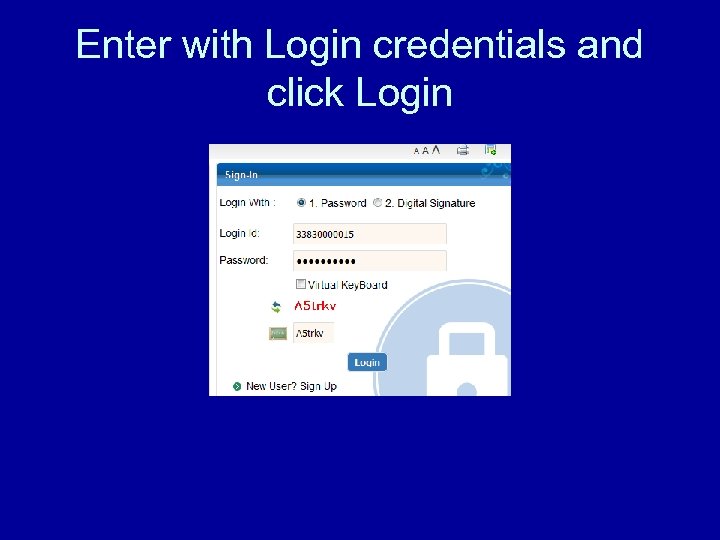 Enter with Login credentials and click Login
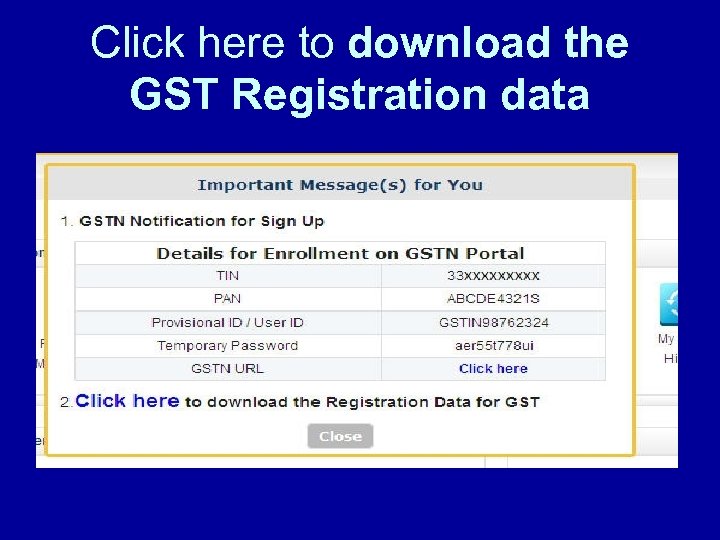 Click here to download the GST Registration data
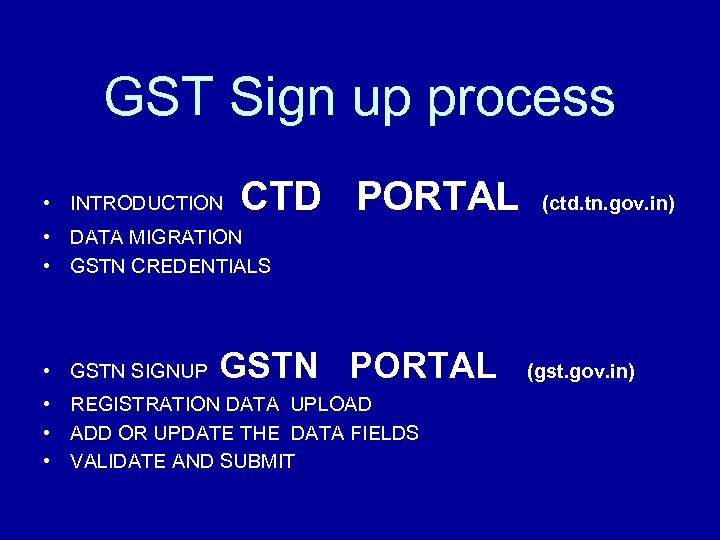
 GSTN SIGNUP PROCESS • • INTRODUCTION CTD PORTAL DATA MIGRATION GSTN CREDENTIALS E-MAIL PROVISIONAL ID AND PASSWORD GSTN SIGNUP GSTN PORTAL REGISTRATION DATA UPLOAD ADD OR UPDATE THE DATA FIELDS VALIDATE AND SUBMIT
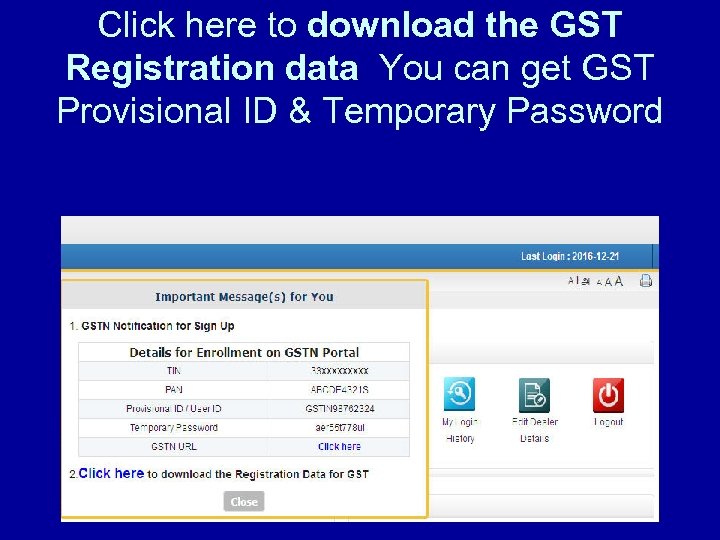 Click here to download the GST Registration data You can get GST Provisional ID & Temporary Password
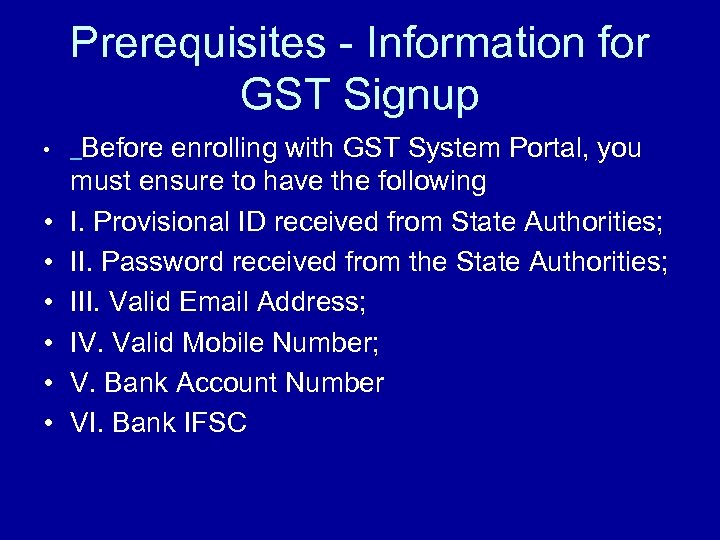 Prerequisites - Information for GST Signup • Before enrolling with GST System Portal, you • • • must ensure to have the following I. Provisional ID received from State Authorities; II. Password received from the State Authorities; III. Valid Email Address; IV. Valid Mobile Number; V. Bank Account Number VI. Bank IFSC
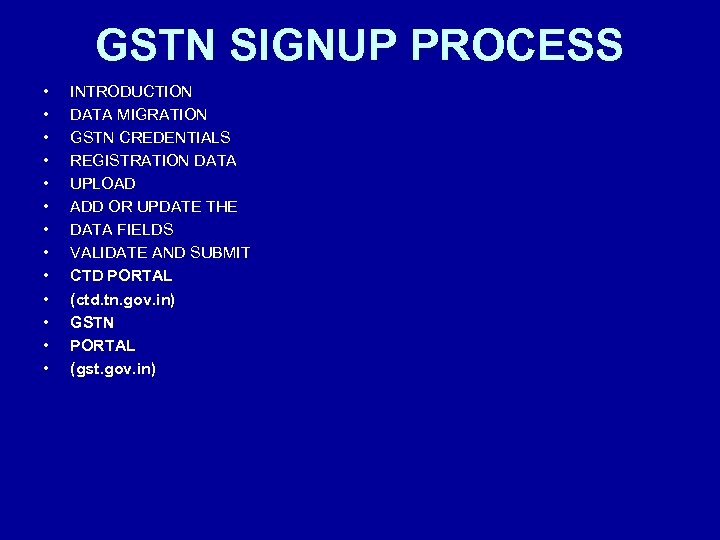 GSTN SIGNUP PROCESS • • • • INTRODUCTION DATA MIGRATION GSTN CREDENTIALS REGISTRATION DATA UPLOAD ADD OR UPDATE THE DATA FIELDS VALIDATE AND SUBMIT CTD PORTAL (ctd. tn. gov. in) GSTN PORTAL (gst. gov. in)
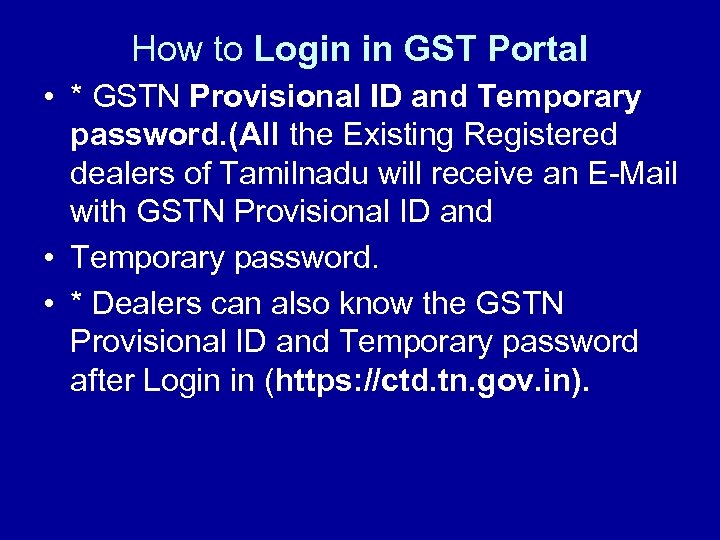 How to Login in GST Portal • * GSTN Provisional ID and Temporary password. (All the Existing Registered dealers of Tamilnadu will receive an E-Mail with GSTN Provisional ID and • Temporary password. • * Dealers can also know the GSTN Provisional ID and Temporary password after Login in (https: //ctd. tn. gov. in).
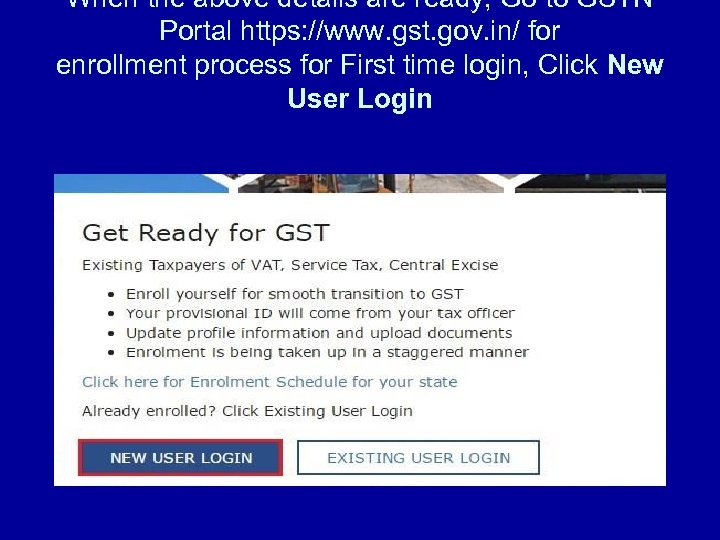 When the above details are ready, Go to GSTN Portal https: //www. gst. gov. in/ for enrollment process for First time login, Click New User Login
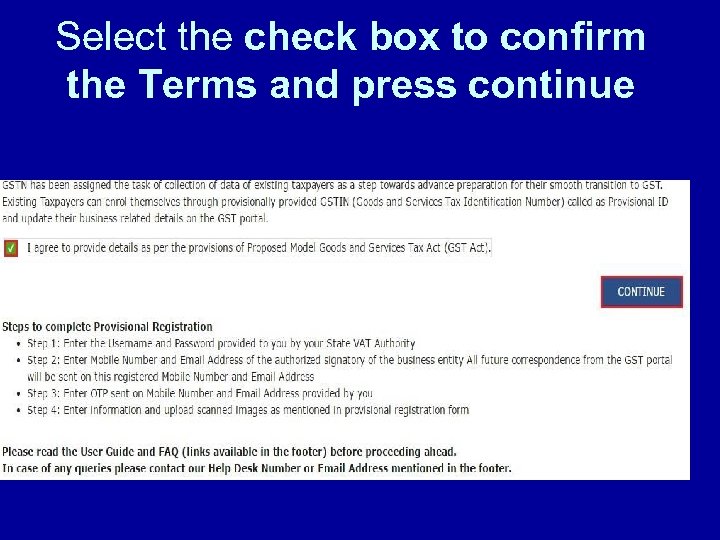 Select the check box to confirm the Terms and press continue
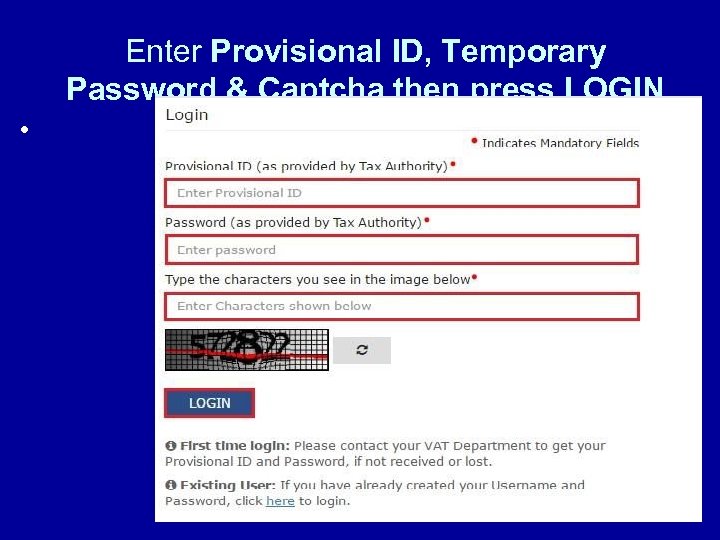 Enter Provisional ID, Temporary Password & Captcha then press LOGIN •
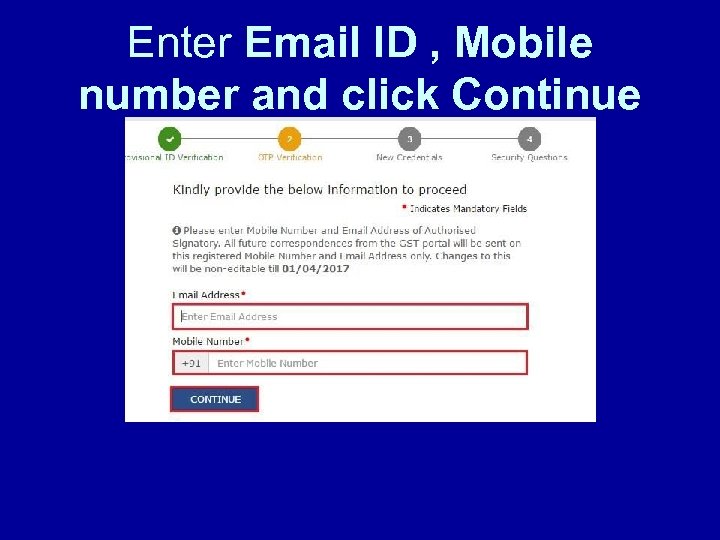 Enter Email ID , Mobile number and click Continue
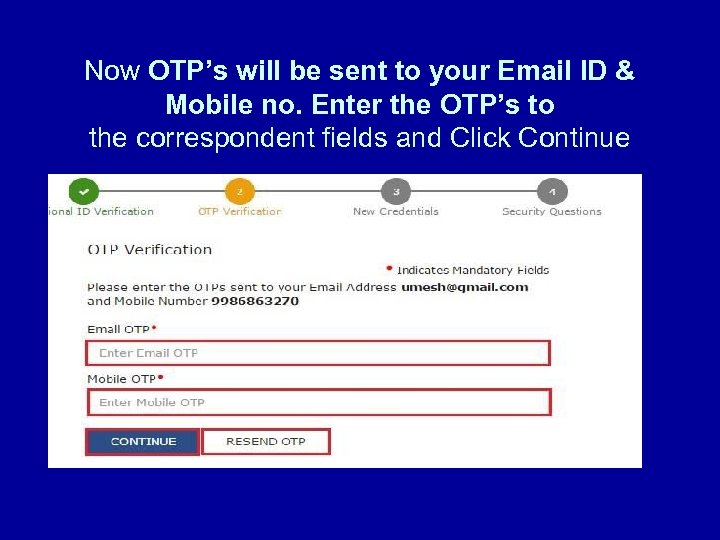 Now OTP’s will be sent to your Email ID & Mobile no. Enter the OTP’s to the correspondent fields and Click Continue
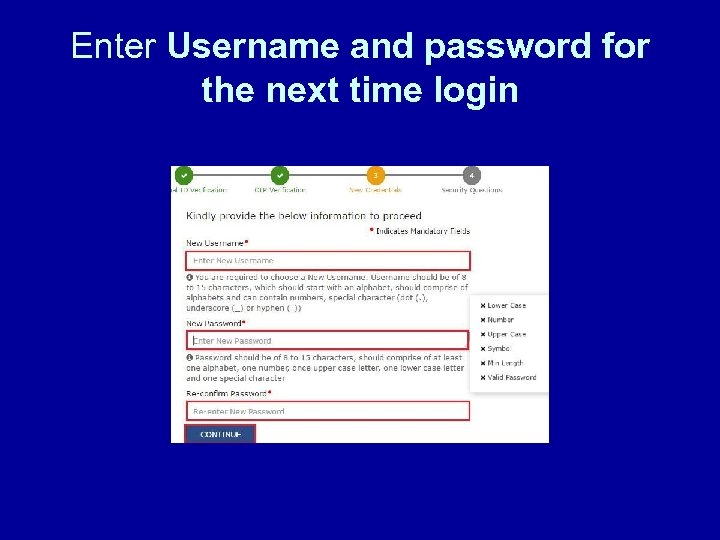 Enter Username and password for the next time login
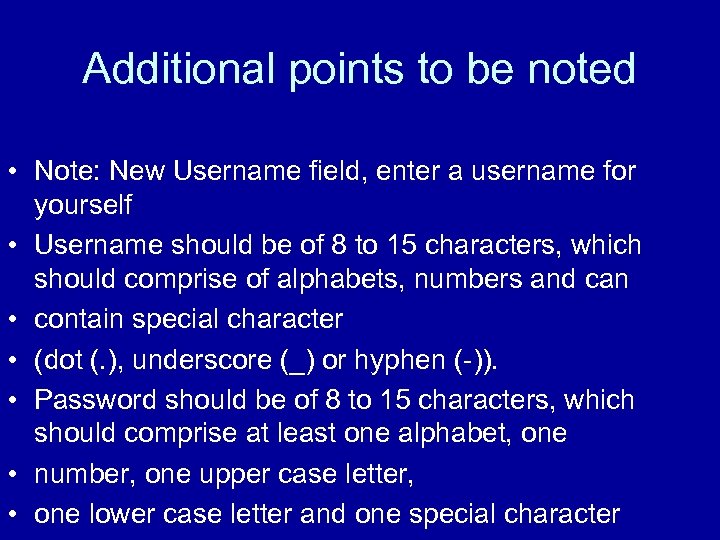 Additional points to be noted • Note: New Username field, enter a username for yourself • Username should be of 8 to 15 characters, which should comprise of alphabets, numbers and can • contain special character • (dot (. ), underscore (_) or hyphen (-)). • Password should be of 8 to 15 characters, which should comprise at least one alphabet, one • number, one upper case letter, • one lower case letter and one special character
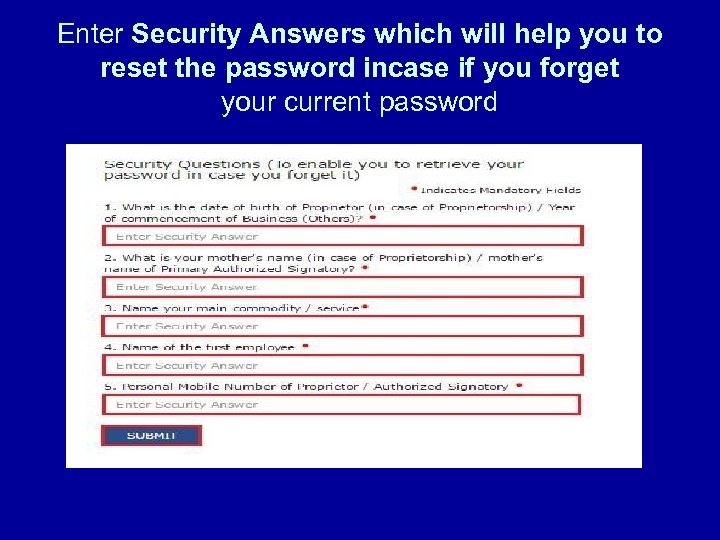 Enter Security Answers which will help you to reset the password incase if you forget your current password
 GSTN SIGNUP PROCESS INTRODUCTIONCTD PORTAL (ctd. tn. gov. in) DATA MIGRATION GSTN CREDENTIALS---GSTN REGISTRATION DATA UPLOAD ADD OR UPDATE THE DATA FIELDS VALIDATE AND SUBMIT
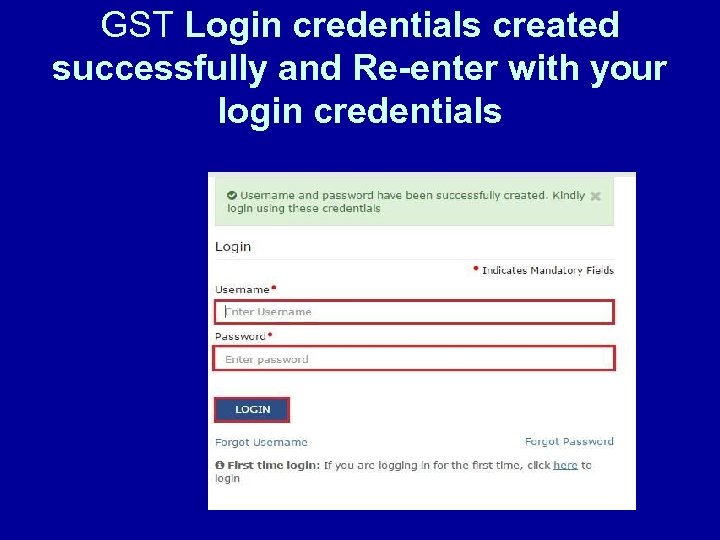 GST Login credentials created successfully and Re-enter with your login credentials
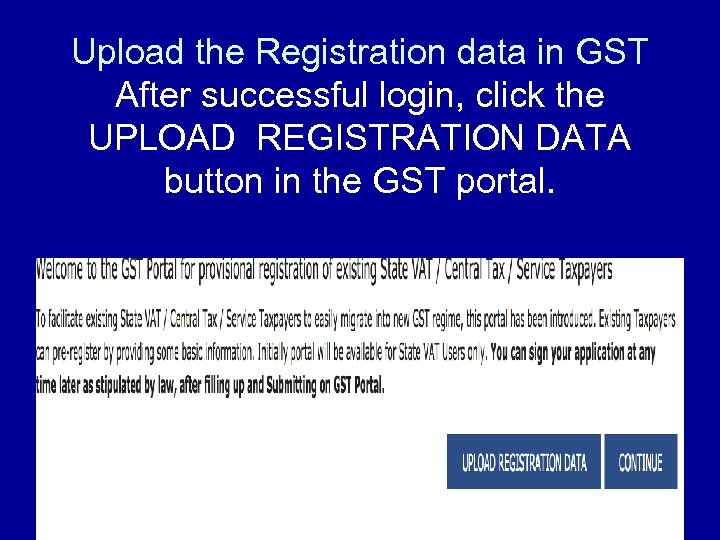 Upload the Registration data in GST After successful login, click the UPLOAD REGISTRATION DATA button in the GST portal.
 How to Upload the Registration data file • * Select the “Registration Data” file (downloaded from https: //ctd. tn. gov. in) from your system using browse button. • * After few seconds, your data will be displayed in the appropriate columns. • * Verify and update the details in the preceding screens and upload the required documents wherever necessary. • * Fill the data in the columns wherever the data is not available.
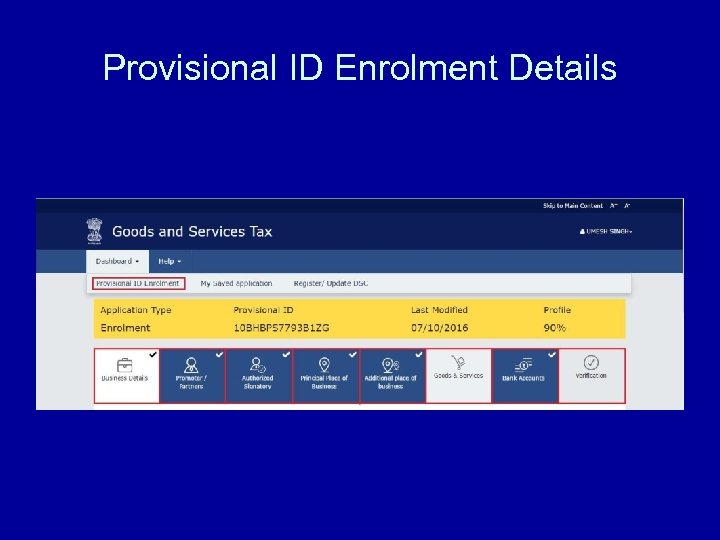 Provisional ID Enrolment Details
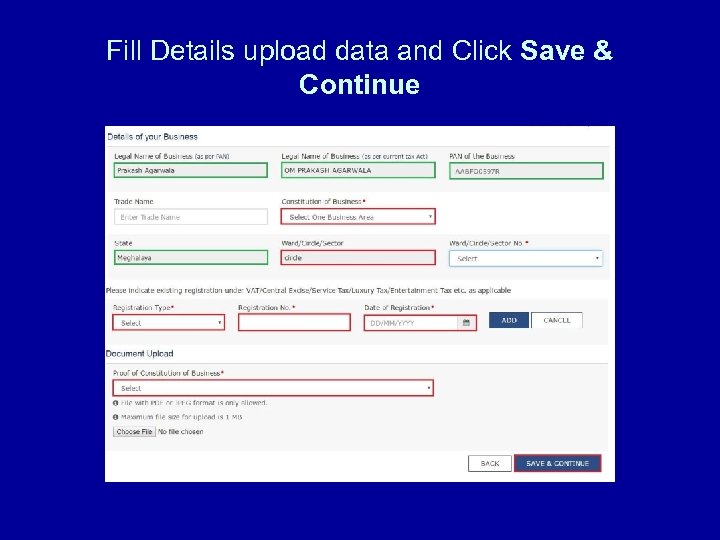 Fill Details upload data and Click Save & Continue
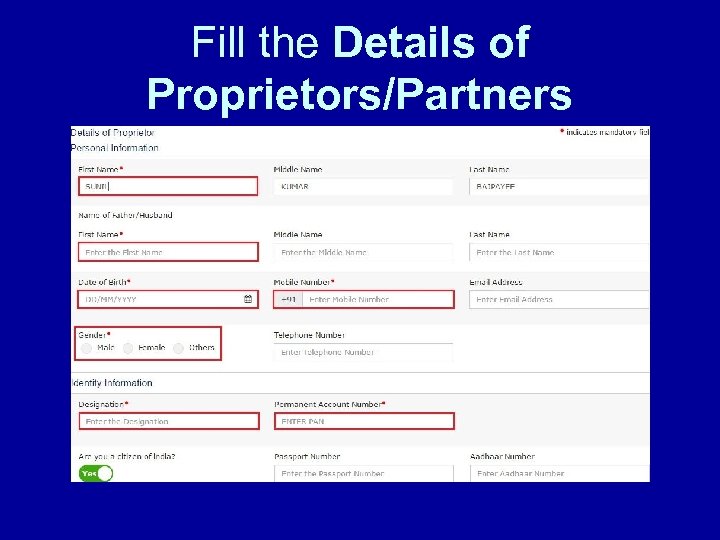 Fill the Details of Proprietors/Partners
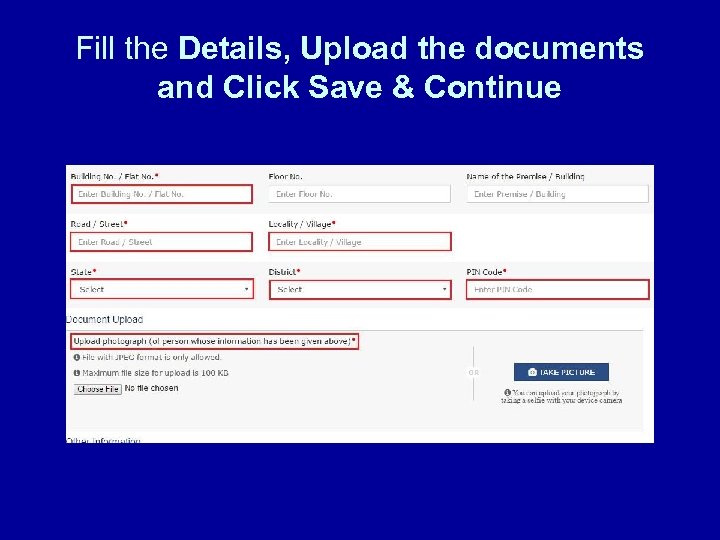 Fill the Details, Upload the documents and Click Save & Continue
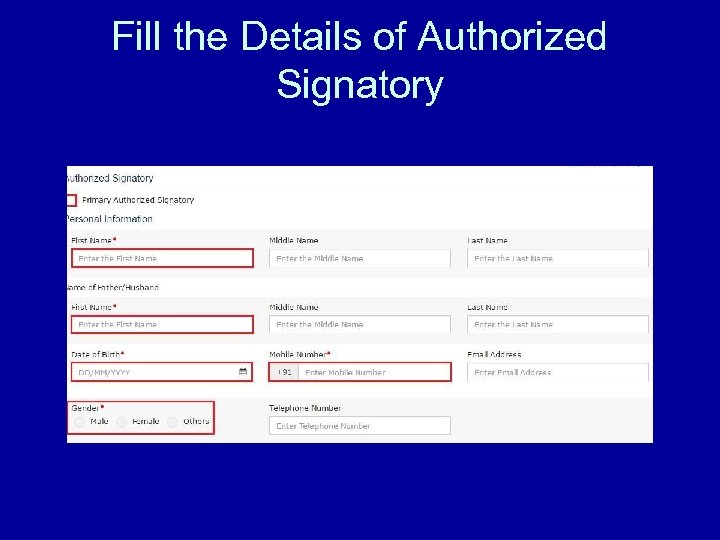 Fill the Details of Authorized Signatory
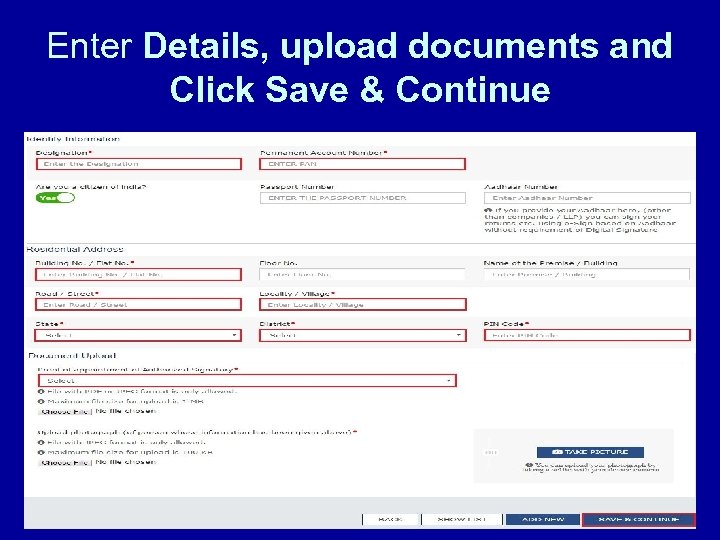 Enter Details, upload documents and Click Save & Continue
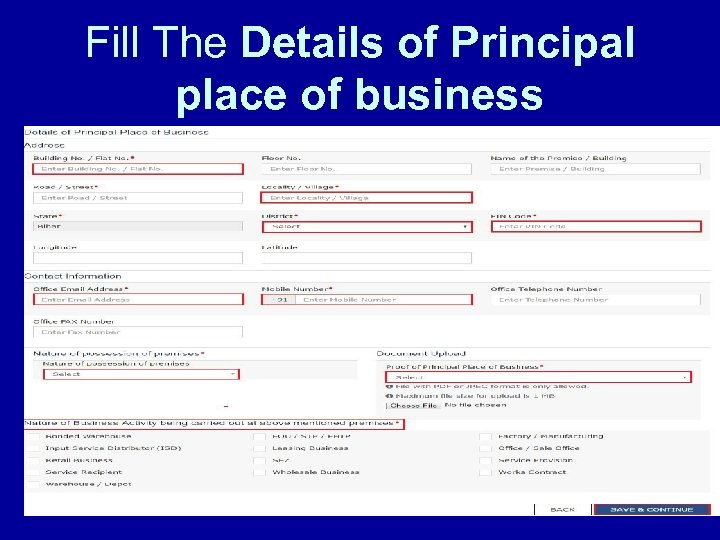 Fill The Details of Principal place of business
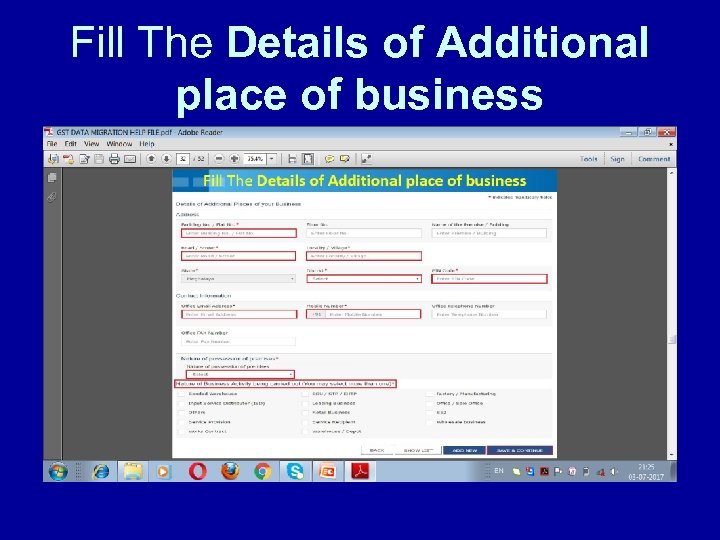 Fill The Details of Additional place of business
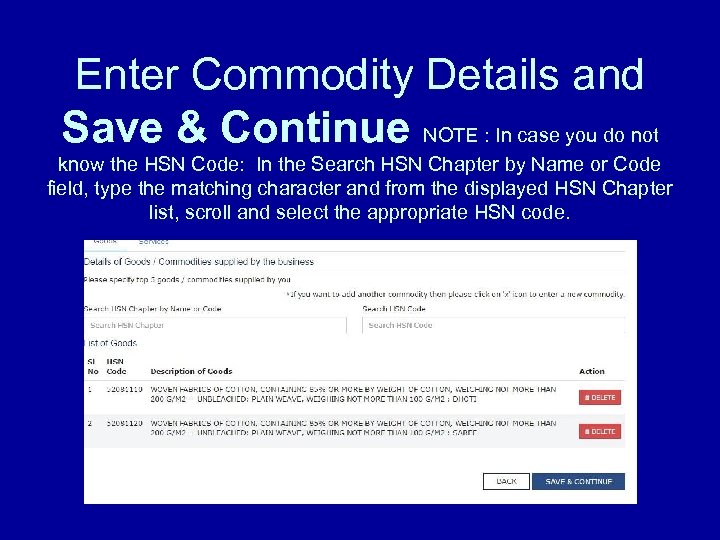 Enter Commodity Details and Save & Continue NOTE : In case you do not know the HSN Code: In the Search HSN Chapter by Name or Code field, type the matching character and from the displayed HSN Chapter list, scroll and select the appropriate HSN code.
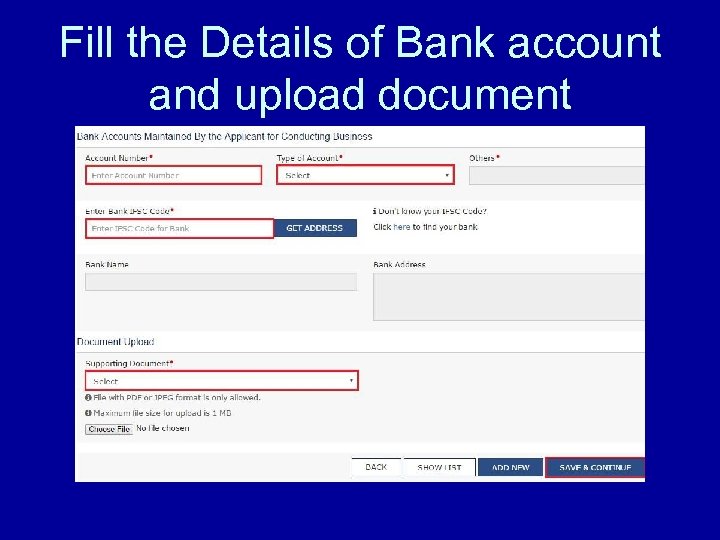 Fill the Details of Bank account and upload document
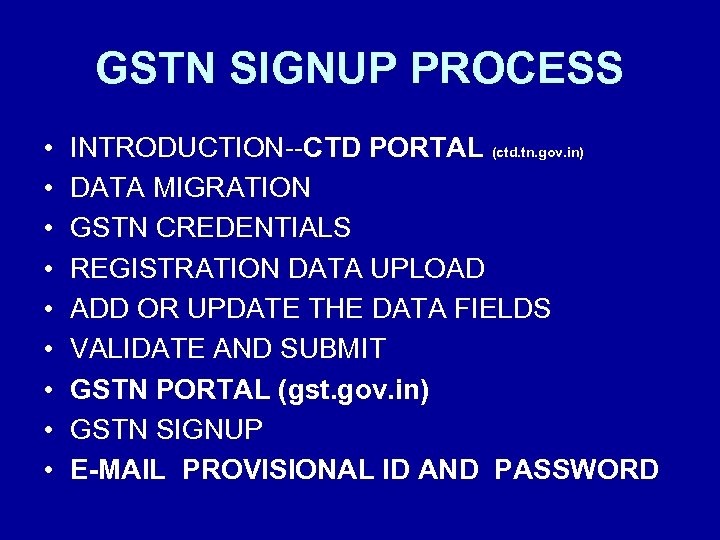 GSTN SIGNUP PROCESS • • • INTRODUCTION--CTD PORTAL (ctd. tn. gov. in) DATA MIGRATION GSTN CREDENTIALS REGISTRATION DATA UPLOAD ADD OR UPDATE THE DATA FIELDS VALIDATE AND SUBMIT GSTN PORTAL (gst. gov. in) GSTN SIGNUP E-MAIL PROVISIONAL ID AND PASSWORD
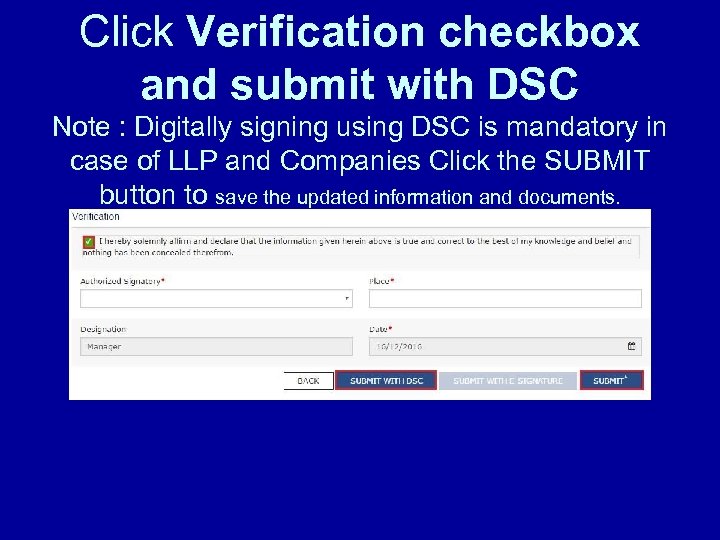 Click Verification checkbox and submit with DSC Note : Digitally signing using DSC is mandatory in case of LLP and Companies Click the SUBMIT button to save the updated information and documents.
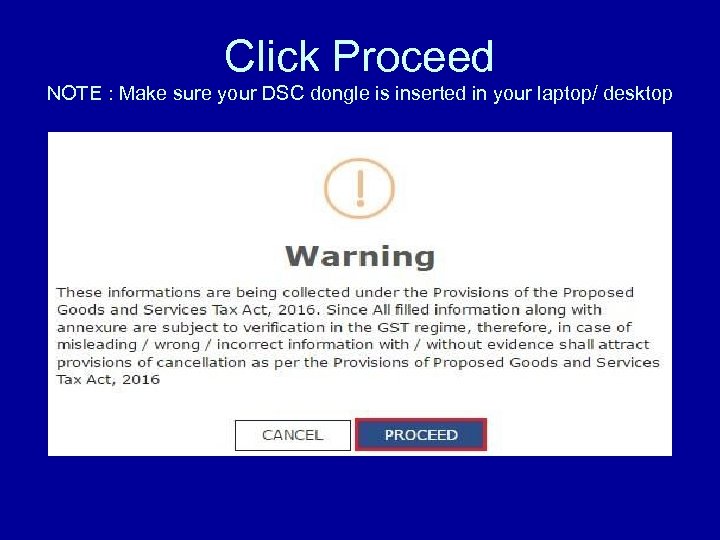 Click Proceed NOTE : Make sure your DSC dongle is inserted in your laptop/ desktop
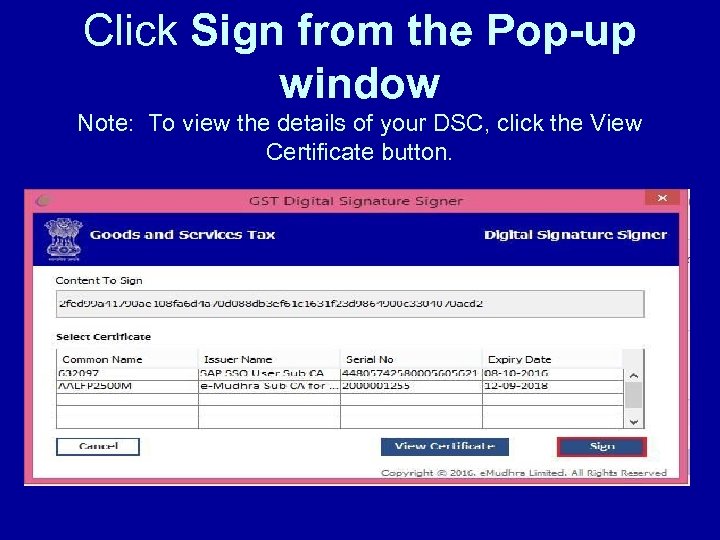 Click Sign from the Pop-up window Note: To view the details of your DSC, click the View Certificate button.
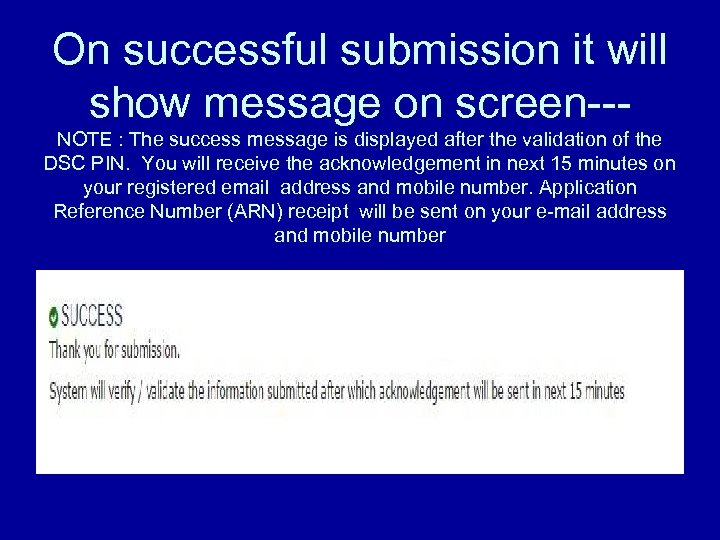 On successful submission it will show message on screen--NOTE : The success message is displayed after the validation of the DSC PIN. You will receive the acknowledgement in next 15 minutes on your registered email address and mobile number. Application Reference Number (ARN) receipt will be sent on your e-mail address and mobile number
 • BEFORE STARTING THE ADD / UPDATE DATA FIELDS, • THE MANDATORY FIELDS MENTIONED IN THE PRECEEDING SIX SCREENS NEEDS TO BE MADE READY.
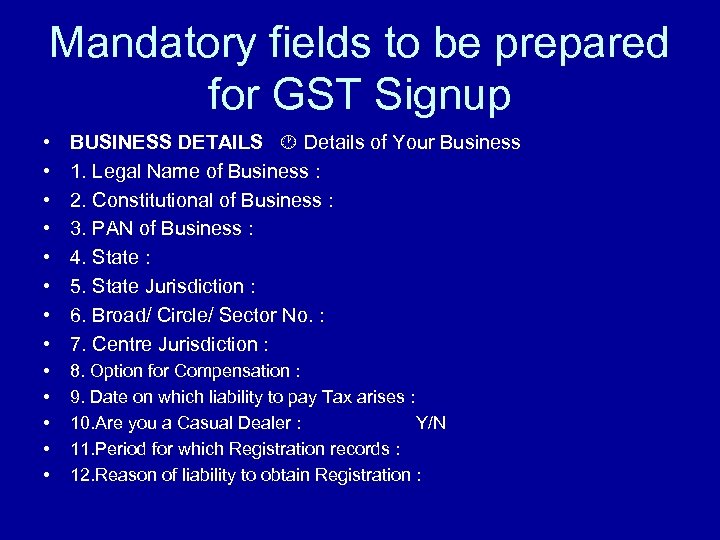 Mandatory fields to be prepared for GST Signup • • BUSINESS DETAILS Details of Your Business 1. Legal Name of Business : 2. Constitutional of Business : 3. PAN of Business : 4. State : 5. State Jurisdiction : 6. Broad/ Circle/ Sector No. : 7. Centre Jurisdiction : • • • 8. Option for Compensation : 9. Date on which liability to pay Tax arises : 10. Are you a Casual Dealer : Y/N 11. Period for which Registration records : 12. Reason of liability to obtain Registration :
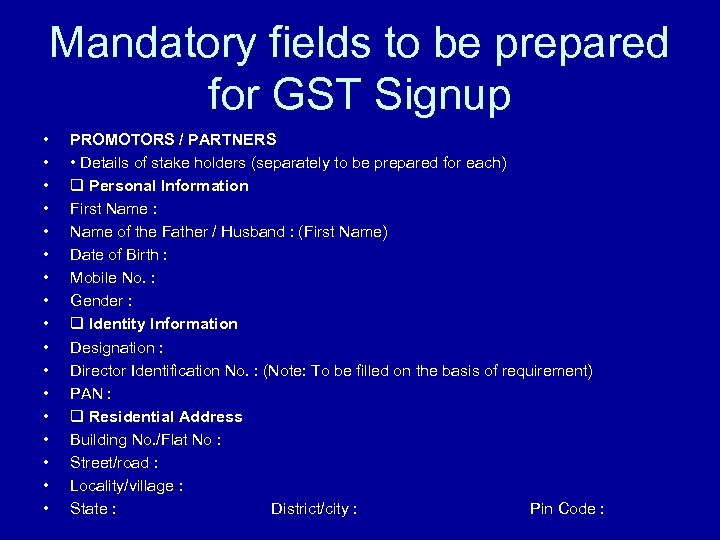 Mandatory fields to be prepared for GST Signup • • • • • PROMOTORS / PARTNERS • Details of stake holders (separately to be prepared for each) Personal Information First Name : Name of the Father / Husband : (First Name) Date of Birth : Mobile No. : Gender : Identity Information Designation : Director Identification No. : (Note: To be filled on the basis of requirement) PAN : Residential Address Building No. /Flat No : Street/road : Locality/village : State : District/city : Pin Code :
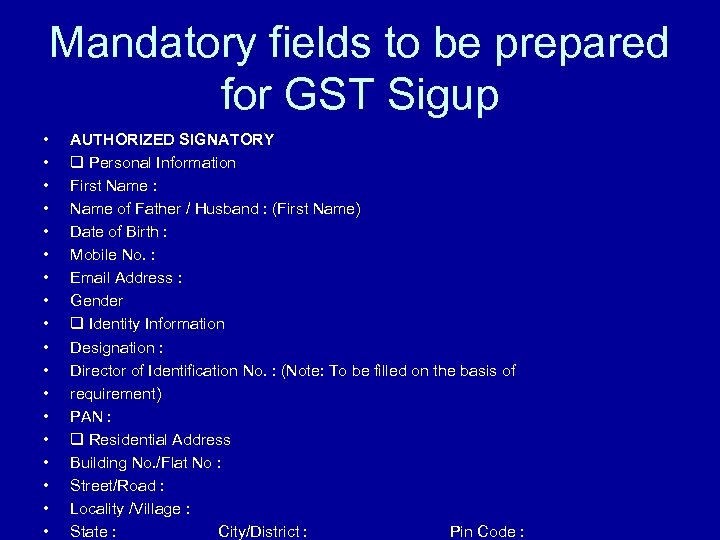 Mandatory fields to be prepared for GST Sigup • • • • • AUTHORIZED SIGNATORY Personal Information First Name : Name of Father / Husband : (First Name) Date of Birth : Mobile No. : Email Address : Gender Identity Information Designation : Director of Identification No. : (Note: To be filled on the basis of requirement) PAN : Residential Address Building No. /Flat No : Street/Road : Locality /Village : State : City/District : Pin Code :
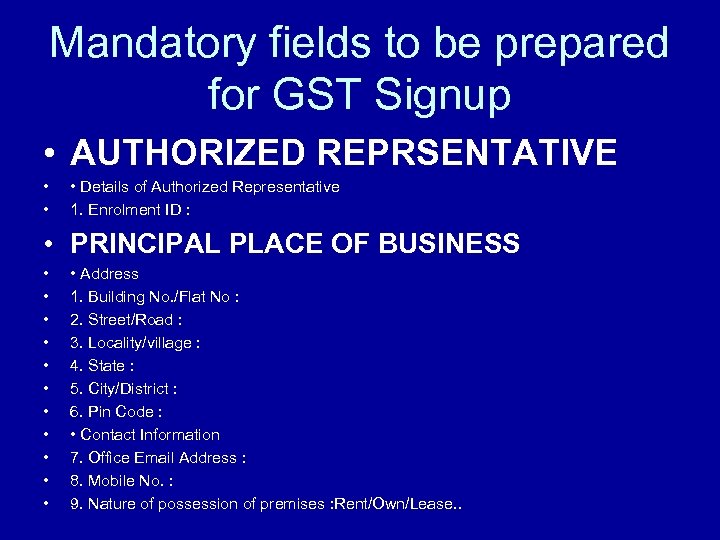 Mandatory fields to be prepared for GST Signup • AUTHORIZED REPRSENTATIVE • • • Details of Authorized Representative 1. Enrolment ID : • PRINCIPAL PLACE OF BUSINESS • • • Address 1. Building No. /Flat No : 2. Street/Road : 3. Locality/village : 4. State : 5. City/District : 6. Pin Code : • Contact Information 7. Office Email Address : 8. Mobile No. : 9. Nature of possession of premises : Rent/Own/Lease. .
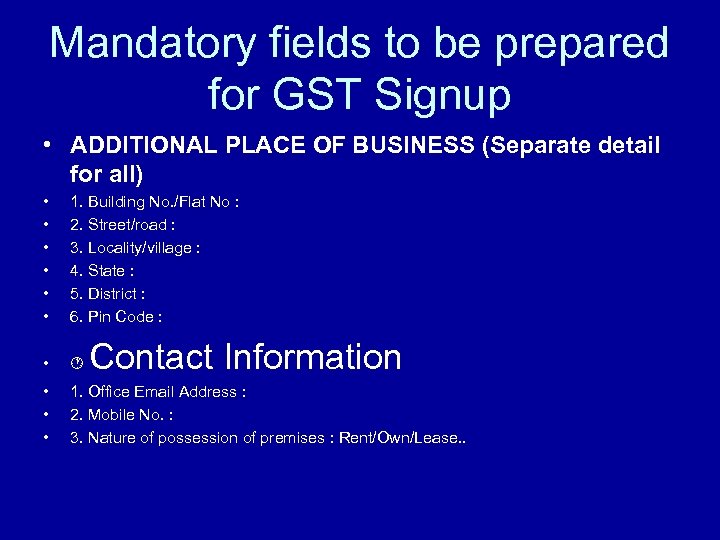 Mandatory fields to be prepared for GST Signup • ADDITIONAL PLACE OF BUSINESS (Separate detail for all) • • • 1. Building No. /Flat No : 2. Street/road : 3. Locality/village : 4. State : 5. District : 6. Pin Code : • • 1. Office Email Address : 2. Mobile No. : 3. Nature of possession of premises : Rent/Own/Lease. . Contact Information
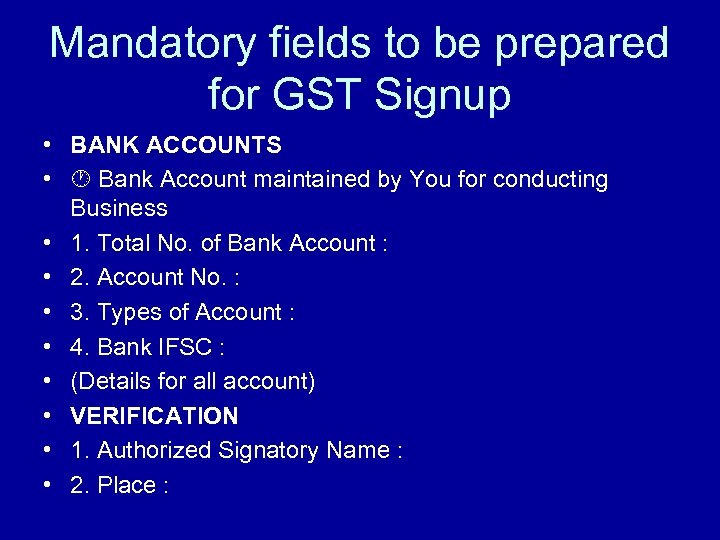 Mandatory fields to be prepared for GST Signup • BANK ACCOUNTS • Bank Account maintained by You for conducting Business • 1. Total No. of Bank Account : • 2. Account No. : • 3. Types of Account : • 4. Bank IFSC : • (Details for all account) • VERIFICATION • 1. Authorized Signatory Name : • 2. Place :
 • THE NEXT FEW SLIDES WILL BE GIVING THE DETAILS AND FORMAT OF DOCUMENTS NEEDS TO BE • UPLOADED.
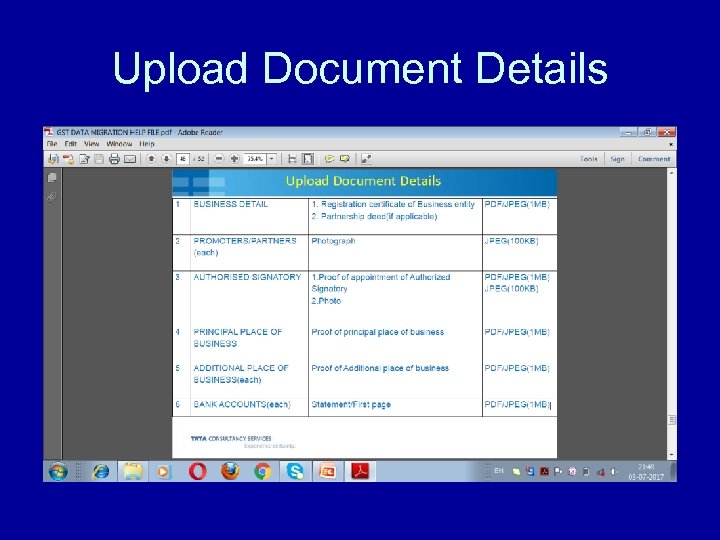 Upload Document Details
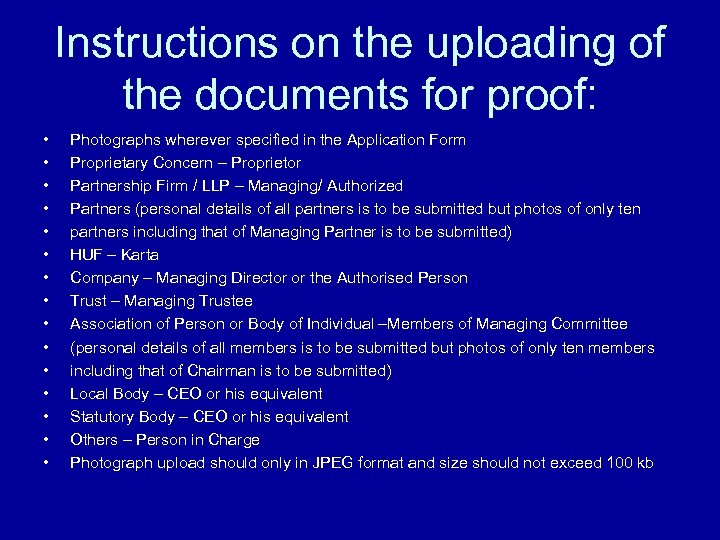 Instructions on the uploading of the documents for proof: • • • • Photographs wherever specified in the Application Form Proprietary Concern – Proprietor Partnership Firm / LLP – Managing/ Authorized Partners (personal details of all partners is to be submitted but photos of only ten partners including that of Managing Partner is to be submitted) HUF – Karta Company – Managing Director or the Authorised Person Trust – Managing Trustee Association of Person or Body of Individual –Members of Managing Committee (personal details of all members is to be submitted but photos of only ten members including that of Chairman is to be submitted) Local Body – CEO or his equivalent Statutory Body – CEO or his equivalent Others – Person in Charge Photograph upload should only in JPEG format and size should not exceed 100 kb
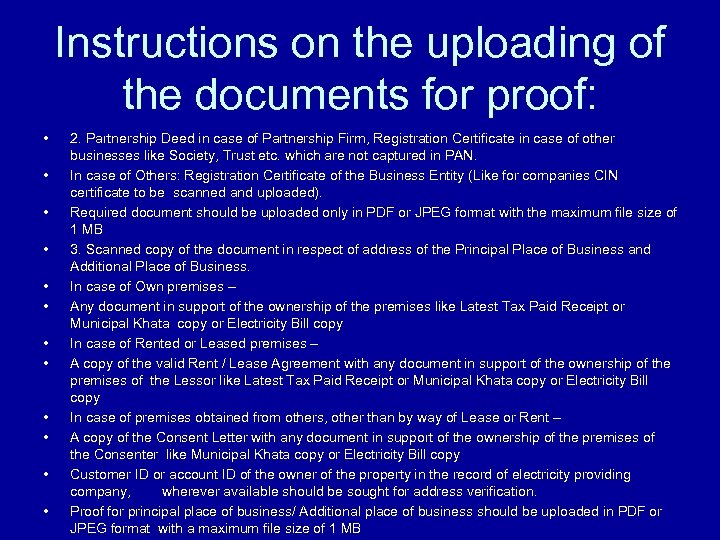 Instructions on the uploading of the documents for proof: • • • 2. Partnership Deed in case of Partnership Firm, Registration Certificate in case of other businesses like Society, Trust etc. which are not captured in PAN. In case of Others: Registration Certificate of the Business Entity (Like for companies CIN certificate to be scanned and uploaded). Required document should be uploaded only in PDF or JPEG format with the maximum file size of 1 MB 3. Scanned copy of the document in respect of address of the Principal Place of Business and Additional Place of Business. In case of Own premises – Any document in support of the ownership of the premises like Latest Tax Paid Receipt or Municipal Khata copy or Electricity Bill copy In case of Rented or Leased premises – A copy of the valid Rent / Lease Agreement with any document in support of the ownership of the premises of the Lessor like Latest Tax Paid Receipt or Municipal Khata copy or Electricity Bill copy In case of premises obtained from others, other than by way of Lease or Rent – A copy of the Consent Letter with any document in support of the ownership of the premises of the Consenter like Municipal Khata copy or Electricity Bill copy Customer ID or account ID of the owner of the property in the record of electricity providing company, wherever available should be sought for address verification. Proof for principal place of business/ Additional place of business should be uploaded in PDF or JPEG format with a maximum file size of 1 MB
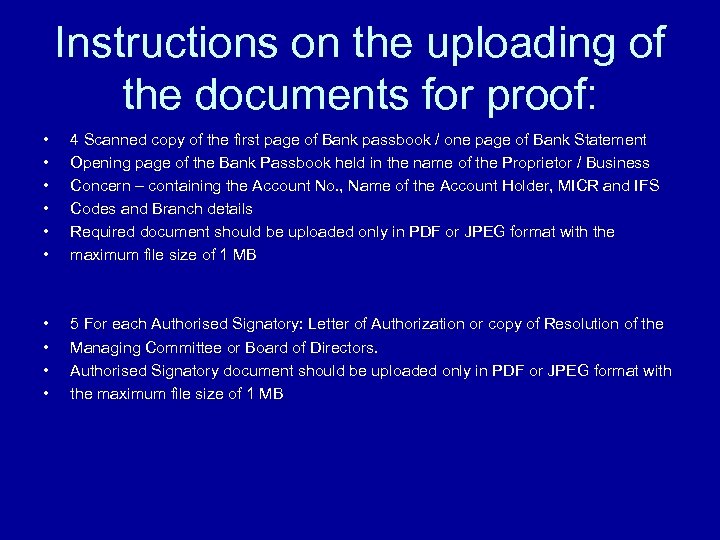 Instructions on the uploading of the documents for proof: • • • 4 Scanned copy of the first page of Bank passbook / one page of Bank Statement Opening page of the Bank Passbook held in the name of the Proprietor / Business Concern – containing the Account No. , Name of the Account Holder, MICR and IFS Codes and Branch details Required document should be uploaded only in PDF or JPEG format with the maximum file size of 1 MB • • 5 For each Authorised Signatory: Letter of Authorization or copy of Resolution of the Managing Committee or Board of Directors. Authorised Signatory document should be uploaded only in PDF or JPEG format with the maximum file size of 1 MB