


 Скачать презентацию The Information School of the University of Washington
582c73f7c611858b06c25baa9f9e121a.ppt
- Количество слайдов: 21
 The Information School of the University of Washington Document Object Model (DOM) INFO/CSE 100, Fall 2006 Fluency in Information Technology http: //courses. washington. edu/info 100/ Nov 1 fit 100 -16 -dom © 2006 University of Washington 1
 The Information School of the University of Washington References • References » Java. Script, The Definitive Guide • by David Flanagan. Publisher O'Reilly » W 3 C Document Object Model • http: //www. w 3. org/DOM/ • http: //www. w 3. org/2003/02/06 -dom-support. html » Document Object Model in Mozilla • http: //www. mozilla. org/docs/dom/ Nov 1 fit 100 -16 -dom © 2006 University of Washington 2
 The Information School of the University of Washington What the heck is the DOM? • Document Object Model » Your web browser builds a model of the web page (the document) that includes all the objects in the page (tags, text, etc) » All of the properties, methods, and events available to the web developer for manipulating and creating web pages are organized into objects » Those objects are accessible via scripting languages in modern web browsers Nov 1 fit 100 -16 -dom © 2006 University of Washington 3
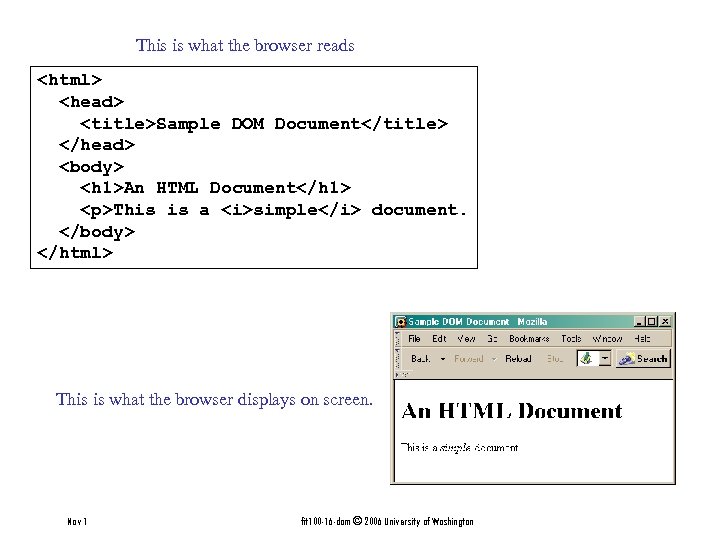 This is what the browser reads
This is a simple document. This is what the browser displays on screen. Nov 1 fit 100 -16 -dom © 2006 University of Washington
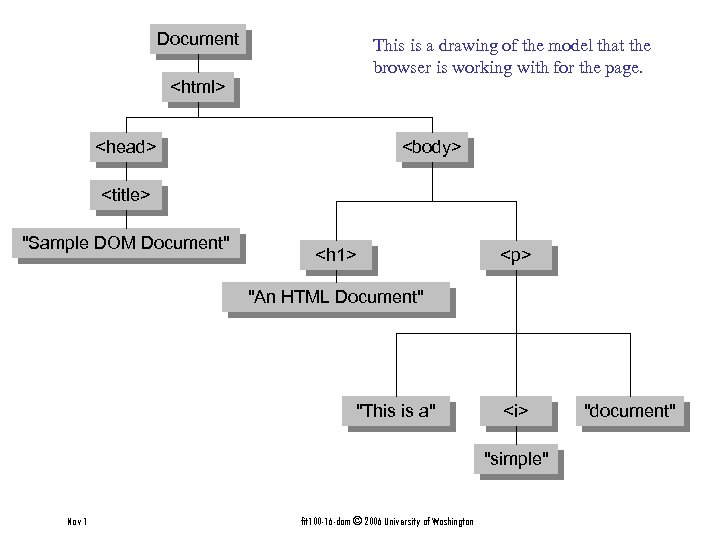 Document This is a drawing of the model that the browser is working with for the page.
 The Information School of the University of Washington document. get. Element. By. Id("radio. LC"). checked • get. Element. By. Id("radio. LC") » This is a predefined function that makes use of the id that can be defined for any element in the page » An id must be unique in the page, so only one element is ever returned by this function » The argument to get. Element. By. Id specifies which element is being requested Nov 1 fit 100 -16 -dom © 2006 University of Washington 11
function show. Info()" src="https://present5.com/presentation/582c73f7c611858b06c25baa9f9e121a/image-12.jpg" alt="Some information about elements
The id attribute is very helpful.
This is the closing paragraph.
Nov 1 fit 100 -16 -dom © 2006 University of Washington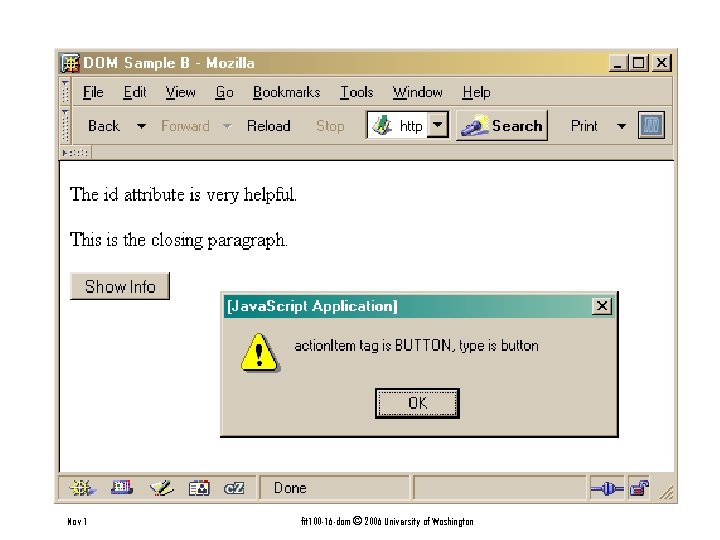 Nov 1 fit 100 -16 -dom © 2006 University of Washington
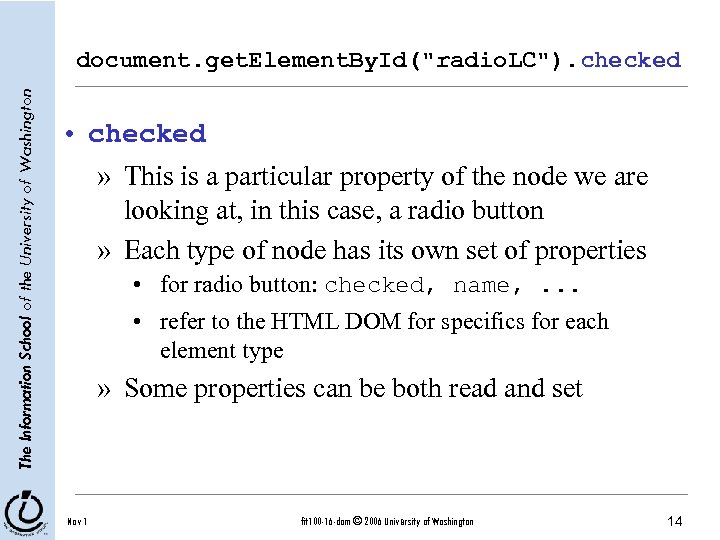 The Information School of the University of Washington document. get. Element. By. Id("radio. LC"). checked • checked » This is a particular property of the node we are looking at, in this case, a radio button » Each type of node has its own set of properties • for radio button: checked, name, . . . • refer to the HTML DOM for specifics for each element type » Some properties can be both read and set Nov 1 fit 100 -16 -dom © 2006 University of Washington 14
function set. Results(result. String) {" src="https://present5.com/presentation/582c73f7c611858b06c25baa9f9e121a/image-15.jpg" alt="Some specific properties
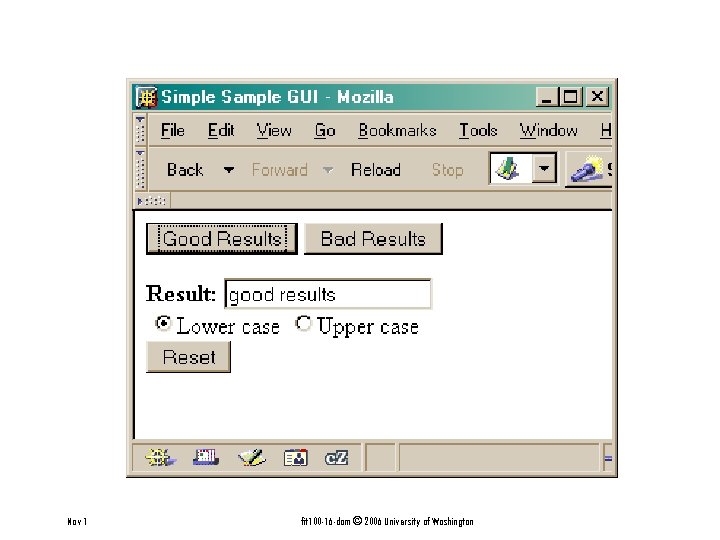 Nov 1 fit 100 -16 -dom © 2006 University of Washington
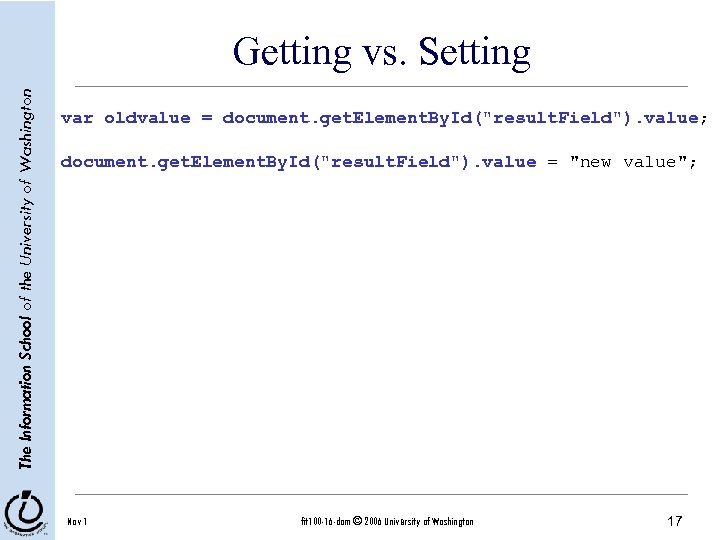 The Information School of the University of Washington Getting vs. Setting var oldvalue = document. get. Element. By. Id("result. Field"). value; document. get. Element. By. Id("result. Field"). value = "new value"; Nov 1 fit 100 -16 -dom © 2006 University of Washington 17
 The Information School of the University of Washington Just the tip of the DOM • The HTML Document Object Model is a standard for structuring data on a web page » The field is advancing rapidly as people recognize the benefits of standardized structure and access » The DOM is steadily improving to cover general purpose data structuring requirements • XML (Extendible Markup Language) also uses the Core DOM to specify its structured data » similar to HTML but more carefully defined Nov 1 fit 100 -16 -dom © 2006 University of Washington 18
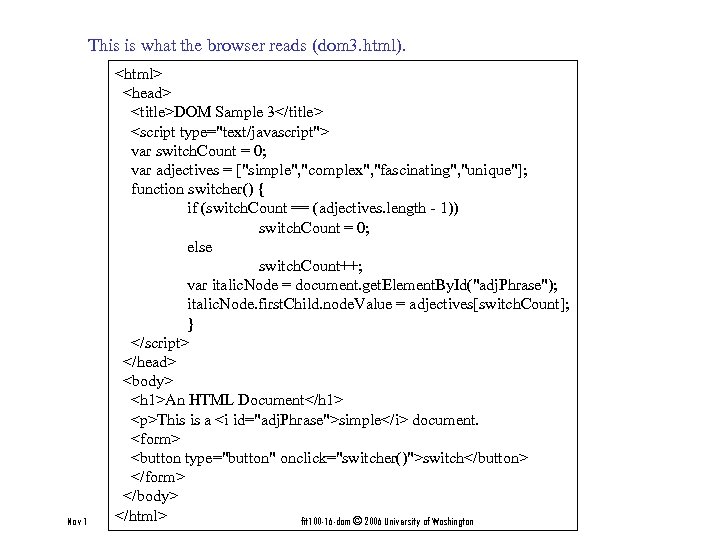 This is what the browser reads (dom 3. html). Nov 1
This is a simple document.
fit 100 -16 -dom © 2006 University of Washington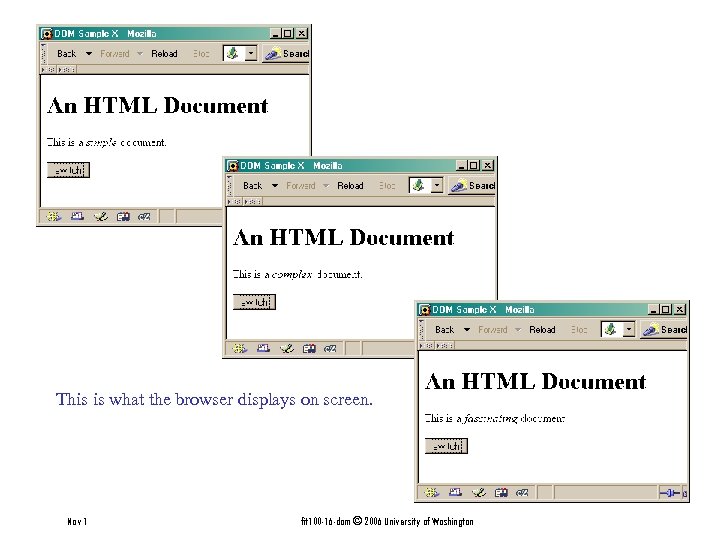 This is what the browser displays on screen. Nov 1 fit 100 -16 -dom © 2006 University of Washington
 The Information School of the University of Washington What will be displayed on screen? • Form groups of 5 or 6 • Work together to answer the question: What will be written to the screen. • TIP: The code runs fine - there are no errors or other “tricks” Nov 1 fit 100 -16 -dom © 2006 University of Washington 21