


 Скачать презентацию The How and Why of La Te X
5a786dcd82f7cd771c7cfc19daec7d8e.ppt
- Количество слайдов: 33
 The How and Why of La. Te. X February 2013 Tim Finin finin@cs. umbc. edu http: //ebiq. org/r/350
 Objective • Understand the role of La. Te. X in your research • Learn how to create a simple La. Te. X 2 e document – Create a La. Te. X source file – Create and include figures – Reference figures and sections – Create lists – Include other tex files – Generate pdf output – Cite bibliographic references
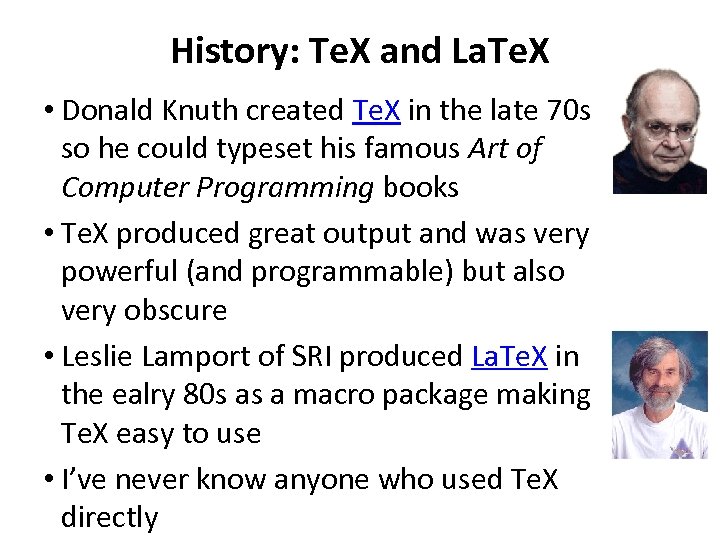 History: Te. X and La. Te. X • Donald Knuth created Te. X in the late 70 s so he could typeset his famous Art of Computer Programming books • Te. X produced great output and was very powerful (and programmable) but also very obscure • Leslie Lamport of SRI produced La. Te. X in the ealry 80 s as a macro package making Te. X easy to use • I’ve never know anyone who used Te. X directly
 Other Options • Microsoft Word is a great product – Track changes is a great feature and you can’t beat it for small documents • HTML is fine if your target is a screen – The W 3 C does all of its documentation in HTML and many ebook formats (e. g. , Kindle) use HTML • Google Docs is up and coming – great for real-time collaboration • That’s about it these days – No one uses Tj 6, Scribe, Pub, troff, Word. Perfect, …
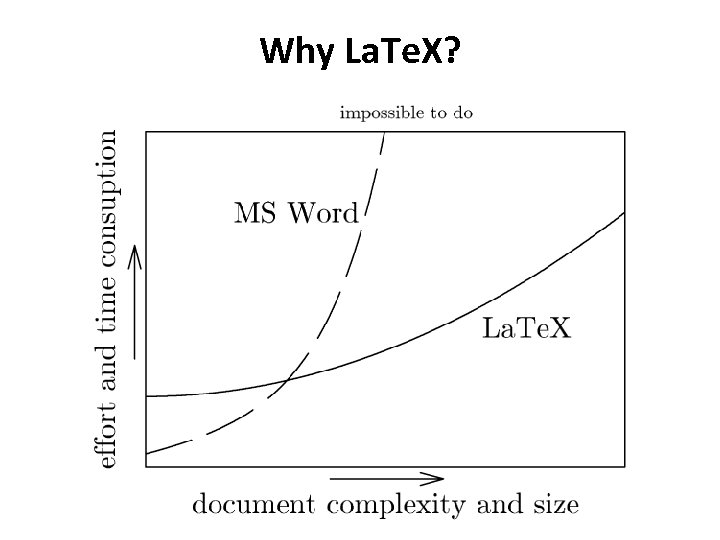 Why La. Te. X?
 Why La. Te. X • It’s good for complex documents like a thesis or dissertation • It’s the standard for CS, Math & other STEM fields – Many conferences have their own La. Tex document – Elsevier uses La. Te. X to typeset all their journals • La. Te. X enforces typesetting best practices • Its bibliography system, Bib. Tex, is a standard • It is programmable! • It’s open source, has a large user and developer community & a good infrastructure (CTAN)
 Getting Started • Some good resources include: – Getting Started with Te. X, La. Te. X, and Friends – La. Te. X wiki book – La. Te. X cheat sheet • Your steps will be – Install La. Te. X on your system if it’s not there – Try working with a simple document – Customize your environment – Learn how to create and manage figures, tables, equations, create a bibliography, etc. – Write a few La. Te. X macros
 Accessing and Installing La. Te. X • Latex and associated tools are typically preinstalled on Linux and Mac OS X – Sadly no longer on Mac’s Mountain Lion – They are also on the CSEE servers and gl • The Te. X Users Group is a good resource • Miktex is a good choice for Windows • Mac. Te. X is a good choice for MAC OS X
![sample. tex documentclass[12 pt]{article} % a simple example usepackage{times} Latex commands start with a](https://present5.com/presentation/5a786dcd82f7cd771c7cfc19daec7d8e/image-9.jpg "sample. tex documentclass[12 pt]{article} % a simple example usepackage{times} Latex commands start with a") sample. tex documentclass[12 pt]{article} % a simple example usepackage{times} Latex commands start with a backslash, required args are in {}, optional args in []s Start by declaring the document type (article) and use the 12 pt option setting the font size Coments: text from a % to the EOL is ignored begin{document} Loads required packages defining commands or setting parameters title{Hello World in La. Te. X} author{My Name Goes Here} maketitle La. Tex uses begin|end commands for blocks. Every document must have a document block Hello, world! The title and author command set document variables and the maketitle command generates the output text {em Hello, world!} {bf Hello, world!} {Large bf Hello, world!!!} end{document} Paragraphs are separated by blank lines {}s introduce blocks and control scope. em for italics, bf for bold, Large ups font size
sample. tex documentclass[12 pt]{article} % a simple example usepackage{times} Latex commands start with a backslash, required args are in {}, optional args in []s Start by declaring the document type (article) and use the 12 pt option setting the font size Coments: text from a % to the EOL is ignored begin{document} Loads required packages defining commands or setting parameters title{Hello World in La. Te. X} author{My Name Goes Here} maketitle La. Tex uses begin|end commands for blocks. Every document must have a document block Hello, world! The title and author command set document variables and the maketitle command generates the output text {em Hello, world!} {bf Hello, world!} {Large bf Hello, world!!!} end{document} Paragraphs are separated by blank lines {}s introduce blocks and control scope. em for italics, bf for bold, Large ups font size
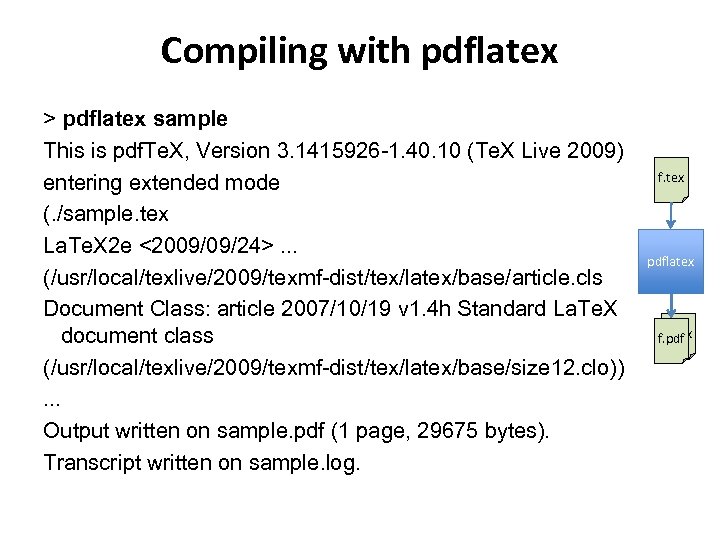 Compiling with pdflatex > pdflatex sample This is pdf. Te. X, Version 3. 1415926 -1. 40. 10 (Te. X Live 2009) entering extended mode (. /sample. tex La. Te. X 2 e <2009/09/24>. . . (/usr/local/texlive/2009/texmf-dist/tex/latex/base/article. cls Document Class: article 2007/10/19 v 1. 4 h Standard La. Te. X document class (/usr/local/texlive/2009/texmf-dist/tex/latex/base/size 12. clo)). . . Output written on sample. pdf (1 page, 29675 bytes). Transcript written on sample. log. f. tex pdflatex f. aux f. pdf
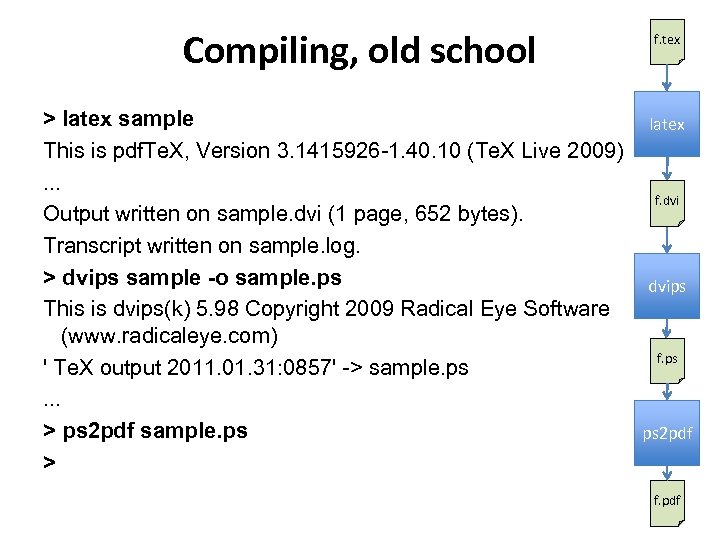 Compiling, old school f. tex > latex sample latex This is pdf. Te. X, Version 3. 1415926 -1. 40. 10 (Te. X Live 2009). . . f. dvi Output written on sample. dvi (1 page, 652 bytes). Transcript written on sample. log. > dvips sample -o sample. ps dvips This is dvips(k) 5. 98 Copyright 2009 Radical Eye Software (www. radicaleye. com) f. ps ' Te. X output 2011. 01. 31: 0857' -> sample. ps. . . > ps 2 pdf sample. ps ps 2 pdf > f. pdf
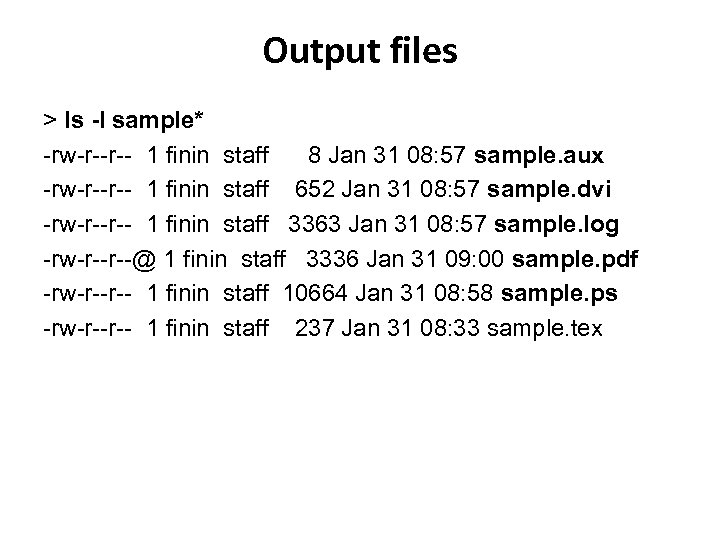 Output files > ls -l sample* -rw-r--r-- 1 finin staff 8 Jan 31 08: 57 sample. aux -rw-r--r-- 1 finin staff 652 Jan 31 08: 57 sample. dvi -rw-r--r-- 1 finin staff 3363 Jan 31 08: 57 sample. log -rw-r--r--@ 1 finin staff 3336 Jan 31 09: 00 sample. pdf -rw-r--r-- 1 finin staff 10664 Jan 31 08: 58 sample. ps -rw-r--r-- 1 finin staff 237 Jan 31 08: 33 sample. tex
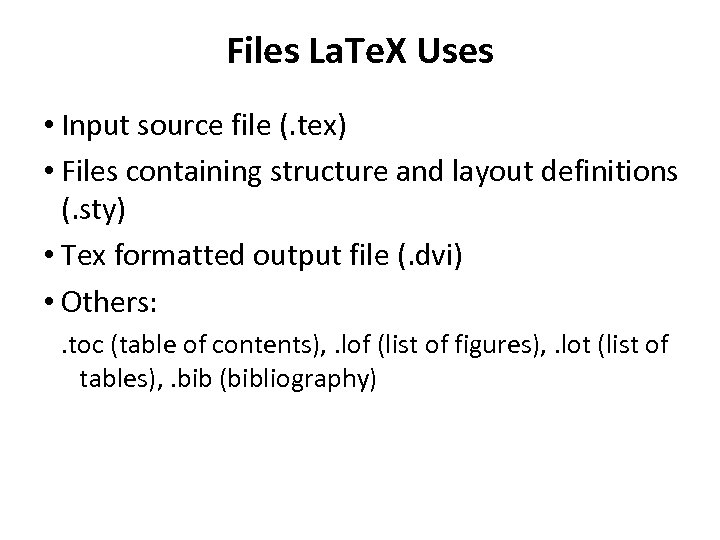 Files La. Te. X Uses • Input source file (. tex) • Files containing structure and layout definitions (. sty) • Tex formatted output file (. dvi) • Others: . toc (table of contents), . lof (list of figures), . lot (list of tables), . bib (bibliography)
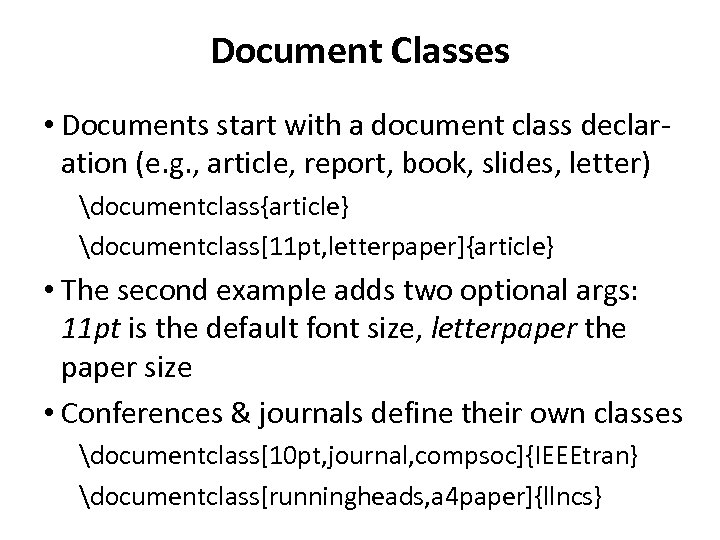 Document Classes • Documents start with a document class declaration (e. g. , article, report, book, slides, letter) documentclass{article} documentclass[11 pt, letterpaper]{article} • The second example adds two optional args: 11 pt is the default font size, letterpaper the paper size • Conferences & journals define their own classes documentclass[10 pt, journal, compsoc]{IEEEtran} documentclass[runningheads, a 4 paper]{llncs}
 Packages • After declaring the document class, you typically load one or more packages usepackage{graphicx} usepackage{algorithm} • Packages add new commands or redefine existing ones to provide new capabilities, e. g. – graphicx: essential for including images – colortbl: add colors to table rows, columns, cells – floatflt: figures and tables that text flows around • Many are pre-installed, all can be easily downloaded
 Installing Classes and Packages • If you need a class, package or bib style that’s not installed, download the files • Put them in a document’s directory or your common latex directory – export TEXINPUTS=. : ~/latex/ • File extensions are. cls (class), . sty (package) and. bst (bib style)
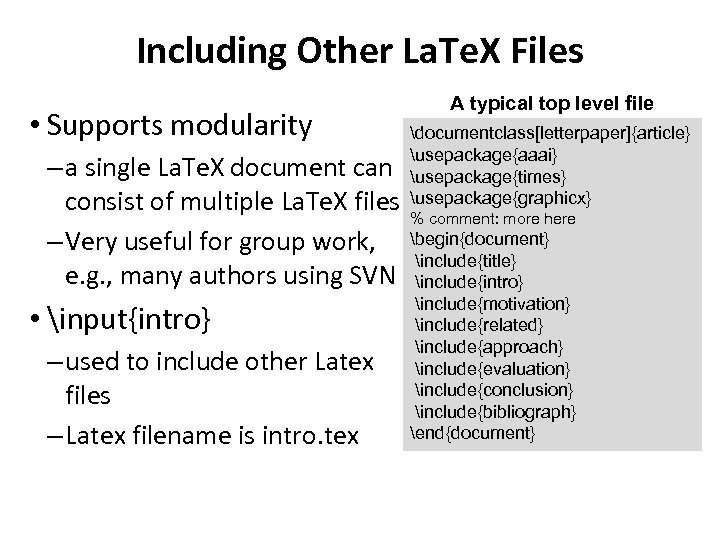 Including Other La. Te. X Files • Supports modularity – a single La. Te. X document can consist of multiple La. Te. X files – Very useful for group work, e. g. , many authors using SVN • input{intro} – used to include other Latex files – Latex filename is intro. tex A typical top level file documentclass[letterpaper]{article} usepackage{aaai} usepackage{times} usepackage{graphicx} % comment: more here begin{document} include{title} include{intro} include{motivation} include{related} include{approach} include{evaluation} include{conclusion} include{bibliograph} end{document}
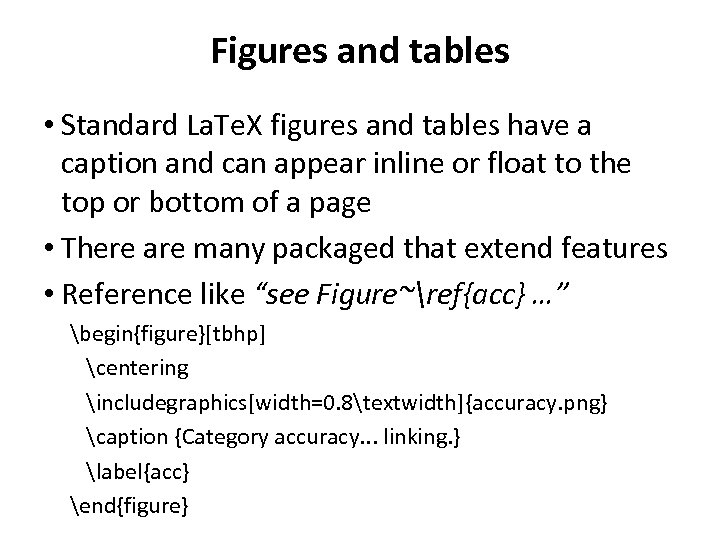 Figures and tables • Standard La. Te. X figures and tables have a caption and can appear inline or float to the top or bottom of a page • There are many packaged that extend features • Reference like “see Figure~ref{acc} …” begin{figure}[tbhp] centering includegraphics[width=0. 8textwidth]{accuracy. png} caption {Category accuracy. . . linking. } label{acc} end{figure}
![Tablular environment begin{figure}[tbp] centering begin{tabular}{|c|c|} hline {em City}&{em State}&{em Mayor}&{em Population}\ hline Baltimore&MD&S. C.](https://present5.com/presentation/5a786dcd82f7cd771c7cfc19daec7d8e/image-19.jpg "Tablular environment begin{figure}[tbp] centering begin{tabular}{|c|c|} hline {em City}&{em State}&{em Mayor}&{em Population}\ hline Baltimore&MD&S. C.") Tablular environment begin{figure}[tbp] centering begin{tabular}{|c|c|} hline {em City}&{em State}&{em Mayor}&{em Population}\ hline Baltimore&MD&S. C. Rawlings-Blake&640, 000\ hline Philadelphia&PA&M. Nutter&1, 500, 000\ hline New York&NY&M. Bloomberg&8, 400, 000\ hline Boston&MA&T. Menino&610, 000\ hline end{tabular} caption{This simple table represents. . . America} label{table: USCities} end{figure}
Tablular environment begin{figure}[tbp] centering begin{tabular}{|c|c|} hline {em City}&{em State}&{em Mayor}&{em Population}\ hline Baltimore&MD&S. C. Rawlings-Blake&640, 000\ hline Philadelphia&PA&M. Nutter&1, 500, 000\ hline New York&NY&M. Bloomberg&8, 400, 000\ hline Boston&MA&T. Menino&610, 000\ hline end{tabular} caption{This simple table represents. . . America} label{table: USCities} end{figure}
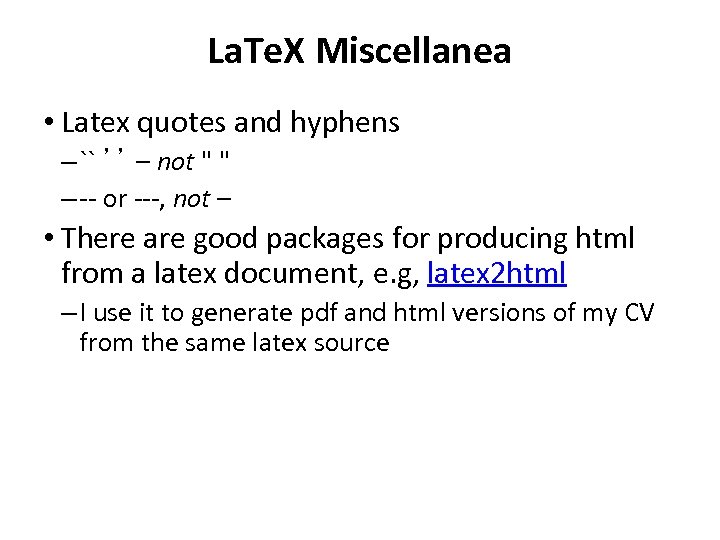 La. Te. X Miscellanea • Latex quotes and hyphens – `` ’’ – not " " – -- or ---, not – • There are good packages for producing html from a latex document, e. g, latex 2 html – I use it to generate pdf and html versions of my CV from the same latex source
 Errors and warnings • Some errors are fatal and require fixing before La. Te. X run to completion • You can continue can from some • Some are just warnings, e. g. , missing labels, over/underfilled line • You can refer to them later in the. log file • Sometimes it can be hard to find the source of an error, just as in a compiler for a programming language
 Learning the rest • Study at the source of documents that have things you want to do – Your lab-mates and colleagues documents – http: //svn. cs. umbc. edu/ebiquity/papers/ • Read some documentation – La. Te. X and common classes and packages have mostly been designed by and for CS types – Reading documentation can reveal powerful features • Search for help online – e. g. “latex two column figure”
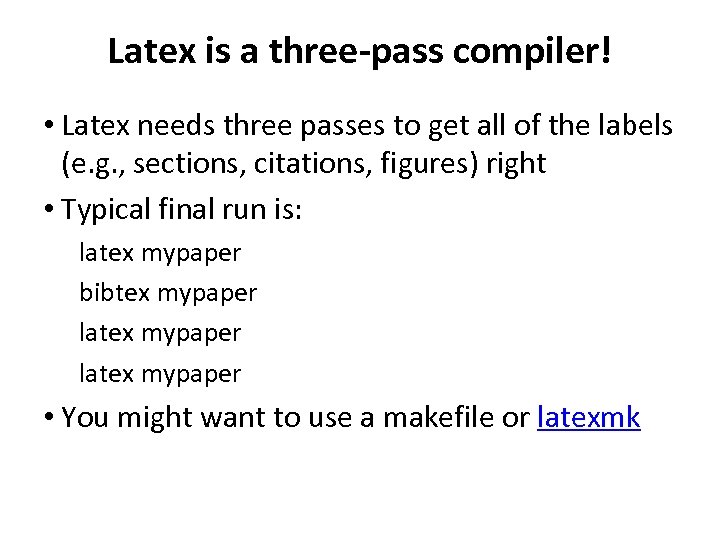 Latex is a three-pass compiler! • Latex needs three passes to get all of the labels (e. g. , sections, citations, figures) right • Typical final run is: latex mypaper bibtex mypaper latex mypaper • You might want to use a makefile or latexmk
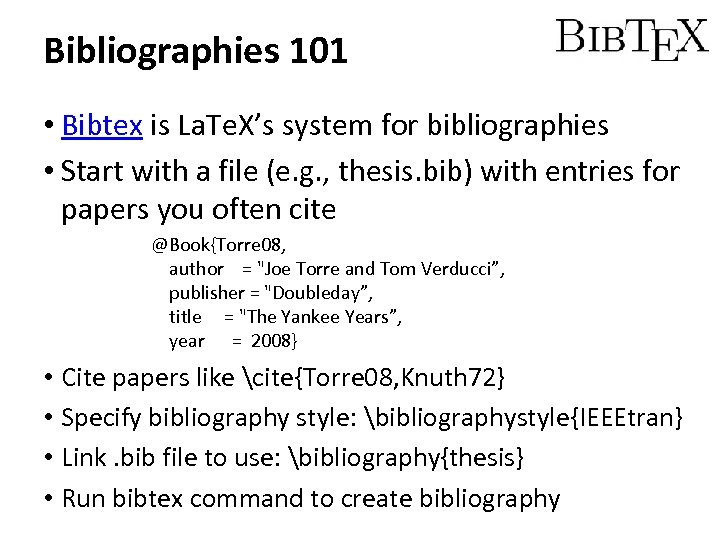 Bibliographies 101 • Bibtex is La. Te. X’s system for bibliographies • Start with a file (e. g. , thesis. bib) with entries for papers you often cite @Book{Torre 08, author = "Joe Torre and Tom Verducci”, publisher = "Doubleday”, title = "The Yankee Years”, year = 2008} • Cite papers like cite{Torre 08, Knuth 72} • Specify bibliography style: bibliographystyle{IEEEtran} • Link. bib file to use: bibliography{thesis} • Run bibtex command to create bibliography
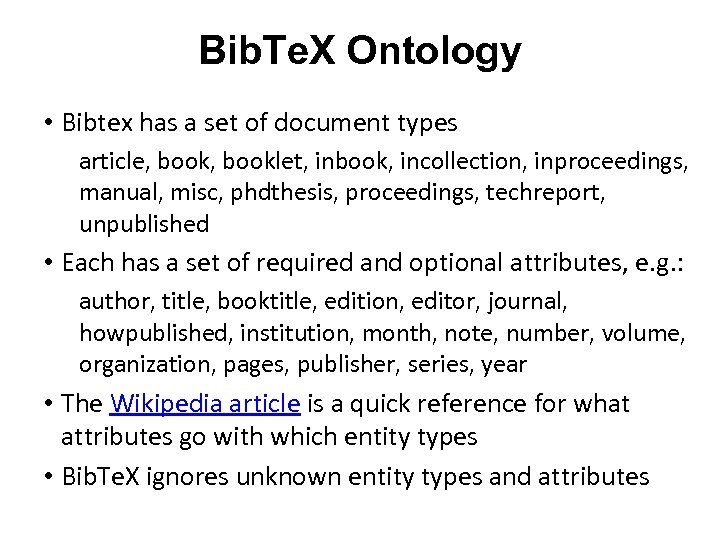 Bib. Te. X Ontology • Bibtex has a set of document types article, booklet, inbook, incollection, inproceedings, manual, misc, phdthesis, proceedings, techreport, unpublished • Each has a set of required and optional attributes, e. g. : author, title, booktitle, edition, editor, journal, howpublished, institution, month, note, number, volume, organization, pages, publisher, series, year • The Wikipedia article is a quick reference for what attributes go with which entity types • Bib. Te. X ignores unknown entity types and attributes
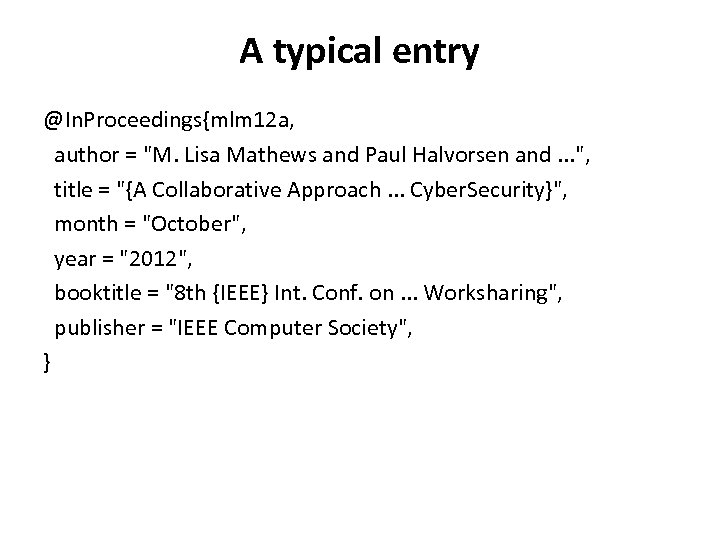 A typical entry @In. Proceedings{mlm 12 a, author = "M. Lisa Mathews and Paul Halvorsen and. . . ", title = "{A Collaborative Approach. . . Cyber. Security}", month = "October", year = "2012", booktitle = "8 th {IEEE} Int. Conf. on. . . Worksharing", publisher = "IEEE Computer Society", }
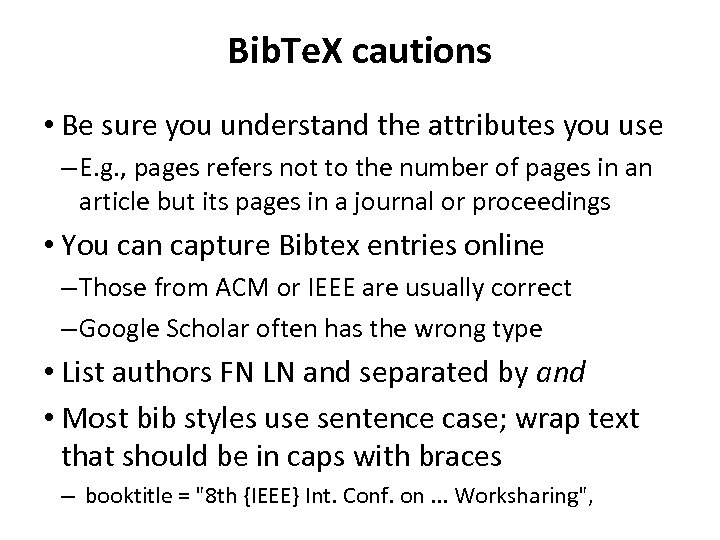 Bib. Te. X cautions • Be sure you understand the attributes you use – E. g. , pages refers not to the number of pages in an article but its pages in a journal or proceedings • You can capture Bibtex entries online – Those from ACM or IEEE are usually correct – Google Scholar often has the wrong type • List authors FN LN and separated by and • Most bib styles use sentence case; wrap text that should be in caps with braces – booktitle = "8 th {IEEE} Int. Conf. on. . . Worksharing",
 Conclussion • Knowledge of La. Te. X is required in many circles • Most journals & conferences provide La. Te. X files ensuring high-quality camera-ready documents • Mastering La. Te. X is not hard for a computing person, but it takes a while • It’s fun to be able to write your own macros
![documentclass[runningheads, a 4 paper]{llncs} usepackage{graphicx} usepackage{algorithmic} usepackage{subfigure} usepackage[rflt]{floatflt} % floating figures usepackage{colortbl} % for](https://present5.com/presentation/5a786dcd82f7cd771c7cfc19daec7d8e/image-29.jpg "documentclass[runningheads, a 4 paper]{llncs} usepackage{graphicx} usepackage{algorithmic} usepackage{subfigure} usepackage[rflt]{floatflt} % floating figures usepackage{colortbl} % for") documentclass[runningheads, a 4 paper]{llncs} usepackage{graphicx} usepackage{algorithmic} usepackage{subfigure} usepackage[rflt]{floatflt} % floating figures usepackage{colortbl} % for colors in tables Real example setcounter{tocdepth}{3} begin{document} mainmatter title{Using linked data to interpret tablesfootnote{scriptsize Research supported in part by a gift from Microsoft Research, a Fulbright fellowship, NSF award IIS-0326460 and the Human Language Technology Center of Excellence. }} titlerunning{Using linked data to interpret tables} author{Varish Mulwad and Tim Finin and Zareen Syed and Anupam Joshi} authorrunning{Varish Mulwad and Tim Finin and Zareen Syed and Anupam Joshi} institute{Department of Computer Science and Electrical Engineering\ University of Maryland, Baltimore County, Baltimore, MD USA 21250\ {varish 1, finin, joshi}@cs. umbc. edu, zareensyed@gmail. com } toctitle{Using linked data to interpret tables} tocauthor{Mulwad and Finin and Syed and Joshi} maketitle
documentclass[runningheads, a 4 paper]{llncs} usepackage{graphicx} usepackage{algorithmic} usepackage{subfigure} usepackage[rflt]{floatflt} % floating figures usepackage{colortbl} % for colors in tables Real example setcounter{tocdepth}{3} begin{document} mainmatter title{Using linked data to interpret tablesfootnote{scriptsize Research supported in part by a gift from Microsoft Research, a Fulbright fellowship, NSF award IIS-0326460 and the Human Language Technology Center of Excellence. }} titlerunning{Using linked data to interpret tables} author{Varish Mulwad and Tim Finin and Zareen Syed and Anupam Joshi} authorrunning{Varish Mulwad and Tim Finin and Zareen Syed and Anupam Joshi} institute{Department of Computer Science and Electrical Engineering\ University of Maryland, Baltimore County, Baltimore, MD USA 21250\ {varish 1, finin, joshi}@cs. umbc. edu, zareensyed@gmail. com } toctitle{Using linked data to interpret tables} tocauthor{Mulwad and Finin and Syed and Joshi} maketitle
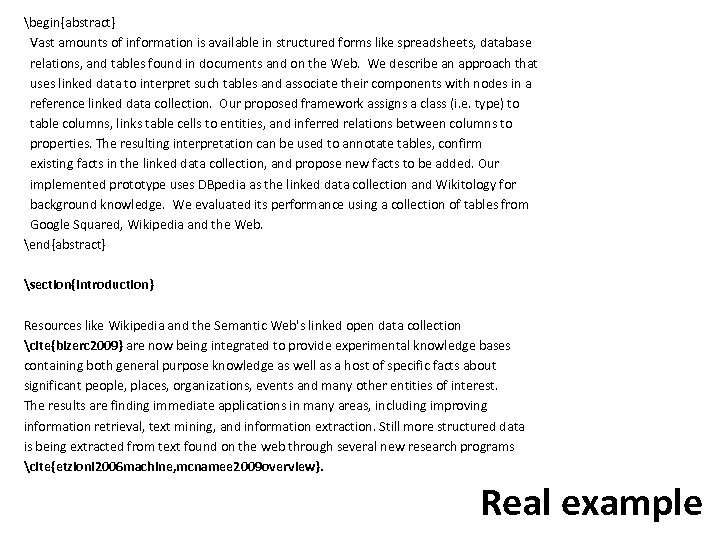 begin{abstract} Vast amounts of information is available in structured forms like spreadsheets, database relations, and tables found in documents and on the Web. We describe an approach that uses linked data to interpret such tables and associate their components with nodes in a reference linked data collection. Our proposed framework assigns a class (i. e. type) to table columns, links table cells to entities, and inferred relations between columns to properties. The resulting interpretation can be used to annotate tables, confirm existing facts in the linked data collection, and propose new facts to be added. Our implemented prototype uses DBpedia as the linked data collection and Wikitology for background knowledge. We evaluated its performance using a collection of tables from Google Squared, Wikipedia and the Web. end{abstract} section{Introduction} Resources like Wikipedia and the Semantic Web's linked open data collection cite{bizerc 2009} are now being integrated to provide experimental knowledge bases containing both general purpose knowledge as well as a host of specific facts about significant people, places, organizations, events and many other entities of interest. The results are finding immediate applications in many areas, including improving information retrieval, text mining, and information extraction. Still more structured data is being extracted from text found on the web through several new research programs cite{etzioni 2006 machine, mcnamee 2009 overview}. Real example
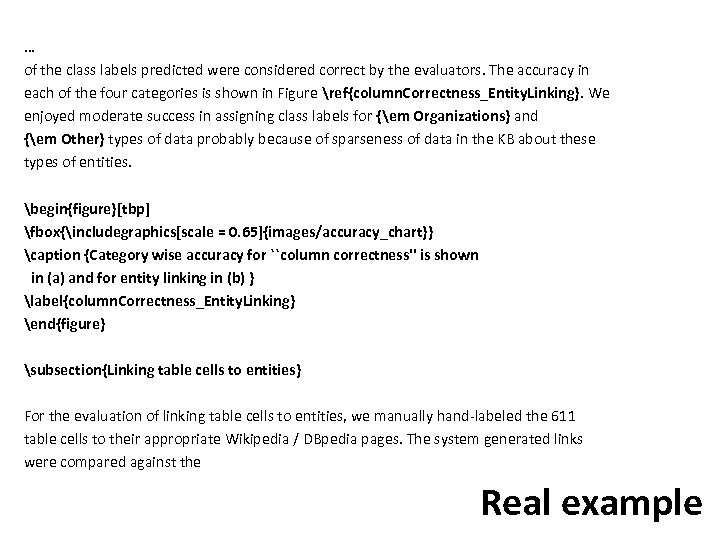 … of the class labels predicted were considered correct by the evaluators. The accuracy in each of the four categories is shown in Figure ref{column. Correctness_Entity. Linking}. We enjoyed moderate success in assigning class labels for {em Organizations} and {em Other} types of data probably because of sparseness of data in the KB about these types of entities. begin{figure}[tbp] fbox{includegraphics[scale = 0. 65]{images/accuracy_chart}} caption {Category wise accuracy for ``column correctness'' is shown in (a) and for entity linking in (b) } label{column. Correctness_Entity. Linking} end{figure} subsection{Linking table cells to entities} For the evaluation of linking table cells to entities, we manually hand-labeled the 611 table cells to their appropriate Wikipedia / DBpedia pages. The system generated links were compared against the Real example
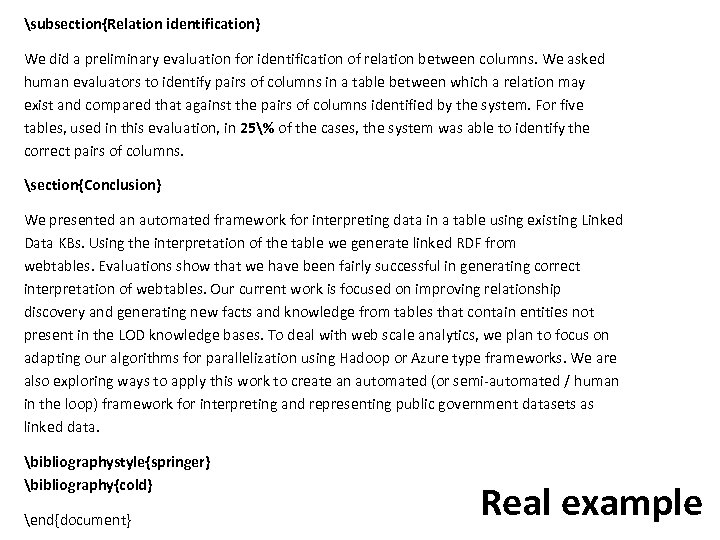 subsection{Relation identification} We did a preliminary evaluation for identification of relation between columns. We asked human evaluators to identify pairs of columns in a table between which a relation may exist and compared that against the pairs of columns identified by the system. For five tables, used in this evaluation, in 25% of the cases, the system was able to identify the correct pairs of columns. section{Conclusion} We presented an automated framework for interpreting data in a table using existing Linked Data KBs. Using the interpretation of the table we generate linked RDF from webtables. Evaluations show that we have been fairly successful in generating correct interpretation of webtables. Our current work is focused on improving relationship discovery and generating new facts and knowledge from tables that contain entities not present in the LOD knowledge bases. To deal with web scale analytics, we plan to focus on adapting our algorithms for parallelization using Hadoop or Azure type frameworks. We are also exploring ways to apply this work to create an automated (or semi-automated / human in the loop) framework for interpreting and representing public government datasets as linked data. bibliographystyle{springer} bibliography{cold} end{document} Real example
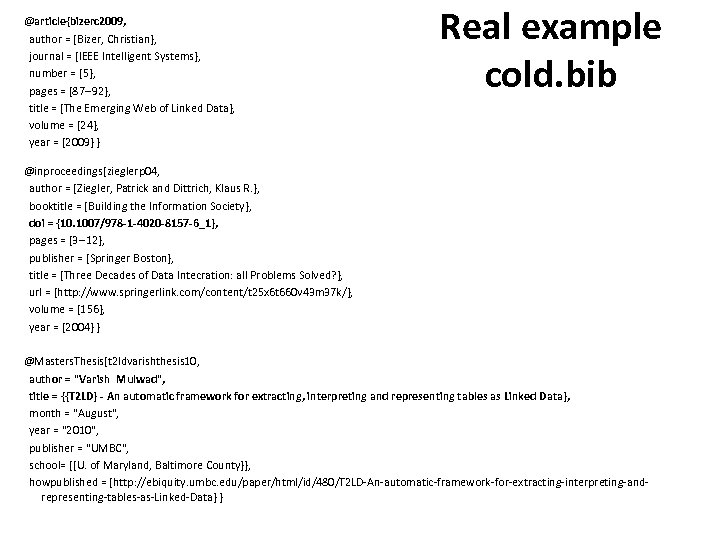 @article{bizerc 2009, author = {Bizer, Christian}, journal = {IEEE Intelligent Systems}, number = {5}, pages = {87 --92}, title = {The Emerging Web of Linked Data}, volume = {24}, year = {2009} } Real example cold. bib @inproceedings{zieglerp 04, author = {Ziegler, Patrick and Dittrich, Klaus R. }, booktitle = {Building the Information Society}, doi = {10. 1007/978 -1 -4020 -8157 -6_1}, pages = {3 --12}, publisher = {Springer Boston}, title = {Three Decades of Data Intecration: all Problems Solved? }, url = {http: //www. springerlink. com/content/t 25 x 6 t 660 v 43 m 37 k/}, volume = {156}, year = {2004} } @Masters. Thesis{t 2 ldvarishthesis 10, author = "Varish Mulwad", title = {{T 2 LD} - An automatic framework for extracting, interpreting and representing tables as Linked Data}, month = "August", year = "2010", publisher = "UMBC", school= {{U. of Maryland, Baltimore County}}, howpublished = {http: //ebiquity. umbc. edu/paper/html/id/480/T 2 LD-An-automatic-framework-for-extracting-interpreting-andrepresenting-tables-as-Linked-Data} }