 Скачать презентацию The Globus Project Infrastructure for Computational Grids The
9e4ff9fa2184c90419ccc737a63b200c.ppt
- Количество слайдов: 141



The Globus Project Infrastructure for Computational Grids The Globus Project Team http: //www. globus. org/
Session Goals • Provide an introduction to… § computational grids § the capabilities of the Globus Toolkit § pragmatic issues with grids & Globus • Enable attendees to… § start building grids using the Globus Toolkit § start building & using grid applications SIAC 2000, Wright State University, August 21, 2000 2
Overview • Introduction to computational grids • Introduction to the Globus Toolkit § Portability § Security § Information services § Resource management § Data management § Communication • Case studies • Other Globus services, and future directions SIAC 2000, Wright State University, August 21, 2000 3
What is a computational grid? • A pool of computational resources that can be “plugged into” via standard interfaces. • Processors • Data storage devices • Instruments • As the power grid is to electrical power, and the telephone grid is to voice communication, so will the computational grid be for computation. SIAC 2000, Wright State University, August 21, 2000 4
Computational Collaboration • 1975 -1995: Collaboration § We work together, but use our own unique systems. § It’s hard to share data, computing power, instrumentation. • 1995 -2005: Virtual Organizations § We build systems that combine our resources with those of our collaborators. § We learn how to manage the heterogeneity of systems, management, and users. • 2005 -? : Computational Grid § Computation is a commodity, that can be bought and sold by anyone. § Computational services use standard interfaces. § Organizations and individuals typically don’t need to build their own computing infrastructures. SIAC 2000, Wright State University, August 21, 2000 5
Why do we need the Grid? • The Grid will enable applications that include people, computers, databases, instruments, etc. § Online instruments § Collaborative engineering § Parameter studies § Browsing of remote datasets § Use of remote software § Data-intensive computing § Very large-scale simulation SIAC 2000, Wright State University, August 21, 2000 6
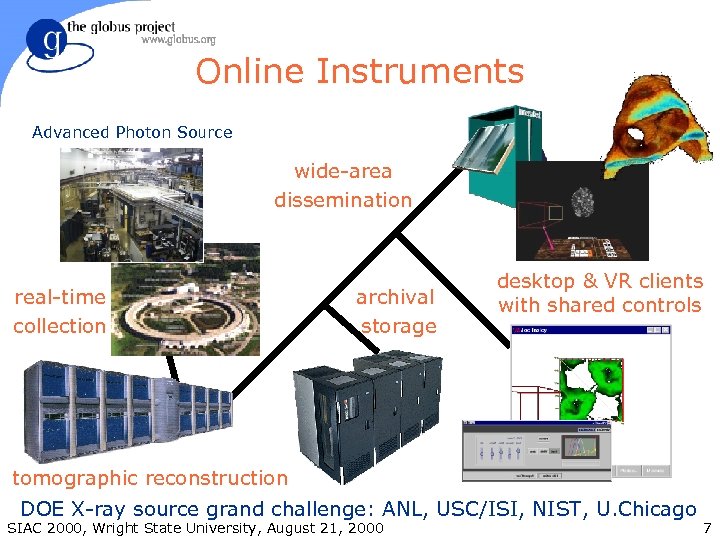
Online Instruments Advanced Photon Source wide-area dissemination real-time collection archival storage desktop & VR clients with shared controls tomographic reconstruction DOE X-ray source grand challenge: ANL, USC/ISI, NIST, U. Chicago SIAC 2000, Wright State University, August 21, 2000 7
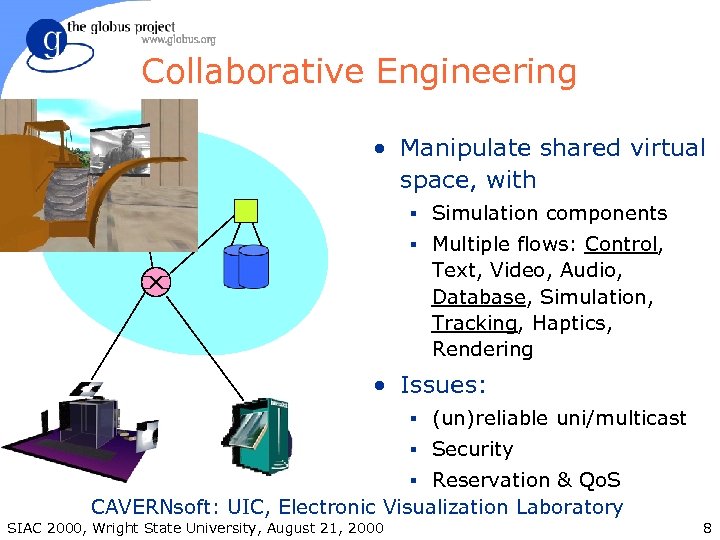
Collaborative Engineering • Manipulate shared virtual space, with § Simulation components § Multiple flows: Control, Text, Video, Audio, Database, Simulation, Tracking, Haptics, Rendering • Issues: § (un)reliable uni/multicast § Security § Reservation & Qo. S CAVERNsoft: UIC, Electronic Visualization Laboratory SIAC 2000, Wright State University, August 21, 2000 8
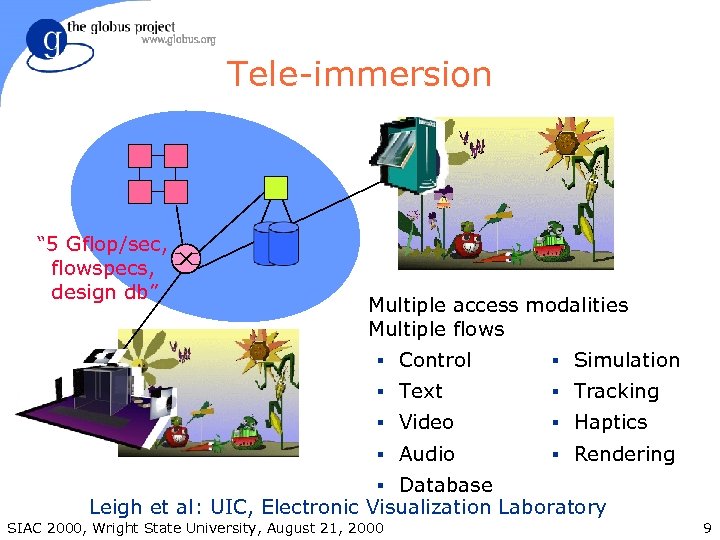
Tele-immersion “ 5 Gflop/sec, flowspecs, design db” Multiple access modalities Multiple flows § Control § Simulation § Text § Tracking § Video § Haptics § Audio § Rendering § Database Leigh et al: UIC, Electronic Visualization Laboratory SIAC 2000, Wright State University, August 21, 2000 9
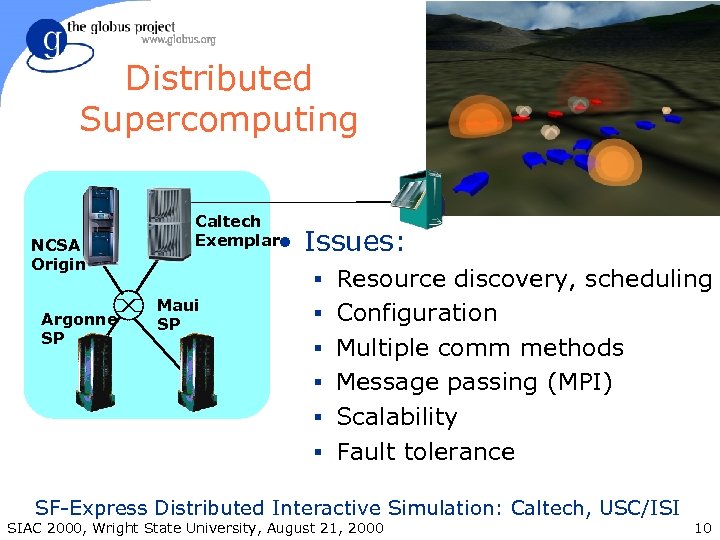
Distributed Supercomputing NCSA Origin Argonne SP Caltech Exemplar • Issues: § Resource discovery, scheduling Maui SP § Configuration § Multiple comm methods § Message passing (MPI) § Scalability § Fault tolerance SF-Express Distributed Interactive Simulation: Caltech, USC/ISI SIAC 2000, Wright State University, August 21, 2000 10
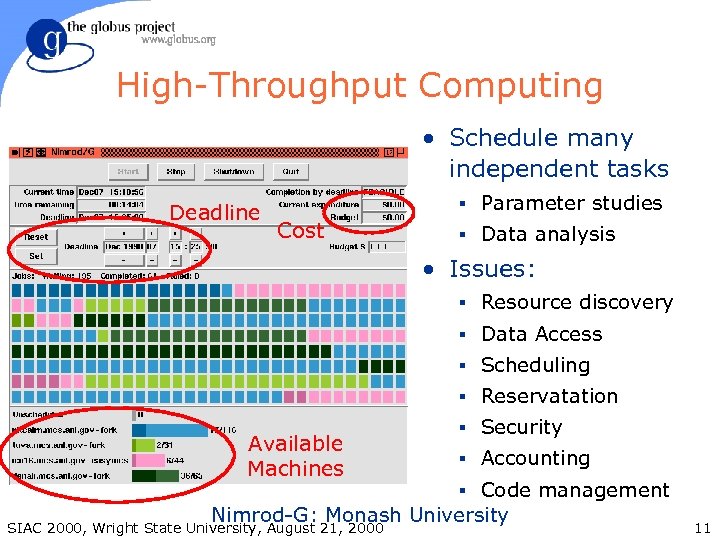
High-Throughput Computing • Schedule many independent tasks Deadline § Parameter studies Cost § Data analysis • Issues: § Resource discovery § Data Access § Scheduling § Reservatation Available Machines § Security § Accounting § Code management Nimrod-G: Monash University SIAC 2000, Wright State University, August 21, 2000 11
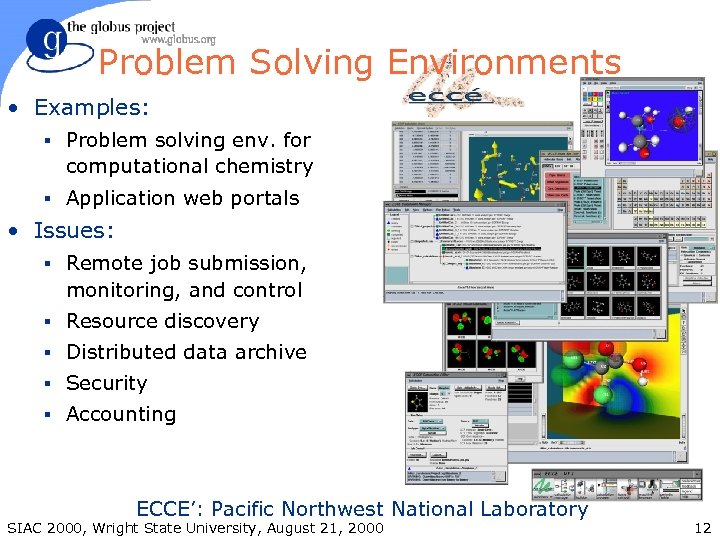
Problem Solving Environments • Examples: § Problem solving env. for computational chemistry § Application web portals • Issues: § Remote job submission, monitoring, and control § Resource discovery § Distributed data archive § Security § Accounting ECCE’: Pacific Northwest National Laboratory SIAC 2000, Wright State University, August 21, 2000 12
![The Grid “Dependable, consistent, pervasive access to [high-end] resources” • Dependable: Can provide performance](https://present5.com/presentation/9e4ff9fa2184c90419ccc737a63b200c/image-13.jpg "The Grid “Dependable, consistent, pervasive access to [high-end] resources” • Dependable: Can provide performance")
The Grid “Dependable, consistent, pervasive access to [high-end] resources” • Dependable: Can provide performance and functionality guarantees • Consistent: Uniform interfaces to a wide variety of resources • Pervasive: Ability to “plug in” from anywhere SIAC 2000, Wright State University, August 21, 2000 13
Early Steps Toward the Grid • Metacomputing: late 80 s § Focus on distributed computation • Gigabit testbeds: early 90 s § Research, primarily on networking • I-WAY: 1995 § Demonstration of application feasibility • NFS PACIs (National Technology Grid): 1998 • NASA Information Power Grid: 1999 • DOE ASCI DISCOM DRM: 1999 • European Grid: 2000 SIAC 2000, Wright State University, August 21, 2000 14
Technical Challenges • Complex application structures that combine aspects of parallel, multimedia, distributed, collaborative computing • Resource characteristics that vary dynamically in both time and space. • Requirements for guaranteed high “end to end” performance, despite heterogeneity and lack of global control. • Desire to retain local policies for security, fees, usage restrictions, management, and technical standards. SIAC 2000, Wright State University, August 21, 2000 15
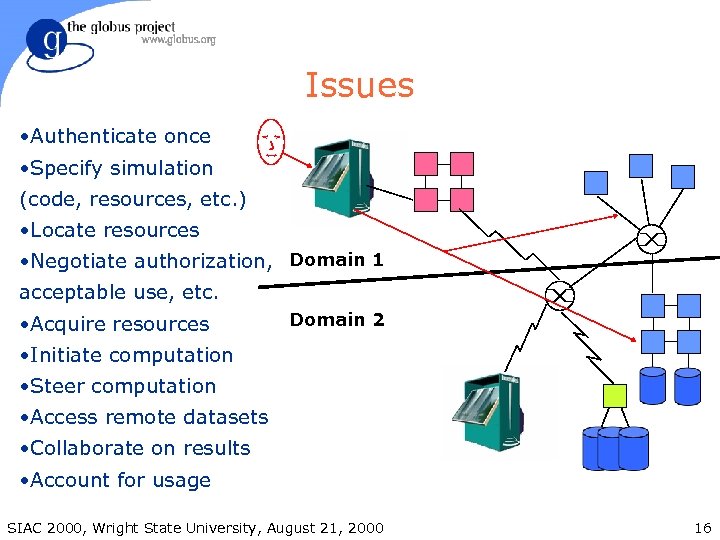
Issues • Authenticate once • Specify simulation (code, resources, etc. ) • Locate resources • Negotiate authorization, Domain 1 acceptable use, etc. • Acquire resources Domain 2 • Initiate computation • Steer computation • Access remote datasets • Collaborate on results • Account for usage SIAC 2000, Wright State University, August 21, 2000 16
Architectural Approaches • Distributed systems: DCE, CORBA, Jini, etc. § Rich functionality eases app development § Complexity hinders deployment • especially in absence of global control § Performance difficulties • Internet/Web Protocols and Tools § Simple protocols facilitate deployment § Missing functionality hinders app development § Performance difficulties SIAC 2000, Wright State University, August 21, 2000 17
Standards & Commodity Tech • Where appropriate, exploit standards and commodity technology in core infrastructure § LDAP, SSL/TLS, X. 509, GSS-API, HTTP, FTP, XML, SOAP, etc. § Provides leverage • Interface with other common standards § CORBA, Java/Jini, DCOM, Web, etc § While our core infrastructure may not be built on one of these distributed architectures, we can and must cleanly interface with them SIAC 2000, Wright State University, August 21, 2000 18
The Globus Project • Basic research in grid-related technologies § Resource & data management, security, Qo. S, policy, communication, adaptation, etc. • Development of the Globus Toolkit § Core services for grid-enabled tools & applications • Construction of production grids & testbeds § Environments in which grid software can be deployed and experiments can be run. • Experimentation with real grid applications § Verifying that the grid works and is useful. SIAC 2000, Wright State University, August 21, 2000 19
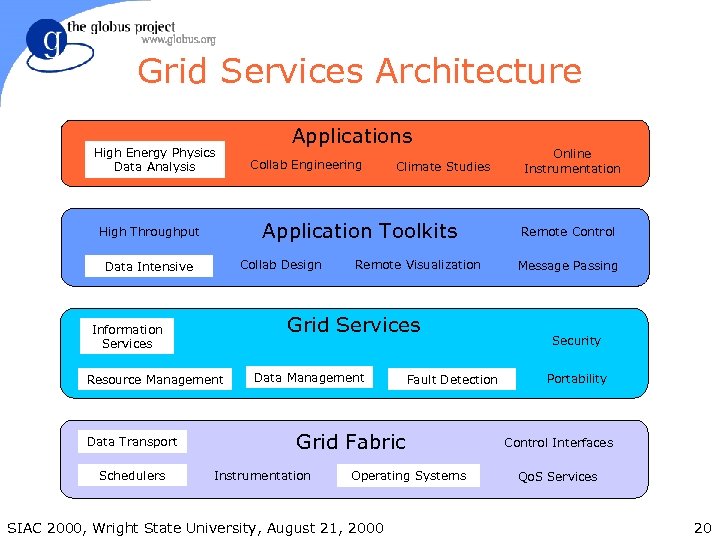
Grid Services Architecture High Energy Physics Data Analysis Collab Design Data Intensive Climate Studies Remote Visualization Grid Services Information Services Resource Management Schedulers Collab Engineering Application Toolkits High Throughput Data Transport Applications Data Management Fault Detection Grid Fabric Instrumentation Operating Systems SIAC 2000, Wright State University, August 21, 2000 Online Instrumentation Remote Control Message Passing Security Portability Control Interfaces Qo. S Services 20
Globus Project Participants • Globus Project is a large community effort § Globus Toolkit core development • Argonne, USC/ISI, NCSA, SDSC § Globus Toolkit contributors • NASA, DOE ASCI DRM (SNL, LBNL, LLNL), Raytheon, and numerous others § Collaborators • University, lab, industrial, and international partners spanning many scientific and engineering disciplines • Active in Grid Forum § http: //www. gridforum. org SIAC 2000, Wright State University, August 21, 2000 21
Globus Approach • A toolkit and collection of services addressing key technical problems § Modular “bag of services” model § Not a vertically integrated solution § General infrastructure tools (aka middleware) that can be applied to many application domains • Inter-domain issues, rather than clustering § Integration of intra-domain solutions • Distinguish between local and global services SIAC 2000, Wright State University, August 21, 2000 22
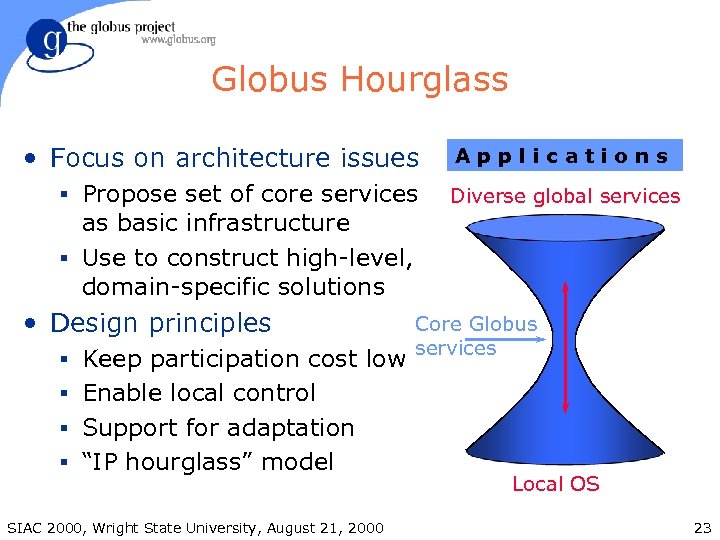
Globus Hourglass • Focus on architecture issues § Propose set of core services as basic infrastructure § Use to construct high-level, domain-specific solutions • Design principles § Keep participation cost low Applications Diverse global services Core Globus services § Enable local control § Support for adaptation § “IP hourglass” model SIAC 2000, Wright State University, August 21, 2000 Local OS 23
Technical Focus & Approach • Enable incremental development of grid-enabled tools and applications § Model neutral: Support many programming models, languages, tools, and applications § Evolve in response to user requirements • Deploy toolkit on international-scale production grids and testbeds § Large-scale application development & testing • Information-rich environment § Basis for configuration and adaptation SIAC 2000, Wright State University, August 21, 2000 24
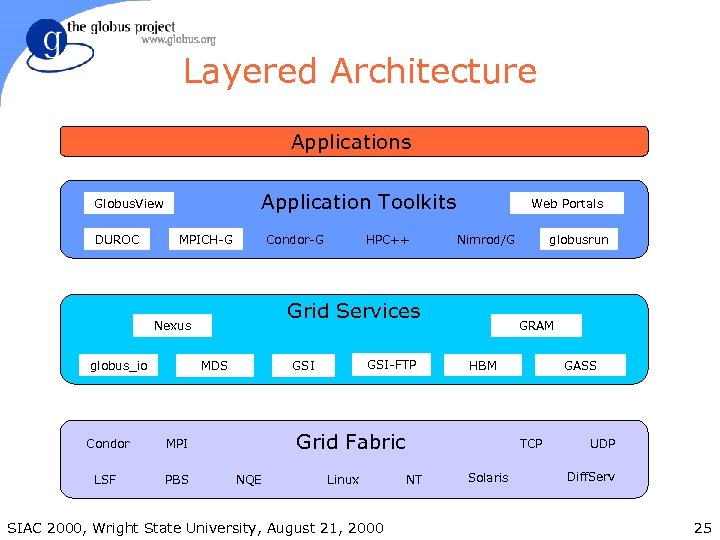
Layered Architecture Applications Application Toolkits Globus. View DUROC MPICH-G Condor-G PBS NQE Linux SIAC 2000, Wright State University, August 21, 2000 globusrun GRAM HBM Grid Fabric MPI LSF GSI-FTP GSI MDS Condor Nimrod/G Grid Services Nexus globus_io HPC++ Web Portals GASS TCP NT Solaris UDP Diff. Serv 25
Globus Toolkit Grid Services • Security (GSI) • Information services (MDS) • Resource management (GRAM) • Data management (GASS, GSI-FTP, replicas) • Communication (globus_io, Nexus) • Fault detection (HBM) • Portability (globus_dc, globus_thread) SIAC 2000, Wright State University, August 21, 2000 26
Other Globus Project Grid Services • Coming Soon § Data transfer (GSI-FTP) § Replica Management http: //www. globus. org/datagrid • Experimental Prototypes § Advanced Reservations & Qo. S (GARA) § Distributed Events & Logging SIAC 2000, Wright State University, August 21, 2000 27
Sample of High-Level Services • Resource brokers and co-allocators § DUROC, HTB, Nimrod/G, Condor-G, ASCI DRM • Communication & I/O libraries § MPICH-G, PAWS, RIO (MPI-IO), PPFS, MOL • Parallel languages § HPC++, CC++ • Collaborative environments § CAVERNsoft, Many. Worlds • Others § Meta. NEOS, Net. Solve, LSA, Auto. Pilot, Web. Flow SIAC 2000, Wright State University, August 21, 2000 28
Condor-G: Condor for the Grid • Condor is a high-throughput scheduler • Condor-G uses Globus Toolkit libraries for: § Security (GSI) § Managing remote jobs on Grid (GRAM) § File staging & remote I/O (GSI-FTP) • Grid job management interface & scheduling § Robust replacement for Globus Toolkit programs • Globus Toolkit focus is on libraries and services, not end user vertical solutions § Supports single or high-throughput apps on Grid • Personal job manager which can exploit Grid resources SIAC 2000, Wright State University, August 21, 2000 29
Production Grids & Testbeds • Production deployments underway at: § NSF PACIs (National Technology Grid) § NASA Information Power Grid § DOE ASCI § European Grid • Research testbeds § EMERGE: Advance reservation & Qo. S § GUSTO: Globus Ubiquitous Supercomputing Testbed Organization § Particle Physics Data Grid § Earth Systems Grid SIAC 2000, Wright State University, August 21, 2000 30
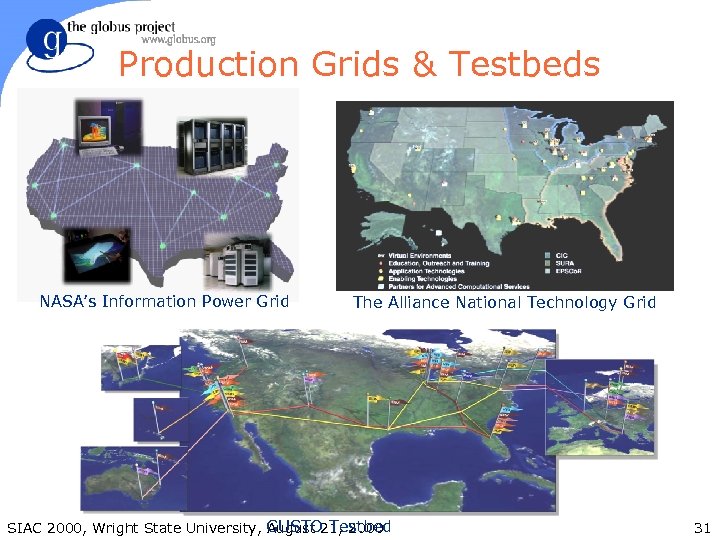
Production Grids & Testbeds NASA’s Information Power Grid The Alliance National Technology Grid SIAC 2000, Wright State University, GUSTO 21, 2000 August Testbed 31
Application Experiments • Computed microtomography (ANL, ISI) § Real-time, collaborative analysis of data from X- Ray source (and electron microscope) • Hydrology (ISI, UMD, UT; also NCSA, Wisc. ) § Interactive modeling and data analysis • Collaborative engineering (“tele-immersion”) § CAVERNsoft @ EVL • OVERFLOW (NASA) § Large CFD simulations for aerospace vehicles SIAC 2000, Wright State University, August 21, 2000 32
Application Experiments • Distributed interactive simulation (CIT, ISI) § Record-setting SF-Express simulation • Cactus § Astrophysics simulation, viz, and steering § Including trans-Atlantic experiments • Particle Physics Data Grid § High Energy Physics distributed data analysis • Earth Systems Grid § Climate modeling data management SIAC 2000, Wright State University, August 21, 2000 33
Where Are We? (August 2000) • Research is focused on data management, resource management, and web portals. • Globus Toolkit v 1. 1. 3 has been released. § Runs on most versions of Unix, Win 32 clients. • Production deployment is underway. § NSF PACIs, NASA IPG, DOE ASCI DRM • Many research applications and tools are using these testbeds. • We’re always looking for interesting applications. SIAC 2000, Wright State University, August 21, 2000 34
For More Information on Globus http: //www. globus. org/ • Papers on most components • Tutorials § User, Developer, Administrator • Manuals § Quick Start Guide, System Administration Guide • Mailing lists § discuss@globus. org, announce@globus. org • Software & API documentation • Application descriptions • Attend Supercomputing 2000 (Nov. 2000) SIAC 2000, Wright State University, August 21, 2000 35
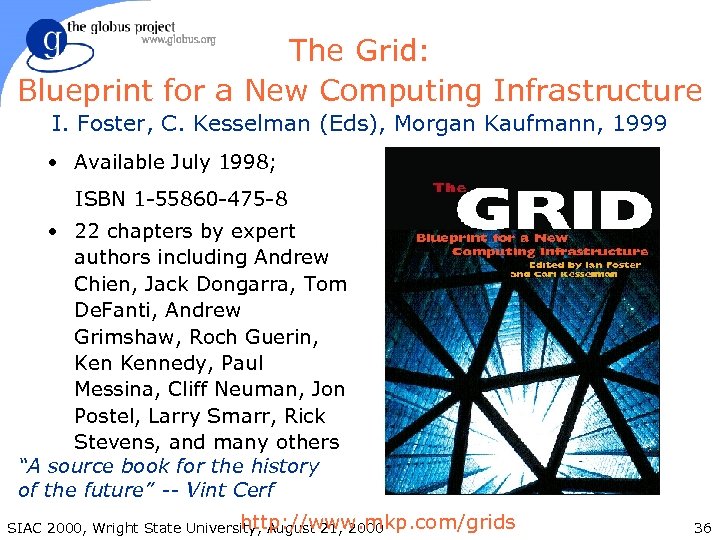
The Grid: Blueprint for a New Computing Infrastructure I. Foster, C. Kesselman (Eds), Morgan Kaufmann, 1999 • Available July 1998; ISBN 1 -55860 -475 -8 • 22 chapters by expert authors including Andrew Chien, Jack Dongarra, Tom De. Fanti, Andrew Grimshaw, Roch Guerin, Kennedy, Paul Messina, Cliff Neuman, Jon Postel, Larry Smarr, Rick Stevens, and many others “A source book for the history of the future” -- Vint Cerf http: //www. mkp. com/grids SIAC 2000, Wright State University, August 21, 2000 36
Session Approach • Five sections, each illustrating a basic Globus service • Laboratory material is available to allow practice with the use of each technique § See http: //www. globus. org/tutorial/ SIAC 2000, Wright State University, August 21, 2000 37
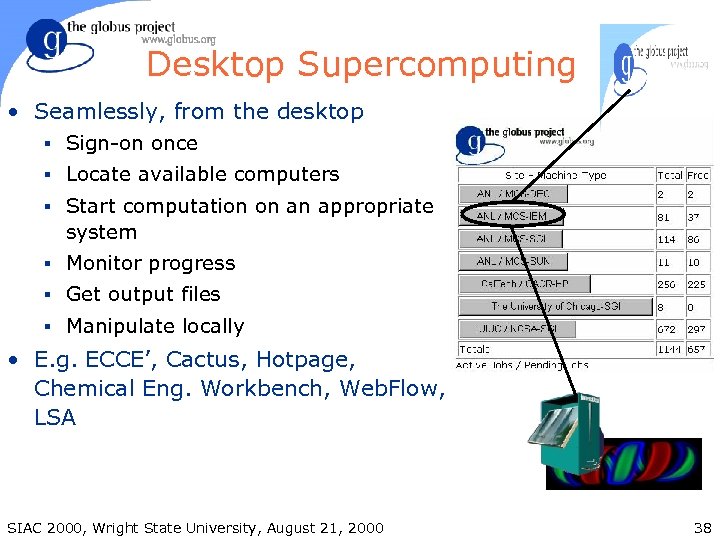
Desktop Supercomputing • Seamlessly, from the desktop § Sign-on once § Locate available computers § Start computation on an appropriate system § Monitor progress § Get output files § Manipulate locally • E. g. ECCE’, Cactus, Hotpage, Chemical Eng. Workbench, Web. Flow, LSA SIAC 2000, Wright State University, August 21, 2000 38
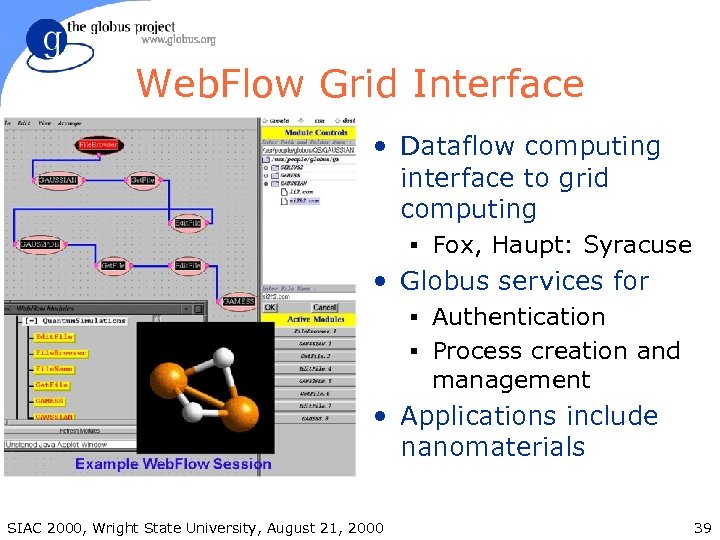
Web. Flow Grid Interface • Dataflow computing interface to grid computing § Fox, Haupt: Syracuse • Globus services for § Authentication § Process creation and management • Applications include nanomaterials SIAC 2000, Wright State University, August 21, 2000 39
Application Challenges • Security § How do we authenticate ourselves at the remote site? • Resource specification § How do we locate and request a resource? • Staging of code and data § How do we stage a user’s executables and data to the remote resource? • Computation § How do we start & manage computation? SIAC 2000, Wright State University, August 21, 2000 40
Grid Services • Single sign-on for all resources § No need for user to keep track of accounts and passwords at multiple sites § No plaintext passwords • Uniform interface to various local scheduling mechanisms § PBS, Condor, LSF, NQE, Load. Leveler, fork, etc. § No need to learn and remember obscure command sequences at different sites • Support for file staging, remote I/O, etc. SIAC 2000, Wright State University, August 21, 2000 41
Grid Authentication Model • Authentication is done on a “user” basis § Single authentication step allows access to all grid resources • No communication of plaintext passwords • Most sites will use conventional account mechanisms § You must have an account on a resource to use that resource • Sites may use “generic” Grid accounts § Not common, but Globus can deal with it SIAC 2000, Wright State University, August 21, 2000 42
Grid Security Infrastructure (GSI) • Based on public key technology § Standard X. 509 certificate, same as certificates used for the Web • Each user has: § a Grid user id (called a Subject Name) § a private key (like a password) § a certificate signed by a Certificate Authority (CA) • A “gridmap” file at each site specifies grid-id to local-id mapping SIAC 2000, Wright State University, August 21, 2000 43
Certificate Based Authentication • User has a certificate, signed by a trusted “certificate authority” (CA) § Certificate contains users name and public key § Globus project operates a CA • User’s private key is used to encode a challenge string • Public key is used to decode the challenge § If you can decode it, you know the user • Treat your private key carefully!! § Private key is stored in encrypted form SIAC 2000, Wright State University, August 21, 2000 44
User Proxies • Minimize exposure of user’s private key • A temporary credential for use by our computations § We call this a user proxy certificate § Allows process to act on behalf of user § User-signed user proxy certificate stored in local file • Proxy’s private key is not encrypted § Rely on file system security, proxy certificate file must be readable only by the owner SIAC 2000, Wright State University, August 21, 2000 45
Delegation • Remote creation of a user proxy • Allows remote process to act on behalf of the user • Avoids sending passwords or private keys across the network SIAC 2000, Wright State University, August 21, 2000 46
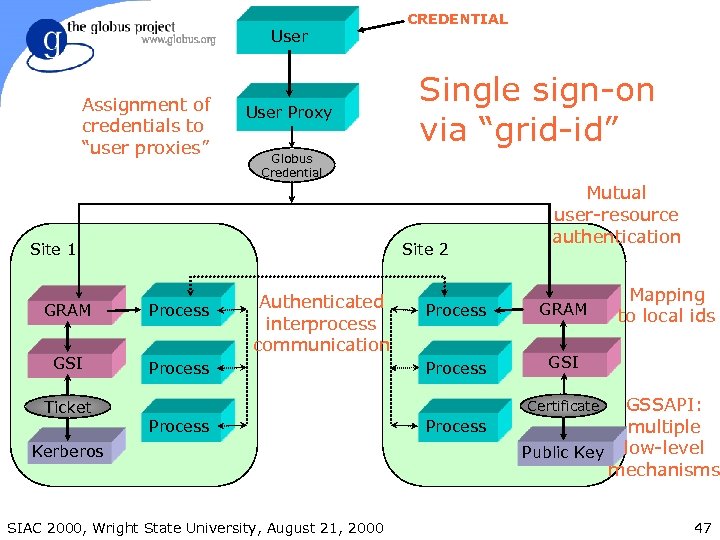
User Assignment of credentials to “user proxies” User Proxy Single sign-on via “grid-id” Globus Credential Site 2 Site 1 GRAM Process GSI Authenticated interprocess communication Process Ticket CREDENTIAL Mutual user-resource authentication Process GRAM Process Mapping to local ids GSI GSSAPI: multiple Public Key low-level mechanisms Certificate Process Kerberos SIAC 2000, Wright State University, August 21, 2000 Process 47
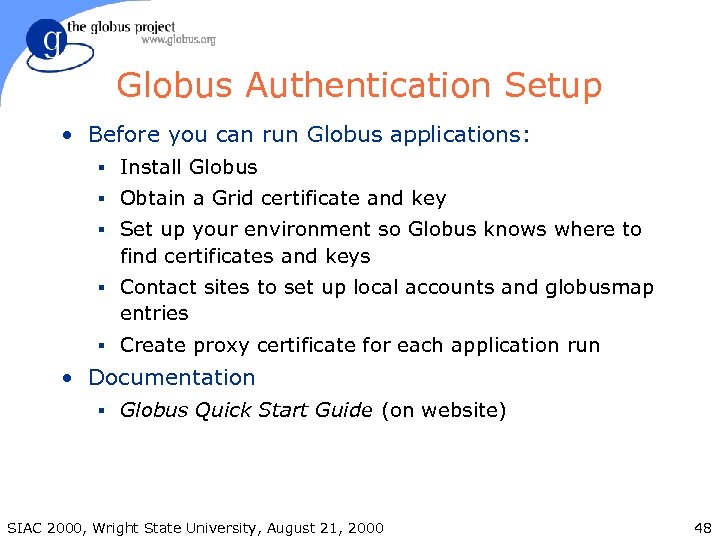
Globus Authentication Setup • Before you can run Globus applications: § Install Globus § Obtain a Grid certificate and key § Set up your environment so Globus knows where to find certificates and keys § Contact sites to set up local accounts and globusmap entries § Create proxy certificate for each application run • Documentation § Globus Quick Start Guide (on website) SIAC 2000, Wright State University, August 21, 2000 48
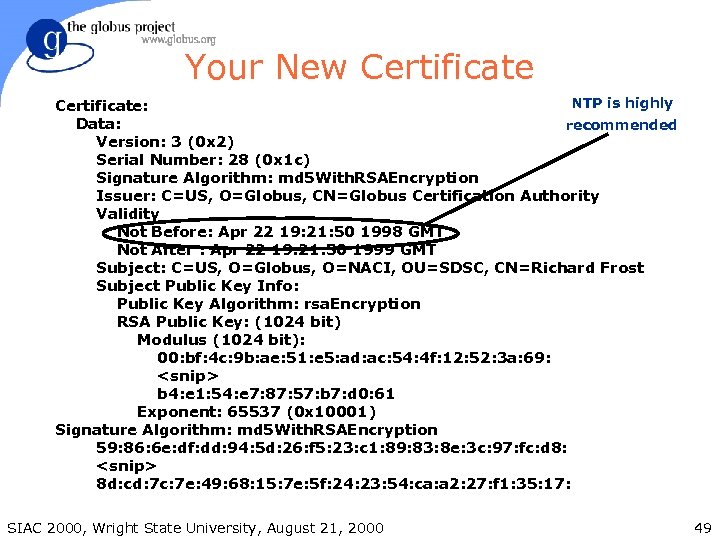
Your New Certificate NTP is highly Certificate: Data: recommended Version: 3 (0 x 2) Serial Number: 28 (0 x 1 c) Signature Algorithm: md 5 With. RSAEncryption Issuer: C=US, O=Globus, CN=Globus Certification Authority Validity Not Before: Apr 22 19: 21: 50 1998 GMT Not After : Apr 22 19: 21: 50 1999 GMT Subject: C=US, O=Globus, O=NACI, OU=SDSC, CN=Richard Frost Subject Public Key Info: Public Key Algorithm: rsa. Encryption RSA Public Key: (1024 bit) Modulus (1024 bit): 00: bf: 4 c: 9 b: ae: 51: e 5: ad: ac: 54: 4 f: 12: 52: 3 a: 69: <snip> b 4: e 1: 54: e 7: 87: 57: b 7: d 0: 61 Exponent: 65537 (0 x 10001) Signature Algorithm: md 5 With. RSAEncryption 59: 86: 6 e: df: dd: 94: 5 d: 26: f 5: 23: c 1: 89: 83: 8 e: 3 c: 97: fc: d 8: <snip> 8 d: cd: 7 c: 7 e: 49: 68: 15: 7 e: 5 f: 24: 23: 54: ca: a 2: 27: f 1: 35: 17: SIAC 2000, Wright State University, August 21, 2000 49
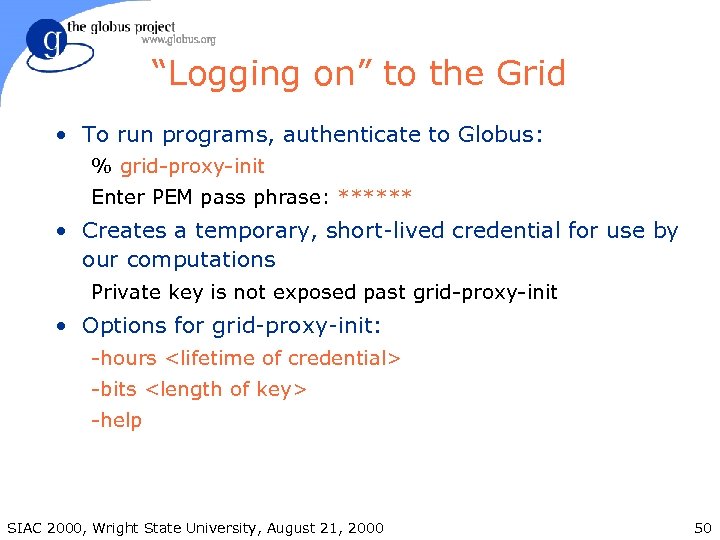
“Logging on” to the Grid • To run programs, authenticate to Globus: % grid-proxy-init Enter PEM pass phrase: ****** • Creates a temporary, short-lived credential for use by our computations Private key is not exposed past grid-proxy-init • Options for grid-proxy-init: -hours <lifetime of credential> -bits <length of key> -help SIAC 2000, Wright State University, August 21, 2000 50
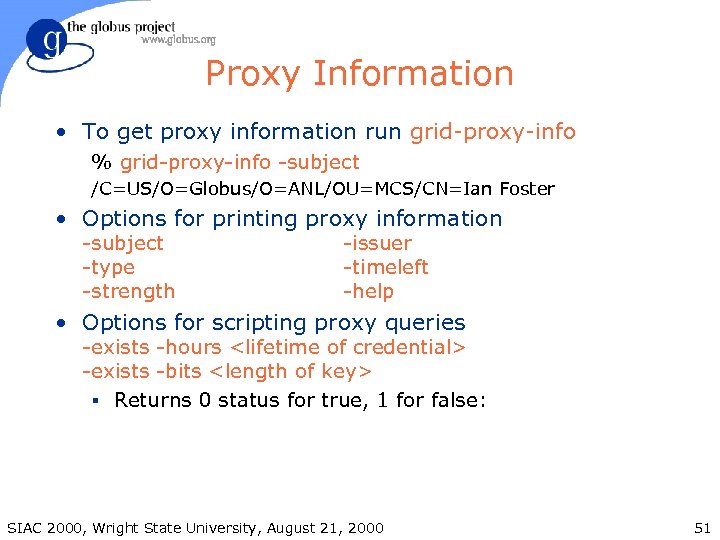
Proxy Information • To get proxy information run grid-proxy-info % grid-proxy-info -subject /C=US/O=Globus/O=ANL/OU=MCS/CN=Ian Foster • Options for printing proxy information -subject -type -strength -issuer -timeleft -help • Options for scripting proxy queries -exists -hours <lifetime of credential> -exists -bits <length of key> § Returns 0 status for true, 1 for false: SIAC 2000, Wright State University, August 21, 2000 51
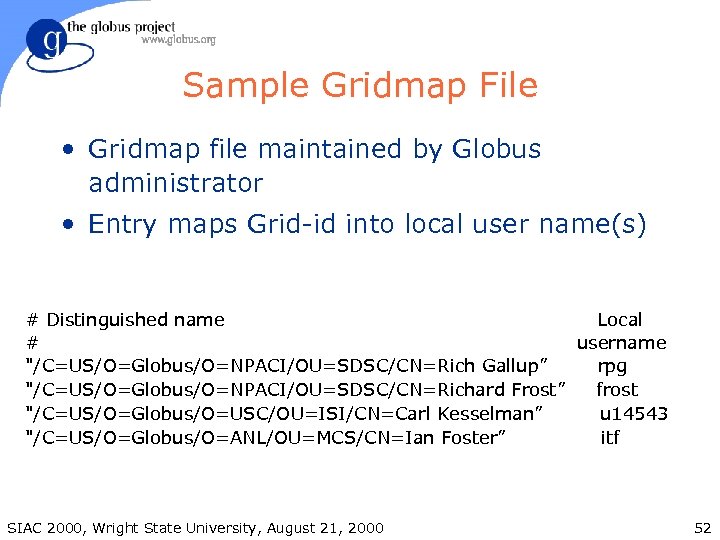
Sample Gridmap File • Gridmap file maintained by Globus administrator • Entry maps Grid-id into local user name(s) # Distinguished name Local # username "/C=US/O=Globus/O=NPACI/OU=SDSC/CN=Rich Gallup” rpg "/C=US/O=Globus/O=NPACI/OU=SDSC/CN=Richard Frost” frost "/C=US/O=Globus/O=USC/OU=ISI/CN=Carl Kesselman” u 14543 "/C=US/O=Globus/O=ANL/OU=MCS/CN=Ian Foster” itf SIAC 2000, Wright State University, August 21, 2000 52
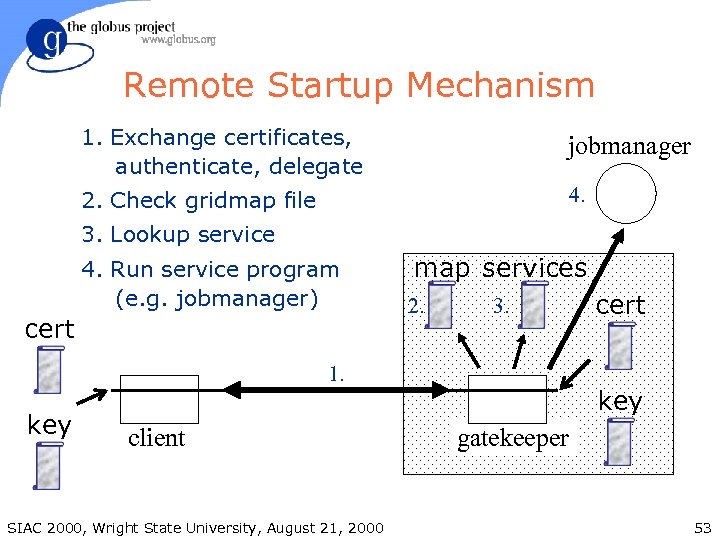
Remote Startup Mechanism 1. Exchange certificates, authenticate, delegate jobmanager 2. Check gridmap file 4. 3. Lookup service 4. Run service program (e. g. jobmanager) cert map services 2. 3. 1. key client SIAC 2000, Wright State University, August 21, 2000 cert key gatekeeper 53
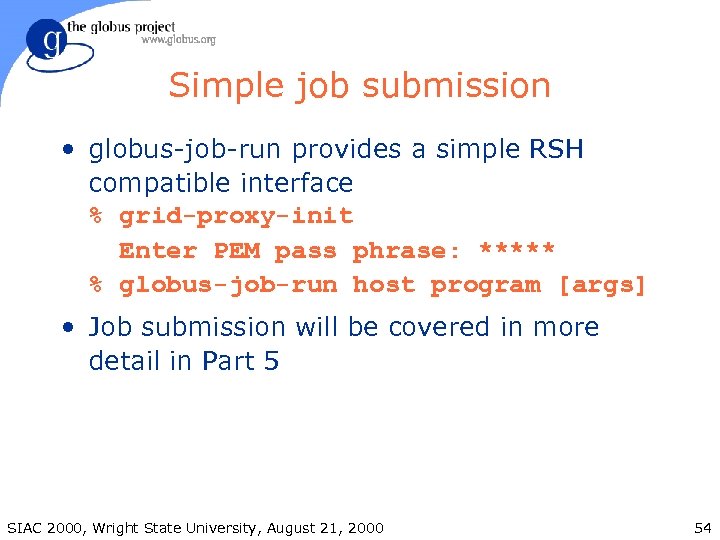
Simple job submission • globus-job-run provides a simple RSH compatible interface % grid-proxy-init Enter PEM pass phrase: ***** % globus-job-run host program [args] • Job submission will be covered in more detail in Part 5 SIAC 2000, Wright State University, August 21, 2000 54
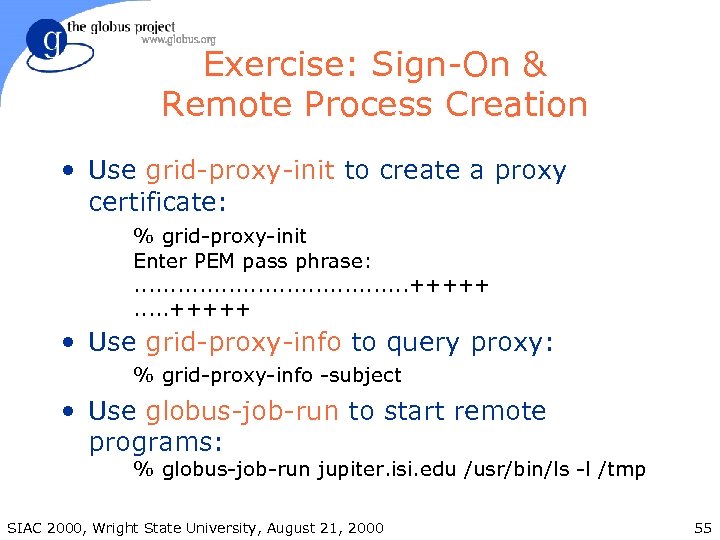
Exercise: Sign-On & Remote Process Creation • Use grid-proxy-init to create a proxy certificate: % grid-proxy-init Enter PEM pass phrase: . . +++++. . . +++++ • Use grid-proxy-info to query proxy: % grid-proxy-info -subject • Use globus-job-run to start remote programs: % globus-job-run jupiter. isi. edu /usr/bin/ls -l /tmp SIAC 2000, Wright State University, August 21, 2000 55
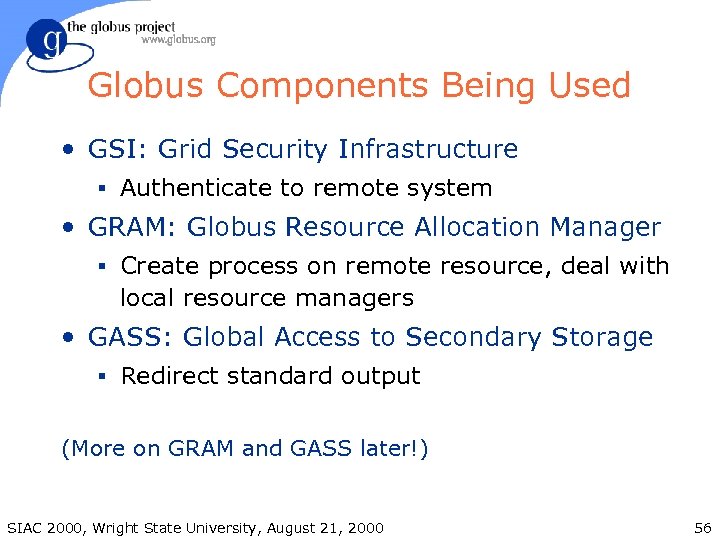
Globus Components Being Used • GSI: Grid Security Infrastructure § Authenticate to remote system • GRAM: Globus Resource Allocation Manager § Create process on remote resource, deal with local resource managers • GASS: Global Access to Secondary Storage § Redirect standard output (More on GRAM and GASS later!) SIAC 2000, Wright State University, August 21, 2000 56
Summary • Grid Security Infrastructure (GSI) provides single sign-on capability • globus-job-run can be used to create a remote process § Difference between schedulers managed by Globus § Strong authentication provided • Remote process creation can be added to applications by using Globus services SIAC 2000, Wright State University, August 21, 2000 57
Grid Information Services • System information is critical to operation of the grid and construction of applications § How does an application determine what resources are available? § What is the “state” of the computational grid? § How can we optimize an application based on configuration of the underlying system? • We need a general information infrastructure to answer these questions SIAC 2000, Wright State University, August 21, 2000 58
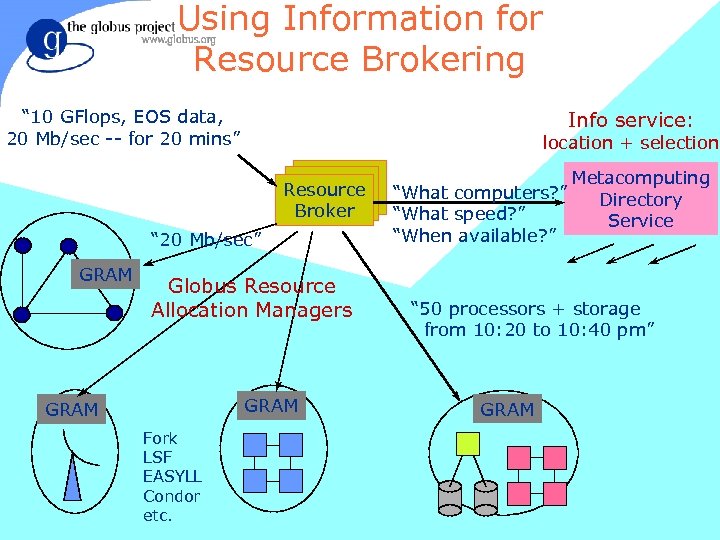
Using Information for Resource Brokering “ 10 GFlops, EOS data, 20 Mb/sec -- for 20 mins” Info service: location + selection Resource Broker “ 20 Mb/sec” GRAM Globus Resource Allocation Managers GRAM Fork LSF EASYLL Condor etc. SIAC 2000, Wright State University, August 21, 2000 Metacomputing “What computers? ” Directory “What speed? ” Service “When available? ” “ 50 processors + storage from 10: 20 to 10: 40 pm” GRAM 59
Examples of Useful Information • Characteristics of a compute resource § IP address, software available, system administrator, networks connected to, OS version, load • Characteristics of a network § Bandwidth and latency, protocols, logical topology • Characteristics of the Globus infrastructure § Hosts, resource managers SIAC 2000, Wright State University, August 21, 2000 60
Grid Information Service • Provide access to static and dynamic information regarding system components • A basis for configuration and adaptation in heterogeneous, dynamic environments • Requirements and characteristics § Uniform, flexible access to information § Scalable, efficient access to dynamic data § Access to multiple information sources § Decentralized maintenance SIAC 2000, Wright State University, August 21, 2000 61
The Globus Toolkit’s Metacomputing Directory Service (MDS) • Information is maintained in a distributed directory. § Information is accessed via a standard protocol § Information is distributed across many servers § Each server can be optimized for particular functions • Information comes from many sources. § Information providers and tools § Applications (i. e. , users) § Resources that generate info on demand • Information is available everywhere. SIAC 2000, Wright State University, August 21, 2000 62
MDS Features • White Pages § Look up the IP number, amount of memory, etc. , associated with a particular machine • Yellow Pages § Search for computers of a particular class or with a particular property • Information is dynamic! § In a distributed system, things change without warning. § Information often has an expiration date or other measures of uncertainty. SIAC 2000, Wright State University, August 21, 2000 63
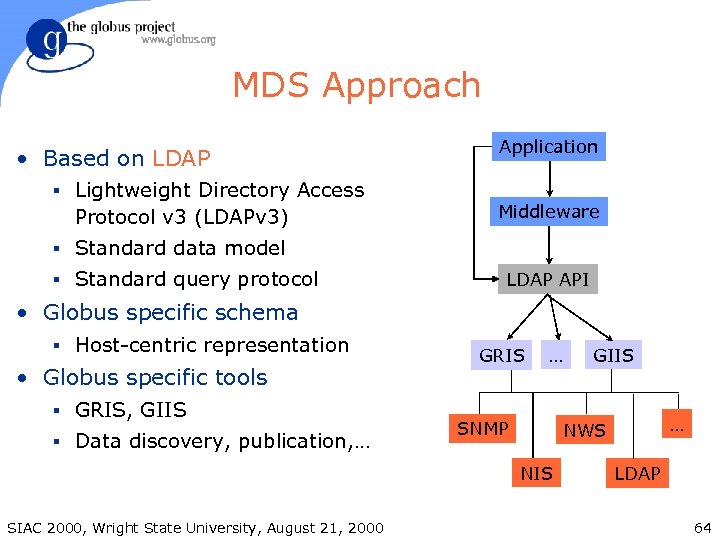
MDS Approach • Based on LDAP § Lightweight Directory Access Protocol v 3 (LDAPv 3) Application Middleware § Standard data model § Standard query protocol LDAP API • Globus specific schema § Host-centric representation • Globus specific tools § GRIS, GIIS § Data discovery, publication, … GRIS … SNMP … NWS NIS SIAC 2000, Wright State University, August 21, 2000 GIIS LDAP 64
LDAP Details • Lightweight Directory Access Protocol § Stripped down version of X. 500 DAP protocol § Supports distributed storage/access (referrals) § Supports replication § Becoming de facto standard • Defines: § Network protocol for accessing directory contents § Information model defining form of information § Namespace defining how information is referenced and organized SIAC 2000, Wright State University, August 21, 2000 65
LDAP Directory Structure • Directory contents § Called Object Classes and Entries § What information is stored in directory § Group related information into entries • Directory organization § Called Directory Information Tree (DIT) § Objects are organized into tree structure § Position of object in tree uniquely names entry within the server SIAC 2000, Wright State University, August 21, 2000 66
Sample Object Classes • Compute Resources • Resource Managers § Operating System § Contact strings § Memory Hierarchy § Scheduled jobs § Health and Status • Network Interfaces § IP address § Free nodes • Software § Configuration § Interface types § Version Control • Performance Data § Schedule Jobs § Contact information § CPU Loads • Organizations § Network Traffic • People SIAC 2000, Wright State University, August 21, 2000 67
LDAP Directory Information Tree • Directory entries are organized into a tree. § Called Directory Information Tree (DIT) § Subtrees can be distributed or replicated. • Position in tree uniquely names entry within a server. • Each object in a server is uniquely determined by its distinguished name (DN). § List of unique attribute names and values along path from root of DIT to object, e. g. : <hn=sp 2. sdsc. edu, dc=sdsc, dc=edu, o=Grid> SIAC 2000, Wright State University, August 21, 2000 68
Global Namespace • A DN uniquely names an entry within an LDAP server. • The host and port uniquely names an LDAP server. • An LDAP URL is the combination of these. ldap: //<host>: <port>/<DN> • LDAP URL can be used as the global name of an entry. SIAC 2000, Wright State University, August 21, 2000 69
MDS Components • Uses standard LDAP servers § Open. LDAP, Netscape, Oracle, etc • Tools for populating & maintaining MDS § Integrated with Globus Toolkit server release, not of concern to most Globus users § Discover/update static and dynamic info • APIs for accessing & updating MDS contents § C, Java, PERL (LDAP API, JNDI) • Various tools for manipulating MDS contents § Command line tools, Shell scripts & GUIs SIAC 2000, Wright State University, August 21, 2000 70
Three Classes Of MDS Servers • Grid Resource Information Service (GRIS) § Supplies information about a specific resource § Mostly “white pages” lookups • Grid Index Information Service (GIIS) § Supplies collection of information which was gathered from multiple GRIS servers § Supports efficient queries against information which is spread across multiple GRIS servers § Mostly “yellow pages” lookups • Referral Service § Links together GRIS and/or GIIS servers SIAC 2000, Wright State University, August 21, 2000 71
Grid Resource Information Service • GRIS is an LDAP server which runs on each resource. § GRIS runs on a well known port (2135). • GRIS provides resource-specific information. § Load, process information, storage information, etc. § GRIS gathers this information on demand with a TTL • GRIS supports white & yellow pages queries. § Configuration settings § Capabilities (queues, extra equipment, etc. ) • GRIS can be configured to register with a GIIS on startup, deregister on shutdown. SIAC 2000, Wright State University, August 21, 2000 72
Grid Index Information Service • GIIS describes a class of servers. § Gathers information from multiple GRIS servers. § Each GIIS is optimized for particular queries. • • Ex 1: Which Alliance machines are >16 process SGIs? Ex 2: Which Alliance storage servers have >100 Mbps bandwidth to host X? § GIIS is similar to web search engines. • GIIS can be used to inventory an organization’s resources (“organizational information service”). § The Globus Toolkit includes a GIIS. § Caches GRIS info with long update frequency. • Useful for queries across an organization that rely on relatively static information. (Ex 1 above. ) SIAC 2000, Wright State University, August 21, 2000 73
Referral Service • Links together multiple GRIS and/or GIIS servers into a single LDAP namespace • Referral servers contain no actual content • Current limitations § Requires LDAPv 3 referrals § Some LDAP clients to not have good support for referrals § But this is improving… • Can be implemented as a GIIS or as a commercial LDAP server. SIAC 2000, Wright State University, August 21, 2000 74
Pulling Together a DIT • In order for a GRIS’s content to appear in a GIIS, the GIIS must first find it. § GRISes can register with GIIS during startup. § GIIS can be configured with GRISes’ hostnames. § GIIS can walk a referral tree to find GRISes. • MDS can support any of these approaches. § The “right” approach depends on the organization’s requirements. § Can use a combinations of these approaches. § This is the subject of ongoing research. SIAC 2000, Wright State University, August 21, 2000 75
Finding a GIIS • How does a user or application find a GIIS server? Options include: § Runs on well-known host/port § Use DNS server records • Returns host/port of server for a particular domain § Part of referral tree • Recursive: How do you find the referral service? § Indexed by another GIIS • Recursive: How do you find the referral service? • This is also the subject of ongoing research. SIAC 2000, Wright State University, August 21, 2000 76
Server Registration • A GRIS or GIIS server can be configured to (de-)register itself during startup/shutdown § Basic capability that is useful in many scenarios • Support for multiple registration protocols § Can register with a GIIS using custom protocol § Can dynamically add itself to a referral tree using LDAPv 3 referral protocol • Allows for federations of information servers § E. g. Argonne GRIS can register with both Alliance and DOE GIIS servers SIAC 2000, Wright State University, August 21, 2000 77
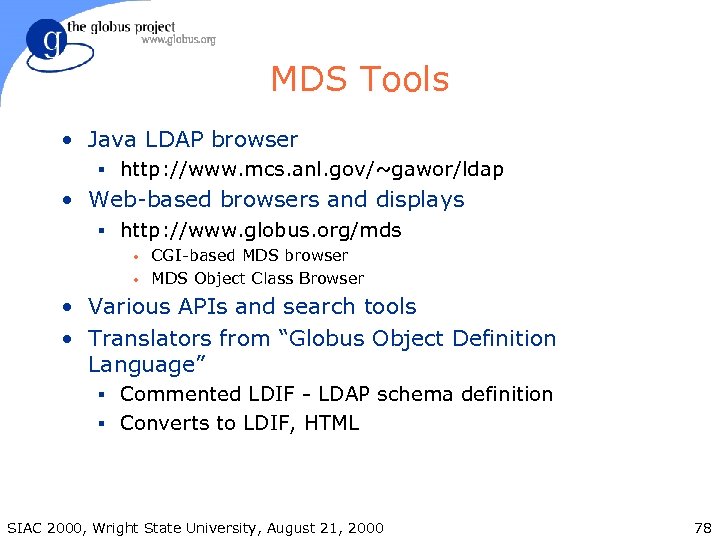
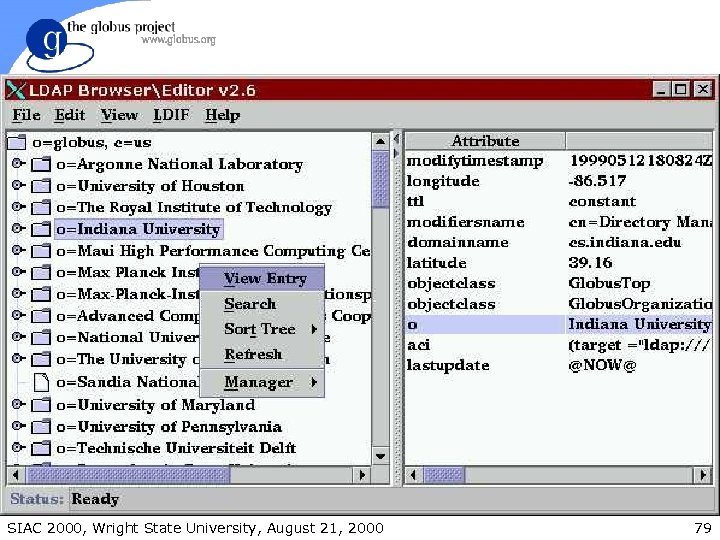
MDS Tools • Java LDAP browser § http: //www. mcs. anl. gov/~gawor/ldap • Web-based browsers and displays § http: //www. globus. org/mds • • CGI-based MDS browser MDS Object Class Browser • Various APIs and search tools • Translators from “Globus Object Definition Language” § Commented LDIF - LDAP schema definition § Converts to LDIF, HTML SIAC 2000, Wright State University, August 21, 2000 78
SIAC 2000, Wright State University, August 21, 2000 79
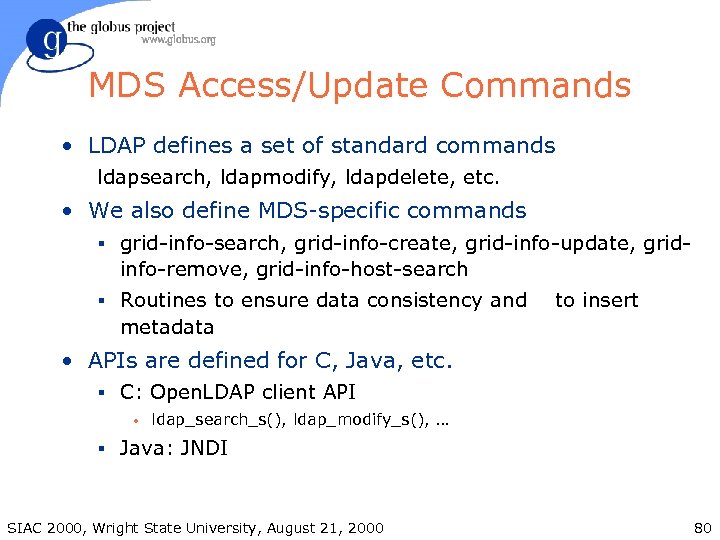
MDS Access/Update Commands • LDAP defines a set of standard commands ldapsearch, ldapmodify, ldapdelete, etc. • We also define MDS-specific commands § grid-info-search, grid-info-create, grid-info-update, grid- info-remove, grid-info-host-search § Routines to ensure data consistency and to insert metadata • APIs are defined for C, Java, etc. § C: Open. LDAP client API • ldap_search_s(), ldap_modify_s(), … § Java: JNDI SIAC 2000, Wright State University, August 21, 2000 80
![Searching an LDAP Database grid-info-search [options] filter [attributes] • Default grid-info-search options -h mds.](https://present5.com/presentation/9e4ff9fa2184c90419ccc737a63b200c/image-81.jpg "Searching an LDAP Database grid-info-search [options] filter [attributes] • Default grid-info-search options -h mds.")
Searching an LDAP Database grid-info-search [options] filter [attributes] • Default grid-info-search options -h mds. globus. org MDS server -p 389 MDS port -b “o=Grid” search start point -T 30 LDAP query timeout -s sub scope = subtree alternatives: base : lookup this entry one : lookup immediate children SIAC 2000, Wright State University, August 21, 2000 81
![Searching a GRIS Server grid-info-host-search [options] filter [attributes] • Exactly like grid-info-search, except defaults:](https://present5.com/presentation/9e4ff9fa2184c90419ccc737a63b200c/image-82.jpg "Searching a GRIS Server grid-info-host-search [options] filter [attributes] • Exactly like grid-info-search, except defaults:")
Searching a GRIS Server grid-info-host-search [options] filter [attributes] • Exactly like grid-info-search, except defaults: -h localhost -p 2135 GRIS server GRIS port • Example: grid-info-host-search –h pitcairn “dn=*” dn SIAC 2000, Wright State University, August 21, 2000 82
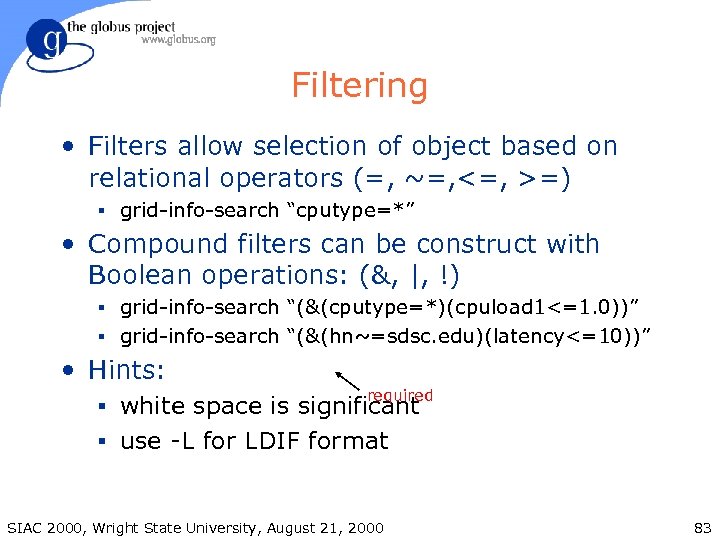
Filtering • Filters allow selection of object based on relational operators (=, ~=, <=, >=) § grid-info-search “cputype=*” • Compound filters can be construct with Boolean operations: (&, |, !) § grid-info-search “(&(cputype=*)(cpuload 1<=1. 0))” § grid-info-search “(&(hn~=sdsc. edu)(latency<=10))” • Hints: required § white space is significant § use -L for LDIF format SIAC 2000, Wright State University, August 21, 2000 83
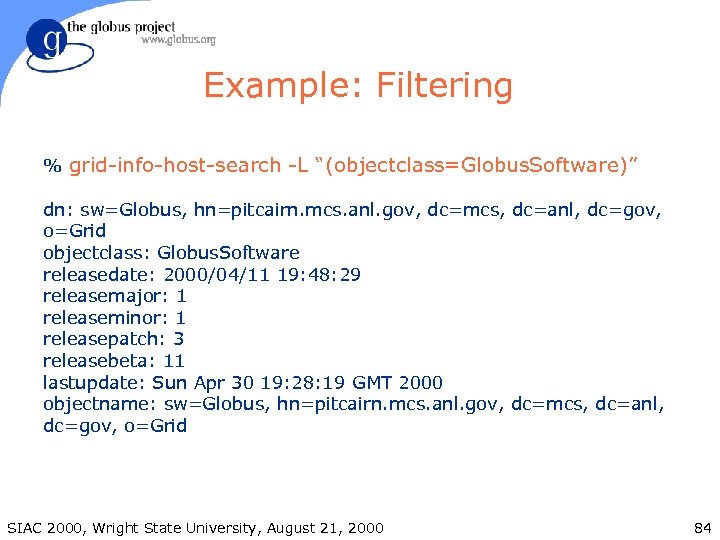
Example: Filtering % grid-info-host-search -L “(objectclass=Globus. Software)” dn: sw=Globus, hn=pitcairn. mcs. anl. gov, dc=mcs, dc=anl, dc=gov, o=Grid objectclass: Globus. Software releasedate: 2000/04/11 19: 48: 29 releasemajor: 1 releaseminor: 1 releasepatch: 3 releasebeta: 11 lastupdate: Sun Apr 30 19: 28: 19 GMT 2000 objectname: sw=Globus, hn=pitcairn. mcs. anl. gov, dc=mcs, dc=anl, dc=gov, o=Grid SIAC 2000, Wright State University, August 21, 2000 84
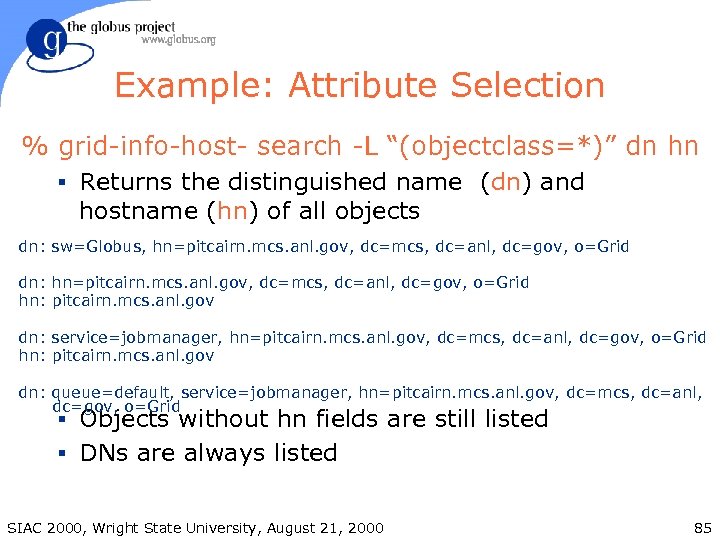
Example: Attribute Selection % grid-info-host- search -L “(objectclass=*)” dn hn § Returns the distinguished name (dn) and hostname (hn) of all objects dn: sw=Globus, hn=pitcairn. mcs. anl. gov, dc=mcs, dc=anl, dc=gov, o=Grid dn: hn=pitcairn. mcs. anl. gov, dc=mcs, dc=anl, dc=gov, o=Grid hn: pitcairn. mcs. anl. gov dn: service=jobmanager, hn=pitcairn. mcs. anl. gov, dc=mcs, dc=anl, dc=gov, o=Grid hn: pitcairn. mcs. anl. gov dn: queue=default, service=jobmanager, hn=pitcairn. mcs. anl. gov, dc=mcs, dc=anl, dc=gov, o=Grid § Objects without hn fields are still listed § DNs are always listed SIAC 2000, Wright State University, August 21, 2000 85
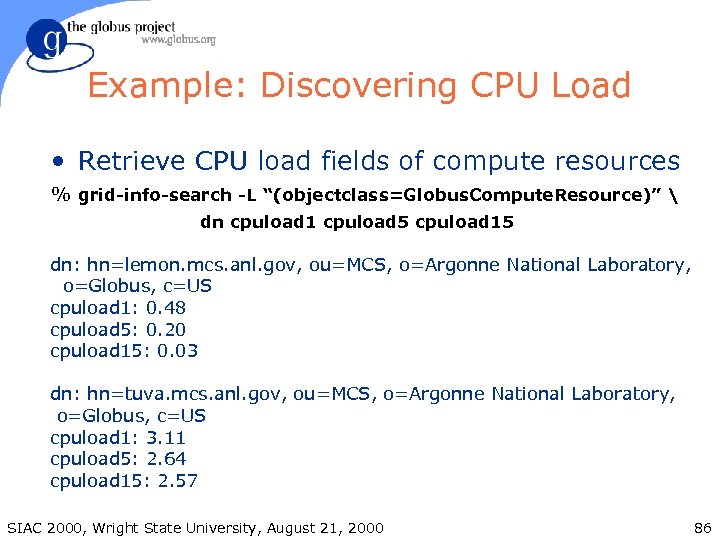
Example: Discovering CPU Load • Retrieve CPU load fields of compute resources % grid-info-search -L “(objectclass=Globus. Compute. Resource)” dn cpuload 1 cpuload 5 cpuload 15 dn: hn=lemon. mcs. anl. gov, ou=MCS, o=Argonne National Laboratory, o=Globus, c=US cpuload 1: 0. 48 cpuload 5: 0. 20 cpuload 15: 0. 03 dn: hn=tuva. mcs. anl. gov, ou=MCS, o=Argonne National Laboratory, o=Globus, c=US cpuload 1: 3. 11 cpuload 5: 2. 64 cpuload 15: 2. 57 SIAC 2000, Wright State University, August 21, 2000 86
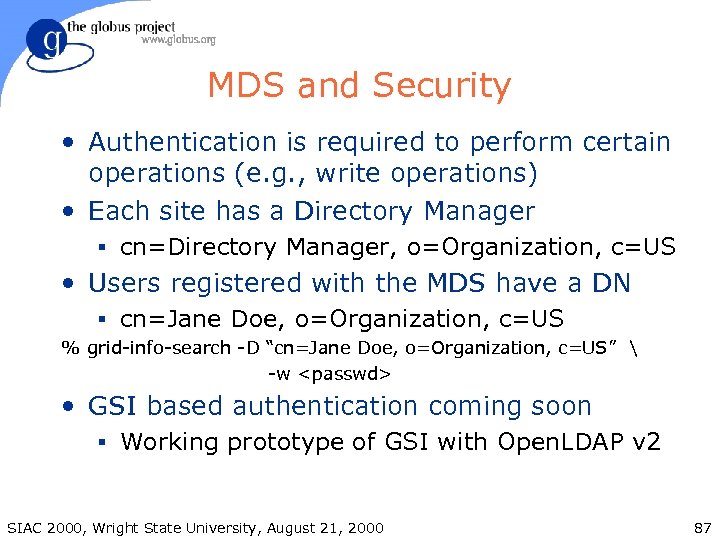
MDS and Security • Authentication is required to perform certain operations (e. g. , write operations) • Each site has a Directory Manager § cn=Directory Manager, o=Organization, c=US • Users registered with the MDS have a DN § cn=Jane Doe, o=Organization, c=US % grid-info-search -D “cn=Jane Doe, o=Organization, c=US” -w <passwd> • GSI based authentication coming soon § Working prototype of GSI with Open. LDAP v 2 SIAC 2000, Wright State University, August 21, 2000 87
Summary • MDS provides the information needed to perform dynamic resource discovery and configuration. § This is a critical component of resource brokers! • MDS is based on existing directory service standards (LDAPv 3). • Although MDS is based on the LDAPv 3 protocol, we are not tied to commercial LDAP servers. SIAC 2000, Wright State University, August 21, 2000 88
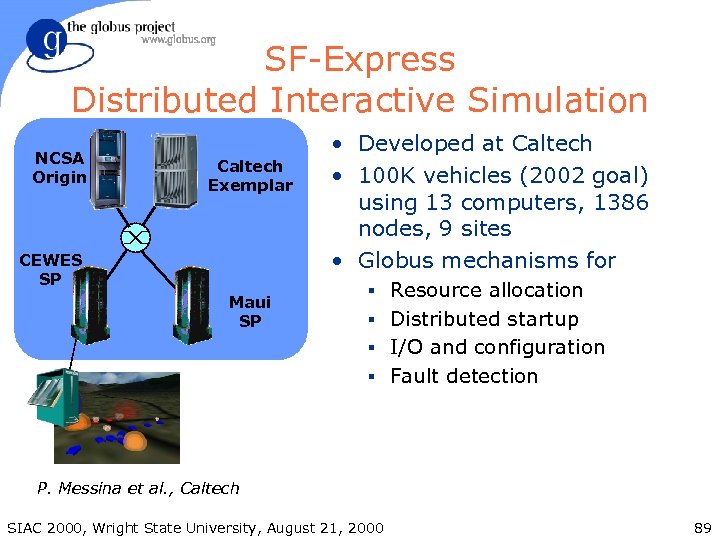
SF-Express Distributed Interactive Simulation NCSA Origin Caltech Exemplar CEWES SP Maui SP • Developed at Caltech • 100 K vehicles (2002 goal) using 13 computers, 1386 nodes, 9 sites • Globus mechanisms for § Resource allocation § Distributed startup § I/O and configuration § Fault detection P. Messina et al. , Caltech SIAC 2000, Wright State University, August 21, 2000 89
Grid Services • Resource Specification: the power to express the required resources and constraints • Resource Co-allocation: using resources together simultaneously • Executable staging, remote data access and I/O streaming (more on these later) • These services should be integrated with higherlevel tools § MPICH-G, globus-job-*, Condor, PBS, GRD, etc. SIAC 2000, Wright State University, August 21, 2000 90
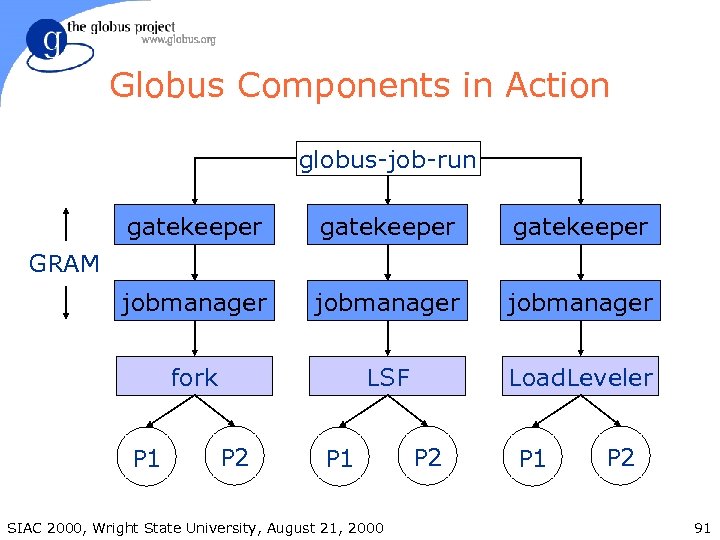
Globus Components in Action globus-job-run gatekeeper jobmanager fork LSF Load. Leveler GRAM P 1 P 2 P 1 SIAC 2000, Wright State University, August 21, 2000 P 2 P 1 P 2 91
Resource Management • Resource Specification Language (RSL) is used to communicate requirements • The Globus Resource Allocation Manager (GRAM) API allows programs to be started on remote resources, despite local heterogeneity • A layered architecture allows applicationspecific resource brokers and co-allocators to be defined in terms of GRAM services SIAC 2000, Wright State University, August 21, 2000 92
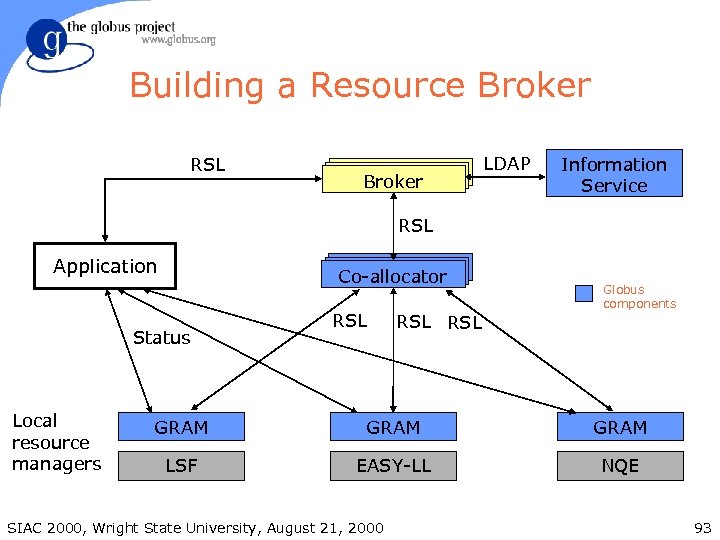
Building a Resource Broker RSL Broker LDAP Information Service RSL Application Co-allocator Status Local resource managers RSL RSL Globus components GRAM LSF EASY-LL NQE SIAC 2000, Wright State University, August 21, 2000 93
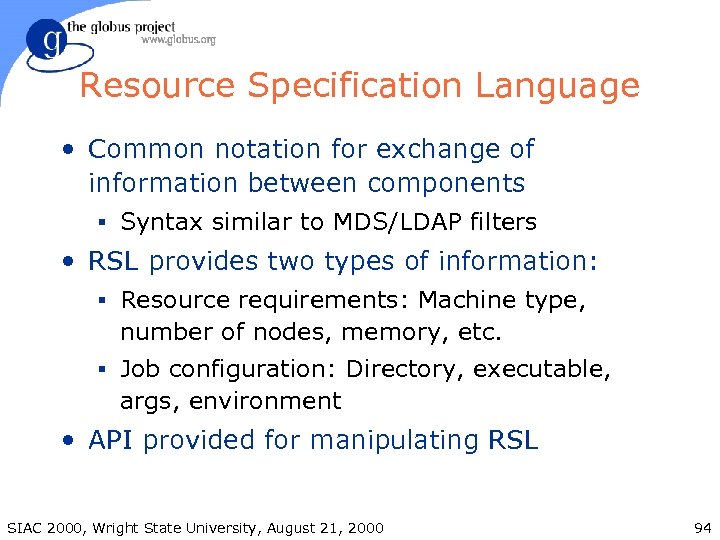
Resource Specification Language • Common notation for exchange of information between components § Syntax similar to MDS/LDAP filters • RSL provides two types of information: § Resource requirements: Machine type, number of nodes, memory, etc. § Job configuration: Directory, executable, args, environment • API provided for manipulating RSL SIAC 2000, Wright State University, August 21, 2000 94
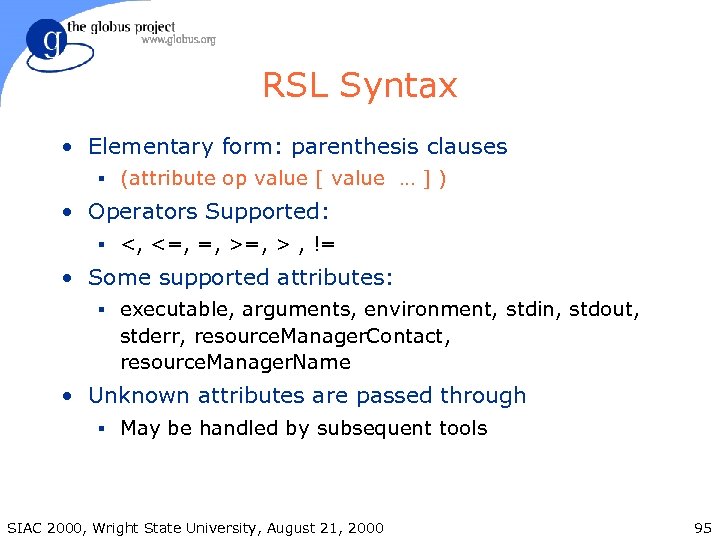
RSL Syntax • Elementary form: parenthesis clauses § (attribute op value [ value … ] ) • Operators Supported: § <, <=, =, > , != • Some supported attributes: § executable, arguments, environment, stdin, stdout, stderr, resource. Manager. Contact, resource. Manager. Name • Unknown attributes are passed through § May be handled by subsequent tools SIAC 2000, Wright State University, August 21, 2000 95
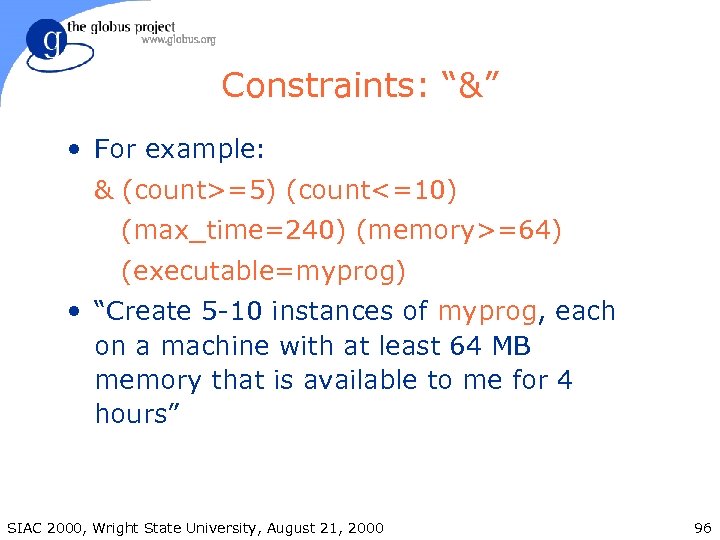
Constraints: “&” • For example: & (count>=5) (count<=10) (max_time=240) (memory>=64) (executable=myprog) • “Create 5 -10 instances of myprog, each on a machine with at least 64 MB memory that is available to me for 4 hours” SIAC 2000, Wright State University, August 21, 2000 96
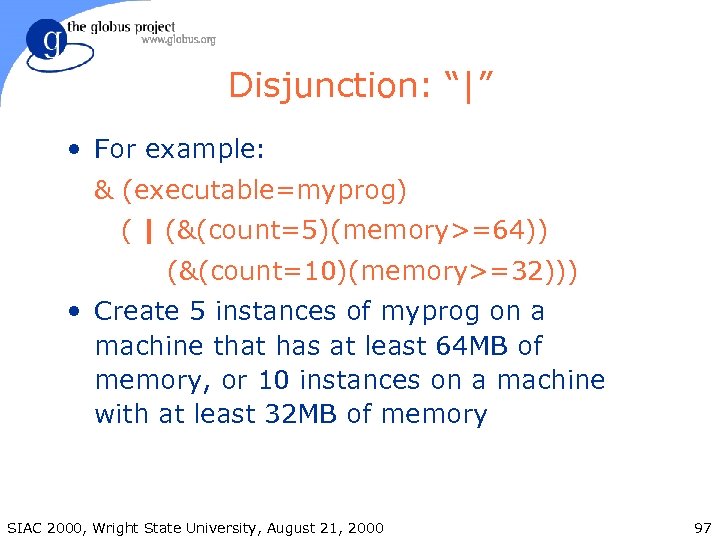
Disjunction: “|” • For example: & (executable=myprog) ( | (&(count=5)(memory>=64)) (&(count=10)(memory>=32))) • Create 5 instances of myprog on a machine that has at least 64 MB of memory, or 10 instances on a machine with at least 32 MB of memory SIAC 2000, Wright State University, August 21, 2000 97
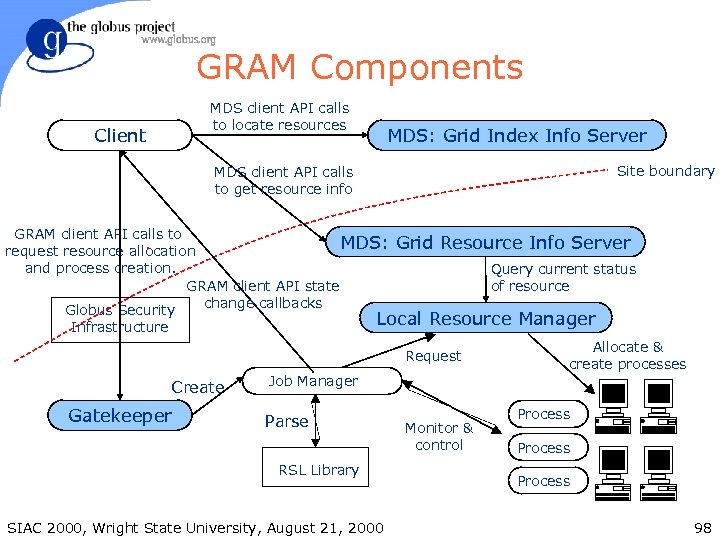
GRAM Components MDS client API calls to locate resources Client MDS: Grid Index Info Server Site boundary MDS client API calls to get resource info GRAM client API calls to MDS: request resource allocation and process creation. GRAM client API state change callbacks Globus Security Grid Resource Info Server Query current status of resource Local Resource Manager Infrastructure Request Create Gatekeeper Job Manager Parse RSL Library SIAC 2000, Wright State University, August 21, 2000 Monitor & control Allocate & create processes Process 98
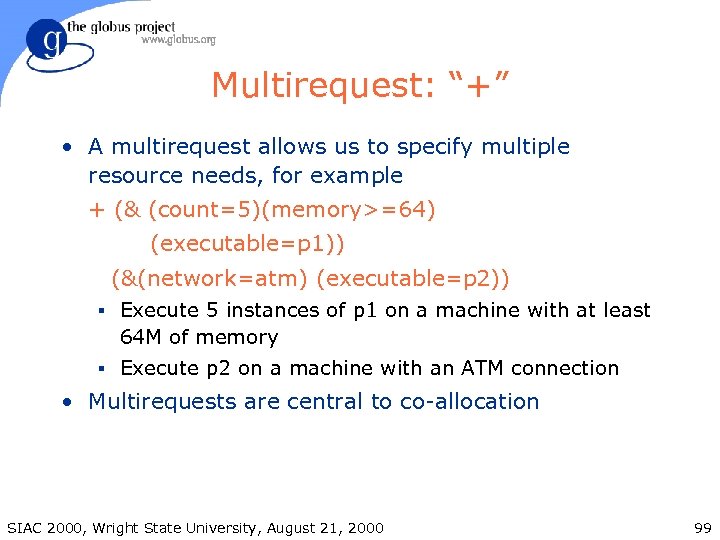
Multirequest: “+” • A multirequest allows us to specify multiple resource needs, for example + (& (count=5)(memory>=64) (executable=p 1)) (&(network=atm) (executable=p 2)) § Execute 5 instances of p 1 on a machine with at least 64 M of memory § Execute p 2 on a machine with an ATM connection • Multirequests are central to co-allocation SIAC 2000, Wright State University, August 21, 2000 99
Co-allocation • Simultaneous allocation of a resource set § Handled via optimistic co-allocation based on free nodes or queue prediction § In the future, advance reservations will also be supported • globusrun and globus-job-* will co-allocate specific multi-requests § Uses a Globus component called the Dynamically Updated Request Online Co-allocator (DUROC) SIAC 2000, Wright State University, August 21, 2000 100
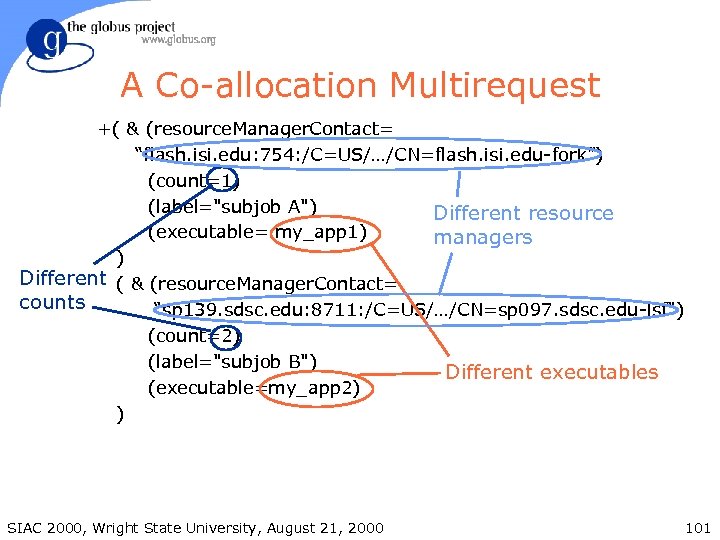
A Co-allocation Multirequest +( & (resource. Manager. Contact= “flash. isi. edu: 754: /C=US/…/CN=flash. isi. edu-fork”) (count=1) (label="subjob A") Different resource (executable= my_app 1) managers ) Different ( & (resource. Manager. Contact= counts “sp 139. sdsc. edu: 8711: /C=US/…/CN=sp 097. sdsc. edu-lsf") (count=2) (label="subjob B") Different executables (executable=my_app 2) ) SIAC 2000, Wright State University, August 21, 2000 101
Job Submission Interfaces • Globus Toolkit includes several command line programs for job submission § globus-job-run: Interactive jobs § globus-job-submit: Batch/offline jobs § globusrun: Flexible scripting infrastructure • Others are building better interfaces § General purpose • Condor-G, PBS, GRD, Hotpage, etc § Application specific • ECCE’, Cactus, Web portals SIAC 2000, Wright State University, August 21, 2000 102
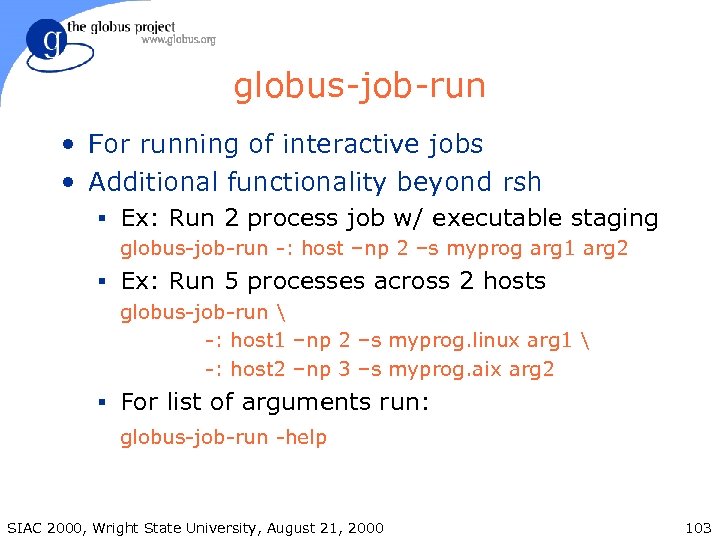
globus-job-run • For running of interactive jobs • Additional functionality beyond rsh § Ex: Run 2 process job w/ executable staging globus-job-run -: host –np 2 –s myprog arg 1 arg 2 § Ex: Run 5 processes across 2 hosts globus-job-run -: host 1 –np 2 –s myprog. linux arg 1 -: host 2 –np 3 –s myprog. aix arg 2 § For list of arguments run: globus-job-run -help SIAC 2000, Wright State University, August 21, 2000 103
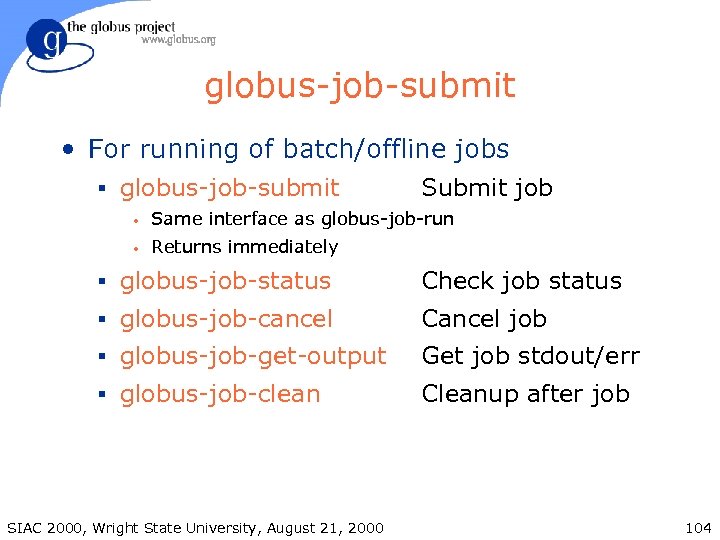
globus-job-submit • For running of batch/offline jobs § globus-job-submit Submit job • Same interface as globus-job-run • Returns immediately § globus-job-status Check job status § globus-job-cancel Cancel job § globus-job-get-output Get job stdout/err § globus-job-clean Cleanup after job SIAC 2000, Wright State University, August 21, 2000 104
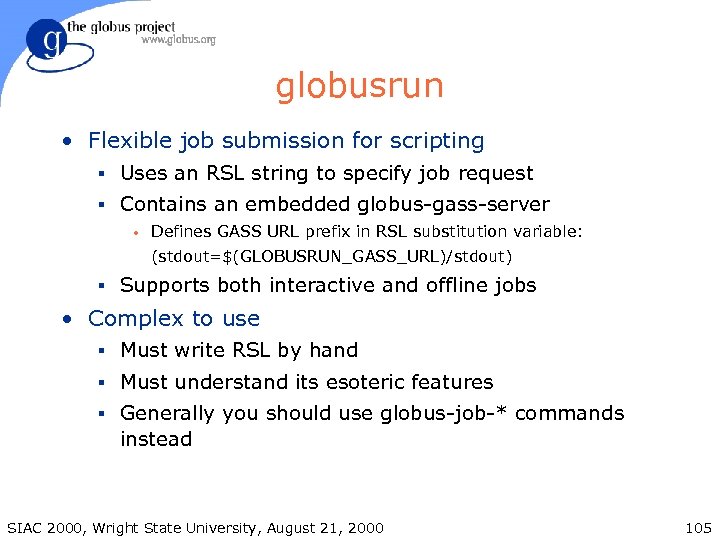
globusrun • Flexible job submission for scripting § Uses an RSL string to specify job request § Contains an embedded globus-gass-server • Defines GASS URL prefix in RSL substitution variable: (stdout=$(GLOBUSRUN_GASS_URL)/stdout) § Supports both interactive and offline jobs • Complex to use § Must write RSL by hand § Must understand its esoteric features § Generally you should use globus-job-* commands instead SIAC 2000, Wright State University, August 21, 2000 105
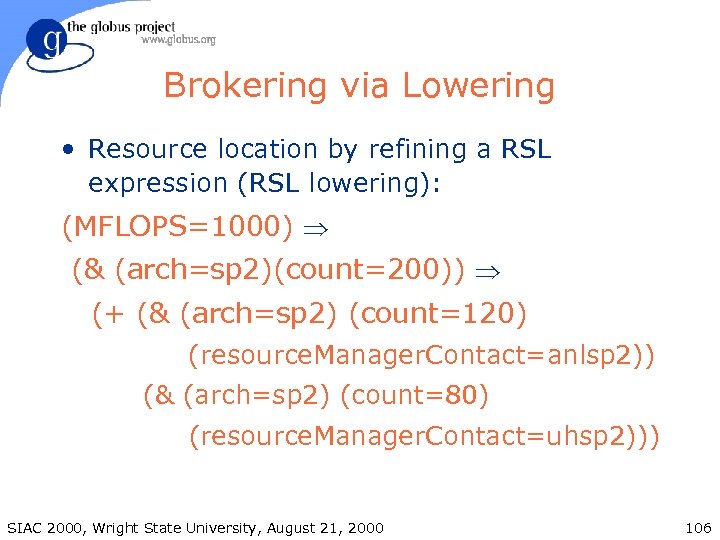
Brokering via Lowering • Resource location by refining a RSL expression (RSL lowering): (MFLOPS=1000) Þ (& (arch=sp 2)(count=200)) Þ (+ (& (arch=sp 2) (count=120) (resource. Manager. Contact=anlsp 2)) (& (arch=sp 2) (count=80) (resource. Manager. Contact=uhsp 2))) SIAC 2000, Wright State University, August 21, 2000 106
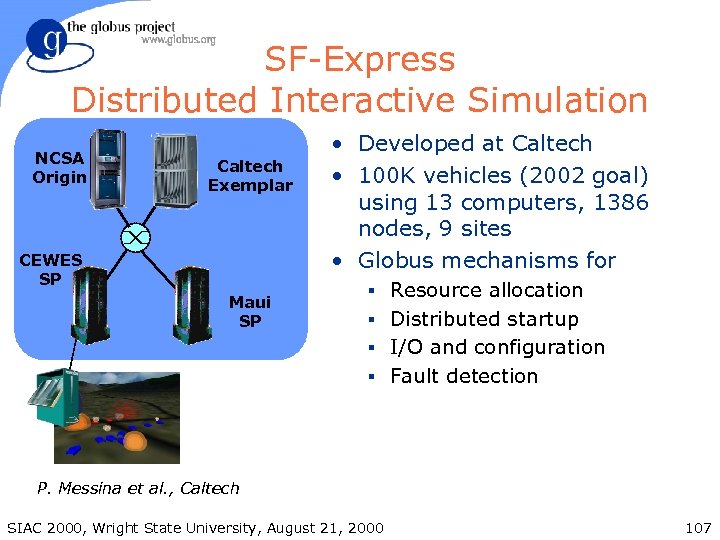
SF-Express Distributed Interactive Simulation NCSA Origin Caltech Exemplar CEWES SP Maui SP • Developed at Caltech • 100 K vehicles (2002 goal) using 13 computers, 1386 nodes, 9 sites • Globus mechanisms for § Resource allocation § Distributed startup § I/O and configuration § Fault detection P. Messina et al. , Caltech SIAC 2000, Wright State University, August 21, 2000 107
Grid Services • Resource Specification and Resource Co-allocation (GRAM) • Executable Staging • Remote Data Access • These services should be integrated with higherlevel tools § globus-job-*, Condor, etc. SIAC 2000, Wright State University, August 21, 2000 108
What is GASS? 1. RSL extensions § URLs used to name executables, stdout, stderr 2. A file access API § Replace open/close with globus_gass_open/close; read/write calls can then proceed directly 3. Remote cache management utility SIAC 2000, Wright State University, August 21, 2000 109
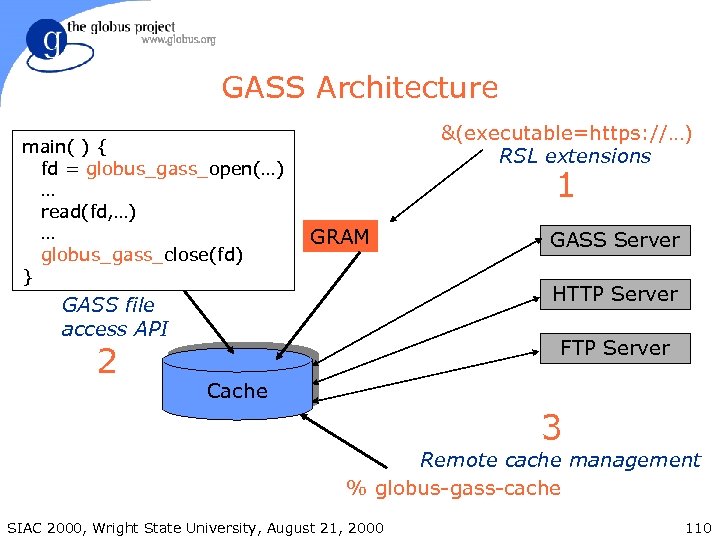
GASS Architecture main( ) { fd = globus_gass_open(…) … read(fd, …) … globus_gass_close(fd) } &(executable=https: //…) RSL extensions 1 GRAM HTTP Server GASS file access API 2 GASS Server FTP Server Cache 3 Remote cache management % globus-gass-cache SIAC 2000, Wright State University, August 21, 2000 110
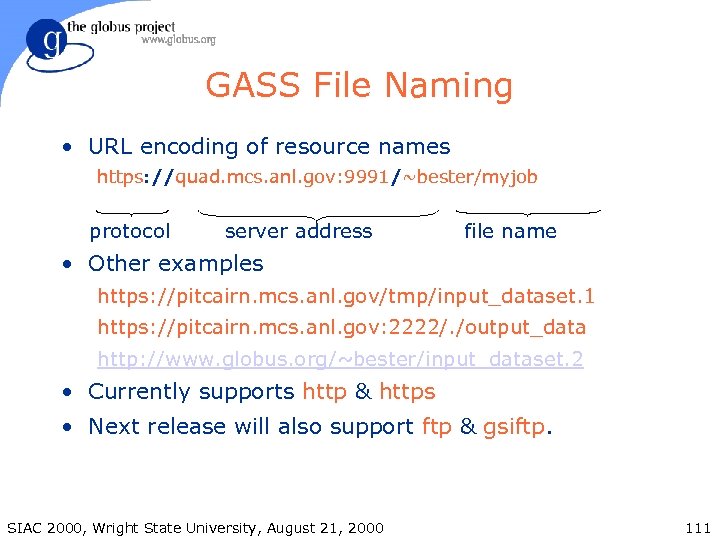
GASS File Naming • URL encoding of resource names https: //quad. mcs. anl. gov: 9991/~bester/myjob protocol server address file name • Other examples https: //pitcairn. mcs. anl. gov/tmp/input_dataset. 1 https: //pitcairn. mcs. anl. gov: 2222/. /output_data http: //www. globus. org/~bester/input_dataset. 2 • Currently supports http & https • Next release will also support ftp & gsiftp. SIAC 2000, Wright State University, August 21, 2000 111
GASS RSL Extensions • executable, stdin, stdout, stderr can be local files or URLs • executable and stdin loaded into local cache before job begins (on front-end node) • stdout, stderr handled via GASS append mode • Cache cleaned after job completes SIAC 2000, Wright State University, August 21, 2000 112
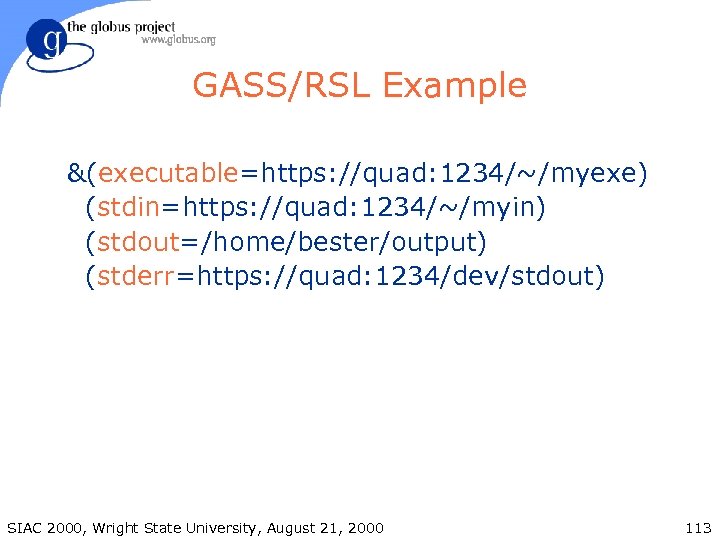
GASS/RSL Example &(executable=https: //quad: 1234/~/myexe) (stdin=https: //quad: 1234/~/myin) (stdout=/home/bester/output) (stderr=https: //quad: 1234/dev/stdout) SIAC 2000, Wright State University, August 21, 2000 113
Example GASS Applications • On-demand, transparent loading of data sets • Caching of data sets • Automatic staging of code and data to remote supercomputers • (Near) real-time logging of application output to remote server SIAC 2000, Wright State University, August 21, 2000 114
GASS File Access API • Minimum changes to application • globus_gass_open(), globus_gass_close() § Same as open(), close() but use URLs instead of filenames § Caches URL in case of multiple opens § Return descriptors to files in local cache or sockets to remote server • globus_gass_fopen(), globus_gass_fclose() SIAC 2000, Wright State University, August 21, 2000 115
GASS File Access API (cont) • Support for different access patterns § Read-only (from local cache) § Write-only (to local cache) § Read-write (to/from local cache) § Write-only, append (to remote server) SIAC 2000, Wright State University, August 21, 2000 116
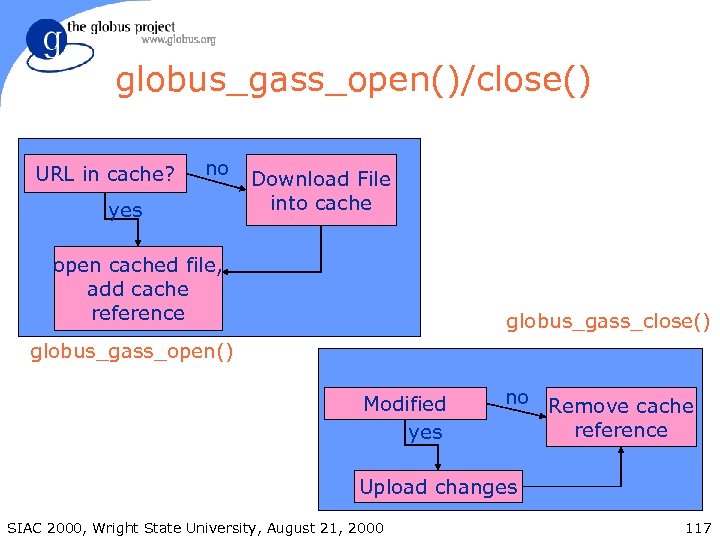
globus_gass_open()/close() URL in cache? no yes Download File into cache open cached file, add cache reference globus_gass_close() globus_gass_open() Modified yes no Remove cache reference Upload changes SIAC 2000, Wright State University, August 21, 2000 117
GASS File API Semantics • Copy-on-open to cache if not truncate or write-only append and not already in cache • Copy on close from cache if not read only and not other copies open • Multiple globus_gass_open() calls share local copy of file • Append to remote file if write only append: e. g. , for stdout and stderr • Reference counting keeps track of open files SIAC 2000, Wright State University, August 21, 2000 118
Remote Cache Management Utilities • Remote management of caches, for § Prestaging/poststaging of files § Cache cleanup and management • Support operations on local & remote caches • Functionality encapsulated in a program: globus-gass-cache SIAC 2000, Wright State University, August 21, 2000 119
globus-gass-server • Simple file server § Run by user wherever necessary § Secure https protocol, using GSI § APIs for embedding server into other programs • Example globus-gass-server –r –w -t § -r: Allow files to be read from this server § -w: Allow files to be written to this server § -t: Tilde expand (~/… $(HOME)/…) § -help: For list of all options SIAC 2000, Wright State University, August 21, 2000 120
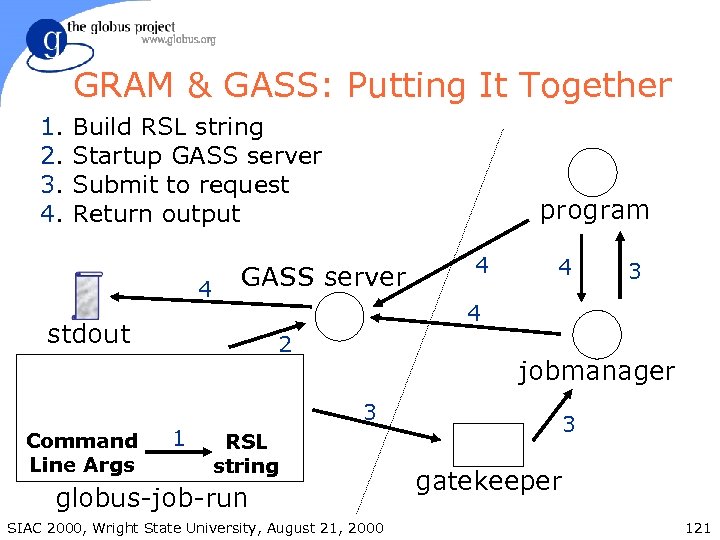
GRAM & GASS: Putting It Together 1. 2. 3. 4. Build RSL string Startup GASS server Submit to request Return output 4 GASS server 2 1 4 4 3 4 stdout Command Line Args program jobmanager 3 RSL string globus-job-run SIAC 2000, Wright State University, August 21, 2000 3 gatekeeper 121
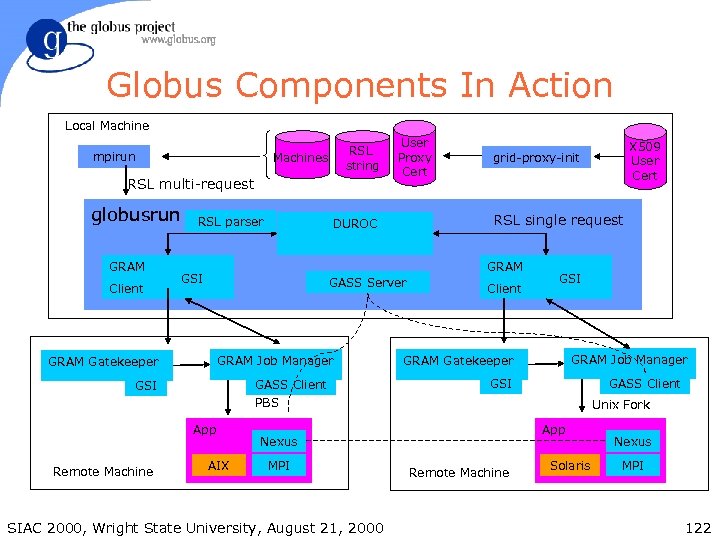
Globus Components In Action Local Machine mpirun RSL string Machines RSL multi-request globusrun GRAM Client RSL parser GRAM GASS Server GRAM Job Manager GASS Client PBS GSI App AIX Client SIAC 2000, Wright State University, August 21, 2000 GSI GRAM Job Manager GRAM Gatekeeper GSI GASS Client Unix Fork App Nexus MPI X 509 User Cert grid-proxy-init RSL single request DUROC GSI GRAM Gatekeeper Remote Machine User Proxy Cert Remote Machine Solaris Nexus MPI 122
Summary • We learned how to dynamically select and configure computations § MDS and DUROC/GRAM enable construction of brokers • GASS enables access to remote files and executables • Demonstrates the interaction of many Globus components SIAC 2000, Wright State University, August 21, 2000 123
IPC with globus_io • TCP, UDP, IP multicast, and File I/O § Familiar socket and file abstractions • Asynchronous & synchronous interfaces § Robust implementation & applications • Easy to use security, socket options, etc § Turn on security and other options with just a few function calls • Designed for Win 32 support § Hides difference between socket & file handles § Compatible with completion ports SIAC 2000, Wright State University, August 21, 2000 124
Motivation • Numerous modules were using various combinations of TCP, UDP, IP multicast, and file I/O § Write very robust code once, and exploit it throughout • In the process, solve other issues: § Win 32 portability § Ease of use of security, socket options, Qo. S SIAC 2000, Wright State University, August 21, 2000 125
Approach • Provide familiar socket and file abstractions • Provide both synchronous and asynchronous versions of everything § Can easily write code that will not block for anything • Handle security, socket options, and Qo. S through attributes SIAC 2000, Wright State University, August 21, 2000 126
Win 32 • Unlike Unix, in Win 32 “file handles” and “socket handles” are treated differently § Select only works on socket handles § Different Win 32 calls for file and socket I/O § globus_io allows us to mask this difference • Win 32 “completion ports” give the best I/O performance § globus_io’s asynchronous callback interface matches well with completion ports § globus_callback also designed for this SIAC 2000, Wright State University, August 21, 2000 127
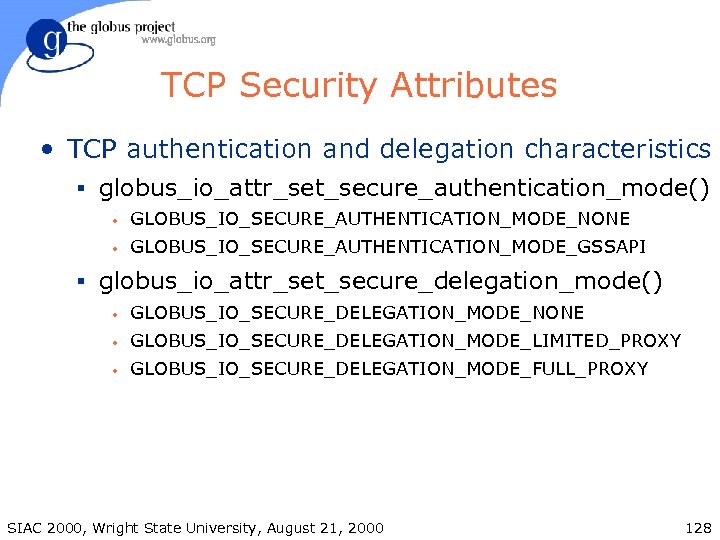
TCP Security Attributes • TCP authentication and delegation characteristics § globus_io_attr_set_secure_authentication_mode() • GLOBUS_IO_SECURE_AUTHENTICATION_MODE_NONE • GLOBUS_IO_SECURE_AUTHENTICATION_MODE_GSSAPI § globus_io_attr_set_secure_delegation_mode() • GLOBUS_IO_SECURE_DELEGATION_MODE_NONE • GLOBUS_IO_SECURE_DELEGATION_MODE_LIMITED_PROXY • GLOBUS_IO_SECURE_DELEGATION_MODE_FULL_PROXY SIAC 2000, Wright State University, August 21, 2000 128
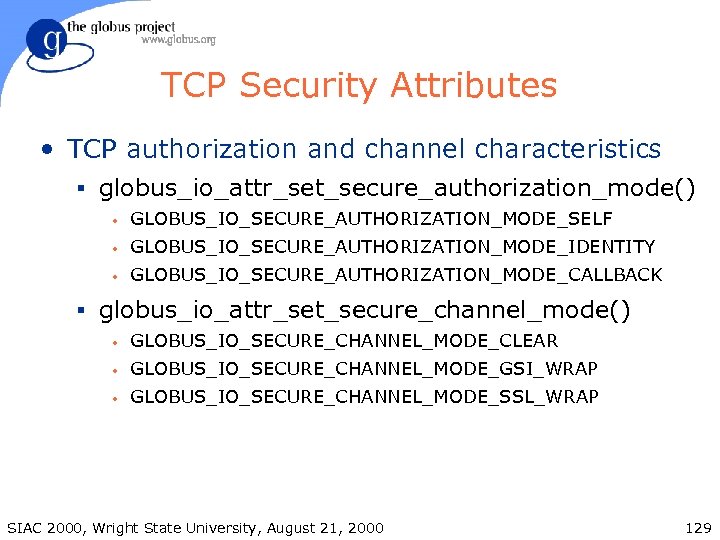
TCP Security Attributes • TCP authorization and channel characteristics § globus_io_attr_set_secure_authorization_mode() • GLOBUS_IO_SECURE_AUTHORIZATION_MODE_SELF • GLOBUS_IO_SECURE_AUTHORIZATION_MODE_IDENTITY • GLOBUS_IO_SECURE_AUTHORIZATION_MODE_CALLBACK § globus_io_attr_set_secure_channel_mode() • GLOBUS_IO_SECURE_CHANNEL_MODE_CLEAR • GLOBUS_IO_SECURE_CHANNEL_MODE_GSI_WRAP • GLOBUS_IO_SECURE_CHANNEL_MODE_SSL_WRAP SIAC 2000, Wright State University, August 21, 2000 129
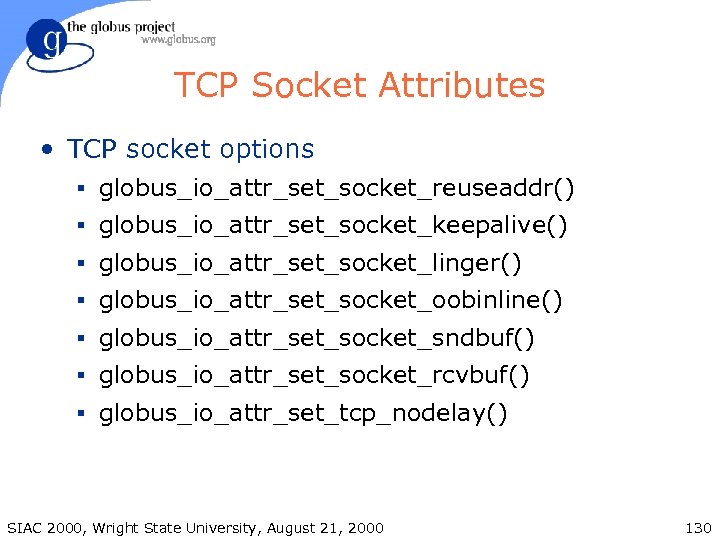
TCP Socket Attributes • TCP socket options § globus_io_attr_set_socket_reuseaddr() § globus_io_attr_set_socket_keepalive() § globus_io_attr_set_socket_linger() § globus_io_attr_set_socket_oobinline() § globus_io_attr_set_socket_sndbuf() § globus_io_attr_set_socket_rcvbuf() § globus_io_attr_set_tcp_nodelay() SIAC 2000, Wright State University, August 21, 2000 130
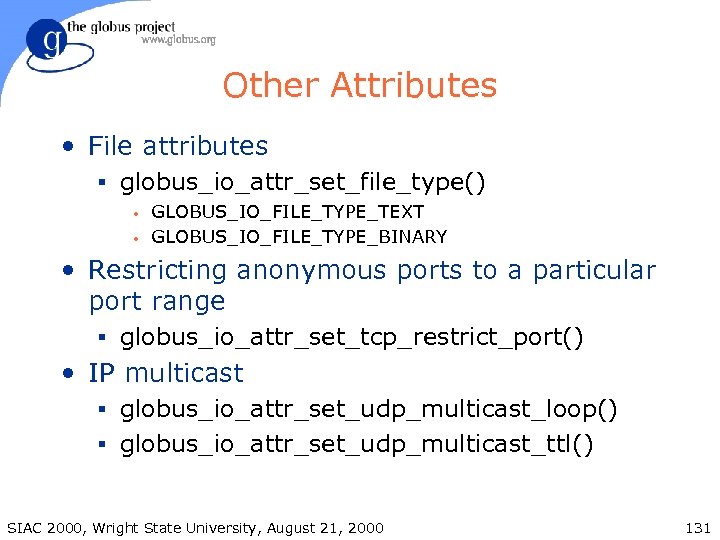
Other Attributes • File attributes § globus_io_attr_set_file_type() • • GLOBUS_IO_FILE_TYPE_TEXT GLOBUS_IO_FILE_TYPE_BINARY • Restricting anonymous ports to a particular port range § globus_io_attr_set_tcp_restrict_port() • IP multicast § globus_io_attr_set_udp_multicast_loop() § globus_io_attr_set_udp_multicast_ttl() SIAC 2000, Wright State University, August 21, 2000 131
![Core Functions • Common functions used for all forms of I/O § globus_io_[register]_select() §](https://present5.com/presentation/9e4ff9fa2184c90419ccc737a63b200c/image-132.jpg "Core Functions • Common functions used for all forms of I/O § globus_io_[register]_select() §")
Core Functions • Common functions used for all forms of I/O § globus_io_[register]_select() § globus_io_[register]_cancel() § globus_io_[register]_close() § globus_io_[register]_read() § globus_io_[register]_writev() § globus_io_try_{read, writev}() § globus_io_get_handle_type() § globus_io_handle_{set, get}_user_pointer() SIAC 2000, Wright State University, August 21, 2000 132
![TCP Connection Setup • Typical functions for creating TCP connections § globus_io_tcp_create_listener() § globus_io_tcp_[register]_listen()](https://present5.com/presentation/9e4ff9fa2184c90419ccc737a63b200c/image-133.jpg "TCP Connection Setup • Typical functions for creating TCP connections § globus_io_tcp_create_listener() § globus_io_tcp_[register]_listen()")
TCP Connection Setup • Typical functions for creating TCP connections § globus_io_tcp_create_listener() § globus_io_tcp_[register]_listen() § globus_io_tcp_[register]_accept() § globus_io_tcp_[register]_connect() • Setting and getting attributes § globus_io_tcp_set_attr() § globus_io_tcp_get_attr() SIAC 2000, Wright State University, August 21, 2000 133
File Setup • Typical functions for establishing file I/O § globus_io_file_open() § globus_io_file_seek() SIAC 2000, Wright State University, August 21, 2000 134
Portability Features • A collection of fundamental software modules. § Module activation/deactivation § Portable thread library (POSIX subset) § Thread-safe and portable libc wrappers § Timed and periodic callbacks § Data object and error object management § Modules to manipulate lists, fifos, URLs, … • The rest of Globus relies on these features. • Developers can (should) use these features for maximum portability and convenience. SIAC 2000, Wright State University, August 21, 2000 135
Activation and Deactivation • globus_module_*() § Functions for activation (initialization) and deactivation (shutdown) § Support for multiple independent activations and deactivations of a module through reference counting § Support for dependencies amongst modules § Support for thread-safe initialization § Modules can use atexit(). . . SIAC 2000, Wright State University, August 21, 2000 136
Threads • globus_thread_*(), globus_mutex_*(), globus_cond_*() § Simple POSIX threads (pthreads) subset § Same arguments and semantics as pthreads § Simply change “pthread” to “globus” or “globus_thread” in the function name § Provides portability to pre-standard pthread libraries, and non-pthread based systems § Simple pass-through on systems with standard pthreads § Co-exists with programs using pthreads directly SIAC 2000, Wright State University, August 21, 2000 137
Threaded vs Non-threaded • Globus supports pthreads, cthreads, Solaris threads, and sproc. • Globus also supports non-threaded applications. § Most thread-related functions are stubbed out. § If you write code carefully which uses the mutex, cond, and thread specific storage functions, if should work both threaded and non-threaded. § Most Globus Toolkit APIs use an event driven approach, which works well with or without threads. SIAC 2000, Wright State University, August 21, 2000 138
globus_libc • Wrappers around standard libc functions § Thread safe, even if underlying libc is not • Caveat: Application must also use globus_libc to ensure thread safety. § Same interface for threaded and non-threaded • POSIX reentrant functions (*_r()) always work. • Example: globus_libc_gethostbyname_r() § Fixes or enhances some functions • Example: globus_libc_gethostname() tries to figure out a fully qualified hostname despite system configuration. SIAC 2000, Wright State University, August 21, 2000 139
Callbacks • Driver for timed and periodic callbacks § globus_callback_register_oneshot() § globus_callback_register_periodic() § globus_callback_unregister() § globus_callback_poll() • All modules rely on this for periodic polling • Uses threads where possible • Uses thread blocking callbacks to guarantee progress even when callback blocks SIAC 2000, Wright State University, August 21, 2000 140
Convenience Modules • globus_common also contains a small set of convenience modules § globus_fifo: First-In-First-Out queue § globus_hashtable: Hashtable § globus_list: List functions § globus_symboltable: Symbol table management § globus_url: URL parsing § globus_strptime: Y 2 K-compliant strptime() § globus_object § globus_error SIAC 2000, Wright State University, August 21, 2000 141
Скачать презентацию The Globus Project Infrastructure for Computational Grids The
9e4ff9fa2184c90419ccc737a63b200c.ppt