 Скачать презентацию The generic waste water website How it works
745736aa44f9356d43e087a77c47d929.ppt
- Количество слайдов: 23



The generic waste water website How it works – How to use it for the next reporting exercise Brussels, November, 9 th, 2015 Benoît Fribourg-blanc Office International de l’Eau
Table of content 1. What is the UWWTD-SIIF: framework and key components 2. Technical pre-requisite to install the toolbox 3. Calculating compliance: the framework and results 4. Administration of the UWWTD SIIF platform a) upload data and manage b) Check quality c) Pre generate article 17 report d) Generate national register e) Other functionalities 2 Meeting on UWWTD SIIF - Brussels, November, 9 th, 2015
1. What is the UWWTD-SIIF: framework The UWWTD-SIIF platform is a tool to use national validated dataset It is not a collection tool It is not a reporting tool The UWWTD-SIIF platform can be used for many different purposes: Visualisation of data collected and reported, Assess the MS/local situation as regards UWWTD implementation, Check, identify errors, and correct data, Download sub sets of data, … The following steps need to be implemented before to use it a) Collect the UWWTD data b) Create the XML file to be uploaded on CDR c) Check the quality by using the automatic QA tool of the reporting envelope 3 Meeting on UWWTD SIIF - Brussels, November, 9 th, 2015
1. What is the UWWTD-SIIF: key components The UWWTD-SIIF platform is composed of: a website a web-services module The UWWTD-SIIF platform is built using open source softwares: It was built to run on Linux, however it has already been set up on a Windows server (Cyprus, Romania, Poland) Using a CMS (used in that case as a framework) - using the programming language PHP: Drupal. The database server is Postgres (with Post. Gis for geographical treatments) The web-service server is Geo Server Which means no license fee, a world-wide developer community, A development language very common: Php as well as a database management server widely used: Postgres 4 Meeting on UWWTD SIIF - Brussels, November, 9 th, 2015
2. Technical pre-requisite to install the toolbox The UWWTD-SIIF platform requires A hosting server, accessible from the Internet: disk : 20 Go - RAM : 2 Go - CPU : 2 minimun with the operating system Linux (or Windows): Linux (ideally centos 6) with Apache Tomcat (8. 0. 12) Php (5. 3. 3) For the database management, both for the web portal and the web services: Postgres (8. 4 ou 9. *) and Postgis (1. 5 ou 2) For the web services: Geoserver (2. 5 or Mapserver) 5 Meeting on UWWTD SIIF - Brussels, November, 9 th, 2015
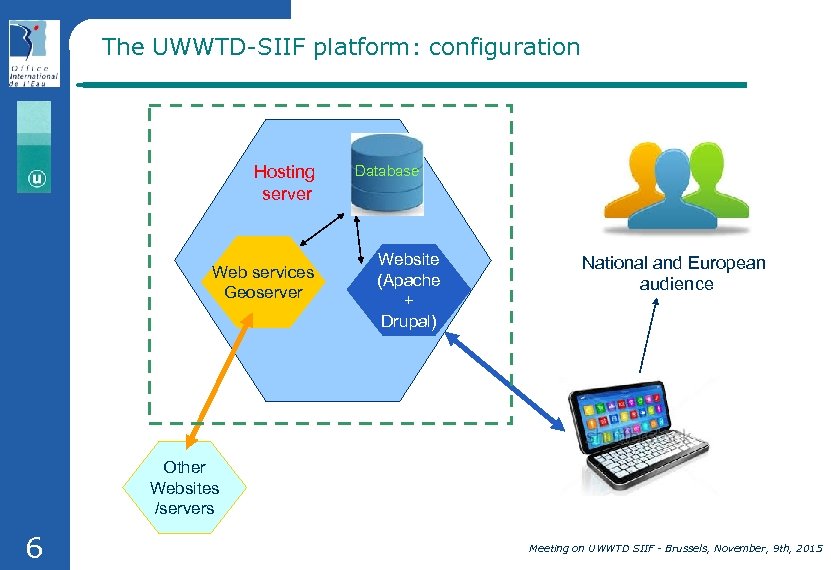
The UWWTD-SIIF platform: configuration Hosting server Web services Geoserver Database Website (Apache + Drupal) National and European audience Other Websites /servers 6 Meeting on UWWTD SIIF - Brussels, November, 9 th, 2015
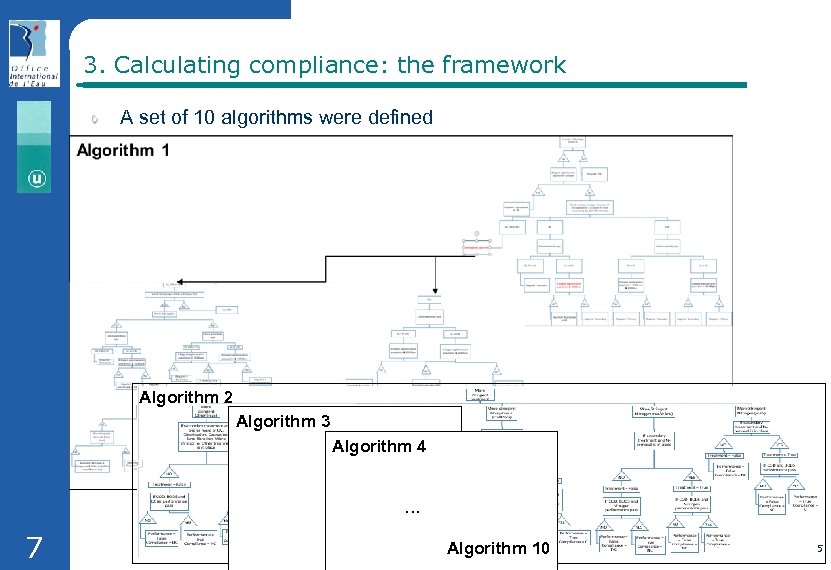
3. Calculating compliance: the framework A set of 10 algorithms were defined Algorithm 2 Algorithm 3 Algorithm 4 … 7 Algorithm Meeting on UWWTD SIIF - Brussels, November, 9 th, 2015 10
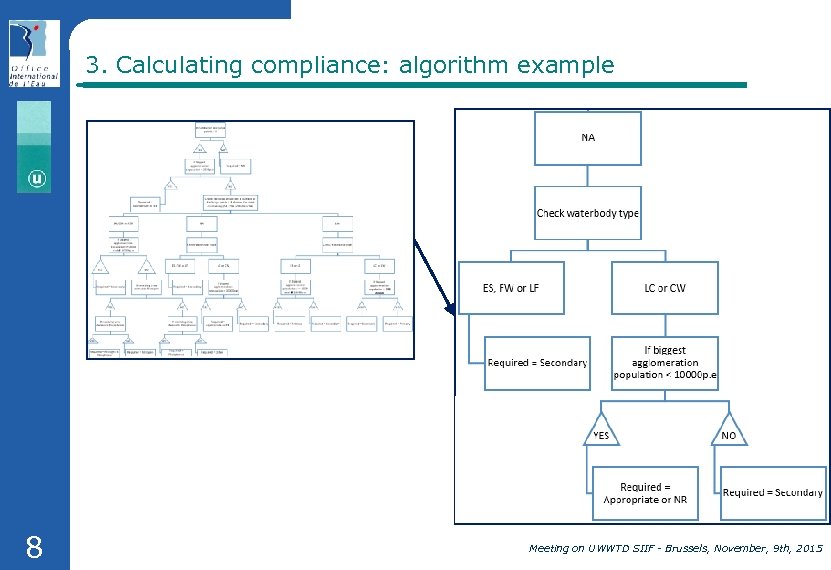
3. Calculating compliance: algorithm example 8 Meeting on UWWTD SIIF - Brussels, November, 9 th, 2015
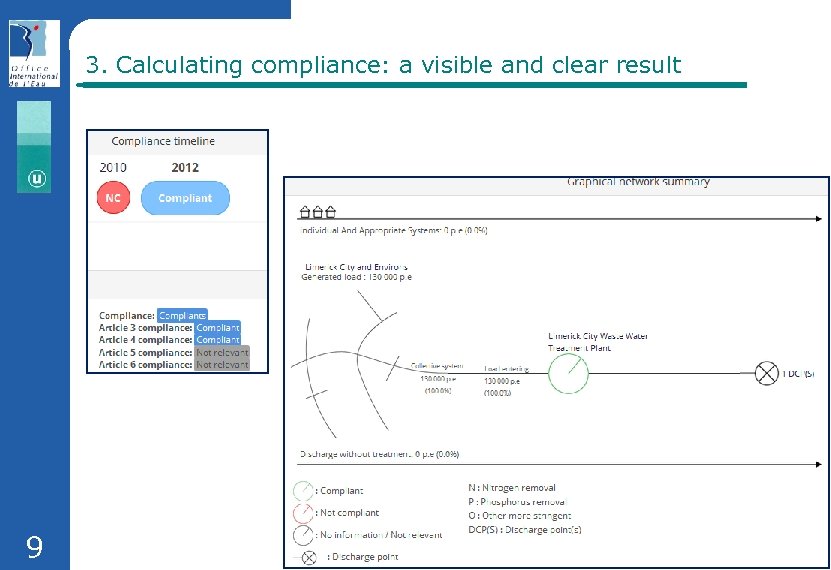
3. Calculating compliance: a visible and clear result 9 Meeting on UWWTD SIIF - Brussels, November, 9 th, 2015
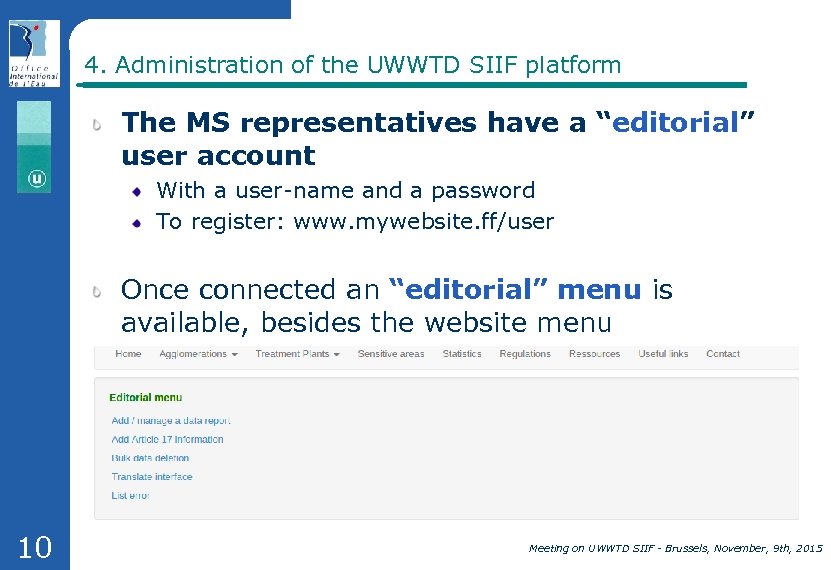
4. Administration of the UWWTD SIIF platform The MS representatives have a “editorial” user account With a user-name and a password To register: www. mywebsite. ff/user Once connected an “editorial” menu is available, besides the website menu 10 Meeting on UWWTD SIIF - Brussels, November, 9 th, 2015
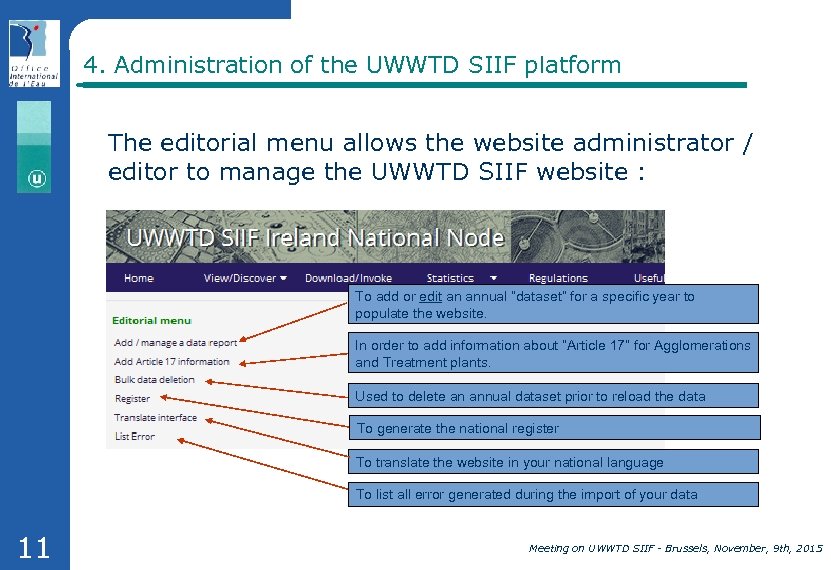
4. Administration of the UWWTD SIIF platform The editorial menu allows the website administrator / editor to manage the UWWTD SIIF website : To add or edit an annual “dataset” for a specific year to populate the website. In order to add information about “Article 17” for Agglomerations and Treatment plants. Used to delete an annual dataset prior to reload the data To generate the national register To translate the website in your national language To list all error generated during the import of your data 11 Meeting on UWWTD SIIF - Brussels, November, 9 th, 2015
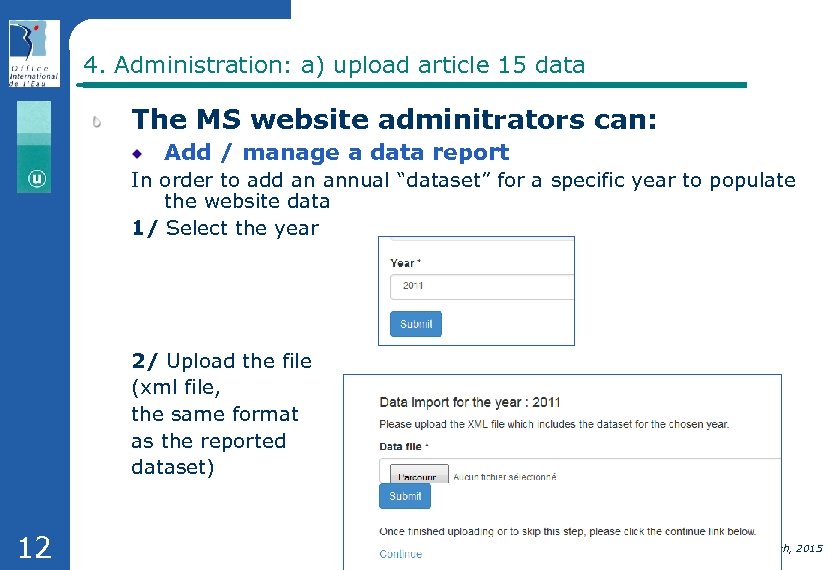
4. Administration: a) upload article 15 data The MS website adminitrators can: Add / manage a data report In order to add an annual “dataset” for a specific year to populate the website data 1/ Select the year 2/ Upload the file (xml file, the same format as the reported dataset) 12 Meeting on UWWTD SIIF - Brussels, November, 9 th, 2015
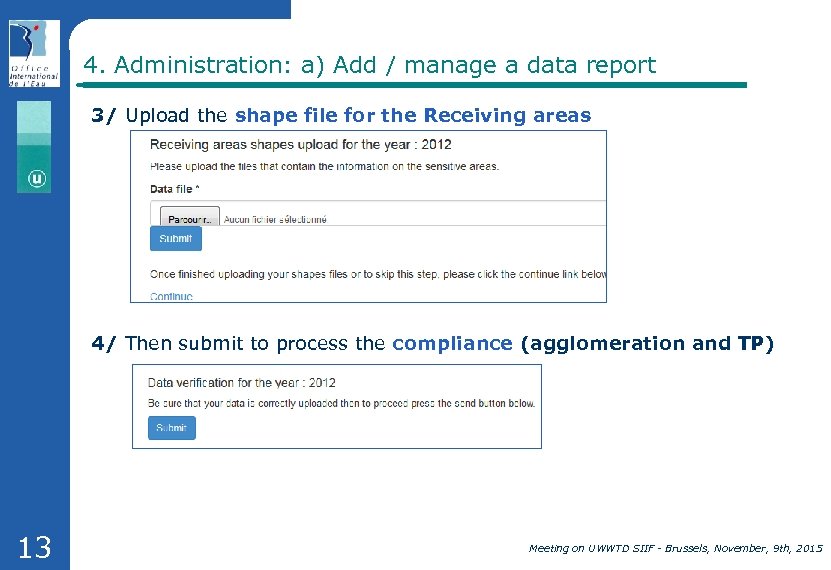
4. Administration: a) Add / manage a data report 3/ Upload the shape file for the Receiving areas 4/ Then submit to process the compliance (agglomeration and TP) 13 Meeting on UWWTD SIIF - Brussels, November, 9 th, 2015
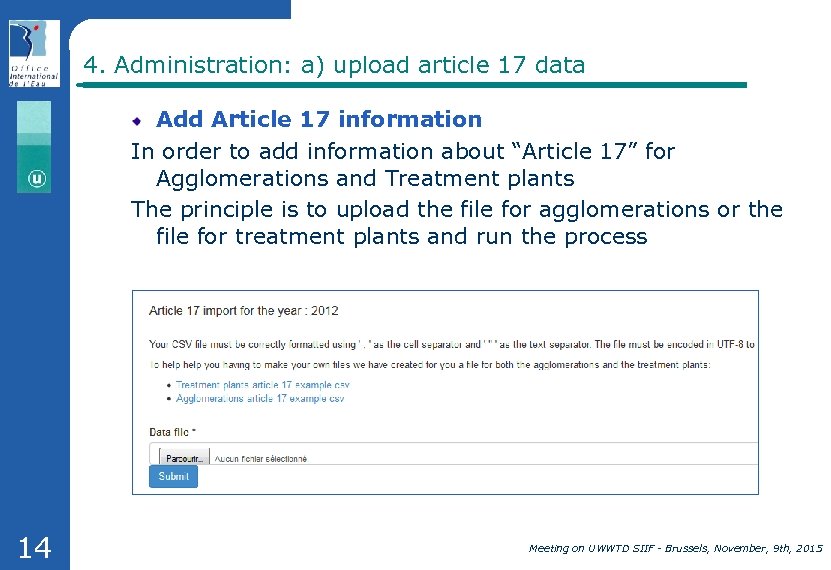
4. Administration: a) upload article 17 data Add Article 17 information In order to add information about “Article 17” for Agglomerations and Treatment plants The principle is to upload the file for agglomerations or the file for treatment plants and run the process 14 Meeting on UWWTD SIIF - Brussels, November, 9 th, 2015
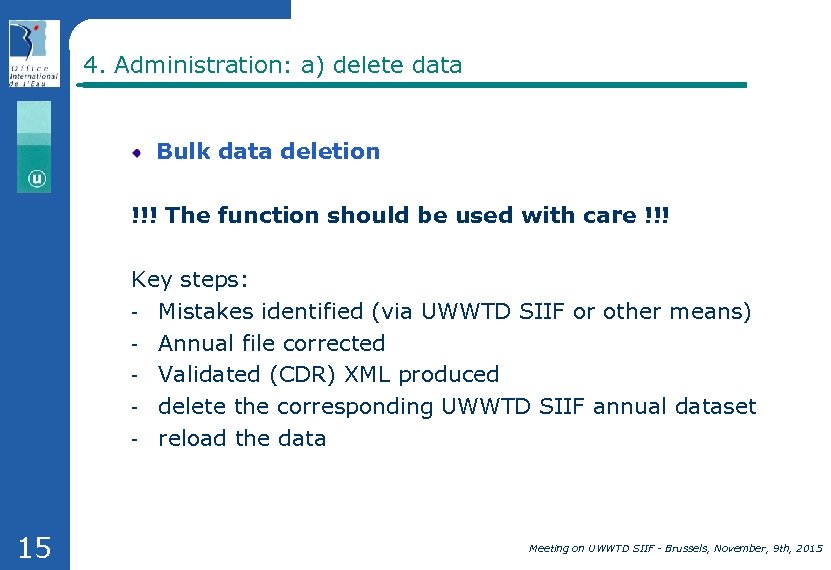
4. Administration: a) delete data Bulk data deletion !!! The function should be used with care !!! Key steps: - Mistakes identified (via UWWTD SIIF or other means) - Annual file corrected - Validated (CDR) XML produced - delete the corresponding UWWTD SIIF annual dataset - reload the data 15 Meeting on UWWTD SIIF - Brussels, November, 9 th, 2015
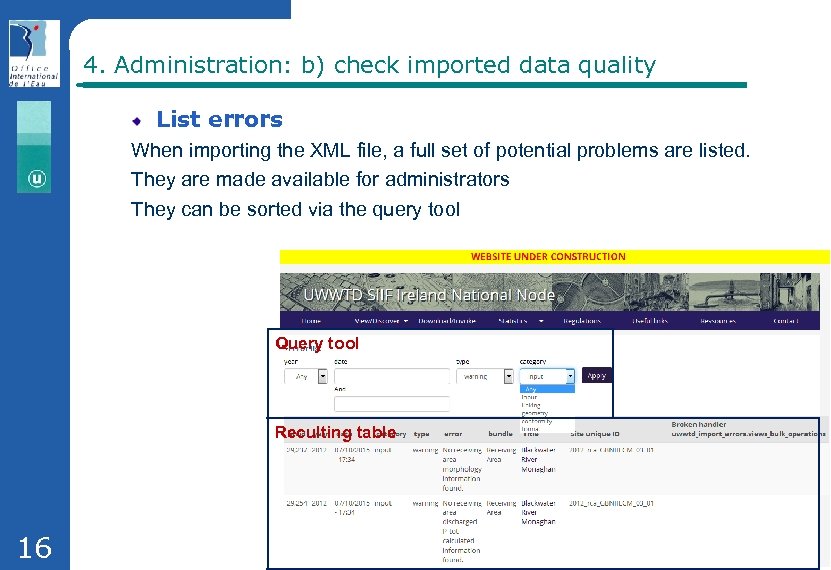
4. Administration: b) check imported data quality List errors When importing the XML file, a full set of potential problems are listed. They are made available for administrators They can be sorted via the query tool Query tool Reculting table 16 Meeting on UWWTD SIIF - Brussels, November, 9 th, 2015
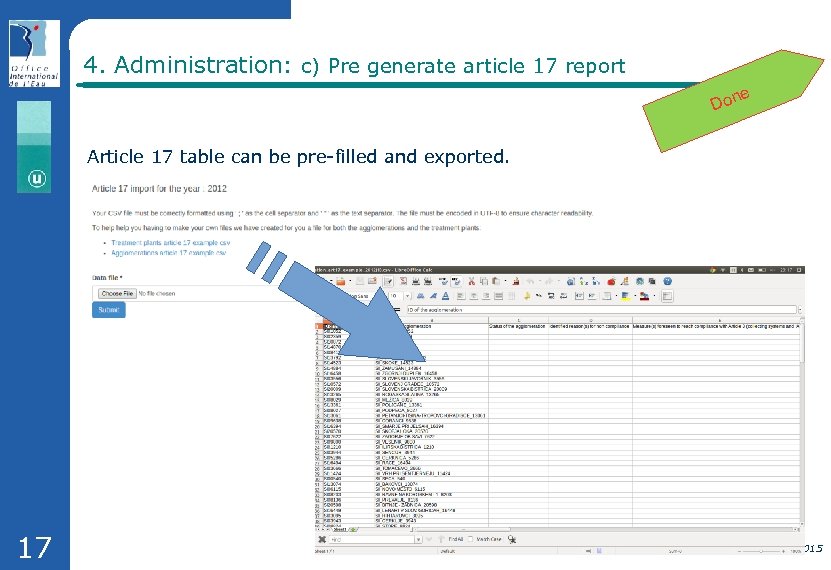
4. Administration: c) Pre generate article 17 report e Don Article 17 table can be pre-filled and exported. 17 Meeting on UWWTD SIIF - Brussels, November, 9 th, 2015
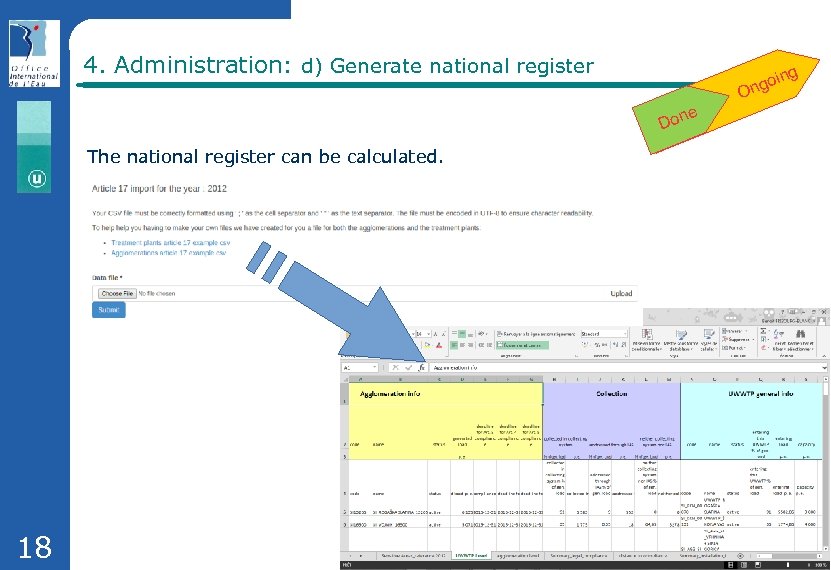
4. Administration: d) Generate national register g goin On e Don The national register can be calculated. 18 Meeting on UWWTD SIIF - Brussels, November, 9 th, 2015
4. Administration: e) Other functionalities There also are static web pages that can be edited by the website administrator/editor: Regulation : links to European and national legislation Ressources : links to geographic web services (WFS) Useful links Contact page 19 Meeting on UWWTD SIIF - Brussels, November, 9 th, 2015
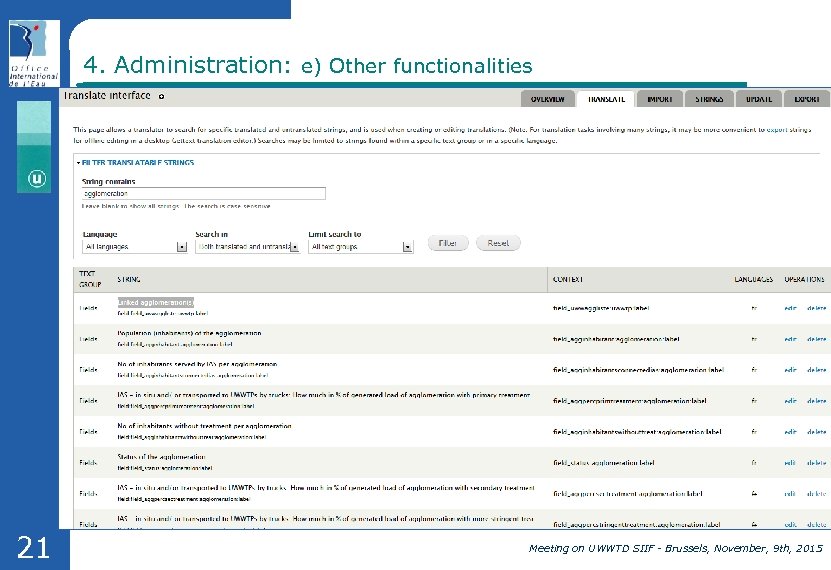
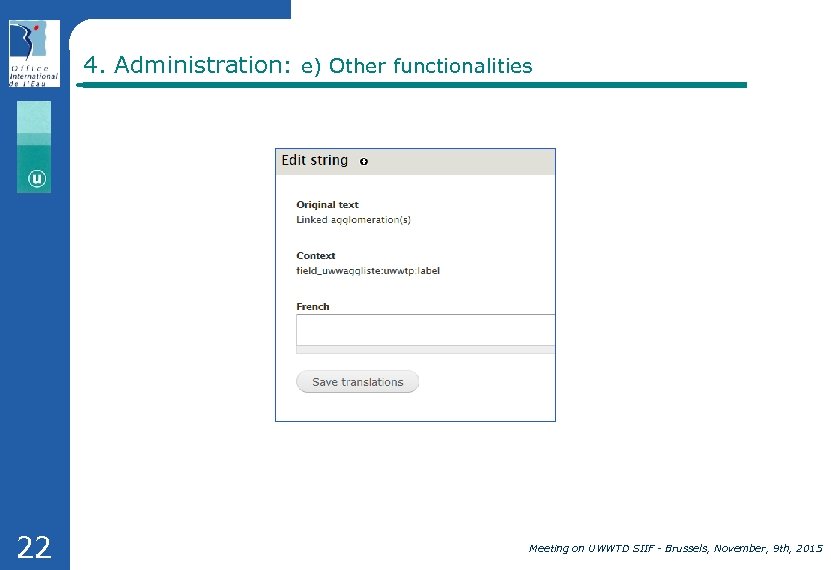
4. Administration: e) Other functionalities Translate interface The website is provided both in English and the national language. From a web page the administrator can: Search for a word in English Then as a result, all the strings where the word is used are listed: for instance by entering “agglomeration”, we obtain the string “Linked agglomeration(s)“ used in the element fiches (Water Connexion) Click on edit in order to translate the word 20 Meeting on UWWTD SIIF - Brussels, November, 9 th, 2015
4. Administration: e) Other functionalities 21 Meeting on UWWTD SIIF - Brussels, November, 9 th, 2015
4. Administration: e) Other functionalities 22 Meeting on UWWTD SIIF - Brussels, November, 9 th, 2015
Thank you Contacts : Benoît Fribourg-Blanc: b. fribourg-blanc@oieau. fr Nicolas Dhuygelaere : n. dhuygelaere@oieau. fr 23 Meeting on UWWTD SIIF - Brussels, November, 9 th, 2015
Скачать презентацию The generic waste water website How it works
745736aa44f9356d43e087a77c47d929.ppt