


 Скачать презентацию The EPIKH Project Exchange Programme to advance e-Infrastructure
e46b52ba130d6674043aa86961bf41d9.ppt
- Количество слайдов: 18
 The EPIKH Project (Exchange Programme to advance e-Infrastructure Know-How) www. epikh. eu g. Lite UI Installation Bouchra RAHIM(rahim@cnrst. ma) Joint EPIKH/EUMEDGRID-Support Event in Rabat Morocco, 30. 05. 2011
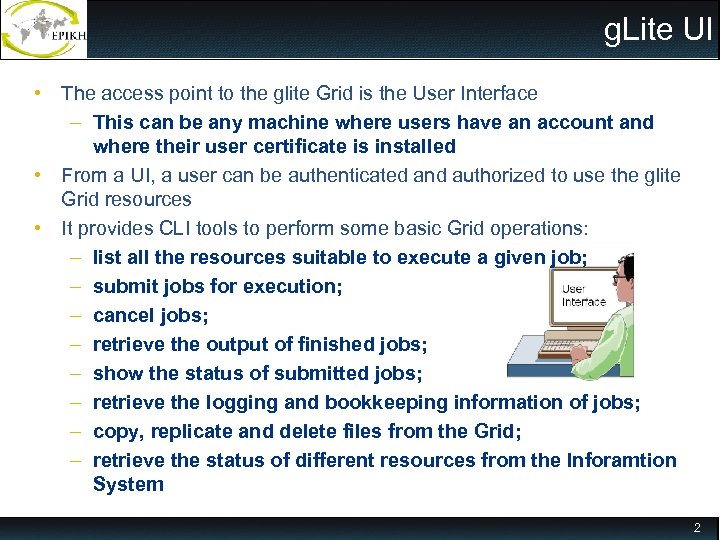 g. Lite UI • The access point to the glite Grid is the User Interface – This can be any machine where users have an account and where their user certificate is installed • From a UI, a user can be authenticated and authorized to use the glite Grid resources • It provides CLI tools to perform some basic Grid operations: – list all the resources suitable to execute a given job; – submit jobs for execution; – cancel jobs; – retrieve the output of finished jobs; – show the status of submitted jobs; – retrieve the logging and bookkeeping information of jobs; – copy, replicate and delete files from the Grid; – retrieve the status of different resources from the Inforamtion System 2
 Preliminaries • The instructions provided in this presentation assume that you are going to use a machine with Scientific Linux 5. 4 installed. – Virtual Machine image (GILDA VM Base_SLC 5. 4_x 86_64) available at: https: //gilda. ct. infn. it/Virtual. Services. html 3
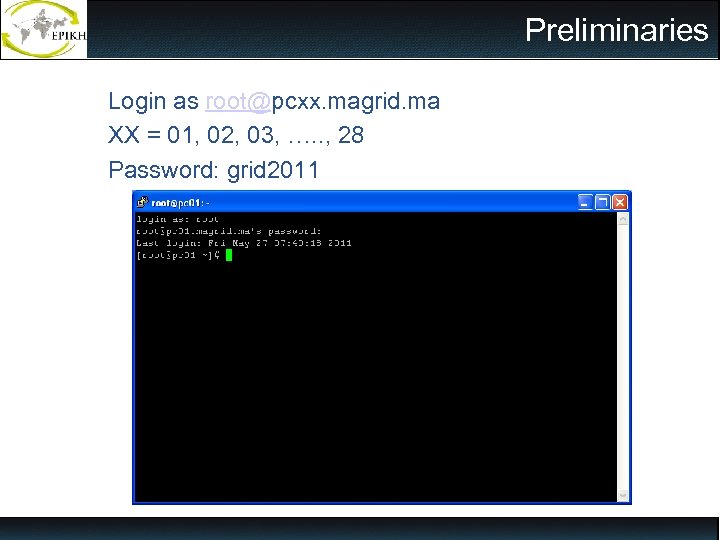 Preliminaries Login as root@pcxx. magrid. ma XX = 01, 02, 03, …. . , 28 Password: grid 2011 Preliminaries
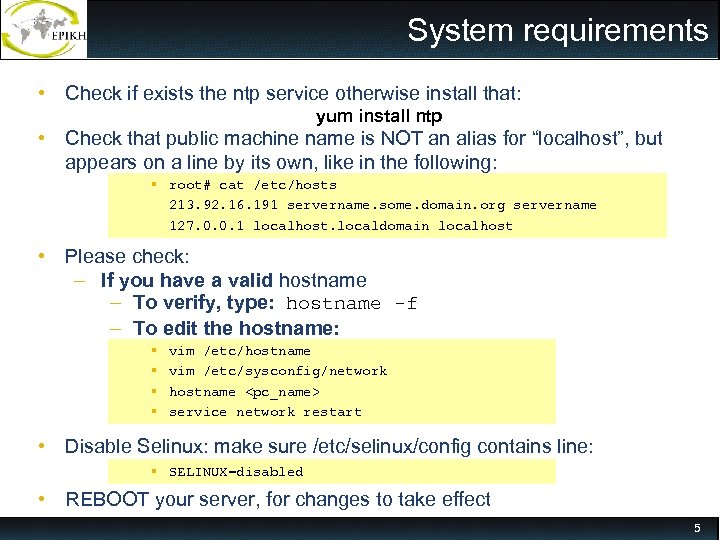 System requirements • Check if exists the ntp service otherwise install that: yum install ntp • Check that public machine name is NOT an alias for “localhost”, but appears on a line by its own, like in the following: root# cat /etc/hosts 213. 92. 16. 191 servername. some. domain. org servername 127. 0. 0. 1 localhost. localdomain localhost • Please check: – If you have a valid hostname – To verify, type: hostname -f – To edit the hostname: vim /etc/hostname vim /etc/sysconfig/network hostname
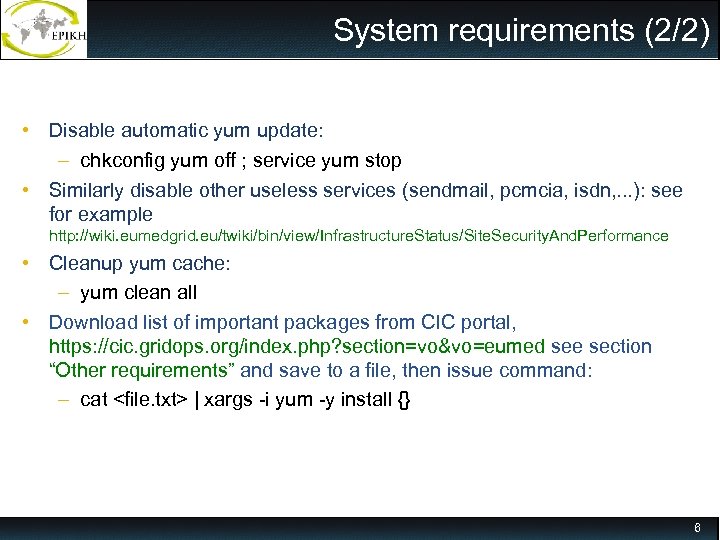 System requirements (2/2) • Disable automatic yum update: – chkconfig yum off ; service yum stop • Similarly disable other useless services (sendmail, pcmcia, isdn, . . . ): see for example http: //wiki. eumedgrid. eu/twiki/bin/view/Infrastructure. Status/Site. Security. And. Performance • Cleanup yum cache: – yum clean all • Download list of important packages from CIC portal, https: //cic. gridops. org/index. php? section=vo&vo=eumed see section “Other requirements” and save to a file, then issue command: – cat
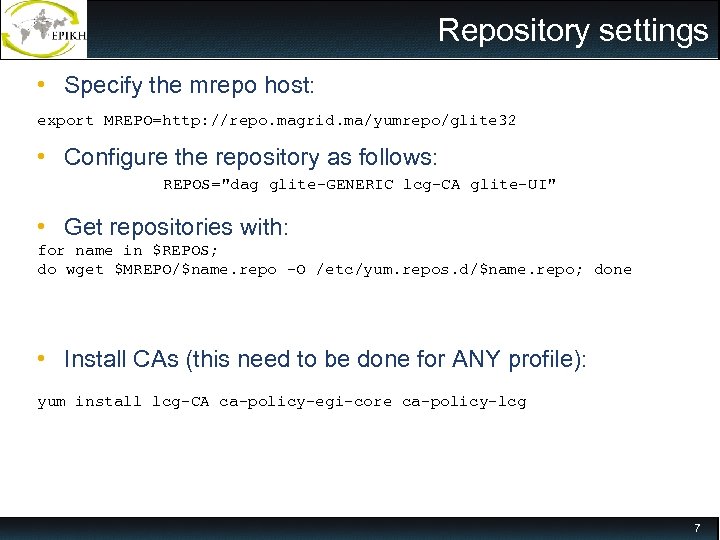 Repository settings • Specify the mrepo host: export MREPO=http: //repo. magrid. ma/yumrepo/glite 32 • Configure the repository as follows: REPOS="dag glite-GENERIC lcg-CA glite-UI" • Get repositories with: for name in $REPOS; do wget $MREPO/$name. repo -O /etc/yum. repos. d/$name. repo; done • Install CAs (this need to be done for ANY profile): yum install lcg-CA ca-policy-egi-core ca-policy-lcg 7
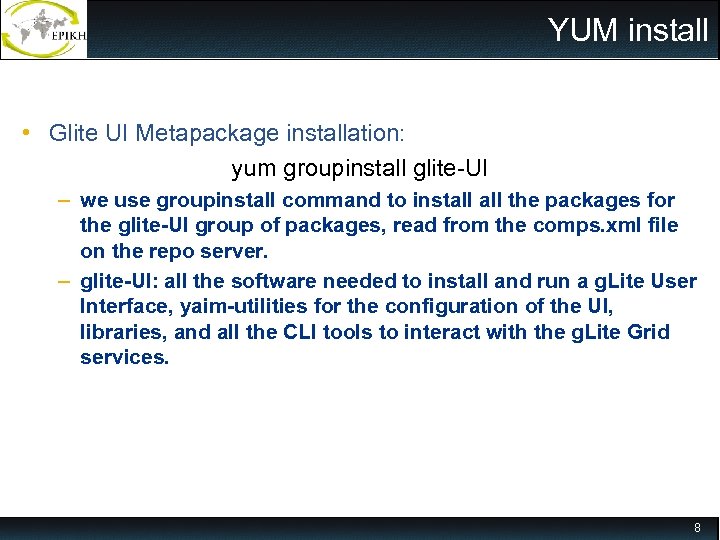 YUM install • Glite UI Metapackage installation: yum groupinstall glite-UI – we use groupinstall command to install the packages for the glite-UI group of packages, read from the comps. xml file on the repo server. – glite-UI: all the software needed to install and run a g. Lite User Interface, yaim-utilities for the configuration of the UI, libraries, and all the CLI tools to interact with the g. Lite Grid services. 8
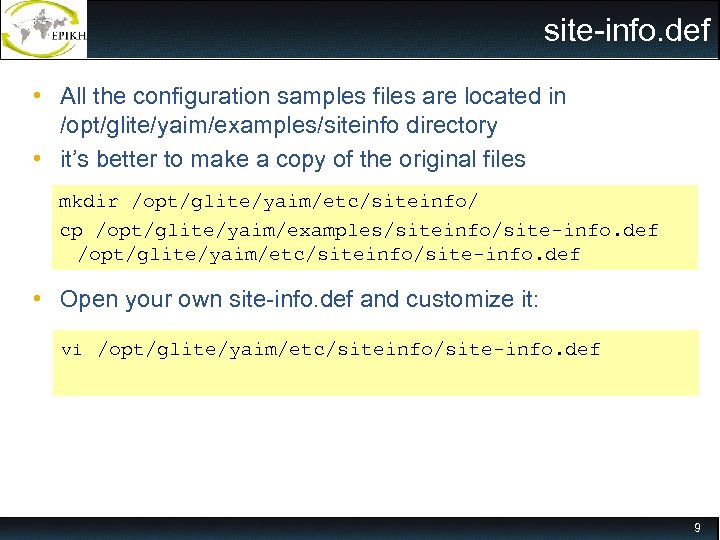 site-info. def • All the configuration samples files are located in /opt/glite/yaim/examples/siteinfo directory • it’s better to make a copy of the original files mkdir /opt/glite/yaim/etc/siteinfo/ cp /opt/glite/yaim/examples/siteinfo/site-info. def /opt/glite/yaim/etc/siteinfo/site-info. def • Open your own site-info. def and customize it: vi /opt/glite/yaim/etc/siteinfo/site-info. def 9
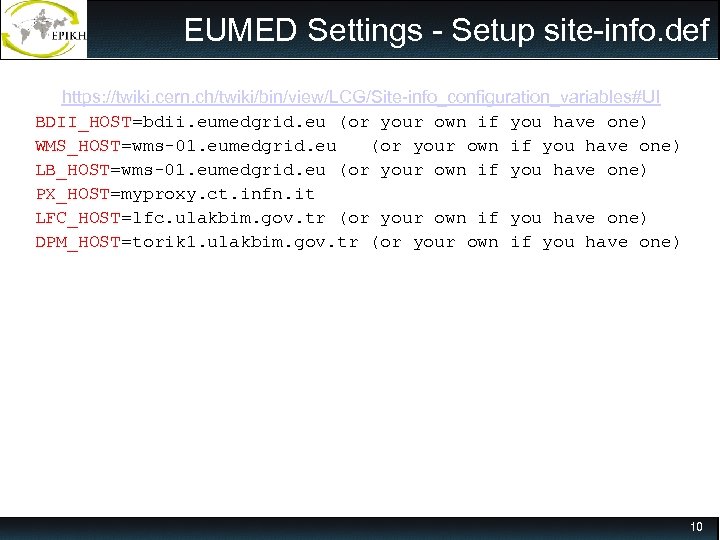 EUMED Settings - Setup site-info. def https: //twiki. cern. ch/twiki/bin/view/LCG/Site-info_configuration_variables#UI BDII_HOST=bdii. eumedgrid. eu (or your own if you have one) WMS_HOST=wms-01. eumedgrid. eu (or your own if you have one) LB_HOST=wms-01. eumedgrid. eu (or your own if you have one) PX_HOST=myproxy. ct. infn. it LFC_HOST=lfc. ulakbim. gov. tr (or your own if you have one) DPM_HOST=torik 1. ulakbim. gov. tr (or your own if you have one) 10
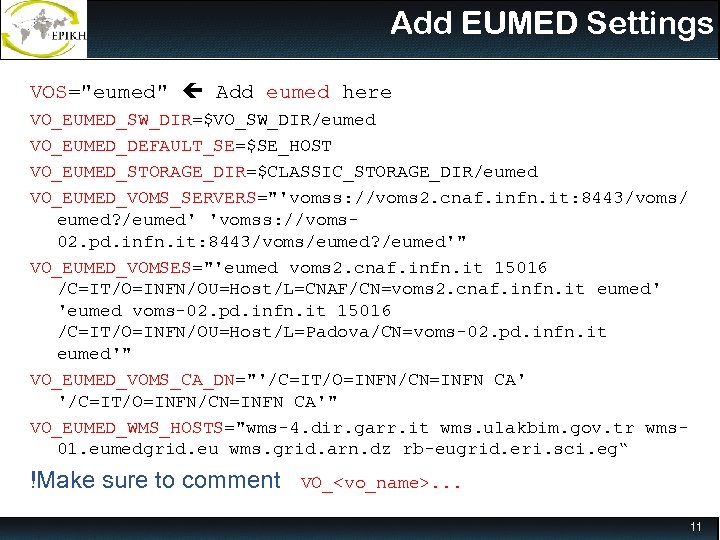 Add EUMED Settings VOS="eumed" Add eumed here VO_EUMED_SW_DIR=$VO_SW_DIR/eumed VO_EUMED_DEFAULT_SE=$SE_HOST VO_EUMED_STORAGE_DIR=$CLASSIC_STORAGE_DIR/eumed VO_EUMED_VOMS_SERVERS="'vomss: //voms 2. cnaf. infn. it: 8443/voms/ eumed? /eumed' 'vomss: //voms 02. pd. infn. it: 8443/voms/eumed? /eumed'" VO_EUMED_VOMSES="'eumed voms 2. cnaf. infn. it 15016 /C=IT/O=INFN/OU=Host/L=CNAF/CN=voms 2. cnaf. infn. it eumed' 'eumed voms-02. pd. infn. it 15016 /C=IT/O=INFN/OU=Host/L=Padova/CN=voms-02. pd. infn. it eumed'" VO_EUMED_VOMS_CA_DN="'/C=IT/O=INFN/CN=INFN CA'" VO_EUMED_WMS_HOSTS="wms-4. dir. garr. it wms. ulakbim. gov. tr wms 01. eumedgrid. eu wms. grid. arn. dz rb-eugrid. eri. sci. eg“ !Make sure to comment VO_
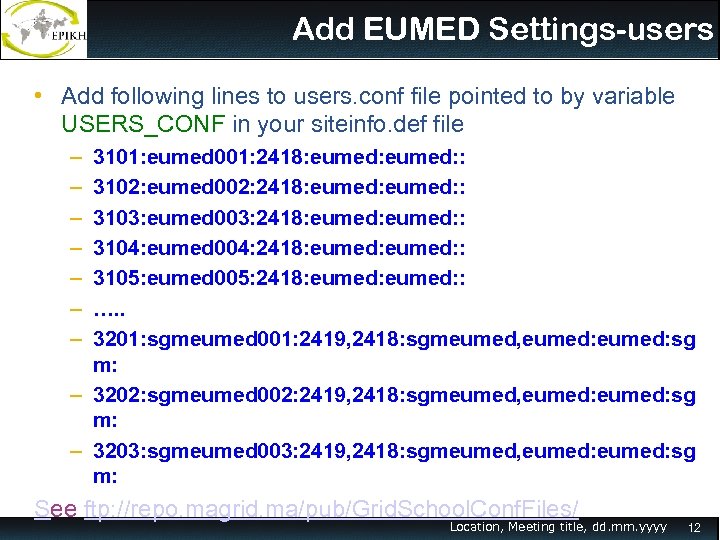 Add EUMED Settings-users • Add following lines to users. conf file pointed to by variable USERS_CONF in your siteinfo. def file – – – – 3101: eumed 001: 2418: eumed: : 3102: eumed 002: 2418: eumed: : 3103: eumed 003: 2418: eumed: : 3104: eumed 004: 2418: eumed: : 3105: eumed 005: 2418: eumed: : …. . 3201: sgmeumed 001: 2419, 2418: sgmeumed, eumed: sg m: – 3202: sgmeumed 002: 2419, 2418: sgmeumed, eumed: sg m: – 3203: sgmeumed 003: 2419, 2418: sgmeumed, eumed: sg m: See ftp: //repo. magrid. ma/pub/Grid. School. Conf. Files/ Location, Meeting title, dd. mm. yyyy 12
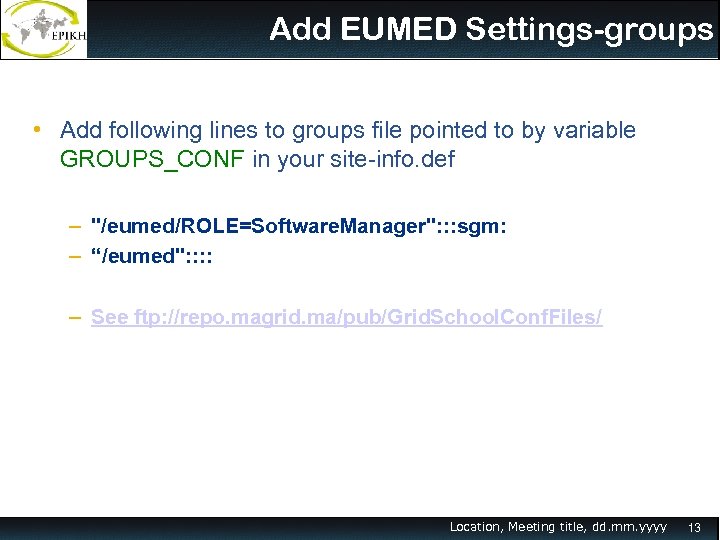 Add EUMED Settings-groups • Add following lines to groups file pointed to by variable GROUPS_CONF in your site-info. def – "/eumed/ROLE=Software. Manager": : : sgm: – “/eumed": : – See ftp: //repo. magrid. ma/pub/Grid. School. Conf. Files/ Location, Meeting title, dd. mm. yyyy 13
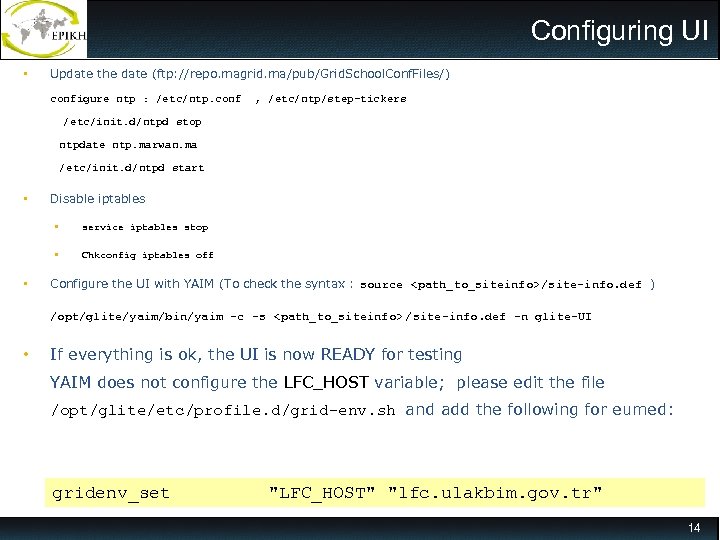 Configuring UI • Update the date (ftp: //repo. magrid. ma/pub/Grid. School. Conf. Files/) configure ntp : /etc/ntp. conf , /etc/ntp/step-tickers /etc/init. d/ntpd stop ntpdate ntp. marwan. ma /etc/init. d/ntpd start • Disable iptables • • • service iptables stop Chkconfig iptables off Configure the UI with YAIM (To check the syntax : source
![Testing UI [root@pc 01 ~]# adduser grid 01 [root@pc 01 ~]# mkdir /home/grid 01/.](https://present5.com/presentation/e46b52ba130d6674043aa86961bf41d9/image-15.jpg "Testing UI [root@pc 01 ~]# adduser grid 01 [root@pc 01 ~]# mkdir /home/grid 01/.") Testing UI [root@pc 01 ~]# adduser grid 01 [root@pc 01 ~]# mkdir /home/grid 01/. globus [root@pc 01 ~]# cp /root/user_cert/usercert. pem /home/grid 01/. globus/usercert. pem [root@pc 01 ~]# cp /root/user_cert/userkey. pem /home/grid 01/. globus/userkey. pem [root@pc 01 ~]# chown grid 01 /home/grid 01/. globus/usercert. pem [root@pc 01 ~]# chown grid 01 /home/grid 01/. globus/userkey. pem [root@pc 01 ~]# chmod 400 /home/grid 01/. globus/userkey. pem [root@pc 01 ~]# su – grid 01 [grid 01@pc 01 ~]$ voms-proxy-init --voms eumed Enter GRID pass phrase: [ grid 2011] Your identity: /C=MA/O=Ma. Grid/OU=CNRST/CN=Grid School Creating temporary proxy. . . . . . . Done Contacting voms 2. cnaf. infn. it: 15016 [/C=IT/O=INFN/OU=Host/L=CNAF/CN=voms 2. cnaf. infn. it] "eumed" Done Creating proxy. . . . . . Done Your proxy is valid until Sun May 29 04: 25: 35 2011 15
Testing UI [root@pc 01 ~]# adduser grid 01 [root@pc 01 ~]# mkdir /home/grid 01/. globus [root@pc 01 ~]# cp /root/user_cert/usercert. pem /home/grid 01/. globus/usercert. pem [root@pc 01 ~]# cp /root/user_cert/userkey. pem /home/grid 01/. globus/userkey. pem [root@pc 01 ~]# chown grid 01 /home/grid 01/. globus/usercert. pem [root@pc 01 ~]# chown grid 01 /home/grid 01/. globus/userkey. pem [root@pc 01 ~]# chmod 400 /home/grid 01/. globus/userkey. pem [root@pc 01 ~]# su – grid 01 [grid 01@pc 01 ~]$ voms-proxy-init --voms eumed Enter GRID pass phrase: [ grid 2011] Your identity: /C=MA/O=Ma. Grid/OU=CNRST/CN=Grid School Creating temporary proxy. . . . . . . Done Contacting voms 2. cnaf. infn. it: 15016 [/C=IT/O=INFN/OU=Host/L=CNAF/CN=voms 2. cnaf. infn. it] "eumed" Done Creating proxy. . . . . . Done Your proxy is valid until Sun May 29 04: 25: 35 2011 15
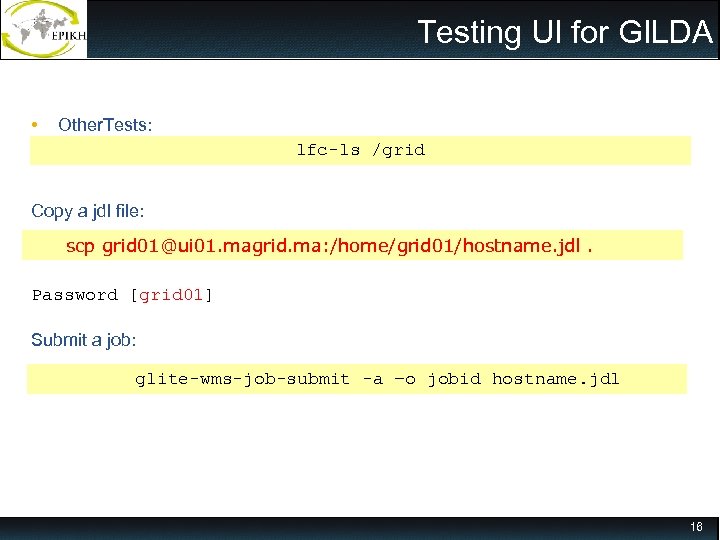 Testing UI for GILDA • Other. Tests: lfc-ls /grid Copy a jdl file: scp grid 01@ui 01. magrid. ma: /home/grid 01/hostname. jdl. Password [grid 01] Submit a job: glite-wms-job-submit -a –o jobid hostname. jdl 16
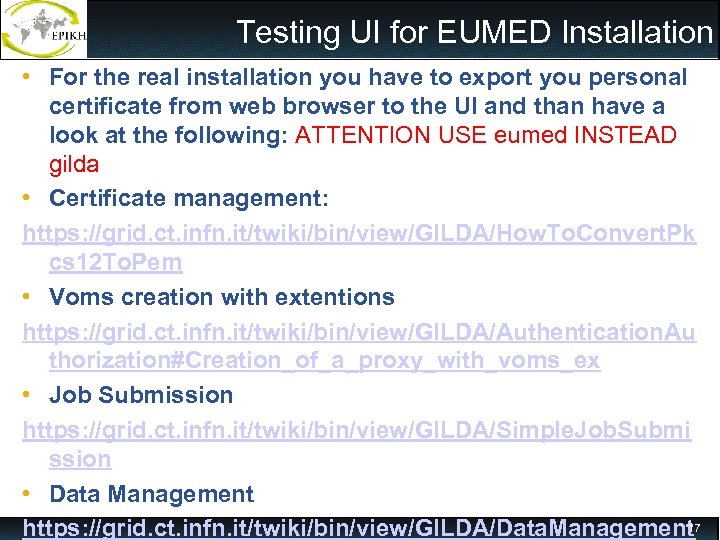 Testing UI for EUMED Installation • For the real installation you have to export you personal certificate from web browser to the UI and than have a look at the following: ATTENTION USE eumed INSTEAD gilda • Certificate management: https: //grid. ct. infn. it/twiki/bin/view/GILDA/How. To. Convert. Pk cs 12 To. Pem • Voms creation with extentions https: //grid. ct. infn. it/twiki/bin/view/GILDA/Authentication. Au thorization#Creation_of_a_proxy_with_voms_ex • Job Submission https: //grid. ct. infn. it/twiki/bin/view/GILDA/Simple. Job. Submi ssion • Data Management 1 https: //grid. ct. infn. it/twiki/bin/view/GILDA/Data. Management 7
 References INFNGrid installation http: //igrelease. forge. cnaf. infn. it/doku. php? id=doc: guides: install-3_2 EUMED wiki for system administrators: http: //wiki. eumedgrid. eu/twiki/bin/view/Infrastructure. Status/Eumed. Site. Installation 18