


 Скачать презентацию The EDG Workload Management System n 1
1a78cdda65a848a95c496e4e46e38ea8.ppt
- Количество слайдов: 56
 The EDG Workload Management System – n° 1
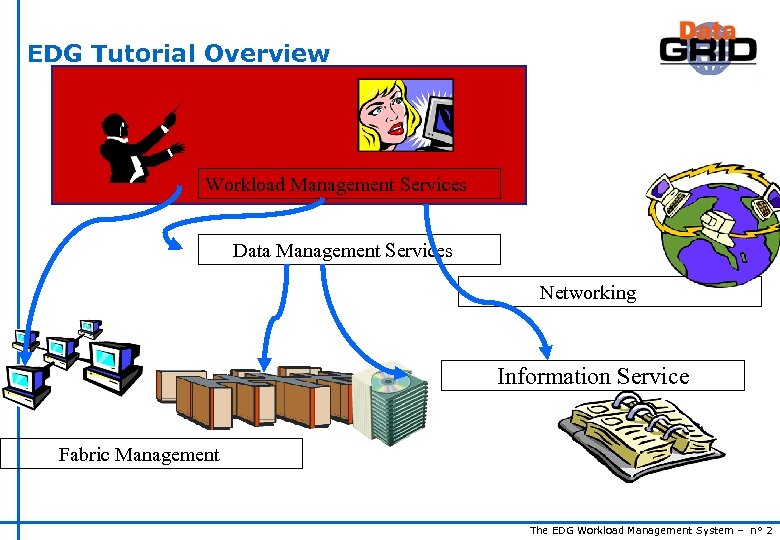 EDG Tutorial Overview Workload Management Services Data Management Services Networking Information Service Fabric Management The EDG Workload Management System – n° 2
 Contents u. The EDG Workload Management System u. Job Preparation n Job Description Language u. Job submission and job status monitoring u. WMS Matchmaking u. Different job types n Normal jobs n Interactive jobs n Checkpointable jobs n Parallel jobs The EDG Workload Management System – n° 3
 The EDG WMS u u u The user interacts with Grid via a Workload Management System (WMS) The Goal of WMS is the distributed scheduling and resource management in a Grid environment. What does it allow Grid users to do? n To submit their jobs n To execute them on the “best resources” s The WMS tries to optimize the usage of resources n To get information about their status n To retrieve their output The EDG Workload Management System – n° 4
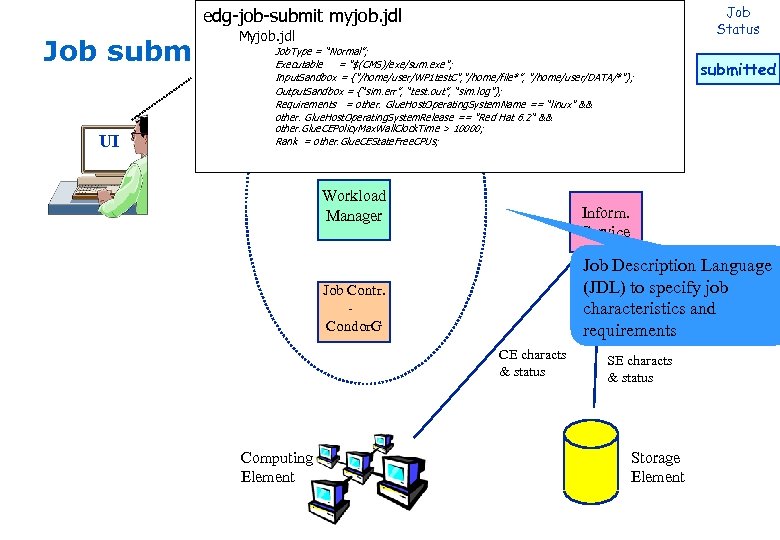
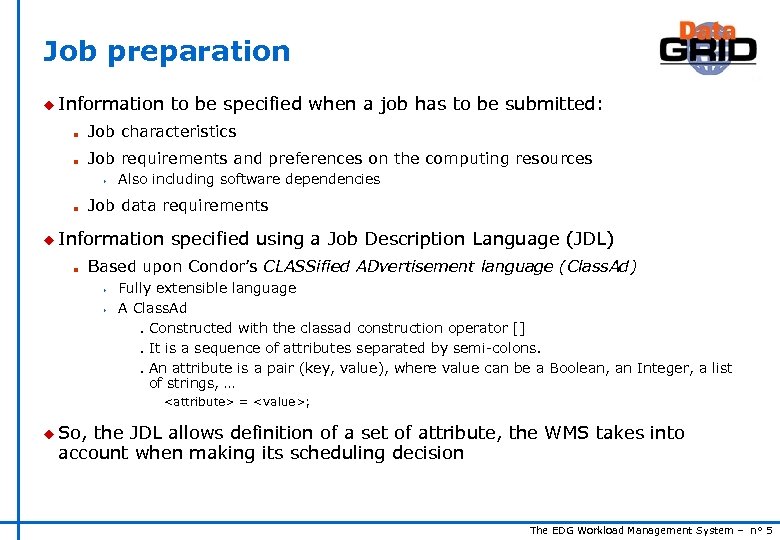 Job preparation u Information to be specified when a job has to be submitted: n Job characteristics n Job requirements and preferences on the computing resources s n Also including software dependencies Job data requirements u Information n specified using a Job Description Language (JDL) Based upon Condor’s CLASSified ADvertisement language (Class. Ad) s s Fully extensible language A Class. Ad Constructed with the classad construction operator [] It is a sequence of attributes separated by semi-colons. An attribute is a pair (key, value), where value can be a Boolean, an Integer, a list of strings, … n n n
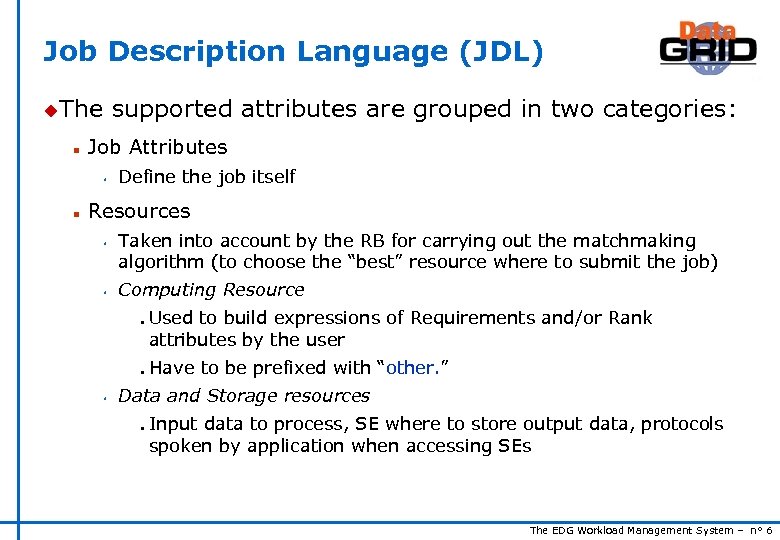 Job Description Language (JDL) u. The n supported attributes are grouped in two categories: Job Attributes s n Define the job itself Resources s s Taken into account by the RB for carrying out the matchmaking algorithm (to choose the “best” resource where to submit the job) Computing Resource n n s Used to build expressions of Requirements and/or Rank attributes by the user Have to be prefixed with “other. ” Data and Storage resources n Input data to process, SE where to store output data, protocols spoken by application when accessing SEs The EDG Workload Management System – n° 6
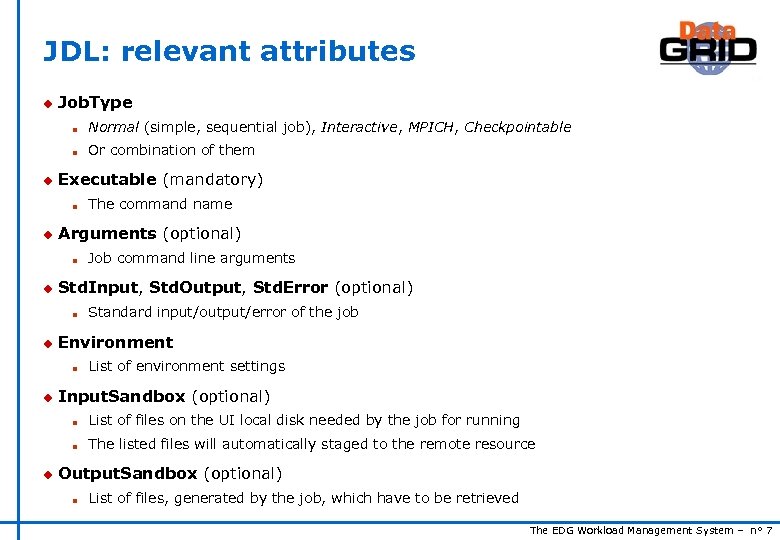 JDL: relevant attributes u Job. Type n n u Normal (simple, sequential job), Interactive, MPICH, Checkpointable Or combination of them Executable (mandatory) n u Arguments (optional) n u Standard input/output/error of the job Environment n u Job command line arguments Std. Input, Std. Output, Std. Error (optional) n u The command name List of environment settings Input. Sandbox (optional) n n u List of files on the UI local disk needed by the job for running The listed files will automatically staged to the remote resource Output. Sandbox (optional) n List of files, generated by the job, which have to be retrieved The EDG Workload Management System – n° 7
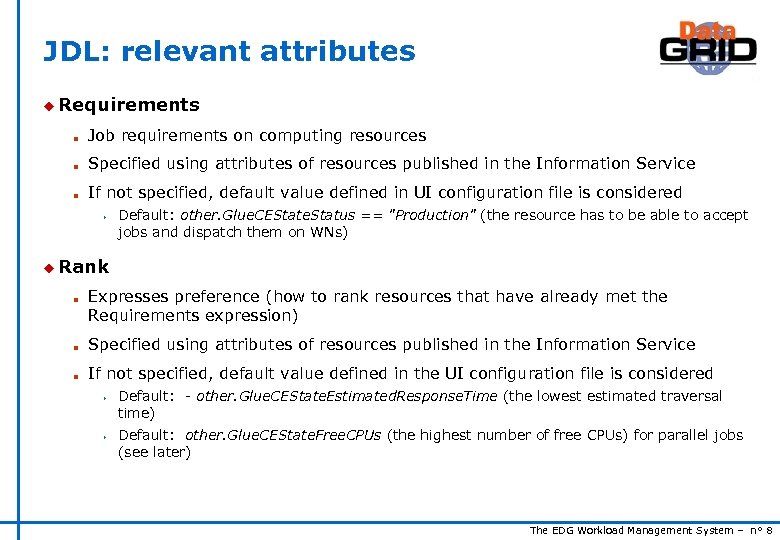 JDL: relevant attributes u Requirements n Job requirements on computing resources n Specified using attributes of resources published in the Information Service n If not specified, default value defined in UI configuration file is considered s Default: other. Glue. CEState. Status == "Production" (the resource has to be able to accept jobs and dispatch them on WNs) u Rank n Expresses preference (how to rank resources that have already met the Requirements expression) n Specified using attributes of resources published in the Information Service n If not specified, default value defined in the UI configuration file is considered s s Default: - other. Glue. CEState. Estimated. Response. Time (the lowest estimated traversal time) Default: other. Glue. CEState. Free. CPUs (the highest number of free CPUs) for parallel jobs (see later) The EDG Workload Management System – n° 8
 JDL: relevant attributes u Input. Data n n Refers to data used as input by the job: these data are published in the Replica Location Service (RLS) and stored in the SEs) LFNs and/or GUIDs u Data. Access. Protocol n (mandatory if Input. Data has been specified) The protocol or the list of protocols which the application is able to speak with for accessing Input. Data on a given SE u Output. SE n n The Uniform Resource Identifier of the output SE RB uses it to choose a CE that is compatible with the job and is close to SE The EDG Workload Management System – n° 9
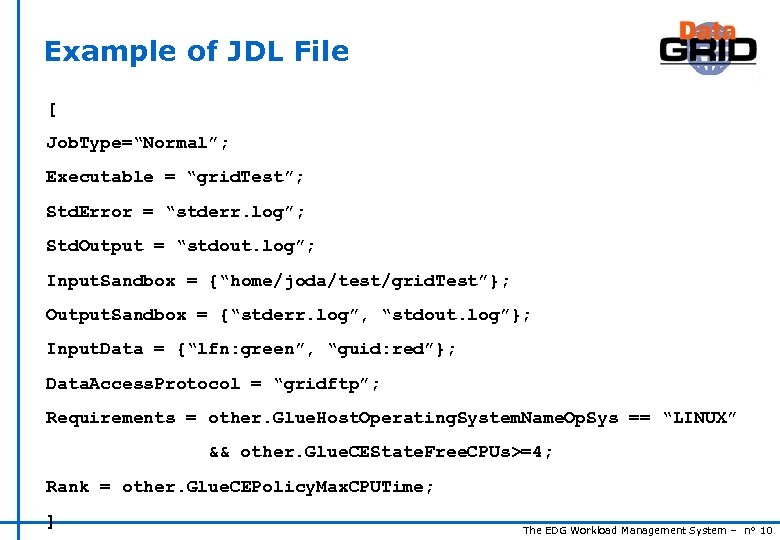 Example of JDL File [ Job. Type=“Normal”; Executable = “grid. Test”; Std. Error = “stderr. log”; Std. Output = “stdout. log”; Input. Sandbox = {“home/joda/test/grid. Test”}; Output. Sandbox = {“stderr. log”, “stdout. log”}; Input. Data = {“lfn: green”, “guid: red”}; Data. Access. Protocol = “gridftp”; Requirements = other. Glue. Host. Operating. System. Name. Op. Sys == “LINUX” && other. Glue. CEState. Free. CPUs>=4; Rank = other. Glue. CEPolicy. Max. CPUTime; ] The EDG Workload Management System – n° 10
![Job Submission edg-job-submit [–r <res_id>] [-c <config file>] [ -vo <VO>] [-o <output file>]](https://present5.com/presentation/1a78cdda65a848a95c496e4e46e38ea8/image-11.jpg "Job Submission edg-job-submit [–r <res_id>] [-c <config file>] [ -vo <VO>] [-o <output file>]") Job Submission edg-job-submit [–r
Job Submission edg-job-submit [–r
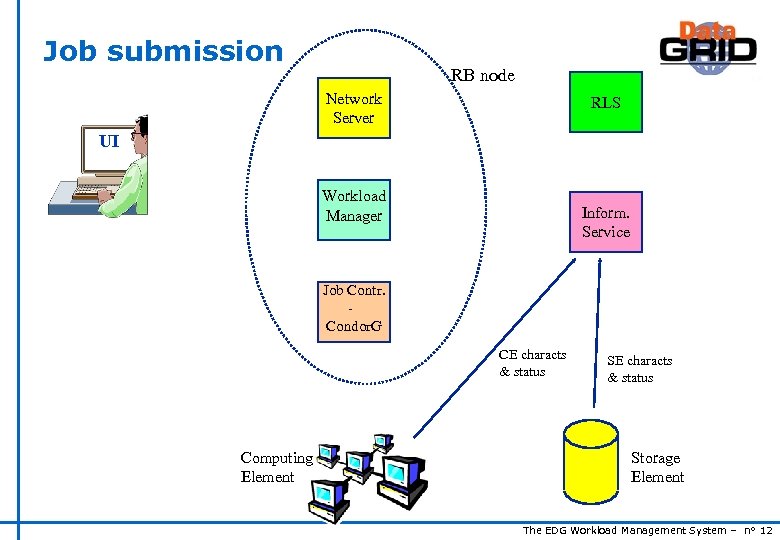 Job submission RB node Network Server RLS UI Workload Manager Inform. Service Job Contr. Condor. G CE characts & status Computing Element SE characts & status Storage Element The EDG Workload Management System – n° 12
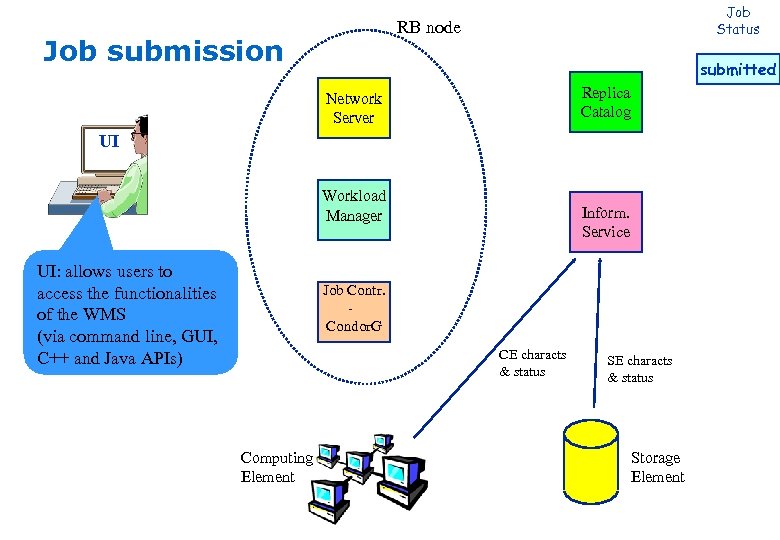 Job Status RB node Job submission submitted Replica Catalog Network Server UI Workload Manager UI: allows users to access the functionalities of the WMS (via command line, GUI, C++ and Java APIs) Inform. Service Job Contr. Condor. G CE characts & status Computing Element SE characts & status Storage Element
 Job Status edg-job-submit myjob. jdl RB node Myjob. jdl Job submission UI Job. Type = “Normal”; Executable = "$(CMS)/exe/sum. exe"; Input. Sandbox = {"/home/user/WP 1 test. C", "/home/file*”, "/home/user/DATA/*"}; Output. Sandbox = {“sim. err”, “test. out”, “sim. log"}; Replica Network Requirements = other. Glue. Host. Operating. System. Name == “linux" && Catalog other. Glue. Host. Operating. System. Release == "Red Hat 6. 2“ && Server other. Glue. CEPolicy. Max. Wall. Clock. Time > 10000; Rank = other. Glue. CEState. Free. CPUs; Workload Manager Inform. Service Job Description Language (JDL) to specify job characteristics and requirements Job Contr. Condor. G CE characts & status Computing Element submitted SE characts & status Storage Element
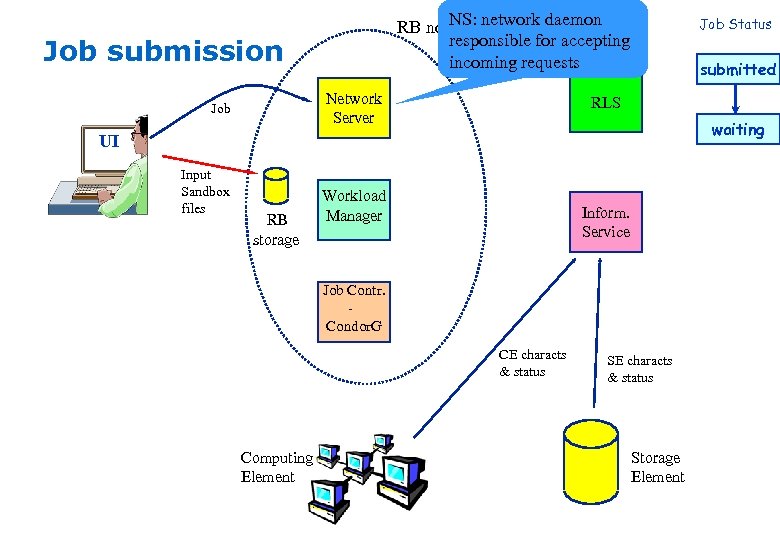 NS: RB node network daemon responsible for accepting incoming requests Job submission Network Server Job Status submitted RLS waiting UI Input Sandbox files RB storage Workload Manager Inform. Service Job Contr. Condor. G CE characts & status Computing Element SE characts & status Storage Element
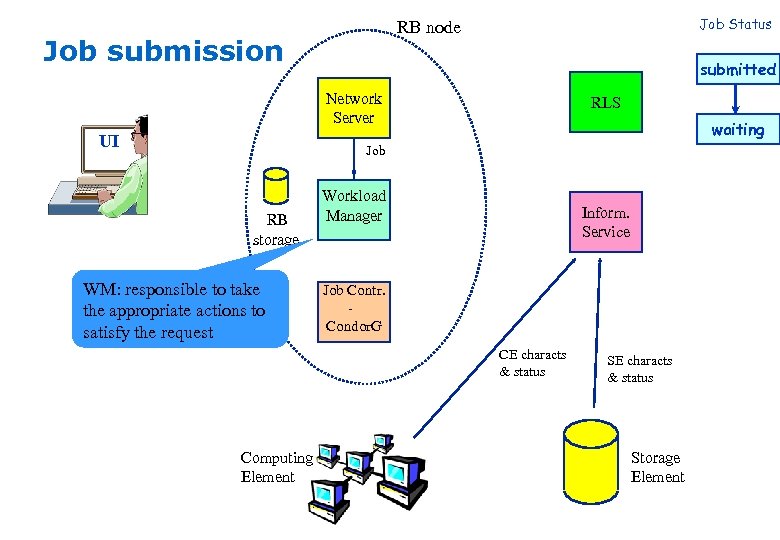 Job Status RB node Job submission submitted Network Server UI RLS waiting Job RB storage WM: responsible to take the appropriate actions to satisfy the request Workload Manager Inform. Service Job Contr. Condor. G CE characts & status Computing Element SE characts & status Storage Element
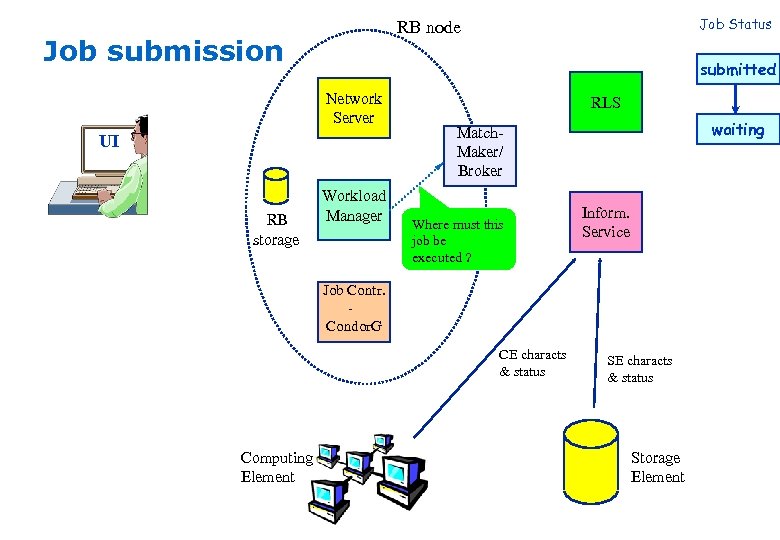 Job submission submitted Network Server UI RB storage Job Status RB node Workload Manager RLS waiting Match. Maker/ Broker Where must this job be executed ? Inform. Service Job Contr. Condor. G CE characts & status Computing Element SE characts & status Storage Element
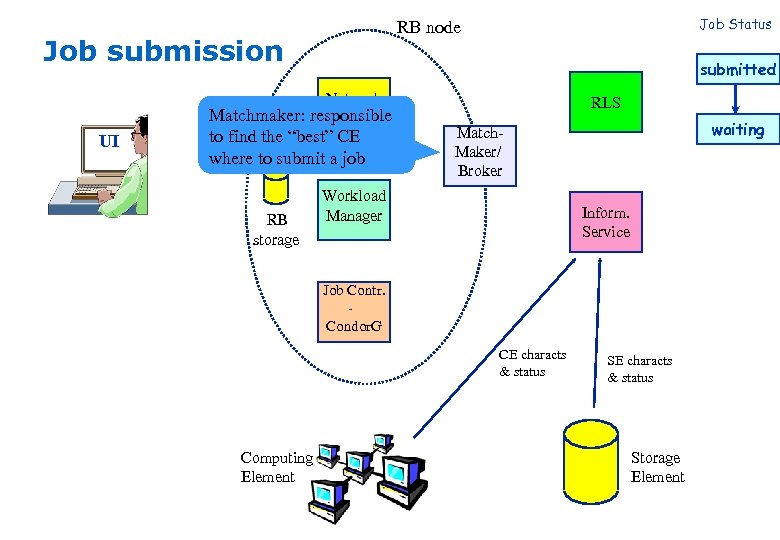 Job submission submitted Network Matchmaker: responsible Server UI to find the “best” CE where to submit a job RB storage Job Status RB node RLS waiting Match. Maker/ Broker Workload Manager Inform. Service Job Contr. Condor. G CE characts & status Computing Element SE characts & status Storage Element
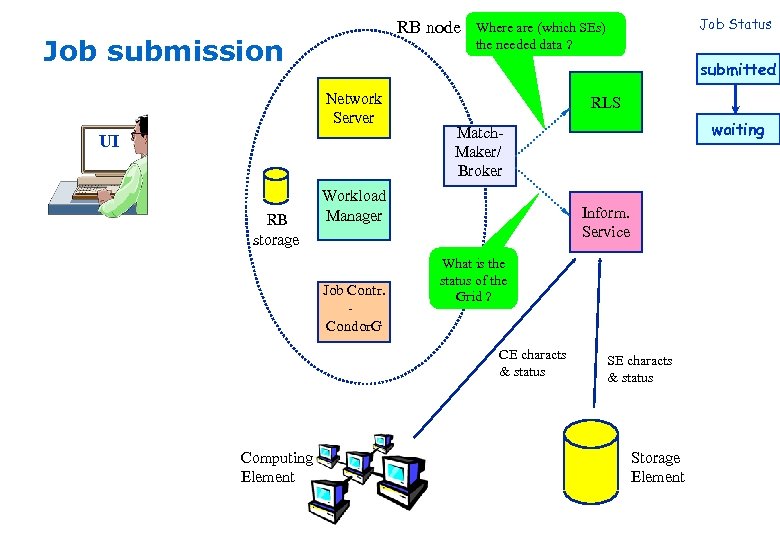 RB node Job submission submitted Network Server UI RB storage RLS waiting Match. Maker/ Broker Workload Manager Job Contr. Condor. G Inform. Service What is the status of the Grid ? CE characts & status Computing Element Job Status Where are (which SEs) the needed data ? SE characts & status Storage Element
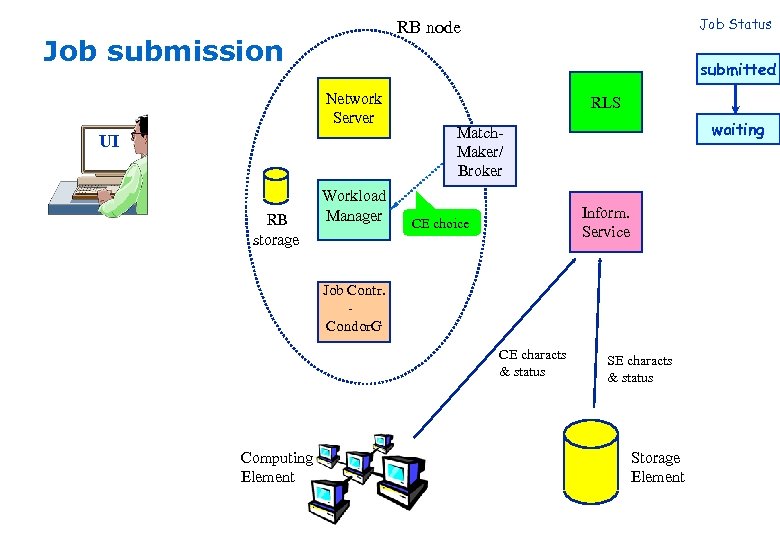 Job submission submitted Network Server UI RB storage Job Status RB node Workload Manager RLS waiting Match. Maker/ Broker Inform. Service CE choice Job Contr. Condor. G CE characts & status Computing Element SE characts & status Storage Element
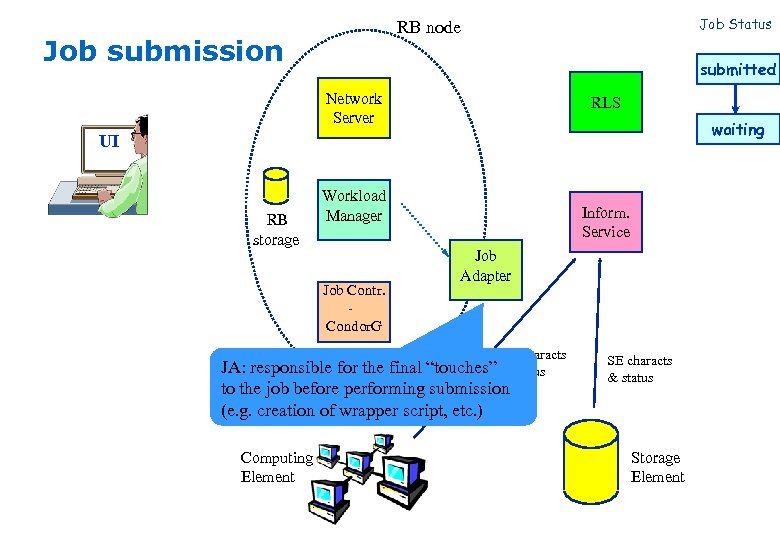 Job Status RB node Job submission submitted Network Server RLS waiting UI RB storage Workload Manager Job Contr. Condor. G Inform. Service Job Adapter CE characts “touches” & status JA: responsible for the final to the job before performing submission (e. g. creation of wrapper script, etc. ) Computing Element SE characts & status Storage Element
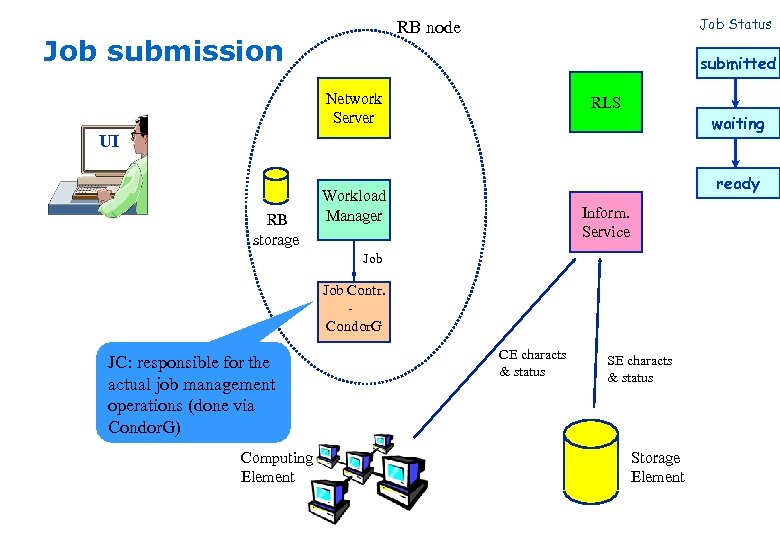 Job Status RB node Job submission submitted Network Server RLS waiting UI RB storage ready Workload Manager Inform. Service Job Contr. Condor. G JC: responsible for the actual job management operations (done via Condor. G) Computing Element CE characts & status Storage Element
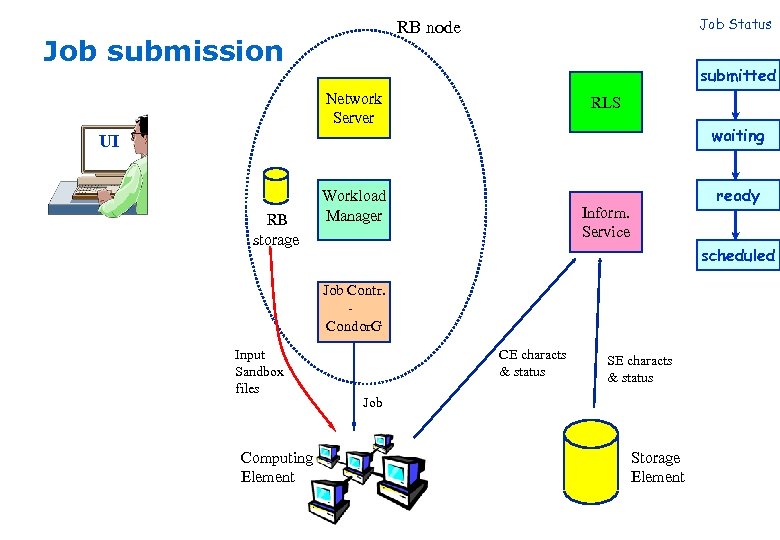 Job Status RB node Job submission submitted Network Server RLS waiting UI RB storage Workload Manager ready Inform. Service scheduled Job Contr. Condor. G Input Sandbox files Computing Element CE characts & status SE characts & status Job Storage Element
 Job Status RB node Job submission submitted Network Server RLS waiting UI RB storage Workload Manager ready Inform. Service scheduled Job Contr. Condor. G running Input Sandbox “Grid enabled” data transfers/ accesses Computing Element Job Storage Element
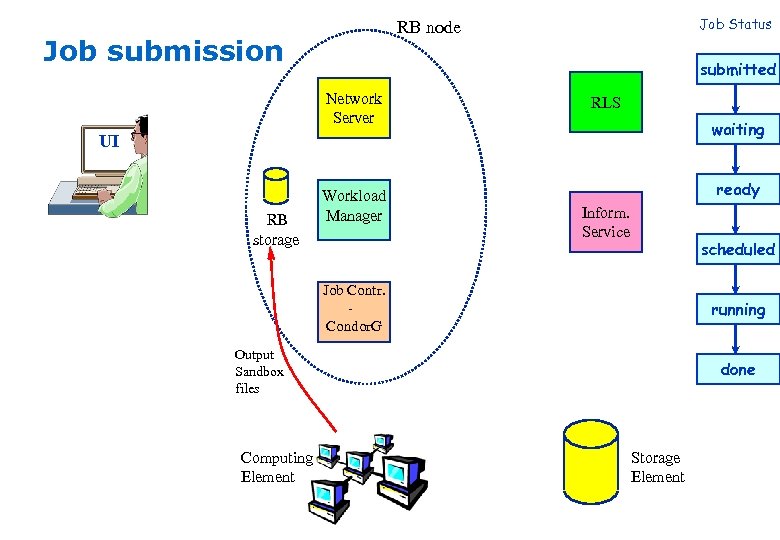 Job Status RB node Job submission submitted Network Server RLS waiting UI RB storage Workload Manager ready Inform. Service scheduled Job Contr. Condor. G running Output Sandbox files Computing Element done Storage Element
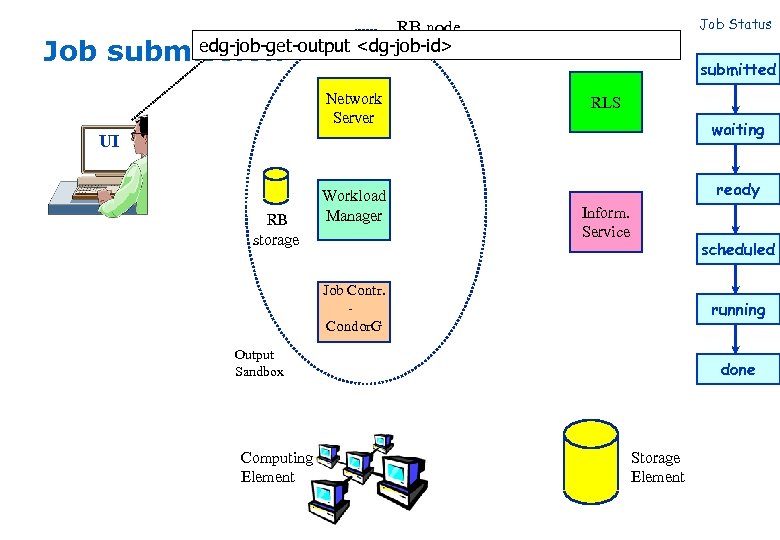 Job Status RB node edg-job-get-output
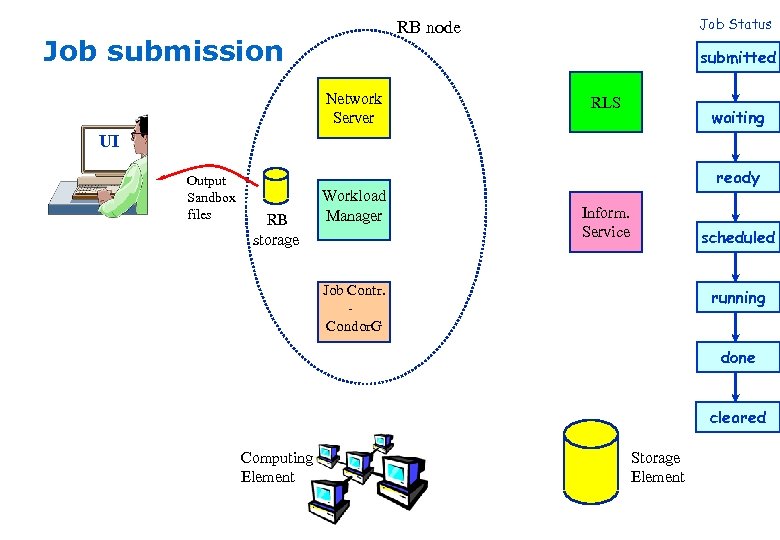 Job Status RB node Job submission submitted Network Server RLS waiting UI Output Sandbox files RB storage Workload Manager ready Inform. Service scheduled Job Contr. Condor. G running done cleared Computing Element Storage Element
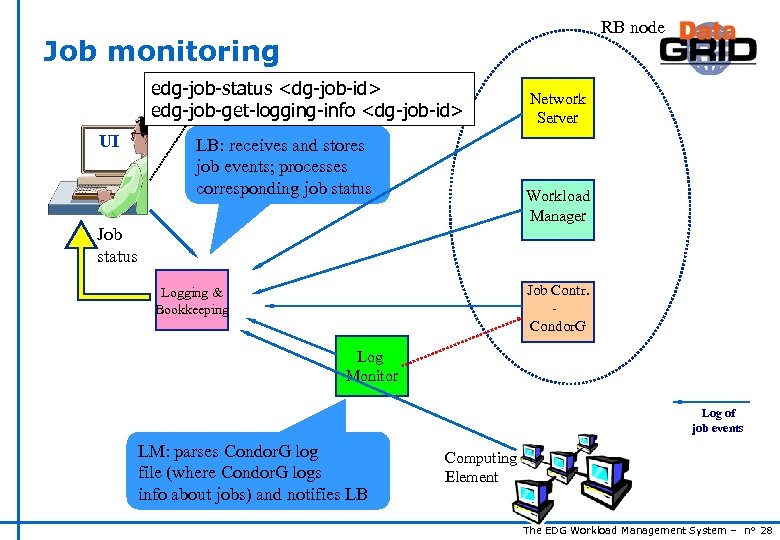 RB node Job monitoring edg-job-status
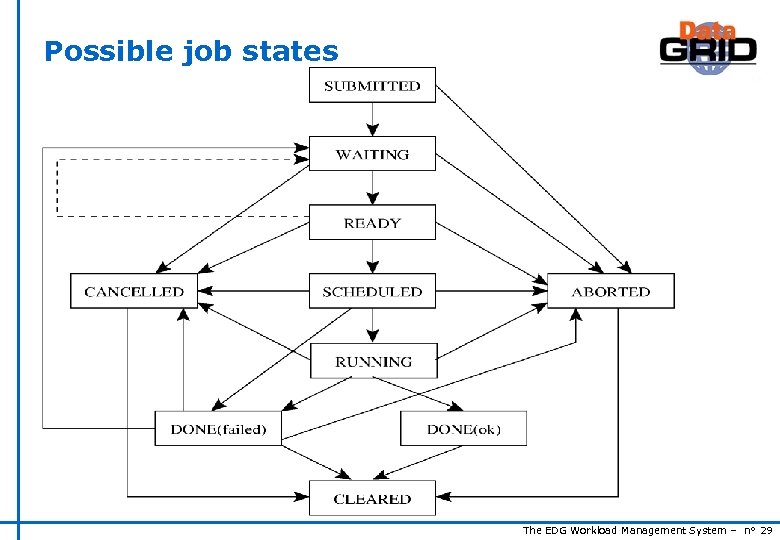 Possible job states The EDG Workload Management System – n° 29
 Job resubmission u. If something goes wrong, the WMS tries to reschedule and resubmit the job (possibly on a different resource satisfying all the requirements) u. Maximum number of resubmissions: min(Retry. Count, Max. Retry. Count) n Retry. Count: JDL attribute n Max. Retry. Count: attribute in the “RB” configuration file u. E. g. , to disable job resubmission for a particular job: Retry. Count=0; in the JDL file The EDG Workload Management System – n° 30
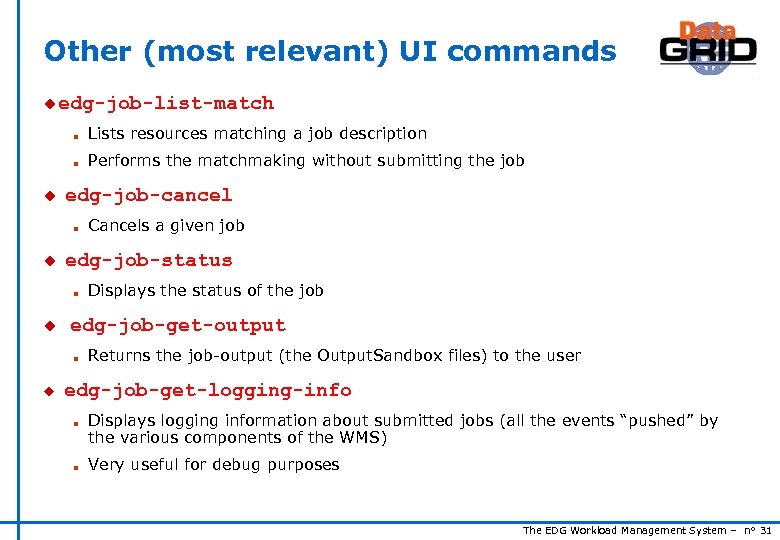 Other (most relevant) UI commands u edg-job-list-match n n u Lists resources matching a job description Performs the matchmaking without submitting the job edg-job-cancel n u edg-job-status n u Displays the status of the job edg-job-get-output n u Cancels a given job Returns the job-output (the Output. Sandbox files) to the user edg-job-get-logging-info n n Displays logging information about submitted jobs (all the events “pushed” by the various components of the WMS) Very useful for debug purposes The EDG Workload Management System – n° 31
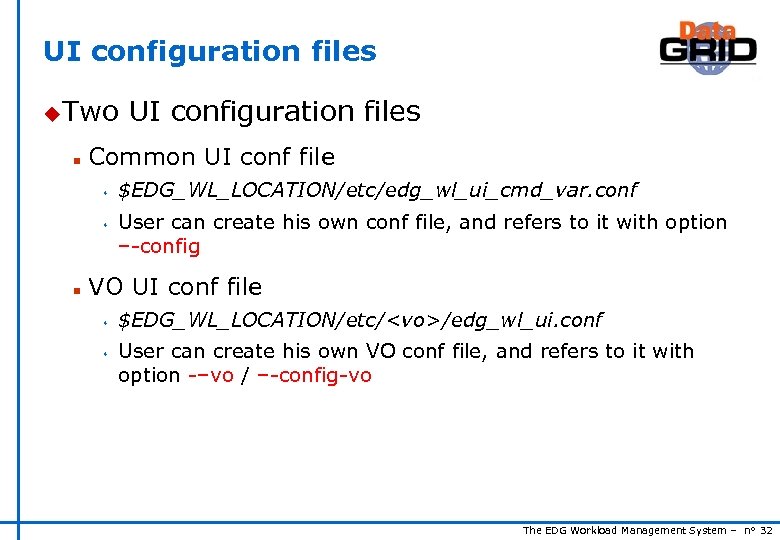 UI configuration files u. Two n Common UI conf file s s n UI configuration files $EDG_WL_LOCATION/etc/edg_wl_ui_cmd_var. conf User can create his own conf file, and refers to it with option –-config VO UI conf file s s $EDG_WL_LOCATION/etc/
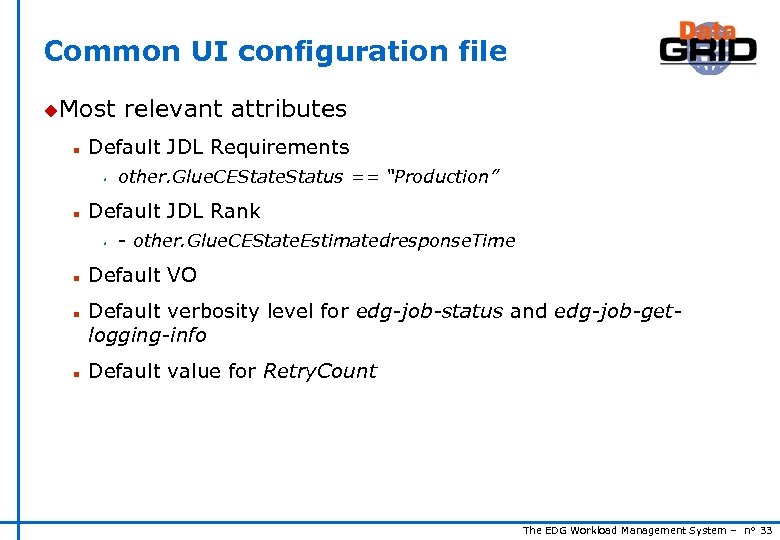 Common UI configuration file u. Most n Default JDL Requirements s n n n other. Glue. CEState. Status == “Production” Default JDL Rank s n relevant attributes - other. Glue. CEState. Estimatedresponse. Time Default VO Default verbosity level for edg-job-status and edg-job-getlogging-info Default value for Retry. Count The EDG Workload Management System – n° 33
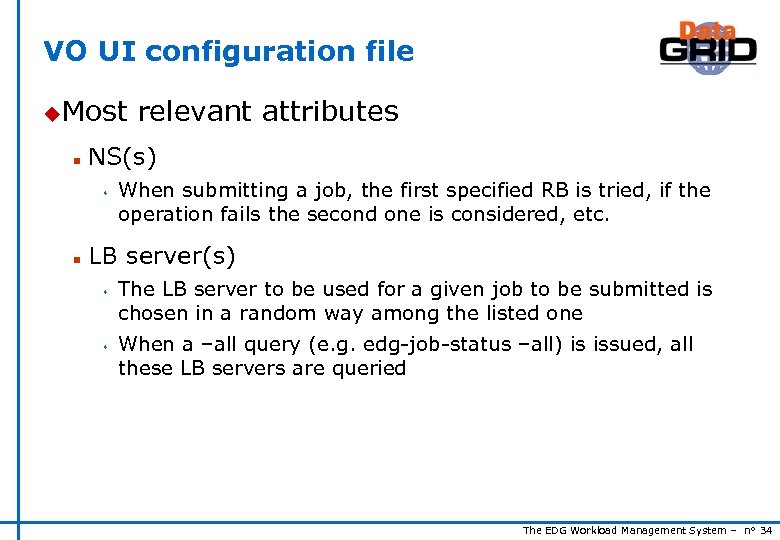 VO UI configuration file u. Most n NS(s) s n relevant attributes When submitting a job, the first specified RB is tried, if the operation fails the second one is considered, etc. LB server(s) s s The LB server to be used for a given job to be submitted is chosen in a random way among the listed one When a –all query (e. g. edg-job-status –all) is issued, all these LB servers are queried The EDG Workload Management System – n° 34
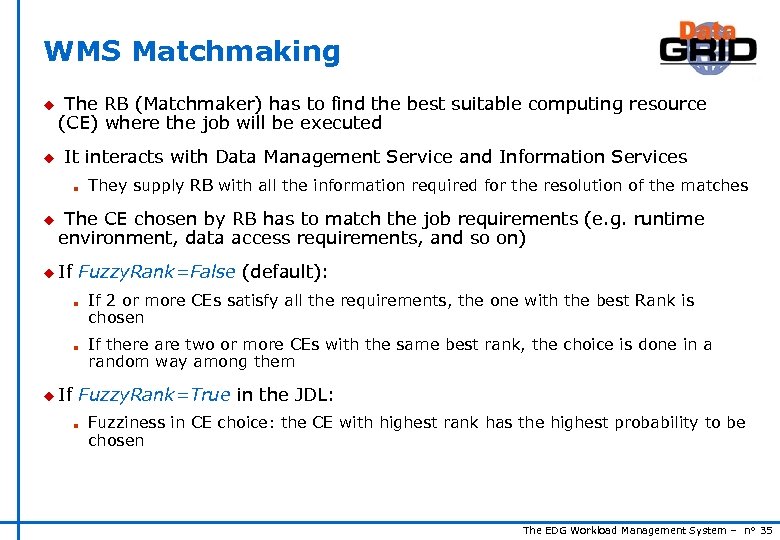 WMS Matchmaking u u The RB (Matchmaker) has to find the best suitable computing resource (CE) where the job will be executed It interacts with Data Management Service and Information Services n u They supply RB with all the information required for the resolution of the matches The CE chosen by RB has to match the job requirements (e. g. runtime environment, data access requirements, and so on) u If Fuzzy. Rank=False (default): n n u If If 2 or more CEs satisfy all the requirements, the one with the best Rank is chosen If there are two or more CEs with the same best rank, the choice is done in a random way among them Fuzzy. Rank=True in the JDL: n Fuzziness in CE choice: the CE with highest rank has the highest probability to be chosen The EDG Workload Management System – n° 35
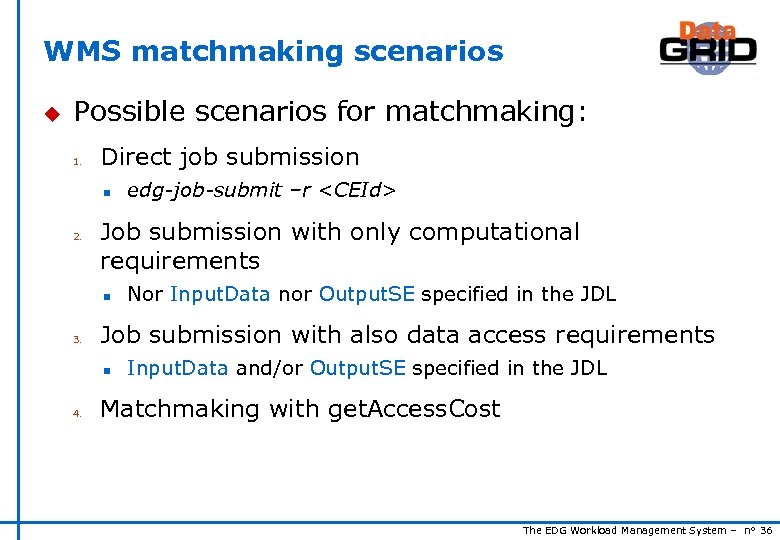 WMS matchmaking scenarios u Possible scenarios for matchmaking: 1. Direct job submission n 2. Job submission with only computational requirements n 3. Nor Input. Data nor Output. SE specified in the JDL Job submission with also data access requirements n 4. edg-job-submit –r
 Direct job submission edg-job-submit –r CEId u Job u RB is simply submitted on the given CE doesn’t perform any matchmaking algorithm u Information services not queried at all The EDG Workload Management System – n° 37
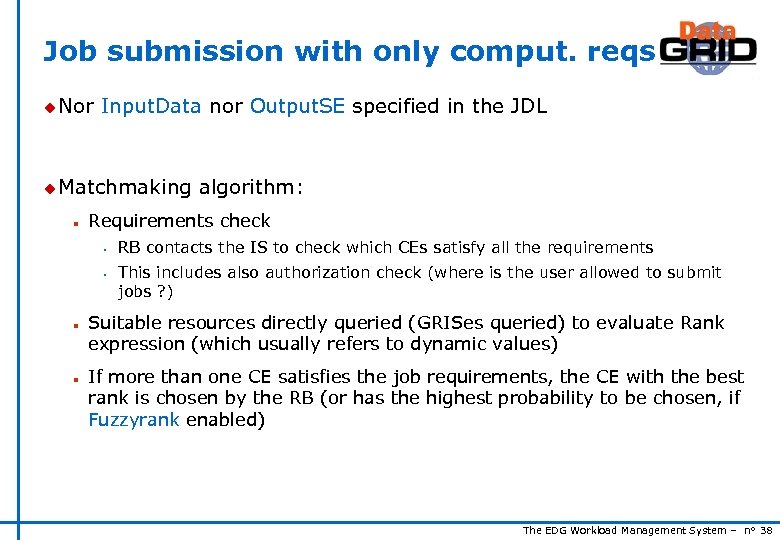 Job submission with only comput. reqs u Nor Input. Data nor Output. SE specified in the JDL u Matchmaking n Requirements check s s n n algorithm: RB contacts the IS to check which CEs satisfy all the requirements This includes also authorization check (where is the user allowed to submit jobs ? ) Suitable resources directly queried (GRISes queried) to evaluate Rank expression (which usually refers to dynamic values) If more than one CE satisfies the job requirements, the CE with the best rank is chosen by the RB (or has the highest probability to be chosen, if Fuzzyrank enabled) The EDG Workload Management System – n° 38
 Job submission with data access reqs u Input. Data u RB and/or Output. SE specified in the JDL strategy: submit jobs close to data u Matchmaking n n algorithm: Requirements check as in the previous case CE chosen among the suitable ones (the CEs which passed the requirements check) and where most of the needed files are “close” to it (where most of the needed files are stored on SEs close to the considered CE) The EDG Workload Management System – n° 39
 Matchmaking with Get. Access. Cost u Can be used when Input. Data has been specified in the JDL u Used JDL when Rank = other. Data. Access. Cost has been specified in the u Matchmaking n n algorithm: Requirements check as in the previous case The CE is chosen by the ‘get. Access. Cost’ method provided by data Management Services among the suitable CEs (the CEs which passed the requirements check), taking into account data location and network information The EDG Workload Management System – n° 40
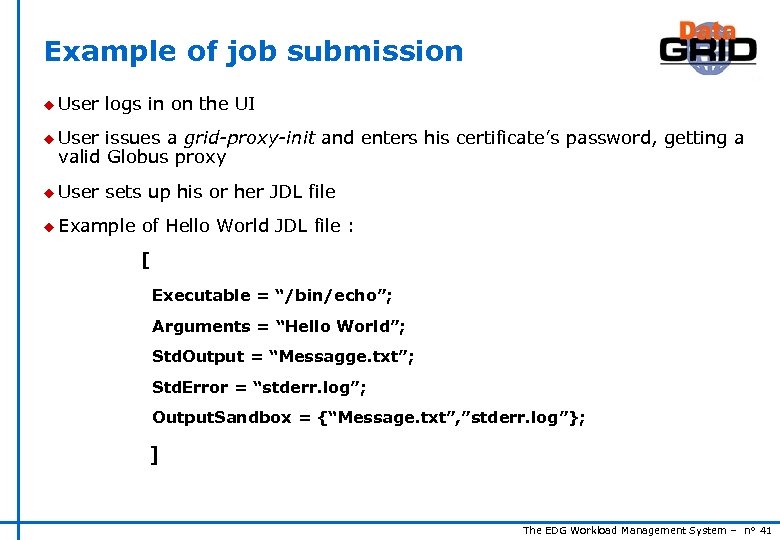 Example of job submission u User logs in on the UI u User issues a grid-proxy-init and enters his certificate’s password, getting a valid Globus proxy u User sets up his or her JDL file u Example of Hello World JDL file : [ Executable = “/bin/echo”; Arguments = “Hello World”; Std. Output = “Messagge. txt”; Std. Error = “stderr. log”; Output. Sandbox = {“Message. txt”, ”stderr. log”}; ] The EDG Workload Management System – n° 41
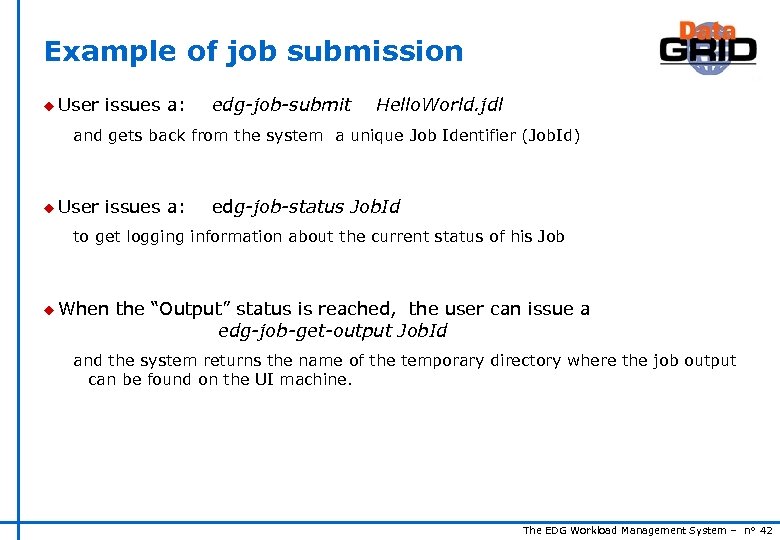 Example of job submission u User issues a: edg-job-submit Hello. World. jdl and gets back from the system a unique Job Identifier (Job. Id) u User issues a: edg-job-status Job. Id to get logging information about the current status of his Job u When the “Output” status is reached, the user can issue a edg-job-get-output Job. Id and the system returns the name of the temporary directory where the job output can be found on the UI machine. The EDG Workload Management System – n° 42
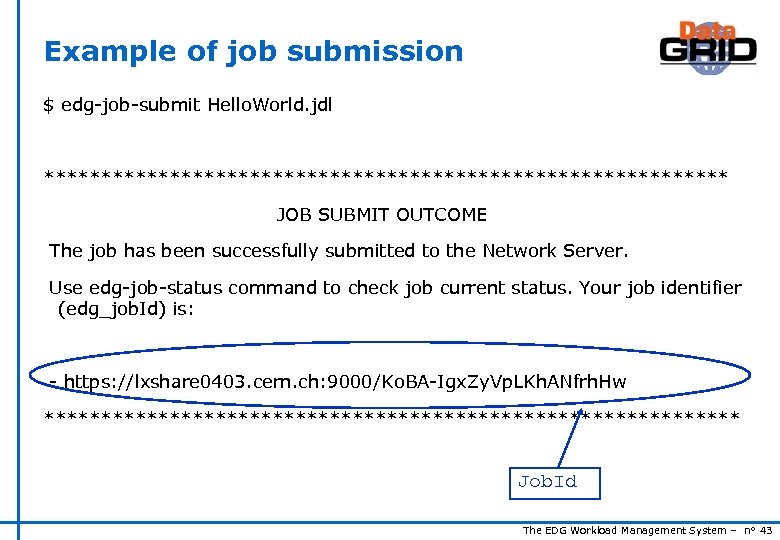 Example of job submission $ edg-job-submit Hello. World. jdl ****************************** JOB SUBMIT OUTCOME The job has been successfully submitted to the Network Server. Use edg-job-status command to check job current status. Your job identifier (edg_job. Id) is: - https: //lxshare 0403. cern. ch: 9000/Ko. BA-Igx. Zy. Vp. LKh. ANfrh. Hw ******************************* Job. Id The EDG Workload Management System – n° 43
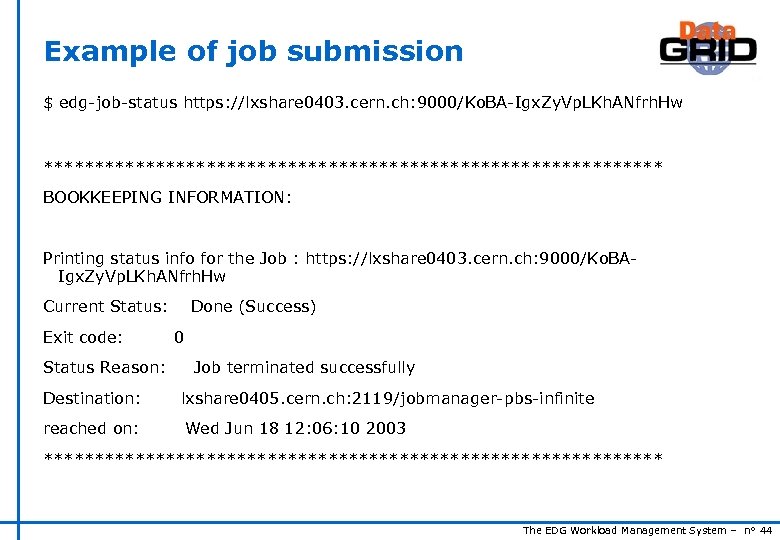 Example of job submission $ edg-job-status https: //lxshare 0403. cern. ch: 9000/Ko. BA-Igx. Zy. Vp. LKh. ANfrh. Hw ******************************* BOOKKEEPING INFORMATION: Printing status info for the Job : https: //lxshare 0403. cern. ch: 9000/Ko. BAIgx. Zy. Vp. LKh. ANfrh. Hw Current Status: Exit code: Status Reason: Done (Success) 0 Job terminated successfully Destination: lxshare 0405. cern. ch: 2119/jobmanager-pbs-infinite reached on: Wed Jun 18 12: 06: 10 2003 ******************************* The EDG Workload Management System – n° 44
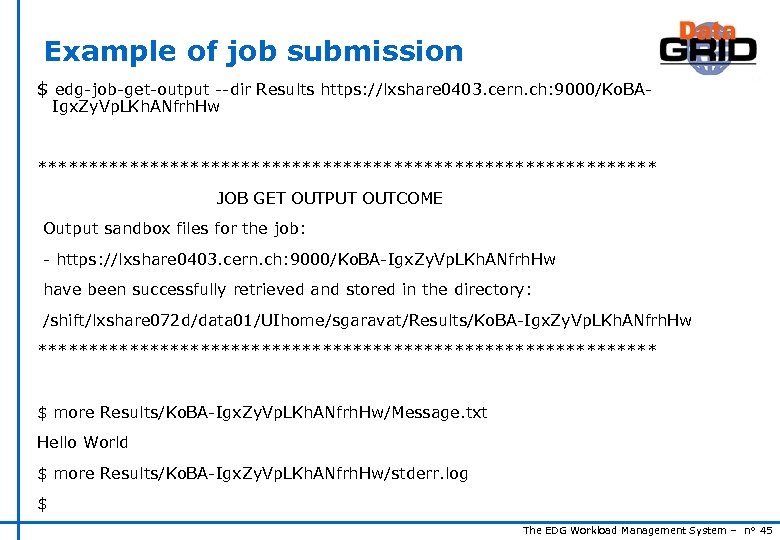 Example of job submission $ edg-job-get-output --dir Results https: //lxshare 0403. cern. ch: 9000/Ko. BAIgx. Zy. Vp. LKh. ANfrh. Hw ******************************* JOB GET OUTPUT OUTCOME Output sandbox files for the job: - https: //lxshare 0403. cern. ch: 9000/Ko. BA-Igx. Zy. Vp. LKh. ANfrh. Hw have been successfully retrieved and stored in the directory: /shift/lxshare 072 d/data 01/UIhome/sgaravat/Results/Ko. BA-Igx. Zy. Vp. LKh. ANfrh. Hw ******************************* $ more Results/Ko. BA-Igx. Zy. Vp. LKh. ANfrh. Hw/Message. txt Hello World $ more Results/Ko. BA-Igx. Zy. Vp. LKh. ANfrh. Hw/stderr. log $ The EDG Workload Management System – n° 45
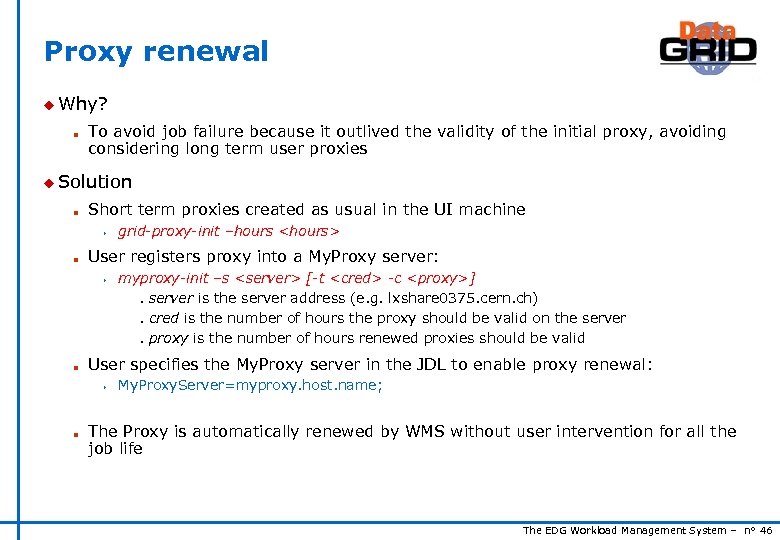 Proxy renewal u Why? n To avoid job failure because it outlived the validity of the initial proxy, avoiding considering long term user proxies u Solution n Short term proxies created as usual in the UI machine s n grid-proxy-init –hours
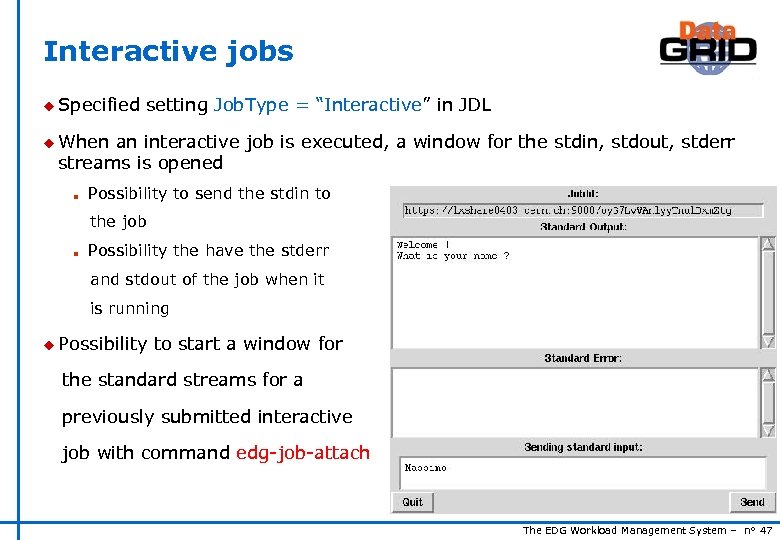 Interactive jobs u Specified setting Job. Type = “Interactive” in JDL u When an interactive job is executed, a window for the stdin, stdout, stderr streams is opened n Possibility to send the stdin to the job n Possibility the have the stderr and stdout of the job when it is running u Possibility to start a window for the standard streams for a previously submitted interactive job with command edg-job-attach The EDG Workload Management System – n° 47
 Job checkpointing u Checkpointing: saving from time to time job state n Useful to prevent data loss, due to unexpected failures n Approach: provide users with a “trivial” logical job checkpointing service n User can save from time to time the state of the job (defined by the application) n A job can be restarted from an intermediate (i. e. “previously” saved) job state u Different than “classical checkpointing (i. e. saving all the information related to a process: process’s data and stack segments, open files, etc. ) n n u To Very difficult to apply (e. g. problems to save the state of open network connections) Not necessary for many applications submit a checkpointable job n Code must be instrumented (see next slides) n Job. Type=Checkpointable to be specified in JDL The EDG Workload Management System – n° 48
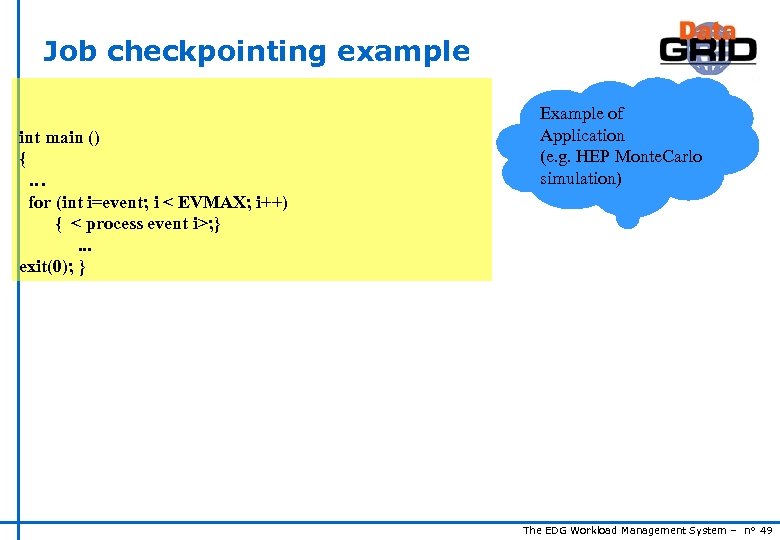 Job checkpointing example int main () { … for (int i=event; i < EVMAX; i++) { < process event i>; }. . . exit(0); } Example of Application (e. g. HEP Monte. Carlo simulation) The EDG Workload Management System – n° 49
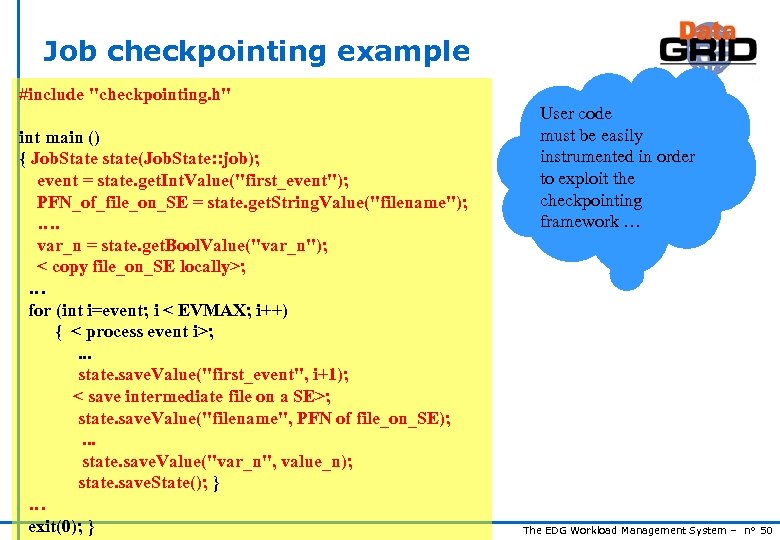 Job checkpointing example #include "checkpointing. h" int main () { Job. State state(Job. State: : job); event = state. get. Int. Value("first_event"); PFN_of_file_on_SE = state. get. String. Value("filename"); …. var_n = state. get. Bool. Value("var_n"); < copy file_on_SE locally>; … for (int i=event; i < EVMAX; i++) { < process event i>; . . . state. save. Value("first_event", i+1); < save intermediate file on a SE>; state. save. Value("filename", PFN of file_on_SE); . . . state. save. Value("var_n", value_n); state. save. State(); } … exit(0); } User code must be easily instrumented in order to exploit the checkpointing framework … The EDG Workload Management System – n° 50
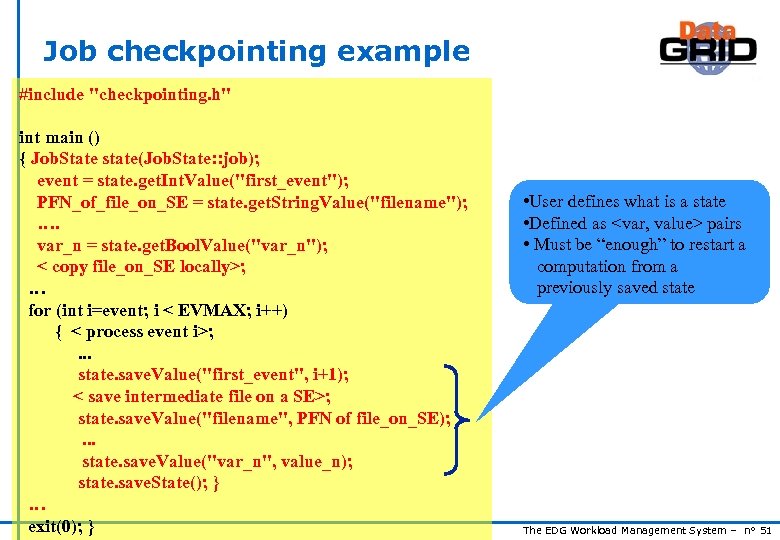 Job checkpointing example #include "checkpointing. h" int main () { Job. State state(Job. State: : job); event = state. get. Int. Value("first_event"); PFN_of_file_on_SE = state. get. String. Value("filename"); …. var_n = state. get. Bool. Value("var_n"); < copy file_on_SE locally>; … for (int i=event; i < EVMAX; i++) { < process event i>; . . . state. save. Value("first_event", i+1); < save intermediate file on a SE>; state. save. Value("filename", PFN of file_on_SE); . . . state. save. Value("var_n", value_n); state. save. State(); } … exit(0); } • User defines what is a state • Defined as
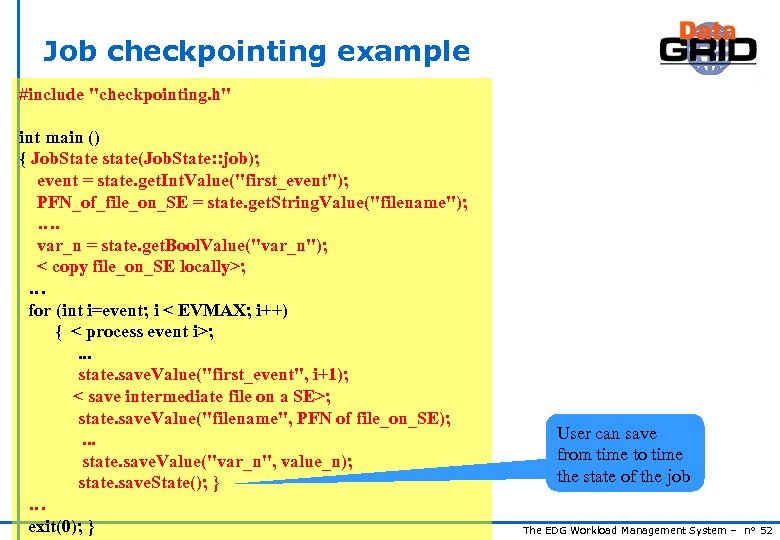 Job checkpointing example #include "checkpointing. h" int main () { Job. State state(Job. State: : job); event = state. get. Int. Value("first_event"); PFN_of_file_on_SE = state. get. String. Value("filename"); …. var_n = state. get. Bool. Value("var_n"); < copy file_on_SE locally>; … for (int i=event; i < EVMAX; i++) { < process event i>; . . . state. save. Value("first_event", i+1); < save intermediate file on a SE>; state. save. Value("filename", PFN of file_on_SE); . . . state. save. Value("var_n", value_n); state. save. State(); } … exit(0); } User can save from time to time the state of the job The EDG Workload Management System – n° 52
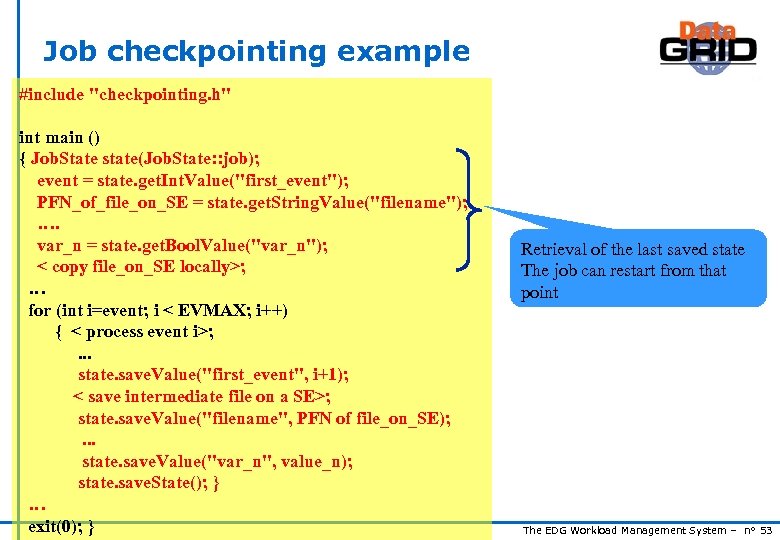 Job checkpointing example #include "checkpointing. h" int main () { Job. State state(Job. State: : job); event = state. get. Int. Value("first_event"); PFN_of_file_on_SE = state. get. String. Value("filename"); …. var_n = state. get. Bool. Value("var_n"); < copy file_on_SE locally>; … for (int i=event; i < EVMAX; i++) { < process event i>; . . . state. save. Value("first_event", i+1); < save intermediate file on a SE>; state. save. Value("filename", PFN of file_on_SE); . . . state. save. Value("var_n", value_n); state. save. State(); } … exit(0); } Retrieval of the last saved state The job can restart from that point The EDG Workload Management System – n° 53
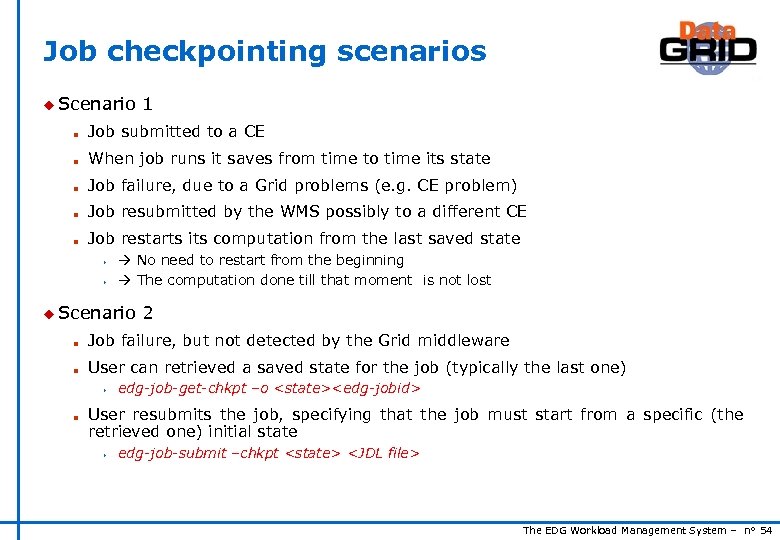 Job checkpointing scenarios u Scenario 1 n Job submitted to a CE n When job runs it saves from time to time its state n Job failure, due to a Grid problems (e. g. CE problem) n Job resubmitted by the WMS possibly to a different CE n Job restarts its computation from the last saved state s s No need to restart from the beginning The computation done till that moment is not lost u Scenario 2 n Job failure, but not detected by the Grid middleware n User can retrieved a saved state for the job (typically the last one) s n edg-job-get-chkpt –o
 Submission of parallel jobs u Possibility u MPICH u Only to submit MPI jobs implementation supported parallel jobs inside a single CE can be submitted u Submission n of parallel jobs very similar to normal jobs Just needed to specify in the JDL: s s Job. Type= “MPICH” Node. Number = n; The number (n) of requested CPUs n u Matchmaking n n CE chosen by RB has to have MPICH sw installed, and at least n total CPUs If there are two or more CEs satisfying all the requirements, the one with the highest number of free CPUs is chosen The EDG Workload Management System – n° 55
 Further information u The EDG User’s Guide http: //marianne. in 2 p 3. fr u EDG WP 1 Web site http: //www. infn. it/workload-grid In particular WMS User & Admin Guide and JDL docs u Class. Ad https: //www. cs. wisc. edu/condor/classad The EDG Workload Management System – n° 56