Скачать презентацию The Domain Name System Overview Introduction
66ad4dfa0036276e7dc41ffc59304d6a.ppt
- Количество слайдов: 43

 The Domain Name System Overview • Introduction • DNS overview • How DNS helps us? • Summary
 Introduction
 Welcome • Brief Presentation • We could spend all Day • Unsure about level of technical expertise • Stop me at any point if you have a query
 DNS Overview
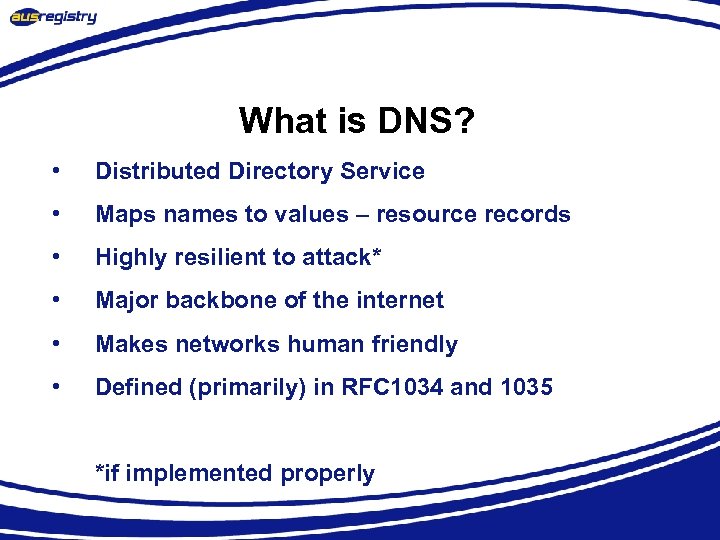 What is DNS? • Distributed Directory Service • Maps names to values – resource records • Highly resilient to attack* • Major backbone of the internet • Makes networks human friendly • Defined (primarily) in RFC 1034 and 1035 *if implemented properly
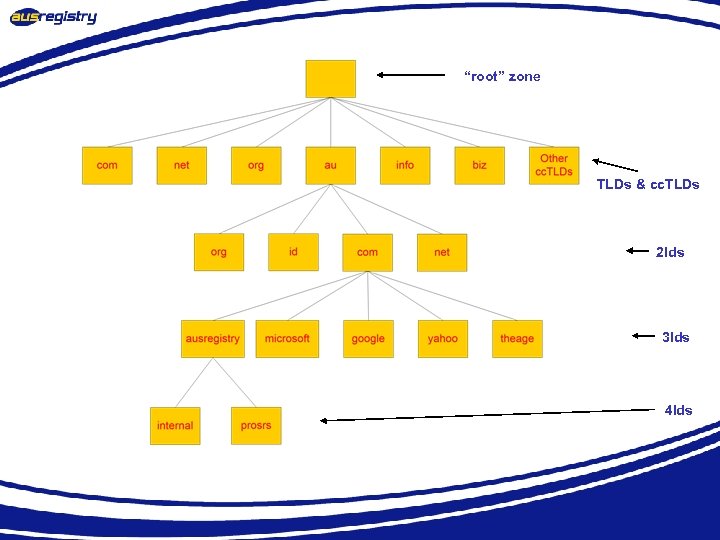 “root” zone TLDs & cc. TLDs 2 lds 3 lds 4 lds
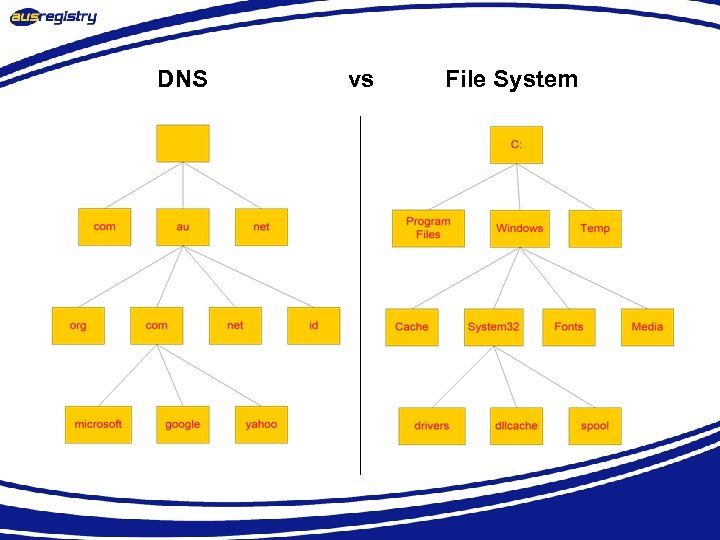 DNS vs File System
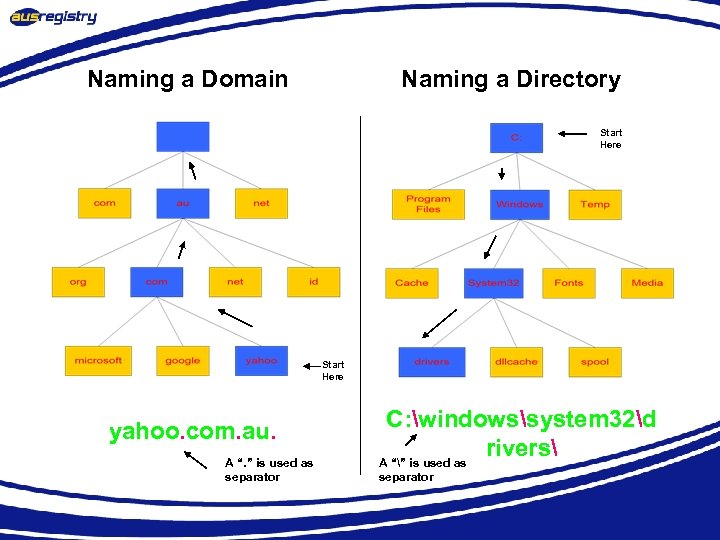 Naming a Domain Naming a Directory Start Here yahoo. com. au. A “. ” is used as separator C: windowssystem 32d rivers A “” is used as separator
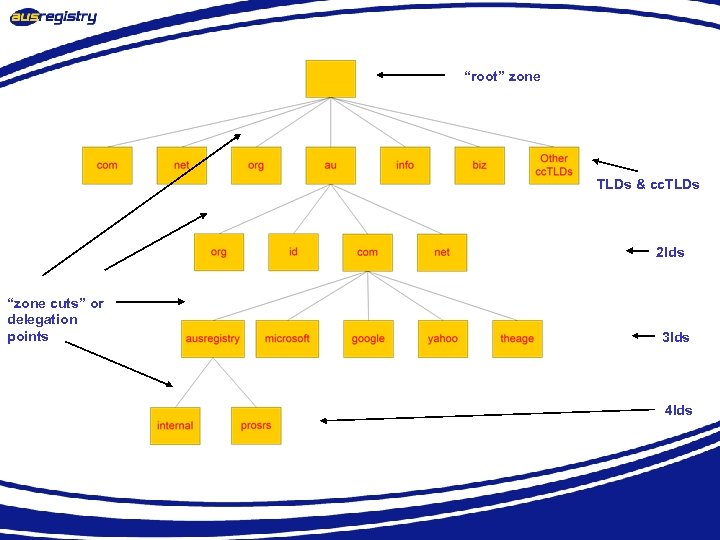 “root” zone TLDs & cc. TLDs 2 lds “zone cuts” or delegation points 3 lds 4 lds
 What is a domain? • A domain is a sub tree of a larger tree identified by a domain name • Contains resource records and sub-domains • Some resource records point to authoritative server for sub-domains / zones • eg. the root contains pointers to. au • google. com. au is a domain
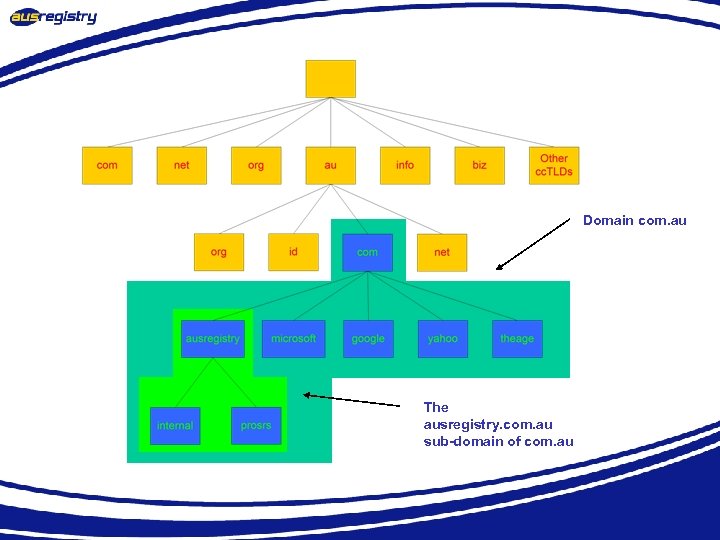 Domain com. au The ausregistry. com. au sub-domain of com. au
 What is a resource record? • A domain contains resource records • Resource records are analogous to files • Classified into types • Some of the important types are SOA, NS, A, CNAME and MX • Normally defines in “zone files”
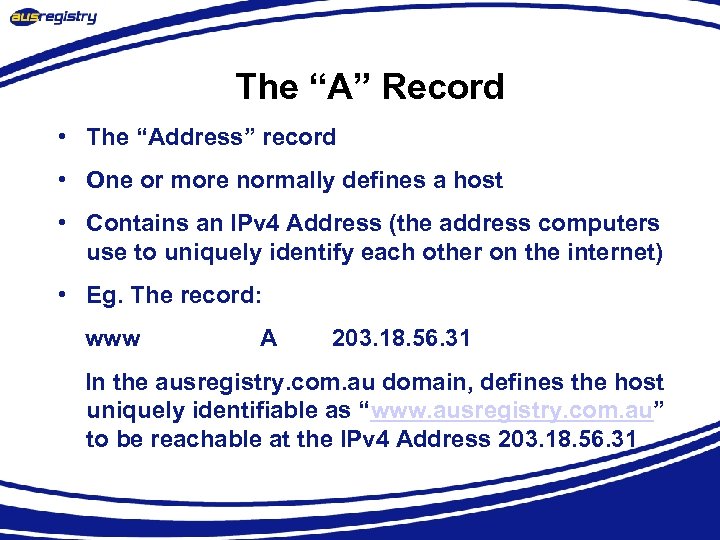 The “A” Record • The “Address” record • One or more normally defines a host • Contains an IPv 4 Address (the address computers use to uniquely identify each other on the internet) • Eg. The record: www A 203. 18. 56. 31 In the ausregistry. com. au domain, defines the host uniquely identifiable as “www. ausregistry. com. au” to be reachable at the IPv 4 Address 203. 18. 56. 31
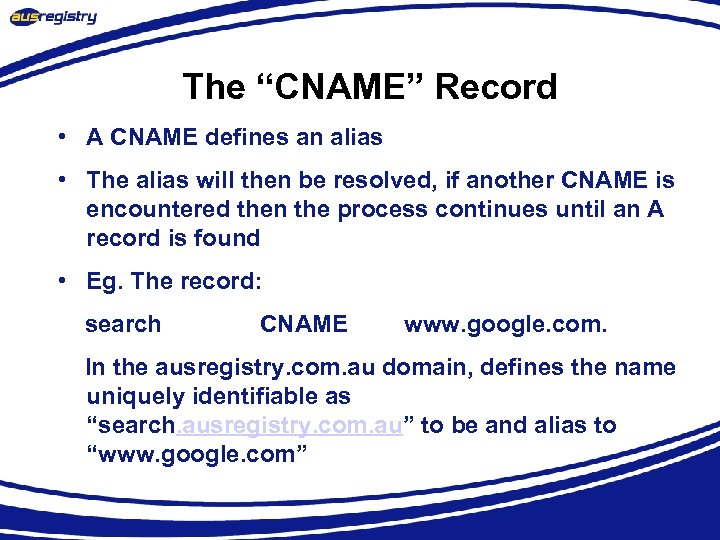 The “CNAME” Record • A CNAME defines an alias • The alias will then be resolved, if another CNAME is encountered then the process continues until an A record is found • Eg. The record: search CNAME www. google. com. In the ausregistry. com. au domain, defines the name uniquely identifiable as “search. ausregistry. com. au” to be and alias to “www. google. com”
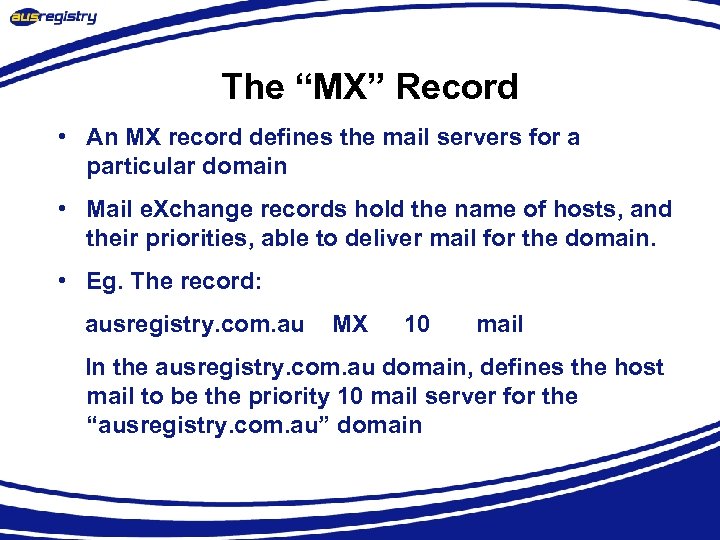 The “MX” Record • An MX record defines the mail servers for a particular domain • Mail e. Xchange records hold the name of hosts, and their priorities, able to deliver mail for the domain. • Eg. The record: ausregistry. com. au MX 10 mail In the ausregistry. com. au domain, defines the host mail to be the priority 10 mail server for the “ausregistry. com. au” domain
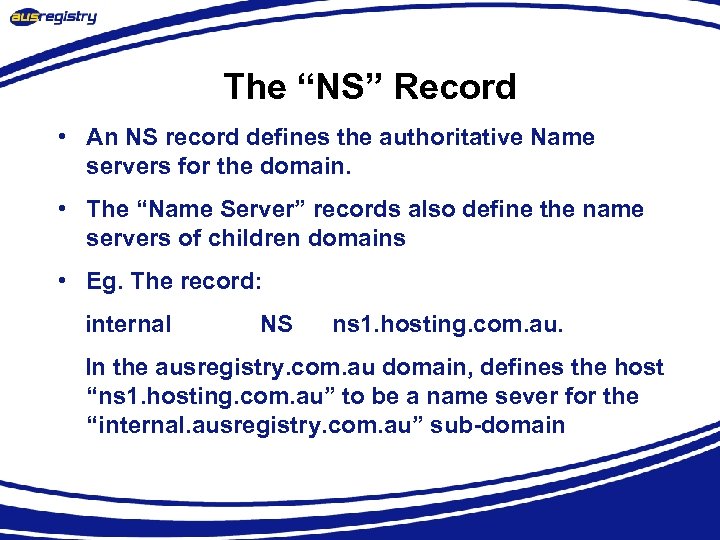 The “NS” Record • An NS record defines the authoritative Name servers for the domain. • The “Name Server” records also define the name servers of children domains • Eg. The record: internal NS ns 1. hosting. com. au. In the ausregistry. com. au domain, defines the host “ns 1. hosting. com. au” to be a name sever for the “internal. ausregistry. com. au” sub-domain
 What is a Delegation? • Delegation refers to the act of putting NS records in a domain name “delegating” control of a subdomain to another entity • This entity then has the ability to control the resource records in this sub-domain and delegate further children domains to other entities. • Eg. IANA delegating control of a country code domain to the country.
 What is a zone? • Its records are held in a database (“zonefile”) and served from an authoritative name server • Zone refers to all the resource records in a domain but not its sub domains, the com. au zone contains delegations records for ausregistry. com. au, but not the resource records for ausregistry. com. au, however all of these records are part of the com. au domain
 What is a Name Sever? Server responsible for answering DNS queries • Exists at all levels of hierarchy • Authoritative name servers hold part of the DNS database • One name server can serve more then one zone • Many name servers “should” serve the same zone • Some name servers are authoritative for certain zones
 Iterative vs Recursive Name Servers • Serve two very different functions • Shouldn’t mix the two • Generally the DNS your computer points to is recursive • Zones are hosted in iterative name servers • Iterative servers can only answer information they know or have cached • Recursive know how to ask others for information
 Some Important Terminology • TLD, cc. TLD, 2 ld, 3 ld … • resolver, name server, iterative, recursive • delegation, authoritative, domain, sub-domain • zone, zone cut, zonefile • start of authority (SOA), TTL, negative TTL, expiry, serial number • primary, secondary
 Who runs what? • ICANN/IANA have been granted the power by the US department of commerce to run the root zone. • Root ‘zone’ is split into all the ISO cc. TLD and some other TLD’s eg. . com, . net, . info • Domain name Registries are appointed to operate the “major” zones. • Each country elects a delegate whom controls their cc. TLD eg in Australia the delegate is au. DA. • Modify TLD and cc. TLD resource records on behalf of registrants through a system of registrars eg. Melbourne. IT.
 So what does all this mean to you? • Domain names make large networks such as the internet human friendly • IPv 4 address difficult to remember and offer no hint as to whom they belong to. • Problem gets worse when you consider IPv 6 • Allow intelligent systems (eg Mail (SMTP)) to preform tasks automatically
 Accessing a web page • You type http: //www. google. com into your web browser and hit enter. • What happens now?
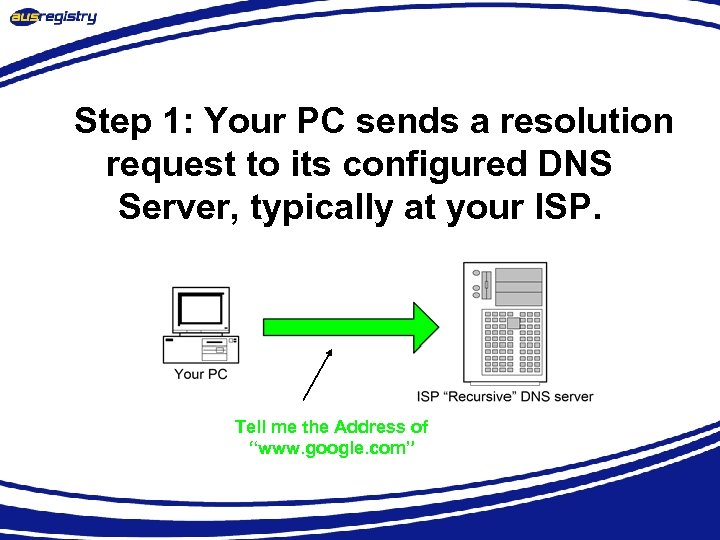 Step 1: Your PC sends a resolution request to its configured DNS Server, typically at your ISP. Tell me the Address of “www. google. com”
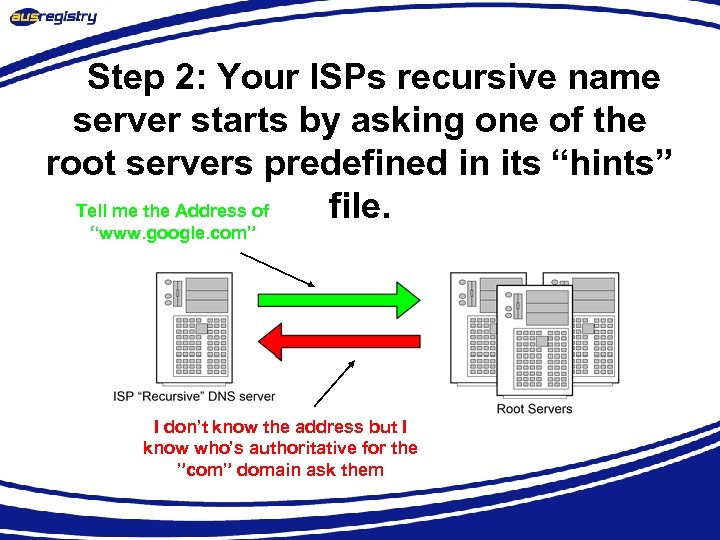 Step 2: Your ISPs recursive name server starts by asking one of the root servers predefined in its “hints” Tell me the Address of file. “www. google. com” I don’t know the address but I know who’s authoritative for the ”com” domain ask them
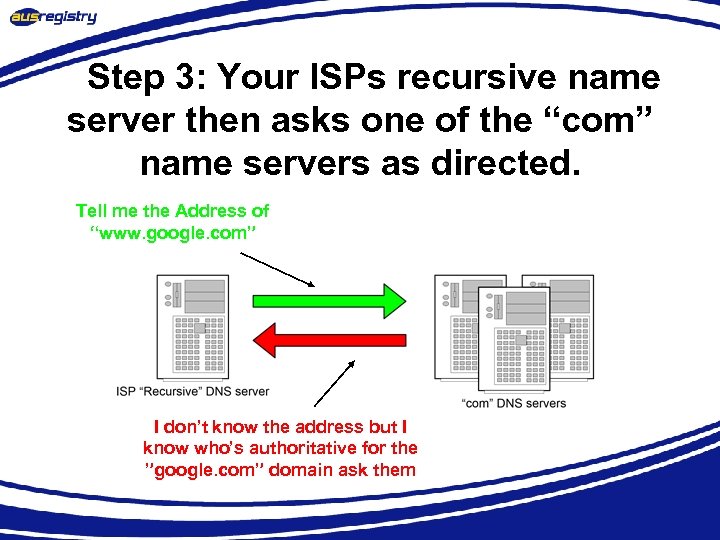 Step 3: Your ISPs recursive name server then asks one of the “com” name servers as directed. Tell me the Address of “www. google. com” I don’t know the address but I know who’s authoritative for the ”google. com” domain ask them
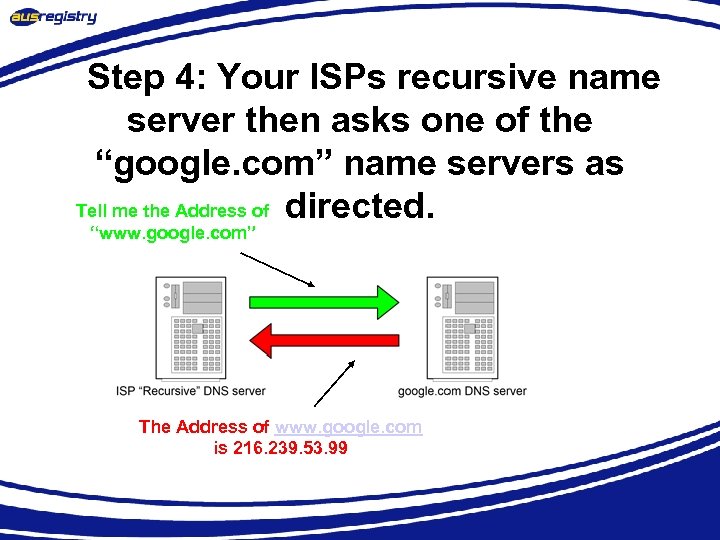 Step 4: Your ISPs recursive name server then asks one of the “google. com” name servers as Tell me the Address of directed. “www. google. com” The Address of www. google. com is 216. 239. 53. 99
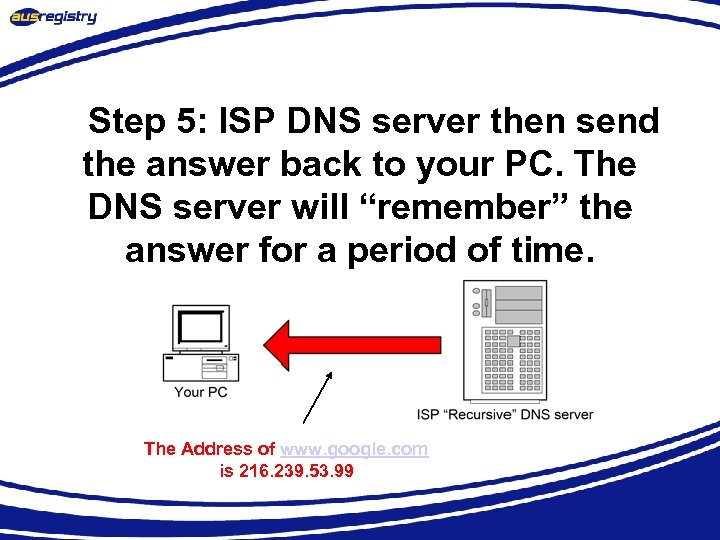 Step 5: ISP DNS server then send the answer back to your PC. The DNS server will “remember” the answer for a period of time. The Address of www. google. com is 216. 239. 53. 99
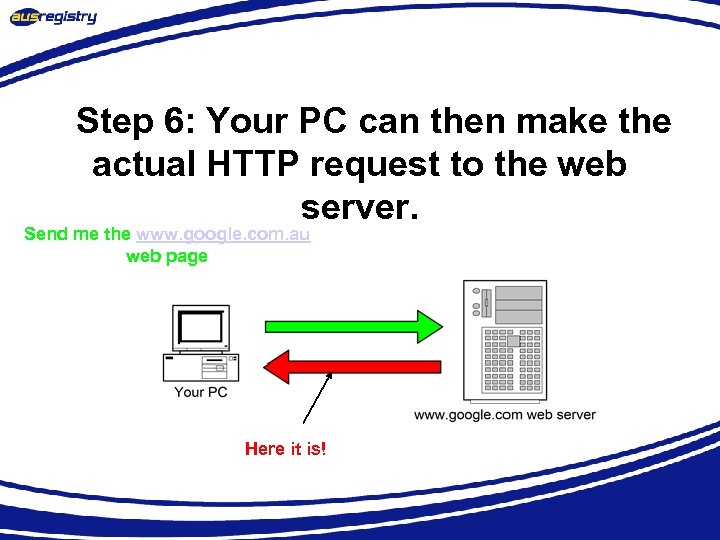 Step 6: Your PC can then make the actual HTTP request to the web server. Send me the www. google. com. au web page Here it is!
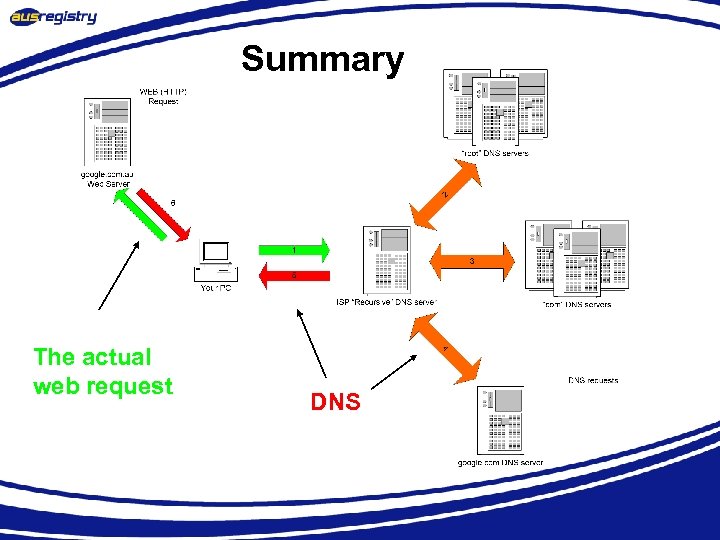 Summary The actual web request DNS
 Sending an Email • DNS is not just used in HTTP protocol (web pages) • DNS is involved in almost every protocol in use on the internet • Next example is how DNS facilitates the transfer of electronic mail.
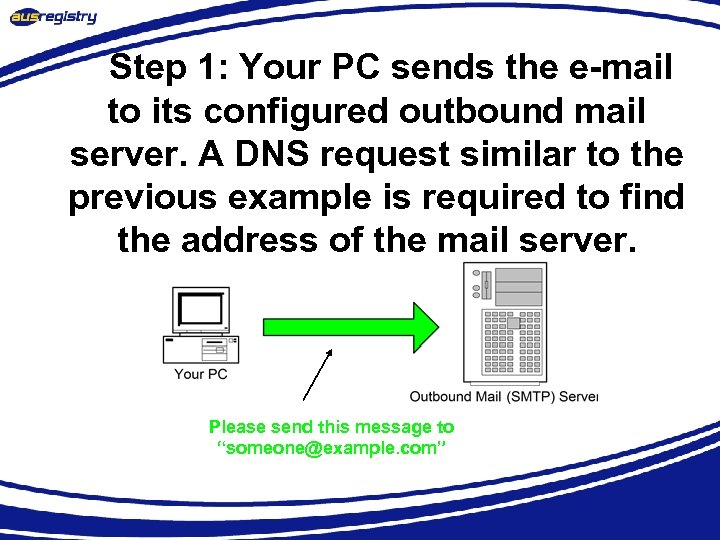 Step 1: Your PC sends the e-mail to its configured outbound mail server. A DNS request similar to the previous example is required to find the address of the mail server. Please send this message to “someone@example. com”
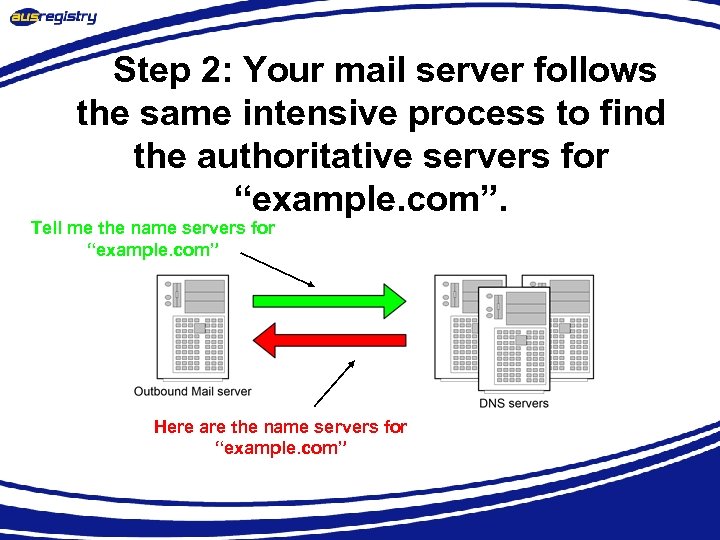 Step 2: Your mail server follows the same intensive process to find the authoritative servers for “example. com”. Tell me the name servers for “example. com” Here are the name servers for “example. com”
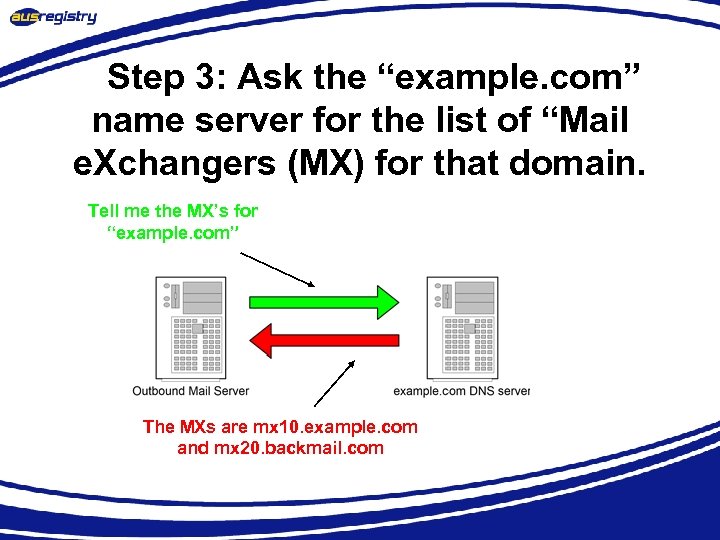 Step 3: Ask the “example. com” name server for the list of “Mail e. Xchangers (MX) for that domain. Tell me the MX’s for “example. com” The MXs are mx 10. example. com and mx 20. backmail. com
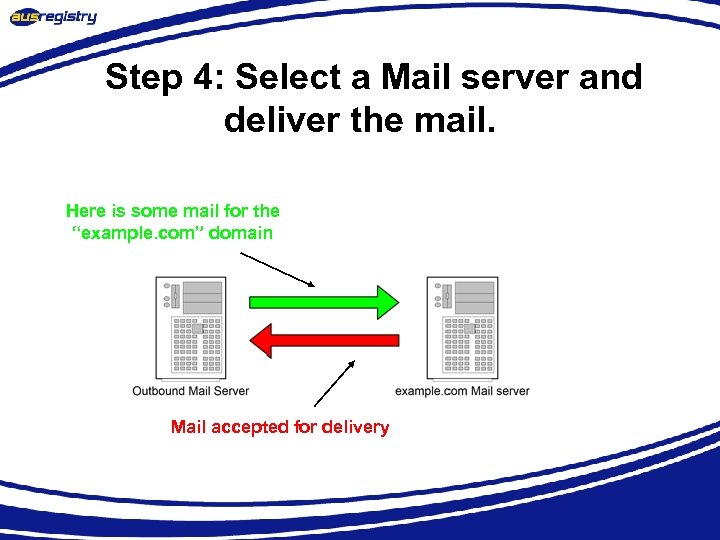 Step 4: Select a Mail server and deliver the mail. Here is some mail for the “example. com” domain Mail accepted for delivery
 Summary • DNS is integral part in most protocols used on the internet • Makes the internet human friendly for us all • Is the world largest distributed database system • Fits the international model perfectly • In simple terms is a mapping between names and IP addresses
 Questions?
 Thank you