 Скачать презентацию The Course s Goals To be interesting and fun
f31c3ffdafbe975f6e76295c0f48188f.ppt
- Количество слайдов: 30



The Course’s Goals ®To be interesting and fun. An interested student learns more. ®To answer questions that are probably keeping you awake at night: What is a RISC machine? How does the cache work? Who was Von Neumann? ®For you to write better programs. By understanding how your program is executed on a computer, will enable you to program better. 1/17
Not the Course’s Goals ®To be b o r i n g. A bored student: g a. Fall asleep, that’s OK just don’t snore. b. Talks, that’s not OK. ®To answer questions that aren’t related to computers: “Will the Lakers repeat? ” has nothing to due with the course. ®For you to design computers. You will need much more than this course but it is a step in the right direction. 2/17
® The main goal of the course is to help you understand how the computer executes your programs. ® Thus we won’t describe the computer from a transistor level but from the view point of your program. ® We will show your program is translated into machine language and how the processor executes the instructions. ® After you have taken this course and an advanced architecture course, you will have a background in which you can start to understand the design of a whole computer system. ® If you can’t keep quiet during class please leave. You don’t have to participate in class. I will remove students from class if necessary.
General Information ®Contact is by e-mail (citron@mail. jct. ac. il), phone (6751168 (jct), 6585766 (hu), 6786784 (home)), or in person (look at my home page for details). ®Grade: the final grade is composed of a final exam (70%) and three mini-exams (30%), out of which the 2 best will be used. ®Assignments are optional. They will be given in the same format as the mini-exams. Computer Structure - Introduction 3/17
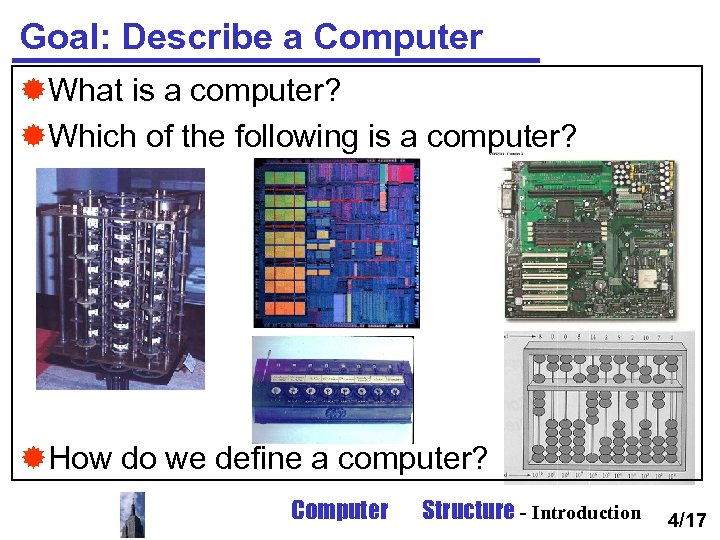
Goal: Describe a Computer ®What is a computer? ®Which of the following is a computer? ®How do we define a computer? Computer Structure - Introduction 4/17
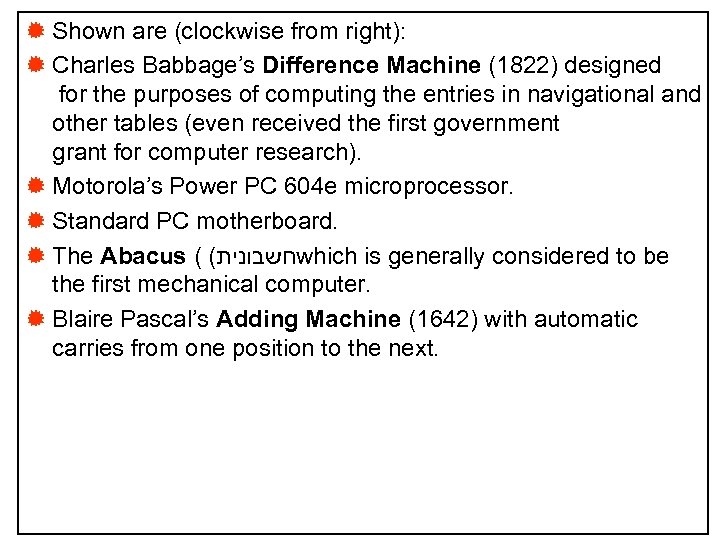
® Shown are (clockwise from right): ® Charles Babbage’s Difference Machine (1822) designed for the purposes of computing the entries in navigational and other tables (even received the first government grant for computer research). ® Motorola’s Power PC 604 e microprocessor. ® Standard PC motherboard. ® The Abacus ( ( חשבונית which is generally considered to be the first mechanical computer. ® Blaire Pascal’s Adding Machine (1642) with automatic carries from one position to the next.
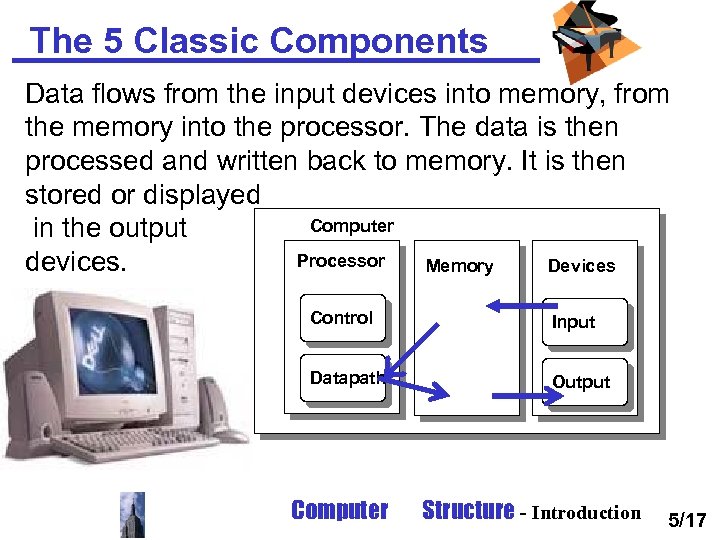
The 5 Classic Components Data flows from the input devices into memory, from the memory into the processor. The data is then processed and written back to memory. It is then stored or displayed Computer in the output Processor devices. Memory Devices Control Input Datapath Output Computer Structure - Introduction 5/17
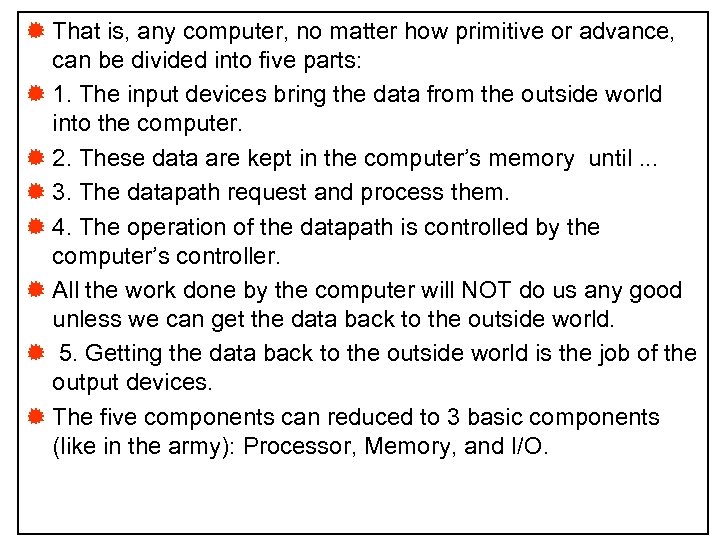
® That is, any computer, no matter how primitive or advance, can be divided into five parts: ® 1. The input devices bring the data from the outside world into the computer. ® 2. These data are kept in the computer’s memory until. . . ® 3. The datapath request and process them. ® 4. The operation of the datapath is controlled by the computer’s controller. ® All the work done by the computer will NOT do us any good unless we can get the data back to the outside world. ® 5. Getting the data back to the outside world is the job of the output devices. ® The five components can reduced to 3 basic components (like in the army): Processor, Memory, and I/O.
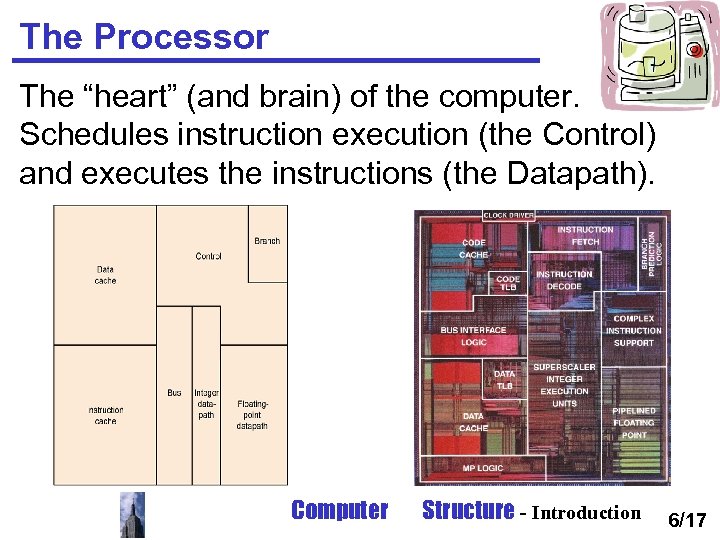
The Processor The “heart” (and brain) of the computer. Schedules instruction execution (the Control) and executes the instructions (the Datapath). Computer Structure - Introduction 6/17
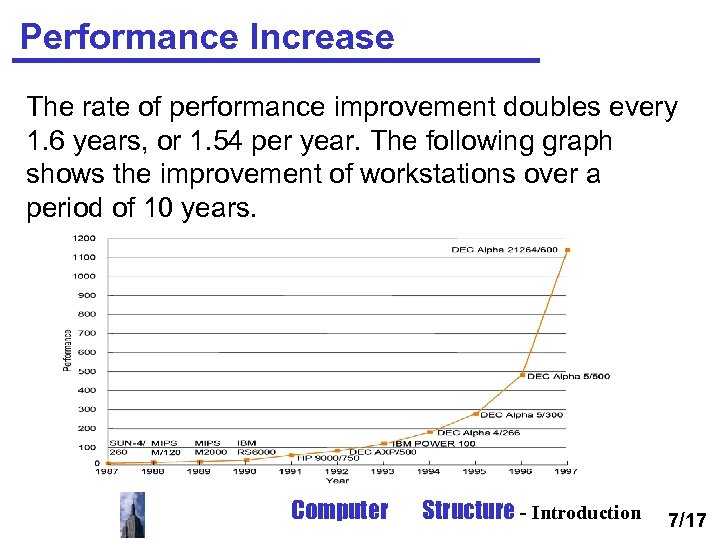
Performance Increase The rate of performance improvement doubles every 1. 6 years, or 1. 54 per year. The following graph shows the improvement of workstations over a period of 10 years. Computer Structure - Introduction 7/17
® The processor reads instructions and data from memory and “processes” ( ( מעבד it. ® The processor shown is the Intel Pentium. ® All modern processors since the i 486 have onchip caches and floating point units. ® In 1965 Gordon Moore (co-founder of Intel) predicted that the number of transistors on chip will double every 18 months. He was right. This is called “Moore’s Law”, it is one of the reasons for the performance growth. ® But not the only reason. Performance doubles every 16 months due to improvements in design as well.
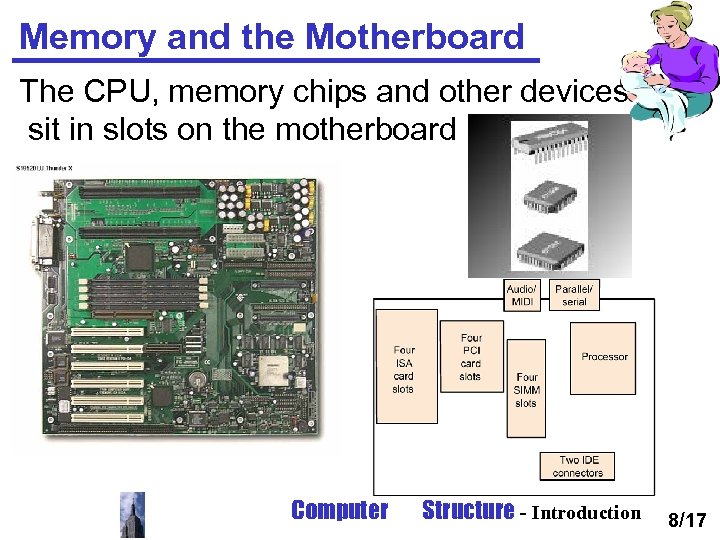
Memory and the Motherboard The CPU, memory chips and other devices sit in slots on the motherboard Computer Structure - Introduction 8/17
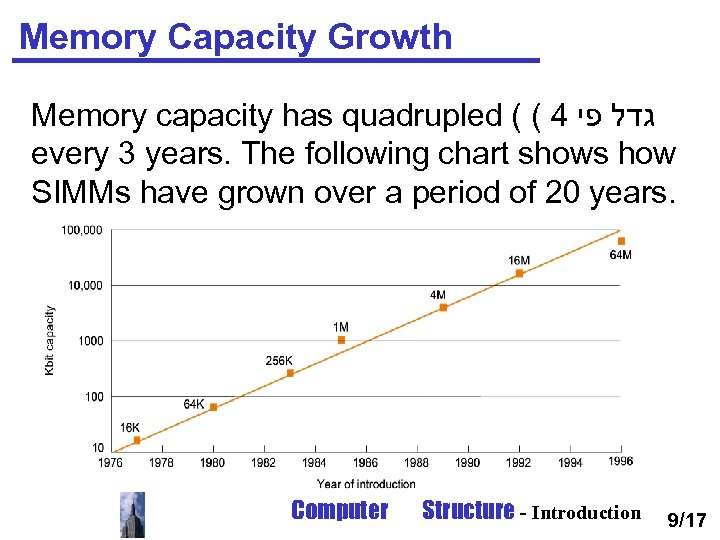
Memory Capacity Growth Memory capacity has quadrupled ( ( 4 גדל פי every 3 years. The following chart shows how SIMMs have grown over a period of 20 years. Computer Structure - Introduction 9/17
® On the motherboard sit the processor, caches, memory SIMMs (Single Inline Memory Modules), and the interfaces to the I/O devices. ® They are connect by a series of Busses ( , ( ערוצים the ISA and PCI bus are standards for most PCs. ® The memory growth rule is called the “DRAM growth rule. ” ® Today PCs are equipped with 64 -128 Mbytes (million bytes) of memory. High end workstations can have even Gigabytes (billions of bytes) of memory. ® The memory contains the programs and data the processor works with.
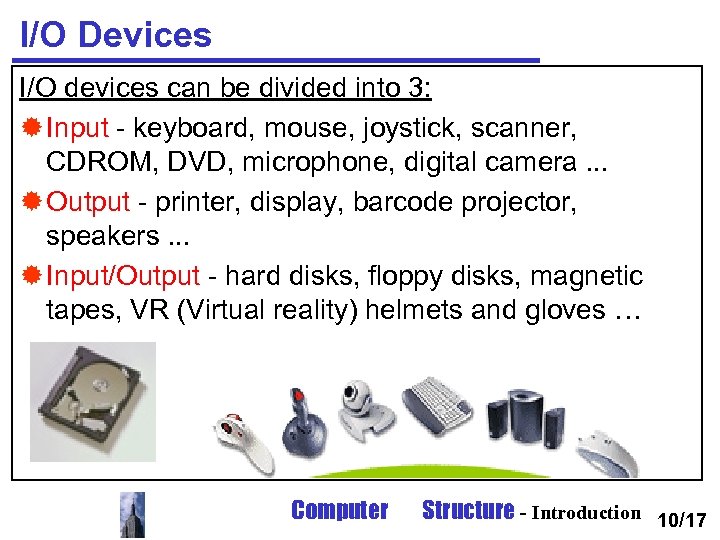
I/O Devices I/O devices can be divided into 3: ® Input - keyboard, mouse, joystick, scanner, CDROM, DVD, microphone, digital camera. . . ® Output - printer, display, barcode projector, speakers. . . ® Input/Output - hard disks, floppy disks, magnetic tapes, VR (Virtual reality) helmets and gloves … Computer Structure - Introduction 10/17
® Most devices are becoming both Input and Output. ® Touch screens are becoming very common. There are even screens which you can activate with a beam of light. ® Mice and Joysticks are becoming more and more interactive. ® Most read only media such as CDs and DVDs are writable as well. ® Hard disks, floppy disks, magnetic taps, Zip and Jaz disks, optical disks, DVDs, CDs, and many more are called storage devices as well. ® The I/O devices are the only way for us humans to interact with the computer.
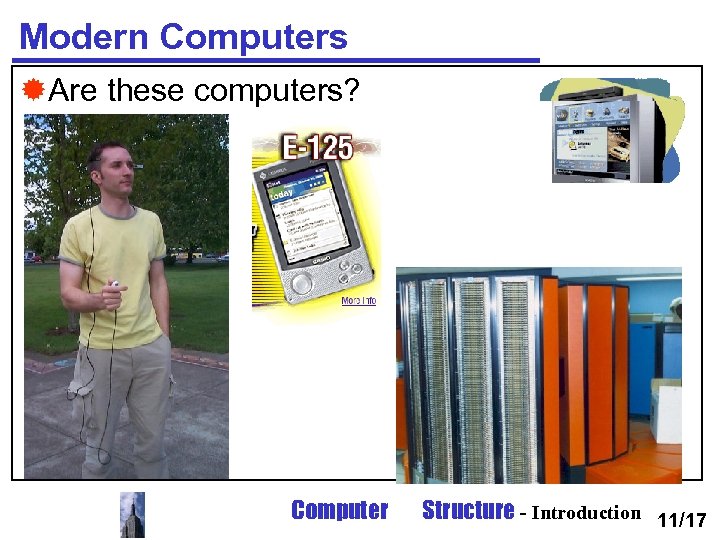
Modern Computers ®Are these computers? Computer Structure - Introduction 11/17
® Shown are (clockwise from right): ® A “wearable computer”. The computer is in the persons pocket. He interacts with the computer through a headset which contains a screen, microphone, and earphones. In his hand is a trackball mouse. ® The Cassiopeia is a handheld device (like the Palm Pilot) which can runs a versions of Windows (Windows CE). ® Sony’s Web. TV enables interactive TV viewing and web surfing. ® The Cray XMP (1976) was a super cooled (the orange towers are filled with liquid nitrogen) Super Computer.
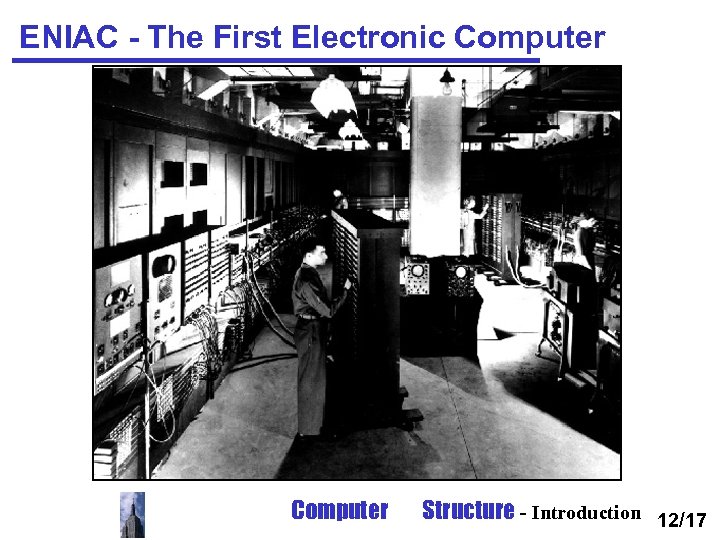
ENIAC - The First Electronic Computer Structure - Introduction 12/17
® ENIAC was a general purpose computer used for computing artillery tables. ® It was U shaped, 25 m long, 2. 5 m high and 1 m wide ® ENIAC used 18, 000 vacuum tubes. ® Programming was done by plugging cables and setting switches. Data was entered by punched cards. ® Programming for typical calculations took from half a hour to a day. ® ENIAC was 2 magnitudes ( ( סדר גודל larger and 4 magnitudes slower than modern computers (1900 adds per sec).
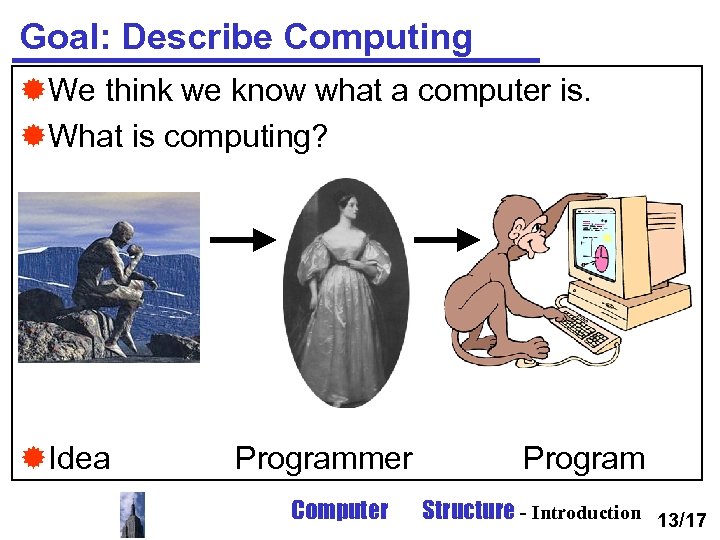
Goal: Describe Computing ®We think we know what a computer is. ®What is computing? ®Idea Programmer Computer Program Structure - Introduction 13/17
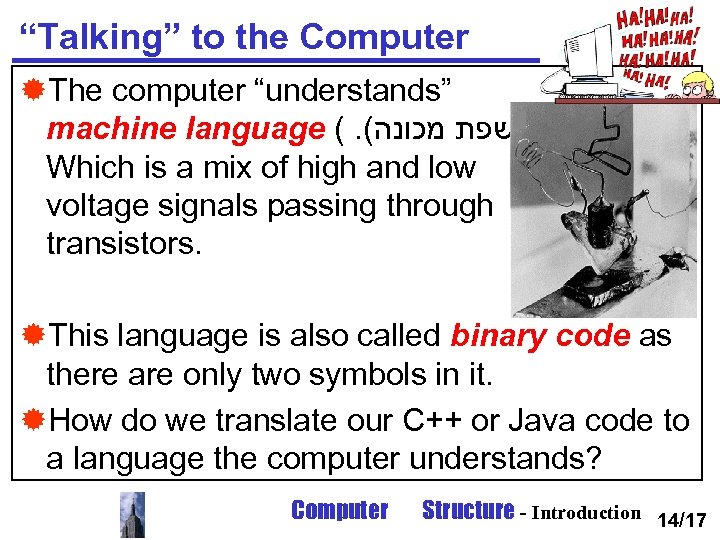
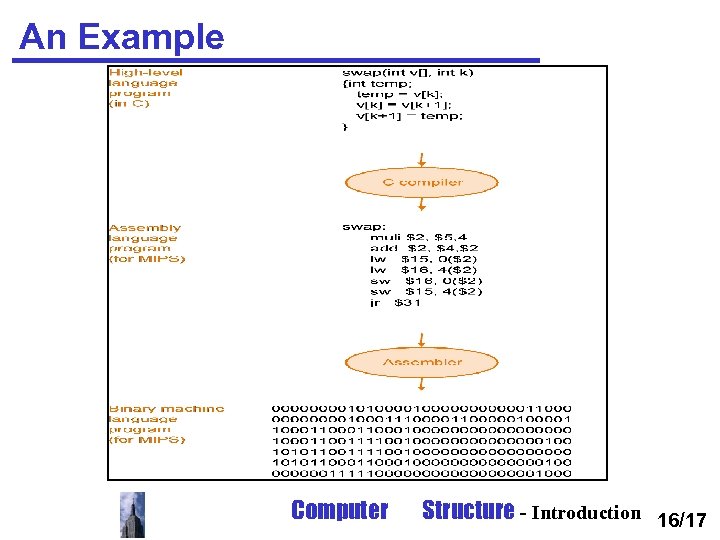
“Talking” to the Computer ®The computer “understands” machine language (. ( שפת מכונה Which is a mix of high and low voltage signals passing through transistors. ®This language is also called binary code as there are only two symbols in it. ®How do we translate our C++ or Java code to a language the computer understands? Computer Structure - Introduction 14/17
® After we have thought and came up with an idea. We need a programmer. Ada Augusta King (1842), Countess of Lovelace, translates Menabrea's pamphlet on the Analytical Engine (the second version of Babbage’s Difference Machine), adding her own notes, and becomes the world's first programmer. The idea is expressed in some computer language and entered into the computer using an editor. ® In order to “talk” to the computer we must send it electronic signals. The easiest signals for the machine to understand are on and off (in real life these signals are high voltage and low voltage). ® Thus the computer’s alphabet is composed of two symbols 0 and 1. Any “words” composed with these 2 numbers are called binary numbers. ® Computers are slaves to our commands and each individual command is called an instruction. ® For instance the binary number 10001100100000 tells a computer to add 2 numbers.
Assembly Language ®The first programmers (back in the late 40 s) spoke to computers using binary numbers. ®This, of course, was very tiring. So codes for the instructions were created. ®Soon a program was written that converted these symbols to binary. This program was called an assembler , it translated the assembly language into binary. ® The next stage was to write in high-level languages. Computer Structure - Introduction 15/17
® While writing in assembly code is much more productive than writing in binary it is still unnatural. Each machine instruction must be written on a single line, forcing the programmer to think like a machine. ® So if it is possible to translate assembly language to binary, what prevents us from writing in some higher level? ® The answer is: nothing. Although more complex than the assembler this program called the compiler translated highlevel languages (like C++ or Java) to assembler. ® Today more than 99% of all code is written using high-level languages. ® So why bother with assembler, as we will during this course? In order to understand the machine better we must know how to “talk” to it in its native language.
An Example Computer Structure - Introduction 16/17
User code compile hello. cpp link hello. obj hello. exe link I/O library Computer io. lib Structure - Introduction
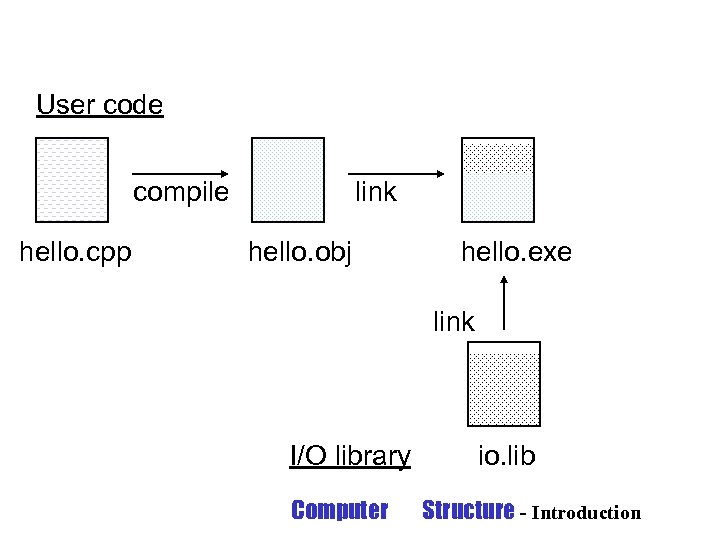
® The high level expression in C++: A + B ® Will be translated to the assembly statement: add A, B ® The assembler will then translate it into the binary instruction: 1000110010100000 ® The C++ source file, is compiled into assembly code. ® It is then linked with an external library, and transformed into an executable file. ® The executable file can then be read by the computer.
OK, but how does it work? ®So we have an executable file, what does the computer do with it? ®In a nutshell ( ( על רגל אחת the file is loaded from the hard disk into memory (by, how obvious, the loader), the processor reads the instructions one by one and executes them. ®This idea of having programs kept as data in memory is known as a Von Neumann computer. Computer Structure - Introduction 17/17
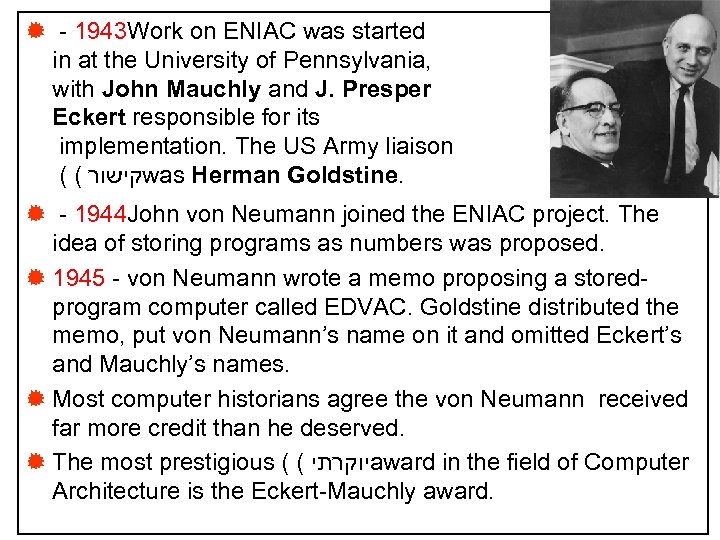
® - 1943 Work on ENIAC was started in at the University of Pennsylvania, with John Mauchly and J. Presper Eckert responsible for its implementation. The US Army liaison ( ( קישור was Herman Goldstine. ® - 1944 John von Neumann joined the ENIAC project. The idea of storing programs as numbers was proposed. ® 1945 - von Neumann wrote a memo proposing a storedprogram computer called EDVAC. Goldstine distributed the memo, put von Neumann’s name on it and omitted Eckert’s and Mauchly’s names. ® Most computer historians agree the von Neumann received far more credit than he deserved. ® The most prestigious ( ( יוקרתי award in the field of Computer Architecture is the Eckert-Mauchly award.
Скачать презентацию The Course s Goals To be interesting and fun
f31c3ffdafbe975f6e76295c0f48188f.ppt