


 Скачать презентацию The Computer System Review Game Directions 1
ef4e2612177ee408413f64bf9565d79e.ppt
- Количество слайдов: 71
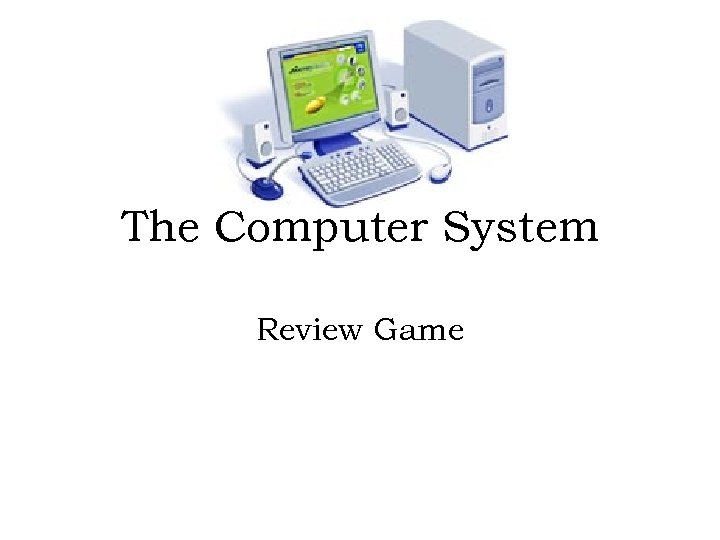 The Computer System Review Game
 Directions: 1. Read each of the following questions and corresponding answer choices. 2. Click on the answer that you think best responds to each question. 3. Write down any questions that you get wrong. Be sure to study these!!!
 Allison turned her computer on, but nothing happened. What is Allison’s computer most likely missing? A. Application software B. Operating system C. Keyboard D. Monitor
 The CPU can be found inside of which piece of hardware? A. Monitor B. Computer case C. Printer D. Disk drive
 Joe needs to produce a hard copy of his report. Which hardware device should he use? A. CD-ROM B. Monitor C. Printer D. Scanner
 What are the circuits that act as the “brain” of the computer? A. CLS B. CPU C. RAM D. ROM
 What is the metal and plastic case that houses the main system components of the computer called? A. Computer case B. Floppy Drive C. Monitor D. Speaker
 What electronic device receives, processes, stores data, and then produces a result? A. Computer B. Hardware C. Printer D. Software
 What part of a computer is a machine that prints character or other images on paper? A. Keyboard B. Mouse C. Printer D. Speaker
 What part of a computer contains keys that are used to input data into a computer? A. Keyboard B. Mouse C. Printer D. Speaker
 What part of the computer is used to view work that has been entered into the computer? A. Keyboard B. Monitor C. Mouse D. Printer
 Tracy needs to type an essay for language arts class. What type of software should she use? A. Spreadsheet B. Database C. Graphics D. Word processing
 When information is entered into the computer, the computer has done what? A. Cleaned data B. Processed data C. Received data D. Stored data
 When information is stored in the computer’s memory or on disk, the computer has done what? A. Cleaned data B. Processed data C. Received data D. Stored data
 Which piece of hardware controls the pointer on the screen? A. Keyboard B. Mouse C. Printer D. Scanner
 John has a picture of his family that he wants to include in a document. What piece of hardware will allow him to do this? A. Keyboard B. Mouse C. Printer D. Scanner
 What does a CD-ROM drive allow the user to do? A. Read B. Store C. Track D. Write
 Floppy diskettes have the capacity to hold about how much data? A. 1 GB B. 1. 44 GB C. 1 MB D. 1. 44 MB
 What piece of hardware is used to produce a paper or hard copy of the processing results? A. Keyboard B. Monitor C. Printer D. Speaker
 What hardware device must the user have to hear output? A. CD-ROM B. Mouse C. Printer D. Speaker
 Which type of storage device allows the user to store the most data? A. CD-ROM B. Floppy disk C. Cassette drive D. Tape drive
 What hardware device produces a soft copy? A. CD-ROM B. Monitor C. Printer D. Scanner
 Jessica wants to listen to her new CD on her computer but does not want to disturb the other students in the library. What output device could she use? A. Monitor B. Headphones C. Printer D. Projector
 Which type of storage method allows the user to store the most data? A. Hard drive B. CD-ROM C. Floppy disk D. Cassette
 What does CD-ROM stand for? A. Change Drives-Read Only Memory B. Compact Data-Right On Memory C. Compact Disc-Read Only Memory D. Compact Disk-Right Of Memory
 A computer does all of the following EXCEPT: A. Codes data B. Processes data C. Receives data D. Stores data
 Alex’s teacher has asked him to review the soft copy of his document. Which piece of hardware should he look at? A. Printer B. Monitor C. Speaker D. Scanner
 Judy got a new computer for her birthday. What would be the BEST thing for her to do before using it? A. Call the manufacturer B. Plug it in immediately C. Read the instructions D. Throw out the instructions
 Which is NOT a proper care technique for both CD-ROMs and disks? A. Avoid hot and cold locations B. Make a back-up copy of your files C. Keep a drink beside your computer D. Store in a protective cover
 What should be kept away from the computer at all times? A. Disks and backups B. Food and drink C. Books and manuals D. Pens and pencils
 What would be the BEST use of a CDROM drive? A. Using it as a cup holder B. Saving your homework C. Entering information into the computer D. Processing the information that has been entered into the computer
 What should you NOT do while the disk drive is running? A. Make a backup B. Remove the disk C. Save another file D. Scan for viruses
 Which should you keep near your computer? A. Instruction manuals B. Extreme heat C. Food and drink D. Magnets
 True or false, printers can only print documents in black and white? A. True B. False
 True or false, you can operate a computer without a mouse? A. True B. False
 Which IS NOT a computer part? A. CPU B. Keyboard C. Mouse D. Remote
 Which is a good strategy to use with computers? A. Avoid dusty locations B. Avoid regular virus checks C. Cover vents on the CPU D. Place magnets on CPU’s side
 What type of software works with the operating system to perform word processing, database, and spreadsheet tasks? A. Application B. Graphics C. Operating system D. Utility
 If you wanted to keep track of your allowance and spending, what type of software would you use? A. Database B. Spreadsheet C. Word processing D. Utility
 What is the physical equipment that can be touched? A. Hardware B. Input C. Software D. Storage
 What are the instructions that tell the computer what to do? A. Hardware B. Input C. Software D. Storage
 Which type of application software is used to key a document? A. Clip. Art B. Database C. Spreadsheet D. Word processing
 Which application software would create an electronic filing system? A. Database B. Graphics C. Spreadsheet D. Word processing
 Which type of software controls the operation of a computer system? A. Application B. Graphics C. Operating system D. Utility
 What application software is used to write letters and reports? A. Database B. Graphics C. Spreadsheet D. Word processing
 An electronic card catalog is an example of which type of application software? A. Spreadsheet B. Word processing C. Database D. Graphics
 What kind of computer is designed to be small, light, and portable? A. Laptop B. Mainframe C. Personal D. Tablet
 Which IS NOT computer hardware? A. Disk drive B. Monitor C. Printer D. Software
 Which IS NOT an example of hardware? A. Cables B. Disk drive C. Monitor D. Windows 98
 MS Excel is an example of what? A. Application software B. Database C. Hardware D. System software
 What does CPU stand for? A. Central Payroll Unit B. Central Processing Unit C. Computer Printer Unit D. Computer Processing Unit
 All are examples of operating system software, EXCEPT: A. MS Works B. Windows 95 C. Windows 2000 D. Windows XP
 Which is usually NOT associated with a database program? A. Address book B. Catalog C. Encyclopedia D. Memo
 Which IS NOT usually associated with a word processing program? A. Flyer B. Grade book C. Memo D. Report
 Which IS NOT an example of a task performed by operating system software? A. Calculating expenses B. Creating folders C. Formatting disks D. Moving files
 Which is the MOST often used to input information into the computer? A. Disk drive B. Keyboard C. Printer D. Scanner
 What device is used to store and read data on a disk? A. Disk drive B. Keyboard C. Monitor D. Printer
 What is the MOST common computer storage method? A. Cassette tape B. CD-ROM C. Disk D. VHS tape
 Which IS NOT part of the information processing cycle? A. Database B. Input C. Output D. Storage
 What storage device allows the fastest access to data? A. Cassette tape player B. Disk drive C. Hard drive D. Zip drive
 What is the information that shows up on the monitor called? A. Document B. Hard copy C. Report D. Soft copy
 What types of devices allow you to store information? A. Input B. Output C. Processing D. Storage
 Which example IS NOT a storage device? A. CD-RW B. Disk C. Monitor D. Tape drive
 Which hardware device processes data? A. CD-ROM B. Keyboard C. CPU D. Monitor
 Which device IS NOT used for data entry? A. Keyboard B. Mouse C. Printer D. Scanner
 What is the MOST frequently used output device? A. Mouse B. Monitor C. Printer D. Scanner
 Which IS NOT an example of an input device? A. Keyboard B. Mouse C. Printer D. Scanner
 Which IS NOT an example of an output device? A. Joystick B. Monitor C. Printer D. Speaker
 How’d you do? ? ? Be sure to study any questions that you missed for your test.
 Yes!!! Click here to go back to the questions
 Try again!!! Click here to go back to the questions