


 Скачать презентацию The Client-Server Model part 1 1
8b09359cca4fcc36bb511f423b1484be.ppt
- Количество слайдов: 42
 The Client-Server Model – part 1 1
 Introduction The Client-Server paradigm is the most prevalent model for distributed computing protocols. It is the basis of all distributed computing paradigms at a higher level of abstraction. It is service-oriented, and employs a requestresponse protocol. 2
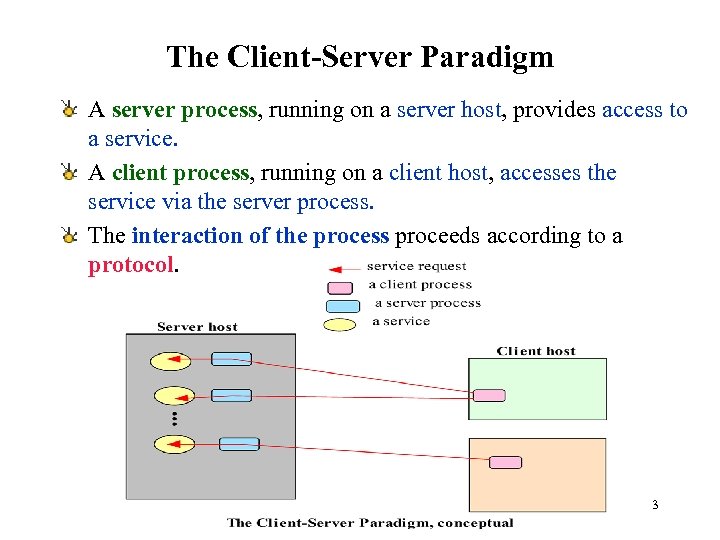 The Client-Server Paradigm A server process, running on a server host, provides access to a service. A client process, running on a client host, accesses the service via the server process. The interaction of the process proceeds according to a protocol. 3
 Client-server applications and services An application based on the client-server paradigm is a client-server application. On the Internet, many services are Clientserver applications. These services are often known by the protocol that the application implements. Well known Internet services include HTTP, FTP, DNS, finger, gopher, etc. User applications may also be built using the client-server paradigm. 4
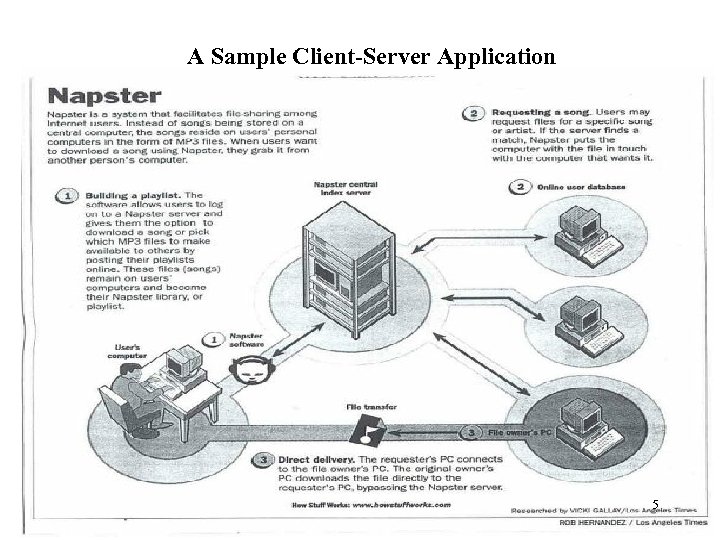 A Sample Client-Server Application 5
 Client-Server in a client-server system architecture, the terms clients and servers refer to computers (e. g. , relational database management system--DBMS) (http: //www. sei. cmu. edu/str/descriptions/clientserver_body. html) in a client-server distributed computing paradigm, the terms clients and servers refer to processes. 6
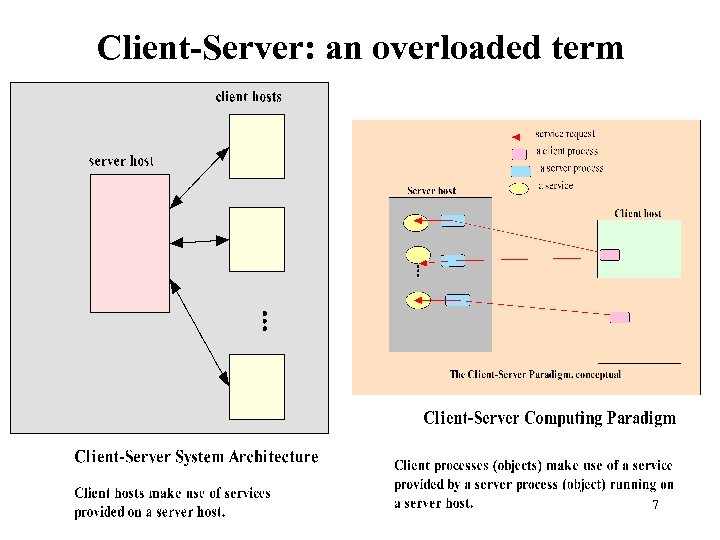 Client-Server: an overloaded term 7
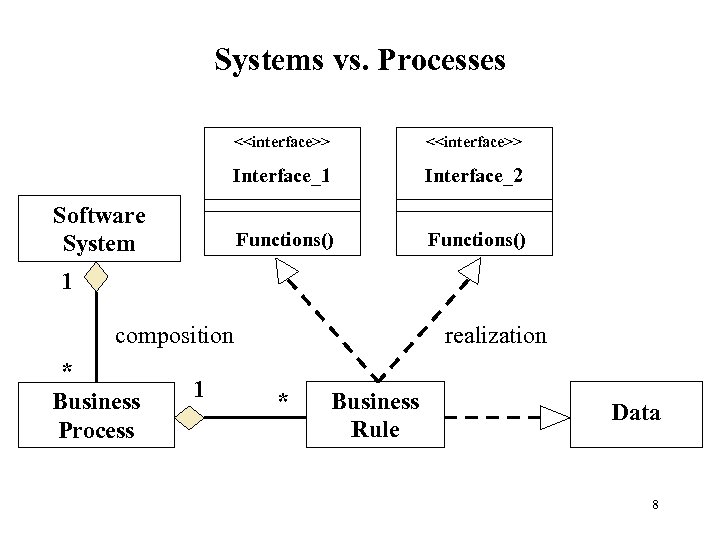 Systems vs. Processes <
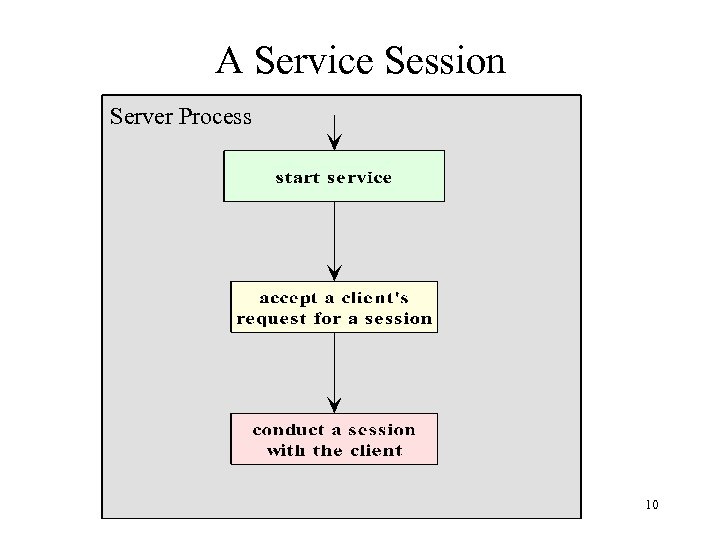
 A Service Session In the context of the client-server model, we will use the term session to refer to the interaction between the server and one client. (e. g. , Interface Http. Session in javax. servlet. http) The service managed by a server may be accessed by multiple clients who desire the service, sometimes concurrently. Each client, when being serviced by the server, engages in a separate session with the server, during which it conducts a dialog with the server until the client has obtained the service it required 9
 A Service Session Server Process 10
 The Protocol for a Service A protocol is needed to specify the rules that must be observed by the client and the server during the conduction of a service session. Such rules include specifications on matters such as – how the service is to be located, – the sequence of interprocess communication – the representation and interpretation of data exchanged with each IPC. On the Internet, such protocols are specified in the RFCs (Request For Comments). 11
 Locating A Service A mechanism must be available to allow a client process to locate a server for a given service. A service can be located through the address of the server process, in terms of the host name and protocol port number assigned to the server process. This is the scheme for Internet services. Each Internet service is assigned to a specific port number. A well-known service such as ftp, HTTP, or telnet is assigned a default port number reserved on each Internet host for that service. At a higher level of abstraction, a service may be identified using a logical name registered with a registry, the logical name will need to be mapped to the physical location of the server process. If the mapping is performed at runtime (that is, when a client process is run), then it is possible for the service’s location 12 to be dynamic, or moveable.
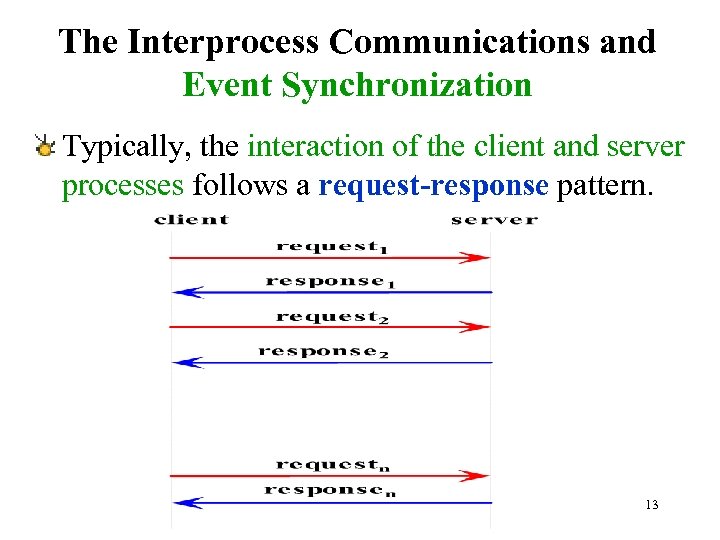 The Interprocess Communications and Event Synchronization Typically, the interaction of the client and server processes follows a request-response pattern. 13
 Implementation of A Service Any implementation of the client or server program for this service is expected to adhere to the specification for the protocol, including how the dialogs of each session should proceed. Among other things, the specification defines – which side (client or server) should speak first – the syntax and semantic of each request and response – the action expected of each side upon receiving a particular request or response. 14
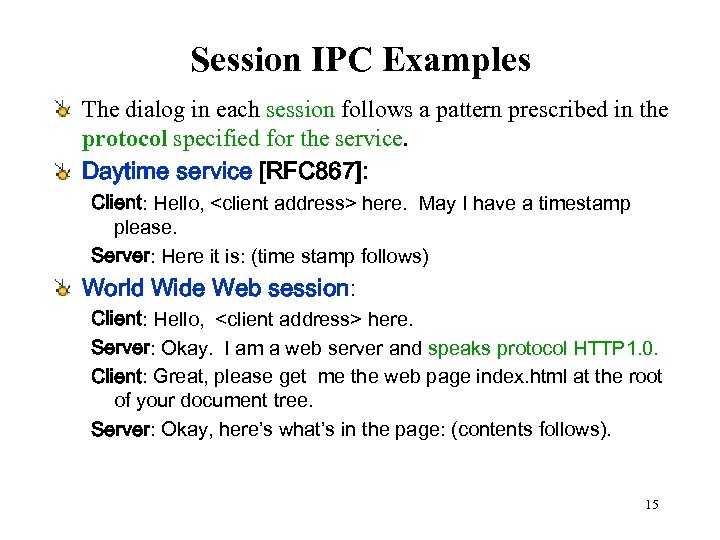 Session IPC Examples The dialog in each session follows a pattern prescribed in the protocol specified for the service. Daytime service [RFC 867]: Client: Hello,
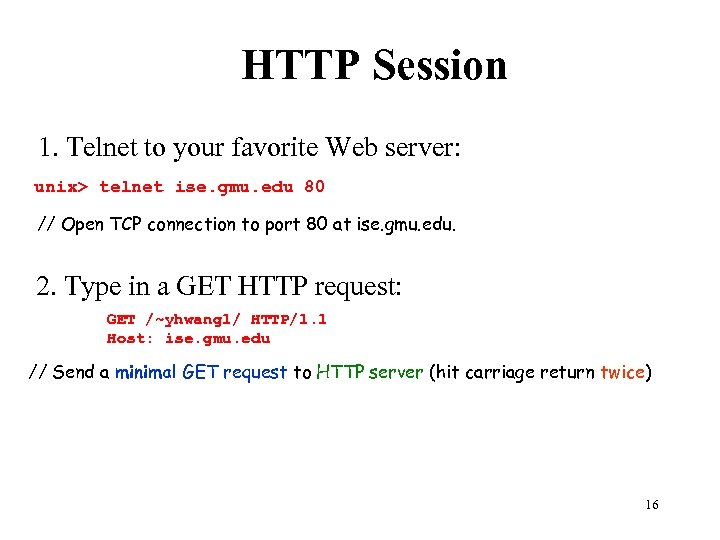 HTTP Session 1. Telnet to your favorite Web server: unix> telnet ise. gmu. edu 80 // Open TCP connection to port 80 at ise. gmu. edu. 2. Type in a GET HTTP request: GET /~yhwang 1/ HTTP/1. 1 Host: ise. gmu. edu // Send a minimal GET request to HTTP server (hit carriage return twice) 16
 Client-Server Protocol Data Representation Part of the specification of a protocol is the syntax and semantics of each request and response. The choice of data representation depends on the nature and the needs of the protocol. Representing data using text (character strings) is common, as it facilitates data marshalling and allows the data to be readable by human. Most well known Internet protocols are clientserver, request-response, and text-base. 17
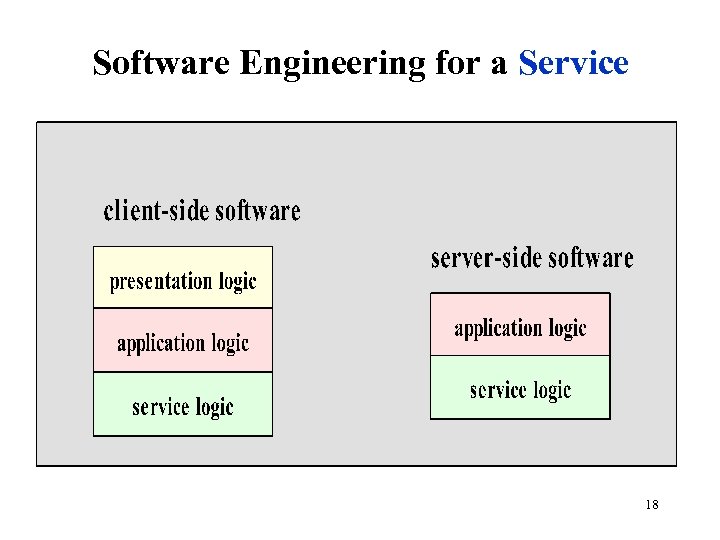 Software Engineering for a Service 18
 Daytime Client-server using Connectionless Datagram Socket - 1 Client-side presentation logic Daytime. Client 1. java encapsulates the client-side presentation logic; that is, it provides the interface for a user of the client process by: – obtaining input (the server address) from the user – displaying the output (the timestamp) to the user. To obtain the timestamp, a method call to a “helper” class, Daytime. Client. Helper 1. java, is issued. This method hides the details of the application logic and the underlying service logic. In particular, the programmer of Daytime. Client 1. java need not be aware of which socket types is used for the IPC. 19
 Daytime Client-server using Connectionless Datagram Socket - 2 Client-side Application logic The Daytime. Client. Helper 1. java class encapsulates the client-side application logic. This module performs the IPC for – sending a request – receiving a response, using a specialized class of the Datagram. Socket, my. Client. Datagram. Socket. data. – the details of using datagram sockets are hidden from this module. In particular, this module does not need to deal with the byte array for carrying the timestamp Client-side Service logic The My. Client. Datagram. java class provides the details of the IPC service, in this case using the datagram socket API. 20
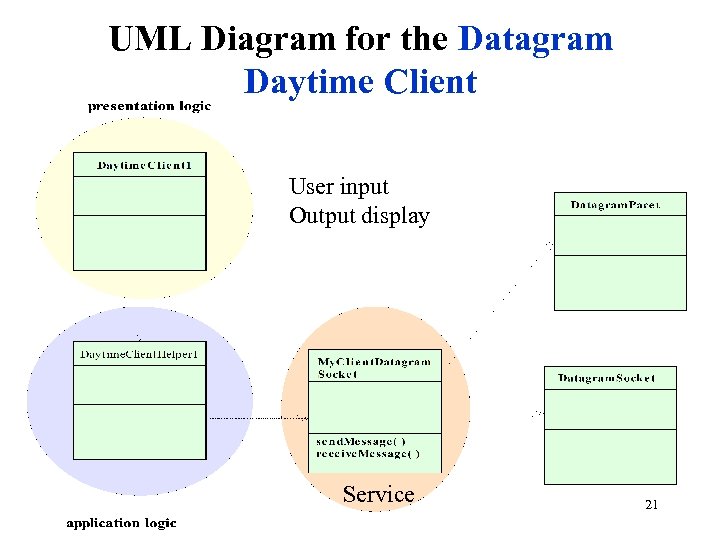 UML Diagram for the Datagram Daytime Client User input Output display Service 21
 Advantages of Separating the Layers of Logic q It allows each module to be developed by people with special skills to focus on a module for which they have expertise. Software engineers who are skilled in user interface may concentrate on developing the modules for the presentation logic, while those specializing in application logic and the service logic may focus on developing the other modules. q The separation allows modifications to be made to the logic at the presentation without requiring changes to be made at the lower layers. q For example, the user interface can be changed from text-mode to graphical without requiring any change be made to the application logic or the service logic. q Likewise, changes made in the application logic should be transparent to the presentation layer, as we will soon illustrate with an example client-server application. 22
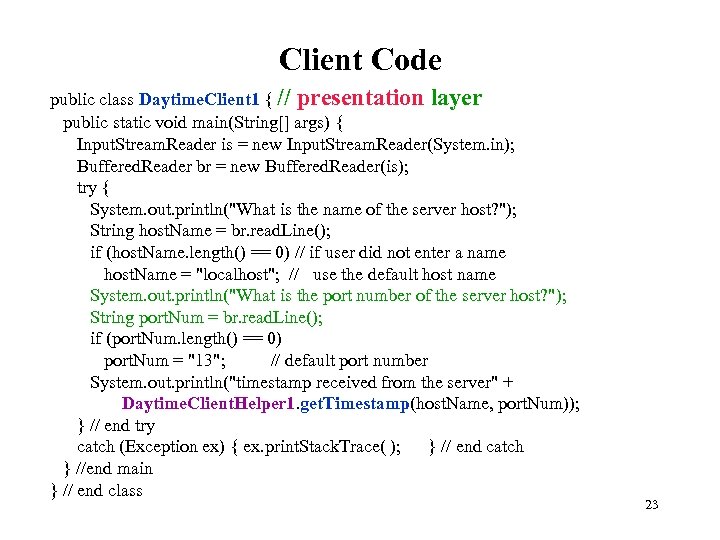 Client Code public class Daytime. Client 1 { // presentation layer public static void main(String[] args) { Input. Stream. Reader is = new Input. Stream. Reader(System. in); Buffered. Reader br = new Buffered. Reader(is); try { System. out. println("What is the name of the server host? "); String host. Name = br. read. Line(); if (host. Name. length() == 0) // if user did not enter a name host. Name = "localhost"; // use the default host name System. out. println("What is the port number of the server host? "); String port. Num = br. read. Line(); if (port. Num. length() == 0) port. Num = "13"; // default port number System. out. println("timestamp received from the server" + Daytime. Client. Helper 1. get. Timestamp(host. Name, port. Num)); } // end try catch (Exception ex) { ex. print. Stack. Trace( ); } // end catch } //end main } // end class 23
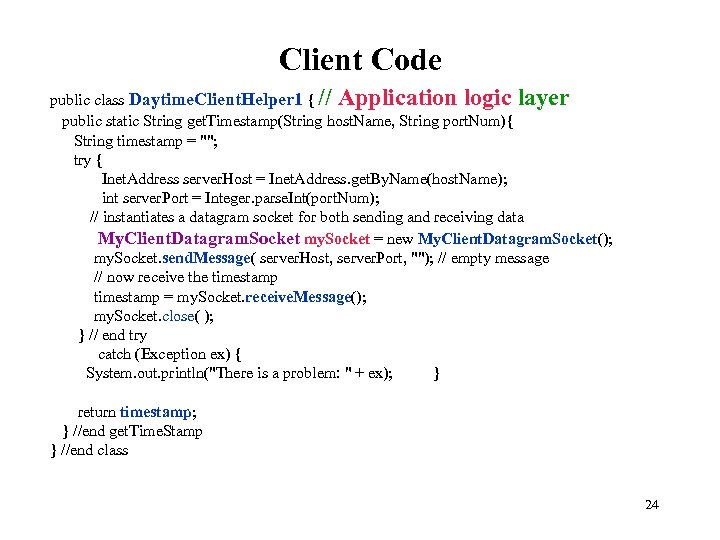 Client Code public class Daytime. Client. Helper 1 { // Application logic layer public static String get. Timestamp(String host. Name, String port. Num){ String timestamp = ""; try { Inet. Address server. Host = Inet. Address. get. By. Name(host. Name); int server. Port = Integer. parse. Int(port. Num); // instantiates a datagram socket for both sending and receiving data My. Client. Datagram. Socket my. Socket = new My. Client. Datagram. Socket(); my. Socket. send. Message( server. Host, server. Port, ""); // empty message // now receive the timestamp = my. Socket. receive. Message(); my. Socket. close( ); } // end try catch (Exception ex) { System. out. println("There is a problem: " + ex); } return timestamp; } //end get. Time. Stamp } //end class 24
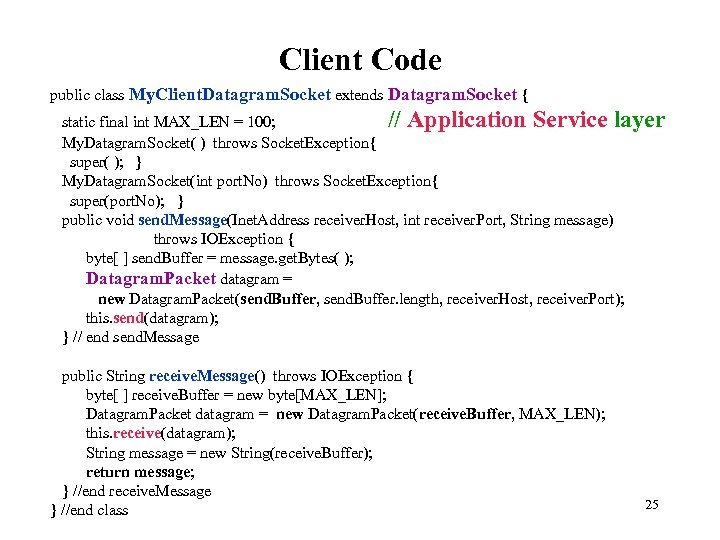 Client Code public class My. Client. Datagram. Socket extends Datagram. Socket { static final int MAX_LEN = 100; // Application Service layer My. Datagram. Socket( ) throws Socket. Exception{ super( ); } My. Datagram. Socket(int port. No) throws Socket. Exception{ super(port. No); } public void send. Message(Inet. Address receiver. Host, int receiver. Port, String message) throws IOException { byte[ ] send. Buffer = message. get. Bytes( ); Datagram. Packet datagram = new Datagram. Packet(send. Buffer, send. Buffer. length, receiver. Host, receiver. Port); this. send(datagram); } // end send. Message public String receive. Message() throws IOException { byte[ ] receive. Buffer = new byte[MAX_LEN]; Datagram. Packet datagram = new Datagram. Packet(receive. Buffer, MAX_LEN); this. receive(datagram); String message = new String(receive. Buffer); return message; } //end receive. Message } //end class 25
 Server-side software Presentation logic Typically, there is very little presentation logic on the server-side. In this case, the only user input is for the server port, which, for simplicity, is handled using a command-line argument. 26
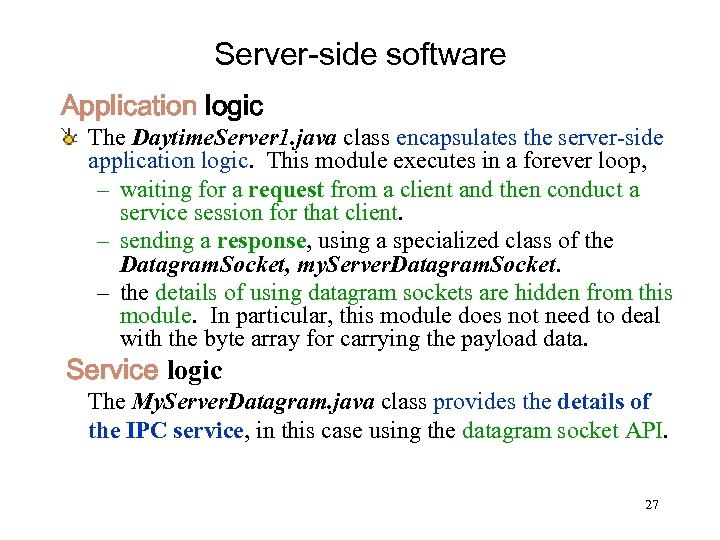 Server-side software Application logic The Daytime. Server 1. java class encapsulates the server-side application logic. This module executes in a forever loop, – waiting for a request from a client and then conduct a service session for that client. – sending a response, using a specialized class of the Datagram. Socket, my. Server. Datagram. Socket. – the details of using datagram sockets are hidden from this module. In particular, this module does not need to deal with the byte array for carrying the payload data. Service logic The My. Server. Datagram. java class provides the details of the IPC service, in this case using the datagram socket API. 27
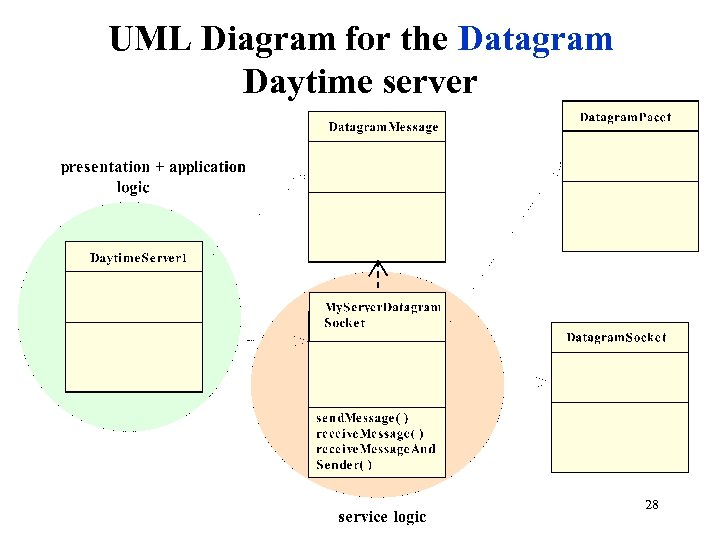 UML Diagram for the Datagram Daytime server 28
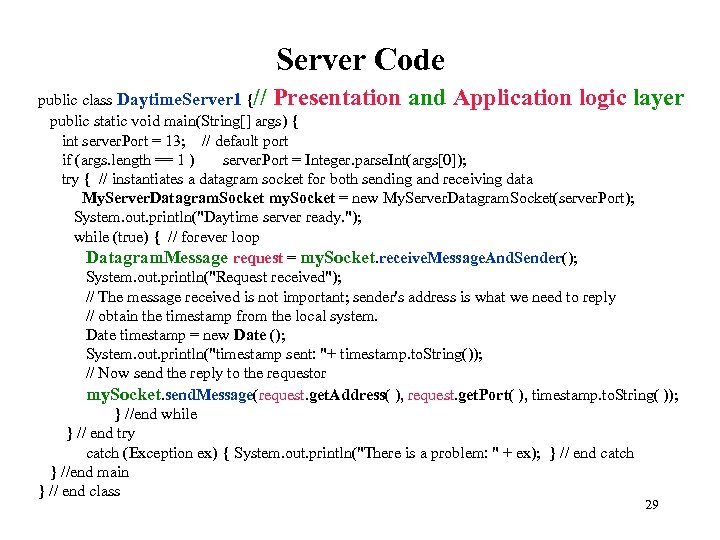 Server Code public class Daytime. Server 1 {// Presentation and Application logic layer public static void main(String[] args) { int server. Port = 13; // default port if (args. length == 1 ) server. Port = Integer. parse. Int(args[0]); try { // instantiates a datagram socket for both sending and receiving data My. Server. Datagram. Socket my. Socket = new My. Server. Datagram. Socket(server. Port); System. out. println("Daytime server ready. "); while (true) { // forever loop Datagram. Message request = my. Socket. receive. Message. And. Sender(); System. out. println("Request received"); // The message received is not important; sender's address is what we need to reply // obtain the timestamp from the local system. Date timestamp = new Date (); System. out. println("timestamp sent: "+ timestamp. to. String()); // Now send the reply to the requestor my. Socket. send. Message(request. get. Address( ), request. get. Port( ), timestamp. to. String( )); } //end while } // end try catch (Exception ex) { System. out. println("There is a problem: " + ex); } // end catch } //end main } // end class 29
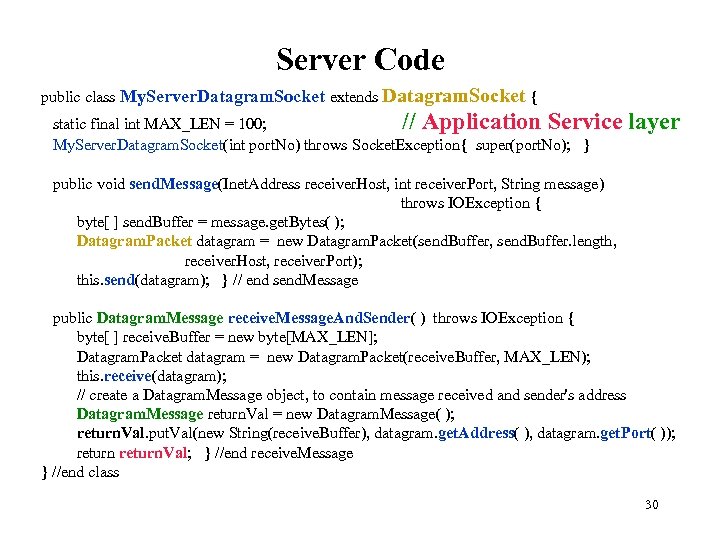 Server Code public class My. Server. Datagram. Socket extends Datagram. Socket { static final int MAX_LEN = 100; // Application Service My. Server. Datagram. Socket(int port. No) throws Socket. Exception{ super(port. No); } layer public void send. Message(Inet. Address receiver. Host, int receiver. Port, String message) throws IOException { byte[ ] send. Buffer = message. get. Bytes( ); Datagram. Packet datagram = new Datagram. Packet(send. Buffer, send. Buffer. length, receiver. Host, receiver. Port); this. send(datagram); } // end send. Message public Datagram. Message receive. Message. And. Sender( ) throws IOException { byte[ ] receive. Buffer = new byte[MAX_LEN]; Datagram. Packet datagram = new Datagram. Packet(receive. Buffer, MAX_LEN); this. receive(datagram); // create a Datagram. Message object, to contain message received and sender's address Datagram. Message return. Val = new Datagram. Message( ); return. Val. put. Val(new String(receive. Buffer), datagram. get. Address( ), datagram. get. Port( )); return. Val; } //end receive. Message } //end class 30
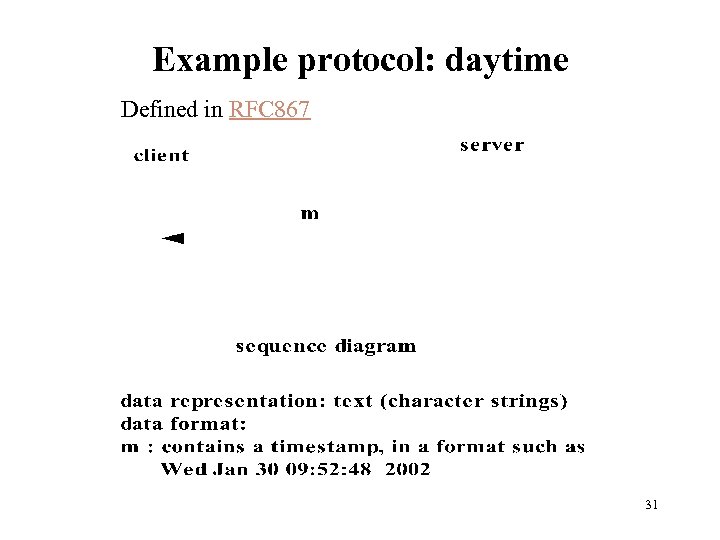 Example protocol: daytime Defined in RFC 867 31
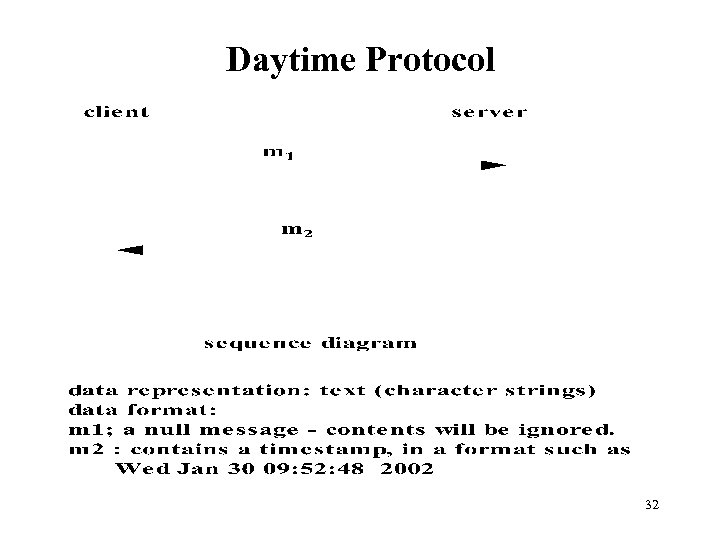 Daytime Protocol 32
 Daytime Protocol Implementation Sample 1 – using connectionless sockets: Daytime. Server 1. java Daytime. Client 1. java (http: //ise. gmu. edu/~yhwang 1/SWE 622/Sample_Codes/chapter 5) 33
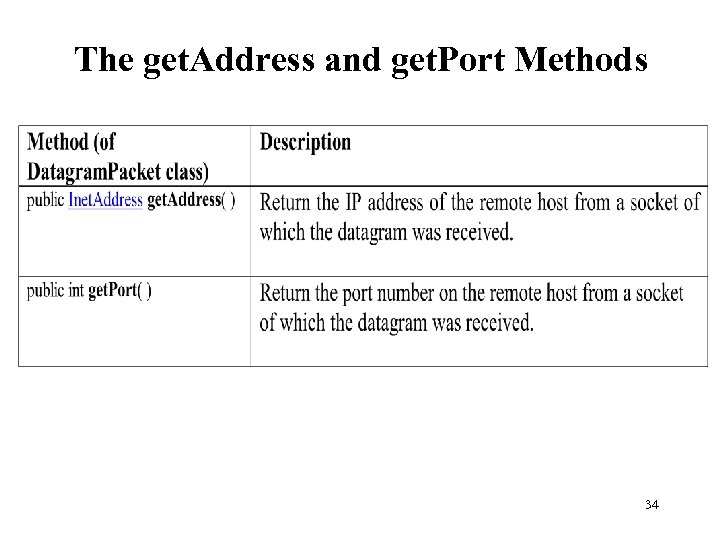 The get. Address and get. Port Methods 34
 Daytime Protocol Implementation Connection-oriented Daytime Server Client: Sample 2 – using connection-oriented sockets: Daytime. Server 2. java Daytime. Client. Helper 2. java My. Stream. Socket. java (http: //ise. gmu. edu/~yhwang 1/SWE 622/Sample_Codes/chapter 5) 35
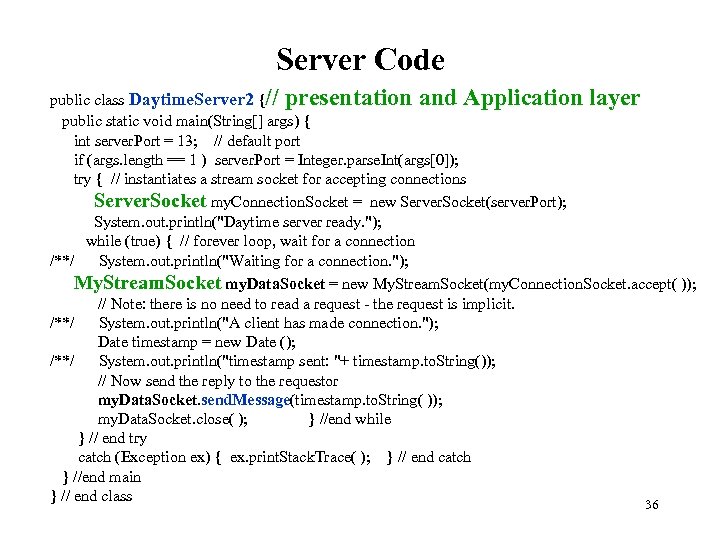 Server Code public class Daytime. Server 2 {// presentation and Application layer public static void main(String[] args) { int server. Port = 13; // default port if (args. length == 1 ) server. Port = Integer. parse. Int(args[0]); try { // instantiates a stream socket for accepting connections Server. Socket my. Connection. Socket = new Server. Socket(server. Port); System. out. println("Daytime server ready. "); while (true) { // forever loop, wait for a connection /**/ System. out. println("Waiting for a connection. "); My. Stream. Socket my. Data. Socket = new My. Stream. Socket(my. Connection. Socket. accept( )); // Note: there is no need to read a request - the request is implicit. /**/ System. out. println("A client has made connection. "); Date timestamp = new Date (); /**/ System. out. println("timestamp sent: "+ timestamp. to. String()); // Now send the reply to the requestor my. Data. Socket. send. Message(timestamp. to. String( )); my. Data. Socket. close( ); } //end while } // end try catch (Exception ex) { ex. print. Stack. Trace( ); } // end catch } //end main } // end class 36
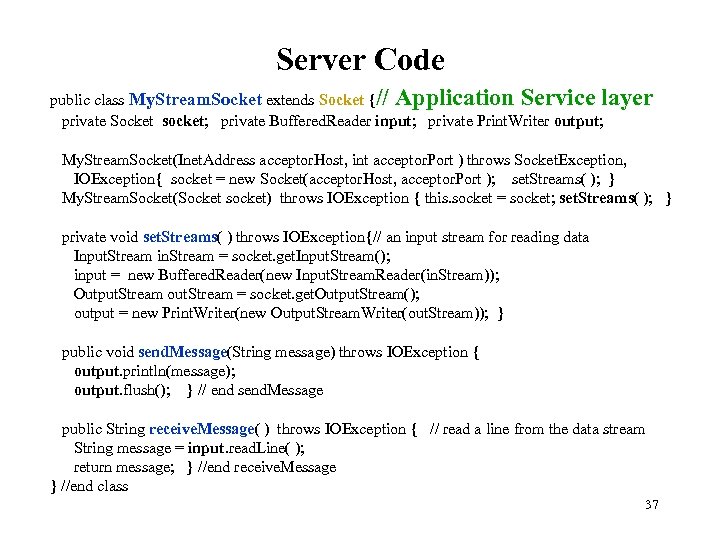 Server Code public class My. Stream. Socket extends Socket {// Application Service layer private Socket socket; private Buffered. Reader input; private Print. Writer output; My. Stream. Socket(Inet. Address acceptor. Host, int acceptor. Port ) throws Socket. Exception, IOException{ socket = new Socket(acceptor. Host, acceptor. Port ); set. Streams( ); } My. Stream. Socket(Socket socket) throws IOException { this. socket = socket; set. Streams( ); } private void set. Streams( ) throws IOException{// an input stream for reading data Input. Stream in. Stream = socket. get. Input. Stream(); input = new Buffered. Reader(new Input. Stream. Reader(in. Stream)); Output. Stream out. Stream = socket. get. Output. Stream(); output = new Print. Writer(new Output. Stream. Writer(out. Stream)); } public void send. Message(String message) throws IOException { output. println(message); output. flush(); } // end send. Message public String receive. Message( ) throws IOException { // read a line from the data stream String message = input. read. Line( ); return message; } //end receive. Message } //end class 37
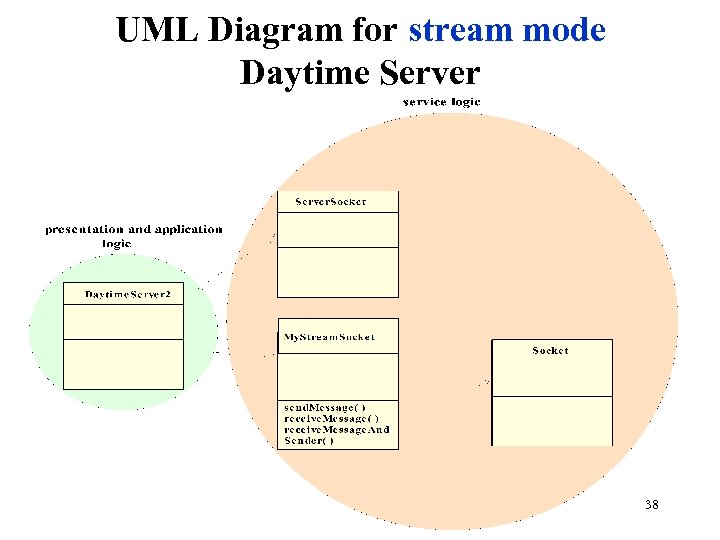 UML Diagram for stream mode Daytime Server 38
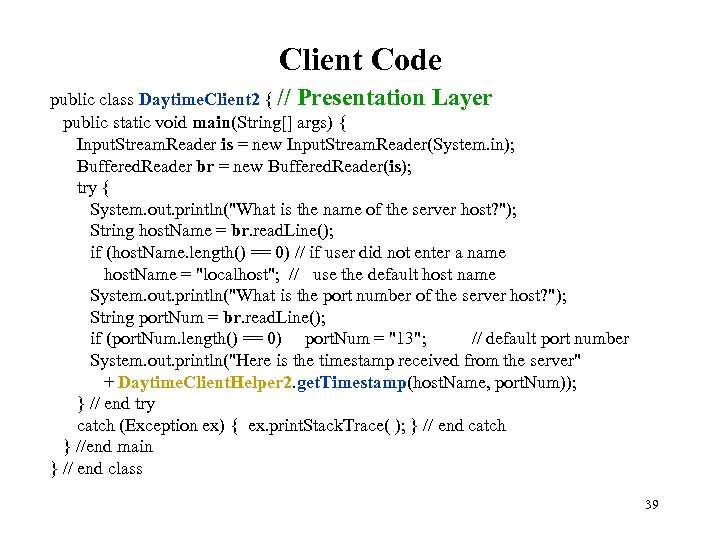 Client Code public class Daytime. Client 2 { // Presentation Layer public static void main(String[] args) { Input. Stream. Reader is = new Input. Stream. Reader(System. in); Buffered. Reader br = new Buffered. Reader(is); try { System. out. println("What is the name of the server host? "); String host. Name = br. read. Line(); if (host. Name. length() == 0) // if user did not enter a name host. Name = "localhost"; // use the default host name System. out. println("What is the port number of the server host? "); String port. Num = br. read. Line(); if (port. Num. length() == 0) port. Num = "13"; // default port number System. out. println("Here is the timestamp received from the server" + Daytime. Client. Helper 2. get. Timestamp(host. Name, port. Num)); } // end try catch (Exception ex) { ex. print. Stack. Trace( ); } // end catch } //end main } // end class 39
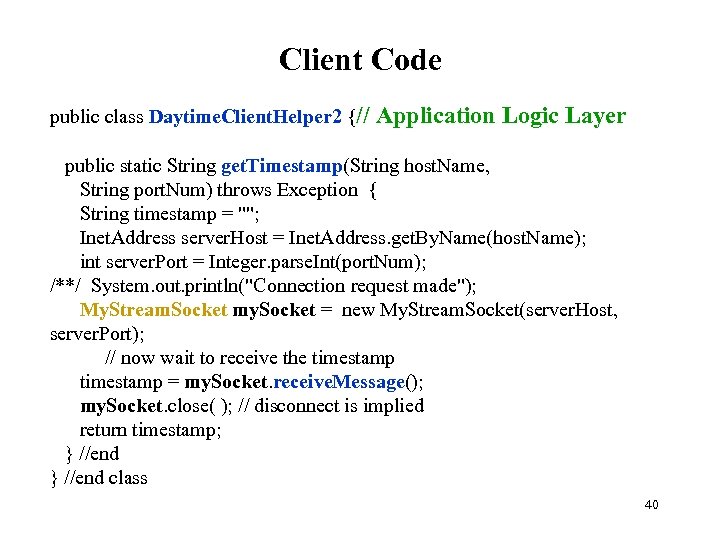 Client Code public class Daytime. Client. Helper 2 {// Application Logic Layer public static String get. Timestamp(String host. Name, String port. Num) throws Exception { String timestamp = ""; Inet. Address server. Host = Inet. Address. get. By. Name(host. Name); int server. Port = Integer. parse. Int(port. Num); /**/ System. out. println("Connection request made"); My. Stream. Socket my. Socket = new My. Stream. Socket(server. Host, server. Port); // now wait to receive the timestamp = my. Socket. receive. Message(); my. Socket. close( ); // disconnect is implied return timestamp; } //end class 40
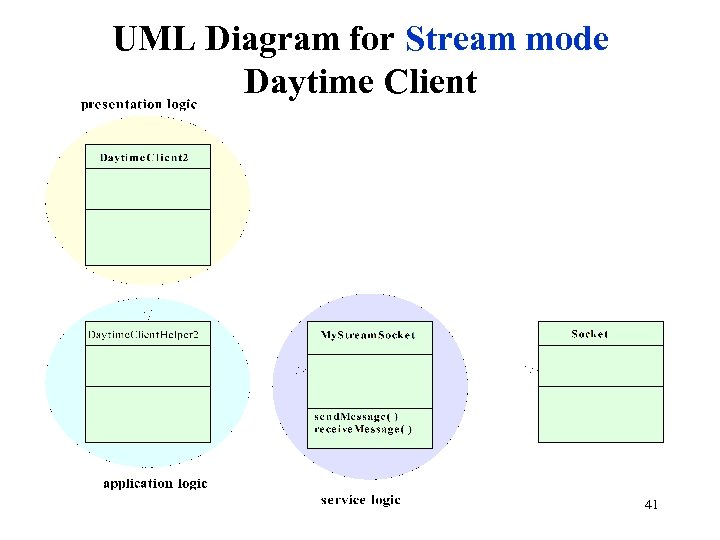 UML Diagram for Stream mode Daytime Client 41
 Testing a Service Because of its inherent complexity, network software is notoriously difficult to test. Use three-layered software architecture and modularize each layer on both the client and the server sides. Use an incremental or stepwise approach in developing each module. Starting with stubs for each method, compile and test a module each time after you put in additional details. Develop the client first. It is sometimes useful to employ an Echo server (to be introduced in the next section) which is known to be correct and which uses a compatible IPC mechanism to test the client independent of the server; doing so allows you to develop the client independent of the server. Use diagnostic messages throughout each program to report the progress of the program during runtime. Test the client-server suite on one machine before running the programs on separate machine. 42