


 Скачать презентацию Testing in Regulated Industry Environment I Kozachuk Iryna
4632c73bb81bd0403b3b910c07adbfb3.ppt
- Количество слайдов: 128
 Testing in Regulated Industry Environment I. Kozachuk Iryna Kozachuk
 Regulated Industry Environments o o o Financial Institutions (Banks…) Marine shipping, ferry and port services Air, railway and road transportation (including airports, tunnels, bridges, etc) Food and drugs Etc. I. Kozachuk 2
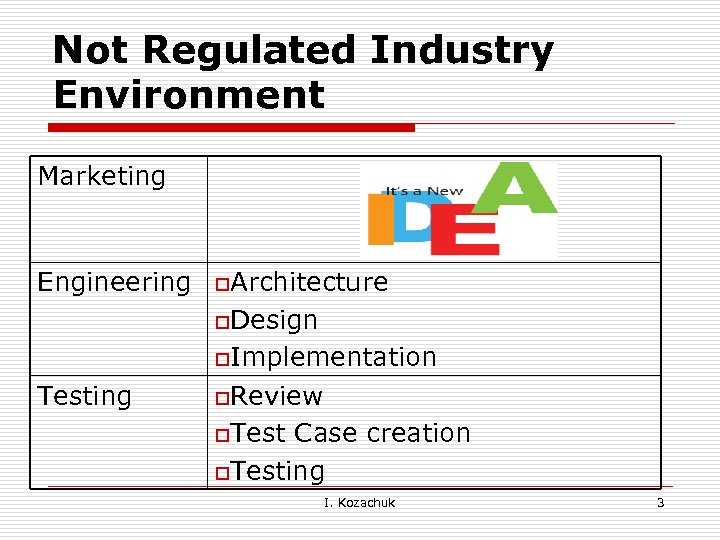 Not Regulated Industry Environment Marketing Engineering o. Architecture o. Design o. Implementation Testing o. Review o. Test Case creation o. Testing I. Kozachuk 3
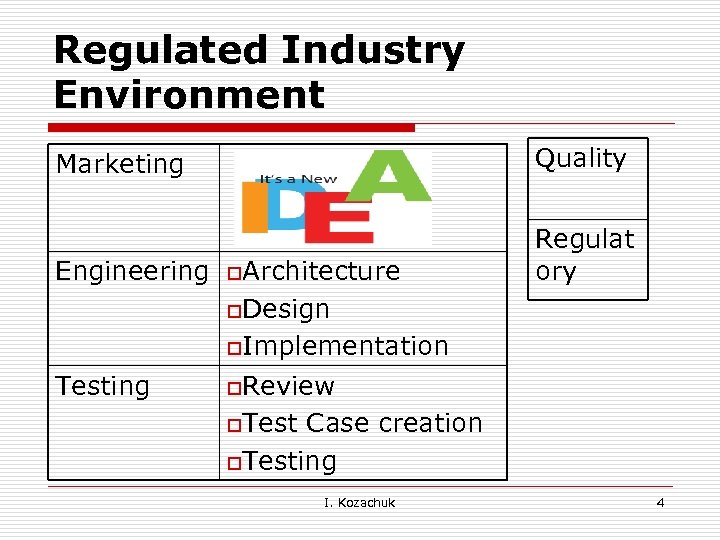 Regulated Industry Environment Marketing Quality Engineering Regulat ory o. Architecture o. Design o. Implementation Testing o. Review o. Test Case creation o. Testing I. Kozachuk 4
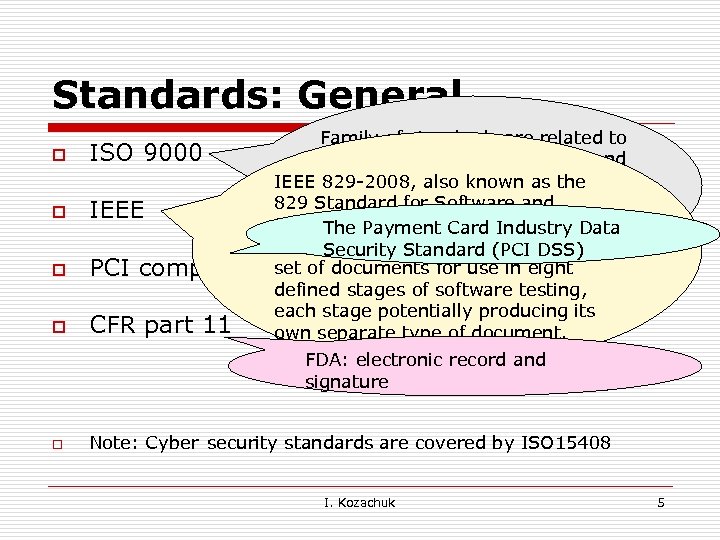 Standards: General o o Family of standards are related to ISO 9000 quality management systems and IEEE designed toalso known as the 829 -2008, help organizations ensure that Software the 829 Standard for they meetand needs IEEE of Test Documentation, System customers and other The Payment Card Industry Data stakeholders standard that specifies the form of a Security Standard (PCI DSS) PCI complianceset of documents for use in eight defined stages of software testing, each stage potentially producing its CFR part 11 own separate type of document. FDA: electronic record and signature o Note: Cyber security standards are covered by ISO 15408 I. Kozachuk 5
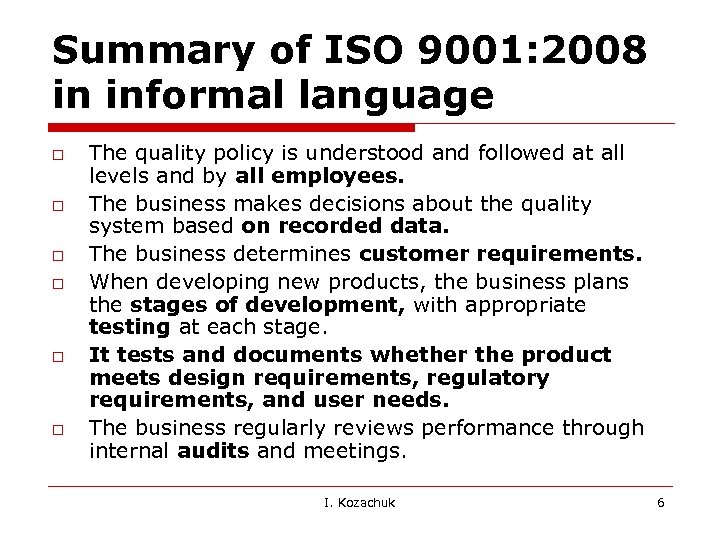 Summary of ISO 9001: 2008 in informal language o o o The quality policy is understood and followed at all levels and by all employees. The business makes decisions about the quality system based on recorded data. The business determines customer requirements. When developing new products, the business plans the stages of development, with appropriate testing at each stage. It tests and documents whether the product meets design requirements, regulatory requirements, and user needs. The business regularly reviews performance through internal audits and meetings. I. Kozachuk 6
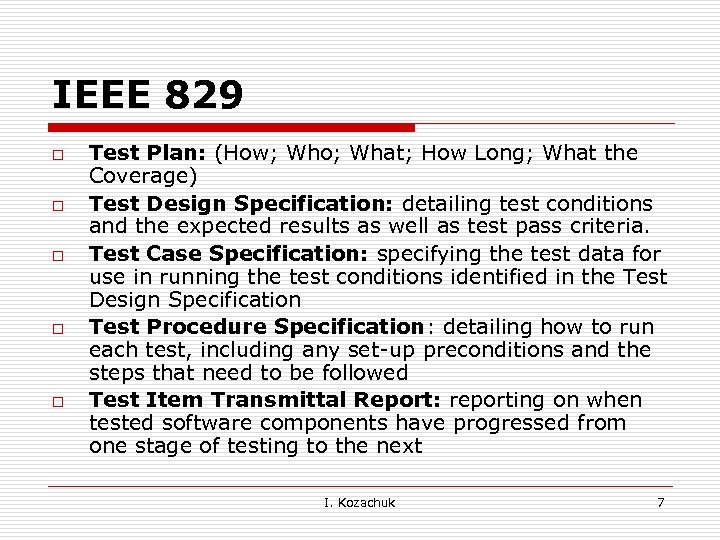 IEEE 829 o o o Test Plan: (How; Who; What; How Long; What the Coverage) Test Design Specification: detailing test conditions and the expected results as well as test pass criteria. Test Case Specification: specifying the test data for use in running the test conditions identified in the Test Design Specification Test Procedure Specification: detailing how to run each test, including any set-up preconditions and the steps that need to be followed Test Item Transmittal Report: reporting on when tested software components have progressed from one stage of testing to the next I. Kozachuk 7
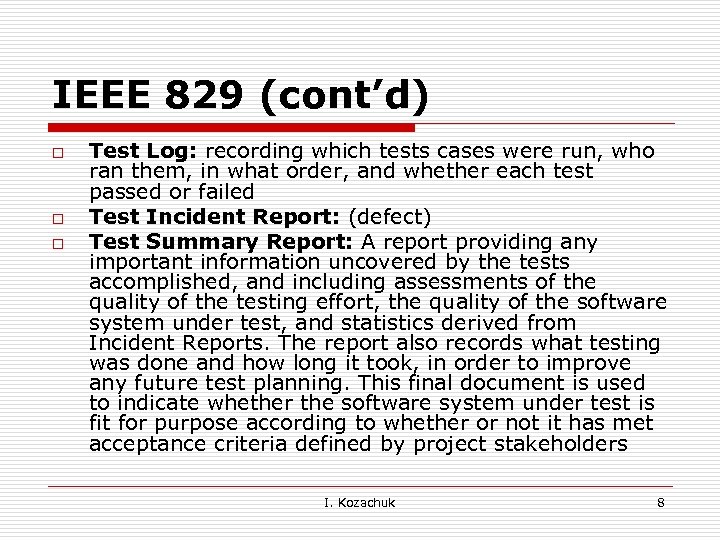 IEEE 829 (cont’d) o o o Test Log: recording which tests cases were run, who ran them, in what order, and whether each test passed or failed Test Incident Report: (defect) Test Summary Report: A report providing any important information uncovered by the tests accomplished, and including assessments of the quality of the testing effort, the quality of the software system under test, and statistics derived from Incident Reports. The report also records what testing was done and how long it took, in order to improve any future test planning. This final document is used to indicate whether the software system under test is fit for purpose according to whether or not it has met acceptance criteria defined by project stakeholders I. Kozachuk 8
 FDA: CFR part 11 o o Title 21 CFR Part 11 of the Code of Federal Regulations deals with the Food and Drug Administration (FDA) guidelines on electronic records and electronic signatures in the United States. Part 11, as it is commonly called, defines the criteria under which electronic records and electronic signatures are considered to be trustworthy, reliable and equivalent to paper records I. Kozachuk 9
 Standards: SOP/DP – company specific o o o Subsystem Requirements Subsystem Verification Design Trace Matrix Media Creation Process Defect Tracking Inspection Procedure Software Verification Version Numbering Software Configuration Management Process Unit and Integration Testing Software Design Reviews , etc I. Kozachuk 10
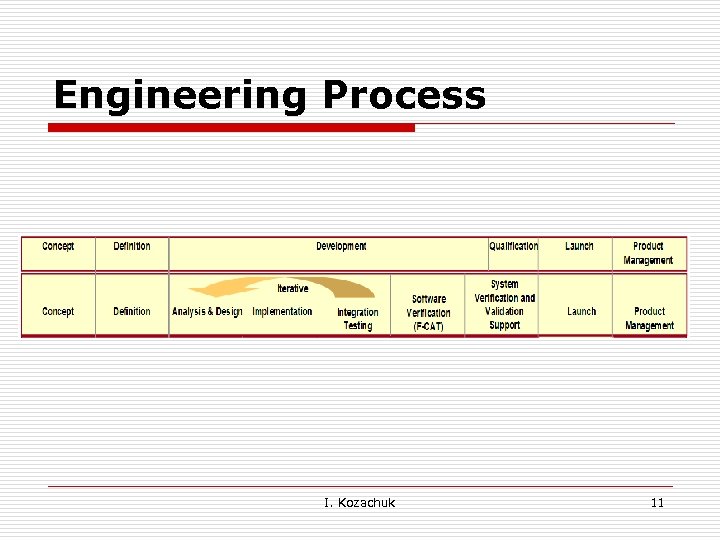 Engineering Process I. Kozachuk 11
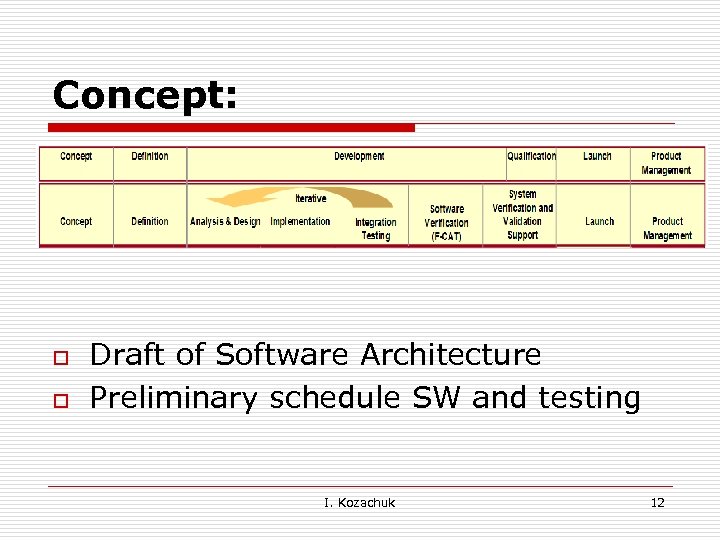 Concept: o o Draft of Software Architecture Preliminary schedule SW and testing I. Kozachuk 12
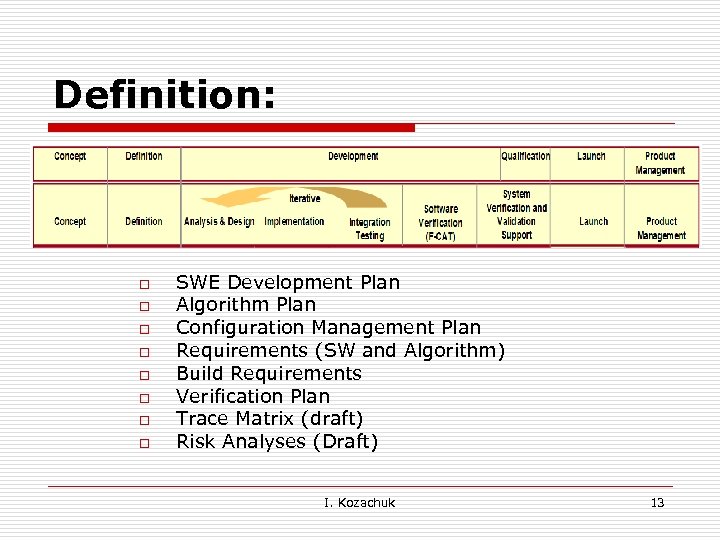 Definition: o o o o SWE Development Plan Algorithm Plan Configuration Management Plan Requirements (SW and Algorithm) Build Requirements Verification Plan Trace Matrix (draft) Risk Analyses (Draft) I. Kozachuk 13
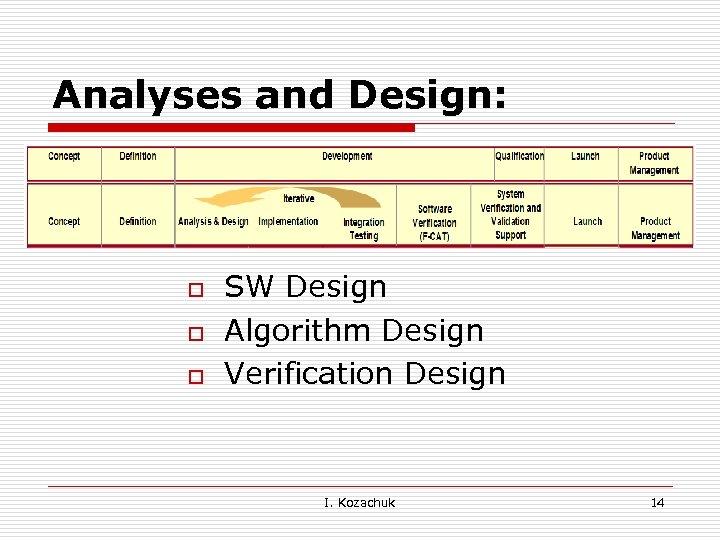 Analyses and Design: o o o SW Design Algorithm Design Verification Design I. Kozachuk 14
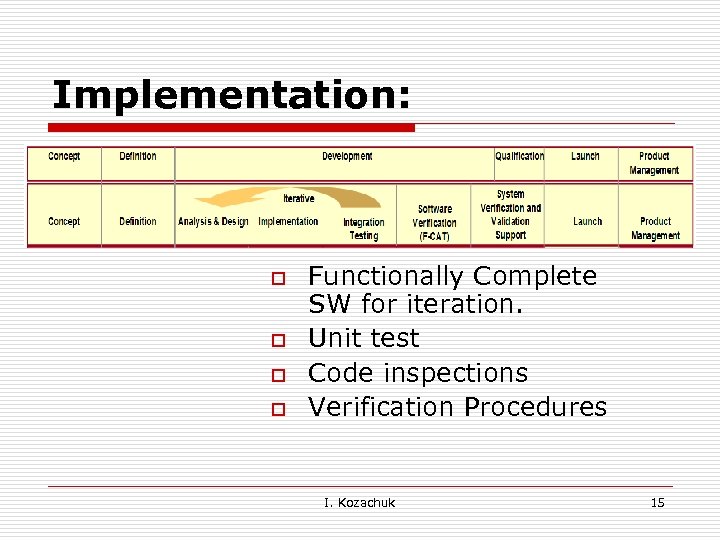 Implementation: o o Functionally Complete SW for iteration. Unit test Code inspections Verification Procedures I. Kozachuk 15
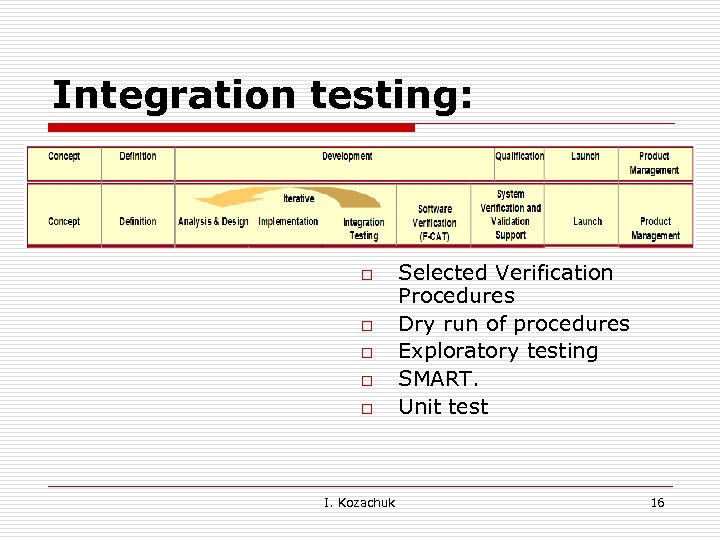 Integration testing: o o o I. Kozachuk Selected Verification Procedures Dry run of procedures Exploratory testing SMART. Unit test 16
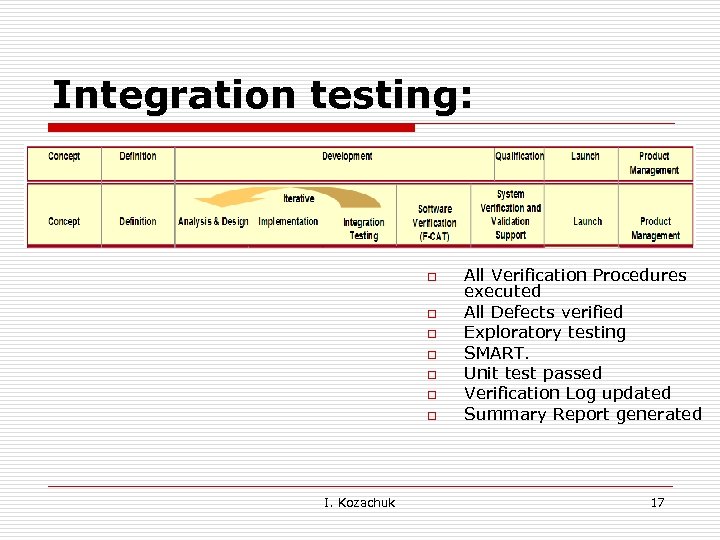 Integration testing: o o o o I. Kozachuk All Verification Procedures executed All Defects verified Exploratory testing SMART. Unit test passed Verification Log updated Summary Report generated 17
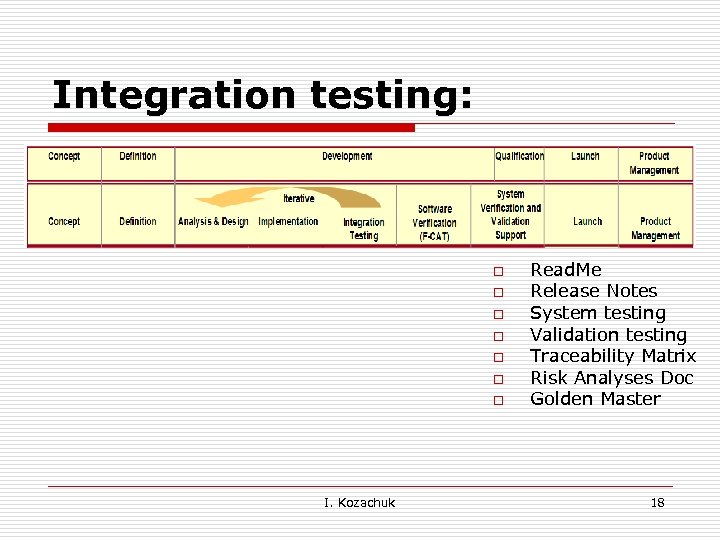 Integration testing: o o o o I. Kozachuk Read. Me Release Notes System testing Validation testing Traceability Matrix Risk Analyses Doc Golden Master 18
 Software Quality Assurance Activities: o o Review: n Software Requirements and/or Functional Specification, Technical Development Documents/ SWE Designs Creation: n Test Plan and test designs n Requirements based Test Cases, Test Suits/Procedures/Protocols n End-to-End procedures Peer review of the Test Cases/ Procedures Functional, Exploratory, JIT and Integration Testing I. Kozachuk 19
 Software Quality Assurance Activities (cont’d) o o o Builds qualification Procedures execution Updating the Test Log Updating the Traceability Matrix Generation of the Summary Report Defects submission/Verification/Closure I. Kozachuk 20
 Requirement Review: Types of requirements o o WHY (Business) WHAT (Functional) HOW WELL (Qualities, non functional, robustness, compatibility, reliability, safety, etc) HOW (Design) I. Kozachuk 21
 Requirement: IEEE o o Guide to the Software Engineering Body of Knowledge ‘It is certainly a myth that requirements are even perfectly understood or perfectly specified. Instead, requirements typically iterate toward a level of quality and detail that is sufficient to permit design and procurement decisions to be made’ I. Kozachuk 22
 Software Requirements Specification (SRS) Is a complete description of the System to be Developed. Documents that SRS includes: n n Functional requirements. Non-functional requirements Requirements are the foundation of any development project I. Kozachuk 23
 The Reality o o o Writing down requirements takes a long time Developers don’t read the requirements Requirements changed though the project I. Kozachuk 24
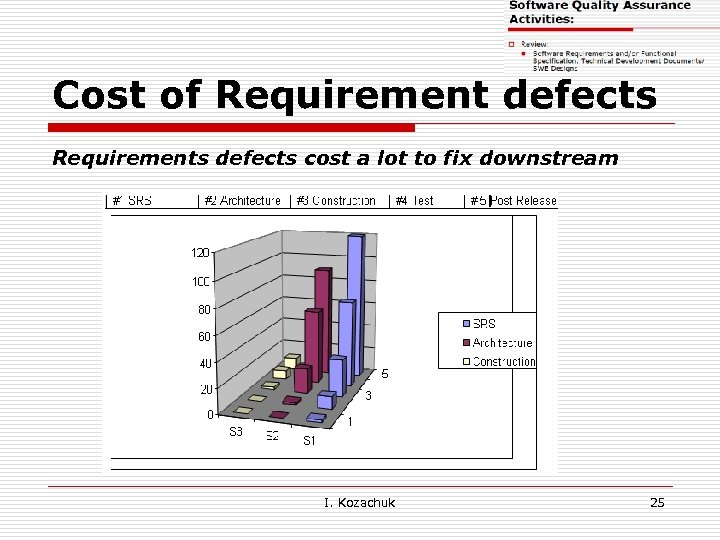 Cost of Requirement defects Requirements defects cost a lot to fix downstream I. Kozachuk 25
 The Good enough criteria: o o Sufficiently complete Feedback from stakeholders Meets goodness checks Setting scale for non-functional requirements I. Kozachuk 26
 Defining a Good Requirement q q q Correct (technically) Complete (express a whole idea or statement) Clear (unambiguous and not confusing) Consistent (not in conflict with other requirements) Traceable ( uniquely identified) I. Kozachuk 27
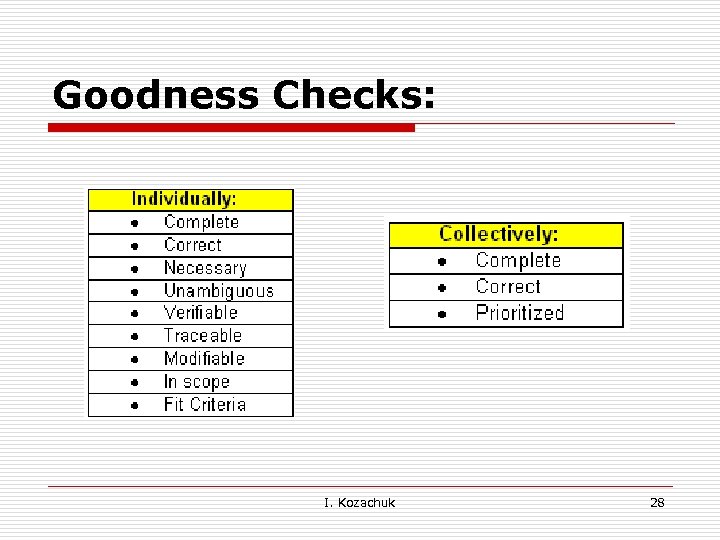 Goodness Checks: I. Kozachuk 28
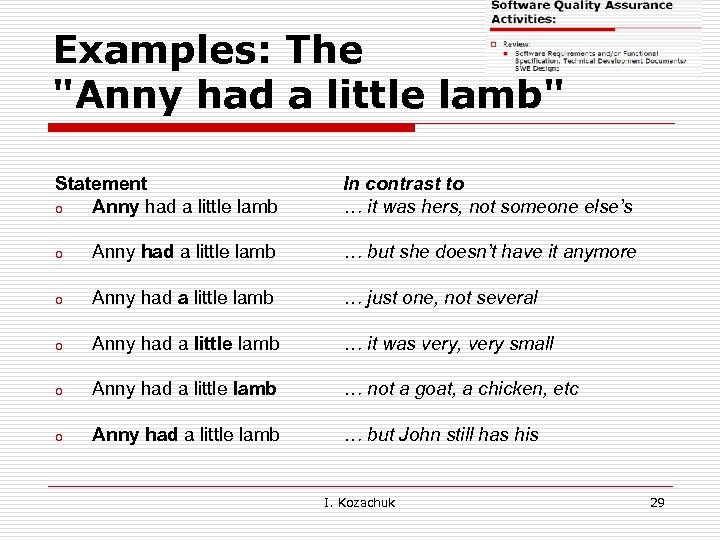 Examples: The "Anny had a little lamb" Statement o Anny had a little lamb In contrast to … it was hers, not someone else’s o Anny had a little lamb … but she doesn’t have it anymore o Anny had a little lamb … just one, not several o Anny had a little lamb … it was very, very small o Anny had a little lamb … not a goat, a chicken, etc o Anny had a little lamb … but John still has his I. Kozachuk 29
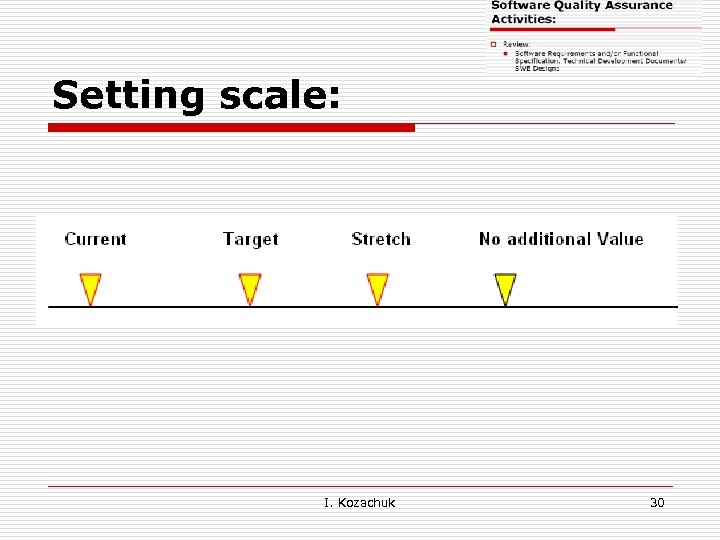 Setting scale: I. Kozachuk 30
 Writing Test Cases based on the Requirements and Walking on the Water… Both Easy When Frozen… I. Kozachuk 31
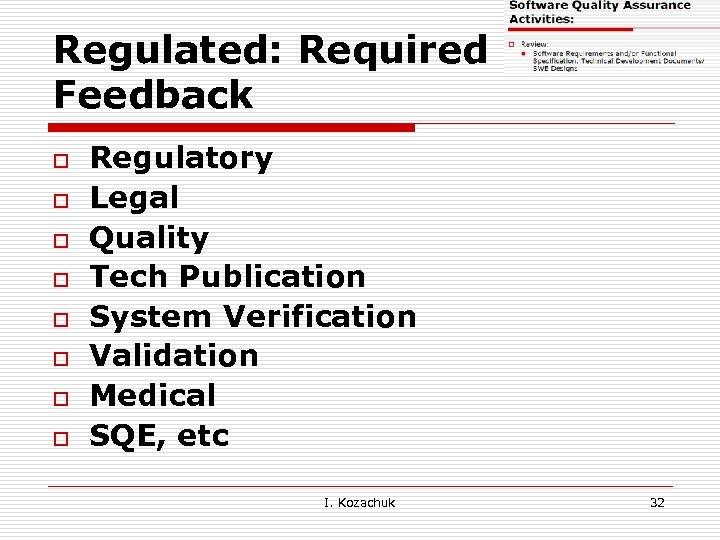 Regulated: Required Feedback o o o o Regulatory Legal Quality Tech Publication System Verification Validation Medical SQE, etc I. Kozachuk 32
 Example: Requirement o o o AA-UM-77: Application shall provide predefined Service and Administrator user accounts. AA-UM-78 Administrator password can be modified by Service AA-UM-472: A user with administrative privileges has the ability to generate a one time use password that user needs to change upon first user login. I. Kozachuk 33
 Example: Functional Specification o o o The Default Administrator account will have User ID as ‘Administrator’ and Password as ‘administrator’. This password can be changed through change password screen. The ‘Service’ account will have User ID as Service and Password as ‘My. Service’. This password for Service account cannot be modified. Password expiration for these accounts should set NEVER I. Kozachuk 34
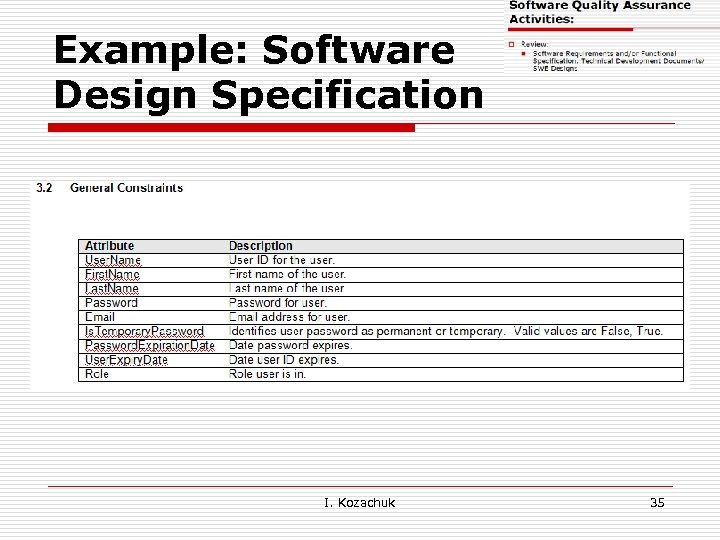 Example: Software Design Specification I. Kozachuk 35
 Test Plan Outline (? ) I. Kozachuk 36
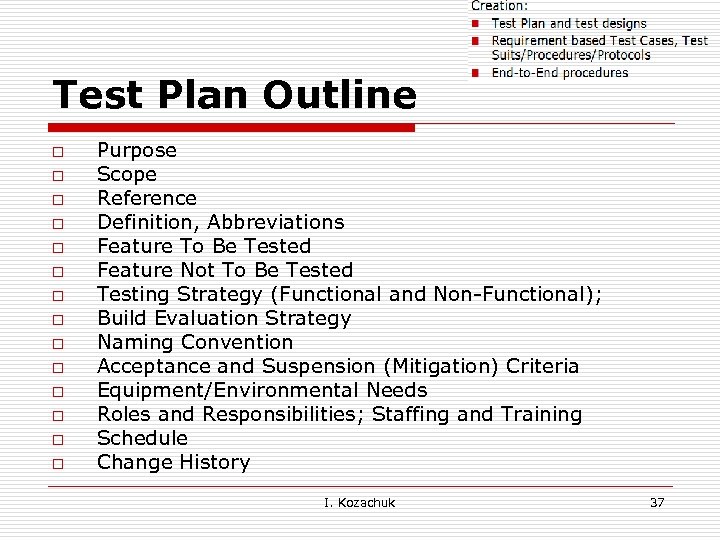 Test Plan Outline o o o o Purpose Scope Reference Definition, Abbreviations Feature To Be Tested Feature Not To Be Tested Testing Strategy (Functional and Non-Functional); Build Evaluation Strategy Naming Convention Acceptance and Suspension (Mitigation) Criteria Equipment/Environmental Needs Roles and Responsibilities; Staffing and Training Schedule Change History I. Kozachuk 37
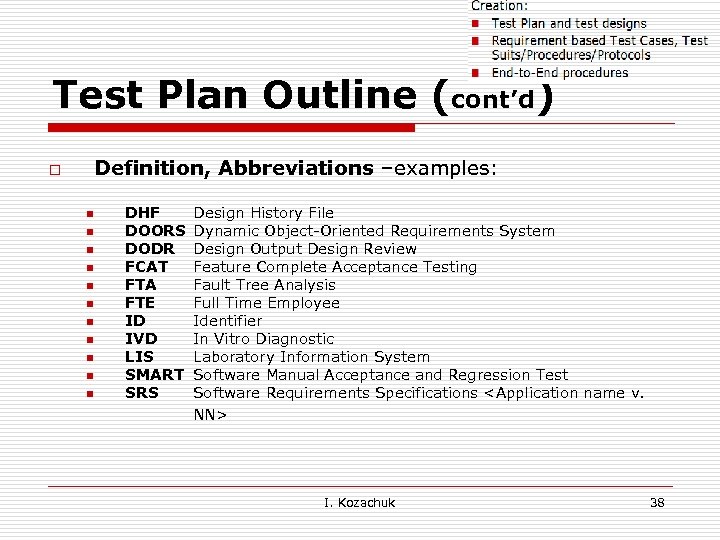 Test Plan Outline (cont’d) Definition, Abbreviations –examples: o n n n DHF DOORS DODR FCAT FTA FTE ID IVD LIS SMART SRS Design History File Dynamic Object-Oriented Requirements System Design Output Design Review Feature Complete Acceptance Testing Fault Tree Analysis Full Time Employee Identifier In Vitro Diagnostic Laboratory Information System Software Manual Acceptance and Regression Test Software Requirements Specifications
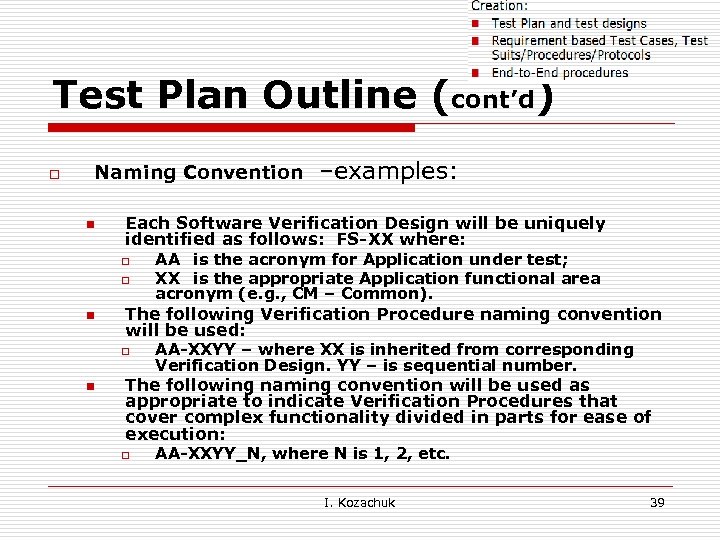 Test Plan Outline (cont’d) o Naming Convention n Each Software Verification Design will be uniquely identified as follows: FS-XX where: o o n AA is the acronym for Application under test; XX is the appropriate Application functional area acronym (e. g. , CM – Common). The following Verification Procedure naming convention will be used: o n –examples: AA-XXYY – where XX is inherited from corresponding Verification Design. YY – is sequential number. The following naming convention will be used as appropriate to indicate Verification Procedures that cover complex functionality divided in parts for ease of execution: o AA-XXYY_N, where N is 1, 2, etc. I. Kozachuk 39
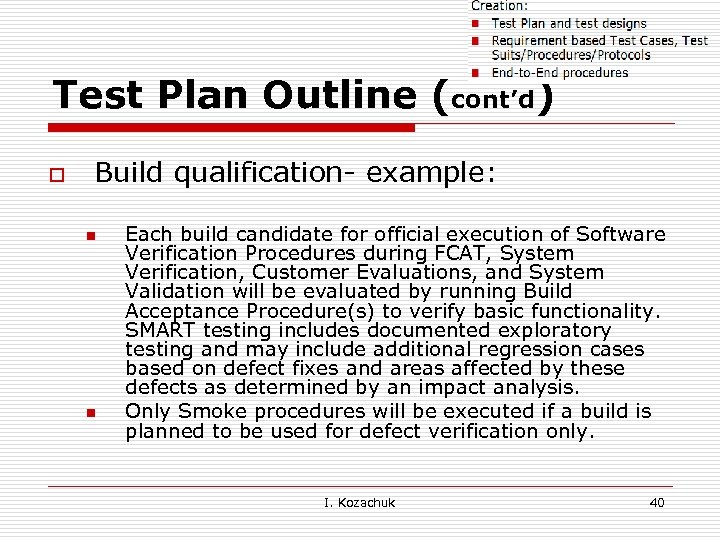 Test Plan Outline (cont’d) o Build qualification- example: n n Each build candidate for official execution of Software Verification Procedures during FCAT, System Verification, Customer Evaluations, and System Validation will be evaluated by running Build Acceptance Procedure(s) to verify basic functionality. SMART testing includes documented exploratory testing and may include additional regression cases based on defect fixes and areas affected by these defects as determined by an impact analysis. Only Smoke procedures will be executed if a build is planned to be used for defect verification only. I. Kozachuk 40
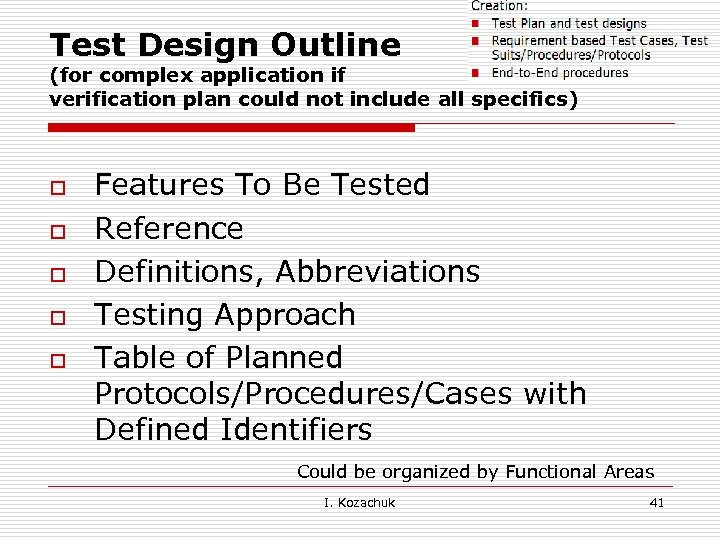 Test Design Outline (for complex application if verification plan could not include all specifics) o o o Features To Be Tested Reference Definitions, Abbreviations Testing Approach Table of Planned Protocols/Procedures/Cases with Defined Identifiers Could be organized by Functional Areas I. Kozachuk 41
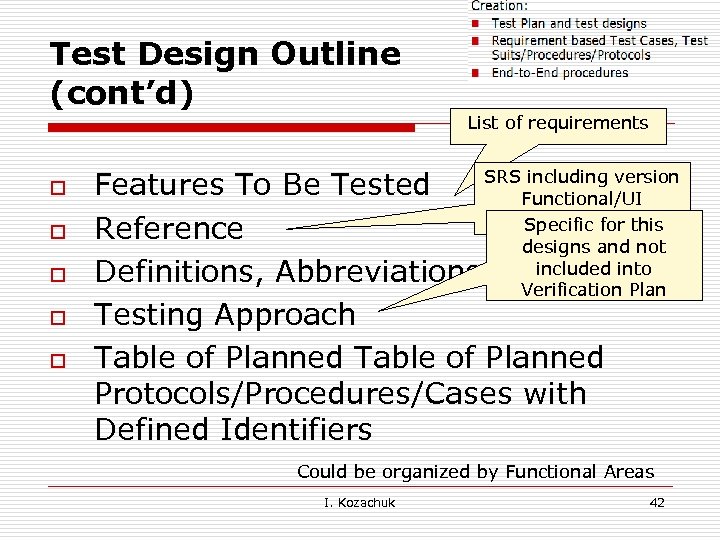 Test Design Outline (cont’d) List of requirements o o o SRS including version Features To Be Tested Functional/UI specification Specific for this Reference designs and not included Definitions, Abbreviations Verificationinto Plan Testing Approach Table of Planned Protocols/Procedures/Cases with Defined Identifiers Could be organized by Functional Areas I. Kozachuk 42
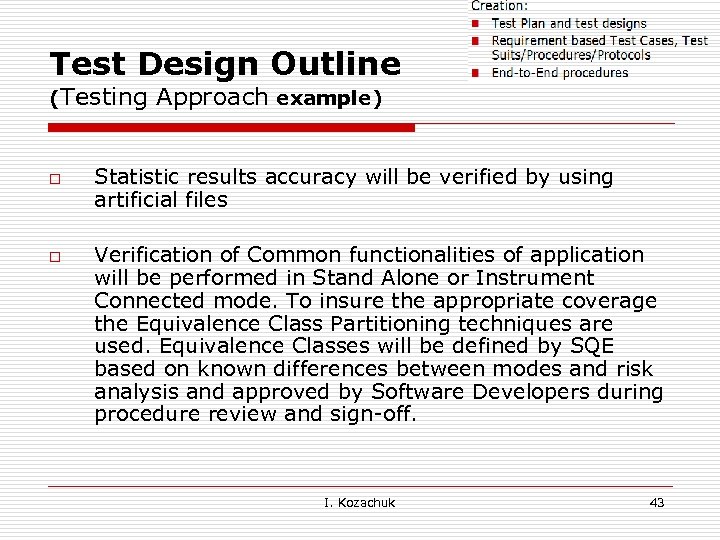 Test Design Outline (Testing o o Approach example) Statistic results accuracy will be verified by using artificial files Verification of Common functionalities of application will be performed in Stand Alone or Instrument Connected mode. To insure the appropriate coverage the Equivalence Class Partitioning techniques are used. Equivalence Classes will be defined by SQE based on known differences between modes and risk analysis and approved by Software Developers during procedure review and sign-off. I. Kozachuk 43
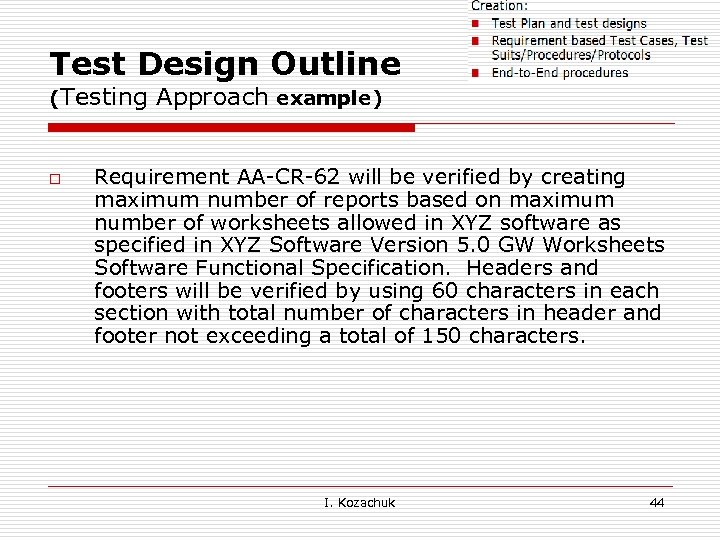 Test Design Outline (Testing o Approach example) Requirement AA-CR-62 will be verified by creating maximum number of reports based on maximum number of worksheets allowed in XYZ software as specified in XYZ Software Version 5. 0 GW Worksheets Software Functional Specification. Headers and footers will be verified by using 60 characters in each section with total number of characters in header and footer not exceeding a total of 150 characters. I. Kozachuk 44
 Test Case Outline (? ) I. Kozachuk 45
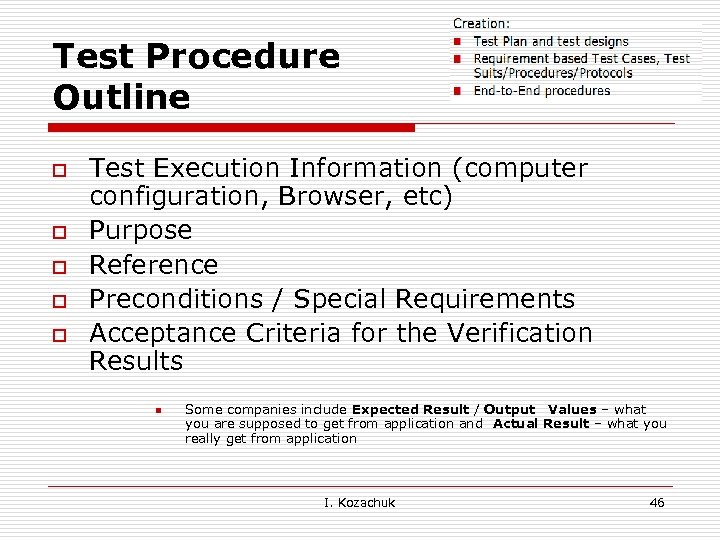 Test Procedure Outline o o o Test Execution Information (computer configuration, Browser, etc) Purpose Reference Preconditions / Special Requirements Acceptance Criteria for the Verification Results n Some companies include Expected Result / Output Values – what you are supposed to get from application and Actual Result – what you really get from application I. Kozachuk 46
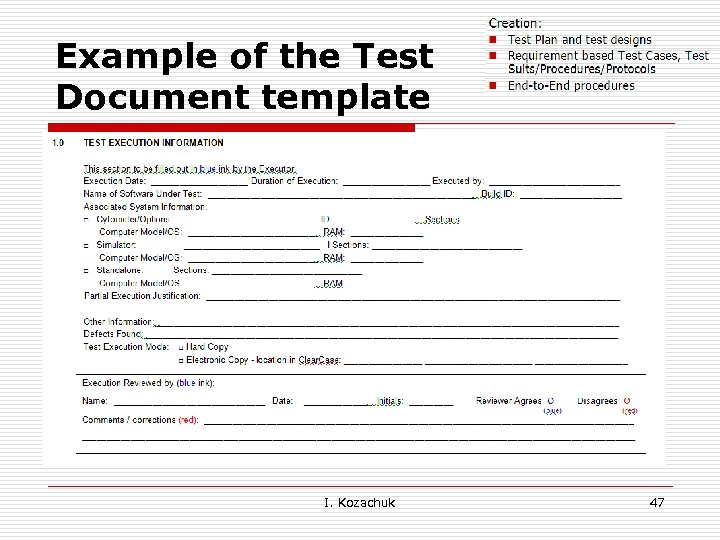 Example of the Test Document template I. Kozachuk 47
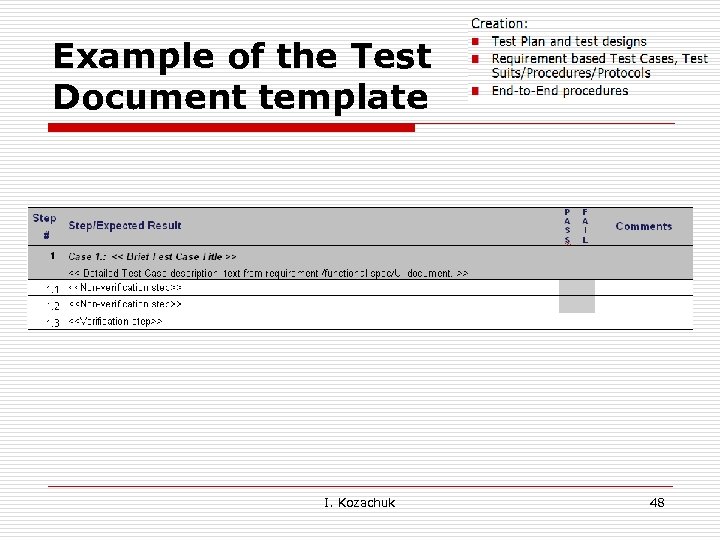 Example of the Test Document template I. Kozachuk 48
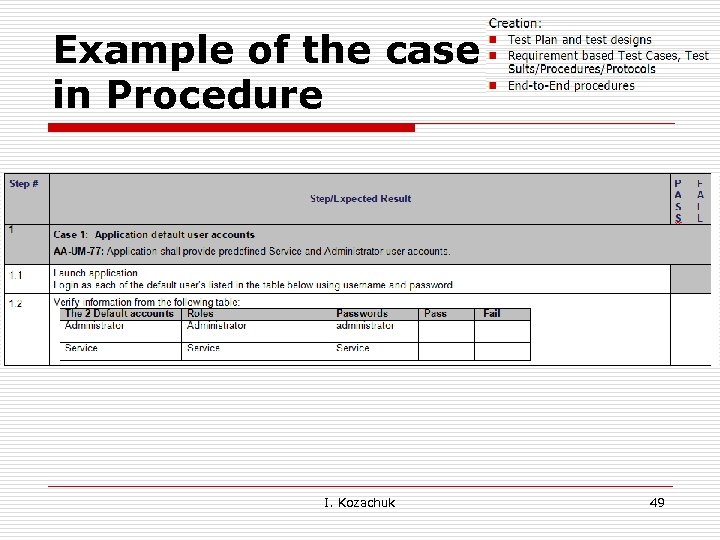 Example of the case in Procedure I. Kozachuk 49
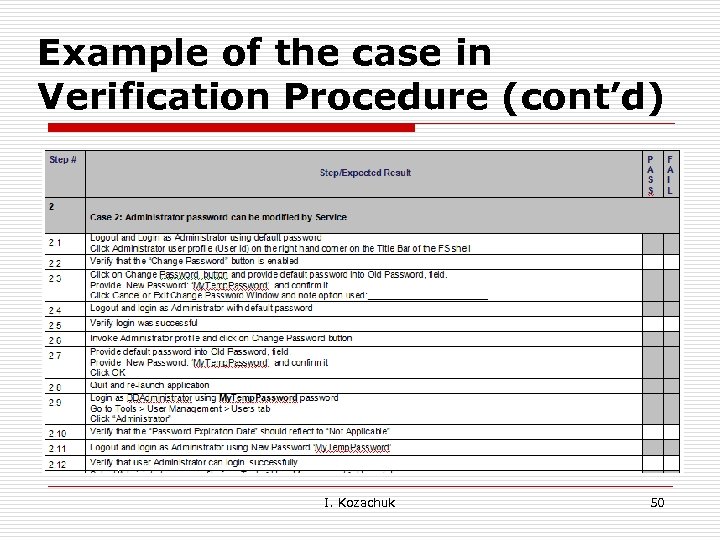 Example of the case in Verification Procedure (cont’d) I. Kozachuk 50
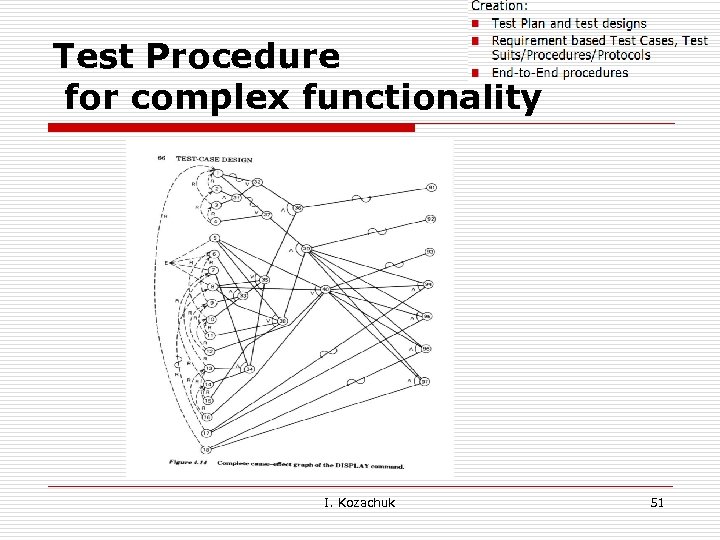 Test Procedure for complex functionality I. Kozachuk 51
 End-to-End procedure o End-to-end procedure validate whether the flow of application from the starting point to end point is happening as expected n For example, while testing a web page: o o . o the start point will be logging in to the page and the end point will be logging out of the application. In this case, the end to end scenario will be log in to the application, get into inbox, open and close the mail, compose a mail, either reply or forward the mail, check in the sent items, and log out Note: n System Testing is the methodology to validate whether the system as a whole is performing as per the requirements. There will be a lot of modules or unit in a application and in the system testing we have to validate the application performs as per the requirements as a whole. I. Kozachuk 52
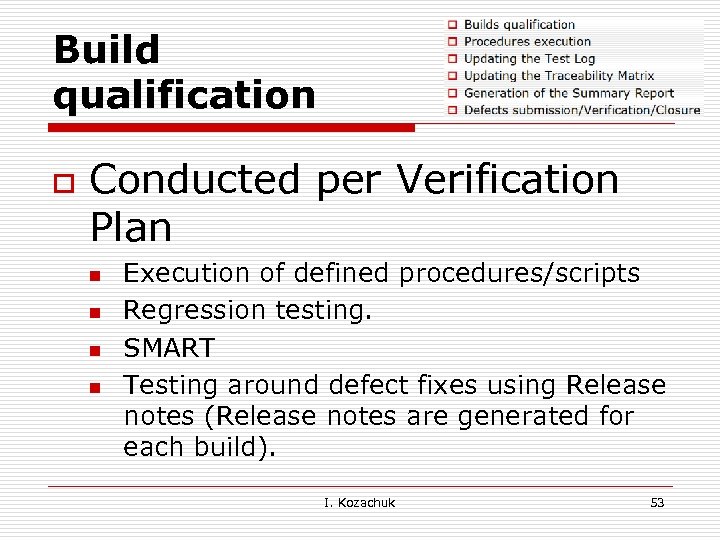 Build qualification o Conducted per Verification Plan n n Execution of defined procedures/scripts Regression testing. SMART Testing around defect fixes using Release notes (Release notes are generated for each build). I. Kozachuk 53
 Procedure execution o o Dry run during feature implementation. Execution during Final testing I. Kozachuk 54
 Testing vs. Test Log o Functional o Exploratory o JIT (Just in Time) o Integration Testing I. Kozachuk 55
 Testing vs. Test Log o Functional o Exploratory o JIT (Just in Time) o Integration Testing I. Kozachuk 56
 Test Log Format (? ) I. Kozachuk 57
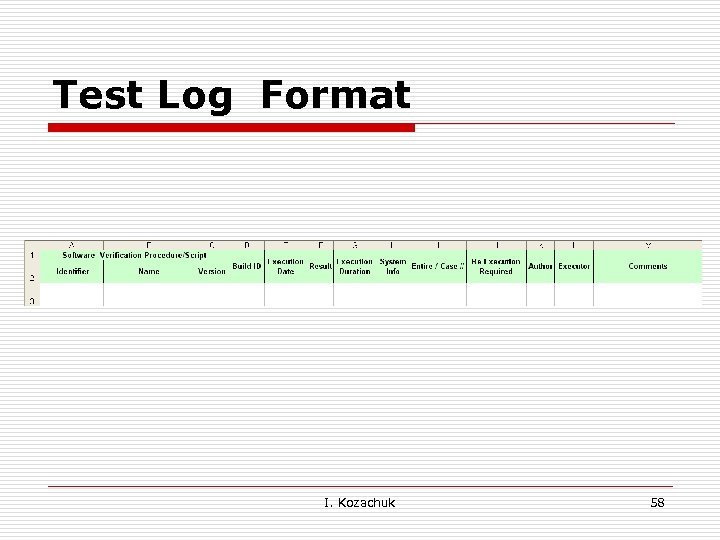 Test Log Format I. Kozachuk 58
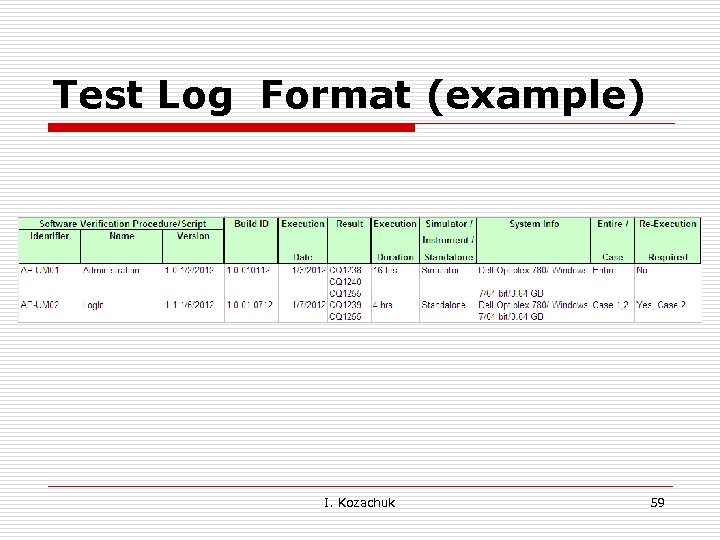 Test Log Format (example) I. Kozachuk 59
 Summary Report o o o Purpose Scope References Definitions, Abbreviations, and Acronyms Summary Variances Summary of activities Summary of results Evaluation Change History Addendum I. Kozachuk 60
 Summary Report o Summary n n n o Builds evaluation List of Builds Final build SUMMARY OF ACTIVITIES n n n Used instruments/ browsers, OS etc % of each component (e. g. what was executed on which computer type or browser) % of SQE team involvement. I. Kozachuk 61
 Summary Report o Summary of Results n n All defects submitted by SQE planned for this release in either fixed, or marked as Non reproducible and were verified by SQE; All verified defects are closed All defects found during Feature Complete Acceptance testing are submitted into Defect Tracing database and included in the Verification Log Addendum A to this document. The following abbreviation is used in the column ‘Result’ of the Verification Log Addendum A: o o If the defect is verified and closed, ‘C’ is listed next to it. Assigned, High priority with Planed Version not 1. 0. 2: ‘H-FR’ Work Completed with Planed Version not 1. 0. 2: ‘WC-FR’ Assigned, medium or low: ‘A-M’ or ‘A-L’ I. Kozachuk 62
 Evaluation o o The build X. Y. Z. KLMN (Firmware version XYZ) was evaluated by execution of all defined build qualification procedures and additional exploratory testing and it was defined as the Final candidate#1 the release. All defects submitted by SQE planned for this release in either fixed, or marked as Non reproducible and were verified by SQE; I. Kozachuk 63
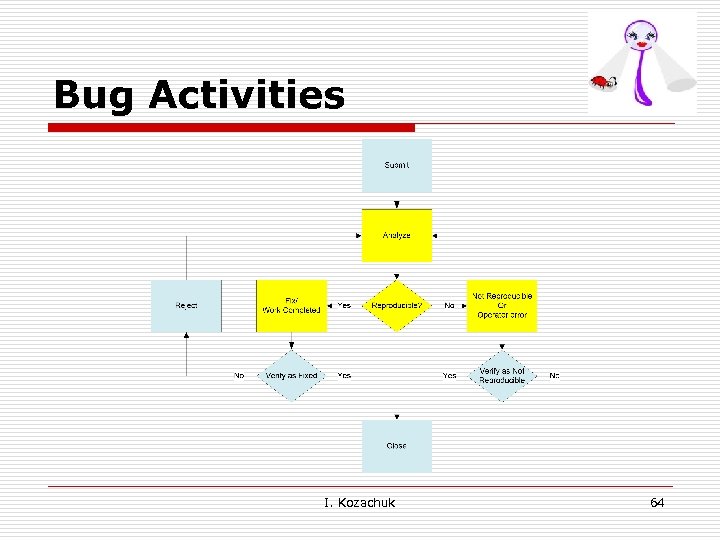 Bug Activities I. Kozachuk 64
 Not a myth o Does not happen on developers machine o Disappears when you show it to others! I. Kozachuk 65
 Example (? ) When “Percent of Completion (%)” is specified, the software may require the user to specify “Percent of the Individual Contribution” as well. I. Kozachuk 66
 Bug Report (? ) I. Kozachuk 67
 Example: Copy (? ) “Select region by holding on ‘Shift’ or ‘Ctrl’ key while clicking on another region. Chose ‘Copy’ from the contextual menu or the ‘Copy’ in the Edit menu of the application Menu Bar, or press the ‘Ctrl’+C” I. Kozachuk 68
 Bug Report (? ) I. Kozachuk 69
 Example : Copy “Select region or select multiple regions by holding on ‘Shift’ or ‘Ctrl’ key while clicking on another region. Chose ‘Copy’ from the contextual menu or the ‘Copy’ in the Edit menu of the application Menu Bar, or press the Ctrl+C” I. Kozachuk 70
 Example - Log In (? ) o o A Log In screen is displayed at the launch of the application. Users will be prompted to choose a username from the User Name list and type the password. The password is masked so that it cannot be read on the screen. The User Name list is ordered. I. Kozachuk 71
 Bug Report (? ) I. Kozachuk 72
 Example - Log In o o A Log In screen is displayed at the launch of the application. Users will be prompted to choose a username from the User Name list and type the password. The password is masked so that it cannot be read on the screen. The User Name list is ordered by User Account creation. I. Kozachuk 73
 Bug Report (? ) I. Kozachuk 74
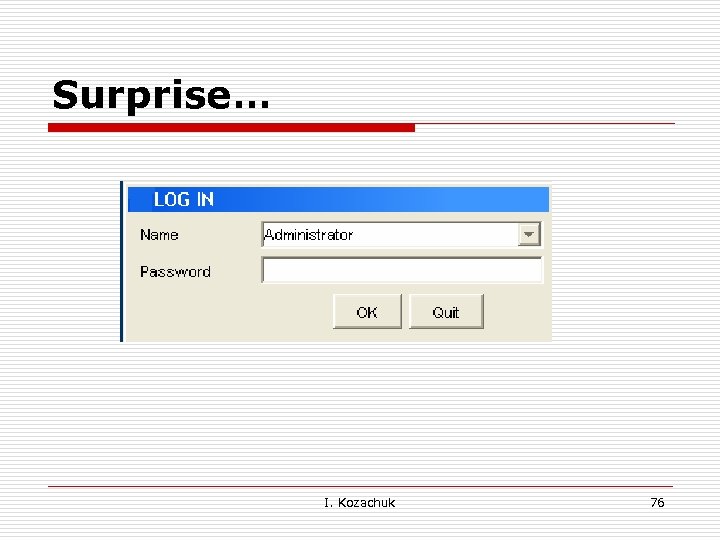
 Example - Log In o o A Log In screen is displayed at the launch of the application. Users will be prompted to choose a username from the User Name list and type the password. The password is masked so that it cannot be read on the screen. The User Name list is ordered alphabetically. I. Kozachuk 75
 Surprise… I. Kozachuk 76
 Listening to Your Defects o Defects can tell us a lot about… n Our Projects n Our Product n Our Process I. Kozachuk 77
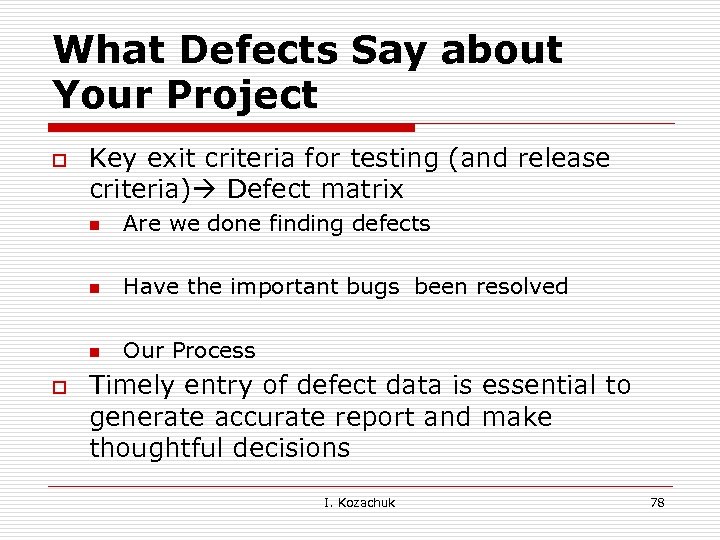 What Defects Say about Your Project o Key exit criteria for testing (and release criteria) Defect matrix n n Have the important bugs been resolved n o Are we done finding defects Our Process Timely entry of defect data is essential to generate accurate report and make thoughtful decisions I. Kozachuk 78
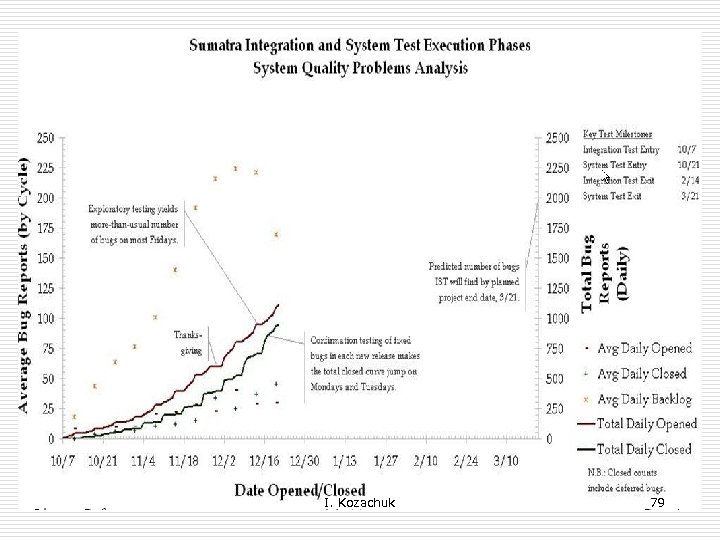 I. Kozachuk 79
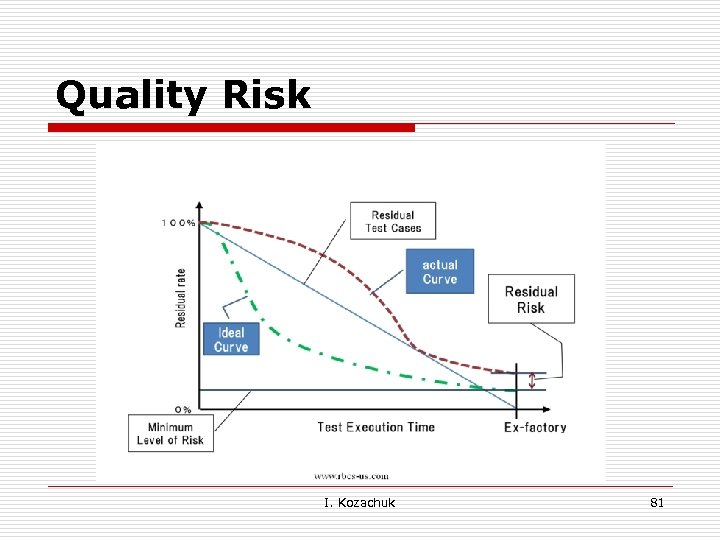
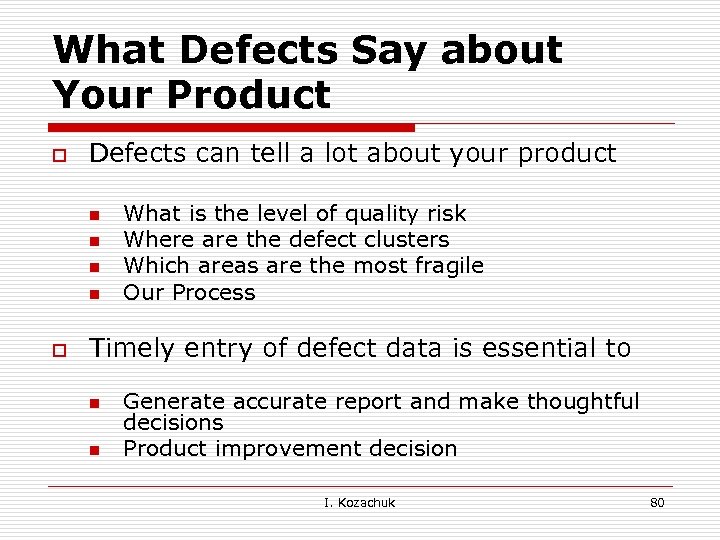 What Defects Say about Your Product o Defects can tell a lot about your product n n o What is the level of quality risk Where are the defect clusters Which areas are the most fragile Our Process Timely entry of defect data is essential to n n Generate accurate report and make thoughtful decisions Product improvement decision I. Kozachuk 80
 Quality Risk I. Kozachuk 81
 What Defects Say about Your Process o Software engineering is a human process n n n o Did developers create robust Unit test Where are the defect clusters failed Unit tests Why build so many times failed Potential for Process improvement I. Kozachuk 82
 Types of Testing o o o o Black-Box testing: based on a Product Documentation (Called behavioral, functional) Structural testing: based on object's structure – code (Called structural, glass-box, white-box, unit) Configuration testing: hardware environments, installation options Compatibility testing: forward & backward compatible, standards & guidelines Usability testing Document testing: user manual, advertising, error message, help, installation instructions Localization (L 10 n) testing: locals testing, etc. I. Kozachuk 83
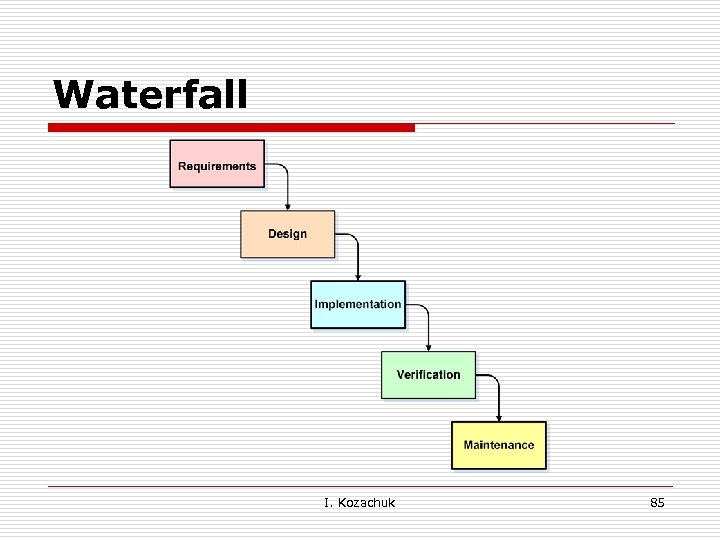
 Models & Processes o Structured ( Waterfall) o Iterative/Incremental o Spiral o Agile & Scrum o RAD o XP I. Kozachuk 84
 Waterfall I. Kozachuk 85
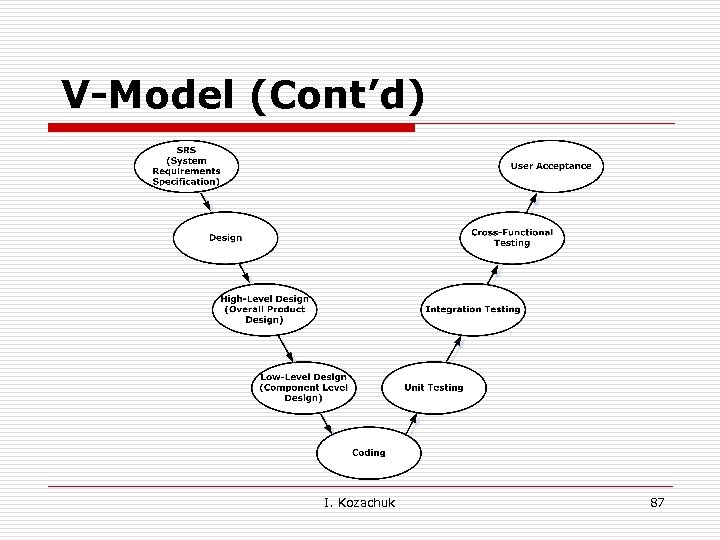
 V-Model o o The V-Model can be presumed to be the extension of the Waterfall Model. The V-Model demonstrates the relationships between each phase of the development life cycle and its associated phase of Testing. I. Kozachuk 86
 V-Model (Cont’d) I. Kozachuk 87
 Science Application Validation Components: o o Hardware Software Reagent System (optics, fluidics, etc) I. Kozachuk 88
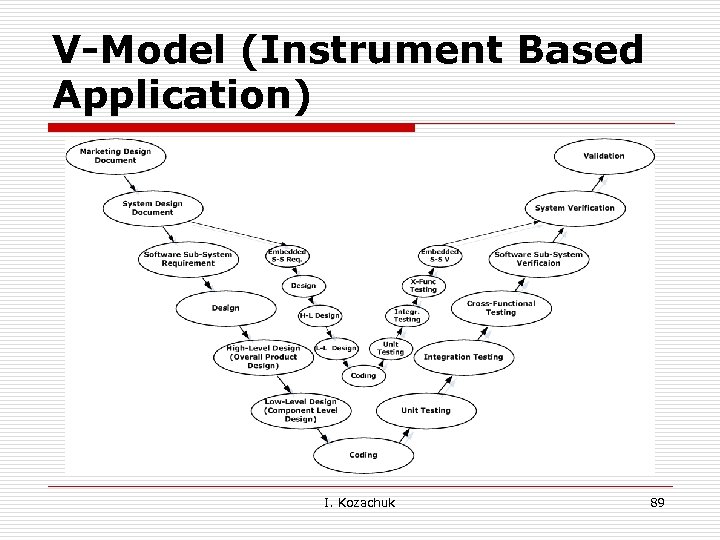 V-Model (Instrument Based Application) I. Kozachuk 89
 Software Development Process: for Instrument Based Software o System Verification (verification of the integration of instrument, reagents, and software application; Risk Analysis Mitigation, Stress and Hazard, Characterization) n o - Have we built the software right System Validation (validation of user defined scenarios, creation custom template, etc) n - Have we built the right software I. Kozachuk 90
 "Incremental" and "Iterative" o o Various parts of the system are developed at different times or rates, and integrated as they are completed The basic idea is to develop a software system incrementally, allowing the developer to take advantage of what was being learned during the development of earlier, incremental, deliverable versions of the system. I. Kozachuk 91
 "Incremental" and "Iterative" (Cont'd) o o Key steps in the process were to start with a simplementation of a subset of the software requirements and iteratively enhance the evolving sequence of versions until the full system is implemented. At each iteration, design modifications are made and new functional capabilities are added. I. Kozachuk 92
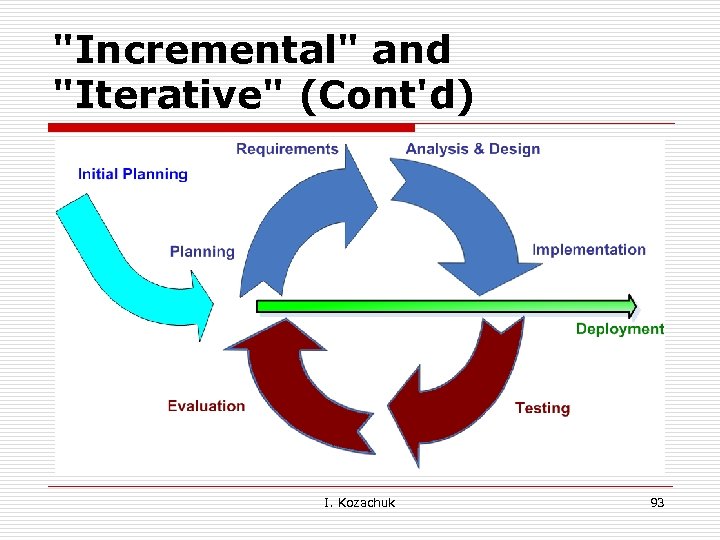 "Incremental" and "Iterative" (Cont'd) I. Kozachuk 93
 Spiral Model o o The Spiral Model is combining elements of both design and prototyping-in-stages. The Spiral Model is intended for large, expensive and complicated projects I. Kozachuk 94
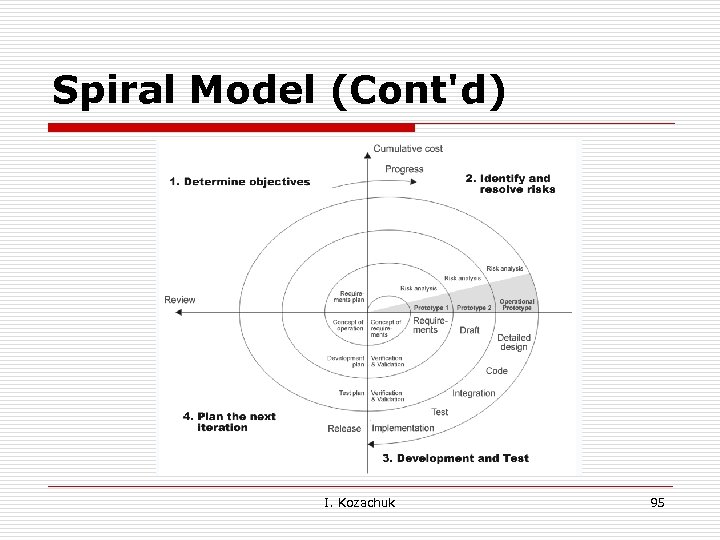 Spiral Model (Cont'd) I. Kozachuk 95
 Problems with previous methodologies 1) Releasing Applications takes long time that may be resulting in inadequate, outdated or even unusable system. 2) The assumption that “Requirement Analysis” phase would identify all the critical requirements. I. Kozachuk 96
 Agile Model o o Iterations in short amounts of time (1 -4 weeks) Each iteration passes through a full software development cycle: including planning , requirement analysis, design, coding, testing, and documentation. I. Kozachuk 97
 List of Agile Methods o Scrum o Test Driven Development o Feature Driven Development I. Kozachuk 98
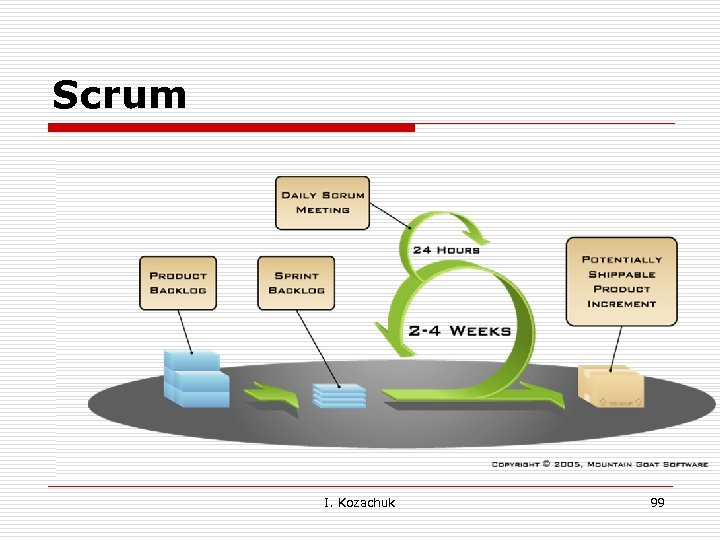 Scrum § Scrum o Test Driven Development o Feature Driven Development I. Kozachuk 99
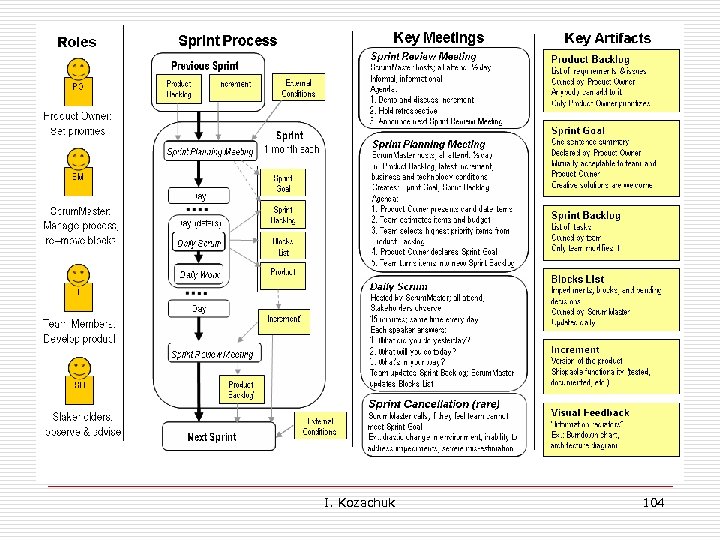
 Scrum (Cont'd) o o The set of features that go into each sprint come from the product backlog. During the sprint n n A daily project status meeting occurs (called a scrum or “the daily standup”). No one is able to change the sprint backlog, which means that the requirements are frozen for sprint. I. Kozachuk 100
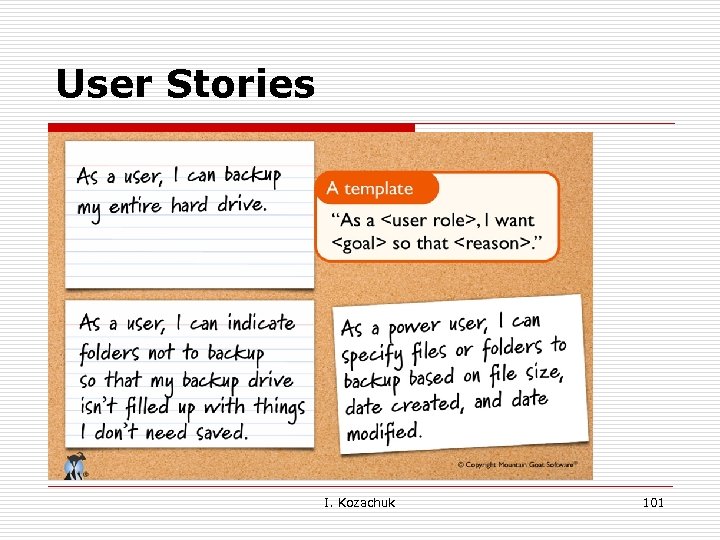 User Stories I. Kozachuk 101
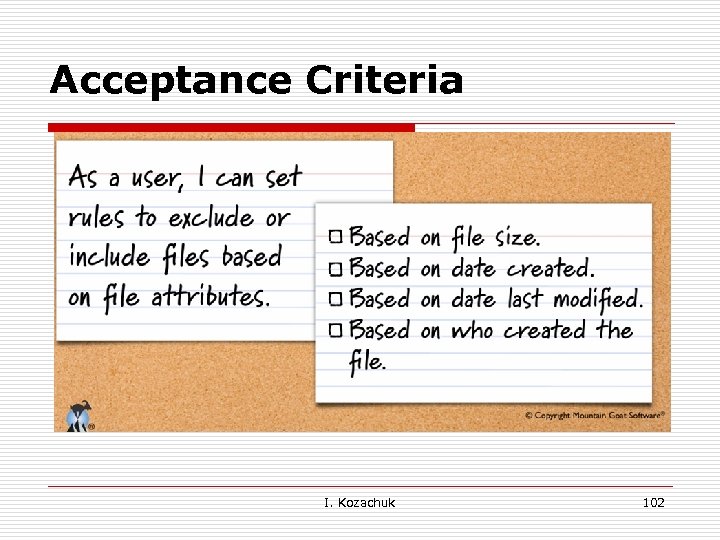 Acceptance Criteria I. Kozachuk 102
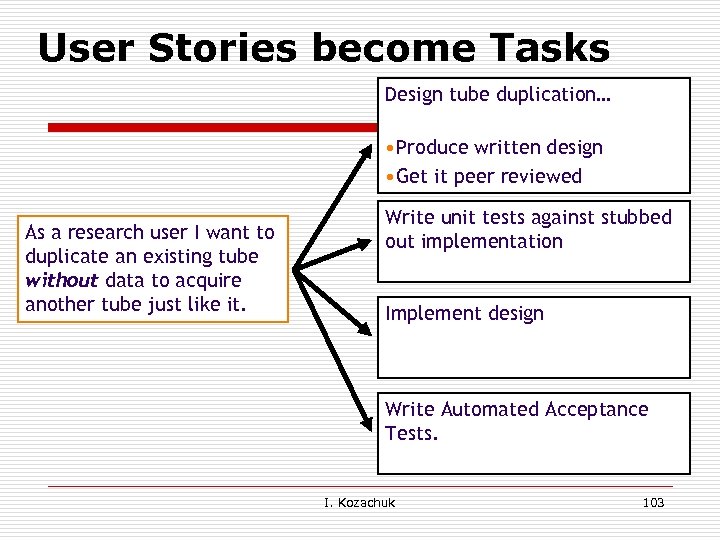 User Stories become Tasks Design tube duplication… • Produce written design • Get it peer reviewed As a research user I want to duplicate an existing tube without data to acquire another tube just like it. Write unit tests against stubbed out implementation Implement design Write Automated Acceptance Tests. I. Kozachuk 103
 I. Kozachuk 104
 Builds o o Continuous (sub set of unit tests) Nightly (includes some UI) Comprehensive (up to 12 hoursintensive UI) Penalty box (broken build-notification send to the person responsible for the test) I. Kozachuk 105
 Test Driven Development o o This technique consists of short iterations where new test cases are written first. The availability of tests before actual development ensures rapid feedback. I. Kozachuk 106
 Feature Driven Development o o o High-Level Walkthrough Of The Scope Feature List Plan By Feature Design By Feature Build By Feature Milestone I. Kozachuk 107
 Rapid Application Development (RAD) o o o Involves iterative development and the construction of prototypes Prototypes (Mock-ups) allow users to visualize an application that hasn't yet been constructed. Prototypes help “stakeholders” making design decisions without waiting for the system to be built. I. Kozachuk 108
 Extreme Programming (XP) Form of Agile Software Development: o o o Ongoing changes to the Requirement Focus on designing and coding for the current needs instead of future needs. Not spending resources on something that might not be needed. (uncertain future requirements) I. Kozachuk 109
 XP (Cont’d) o o System is developed in increments so can quickly be modified in response to end-user and customer feedback. Mostly evolutionary-prototyping efforts can start with any high-risk area. I. Kozachuk 110
 The Role of Testing in Agile o Testing is the headlights of the project n o Testing provides information to the team n o Testers don’t make the final call Testing does not assure quality n o This allows the team to make informed decisions A “bug” is anything that could bug a user n o Where are you now? Where did you head? The team does (or doesn’t) Testing is not a game of “gotcha” n Find ways to set goals, rather than focus on mistakes I. Kozachuk 111
 Acceptance Testing in Agile o o o User stories are short descriptions of features that need to be coded. Acceptance tests verify the completion of user stories. Ideally they are written before coding I. Kozachuk 112
 A way of thinking about Acceptance Tests o o Turn user stories into tests. Tests provide: n n n o Tests are specified in a format: n n o Goals and Guidance Instant Feedback Progress Measurement That is clear enough that Users / Customers can understand it That is specific enough so it can be executed Specification by Example I. Kozachuk 113
 Agile: Exploratory Learning o o o Plan to explore the product with each iteration. Look for bugs, missing features and opportunities for improvement. We don’t understand software until we have used it. I. Kozachuk 114
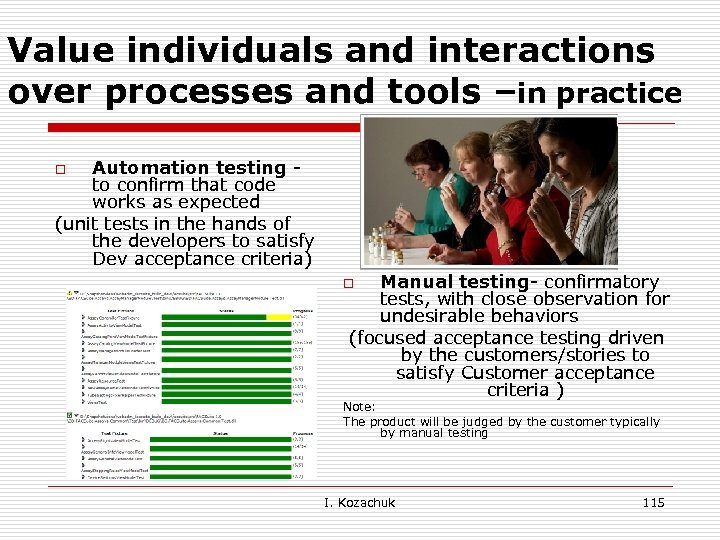 Value individuals and interactions over processes and tools –in practice Automation testing to confirm that code works as expected (unit tests in the hands of the developers to satisfy Dev acceptance criteria) o Manual testing- confirmatory tests, with close observation for undesirable behaviors (focused acceptance testing driven by the customers/stories to satisfy Customer acceptance criteria ) o Note: The product will be judged by the customer typically by manual testing I. Kozachuk 115
 Regulatory: Traditional vs. Agile o o In the ideal world they would have a ‘finished’ product to verify against a finished specification. In Agile to validate a moving target against a changing backlog I. Kozachuk 116
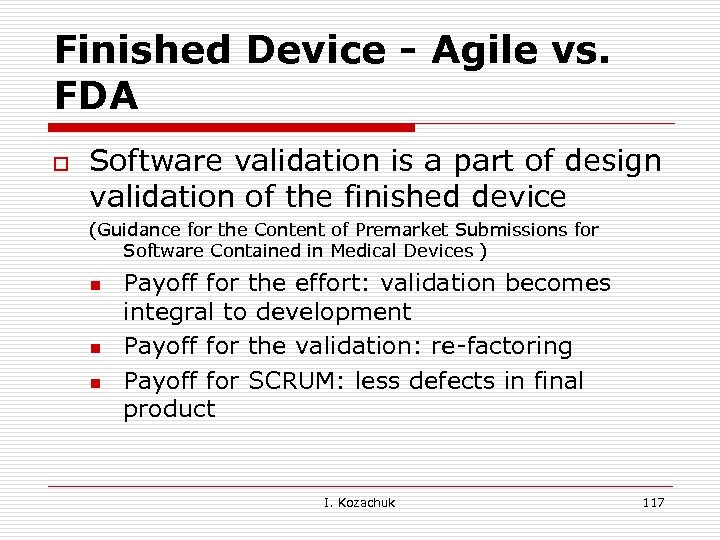 Finished Device - Agile vs. FDA o Software validation is a part of design validation of the finished device (Guidance for the Content of Premarket Submissions for Software Contained in Medical Devices ) n n n Payoff for the effort: validation becomes integral to development Payoff for the validation: re-factoring Payoff for SCRUM: less defects in final product I. Kozachuk 117
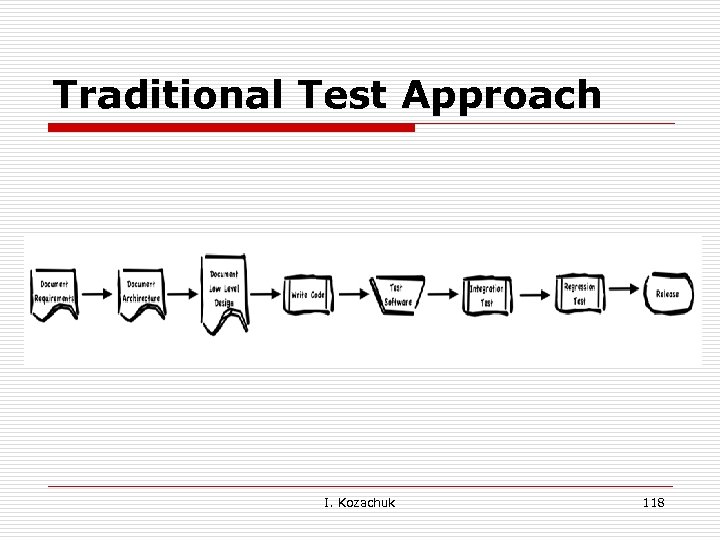 Traditional Test Approach I. Kozachuk 118
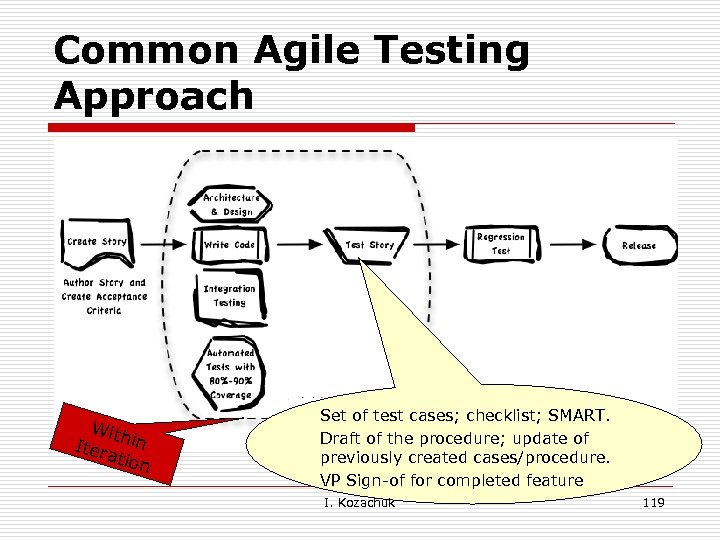 Common Agile Testing Approach With Iter in atio n Set of test cases; checklist; SMART. Draft of the procedure; update of previously created cases/procedure. VP Sign-of for completed feature I. Kozachuk 119
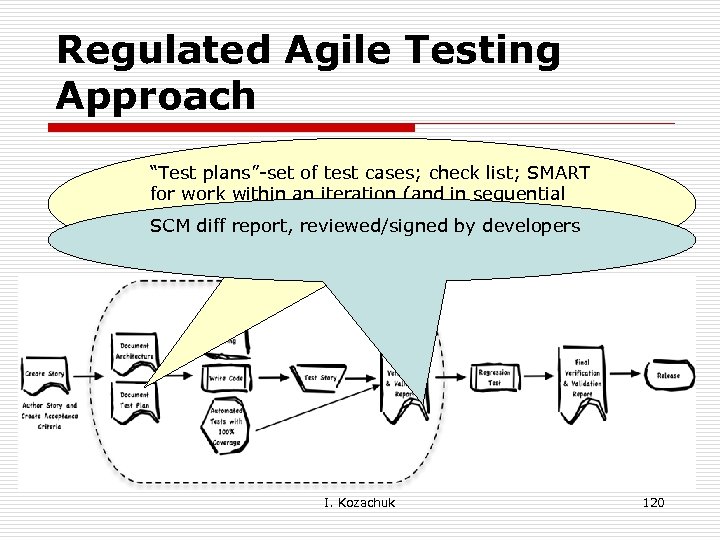 Regulated Agile Testing Approach “Test plans”-set of test cases; check list; SMART for work within an iteration (and in sequential iterations). Includes cases for currently. SCM diff report, reviewed/signed by developers interesting areas and across the system to provide feedback for ongoing stability. I. Kozachuk 120
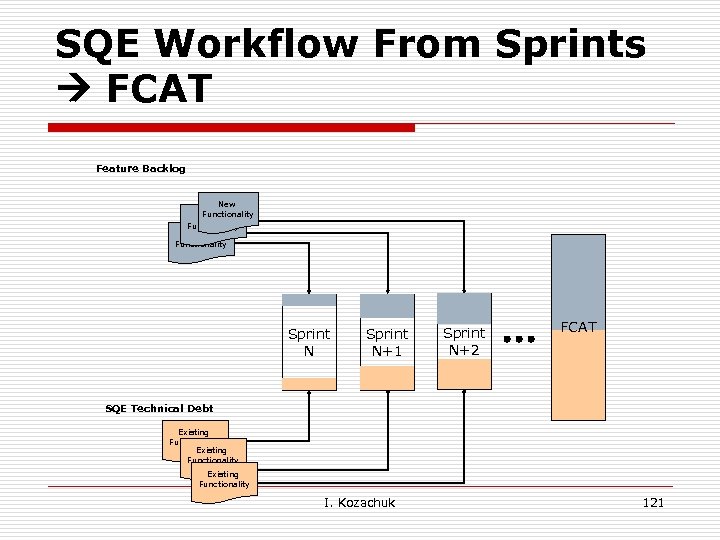 SQE Workflow From Sprints FCAT Feature Backlog New Functionality Sprint N+1 Sprint N+2 FCAT SQE Technical Debt Existing Functionality I. Kozachuk 121
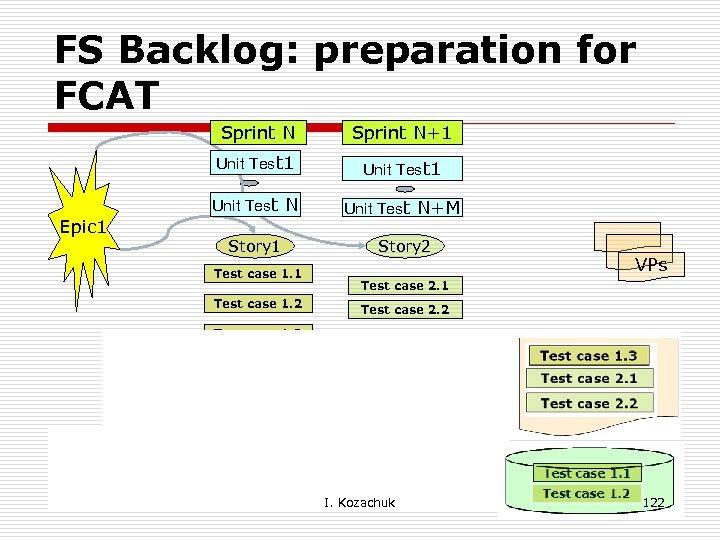 FS Backlog: preparation for FCAT Sprint N Unit Test 1 Epic 1 Sprint N+1 Unit Test N+M Story 1 Story 2 Test case 1. 1 Test case 1. 2 VPs Test case 2. 1 Test case 2. 2 Test case 1. 3 Verification Procedure draft Automation Scripts I. Kozachuk 122
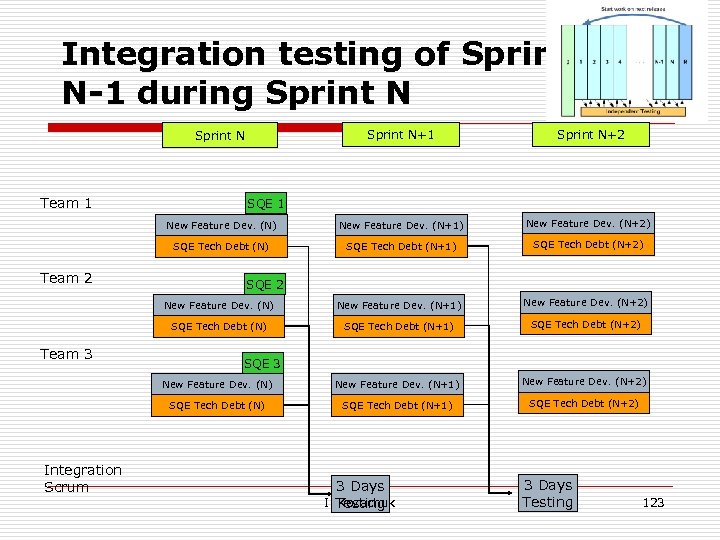 Integration testing of Sprint N-1 during Sprint N+1 Sprint N+2 New Feature Dev. (N) New Feature Dev. (N+1) New Feature Dev. (N+2) SQE Tech Debt (N) SQE Tech Debt (N+1) SQE Tech Debt (N+2) New Feature Dev. (N) New Feature Dev. (N+1) New Feature Dev. (N+2) SQE Tech Debt (N+1) SQE Tech Debt (N+2) Sprint N Team 1 Team 2 Team 3 Integration Scrum SQE 1 SQE 2 SQE 3 3 Days I. Testing Kozachuk 3 Days Testing 123
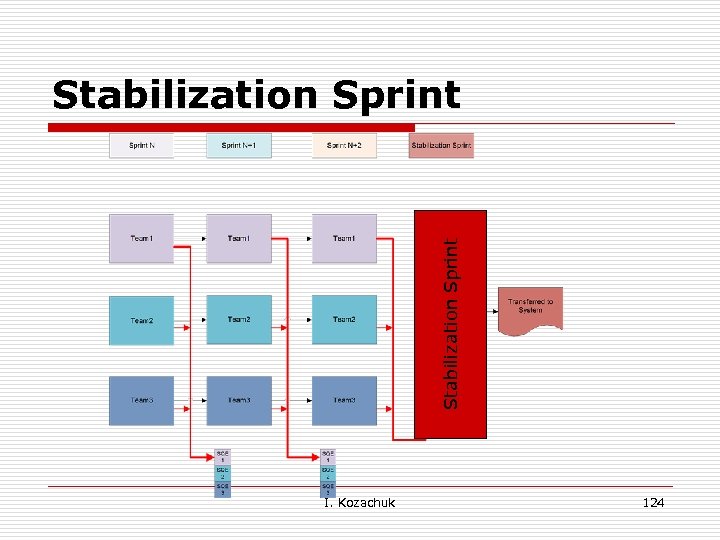 Stabilization Sprint I. Kozachuk 124
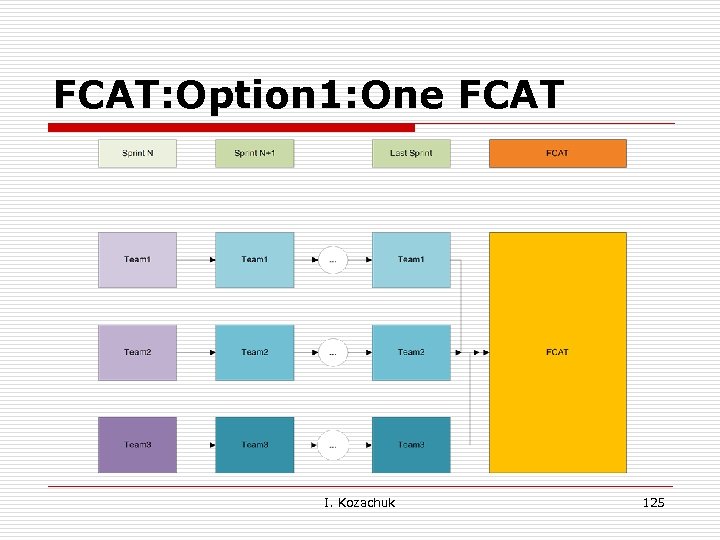 FCAT: Option 1: One FCAT I. Kozachuk 125
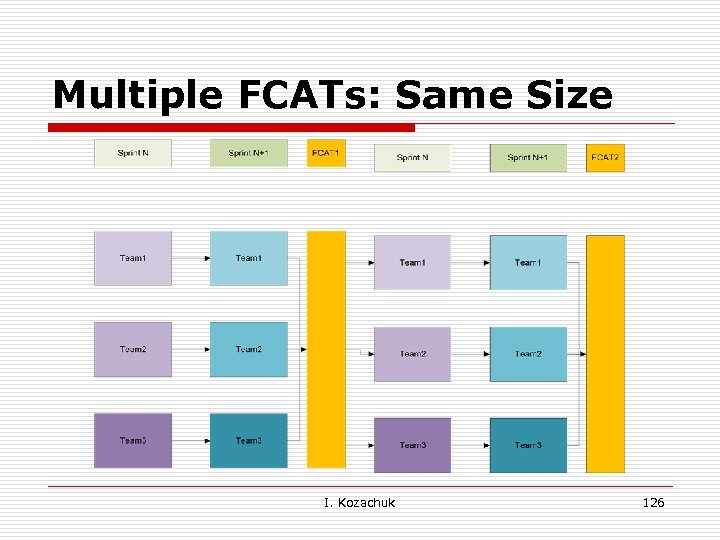 Multiple FCATs: Same Size I. Kozachuk 126
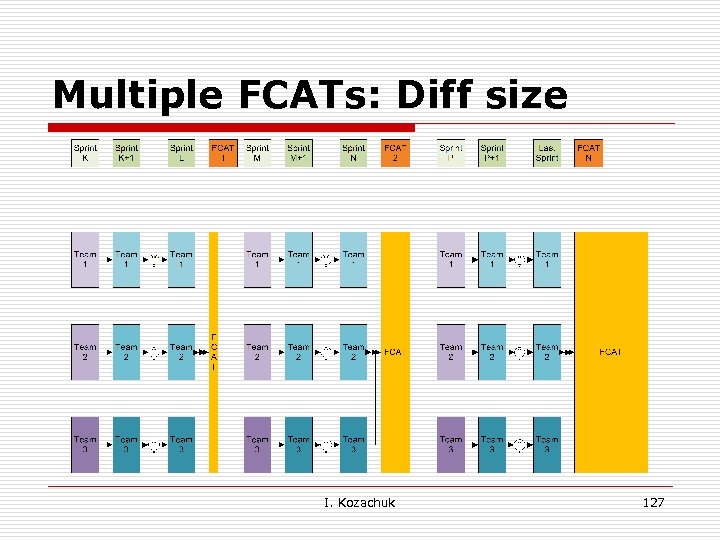 Multiple FCATs: Diff size I. Kozachuk 127
 Thank You Questions? I. Kozachuk 128