


 Скачать презентацию Temporal Reasoning and Planning in Medicine Visualization and
2c22257ecd620fc105990a642360458b.ppt
- Количество слайдов: 47
 Temporal Reasoning and Planning in Medicine Visualization and Exploration of Time-Oriented Medical Data Yuval Shahar, M. D. , Ph. D.
 The Need for Visualization of Information • To be effective, care providers and other decision makers need to be able to visualize both clinical data and their multiple levels of abstraction • Larkin and Simon [1987]: the benefit of visual representations is mainly due to – reduction of logical computation through the use of direct perceptual inference – reduction of necessary search for information through the use of efficient graphical representations.
 The Granularity Issue • Not all events are measured the same way • Example: Birthday is accurate to the day, but age is accurate to the year • The granularity may even change over time • Example: Age is measured first in months, then in years
 Standard Time Quanta • • Year Month Week Day Hour Minute Second Smaller. . . Note, not all quanta can easily be expressed in terms of other quanta. For example, how many weeks are there in a year? How many minutes are there in a month? How do you deal with mixed granularities?
 The Granularity Denial Approach • Pretend there is no granularity problem • Arbitrarily choose some time quantum and use that for all measurements • Works best when the most logical quantum is large, say 1 day (or larger) • If all you have is a day, how do you choose the right second?
 Complications of Ignoring Granularity • Suppose we know some event occurred on March 15 th, 1999 • Assume that the chosen granularity is seconds • Do we record 3/15/1999, 12: 0: 0? • Or, 3/15/1999, 0: 0: 0? • Or, something else?
 Granularity: an Object-Oriented Approach • Each event class is assigned a relevant granularity • Some classes have multiple valid granularities • A given timeline can specify only a small number of granularity levels
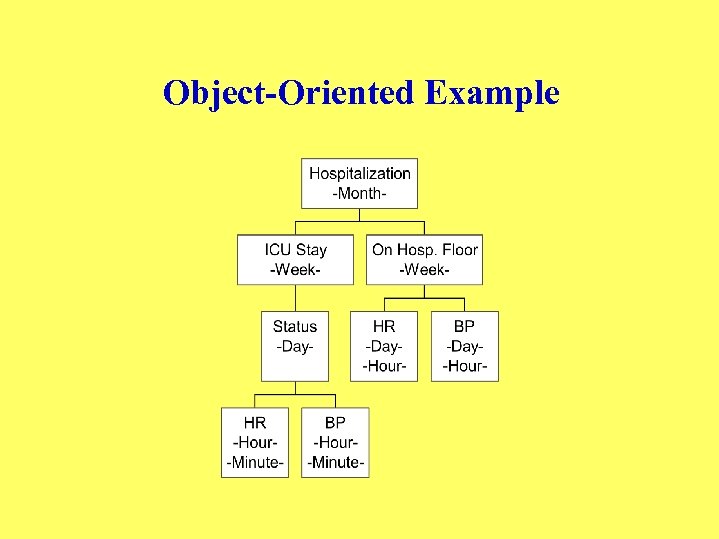 Object-Oriented Example
 The Interval-Uncertainty Approach • Measure each event with the most relevant granularity • When viewing data at a finer granularity, introduce uncertainty • Uncertainty can include up to 6 degrees of freedom (start, duration, stop)
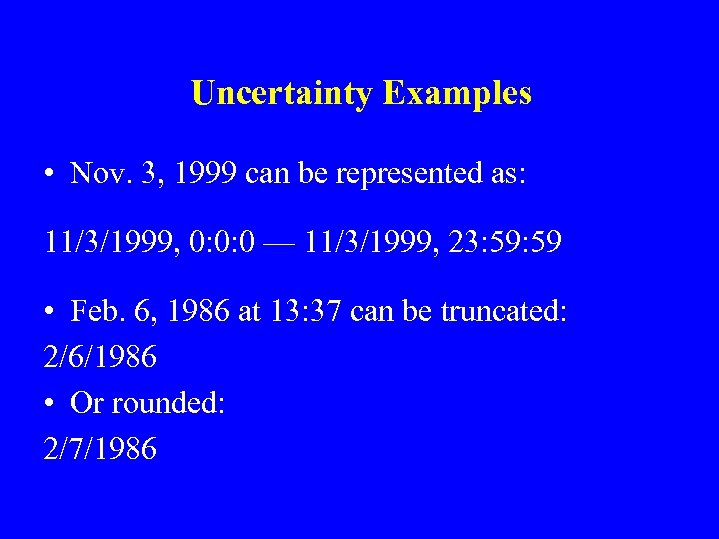 Uncertainty Examples • Nov. 3, 1999 can be represented as: 11/3/1999, 0: 0: 0 — 11/3/1999, 23: 59 • Feb. 6, 1986 at 13: 37 can be truncated: 2/6/1986 • Or rounded: 2/7/1986
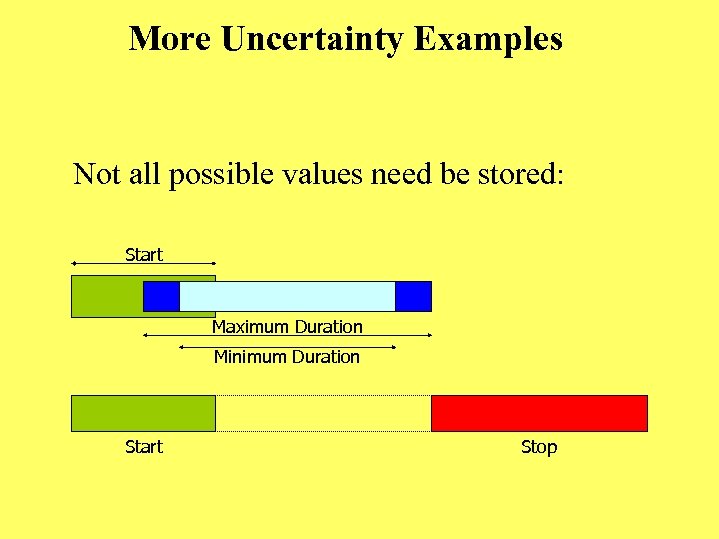 More Uncertainty Examples Not all possible values need be stored: Start Maximum Duration Minimum Duration Start Stop
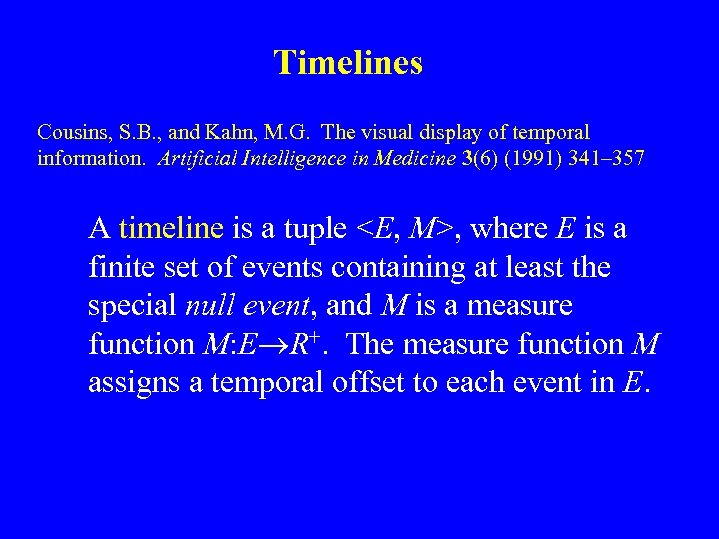 Timelines Cousins, S. B. , and Kahn, M. G. The visual display of temporal information. Artificial Intelligence in Medicine 3(6) (1991) 341– 357 A timeline is a tuple
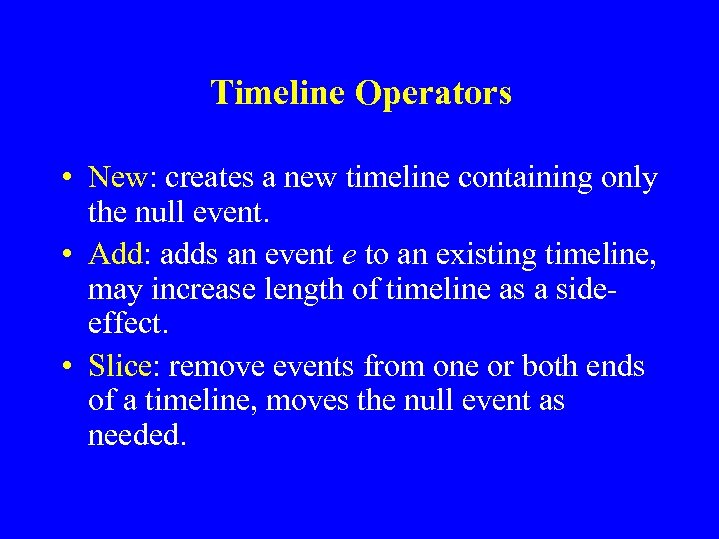 Timeline Operators • New: creates a new timeline containing only the null event. • Add: adds an event e to an existing timeline, may increase length of timeline as a sideeffect. • Slice: remove events from one or both ends of a timeline, moves the null event as needed.
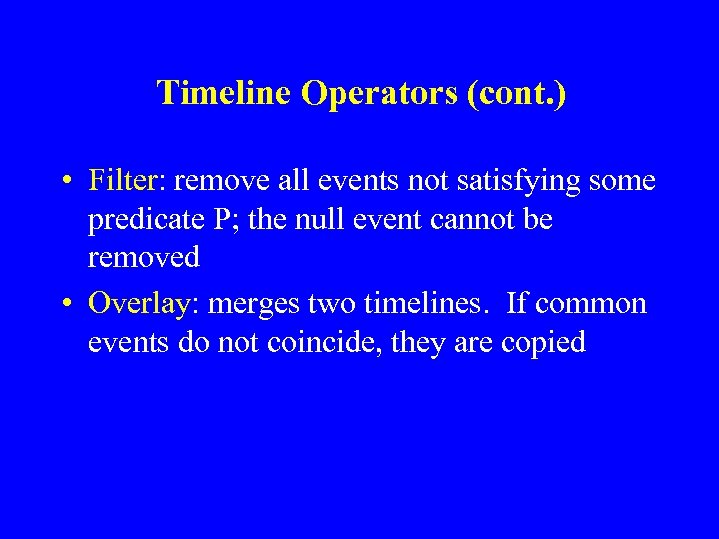 Timeline Operators (cont. ) • Filter: remove all events not satisfying some predicate P; the null event cannot be removed • Overlay: merges two timelines. If common events do not coincide, they are copied
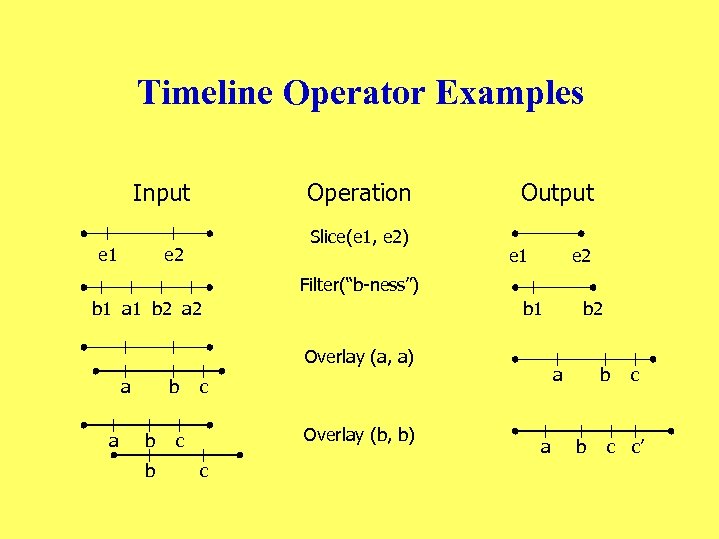 Timeline Operator Examples Input e 1 Operation Slice(e 1, e 2) e 2 Output e 1 e 2 Filter(“b-ness”) b 1 a 1 b 2 a 2 b 1 Overlay (a, a) a a b b b a c Overlay (b, b) c c b 2 a b b c c c’
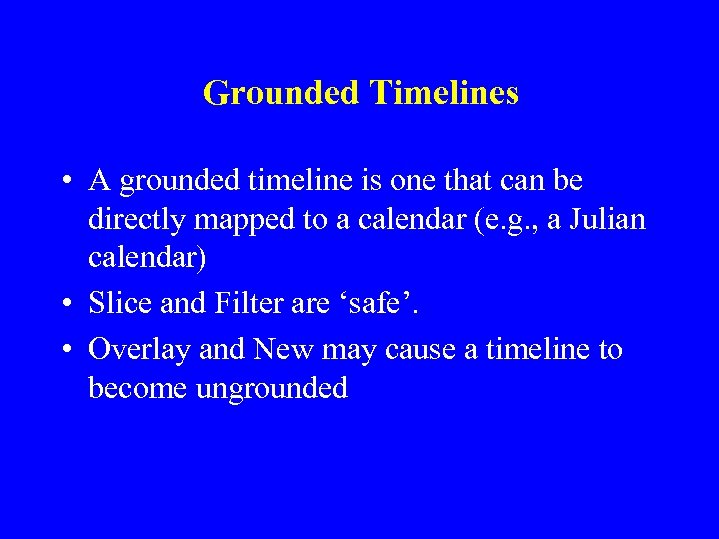 Grounded Timelines • A grounded timeline is one that can be directly mapped to a calendar (e. g. , a Julian calendar) • Slice and Filter are ‘safe’. • Overlay and New may cause a timeline to become ungrounded
 Time Line Browser • Prototype used to display diabetes patient data over time • Created the formal definition of, and operators for, a timeline • Provides GUI for manipulating timeline operators.
 Sample Queries • For the previous week, display the patient’s logbook and personal calendar • Summarize the patient’s blood sugar at breakfast, lunch, dinner and nighttime over the past month
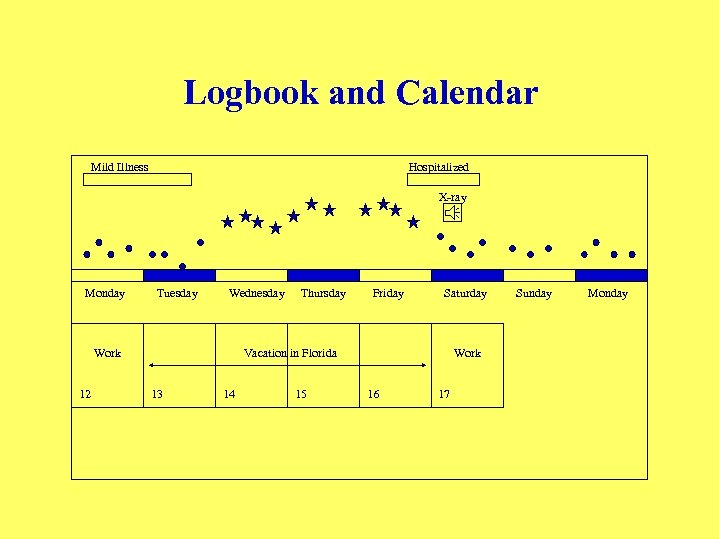 Logbook and Calendar Mild Illness Hospitalized X-ray Monday Tuesday Wednesday Work 12 Thursday Friday Saturday Vacation in Florida 13 14 15 Work 16 17 Sunday Monday
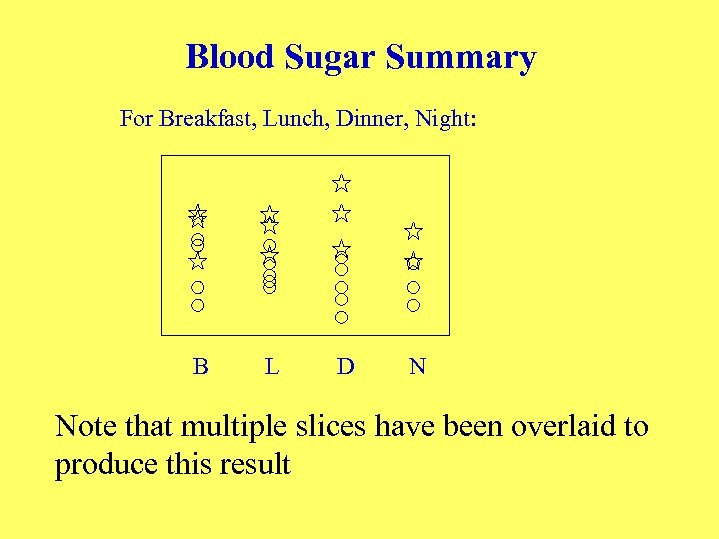 Blood Sugar Summary For Breakfast, Lunch, Dinner, Night: B L D N Note that multiple slices have been overlaid to produce this result
 Knowledge-Based Visualization and Exploration of Time-Oriented Medical Data: Desiderata • • Interactive composition of (temporal-abstraction) queries Visualization of query results Exploration of multiple levels of temporal abstractions The semantics of the query, visualization and exploration operators should be domain independent, but should use the terms and relations specific to each (e. g. , medical) domain
 Knowledge-Based Visualization and Exploration of Time-Oriented Data: The KNAVE-I and KNAVE-II Projects (Shahar and Cheng, 1999, 2000; Shahar et al. , 2003, in press) • KNAVE = Knowledge-Based Navigation of Abstractions for Visualization and Explanation • Interactive queries regarding both raw data and multiple levels of time-oriented abstractions derivable from these data • Visualization and manipulation of query results • Dynamic exploration of the results using the domain’s temporalabstraction ontology • The semantics of all operators do not depend on any specific domain, but the interface uses each domain’s ontology to compute and display specific terms and explore their relations • KNAVE accesses the data through a temporal-abstraction mediator, such as IDAN
![The KNAVE-II Browsing and Exploration Interface [Shahar et al. , AIM 2006] Overall pattern](https://present5.com/presentation/2c22257ecd620fc105990a642360458b/image-23.jpg "The KNAVE-II Browsing and Exploration Interface [Shahar et al. , AIM 2006] Overall pattern") The KNAVE-II Browsing and Exploration Interface [Shahar et al. , AIM 2006] Overall pattern Medical knowledge browser Concept search Intermediate abstractions Raw clinical data
The KNAVE-II Browsing and Exploration Interface [Shahar et al. , AIM 2006] Overall pattern Medical knowledge browser Concept search Intermediate abstractions Raw clinical data
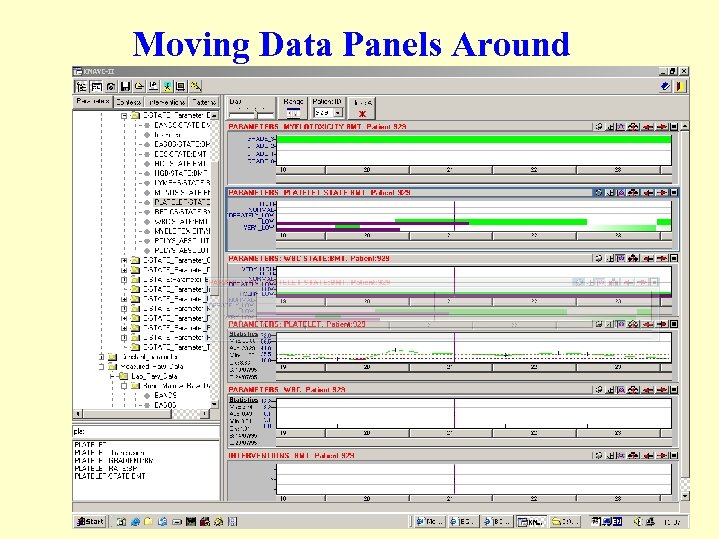 Moving Data Panels Around
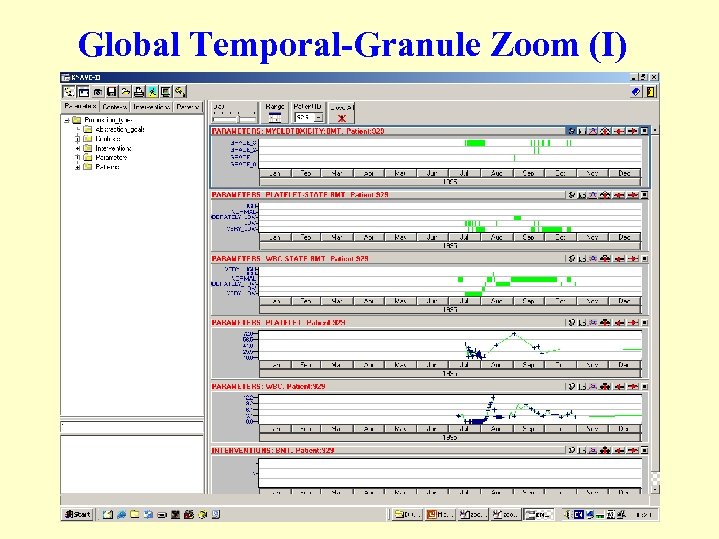 Global Temporal-Granule Zoom (I)
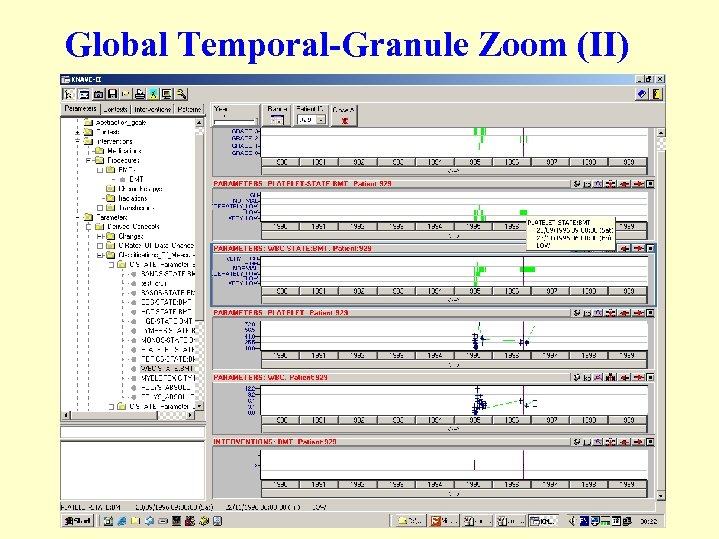 Global Temporal-Granule Zoom (II)
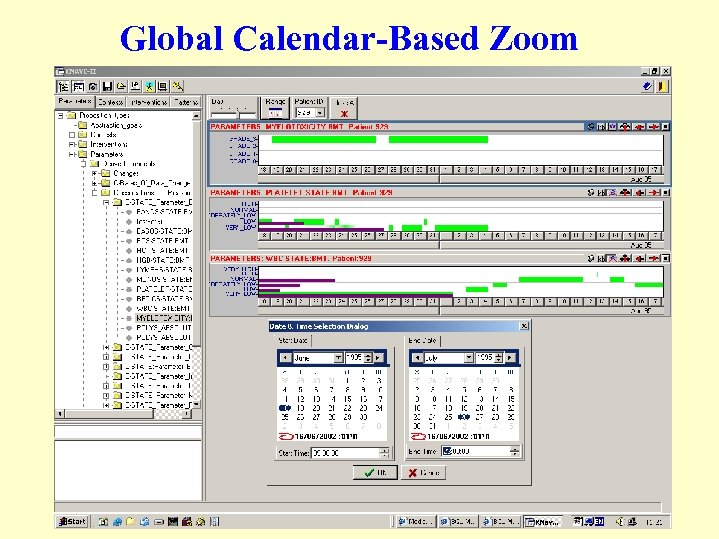 Global Calendar-Based Zoom
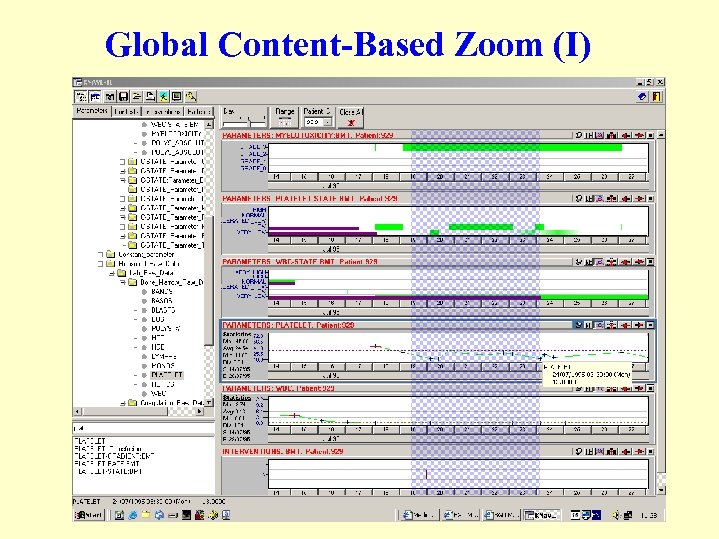 Global Content-Based Zoom (I)
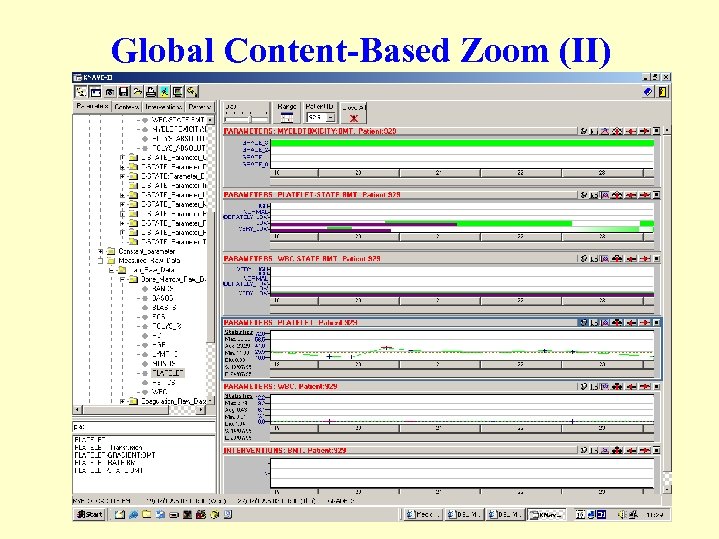 Global Content-Based Zoom (II)
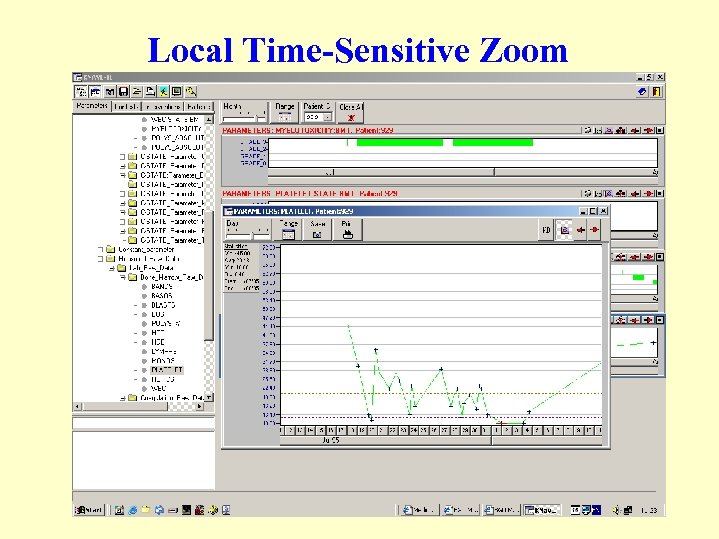 Local Time-Sensitive Zoom
 Exploration Operators • Motion across semantic links in the domain’s knowledge base by using the semantic explorer; in particular, relations such as: - part-of - is-a - abstracted-from - subcontext • Motion across abstraction types: state, gradient, rate, pattern • Application of aggregation operators such as mean and distribution • Dynamic change of temporal-granularity (e. g. , days, months) • Explanation by context-sensitive display of relevant knowledge • “What- if” queries allow hypothetical assertion or retraction of data and examination of resultant patterns
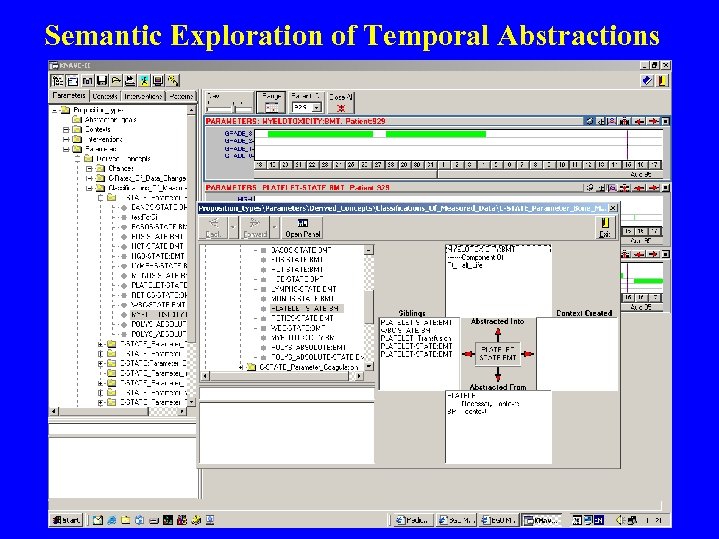 Semantic Exploration of Temporal Abstractions
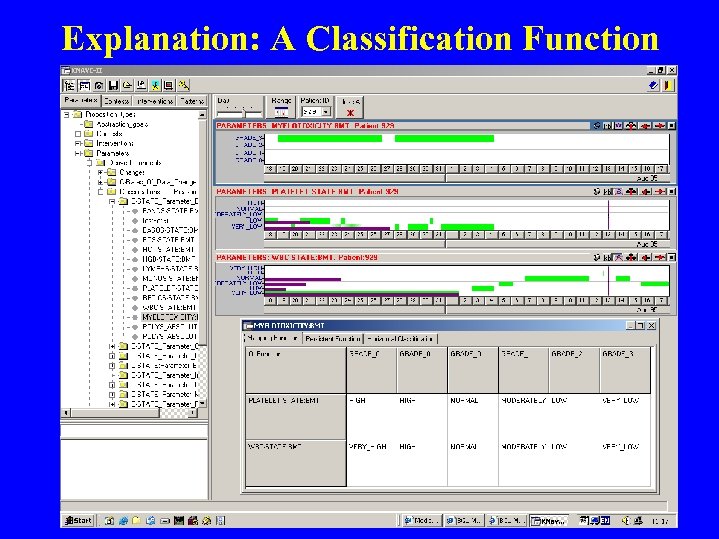 Explanation: A Classification Function
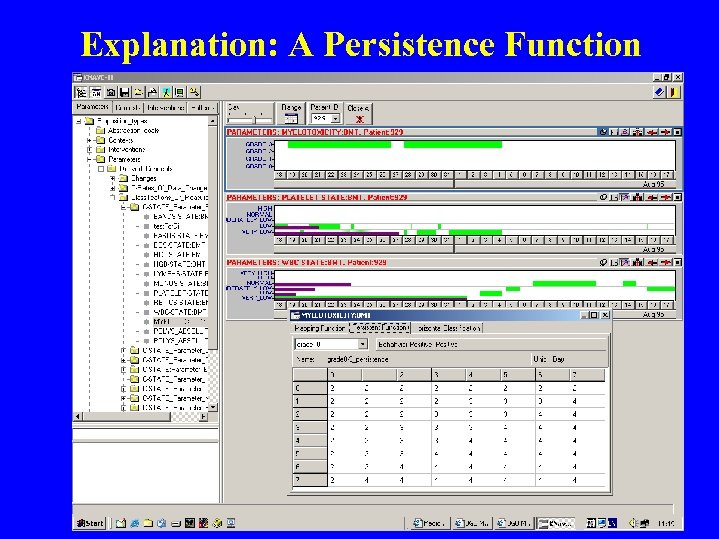 Explanation: A Persistence Function
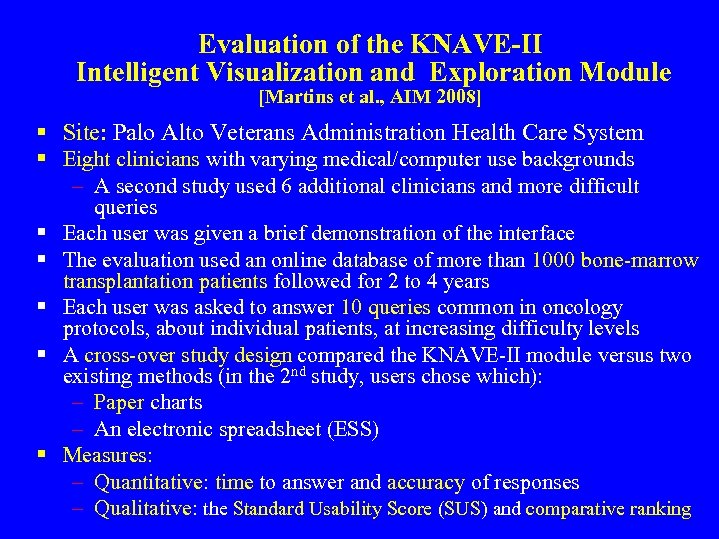 Evaluation of the KNAVE-II Intelligent Visualization and Exploration Module [Martins et al. , AIM 2008] § Site: Palo Alto Veterans Administration Health Care System § Eight clinicians with varying medical/computer use backgrounds – A second study used 6 additional clinicians and more difficult queries § Each user was given a brief demonstration of the interface § The evaluation used an online database of more than 1000 bone-marrow transplantation patients followed for 2 to 4 years § Each user was asked to answer 10 queries common in oncology protocols, about individual patients, at increasing difficulty levels § A cross-over study design compared the KNAVE-II module versus two existing methods (in the 2 nd study, users chose which): – Paper charts – An electronic spreadsheet (ESS) § Measures: – Quantitative: time to answer and accuracy of responses – Qualitative: the Standard Usability Score (SUS) and comparative ranking
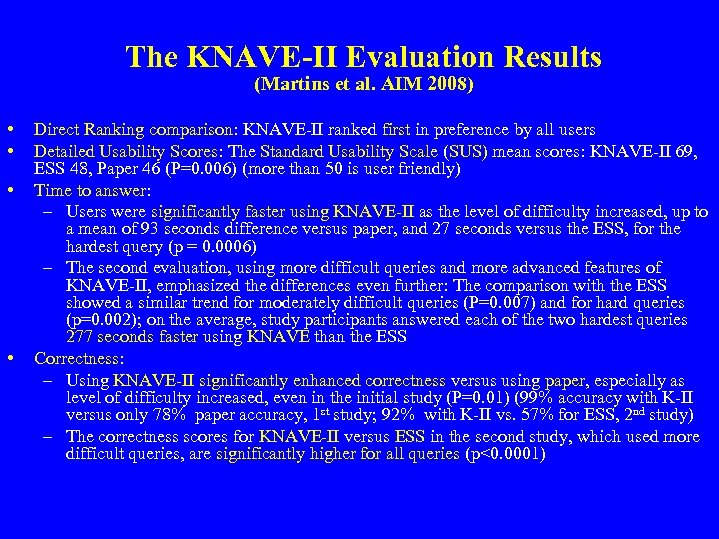 The KNAVE-II Evaluation Results (Martins et al. AIM 2008) • • Direct Ranking comparison: KNAVE-II ranked first in preference by all users Detailed Usability Scores: The Standard Usability Scale (SUS) mean scores: KNAVE-II 69, ESS 48, Paper 46 (P=0. 006) (more than 50 is user friendly) Time to answer: – Users were significantly faster using KNAVE-II as the level of difficulty increased, up to a mean of 93 seconds difference versus paper, and 27 seconds versus the ESS, for the hardest query (p = 0. 0006) – The second evaluation, using more difficult queries and more advanced features of KNAVE-II, emphasized the differences even further: The comparison with the ESS showed a similar trend for moderately difficult queries (P=0. 007) and for hard queries (p=0. 002); on the average, study participants answered each of the two hardest queries 277 seconds faster using KNAVE than the ESS Correctness: – Using KNAVE-II significantly enhanced correctness versus using paper, especially as level of difficulty increased, even in the initial study (P=0. 01) (99% accuracy with K-II versus only 78% paper accuracy, 1 st study; 92% with K-II vs. 57% for ESS, 2 nd study) – The correctness scores for KNAVE-II versus ESS in the second study, which used more difficult queries, are significantly higher for all queries (p<0. 0001)
 The VISITORS System (Klimov and Shahar, AMIA 2005; Klimov et al. , AIM 2010) • VISualizat. Ion and exploration of Time-Oriented raw data and abstracted concepts for multiple subject Record. S – Graphical queries enable end users to define the constraints for selecting the relevant population to further explore – Knowledge-based interpretation of the data – Visual display and interactive exploration of multiple records – Aggregation of multiple records and creation of associations amongst subject-related [temporal] patterns
![Subject and Time Interval Queries [Klimov et al. , JIIS 2010] • Three types](https://present5.com/presentation/2c22257ecd620fc105990a642360458b/image-38.jpg "Subject and Time Interval Queries [Klimov et al. , JIIS 2010] • Three types") Subject and Time Interval Queries [Klimov et al. , JIIS 2010] • Three types of queries: – Select subjects (Who had this pattern? ) – Select Time Intervals (When did this pattern occur? ) – Get Data (What were the data for these subjects? ) • Selection constraints include: – Demographical constraints (non-temporal): ID, age, smoking, sex, political group, … – Time and value knowledge-based constraints: measured parameters, interventions, temporal-abstraction concepts • Pair-wise constraints between concepts • both absolute and relative (following a reference event) time lines – Statistical constraints: filter the subjects’ data on the basis of a specific statistical function
Subject and Time Interval Queries [Klimov et al. , JIIS 2010] • Three types of queries: – Select subjects (Who had this pattern? ) – Select Time Intervals (When did this pattern occur? ) – Get Data (What were the data for these subjects? ) • Selection constraints include: – Demographical constraints (non-temporal): ID, age, smoking, sex, political group, … – Time and value knowledge-based constraints: measured parameters, interventions, temporal-abstraction concepts • Pair-wise constraints between concepts • both absolute and relative (following a reference event) time lines – Statistical constraints: filter the subjects’ data on the basis of a specific statistical function
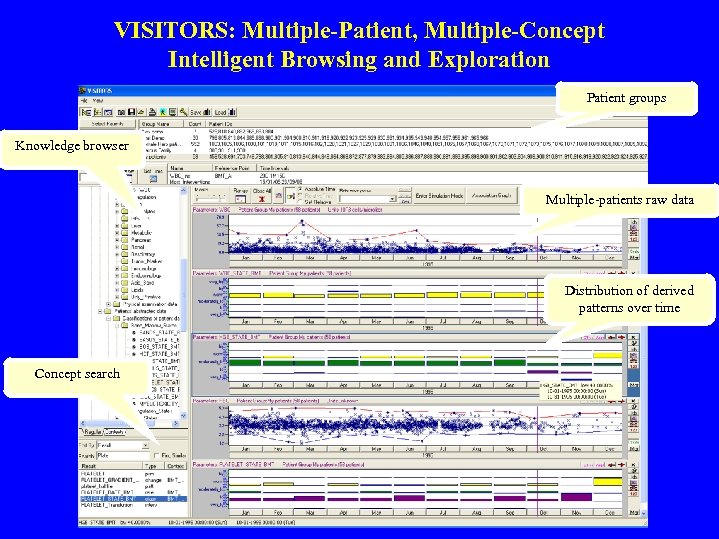 VISITORS: Multiple-Patient, Multiple-Concept Intelligent Browsing and Exploration Patient groups Knowledge browser Multiple-patients raw data Distribution of derived patterns over time Concept search
![Temporal Association Charts [Klimov et al. , MIM 2009] support and confidence of association](https://present5.com/presentation/2c22257ecd620fc105990a642360458b/image-40.jpg "Temporal Association Charts [Klimov et al. , MIM 2009] support and confidence of association") Temporal Association Charts [Klimov et al. , MIM 2009] support and confidence of association rules indicated by width and hue Data of each patient are connected by line
Temporal Association Charts [Klimov et al. , MIM 2009] support and confidence of association rules indicated by width and hue Data of each patient are connected by line
 Using Temporal Abstractions for Temporal Data Mining • Meaningful associations typically exist among clinically meaningful, interval-based, abstract concepts (e. g. , 3 -5 M Moderate Anemia precedes 2 M Deteriorating Renal Function), rather than among time-stamped raw data such as Hemoglobin and Creatinine values • Temporal Abstraction can be used to create time-oriented, interval-based, abstract concepts and patterns – By using domain knowledge; e. g. , the knowledge-based temporal abstraction method [Shahar, AIJ, 1997] – By using automated temporal discretization methods [Verduijn et al. , AIM, 2007; Moskovitch et al. , IDAMAP, 2009] • Interval-based abstract concepts can be then be mined to discover time-intervals related patterns (TIRPs) • Example: The Karma. Lego algorithm [Moskovitch and Shahar, IDAMAP, 2009; AMIA. 2009]; used in several domains: , such as – Analysis of diabetes-patients data – Prediction of getting off an ICU ventilator – Classification of Hepatitis type from the course of the disease
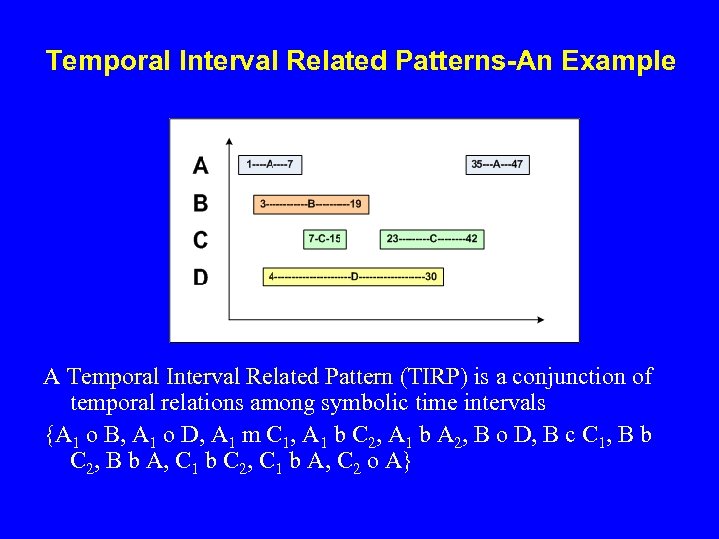 Temporal Interval Related Patterns-An Example A Temporal Interval Related Pattern (TIRP) is a conjunction of temporal relations among symbolic time intervals {A 1 o B, A 1 o D, A 1 m C 1, A 1 b C 2, A 1 b A 2, B o D, B c C 1, B b C 2, B b A, C 1 b C 2, C 1 b A, C 2 o A}
![Exploration of the Diabetes TIRPs Tree: An Example [Moskovitch and Shahar, AMIA 2009] 0.](https://present5.com/presentation/2c22257ecd620fc105990a642360458b/image-43.jpg "Exploration of the Diabetes TIRPs Tree: An Example [Moskovitch and Shahar, AMIA 2009] 0.") Exploration of the Diabetes TIRPs Tree: An Example [Moskovitch and Shahar, AMIA 2009] 0. 26 0. 25 0. 18 0. 23 0. 22 0. 33 0. 42 0. 2 8 0. 29
Exploration of the Diabetes TIRPs Tree: An Example [Moskovitch and Shahar, AMIA 2009] 0. 26 0. 25 0. 18 0. 23 0. 22 0. 33 0. 42 0. 2 8 0. 29
 Visualization of TIRPs: The Karma. Lego. V Tool • Enables browsing of a Karma. Lego TIRP enumeration tree; includes several options: – Presenting the next level, i. e. , the next time-interval related to the current TIRP, and its temporal relation – Sorting by vertical support (% of patients who have the pattern), mean horizontal support (number of instances of TIRP per patient), and interestingness measures – Visualizing the current [mean] TIRP and its instances – Visualizing the distributions of external static (non-temporal) properties, such as age and gender, or a classification outcome (e. g. , recovery or not), for the patient class in which the TIRP was found
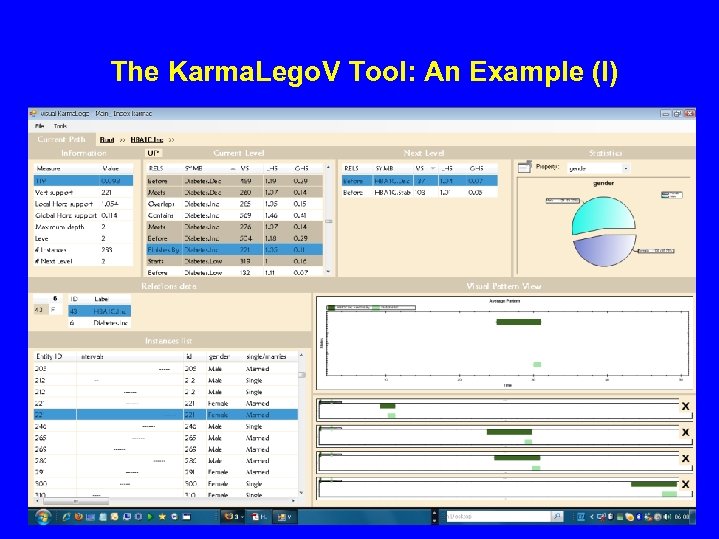 The Karma. Lego. V Tool: An Example (I)
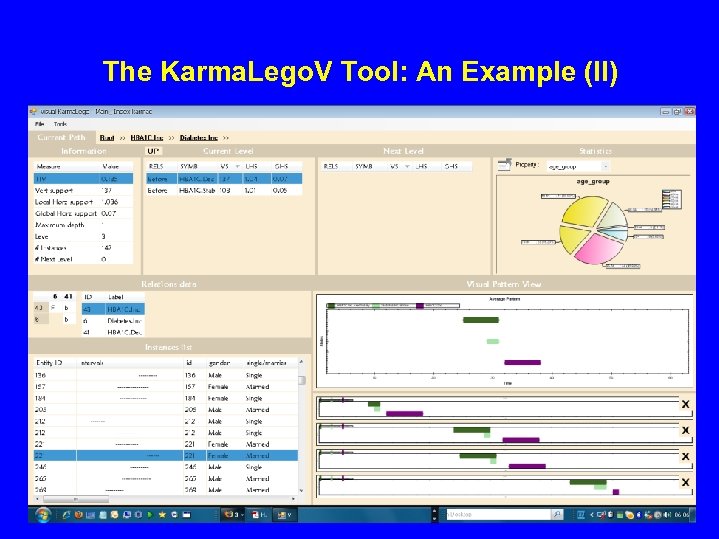 The Karma. Lego. V Tool: An Example (II)
 Knowledge-Based Visualization & Exploration of Time-Oriented Data: Conclusions • Interactive query, visualization, and exploration requires runtime access to the domain’s temporal-abstraction ontology • The visualization and exploration semantics can be specific to the temporal-abstraction task, but need not be specific to the domain • Typical examples: Computation, visualization and exploration of multiple time-oriented records, their aggregations, and their inter- and intra- temporal relations – the VISITORS system [Klimov and Shahar 2005] – The Karma. Lego framework [Moskovitch and Shahar 2009]