


 Скачать презентацию TEMPLATE Contact Center Agent Quick Reference Card Sound
d7e34ae2369da8a79d4c084de04922fe.ppt
- Количество слайдов: 1
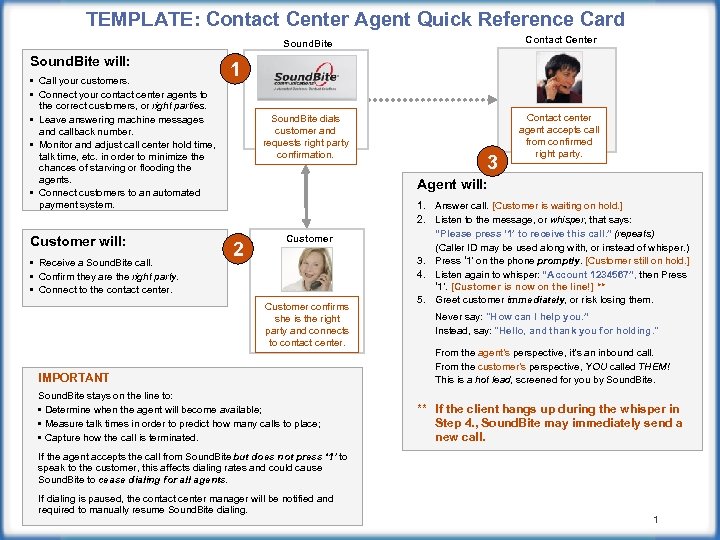 TEMPLATE: Contact Center Agent Quick Reference Card Sound. Bite will: • Call your customers. • Connect your contact center agents to the correct customers, or right parties. • Leave answering machine messages and callback number. • Monitor and adjust call center hold time, talk time, etc. in order to minimize the chances of starving or flooding the agents. • Connect customers to an automated payment system. Customer will: • Receive a Sound. Bite call. • Confirm they are the right party. • Connect to the contact center. Contact Center Sound. Bite dials customer and requests right party confirmation. Contact center agent accepts call from confirmed right party. 1 3 Agent will: 2 Customer confirms she is the right party and connects to contact center. IMPORTANT Sound. Bite stays on the line to: • Determine when the agent will become available; • Measure talk times in order to predict how many calls to place; • Capture how the call is terminated. 1. Answer call. [Customer is waiting on hold. ] 2. Listen to the message, or whisper, that says: “Please press ‘ 1’ to receive this call. ” (repeats) (Caller ID may be used along with, or instead of whisper. ) 3. Press ‘ 1’ on the phone promptly. [Customer still on hold. ] 4. Listen again to whisper: “Account 1234567”, then Press ‘ 1’. [Customer is now on the line!] ** 5. Greet customer immediately, or risk losing them. Never say: "How can I help you. ” Instead, say: "Hello, and thank you for holding. " From the agent’s perspective, it’s an inbound call. From the customer’s perspective, YOU called THEM! This is a hot lead, screened for you by Sound. Bite. ** If the client hangs up during the whisper in Step 4. , Sound. Bite may immediately send a new call. If the agent accepts the call from Sound. Bite but does not press ‘ 1’ to speak to the customer, this affects dialing rates and could cause Sound. Bite to cease dialing for all agents. If dialing is paused, the contact center manager will be notified and required to manually resume Sound. Bite dialing. 1