


 Скачать презентацию Telsey Home Networking — Power-Line Networking — Wi
528b89dae5047f83a5c708f9b72e2503.ppt
- Количество слайдов: 50
 Telsey Home Networking - Power-Line Networking - Wi. Fi Networking
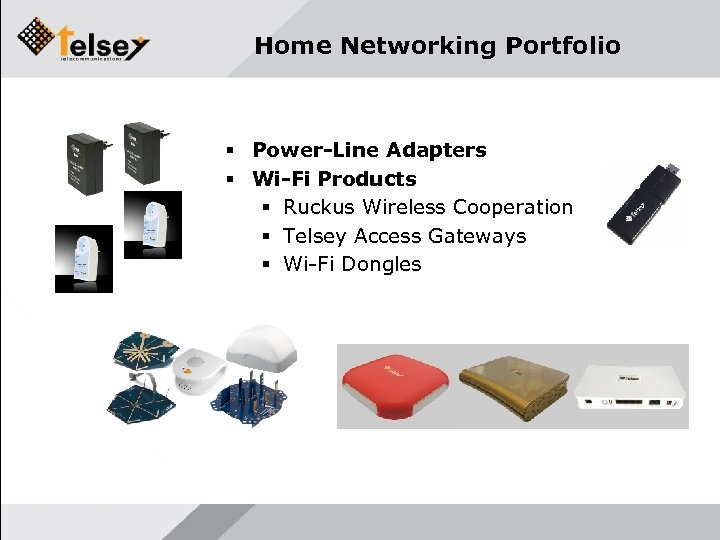 Home Networking Portfolio Power-Line Adapters Wi-Fi Products Ruckus Wireless Cooperation Telsey Access Gateways Wi-Fi Dongles
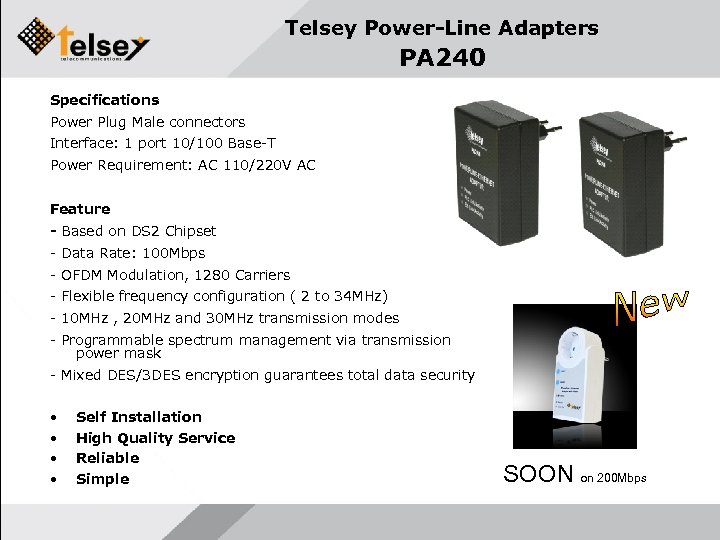 Telsey Power-Line Adapters PA 240 Specifications Power Plug Male connectors Interface: 1 port 10/100 Base-T Power Requirement: AC 110/220 V AC Feature - Based on DS 2 Chipset - Data Rate: 100 Mbps - OFDM Modulation, 1280 Carriers - Flexible frequency configuration ( 2 to 34 MHz) - 10 MHz , 20 MHz and 30 MHz transmission modes - Programmable spectrum management via transmission power mask - Mixed DES/3 DES encryption guarantees total data security • • Self Installation High Quality Service Reliable Simple SOON on 200 Mbps
 Technical Details • Based on DS 2 chipset: the world’s highest speed, most fully featured home networking technology, and the only option for transmitting high-quality digital video with full home coverage. v Highest data rate with bulletproof reliability – Powerful error correction system for maximum robustness – Optimized support for multicast and broadcast traffic Maximum security – Mixed DES/3 DES encryption guarantees total data security – 802. 1 Q VLAN provide powerful tools for isolating traffic Maximum extensibility – Flexible API and software development tools – Remote software upgrade and SNMP support Qo. S support – Up to 8 -level priority queues, with programmable priority classification engine (depending on modem IC) – Programmable bandwidth and latency allocation for advanced Qo. S provisioning Standards compliant – Support for access/in-home coexistence – Programmable notching adapts to evolving EMC rules
 Telsey Power. Line Distinctive Features Ø Performances that allow to distribute multiple IP TV stream inside the house resulting robust against noises generated by home appliances Ø Programmable notch filters that avoit possible interferences with radio frequencies and adapt to evolving EMC rules Ø High security of data transmitted through power line thanks to DES and 3 -DES ciphering Ø Define differnt LAN through different network identifier Ø The optimization of multicast flow between the different powerline adapters by configurng a binding list between IP address of multicast packets and MAC addresses of devices that have to receive them in order to avoid to generate multicast packet for no interested devices Ø The support of Qo. S based on TOS, COS and a programmable sequence of byte to be comapred Ø The possibility to be software upgraded Ø An easy to use web interface to quickly configure the device Ø A telnet user interface for a deeper configuration of the devce
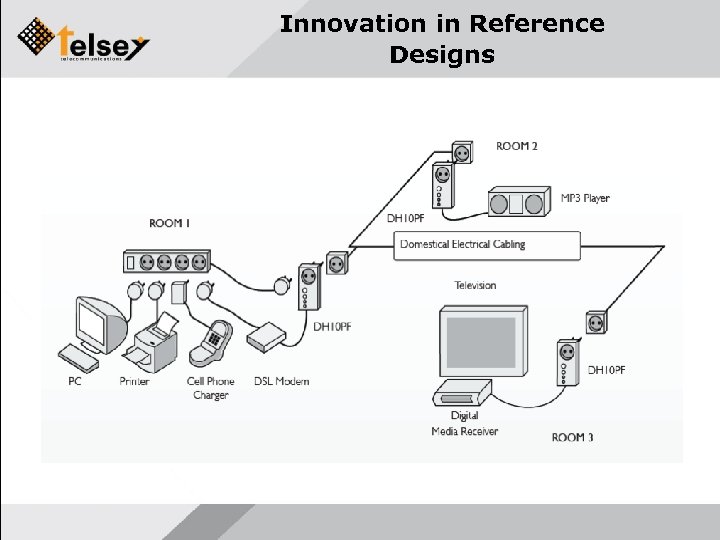
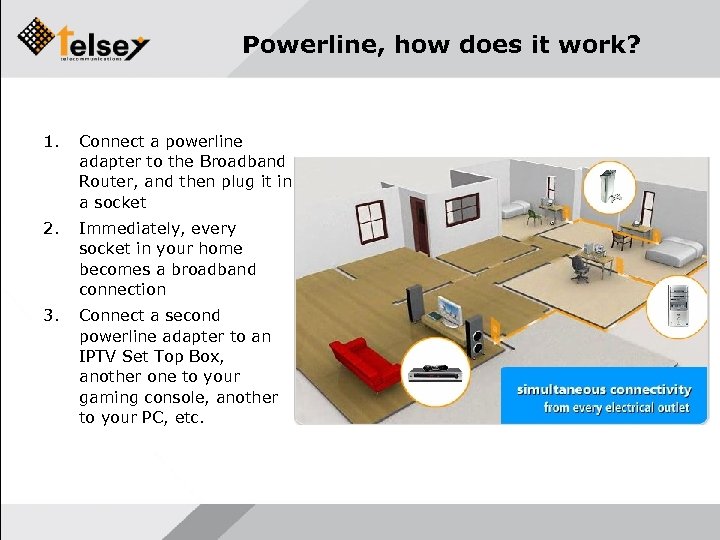 Powerline, how does it work? 1. Connect a powerline adapter to the Broadband Router, and then plug it in a socket 2. Immediately, every socket in your home becomes a broadband connection 3. Connect a second powerline adapter to an IPTV Set Top Box, another one to your gaming console, another to your PC, etc.
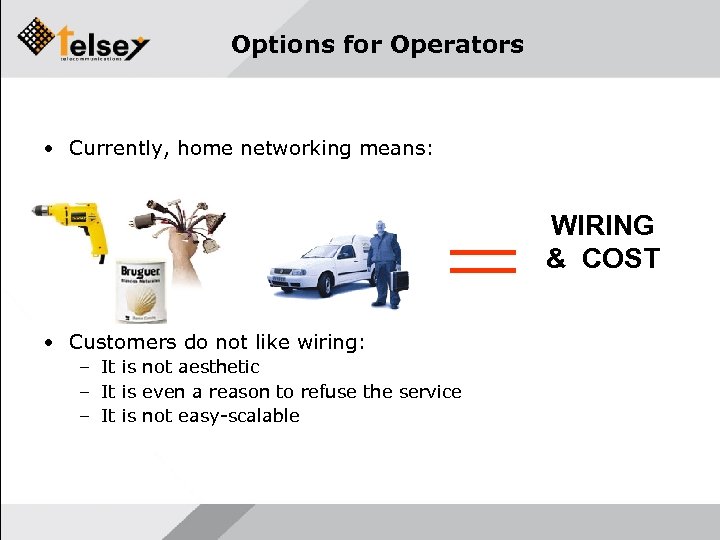 Options for Operators • Currently, home networking means: WIRING & COST • Customers do not like wiring: – It is not aesthetic – It is even a reason to refuse the service – It is not easy-scalable
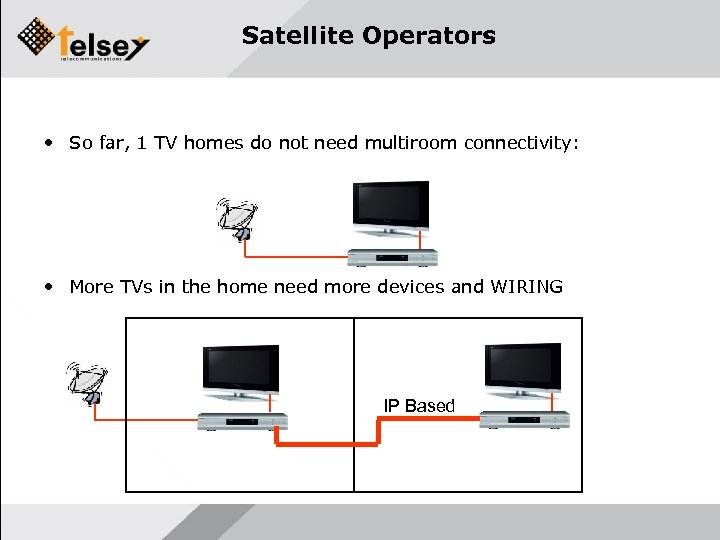 Satellite Operators • So far, 1 TV homes do not need multiroom connectivity: • More TVs in the home need more devices and WIRING IP Based
 Cable Operators • Similar situation Cable Operators face in order to support other TVs • Additionally, cable operators provide triple play service: – Multiroom is also needed – Data where customer wants – Video where customer wants
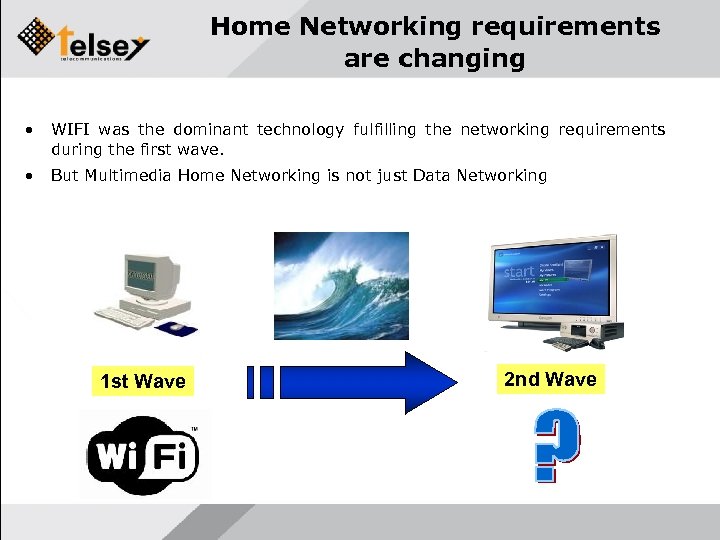 Home Networking requirements are changing • WIFI was the dominant technology fulfilling the networking requirements during the first wave. • But Multimedia Home Networking is not just Data Networking 1 st Wave 2 nd Wave
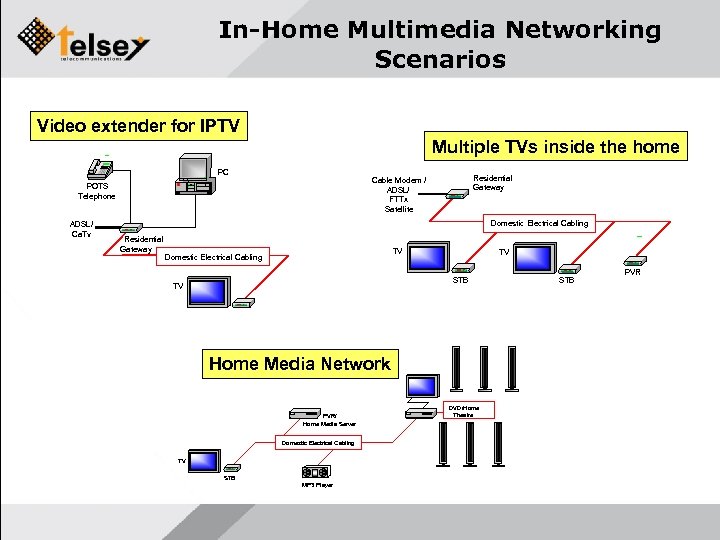 In-Home Multimedia Networking Scenarios Video extender for IPTV Multiple TVs inside the home PC ADSL/ Ca. Tv Residential Gateway Cable Modem / ADSL/ FTTx Satellite POTS Telephone Domestic Electrical Cabling Residential Gateway TV Domestic Electrical Cabling TV STB TV Home Media Network PVR/ Home Media Server Domestic Electrical Cabling TV STB MP 3 Player DVD/Home Theatre STB PVR
 Additional requirements for Multimedia Networking • Qo. S/Co. S – Flexible and Configurable priorisation – Control of latency/jitter for sensitive applications – Stability • • Easy Installation (if possible PC-less) Full home coverage with high performance Easy scalability Easy troubleshooting – Remote management and diagnostic – Remote upgrade – Performance indicators • FLEXIBLE AND POWERFUL PLATFORM
 Home Networking Options Ideal solution • No new infrastructure – No wiring around the home • Easy to install: – Even self-installable • Reliable for video: – Multimedia ready – Full house coverage • Easy to troubleshoot: – Remote management and diagnosis
 Home Networking Choice • Powerline represents: – – – No new infrastructure Reliable solution for multimedia applications Full house coverage with high speed Easy to install Easy to manage
 Is Noise imunity a differentiation? • There are some type of devices and some models that affect speed of PLC (every technologies) – Halogen lamps, hairdryers, mobile chargers, etc… • There is attenuation between PLC nodes and noise source: – Usual place for PLC is behind the TV and PC – Noisy devices are not usually present nearby
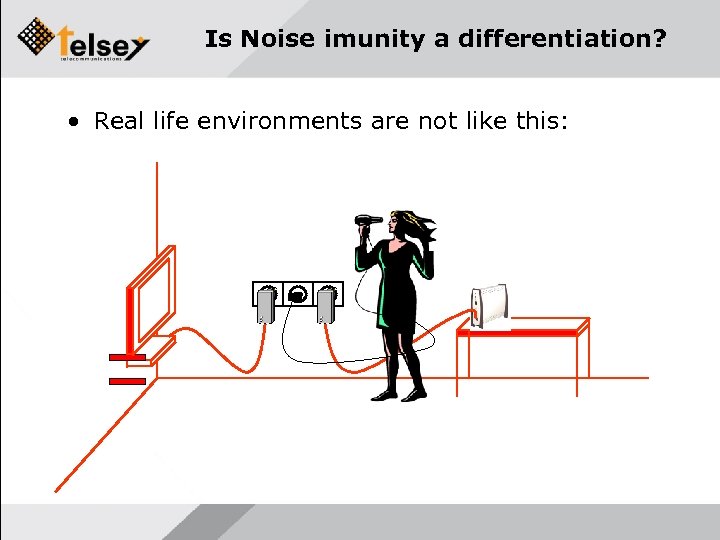 Is Noise imunity a differentiation? • Real life environments are not like this:
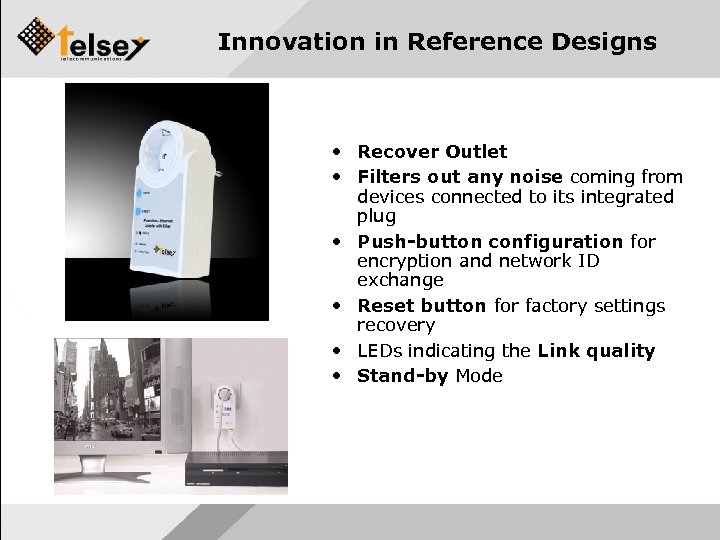 Innovation in Reference Designs • Recover Outlet • Filters out any noise coming from devices connected to its integrated plug • Push-button configuration for encryption and network ID exchange • Reset button for factory settings recovery • LEDs indicating the Link quality • Stand-by Mode
 Innovation in Reference Designs
 Is speed or noise inmunity a difference? • Summary: – Only few devices and some models generate noisy affecting signals – Real environment attenuates its effects – Noise affects all the technologies – Only closeby noise really matters: • Customer advice • DS 2 DH 10 PF • IS SPEED OR NOISE A DIFFERENTIATOR? NO
 Telsey differentiation for Video Networking • Qo. S/Co. S – Flexible and Configurable priorisation – Control of latency/jitter for sensitive applications – Stability • • Easy Installation (if possible PC-less) Full home coverage with high performance Easy scalability Easy troubleshooting – Remote management and diagnostic – Remote upgrade – Performance indicators • FOCUS ON FLEXIBLE AND POWERFUL PLATFORM FUNCTIONALITY
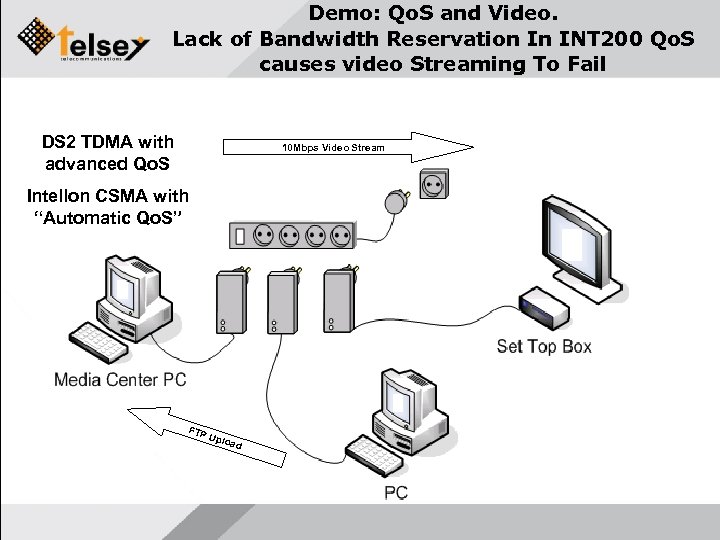 Demo: Qo. S and Video. Lack of Bandwidth Reservation In INT 200 Qo. S causes video Streaming To Fail DS 2 TDMA with advanced Qo. S 10 Mbps Video Stream Intellon CSMA with “Automatic Qo. S” FTP Uplo ad
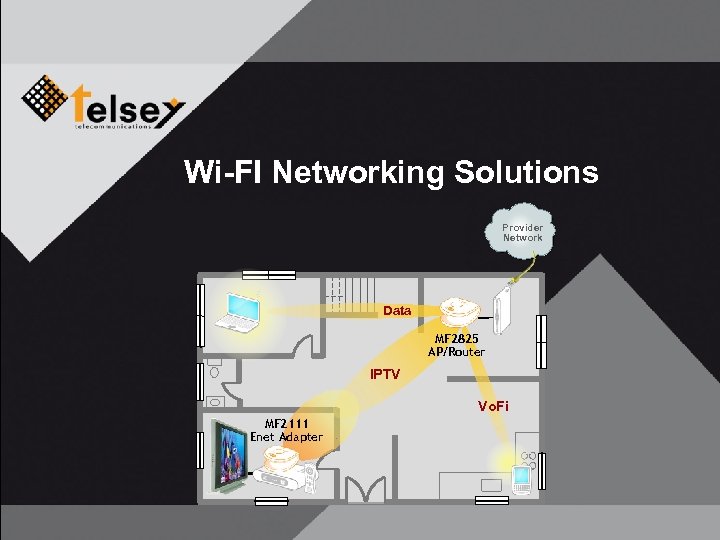 Wi-FI Networking Solutions Provider Network Data MF 2825 AP/Router IPTV Vo. Fi MF 2111 Enet Adapter
 Video over Wi. Fi networks (1/3) IP Video streaming is a demanding application – Needs a Packet Error Ratio (PER) near zero to avoid visual artifacts. – Requires a reliable link, with a consistent throughput (e. g. 20 Mbps with PER=0). – A PER=0. 0001% could cause artifacts if the lost packet is a keyframe or a MPEG motion vector frame. – Most customers define a quality threshold of one visual artifact per hour. – The link latency/jitter must be kept small to avoid buffering issues and/or loose user responsiveness (e. g. When switching multicast channel).
 Video over Wi. Fi networks (2/3) Classical Wi. Fi devices cannot handle video !!! – Off-the-shelf Wi. Fi devices build best-effort radio links: PER is not a problem for web surfers. – Unreliable link, trying to push a high throuput without any warranty. – A PER=5% is easily handled by TCP retransissions, but will kill UDP video. – Multicast is not handled by classical Wi. Fi networks. – The link latency/jitter is totally caotic
 Video over Wi. Fi networks (3/3) Typical statement of a Wi. Fi silicon vendor: “My device can reach a throughput of 40 Mbps. ” (they don't mention PER, nor the fact this result is attainable only without interferences and in line of sight) Telsey statement: “My device gives you stable and consistent 15 -20 Mbps with PER<0. 001% in a 120 m 2 house, any positions you choose and any neighboring interferences should be present. ” (only this HQ link can sustain realtime UDP video)
 Wi. Fi Features of Residential Access Gateways Enhanced 802. 11 g solutions – Beamforming – MISO – Compatible with existing 802. 11 b/g devices Optimised for video – WMM Qo. S – Multicast/unicast conversion support – MAC Optimised for low BER flows – Up to 1 x. HD or 3 x. SD in 120 m 2 flat Patent pending smart antenna arrays – Hi-perf antennas integrated inside the enclosure – Far reach, low BER – Wall-mounting without performance losses
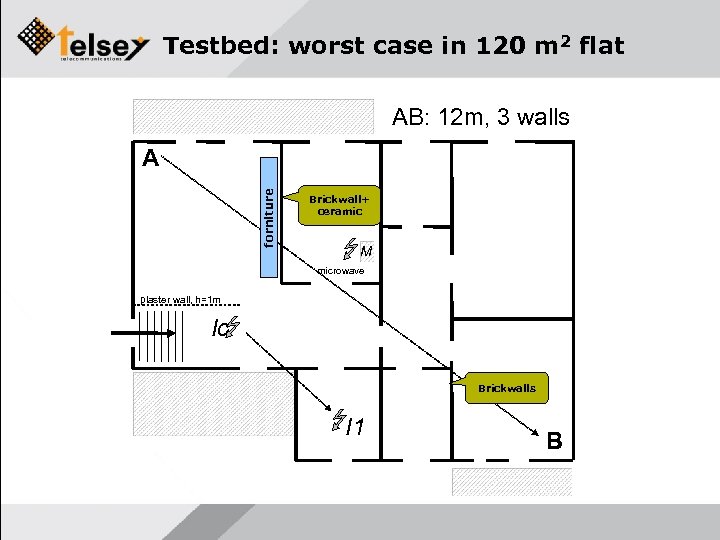 Testbed: worst case in 120 m 2 flat AB: 12 m, 3 walls forniture A Brickwall+ ceramic M microwave plaster wall, h=1 m Ic Brickwalls I 1 B
 Enhanced Wi. Fi product rollover Best solution shipping today: Beamforming gateway + Beamforming adapter (ethernet/Wi. Fi) – Large field installation base – Excellent feedacks from field – Interoperable with existing home Wi. Fi devices with differentiated Qo. S and SSIDs (up to 4) Next generation solution: 802. 11 N IPTV-optimised – Up to 300 Mbps PHY – Dual band operation (2. 4 GHz & 5 GHz) – Patent pending internal smart antenna array – Integration on Access Gateways – External adapters with low form factor – Samples available Q 108, MP Q 208
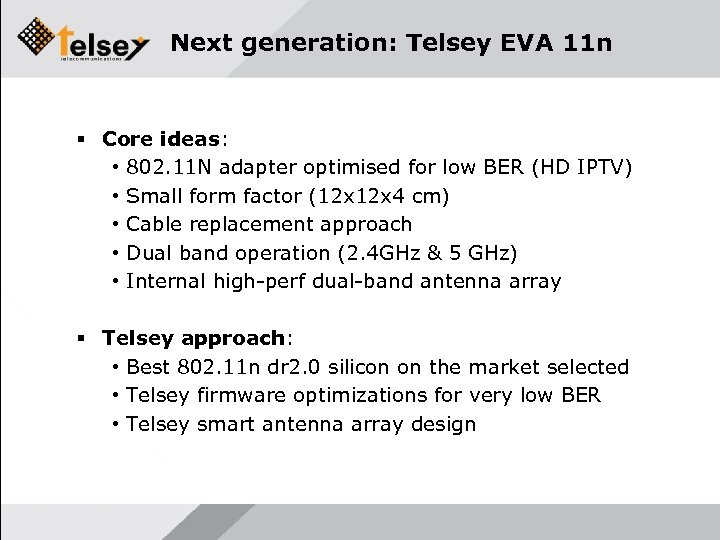 Next generation: Telsey EVA 11 n Core ideas: • 802. 11 N adapter optimised for low BER (HD IPTV) • Small form factor (12 x 4 cm) • Cable replacement approach • Dual band operation (2. 4 GHz & 5 GHz) • Internal high-perf dual-band antenna array Telsey approach: • Best 802. 11 n dr 2. 0 silicon on the market selected • Telsey firmware optimizations for very low BER • Telsey smart antenna array design
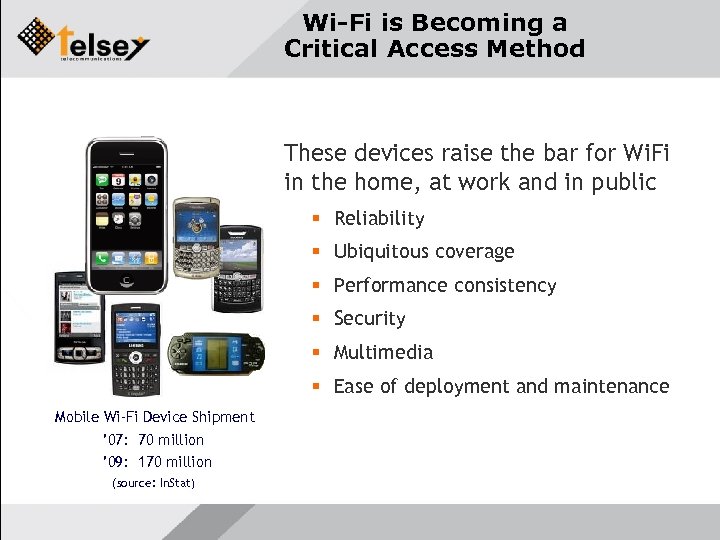 Wi-Fi is Becoming a Critical Access Method These devices raise the bar for Wi. Fi in the home, at work and in public Reliability Ubiquitous coverage Performance consistency Security Multimedia Ease of deployment and maintenance Mobile Wi-Fi Device Shipment ’ 07: 70 million ’ 09: 170 million (source: In. Stat)
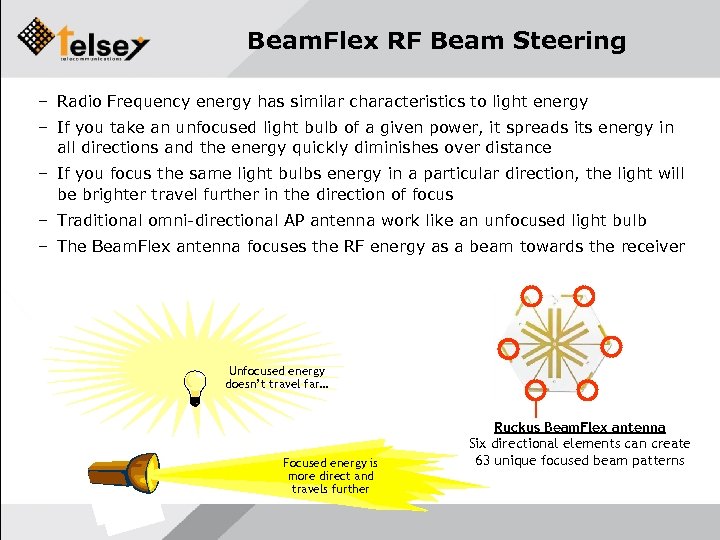 Beam. Flex RF Beam Steering – Radio Frequency energy has similar characteristics to light energy – If you take an unfocused light bulb of a given power, it spreads its energy in all directions and the energy quickly diminishes over distance – If you focus the same light bulbs energy in a particular direction, the light will be brighter travel further in the direction of focus – Traditional omni-directional AP antenna work like an unfocused light bulb – The Beam. Flex antenna focuses the RF energy as a beam towards the receiver Unfocused energy doesn’t travel far… Focused energy is more direct and travels further Ruckus Beam. Flex antenna Six directional elements can create 63 unique focused beam patterns
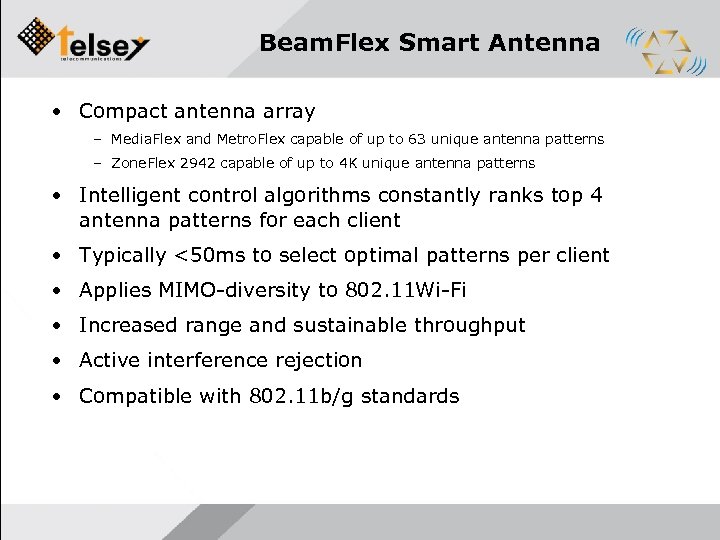 Beam. Flex Smart Antenna • Compact antenna array – Media. Flex and Metro. Flex capable of up to 63 unique antenna patterns – Zone. Flex 2942 capable of up to 4 K unique antenna patterns • Intelligent control algorithms constantly ranks top 4 antenna patterns for each client • Typically <50 ms to select optimal patterns per client • Applies MIMO-diversity to 802. 11 Wi-Fi • Increased range and sustainable throughput • Active interference rejection • Compatible with 802. 11 b/g standards
 Smart. Cast Qo. S – Compliant with Wi-Fi Alliance WMM Qo. S – Automatic or configurable traffic classification – IGMP Snooping for channel change detection – Multicast to Unicast stream conversion to facilitate performance and error monitoring – More granular control than WMM Qo. S • 4 Per station, per traffic-class queues • Per packet scheduling optimized to jitter/throughput/loss constraints of each application – Guaranteed video stream and Vo. IP delivery over Wi-Fi
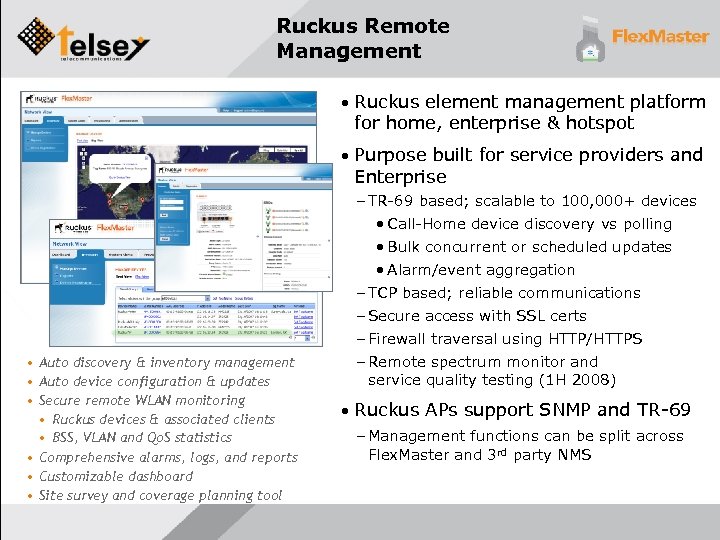 Ruckus Remote Management • Ruckus element management platform for home, enterprise & hotspot • Purpose built for service providers and Enterprise • Auto discovery & inventory management • Auto device configuration & updates • Secure remote WLAN monitoring • Ruckus devices & associated clients • BSS, VLAN and Qo. S statistics • Comprehensive alarms, logs, and reports • Customizable dashboard • Site survey and coverage planning tool – TR-69 based; scalable to 100, 000+ devices • Call-Home device discovery vs polling • Bulk concurrent or scheduled updates • Alarm/event aggregation – TCP based; reliable communications – Secure access with SSL certs – Firewall traversal using HTTP/HTTPS – Remote spectrum monitor and service quality testing (1 H 2008) • Ruckus APs support SNMP and TR-69 – Management functions can be split across Flex. Master and 3 rd party NMS
 Ruckus Security For Enterprise • Authentication and authorization – Captive portal – Radius, AD or Zone. Director database backend • 802. 1 x, pre-shared key, Ruckus Dynamic. PSK – Role based access privileges (Active. Directory) • State-of-the-art link layer encryption • WPA 2 TKIP/AES, WPA, WEP • User isolation within and across Zone. Flex APs – Prevents Peer Snooping & Man-in-the-Middle attacks • Intrusion detection with email notification – Detects rogue APs, evil twin spoofing, adhoc & neighbor networks • Denial-of-Service attack protection – User blacklisted after failed authentication attempts – Per user rate limit configurable per SSID
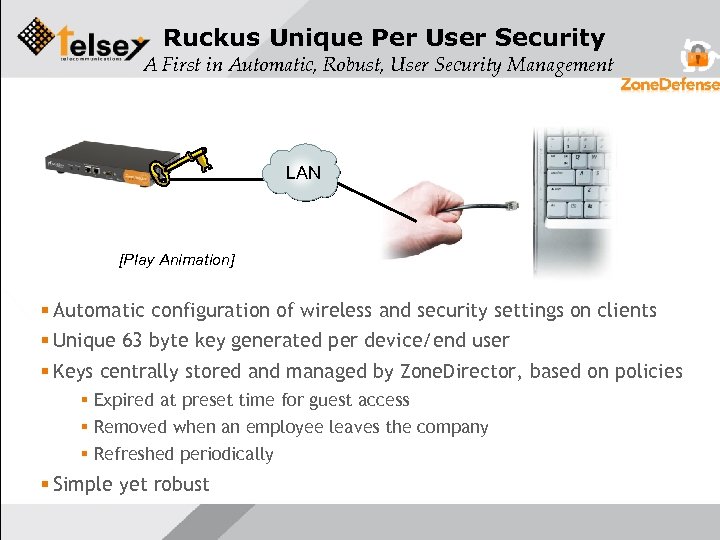 Ruckus Unique Per User Security A First in Automatic, Robust, User Security Management LAN 4. User/device can now associate with 3. Once authenticated, Zone. Director 2. Zone. Director requests one time 1. New WLAN user/devicearegisters over any the designated generates authentication SSID LAN port a unique PSK and configures [Play Animation] the device Automatic configuration of wireless and security settings on clients Unique 63 byte key generated per device/end user Keys centrally stored and managed by Zone. Director, based on policies Expired at preset time for guest access Removed when an employee leaves the company Refreshed periodically Simple yet robust
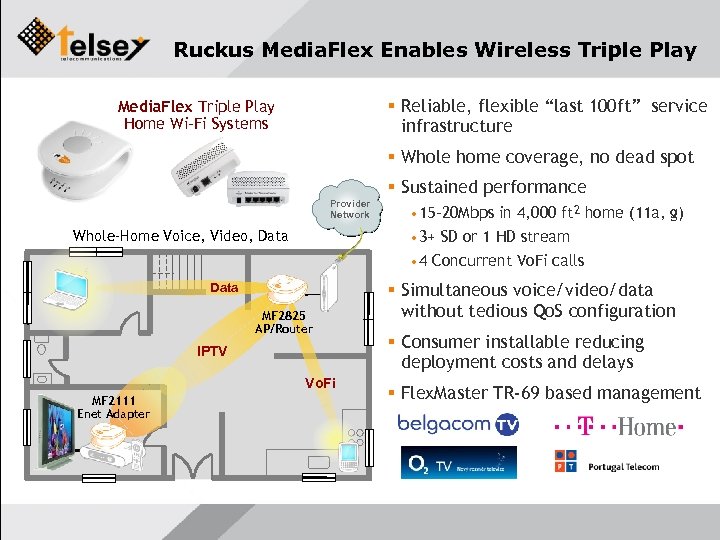 Ruckus Media. Flex Enables Wireless Triple Play Reliable, flexible “last 100 ft” service infrastructure Media. Flex Triple Play Home Wi-Fi Systems Whole home coverage, no dead spot Sustained performance Provider Network Whole-Home Voice, Video, Data • 15 -20 Mbps in 4, 000 ft 2 home (11 a, g) • 3+ SD or 1 HD stream • 4 Concurrent Vo. Fi calls Data MF 2825 AP/Router IPTV Vo. Fi MF 2111 Enet Adapter Simultaneous voice/video/data without tedious Qo. S configuration Consumer installable reducing deployment costs and delays Flex. Master TR-69 based management
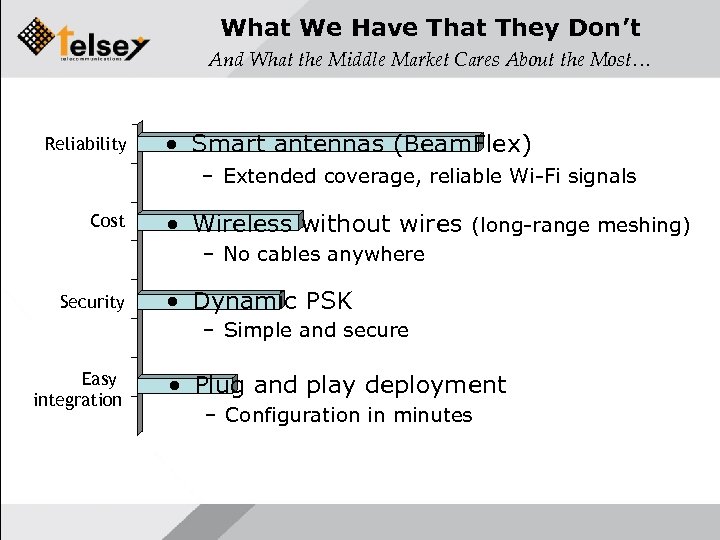 What We Have That They Don’t And What the Middle Market Cares About the Most… Reliability • Smart antennas (Beam. Flex) – Extended coverage, reliable Wi-Fi signals Cost • Wireless without wires (long-range meshing) – No cables anywhere Security • Dynamic PSK – Simple and secure Easy integration • Plug and play deployment – Configuration in minutes
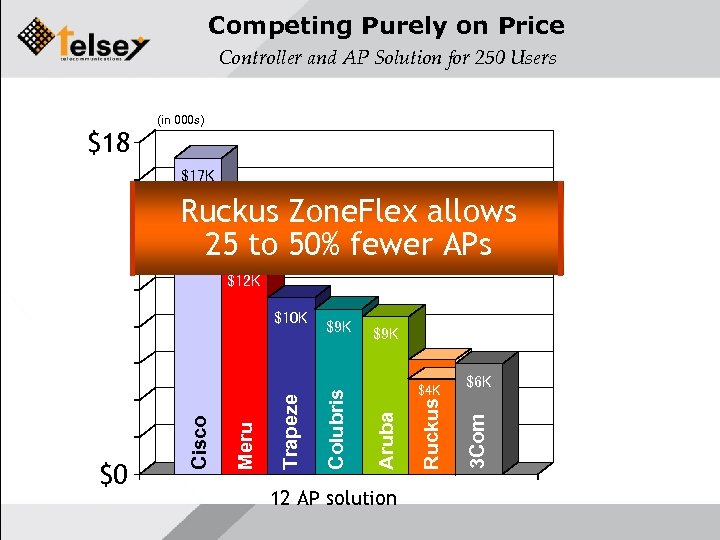 Competing Purely on Price Controller and AP Solution for 250 Users $18 (in 000 s) $17 K Ruckus Zone. Flex allows 25 to 50% fewer APs $12 K $9 K 12 AP solution Ruckus $4 K Aruba Colubris Trapeze Meru $0 Cisco $6 K 3 Com $10 K
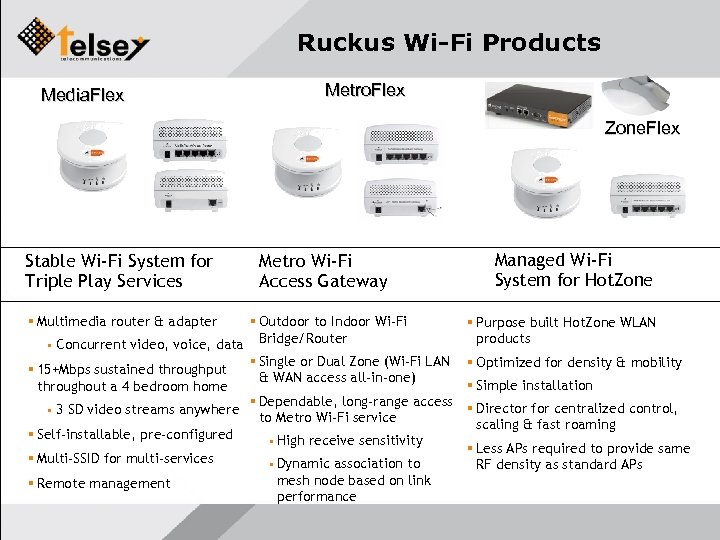 Ruckus Wi-Fi Products Media. Flex Metro. Flex Zone. Flex Stable Wi-Fi System for Triple Play Services Metro Wi-Fi Access Gateway Multimedia router & adapter Outdoor to Indoor Wi-Fi Bridge/Router • Concurrent video, voice, data Single or Dual Zone (Wi-Fi LAN 15+Mbps sustained throughput & WAN access all-in-one) throughout a 4 bedroom home Dependable, long-range access • 3 SD video streams anywhere to Metro Wi-Fi service Self-installable, pre-configured • High receive sensitivity Multi-SSID for multi-services Remote management • Dynamic association to mesh node based on link performance Managed Wi-Fi System for Hot. Zone Purpose built Hot. Zone WLAN products Optimized for density & mobility Simple installation Director for centralized control, scaling & fast roaming Less APs required to provide same RF density as standard APs
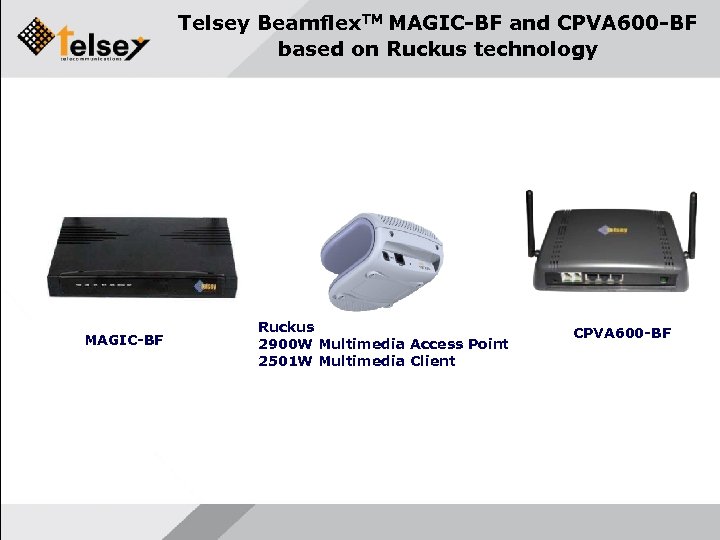 Telsey Beamflex. TM MAGIC-BF and CPVA 600 -BF based on Ruckus technology MAGIC-BF Ruckus 2900 W Multimedia Access Point 2501 W Multimedia Client CPVA 600 -BF
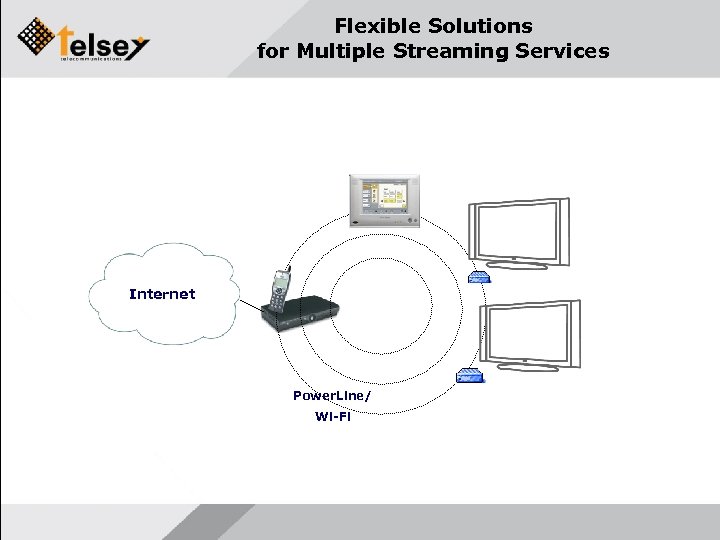 Flexible Solutions for Multiple Streaming Services Internet Power. Line/ Wi-Fi
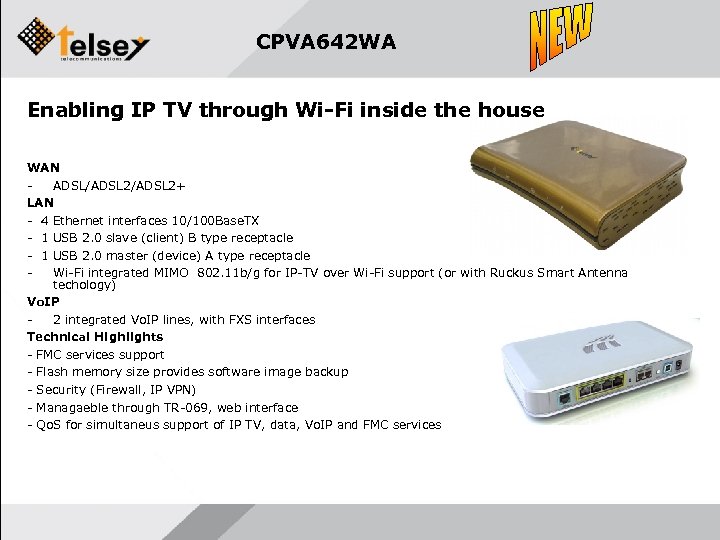 CPVA 642 WA Enabling IP TV through Wi-Fi inside the house WAN ADSL/ADSL 2+ LAN - 4 Ethernet interfaces 10/100 Base. TX - 1 USB 2. 0 slave (client) B type receptacle - 1 USB 2. 0 master (device) A type receptacle Wi-Fi integrated MIMO 802. 11 b/g for IP-TV over Wi-Fi support (or with Ruckus Smart Antenna techology) Vo. IP 2 integrated Vo. IP lines, with FXS interfaces Technical Highlights - FMC services support - Flash memory size provides software image backup - Security (Firewall, IP VPN) - Managaeble through TR-069, web interface - Qo. S for simultaneus support of IP TV, data, Vo. IP and FMC services
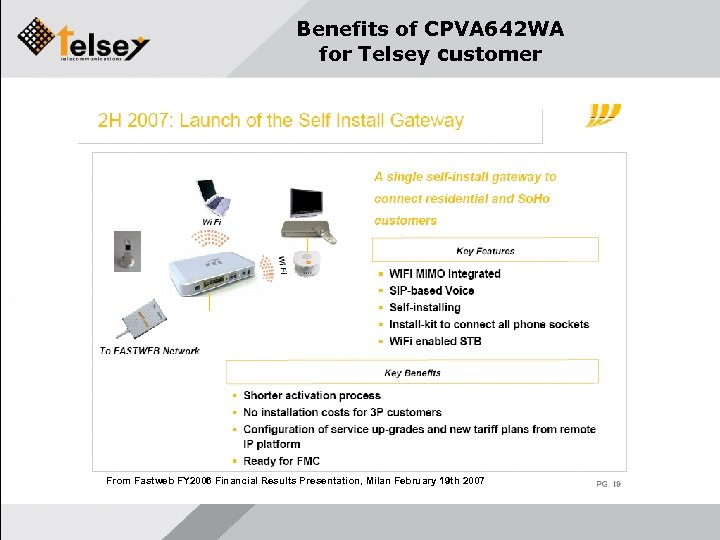 Benefits of CPVA 642 WA for Telsey customer From Fastweb FY 2006 Financial Results Presentation, Milan February 19 th 2007
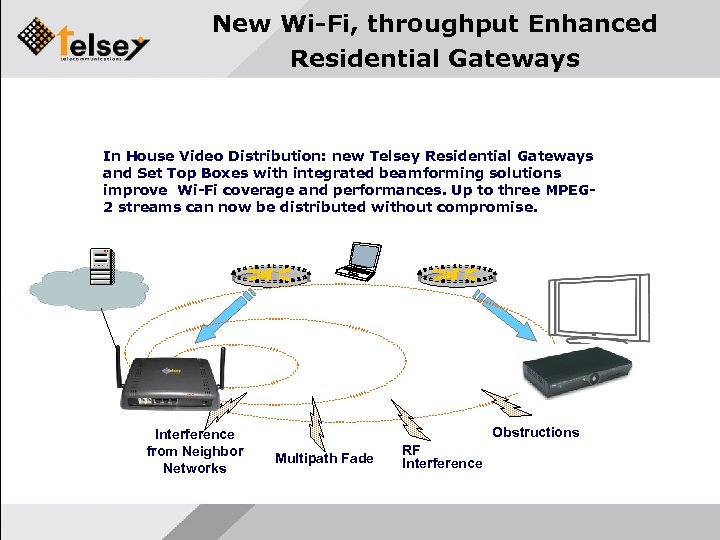 New Wi-Fi, throughput Enhanced Residential Gateways In House Video Distribution: new Telsey Residential Gateways and Set Top Boxes with integrated beamforming solutions improve Wi-Fi coverage and performances. Up to three MPEG 2 streams can now be distributed without compromise. Interference from Neighbor Networks Obstructions Multipath Fade RF Interference
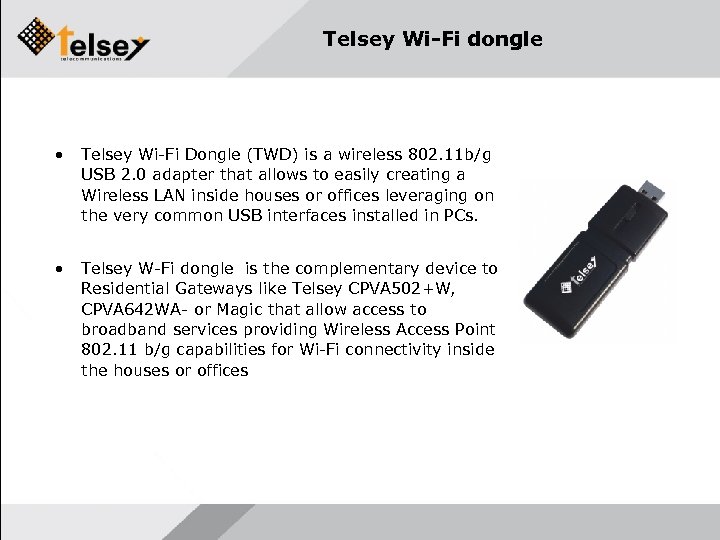 Telsey Wi-Fi dongle • Telsey Wi-Fi Dongle (TWD) is a wireless 802. 11 b/g USB 2. 0 adapter that allows to easily creating a Wireless LAN inside houses or offices leveraging on the very common USB interfaces installed in PCs. • Telsey W-Fi dongle is the complementary device to Residential Gateways like Telsey CPVA 502+W, CPVA 642 WA- or Magic that allow access to broadband services providing Wireless Access Point 802. 11 b/g capabilities for Wi-Fi connectivity inside the houses or offices
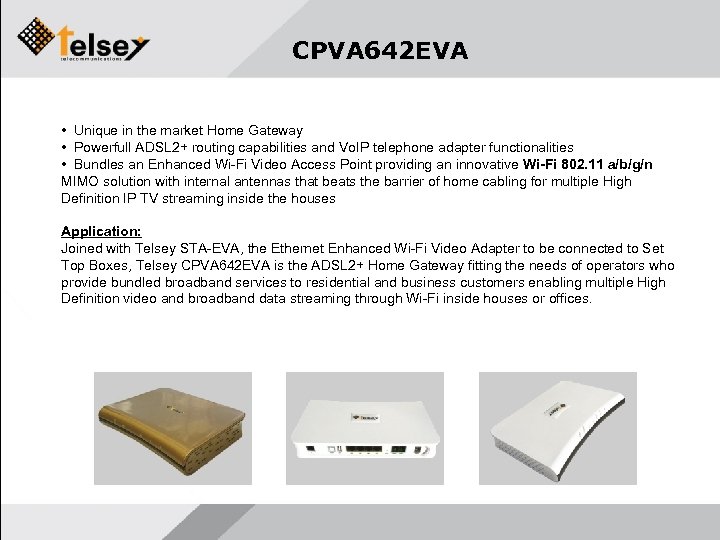 CPVA 642 EVA • Unique in the market Home Gateway • Powerfull ADSL 2+ routing capabilities and Vo. IP telephone adapter functionalities • Bundles an Enhanced Wi-Fi Video Access Point providing an innovative Wi-Fi 802. 11 a/b/g/n MIMO solution with internal antennas that beats the barrier of home cabling for multiple High Definition IP TV streaming inside the houses Application: Joined with Telsey STA-EVA, the Ethernet Enhanced Wi-Fi Video Adapter to be connected to Set Top Boxes, Telsey CPVA 642 EVA is the ADSL 2+ Home Gateway fitting the needs of operators who provide bundled broadband services to residential and business customers enabling multiple High Definition video and broadband data streaming through Wi-Fi inside houses or offices.
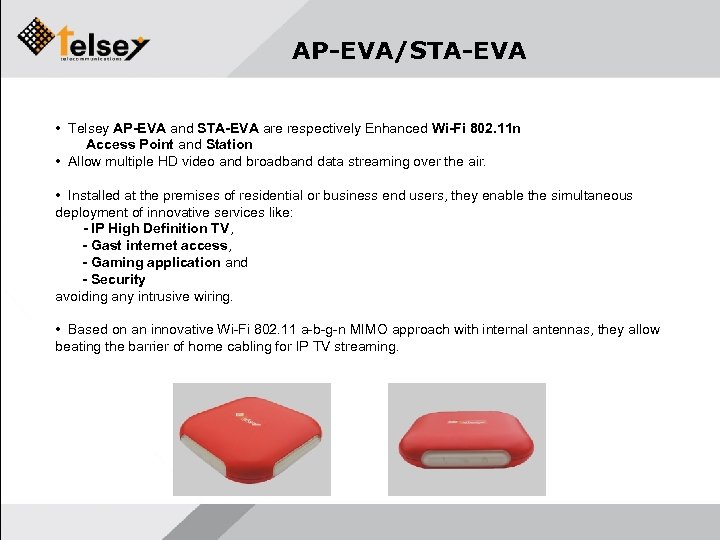 AP-EVA/STA-EVA • Telsey AP-EVA and STA-EVA are respectively Enhanced Wi-Fi 802. 11 n Access Point and Station • Allow multiple HD video and broadband data streaming over the air. • Installed at the premises of residential or business end users, they enable the simultaneous deployment of innovative services like: - IP High Definition TV, - Gast internet access, - Gaming application and - Security avoiding any intrusive wiring. • Based on an innovative Wi-Fi 802. 11 a-b-g-n MIMO approach with internal antennas, they allow beating the barrier of home cabling for IP TV streaming.
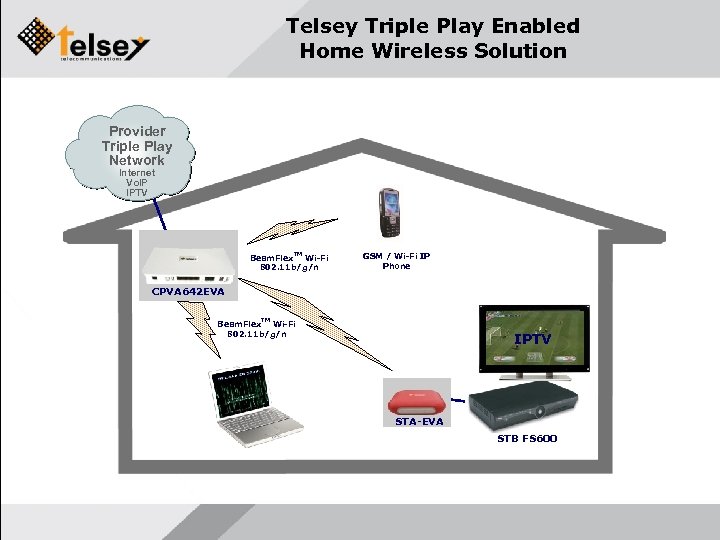 Telsey Triple Play Enabled Home Wireless Solution Triple Play Provider Internet Triple Play Vo. IP Network Internet IPTV Vo. IP IPTV TM Beam. Flex Wi-Fi 802. 11 b/g/n GSM / Wi-Fi IP Phone CPVA 642 EVA TM Beam. Flex Wi-Fi 802. 11 b/g/n IPTV STA-EVA STB FS 600
 THANK YOU The present document contains confidential information relevant to Telsey including, but not limited to, its products, services and strategies of pricing. Telsey provides these information to the customer at the condition that the appropriate confidentiality must be upheld. Therefore, the present document is distributed with the explicit understanding that the correct level of confidentiality on its content will be maintained. The present document or parts of it must not be photocopied, reproduced nor distributed to third parties without the written consent from Telsey S. p. A. Telsey CEE Gmb. H Hietzinger Kai 87/3 A-1130 Vienna www. telsey. com Company Confidential