 Скачать презентацию Technology Refresh Programme Project Overview 4 TH December
b19a434841a5b3b89cd827ea5b9ba091.ppt
- Количество слайдов: 44




Technology Refresh Programme Project Overview 4 TH December 2012 Derek Askew www. britishcouncil. org 1
Agenda • • • Tech Refresh Project Overview Windows 7 Build Overview Applications Deployment Scenarios USMT & State Migration SCCM Site Preparation AD Site Preparation Other Preparation Tasks Migration Portal Questions www. britishcouncil. org 2
Tech Refresh Overview
Scope • Windows 7 Deployment • Support from Smartphones and Tablets • Exchange 2010 Upgrade • Office 2010 Upgrade • AD Upgrade – Server 2008 • Share. Point 2014 Upgrade – Evaluation of Office 365
Incompatibility and Standardisation Costs • Moving to a new Operating System and Architecture will inevitably mean some incompatible hardware and software. • Where computers are incompatible Technology Refresh will provide budget for replacements • Where software is incompatible the business will need to provide budget for replacements • Where peripherals (printers, scanners etc. ) are incompatible the business will need to provide budget for replacements www. britishcouncil. org 6
Windows 7 Build Overview
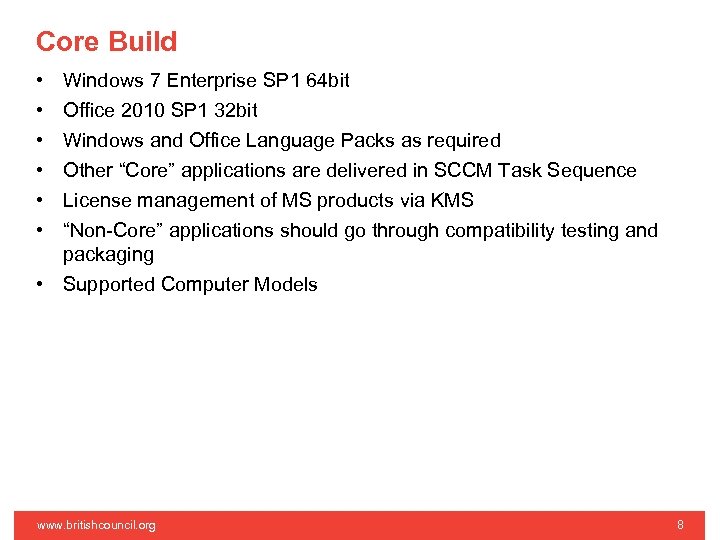
Core Build • • • Windows 7 Enterprise SP 1 64 bit Office 2010 SP 1 32 bit Windows and Office Language Packs as required Other “Core” applications are delivered in SCCM Task Sequence License management of MS products via KMS “Non-Core” applications should go through compatibility testing and packaging • Supported Computer Models www. britishcouncil. org 8
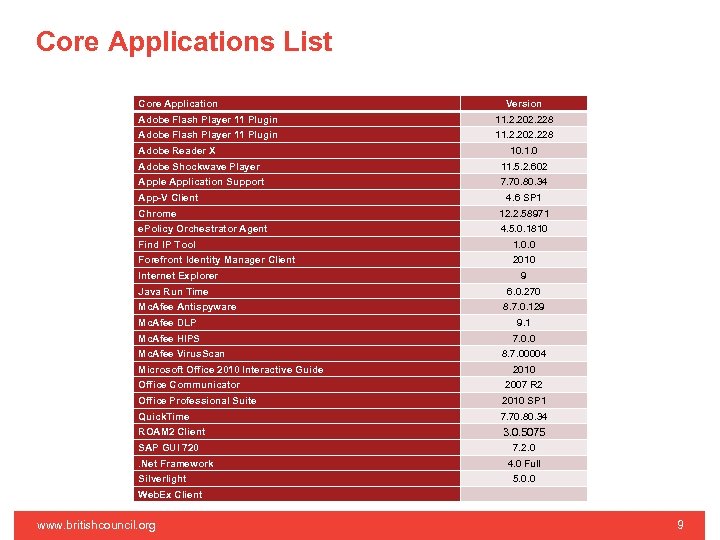
Core Applications List Core Application Version Adobe Flash Player 11 Plugin 11. 2. 202. 228 Adobe Reader X 10. 1. 0 Adobe Shockwave Player 11. 5. 2. 602 Apple Application Support 7. 70. 80. 34 App-V Client 4. 6 SP 1 Chrome 12. 2. 58971 e. Policy Orchestrator Agent 4. 5. 0. 1810 Find IP Tool 1. 0. 0 Forefront Identity Manager Client 2010 Internet Explorer Java Run Time Mc. Afee Antispyware 9 6. 0. 270 8. 7. 0. 129 Mc. Afee DLP 9. 1 Mc. Afee HIPS 7. 0. 0 Mc. Afee Virus. Scan Microsoft Office 2010 Interactive Guide Office Communicator 8. 7. 00004 2010 2007 R 2 Office Professional Suite 2010 SP 1 Quick. Time 7. 70. 80. 34 ROAM 2 Client 3. 0. 5075 SAP GUI 720. Net Framework Silverlight 7. 2. 0 4. 0 Full 5. 0. 0 Web. Ex Client www. britishcouncil. org 9
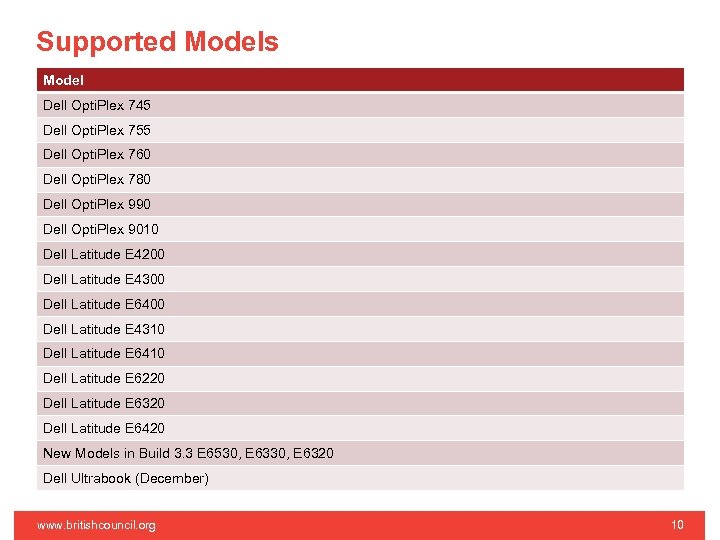
Supported Models Model Dell Opti. Plex 745 Dell Opti. Plex 755 Dell Opti. Plex 760 Dell Opti. Plex 780 Dell Opti. Plex 990 Dell Opti. Plex 9010 Dell Latitude E 4200 Dell Latitude E 4300 Dell Latitude E 6400 Dell Latitude E 4310 Dell Latitude E 6410 Dell Latitude E 6220 Dell Latitude E 6320 Dell Latitude E 6420 New Models in Build 3. 3 E 6530, E 6320 Dell Ultrabook (December) www. britishcouncil. org 10
Profiles and Folder Redirection • Windows XP profiles are incompatible with Windows 7 • Created in the same share as XP profile • New profile created with a. V 2 suffix • As with XP most “Special Folders” will be redirected to the users Home Drive • No other profile migration process will be conducted • Any settings in the NTUser. dat will not be migrated • Favourites, My Documents etc. will be available due to Redirection www. britishcouncil. org 11
Security • Laptop HDD will be encrypted using Bit. Locker • Backup to AD • Transparent Operation Mode – TPM • 256 Bit – Build 3. 5, Prior to that 128 Bit with Diff. User • Requirements for China and Russia TBD • Full suite of Mc. Afee applications will be in installed (except Endpoint Encryption) • USB access will be controlled by Mc. Afee DLP • As with XP; Windows Updates will be managed via SCCM www. britishcouncil. org 12
Applications www. britishcouncil. org 13
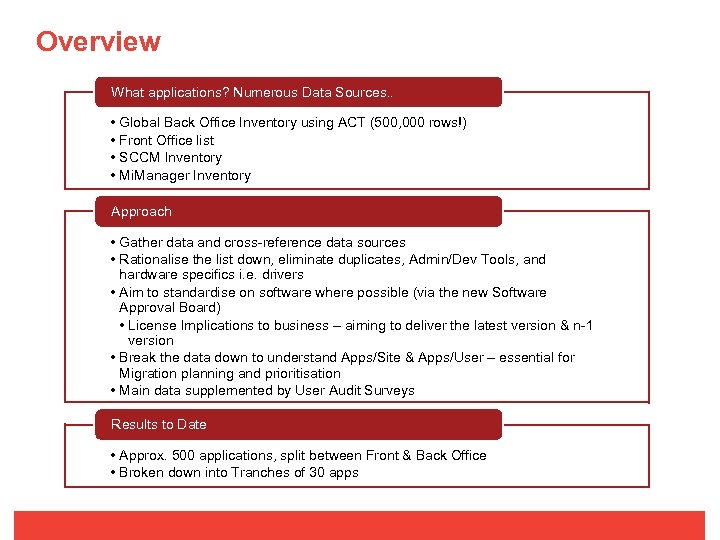
Overview What applications? Numerous Data Sources. . • Global Back Office Inventory using ACT (500, 000 rows!) • Front Office list • SCCM Inventory • Mi. Manager Inventory Approach • Gather data and cross-reference data sources • Rationalise the list down, eliminate duplicates, Admin/Dev Tools, and hardware specifics i. e. drivers • Aim to standardise on software where possible (via the new Software Approval Board) • License Implications to business – aiming to deliver the latest version & n-1 version • Break the data down to understand Apps/Site & Apps/User – essential for Migration planning and prioritisation • Main data supplemented by User Audit Surveys Results to Date • Approx. 500 applications, split between Front & Back Office • Broken down into Tranches of 30 apps
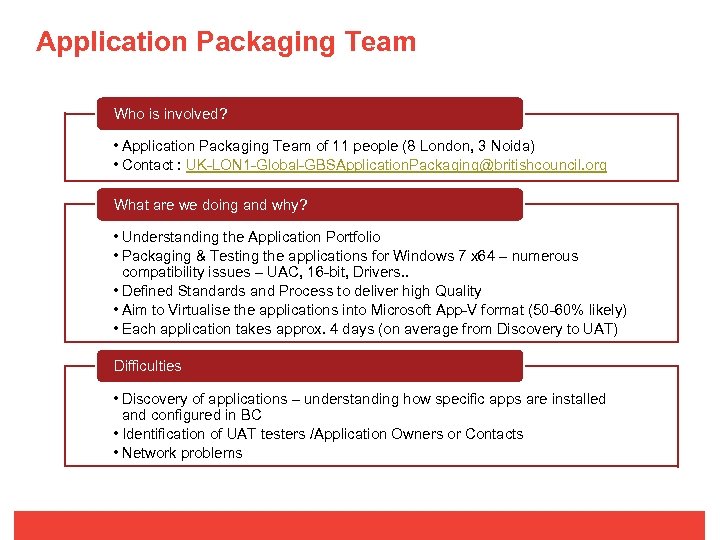
Application Packaging Team Who is involved? • Application Packaging Team of 11 people (8 London, 3 Noida) • Contact : UK-LON 1 -Global-GBSApplication. Packaging@britishcouncil. org What are we doing and why? • Understanding the Application Portfolio • Packaging & Testing the applications for Windows 7 x 64 – numerous compatibility issues – UAC, 16 -bit, Drivers. . • Defined Standards and Process to deliver high Quality • Aim to Virtualise the applications into Microsoft App-V format (50 -60% likely) • Each application takes approx. 4 days (on average from Discovery to UAT) Difficulties • Discovery of applications – understanding how specific apps are installed and configured in BC • Identification of UAT testers /Application Owners or Contacts • Network problems
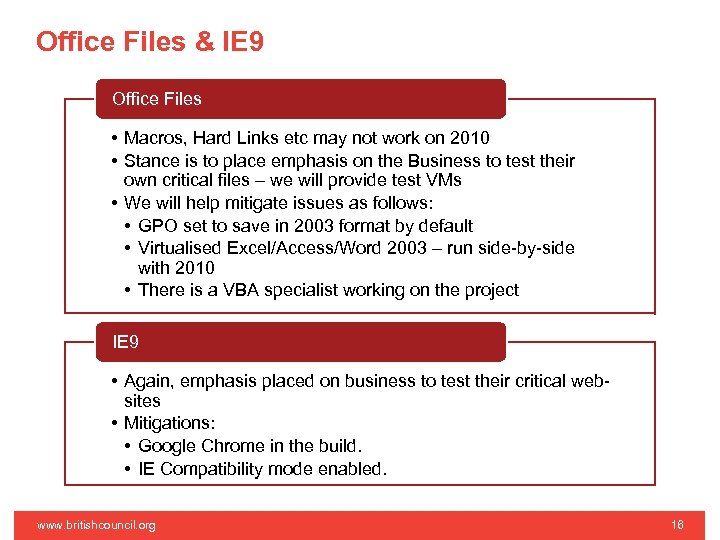
Office Files & IE 9 Office Files • Macros, Hard Links etc may not work on 2010 • Stance is to place emphasis on the Business to test their own critical files – we will provide test VMs • We will help mitigate issues as follows: • GPO set to save in 2003 format by default • Virtualised Excel/Access/Word 2003 – run side-by-side with 2010 • There is a VBA specialist working on the project IE 9 • Again, emphasis placed on business to test their critical websites • Mitigations: • Google Chrome in the build. • IE Compatibility mode enabled. www. britishcouncil. org 16
Deployment Scenarios
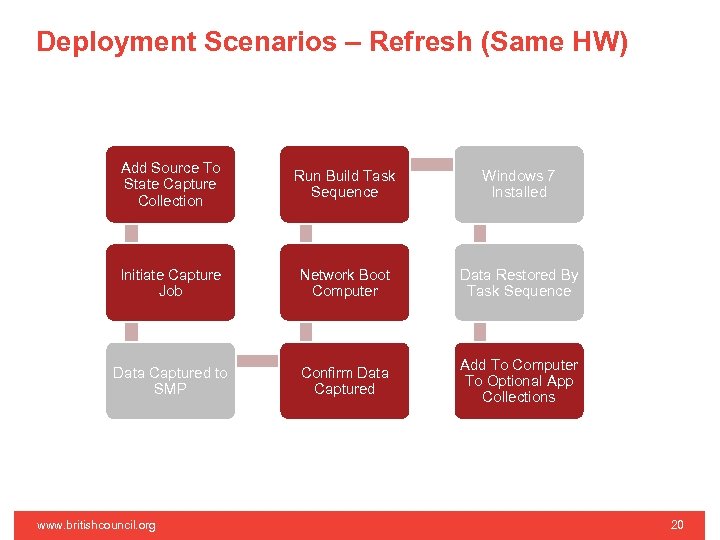
Deployment Scenarios – Refresh (Same HW) Add Source To State Capture Collection Run Build Task Sequence Windows 7 Installed Initiate Capture Job Network Boot Computer Data Restored By Task Sequence Data Captured to SMP Confirm Data Captured Add To Computer To Optional App Collections www. britishcouncil. org 20
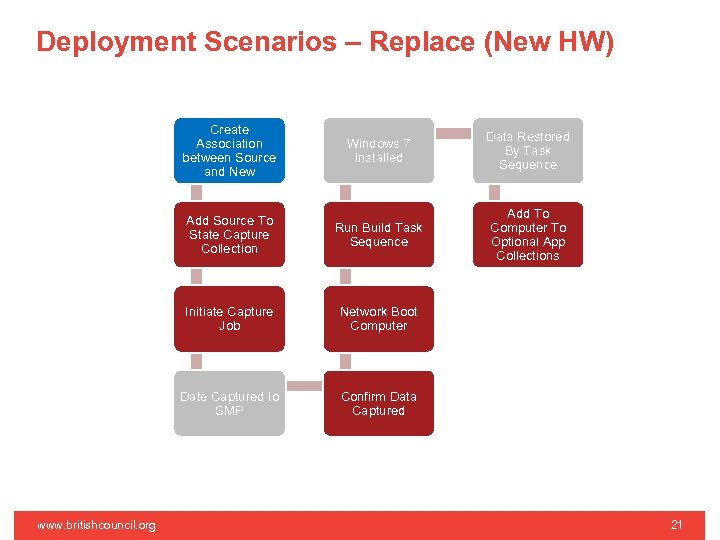
Deployment Scenarios – Replace (New HW) Create Association between Source and New Data Restored By Task Sequence Add Source To State Capture Collection Run Build Task Sequence Add To Computer To Optional App Collections Initiate Capture Job Network Boot Computer Date Captured to SMP www. britishcouncil. org Windows 7 Installed Confirm Data Captured 21
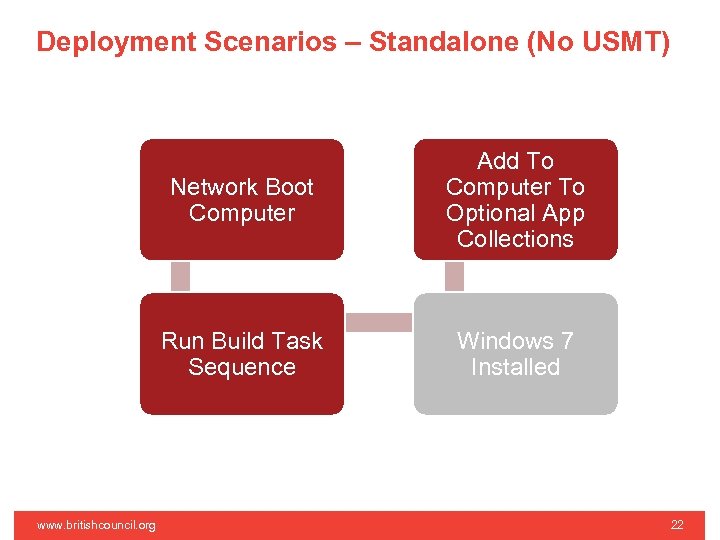
Deployment Scenarios – Standalone (No USMT) Network Boot Computer Run Build Task Sequence www. britishcouncil. org Add To Computer To Optional App Collections Windows 7 Installed 22
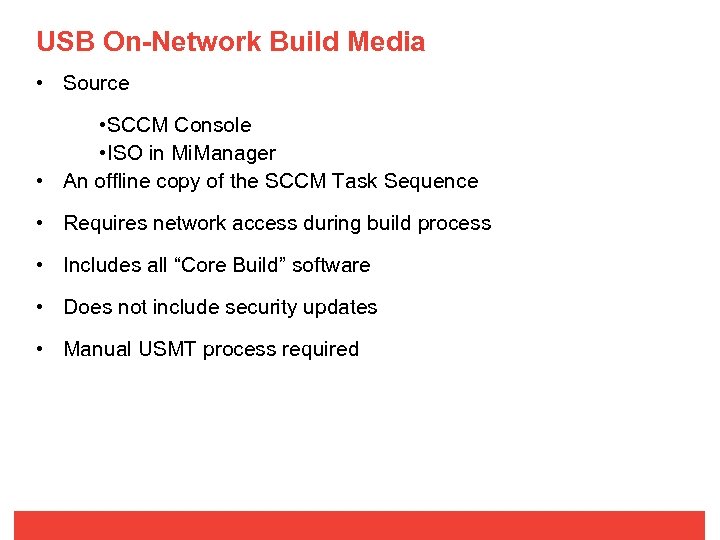
USB On-Network Build Media • Source • SCCM Console • ISO in Mi. Manager • An offline copy of the SCCM Task Sequence • Requires network access during build process • Includes all “Core Build” software • Does not include security updates • Manual USMT process required
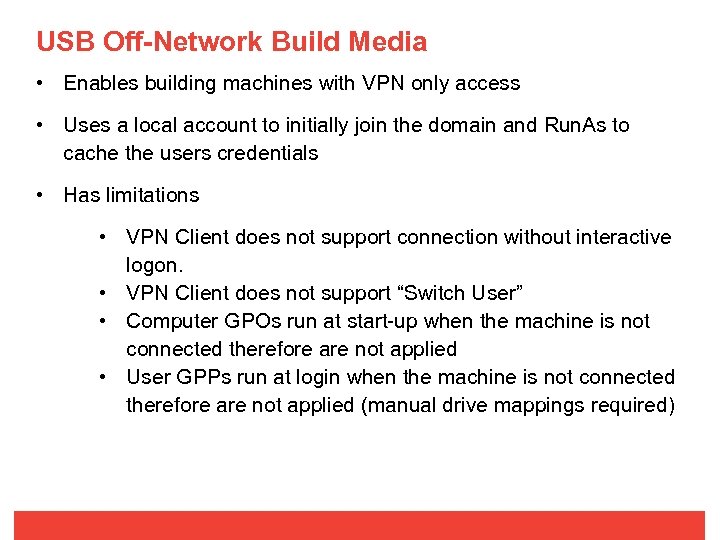
USB Off-Network Build Media • Enables building machines with VPN only access • Uses a local account to initially join the domain and Run. As to cache the users credentials • Has limitations • VPN Client does not support connection without interactive logon. • VPN Client does not support “Switch User” • Computer GPOs run at start-up when the machine is not connected therefore are not applied • User GPPs run at login when the machine is not connected therefore are not applied (manual drive mappings required)
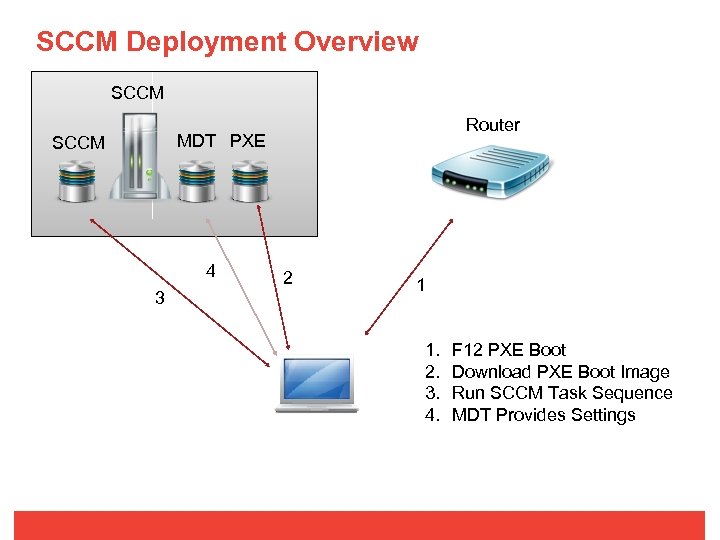
SCCM Deployment Overview SCCM Router MDT PXE SCCM 4 3 2 1 1. 2. 3. 4. F 12 PXE Boot Download PXE Boot Image Run SCCM Task Sequence MDT Provides Settings
Microsoft User State Migration Tool www. britishcouncil. org 26
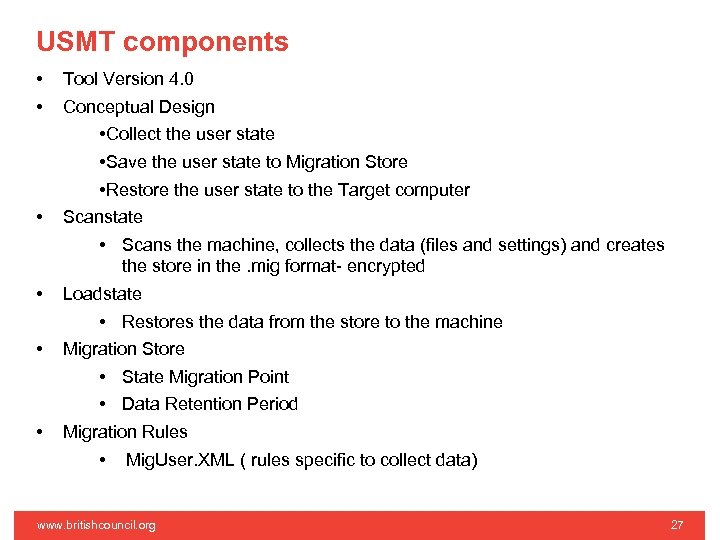
USMT components • • • Tool Version 4. 0 Conceptual Design • Collect the user state • Save the user state to Migration Store • Restore the user state to the Target computer Scanstate • Scans the machine, collects the data (files and settings) and creates the store in the. mig format- encrypted Loadstate • Restores the data from the store to the machine Migration Store • State Migration Point • Data Retention Period Migration Rules • Mig. User. XML ( rules specific to collect data) www. britishcouncil. org 27
State Migration Solution Overview www. britishcouncil. org 28
State Migration Solution Overview • • Why USMT? • USMT 4. 0 seamlessly integrates with SCCM and MDT 2010 • No Licensing cost involved Design Principles and Assumptions • Enough Space on the server/ NAS • Migration process to only include the user data • Data will be stored to and restored from a network share (State migration point) • Solution allows the site to customize the XML file per the site requirements • Local Users and Admin accounts (_ accounts) excluded from scanning • Solution caters to migrate known file types only. www. britishcouncil. org 29
State Migration Solution Overview • Scenarios Covered • Refresh (Source and Destination Machines are the same) • Replace (Source Machine different from the destination machine) • Data Retention Period • File Types *. 123, *. accdb, *. ch 3, *. csv, *. dif, *. doc*, *. dot*, *. dqy, *. fpt, *. gmb, *. iml, *. iqy, *. jsd, *. m cw, *. mda, *. mdb*, *. mde, *. mpp, *. msg, *. one*, *. oqy, *. or 6, *. pdf, *. pot*, *. ppam, *. pps*, *. ppt*, *. pre, *. pst, *. pub, *. qdf, *. qel, *. qph, *. qsd, *. rep, *. rqy, *. rtf, *. scd, *. sh 3, *. slk, *. txt, *. vl*, *. vsc, *. vsd, *. vss, *. vst, *. vsw, *. wbk, *. wdb, *. wk*, *. wpd, *. wps*, *. wq 1, *. wri, *. xl*, *. xla, *. xl b, *. xls*, *. xsn www. britishcouncil. org 30
SCCM Site Preparation www. britishcouncil. org 31
SCCM Site Preparation – Pre-requisites • IDU document 000757 available in Mi. Manager • Disk Space • Build and Core applications need ~14 GB • Repackaged applications will need approximately the same again as the XP applications • If site currently has 200 GB of apps distributed it will need at least a further 200 GB of free space • Free space must be on one of the SCCM DP shares although sufficient cache must be available on C Drive • More is obviously better to allow for growth • Need to start planning for upgrades now • Shuchi Chopra’s team are end to end service owners www. britishcouncil. org 32
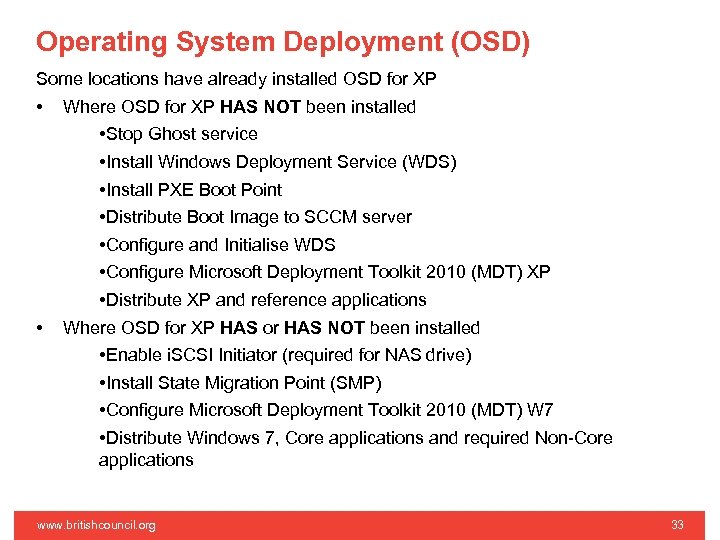
Operating System Deployment (OSD) Some locations have already installed OSD for XP • • Where OSD for XP HAS NOT been installed • Stop Ghost service • Install Windows Deployment Service (WDS) • Install PXE Boot Point • Distribute Boot Image to SCCM server • Configure and Initialise WDS • Configure Microsoft Deployment Toolkit 2010 (MDT) XP • Distribute XP and reference applications Where OSD for XP HAS or HAS NOT been installed • Enable i. SCSI Initiator (required for NAS drive) • Install State Migration Point (SMP) • Configure Microsoft Deployment Toolkit 2010 (MDT) W 7 • Distribute Windows 7, Core applications and required Non-Core applications www. britishcouncil. org 33
AD Site Preparation www. britishcouncil. org 34
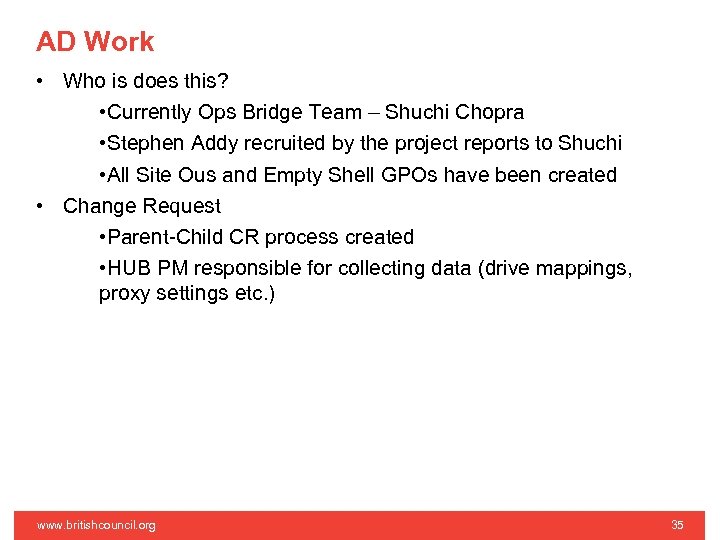
AD Work • Who is does this? • Currently Ops Bridge Team – Shuchi Chopra • Stephen Addy recruited by the project reports to Shuchi • All Site Ous and Empty Shell GPOs have been created • Change Request • Parent-Child CR process created • HUB PM responsible for collecting data (drive mappings, proxy settings etc. ) www. britishcouncil. org 35
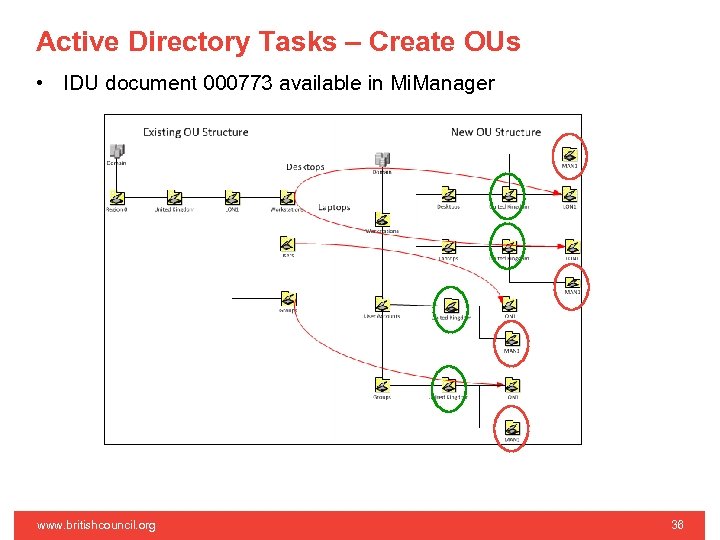
Active Directory Tasks – Create OUs • IDU document 000773 available in Mi. Manager www. britishcouncil. org 36
Other Site Preparation Tasks www. britishcouncil. org 37
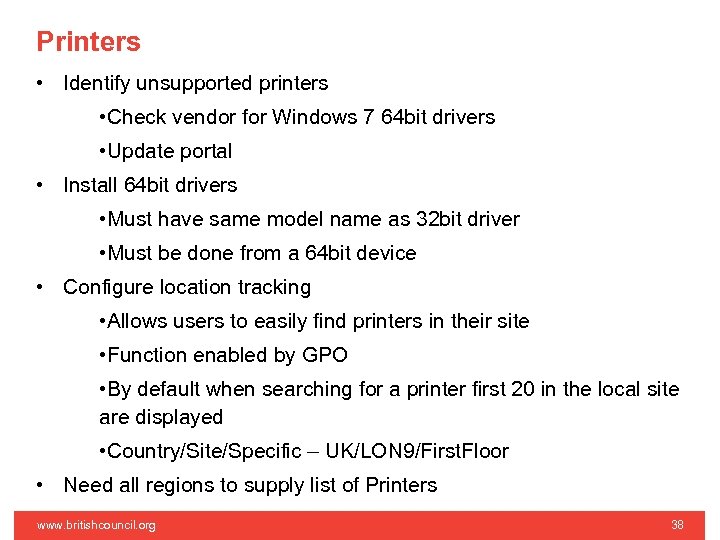
Printers • Identify unsupported printers • Check vendor for Windows 7 64 bit drivers • Update portal • Install 64 bit drivers • Must have same model name as 32 bit driver • Must be done from a 64 bit device • Configure location tracking • Allows users to easily find printers in their site • Function enabled by GPO • By default when searching for a printer first 20 in the local site are displayed • Country/Site/Specific – UK/LON 9/First. Floor • Need all regions to supply list of Printers www. britishcouncil. org 38
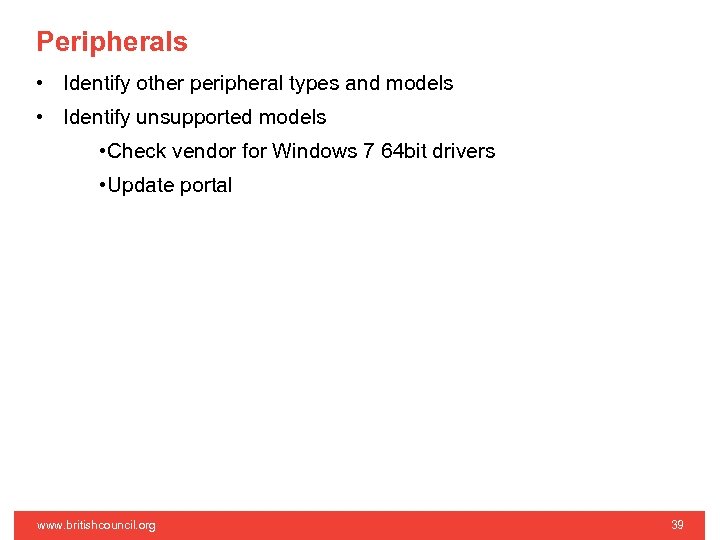
Peripherals • Identify other peripheral types and models • Identify unsupported models • Check vendor for Windows 7 64 bit drivers • Update portal www. britishcouncil. org 39
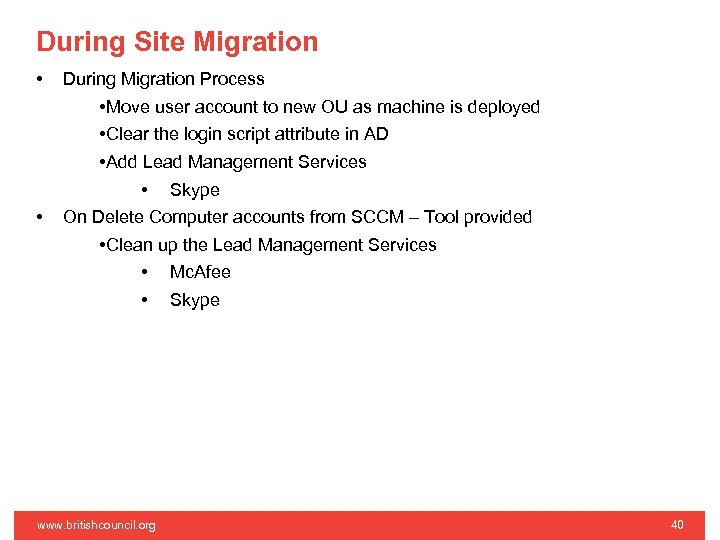
During Site Migration • • During Migration Process • Move user account to new OU as machine is deployed • Clear the login script attribute in AD • Add Lead Management Services • Skype On Delete Computer accounts from SCCM – Tool provided • Clean up the Lead Management Services • Mc. Afee • Skype www. britishcouncil. org 40
Post Migration • Format NAS Drive – Important, don’t leave site with any data. • Move All Groups to new • Completion of Each Migration • Delete XP profile once user has confirmed migration successful • Move Computers to “Global -> Stale Records” OU www. britishcouncil. org 41
Migration Portal www. britishcouncil. org 42
Why do we need a Portal • • Central point of deployment data Live view of progress Reporting • Asset Information for Logica is mandatory for handover • KPI progress reports Reduce dependency on spread sheets • Corruption • Versioning • Concurrency Control data quality using business logic Maintain overall picture of readiness and progress Accountability • All actions are audited in the portal www. britishcouncil. org 43
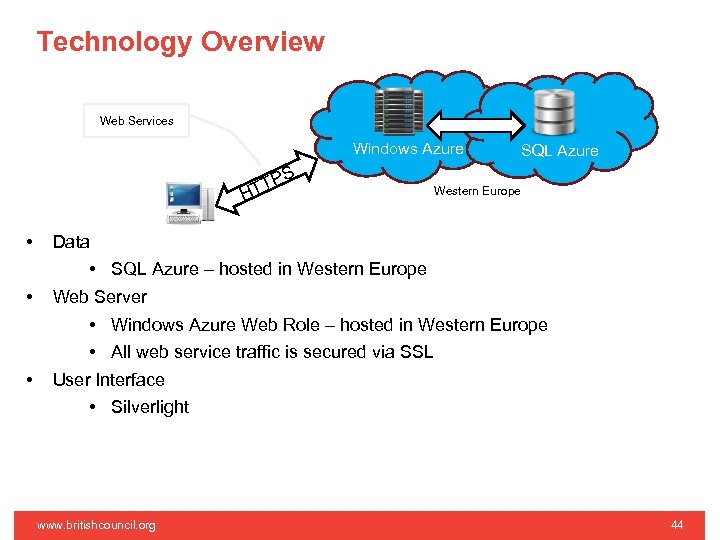
Technology Overview Web Services Windows Azure PS T HT • • • SQL Azure Western Europe Data • SQL Azure – hosted in Western Europe Web Server • Windows Azure Web Role – hosted in Western Europe • All web service traffic is secured via SSL User Interface • Silverlight www. britishcouncil. org 44
Document List www. britishcouncil. org 45
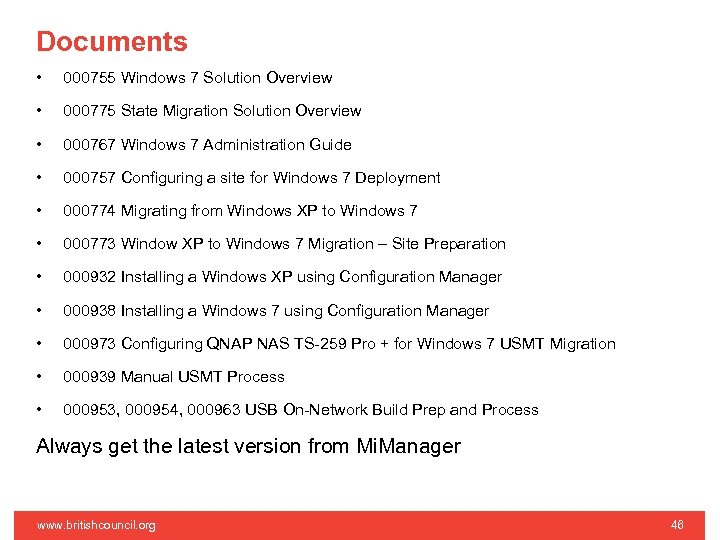
Documents • 000755 Windows 7 Solution Overview • 000775 State Migration Solution Overview • 000767 Windows 7 Administration Guide • 000757 Configuring a site for Windows 7 Deployment • 000774 Migrating from Windows XP to Windows 7 • 000773 Window XP to Windows 7 Migration – Site Preparation • 000932 Installing a Windows XP using Configuration Manager • 000938 Installing a Windows 7 using Configuration Manager • 000973 Configuring QNAP NAS TS-259 Pro + for Windows 7 USMT Migration • 000939 Manual USMT Process • 000953, 000954, 000963 USB On-Network Build Prep and Process Always get the latest version from Mi. Manager www. britishcouncil. org 46

Questions www. britishcouncil. org 47
Скачать презентацию Technology Refresh Programme Project Overview 4 TH December
b19a434841a5b3b89cd827ea5b9ba091.ppt